TP-Link Deco App Reviews
TP-Link Deco App Description & Overview
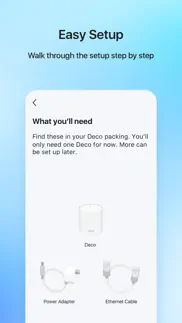
What is tp-link deco app? Welcome to the Deco App — the perfect way to set up your mesh WiFi in minutes and control your whole network.
Our simple-to-follow guide walks you through the setup process and even gives you suggestions for whole home coverage.
Once connected, you’ll have instant access to check every connected device, manage your kids’ online activity, and control your home network effortlessly. All from the palm of your hand.
- EASY TO SET UP AND MANAGE
• Quickly set up with step-by-step instructions
• Find the best spots to place additional Deco units for maximum coverage
• Control your WiFi network without turning on your computer
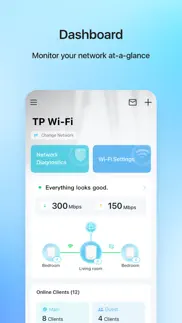
• Check your connection status and network speed at a glance
• Find out who or what is connecting to your network
• Instantly block unwanted devices with a tap
- PROTECT YOUR WIFI
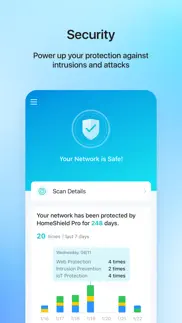
• Detect potential threats and receive warnings before things get serious
• Create a guest network to give friends internet access while shielding your private network
• Block unauthorized access and inappropriate content
• Run network performance tests
- FIND FAMILY TIME WITH PARENTAL CONTROLS
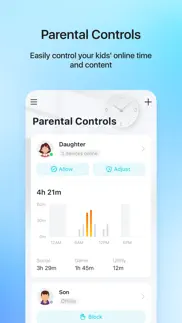
• Set a time restriction and pause the WiFi on kids’ devices
• Control when specific devices have WiFi access
• Make room for more family time with Schedules
- PRIORITIZE YOUR FAVORITE DEVICES
QoS lets you choose which devices always have the fastest connections. Set a schedule to assign device priority for different times of the day.
- KNOW EVERYTHING ABOUT YOUR NETWORK
Detailed reports help you understand your home WiFi and everything connected.
- CREATE YOUR SMART HOME
Connect, control, and check the status of your smart cameras, plugs, and lights – all from the Deco app.
Features available in Deco may vary by model and software version. Stay tuned for updates as we add new features and products to the Deco family!
Privacy Policy: http://www.tp-link.com/en/privacy?app=deco#sec_a\
Term of Use: http://www.tp-link.com/en/privacy?app=deco#sec_b\
HomeShield Subscription Service Agreement: https://www.tp-link.com/homeshield/service-agreement/?app=deco
Auto-Renewal Service Agreement: https://www.tp-link.com/homeshield/auto-renewal-service-agreement/?app=deco
For more information about Deco, visit www.tp-link.com
😍 Do you love TP-Link Deco app? Please share your friends!



Please wait! TP-Link Deco app comments loading...
TP-Link Deco 3.10.417 Tips, Tricks, Cheats and Rules
What do you think of the TP-Link Deco app? Can you share your complaints, experiences, or thoughts about the application with TP-Link Systems Inc. and other users?


TP-Link Deco 3.10.417 Apps Screenshots & Images
TP-Link Deco iphone, ipad, apple watch and apple tv screenshot images, pictures.
| Language | English |
| Price | Free |
| Adult Rating | 4+ years and older |
| Current Version | 3.10.417 |
| Play Store | com.tplink.aria |
| Compatibility | iOS 13.0 or later |
TP-Link Deco (Versiyon 3.10.417) Install & Download
The application TP-Link Deco was published in the category Utilities on 12 April 2017, Wednesday and was developed by TP-Link Systems Inc. [Developer ID: 1713842892]. This program file size is 568.44 MB. This app has been rated by 74,543 users and has a rating of 4.8 out of 5. TP-Link Deco - Utilities app posted on 22 May 2026, Friday current version is 3.10.417 and works well on iOS 13.0 and higher versions. Google Play ID: com.tplink.aria. Languages supported by the app:
AR BG CS DA NL EN FI FR DE EL HE HU IT JA KO MS NB PL PT RO RU SK ES SV TH ZH TR UK VI Download & Install Now!| App Name | Score | Comments | Price |
| Wi-Fi Toolkit Reviews | 3.4 | 89 | Free |
| TP-Link Aginet Reviews | 4.8 | 864 | Free |
| Wi-Fi Navi Reviews | 4.8 | 63 | Free |
| KidShield Reviews | 4.3 | 3 | Free |
| TpMiFi Reviews | 4.5 | 772 | Free |
Fixed some bugs and improved the stability.
| App Name | Released |
| Amazon Fire TV | 22 December 2014 |
| Facemoji AI Emoji Keyboard | 28 April 2016 |
| Xfinity | 18 April 2017 |
| Mint Mobile | 15 November 2017 |
| Blink Home Monitor | 20 November 2015 |
Find on this site the customer service details of TP-Link Deco. Besides contact details, the page also offers a brief overview of the digital toy company.
| App Name | Released |
| ITest. | 24 April 2024 |
| Necrometer | 25 May 2023 |
| AnyFont | 20 February 2014 |
| Goblin Tools | 31 May 2023 |
| FE File Explorer Pro | 28 February 2012 |
Discover how specific cryptocurrencies work — and get a bit of each crypto to try out for yourself. Coinbase is the easiest place to buy and sell cryptocurrency. Sign up and get started today.
| App Name | Released |
| Target | 24 November 2008 |
| Gas | 27 August 2022 |
| Wizz - Make new friends | 24 February 2019 |
| YouTube TV | 05 April 2017 |
| 28 April 2011 |
Install the Giftmio extension for smart shopping. Get notified about cashback opportunities, activate cashback in one click, and save money on purchases.
| App Name | Released |
| RadarScope | 12 February 2019 |
| Slime Rancher | 26 May 2026 |
| Shadowrocket | 13 April 2015 |
| Bloons TD 5 | 15 November 2012 |
| Terraria | 28 August 2013 |
Each capsule is packed with pure, high-potency nootropic nutrients. No pointless additives. Just 100% natural brainpower. Third-party tested and validated by the Clean Label Project.
Adsterra is the most preferred ad network for those looking for an alternative to AdSense. Adsterra is the ideal choice for new sites with low daily traffic. In order to advertise on the site in Adsterra, like other ad networks, a certain traffic limit, domain age, etc. is required. There are no strict rules.
Keep personal info private, avoid scams, and protect yourself online with AI-powered technology.
TP-Link Deco Comments & Reviews 2026
Need some improvement but overall great app. UPDATE: The new 3.0 version it’s even worse than the last one, there are minimum controls to set, there used to be an option for prioritizing home clients, no longer available, also no way to change main channel, QoS, Bandwith control or anything. Terrible update ! I have used tplink routers for a very long time, they are reliable and very price/performance ratio excellent, this deco mesh system it’s no different, the coverage it’s great and you completely forget about wifi issues. I also installed a mesh system for my parents and I manage it from the same app away from their house. It’s great. However it needs some improvement regarding the wifi channels selection since there are constant growing 5Ghz wireless networks and a very saturated 2.4Ghz spectrum. Also it should incorporate a bandwidth limiter for the guest network and other options for easy management those frequent guest on the house.
Marginal at best, despite the hardware working well. For a long time now I knew that the previous version of this app was showing incorrect information in regards to my Deco system. It was showing Wi-Fi devices connected to deco units that was completely impractical and nearly impossible. Since my “stuff” connected well and had a great connection to Wi-Fi and the internet, I just ignored the info that the app was showing. I was pretty excited a few weeks ago to open the app and see that it was completely revamped. It looks great. I quickly realized, however, that it was just new lipstick on the pig. In fact, it seems like the information was/is more incorrect than ever. Now it’s showing LOTS of my Wi-Fi devices as connected “wired”. That’s impossible. It’s showing some of my wireless devices connected a Deco unit that is so far from the device, it’s just not logical. And a “device health” test from those devices app shows a very solid and strong connection. Because of that I know that it’s connected to the closest Deco, not the farthest one as indicated by the app. I don’t know. I guess this app update is a lateral step, but it does look a bit nicer. All of my devices still connect and work fine so there is nothing hardware wise to complain about. I just wish I could get accurate info from the app regarding the hardware and various connections. Maybe on the next major app overhaul?
Please add SSID info to client details. This is my first time using app-based rather than Web-based network management. It’s ok, though I’d still like a fully featured Web-based option, since a keyboard and mouse are faster than thumbs for initial buildout. One annoyance I’ve found pertains to the clients list. It’s possible to sort by Network Type, but if you sort by anything else, then you can’t see which network a client is using even when you tap a specific client to view its details. You can see which AP and frequency, along with IP and MAC, but not which SSID it’s using. I shouldn’t have to sort the entire list by network type to see which network a client is on. This would be a trivial addition to the client details page, which has plenty of usable space. Would appreciate an update to add this. :)
App is unusable if your vision isn’t perfect. I’ve given 3 stars solely based on the WiFi points performance. The app is completely unusable by anyone without sharp eyesight. While it’s super slick and functional for someone with perfect eyesight it is completely incompatible with iOS accessibility features so if I have large text on my phone the text in the app text and icons are still minuscule and illegible, and further the interface contrast makes it impossible to see what is a link which menu item is activated and further decreases legibility. Zoom doesn’t work either so it’s really useless, you will need someone with perfect eyesight to use it. Please have your developers review Web Content Accessibility Guidelines WCAG and I will recommend the tp link products to everyone I know, the mesh is fabulous the app is unusable.
Decent, but Somewhat Flaky. I'll admit my home's layout is not ideal. The WAN drop from my ISP is on the ground level, and the house (interior townhouse unit) goes up for two more levels. I'd appreciate it, then, if the Deco app reflected the sometimes-spotty state of the mesh, and offered even the most basic feedback on how to make things easier for the network. Instead, the app offers either that "everything looks good," even when things are clearly not good from a network performance standpoint, or it offers that pretty much every Deco is offline, even when all the units have green status lights. When it works, it all works well. Thankfully it works most of the time. When it doesn't work, however, the app is of no help whatsoever. I don't think I'm moving anytime soon, so I'll probably give Ubiquiti's mesh solutions a look at some point. Deco's is OK, but it demands more attention than I'd like, and the app is pretty much useless for troubleshooting.
** Perfect **. Recently upgraded to Fiber internet and wanted to upgrade my older WiFi 5 mesh network, (which I was absolutely in love with,) to something that could match the speed I am now getting in my home. Not only was the price phenomenal for my TP-Link Deco mesh devices, the setup was so easy a 3yr old could do it. Time will tell how they hold up to my scrutiny, but so far I couldn’t be happier with my purchase. Everything from the hardware to the software is top tier, so if you’re on the fence about this unit and it fits your specifications and needs, then I definitely recommend buying them. I don’t often leave reviews, especially of this length, but I wanted to take the time to say thank you to TP-Link by spending a few moments writing this.
Avoid this system.. After spending a good deal of money on a 4 satellite (node) system I’m realizing this isn’t worth the money spent. The “backhaul” feature is practically useless. I live in a single dwelling house so there is no interference from the neighbors wiring yet my distant satellite rarely gets more than 1/2 the speed than the rest of the system. That isn’t the main issue I have with this system it’s biggest problem is getting the updates to actually download from the company. I’ve tried for months using all the recommended techniques listed in their self help yet the best that will happen is the progress of the dl stops at 50 percent then tells me the dl failed and to try again later. I’ve tried at all different hours and dates even two months later yet the downloads simply don’t happen. After reaching out to the customer support I never hear anything back from them. I have two separate updates waiting in the pipeline but neither will dl and the company doesn’t reach out to me. Looking elsewhere for a better system and will chalk this up as a loss.
Really good. Wish it had a few features. The router is great and the app is easy to use and I can find everything pretty quickly and easily. I just wish it had a couple features that it doesn’t have. This would be my pretty short but valuable wish list 1- save port forwarding rules and turn them on or off without deleting them. If I want to disable one temporarily, it’s a pain to have to delete it an recreate the whole rule again. 2- some of my devices are recognized as a new device each time they connect, even though the MAC address is the same. Pointless to rename and pick a picture/device type of it changes each time. Also, it clutters the devices view. Duplicates not being created would be great. 3- address reservation is a little weird. It doesn’t apply to the device right away, you can’t set one that is currently in use by another device (which makes sense, but is a problem because…), and you can’t change that conflicting device easily to free the address. It also doesn’t work well with port forwarding since port forwarding kind of overrules it. It’s just a little finicky. Those are really my only complaints. They’re overall pretty minor, but I don’t think they’d be terribly difficult to fix either.
App itself takes up 1 GB; kind of slow, no customer support in app. I actually looked up how much space the app takes up before buying my Decos. I’m not sure how they get away with lying in the App Store, but I literally just set up my two Decos yesterday and the app itself takes up 1.07 GB (Documents & Data is only 685 KB). I can’t imagine why such an app should occupy so much space, unless it has been coded poorly. Another thing: the app is unnecessarily slow. It’s even slow to load it the first time…there’s a photograph on the loading screen (where the logo “Paint your home in WiFi” is) and that photo is unnecessary. It seems the app is clogged with stuff it doesn’t need. I don’t even really want an app…I only wanted mesh WiFi. The last thing: there is no help or support. The “Contact us” link in the app doesn’t actually include any way to contact them for help. It’s just FAQs, which I don’t need to have statically available in the app occupying space. The product itself seems good, but I’m not sure happy with this software so far.
Good app, but some modifications would make it great!. Similar situation with the other reviewer noting how it would be helpful to have the date and time devices connect available. My other suggestion is with parental controls. It would be great to be able to have the list of visited websites sorted by time visited, or have a drop-down and you could select time, date, or alpha by website. The list it generates is good, and they recently made improvements to combine associated sites within one main drop down, but doesn’t give you an accurate depiction of the time sites were visited. Instead, its sorted by number of times visited putting the highest amount at the top. It also would be nice to be able to go back a day, 2days, 2weeks, etc. however long and see more than just a list of the top 10 sites visited. Unless you login on the same day as the sites were visited, you cannot get a full list of all sites, only the top 10. If it’s a memory issue and not having enough storage in the Deco system for all this data maybe a daily email option could be available. I would be fine getting a daily email for all sites visited before their deleted for the next day. Aside from those small details, the app is pretty solid and works reliably well. My setup is perfect for my home. I have three indoor deco units and one outdoor, all connected with ethernet backhaul.
Amazing app to go with amazing product. I had issues with coverage and speed in certain areas in my 5400 sqft house and I did not have Ethernet. I had a range extender but it was slow, inconsistent, and very buggy. Everything changed after I purchased the deco m9 plus. I get a strong signal everywhere in the house and I also get the full speed of the WiFi I am paying for. It’s as if I am standing next to the router wherever I go in the house. The app is very clean, looks appealing, not buggy, and performs well. It is very convenient to use and allows you to effectively configure your mesh system. It also has a bunch of anti virus and security software options which is also a plus. 5 stars from me and I highly recommend.
Best easy WiFi 7 mesh / app combo. Let me start by saying that I always dread having to download a proprietary app just to run a device that I purchase, but this time I was extremely impressed. The app works very well, is snappy, and gives the user a high degree of control. Between the deco system and the eero I chose this because it doesn’t lock too many features behind a subscription. The app has a great user interface and only has a few places where options get hidden in menus, but at the same time, the advanced options are hidden not necessary ones. All in all, I am happy with the purchase of the item and excited that the app matches the expectation set by the price point of the item.
Wish I Would Have Purchased Sooner. I had an old mesh system in my house that worked well but my speeds were nowhere near where they should have been. I purchased this unit and actually held off for a few weeks because I was worried of all the extra work of connecting and then reconnecting all my devices. I shouldn’t have waited. This system connected to my router seamlessly and over the next couple of days I connected everything to the system. I even had a Cannon printer that I could not connect to my old mesh system that connected to this one in seconds. The only mistake I made was I named this mesh system the same as my old one and that caused me extra work in a few places but nothing terrible. I wish I would have purchased this months ago.
Busted app. Recently purchased three deco x55 units. I tried setting the new wifi network as 5G in the advanced settings, but the network details on another page in the app specifically says that it is “2.4 and 5”. I checked the connection between my main “router” node and the node in the next room and it says 2.4. Sweet. So now it appears the second node is sourcing my third node (most important one) with a signal that has been bottlenecked by the 2.4 from the first connection. The app is just busted. There are other glitches, too, like when you try to establish the “preferred connection” to a given node. Irrelevant error messages. Not sure if it was from a firmware update or what, but the app does NOT seem to be controlling the actual units. Yet it is completely necessary for it to do so in order to configure a relatively complicated network situation. Else you are left you worse performance than what you started with from stock isp-supplies routers
App constantly fails to find network.. The app, which is required to operate the network, exposes little functionality and requires you to register and log in to their corporate site in order to view and manage your own network. When you finally do finish giving their sales and marketing team your information, the app generally takes several tries just to find and set up your network. When finally set up the app is unreliable at best. It will often fail to find your network and inform you that it has been deleted despite the fact that you are clearly connected to the network and can access the internet. When it does eventually connect it exposes little to no useful features. The last straw, the one that has me writing this review, is that it appears to actually have permanently forgotten how to connect to my network and I don’t want to waste 2 more hours trying to get it to work. This is a terrible app backing a bad product. Avoid it.
I generally like the network management BUT…. The management application is a bit cumbersome and the parental controls are limited. If you want to make sure you’ve got your kid’s devices locked in you have to turn off the NIC randomization that Apple does to maintain privacy. I haven’t found a way to require a specific password per device (where DHCP only gives out an IP when properly logged in with identified NIC). The fact that the WiFi password is so easily shared it totally allows kids to share the WiFi with anyone of their friends. Also… all anyone needs to do is connect over Enet… there is NO protection… the router gladly hands out an IP to whoever plugs in. I have had to assign IP’s to all devices and then change the range of IPs that DHCP can serve. Then, I have to go in and modify that every time a neighbor comes over and wants to connect. Needs improvement. ALSO… and this is a big one. It appears that every time there is a software update to the router, that I have to log back in and turn on the PRO services again. Is my PRO service just NOT working until I discover the update? I really like a lot of the features and would give a 5 star BUT I really HATE the problems that I mentioned above which to me deserve a 1 or 2 star…. So, I split the difference at 3 star. I hope they can get their act together and fix some of these glaring problems.
Huge Improvement in rural area. I switched to Rise Broadband after a reference for a contractor who was able to install a antenna at her place enabling broadband signal reception when she’d always been told it was not available in our area. We live in a semi-rural location with tall trees blocking signal, if the standard height poll is used. I had DSL from AT&T, absolutely the only other option besides using a satellite signal company. They are all WAY over priced, as is AT&T’s internet everywhere, or something like that. TP-Link equipment with antenna placement vs. AT&T DSL was like switching from Dial-Up internet service to DSL when it was first available! The TP-Link App’s Trouble Shooting area is a great help for those time when Wi-Fi signal is lost. It is limited to equipment malfunctions, you have to connect a lap-tap or desktop PC directly to the router for help with no signal or you have to contact your provider, no direct way to report or see signal outages in my area. Calling in for assistance is a nightmare now days with most companies giving their reps limited information to go off on to be able to help.
Excellent App But Could Be Better. Easy to use app for my Deco mesh system, however, it could be better. These days, unless you’re hiding under a rock, you know that there are people trying to take advantage of others. I happen to live in a neighborhood where it’s common…neighbors, or their guests, can’t afford their own internet so they try to piggyback on mine, causing me to pay more for the service. My complaint with the app is that it doesn’t indicate the date someone has connected. I do get a notification, but I don’t often see them timely as I don’t carry my phone with me constantly. Having the date someone connects helps to identify which connected device I should block. If I had three Unknown devices, maybe all three should be blocked, but maybe it’s the last one listed. I do give out my password as I live rurally and cell service can be ridiculously poor, but having a better idea of whom I might want to block would help. At the very least, the connected devices should be able to be sorted by date connected. For me it’s the downside of an otherwise excellent, easy to use, app.
Deco is the most dependable!. Had the Netgear Nighthawk mesh system and it was consistently going down and disconnecting from the internet. Plus they advertised remote control of your WiFi when away from home, but then disabled the feature. So, I threw it in the trash and tried the Deco. The Deco is awesome and dependable! From the first day I plugged it in a year and a half ago, it has never gone down! The remote management when you’re away from home works flawlessly! Speeds are as advertised- with my gigabit fiber, I’m getting a gig with LAN wired, and 800MB wireless. Don’t waste your time with other routers- just get the Deco and enjoy dependable, high speed service! Deco rules them all! Thank you Deco!
“The new deco is here”. Sigh. As one can expect this was a fantastic app with a relatively easy to use Ui. Then as one does the company decides to changes it completely and gut it of a bunch of feature and make it look prettier and call it an “update”. The fact of the matter is this app got significantly worse after this update. For instance before the “new deco” you could restart a individual deco if it was experiencing problems WITHOUT taking all the other deco’s offline. Now however , if a deco is having issues you are forced to take ALL the deco’s offline to reboot. This is a massive oversight. Their app reviews are flooded with recent reviews all of which are complaining about how the new “update” is useless and actually a hinderance. Watch them take no action to listen to their consumers and continue to shoot them selves in the foot. Please look elsewhere for mesh network devices, your time and money is wasted here on people who don’t understand the basic need of simple functions.
Great Router & App. Everything you would expect and great mesh WiFi. Huge upgrade from my previous ASUS router and Circle filter. My only issue keeping me from giving 5 stars is the weakness of parental controls & details. Circle has a much better control UI that gives more detailed control of the filtering and time limits. Like time limits based on content, so I can restrict online games to an hour while allowing Google Classroom, or email for homework. To Deco, an hour of online gaming is the same as an hour of homework. Also a “reward” system to allow an extra hour or two added, but not changing the daily time limit. I love everything else about the app and the Deco 20X, but the parental controls. They are passible, but you have to manually pause and unpause. Make us parents the bad guy.
Reliability continually going down hill and Customer Service is none!. I will be looking at other brands for my mesh networks. Each update, reliability has been increasingly worse. I’m constantly getting the error that the Deco cannot be found, especially when updating parental controls. I tried troubleshooting per their instructions on their website before contacting them. The steps did not work, so I contacted them, receiving a canned response of high volume emails and to respond back with yes if I wanted further contact, which I said yes. They sent an email 2 weeks later, and said they hoped I had looked at the link, and if they had not heard back in a few days, they would close the case, however they waited 1 day and closed the case. People have kids, work and lives and are busy. Maybe give them a week to respond. I will no longer recommend this company (which I did at first since the decos worked great) and now will be looking at other brands for my mesh network since these decos are becoming useless and problematic. Their customer service is non existent, and quite frankly, rude. They should look at their email responses if they want to keep customers. I thought TP-Link was a solid brand but guess I was wrong.
App and Deco Mesh Devices easy to use. I like the Deco mesh and the app. I’ve set it up now in three homes and it’s been seemless. I’ve been able to even set up some advanced settings needed for network devices. I had one problem with the QoS setting. (Quality of Service). Be aware that QoS setting is meant to manage traffic when you have multiple devices trying to hog your bandwidth. It asks you to put in the maximum speed. I put in my services max speed at the time. This will limit the speed on any device to that speed. My internet provider subsequently upped my speed and I only realized later I needed to adjust the QoS settings after troubleshooting why I wasn’t getting the full new speed. My advice is don’t use QoS unless you are managing a large network and one device is using too much of your bandwidth and you want to restrict it.
App Is Garbage. I needed a meshed router; I outgrew my old network so I bought a couple of the TP-Link Deco X75’s. This app is the ONLY way to configure the routers, which makes absolutely no sense at all. I added Alexa to the app, and it was taking HOURS before Alexa would work; I ended up having to reset everything (Alexa, the routers, etc) and not pairing Alexa with this app. Whenever I add a new device to the network or rename a device, or set an address reservation in this app, I have to hit the Save button like a dozen times before it sticks (when it doesn’t error out which happens a lot). And to top it off, whenever even a small change happens, you have to reboot EVERYTHING before anything works again. This means unplugging all five Alexa’s (which are NOT paired with the routers), both routers, my 5 Apple TV’s, and the 30+ lightbulbs and 12 smart plugs. I’m other words, if you change ANYTHING, plan on spending a couple hours getting everything working again. I will NOT buy anything TP-Link again!!!
Good built quality but lacks some basic features. I am using deco E4 in my house. Here, It’s a populated area and almost all multi storied building many internet connections creating a channel congestion. I took it guaranteed that there would be options to select the less congested channel or the device would be smart enough to do that. But to my great surprise, neither the app nor accessing the device from url let configure the channel. I’m in a fix. Besides, the network optimization feature in the app is not effective. Hope the developers would find a way and provide us the following features: 1. Channel selection option 2. Schedule restart option 3. Allowing users to select a device for a particular band of network i,e either 2.4GHz or 5 GHz band if the device supports the particular band.
Great routers, great software, would love a few more features. I’m upgrading from a ten year old Apple AirPort Extreme Basestation to the TP-Link Deco M5 kit. Performance is similar since both are WiFi5 (AC) systems. But the mesh lets me put several small routers around the house to have better performance everywhere. And the TP-Link app is so much better than where the Apple Airport app left off a decade ago. Getting a list of all devices, wireless and *wired* — something Apple refused to do — is fantastic. There are straightforward quality of service (QOS) controls. And a bunch of stuff I don’t care about that families will appreciate for controlling access times and device priorities and device owners. I wish for a few more features in the system: * WPA3 (maybe specific to the Deco M5) * Easy, direct control of the individual routers to change relative power or turn off individual WiFI beacons to help improve the network * More info on the “Network Optimization” including some guidance on positioning the beacons for improved performance. But those are higher-end features and this is a really budget-friendly kit, so on the whole, it’s a great system!
Easy to setup router and additional deco. I had saw the router mine which is the X60 model at Home Depot for about $150. Went back about a week later and bought it. The app easy and straight forward to setup. If you have an existing account with TP-Link with another product use that instead of creating a new one, just a tech tip. Installed the app on my iPhone go the prompts and the first deco was setup less than 5 minutes! Once you have the first deco setup, just plug in the second one and it should communicate without the app automatically. No more drops and perfect for my Blue ADT wireless cameras. App you can see all your devices connected or about to connect. Updates to the firmware appeared automatically for both decos. Let it update and your done! Out of all the routers I’ve setup over the years, this app and deco units superseded my expectations. Highly recommend.
Highly Configurable. I had other long-term well known competing products and all they did is convert to services that were "dumbed down" as if all users didn't care to challenge their home network security settings and simply be okay paying for monthly network security subscriptions - not knowing they were not getting any value for their money. I was skeptical of an App only configuaration, but TP-Link is like no other indeed. I have been extremely impressed with their organized and well thought out in depth deep dive into one being able to adjust internal settings and security notifications have been dead on when any new clients join my expansive home network. Their sub pricing is good value too. Highly impressed with strong signal coverage of this mesh system. Good work you guys!
Great except for missing features. My 3-piece Deco X60 mesh network works well in most ways, but is missing some key features. The most critical one is the ability to manually select what channel to use. The automatically selected channel mine picked is very crowded. This is such a standard feature I took it for granted I would have it before I bought it. I would have picked another product if I realized. Less critically, but also a feature that would come in handy for me is to be able to force a selected device to connect to a specified frequency. I have a mixture of devices that use 2.4 or 5GHz frequencies. Mostly it’s fine to let the device choose. I have one device, though, (a VR headset) that works much better on 5GHz but left to connect on its own, often chooses the less optimal frequency, especially if it’s handed off from one router to another in the mesh. If I just disable the 2.4 band, that would disrupt a bunch of other devices. I also don’t want to dedicate the guest network, which is used for actual guests, to just the VR. A toggle in the device details to disable one of the frequencies for only that device would be great.
Mostly good. I wish I could manually select the preferred deco for stationary devices. My Apple TV is located 12 feet from the living room deco, but for some reason it will associate with other decos located further away -even when I disable mesh roaming. I wouldn’t care, but the bandwidth allocated to the Apple TV degrades when it’s linked to the more distant deco. I am not sure why it won’t automatically connect to the closer deco, shouldn’t that signal just be stronger? Whatever, manual association preference would just fix this. You can also optimize the network, if you see poor performance. Not sure why this isn’t automatically run for you. It seems like something that should/could be scheduled to run periodically when the network can tolerate it, I.e. at 2am … As title says, mostly good. A couple improvements and I’d give 5*
I am a network engineer, read this review!. TP-Link has committed the cardinal sin. They are now wanting to charge you a monthly fee to enable previously available AND BASIC features. These features, such as scheduling parental controls etc, are now “Advanced Features” and will cost you big $ every month to enable them! This is sick, disgusting, disturbing and should be illegal! I am no lawyer but I would be willing to bet a good lawyer could make a case on this. I purchased this router and all its features, you have absolutely no right to hijack the hardware I purchased and put paywalls up on basic features that are readily available on all standard equivalent equipment from all manufacturers. I am flabbergasted that you have the audacity to pursue such cheap and feckless means of profits. This is not proprietary stuff you are charging to access, there is NOTHING at all special about the features you have placed behind a paywall. You know it and I know it as a professional in this industry. It’s sickening and I will never buy or recommend another TP Link product ever again. Myself and my sphere of influence will not make a dent in your bottom line but I guarantee you I am not the only one. Simply put, you should be ashamed.
By far the best router brand and app!. I bought my TP-Link Deco W2400 Mesh Router (2-Pack) from Walmart for a good deal, like $79. I just had my internet turned on at our new house today and setting this router system up was so dang easy. It’s the easiest, simplest router app out there! I had an ASUS router before upgrading to the TP-Link ones and their app was trash. Every other router app I’ve used has been trash. Only one that’s even remotely comparable to this one is the Linksys one and even it is not as smooth running. TP-Link you definitely need to continue to stay on top of the competitors and stay ahead! All I had to do was press 2 buttons in the app and create my name and WiFi password and I was done. The whole setup took less than 5 minutes. I got the 1 Gigabyte Internet speed with Mediacom and these routers are super duper fast! I’m only getting 50MB/s right now cause I need to upgrade my ASUS modem to a higher capacity. But still even at 50MB/s it’s fast as h$ll! Thanks TP-Link for making an awesome & seamless app and an even awesomer product! This is the first TP-Link product I’ve ever owned. This review was not a paid review or anything like that. I’m a real person, living in the U.S., that’s HIGHLY satisfied with my purchase and will forever get TP-Link over any other brand. I hope this helps someone else. I’ll update my review if anything changes or when I get a new modem.
Nice App, but needs a few tweaks. This app is pretty good as far as Wi-Fi management apps go. I wish it didn’t show nodes as disconnected frequently when they aren’t, and I would like to see them give a little more explanation of the performance hit of the security features. For instance, I have 1gbit fiber internet. With the IPS off, I can achieve that speed in a test in a wired computer. If I turn on IPS, I can barely crack 100mbit. This, of course, is not the fault of the app, it’s just that doing that inspection takes processing power that my Deco doesn’t have to spare. But the app never warns you of this, so people out there may think their Wi-Fi is slow or the internet is slow since the app bugs you to turn these features on. It could be hurting a customers opinion of the product and the company since there’s no expectations set with regards to the performance hit. Overall it’s a good app, well laid out, but it could explain things a little clearer to level set exactly what’s going on.
Used to love this app. Before this year this app worked great. I could login, look at things and reset things without any issue. At some point this year they tried to increase security to log into the app and they’ve turn the experience of using this app into a nightmare. Every time I login now it tells me I have a wrong password and my accounts locked for 10 minutes and I need to reset my password. I will go out and do the reset after 10 minutes and have a new password and I will write it down and then the next time, I will get the same message again. Keep in mind that the only time you typically want to use this app is if you’re having an Internet issue and you’re wanting to check something or clear up network connectivity… so you’re already frustrated and this app keeps locking you out. The app even has face recognition login but it also does not work and will tell you you’re now locked out of your account. i’ve checked their forums and there are many others having the same problem. I just wish they could have left a good thing alone.
Mesh Network Works Well but Parental Controls are Terrible. We have a 3,000 sqft house with the router and 3 additional access points. We get a pretty good signal everywhere but it’s not as good as you’d think since we have more access points than should be required for this size house. But, for the most part I’m happy with the system. But, do not pay for the parental controls. They are horrible. My kids will have their computers closed on the dining room table all day and when they open it to start homework, it shows that they used up all their time for the day on that device. Also, when you block a device for the day, it doesn’t automatically reset that device the next day. You have to manually go back in and allow the device or it stays blocked until you change it. I’ve used lots of parental control apps and this is one of the worst I’ve tried.
Suitable Network for my home needs. Upgraded this system countless time over the last 10 years or so. I love the push upgrades and the addition of Deco’s security subscription further protects my system. I had a close neighbor who accidentally had their internet cable severed by some tree planting. She works at home and the repair work from her cable company was 3 days. I was able to create a guest network for her in a matter of a few minutes and have her up and running in 10 minutes thanks to a great app. My house is fully automated with wall plugs, wall switches and portable outlet plugs. I use EVE climate sensors and a network connected watering system including an outdoor weather station. In totals I have 55 devices connected to my network in a two story house not to mention 7 Apple HomePods, 2 AppleTV and two internet TVs. I run two XE75 Pros, one XE75 and one X50-Outdoor. I absolutely luv Deco.
Easiest WiFi I've ever dealt with. While its the most unconventional WiFi hardware I've ever used its been amazingly easy to use and its the first stuff to ever properly cover my parents entire house basement to second floor. Device hand off between nodes is smooth and almost entirely hiccup free while live streaming! A feat i could only dream of on the old setup. I run an ethernet back bone for the thing, so in network traffics amazingly fast. Though my parents paltry 32mbps download speed is less than desired, QoS on these actually works well and everyone get a slice when needed instead of whoever's downloading a game. The app for managements surprisingly robust enough for whats needed to satisfy myself, but simple enough I'm not scared of letting my mom have access to it. I think this is the first WiFi hardware in my parents place i can confidently say is invisible, it "just works". Which is incredibly comforting as i cant be their IT gal all the time anymore.
Great router. It’s only the third one I’ve ever owned. The first was one where you had to go to a website to set anything, and while not difficult, also wasn’t the easiest. The second was an Apple Airport, and that worked fine, but got old. Started looking into this because I felt it was time to change and upgrade, and this worked the best hands down. I didn’t realize how old my Apple one was, and with the Deco it was like night and day. Able to get online from my driveway, whereas before it felt like I could only use the internet inside my house (and even some areas it would be a weak signal). Having the mesh network is definitely great, as long as all the devices themselves get a good signal from the main router, you’ll never be without internet. And the app… easy to use and figure out. Hands down it truly felt like it was plug and play.
So far so good. Just got the equipment yesterday and set it up today the setup was a little bit clunky, but in the end great and working fine. During the setup it asked to take a picture of the Barcode on the bottom of the unit but had to unplug power to get a good picture then had to wait for it to boot back up. Did not say anything or I missed it, naming device one and two So one device says the name I wanted the other one didn’t. of course I never read the manual. It was too small. Also did not realize when you set up one you’re setting up both until it was done that actually was pretty cool. I’m sure I will be getting a couple more in the future. It will go much smoother next time. Definitely recommend this product.
Easy to use app, but. I’ve been using the app for my home mesh network for a couple of years. Really pleased with the app and features. Recently I removed all my Gosund Wi-Fi switches and plugs and replaced them all with TP-Link Kasa switches and plugs. I have a total of 45 Kasa devices. I was able to add 32 of the Kasa devices to the “Smart Home” section of the app. I give this app only 4 stars because it seems like 32 is the most Kasa devices that can be added to the Smart Home section. Anything over 32 devices causes a failure when trying to add number 33 or a above. You can delete a device from the Smart Home section and you can add a different device, just not more than 32 devices. Maybe in a future update the Deco app can be made to allow more than 32 devices in the Smart Home section.
Excellent product. Everything is managed through your phone app. All features are listed and organized on the app. App is very intuitive. Update of firmware is smooth and labor free. You get notifications on your app and update, reboot is automatically done through the phone app. You also use your phone app to monitor home network remotely while you are away from home. My child who play Minecraft & Roblox used to complain about internet when using google high intelligence home router. Now with deco, every endpoint gets it own isolated bandwidth so there’s no more or less. You also see what devices are connected to your home network so you can block unauthorized access. You can also set guest network so you never had to share personal password that you used for everything!
Game changer. I added three Deco mesh systems to my home and business. This cured several problems. Easily being able to implement device priority, reset, test, update, easily from the well designed app, and curing dropouts in our parking lot. My auto repair business has gone completely cloud based and everything from wrote up to inspections, to accounting is in the cloud. I am working and managing my business remotely more and more and I have the ability to log into my work or home networks easily from anywhere. Not being a tech guy, The Deco app has made simple what before meant I had to stop everything, drive to work, manually log in and diagnose network issues. Routers and networks have problems. It’s the nature of things, Deco has experienced far fewer problems and more uptime than anything we’ve used in the past 20 years. Highly recommended.
Mom of 4 pre-teen/teens Best thing EVER. Seriously I would have been switched to this router if I would’ve known how awesome this is! It’s literally my favorite thing in my house right next to my ring cameras and door bell! You can control every device on the wifi from anywhere! And you can change the password right on the app ❤️no more calling the internet company!!!!! You can put all the kid’s devices on the kids profile with an automatic shut off time and have them set to different times for different days. You can set your tv/devices to high priority so if the kids have a million things on your stuff will still work. I love it 10/10 recommend. I’m not paid for this review I just have had no wifi control over my kids and now I really do! Thanks for the great design
Super Simple, but has all the bells and whistles if needed. Hands down the best router I’ve ever had. I have a 3 story 3,400 sf. home. It covers my whole house. Zero dead spots, full bars at all times. Dual band simultaneously, so my PlayStation, iPhone and laptop connect on 5 GHz band, while some other use the 2.4Ghz band. The firmware update was dang near automatic. This thing literally holds your hand through the full setup. 99% of people will hit next, next, next, and so on until it’s setup. It asks one question that could throw you bout how you connect to your ISP, but for most people it is by dynamic address which it defaults to for you. Lastly, without geeking out, you can do IP reservations and a tons of other advanced cool stuff. And this was with the whole home mesh network Deco M3. Buy it!! You will not be disappointed - unless you’re the type of person who has to customize everything to death for absolutely no reason other than it makes you feel superior, lol.
Works Well. I was kinda hesitant to switch from the Samsung SmartThings app to this one. My TVs use the Samsung app and I previously had Samsung mesh wifi but they were outdated so I decided to upgrade to an affordable WiFi 6 mesh system from Deco. I never really used the Samsung app but I was hesitant because I wondered if a smaller company would put as much consideration into their app. Surprisingly I like the Deco app much more. While Samsung obviously has a larger ecosystem, Deco has done a great job making this app user friendly. Setup was really easy and the interface looks pretty nice. To top it off, the app is extremely easy to use and offers nice functionality for monitoring and controlling my home wifi.
Excellent system. Started using Deco several years ago and with any system I hesitated until now to write a review. The system is easy to setup, install and use. What I have learned is that when things go wrong there is a startup order you need to follow if you have deco hooked up to a vpn router and a modem. First shut everything down. Next get the modem running and insure WiFi works through the modem ( I use a WiFi only iPad since using a cell phone gets confusing). Once running start the vpn modem (I use an aircove) and make sure you get a signal (go to the internet to a new site and make sure it works). Lastly start up the deco system. Then all is well once again.
Simple, but won’t allow the user to select the Wi-Fi channels manually. Instead the device decides, but in my experience with it, it has chosen the last channels I would’ve picked based on signal/performance. It’s honestly rather baffling this issue hasn’t been addressed yet. Secondly, it tries to force you to use the feature in app named, “Network Optimization”. Which despite the name doesn’t live up to its promises, picking channels 4 for 2.4ghz and 44 for 5ghz. Honestly, for how much I spent for a 3 unit AXE5400, one would hope for the ability to address crowded channels, at the very least. It feels like the more you spend, the less control you have with “smart” devices these days. 🙄 Lastly, and most importantly… enough with the subscription pushing, and bring back a speed test option. It’s found in some of your competitors apps, so it’s disappointing to need a second party app for this simple feature for the cost of the device.
Deco Review. I have an all concrete home with three floors and needless to say other extensions have failed me miserably. Now I have 4 Deco units throughout my home and 24 or so clients at any given time. 7 cameras and 10 Smart bulbs. All made possible by these mesh units. It’s been a life saver for me and for everyone using the internet in my house. I also subscribe to their total security package and it has blocked 6 intruders so far and hundreds of attempts to go to malicious websites. The benefits vs the cons are worth the switch. Simple to install. Easy to maintain and monitor. It’s not perfect but they issue updates every so often showing that they are actively maintaining their product. It’s definitely worth it. From a retired IT Guy.
App was perfect since last update - DONT UPDATE. App and Deco systems were beautifully working for more than 18 months till latest updates of the app and firmware this June.. After first firmware update in June (there were 2) my whole network went haywire.. from my 80+ devices only 19 were able to get back on line, technically turning my whole home off line, including security systems.. Among those 19 that managed to get back on line, none of them were stable, they were just flapping and disconnecting many times per day.. The app went thru the same path, it was perfect on previous version and also updated to integrate new features. Now it is very unstable, on this latest version .. sometimes Deco devices are all on line and shows off line, the IoT network (new) is not working.. and u can’t save the changes at all. Have opened a case with TP-LINK support, and in the meantime I was forced to buy a new mesh system from Netgear, which brought my home back on line.. frankly if TP-LINK doesn’t fix it all quickly , I will move to Netgear definitely ..
I love my TP-link WiFi. I am not a technical person. I can manage following basic instructions, but often require a pro to help me navigate technology. That is not true of my WiFi. I have managed to correct connection issues, expand my system, set up a security system running on WiFi, and trouble shoot basic issues. I have a guest WiFi that keeps visitors off our private space. The directions for all this comes through my app in step by step instructions. Sometimes I break out the big questions on the website. It just works every time. No crying, no begging, just Superman level customer care. I am a lifetime client of TP-Link. If you want calm and careful service, this is the place to be! 🌟
Did you know that you can earn 25 USD from our site just by registering? Get $25 for free by joining Payoneer!
Finally and easy to use app. Use this app for about 15 minutes now and it’s really easy to set up a mesh internet, so far so good really impressed with it. I’ve used these kind of apps in the past and they’ve just been absolutely rubbish. This has changed my whole experience.
Fantastic - one suggestion to add. Love our mesh routers and the app, so glad we upgraded. A few features I’d love: - Ability to sort “online clients” & “offline clients” by most recently connected or most recently banned (I rename most devices I connect so I know what they are). - I wish Blocked clients was a seperate list like offline clients is, so it’s easy to find when I block our kids devices temporarily I didn’t have to sort though a list of 50 offline clients to find the Xbox for example. OR have a favourites list where I can *star* up to 10 devices to ban and unban with one click. Also ability to block a device for 1 hr / all day / permanently with one tap. - I wish I could quickly and intuitively locate my iot network from the landing screen, I always forget where to find it when I’m looking to check an iot device settings or if one is online and I don’t know its name or need to rename it. - When you get a notification a new device connected you should be able to tap it and have it open that device to easily rename - for newbies it’s hard to know what device type to select, an i button would be amazing to explain what kinds of devices each category means - wish you could still Speedtest from within this app. I hate the game style speed test the other app has I’m never going to pay for the extra service when I already paid a ton for 3 mesh routers, this felt a bit stingy so some of these features are needed for the average user. I love: - speed of the mesh network itself - reliability of the mesh network - distance you can get a good speed from - you can easily update the modem software - reboot schedule keeps a lot of our previous issues with Telstra fixed wireless nbn under control - super easy to set up - guest network and seperate 2.4ghz network for iot devices
IT buffoon loves this!!!. Being an IT buffoon and not knowing a thing about internet, data, streaming etc. I absolutely love this. Went from having hardly any wifi and exhausting internet speeds to more than I’ll ever need. So easy to set up. Love the ability to see which device is drawing most of the internet access. Simple tip from a simple gentleman- make sure to also check you are using CAT6 or higher cables and the cables aren’t too long😊👍
Easy set up, one hiccup but swiftly fixed. Setting the Deco 5 mesh up was a breeze. Ran for months without a problem, then an update crashed it, but support for me going again very quickly and also helped me realise the router I was using was redundant. Recommended
NBN router install. Installed the Deco 3 unit network today and quite happy with it. Had some issues at start but was able to easily find the information to resolve this on the internet. Look forward to a strong internet connection in our house for a long time!
Deco Replacement. Bought this on a recommendation from several Dubai users, had ORBI before which was really bad, this new unit with 2 nodes seems (fingers crossed) doing a great job. It is dealing with the 1000mbs speed well and is very easy to set up. 10 mins and it was connected to the satellites. So far quite happy
TP‑Link Deco 5G Router + Deco Mesh Repeaters. I’ve been using the TP‑Link Deco 5G router together with three Deco mesh repeaters, and the whole system has been outstanding. The 5G router delivers fast, stable internet throughout the day, and the mesh units extend that performance seamlessly across the entire house. No more dead zones, no more devices dropping off, and no more walking around the house trying to find a stronger signal. Setup was incredibly simple through the Deco app, and once everything was connected, it just worked. Roaming between rooms is smooth, streaming is flawless, and even with many devices connected at once, the network stays responsive. The repeaters don’t match the raw speed of the main 5G unit, but they provide excellent coverage and reliability, which is exactly what I needed. Overall, this system has made a huge difference in everyday use. Highly recommended for anyone wanting strong, consistent Wi‑Fi in every corner of their home.
You could not get easier than what TP-Link has done!. I have been dreaded the need to contact our ISP provider to go through the trouble shooting internet connection setup as you all know it is such a pain waiting in the queue for hours and then the issue of running to and from the devices etc, etc…! With TP-Link Deco App it is a child play, no sweat!!! Thank you TP-Link for making it so easy and seamless!
Surprisingly easy to set up.. So far so good, I’m not that tech savvy and setup was relatively straight forward. Bought a three pack and the only issue was taking a few goes to find a spot for the third one so could link to the second in the chain.
Deco X50 System. I’m a bit of a tech dummy, but his system was so easy to set up. The app guides you through the set up, and the instructions are very clear. Most of the tech stuff is handled by the system, so even I was able to do it quickly. I would recommend this system to anyone who needs to cover a large are with Wifi.
New modem. Deco was recommended at time of purchase and seems to be fulfilling the claims made from salesperson. Easy to set up & connect which is saying something for a boomer! Would recommend buying this modem as there are other gadgets from the same manufacturer that can be added on if required.
Fixed my connection issues. I neede something to fix my poor internet connection in my two storey brick home. I didn’t want to spend too much on this experiment so The TP Link E4R was a basic starting option that luckily works great. I get full wireless coverage right through the house and r even into the garage and bbq area. The app optimises the system and lets me know when new users join. Super easy setup too
An excellent system for those still requiring ADSL. This mesh network solution is excellent. Unfortunately I do not live in an area with fibre to the home so this was the go to solution. The software is very easy to use is functional and informative. The range of the mesh is pretty good. I am on a standard quarter acre block with the 3rd device in an outer building. Good speeds across wifi within my block boundary
Works, but range seems limited. Had an ASUS ZENWifi mini mesh system prior to this. One of the 3 units failed, bought this to replace it but the range seems considerably less according to the inbuilt signal quality system. Deco units placed at same location the ASUS units were. The ZenWIFI units mesh with Deco though! Surprise surprise! Setup is limited to the app only. The inbuilt website of the units is useless and thoroughly limited to just show you the settings. There is no admin ability. This is the hard bit, as I am used to a lot more flexibility and being tied to a mobile app isn’t great at all. I see from FAQs to the company that this is the biggest issue everyone seems to have. There’s no ability to re-sort the list of devices or group them based on IP Subnet etc, which makes for managing larger networks almost impossible. The address reservation system is limited too and nowhere near as intuitive as lesser priced routers. Jury is out on this one. We will see how it lasts…
Impressive and easy to install. Would benefit from having an “expert” interface for those few.. Up and running in under 15 mins. Subscribed to the security package but would like some more granular level access.
Outstanding and solved. Most easiest ever setup without issues and was all done within half hour. It’s loads of easy to use function is amazing. Power of this product is TOPs, having product truely works. Have areas with less signal and this truely changed everything with seamlessly no drop outs when streaming. Very happy and would recommend to others.
Prefect home internet. I’ve had my deco mesh for 3 years now, best internet thingy I’ve ever purchased, I have 4 x M5 units throughout my house and have coverage from my letterbox to my back fence. So easy to setup, it’s never skipped a beat, couldn’t recommend more highly. I have a large 2 level house with a granny flat, 1x M5 downstairs, 2x M5 upstairs, 1x M5 in the granny flat and we have complete coverage. Multiple TV’s, phones iPads, laptops etc all connected together all get uninterrupted internet. If your wifi box isn’t cutting it, upgrade to a mesh, you will never look back. 100% recommend.
I have internet from at least one Deco but the app cannot find the network it is connected to.. I'm really disappointed in my Deco system. The old network got smaller and smaller in area after sucessive firmware updates so I bought more Decos. Nowadays I can never get all the network working at once. Sometimes I get one, sometimes I get four, but never all at once. I used to use 3 Deco units, now I have 5 that are worse than the old days. Even worse is that the app sometimes (like now) cannot find the network at all even though at least part of it is working. How can I troubleshoot without help from the app?
Hard Going until I found a way!. Confusing as I had an old Deco/TPLink network. I needed to give a new name and PW but the old network wouldn’t move aside. The lack of any written instructions is frustrating as the App won’t let you read ahead. In the end I found QandA on the web (using the old network). When I found how to create a new network and give it a name and PW of its own then the App really came in useful. Now i think it’s great!! Thanks
Super easy set up. The Deco X60 is easy to set up and the app is super helpful! I would like to have the ability to turn on/off 2.4Ghz band on individual nodes not just just all off or all on. Otherwise its a very capable mesh wifi system for multi story homes especially if you set it up with Ethernet backhaul.
TP link X50. Needed to have wifi in my shed, last resort was to run a cable, chose the TP link X50, my fear was it wouldn’t connect in the shed, 10 meters from the house, bingo it connected, easy setup, great speed, streaming in the shed, going great, very happy, one thing I will say, the place I bought it didn’t have a clue, did my research before buying and reading reviews, recommend this product
It has worked very well and easy to monitor connected users. I am somewhat pleased, and it works very well. Far easier to create a home network with multiple units. I brought 3 units and they were doing what they do until one unit doesn’t want to connect so now I use 2 units and have noticed no difference between 2-3 units.
Mediocre. The app can never find the deco by itself. Always need to connect manually. And it takes a while to check the connection status, always telling me that my devices are not connected to deco despite I’m having access to internet on its wifi.
Super Easy Setup. I was a bit daunted in setting up the Deco X60 thinking that I may need help. Downloaded the App and followed it step by step and after about 10 minutes I was online. My speed jumped from 23Mbps download to 275Mbps on connection and covers my whole house (large double storey brick). I still have two other Deco X60 slave units that I don’t think I now need. Fantastic product and a super easy process to get on line. Highly recommend this product, well worth the price.
Red Light. I’m going to say, im not professional…. So dont try this at home!! I purchased a Deco!! If it works it works but my experience it doesn’t. The service team aren’t Network pro’s - I feel sorry for them tbh. The set up is easy unless you have to contact your ISP …. any set up left of centre or not provided- forget any real assistance. The web interface doesn’t work the App is simple (not that I get past set up) but was not helpful with troubleshooting. Three (more) different portals to access various information on your unit. Want help you have two options look it up or find someone to help. My only good experiences experience is the other poor souls who made the same mistake of buying a Deco who are super helpful….. only because they have lived the same or similar horrible experiences and so to the souls before them. Passing on the knowledge!! Thanks Community!!
Here's an idea.. Try creating a setting that lets deco owners limit how much bandwidth each device on the network uses "individually" so that way, devices that eat up too much Mbps in upload/download can be isolated and other devices on the network can have an easier time doing what they need to do without internet being slow as a result of either bandwidth hogs on the same network, or some fool in the ISP department illegally throttling said network.
Flawlessly simple setup. It took minutes to setup the Deco PX50 network. I normally experience some issue during setup of wifi devices, but this was flawless. Up and running in a few minutes. The app has options to tweak network settings for best performance, but when playing with the settings I found it had already optimised the network. This setup (2 Decos) replaces a Telstra Smart Modem3/booster setup that employed 3 boosters plus the modem’s wifi to get whole home coverage but still had dropout issues. The Decos deliver a stronger, more consistent coverage with just 2 Decos. Very happy with the App, and the Deco product!
$200 product; disgraceful that it forces you to submit personal information. I’ve had many MANY wifi extenders and they’ve always been “plug in and go”. This product not only forces you to give personal information in order to use an expensive product, but the setup was literally just sat at “found it!” for 10 entire minutes. Absolutely disgraceful for the price paid. I’ve had $30 extenders with better setup. Edit: Never mind, even after those 10 minutes it didn’t even work.
Good, but could be better. Would be good if there was a default ‘profile’ for devices in the parental controls that applied to all devices not in another profile. Would also really like to be able to specify a parental control profile for anyone on the guest wifi. The app only works in portrait view (not ideal on iPads), would be great if the developers could update to support landscape as well as enhancing the parental controls as above. Thanks
Awesome!. Not only does this app have decent functionality as well as easy setup of the Deco devices. The app is regularly updated and fairly quickly too. iOS 14.5 beta is less than a week old and these guys fixed a bug where the app wouldn’t work properly, in an iOS beta release... props to the dev team for that!
Easy to use and effective. Only issue is having to select multiple devices which appear and more appear each time and the need to turn these on too
Mostly great, but still stalls sometimes. Im no expert but can say that overall this mesh network has removed the bad black-spots. We have a two storey place and it was hard to service all the popular places for everyone. Although I give it 5/5 — saying 4/5 would complain it didn’t do the job it was bought for, and it largely does. BUT, If it were perfect, this would be all the time; and sometimes things slow right down. Yesterday morning all three devices got poor data speeds and we were all frustrated. But this app reported no issues. Later in the morning it was back to normal. If you can fix that, I would be so very pleased that I would sing from the rooftops…
Just works - clear & simple interface & very user friendly!. So simple & user friendly, a pleasure to use! I live on a 2 acre property with various outbuildings & have a Deco mesh system that covers the entire property using 8 devices at a very reasonable price. The App is a brilliant interface to an equally brilliant product!!
Did not have the experience that other reviewers shared. I found the app poor in 2 areas. 1. Setting up my M5 Mesh was a nightmare using this app. You are unable to go backwards to previous pages in the setup process and if you need to, are advised in the help links to delete the app and try again. I deleted and reinstalled the app repeatedly trying to get it to work. I contacted my ISP provider twice, it worked for about 3 seconds after the first call and not at all after the second one after an hour on the phone. Very grateful for the service from my ISP provider as at least I knew then I was doing nothing wrong. Finally came good after uninstalling the app and turning everything off including the phone. 2. The speed test using the app exaggerates the speed by 30Mbps. Literally shows a speed 20Mbps higher than what I pay for! I would not buy this product again or recommend this app to anyone.
Very easy to use. Great simple app for managing home network, feature rich and reliable. Has been great to use over the last 5+ years across multiple device upgrade and managing a separate remote family members network also.
DECO is just magic.. We moved from a eclectic combination of wired and wireless access for all the devices in our home by migrating everything to our Deco m5. Its now seamless and interruption free. The network optimisation function significantly increased bandwidth in one area of the house (i suspect due to interference from the neighbours wifi setup). Can’t recommend Deco M5 highly enough!
Easy to Use, Reliable. Our Deco has been fantastic, and when we hit a snag, the technical support was outstanding (turned out to be human error, not a problem with the product). I would definitely go with TP Link again in future if I need to upgrade my system. The app is easy to follow and addresses each possible outcome along the way as it steps you through the process. Even if I weren’t a bit nerdy, I’d still find this easy to understand and navigate. Thanks! 😊
Fantastic Wi-Fi 7 performance on my BE65, but please prioritize Eco Mode scheduling!. I’ve been using the Deco app to manage my new TP-Link Deco BE65 Wi-Fi 7 mesh system, and the user interface is incredibly clean and easy to navigate. Setup was a breeze, and monitoring connected devices is very straightforward. However, the main thing holding this back from a 5-star review for me is the Eco Mode availability. I really want to use the Eco Mode feature so I can schedule specific on and off times for our Wi-Fi signal (like shutting it down overnight). Depending on your exact hardware and firmware version for the BE65, this feature can sometimes be missing or delayed in updates. Having a reliable Wi-Fi schedule is a must-have for saving energy and reducing unnecessary signal output when everyone is asleep. If TP-Link ensures Eco Mode is fully streamlined and active for all BE65 users, this app/system would be flawless!
Parental Controls ineffective. I chose the Deco mesh network because it seemed to have a fairly robust set of parental controls built into the system, especially website blocking. I have recently found my children are able to continue to use sites I thought were blocked, and on adding new ones, nothing happened. This is unacceptable for a modern modem router, and I am annoyed it is so difficult to ensure online safety for my family.
This is a Good App. I’m often shocked by how poor basic utility apps are, especially from large telco’s. This app is part of the reason why the modest investment of a decent modem over the ones provided with your plan, is well any truly worth it. Easily set up free VPN For your network, plus a range of other seamingly advanced set ups available at your fingertips. Highly recommend.
Has made connectivity a breeze.. No internet issues - fixed the range throughout the house. Has meant we have seamless wifi - and setting up a new device has been really easy.
User friendly and intuitive. Just upgraded to a new FTTP connection and had to re-build my deco network. It was really straightforward and the Deco picked up the internet connection right away. The app is great and so easy to use. I highly recommend the TPLink deco series, great products with great software, I don’t say that too often!
A must have!. I hated my expensive Router from day one. Reminded me of a windows computer always doing its own thing and cutting out everyday After 2 frustrating years went with TP-Link Deco x60. I could not be happier. It is so easy to set up and does the job of distributing WiFi throughout the house easily.
No Dual Band Setting Options. Whole modem router settings is okay: not to hard not to easy. But internet and wifi settings have not enough options. I want to set separation both 2.4G and 5G band. However in app or webUI cannot find where to configure them. And also can’t see connection speeds from the IS provider.
Exceptional. Have had Deco X20 for more than 4 years working with diferentes providers & routers brand working well, but not to say wow! A month ago changed provider & decided to buy my own router. Decided to pairing with Deco mesh. Bought an Archer AX23. Now can say wow & working exceptionally well. Can see all devices connected, mapping by type of connection or MAC or IP.
Good app for home wifi management. Been using this app for a few years now. They update the app every year or so. The latest version introduced some new features, eg. IoT network. I only wish that it integrated better with Google Home.
Good App - would love more functions. The app is brilliant the network optimisation and one touch to be able to configure is fantastic. The only feature I would love to see come out in the future is a speed test being available from the main Deco unit - this would allow us to keep ISPs honest.
Solves home mesh issues. It works!. Great system. Can place the connection deco’s where you want them in your house. I have one positioned to reach the caravan, one for the study and working from home and one for the living areas. A system that works well. Occasionally I would like to see the device I am using (eg iPhone) switch over to the nearest deco I am close to and it seems it is remaining connected to a different deco positioned further down the hallway that is only giving me a lesser signal strength.
This App should be the textbook example…. In a world of atrocious apps released by many large and reputable companies, this is, by far, the best app I’ve seen a company release. The functions, UI, reliability are hands down second to none. It knows exactly what you need of a home wifi system, some incredible features that I didn’t think were even possible (e.g. detect hidden cameras on this network - great for AirBnb) and the user interface is seamless, polished and extremely intuitive. TP-Link has nailed their product.
Excellent app. 5 stars for this app. Love it. Have been using it for 4 years now and I love it. It is stable and works well. When it doesn’t it is always a quick fix! Love my Deco M9+ and my M5. Excellent coverage and from experiencing patchy internet coverage around the house, we are now enjoying fast speed internet where ever we are around the property!
Imagine you at your best. All the time. Picture yourself at your sharpest and most productive. Your most alert and focused. Your most lucid, creative and confident. At work. At play. In every area of your life. Add Mind Lab Pro® v4.0 to your daily routine and uncap your true potential. Buy Now!
Installation. Très facilement
Easy Installation. Awesome
Works amazing!. Tried other mesh systems. This is the only one that did what was needed & has been solid.
Ca coche. Facile d’utilisation et configuration
Mesh Network. Easy set up with StarLink basic kit
Two seamless years. Great so far, after two years. Let’s see how long they support their product.
Excellent. Everything is perfect
Great product and support. Have been using the product AC-1200 and the app flawlessly. It is informative and has worked from the day uploaded without issues. Thank you.
One month then horrible. One month then horrible After one month performance dropped it seems they designed that way to buy subscription or something else?
MissZombie. Très bonne application
Watun. Watun
Sunday. I called on a Sunday for tech help and they were so responsive! Really appreciated their help
Optimisation réseau. Network optimization should be a gradual task within the reboot planning. I shouldn't be forced to optimize my network regularly; it's a recurring task that should be scheduled.
Very stable network with the X50 Pro. Very stable network with the X50 Pro
App quits while adding a VPN server. App crashes and phone goes back to Home Screen when clicking the add server button inside VPN server, need this fixed asap. Everything else works perfectly.
In progress. In progress
Well done TP. Very good performance
Parental control issue - devices loosing network Access. Every Time I tried to use the parental control features, all the devices connected would stop working on the network. I spent 3 days trying to adjust and fix the problem, changing settings and attenmpting différent configuration, but nothing resolved the issue. The only to get the devices to connecter again was to remove they from the parental control. I have cancelled me free trying.
Works as it should. Reliable and constantly communicating
Greed has no limits. TP-Link has committed the cardinal sin. They are now wanting to charge you a monthly fee to enable previously available AND BASIC features. These features, such as scheduling parental controls etc, are now “Advanced Features” and will cost you big $ every month to enable them! This is sick, disgusting, disturbing and should be illegal! I am no lawyer but I would be willing to bet a good lawyer could make a case on this. I purchased this router and all its features, you have absolutely no right to hijack the hardware I purchased and put paywalls up on basic features that are readily available on all standard equivalent equipment from all manufacturers. I am flabbergasted that you have the audacity to pursue such cheap and feckless means of profits. This is not proprietary stuff you are charging to access, there is NOTHING at all special about the features you have placed behind a paywall. You know it and I know it as a professional in this industry. It’s sickening and I will never buy or recommend another TP Link product ever again. Myself and my sphere of influence will not make a dent in your bottom line but I guarantee you I am not the only one. Simply put, you should be ashamed. Some are asking for screenshots so here they are. I am not saying that all these features should be free, I am sure there is a legitimate case for charging a fee on a few of these features but most of this is garbage. The one that really gave me pause was the ability to set nights and weekends when blocking a device. It’s petty and should be beneath any reputable company.
Good Product. easy install.
WARNING! Fails to block harmful content!. We bought a Deco router and used the trial subscription to check how it works. We set up profiles for our kids and blocked ALL social media app and websites on their profiles. The #1 and #2 websites and apps listed in their Internet usage reports: Facebook and Instagram! I went to my kids’ device to look at what Facebook was showing them and it was 70% highly inappropriate sexual content from “influencers”, 10% strange men we’ve never heard of as “People you may know”, 10% radicalization content (misogynistic man-o-sphere trash, political culture war garbage), 5% young male idiots doing “hold my beer” type stunts for ‘clout’, and 5% was actually family members and people we know. To be clear, this was a blank account with NO POSTS, NO PERSONAL DETAILS IN THE PROFILE, AND HAD NO “FRIENDS” ADDED! Only the child’s name, age, and gender were real. Facebook took that info and did all the rest to point to sexually explicit and dangerously inappropriate content, a whole lot of strangers, and some family members. We can use the Deco software to completely block the devices that can view Facebook, so it is not somehow bypassing the Deco filters. Deco is directly allowing sites and apps we told it to block… and it still tells us that it is blocking those sites and apps while also telling us that they are the #1 and #2 apps being used on the the kids profile! Not just useless — literally DANGEROUS! We specifically got the Deco / to-link to prevent exactly this situation, but now it’s too late because our kids have been seeing all of that junk while we were being told they couldn’t access it. Now, they can’t unsee sexually explicit “influencer” content. Cancelled subscription and we’re taking the Deco back to the store for a refund. Furious!!!
Improved functionality. The traffic usage feature has been helpful to point out leaking devices in the network.
Love Devices. Easy to manage/setup and performance is very good!! Highly recommend.
Owner. Seamless and Robust
Works perfectly. Simple to set up and use
Great App. I’ve always liked TP-LINK. Unfortunately they are also pushing subscription services like everyone else. Regardless, they have great software and products.
Perfect services. Perfect services
ดี. ดีเยียม
Working well. Set up was not bad and system is working like I expected
Greatest. Best wifi router
Deco is good. I have 7 Deco units in my network
Great unit. Love it!
Its good. Big deal
Great Mesh. Have the mesh system covering my 18 acre acreage wifi from the gate to the garden no issue!
Surprisingly Easy. If a neophyte like me can install this, anyone can. I just followed the app instructions. Marvellous!
Great App. Great app, wish it had a bit more freedom like a web browser, but for day to day use and monitoring kids usage it is very good. It would be nice to see firmware updates happen at a similar time as the firmware is updated on the website.
Réseau deco. Sérieusement rien à dire, facile de configurer et fonctionne bien!
Totally Unreliable app. Totally Unreliable app
awesome. Best router from the world
La simplicité .... La configuration des appareils Déco est tellement facile, intuitive et efficace. Je penserais que c'est un produit Apple tellement c'est simple.
Love it.. Super easy to use. Love the parent control
Good connection. Easy to set up
Easy set up. I love the deco line. Anyone can do it. Plug and play basically
Printer problems. My printer originally connected fine but then somehow it started working intermittently and then stopped connecting completely. It to me hours to get it working again. Very frustrating but I got it.
TP-Link. An amazing innovator with technology, I’ve been using their products for almost 15 years and now with WIFI 6E and 7 now on the path, it has make it easier, faster and reliable for internet connection. TP-Link is well recognize wold wide and most for being a Canadian Company.. Oh 🇨🇦!
Painted!. Whole house is painted in wifi - as promised 💪
Happy. Easy set up !
The product. Very easy to use if everything is OK
Advance app. Well designed app for the deco mesh routers. Many great feature to enhance connectivity.
Adsterra is the most preferred ad network for those looking for an alternative to AdSense. Adsterra is the ideal choice for new sites with low daily traffic. In order to advertise on the site in Adsterra, like other ad networks, a certain traffic limit, domain age, etc. is required. There are no strict rules. Sign up!
Awesome mesh WiFi. I’ve had my TP-Link Deco Mesh network for about two years now, it’s been super. All my devices always are able to connect with zero issues. I’m able to remotely manage it from my smart phone and make needed changes, apply upgrades, reboot access points as needed. Previous I had just a single “old fashioned” WiFi access point which didn’t supply a good signal to my entire house and outdoors devices, this Mesh WiFi had a great signal everywhere in my house and outside for my security camera and smart doorbells! Thanks for making such an affordable system that works great!
Almost too good to be true. I replaced my 18 month old router from a competitor after I couldn’t take its abuse anymore. I had nothing but trouble with it from day one, and I spent hours on the phone with support trying to get it to just work. I purchased the Deco and it literally set itself up. It took less than a half hour from the time I took it out of the box until it was running the three units. We now have a full strength signal all over the house, the garage, and in the yard. This is a great purchase. I couldn’t be happier with it, and it cost less than the one I replaced.
Love my new TP Link Mesh Router.. Purchased about a month ago. Setup took a short 30 minutes for 3 router mesh system - a good chunk of that time was un-packaging. The new system comes perfectly packed for shipping protection - with the instructions on top! After set up there was about a 10 minute update downloaded to the routers, then ready to use. I have about 8 devices hooked up to it on a regular basis, but when the grandkids spend the night - that jumps to at least 18 in a hurry with all their technology devices. So far, not a single ‘negative’ to report…all ‘positive’.
Not For Me. This app is terrible. The user interface is awful. The typeface is way too small and there is little contrast between the text and background. I can use everything on my iPhone without reading glasses, but with this app I need both my reading glasses and the iPhone magnifier. There is plenty of screen space for larger text and better contrast would be easy. Please do it. It's simply crazy that to configure a Deco router you need an app, an Internet connection and a TP-Link account. While this might be appropriate for users new to networking, they are an unnecessary hindrance to those of us who have more than a little experience and would be very happy to have a simple, easy-to-read web-based interface that actually allows you to do things. How is it that you can't configure things like reserved (static) IP addresses and port forwarding unless the device you're configuring is actually connected to the router? I had hoped to do some advance configuring for a remote location, but due to this silly limitation I had to wait until I actually got there to set things up. I have to admit that I failed to do my due diligence before buying these Deco routers. If I had, I wouldn't have purchased them.
Outstanding App with Impressive Features. I’ve been using TP Link app for a few months now, and it has truly exceeded my expectations. The user interface is incredibly intuitive and easy to navigate, making it a pleasure to use every day. One of the standout features is its interface which has significantly improved my productivity . The app runs smoothly without any glitches, and the updates are regular, ensuring that any bugs are quickly fixed and new features are added. Customer support is also top-notch. Whenever I’ve had a question or needed assistance, their response has been quick and helpful. It’s clear that the developers are dedicated to providing a high-quality experience. Overall, TP Link has become an indispensable tool for me. I highly recommend it to anyone looking for its easy to use integration . Kudos to the team for creating such a fantastic app!
Set up. Set-up process is as a bit confusing. The deco app on my iPhone had difficulty connecting to the new WiFi deco network. The app would not recognize the deco. I was able to manually connect my iPhone the the. New WiFi deco network manually, but when I told the app “I’m connected”, the app still tried to connect and it was “unsuccessful”. After several attempts,I just force closed that app page, and it then realized that I was connected. Also, the app does not provide any instructions on how to add another Deco after the main unit is connected. Which is odd because my Deco came with 3 units.
Review of install process only. Overall, pretty good. 2 suggestions to make it less confusing. App initially shows picture of plugging in all deco devices (powering them up). But you only do one at a time. Power one, get it connected. Power the second, get it connected. That tripped me up. The other was where I needed to select which model I had. The box has in big bold letters AX3000. That wasn’t a selection. Finally saw ‘Deco X55’ in much smaller font and not bold on the bottom corner of the box. These are 2 minor things, but for less technical folks, these could be quite frustrating. Other than these 2 minor things, the install went well and smoothly.
Could be better. So I have a three story house, with AT&T Air internet and because I wasn’t get a single in the lower level (router is at the top floor), I got the deco devices. The internet connection is great but it seems like the last couple times I was checking my signal, the app said there is an error and I need to reboot my main deco unit. I was still getting a WiFi signal so I don’t know what is going on. The other issue I have is that I can’t tell what got connected last. I actually blocks the wrong device because it didn’t show the name for some reason. The AT&T app shows me what device just connected and the last time the device was connected so I can keep better track of who is connected.
Deco EX5300. Would love to give 5 stars but I changed one satellite to the main satellite, the original main satellite to a satellite, and now it will connect to the network and immediately disconnect the instant a device connects to it. Making it a giant paper weight with no options in the app to fix, no way to actually restore settings to default, nothing. I’ve been trying to make it work for over a year, nothing works. I bought 3 decos and only 2 work. Why have the option to change the role of satellites when it renders the previous satellite useless? I’ve been complaining since the day it started and they can offer no solutions. Huge oversight on their part … 1 star. When all 3 worked it was easily the best wifi network I ever had, it was great for 3 months, now nothing by frustration. What a bummer
Highly impressed with this system. We upgraded from an older Orbi mesh system that was ~5 years old and I am very impressed with coverage and speed. We are in a 7k sq ft 2 story home with full basement and now covered in all rooms / all levels. Set up was a breeze and integrated seamlessly with all current devices after we named the network same as old. We also purchased the TP-Link Tapo security camera set at the same time which have been flawless. Thank you Costco as we were able to upgrade both WiFi and security camera systems for <$500 and 45 minutes of our time.
This software is easy but is missing many essentials.. Ok, the items I want to assign to an iot network get assigned to the main network. There’s absolutely no way to switch between the main and the iot network. Duuuh he must not know what he is doing.. I have setup networks through Cisco routers across the f’ing United States. I have configured VoIP networks for a main corporation throughout the us. I have ip objects that mysteriously lose connection and cannot connect again unless I reset them. Than they lose connection again after I reset them. I have worked with routers and switches that the majority of people have never even logged into. I call your interface crap because it is. You should be able to move iot data to its network without having to reset the f’ing things. I’m sorry but your older tplink software is much more efficient than these trash cans.
Need to be able add another home. I love my TP-Link hardware but the app doesn’t allow you to have two homes so you can still see where you are and in which home the units are, while keeping your SSID network name and password the same (so you don’t have to change anything on all your devices). The latter is possible by adding another network (whew!), but you cannot name your network so it is easy to see in which home’s network the devices you have, are. Luckily I have different model number numbers in each home so that’s how I can still tell, but it would be much easier if you can create a home name / category for each network.
Easy Setup. I added a Deco network to a second residence and I was not sure how it would go considering I had the Deco app installed on my phone and already configured for a different network. I simply plugged one of the new Deco towers into the cable modem and powered it up in the Deco app asked me if I wanted to set up a new network. I said yes and within five minutes I had a second network at a second home set up with three Deco towers across the various levels. Super easy! For my second purchase, I bought the older one gig units to match my original set up. I’ve used Deco for about four years now and never had any issues.
Awesome speed and way install. I had the ATT mesh system that I just replaced with the X55. This is SO MUCH BETTER!! Full strength inside and out over a whole acre. All I did was turn off WiFi on my ATT router, unplug the old Airtes extenders, then downloaded the app and followed directions. Used the exact same WiFi name and pw as before. I hardwired (Ethernet backhaul) the other 2 decos. No setup needed on those. I did add a 4th one that I bought separately and I had to add it and set it up. Super easy though. All my devices connected within seconds. I have over 50 devices. So far it is outstanding. I highly recommend this system.
Excessively easy to activate. Granted, I laid everything out first. I determined the SSID and password before starting. I downloaded the app and started working thru what I anticipated would be a painful process... Maybe ten minutes later, four nodes were operational and nieces were testing coverage in places they’ve never gone before. Excellent coverage in the deadest of all dead zones, the master bathroom. I installed m5s and expected a slight increase in signal strength. The m5 uses previous generation technology so I didn’t anticipate anything too dramatic. I am absolutely amazed. So easy to install. So many family members praising my networking skills. Thank you TP-Link for making me appear to be a genius.
Good coverage of whole house. Love the coverage the mesh provides. Had 2 in my old two story. Recently moved into a 3 story so got another one. Got one directly off the router running to a switch. Backbone Ethernet to the living room. Got a backbone to the third story but the electrical left it in the ceiling so 3rd story is running wireless to the 3rd bee. Recommend wired backbone if possible but third story still has good speeds. Only lived here for a month and electrician is coming to run the cat cable to the bee. The app allows you to do alot and may add more to this review once i have the setup dialed in. All in all happy with the product.
Excellent system. Started using Deco several years ago and with any system I hesitated until now to write a review. The system is easy to setup, install and use. What I have learned is that when things go wrong there is a startup order you need to follow if you have deco hooked up to a vpn router and a modem. First shut everything down. Next get the modem running and insure WiFi works through the modem ( I use a WiFi only iPad since using a cell phone gets confusing). Once running start the vpn modem (I use an aircove) and make sure you get a signal (go to the internet to a new site and make sure it works). Lastly start up the deco system. Then all is well once again.
App is unusable if your vision isn’t perfect. I’ve given 3 stars solely based on the WiFi points performance. The app is completely unusable by anyone without sharp eyesight. While it’s super slick and functional for someone with perfect eyesight it is completely incompatible with iOS accessibility features so if I have large text on my phone the text in the app text and icons are still minuscule and illegible, and further the interface contrast makes it impossible to see what is a link which menu item is activated and further decreases legibility. Zoom doesn’t work either so it’s really useless, you will need someone with perfect eyesight to use it. Please have your developers review Web Content Accessibility Guidelines WCAG and I will recommend the tp link products to everyone I know, the mesh is fabulous the app is unusable.
Deco Review. I have an all concrete home with three floors and needless to say other extensions have failed me miserably. Now I have 4 Deco units throughout my home and 24 or so clients at any given time. 7 cameras and 10 Smart bulbs. All made possible by these mesh units. It’s been a life saver for me and for everyone using the internet in my house. I also subscribe to their total security package and it has blocked 6 intruders so far and hundreds of attempts to go to malicious websites. The benefits vs the cons are worth the switch. Simple to install. Easy to maintain and monitor. It’s not perfect but they issue updates every so often showing that they are actively maintaining their product. It’s definitely worth it. From a retired IT Guy.
Simple, Easy to use Interface. Used this to set up a TP-Link mesh set with a central router and 2 M3W access points and all of it was set up within 5 minutes (literally). Very straightforward walkthrough, the devices were recognized immediately. The interface is somewhat basic for ease of use so it’s not going to give you incredibly granular control over the router (vs what you would get using custom firmware) but it will still give you some QOS and blacklist options. I really like it, makes the entire process painless. The app design combined with level of router integration and TP-Link’s router (price and quality) are beautiful. First TP-Link product I have bought and will buy more based on my experience of this.
Super complete and advanced app. The WiFi Deco app has completely transformed my internet experience! Setup was incredibly smooth, with clear instructions that even a non-tech person could follow. The user-friendly interface makes it a breeze to monitor and optimize my home network. I love the ability to prioritize devices, check speeds, and ensure seamless coverage throughout my house. It feels reliable, intuitive, and just works flawlessly. I’d highly recommend this app to anyone looking to enhance their WiFi setup—it's a game changer!
Tp-Link Deco Mesh network and iPhone interface. Our Deco AX3000 mesh network works very well. It’s a 3 unit system and is set to non-router mode. All our devices get their IP addresses from our VPN router. In the app I like that I can name devices so I can see where they are connected to and how well their connection is. The app makes it very easy to manage all 3 devices remotely with my phone. I like the ability to block certain devices at the mesh level since our router doesn’t provide that ability. I’ve had them for several years and they have worked great.
Almost perfect. I really like the features from being able to see which devices are connected, blocking unknown and having a dedicated guest access. The parental controls are somewhat helpful and a great way to manage total online time across multiple devices and see what websites are being visited. My biggest gripe and reason for only 4 stars is that the network will start to lag, like almost daily, and I will go in to network optimization and it will confirm that the network is congested then I push an optimize button and it fixes the lag. This is great except WHY do I have to go in and push this button when the app clearly is getting a congested status??? Please automate or make this an option to automate!
App is well designed. The equipment works great, however, the app really hurts it. It doesn’t let you choose a channel to run on so that you can minimize interference with neighbors. Mine will only choose 36 and 44, and just bounce back and forth between them. I have to ‘optimize’ multiple times a day because of the neighbors routers channel hopping between these two channels. I could easily select a channel no one uses, but this system doesn’t allow it. When it’s not receiving interference it’s amazingly fast and has great signal strength! This would be easy to remedy and there isn’t really any reason why they shouldn’t allow users to select the channel if they won’t track prior poor performance and select better channels. It also screws up the 2.4ghz band by selecting channels in between 1,6,11 that overlap.
Deco is the most dependable!. Had the Netgear Nighthawk mesh system and it was consistently going down and disconnecting from the internet. Plus they advertised remote control of your WiFi when away from home, but then disabled the feature. So, I threw it in the trash and tried the Deco. The Deco is awesome and dependable! From the first day I plugged it in a year and a half ago, it has never gone down! The remote management when you’re away from home works flawlessly! Speeds are as advertised- with my gigabit fiber, I’m getting a gig with LAN wired, and 800MB wireless. Don’t waste your time with other routers- just get the Deco and enjoy dependable, high speed service! Deco rules them all! Thank you Deco!
Torn…. My local internet provider technician recommended this set because his extensive knowledge and experience. Showed me the Home Depot app for $129, I went to my Local HD, barcode read $149, I was like ok, maybe I can sacrifice a little more, but after shopping I got to the cashier which rang up $179. Ugh, situations like this, I would have pulled away. I’m so glad I didn’t, the directions made it easy to install, coverage is great even around these thick concrete walls. Ultimately, I too would recommend this set, but hopefully TP-Link would consider locking in a certain price…this day and age not everyone can sacrifice $50!
Smooth setup but with a hiccup. Setup/install went smoothly after an initial hiccup so rating less than 5 stars. Product box for Deco whole home 3-sat mesh had two numbers looking like model numbers. The most prominent ‘AX1800’ was actually ~not~ the model num. The harder-to-see ‘Deco X25’ was the model num. Satellite devices had the latter model num on the bottom. Using the TP-Link Deco app, had to select a model num but nothing listed that exactly matched the box-displayed model nums so correctly chose ‘X25’ in order to progress forward. This should be corrected in the Deco app for exact model num matches. Other than that, up and running within mins without any other hiccups. So rated 4 stars.
New deco AX5000 GREAT buy to replace old Wi-Fi system. Maker of my old Wi-Fi network router issued a firmware update that reduced my security setting from WPA3 to WPA2/Personal. I tried everything to revert to WPA3 but nothing worked. Plus, the router model support was soon ending. I did not want any router made in China and researched many different brands, only to learn it is hard to find any Wi-Fi device not produced in China. The deco-X5000 is made by an American company, and is assembled in Vietnam. It has WPA3 standard security. It is much faster than my old Wi-Fi system. It is easy to install and setup. And, at Costco, it cost half what my old system cost at Costco ten years ago. A GREAT value. So far, I am pleased with my purchase.
Works great!. I purchased tp -ink WiFi expanders for my wow internet so that I could boost the signal throughout my house. I literally have basic internet (WiFi). I refuse to pay for anything “faster.” I hooked up Feit cameras outside my house that work on 2.4 ghz (which wow does still support) but the signal was not quite strong enough to keep them stable running. No contract requires with these. With the tp-link WiFi booster they work perfectly! Even when traveling I get notifications on my phone. I am very happy with the devices and the app!
Decent but. 1. Is there no way to clear the extremely long list of devices that have ever connected to our Wifi? We're just a family, not a public Wifi, but every time my laptop connects it adds another entry to the device list. Then, without a search feature, I need to scroll through hindered of "devices" when choosing a device for parental controls. 2. Please add SORTING and FILTERING of the currently connected devices list. Sort by bandwidth used (currently or last hour or day) because in a long, unsorted list that sometimes shows Kbps, other times Mbps it's hard to tell what's using the most bandwith. Filter by whose devices (e.g. just mine or my son's) or type of device.
Busted app. Recently purchased three deco x55 units. I tried setting the new wifi network as 5G in the advanced settings, but the network details on another page in the app specifically says that it is “2.4 and 5”. I checked the connection between my main “router” node and the node in the next room and it says 2.4. Sweet. So now it appears the second node is sourcing my third node (most important one) with a signal that has been bottlenecked by the 2.4 from the first connection. The app is just busted. There are other glitches, too, like when you try to establish the “preferred connection” to a given node. Irrelevant error messages. Not sure if it was from a firmware update or what, but the app does NOT seem to be controlling the actual units. Yet it is completely necessary for it to do so in order to configure a relatively complicated network situation. Else you are left you worse performance than what you started with from stock isp-supplies routers
Awesome Service Tech!. Needing our WiFi modem moved to a more efficient location and a suggestion as to where we should locate our mesh system, I anticipated it may take some time or possibly not be doable as the central of our very large chimney creates a substantial signal block. Much to my delight, when Anthony, an Xfinity technician who provided us service a few years ago, rang our bell! I explained our problems with the signal and other issues, all of which he solved in no time! Hs is the best! So glad to know he is still with the company and should we have an issue down the road, we are definitely going to request Anthony. He knows his stuff! Thanks for all your help Anthony!
This is so annoying. 2 Things. 1st, the annoying thing. I’m assuming 99% of people use this app to see what is connected to their WiFi. So how come when we open the app, we only see 5 or 6 connected devices? We have to click “online clients” to see the full list. What is the point of teasing us. Can’t you make the app show the full list of online clients upon opening it? 2. Is it possible for the app to show “total data usage” by device? So that we could view a monthly total. Find out which devices are using the most data in a monthly span? (Assuming most people pay Internet bills monthly) The Deco device has the ability to read mac # and IP addresses. It should be able to record usage totals per device. I will change to 5 ⭐️ if either of these update. Thank you
Good built quality but lacks some basic features. I am using deco E4 in my house. Here, It’s a populated area and almost all multi storied building many internet connections creating a channel congestion. I took it guaranteed that there would be options to select the less congested channel or the device would be smart enough to do that. But to my great surprise, neither the app nor accessing the device from url let configure the channel. I’m in a fix. Besides, the network optimization feature in the app is not effective. Hope the developers would find a way and provide us the following features: 1. Channel selection option 2. Schedule restart option 3. Allowing users to select a device for a particular band of network i,e either 2.4GHz or 5 GHz band if the device supports the particular band.
Doc J. Had it installed and it did what I expected it to do flawlessly. So far it is the most satisfying system I have installed in years. My house is a concrete block house with concrete room dividers other stems found this difficult to handle but not this. Full bars through out. I have the main unit outside, one in the TV room and the main unit in the dining living room area. To put it mildly I am impressed. I would recommend this unit to anyone having difficulty covering their home for one reason or the other. You will not be disappointed that you did.
I was about to give up but….. I have had these deco mesh wifi units for almost a year and at first they had weak strength and devices would drop connection when swapping between them. Something was updated about six months ago that has them working like they are advertised. I have gigabit speeds at my modem and the hard wired deco consistently provides 700MBps of WIFI bandwidth. Id give them five stars but when a device is equal distance between two decos or a device leaves one and enters another’s range there’s still some latency. Also the secondary deco that isn’t hardwired is significantly slower WiFi, but that’s to be expected. Still plenty to stream on multiple TV’s, gaming consoles, and tablets.
Great easy to use app. I have had other wifi network devices. Some had an app. This app is the easiest to use for setting up, maintaining, and doing any updates to the access points or passwords. It’s always a breeze. I have recommended tp link to friends and coworkers looking for a new system to upgrade their homes. They are hesitant because they only know two brands. I show them my setup, the app, and cost for it all and they give it a shot. After they do their setup they are amazed at how easy it is, and that it just works
Brilliant! One of the simplest set ups. I have a background in tech as I majored in MIS and did some programming but definitely not an expert. I really enjoyed the ease of setting up the deco x20. The step by step was easy to follow and went so smoothly. The only minor minor issue is when it recommended updating the deco device. It should not prompt for that until all decos are installed, secondly, the timer countdown keeps going even if the devices finished updating quicker than expected. My device finished the update and the light was a stable green and yet I had to wait another 1.5 minute for the timer countdown to finish. But these are minor details in the grand scheme of things
Easy to set up but be patient.. Tried at first with one Summit Broadband Fiber modem no luck. Tried a few settings but was sure it was dynamic based on the old settings you can see when connected. Called summit they don’t answer contacted them online and they were unhelpful but basically confirmed it was plug and play. Tried again on a different fiber router and it connected automatically I would just advise waiting a bit before you give up on your first attempt. It might take a few minutes before it loads the correct config on Dynamic.
Solved in 20 minutes with a tech couldn’t in over two hours. We were gone for a weekend and came home to find our Internet down. I called our local provider and we paid for a service call and they were unable to fix anything. So this morning I called TP Link, and holy mackerel in 20 minutes we had our system back up and running! These days, good customer service seems to be hard to find. I rate TP link’s customer service as beyond excellent! Thank you for the help. We thought we were going to have to buy a new set up.
Good but it could be better. In general I don't have to manage it. But the only thing that I wish it had was an option to block or pause devices for X minutes/hours so that I can just block it and forget about it. The issue is that if you block one device and you forget to unblock it. Next day you will find that the device is not able to connect to the internet (because you blocked it) but the app will show it's unblocked. Blocking and unblocking won't do anything. The only way to get out of this state is to remove the device from your WiFi network via the app and remove the wireless connection from that device then add it back again from the device
Decent but not great. Immediate boost in speed over the Eero system I had. I was not sure if this was going to be my permanent setup, but I was convinced within the first day. The coverage is great, my devices transition smoothly from unit to unit. I’m very happy with my decision. The app is fairly straightforward and I haven’t experienced any issues with it connecting to the routers. Compared to some of the competitors, this app is not as user friendly. It took some time for me to find the section to create profiles and a bit longer to understand how to add devices to said profiles. It not simple to disable internet on a device (say, when it’s time for a child to turn off the iPad). I just learned there is a maximum of 16 devices per profile. According to the images online, this device can support 150 devices. That means I’d need 10 profiles for all my device (if I wanted to profile all of them). None of these items are a deal breaker and none would prevent me from recommending the units to someone (I actually already have) but these are items that could be improved.
Even great grandma can do it. I am a 70 yr old great grandma who holds lots of family events at my house. We will have as many as 5 or 6 gaming SYSTEMS going on at the same time all over the house. Also, the adults will be on their phones and laptops or streaming on one of our 6 tv’s My cute little decos do it all seamlessly and I am the one who set them up! So easy to do! Yes, we have very fast internet but it wasn’t reaching every room with our other router. Do not hesitate to get these. You will not be sorry. There is no reason to pay the high cost of super speed internet if it’s not reaching your whole house. These will pay for themselves in a couple of months over having to rent from the provider!
Wi-Fi Works But Closest Router?. I don’t seem to have to much problems with my WiFi but some devices don’t always connect to the closest Deco unit. Numerous devices connect to a Deco that’s 30 feet away while there is one that is 5 feet away giving it a poor or medium signal! While the app shows all 3 of my Deco’s having a strong signal! This doesn’t make sense to me and I can’t figure out if there’s a way to move those devices to the closer Deco, because I believe it should do it automatically. It would be nice if there was a way to drop and drag devices to the closer Deco. This is particularly bothersome because some of the devices are my security cameras and they tend to cut in and out!
Works Well. I was kinda hesitant to switch from the Samsung SmartThings app to this one. My TVs use the Samsung app and I previously had Samsung mesh wifi but they were outdated so I decided to upgrade to an affordable WiFi 6 mesh system from Deco. I never really used the Samsung app but I was hesitant because I wondered if a smaller company would put as much consideration into their app. Surprisingly I like the Deco app much more. While Samsung obviously has a larger ecosystem, Deco has done a great job making this app user friendly. Setup was really easy and the interface looks pretty nice. To top it off, the app is extremely easy to use and offers nice functionality for monitoring and controlling my home wifi.
Deco App Issues. Tp-link doesn’t give an option to connect other model nodes to the nearest strong node connection. Only the satellite deco model has that option. It’s frustrating to see one node connected to the main network node with poor signal. I have a total of four nodes on my network and only two nodes are being used. The other two nodes have strong connection with no devices connecting to them? Please fix this issue and give us the option to select a node to connect to the nearest strong signaled node! My internet speed is 500mps and the deco app shows speed in kbps? Internet speed suffers with current firmware update. Just purchased a newer model x55 wifi 6 node to run main network but is useless. Please fix these issues and provide a new firmware update that supports speed issues and everything else in this review
Best Setup and Speed. I normally don’t write reviews but I feel compelled to say how great this router is. I have setup many router in my day. This was by far the easiest setup of a router I have every had. The app made it extremely easy to walk through the setup process. It is truly plug and play. Not the case with other routers. Once setup, the speed is amazing across my entire 2500 sq ft house. I love how the app notifies you who is connected to your network and the amount of data being used. And it is very easy to disconnect devices. Good parent controls as well. Great job with this device and app!
Love it but not the new update. I have Deco networks in two different locations but since release of the latest software update, I can’t connect the app to one of the houses either remotely or in person. And, in the other house it continually shows two of the Decos as disconnected even though the green connect light is showing on both. In addition, only some of the advertised system control functions are even showing as available for the one house that I can connect to. This is definitely an app problem and Deco needs to fix it or restore the previous app.
This is a seriously good app. I had doubts prepurchase, as the grammar and sentence construction on the TP Link website can maybe be a little lost in translation. But no worries now. This app is clearly organized with good workflows for the user. Things are where you expect them to be, setup wizards are practical and resilient, and the app has been rock solid. Features are abundant for the M5 series (easy to name devices, even offline ones; notifications for newly connected devices, well thought out parental controls, the list goes on) and setting up the hardware was a breeze. They need to build an IPad version to take advantage of the larger screen size and perhaps show a network diagram. Well done by TP Link.
LOVE DECO!!. We had 15 acres at our old place. We had a 1954 Spartan trailer that we used as a guest house. I also had an art studio pretty far outback and we had a party barn. The Deco allowed us to Daisy chain and have Internet virtually all over our property that we used. It even worked inside of the tin can of a trailer. My daughter and her fiancé both work remotely and online. It was strong enough for them to work seamlessly and run wireless TV. We’re now moving bits and piece of it up to another property that’s 2 1/2 acres. I don’t know what we would do without these!! I highly recommend the Deco system.