SmartThings App Reviews
SmartThings App Description & Overview
What is smartthings app? Quickly and easily connect and control your smart home devices through SmartThings.
SmartThings is compatible with 100s of smart home brands. So, you can control all of your smart home gadgets in one place, including your Samsung Smart TV and smart home appliances.
With SmartThings, you can connect, monitor and control multiple smart home devices quicker and easier. Connect your Samsung smart TVs, smart appliances, smart speakers and brands like Ring, Nest and Philips Hue - all from one app.
Then control your smart devices using voice assistants including Google Assistant
[Key Features]
- Control and check in on your home from wherever you are
- Connect your smart devices across many different brands to work together by setting ‘scenes’
- Build routines that are set on time, weather, and device status, so your home runs smoothly in the background
- Allow shared control by giving access to other users
- Receive status updates about your devices with automated notifications
- Talk to your devices using Google Assistant
- Track, monitor and save money on energy with SmartThings Energy. See how much your home and compatible Samsung devices cost to run, and try various energy saving features, such as AI saving mode, or schedule devices to run during off peak hours.
- Receive recipe recommendations by scanning meal kits, wine, and meat. Plan, shop and prep meals with the help of SmartThings Cooking
※ Some features may not be available in all countries.
[App requirements]
Some mobile devices may not be supported.
- iOS 17.0 or later / iPhone XR or later / iPad 6 or later
※ App permissions
The following permissions are required for the app service. For optional permissions, the default functionality of the service is turned on, but not allowed.
[Optional access permissions]
• Apple Health : Used to sync with Apple Health data to give you better Family Care insights
• Apple Music : Used to read music album information
• Bluetooth : Used to scan for nearby devices using Bluetooth Low Energy (BLE)
• Camera: Used to scan QR codes so you can easily add members and devices to SmartThings
• Contacts : Used to get phone numbers of your contacts to send text message notifications
• Location : Used to locate your devices, create routines based on your location, and scan for nearby devices using Wi-Fi
• Local Network : Used to find Wi-Fi connected devices
• Microphone: Used to add certain devices to SmartThings using high-frequency sounds
• Notification : Used to provide notifications about SmartThings devices and features
• NFC : Used to check information about devices that you intend to connect
• Photos : Used to play photos and videos on SmartThings devices
• Voice recognition : Used to convert voice to text
😍 Do you love SmartThings app? Please share your friends!



Please wait! SmartThings app comments loading...
SmartThings 1.7.46 Tips, Tricks, Cheats and Rules
What do you think of the SmartThings app? Can you share your complaints, experiences, or thoughts about the application with Samsung Electronics Co., Ltd. and other users?

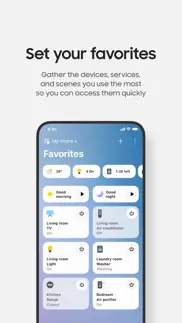


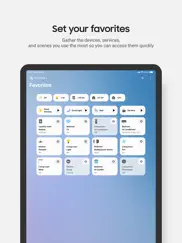
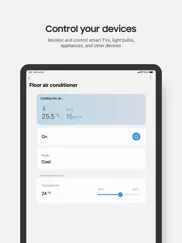

SmartThings 1.7.46 Apps Screenshots & Images
SmartThings iphone, ipad, apple watch and apple tv screenshot images, pictures.
| Language | English |
| Price | Free |
| Adult Rating | 12+ years and older |
| Current Version | 1.7.46 |
| Play Store | com.samsung.oneconnect4ios |
| Compatibility | iOS 17.0 or later |
SmartThings (Versiyon 1.7.46) Install & Download
The application SmartThings was published in the category Lifestyle on 20 June 2017, Tuesday and was developed by Samsung Electronics Co., Ltd. [Developer ID: 359580642]. This program file size is 965.66 MB. This app has been rated by 751,827 users and has a rating of 4.5 out of 5. SmartThings - Lifestyle app posted on 30 April 2026, Thursday current version is 1.7.46 and works well on iOS 17.0 and higher versions. Google Play ID: com.samsung.oneconnect4ios. Languages supported by the app:
SQ AR HY AS AZ EU BE BN BG MY KM CA HR CS DA NL EN ET FI FR GL KA DE EL GU HE HI HU IS ID GA IT JA KN KK KO KY LO LV LT MK MS ML MR MN NE NB OR FA PL PT PA RO RU SR ZH SI SK SL ES SV TG TA TE TH ZH TR TK UK UR UZ VI Download & Install Now!| App Name | Score | Comments | Price |
| Samsung Smart Switch Mobile Reviews | 3.2 | 193 | Free |
| Samsung Galaxy Buds Reviews | 1.7 | 5,989 | Free |
| VXT CMS Mobile Reviews | 1 | 2 | Free |
| Samsung Business TV Reviews | 1.5 | 60 | Free |
| SAMSUNG SLP Reviews | 4 | 6 | Free |
• Select your desired category in the Routine creation assistant to get Routine suggestions, and even receive recommendations for your next personalized automation (supported in Korea, US, Brazil, Germany, Spain, France, Italy) • Update all related Routines at once when replacing a device • See transparent execution history showing when and why Routines ran • Security and safety alerts are prioritized so you never miss critical moments Update now and experience it!
| App Name | Released |
| MyChevrolet | 27 October 2010 |
| SmartHQ | 05 June 2015 |
| Auto Club App | 24 June 2016 |
| AAA Mobile | 20 April 2009 |
| Tesla | 10 December 2012 |
Find on this site the customer service details of SmartThings. Besides contact details, the page also offers a brief overview of the digital toy company.
| App Name | Released |
| NAVLIGHTS for Boats | 06 March 2014 |
| Vocular | 01 October 2016 |
| Color Genie | 01 December 2024 |
| Baby Led Weaning Recipes | 17 May 2016 |
| The Secret To Money | 08 September 2016 |
Discover how specific cryptocurrencies work — and get a bit of each crypto to try out for yourself. Coinbase is the easiest place to buy and sell cryptocurrency. Sign up and get started today.
| App Name | Released |
| Netflix | 01 April 2010 |
| 07 April 2016 | |
| 06 October 2010 | |
| YouTube TV | 05 April 2017 |
| Ralph Lauren | 08 November 2021 |
Install the Giftmio extension for smart shopping. Get notified about cashback opportunities, activate cashback in one click, and save money on purchases.
| App Name | Released |
| Streaks | 31 May 2015 |
| Paprika Recipe Manager 3 | 15 November 2017 |
| Gambonanza | 01 May 2026 |
| CloverPit | 17 December 2025 |
| Procreate Pocket | 17 December 2014 |
Each capsule is packed with pure, high-potency nootropic nutrients. No pointless additives. Just 100% natural brainpower. Third-party tested and validated by the Clean Label Project.
Adsterra is the most preferred ad network for those looking for an alternative to AdSense. Adsterra is the ideal choice for new sites with low daily traffic. In order to advertise on the site in Adsterra, like other ad networks, a certain traffic limit, domain age, etc. is required. There are no strict rules.
Keep personal info private, avoid scams, and protect yourself online with AI-powered technology.
SmartThings Comments & Reviews 2026
Works as promised!. I have a house full of Samsung appliances. I recently finished up building my house and it turned out all of the appliances I liked were Samsung; washer, dryer, fridge, stove, and dishwasher, plus I ended up getting the Samsung robot vac R7065, plus a Samsung Frame TV. It has made my life so phenomenally easier having a single app that lets me manage my house easily from one place. I can check my fridge from the store, schedule my robovac from bed, turn down a tv that kids are watching that’s too loud from my office across the house and get reminders that I’m doing laundry and it needs to go in to the dryer. (I cannot be the only person who forgets they put a load in and the next morning you remember and need to rewash it...) Setting up and pairing appliances can be a little tricky but if you read the instructions it works fine. It’s slightly more complicated than setting up Bluetooth headphones, but not much. Just follow directions.
Unacceptable demand for location information. This app is a key part of the user experience for the Frame TV I just bought. It is recommended by the Samsung site, by the information that comes with the TV, and I think as part of the TV setup as well. Ok, fine, I downloaded it and signed in. But it demands “Always” access to my location, rather than “while using the app” access. I don’t mind the latter, but it’s unreasonable for Samsung to insist on having my location information “Always.” I deleted the app. One star for being completely unreasonable about your customers’ privacy. Update: Samsung responded to this review, saying the app “needs” to run in the background. I call b.s. other companies offer the customer a choice. I’ve bought my last Samsung TV, that’s for sure. Second update: They responded again, explaining that they need location data so they can show all connected hubs and devices and so I can share access with friends and family. They’re missing the point. First, I don’t see why that requires “always” location access. Second, even if it does, there should be an option for those of us who just want to control their expensive TV without connecting stuff or sharing access. They could certainly program an option for location permission “when using the app” if they cared to. Clearly, they don’t. If I could, Samsung, you’d get -1 to this rating, but it doesn’t go any lower than it is.
Crappy TV remote. I was super excited to have a remote on my phone so that I never have to search for the actual remote again. Sadly, the TV remote on this app is terrible. The number one issue is that if I switch to use another app on my phone, then come back to the remote, it is no longer ready to go. I have to select the TV option from the app’s home screen again and wait for the remote to open. Why can’t it just stay open so I can flip between apps? By the time I get the dang thing open, Netflix is already playing the next show or preview! I don’t even have any other smart devices in my house—why do I need to select “TV” to even get to the remote every time? I wish I could bookmark the remote somehow so that it automatically opens when I open the app (and have it STAY open even when I swap to read a text or email). Secondly, why does the remote have a huge square button with tiny little arrow buttons around it to navigate with? Swiping across the button to navigate is clunky and not intuitive. Get rid of that and just make the arrow buttons bigger!
Super Buggy. I don’t see a feedback option so I’m posting it here. The features the app offers are great. I love the ability to set preconditions and check device status. This is the only reason I yse this app. However, it only works half the time. Making a change to a scene or automation in the app is impossible because it either takes away the save button, or exits to the Home Screen before saving. It constantly does making it literally impossible to change settings. It logs me out of my other affiliated apps and will stop working with my smart devices until I log in. There are periods this will happen multiple times a day. What’s the point of automations if I have to log in every time I want them to happen. Recently it’s just been messing up the automations and routines I have set up. I don’t even know how because it kicks me out before I can figure it out. My devices work great with Siri, Alexa, and their own apps, but this app will not work correctly. In some cases it’s impossible to use. If other apps offered the ability to check device status, there would be no reason to download this at all.
Horrible App - Renders Frame Tv Art Mode Useless. In spite of being a key component to the functionality of the Samsung Frame TV, this app has a long standing issue with Art Mode. One of the key reasons for purchasing such an expensive TV is the ability to utilize the TV to display your own art. This app has a glitch/bug that creates an error (same network error) making this impossible. I can find online forums and complaints about the “same network error” dating back to 2020- indicating this developer (and/or Samsung) do not care about the thousands of people impacted by this- although I suspect this forces more people to utilize their pricey art subscription. In spite of being on the same network (phone and tv) the app insists that art cannot be uploaded or accessed until the phone and TV are on the same network. I have tried every online user hack/workaround and wasted hours trying to access a key feature of an incredibly expensive product (Resetting TV, resetting router, using 2 instead of 5g bandwidth, using airplane mode, turning off cellular data, private network, not private network, hotspot from phone, allowing location access all the time, etc etc etc- literally hours of trying every possible solution to no avail). Unfortunately this speaks for both the customer service and integrity of both the application developer as well as Samsung.
Classic is a much better app. I don’t know if I’m just too dumb or I’m missing something, but I can’t figure out the new app. My presence sensors are gone and I can’t find my routines. I set up an automation to replace one of my routines and it didn’t work. I don’t enjoy the layout and it seems to not give me nearly as easy of a time navigating. I’m planning to stay classic as long as possible. If I knew that the new app would be like this, I wouldn’t have gone with Samsung as my hub. Wanted to like the new app, but it’s just not working for me. *edited to respond to chelsea* Hey Chelsea! Thanks for responding!! I appreciate it :) Unfortunately, I received a notification that it was time to switch over. And not only that, but the classic app would not disarm so every time we moved or opened a door in the house, we’d get notifications. Our only option was to switch over. I think I figured out automations, but my routines are gone. My presence and my husbands are not recognized. I just can’t seem to figure out how this was supposed to be a smooth transition when most of my devices and routines didn’t transfer over. I’d love to switch back to classic for good.
Robots vacuum - ok, app - trash!. New update trash: I can see status(charging, cleaning), I can tap play/pause for vacuum - and it starts cleaning and pause. But when I try to connect to Samsung vacuum by just tap on it - endless loading and the error! This app developers are dumb! ———————- I really like a quality of my samsung robot vacuum. I actually have 3 of them. But this app is a technical disaster. It’s all done wrong.. in terms if design(UI and technically, it’s not native app) and how it works overall. I know it’s too general comment, but I just don’t want to go into bugs details, so you may think - if we fix those bugs, then user will be satisfied. No. Only one thing I can see, is to create a brand new app from scratch. This way of connecting via wi-fi is very awkward, I need just Bluetooth for sure. It’s very slow, not working, showing wrong status, glitchy and so on.. all this because it’s via wi-fi and server. Right now I can’t connect to my Samsung vacuum at all! It’s not working and this is like already 3rd time happening. —— Go to Wi-Fi in your iPhone settings, then select the network that starts with [robot vacuum], [vacuum], [vacuum]_E3 Password: After connecting, return to this screen - returning and nothing happened! Tried 5 times already! App is a full crap! Returned my device! Will not buy Samsung vacuums anymore, because of this app!
Why SAMSUNG ?. Nothing changed in reality even after years of update and what so ever. This whole SmartThings product suite is just not up-to standard they claim. The sensors still go offline on and off. Battery drain indicator is just useless, it shows 1% left still works for a week. Replaced battery, it says 100% and next day its 70%. In the App the some sensors appear as offline, but if I open they seem to be working and they even trigger alarms. Tried to remove and add them again, but it keeps happening with some sensors at given point in time. The Automation Rules are just weird, some rules just don’t work even if they are so simple. Using iphone as location sensor is seems to have its own mind. When I approach my home some days I get notifications half mile away, saying monitoring is disarmed and somedays even if I am at my door it doesn’t do anything. I don’t know how this Rule engine works, but if I create conflicting rules( for testing ) it doesn’t work at all, neither it says anything. I work for Apple, I Architect software sand apps day n night across platforms, I really feel hopelessly sad about this App. Just saw simplysafe products in someones house, its kind of flow less compared to SmartThings. I will switch and comeback and update my review. Old review a year ago. Just a newer version of the same JUNK and WORSE of course!
SmartThings is a-ok. As a very early adopter of the vera system I had been dedicated to using it in spite of many frustrating trials over a period of years. To get the most out of the Vera one had to be very technical. Now that I’ve switched over to smart things I have found many many fewer trials and frustrations and that one needs only to be somewhat technical to get the most out of it. Still one has to be technical for advanced uses. As a plug and play using only certified devices, anyone can use it and get the same degree of automation and security as they would from services such as AT&T or Comcast. This is sufficient for most people and therefore make Smartthings perfect for the masses. The third-party tool called Webcore allows Smartthings to be perfect for those wanting operations governed by complex rules. I bought my hub as part of the Samsung whole house mesh Wi-Fi system which is one of the cheapest on the market if you buy it from Samsung direct, making my hub basically free.
Horrible app to go with a horrible TV. Has potential. Firstly, I don’t need another app that wants to control every device in my house! Secondly, I don’t need or want your TV and movie suggestions. All I want from this app is a better way to control my TV. Put the TV control, sources and apps all on the same page. Sources on top, TV control under that, apps under that. I should only need to go to the next screen if I run out of room for my apps. Simple, efficient and effective. I don’t want to jump around from screen to screen. I want to open the app , turn on the TV, choose my source and app all from the same screen. It would also be helpful if the app stayed open when switching back from another app on my phone. This could be a great alternative to a horribly laid out remote that came with the TV. Maybe Samsung could consider a dedicated TV app instead of grouping it with their desire to control my entire house. Update - the app is the least of my worries. Their TV constantly drops the internet connection. I will never buy another Samsung product. Period. Can’t wait to get rid of the TV, then their crappy app will no longer be an issue.
I wish I could give it a lower star. I purchased a Samsung fridge and it came January 6th and it worked fine for a month and then it broke down the automatic temperature control didn’t work. And would change the numbers it’s self to 67° or even higher for both the freezer and refrigerator part when I tried to change it to the coldest temperature it would stay for a second then go back up to a higher warmer temperature. And then calling for customer service was so horrible it took almost a week to get someone to come here and check it out just to tell me the obvious that the fridge is unfixable and I need a new unit and it took a whole hour call to get someone to schedule a replacement fridge unit and now I’m still waiting and it’s been almost a week and there’s still another 7-10 business day until I can set up a delivery appointment and this whole process is unacceptable and unbelievable. They couldn’t give me a fridge for the mean time. Right now I’m using my own money and time to buy ice to store food in a cooler can you believe that.
Worst app I have ever used. I’m not sure how this app has such high reviews. Maybe the other functionalities people use it for are sufficient, but I use the app solely to add art for my frame tv. For 3+ years I have had the frame tv and I DREAD anytime I need to upload new art. It’s a painful process that takes hours to upload a few photos. I end up having to delete and re add my device because I haven’t opened the app in 28 days. Then after I get that situated, I takes an exhausting amount of attempts to add the art, God forbid I have more than one photo to upload. I always get an error saying that the tv needs to be connected to the same network as the phone and it is, I only have one possibility for a network - plus I JUST synced the two as I had to delete and re add the device already. I get frustrated and give up after an hour and come back to it only to have the same issue. Only after being in the app and spending WAY too much of my time, Somehow, it eventually works and I have no idea what is different. I am not normally one to leave bad reviews but I think this part of the app needs a ton of work.
Don’t buy a Frame TV. I have been messing with this app for no less than 3 hours today to upload winter images to my TV. Usually my issue is that my TV shows offline in this app and I have to mess around to get it to show online to then allow me to add photos. However, today the “Add My Photos” selection in Art Mode is dimmed out/not an option. When I click “Browse” and then “My Collection,” all the way to the left of my images there is an image box that is circling and it says “uploading image.” It dawned on me to see if the app had a recent update as I was able to add pics 2 months ago. And sure enough - apparently Samsung rendered useless the only feature that makes this TV worthwhile. I certainly hope they plan to institute a fix much sooner than later! As much as I love the Art Mode option when it’s working, I don’t think I would buy another Frame TV after these headaches. (Also - their customer support in their online community is atrocious when it comes to Art Mode/Frame TV/SmartThings app issues… so many issue/posts spanning over 2 years and Samsung’s support offered no helpful information.)
June 2021 update broke my house. All was fine before the update, update comes and now my devices randomly turn off and on on their own. I can’t connect to anything via the app anymore because it says my hub is disconnected half the time (it now sporadically goes from connected to disconnected for hours at a time ever since the update.) The new layout in the app is horrible, what used to be the main page that was nice and neat and showed only the room I wanted to show is gone, taken over by a carousel view that shows everything in its own page, I DONT WANT TO SCROLL 20 TIMES TO GET TO MY LIVING ROOM DEVICES!!! Just to let you all in on a big secret, form FOLLOWS function, not form OVER function. Did you seriously not do Blind UI QA testing on such a major update? I take that back, since the function is broken about 70% of the time now since the update it’s just all form, there is no function anymore so apparently no QA testing was done UI/UX/anything… Honestly about 2 days of frustration short of just repurposing my old iPad as a Home hub and yanking the Samsung brand outta my house.
This App is Great! One Complaint..... The Smart Things app is very user-friendly. I like the new interface, along with the options that it provides. I also appreciate that Smart Things added Geo fencing into the app. That was one of the reasons why I hesitated to switch over from Smart Things classic. My biggest problem that I can’t seem to solve is that I have Phantom notifications - text message notifications specifically. And example is that I changed a routine, and changed the time of when it should happen, and I still get a notification for the previous time. Also, I have notifications from my previous set up in automations from Smart Things classic. It is so frustrating because I get these notifications that are not in my automations. It’s so annoying! I have read in the forums that others are having the same issue. I hope that the Smart Things team is reading these reviews and addresses this issue.
Remote. The remote to my 85” flat screen was damaged and no longer worked! At the time we were down on our finances, so no I couldn’t even afford to buy a cheap universal remote sadly! I let my 6 year old autistic son play on my iPhone and he downloaded this SmartThings App….. I had no idea what it was but, I got to playing around on it and figured out I could use the remote function by adding my tv to it! It works very well and it virtual remote is actually identical to the original remote that came with my tv when I got it! It has now become my life saver! Only down fall is , I have two iPhones , one with service and one that works on the wifi as a play phone for my kids. So when I try to bring the remote up on the play phone, it will only come on the screen IF I turn the phone off & turn it back on. If I don’t keep the screen lit so it doesn’t idle, it’ll stay on the screen. Sometimes that’s hard to pay attention to so most of the time I keep having to restart the phone and I’m not sure why it’s doing this! The play iPhone is an iPhone 11 Pro Max and my phone that I actually use is a iPhone 14 Plus! So that’s the only irritating issue I’m having with this app , other than that it’s amazing and convenient for lost , dead, or damaged remotes ! I still rated it with 4 stars.
Misses the mark. Disclaimer: I only use this app to control my Samsung smart tv. I have three issues with the app. One, it is incredibly slow to load the remote control portion. By the time I launch the app, wait for the tv to show up in the appropriate room, then launch the remote, enough time has passed that I could have refilled my glass of water, ordered a pizza, then dug the remote out from the sofa cushions and changed the channel. It's even worse since an update a few months back where when I finally do get to the remote section, the tracking pad is hidden under a ”Show more” revealer. Second, the inability to use my phone’s keyboard is absurd. If I have to enter a lengthy password, the last thing I want to do is click button by button with the remote when I can just type it in, or better yet, just auto-fill with 1Password. I forget what my third issue was now but I know it wasn't a big deal, so I’ll leave it at those two. Not sure how to fix the first, but the second should be a no-brainer.
Not a fan. Hubby and I have matching TVs in the gaming room which means matching remotes that make it impossible to control one tv at a time so we got this app to allow us to independently control volume etc. One big issue is that this apps Bluetooth compatibility confuses which TV is which sometimes and will say it’s connected to my tv but then adjusts his instead. This isn’t super common but is annoying. A bigger issue is the fact that two different phones cannot have control of the same device, doesn’t make any sense and is inconvenient when he isn’t here but I want to use his screen for something. And honestly the layout of the remote especially since the last update is garbage. The only saving grace of this app which got it a 2 star instead of 1 is that it allows iPhones to control our Samsung TVs and it was free. This is a good option if you are in a pinch or don’t want to pay for a universal remote or maybe can’t keep up with remotes but always have your phone by your side. Overall trash.
Seems to work well with the bespoke family hub.. Installed and using it with family hub refrigerator, I was able to download and upload picture to family hub. However you can not delete the photo from the SmartThings app once you are done. I can delete it from my family hub gallery. I have support looking at it however they will find out that you can not delete the picture from the upload screen on the SmartThings application. I believe the only way you could do it is to leave the app. in settings this deletes everything on the Samsung servers and the you have to reinstall the app and start over again. Hopefully support will find a solution. Other than that I’m satisfied with the app for the use with my refrigerator. Update: Found a solution and sent an update to the support team. However it would be nice if you were able to to delete the photos right from the SmartThings app. instead of going back to the gallery and deselecting them there.
Looks Good Works Poorly. The interface and UI are clearly designed well, and when working the app is fine. However, it frequently doesn’t work. As an example, I just bought a brand new Samsung TV. I was setting it up with the app. I got to a point where I had to change the name of the TV, and glitch, couldn’t click on the name to change it or continue with the factory name. My only option was to fully exit set up, restart the app, and start over with the TV remote. The next day I log into the app and it’s asking me to complete TV set up despite me having finished set up using the TV remote, and again it freezes, restart app, etc. I’m caught in an idiotic loop on something I don’t care about. I just want the TV to work smoothly. I don’t care about being able to ask my TV to order a pizza, my blender and trash can already do that. Focus on what matters. Apps like this are worthless if they don’t work and it’s incredibly frustrating to have wasted time doing a set up only for the app to crap out on the insignificant name your TV step.
New user, disappointed in this app.. I just got my SmartThings Hub v3 yesterday. I really just need it to push to Alexa, which announces when doors open and close but I was getting quite annoyed with this app. For one there was no setting to switch the sensor to Garage mode, secondly, there is no option to allow me to set when doors are ajar, something I read could be done with SmartThings. I finally decided to get the old app, the one Samsung is planning to Sunset and wow, what a difference! That app is full featured compared to this. Not only are these options there but that app also shows me all sensor activity so that I can see exactly what's going on with the sensors. I understand that this app is new and you're moving new users towards it but it's a bad idea to do so when it's so very half baked. There are too many missing features to be directing new users to forget about the other app and use this one. Right now I have both apps installed but I use the old one mostly. Hopefully this one catches up sooner vs. later. I see nothing wrong with the old app and don't understand why this one was made.
This app is sadly limited. You able to use this with a 2018 Samsung Smart TV. Now you can search for shows from the in app hub for it. But I see shows in there that I know are on Netflix but it does not state that. Same stuff for some other apps. To put icing on the cake, its a smart TV which at times requires typing things into each app, yet does not have a on screen keyboard in the app that I can find. There is even a internet explorer where you have to use the tv remote with an on screen keyboard. Now i get it maybe you are trying to push people to buy keyboards and set them alongside of your TV. That I have to say is pretty annoying, I already have one and it is annoying to switch between remote and keyboard. I traded in a different TV that had was supported from a competitor nick named Goku TV for this comment. In that app, not only can you type on your TV screen through the app, but you can stream the tv sound through your phone. It is truly innovative compared to this application. That can only control on/off, +/- Volume/Channel, 0-9 numbers, previous channel, up-down-left-right, and power. To top it all off its pretty laggy. It also has accurate searches through the app. Its sad that I will probably replace the smart side of this TV by plugging in a Goku TV adapter to the HDMI port.
Frequent Updates = Frequent Problems. I swear I’ve been extremely loyal to Samsung from televisions, soundbars, washer, dryer… and even our dishwasher is Samsung. But I swear this SmartThings app is really rubbing me wrong and is making me consider alternative appliances and electronics in the future. Every single time they update the app they break something… then fix something then break it again… job security? Seriously… I haven’t been able to connect my Samsung smart TV for almost a year! Then it connected for a couple months… and like an idiot I accidentally updated the app again and guess what?!… broke my TV’s connection again. So… I finally gave up on the TV situation… but at least I could still control my soundbar… uh, until the last update…. Now I constantly have to wait … usually times out before my Samsung account is connected… no thanks. Takes forever, horrible connectivity and terrible quality control. I will definitely try the next update hoping it fixes issues for televisions and soundbars that are 3 years old … if not I’m done- and next time I need a new TV, SoundBar, Dishwasher, Clothes Washer & Dryer I will look to another brand. And that’s just sad after all these years!
Working better. Much better but I am having issues with some app integrations. like smart life and Meross. Update (8/1/20): Emailed and also called and spoke with someone at SmartThings to try to solve my issue with the device integrations. SmartThings customer service were very easy to contact and where very kind and helpful. They tried to help as best as they could but it appears that not many Smart Life app devices are currently compatible. Hopefully this will change in the near future. Meross said and SmartThings confirmed that they are working to improve their integrations in the coming weeks so hopefully my issue of not being able to turn on device in SmartThings will be resolved soon. Tp Link Kasa app and Bond app integrations with those devices are working great! So, in short I believe SmartThings developers are working hard to improve the app integrations and experience which I really appreciate. They have also been very responsive and easy to contact for help. I just received a reply to this review as well which is also why I am adding a star to my review. I will add the fifth star once I am able to fully integrate my smart home in the SmartThings app! Thank you SmartThings for continuing to work to improve your app and the customer experience.
Worst app ever. We bought a Samsung refrigerator when we remodeled our kitchen we were very excited that we would be able to create shopping lists on the refrigerator and retrieve them from our phones. Initially, this worked great! Less than a year after we bought our refrigerator we were forced to use the smart things app. Since then, we have not had any functionality between the app and our refrigerator. I have downloaded and deleted and downloaded this app again and again, gone through all of the steps that they keep telling me I need to go through and yet nothing works. I am so frustrated I spent so much money on this refrigerator and because of a stupid app that doesn’t work, the functionality that I wanted in the refrigerator is completely absent! Follow up: I had minimal functionality in being able to put items on my list ON the refrigerator, which I could take a pic of on my phone. Now, this functionality has been removed as well. A new “update” has been installed and I am being asked to sign up for the new functionality. I have tried MULTIPLE TIMES and I continually get a “something went wrong, try again later.” This entire app is a piece of you know what, how do I get my money back?!? DO NOT BUY A FRIDGE IF IT COMES WITH THIS SOFTWARE!!!
April update. Fixed my issue with alarm notifications and appreciate the other improvements made with the April release. Thanks. In most part I’m 100% in agreement with the previous review about the new Feb 2019 update. However, once I changed(Reorder) the home page, I do not have the issue with my home page resetting back to the default after I close the app & then reopen it on my iOS device. And who uses the term “Reorder” to to identify the procedure to rearrange, edit or manage the home screen? I originally thought it was for reordering of more devices. I do agree there is too much wasted space and would prefer the information being a little more condensed vs. having to scroll down the page. And, I also agree with the alerts/alarms. I’ve checked my settings numerous times, but if my iPhone is locked or if I do not have the App open, I do not receive /hear any notification from the App of a sensor being tripped. Notification can be resolved with IFTTT but would think the App itself would be able to provide that notification. I would the ability to remove a room from the home page, but have yet to find a way to do so. I do appreciate the improvements that Samsung made in an effort to improve the App and suspect there is a learning curve on my part, but I would like the user to have the capability/flexibility to manage their home screen the way the user wants it vs how Samsung thinks it should be.
Motion sensor needs to show date/time. I recently transitioned from Iris by Lowe’s to SmartThings and bought the hub and motion sensors (among other things). Found it tremendously difficult to connect the ST hub to my existing kwikset and schlage locks (which worked seamlessly with iris). I’ve also been unable to easily connect my Honeywell thermostat. Separately, the ST branded motion sensor is essentially useless. In the app, it will only show me in real time whether there is movement or not (and takes a moment to connect when I go through the app - it’s not always available). I would like to be able to see whether there has been movement during the day (and at what times). Iris used to showed me a bar graph where I could see the movements in my home throughout the day (e.g. no movement between 3-5 pm, movement starting at 5:30, or something like that). Is this something being addressed in an update? So far, I am not a fan of ST, and purposely delayed buying additional ST devices until I could figure out whether it worked well or not. I only bought the few items I did because Iris gave us a gift card to compensate for the shutdown of their service. I have a Samsung TV and will eventually get around to connecting it in order to salvage some utility out of this thing.
Overall a good app. As with many people I’ve been using smart things for many years and had to transition to this new app. Initially I found the migration process to be a complete mess. I found it easier to delete all my devices and re-create my automations in scenes. While this what is time consuming, I Have a better understand how the app works now. It provides more functionality than the original app but does have a few bugs with screens particularly when you’re editing automation‘s. For example after you edit an automation and save it the window doesn’t close and required you to press cancel which prompts you that you have not saved it. Another issueI found is when you enter the dimmer for a light if you don’t actually move the slider it won’t store the default value of 50%. I’ve also noticed the times are strange when you select sunrise and sunset initially they both say sunset or sunrise until you actually change the time. I’ve also had a couple issues with my hue lights saying they were off-line in smart things but online when I launch the Hue.
I highly recommend this. To help make life easier, You should outfit your house with smart lights, digital locks, security cameras, thermostats, and more, then you're going to need a smart home hub to connect them all together. I’ve researched and tried many smart home, automation gears available on the market. I think Samsung SmartThing might be the best option. Samsung SmartThings hub can connect to more than 200 devices(more than most other hubs)and lets you create a wide range of different scenarios for all of the gadgets in your home. Installation remains extremely basic, largely a matter of plugging the hub into your router and setting up an account with Samsung. (Like the first-generation hub, the second-generation does not integrate Wi-Fi.) From there, you can start adding devices to work with the hub. SmartThings has its own branded sensors and other gear. The hub has both ZigBee and Z-Wave radios onboard, and two USB ports for local devices.
Good entry level but missing simple functions. I like the simplicity of use, supported products and integration but a little less thrilled with the detail of control in particularly the inability to have multiple conditions per device or even use the same device as a condition as well as an action. Like if the light is off turn it on. Only one condition per device is pretty limiting. Also the lack of sensitivity adjustments for devices like the motion sensor or multipurpose sensor are troubling. Seems like it would be a simple adjustment. Like the multipurpose vibration sensitivity goes off every time the auto lock engages. Would probably fix this with a statement that looks for vibration duration longer than 1 second, but I can’t reduce the time that low. Wait my bad can’t reduce the duration at all. At least not with the default app. I give it a bump up because there is an integration app to make some/most of these things possible. Overall it’s a solid entry level product but if you are looking for more detailed automation Samsung isn’t quite there yet. Hopefully sometime soon. Update: One thing I’m very unhappy with is every device takes a different size battery. And most these batteries are NOT easily available at your local store/Walmart.
Bad replacement for family hub for my refrigerator. First of all I am annoyed with the inability to mark filter as replaced if it is not of the Samsung brand, only takes me to buy new option, does not allow me to manually reset counter. I have a feeling that the filter reset counter updates with purchase, on the Samsung website, since it doesn’t seem to have any other options except buy new. Pictures: Now you can only upload one picture at a time, and “uploaded” picture doesn’t always show up on the fridge. Before the update I had a bunch of my favorite pictures arranged on family board, now it’s limited to only 5!!!! :( You can’t browse and see what pictures are already uploaded via the app, need to check the fridge itself. This option would be helpful to check if the upload went through, and since it’s 1 pic at a time to see what pictures are already there. I do like that you can do a slideshow of pictures on family board, but it’s still only 5, so might as well run the album slide show. So for me the only practical use of the app is like a bad usb to push one picture at a time to the fridge. You can literally plug in a usb into the fridge itself… which I would recommend to do if you are setting up from scratch and have a lot of pictures to add.
Good Start - Not Too Complex. Easy to set up and get going. I used classic and i really liked the feature that used our mobile phone as an arrival sensor. I have not been successful in getting that working again. I deleted the classic app like I was told to. I decided to use an old multi sensor to monitor the temperature in the garage. After replacing the batteries and mounting it I started getting an intrusion alert every hour and couldn’t acknowledge it. I completely deleted anything I could associated with home monitor and it is still going three days later. Hard to sleep getting an hourly alert that cannot be turned off. Samsung representative contacted me via email and presented a list if instructions to follow on the classic app. I had trouble finding the classic app on the Apple App Store, but the instructions motivated me to try again. I found the Samsung Classic SmartThings app and re-downloaded it and deleted everything I could. The notifications stopped and a Samsung SmartThings rep contacted me via email to ensure I had resolved the problem. The problem is resolved. Thank you, Samsung SmartThings team.
Not A Serious Hime Automation Tool. You can tell from its look that it’s a hobby toy rather than a serious professional tool. There’s far too much wasted space on the screen. Rather than neatly organized compact data you have large icons that take forever to update. If you have 30-60 smart switches, outlets and other devices, it can take forever to find the dimmer for the light over your head, and forget jumping between the controls for different devices. You frequently have to press the on/off button multiple times to get a switch to turn on or off. Each new version removes features, such as the ability to replace a device when a switch or outlet goes bad. Forcing you to add the device into automations you previously had. It frequently gets confused and forgets to turn some devices off or in per its schedule while turning others on or off that do not show up on any schedule. All in all, it’s buggy, annoying and difficult to use. Which is a shame because the first version of the tool wasn’t.
Invasion of privacy. Let the app upgrade from the previous. First time I used it, it wanted access to my location. Why? There is no valid technical reason for this. It can’t communicate to my TV that is on the same network as my iPad? But yet if I don’t allow you to know my exact location for some reason you can’t allow it to communicate with my TV that it obviously can communicate with easily? It is obvious they want location information for their purposes (use and sell my data) not mine and then they lie about it’s technically required. No it’s required because you want to snoop into where I live and figure out who I am through tracking. It’s none of your business, simply put. I just bought a new TV. Guess what? It’s not a slimy company that wants my data in order to use features I already paid for. Thank you for showing me how dishonest you are. It helped guide my new purchases to far more reputable companies. I usually move outdated TV’s/devices to less used locations (bedrooms, etc..). I won’t be allowing you in my home any longer. Ba-bye. The app has always been limited in usefulness anyway. Turn it up, turn it down, mute, and turn it off. Ya can’t turn on the TV with it because it needs it on to communicate. If you don’t use their streaming apps on it then that’s the full benefit of the app.
Horrendously buggy. Just a horrible app. I downloaded it to go with my Frame TV. The features it suggests are decent, albeit incomplete, and you just can’t ever get them to work bc the app is painfully slow, full of bugs, freezes constantly, and takes forever to sync w my Frame TV (half the time it doesn’t sync at all). The art Mode is cool when I can actually control it… which is rarely bc the app is awful. Probably most frustrating is that there’s no automation option for Art Mode, which is actually absurd. The app offers ability to use your own pictures from your phone in Art Mode, which would be cool, but the majority of my photos don’t load in the app, so I can’t select them, the ones that do load are not in chronological order which is confusing, half my albums don’t show up as an option, and half the time my photos either disappear completely from the app or the app freezes and won’t let me select them. Honestly the app is absolutely horrible and I probably wouldn’t have bought my Frame TV if I knew about it beforehand. Might still return it. More headache and way more amateur than any big-name modern tech company should ever be associated with
Whisky Tango Foxtrot. While I appreciate the new interface, the new app update has rendered my entire smart home setup completely useless. Almost everything stopped working. None of SmartThings contact sensors turn on/light anymore. All automations, while there, don’t actually do anything. Alexa integration is gone. All the settings are there, but nothing actually responds. Hue integration is broken. All devices show up, but they they can’t be operated through the app and don’t respond to automations. Tried removing Hue hubs, but now they won’t even add. I never had this issue before, Hue hubs used to pair nicely. Now I get “something went wrong” and instructions on adding a Hue hub are not scrollable. A one-finger move only nudges the screen part of the way, and one needs need more fingers to scroll further. Why??? Please bring the old app back until this one is fixed. A nice interface does me no good. In fact once everything is set up properly, In a smart home one would *not* need to open the app often.
Limited smartthings ability on Samsung smart TVs. Samsung promotes the ability for a connected home. Yet their own Samsung TVs don’t have the ability to run the app. It would be great to make smartthings widely compatible with your tv’s across model. I purchased a new 2020 TV and the feature is missing. Yet you can set it up and control by the app, but you do not have a total connected home experience if you can’t even use your tv as a smart monitor as well. Please fix this. Smartthings also can’t do wake on LAN. It would be great if smartthings could send magic packets to their smart appliances to turn them on and off. You got the turn off feature working flawless. Make the power on ability for tv’s. Improve the loading of devices in app. Takes a long time to load a device to control the settings. Make the app have the same ability as classic to landscape the screen. When using a tablet as a control center turned sideways it stays vertical. As if you only designed it for a phone. Which is typical with the smartthings TV setup. We use multiple devices daily not just a phone. Please make these improvements, it would make things so much more enjoyable.
A black eye for Samsung. As the title says, this app is a black eye for an otherwise impressive company, Samsung and SmartThings. I bought into SmartThings over 5 years ago, and have gradually added more of my home automation to its ecosystem over the following years. SmartThings Classic was never perfect, but it got the job done and I learned to live with the deficiencies. Over the last couple years I have periodically checked in on the “new” SmartThings app to see if it was ready for prime time, and regrettably it never was. So recently when I was notified that support for ST classic was ending, I naively believed that the new app had finally eclipsed the classic app, but boy was I wrong. I won’t go into the details, as all the other reviewers have already listed my complaints, but in almost every way the new app is a step backwards. It is so bad that I am beginning to wonder if this is a poison pill by Samsung designed to kill off the SmartThings line over time. To those responsible, please either start over and create an entirely new app, or bring back and improve upon SmartThings Classic. As it stands I am no longer buying any more devices or spending any more money within the SmartThings environment.
Donut rocker is bad for touchscreens. The donut rocker on the physical remote is an excellent design. It allows for comfortable directional control along with a nice feeling click function. The secret of this pleasant experience is that the location of the digit in the donut is revealed tactilely, through the touch of, presumably, the thumb. There is no such feedback about the location of one’s thumb on a touch screen. The user is forced to look at the phone instead of the television to know which direction is about to be pushed. This is a frustrating experience as one uses the television to look at it, not the phone. If one is foolish enough to set eyes on the television while manipulating the Controls on their phone, they will be rudely reminded of their proprioceptive deficiency as the selection indicator will either move in an unexpected direction, or perhaps, and more likely, disappear as the selection has been accidentally “clicked” on since the center of the donut is adjacent to every possible direction in the donut. A directional swipe interface would be an obvious, vastly superior improvement to this wretched design. Until the interface is usable, my summary is one star, since zero is not an option.
Removed functionality without notice!. In 2017 I purchased 2 multi-purpose sensors. They were great on garage doors. Once connected to the hub, it was less than 30 seconds to attach to a garage door and they did a great job of indicating the door was open when horizontal and closed when vertical. No more wondering “did the door close?”, a notification indicated closed and was part of my security system to indicate someone had opened the door. Sometime in January 2020 the app made the sensor a bi-purpose sensor only. No warning or notification! The tilt function removed! I went back to the classic app at suggestion of Samsung support (very time-consuming as I had to reset the hub and then had to completely re-add ALL sensors/lights etc... to BOTH apps!). No tilt in old app either. I attempted to connect one sensor as a contact sensor but with the rails and wheels, this was very difficult (the WHOLE reason the tilt function was so great!). Also once it was installed as a contact sensor, it only took one opening of the garage door to knock the magnet off somewhere along the path and jam the door! I’ve spent at least an hour re-doing both apps and reinstalling a sensor and still have no solution! I reluctantly give 2 stars because it was a great, simple solution for 2 years. I suppose if I buy a newer version of the multipurpose sensor it might work?!??! NOT going to keep buying sensors and I have guarantee that will even work and for how long?
Horrible App. Garbage app and garbage developers. This app worked fine for the first year I had it and lately after an update (presumably) all of my 60+ devices show up as disconnected. I can still function them if I click on them individually to see their status but in the main window they all show up as disconnected, THEREFORE, the user has no idea what the actual status of any given device is at any given time. Which makes this app useless. The whole purpose of having an app to control home automation devices is so that the user can not only control those devices but also to know the status of the devices at any time. Furthermore, to make matters worse, this app has NEVER provided a proper log of actions. The app should be keeping a log of actions for the devices so that you can view the activity log to see when a device changed status but that has NEVER worked from day one. I’ve called to complain about these issues on numerous occasions but these issues still remain unresolved. I’m very annoyed and I don’t recommend anybody to buy a Samsung SmartThings Hub nor to download and use this horrendous app. I’m going to sell my Samsung SmartThings Hub or just throw it in the garbage and buy a different brand that actually works properly and doesn’t require the user to call and complain every week about these issues.
Good but could improve. I like the app and enjoy the ability to access my devices with or without my remote. However, I have some suggestions on how to improve the app so that it is more usable for a tv. First, the left and right arrows are well sized but the top and bottom are much too small. Those buttons are important so that you can hold scrolling rather than constantly having to swipe up and down. I often find myself accidentally selecting a show because I have to look at the tv when scrolling rather than the remote. Second, most times I go back to use the remote the home screen appears with a list of my devices when I really just want to use my remote again. It usually takes about 15-20 seconds to get back to the remote. That is about the time that a next episode on a streaming service will auto play which makes using the app sort of a wash. Anyways, thanks for hearing the feedback and (hopefully) look forward to some quality of life changes! Great app other than those minor things!
App Suddenly Failed After Months Without Explanation. If there’s one thing I can’t stand it’s when you buy a new product and you do as you’re told, download the suggested apps, etc, and then something just stops working without explanation or reason. This app does only one thing, as far as I understand it, and that’s to connect to “smart” devices for Samsung. Why it should suddenly fail to do that is beyond me. I have a Samsung TV that was working perfectly with the app until one day, with no warning, it stopped. My phone (fully updated and new iPhone) connects to the TV with no problem. It connects by WiFi and by Bluetooth, but the app refuses to acknowledge that the TV is online. I’m tired of the complete lack of quality controls in making apps like this. It’s time makers of apps learned that reliability is something we care about as customers again. I’ve used the diagnostic tool dozens of times without any help. I’m tired of playing the game that I must be doing something wrong and the app is beyond reproach. No, the app failed. I haven’t changed a single aspect of how I’ve used my devices. I’m removing this crap from my phone and using a different remote. You should too.
Upload pictures using SmartThings app from iPhone bug. I own a Samsung 65” FrameTV. It’s a wonderful device. I purchased it to show off my own digital pictures taken with my iPhone. To accomplish this I was told to download the Samsung SmartThings app from Apple Store which I did. To my surprise, I learned from Samsung SmartThings support there is an application glitch which prevents me from uploading my iPhone photos to the 65” FrameTV. Apparently the Samsung engineers are working on a bug fix and will update SmartThings app sometime in the future, no timeframe provided. I was provided two options: 1) use a Samsung phone which I don’t own or 2) use the USB ports on the Samsung mini-box which I don’t have easy access to as my 65” FrameTV is hanging on my Kitchen wall and the mini-box was installed behind FrameTV recessed in the wall. Hopefully the Samsung software engineers will provide a fix to the SmartThings application sooner than later. Otherwise all I have is an expensive SmartTV…
Slow, buggy, invasive. Samsung sells inferior products with known defects. When my remote inevitably died, and the company refused to replace it, I was forced to control my $2500 using this app. First I had to jump through hoops to add my TV. Next I had to create some ridiculous map of my home. Finally I’m able to control the TV using the app. Unfortunately, the app doesn’t include any widgets for controlling the TV from my Home Screen, so I’m forced to context switch whenever I want to change to volume. The app eats up RAM, so half the time I switch back to this app, the OS has killed it meaning I’m stuck waiting 10 seconds for it to load. When it loads and I’m finally able to use the remote, there’s another 5 second connection delay followed by at least two seconds of input lag. This is not a viable alternative to a remote. Don’t waste your time on Samsung products, and don’t expect this app to be anything other than corporate shovelware. Edit: the developer reached out to ask me to adjust my review. Until Samsung addresses the defective remote, this review will remain here. If you reach out again, provide a direct contact and we can discuss an amicable resolution.
familyHUB Merged into smart things app! AWFUl!!. So if anyone has a family hub Samsung fridge BE WARNED that Samsung has made a new update the TIzEn 6.0 and IT NO LONGER SUPPORTS THE FAMILY HUB APP! Once you update the software on your fridge it’s gone.. it merged the “ features” (ya right) into the Smartthings app . You LOSE the ability to connect tithe family hub board in your fridge from your phone. You can’t write notes , change memo boards, etc.. the only feature the family board is the ability to upload photos . And by upload it’s uploading ONe at a time -slow. Your no longer able to adjust your family board pictures etc from within the APP that’s gone. ANd not only that IVe been experiencing connection problems. I had to reset everything. All the troubleshooting steps videos Yep did that . (It’s not my wifi that’s the issue ) It’s Beyond ridiculous. Taking out the family hub (which is again the basis for WHY people BUY THIS FRIDGE!!! ) is ridiculous . When you buy the fridge you buy it for the features particularity this one. How can you call it a “family hub fridge” . . I’m sure they have this in the fine print when you agree to the software update.. but I don’t think anyone was expecting for the update to get rid of the basic FAMiLY HUb FEATURES .
Problem when I changed networks. Worked fine until we switched networks. We followed instructions to connect with a new network and wouldn’t connect, but stayed offline. I kept getting an error saying there was no internet so I should move the device closer to the router. Frustration grew and I deleted the app. Update- the developer contacted me and asked me to delete and reload the app and try again. I’d done that several times before but agreed to try once more. The first couple time I tried to connect the device to the network failed. Then, magic happened and the washer connected. For the dryer, the error told me the dryer was already registered so I reset the registration and then the dryer would connect . Then I noticed the dryer was located in the kitchen and the dishwasher was shown in the laundry room . I found that I could change locations in the SmartThings website. I changed my review. All good now.
Missing key feature from Classic SmartThings app. I have been a SmartThings home automation user for four years, and was wary of the forced upgrade from the classic app to the new app, since I had seen some negative reviews. It turns out I right to be wary, as one of the key features I used to rely on in the classic app is gone from the new app. Specifically, when you use cell phones as device presence sensors, the app doesn’t show the phones in the device list. So you can set up rules and alerts based on them, but you can’t actually look a person’s phone in the system to see if they’re at home, when they arrived/left, etc. Developers, PLEASE add this capability back in! Beyond this issue, the app has an appealing look to it, but I agree with other users that it uses too much real estate on the home screen for the various rooms. I wish I had the option of just listing a few favorite devices on my home screen, like I could in the classic app. Also, it’s weird that all door locks are listed under a section called guest access - I am not a guest in my own home!
Shockingly horrible as a tv remote. While you can technically operate your tv with this app, no sane person could stand it for long. One screen has button for the guide, but the only control in this screen moves an entire page at a time through the guide so you cannot make a selection without going to another screen in the app with different controls, like the 4pad. The 4pad screen does not have a guide button, but if you love going through several steps on your tv screen, you can navigate to it in a very stupid and inefficient way. I’ve had this tv for over a year, and I somehow thought this app would improve, but it is the same total garbage it was at the start. Obviously no one who designed this app has ever tried to actually use it or they would immediately add the guide button to a screen where the guide can actually be navigated. It does control the tv, but in t he most awful inefficient user interface possible. Why not just duplicate a small part of the actual remote? Because these app designers don’t care what makes sense or is easy to use or remotely contains basic remote functions where they are needed. This app is garbage, at least as a tv remote anyway..
A reliable program. Who would have given this five stars but the growing Association was SAMSUNG programming and Google has caused the only shutdowns. Also, the mounting evidence the googles only interested in feeding its AI and spreading personal data everywhere that caused me to spend 25% of my usable income, throwing out all my PCs and switching to Apple equipment. I strongly recommend you associate your program with Apple because their primary corporate philosophy is to protect your customers every time Google program loads the rest of my devices go haywire in the middle of Covid sequestration I lost all contact with my trading programs and everything else, including my doctors largely due the program glitches during the three weeks I was able to accomplish nothing and the repercussions were huge for example helplessly watching $100,000 evaporate on it on me stock market without any way to employment implement my sell rules. Any effort to protect my privacy is met with a threat from Microsoft to and Google to discontinue my accounts which means discontinue any SAMSUNG association and shut down my house and they’ve done that. Apple has never ever done that so if you want to save SAMSUNG face, Connect with Apple apps
Did you know that you can earn 25 USD from our site just by registering? Get $25 for free by joining Payoneer!
So many bugs, worse since update. I have a 2021 Frame 55inch, trying to use smart things as a control for the TV. It never worked well. Since the recent update doesn’t work at all. Open the app, tap on my TVs icon, app freezes and shuts down. Have reloaded app, removed and reloaded my TV multiple times, TV has up to date firmware. Prior to update occasionally worked but every time I tried to used phone to control tv I had to used the TV remote to “allow” the phone to access TV control, completely defeating the purpose of an alternative remote function. Also any time I tried to load a photo gallery it would freeze the app. Considering just plugging a chrome cast in to get functionality and treat TV like a screen. Disappointing all round really.
app is slow to start slow to connect. Design of app is ok but in 2022 to have an app that takes a minute to get going while other non-samaung ones can be near instant (3-5 seconds) is a shocker. So you start the app,even get prompted to log, thats another story with the samsung account, only to then wait again till it connects arround the world to go back to the "smart" $850 device on my wifi. I can walk and push a button faster across the house. Once in I get 2/3 of the functions of their flagship air filter that does more via the buttons on the device. Definitely room for improvement. Also please update your transport protocols as a half decent firewall flags them as outdated.
Confusingly abysmal... OI YOU LOT!! 👏GET👏IT👏TOGETHER!! What the hell is going on there? You guys are SAMSUNG INC. for crying out loud, you are the best in the world on so many levels and your products/hardware time after time leave every other brand eating your dust.. but.. when it comes to this app you’ve actually never been able to get it right and deliver a product that works let alone excels, what is wrong with you lot? So many people are waiting for you to stop disrespecting their loyalty to the brand and deliver what you promised! It’s not rocket science, it’s basic connectivity! Come oooon!
Problematic App. This app is extremely problematic. It regularly says that the phone and tv aren’t both connected to wifi when they in fact are. The art mode selection tool can’t ever access the photos on my phone. I have to upload pics from my phone to Instagram and only then can the app find them on my phone. I found this out accidentally. The old app worked perfectly - the new version is painful and unsatisfactory in comparison.
App poorly designed. Hi Team, Though the UX is designed well, it appears that the main app useability was not kept in mind. 1. I created my Samsung account when I was in India. When I moved to Australia and bought a Samsung device, it just wouldn’t show up in the app. Ultimately I figured out the problem, created a new account with a new mail Id specifically created for this purpose and then was able to use the device. How did the designers assume that a user will not move countries? Could they have given the provision to change their account country? 2. My device is now , for some reason, not able to connect to the app. The app shows ‘remotely locked’ . As a user, there should be specific reason provided for why the device is remotely locked. How else would one be able to resolve issues??? These are very basic designing aspects, isn’t it ????
Goodluck. Getting devices connected to this app is a game dumb luck and perseverance. Sometimes you can’t select your wifi network, other-times it doesn't register your wifi password. I follow instructions closely and am tech savvy, and whilst i managed to get my new dryer connected for a few weeks, a simple wifi password change on my network has rendered the “smart” features of my dryer unusable. After spending another 30 minutes trying to get it connected, I’ve decided I can’t be bothered. Don’t buy Samsung white goods for their smart features. Its hopeless. Otherwise, great dryer.
Extremely frustrated. I naught a Samsung robot vacuum - never owned Samsung I have all apple devices. So I thought I’d spend over $500 on this vacuum, tried the app for iOS... not too bad but from reviews and watching the google play app and says that with the app you can map your home with the vacuum. So heck I decided to buy a Samsung tablet just for the app ($200) to be exact. I then realised NOPE once you download the app it asks you to either sign up or log in with existing account... so I did. Well it then takes you to a webpage where NOTHING happens , you get an error page that says “this web page is not available “ ?? Tried to go to support page and chat and even that was not helpful at all the guys or girl on the other end just stop responding!! I need a refund and this app is just so disappointing... hence why I will always have apple products I really regret even trying!
Absolutely useless. I need to update the firmware update n my soundbar when it started malfunctioning. Tried using this app. All appeared to go well, then the device disappeared from the app and cannot be added again as it is already registered. Not only did it not work, the app read my soundbar as the wrong model and it is now completely disabled. Lodged an enquiry with Samsung almost two weeks ago and have not heard back. Probably shouldn’t have lodged the enquiry through the app! Abysmal product and service. Will go Sony for my replacement!
Slow as hell. I have the full Samsung home sweet from tv, fridge vacuum, washer, dryer (and more) As much as each device is great stand alone but the smart thing app which is meant to bring it all together is a massive fail. Takes about 45 seconds form opening the app to be able to control anything and even then doesn’t work all the time. Defeats the point of having a smart home when it’s not useable. Come on Samsung, this is embarrassing to your name, get with the times. Example: robovac turns on while on the phone: Let’s turn it off.. Open app wait about 25 seconds for app to load then establish connection with hub then load all devices another 8 seconds , then click on robovac then it initialises for another 8 seconds then hit stop then it thinks a bit then it turns off, at this point I may have walked over to the robovac about 7 times and done it the old fashioned way.. pointless, fail, embarrassing
The worst smart home app on the App Store. The worst app I have ever used for smart devices/appliances. Takes approximately 1-2 minutes to connect to the server (definitely not my internet connection) and then takes a further 30-60 seconds to connect to the appliance. Every other third party home app will connect to their respective devices within a matter of 1-3 seconds. By the time I’ve waited for the app to load, I may as well have programmed my washer the old fashion way. Please fix! It’s been like this for years with no update.
Good app but could improve. A good app by Samsung, the interface of the TV remote could improve to make all the features on the one page rather than have separate tab for channel/guide and seperate tab for the top/down/left/right selection etc. this app can be improved by 1 Consolidating everything into one page. 2 Have the remote on page 1 rather than first choosing the TV and then selecting remote.
Complicated and convoluted. Firstly the app would not let me access my account for two weeks because I didn’t have my old phone number and ever since then it will never connect to my tv or says it’s not connected to the network when it most definitely is. As a person who has been in the the consumer TV industry for over a decade and understand how apps like these are supposed to work this is an app like Samsungs tvs operating system has gotten so complicated that even I can’t make heads or tails of it when it doesn’t work so take a step back Samsung your products ease of use has gotten worse not better and sadly your software used to be the best. And before you say it’s probably because my tv is old it’s last years OLED, so honestly I’m just disappointed Samsung, do better!
Terrible, avoid any Samsung products. After spending $10,000 on a Samsung ducted Aircon system with remote connection you’d think it would work? Wrong! 2 weeks in and I haven’t connected once, I’ve contacted Samsung support and a week later still no connection, the instructions provided are in broken English. I downloaded the app in the instructions only to be told it’s actually the wrong app and to get this one. The previous app had 64 x 1 star reviews out of 64 reviews and this new app it just as bad. I’ve worked in IT for 25 years so I am no stranger to technology and this product has killed my inner nerd. Do the Smart Thing and avoid Samsung products, it will save you the frustration of dealing with unfinished, semi developed and abandoned products.
Good app, needs a lot more functionality. I’m new to smart devices. I’m finding the SmartThings app good, however there seems to be some basic things missing. For example, I have motion detectors that I wish to trigger lights only when it’s dark. There’s the ability to trigger based on sunrise to sunset but not sunset to sunrise? Seems like a simple oversight that eliminates a lot of control for night time and when you live in an area that sunrise and sunset can vary greatly depending on the time of year simply selecting an hour is not sufficient.
Very Poor Development. Hundreds of people have the same issue with SmartThings disconnecting soundbars from the network requiring a full factory reset over and over again. After many people raising this with them, over a year, still with no fix or support. The app is of poor quality, barely able to connect to the latest top of the range Q990C and maintains that connection over its own stable connection. Highly frustrating and would not recommend a purchase of products requiring this app.
Weak application.. The app only recognises some items, it doesn’t even recognise its own devices such as the Samsung door lock. There is no option to add Samsung devices that are not listed in the dropdown. App is not effective enough to be useful. I have 14 identical wifi enabled downlights. SmartThings recognises 4 of them. They are all within 4 metres of the wifi router. I have 3 Samsung TV’s, SmartThings recognises only 1. The Kitchen Family hub on the Samsung refrigerator disconnects and reconnects constantly, half the time it is not visible. I have spent too many hours trying to make it work, I’ve uninstalled the app and now use a third party app that works better.
Please get the simple things right first.. It looks like an app that packs with many features, however, it just so buggy and slow. I am a reasonable tech savy person but find this app so frustrating to use. I bought a frame TV and started to use this app to control and upload artworks onto the screen but most of the time It have trouble connecting to my TV. Most of the time I would have to re login to the app and it usually doesn’t recognise my TV so I have to go through the diagnostic process which takes a very long time and in most cases didn’t get anywhere. Even when it works it really lacks when controlling the TV through the app. My pervious 10 years old Panasonic smart TV have its app. It doesn’t do anything but allows me to connect and control the TV but it works every time and it is far more responsive. This is just so disappointing for the first Samsung customer.
App is junk. I have the latest iPhone, and one of the newest Samsung TV’s. I’m pretty advanced in my use of technology. Other apps and devices work perfectly and our home network is superb. I’d hoped to use the Samsung app as a back up to control the TV because the remote disappears occasionally in out busy house. The samsung app just doesn’t work. I managed to set up the TV initially but when I open the app it never connects to the tv. I tried to remove the TV and set it up again from scratch, but was instructed that to remove the TV you have to reset the TV to factory defaults, which is unacceptable because we have Disney, Foxtel, Prime, Binge, Telstra TV and more set up and the setting for each would all be lost. Really disappointed that I assumed that the app for a Samsung Smart TV would work really well, but it doesn’t work at all. We are fortunate that we still use Telstra TV. For all their faults, the Telstra TV is in a different league to Samsung. We have three of them and the Telstra app works every time without fail. Compare that to the Samsung app which never works.
Connection issues. When I first got the app it was amazing but not long after it started having issues connecting to its network. that would not be a problem if it weren’t for the fact that I cannot turn off sound and lights with the remote it’s amazing when it works but when you cannot get it to connect to it’s own server it makes it pretty useless. I can still use my Aircon but a lot of features that sold me on it are unusable when smart things is not working
Good, but updates need tweaking. This is a good app for controlling devices however every time there is an update the tv devices have to be deleted and added back into the app to make them active. Once you update the app, delete the tv device and add them back you get a message saying they belong to another account. Would be a great app if you didn’t have to do this every time you update.
The worst control app ever written. The Samsung air conditioner wifi kit is used with this app, it’s sheer pot luck if you can follow the steps for this to work! I’ve had to change network settings a couple of times and it’s hell re setting up the wifi kit. Between the wireless access point dropping out and the confused instructions between steps I pull my hair out. Then there’s the fact I constantly receive an error saying the server is down. These problems are all across the internet and haven’t been fixed since 2018! If you are looking for an app to control your Samsung air conditioner unfortunately this is it, do yourself a favour and call the installers and get them to set it up (Pro tip; they won’t be able to), then get them to uninstall your system’s wifi connection and add in more control remotes through the house because you will go insane persevering with this piece of junk!
Useless App Rendering Useless Samsung Devices. I question the “4 star” average for this app. If your scroll through the reviews, you’ll see the same common issues and the fact nothing has been done to address them. I wouldn’t by my Frame TV again, as the difficulty in sharing photos on it is dismal, (constantly crashing and error readings). In todays day of seamless connections its incredibly disappointing that Samsung are selling goods that are based on this app working … it doesn’t work, therefore the functionality of devices doesn’t work, therefore the price you pay is a rip off. It essentially what makes Apple devices better - not that I am an advocate it just the facts. Samsung have a market opportunity here but they either need to sort this app out or stop selling what they can’t deliver.
Frustrating. Works well when it works. Quite often though it says my frame tv is offline and the only solution ive found is to delete that device and add it again. With this latest update though, one step of adding my tv back in it asks for my wifi password (?) and ultimately fails saying my wifi has no internet connectivity which is 100% not correct. So right now its a 100% useless app to me.
Poor features. Sorry to say, the user friendliness of this app is low, and there is very little control over the way in which you can display images and other media on the Samsung Frame TV. The app is not intuitive and its features are very basic and unexpectedly limited. I find a lot of lag with this app as well. I truly hope this app will be improved in the future as I think it has potential, but has a long way to go in terms of its features and usability.
SmartThings Review. I've just recently purchased a new Samsung TV and I love the fact that you can put Photos on the screen whilst it is in the Ambient Mode. I currently have 8 recently taken Christmas photos of my grand children on the 65" Screen which looks fabulous. Now I'll be able to put photos of each grandchild on the screen to celebrate each of their birthdays during the year. It's just great!
Quite a good app. I'm relatively new to the smartthings platform and found this app to be clean and easy to use when I was first setting everything up. With that said however, it only took about a day before I realised I needed to use webcore and custom device handlers to achieve much of what I wanted to achieve with a home automation platform. After having a go setting everything up using webcore I then realised that this is where this app falls apart as many devices with supposedly fully functional device handlers simply don't work here. Enter the classic app, and it's just a significantly more mature app that has far broader and deeper support for many more devices and smart apps. Combined with webcore the classic app has helped me implement an outstanding solution. Anyhow I'm continuing to use this app as it's clearly the future and a sustainable model given that the web UI gives me the ability to configure much of my ST network now that I've set up using classic. I I just pray Samsung don't drop the power of the classic app in favour of a basic solution that works for more people but only half as well for half the available devices.
Works whenever you don’t need it. Am I the only person who finds that this app doesn’t ever work again a few weeks after setting it up? Set up is fine, works as advertised, but then you find yourself using the app when you need it (kid ran away with the remote or you’re away and want to turn the TV on or off) and it says it’s offline. Useless app if you ask me. For the developers I am using an iPhone 12 Pro Max running iOS 14.4... but have had the same issue since buying the TV back on an iPhone 11 Pro and iOS 13x. Think I’ll buy a different brand tv next time.
Extremely bad UX are frequent errors in art store. The art UI is really, REALLY bad. Theres no decent search feature, no random feature, constantly erroring when trying to start a slideshow. I honestly cant believe someone designed this user experience. Ive been waiting for it to get better because I assumed surely they realise its a sub-standard experience but a year later it hasn’t changed. Samsung, seriously pull your finger out and completely revamp the art store!
Very good but there's a room for lot of improvement. Everything currently is very good. I would just mention the things which can be improved or enhanced. -More apps in the app store, especially popular apps and games -Ability to type/search from the smart things app while searching for anything on any of the apps running on the tv. Basically my phone should become a keyboard for my tv. -More intuitive/refreshed UI
Soundbar connection to wi fi. I have never had to deal with such an irritating and frustrating app. It is unable to connect my soundbar to the network. It is the only device not to do so. The application is awkward to use and so slow on a fast iPad Pro. It is unusable and I tried several times. Nothing just works. It does not find networks. You have to name it. The steps are superficially simple but is awkward and frustrating in use. It spoilt my whole experience with the soundbar. Surely a multinational can employ competent people. Forget about the service. It is hopeless. I couldn’t even get any sense out of them. They said there is something wrong with your network. I have built complex computer programs, but I am disappointed in this. Samsung has serious quality assurance issues in my view. My wife’s first concern when she saw Samsung was to make sure it is unplugged at night in so it would not set our house on fire.
Embarressing. I just spent $2k on a Frame TV to be able to have elegant display of photos. The method to transfer photos from my iphone to The Frame is via this app. There was a long process to set an account and sync the devices then the app is so slow i thought it had crashed. Each photo has to be added one at a time and navigation through the phones photo gallery has no navigation except scrolling. For anyone who has owned an iphone for more than a couple of years, you are likely to have thousands of photos. Manually scrolling is not going to work. Once you have found a photo then any attempt to crop will result in a blank photo. Unfortunately an embarrassingly poor app is not grounds for being able to take the TV back. Honestly Samsung this would have been a bad experience in 2014 …. At least make your integration app work
An underwhelming and frustrating app…. I don’t know how this app is rated so highly… I’m using it to load artwork onto my Frame tv, and it is the mostly clunky, laggy, unhelpful app I think I have ever used. Takes forever to connect to the device and won’t work if your tv is using a wired LAN connection and your phone is on wifi. Disconnects from a device if you haven’t connected in a while and then takes forever to reconnect it. Seems to want to load your entire photo library into the app to be able to select a photo to load onto the TV - which again, takes forever. A terrible app which ruins a big part of why I purchased the TV in the first place - the ability to load images onto it from your phone. The app was just as unhelpful when I was using it to control some of my Zigbee smart devices. Awful.
Functionality degraded for iOS users. Whilst the app has many good functions more are starting to fail when using an iOS device. After a recent app update pano,triptych and diptych photos will no longer upload to the frame and ambient photo scheduling no longer works. Support for the app is insulting. After giving a detailed description of the faults including reference to the device being iOS the response was a request to take a video of the fault on your galaxy phone! Previous contact with level 2 support for the product indicated that iOS devices were not really considered worthy of support and to get a galaxy phone. Samsung are happy to sell expensive TVS with no way using functionality without a Samsung phone The take on this is if you have Apple devices avoid samsung products if you want them to function
Airdresser not supported in New Zealand market. I downloaded the app in order to connect to my Samsung Airdresser to access the downloadable special cycles and Clothing Care Manager features. Despite the product having been for sale in New Zealand for several months and marketing material discussing these features - the local version of SmartThings still doesn’t support the Airdresser. Contacting Customet Service isn’t much help they told me to re-read the instructions on how to connect my TV (it’s not a TV) indicating they had no idea about the product. I recheck the app weekly to see if there’s an update as I really like the Airdresser but Samsung’s technical delivery promised a lot but hasn’t delivered much to date - happy to re rate but at this time, the app is simply a memory thief until it actually is fit for purpose.
Great HomeAutomation Protocol and Solution. Switched to SmartThings from HomeKit mainly due to the lack of device support in HomeKit. Apples offering is too limited in this space. Love the focus on local hub handling of devices. Please include a Bluetooth capability to make it the true Swiss Army knife of devices. Think there should also be a more powerful processor, RAM version for more complex systems and lastly a backup and configuration restore capability. Do not understand why this last is not done as, with a config on the server this should be simple to implement and allow a drop back to a last working version. Best hub I have seen.
This app works great if you want to completely replace your remote. I added this app and paired it to my Smart TV. Everything worked through the app but suddenly the remote failed to pair to the TV. The power button worked, but that is the only non-Bluetooth component on the remote. Every other button failed to work. Why on earth would this app stop the remote, which came with the TV, from working. It’s both annoying and was frustrating to figure out why the remote just failed. There is obviously a define flaw in both the remote and app.
Apps’ not bad, but could be better. This review is for the app (only) and not the robot vac itself (w/c I’m having issues with its “return home function”). The app is basic and easy to use. I particularly like its “History” feature - allowing you to see where the vac has been during a particular vacuuming session. But it could be better. Like scheduling options. Ie. multiple times in a day, different scheduled times base on which day (ie. weekends vs weekdays etc.). But I use it so I guess it means it’s useful to me.
Great idea - Could use minor improvements. The App works great, sleek and intuitive. - Recommend for use. Could use minor improvements. (Layout is clear but needs simple structure) adding and removing lights from each room is a little confusing but not hard to figure out. On boarding 3rd party is still limited. - for example I use Eufy security cameras and would for those feeds to show up on my fridge (family hub) or at least in smart-things app for me centrally manage all my home automation. All Dyson products are not there… example my hot/cold air purifier is also not there. Keep up the great work Team…!!
Great Potential. I love our Frame TV and the smart things app. certainly makes it easier control the process of displaying art. I would like to be able to create folders of art and photos in the app. so that I can better curate themes for slide show type viewing. At present I have to remove artwork or photos from the app. to curate my selected viewing. Many of my “photos” are actually pieces of art I have created and exported to my iCloud Photo Library as a way of migrating my art into the Frame ecosystem. Trouble is the app sees photos as photos and art as art so I can’t display my art with other art included with the TV. So app. is good and could be great!!
Hours wasted. I honestly don’t know how this app is rated so highly. I can’t get basic features on my Samsung frame to work. Have reconnected to the TV like 10 times because it keeps disconnecting or needing to re register. I’m connected now but I’m unable to upload any artworks. It just says it failed with no reason why or how to fix it. I just don’t understand how you can market products for thousands of dollars with core features that barely or don’t work at all. This is the epitome of why people use Apple
Useless. I don’t think anything has made me experience anger like this app. Every second time you go to use it it’s booted your aircon offline for literally no reason. The diagnostics take 3 years to complete and give you nothing at the end. To re-add the aircon to the app takes an additional 3 years. Apps been like this the whole time I’ve had it. Also read heaps of other reviews saying the same thing so how has this not been fixed yet? The best part is I don’t have a remote so I rely on the app. Woke up this morning to my kid with a temp in a room that’s so hot because it decided to set itself to 30 degrees and I can’t even turn it down because once again it’s disconnected from the app
Frustrating app. Every time I go to use the remote I have to click so many things. Agree to terms and conditions (everytime), agree to new Bluetooth connections (everytime) then it often takes a few seconds after that to connect to the tv. I just want an easy to use app to quickly turn on or off tv or the volume if the remote is temporarily missing (toddlers, am I right). I use it because it’s my back up, but it’s so frustrating.
Frustrating. We use this app a lot for our air conditioning. We like the idea of being able to turn them on and off and set different rooms at different temperatures wirelessly. However, it is the most slow and frustrating app to use! We constantly need to close the app and reopen it over and over again to be able to use it. Once we select one air conditioner, and would like to go back and set the other, it would take a very long time for it to load up. Hence why we always resort to closing the app and opening it again just so we could go back and select another appliance. I don’t understand why this problem doesn’t get fixed, I’m sure we’re not the only one experiencing this lag.
Annoying to install but great once you do. No idea why, but on two iphones this has been almost impossible to connect up to my whitegoods. This time took me 4 days and it honestly drove me insane. On what was to be my final attempt before my head exploded, I touched some random tiny set of ellipses and the app suddenly started working. Now it works, it’s really quite good and handy to get my devices doing all the customisable funky things you can’t possibly do on the machine itself. It is a good incentive to never buy a new phone ever again until these machines die.
Widget scene not working any longer. I was able to activate the scenes from the widget on the previous version. Now, instead of activating or deactivating the scene, it sends me to the app instead , then I have to click on scenes, then activate or deactivate the scene. It is SO annoying and time consuming. I hope it will be fixed very quickly. Other than this the app used to be pretty reliable and I’m sure (or hopeful) than the current issue will be fixed promptly.
Frame tv 2022. Had this for a couple of days and it works ok, tv is hard wired for internet (Ethernet) and speed is reasonable. Really wish there was a way to control art mode brightness through the app to set up some routines, the tv light sensors aren’t doing a great job on its own so image often looks too dark or too bright. I intially struggled to get iPhone photos transferred via SmartThings for art mode. I found if you email yourself the image and re-download (takes about a min all up) then it works through SmartThings. Would be great for SmartThings to not trip up on the codec or metadata though to not have to do this. Have seen most people are resorting to using usb instead which is even more cumbersome.
Rubbish. This app is throughly rubbish. We bought a Samsung frame Tv because we want to camouflage our tv as artwork. The tv technology is great, but this app feels 10 years out of date. It’s cumbersome, glitchy, and not user friendly. Initially I was able to beam up photos and artworks from the app (cumbersome, limited options and time consuming)- but now there is some error, and I’ve completely lost this ability. I can’t seem to figure out how to fix it. This app is far to basic for what the frame TV deserves, and now that it no longer works, it is beyond utterly useless. It feels like an after thought for the Frame TV. Very disappointing
Not very smart. Bought a Samsung Frame TV which is supposed to go into Art Mode automatically (the whole purpose of the TV), but this does not work automatically when turning off from an Apple TV (AVOID this TV if you want something that works well with Apple stuff). So, there is a “workaround” by connecting the TV to this SmartThings app and creating an automation to turn on Art Mode when the TV is off. But doing this means you can NEVER turn off the TV because the SmartThings app is so rudimentary in its automation abilities you can’t solve this kind of problem. And, like the UI in the Samsung Frame TV, this app is a bit buggy, slow and the experience design is poorly thought out. It also doesn’t play well with other brands smart home integrations
Absolute rubbish in its entirety. The user interface is slow , and almost never loads for our air conditioner. TVs need repairing constantly and notifications for things like cleaning filters will occur any time of the night, usually waking the user at around 3am to let them know a filter clean is due. There are some bad home apps around but this take the pillar as the worst app I’ve ever experienced. For such great products that Samsung produce they dropped the ball incredibly far on this app. It’s made me start to consider other brands
New user. I’ve been using the new Smartthings app for just over a month now. It’s layout is pretty intuitive and easy to set up basic automations like using a motion or door sensor to turn on lights etc. The products it supports natively are generally quick and easy to set up but the list is limited and not all products are currently available in all countries. The original SmartThings app gives access to some extra functionality around “smart apps” and the ability to add your own devices but at the expense of a much more cluttered interface and is probably better suited for more advanced users. Overall a great starting point for smart homes, but some users will outgrow it quickly. Hopefully the number of supported manufacturers will grow over time to expand functionality.
Imagine you at your best. All the time. Picture yourself at your sharpest and most productive. Your most alert and focused. Your most lucid, creative and confident. At work. At play. In every area of your life. Add Mind Lab Pro® v4.0 to your daily routine and uncap your true potential. Buy Now!
Lost all device settings and automations. I have updated to the new app and have lost all my device settings and automations. Now the app refuses to detect my Smart thing hub
L’app se ferme lorsque je tente d’accéder à un appareil. L’app crash dès que je tente d’accéder à mon réfrigérateur ou mon four…
Connection issue!. Every time Samsung pushes a new version, something broke. This time the app lost connection to all devices. I could still see their status but not able to operate any. Pay your software developers more and hire competent people please!
Can’t see my TV. No luck with connecting to my NU7100TV. Useless for me though.
Keep getting error since upgrade. The app keeps giving an error “cannot connect to device” since the recent update. Please fix. The app was working fine before the update.
IOS 17 compatibility. Honestly, it’s disheartening to see how poorly the app is performing with the latest iOS 17 update. The fact that such a reputable company like Samsung can’t seem to get their app to work smoothly with Apple updates is truly frustrating. Every time I try to use the app, it’s like playing a game of chance. I can open it without any issues, but the moment I try to interact with a device, it crashes without fail. It’s incredibly frustrating to have this happen repeatedly. I understand that technology can be complex, and there may be compatibility challenges, but it’s 2023, and we should expect better from a company like Samsung.
Turning off auto update. This latest June update has rendered SmartThings useless. I cannot connect to any devices whatsoever anymore…It removed my lighting groups and Hue integration is buggy… Also what’s the idea of putting all devices in the favorites?
Broken. This latest update broke practically every function in this app.
App plante sans pouvoir faire quoi que ce soit. Smart thing me répond continuellement qu’ils sont au courant et feront les correctifs, mais depuis mon achat, impossible de contrôle à distance mon lave vaisselle. L’app ne fait que planter et smarthing ne répons pas a mes question, ils ne font que m’envoyer un texte générique chaque fois.
Caution: Never buy Samsung appliances. I renovated my entire home and purchased Samsung appliances, TVs and products. It was a terrible decision. Each one of the appliances (fridge, stove, combo microwave unit, dishwasher) has malfunctioned, broken down and needed technician repair. The SmartThings app has few features, freezes constantly and after I changed my wifi router, it won’t even connect to the new network (it also stupidly doesn’t give you the option to reconnect to the new network). So none of my “smart” devices are even connected. It may seem “cool” to have Samsung products, but trust me when I say it’s not worth the money or headache.
Good job with the update!. Swiping motion for remote was so unnecessary from the previous version. Nice job with the new update!! The app is finally very useful. I love the remote feature!
Don’t migrate if you’re using Smartthings classic. The whole automation and monitoring is down and nothing works. The support team do not respond to any support ticket. My system has been nonfunctional for past 30 days. It’s horrible !
Slow. Unless there are settings I don’t know about, it takes about 18 seconds to go from clicking the app to accessing the remote for my TV since it has to reconnect every time I reopen the app. (I’m not fully closing the app, so I don’t think it should disconnect every time.) Also, why is there no keyboard option to type when searching on the TV??
Bogue. Incapable d’accéder à mes appareils avec iOS 17. Même en désinstallant l’application et en l’installant à nouveau.
Does Not Work. I downloaded the app to add photos to my TV in ambient mode, but when I open the app it’s continuously loading. Never works.
Null. Les informaticiens de SmartThings sont null. Plus il font des mises à jour moins cela marche. C’est de pire en pire. Je quitte SmartThings pour Hubita!!!!
App ne fonctionne depuis le nouvel update. Ca fait 3 jours que l’app ne fonctionne plus sur mon iPhone depuis l’update. Pas tres professionnel! App est fonctionnel sur ma tablette Samsung.
Great Hub works like charm.. This Smarthings hub is great and give you control of home automation.
Disappointed with Samsung. I bought this hub for my home before I started my renovations and did a few trial installations to see how it behaved. The end result is the experiment flopped, and thankfully I wired one room already in such a way as not to depend on the hub but to have a default where if the hub fails that I could still have lights operate normally. I connected 5 lutron caseta switches. Here is were I was disappointed with my purchase, one switch is for the bathroom exhaust fan where if I open up the options page for that switch on the phone app, it gives me an option to set the time of day or a particular day to shut off the switch, also another option is to shut the switch off at a preselected time after the switch is turned on. I selected the maximum of 1 hour. And back away from that setting for it to take effect. It worked but it will not repeat again the next time the switch is turned on. For me to have that option, I have to open up the app first and that takes several seconds before it populates the screen. Then I have to select the switch on my screen, once it opens up, I have to go into options page for that switch and select the timer off setting. If I count all that time, it usually takes at least 12 seconds. There is no choice here but to do this each and every time I want to use that feature. My fans tends to stay on a lot, as I leave home right after a shower. Another example is I have used their feature called, “if this, then that”. And this I use when I turn on the exhaust fan, the bathroom lights turn on in dim mode. And that feature works 75% of the time, the other 25% is for the reason that all programming resides on the SmartThings server and if there is an interference in the signal for my wifi, it will not operate. I’ve watched this for 6 months now and for my location it will not work 25% of the time. Also, when it does work, it will have a delay of 3 to 6 seconds for the lights to turn on, and I learned that the reason for that is it has to go out to their server and back to my home instead of going from my SmartThings hub to my Lutron hub which are physical side by side. That is also annoying. I’m surprised with Samsung that they would allow their name on this hub as it has too many limitations and could easily be programmed to clear up the flaws, yet they don’t. I’ll be putting it back in a box and selling it soon.
Can even sign in on the app. $2000 TV and can’t even set it up with the app should be ashamed
Are you stupid?. After this update its impossible to connect to the hub... A great piece of hardware ruined by idiots programmer... Bye bye Samsung... I'll don't even bother to sell my 2 hubs, I don't want more people to be stuck with this piece of junk.
Dernière mise à jour. Je ne sais pas si cela vient d’ios17 ou bien de la mise à jour de l’app mais il n’est impossible de d’aller dans les paramètres de ma laveuse. Je ne peux plus la programmer depuis l’app. J’ai déjà supprimer et reconfigurer la laveuse. Rien n’y fait.
Not working. Some problem with the ios17.1 The app not working Always it bug!!
Bad update. Since the update, I can no longer use the track pad in the TV remote section of the app. I can only use the top part (volume, home, etc...). Please fix this ASAP. I use this app all the time and now it is useless.
Unresponsive App. Half the time the devices added to the app keep going on circle. Kill app few times. Launch again. Very frustrating
Newest update broken but looks good. I was excited to see that they had vastly improved the app interface. Except now nothing in the app works. I can’t connect to my sensors to see data, the widget button presses do nothing, I can’t move things from room to room. It says it can’t connect. Existing scenes work when launched from the app and automated system is still working though.
Frame TV picture upload. Constant challenge to upload pictures to frame tv. Works about 10% of the time. Very frustrating.
Application plante. L’application plante aussitôt que l’on souhaite consulter un appareil configuré. Je ne peux pas avoir le contrôle sur eux.
Devices not working after latest update. You need to fix this, nothing works now after latest update.
Appli non fonctionnel depuis la mise à jour. L'appli ne fonctionne plus depuis la mise à jour. Sous iOS 17. Des qu'on clique sur lappareil l'appli se ferme.
iOS 17 - crash. Since Ios17, app crash as soon as I wanna connect to my fridge, oven or dishwasher. For an unknown reason, microwave works…
Cannot change photo on frame tv. I try all the troubleshooting and I’m still unable to change the photo on my tv which kind of negates the whole purpose of having a frame tv.
iOS17 installed then nothing..... Since I got my iPhone and iPad upgraded to iOS17, this app is bricked. I mean the app opens, but as soon as you select one of your appliances the app crashes. Now a useless app.
connection impossible. l app ne peut même pas ce connecter au conte ou a juste une page blanche. ipad air 2.
Piece of crap. Garbage app compared to the original. Features don’t work well, less responsive definitely a downgrade.
Même plus possible de fermer une simple lumière.. SVP l’application SmartThings originale avant Samsung allait tellement mieux.
Unable to detect TVs. The app cannot see any of the TVs that are connected to the wifi. Other random apps on the app store can connect instantly to the TV and Samsung are unable to do it with their own devices. This is ridiculous.
Privacy Concerns. Why does Samsung require your location at all times to use simple features? The application requires an account and your location at all times for even simple features to be enabled. When I turned off location access in my phone a number of features disappeared. So I set my location manually and the features reappeared but do not work. If I am not using a feature that requires my location, why does it disappear? In today’s age of privacy concerns, should not be a requirement and should make people suspicious of what Samsung is doing with your information.
iOS 17 bug. Unable to connect to my devices since the update to IOS 17
Won’t load or connect. What a pc of $h/t app you created. Can’t login on one device, won’t load on another. Are you actually trying to drive people away from your products?! I am so glad that at least one device has the old version so I can actually control my house properly. Seriously get your crap together.
June update. Since the Latest update (June 2021) the app hasn’t worked at all. It changed all the interface and doesn’t connect to anything and can’t do anything! Please fix this soon!! Husband logged out of the app and can’t even log back in!
It does not work with ios 17. The app stopped working when I upgraded my phone to IOS 17.
Disappointing. I have a Samsung smart fridge (an older version). Samsung family hub worked fantastic, especially for uploading pictures. Now that Samsung decided to discontinue this and force us to use SmartThings, I can never connect to my fridge since the app does not recognize a slightly older version fridge. I can no longer use any of the options for the fridge I was able to use before (shopping list, see inside - very helpful when at the store) etc. This is very disappointing and considering the amount of money we spend on appliances which should at least last 5+ year you would expect that if forced to use this app, Samsung would have ensured it worked properly and was compatible with older version smart fridges.
Do not update to June 2021 update. I updated to the new app and now I can’t control any device on my app. It won’t even connect to my hub( even power cycled the hub and nothing works) What’s strange is Alexa voice commands will still work. Stay away until they fix this bug filled mess.
L’application plante. L’application plante à chaque fois que je sélectionne mon réfrigérateur dans la liste des appareils
this app sucks. slow. glitchy. freezes up. need to restart it frequently.
Mise à jour avec iOS 17.0.3. Même pas capable d’avoir accès à mes électroménagers depuis la mise à jour. L’application se referme automatiquement! Très déçu!
App ne se branche pas au réseau. Bravo Samsung!!! J’avais une app qui fonctionnait bien avant votre mise à jour. Maintenant je n’ai plus aucun de mes produits qui fonctionnent…. Je devrais me débarrasser de tout ça pour aller vers Apple!
What a convoluted mess. Email verification, two factor authentication, requires location tracking on always?! Most people are looking to use this app as a proprietary means of secondary control for their smart home devices so you can hopefully store your remotes or if god forbid you have lost one. Samsung makes this process arduous to say the least where they are attempting to collect and disseminate so much personal data that I actually got fed up during registration and flat out deleted this app entirely. Samsung you do not need to track my phone at all times to be able to register a bluetooth connection so I can control my tv! This kind of blatant over reach into the personal lives of your clientele is part of the problem with today. If you wish for me and people who are also privacy sensitive to continue to purchase your products, you will need to turn around to the fork in the road where ethical privacy standards were discussed and take the other road.
New Version is poor. After being forced to upgrade to new version can’t get interface to Alexa to work and can’t change times that scenes automatically run.
Adsterra is the most preferred ad network for those looking for an alternative to AdSense. Adsterra is the ideal choice for new sites with low daily traffic. In order to advertise on the site in Adsterra, like other ad networks, a certain traffic limit, domain age, etc. is required. There are no strict rules. Sign up!
Looks Good Works Poorly. The interface and UI are clearly designed well, and when working the app is fine. However, it frequently doesn’t work. As an example, I just bought a brand new Samsung TV. I was setting it up with the app. I got to a point where I had to change the name of the TV, and glitch, couldn’t click on the name to change it or continue with the factory name. My only option was to fully exit set up, restart the app, and start over with the TV remote. The next day I log into the app and it’s asking me to complete TV set up despite me having finished set up using the TV remote, and again it freezes, restart app, etc. I’m caught in an idiotic loop on something I don’t care about. I just want the TV to work smoothly. I don’t care about being able to ask my TV to order a pizza, my blender and trash can already do that. Focus on what matters. Apps like this are worthless if they don’t work and it’s incredibly frustrating to have wasted time doing a set up only for the app to crap out on the insignificant name your TV step.
I wish I could give it a lower star. I purchased a Samsung fridge and it came January 6th and it worked fine for a month and then it broke down the automatic temperature control didn’t work. And would change the numbers it’s self to 67° or even higher for both the freezer and refrigerator part when I tried to change it to the coldest temperature it would stay for a second then go back up to a higher warmer temperature. And then calling for customer service was so horrible it took almost a week to get someone to come here and check it out just to tell me the obvious that the fridge is unfixable and I need a new unit and it took a whole hour call to get someone to schedule a replacement fridge unit and now I’m still waiting and it’s been almost a week and there’s still another 7-10 business day until I can set up a delivery appointment and this whole process is unacceptable and unbelievable. They couldn’t give me a fridge for the mean time. Right now I’m using my own money and time to buy ice to store food in a cooler can you believe that.
Merely Eye Candy. I use this app as little as possible. While I appreciate the modernized look from the classic version of this app, it is virtually unusable now. After I migrated, I had to rebuild all my automations because they changed the methodology. After struggling through that, I finally had the house reacting the way I wanted it to but spend a lot of time doing something that I shouldn’t have had to do for an app update. Every since migration to the new app, it takes forever to get the app to update the status of devices. It isn’t just slow, it is minutes slow. So if I want to toggle a light, I can do a lap around the house and touch every light switch in the house before I even know the status in the app. What’s the point? Then 75% of the time I’ll get an error after attempting to toggle the light. Until Samsung fixes the connection issues, my advice is to use this only to setup your house and not use this to manipulate devices. Default to google home or Alexa for manipulation.
An embarrassment. UPDATE 4: I received a laughable response from some “developers.” Of course it’s just a generic nonsense asking me to restart the router, reinstall the app, blah, blah, blah. They didn’t even bother reading my review. But, who cares? They will just buy another 100k 5-star reviews, use an AI to write “responses,” and voila! Problem solved. UPDATE 3: I will not buy another Samsung product for as long as I live, mostly because of this app. For example, my TV is wired and obviously my phone is on WiFi, but it’s the same network! Why can’t I access my TV? And still, after all these years, I can’t turn on my TV, even when both devices are on WiFi. It’s ridiculous. Apple obviously knows how to do it, because when I try to cast something from my phone, it turns the TV on, even if the TV is connected through Ethernet. So, it’s possible, but your “engineers” are just not that good. UPDATE 2: I didn’t think it was possible, but they made this app even worse. The latest update made all my scenes disappear and the widget is now useless. Congratulations! UPDATE: Look at the developer “response” below. They have been submitting the same copy-and-paste response forever. Nothing will change… ORIGINAL: Not only it keeps logging me out, but it also has other problems. For example, for years I can’t turn on my TV using the app, because your TV turns off WiFi after a while. I found a solution, but it requires me to start another app and send a WOL packet, which turns the TV on, and then I can control it. Why couldn’t you, in all these years, figure that out and add it to your app? The app itself is so minimal, with so many missed opportunities. For example, why can’t I start TV apps directly (Apple TV, Netflix,…)? How hard is that? Who is giving you all those 5-star reviews? Certainly not people who spent thousands of dollars on your TVs and got this app to deal with as a reward.
Don’t buy a Frame TV. I have been messing with this app for no less than 3 hours today to upload winter images to my TV. Usually my issue is that my TV shows offline in this app and I have to mess around to get it to show online to then allow me to add photos. However, today the “Add My Photos” selection in Art Mode is dimmed out/not an option. When I click “Browse” and then “My Collection,” all the way to the left of my images there is an image box that is circling and it says “uploading image.” It dawned on me to see if the app had a recent update as I was able to add pics 2 months ago. And sure enough - apparently Samsung rendered useless the only feature that makes this TV worthwhile. I certainly hope they plan to institute a fix much sooner than later! As much as I love the Art Mode option when it’s working, I don’t think I would buy another Frame TV after these headaches. (Also - their customer support in their online community is atrocious when it comes to Art Mode/Frame TV/SmartThings app issues… so many issue/posts spanning over 2 years and Samsung’s support offered no helpful information.)
New user, disappointed in this app.. I just got my SmartThings Hub v3 yesterday. I really just need it to push to Alexa, which announces when doors open and close but I was getting quite annoyed with this app. For one there was no setting to switch the sensor to Garage mode, secondly, there is no option to allow me to set when doors are ajar, something I read could be done with SmartThings. I finally decided to get the old app, the one Samsung is planning to Sunset and wow, what a difference! That app is full featured compared to this. Not only are these options there but that app also shows me all sensor activity so that I can see exactly what's going on with the sensors. I understand that this app is new and you're moving new users towards it but it's a bad idea to do so when it's so very half baked. There are too many missing features to be directing new users to forget about the other app and use this one. Right now I have both apps installed but I use the old one mostly. Hopefully this one catches up sooner vs. later. I see nothing wrong with the old app and don't understand why this one was made.
Not working most of the time. I bought a new soundbar hw950a and tried several times to add this device in SmartThings app - it randomly errors out with asking me to check network connections. I have eero6 with 3 routers with 6000 sqft coverage with 60 devices already working. I tried to connect customer care and they asked me to uninstall and install the app. Reset the soundbar. Try different Samsung account. I tried multiple things so many times and still it doesn’t work. After a day I was able to add the device using same process guided by the app and device was online. After 4 days I am visiting the app fo find device is offline. Now I am repeating the same process of adding a device after deleting it. And its not working. I spent 2 days in first attempt and today I am scratching my head with what to do next. I am a tech savvy person with a job in IT so there is no way I couldn’t understand the setup. This app is just crapy. Customer care is no longer helpful. I hope someone reaches out to help me out.
It’s so bad, it motivated me to write my first review. Three weeks ago, I was informed by Samsung that they were ready to migrate me from the old app to the new app. I went through the migration process and received a message that everything was complete. Then, I opened the new app and saw that my hub and several devices did not migrate. I called Samsung support on August 10 and reported the issue. I was told I would be contacted by a technician in “a day or two.” A week later and two additional calls for help, and I was told that I would be contacted in a “couple more days.” Finally, ten days after my initial call, I received an email from a Samsung technician. She asked me to describe the situation, the third time I’ve been asked to do so. A day went by and she emailed again and asked if I can see my hub and to send a screenshot. I replied. Four days went by and she asks me to reinstall the app. I did, and I replied. I get one question a day—at best—by email and I’m no closer to a resolution than I was three weeks ago when I reported my issue. This is honestly the worst customer service I’ve ever seen. Something is wrong with this company. I also recently spent a day installing an aftermarket solution to keep my Samsung refrigerator from leaking water onto my floor because of what is widely described as a design flaw that Samsung refuses to acknowledge or fix. Don’t waste your time with this product. It is buggy and support is not there to help when it breaks.
Converted from Vera. Recently upgraded from Vera to a SmartThings hub. Primary use is to monitor my home for temperature and leaks when I’m not there. Like to set the temp to 60 when away but when its’s really cold out, I.e. 20F and a strong wind pipes could freeze. Vera saved me several time since I can turn the heat up remotely. Installed several SmartThings Water Temperature Sensors, set up was great, setting up automations to provide notifications and texts was easy but doing the same thing many times was annoying (think copy function). The biggest thing I don’t like about the SmartThings app is that you can’t see any data on the sensor icons on the home page but “dry”. Duh, if it wasn’t dry I’d be getting notifications and texts! When I check in to my house remotely I want to see on the home page what Vera gave me, the temperature and battery level at each of my sensors. Researching this it appears that there were ways to do this in what is now called the “SmartThings Classic” app. Amazing how new and improved can become new and less.
New App Needs Work. I have recently migrated over from Iris by Lowes to STT for 3 different locations. The recent update in the app has some bugs in the iOS platform that need to be resolved. First, the app shows no device activity at all. Another family member has the app on a Samsung S8 and it displays all device activity properly. It does not on my iPhone. Second, as others have mentioned, the app should have a setting for notification tone selection. Without a setting within the app, Apple devices default to a short notification tone and display which is inadequate for a security notification. Third, and less important, the locations have an option to change colors to differentiate them. Unfortunately, after changing respective colors, they all change back to pink when the app is subsequently opened. Again, this occurs on my iPhone. If these 3 improvements would be made, I could give this app 5 stars.
Requires Geo Location To Home & Rooms. I was trying to set up my TV through my phone, hoping to save time but when I opted to not allow SmartThings to know the geographical location of that room that process ended and I was not allowed to continue. I don’t understand why my geo location is necessary to set up a room. Oddly the app, vía Bluetooth had already discovered my TV and went through the validation step. But that connection ended when I opted not to share geo location. 🙄😡 This is the first smart device app I’ve seen that requires to know the physical geographical location and home layout to even use. I understand that by not enabling some services for an app certain features may not work and I make decisions on my comfort level. Why the heck does this app need to know a physical geographic location to a home or business to add devices?
Should be called “StupidThings”. Samsung (Sam junk) totally destroyed a perfect app, family hub, and replaced it with this worthless piece of junk. The whole reason to get the family hub refrigerator has been ruined. It is nothing like the wonderful family hub that it uses to be. The refrigerator is basically a $3500 iPod. It’s no good for anything else. And to look at your shopping list, you’re forced to look at some lousy recipe app with a sales pitch of things to buy. And now, the only semi useful feature of shopping list has been moved so you need to scroll to the bottom of the page every time you enter the app. If Samsung were truly customer focused (hint, they’re not!), they would get rid of this whole “smarter things” app and go back to the family hub from 2017 which was 1000% better than this junk. Don’t even get me started on the faulty touchscreen on the refrigerator itself that Samsung refuses to support because it’s out of warranty and they know many people have a problem with. Should be a recall. Stay far away from Samsung appliances. They’re not what they used to be… Wish I could give 0 stars
Never again. When I needed help with a return with an online Samsung purchase, their customer support cannot help. I was 3 days past their return window due to being in a motorcycle accident. Their customer support went in circles for months. This is how it went… Customer support: “we can’t help, there is no option for us, you need to talk to warranty dept. we’ll follow up with an email in 24-48 hours” Warranty dept: “we can’t help, it’s not a warranty issue, you need to talk to e-commerce customer support.” Me a month later to customer support: “give me a supervisor.” Customer support: “We don’t have a supervisor available.” After calling back a month later and finally getting a supervisor; customer support supervisor: “I’ll follow-up with escalations in the back office. You’ll hear back in 24-48 hours” Me again a month later “I want a status update” Customer support: “ticket is closed. We can’t help you” This was MANY phone calls from me. Never did I get an email. I will NEVER buy Samsung online (and Nadine never in person) again!
Great automation tool. SmartThings suits both users from a simple If Then to something more dynamic/programatic through something like webCore. That friendliness with tinkers is what made this appealing to me and influenced the IOT (Z-Wave/ST) devices I bought. Early in '22 a bad app release (they've since fixed) rolled out and the veil was lifted. Although you can do a lot with third-party programs (ie webCore), and the fact that's even possible is sadly worth mentioning given how locked down a lot of tech has become. But one "flip of the switch" on their end apparently brings it all to an end. Just one buggy app release and it was all made obvious. We're still at the mercy of what they'll support for as long as they'll support it and that could randomly end on any day. So while it works again, it's definitely worth noting at the end of the day the powers in Samsung's hands not yours.
Not very Accessible. I just spent $350 on a new Samsung tv. I was able to connect the app just fine to my tv so that wasn’t a hassle. That’s where the good ends for me. Just to select an HDMI you have to go looking for it, there is no source button. The volume control on the app completely disappeared for me so I can’t even turn up or down without using the physical remote (which also has no volume buttons for some reason. The only way for me to turn down the volume right now is going through slow menus which is just annoying. It’s good for what it does but it would be 10x better if the interface was more like a remote rather than a Netflix Home Screen. Edit: I understand that this app is for other appliances and is more beneficial for the use of multiple products. I keep my rating at 3 stars due to the fact that I’m forced to use this app for this one product (especially since the physical tv remote I have has less buttons than my PlayStation controller)
Super Buggy. I don’t see a feedback option so I’m posting it here. The features the app offers are great. I love the ability to set preconditions and check device status. This is the only reason I yse this app. However, it only works half the time. Making a change to a scene or automation in the app is impossible because it either takes away the save button, or exits to the Home Screen before saving. It constantly does making it literally impossible to change settings. It logs me out of my other affiliated apps and will stop working with my smart devices until I log in. There are periods this will happen multiple times a day. What’s the point of automations if I have to log in every time I want them to happen. Recently it’s just been messing up the automations and routines I have set up. I don’t even know how because it kicks me out before I can figure it out. My devices work great with Siri, Alexa, and their own apps, but this app will not work correctly. In some cases it’s impossible to use. If other apps offered the ability to check device status, there would be no reason to download this at all.
Not a fan. Hubby and I have matching TVs in the gaming room which means matching remotes that make it impossible to control one tv at a time so we got this app to allow us to independently control volume etc. One big issue is that this apps Bluetooth compatibility confuses which TV is which sometimes and will say it’s connected to my tv but then adjusts his instead. This isn’t super common but is annoying. A bigger issue is the fact that two different phones cannot have control of the same device, doesn’t make any sense and is inconvenient when he isn’t here but I want to use his screen for something. And honestly the layout of the remote especially since the last update is garbage. The only saving grace of this app which got it a 2 star instead of 1 is that it allows iPhones to control our Samsung TVs and it was free. This is a good option if you are in a pinch or don’t want to pay for a universal remote or maybe can’t keep up with remotes but always have your phone by your side. Overall trash.
Samsung has made this barely functional. When we bought our Samsung smart fridge in 2019 I could remotely interact with the fridge from my phone (view the shopping list, see the fridge/freezer temperature, view the cameras inside the fridge, upload pictures to the fridge, etc) it worked great! Then they stopped that app and made it only function with this app. After using it for years, updating my fridge OS and this app over and over again, I can rarely even connect from my phone, I can’t view any of my fridge features or shopping list even when I’m at home connected to the same gigabit wifi as my fridge. Also with this app only one account and one device even has the ability to connect so my wife and I can’t each view the shopping list even when the app does work right (it hasn’t worked in months). We spend $3500 on a smart fridge so I can copy down the digital shopping list we make on the fridge on to paper so I can bring that to the store, this is all because this app is garbage. Thanks Samsung.
God awful. Within a year, the physical remote that came with the Samsung tv stopped charging (a common fault I found out). Naturally, I looked for an app stand in that I would expect Samsung to have. And I find this. This bloated, lagging, ridiculous app with a laughable UI. It is ridiculous that Samsung doesn’t have a dedicated remote app, or at the very least have a setting that makes this app to default to the remote, rather than having to open the app, select the remote, wait for it to load… this app is nearly 1GB! It’s ridiculous. Even when the app is fired up the level of lag is absolutely absurd. Sometimes there is over a literal full second between the time I click a button on the app and get haptic feedback and a response from the TV. I know they were going for some idiotic “all in one” app to try to get people in their family of products but I certainly won’t be buying further Samsung products. This has been a harsh reminder of why I switched back to an iPhone after giving a Samsung a try back in the day.
I like SmartThings/Should have started there!. I’ve tested—and abandoned—the Apple Home app. I’ve used Hue lighting for several years and only use their app to set up new Hue lights and then use Echo Dots and Alexa exclusively for lighting control. I have a Google Home Mini and haven’t looked at the Google app for more than a year. I’m just getting started with SmartThings. The app is by far the most convenient to use. SmartThings WILL be the future basis for as much of my home automation as SmartThings can provide and that I can afford. I did have to take away a star, SmartThings scored 4 out of 5, because Scenes don’t have the logic controls that Automations do. Scenes need that same set of decision-making capabilities! I’m lying here in bed, toasty warm even though it’s 18F outside and the bedroom in this old house “normally” gets cold. I’m not cold because SmartThings is controlling the electric heater much better than it can control itself. No more too hot to too cold. Just nice, even heat. And, when I get up to go have breakfast and leave the door cracked open, to open the MultiSensor contact switch, I know the heater will shut off behind me. I also know—and have confidence—that should the house’s balky old floor heater go off, my bedroom heater will come on to keep the room reasonably warm and SmartThings will text me (and e-mail me) to see what the problem is. SmartThings will eventually control backup electric heaters in 4 rooms of this small 6 room house. I REALLY like SmartThings!! I wish I had discovered SmartThings first! So far, it’s the BEST! :)
Recent update does not show Smart Home Monitor upfront.... ...now have to press a link to see current status; Armed, Arm, Disarm. This is very inconvenient for such an important feature. SECURITY! All other switches and sensors maintain a graphic visual of their immediate status? 5 Stars for everything else. My network includes V3 Hub, Alexa v2, some integrated WiFi (2.4GHz) devices, exclusively Zwave protocol (10+ yrs), broadband with Comcast (no complaints in my area). All work beautifully and flawlessly. It’s painful and frustrating to read many of the seriously negative reviews. On the surface, although claims of user-friendly abound, all digital devices are complex and technical on the inside. If unable to install/setup yourself, obtain the assistance (shop, pay, barter, beg, etc) of a certified IT/network specialist (min 4-5+ yrs exp). Even non-certified “DIY super geek tech junkies” are able to make it all work smoothly. Nowadays, there’s at least one in every neighborhood ;)
TERRIBLE. Never buy Samsung anything.. Had one Samsung tv working with Alexa without incident for years. Just got another Samsung tv and when I installed that none of the tvs work though Alexa including our Lg. It’s trash and a waste of time. Sometimes it can turn the Samsung tvs off but never on. Really poor compatibility. We don’t connect anything else through this app so can’t speak to how it works with other devices. UPDATE: after many emails with support they tell me that my previous TV is no longer supported in the ap. It’s only a couple of years old and worked SEAMLESSLY until the new tv. Installation of this new tv CAUSED SO MANY ISSUES that if I could rerun both the old and the new tvs I would. DO NOT BUY SAMSUNG PRODUCTS UNLESS YOU PLAN TO REPLACE ALL EVERY COUPLE OF YEARS. AND NOTE THAT THE VOICE INTEGRATION WITH ALEXA IS TERRIBLE AND AT MOST TURNS OFF ONLY HALF THE TIME AND ON MAYBE 20PCT. After several no content message with developers and support staff the result is sorry you should understand that we can’t support all devices. Which of course makes NO SENSE as the older device worked perfectly before adding the newer device. I was told to be in the lookout for app updates. Unfortunately no one reads these reviews BEFORE they purchase a device. This is completely insane. The developers won’t stop contacting me until I say I am satisfied with their response. Which I WONT BE SATISFIED UNTIL IT ACTUALLY WORKS. It will never be satisfactory that the device that worked before now isn’t supported and the voice commands are iffy on the one that does somehow work. You will not get a positive review from me until it works and stop telling me to send you all the blah blah stuff that I’ve sent and stop telling me to log out reset etc which I have done 100 times. I wish there was some way to make sure people read this before buying a Samsung product but I don’t have a way to do that.
Horrible app to go with a horrible TV. Has potential. Firstly, I don’t need another app that wants to control every device in my house! Secondly, I don’t need or want your TV and movie suggestions. All I want from this app is a better way to control my TV. Put the TV control, sources and apps all on the same page. Sources on top, TV control under that, apps under that. I should only need to go to the next screen if I run out of room for my apps. Simple, efficient and effective. I don’t want to jump around from screen to screen. I want to open the app , turn on the TV, choose my source and app all from the same screen. It would also be helpful if the app stayed open when switching back from another app on my phone. This could be a great alternative to a horribly laid out remote that came with the TV. Maybe Samsung could consider a dedicated TV app instead of grouping it with their desire to control my entire house. Update - the app is the least of my worries. Their TV constantly drops the internet connection. I will never buy another Samsung product. Period. Can’t wait to get rid of the TV, then their crappy app will no longer be an issue.
Missing key feature from Classic SmartThings app. I have been a SmartThings home automation user for four years, and was wary of the forced upgrade from the classic app to the new app, since I had seen some negative reviews. It turns out I right to be wary, as one of the key features I used to rely on in the classic app is gone from the new app. Specifically, when you use cell phones as device presence sensors, the app doesn’t show the phones in the device list. So you can set up rules and alerts based on them, but you can’t actually look a person’s phone in the system to see if they’re at home, when they arrived/left, etc. Developers, PLEASE add this capability back in! Beyond this issue, the app has an appealing look to it, but I agree with other users that it uses too much real estate on the home screen for the various rooms. I wish I had the option of just listing a few favorite devices on my home screen, like I could in the classic app. Also, it’s weird that all door locks are listed under a section called guest access - I am not a guest in my own home!
Frame tv use case. This app is beyond frustrating. The UX is a joke but even more than that, it is so buggy that it is almost completely useless, except that I need it to manage my art for my frame tvs. I have to “forget and re add” my devices every time I use them app. Currently I am unable to add my second frame tv, even though I can see that they are connected to the same network. It is so buggy, there is honestly a new issue every time I go through the process. Currently the “next” button isn’t showing up during the “add a new device process”. I’ve tried to use this app for 2 years and it hasn’t improved at all. Maybe it’s gotten worse. It definitely HAS gotten buggier. Maybe fix the issues before adding new features that people don’t care about. Your products are too expensive to not invest in the UX of your apps and connected devices. Perhaps if you didn’t charge a stupid amount for the art membership program this would be more forgivable. Oh and the “?” / help suggestions are a joke.
Upload pictures using SmartThings app from iPhone bug. I own a Samsung 65” FrameTV. It’s a wonderful device. I purchased it to show off my own digital pictures taken with my iPhone. To accomplish this I was told to download the Samsung SmartThings app from Apple Store which I did. To my surprise, I learned from Samsung SmartThings support there is an application glitch which prevents me from uploading my iPhone photos to the 65” FrameTV. Apparently the Samsung engineers are working on a bug fix and will update SmartThings app sometime in the future, no timeframe provided. I was provided two options: 1) use a Samsung phone which I don’t own or 2) use the USB ports on the Samsung mini-box which I don’t have easy access to as my 65” FrameTV is hanging on my Kitchen wall and the mini-box was installed behind FrameTV recessed in the wall. Hopefully the Samsung software engineers will provide a fix to the SmartThings application sooner than later. Otherwise all I have is an expensive SmartTV…
Sonos and SmartThings. We have just completed an addition to our house that will be cooled by Samsung mini-split systems. If you want remote access to those units you must use SmartThings and go through a process to put the devices on the app. So, I did, in fact I put a number of wireless devices on the app including a large number of Sonos speakers, as well as both Samsung TV’s and three Sony TV’s. The TV’s have never really stayed on the app, they typically show up as offline. The Sonos experience is laughable. The app shows devices as being on when they are off, and devices on that are off. As I write this I am listening to two speakers in two different rooms that i have “grouped” that the app says are off. They are very much on. I have well over six weeks emailing SmartThings support back and forth and they acknowledge that have never solved the Sonos challenge, nor will they. The grouping software is proprietary to Sonos and I cannot imagine them gifting it to Samsung. I like the smart hub concept but SmartThings needs to get a great deal smarter.
Latest verssion makes controling laundry appliances impossible for Voiceover users.. A major bug made it into the latest verssion, which makes list items such as cycle types and temperature settings inaccessible to Voiceover. Verified they are showing up onscreen as expected, but Voiceover isn't finding them. Also, the back button has disappeared from Voiceover's view, which makes it impossible for blind users to back out of screens such as the washer's main interface screen. I discovered this about 30 seconds after opening the app. With this app being the primary way in which blind users access their touch-screen Samsung appliances, basic voiceover testing should be added to this project's test plan to hopefully prevent something like this from happening again. Please fix ASAP!
Works Okay. Needs some work. First, home screen order is reset after long period of not using the app. So have to rearrange everything each time I use the app. Second, it does not activate my Home mode when I get home using phone location. Old app worked great and this one just seems to do nothing. Third, UI needs work, so much wasted space and finding things can be very cumbersome. Fourth, widget is pretty useless since it seems to only allow scenes, why not devices so I can see a quick status? Also, some devices do not seem to work correctly, in particular trying to get a multi-sensor to show temp versus motion. Tried altering the device handler and did not seem to make a difference to the tile on home. Maybe I am just not smart enough on that part, but old app seemed to be more reliable and easy to manage that stuff. Lastly, sometimes I get duplicate notifications even though I only have one entry for open/close events.
Updates too often. I’m not kidding, lately it updates sometimes twice a night, it makes you wait while downloading an updated remote. Really? It’s annoying having to wait to turn the volume down or whatever. Other than that the remote is better, it now pops up full remote, not just the top half like before UPDATE: I had a response from tech, they wanted me to delete then reinstall the app… I did that Monday night, today is Wednesday, it’s “downloaded” 4 times since then. The site says the last update was one month ago, why does it need to download a new remote so often? 2nd UPDATE: all I want to do it turn the volume up on my TV, it’s been “downloading” a new remote for 20 minutes! It just updated last night, I deleted the app redownloaded, still no remote
Fridge displays news we can’t control (violence, politics). With the latest update to the Samsung smart fridge, the screensaver now has a permanent widget that shows stories about explorations/ murders/ highly partisan news that we cannot remove from the screen. It is so frustrating not to be able to control what is being displayed in our kitchen – especially around our young children. We are so beyond angry that this is a new feature that cannot be removed or customized, as it is something our family never wanted. If we had known that Samsung would remove the ability to control what is being displayed, we never would’ve bought a smart fridge. With this latest update, we have turned off the Wi-Fi for the fridge, as that seems to be the only way to keep these ads/news stories off the device (which completely defeats the purpose of purchasing a smart fridge). We will not be buying more Samsung devices in the future if this is how they are choosing to remove control and customization from their customers. Please, please let us delete this widget!
Whisky Tango Foxtrot. While I appreciate the new interface, the new app update has rendered my entire smart home setup completely useless. Almost everything stopped working. None of SmartThings contact sensors turn on/light anymore. All automations, while there, don’t actually do anything. Alexa integration is gone. All the settings are there, but nothing actually responds. Hue integration is broken. All devices show up, but they they can’t be operated through the app and don’t respond to automations. Tried removing Hue hubs, but now they won’t even add. I never had this issue before, Hue hubs used to pair nicely. Now I get “something went wrong” and instructions on adding a Hue hub are not scrollable. A one-finger move only nudges the screen part of the way, and one needs need more fingers to scroll further. Why??? Please bring the old app back until this one is fixed. A nice interface does me no good. In fact once everything is set up properly, In a smart home one would *not* need to open the app often.
Works as promised!. I have a house full of Samsung appliances. I recently finished up building my house and it turned out all of the appliances I liked were Samsung; washer, dryer, fridge, stove, and dishwasher, plus I ended up getting the Samsung robot vac R7065, plus a Samsung Frame TV. It has made my life so phenomenally easier having a single app that lets me manage my house easily from one place. I can check my fridge from the store, schedule my robovac from bed, turn down a tv that kids are watching that’s too loud from my office across the house and get reminders that I’m doing laundry and it needs to go in to the dryer. (I cannot be the only person who forgets they put a load in and the next morning you remember and need to rewash it...) Setting up and pairing appliances can be a little tricky but if you read the instructions it works fine. It’s slightly more complicated than setting up Bluetooth headphones, but not much. Just follow directions.
Problem when I changed networks. Worked fine until we switched networks. We followed instructions to connect with a new network and wouldn’t connect, but stayed offline. I kept getting an error saying there was no internet so I should move the device closer to the router. Frustration grew and I deleted the app. Update- the developer contacted me and asked me to delete and reload the app and try again. I’d done that several times before but agreed to try once more. The first couple time I tried to connect the device to the network failed. Then, magic happened and the washer connected. For the dryer, the error told me the dryer was already registered so I reset the registration and then the dryer would connect . Then I noticed the dryer was located in the kitchen and the dishwasher was shown in the laundry room . I found that I could change locations in the SmartThings website. I changed my review. All good now.
Classic is a much better app. I don’t know if I’m just too dumb or I’m missing something, but I can’t figure out the new app. My presence sensors are gone and I can’t find my routines. I set up an automation to replace one of my routines and it didn’t work. I don’t enjoy the layout and it seems to not give me nearly as easy of a time navigating. I’m planning to stay classic as long as possible. If I knew that the new app would be like this, I wouldn’t have gone with Samsung as my hub. Wanted to like the new app, but it’s just not working for me. *edited to respond to chelsea* Hey Chelsea! Thanks for responding!! I appreciate it :) Unfortunately, I received a notification that it was time to switch over. And not only that, but the classic app would not disarm so every time we moved or opened a door in the house, we’d get notifications. Our only option was to switch over. I think I figured out automations, but my routines are gone. My presence and my husbands are not recognized. I just can’t seem to figure out how this was supposed to be a smooth transition when most of my devices and routines didn’t transfer over. I’d love to switch back to classic for good.
This App is Great! One Complaint..... The Smart Things app is very user-friendly. I like the new interface, along with the options that it provides. I also appreciate that Smart Things added Geo fencing into the app. That was one of the reasons why I hesitated to switch over from Smart Things classic. My biggest problem that I can’t seem to solve is that I have Phantom notifications - text message notifications specifically. And example is that I changed a routine, and changed the time of when it should happen, and I still get a notification for the previous time. Also, I have notifications from my previous set up in automations from Smart Things classic. It is so frustrating because I get these notifications that are not in my automations. It’s so annoying! I have read in the forums that others are having the same issue. I hope that the Smart Things team is reading these reviews and addresses this issue.
Good but could improve. I like the app and enjoy the ability to access my devices with or without my remote. However, I have some suggestions on how to improve the app so that it is more usable for a tv. First, the left and right arrows are well sized but the top and bottom are much too small. Those buttons are important so that you can hold scrolling rather than constantly having to swipe up and down. I often find myself accidentally selecting a show because I have to look at the tv when scrolling rather than the remote. Second, most times I go back to use the remote the home screen appears with a list of my devices when I really just want to use my remote again. It usually takes about 15-20 seconds to get back to the remote. That is about the time that a next episode on a streaming service will auto play which makes using the app sort of a wash. Anyways, thanks for hearing the feedback and (hopefully) look forward to some quality of life changes! Great app other than those minor things!
Terrible User Experience. iPXs running latest iOS Setting up a new account was exhausting. The app was extremely slow (5G WiFi network) and unresponsive when trying to set up a new account. Choosing a birth date (day / month / year) returned a “valid date required” msg and I then had to shut the app down several times to start over at this stage. When I tapped (?) to find out more about the various services, the app was unresponsive and I had to quit the app several times to start over as well. I finally got to the “I’m not a Robot” CAPTCHA stage and the image resolution on the CAPTCHA images was so terrible, I had a hard time identifying the right images. I had to do this 6 times before getting them right. I finally got the account verification email. The email said “Dear customer, click the link below and verify that the email address you registered belongs to you.” The link was indeed below the opening message but directly above the link (under the above opening remark) it said “if the link above doesn’t work, copy and paste the address below into your browser window.” There is only one link and it’s at the bottom of the entire email. Someone should have proofread the email template before going live to consumers. After clicking the link, my browser (Safari v12.0) returns the message “server not found”. Nonetheless, I was registered and could sign in on my awesome new Samsung QLED 65. However, I was under the impression that once my TV was discovered via the SmartThings app on my phone, the TV’s WiFi connection would be automated. But, I still had to go through the WiFi setup manually. Ultimately, Samsung has a beautiful UI and the process for setting up the TV was well thought out. All my HDMI devices appear flawlessly. But, my experience using this app has, thus far, been lousy at best. Is it because I’m not using a Galaxy? :/
Needs major improvements.. This app has a lot of issues that make it frustrating to use. On my new TV, Disney+ dashboards multiple times during movies, and Netflix keeps replaying scenes like it’s stuck on a loop. Some apps don’t even show up properly — Paramount+ doesn’t appear in my “recently used” list and doesn’t have an icon on the SmartThings controller, so I have to search it manually every single time. Another annoying thing is that when I open the app, it doesn’t automatically open on the TV controller. It always starts on the dashboard and devices screen, and then I have to tap again to actually get to the remote. It should just open straight to the remote — that’s the main reason most people use it. Searching is also a hassle. The app doesn’t bring up a keyboard on my phone when I need to type on the TV, so I have to move up, down, and sideways just to type anything. Roku did this way better — the keyboard always popped up automatically, making things quick and simple. And when I search for something through the app, it immediately changes what’s showing on my TV instead of letting me browse results on my phone and pick what I want to play. It adds unnecessary steps and feels clunky. Overall, the app feels incomplete. Between missing icons, no keyboard function, bugs with streaming apps, and small things like not opening straight to the remote, it really needs updates to make it actually convenient.
Worst app I have ever used. I’m not sure how this app has such high reviews. Maybe the other functionalities people use it for are sufficient, but I use the app solely to add art for my frame tv. For 3+ years I have had the frame tv and I DREAD anytime I need to upload new art. It’s a painful process that takes hours to upload a few photos. I end up having to delete and re add my device because I haven’t opened the app in 28 days. Then after I get that situated, I takes an exhausting amount of attempts to add the art, God forbid I have more than one photo to upload. I always get an error saying that the tv needs to be connected to the same network as the phone and it is, I only have one possibility for a network - plus I JUST synced the two as I had to delete and re add the device already. I get frustrated and give up after an hour and come back to it only to have the same issue. Only after being in the app and spending WAY too much of my time, Somehow, it eventually works and I have no idea what is different. I am not normally one to leave bad reviews but I think this part of the app needs a ton of work.
To SmartThings hub from Wink 2. There is a lot to say, but to make it reasonably short. Wink is a great platform. But, Limited in manufactures that link to it. It seems that it just stopped in development. It is faster in robot response and for me, much easier to program. SmartThings is a tool for everybody, and everything, and development continues. I still can’t get thing to work as it seems it should. Most of the functions that just fell into place with wink just are harder, but perhaps time will make it happen. I see a generation 4 on the horizon for a faster processor, more memory (like the cell phone, more is better syndrome). I’m not sure the market is there. Additionally, internet training is prolific with video an written nonsense, but little real advice and LOTS of unrelated adds. I am a little frustrated.
I highly recommend this. To help make life easier, You should outfit your house with smart lights, digital locks, security cameras, thermostats, and more, then you're going to need a smart home hub to connect them all together. I’ve researched and tried many smart home, automation gears available on the market. I think Samsung SmartThing might be the best option. Samsung SmartThings hub can connect to more than 200 devices(more than most other hubs)and lets you create a wide range of different scenarios for all of the gadgets in your home. Installation remains extremely basic, largely a matter of plugging the hub into your router and setting up an account with Samsung. (Like the first-generation hub, the second-generation does not integrate Wi-Fi.) From there, you can start adding devices to work with the hub. SmartThings has its own branded sensors and other gear. The hub has both ZigBee and Z-Wave radios onboard, and two USB ports for local devices.
Worthless app. I bought a new washer and dryer. Was very excited to use the wifi as I am often rushing to get laundry done. Hey now it can get started on my way home and when I get home I can just switch it over to the dryer. NOPE. Half the time it doesn’t work and you have remember to push a few buttons on the machine(s) before hand- even though you can see it through the app/communicate through the app you have to manually do other things first. If you want to start it at a certain time, forget about it. You have to set your phone alarm then go in and take care of it, that is if the app hasn’t shut communication off. The only thing you can do is start the laundry now or start the laundry now and have it slow the process down so much that it can take up to 24 hrs to wash a load of clothes. No one wants their clothes washed for up to 24 straight, it’s too rough on the clothes. The app has timing functions, it has starting functions. They just decided not to put them together. Which is such a disappointment as that was the main reason for me buying this set.
Makes your SmartThings system WORTHLESS!. Hey Samsung, when you get hundreds of reviews suddenly pouring in …All of them 1-Star, it’s time to scrap the update and rollback to the previous version. My vacation is cancelled because I can no longer manage my home remotely while away. (There goes a couple thousand dollars into the crapper.) Do you know many of us use home automation to assist elderly parents? It’s irresponsible to push an obviously untested update. Are you contracting development to some $3.00/hr third world programmers? You’re a big global company, so there’s no excuse for such irresponsible behavior. Shameful! For Father’s Day 2021 they pushed out an app update that is even worse. Many of my third party devices no longer connect or cannot be controlled. KASA TPL outlets no longer work and I need to use the KASA App to control them. Every favorite is plastered as a jumbled mess on the Home Screen with no categories to separate different classes of devices. User friendliness went from poor to pathetic. I can’t imagine resellers installing these for customers as ongoing installation support would be a nightmare. What a mess! Previous Update: Rating going down and down. Should it take a year for a developer to fix this app so it remembers how you have reordered your devices on the main screen? Frustrated! I used to have to rearrange all the tiles for my devices on the main screen weekly. Now this is a once or twice-a-day annoyance. Why can’t your developers fix this? The app lets you arrange the devices but why can’t it remember how you’ve arranged them? I put in the SmartThings hub last fall and have about 30 devices. So tired of rearranging them on the screen! I know I’ve done this over 200 times. That’s about 20 hours worth of my time in the past year rearranging tiles. PLEASE FIX THIS!!! ~Annoyed in Indiana
June 2021 update broke my house. All was fine before the update, update comes and now my devices randomly turn off and on on their own. I can’t connect to anything via the app anymore because it says my hub is disconnected half the time (it now sporadically goes from connected to disconnected for hours at a time ever since the update.) The new layout in the app is horrible, what used to be the main page that was nice and neat and showed only the room I wanted to show is gone, taken over by a carousel view that shows everything in its own page, I DONT WANT TO SCROLL 20 TIMES TO GET TO MY LIVING ROOM DEVICES!!! Just to let you all in on a big secret, form FOLLOWS function, not form OVER function. Did you seriously not do Blind UI QA testing on such a major update? I take that back, since the function is broken about 70% of the time now since the update it’s just all form, there is no function anymore so apparently no QA testing was done UI/UX/anything… Honestly about 2 days of frustration short of just repurposing my old iPad as a Home hub and yanking the Samsung brand outta my house.
Broken Again - Not Tracking Location in Background - No Location-Based Automations. As per usual Samsung has updated their app to completely break it… gonna just abandon Smartthings at this point. Unsure how they keep managing to do this without acknowledging and giving the community an update. There’s a whole big thread of people who are having this issue for months now without resolution. They also have the same poor feedback about the customer service that I encountered when I had to reach out to them a few months back. I have to constantly open the app and accept terms/allow permissions etc. in order for it to work which totally defeats the purpose of automations. Now I have to disable my automations because they are meant for security but keep firing off at bad times.
It was cool when I could customize some stuff… now I can’t... I am the one in my home that enjoys having things programmed and connected digitally so when I saw I could set up a tv for my app to see when the tv is on etc I knew I wanted to set it up. I really enjoyed being able to customize my TVs ambient mode aka wallpaper. I had it set to a few family pictures. There must have been a recent update because the pictures are now gone and require that I link my phone to the Samsung photo gallery which I can’t because I do not have a Samsung phone… I have tried googling a way to link it to my OneDrive at least but I can’t seem to find anything only something about airplay to show pictures or videos on the screen but that is not what I am trying to do… Outside of that the app is fine it’s nice when I can’t find the remote but yeah would love to figure out how to customize the tv wallpaper again!
This app is sometime and it’s very frustrating. It doesn’t connect when you need to even if you close it out and open it back up even if you disconnect your TV and re-add the device even if you delete the app and re-download it that doesn’t work either even if you wait hours later to try it all again. It still doesn’t work. What’s the point of using this app if it doesn’t work when you need to work????? I can’t find my remote and this was the quick alternative and it’s quite frustrating. Not being able to use my TV nor the remote. Feature on the phone.! I have other family members that use this app previously before me and they mentioned this but I’m seeing things more clearly now that I’m having to use it as well and they this app is there is some tiny and sometimes won’t work at all! It makes no sense that it does not work even with my phone and device being on the Internet it might not be and lots of Internet problem. It’s strictly app smh ! So I will personally give it no stars, but in order to submit this review, I at least have to click one !
Not A Serious Hime Automation Tool. You can tell from its look that it’s a hobby toy rather than a serious professional tool. There’s far too much wasted space on the screen. Rather than neatly organized compact data you have large icons that take forever to update. If you have 30-60 smart switches, outlets and other devices, it can take forever to find the dimmer for the light over your head, and forget jumping between the controls for different devices. You frequently have to press the on/off button multiple times to get a switch to turn on or off. Each new version removes features, such as the ability to replace a device when a switch or outlet goes bad. Forcing you to add the device into automations you previously had. It frequently gets confused and forgets to turn some devices off or in per its schedule while turning others on or off that do not show up on any schedule. All in all, it’s buggy, annoying and difficult to use. Which is a shame because the first version of the tool wasn’t.
Misses the mark. Disclaimer: I only use this app to control my Samsung smart tv. I have three issues with the app. One, it is incredibly slow to load the remote control portion. By the time I launch the app, wait for the tv to show up in the appropriate room, then launch the remote, enough time has passed that I could have refilled my glass of water, ordered a pizza, then dug the remote out from the sofa cushions and changed the channel. It's even worse since an update a few months back where when I finally do get to the remote section, the tracking pad is hidden under a ”Show more” revealer. Second, the inability to use my phone’s keyboard is absurd. If I have to enter a lengthy password, the last thing I want to do is click button by button with the remote when I can just type it in, or better yet, just auto-fill with 1Password. I forget what my third issue was now but I know it wasn't a big deal, so I’ll leave it at those two. Not sure how to fix the first, but the second should be a no-brainer.