Dexcom Follow App Reviews
Dexcom Follow App Description & Overview
What is dexcom follow app? The new Dexcom Follow App is part of the Dexcom SHARE® system.
Use this app if your loved one is sharing data from their Dexcom CGM app. The Sharer will need to send an invitation to allow you to connect after you have installed the Follow app.
Dexcom Follow works seamlessly with your loved one’s Dexcom CGM, giving you visibility into their glucose data, even when they’re far away. Dexcom Follow allows you to view and follow their glucose levels, trends and data right from the app. Whether your child is in school, your parent lives independently, or your partner is traveling, Dexcom Follow helps you stay connected and informed.
With Dexcom Follow, you can:
• Remotely monitor your loved one’s glucose at a glance from your phone or Apple Watch†
• Receive glucose information of up to 25 different Sharers – children, friends, or other loved ones – if you know multiple people with diabetes
• Respond quickly with the help of customizable glucose alerts and push notifications that can inform you when a Sharer’s glucose levels are outside of target range
😍 Do you love Dexcom Follow app? Please share your friends!



Please wait! Dexcom Follow app comments loading...
Dexcom Follow 1.3.1 Tips, Tricks, Cheats and Rules
What do you think of the Dexcom Follow app? Can you share your complaints, experiences, or thoughts about the application with Dexcom and other users?
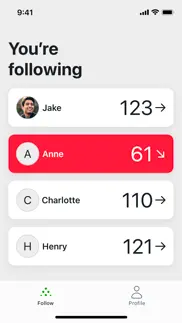
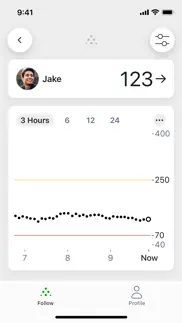
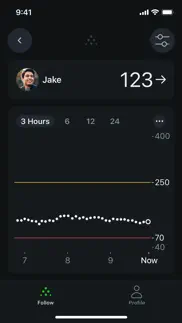
Dexcom Follow 1.3.1 Apps Screenshots & Images
Dexcom Follow iphone, ipad, apple watch and apple tv screenshot images, pictures.
| Language | English |
| Price | Free |
| Adult Rating | 4+ years and older |
| Current Version | 1.3.1 |
| Play Store | com.dexcom.followglobal |
| Compatibility | iOS 18.6 or later |
Dexcom Follow (Versiyon 1.3.1) Install & Download
The application Dexcom Follow was published in the category Medical on 16 September 2025, Tuesday and was developed by Dexcom [Developer ID: 457035738]. This program file size is 236.3 MB. This app has been rated by 820 users and has a rating of 1.5 out of 5. Dexcom Follow - Medical app posted on 24 June 2026, Wednesday current version is 1.3.1 and works well on iOS 18.6 and higher versions. Google Play ID: com.dexcom.followglobal. Languages supported by the app:
AR BG HR CS DA NL EN ET FI FR DE EL HE HU IT JA KO LV LT NB PL PT RO SK SL ES SV TR Download & Install Now!| App Name | Score | Comments | Price |
| Dexcom G6 Simulator Reviews | 3.1 | 71 | Free |
| Clinical Window Reviews | 1 | No comment | Free |
| Dexcom Clarity Reviews | 4.6 | 12,776 | Free |
| Dexcom G7 Reviews | 3.1 | 8,027 | Free |
| Stelo by Dexcom Reviews | 2.9 | 1,487 | Free |
Bug fixes and performance enhancements
| App Name | Released |
| WatchPAT | 10 October 2019 |
| Hinge Health | 28 September 2020 |
| AthenaPatient | 16 November 2022 |
| PulsePoint Respond | 13 February 2012 |
| APPatient | 08 March 2016 |
Find on this site the customer service details of Dexcom Follow. Besides contact details, the page also offers a brief overview of the digital toy company.
| App Name | Released |
| ECG Reader | 25 June 2018 |
| Pediatric Blood Pressure Guide | 09 December 2017 |
| Essential Anatomy 5 | 14 February 2013 |
| Dysphagia | 10 February 2012 |
| IV Dosage and Rate Calculator | 24 August 2020 |
Discover how specific cryptocurrencies work — and get a bit of each crypto to try out for yourself. Coinbase is the easiest place to buy and sell cryptocurrency. Sign up and get started today.
| App Name | Released |
| DoorDash - Food Delivery | 10 October 2013 |
| Hive Social | 18 October 2019 |
| PayPal - Send, Shop, Manage | 03 February 2019 |
| Snapchat | 13 July 2011 |
| YouTube TV | 05 April 2017 |
Install the Giftmio extension for smart shopping. Get notified about cashback opportunities, activate cashback in one click, and save money on purchases.
| App Name | Released |
| Slay the Spire | 13 June 2020 |
| Scritchy Scratchy | 18 March 2026 |
| Farming Simulator 26 Mobile | 19 May 2026 |
| CloverPit | 17 December 2025 |
| Procreate Pocket | 17 December 2014 |
Each capsule is packed with pure, high-potency nootropic nutrients. No pointless additives. Just 100% natural brainpower. Third-party tested and validated by the Clean Label Project.
Adsterra is the most preferred ad network for those looking for an alternative to AdSense. Adsterra is the ideal choice for new sites with low daily traffic. In order to advertise on the site in Adsterra, like other ad networks, a certain traffic limit, domain age, etc. is required. There are no strict rules.
Keep personal info private, avoid scams, and protect yourself online with AI-powered technology.
Dexcom Follow Comments & Reviews 2026
Why was this released?. As several users have pointed out. Features that we have try to rely on have been removed. The absolute 911 fix that has to be put out are the notification sounds are now “chimes”?! People will miss alarms!! You should have never pushed this as a “forced” update! Until the app was done. Where is iPhone compilation? Where are widgets? The new graph is awful! And who ever put a review that , it takes time for adaption, obviously, does not have anyone with diabetes
worse, not enhanced. I don’t leave a lot of reviews, and this is already been echoed in all the comments before me. I just wanna raise my hand and say, hey Dexcom, we use these apps to track the safety and well-being of our children’s health! putting out a new version that has less features is beyond pointless and potentially dangerous. especially since you’re discontinuing the previous app! things like widgets should still be available… if it was ever possible it’s still possible. perhaps you need to reconsider what the word “enhanced” means.
Poor redesign and missing widget. Had to move to this new app due to getting a new phone and it is not user friendly. It isn’t easy to log in, it has a poor design as the number used to be much bigger which was easier to spot right away and the time since the last reading was right under that big number, now it is under the graph in small letter. To make it even worse there is no more widget to have that number accessible on the main screen, you have to open the app to see the number. Please bring back the previous look but most of all bring back the widget!
“A bit of a stumble”. Upgrade to the new app if you want a different icon and less features. Widget is gone making it worthless to use to monitor from your home screen. iOS 26 just started letting you use the Follow widget on CarPlay this new 2025 revision will remove all the widget covenances, Also NO Watch support, it’s not there 0 point 0 ability to use on your Apple Watch, this sets the app back 4 years of not 5. No CarPlay feature No Watch app but hey you get a new icon. btw it tells you when you delete the original follow app it’s done, gone, and will be removed from App Store so no going back.
Widgets are fantastic. The lower ratings make sense, any big visual change will take a moment to get used to. That said, the core functionality of the phone app remains the same, whitch is great. The standout improvement is the addition of the CarPlay widget. Being able to see readings right on the dashboard is brilliant. Thank you for this thoughtful addition.
Widget is missing. Don’t feel like this app is “enhanced” for my use. The sharing is nicer on the backend but some of the graphical front end is lacking compared to the older app. I miss the dots turning red when they are low. I keep using the old app because I prefer having the widget on my Home Screen and then I click on it to open the app. I have a young child so having his bg reading easy to view without constantly checking the app is very helpful. Please bring back the widget!!!
Do not upgrade! No widget!. I followed the prompt to update my app and deleted the old app, and now I can’t find any way to get the old one back. Don’t do it!! This app is terrible. There is no widget for the iPhone, which is literally a feature I use 100 times a day. There seems to be no way to see my son‘s blood sugar without actually going into and opening up the app. Please bring back the old app until this app has the functionality we actually need! This is such a step back, I couldn’t be more disappointed with the change.
Bring back the old functionality. I don’t understand why this has been labeled the enhanced version. There is no longer a widget which is the easiest way to monitor my child’s numbers. Also, the number in the app is now smaller font compared to the previous version. If all that isn’t bad enough, you now have to register to follow someone. Our child is watched by four different grandparents. Do you understand how difficult it is going to be for us to help our septuagenarian parents set this up so we can have a break? Make things easier not harder. Bring back the old features.
Enhanced for who?. I’m guessing there are enhancements on the development side, but the user experience is a huge step back. Like another reviewer, I am also running this and the previous app at the same time because the other app has a widget. I cannot tell you how helpful it is to have a widget on the home screen for watching my husband‘s blood sugar. Also, is there a way for us followers to get the percentage time in range like the actual Dexcom app provides to the users? I have to look at his app to see if he’s been reducing over time, and it would just be easier to do it all from mine.
Worse in every conceivable way. Where’s the widget? The old Follow app was anachronistic, but it was somewhat functional (usually). Why is this “enhanced” version worse in every way? It removes essentially all but a few features and regresses the few features that it kept around to be worse than before. Also, it’s apparently updated for iOS 26 support on the new SwiftUI framework, but it still uses the old iOS 18 keyboard for some reason. Is this app currently supported in the modern OS or not? If it is, then act like it.
Sensor data. Overall I like the functionality of the app. It’s clean, minimal, and easy to use. I specifically like that the enhanced version allows you to see the values of individual readings on the chart now. One additional enhancement I would like to see for helping out as a caregiver especially from far away is a reading of how many days are left in the sensor so I can make sure my family member is changing them when they are supposed to
Don’t do it it just keeps getting worse. I don’t know why they would release a new app to replace when the work is fine but the new app has so many problems namely there’s no widget for your phone so you can’t do it that way and if you have an Apple Watch there’s no longer a widget 4 it or complication or whatever the watch call it the app horrible don’t do it. We didn’t update my wife’s phone. She still using the old follow app. It works great for some reason. I trusted a medical supplier to not have a piece of junk that I used to monitor my child with which now I can’t do so hopefully nothing bad happens, but you’re no longer able to monitor your child’s blood sugar.
Where is the Widget???. I never write reviews, literally, this is my first one. But I am so disappointed in this “enhanced” follow app. I have two kids with T1D and in the old follow app had a widget on my phone for each kid showing their number and graph. It was such a game changer to be able to glance at their numbers. How can you release a new app without making sure that important features are available. I’m keeping both versions for now, but if anyone is looking for a better option give Sweet Dreams a try - they know what we need in an app!
Not acceptable. To start I never leave reviews, but I feel like this needs to be changed and fixed ASAP. We were using the old app and we were very excited there was an update. However, this is a huge downgrade and absolutely awful for tracking. My son is five years old, so us as parents are responsible for tracking his needs, and this app has been delayed to respond, you can’t add a widget on your watch, and consistently glitches. Being an app for health related needs I expect much better.
Terrible App! Frequent Blackout Periods!. This app is garbage. The server goes out every few days, oftentimes for hours on end, thus triggering emergency alerts…or even worse, NOT triggering emergency alerts. It’s almost always a server issue. So either Dexcom doesn’t know how to properly configure and maintain servers, are using a toilet tier third party cloud server, or are actively under attack by hackers and are not forthcoming with information about the threat (medical information is the most sought after target by cybercriminals). Any of these possibilities are worrisome. We are considering asking for a different company’s device because of this. For example, I haven’t received any updates on glucose level since about 5:30 PM (17:30). It’s now 1:33 AM (01:33) the next day. This has forced me to alter my plans and remain onsite most of the day and all night, thus completely canceling out all of the advertised advantages of this glucose monitoring system. Buyer beware!
Can’t find my sons numbers. This is a no for me- I downloaded and now my sons numbers are nowhere to be found. I was on the old follow with his numbers without issue… I can’t add him, can’t find his Dexcom- total fail. My husbands numbers show up but that’s not the main reason I have the app so unless they can tell me why log in on the old app has my sons numbers and my same log in on the new doesn’t I’ll be saying this was all bad for an “upgrade!”
Just lousy. For some reason the Follow app does not work on the new iPhone 17 pro. It crashes every time I open the app. But I get it. New hardware and the app needs testing. The Follow app worked on my iPhone 13 running the latest iOS. But this Dexcom Follow (enhanced) app does not have a widget. This is how I monitor my wife’s glucose level, with the widget. So Dexcom gave us an enhanced version of the app but took back some of the functionality that made the app really helpful. Please, please Dexcom, please include a widget functionality.
Worthless.. Absolutely terrible “upgrade.” No new features and quite frankly it’s ugly. No new benefits. Lost the widget which is incredibly important and forced me to create an account just to follow. Now all my child’s caretakers will have to do the same. No reason for this change. Whoever thought of that was just plain stupid. Just like the previous app, you can add a picture but there is no way to focus on a specific part of a photo. So it kept cutting my daughter’s head off. Absolutely terrible and we are forced into this nonsense. Dexcom and Apple should be ashamed of themselves for moving forward on this.
I’m 1/2 okay with this new app. First and foremost: the widget option must come back…. Losing this feature is a giant step down. But it stopped working on the old app anyway. I also wasn’t getting alerts anymore on my old follow app that is why I changed over. The Home Screen widget is a must have back-- as a parent this was key when I am busy/working/ or generally trying to not be rude in social situations. That feature was everything. It made checking much more discrete and less invasive. And let’s face it diabetes is part of every moment of the day — Iets get there in less steps. Okay- so porting in the people you followed on the original follow app is a little confusing but I do believe they tried to explain. I just felt like it was a pain. I follow my daughter and her friend. Otherwise the layout does not feel that impacting from old to new it is all reasonable. Bring the widget back you can have 5 stars
Overall life enhancing. A great app—my family member has wanted me to get alerts though when the sensor is in its grace period. Also I am concerned about the fact that every time this week when I open the app now, it says it’s been updated and to update now, but when I hit update the option is to just open the app. Seems like a glitch.
What’s happening?. I don’t understand any of the positive reviews. What app are people reviewing because it certainly is not this new “enhanced” app. I just got the iPhone 17 and can no longer use the original Follow app at all. There is no widget, no access on my Apple Watch, and no CarPlay access with this app. I wish the in-app appearance was the only issue with this app. I have a child with Type 1. I NEED this app to work to its fullest potential; especially having had all these features in the old app. Dexcom DO BETTER!!! Fix this fast! Please!
Chart Data. I’m not sure if I like this version better than the older version. In the older version I liked to see the glucose reading bigger. But the thing that really stands out is that you can’t see the arrow in the chart. So if you’re receiving a no data notification there’s no way of knowing in which direction the glucose was going before the data went out. I use to use that feature a lot with the older version. Please add that back. To me that is a critical function that was removed.
Enhanced version not good. If you have the Follow app already don’t update. I deleted my Dexcom Follow App and I ended up with this Enhanced Dexcom App. The older version was much better. The numbers and arrows were larger. Also, there is no widget that I used to put on my Home Screen. I gave this app 2 stars just cause I could still see my sons numbers. Also, I don’t hear the alarms. It just doesn’t turn on sometimes.
Long time user. So disappointed.. I have been using Dexcom follow since launch and it’s become increasingly frustrating that there hasn’t been any development in the Apple Watch complications, including CGM readings viewable on the complications. Previous version of the app allowed at least a quick launch complication to be present for one push access to the Follow app, but in the enhanced version of the app, there is no such option. We will continue to primarily use third party solutions (Nightguard, etc.), and hope that Dexcom sees a space for an added feature that’s long overdue! The app overall seems much more stable on iOS, launches quickly, and has helpful notifications guidance to ensure alerts go through. But, for a software platform centered on the monitoring of others, it could use more functionality with better Watch OS performance and features.
Missed opportunity. At best it’s a step sideways, but probably a step back. My biggest complaint with the Follow app has always been that it is useless on the Apple Watch. It often won’t show a reading when you open the app and it doesn’t have an option to show the blood sugars as a complication on the watch face. (My wife has a Samsung watch and is able to display realtime data right below the time, so it can be done!) Dexcom, please add a working complication that displays a number!
Not Enhanced. This app is terrible compared to the original follow app. I’m running both apps at the same time because enhanced doesn’t allow for a fidget, which is very much needed for a quick glance at numbers, & I’ve found it’s behind the original. Something needs to be done about the choices for notification sounds as well. I guess I just don’t understand the need to fix things that aren’t broken in the health world. If you want to upgrade the app, do something like Sugarmate, that’s actually helpful.
No Data. Apples most recent update has forced me to install the new Dexcom Follow App and made me create a brand new account. This update will NOT alert me when my phone is in Do Not Disturb mode when my child who has Type 1 Diabetes blood sugar goes too low or too high. Also WHY are you forcing 15 minute delays on alarms to sound??? 15 minutes can mean DKA OR COMA! This update is screwing with my child’s life! Her app also updated and will not stay open with parental controls on her phone. It keeps closing on its own and then we get No Data warnings because it’s no longer communicating. APPLE FIX THIS ISSUE IMMEDIATELY!!! We didn’t have this problem with the last versions of these apps! Your update is going to kill people!
Awful, not an upgrade and definitely not enhanced.. I use this app to closely monitor my daughter’s CGM, the original app was great. The original app had a widget, Apple Watch compatibility and instant alerts. This new not enhanced app doesn’t have any of those, even the alerts are delayed. For an app that’s designed to be a medical assistant definitely took a flight of stairs down, not up. I’m greatly disappointed and hope there is an update coming very soon.
No widget. As a developer myself, I cannot express the importance of adding a widget to this app. I am beyond disappointed that this new “enhanced” Dexcom follow app does NOT have a widget. I’ve been following my wife’s blood sugars on your previous follow app since we were 18. Since this app is clearly a migration to the new UI framework (SwiftUI), it should be trivial to ensure feature parity with the existing app and this version should not have been released until that point (since it IS a separate app). Because of this lack of features present before, this app is not “enhanced”, it’s a downgrade.
No more AppleWatch complications or iPhone widgets. The Follow app USED to show up for my iPhone widgets and display the readings. Then, it changed to showing a widget that you had to OPEN to to see the reading—suboptimal but at least a workaround. Now he family has no way to run it as a widget since the last updates. The Follow App no longer shows as an AppleWatch face complication either, nor is it available as a widget for MacBook. What is the point of virtual monitoring if you have to be constantly vigilant about manually opening the app??? Hire a developer. Dexcom is a huge company and there is no excuse for this lack. My elderly parent doesn’t notice their low sugar alerts so WE need a way to see it at a glance and intervene. (AppleWatch 10, iPhone 16 Pro Max running iOS 26.0.1, MacBook Pro Sequoia 15.6.1)
Why a worse app. Very curious what problem the product team was attempting to solve with this new app (not simply a new release but a new app altogether). The UX is worse namely the aesthetics and utilization of the UI. Most importantly though there is a significant lag (data update on follow app vs data update on patient's device) when compared to the other follow app. This should be the primary metric of design...the response to a diabetic health incident is critically correlated with early response. Interested in any defense of these points by the product team.
DANGEROUS UPDATE. The app will not allow you to select and “save” an alarm sound. Many options are presented, but you can only save the default, so really you only have one option. That option is too quiet and will not wake you up at night if there is low alert. This needs to be fixed immediately or we will be forced to shop for a CGM that will actually wake you up if you or your loved one is low.
Widget & Notifications. I agree that the widget should come in ASAP, it’s very convenient to be able to see my wife’s sugars right at the Home Screen. It would also be beneficial to get the actual numbers for sugars whenever it notifies us for sugar alerts. An example would be “Low glucose notification from…” or “High glucose notification from…” it would be nice to have the actual number at what it is next to the high or the low. I believe it does it on the Dexcom app itself but not for the follow app.
Needs More. I follow 3 diabetics and find this update frustrating. I need to be able to easily see when the sensors are syncing with the apps. This was easily done in the old app by rotating the screen and sliding my finger along the graph. This update requires very precise finger placement for the feature to work. I also do not understand why there are no longer widget options available. These are so important for those of us who are supporting people with their glucose management.
Disaster of a Rollout. We used the old Follow app to track our daughter’s glucose. We were convinced to update to this new version today. Problem is, we weren’t able to get it to work because the system says both that we are already following, and after trying to remove ourselves from the old app, the system also says we can’t follow because we’ve been removed by the sharer. There seems to be no other path to take to make it work now. Switching apps shouldn’t have been necessary, and if it was it shouldn’t be this hard.
Does Not Work. I have lost the ability to follow my granddaughter. Her mother and I have both tried multiple times to get me set up on the new app but it doesn’t work. This is very stressful as my granddaughter is still young and my daughter needs help watching her numbers when she is at work. This is very frustrating. We tried to use the chat feature in the app but it wouldn’t work. We never had issues like this with the old app. Very disappointing.
needs a widget option ASAP. immediately disappointed that i dont have easy access to watch throughout the day anymore, my brother drops so fast and the app doesnt give notifications until he goes below a certain number. he could go from 100 to 75 to 50 in the matter of minutes and being able to passively track his trends throughout the days—WITHOUT having to open the app every few hours—help us correct them before they get out of hand. he has tonic-clonic/grand mal seizures when he drops too low, so this is a serious problem for our household and a COMPLETE oversight in how vital constant accessible tracking is. the rest of the app is fine i guess, but this is such a severe issue and a total downgrade from the last app just for this reason alone.
No widget. The app is generally fine, except for the fact that you can’t add a widget to your home screen to quickly view the glucose number anymore. This is super important, especially for parents of children who have diabetes. To make matters worse, once you uninstall the old app you can’t reinstall it so you’re stuck with this new app, hoping that they will add back the functionality that they took out.
Terrible User Experience. Just like many of the other reviews have already stated, this app is TERRIBLE. The frustration it takes to log in create an account and follow my child’s Dexcom readings is ridiculous! What a frustration. Why the need to all this account information nonsense? I am merely trying to follow my child’s Dexcom readings. That said, once we were able to log in to the new “enhanced” app we found it is somehow worse! No widget available! Also why is the number so small? The whole point is to see what the number is and follow the trends. Bing back the big bold number and make it prominently displayed for convenience especially when, as parents, we glance at this number during the night! Also the graph was better on the old follow app as well. What enhancements have been made? This is by far a worse app than the previous one. Very frustrating for parents and family members! Do the app developers listen to the feedback at all? Please fix this!
Awful connection. I just swapped to an iPhone 17 and still have my older iPhone with the previous Dexcom Follow version. The older version is no longer available to download so I was forced to get the newer one. It’s garbage. I’ve had to keep my old phone to see data because the new version keeps saying there’s a syncing error and won’t show any data. I wish they’d leave the old app up to use!
Small View of Blood Sugar. I usually don’t write reviews, but I’m hoping this helps DEXCOM understand what users need and want from this app. The old interface was much better because the blood sugar numbers were much larger and easier to see. The only feature I like about the new app is that when you switch to landscape view, you can still see the blood sugar reading in the upper right-hand corner. However, overall, this app isn’t very user-friendly, and the blood sugar number is too small. I don’t want to have to scan all around the screen just to find my numbers right away. Please consider changing this, or at least continue supporting the old version with updates. Thank you!
Frustrating and unacceptable. I downloaded this app a month or so ago and, as almost all the reviews have stated, it was inferior in every way to the legacy follow app (that had its own issues and frustrations). I deleted it and continued using the legacy app until today when a notification popped up saying I needed to switch to the “enhanced” app. I was hoping a new version had come out that addressed people’s issues but there have been no changes. It still has the same issues with confusing notification setup. The highlight advertisement when you download it is that you can now track on Apple Watch…. Something you could do with the legacy app (although it was buggy and never fixed). And, as others have stated, the lack of a widget is unacceptable. We’re trying to keep our kids/loved ones safe. Please come out with an update soon, especially if you’re going to force this “enhanced” app on everyone.
Widget?. I can’t understand how an “improved” app can remove such a beneficial item? Please update as soon as possible to include one in this DexcomFollow app. Also, it was beneficial to clearly see the amount of time since the last reading. That number is hidden under the bottom banner unless the screen is moved up. Honestly, the format of the previous version was much clearer and easier to read.
Widgets. I use the app to keep an eye on my wife’s sugar. So far I like the layout, but it’s very aggravating not being able to have a widget on my home screen like the latest app allowed you to do. It was nice being able to just open my phone and see her sugar first thing without having to open the app. It would be very awesome if they would bring the widget back.
Needs some work. I need this app to be able to be changed into a widget. This will affect my day to day routine with my mom’s brittle type 1 diabetes. With the widget option, the app stays open at all times and on the main screen you can see the level instantly. It also makes sure you never miss a notification because the app is always open.
Somewhat the same. I don’t mind the new app except for one issue… The trend arrows are no longer showing when you go back in time so I can see a visible trend of either up down or steady… I have a trend arrow for my up to the second blood glucose level but if I wanted to check to see what my Ronderos were doing three hours ago from 1 to 130 trends don’t show with those blood glucose reading numbers… I would like to have those arrows returned if that’s possible please and thank you
Horrible. What a horrible downgrade. The old app was so much better. This app is horrible. The numbers are so tiny. With the old app, the number was within a circle that showed you green red or yellow so it was very easy to tell. Even if you didn’t have glasses on in the middle of the night it was be super easy to know if there was a problem or not. Now the numbers are super tiny. The graph is horrible too. It was a nightmare trying to connect this new app to my husband’s Dexcom. It shows that you can choose the sound that you want for the Notification. I choose the sound I click save, but it doesn’t save it. Now all my phone does is vibrate until he gets into the urgent low area and then it makes a long obnoxious sound. Please fix these issues. This is a medical app not a game. This is life and death for some people. Please fix this or or allow us to use the old app.
Don’t install this!. It’s a total mess. In the original app my husband was following his brother. His brother was following him. I was following my husband. We’ve lost all of that. I don’t know how to get it all back. Update: I tried again. I had him send me a follow request. I re-downloaded the new app. I created a user name and password. When I tried to follow him, I was stopped by the fact that I was already following him on the old app. So I had to go to the old app and delete my old profile. - stupid. I deleted the old profile and recreated it in the new app. I went through the whole process to recreate my profile in the new app. I got to the final step where I acknowledged reading the terms and conditions and the privacy policy. I clicked submit - and got a server issue - no dice. Do you people EVER test your software???? This SHOULD NOT BE HAPPENING!!!!
Not an Improvement.. I use this app to monitor my partner’s blood sugar, and with the old app, I would be awoken in the middle of night to her urgent lows so that I could wake her up, but with this new “improved version” it does not even sound notifications for me even though all permissions are allowed and notifications are set up. There is no widget available meaning it takes longer to check her sugar when I used to be able to look and analyze in less than a second. I have never left an app review before, but sometimes this is a case of life or death, and there are so many of us who use this app to monitor a condition that could kill when the app does not update with correct numbers quick enough. Though the app has an updated appearance, all functions have regressed. I was so excited to see that follow finally had gotten an update, but I am disappointed to see that it has not.
Gross Incompetence. Someone made a decision that this app was not only shippable without widgets, but also that it was acceptable to remove the fully functional app version with widgets from the App Store once it launched. That person is a danger to the patients and families that rely on these devices every day. I do not want my feedback “passed along” to the product team. I want an update that they’ve been replaced and that a functional app is available.
Did you know that you can earn 25 USD from our site just by registering? Get $25 for free by joining Payoneer!
Unhelpful when blood glucose is very high or very low.. I find this app mostly useful. It is certainly reassuring knowing what my child’s blood glucose level is. However, if I am needing to know historical information from the past 24 hours and the glucose level has been less than or greater than my set limits (3.5 - 11 mmol/L), the only values I am given is “below 63” or “above 198”. I am assuming these values are in mg/dL, which I am not familiar with as we live in Australia. It would be helpful if an actual value is available, without having to guess from the graph, and the unit was able to be changed to mmol/L.
Hate it.. I hate the new app. There aren’t as many options for alarm Settings and duration of them as the one before. Numbers keep jumping between the “Australian” version and “American” version. When you’re above or below range or if you turn your phone to the side. Which makes it very confusing. Wish I could change back to the old app. I’ve told my husband to stay on the old one
Avoid until measurement unit issues are fixed. This new Dexcom Follow app has a frustrating and inconsistent bug with measurement units. Even though my settings are correctly set to Australian units (mmol/L), several parts of the app randomly display American units (mg/dL). Some screens show mmol/L, others suddenly switch to mg/dL, and it makes the readings confusing and unreliable for caregivers. This shouldn’t be happening in a medical app where clarity and consistency are critical. Please fix the unit handling so the app respects the selected region and unit settings across every view.
Imagine you at your best. All the time. Picture yourself at your sharpest and most productive. Your most alert and focused. Your most lucid, creative and confident. At work. At play. In every area of your life. Add Mind Lab Pro® v4.0 to your daily routine and uncap your true potential. Buy Now!
Highs no longer give number on chart. If they are above their target range we no longer get a number, it just says above 182 no matter what she’s at. Which is weird for multiple reasons - odd that it wouldn’t show her actual number but also odd that the glitch seems to be defaulting to mg/dL instead of mmol/L even though everything else in the app is showing mmol/L
Critical Alerts + Why all my info. I got the app as my wife is type 1. For the large majority of the time she handles her levels totally fine all on her own and has for years, however there is the odd time when she will sleep or nap through an alert on her own device, so it made sense for me to get the follow app. I have two main “complaints” as a follower. 1. It does not seem that there is a way to set the app notifications as critical alerts. If I am missing this somewhere I would love to know. Ideally for our use, I would want to be able to set critical alerts so that they only came through for notifications on urgent lows, but it would make sense if there was a way to set which notifications/ glucose level each individual user wanted to have bypass the silent or do not disturb settings on their phone. 2. This one is not functionally major, but why did I need to give my phone number, my email, my date of birth, etc… in order to follow my wife’s account. She already had an account, seemed unnecessary and like a bit of an invasion of privacy for something that really shouldn’t need that information in order to function.
Not a good upgrade. The previous follow version is much better. The size of the reading is much smaller and for older eyes this is a big disadvantage. The layout with the reading and how many minutes in the middle on the previous version is much better. Don't see any advantages to this one
Need to show in mg/dl. I wish they provided an option to select mg/dl for useres from various countries.
Worst app. This app is horrible! Always losing signal and the low alerts are poor. The freestyle libre app is much superior. Fix the app and adjust low alarms especially when placed on do not disturb. I want to receive loud low alarm that will actually wake me up. The low alarm is faint and doesn’t do enough.
How can an entire system be this bad in 2026??. This app, like all the Dexcom apps, is poorly designed and just an overall mess. Why is there no way to logout?!? Why do I have to delete the entire app to do that? I’d be embarrassed to release something even half this bad.
Locks up. Always locks on my iPhone and I have to uninstall and reinstall every couple of weeks
Awful for parents. First, the numbers higher than the “high” setting you set are shown in mg/dl when every other number is mmol/l which is the preferred reading. Second, there’s no notification that pops up to clear a high or low from my notifications so I get notified every 5 minutes until the bg resolves. I have no “do not disturb” settings on and the settings to repeat every 2 hours if nothing changes, yet I still get notified every 5 minutes.
Bad upgrade. The old one was much better. It now shows the wrong unit type in Canada when you go to landscape view. And when it goes low it says below the minimum value installed of the actual reading. Which is when you want the most accurate numbers. Dexcom is not treating this app like the medical life safety app it is. Fix the issues ASAP!!!
No alerts. The app isn’t giving alerts anymore since the update of the app. Very frustrating when I’m not being alerted for lows for my daughter.
Odd behaviour at low. The app generally works, but when the child’s reading is below the “low” threshold (set to 4.2 mmol/l), it defaults to showing “Below 76”. This is off both because it defaults to US units despite my setting being mmol/l, and due to the need for an actual reading rather than simply the word “below”. If I lower the threshold I get the proper reading, so clearly it is being recorded. Just a strange design choice / bug.
Does not work. Sharer can not log in to actually share. Prev version worked fine.
good but could be better. App works great , really missing the larger bold glucose number on the screen. Would recommend the option to make graph smaller and number bigger.
Needs more!. As a follower (especially a parent/spouse of a T1D), we are begging for widgets and watch complications. If it can be done for the user, please work on an update for us followers. This enhanced version isn’t really enhanced if we don’t have these options! :)
No widget. Please make a widget for this app!! It would be nice to check it at a glance instead of going into the app.
New Follow not Better.. Why was the old follow app replaced. This new one is worse than the old one. The screen use is terrible. What advantages does the new app have over the old app. In addition. Being in Canada the app doesn’t proved a correct value when above the upper range. It gives it in mg/dL.
Not an improvement over old app. This new interface is terrible. Font sizes don’t inherit from phone settings. Sometimes alerts snooze but sometimes they don’t. Press on the display to get the detail line works most of the time but not always. If I could load the old app, I’d go back to it.
Not an upgrade. Please make the BG number bigger. I often leave my app open at night to see my daughters reading but I can’t see such a small number. Also, I agree with the review about getting notified every 5 minutes even when set not to for a high. Previous app was better.
An upgrade that is a downgrade. So, Apple Watch functionality disappeared, graphing behaviour is inconsistent - can’t scroll through past readings consistently, current BG levels don’t display. This version was not ready for release. The old Follow app was superior.
No Apple Watch functionality. Dexcom says you can quickly glance at your watch to view the readings. But you can’t, it’s the same as the old Dexcom Follow app where you have to open a shortcut to the app to view the readings.
Dexcom follow. This updated app is terrible, alarms don’t stop even after acknowledging them, and if you’re out of range it switches the units of measurements to one that we don’t use here.
Need widgets & complications. Followers need widgets & watch complications. Advertisement said that it works with the watch but there’s no complication. Going back to the old Follow app
Notifications are constant. Notifications are constant. I click the notification for a high and have the settings set to silence for an hour. But it keeps going off every 5 minutes. Please fix this
Inconsistent notifications. Very disappointed as the app is very inconsistent with not only notifying me when my partner’s blood glucose is low, sometimes when it does decide to notify, the sound notification doesn’t work. Absolute disappointment because my partner relies on me as a secondary response overnight to wake him if he goes low. Tonight was a perfect example where he was able to wake himself up but I missed all the alerts because there was no sound. I’m at my wits end with this app.
Server issues. The app never works because of server issues. Do better instead sending me countless notifications to switch apps. Better yet, stop switching apps!
Adsterra is the most preferred ad network for those looking for an alternative to AdSense. Adsterra is the ideal choice for new sites with low daily traffic. In order to advertise on the site in Adsterra, like other ad networks, a certain traffic limit, domain age, etc. is required. There are no strict rules. Sign up!
Really liked new app until last update. On iPhone 16 Pro/Apple Watch 9 on 26.1. Really liked the new Follow app, particularly the snooze alarms options. However, the latest update doesn’t work on my watch. I get alerts on my watch but when I try to bring up the graph to see the glucose level, the app just crashes. Works fine on the phone but annoying I can’t quickly glance and see it on my watch. Have tried deleting, restarting, and re-installing both apps and devices to no avail.
Not acceptable. To start I never leave reviews, but I feel like this needs to be changed and fixed ASAP. We were using the old app and we were very excited there was an update. However, this is a huge downgrade and absolutely awful for tracking. My son is five years old, so us as parents are responsible for tracking his needs, and this app has been delayed to respond, you can’t add a widget on your watch, and consistently glitches. Being an app for health related needs I expect much better.
worse, not enhanced. I don’t leave a lot of reviews, and this is already been echoed in all the comments before me. I just wanna raise my hand and say, hey Dexcom, we use these apps to track the safety and well-being of our children’s health! putting out a new version that has less features is beyond pointless and potentially dangerous. especially since you’re discontinuing the previous app! things like widgets should still be available… if it was ever possible it’s still possible. perhaps you need to reconsider what the word “enhanced” means.
So many problems. Accidentally deleted old app so I had to download the new one. Big mistake. First off, the number in the top right hand corner is smaller than old app. I like to prop it up in certain times and the big number was a great visual. Loses data ALOT. Biggest complaint is when I need to see how fast she is dropping it just says “above 180”…..I need to see the number when I hover over the dot. Oh and also I don’t have access on my Apple Watch or widgets now. Big problem!
What’s happening?. I don’t understand any of the positive reviews. What app are people reviewing because it certainly is not this new “enhanced” app. I just got the iPhone 17 and can no longer use the original Follow app at all. There is no widget, no access on my Apple Watch, and no CarPlay access with this app. I wish the in-app appearance was the only issue with this app. I have a child with Type 1. I NEED this app to work to its fullest potential; especially having had all these features in the old app. Dexcom DO BETTER!!! Fix this fast! Please!
Went backwards. Overall, the app is fine, however the previous version of the app seemed to offer more features- specifically the ability to put a follow widget on the Home Screen. That is a missing feature I’d really like to see added. Again, generally solid and fine, but feels like the app went backwards.
Disappointed. Since I had to update my sons app the follow app is so different and is always disconnecting very frustrating happens multiple times a day really needs to get fixed and now you don’t get the readings on the notification bar of phone you have click the app each time just to see the sugar when prior it would show the numbers on the notification bar this app really needs to have some work done
Notifications don’t always appear. I really like how easy it is to toggle and see the precious glucose reading without having to flip to landscape mode. I’m very frustrated by the lack of responsiveness in the app. I get notifications but I don’t get the pop up within the app to dismiss/snooze the notification so my phone will go off relentlessly every 5 minutes when there’s a prolonged high draining my battery and keeping me from going back to sleep after I’ve treated with insulin. Would appreciate any advice.
Needs More. I follow 3 diabetics and find this update frustrating. I need to be able to easily see when the sensors are syncing with the apps. This was easily done in the old app by rotating the screen and sliding my finger along the graph. This update requires very precise finger placement for the feature to work. I also do not understand why there are no longer widget options available. These are so important for those of us who are supporting people with their glucose management.
connection issues. This app is much worse than its predecessor. There is no option to add a widget to your Home Screen, and when trying to pull up a blood sugar more often than not it says connection/server issue. Considering the criticality of accurate blood sugar readings, this is completely unacceptable. Update** widget functionality has now been added, but too many connection issues so
Wishing for Widgets. I like a lot of things about this app. I’m thankful for the alerts and being able to customize at what level I get an alert. However, I really wish that this app had widget capabilities like the regular Dexcom app does. I’ve also noticed that the alerts aren’t consistent in how quickly they notifying (sometimes instantly, sometime hours later)
Downgrade. Really disappointed with this enhanced version no longer works with Apple Watch the loss of the widget has been huge I find myself not able to follow my sons sugars closely anymore since I can’t quickly see them. Alarms won’t cancel that shouldn’t be going off every 5 minutes and sometimes I get none at all. After so many complaints the few updates that have come out made no improvements. Maybe listen to diabetic friends and families before major overhauls
Frustrating. The previous app was far more superior. After reading all the negative reviews, I’m stocked nothing has been done to make this version of the app better! I’d love for the widget to come back but way more importantly I’d love alerts to actually go off when you’ve sent them up to alert you. Currently, that doesn’t happen. I’m infuriated that I don’t know my son is going low until he is urgently low. Please do better- this tool helps us care for our loved ones.
Widgets are fantastic. The lower ratings make sense, any big visual change will take a moment to get used to. That said, the core functionality of the phone app remains the same, whitch is great. The standout improvement is the addition of the CarPlay widget. Being able to see readings right on the dashboard is brilliant. Thank you for this thoughtful addition.
An app that’s a need but doesn’t function well. What’s frustrating is that I need this app to follow my child’s numbers but I don’t always get notified even if I have all notifications on and my volume is up loud. So because of that we have to add in additional alarms like the Glowcose or the Pixel to help when this app isn’t working properly. Praying that the developers are able to fix all of the bugs and software issues because it’s a game changer for parents with small children who rely on this app.
Annoying. I want to love the new follow app but it is annoying with the constant notifications. I know about the low, I know about the high please make it like the old follow app that the alerts will stop once we have cleared the notification! The constant beeping is not helping when we are in the middle of treating the highs and/or the lows.
Follower. This does not work well. It does not give consistent information, it stops working at times, lags behind on readings, gets stuck. It is scary because you don’t know what the real blood sugar reading is. I find myself constantly telling my child to do a finger stick and it never is the same as what the app is reading. I hope they come up with something that works better or someone is going to end up in real trouble with their blood sugar levels. Never had a problem with the app before this new one
No More Widget, No longer works on Apple Watch. I use Follow to monitor my 6-year-old son, and the widget on the old app was incredibly convenient because it allowed quick access without opening the app constantly. Unfortunately, the latest update removed the widget, and since then, the app crashes on my Apple Watch Series 10 and won’t open at all. I’ve tried restarting both the watch and phone and even reinstalled the app, but the issue persists. This update feels like a step backward rather than an improvement.
Where is the Widget???. I never write reviews, literally, this is my first one. But I am so disappointed in this “enhanced” follow app. I have two kids with T1D and in the old follow app had a widget on my phone for each kid showing their number and graph. It was such a game changer to be able to glance at their numbers. How can you release a new app without making sure that important features are available. I’m keeping both versions for now, but if anyone is looking for a better option give Sweet Dreams a try - they know what we need in an app!
It works. Satisfied overall has been a great app had some kinks to work out couple bugs as far as sharing with school district nurses, it tends to send the request to spam and then they are still not able to accept either way great app and it works needs a little work but it
The graph. I used to be able to see ALL of the numbers on the graph by long pressing and dragging my finger across. Now I can only see numbers that are in range. If the graph goes below 80 then any point just says “Below 80”. This information is useless!!! What is the point of even showing points below the line? This app just gets worse by the day. Do you even have competent devs working there or is this just genius ideas passed down from some out of touch C suites? Get it together Dexcom.
Horrible. This new app is the absolute worst! I would give it zero stars if I could. The old app worked perfectly. If it ain’t broke don’t fix it! This almost never gives me notifications. My son never hears his alarms at night. Last night he was critically low - a true low not compression. When did I find out? When I saw on my notifications bar but received not alarms! Fortunately because it’s Christmas break he was still awake and took care of it himself. This app is HORRIBLE and I hope it doesn’t cause someone to lose their life!!
Widget and Notification. Most definitely need to be able to have a widget option. Instead of having to open the phone and go to the app to see the alert numbers for our daughter. Having it there can help tremendously. Notifications don’t always sound either which can be stressful for a parent.
No widget. As a developer myself, I cannot express the importance of adding a widget to this app. I am beyond disappointed that this new “enhanced” Dexcom follow app does NOT have a widget. I’ve been following my wife’s blood sugars on your previous follow app since we were 18. Since this app is clearly a migration to the new UI framework (SwiftUI), it should be trivial to ensure feature parity with the existing app and this version should not have been released until that point (since it IS a separate app). Because of this lack of features present before, this app is not “enhanced”, it’s a downgrade.
No more AppleWatch complications or iPhone widgets. The Follow app USED to show up for my iPhone widgets and display the readings. Then, it changed to showing a widget that you had to OPEN to to see the reading—suboptimal but at least a workaround. Now he family has no way to run it as a widget since the last updates. The Follow App no longer shows as an AppleWatch face complication either, nor is it available as a widget for MacBook. What is the point of virtual monitoring if you have to be constantly vigilant about manually opening the app??? Hire a developer. Dexcom is a huge company and there is no excuse for this lack. My elderly parent doesn’t notice their low sugar alerts so WE need a way to see it at a glance and intervene. (AppleWatch 10, iPhone 16 Pro Max running iOS 26.0.1, MacBook Pro Sequoia 15.6.1)
Do not upgrade! No widget!. I followed the prompt to update my app and deleted the old app, and now I can’t find any way to get the old one back. Don’t do it!! This app is terrible. There is no widget for the iPhone, which is literally a feature I use 100 times a day. There seems to be no way to see my son‘s blood sugar without actually going into and opening up the app. Please bring back the old app until this app has the functionality we actually need! This is such a step back, I couldn’t be more disappointed with the change.
Widgets. I use the app to keep an eye on my wife’s sugar. So far I like the layout, but it’s very aggravating not being able to have a widget on my home screen like the latest app allowed you to do. It was nice being able to just open my phone and see her sugar first thing without having to open the app. It would be very awesome if they would bring the widget back.
No notifications!. Edit: Why do I sometimes randomly get no notifications? This is literally the only reason for this app. Sometimes it works fine, sometimes it works for the original event but then alarms stop before normalization, sometimes I don't get a single alarm. My original complaints below pale in comparison. Developers, please help!! (Original below) Why would you prioritize having a widget in the car over one that works on the phone? Also, how can you think the display of the new app is better than the old one when the main difference is that the graph is smaller?? It's nice that you don't have to turn the phone sideways to see the sugar number at earlier time points. Since the shortest Clarity data are for 2 days, it would be nice if you could get 2 days of data from Follow too.
Missed opportunity. At best it’s a step sideways, but probably a step back. My biggest complaint with the Follow app has always been that it is useless on the Apple Watch. It often won’t show a reading when you open the app and it doesn’t have an option to show the blood sugars as a complication on the watch face. (My wife has a Samsung watch and is able to display realtime data right below the time, so it can be done!) Dexcom, please add a working complication that displays a number!
Chart Data. I’m not sure if I like this version better than the older version. In the older version I liked to see the glucose reading bigger. But the thing that really stands out is that you can’t see the arrow in the chart. So if you’re receiving a no data notification there’s no way of knowing in which direction the glucose was going before the data went out. I use to use that feature a lot with the older version. Please add that back. To me that is a critical function that was removed.
Why was this released?. As several users have pointed out. Features that we have try to rely on have been removed. The absolute 911 fix that has to be put out are the notification sounds are now “chimes”?! People will miss alarms!! You should have never pushed this as a “forced” update! Until the app was done. Where is iPhone compilation? Where are widgets? The new graph is awful! And who ever put a review that , it takes time for adaption, obviously, does not have anyone with diabetes
No widget; bad icon colour; hard to add sharers. Hello, the new icon colour is too similar to the Dexcom G7 app icon. The old icon was predominantly green, which made it both easier to locate and easier to differentiate from the G7 one. Important for those of us with poor vision. When will there be a widget for this new Follow? It was EXTREMELY difficult to add Sharers. It took 30+ minutes over two days to figure it out. The import from previous app did not work.
Widget is missing. Don’t feel like this app is “enhanced” for my use. The sharing is nicer on the backend but some of the graphical front end is lacking compared to the older app. I miss the dots turning red when they are low. I keep using the old app because I prefer having the widget on my Home Screen and then I click on it to open the app. I have a young child so having his bg reading easy to view without constantly checking the app is very helpful. Please bring back the widget!!!
Awful, not an upgrade and definitely not enhanced.. I use this app to closely monitor my daughter’s CGM, the original app was great. The original app had a widget, Apple Watch compatibility and instant alerts. This new not enhanced app doesn’t have any of those, even the alerts are delayed. For an app that’s designed to be a medical assistant definitely took a flight of stairs down, not up. I’m greatly disappointed and hope there is an update coming very soon. Update: This app does not work well when on LTE and still no Apple Watch support or active reading.
Why a worse app. Very curious what problem the product team was attempting to solve with this new app (not simply a new release but a new app altogether). The UX is worse namely the aesthetics and utilization of the UI. Most importantly though there is a significant lag (data update on follow app vs data update on patient's device) when compared to the other follow app. This should be the primary metric of design...the response to a diabetic health incident is critically correlated with early response. Interested in any defense of these points by the product team.
No Exact Values. The latest version no longer shows values below the alert threshold in the history graph. My wife and I set our son’s alerts above his actual threshold so we can get a heads up before he goes low (90 instead of 80). Looking at the graph, all I see now is “Below 90”. I use those numbers for planning purposes. There is a huge difference between 89 and 70, and now I can’t tell the difference. Really? Who thought that was a good idea?
Widget?. I can’t understand how an “improved” app can remove such a beneficial item? Please update as soon as possible to include one in this DexcomFollow app. Also, it was beneficial to clearly see the amount of time since the last reading. That number is hidden under the bottom banner unless the screen is moved up. Honestly, the format of the previous version was much clearer and easier to read.
Don’t like the changes. I was forced to change to this app several months ago and I do not like the functionality of it at all. Too many issues of safety for a parent of a T1D monitoring remotely. There are no widgets, my notifications get blocked during CarPlay (no fix for this found), AND you cannot see history of exact blood sugars anymore (lows read “below 70” and highs read “above 180” when you look at historical data). There’s a nonsensical workaround to this but this app needs to DO BETTER. It was far better before!!
Why no widget?!. I think the app info overall is ok for me but why is there no widget?? Why would it be taken away. As a parent following a kid it made it so easy. I also cannot get the watch part of the app to work at all so whenever i want to see numbers i have to get my phone and open the app. Definitely a step backwards. I wish I had not updated to the new version of the app.
Just lousy. For some reason the Follow app does not work on the new iPhone 17 pro. It crashes every time I open the app. But I get it. New hardware and the app needs testing. The Follow app worked on my iPhone 13 running the latest iOS. But this Dexcom Follow (enhanced) app does not have a widget. This is how I monitor my wife’s glucose level, with the widget. So Dexcom gave us an enhanced version of the app but took back some of the functionality that made the app really helpful. Please, please Dexcom, please include a widget functionality.
Old app was better. I liked the old app better. I could add the graph to my Home Screen for simple viewing and it was compatible with my Apple Watch. Now it’s not available as a widget and my watch says I’m not following anyone even though the notifications come through. The only way to actually view the blood sugar reading is by going to the actual app. I would have kept the old app 100%. It’s just making it harder to help keep track of readings.
May have to switch to a different system. The old follow app worked great, this new one is trash. I’m not getting alerts no matter how hard we try. We called support they couldn’t help. I now see on social forums that it’s a huge issue for most. Not sure why Dexcom would introduce a faulty system ( with a follow app that doesn’t follow well) with how important it is to know your child’s sugar for their safety. Will be looking at different options of monitoring until they get this app working at least as well as old version.
Essential tool missing key features. The new Follow app no longer offers a widget for my iPhone home/lock screens. This was a highly valued feature from the old app, as it let me check my sharer’s glucose with a single tap. It also fails to incorporate the more nuanced alert/alarm settings offered by Sugarmate—for example I should be able to opt into push notifications for lower urgency alerts, and the more-intrusive phone call for urgent alarms.
Overall life enhancing. A great app—my family member has wanted me to get alerts though when the sensor is in its grace period. Also I am concerned about the fact that every time this week when I open the app now, it says it’s been updated and to update now, but when I hit update the option is to just open the app. Seems like a glitch.
Does Not Work. I have lost the ability to follow my granddaughter. Her mother and I have both tried multiple times to get me set up on the new app but it doesn’t work. This is very stressful as my granddaughter is still young and my daughter needs help watching her numbers when she is at work. This is very frustrating. We tried to use the chat feature in the app but it wouldn’t work. We never had issues like this with the old app. Very disappointing.
Continually logged out. I love this app and use it for monitoring my mom, who lives alone. But the app has one major flaw….it periodically logs me out and therefore notifications stop coming through. So I have to be mindful to check every few days to be sure I’m still logged in and receiving notifications. This is a critical flaw in my opinion and I was hoping it would be fixed in the Dexcom Follow update but no such luck. I’m on Apple iOS 26.1.
Disaster of a Rollout. We used the old Follow app to track our daughter’s glucose. We were convinced to update to this new version today. Problem is, we weren’t able to get it to work because the system says both that we are already following, and after trying to remove ourselves from the old app, the system also says we can’t follow because we’ve been removed by the sharer. There seems to be no other path to take to make it work now. Switching apps shouldn’t have been necessary, and if it was it shouldn’t be this hard.
Poor this is a downgrade. Last follow app was awesome. Great ability to make custom settings for alerts to followers this one it’s set and does not give actually blood glucose numbers when you try to touch or drag finger over screen like last one it’s unfortunate that this app is going backwards as if technology should be improving. This app should be helpful not a problem. The app seems like a quick throw out with out much actually user feedback. Company should make quick changes or go back to older app. Disappointed
Worse in every conceivable way. Where’s the widget? The old Follow app was anachronistic, but it was somewhat functional (usually). Why is this “enhanced” version worse in every way? It removes essentially all but a few features and regresses the few features that it kept around to be worse than before. Also, it’s apparently updated for iOS 26 support on the new SwiftUI framework, but it still uses the old iOS 18 keyboard for some reason. Is this app currently supported in the modern OS or not? If it is, then act like it.
Fix the constant alerts. The old version worked so much better and there was a widget. Now there is none. What’s worse is the constant alerts. It will alert me if my child’s blood sugar is high, but after I open the app to check and exit out, the next high reading alerts me again and again. The old version only alerted me once. I don’t need an alert for every subsequent reading. Please fix this. It’s driving me insane.