Canon PRINT App Reviews
Canon PRINT App Description & Overview
What is canon print app? Canon PRINT is a companion app for your Canon printer.
With this app you can set up your printer, and start printing and scanning. It also provides various handy functions such as checking consumable levels, and printing via the cloud.
We recommend using Canon PRINT with your Canon printer.
Some functions and services may not be available in certain printers, countries or regions and environments.
[Supported printers]
- Inkjet Printers
PIXMA TS series, TR series, MG series, MX series, G series, E series, GM series, PRO series, MP series, iP series, iX series
MAXIFY MB series, iB series, GX series, BX series
imagePROGRAF PRO, TM, TA, TX, TZ, GP, TC series
*Except for some models
- Laser Printers
imageFORCE series, imagePRESS series,
imageRUNNER ADVANCE series, Color imageRUNNER series, imageRUNNER series,
Satera series, imageCLASS series, imageCLASS X series, i-SENSYS series, i-SENSYS X series
- Compact Photo Printers
SELPHY CP900 series, CP910, CP1200, CP1300, CP1500
*CP900 does not support printing in Ad Hoc mode. Please use Infrastructure mode.
😍 Do you love Canon PRINT app? Please share your friends!



Please wait! Canon PRINT app comments loading...
Canon PRINT 3.7.0 Tips, Tricks, Cheats and Rules
What do you think of the Canon PRINT app? Can you share your complaints, experiences, or thoughts about the application with Canon Inc. and other users?
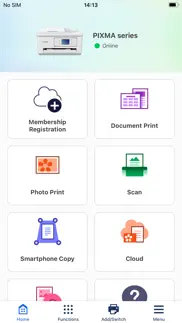
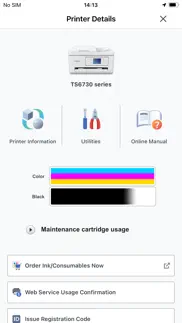
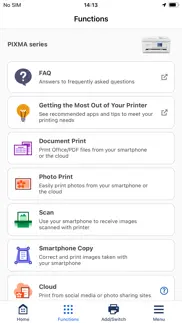
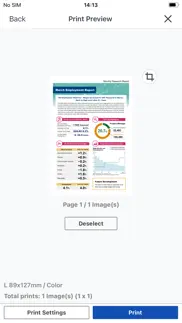


Canon PRINT 3.7.0 Apps Screenshots & Images
Canon PRINT iphone, ipad, apple watch and apple tv screenshot images, pictures.
| Language | English |
| Price | Free |
| Adult Rating | 4+ years and older |
| Current Version | 3.7.0 |
| Play Store | jp.co.canon.bsd.iphone.PIXMA-Print |
| Compatibility | iOS 17.0 or later |
Canon PRINT (Versiyon 3.7.0) Install & Download
The application Canon PRINT was published in the category Photo & Video on 22 July 2013, Monday and was developed by Canon Inc. [Developer ID: 331269954]. This program file size is 76.98 MB. This app has been rated by 586,960 users and has a rating of 4.7 out of 5. Canon PRINT - Photo & Video app posted on 26 February 2026, Thursday current version is 3.7.0 and works well on iOS 17.0 and higher versions. Google Play ID: jp.co.canon.bsd.iphone.PIXMA-Print. Languages supported by the app:
CS DA NL EN FI FR DE ID IT JA KO NB PL PT RU ZH ES SV TH ZH TR UK Download & Install Now!| App Name | Score | Comments | Price |
| SELPHY Photo Layout Reviews | 4.7 | 18,541 | Free |
| Easy-PhotoPrint Editor Reviews | 4.7 | 23,285 | Free |
| Connect app for Mini PTZ Cam Reviews | 1.5 | 9 | Free |
| Canon Multi-Camera Control Reviews | 2.2 | 10 | Free |
| Content Transfer Professional Reviews | 1.1 | 21 | Free |
Some functions have been improved.
| App Name | Released |
| YouTube | 11 September 2012 |
| Visify - AI Photo Enhancer | 24 January 2024 |
| YouTube Studio | 12 July 2014 |
| Celebs - Celebrity Look Alike | 06 December 2019 |
| 06 October 2010 |
Find on this site the customer service details of Canon PRINT. Besides contact details, the page also offers a brief overview of the digital toy company.
| App Name | Released |
| TV Cast Pro for LG webOS | 23 June 2016 |
| TV Cast Pro for Fire TV | 17 June 2016 |
| Pixelmator | 23 October 2014 |
| Pro Camera by Moment | 18 November 2014 |
| Superimpose X | 15 December 2017 |
Discover how specific cryptocurrencies work — and get a bit of each crypto to try out for yourself. Coinbase is the easiest place to buy and sell cryptocurrency. Sign up and get started today.
| App Name | Released |
| SHEIN - Online Fashion | 19 May 2014 |
| Google Maps | 12 December 2012 |
| 28 April 2011 | |
| Messenger | 09 August 2011 |
| BeReal. Your friends for real. | 08 January 2020 |
Install the Giftmio extension for smart shopping. Get notified about cashback opportunities, activate cashback in one click, and save money on purchases.
| App Name | Released |
| Slime Rancher | 26 May 2026 |
| Bloons TD 5 | 15 November 2012 |
| MilGPS | 01 December 2010 |
| PeakFinder | 12 March 2010 |
| CloverPit | 17 December 2025 |
Each capsule is packed with pure, high-potency nootropic nutrients. No pointless additives. Just 100% natural brainpower. Third-party tested and validated by the Clean Label Project.
Adsterra is the most preferred ad network for those looking for an alternative to AdSense. Adsterra is the ideal choice for new sites with low daily traffic. In order to advertise on the site in Adsterra, like other ad networks, a certain traffic limit, domain age, etc. is required. There are no strict rules.
Keep personal info private, avoid scams, and protect yourself online with AI-powered technology.
Canon PRINT Comments & Reviews 2026
Very bad product do. I wouldn’t give even 1 star…I’ve had a really frustrating experience with the Canon G7020. On paper, it looks like a great all-in-one printer, but in reality it falls short in several key areas. First, the print speed is disappointingly slow, especially when printing in color. What should take a few seconds often drags on much longer, which becomes a major inconvenience if you print frequently. The print quality is also inconsistent—sometimes it’s sharp, other times colors look dull or slightly off. The setup process was more complicated than expected. Connecting it to Wi-Fi was a hassle, and the instructions weren’t very clear. Even after setup, the wireless connection tends to drop randomly, forcing me to reconnect or restart the printer. Another issue is the scanner and feeder. The automatic document feeder occasionally jams or pulls pages unevenly, which defeats the purpose of having it for efficiency. While the ink tank system is supposed to save money, the overall user experience doesn’t justify the hassle. For the price, I expected a smoother, more reliable performance. Overall, I wouldn’t recommend this printer unless you’re willing to deal with frequent annoyances.
Where is Black & White function?. This app is functional, usually. I can print most things from my phone, though sometimes I have to jump through hoops to set it up right—especially if I need to print in black & white (this is super important when one of the other colors runs out). When that happens, I literally have to use another app to change the file to black and white first. Thing is...I SEE the black & white function in the screenshots of the App Store description. I did try updating the app. Then I tried uninstalling and reinstalling it. Am I missing them because my printer is only an inkjet and not a pixma or selphy?? Or because it’s older?? I cannot find a place to ask Canon about it either, hence this review. CAN SOMEONE PLEASE TELL ME WHAT’S GOING ON HERE??
App and printer functionality. I’m taking a shot In the dark here and saying that most people complaining about this app arent the most tech Savy people out there. My 80 yr ok dad and 8 yr old niece figured out how to work the app. From printing to scanning let’s not forget the fax option (must have a landline for faxing just for those that didn’t know) (you must be connected to the same wifi connections for any of it to work) of course there are a few things I would like to see improved but overall very happy . P S. For the ones complaining about the actual printer and not this app you’re on the wrong review board if I would be as bold to say go to the website of the store you bought it click leave review after locating the printer then complain just some friendly advise.
Printing to my New Canon Printer. Using this app to print to my Canon printer from my iPhone 6 worked marvelously. However for Christmas I bought myself an iPhone Xr and it seems to confuse the printer and when I print landscape it still goes portrait. This may because of the way the iPhone Xr takes several pictures when you push the button. Even when I select the crop mode and note it’s landscape it’s still printing portrait. I hope the developers heed this and fix whatever is failing. I like to print pictures to my picture printing printer from Canon. I bought this printer because it prints pictures. It even has an extra ink well for printing pictures. That means it costs more to refill my cartridges. Canon, please get on it!!
Missing Feature. Wireless app works good for the printer that I have. There’s something that is missing. I would like to have this app be able to copy an ID front and back directly to your phone into a PDF instead of copying the ID like it does on the printer and then the printer print it out for you to re-scan and add it to your phone as a PDF. Then you can have your ID in Color with great resolution on one page that you will be able to save to your files immediately. I’m sure this is something that’s easily could be done in the next update. It would be much appreciated.
Used this 11 years without trouble!. I use this app weekly. For texting or emailing JPG or PDF it works fine. PLEASE, update this app with the ability to FAX! I need to be able to FAX important documents in PDF format. This app is hard to beat so I don’t want to have to use a separate app. Otherwise, I recommend this if you have a Canon scanner. I also do A LOT of photo printing on my Canon MX922. I’ve had the printer for 11 years and it still works great! I’m using version 3.0.0 and haven’t updated yet. I’m nervous that the update will ruin something. This app works good for most photo prints; however, sometimes the native iPhone print app works best. It all depends on what orientation and margins you want on the photo. Typical of the Canon MX900-series, the printer ALWAYS says the ink is low. It’s a marketing ploy to sell ink carts. Just ignore the warnings and print your job. When the printer is actually out of ink, it will stop printing and tell you it’s out of ink. Always have spare ink carts on hand. Make sure the printer itself has been updated with the latest firmware. It’s an awkward process, but there are instructions online. Update the firmware and you should not have connectivity issues.
This app saved me.. My Mac Pro finally died after 14 years of faithful service, before I had the chance to set up wireless printing on my iP8720. I had to print photos for a court case in 2 days, and thought I was doomed to lose. Thankfully, Canon had the foresight to make up for my procrastination. I downloaded this app, chose connect phone directly to printer, and after a few brief moments I was printing like a champ. It's incredibly easy to change paper type and size, and I don't even have to worry about portrait or landscape. So if you fall on hard times, and tend to procrastinate like me, have an awesome Canon printer that lets you set up printing without a computer connection. Ingenuity like this keeps me a Canon customer for life!
iPhone users..don’t do it. Honestly, the most frustrating experience. I have headphones and other things that connect in seconds. After about an hour of it not connecting when attempting to print; boxed it up and returned this garbage product. Not going to waste any more time with useless apps tied to a product. Read helpful tips here from kind folks, tried restarting my phone, nope didn’t work and that’s where my relationship with Canon ends. Technology matters Canon and the thought of this occurring out of the gate with first time user or after updates, made me realize simple prints were not going to be simple and certainly not happening with this lousy app. So disappointing...There’s a need for consumers to print from devices. You blew it, I wish I could rate zero stars. I appreciate those who shared tips after they struggled; they get the 5 stars. : )
Finally, an App that WORKS - 6 out of 5!!. I just moved to Europe, and I needed a printer that would work but I did not want to break the bank. So I purchased the cheapest canon printer I could. well much to my surprise, these days even the cheapest Canon printer works really well. Once I set it up to the Wi-Fi, and set it up to my phone I found this app. This app works incredible. And this is coming from someone that professionally finds flaws with applications and mechanical items. I have influenced multiple companies to spend thousands of dollars on particular tools due to the applications associated with the tools and how they work. This application works amazing, and if you have an issue with it, it’s most likely user error, or some form of weird bug or strange fluke with the device you’re using. I am using an iPhone 12 Pro MAX, and I understand that that is a flagship phone, but it works perfectly on this device and therefore on other iOS devices it should work just the same as long as your iOS is updated to the latest version. Typically I do not give reviews on random utility apps but this one works extremely well. As I stated before, I am now an expert living in Europe, so it’s crucial that I print and scan documents so that the local government, can have all the documents that they demand… (that aren’t even necessary smh…). 6 out of 5 stars!!
How it works.... The app is okay- however, it’s waaaaaaay easier to do anything with the printer I have from this app. I’m not terribly fond of the pop-ups and set up was a pain. But it works now. I’m able to send my documents out through email and iMessage from the app. Super handy. There’s two things I’m reading from the reviews... first off, changing from color to black n white printing is done when you go to print out a document or whatnot on the print screen. Secondly, you bought a printer with a color and a black ink cartridge, right? Well, even so, canon printers MIX colors to get the black in black n white. I don’t understand their logic either, but all of my canon printers have been that way. That’s why you go through ink so fast.
The print is never true to color. I am so tired of printers that make you work through their apps and choose their templates. I want to print my own stuff for heavens sake! I have bought your printer and ink! Leave me to make my own choices from the internet. I am a middle age preschool teacher who has been using printers for projects forever. I bought this for my home and have no IT guy and this is just to silly and complicated. I will go back to HP but I respect Cannon and believed it could be better. The page on the app that has instructions is just a bunch of letters and numbers so I have to guess which to pick. No words means I can’t even remember which info I did pick to read. I have a new iPhone. There is no reason for so much complication. Please!
Ipad printing is challenging. I realize my MX870 isn't Air print enabled, but trying to use it as my backup, while waiting for a new print head for my Air print enabled MX922, is frustrating. First the Canon print app doesn't appears as a option to choose from while trying to share or copy what's currently on the screen. Even when you tried to print from within the app, it's not apparent that choosing smartphone copy, could work even if document print does not, it's just not very intuitive at all. While I was able to deep clean the printheads in each printer, the MX870, which was sitting idle for the last year - I was able to bring it back to life after a few hours and it's up and running but with limited functionality within the app! The MX922, printheads needed to be replaced all together and it will take days to get it back online. Looks like my next printer will not be another Canon!
Overall excellent, but. I bought this printer a few months ago and it was pretty easy to set up and use. I was pretty happy. Then I decided to print a photo from the rear tray instead of the front cassette tray. The print was fine for my purposes (granddaughter photo), except that I couldn't get the right size photo and it cropped off her feet in a way that I didn't want. No big deal, I figured that I just need to learn more. Today I spent half an hour trying to get it to print from the front tray again. It refused to acknowledge that there was paper in the tray. It was set on automatic for the tray. I turned the printer off and on, I read the manuals, I tried canceling and printing again. I studied the manuals and the internet for half an hour without success. I finally went to a different place to try the print command on my IPad, and it finally printed, but not double sided, even though I wanted double sided. Now it will probably print fine again. But it was a lot of irritation and nothing in the manuals told me how to switch trays, or that only certain print commands will work. I would buy this printer again as you can buy large bottles of ink and refill the ink yourself which saves a lot of money and aggravation. Overall, I have really liked this printer, despite these two problems, compared to every other printer I have owned, this one is superior, works well 98% of the time, the quality is good enough for my home business and general needs.
Really Difficult. I spent 2 hours trying to figure this app out. Still haven’t gotten it to work. My printer came with over simplified directions. I guess the company is trying to save paper by not printing a full manual, which is ironic being a printer company. The website was really hard to use. I just thought in 2024 connectivity between a phone and printer should be a five minute process if that. I think the only person who could really understand how to get connected is the guy who made the printer and the app. Not surprising because have the stuff in this world we just use and don’t understand how a guy even figured out how to make it. Cars, planes, iPhone, soda. Anyway, I guess the guy who made it is like I put all the hours in building this, I’ll just let them figure it out. It wasn’t till I read a page of directions on the website after clicking through many links that I was able to print directly from my phone. The app just won’t connect. Maybe it’s because I bought the $50 printer from Canon. I bet if I spent the $200 on a different model it would connect to my phone without even getting it out of the box all the way. It’s the Man. This is how they get us. Suggestion to company , ask ChatGPT can you make a better app?
Almost Perfect!. I used this app for a few years and it worked really well. So great to be able to print to a non-AirPrint printer! Then, about a year ago, when I really needed it (COVID school worksheets), it stopped connecting to my printer. I could no longer print from my phone at all :/ I recently updated to iOS 14.6, updated the app, and now it works again! The only issue is more of an inconvenience than a flaw: There is no option to select B&W printing! I can do it by converting the photo (usually a screenshot) to B&W, then printing, but it is annoying. And, this app has never given the option to select B&W printing. If I am printing a doc that I photographed (school worksheets, work docs, etc.), I need it in B&W, not shades of gray or color. So, yes, I dropped a star for that. ¯\_(ツ)_/¯ Otherwise, I *love* this app!!
Never buy a Canon Printer. Got more than one device? Forget trying to print anything on any of them. Want to print a document for a very important meeting? Too bad if you’ve got an iOS device, this app only prints photos. Got a Chromebook?? Hahahahaha good luck!! Those don’t even communicate. If you bought a canon printer, and downloaded this app during the setup, please, for the love of your time, your sanity, your effort, your future days when you’re in a rush and you just need a device to simply do what it’s supposed to; take it back immediately. This is not an over exaggeration, this is not anger issues, this is coming from literally hours (over 10 cumulatively) wasted on a device more than 3 times since purchased. Take. It. Back. Buy yourself a nice HP that’s friends with everyone and doesn’t need every scrap of your information sorted through an app that no other righteous (as in the definition of “it does what it’s supposed to do”) printer needs. Canon printers are trash.
It could be my iPhone 12…. It could be my iPhone 12 which right now is printing this with invisible ink so I can’t even see what I’m saying. Maybe it’s me. But it took me about 2 1/2 hours to figure out how to connect the printer with my iPhone despite following all the instructions. After I had basically given up, I found there was a way to tap on my phone and get things to look like they were not delivered and then I selected a printer and told it to print and it said no printer selected, and finally it offered me the opportunity to directly connect a printer which is how I need to do it because I don’t have Wi-Fi in my house. Finally, it worked. And if you can see this, you’re doing better than I am because it’s still invisible.
Major time wasted.. I’m really surprised to see all the good reviews. I have nothing but scorn for this app. I’ve had it for quite a few years and every time they do an update, the changes force me to try every which way to print. I just spent a total of 3 hours trying to print one page - a mailing label! The mishmash of settings/instructions are ridiculous. If I try to print directly from phone to printer, it will only work occasionally. If I try to use my Wi-Fi through the router - good luck. It is not intuitive. Different settings pop up from screens that had no explanation as to why printing could not be completed. I accidentally set “photo paper” in the print page settings and the thing rebelled. I’ve actually used photo paper in the past, so WHATS THE PROBLEM NOW. I will never buy this brand of printer again. I have other things I should be doing instead of TRYING to print something.
Am I supposed to call this a printer?. I bought this printer for the sole job of scanning 10 pages to email. My fault I should have done more research but this is hot the printer for me. I was never able to get cloud printing working. WiFi printing worked. WiFi scanning was a complete nightmare. You have to use the app, no problem right? Wrong. After setting up the printer and connecting to the app seemed painless. Then came scanning my 10 pages. It took a reasonable amount of time, but when the last page was scanned an ad popped up! Lost my scan. Not happy at this point, so I try again and this time I’m half way through when I get a phone call. Lost the scan. If I knew this thing didn’t have a brain of its own I never would have looked at it. Good luck canon, you’ll need it with your cloud printing!
May 2023 solved Wi-Fi connection iPhone issue finally. May 2023. I have solved setting up the canon MG3620 Wi-Fi using an iPhone 14 with the canon inkjet print app. I recently moved and had to reset the Wi-Fi and everything I found online would not help, so here’s what I did. Download the canon print inkjet app on the iPhone. Turn on your printer. On the printer press the Wi-Fi button for four seconds, then press the stop button, then press the Wi-Fi button again it should blink, blue and fast. Connect your iPhone Wi-Fi to the canon printer option (it might say not connected but it’ll work still). Open the canon app on your phone to set up a printer then choose can’t find printer. When the Wi-Fi list of options screen eventually shows choose “direct connect” at the very bottom, NOT your usual home Wi-Fi network. It should automatically work from here.
Connecting to iOS with WiFi Network w/ Password is Nightmare. Had to change WiFi Network name and password then go back and manually reconnect all 23 devices throughout home. Saved Canon TR8520 to last because it was a nightmare a year ago. Really need to print medical document so I was forced to try today. Easy connect means I am disconnected from the internet and ONLY connected to printer network, but not doable when apps require internet while working. So, went back to Canon video to try and remember how I set up a year ago. Keep getting to screen to find network, but hidden, so manually entered name. WHY won’t this thing bring up the page where I enter my WiFi’s password? An open network is NOT safe so I will always have hidden and with password. Took at least 3 days to do it before and now I cannot remember steps. Can someone from CANON please direct me to simple instructions for iPad Pro wireless and wired connection options with personal WiFi network that is hidden AND REQUIRE a Password to connect. Thanks. Somehow I got it to work before connecting printer to TMobile Home Internet Modem and every device connected to WiFi was able to print wirelessly print directly to printer (and STILL be connected to the internet).
Much-Improved App!. I remember having this app years ago shortly after I bought my first Canon inkjet printer that had Airprint and being completely disappointed in its functionality. Difficult to learn and use, and overall just not anywhere near the quality expected from Canon. I deleted the app. On a whim, I went looking for a printing app today to wirelessly print from the iPad to the Pixma Pro-100, and saw the high overall approval for this app, so decided to give it another shot. Wow, am I impressed! Extremely easy to use and gave great results. My ONLY critique is having to physically connect the printer to the iPad the first time for setup (I happen to have a USB-C to USB dongle and an external microphone cable with the USB 2.0 A/B needed for the Canon printer since I've misplaced the original printer cable), but that wasn't bothersome enough to deduct a star. Well done, Canon! Glad your app dev team improved this app 🙂
Works for older iPads and my old printers from 2008!. I love this app. It is truly one of my favorites. It is simple and it always works. I love that it can scan print and copy. I have used this app for almost 5 years now. It got me through my college classes without needed to purchase new printers. I am also very grateful that it is free. I also think the data converter (for unprintable AirPrint docs) is incredible, it felt like a dream to be able to push a single button and not have to troubleshoot in order to print. I am printing from a iPad 4 and Canon MX870 Printer that I received in late 2007! Still runs like a champ so I haven’t replaced it, and now with the Canon Print App, I can save more money. 🙏
Good but not yet great. This is a quite good app as far as it goes and one of the best features is there’s no stupid subscription, especially useful when only using the app occasionally. The chief limitation is that my Pixma Pro-200S can print up to 13x39 panoramas but this app only supports standard size papers up to A3+ which is 13x19 thus 20 inches short of the full panoramas I would like to print. Canon, please update this app to fully support the capabilities your printers can do! Fortunately, after much searching I found Canon’s Professional Printer app for my Mac which can print large panoramas; note this app is also free but only works on the Mac which won’t help if you only have an iPad.
Worked Great Before. I had this app for a very long time (years) and I never had any issues with the scanning function, until your recent updates. The Canon app use to allow me to scan a document from my Canon MX912 printer, save it as a PDF and email it, all in one scan using my mobile device. Since the updates, I no longer have the option of saving my documents as PDFs , I have to save them as jpeg, otherwise the app immediately shuts down when I attempt to select PDF as the save option. It appears the updates have also eliminated the option of scanning multiple pages at a time. When I finish scanning the first page of my document the very next option that pops up is select "type" to save as, no longer does the "scan" button re-appear to allow you to scan multiple pages, as it use to. This use to be an awesome app to use but now it's less convenient and user friendly. I didn't make much of it at first because I thought the bugs would be fixed; little did I know they would be ongoing. It's aweful. If I could pin point a time frame when I noticed these issues, I would guess it was many months back, sometime after the open with "Selphy" option started to pop up when I opened the app. I would never elect to use it, but I believe the app opens directly to Canon/ Selphy now. I would love to continue using this app if the issues I address could be resolved.
Like most printers…. I really enjoyed this app and my canon printer until Canon decided to update the terms of service and you couldn’t use the app unless you agreed to them collecting information about you. Not to mention the fact that I’ve only had this printer for about two years now and even though I’ve run it through all of the cleaning parameters and head alignments, it just refuses to print the black ink anything darker than light gray. The app also gives me the opportunity to review what my test printing patterns look like. Neither of them look like the test pattern that I get. Apparently now AirPrint is now broken with the newest update. I absolutely cannot just use my built-in iOS printing ability. Apparently I’m now stuck using the app which is filled with a lot of frivolous things that I don’t need or want.
It works fine for me.. I dont know why some people don’t have a black and white print only option OR don’t have the ability to print their photos OR even landscape option. This is what I do when I need to print black and white, I go into “Change settings” and select “Grayscale” to On. As for those not being able to print their photos, do you remember if you gave permissions to access your photos when you first opened the Print app? Go into your iphone/ipad Settings and find the Print app and see if you allowed Read and Write access. And don’t try to access your photos through “Document Print”. As for landscape mode, I haven’t tested this out yet, but I do see that there is an option to do that, which is only through the “Smartphone Copy”. In “Smartphone Copy”, take or select a photo, click “Next” and the icon that represents landscape or portrait mode is located on the lower left. I never write reviews but seriously I needed to get this off my chest.
Connected Maxify Printer to Router Lacking WPS Button. My Canon Maxify 4020 is the best inkjet printer I've ever owned, but it's tricky to connect to a router that lacks a WPS button. This app was a lifesaver! When Search for Printer didn't find the printer while my iPad was connected to the network I wanted to connect the printer to, I followed out the instructions for "Printer Not Found". The instructions let me select my Canon printer model. Then they showed step by step pictures of how to use the printer's setup screen to select a different connection mode. Once the printer was "prepared", I was able to return to the app and use my iPad to type in the home network password, and connect!
Color versus Grayscale and Double-sided. Most of the time I just need a grayscale printout of the document I want to print. I have a MG5220 inkjet printer and I use this app for both my iPhone and iPad, but it would not let me print in grayscale. I could not find the setting for grayscale no matter where I look. This just ends up wasting my color ink because I don’t need documents with color. Can someone please help or change something on the app, because I cannot do anything with the setting. Nothing I need is in the setting. Also, the app wouldn’t let me print double sided. All of my documents are usually double-sided to save paper, but the app would not let me do that. It would be fantastic if Canon can do something about this. I love Canon and their printers, but this is just not working out for me. Thank you. Sincerely, A Canon printer user
Not dependable. Cannon Print app is glitchy with my TS5320 printer. I’m using it to print and sign documents for my job, and I cannot depend if it will print or not any given day. It changes format when I print from my iphone to when I print from my iPad – wasted lot of ink reprinting same pages while figuring out where it’s tripping over. It gives bogus errors and does not print when my timeline is crucial. Errors are random, for example it will say it’s low on ink when I just put brand new cartridge, but it will still print. Other times it tells me there is no paper when tray is full of paper; by the time I pull my hair out and try everything under the sky including resetting stupid thing, all of a sudden it will print from my iphone (but not from my iPad). Today, I got “Failed to communicate with the printer. Check printer connection. If there is no problem with the connection, open your smartphone’s settings and check that this app has been granted local network access under [Privay]>[Local Network].” This is bogus because there is Local Network is On and never been turned off on my iPad. Same settings are on my iphone, however I was able to print this time from my iphone…. Today is my lucky day. Update as of 2024: canon print app demands to collect information. App prompts me to agree to share data. It says “optional” but if I don’t check the box “agree”, it won’t let me use printer. Wow! They really want to see what I print. Is this North Korea now? To the garbage it goes.
App needs better feedback. Once the setup actually works, it seems to work pretty well, however, it leaves you in the dark in terms of things working or not and what to do to fix them. It doesn’t tell me why it failed to join my wireless, or even that it failed, it simply proceeds happily along as if It worked and fails to connect at the next step. It doesn’t tell me how to get it back into set up mode to start over, I had to fumble through that. Most of the screens tell you it can take several minutes to accomplish. But, overall, once you successfully get it linked up to your network, it works pretty quickly and the app does drive the printer and I can print wirelessly from my devices or my phone.
Worst Convenience Printer I’ve Ever Used. I have had Canon printers before that I loved. After a couple of years my AirPrint printer (MG5520) crapped out so I went to find a replacement - as close as possible to the one I had before. This (TR8622) was the only Canon printer available from Walmart and looked to be a similar size so I bought it. Big mistake. It is not an AirPrint printer (my error); it requires using an app to print rather than allowing printer from primary software (e.g., Word, Excel); takes forever to communicate between iPad and printer; cannot maintain formatting from original document to printed page (have to convert to a pdf first); and throws up ads in your face every time you use it. Hardly worth the effort to print and definitely not worth the cost - it will be trash as soon as I’m able to find a decent replacement.
Best. App. Ever.. Let me give you some context, before I downloaded this app, I thought it was impossible to print something without my laptop. Impossible in the sense that it was such a pain to do it. This app changed everything, it has a simple interface so it’s not hard to understand, and you can print everything with the click of a button! The app also automatically scans for printers in your vicinity and that’s great and hassle free. If you have a Canon Printer and don’t want to open any external devices to print stuff, I highly recommend that you download this app, it was a real life changer for me and I hope it will be for you too!
OK but not that user friendly. Bought this printer at Walmart, have definitely had questions and issues getting the wireless parts set up. No manual provided, you have to print your own and the instructions only say go to a website, which doesn’t explain much really. Found the Cannon phone number (was not provided, of course because they don’t want you to call them!:-D) and called, was able to get it working, but then the next day it stopped. Had to call again, tech told me how to see if it was close enough to the router. Trouble was you had to print a test page and as it wouldn’t print… Don’t see anywhere where it tells you how to look at that without printing it. Also, on my phone, it takes several steps to print, and then you have to leave the screen open for a while to let it finish. Print quality is pretty good, just not very user-friendly. My job has necessitated. I familiar with all kinds of technology, but someone that is not that tech savvy would have a really really hard time with it.
Happy. Love this software I have a older printer ink jet and it works so will with my iPhone 13 I love it when older hardware can work with newer technology I understand thiers a point when you have buy new but it’s great to have a chance to try and give it ago with landfills full of discarded rubble and electronics going up I wish more companies could find was to reuse and keep using as time goes on can’t run to the store every time you buy something new and then run back for a new component to then go with the new other component is so gratifying to hook up older components to a new component especially we all us our phones for everything and more so when older components within reason I am not talking vintage or more than 7 to 10 years old thank u cannon for such easy use of older print to a new phone iPhone 13 ⭐️⭐️⭐️⭐️⭐️
Easy to set up!. I was looking for a good printer that was able to connect to my laptop and phone via Bluetooth. I’ve had older models before, so I did a little research before deciding on this one. It was surprisingly easy to set up and was up and running I think within 15 minutes. The only downside I’ve experienced so far is that of you’re printing super dark images/ solid images, they come out an odd sort of dampness to them, like they’re a little too saturated. It dries out relatively well though, so I won’t complain too much. Otherwise I’ve had my printer up and running for about a month and haven’t run in any sort of issues. I’m happy with this purchase.
Somewhat of a bummer!. I have waited very many years to finally succumb and purchase a printer. One in fact that is color! My excitement carried over into setting it up and starting to print beautiful things in color for my students. I wanted to love this printer. Sadly, it leaves a bit to be desired. It frequently goes off-line with my devices and it is very challenging to get it to connect again so then I have to turn off the printer and turn it back on and if you do not turn it off correctly or the way it wants you to then it gives you another error message and has an even harder time connecting. It is kind of a slow printer at that. Otherwise, I would say it’s really neat to have a printer that can make multiple copies of items in color. I did have it printed off about 100 pages worth of materials and it did a decent job.
Works great on MX922. It worked great on my MX922. It needs to be linked to your WIFI router not only to your computer or just to the WIFI. Once the WIFI connection was complete the App worked fine on my Apple IOS 6s phone. I think my phone is connected to my WIFI and that is why it has to have that connection. If I had no WIFI and no computer, just a printer on a stand it might link direct. I have not tried this as My phone is linked through my WIFI, allowing me to print from around the house. Highly recommend, this my second cannon MX and they both work great. Just never let the ink run out, the heads overheat and warp. Replace tanks early.
Worst at Multitasking or ongoing iOS. The fact that you can’t do anything while printing is in progress is downright st^*#d in this day and age. “Please don’t close this screen…” actually means if anything comes into your phone (ie notification, phone call, Ring notification) your printing just cancelled automatically. This is an even bigger problem if you try to multitask in another app. Then there’s the issue of having two different “Print” vs “PRINT” functions in the list when selecting where to send the image. Before moved and purchased my new (now old) iPhone 14 ProMax everything was fine, now it isn’t. This was happening long before the current (I should say always ongoing) iPhone issues. I just can’t recommend this app.
Canon TS3122 PIXMA. Scanning the URL on the printer to download the Canon Print App; the app no longer recognizes Canon's own TS3122 model. jerks with your 'planned obsolescence' have phased out the TS3122 PIXMA and all other TS models, so that your own "updated" software APP will no longer connect to those. Forcing your Canon customers to buy another new piece of equipment like that, is the same unethical business practice that is often observed in criminal racketeering schemes. Canon, Your solution for phasing out a perfectly good, operating and functioning device, should be to offer your newest printer FREE-OF-CHARGE to all of your "ripped off" customers for conducting your business this way. I sincerely hope that you go financially bankrupt to match both your ethics (you have none, btw) and your moral turpitude. What a p.o.s. company for any customers to give their money to. F.U., Canon! Genuinely.
I like this Cannon print app. Re-review: APRIL 3, 2022 I get frustrated because it wants to make me print a screen shot as a photo. I do not want to do that. Even if I can mange that, it does not print well. Also, I like to print pictures most of time on on regular paper, not photo paper, Otherwise, everything else works well. This app has had some upgrades. In regards to photos, it is very easy to use. Easy to pick picture, paper size, photo size. I still don’t know if it can print larger photos yet. Right now I only know it prints 4X6 and 5X7. I would recommend only using matte paper with Cannon printers that takes ink jet cartridges. It smears on glossy, and does not dry.
Psych plus evaluation weekly visits with Dr. Jeff Anderson,. Psych plus, corporation worked miracles, and all the sessions that I’ve had with Mr. Jeff Anderson, I’m sorry to see him leave I would love to continue my weekly visits, I reached the point to where I can continue on with my life, my wife soon to be ex Edna Lemke, I found out have been putting drugs in my food, she is undoubtably the most narcissistic person in my life married 47+ years together 50 years have a beautiful daughter that she gave birth to June 9, 1978 a true gift from the good Lord above I believe in the father of the son and the Holy Spirit he brought me out of a dark place in my life, April 27, 2026 court number 312 at 9:30 AM I’m hoping this marriage is completely over with. I moved in with my daughter September 4, 2025. I’ve got two wonderful daughters one from a previous marriage who I got custody of at the age of six and then biological daughter. I spent several years in 2014 and 2015 the Houston Police Department psychological services. Doctor Tate and Dr. Lisa Gramezy work miracles with us, but Edna refused to continue. She quit her job with the police department in 2003. Hasn’t had one since she’s been forging my signature stealing my identity tens of thousands of dollars spent on illicit drugs. My attorneys have all the documentation I pray the judge April 27, 2026 will rule in my favor she had been stealing me and I’m at fault I should’ve stopped all this in 2004 when she drove to Massachusetts we had filed for bankruptcy, my daughter Sarah said dad you need to take over the finances, it’s my fault for having gotten so complacent. I pray the good Lord watches over all of us, including me. I’ve been going to church last six months. Attending divorce and separation classes at CHRIST the Redeemer Catholic Church. I’ve had seven sessions so far we have a dozen other adults that are experienced similar circumstances that have gone through divorce divorces.
TS3122 printer. I bought this last year on Black Friday. For the price I figured it’s just gonna be used for basic stuff, no biggie. Well I started using it for water slides, looks pretty good. Then, I changed my setting again.....I printed the water slide with photoshop. Then I heard the craft goddesses in the sky say “WE CAN PRINT WITH THE BEST OF THEM.” No more ordering and wait a week for the goddesses here on earth to make and ship said water slides. They are just as good if not better than the laser printers. I’m not even kidding. I paid 19 bucks for this one, ink jet. Quality of lasers are great, it’s the price that gets me. Thanks cannon for making great quality printers, they never disappoint! If you know what a water slide is, then you are a maker, and understand my excitement! For those that aren’t crafty, it’s a way to put basically a picture on stainless steel tumblers, and other crafty items.
WONDERFUL App! Plus Requests. Many of us don’t like the space required to only have the option to print documents on one side. Case in point: I just bought and printed a 72 page instruction manual. It took 3 days, and about 6 hours of frustration with jammed paper, printing 2 or 3, then just a partial page before it timed out, etc., before I decided to see if you had a printer app. THANK YOU! It was much better quality, with ZERO paper jams, and ZERO cases of timing out! Thankfully, I only tested 10 pages before discovering that the reverse pages were printed upside down. 🤦🏻♀️ 1. Please include a feature for printing on both sides, including for printers that require it to be done manually 2. Alternately, provide a choice in the settings to print “Odd pages only” and “Even pages only” 3. Since printing from apps such as Adobe Reader and require you to put the page back in the tray with the printed side up, AND rotate the page, before printing on the reverse side, it would be nice to notify the user to simply put the page back in the tray with the printed side up, BUT WITHOUT ROTATING the page. Again, thank you for an overall TERRIFIC app
Seems to be working so far after device restart. I have had a Canon mx490 printer for over a year now and printing via this app had been very unreliable up till now. Would work for me sometimes but oftentimes the app would not recognize my printer so I could not print over wifi. But I read some reviews here and followed the instruction of a reviewer who said to restart the device and lo and behold, it actually worked! App found my printer right away and I was able to print finally. I guess it remains to be seen if it will continue to work. But I am hopeful that it will, though, because it recognized my printer quickly and adding it to the app was super easy which never happened before. Took off one star because of all the trouble I had before. It should have just worked to begin with imo.
Works with hotspot. I don’t really know how to feel about this app. It worked but only when I disconnected from my WiFi and switched to my iPhone hotspot instead. I guess I can’t fault the app or the printer for my router’s low signal strength of 60%. Although it would be nice if the app provided a little more help in troubleshooting and explaining that signal strength may be a problem to look for. I had to call canon and wait 40 minutes just to confirm this and switch to my hotspot. I recommend,if possible, just moving your printer next to your WiFi router or at least in close proximity. My printer is in my bedroom , router is in living room. Only gave 60% signal which is no good. If that’s not an option, just connect the printer to a phone hotspot. I will note that when I did this, I was printing directly from Gmail, I didn’t go through the canon print app. Hotspots are shaky so it may not work all the time. If these options don’t work for you, I say return the dang printer and just go to your local library or FedEX.
Side Effects Include: Anger, Frustration, Sadness, Buyers Remorse. Well in case you thought Canon could make a printer or scanner that worked without spending hours upon hours and frustration after frustration, think again. Canon has really made an idiot of themselves and their customers once again in the printer suicide family of products it appears that Canon, much like every other printer manufacturer since the dawn of humanity, has also failed to create a printer/scanner which offers even a solitary working function. Wait there more. Not only will you waste your time and money purchasing a canon brand printer scanner combo but you can download a dozen or so FREE apps to failing alongside thd corresponding printer scanner. These Canon Failed Products complement themselves quite terribly together. They’ve lowered the bar to even greater heights or should hypes because they sure do promote their nonworking garbage. Now I get to take this pile of trash back to the store for eighty dollars or maybe I’ll just tie it to my ankle and throw it over the nearest bridge; that seems like the only actual solution that Canon has left me with on this amazing Friday night. Thanks a lot for making ten broken apps and a scanner printer which has the sole Unique feature of NON-WORKING. -10 stars all day.
The scan quality very light by default. I have an older Canon 4 in 1, and somehow this phone app is only way I can scan. The computer software doesn’t work anymore, though I had our business IT person look at. But I value my old Canon. I bought a newer HP that could never seem to get “online” to print (though wifi on and every other device had no problem). Or took 15 mts to print. Wasted so much time. The HP now sits at bottom of closet and so glad I kept my responsive Canon. But the default scan quality is so LIGHT with this phone app, no way to adjust with app. Really time intensive to try and darken multi page PDFs. My other phone scanning app takes nice clear images but not practical for multi page documents. Please make the default scan quality darker with app or allow adjustment.
Love this app. I’d love this app. I find it very useful and easy. Hopefully in the future will be more features as time to by. I was having problems to be able to scan with my old laptop. Even though the laptop that I have now is out of date having issues. I was thinking there is got to be an app that it will do in my iPad live projects. So I looked. At the Apple Store and I came across with this application. I’m very happy with it. The only thing is, I would like to see that the background will be black. And hopefully he will have some kind of option like that. Other than that, I’m very satisfied with this app.
Prints good but won’t stay connected. I just set up the printer yesterday and my first test prints came out very nice both from my phone and computer. I tried later in the evening to print something from my phone and it couldn’t access the printer and wanted me to reset my router but the problem wasn’t the router it was the printer shutting down and not turning back on when the print order was sent. This morning I turned the printer back on and it worked just fine no need to touch the router. One other issue, if I find a photo on my phone that I want to print and click on the print option it takes me to the app and I have to then scroll through my camera roll and find the photo all over again which is a pain because I have a lot of photos to go through.
Did you know that you can earn 25 USD from our site just by registering? Get $25 for free by joining Payoneer!
Great Printer for the Price. I bought this printer for home. I found it a little difficult to set up yet phoned Canon Customer Service and they were fantastic and within 20 minutes my printer was up and running. I love how I can print from my iPhone. Thank you 😊
It wasn’t what I hoped for. It doesn’t seem to use much ink so that is good. I was told by the sales person that it did double sided printing but it doesn’t. It is also harder to use than I would like. Any document I want to print I find that I have to save it first and it won’t let me print directly from the internet. I have been in contact with Canon and they have tried to help me but everything they suggest doesn’t seem to work.
Why is it so difficult?. I bought a nice new canon MG3660 printer, paper and a load of ink. This app just cannot find the printer - not for me, not for anyone. Seriously, I can’t even use the device as this app can’t find my printer! This hasn’t happened with other brands and their apps but this one is a dud! So, looks like I am forced to pay ridiculous prices for a generic app to get my printer to work - or I take back the canon printer and go buy a new epson - ridiculous!
TS3460 pitman printing app. This is rubbish. For 3 months I’ve been trying to register my printer so I can use the app and printer with paper size functions. It won’t let me register my printer and there is no option or information on how to contact canon to rectify the issue. I have done all of the recommended options to get it working but nothing is helping and I am really upset about the whole thing.
Easy as ABC. I’m not confident on phone to printer tech but with my Canon printer, it could not have been simpler. As long as you switch it on, everything else will explain itself as you progress as you go..
Useless. Have spent two hours trying to connect the printer following instructions. The screen on the app just buffers for 10+ minutes and there is no way to cancel or go back, only exit the app. Support tells you to do the exact thing you’ve been doing which gives the same result, no support, instructions are not correct, waste of time and money
Canon TS5160 Printer. This printer is brilliant. Simple to set up to print from my iPad and I’m certainly no IT wizard! Once the app is downloaded it is all very easy to follow the instructions. I would recommend this to anybody even if they do struggle with technology.
Practical and convenient. Very easy access and approachable utility. Was worried at first because most app/internet - connected printer would have complicated problems or long lags/repetitive in terms of connection process. But this was incredibly easy and direct to work with, I am very satisfied.
Disgraceful. I thought this app was great at the start. It was. Until when I was trying to print out my sisters birthday card, it would not work!! So I thought maybe change it to colour, so I did. Well that was a big mistake!! It printed out a black and white striped paper!! Not what I wanted!! To make it worse, the printer said wasn’t “connected” to my smartphone! This is a horrible app! Please fix this app! Now my sister will have no card on her birthday! Thanks to your printer! Happy birthday to her!!
Margaret Simpson. At first I was unsure if I had made the right choice, but this printer exceeds my expectations, so simple to use once you work it out, maybe instructions could be easier for non tech heads. No need for a computer/laptop just prints so easily from my iPhone and iPad.
Set-up not user friendly. Have used a lot of printers over the past 10 years and a large commercial printer is still much simpler to set-up compared to this model. Yes the ones that have a “billion” function buttons but still has coherent instructions. The fact that there is no outlines between Pixma MG3660 (not app displayed) and TS3660 (app displayed), I can see why this model mysteriously turns up physically broken for warranty returns! Finally worked it out after watching a product preview video to discover the numbers alone is what guides you to pick the correct product. Not the letters which are meant to display the accuracy of models! Very misleading paper guides and app SOPs!
Printing in monochrome. I have recently purchased a Canon TS9560, I am now onto my second replacement (3 units) in as many weeks! I am printing from my 2 year old Mac using the latest “macOS Big Sur”. The printer prints beautifully in colour, but when it prints in Monochrome it prints a bark line very 20mm or so. Canon is telling me it is my Mac! I have been a Canon Printer and Mac user for over 10 years and I have NEVER had an issue! So..... if it is my Mac at fault why am I having the same issues when I print from my iPhone & iPad when using the required Canon Print App! When I print in monochrome from my iPhone or iPad using the standard Apple photo App I have no issue, unfortunately I cannot get around the Canon Print App on my Mac desktop😡
Canon Printer review. A good set which works well once you have it set up. In saying that I’d have not bought it if I’d realised it was completely wireless. It was so difficult in the beginning to introduce it to our devices, it was painful. Also not useful if we lose internet connection.
Had trouble. I had trouble working out how to scan and print, until I call Canon Australia, and a tech’ walked me through the process. My printer is an old model that is not compatible with AirPrint. But now I am able to print and scan with my iPad…and the printout is top quality. Thanks for being there Canon.
Used to be a good app. This app used to allow for scanning from the iPhone camera. This was very useful as I often want to scan work that’s too large for my Canon scanner. It also no longer supports my canon scanner, because my scanner is too old. I can connect my scanner to my son’s laptop and use a generic scanning program, but I can’t use the app originally made for scanner. Looking at getting a better scanner from another more ethical manufacturer as canon have played this forced obsolescence game with me three times now.
Beware. I bought this printer so I could connect wirelessly which of course they make it look easy to do when you’re being sold the product. Unfortunately, on the latest IOS and Mac software this won’t work wirelessly. I have all the latest updates and the 5G Telstra Internet which puts out both 2.4ghz and 5ghz. This is where companies fall apart and go bankrupt. By not servicing their customers as promised and making excuses for why their software doesn’t work rather than fixing it you’re losing a ton of customers and will lose a ton more. Please do your job.
App not working after update. I just updated the app and I regret it. The app stopped connecting to my printer after the new update. I have spent 2 hours trying to connect to my printer but I have been unsuccessful. I’ve followed the instructions step by step, trying several times, yet still unsuccessful. I am very disappointed. Before the recent update, I had no issues at all. It was quick, efficient and great photo printing quality. However, I am unable to use the app anymore as it is not connecting to my printer. I checked my laptop is connected to the printer, no issues and I have a fast internet speed. It appears that this issue is due to the new app update. Unfortunately, I’m going to delete the app.
Canon Printer. The app is easy to use, the printer is simple and great. Does many things but yet not complicated like other printers. It makes printing things quick simple easy and efficient
Just so easy to print!. Love my Cancer n printer. Bought during lockdown and has not let me down. School work and photos are crisp and clear, so easy to do, simple directions and app in iPhone makes life simple.
It’s no longer connecting wirelessly?. I don’t get as I’ve always used this APP to print from my Canon Pixma Printer but suddenly it doesn’t work anymore? I don’t understand why? It just keeps searching and it doesn’t work either if I connect directly into modem? It doesn’t allow manual connection either? So ODD and it’s so disappointing 😔
Canon Printer App. This app was and still is very useful! I had an upcoming project and had no idea on how to print things out, until I found out about this app. I am pretty dumb for not knowing about this but whatever. This app is a lifesaver! 🙂
Great printer. Would recommend. The printer was a little hard to set up and the instructions were very hard for me to understand but once set up it’s an absolute dream. I love it !
Canon printer is fantastic. I really wasn’t expecting much from my $180 printer but it’s great! And even photos with the free sample paper are perfect! It was a bit painful to set up for a non computer person like me but it’s bringing me into the modern world! I have my laptop and phone set up wirelessly !
Suggestion. I absolutely love this. It’s been so helpful and opened up a world of opportunities for me. I have a request though. Can you please give us the option to change the orientation? I have lots of instances where I’d prefer to print in A5 size and print two images on the one piece of paper to reduce waste l but I can only print once in that size per page and all that empty white space is money! I’m happy to print one A5 image and pop the paper back in to use the other side. Being able to choose two A5 images per page would be even better!! (Think: book printing!!)..... 😃
Great App. Thanks Canon, great App it saves me changing printers just so I can print,scan, copy from my IPad & Phone. Real life saver in that sense. Look forward to any improved additional features & software upgrades, keep up the good work and once again Thanks Canon. 5stars
Great app. Super easy to use in every way. Never had a problem connecting to any printer. The convenience of being able to print straight from my phone is fantastic. I’ve even recommended to people that they should buy a Canon printer, purely because of how easy this app is to use. 👍
Super Easy. Really user friendly, app found our printer within seconds. The whole process, from downloading the app to finishing the print job took approximately 1 minute.
Going to return my printer. This app and the printer are a complete waste of time. I have had Canon printers and they have been great for our home needs (some wfh use too). However when our old one stopped connecting/dropped connections continuously especially cordlessly we bought a new printer thinking it was the age etc. NO it seems these are no boat anchors to try and use with this app. Going with another brand as we NEED to print wirelessly from laptops and iPads which we can not manage to do with this app and associated printer (which was not the cheapest version either)!!!!
READ!. This app is perfect if you need to print something! (It’s also wireless) I enjoy using this app because it prints out quicker and it’s not a hassle to connect to your printer! So I would get this app! You can print from iPad, computer, laptop and any sort of phone brand!! All you got to do is select your photos or whatever you need to print AND ITS ALL DONE! I just printed 5 things for work and they where all printed in under two minutes!!! Where as most printers can take up to 5 to 10 minutes to print! I RECOMMEND THIS APP ITS AMAZING!!!! (I also don’t have to go down to Big W to print one thing!!)
Horrible experience. I spent more than 40mins simply connecting the printer to my IPhone and it kept failing to connect. After the set up, I then spent close to 30mins printing out 2 pages of document. This is simply due to the time taken to process the information, which is ridiculous. I would think in this 21st century tech era Canon would do better on developing the software. I would not at all buying the printer if I knew the experience is this horrible.
Canon printer app. 🤔Hmm, so this app is was essential for me to have, in that - it was the only way for me to connect wirelessly to my Canon Pixma printer, so I could print my photos and documents, directly from my iPhone or my iPad... And without it - would mean I couldn’t use the “air print” feature, which was the specific reason of why I bought this printer! So... yeah! I’ll also make mention of the fact that it has - so far - not let me down... Which is what you want in your apps right?! And of course, it’s also a pretty easy to use app as well. So, there’s 2 good points... And yes, it MOST DEFINITELY could be better - in particular, with how it has been designed... Like with the feature of keeping open the job window while it’s in progress, or your job stops printing is annoying... But on the whole, I suppose this app has adequately done just enough of what it set out to do, ensuring that I shouldn’t really complain too much about it! Lol So, fair enough! Right? Hmm... lol Anyway, I’ll shut up now & leave it there! Catch!🙋🏼♀️
Just ok features. Can’t do much with the photos in terms of alignment or adjusting size or borders or adding text. You have to do all your adjustments of the photo somewhere else and then add it to the app. It would have made it exceptional if you could so photo adjustments and text adding feature. Also connectivity to the printer is not always reliable.
Fabulous printer. I received the printer as a gift and absolutely love it. I’m “technically challenged” but find this printer very easy to use from the comfort of my lounge chair using the app. The copies are clear, and the function to print both sides makes it a saving on both paper and money. Very happy.
Won’t connect via WiFi & no support. My new Canon G3610 will not connect to devices via wifi - in order to print have to download the document and print through the app. There is no support from Canon and the app simply defaults to the inline manual. I have followed all the troubleshoot options but it simply doesn’t work. Other printers have worked fine but this app seems to achieve nothing, other than to over complicate printing
DONT BUY A CANON IF YOU WANT TO PRINT FROM IPAD. Have installed the app and the printer is connected to our WIFI but it is the flakiest app ever. Sometimes print works other times it doesn’t. It’s almost going to cause a divorce in our house with my non- savvy tech husband. I’m sick of being his helpdesk
Pretty good…. Canon Print has been a very good area/app. However, the reason I rated it 4 stars is because when I do something wrong, it doesn’t tell me what to do very clearly, so I have to figure it out on my own, and sometimes I’m in a rush, so it’s kinda annoying. Also, it should tell you what the function does at the bottom so I fon’ have to try every single one, cause then it’s kinda weird and time keeping. But otherwise, it’s really good!
Good. Once I worked out how to connect my smart phone to the printer Wi-Fi it was up and going but until then it was a painful process but now it is set up. It is fast prints well and it’s great.
Fine for printing. It would make a lot of difference. As a go between to get a printer to work that should be able to talk with the device directly its ok, but it's worth is limited to that. The photo filter add ons are very basic, but I would use it if it was capable of printing an kind of document to pdf, as currently people still send office docs that have to convert which mucks up the layout of forms. And it isn't worth downloading the ms office apps just for that purpose.
Will not print filled-in PDF. Why even bother with filling in a PDF when the printer will then print the PDF + signature but not the filled in text I spent an hour on doing? I have had the printer for 6 years, updates regularly done. It printed filled in PDF via the device settings & worked fine until this up went through the last few updates. Now printer “disconnects” after 1.5 pages printing via device, or, prints whole document without filled in text via this app. Why even bother.
Easy to work out. Great and easy to work out. Get my printing done every time. You need to connect to the printer wifi signal and home wifi signal then you can print from your phone easily
Printing made easy. Easy to use, connection between phone and laptop via Bluetooth is great too! Once you connect your device to the printer, it will automatically connect every time you switch on your device and printer. The scanner also works easy. This app makes printing pretty easy
Very awkward but works. Since the upgrade two months ago I lost connectivity using this very handy app. I noticed a number of other people also put comments like this and this comment is to help them. What you need to do is go to the menu and choose manual connect.
Subpar for IPhone. For some reason, my wife’s Samsung Galaxy has the ability to scan documents/pictures to the phone. My iPhone 12 doesn’t have this option in the app. What is the point of buying a smart printer/SCANNER if it won’t integrate with the most common smart phone in the world? The other issue is with printing multiple copies at a time - if your phone screen locks between copies or you open another app while you wait then you lose connection and it’s the printer and it fails to print all the copies. Super inconvenient.
I thought it would be difficult to use but so easy. So easy to use... all I have is a smart phone to work off at the moment, as I have moved and I need to print important documents. This printer is so easy to use from a iPhone it is a joy. Totally surprised. Thanks Canon!
Okay. This is great I could print out everything I needed. The only thing was that it could only print out photos and not cards or other things unless you buy an other app. After I get over that I would definitely recommend it to other teachers and more. 👍👍👍👍👍👍👍
Canon - add this feature and stand out from the competition!. I find the app great, does what I need it to. Is there any chance you could add Alexa integration? Eg, Alexa, print of my document in onedrive called expenses, or print off directions from google maps?
Sizing. I’d be happier if, when I hit print the whole image was on the paper!! It would nice if it just fitted. Cropping didn’t work, my image is to big for A4? Really!! Why can’t it auto resize your image for the size paper an not cut off the sides or bottom of the image? I got no idea how to fix this. Other than that so far my Ts9160 works great. It did take some time to set up for my iPad Pro but it was still easy setup an I’m not tech savvy, just wish the pics fit on the paper. So three stars until I figure if it’s my fault or not,
Works Great!. I have a Canon TS3160 printer. Printed from my email using my iphone 6S and worked first time no problem soon after installing app. So happy to know that I can now print from phone without using my laptop. Highly recommended!
Trouble connecting. 99% of the time it will not connect to my iPad, I have to go down to the office and attempt different things to get it to connect. (Turn off and on, delete print job and try again etc) other times it will only print 1 page and not the rest so need to go through the above steps again…………very frustrating and probably the worst printer I have owned and all my printers have been Cannon’s???
SO EASY. I used to fight with my old printer constantly and definitely couldn’t print straight from my phone. This brand and model is a godsend for amateur users. The ink is also far more economical. Cheapest printers don’t necessarily mean cheap as the ink cost has to be factored in. I have no regrets with my purchase.
Imagine you at your best. All the time. Picture yourself at your sharpest and most productive. Your most alert and focused. Your most lucid, creative and confident. At work. At play. In every area of your life. Add Mind Lab Pro® v4.0 to your daily routine and uncap your true potential. Buy Now!
Marche t. bien. Avec ma MX420, ça fonctionne bien sans problème.
Canon TS3420. Most frustrating device ever bought and this PRINT app too
Printer not recognized. Every time I want to print something. The printer cannot be found and I have to re- install it I may just as well use my old printer
No option. Why can’t I select 3 pages per page?? I can select only even numbers per page.. Sometimes not stable app function.
Printer. Haven’t used the app and printer long enough but so far no complaints
Disappointed. Very disappointed. This app worked great on my old iPhone 4. I upgraded to a 7 and now the app says it can't find the printer and that the CP900 isn't supported. So I spent $100 bucks a couple years ago for something that is now apparently obsolete? Please fix this to work with CP900!
Printer model not listed. The installation instructions are incomplete to begin with and then my specific model isn’t even listed or found. Why couldn’t you tell me that Canadian residents need to install the FEC cord before attempting anything else? You need to make this app more user friendly
Glitchy. So glitchy. Hit or miss if it works.
never worked efficiently with my apple products. has a mind of its own . documents and photos that are set to letter size and preview as letter size are not printing because no paper in my upper tray which is dedicated to smaller photo prints . printer options are limited within app and it doesn’t even matter because it will not print the way you want it anyway ...
Never works. Canon printers are ALWAYS difficult to connect to. Do not get them. It may be too late if you’re looking to download the app after purchasing, but I strongly suggest you return it. Try any other brand.
Not working. I moved the printer from my house to a studio, where I will be printing more. But I have tried several attempts to connect the printer to my iPhone 16 pro max…and it will work once, then it disconnects. It says it’s connected to the wifi, but my phone can’t locate it. And the customer support has not been helpful at all.
Wrong printer. What is going on? I have done this manually several times now and it has said it was done and it keeps going back to the wrong printer. Why? This has wasted my whole morning trying to fix this issue and don’t get me started with your AI generated text message thing! My printer is Canon Pixma TS7720. Please help me resolve this issue.
Horrible connection. There isn’t even an option to connect a TR7620 on their website. Horrible service and worse system.
Using from IoS. I was trying to print from my phone and it didn’t work. I’m glad that iOS app has all the option to check the printer 😊. Fixed my issue.
Excellent printer. Very clear
Junk. After hours of set-up, your app still wouldn’t recognize the printer. Packed it up. Returned. Piece of junk.
Really good app. Canon really stepped up their game because this app is crazy good
Cant find printer. Title
Amazing app!. Works well with my printer.
Printer good. I like the way it print the words, nice and big family
Auto-on turns itself on way too much!. Printer connected to iPhone 13 Pro & m1 Mac Pro. 2 old windows computers & moto g android Auto-on turns itself on way too much! Would like to copy with scanner long skinny receipts or long fourms, there no scanning receipt size. Can’t auto-scan on mobile or use full scanner size largest is A4 canon pixima TS3420 Printer firmware 1.042 4.0 AirPrint Tp-link-Archer AX55 v1.0 Wifi 6|AX3000 |Dual-Band WPA3-Personal + WPA2-PSK [AES] Network printer connected via WPS & WPA2
Set up. Any time I have to do setting up the printer and it’s annoying
Doesn’t deserve a star. Unable to connect easily. Wifi connection cuts off constantly and needing setup very often. I have had enough of putting up with it. Connecting printer wirelessly isnt very user friendly at all. Had to go through a lot instead of just a few clicks to connect it wirelessly. I’m done fixing the same problem every time.
Two sided print request. Did not print two sided as requested
Must save doc. Before printing and spends way to much time in self cleaning mode.. My printer worked flawlessly for almost 10 yrs, with this new app, it spends to much time self cleaning on all wakeups and pre printing. Also, i now have to save all documents to hard drive before it prints it, no more direct prints from online docs. Ink consumption has doubled. When it goes to sleep, i have to get up and push the sleeping moon button to wake it up, then wait 2 min to self clean. Garbage !!
Falaiye. Dope app. Love it
One of the least functional printing app. I like the way it boots fast and pretty straightforward with printing regular pages. What I’m missing badly is the possibility to adjust scale, spread, position in the spread if needed. Also to change a setting you click on it and it takes you to another window which is exactly same with the same elements in the list, but then you have to click on the menu item again, and then you can actually change it. Why would you make me do the same thing twice? Isn’t it easier to have the dropdown at the first place? I feel like a company of this size, producing pretty good product, could really put forward more effort to make a decent app for this product
Very finicky. Why not have bluetooth capabilities, connecting was tedious.
Make it simpler-the better. Too complicated to connect to wifi,laptop and device
Needs to be fixed. Since your last update I am having issues printing and scanning on my canon TR7000. I am greeted to a message 'Failed to communicate with printer. Check printer connection. If there is no problem with the connection, open your smart phone's settings and check that this app has been granted local network access under [privacy] > [Local Network].' The settings for this app on my iPhone and iPad remain unchanged since I installed it. It has the granted access it needs. Please fix.
Freezes in the app. Whenever I click into the app I select what photos I want but the app freezes and won’t allow me to select the photo I want. This happens every single time and the app won’t work for me.
Canon. This product sucks. Mg3602 Do not buy it. Day 2 nothing will print.
Printer. G3270 worst printer ever purchased. Does not even come up as that printer under printer found, constantly goes off line and changes its print quality, I’ve adjusted settings and installed new drivers!!!
ERRATIC!. When it works… it works well… but that doesn’t say much for the brand😵💫
Cool features wifi -Bluetooth printing via mobile apps. Great and convenience to print anything using a wifi Bluetooth feature of the printer mobile apps.
Can not link to the printer via wireless. Could you please fix the app? Could not process acquiring printer infor
Great printer!. I’ve always been a canon user, since back in the day using the OG Canon 5D and back even more using the 35mm film. From cameras to printers, I’ve never been disappointed. This is my 3rd printer in 3 years which is unfortunate but I love it. The inside mechanism makes a lot of noise when pulling the pictures in and my old ones would start making crinkly noises and leave streaks on my pictures, it’s how I knew I needed a new one. Can this be fixed?
It doesn’t connect. It used to work in the previous iOS versions but not anymore! Have to print from my laptop or an android phone! Fix it!
Not working. This app is not working for my iPhone 12pro and it works on android, please try and fix this
Privacy Violantions/Abuse - should be banned. Apple should ban developers like Canon for asking for PRECISE LOCATION DATA WHEN SETTING UP A PRINTER. Massive privacy violation without cause, Apple should stop this from Canon.
I hate the app. Should be able to just AirPrint. Such a dumb design
“No printer has been added…”. I added the printer, “no printer has been added…” I added the printer, “no printer has been added…” I added the printer, “no printer has been added…” I added the printer, “no printer has been added…” Fix this program!!!!
Easy. So easy
Make it easier. Impossible to setup
Garbage. Latest update caused issues with printing… no problem before the update - now can’t print from either iPad or iPhone
Keeps cropping images. The printer keeps cropping my images and unfortunately I don’t know until after the photo is printed. It is pricey for ink and paper to be wasting it. And the app says it doesn’t support editing for my printer. Just another way to get people to buy a newer model I suppose. I won’t purchase another Canon even though pictures are excellent, at least those that don’t get cropped. Looking for another brand next time. Canon’s customer service is lousy. It would be nice to get help to log into Canon site so I can at least find some drivers. I am locked out from the site for an unknown error, again no help to fix that issue. Very unhappy with Canon
Wifi bad setup. Wifi setup is annoying everytime
Waste. I used to love this printer, till I upgraded my phone and now it won’t connect the app to the printer. If there was an iPhone version limit it should have been clearly determined somewhere for people before they buy it. Such a disgusting oversight.
Printer not connecting with the app. Every time when I try to connect my printer with my phone it always says printer is not responding even though printer starts working on its end but app always says its not responding. Please solve this issue. Thank you.
This is the best printing app ever. This app took me no more than five minutes to set up and connect to my printer.all you do is take a screenshot save to photos then click share the go to the app the press print it’s that easy 5 stars
Adsterra is the most preferred ad network for those looking for an alternative to AdSense. Adsterra is the ideal choice for new sites with low daily traffic. In order to advertise on the site in Adsterra, like other ad networks, a certain traffic limit, domain age, etc. is required. There are no strict rules. Sign up!
Just ok. The quality of pictures that it prints out is not near as good as my former HP printer plus with this new canon printer you have to go in and make a bunch of selection choices. My HP printer would automatically know what size paper I had in the tray, I didn’t have to select it. I didn’t have to select glossy photo paper for photos, plus it doesn’t work very well in reaching out in terms of Wi-Fi. My old HP printer I could be across town and decided to print a photo and it would work for some reason I have to be within 80 feet of this printer new one for it to print photos.
Popups hinder scanning function. This app has lots of nice features, especially the ability to select between multiple printers on one network. However, scanning barely works because of the popups. First, you scan the first page. Then a window appears asking if you want to scan another page or exit (to save it). Upon clicking exit, another pop-up shows up, advertising some Canon service. When you clear the pop-up, the window for saving your document is gone, and you need to start over. It takes several tries to scan a single page. Until they fix this, this app is pretty worthless for scanning.
Not doing what it’s supposed to do. When using the scan option, if you scan several documents at the same time and then click on share, the person receiving the scans receives as many pages as you scanned, but of the first page only!!!! Even when you close the app and reopen it to scan and send them one by one, the recipient still gets the first page only. Furthermore, when using the app to print pictures, you cannot put several pictures of different sizes on the same page, or define what kind of margin you want. And when you use another app that enables you to do all of the above for pictures, they come out faded. Not happy The app needs A LOT of improvements
Fine if you want to print a picture or full page. I downloaded this app, even though I could already print via AirPrint, in the hope that I could print a screenshot of a coupon- on standard letter paper - and control the scaling to recreate the original coupon size. It failed to provide even this basic function. I still had to send to my laptop and print from there. Canon, you made the app, now spend a little effort on it. Unless the sole purpose was to gather information on my printing habits (oem ink probe?) and hopefully get me to burn some ink.
Very amature photographer enjoying. I’m not expecting pro results from either my Nikon camera or this printer. But I have precious family pics and vacation moments that I want off a computer and into a photo book to look at, without having to have something plugged in to view. I could definitely use more practice photo editing, but I would rather do it myself than pay a pro to work on the hundreds of photos I have. It works cordless from my phone too. No cords all over the place. Love it
Won’t connect when I turn on printer!. After hours of getting the printer to recognize on the app to get it registered, it finally worked. Turned it off then came back later, turned on and it won’t connect to app at all. Very frustrating. Always says at top of app next to pic of printer that it’s offline even though it shows my WiFi connected with full bars and also shows symbol of phone next to WiFi signal telling me it is hooked up to phone. Really needs an app update so it’s doesn’t keep disconnecting ting printer from app!
Terrible. The Pinter is terrible I can never get it to stay connected to the Internet and I have to reconnect every time I went to print some thing. It won’t let me print from my phone every time I try to air print it from my phone to my printer it freezes. Sometimes after I get it connected to the Wi-Fi then it won’t even print, it will say the printer isn’t connected to Wi-Fi again. I’ve tried to get a new printer because I bought insurance for it but they said we have to talk to insurance to get a new Sim printer. It’s annoying because I don’t want the same printer because that printer is terrible. and we can’t even get money to just go buy a different one at the store asked me the same one.
Frustration and more Frustration. Use to be able to easily print from tablet but now spend hours trying to reconnect to same router as before. Trying to print direct from device no better. Occasionally without reason a document will print but not before many attempts with trying all different settings on printer. Unfortunately, next attempt to print back to non-print. Tried three different devices all with same result. Just pure frustration!
Amazing printer!. This printer has been amazing! I initially got it to make a shirt for a birthday present and I ran all around town looking for someone to do it and they all recommended getting my own printer because their machines would overheat due to the paper being used. So, last minute shopping, I found this printer online and it was a true lifesaver. I’m now able to make shirts for every birthday party I attend and it’s been a smash hit!
Printing via Wireless?. It seams that every single time I want to print something, I need to set up a connection to my cellphone instead of being able to use my iPad! This is taking forever to get turned on, connected and the printer started to print… After 5-10 minutes of tinkering with it via app? I finally get it to work and would love to see it work faster than what I’ve been dealing with?
Scan PDF will not email if you change the “from” default email account. Not sure if this comes up with others, but users with multiple emails accounts can face this issue. After scanning and selecting PDF (assuming JPG happens the same way as well), choose email and then change the “from” default email address to a different (secondary) one. It drops in the first signature from the default email account initially and then adds the second signature below if from the secondary account. (Not a big deal, you can simply delete the first signature line). However, it will not actually send out the PDF if you change from the default email account, nor will it save the PDF in your “sent” folder either for that secondary account. It does send the email out but without the PDF attachment. This is a problem for users with multiple business email accounts. No good path to provide feedback to Canon, so figured this post may get the issue to someone that can pass it along to the right area for a fix.
Does not work more than once per install. I have had the same Canon 3600 series printer for two years. When it connects, it works fine. If I have any error and try to open the app to troubleshoot, I’m screwed. This app works once immediately upon a fresh install, and then never again. I tap the icon, the home screen of the app blinks on and closes. If I have any glitch or reset in printing, I have to uninstall and reinstall to connect. I usually assume people are exaggerating when they say “worst app ever,” but this one is really useless. I’m baffled that it has the rating it does. I’d love to find out I’m the idiot here, but I think the app is just terrible.
Technical support? Doesn’t work anymore with Canon iP8720?. When I first got my canon pixma inkjet it was a bit difficult to get it all working, but I did and I was very happy with the printer. But I use it sporadically and somewhere along the way I have not been able to get the printer and my devices to connect. I have spent a lot of time thinking it was “user error” and found myself in a labyrinth of troubleshooting and have been unable to print anything for quite some time now. I can’t find any info on getting technical support, including running into a dead end when tapping the “app support” button above this ratings and reviews section for this canon print app in the Apple App Store.
Used to be great. With a new Pixma G3270 one can no longer scan to a file on iPad. A scan goes nowhere. Apparently the only to save a scan is to connect to a windows laptop (in my case) with a usb cable. Disappointing and annoying. The G3270 began to have constant paper jamming so I replaced it with the G4270…which is great and now I have all needed functionality including the ability to scan to a file.
Why I gave it only three stars. The app itself is fine but the printer it is annoying because today we were trying to copy this picture my mom found and printed at work(we couldn’t find the image) and unlike other printers where you can copy and paper you already have this one didn’t and it might just be because of the model I have but the model I have is the TS300 model so idk if there are other ones but this is just plan dumb and another thing is that sometimes the images will come out this ugly green color it’s disgusting like it really looks like someone thru up on the paper.
User Friendly. I use the Canon Print App from iPhone and iPad Pro to wirelessly print documents. The app itself is efficient, easy to use, and reliable. The user experience is excellent because I can manage all of the print settings right from the App. I can view important information from the App such as ink levels and paper loaded. The user interface is friendly and easy to use. The App is reliable since I have not face any errors or disconnections from printer. So far, it is an excellent App.
Product exceedingly difficult to connect.. Canon advertises this as a quick set up, easy to use product. This may be true if you are very knowledgeable. For us who need simplicity this is defiantly not true. The instructions that came with the product were useless.......very poor. The online manuals also useless. The only way I got this thing to work was googling my questions and I still do not know how I did it. It took me several hours to get it to print and I am very concerned about what I will do if it quits working. I am returning the $100 battery. I suggest you not buy this product. I will never purchase another Canon product because of the inferior instructions and manual. Theee is no excuse for this.
Scan to iPadOS is basic. The app allows you to scan a multi page document and save as PDF, which is one better than Epson’s app where you have to scan one page at the time and save them individually. But this app lacks the ability to scan the maximum available area, which is useful for some book scanning. Instead it forces you to choose between A4 or letter or a bunch of strange card-size formats that no one uses. Please enable “max” area! Another usability issue is that there is no option to crop, rotate or delete pages in a multi page scan. In other words, this app is very basic, but it kind of works and is not too slow. It strikes me as superior to Epson’s and inferior to HP’s app.
Canon TR4520. My daughter just started first grade and this printer really comes in handy for a lot of school projects, printing documents at home with this whole Zoom thing going on. I, have also used it for on the go copies or just printing out anything from documents to coloring crafts for my daughter to even printing out pictures. I like that it’s wifi compatible and I can pretty much print from my phone. I would recommend this printer to anyone who’s in the market for a decent printer without coughing out an arm and a leg. lol Thank You Canon
Printer. Really would like this printer, but you have to turn it on each time. You wanna print something in my printer in the other room not in the room that I use my computer with also, I thought when I ordered my printer, I thought I was giving a scanner and like a three and one, but all this does is print so I’m really disappointed that I didn’t notice that, you have to turn it on and it will print
Failed to link. Since getting a new canon printer, and the app being updated I can no longer connect to my printer with mine or any other iPhone that my family have, but it connects just fine to the WiFi and computers on the net work. It still will not connect to my phone. This is my first problem with this app and my second printer to be used from this manufacturer. This is the only problem I have had in 4 years, other than an update to my old printer messed it up, and it is not cost effective to have it fixed compared to replaced. Now I am regretting my choice because most of my printing needs are done through my phone.
Love the ability to print from my phone!. Although it seems like this works for me sporadically, I do like the fact that I can print from my phone! Recently my computer was down, and I was lost until I found out I could print emails and other documents from my phone. The only complaint I would have is that I haven’t been able to find any setting that allows me to switch from portrait to landscape mode, in order to get all of a table onto one sheet. Otherwise I’m glad for this convenience.
Prints amazing quality photos. The app and printer worked great right out of the box. Easily started printing and I’m so in love with the quality of the prints. I only wish that the paper had a sticky option like my HP Sprocket prints do. I love the WiFi direct print capability with my Canon EOS, makes it great to treat this like a “photo station” when I’m at events. Some areas to improve: • clarify that photo paper should be loaded face up within the app and on the paper pack • selection of photos in canon app is clunky and when you accidentally choose a photo, you can only remove it in the final page before printing. Additionally, the pop up message to remove a photo for printing is unclear • the fact that the photo editing/layout app is different and not integrated into this printing app is peculiar and unnecessary. HP Sprocket app allows you to edit, create and print all in the same app
Best printer yet. I've always preferred Canon Pixmas for my photos as a photographer/artist/writer and decided to upgrade with this mega tank. Not disappointed. So easy to set up and can print easily from phone - and securely. I am connecting to my computer using usb rather than wireless but phones are great for it bc it knocks you off after a certain amount of time and doesn't make you an open target. Make sure your wifi security is strong and enjoy. Photo quality is perfect and I've only just begun to explore all the options
Wow. I absolutely love this app. I’ve been looking for something like this so I can print 4x6 photos straight from my phone. I LOVE this app. I works perfectly. The pictures print out perfectly. It immediately connected with my printer when I opened it up and I just picked the photos and put my photo paper in and it allows you to adjust it so if you want it landscape or vertical you can choose. So glad I found this app. Thank you for making an app like this for us 😊
Pixma G6020. I’ve read reviews, did some research online and thought this would be the right fit for my printing needs but very disappointed. Sub-par results. I don’t understand why with all the tech @ our hands this product still lacks in workflow efficiency. This is my 2nd Canon printer and while I has some issues with my former Pima MG7700 series, I feel that printer was way better than this. From reviews and research it said this was a good printer for photos. Well, it’s not. The saturation of color lacks. The system has a long boot-up and shut down; it’s use in configuring is also not intuitive. Just over all disappointed. I plan to return this if I can after installing the ink tanks...
I can’t believe it actually works. I never leave reviews on the App Store. But I’ve been looking so long for a way to print things from my phone. I went through so many apps that required subscriptions or at least some kind of one time payment, and then they still didn’t work. This app is so simple and easy to use. After downloading it it probably took all of 10 seconds to find my printer and start printing. And it works for everything I’ve tried printing so far.
Canon printer TR8622. I have my printer now setup I can’t believe how easy it was. I even have it set up with my new iPhone. I just received a an Apple Tablet well I didn’t like what AT&T ordered for me so I called AT&T to get a new label to ship it back so the lady from AT&T emailed the label to me an so I told my printer to print the label so it did so now that will save me about two days or more in waiting for the mailman to get the label to me. So I really like this printer. I can’t believe how heavy it is. Must be made out of some good stuff. Thanks
Needs more options. App really needs more print size options. Recently I was reprinting old photos which were square. I could not get the app or printer to print the size I needed (3.5 x 3.5) onto the 4 x 6 paper I had available. I also had difficulty printing an 8 x 10 onto 8.5 x 11 paper. Also, my black and white pics were printed using all color ink. Absolutely burned through the color cartridges. Plenty of black left. Yes, it was set on monochrome.
Why is this App so nosy?. In order to use this app you practically have to allow Cannon to find out everything they want about you. I read the privacy policy and everything they say they need doesn’t make sense. It seems what they really want is to sell the information and make money. Then once they have this information, eventually they will be hacked and all that information will be out on the dark web, so innocent people will have to fight identity theft or worse. All I want to do is print or scan documents. I hardly think you need me to agree to give up my personal information so I can print a shopping list to take with me to go to the grocery store.
Great but it needs both sides. It’s a very work-full app but it needs an feature to organize the impression to print in both sides of the paper. The way it is now, I have to print the 1st, take it, turn upside down, put the paper again print the 2nd, and do this until it finishes. It could have a feature to organize the impression so it prints all of one side, I turn and put again only one time and it prints all the other side. I hope you add this, so it will be so much better! ;)
Canon makes things difficult. My color cartridge is low, and since it’s nearly $30 to replace, I haven’t yet. HOWEVER, canon doesn’t allow the printer to print in black and white if the color cartridge is low. Why? This makes no sense. It feels like a ploy. I’ll buy a color cartridge when I can, in the meantime, let me print my son’s science fair project out! I’m seriously angry right now. It feels like Extortion and having your projects held for ransom by your own printer. Absolutely maddening. PLUS, when it said “low ink” it didn’t originally say which one was low, so I bought black, since that’s usually what I print with...but no, it was color. I’m just beyond irritated.
Making a vision seem possible. Canon is giving me a tool to be able to offer sound photo copies and clear and crisp and clear basic copies that render both text and images with a well-rounded over-all satisfaction that gives a creator…an artist a printer that ‘can’ do everything that brings things to life as well as take things from a digital world and put it into your hands and the hands (and eyes) of others. Solid ‘all-a rounder’ that is nice to look at, has a great smooth feel and will get the job done for me. I can only say, ‘Thank you, Canon’.
Very happy!!!. Wow!!! For only 50 bucks I couldn’t believe how easy to set up and works perfect for printing out documents and pics from my phone and laptop. Also my two daughters can also connect there phones and laptops from there bedrooms via wifi and print stuff out for school. Works perfectly for what I need it to do. The only bad thing I would have to say is the ink runs out pretty quick.
Impossible to set up!. AMAZING! Cannon makes a printer that is small and works over wif, however, when using without a network, like we use it on our boat with iPads you CANNOT download this product! We have a mifi for internet access so to connect to the internet the iPad gets the WiFi connection, BUT when you go to load the program the program will look for the printer which IS NOT connected to the iPad because the iPad is connected to the mifi and cannot connect to the printer until you tell the iPad to connect and then access to the internet is gone so you cannot load the program. Great catch 22, Lousy implementation!!
App no longer works. I don’t know when or why my printer decided to disconnect from my home WiFi but I’ve been trying for MONTHS to get it added back to the app. I was finally able to get the printer connected to my network (according to the Network Configuration page) but the app can’t find my printer. Go through all the setup steps and it gets hung up at the very last page “Waiting for printer to be found”. Based on screenshots I’ve seen online where the App shows the WiFi network name, it’s like the app itself is what’s not picking up my WiFi network. Great printer and I’d hate to have to trash it so I’m giving it one more week and then we’ll see 😩
Cannon 350. For its age still works great bought it new in 2010 I also have a 490 next to it it’s newer and easier wi fi friendly the 490 was originally used for out of town travel My phone does not recognize the 350 as easily as the 490 But I manage finding by a way I wish I was able to find refill black ink easily though I had a brother printer the used individual color cartridges I I liked a lot (lol by time ago and way canon is doing fine I don’t print as much that’s days if I did I would get a laser printer thanks
Works great? Where’s my printer!. Just updated my app for Apple to connect my printer to it and so far it’s been half an hour and it can not find my Canon MG2920 all in one printer. Bring back the manual option to identify my printer the automatic option is not working. Had zero issues until the update where it can’t find my printer on my network. Same issue nothing has changed it’s been a horrible experience and I do not recommend this brand for Apple products over compatibility. Only got it to work only once before the update. Model pixma MG2920 printer magically vanished after updating this App!
Worst Device Compatability Ever. If you’re looking at a printer that requires this app to print anything, do yourself a favor and look for one with AirPrint or similar. This app makes connecting the printer to your network next to impossible, between disconnecting from the printer, losing the network, not seeing the network, and forgetting the network. I can walk through the entire prosses and get to a point where the app confirms connection between the network and printer and then it will still turn around with an error that it cannot connect to the printer. Not worth the headache, and could be a far more user friendly and smooth experience.
No Longer Works for PIXMA MX892 Printer. This app used to work with the Canon MX892 printer as recently as a few months ago. However with one of the recent version updates it no longer supports that printer and Canon has no alternative app to use. I've tried several and they all say that printer is not supported. I used to be able to print 8x10 photos using this app. Now I can only print 4x6 photos from my iPhone with no option to change the size. It's terrible customer service on Canon's part to not make their apps backward compatible. This printer isn't that old and otherwise works great. It's extremely annoying! I'll certainly buy another printer brand (HP, Elson) next time I need a printer unless Canon fixes this soon.
Best printer app you can not print with.. New update. If I spent as much time printing with this app as I do trying to get it connected Canon would make a fortune. Update to review; Still not much help. App does not recognize either of two printers in the office and rarely finds the one at home without fiddling. One of the two printers show up on air print. Both show in printer settings that they are on the network. The app is frustrating though it does save on ink and paper. To wirelessly print a photo with this app is almost always a struggle. Turn on, turn off, reconnect, restart, reinstall. Around and around, but few printed photos. The app is very good at trying to sell paper and ink but there are no need for those, it rarely prints anything. Why do large companies such as Canon with what would be good products have no concept of a USER friendly app? (Not my opinion only look at the ratings) The app probably deserves better than (1) star, though with the resources of Canon it Should be much better than it is.
App Works Exceedingly Well !. Even though my old Canon Pixma MG 5420 Printer was Not found as part of the Set Up for this App and I couldn’t add it manually, the App did recognize my Printer once it asked me to pick a photo to test the App by picking a Photo from my iPad. I chose a Pic that I had only just minutes before printed from my Dell Laptop with my Pixma MG 5420 Canon Printer and the Quality of the Print from This App was Much Better than on my Laptop with the Canon My Printer App ! WELL DONE !
OMG life saver. I wasted two days trying to hook up my mobile devices to the printer using a hotspot and it never worked. I finally learned this printer could set up a local area network. Downloaded app on both devices and set things up. I’m in a temp situation with only mobile devices and cell service - no internet or WiFi. I did not know about this feature when I bought the printer but it alone made the $199 price worth it. Cheaper than a hotspot with a plan (all prepaid hotspots are sold out around here).
Don’t know what to say about it .. When this app works with my phone it is pretty useful. But I find myself having to deleted every few days reinstall to get it to work properly. I have to turn off my phone and restart again and sometimes that works. But most of the time I have to re-download the app. But like I said before when it work properly it’s a pretty good app. My boyfriend has the same app for our printer and it works mostly for him he doesn’t have to download as much as I do. I have an iPhone 6 and he has a 6S. I don’t think that’s the reason because when I had a five I didn’t have this problem as much or at all.
Pretty sweet!. I just bought the canon TR 7020 a for work, because I needed to print out some documents, and for the price it has quite a few functions! The ability take a picture of a paper with my phone, and then trim it down on the app and print out an exact duplicate of that document on my printer is amazing. The app is super easy to work with and very well designed. An easy 5 star!
Good but needs improvement. This app is good but it disconnects a lot from the printer. I find myself having to reset up the network connection in order to print from mobile. It’s not an internet issue, it is just the Pinter loosing the connection between devices and I have to go get network from it and rejoin it. All other device and printers work fine during this time, so I know it’s not internet related. Yes I have troubleshot other things too.
Printer. Got my printer today tried it and it work so well the ink is perfect it does come with two ink black/colored, easy to set up instructions comes with the printer and you also have to download a app to work the printer and you can use your phone,tablet,laptop or computer it works for all device types but yes definitely recommend this is so cheap and easy and works perfectly fine no issues.
Worked fine the first day... It was working amazing, no issues... the first day. Went to use it the next day (right now) and when I try to click a photo to print, the page freezes and I can’t do anything. I have managed to print a couple photos somehow after closing and reopening the app but 99% of my time has been opening and closing the app. Have had the printer 1 day and have had no problems with the printer itself, just the app.. not happy Edit: haven’t been able to print for two days. App keeps freezing! Not happy! For the price we pay for the printer you would THINK the app would be good!
Great Printer. This printer was so easy to set up, it did most of the work on its own. I had a HP printer that drove me crazy, it was constantly disconnecting from my wifi, I was questioning if my wifi needed something yet the signal strength was always strong. I bought this printer w/o any wifi changes and it works great and stays connected on all my devices, phone. iPad and computer I am very pleased and highly encourage this printer😊
resizing. App is ok. It does the basics but is missing two significant functions. There isn’t a “print to fit” option and there isn’t a way to resize your picture. Things I want on one page will come out on two or four and there isn’t anyway to correct this. Likewise, a picture I wanted to blow up to poster size cannot be done. There isn’t anyway to resize the picture or adjust onto how many pages you want it printed on. I had to download an additional app to do this. The other app seems to function similar to the cannon app so I may end up deleting the cannon app.