Emoticons App Reviews
Emoticons App Description & Overview
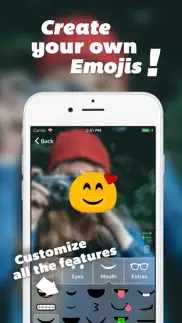
What is emoticons app? Design your own emojis!
With this app, you can create your own personal emojis without effort. You will have the perfect emoji at hand for every situation!
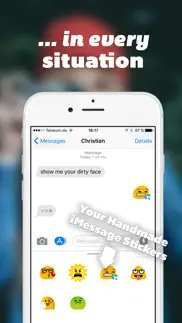
Create your own custom sticker package with your hand crafted emojis for iMessage!
Once you created your emojis, you'll find them as stickers in iMessage. To use your emojis in other messangers or in a mail, simply copy them from the app. As the emojis are sent as pictures, they look the same on all devices. Exactly as you have designed them!
😍 Do you love Emoticons app? Please share your friends!



Please wait! Emoticons app comments loading...
Emoticons 3.1.4 Tips, Tricks, Cheats and Rules
What do you think of the Emoticons app? Can you share your complaints, experiences, or thoughts about the application with Trilliarden Entertainment GmbH and other users?
Emoticons 3.1.4 Apps Screenshots & Images
Emoticons iphone, ipad, apple watch and apple tv screenshot images, pictures.
| Language | English |
| Price | Free |
| Adult Rating | 4+ years and older |
| Current Version | 3.1.4 |
| Play Store | com.trilliarden.emoticons |
| Compatibility | iOS 10.3 or later |
Emoticons (Versiyon 3.1.4) Install & Download
The application Emoticons was published in the category Entertainment on 04 March 2010, Thursday and was developed by Trilliarden Entertainment GmbH [Developer ID: 1121555076]. This program file size is 35.91 MB. This app has been rated by 757 users and has a rating of 4.3 out of 5. Emoticons - Entertainment app posted on 16 December 2018, Sunday current version is 3.1.4 and works well on iOS 10.3 and higher versions. Google Play ID: com.trilliarden.emoticons. Languages supported by the app:
EN DE Download & Install Now!| App Name | Score | Comments | Price |
| Mematic - The Meme Maker Reviews | 4.7 | 162,859 | Free |
| Maps of our World Reviews | 4.7 | 20,657 | Free |
| Mental Math - Arithmetic Quiz Reviews | 4.7 | 44 | $2.99 |
New Feature Packages for your Emoji designs, including a Christmas Package
| App Name | Released |
| TikTok | 02 April 2014 |
| Steam Mobile | 26 January 2012 |
| AXS Tickets | 25 August 2013 |
| Delta - Game Emulator | 17 April 2024 |
| Eventbrite | 18 December 2011 |
Find on this site the customer service details of Emoticons. Besides contact details, the page also offers a brief overview of the digital toy company.
| App Name | Released |
| Poorly Drawn Lines | 23 February 2025 |
| Ghost Science M3 | 28 March 2018 |
| Number Puzzle Games 4 Watch | 02 January 2022 |
| NPlayer | 20 July 2016 |
| WatchTube for YouTube | 09 April 2025 |
Discover how specific cryptocurrencies work — and get a bit of each crypto to try out for yourself. Coinbase is the easiest place to buy and sell cryptocurrency. Sign up and get started today.
| App Name | Released |
| Ralph Lauren | 08 November 2021 |
| BeReal. Your friends for real. | 08 January 2020 |
| DoorDash - Food Delivery | 10 October 2013 |
| Google Chrome | 28 June 2012 |
| YouTube TV | 05 April 2017 |
Install the Giftmio extension for smart shopping. Get notified about cashback opportunities, activate cashback in one click, and save money on purchases.
| App Name | Released |
| Subnautica | 08 July 2025 |
| Monash FODMAP Diet | 17 December 2012 |
| Bloons TD 5 | 15 November 2012 |
| Paprika Recipe Manager 3 | 15 November 2017 |
| MilGPS | 01 December 2010 |
Each capsule is packed with pure, high-potency nootropic nutrients. No pointless additives. Just 100% natural brainpower. Third-party tested and validated by the Clean Label Project.
Adsterra is the most preferred ad network for those looking for an alternative to AdSense. Adsterra is the ideal choice for new sites with low daily traffic. In order to advertise on the site in Adsterra, like other ad networks, a certain traffic limit, domain age, etc. is required. There are no strict rules.
Keep personal info private, avoid scams, and protect yourself online with AI-powered technology.
Emoticons Comments & Reviews 2026
It’s soon fun to play because you can make emojis. Fun great game
many choices!. i love this keyboard, especially the animals. just reboot your iPhone after installing. the only improvement I would make is have them show up on every phone, not just iPhones.
Works great - poor instructions. The Emoticons are free and work great - the instructions are not very good. After loading the app you go to Settings - General - International - Keyboards - add Japanese keyboard (Romaji not ten key) then REBOOT iPhone. Go back to Settings - General - International - Keyboards - and Emoji will be on the keyboards list, add it. I later deleted the Japanese keyboard and the Emoji / Emoticon keyboard was not lost!
Yay. Ok all my friends were talking about a different type of emoticons I tryed to download but I could not cause I didn't have the 4th generation but now i got this and i love it and yoi dont have to change your language just go to settings>general>international>japanese>emoticons>on So when you hit the globe on the key board it'll take you to emoticons not japanese then when you hit it again it's back to english so stop complaining it's as good as an app that's $1.99!!
Awesome game. This game is exactly what it says it is
Great$, corrected instructions below. So happy it is free!!! There r a bunch of emoticons & they r really cool/cute! But when it tells u how to change the settings, It says to change it to Japanese. This is confusing because there are 2Japanese options. So I just put emoji (that was a keyboard option in settings) instead of Japanese &it worked!! This will make more sense once u open the app.
HOW To Make It Work. GO to SETTINGS,GENERAL,INTERNATIONAL,KEYBOARD. Add Japanese (NOT the 10 key). Turn phone off then back on. Go BACK THROUGH THE STEPS TO ADD KEYBOARD AND EMOJI WILL BE LISTED JUST LIKE ENGLISH IS. ADD IT. TO TEST: Go to MESSAGE when KEYBOARD pops up, you will NOW have a 123 in the bottom LEFT and a WORLD next to the space bar. Hitting the world key will bring up emoticons choices which have several pages to slide through, just like the iPhone pages are paged through with a finger sweep. Idiot proofed this post cuz it took me a while following the other post.
Works. Finally an actual free app with emoticons. Be sure to turn your phone off then on after you've added the emoji keyboard for it to work
4 stars. It is overall a really fun app but could be bette if maybe you made it that you could do humans!! Great app my friends and I love it😊😊😊
Works perfect!!!. And there are plenty to choose from. Just follow the setup instructions and reboot. When u text, look for the globe at the edge of your keyboard. So easy! And I do have an iPhone 4. It's brand new, so maybe the firmware is different.
Good FREE App. If you want to unlock the Emoji characters on your iPhone, then this App will do that. And, this App is FREE! However, Emoji characters, like any font, are only visible on devices that have that font installed. In other words, only others with iPhones, iPod Touches, and iPads that have Emoji unlocked will see these characters. They will not work on other devices because those characters are not installed. So if you want Emoji characters unlocked use this or another free App to unlock them, and save your money because they all operate the same way.
Pro Serv. Great
EPIC. Very epic
MUST READ IMPORTANT. Has anyone read the warning, given to you by the settings, before you turned on the full access. It tells you that by turning the full access on, which it looks like most of u have, you are allowing the keyboard/programmers to ACCESS your data on your txt messages. But if you read what the app tells you right before you use your first emoji in your texts, it tells you that you have to turn on the full access in order to use them. And it also tells you that they do not transmit your data and that you don't need to worry. I mean if you do not access our data when we turn the full access on then why can't we skip that part. I would follow what the settings say, it was made to improve the Iphone, and the app was made for us to have fun. The settings never lies but that doesn't mean that the app can't. So why would we do this if we know that the programmers might just want to hack our phones and get our credit card numbers and whatever info that we send to people using their emojis,
It's like college all over again!. Works like a charm! I did have to restart the phone to get the keyboard to show up in the text application. I'm running IOS 4.0, so to all those bohooers out there: reboot.
Ahktung. At first I was at these--now they really help me out! I looked for an app that helped uncover the emoticons and found this. The best partIt's FREE This blew me down and so I can only give it cause it is twice as worth it. So why are you still ing at the screen? it brains...
It works on iPhone 4. Steps: Install. Click on app to unlock. Then go to settings. General. International. Keyboard. Add new keyboard. Emoji. Then restart your phone. Go to your messages and it's there, the world next to the space bar. It's simple and you'll love it!
Great App. This app is a great download and has been a lot of fun to use!!!
Give my more emojis to make. Now
¡Muy Bueno! . Very decent app I must admit. It's very fun to see all the new smiley faces are available. Very fun to text with & runs fairly smoothly along with the download. I would definitely recommend this app to anyone who really likes to text
nice ig. it’s nice andddd yeah but 4 stars is my max maybe3 and a half
Noice. Noice
Awesome. This is awesome!! Soo easy to use and it has everything I wanted on it!! All emoticons apps have the same emoticons but this one is the best!! Easy to use and it has a button that has your most recently used emoticons too!! My favs are the animals and the International flags!! Also it automatically puts a space in between each emoticon!! Love it!!
It’s a good app. the app quality is good but the thing is you are only aloud to make a certain amount of emojis so that’s annoying- other why’s a good app! 👍🏻
Works great!! Follow this. It took me half and hour to figure this out lol go to settings generalinternationaladd japanese both of them , restart your phone then go back to international and look for emoji . Look carefully it's gonna be thereonce you choose emoji japanese will disappear by itself . That's it you done . To see emotions on your keyboard press the 'world' button.
Awesome. This is a really cool app but the only problem is that if you use textplus and you are texting a phone the emoticons don't work! Overall I think it is a great app! It is worth buying! My favorite ones are and way more!!!
Awesome. Ithis app the only reason im rating it 4s is because there needs to be more updates so there's more icons and there needs to be animated ones and not just for the full version but other then that this app is the
Likin' this app. Def need to follow Mar 22 reviewer's instructions for successful download. App does work and has many emoticons to select from. I really want to be able to use them in my Facebook posts tho. Pls fix that and this will really be a rockin' app
This app is good but.... This app is wonderful its a good to make the time go by but there is not enough spots to make the emojis and there is so many things you have to buy this is only my opinion but you souls try this app it’s really fun
Great app but needs more instructions!. Looking through the reviews it seems that most people are having trouble activating the keyboard. If you install the app a restart is needed before it works. Would be nice if instructions about restart were included on splash screen. Once it's working it's awesome and all your friends will be asking how you put a in your texts.
Non correctable. After selecting a feature, I cannot remove it.
Amazing. Really great app. It works really well and there are no crashing issues. It is simple and easy to work and I can make really cool emojis with this app. The only thing I want is a few more options as far as the head choice goes, other than that everything else is perfect.😀🎉
GOOD APP. This is a really good app for when you want new emojis!! :D
It’s a nice free app. It works very well and best of all it’s free but with adds.
Intuitive but most options cost extra. App is intuitive for use, but all artwork are pre-packaged icons. At $0.99 per package (roughly 10 icons per package) you could spend $50+ on the individual packages. But there’s enough to start with and that’s good Just wished they let you know what the money plan was ahead of time.
Ehhhh. It’s ok I mean you can only do six emojis and half of the options are locked
Not nearly enough selection for creating emojis. Bought this one to customize my own emoji and not a single set of lips let alone kissing lips. VERY disappointed in this app. Then if you want a FEW more choices you pay more, but still didn't see anything worth buying!
Glad I read the reviews instead of deleting.. I couldn't get the emoticons on the screen until I read a review that said u need to turn the device off after installing. Voilà! It works!
Screwed my phone up. Downloaded this, sent one emoticon to my boyfriend, and now I can't text him at all. I can text other people just fine, but I can only receive his texts as regular messages instead of iMessages, and he doesn't get mine at all. Tried deleting it, restarting my phone, nothing works. Have to take it to the apple store tomorrow. Thanks a lot emoji
Not worthy of using anymor!🤬. It’s a waste of time since they want you to pay for more. Paid for the pro once and now they want you to pay again to use the features.
Works like a dream!. I absolutely love this Everyone just make sure u choose Emoji as the language instead of Japanese (you guys really should edit the instructions) and you'll be set. It makes texting sooo much more fun! Also it would be helpful if you could list which smartphones this app is compatible with as well. Anywhoo 5 stars! Awesome!!
Would like more space. The app is good but I could use more makeing space. It might help you get more income and downloads if you give them more space to make more emojis.
The best!. I found these after remembering that I needed to download emotes and they were not only perfect but also just the ones I needed (with a few extras) and they were free!
It works!!!!. omg it works!! u go download it then u go to settings then general then keyboard the add another language or something like that then go down to emoji then you go type and if u want an emoji then u click the button that looks like a world!!
Setup was tough - but great after. Thanks, Paul Snyder. His review helped me figure it out. After the CF of trying to find Emoji - which isn't under Japanese - I got it. Works perfectly now. Great app after the annoying setup.
It’s ok. It’s ok, just wish you didn’t have to buy some of the stuff
Great app, but lot of money. Hi, emoticons is a great app. But you can only make like four emoji type things without having to pay. You have a lot of great options, but unfortunately you only get like 1/3 of them. This is a wonderful app, but it wants you to pay to much. I’m 12 years old, I don’t want to be wasting my money on this app. I love the app. Good work, it’s just two expensive. -random stranger who is replying to an app:)
Cool app. I like how you can do 6 more for free! And there is a lot you can do without paying one dollar!
nice. The other app cost money and this one doesn’t and it works just fine.
Not the best. If everything was free this would be a really nice app. you get limited options on what you can put on your emoji, and there is also limited slots. I personally don’t think this is worth downloading.
Did you know that you can earn 25 USD from our site just by registering? Get $25 for free by joining Payoneer!
Easy. Just what I've been looking for - thanks 👏
????????. It was good
Emoticons. Awesome once u get it to load
Di. This app is awesome!! My friends and I use them with almost every message, just wish they'd add more in some updates
It works. As mentioned previouslyyou restart your phone then add the emoji keyboard in settings
Works. Great app works well. People who don't have iPhones can't see it in messages but who doesn't have an iPhone these days
Good. It is good but should have more space for emoticons with out paying.
2nd try. It took me a 2nd try, had to switch my ph on and off twice so don't panic if u don't get it the first time . It's worth it and as what others said above, it's under emoji not Japanese
It does work. Simply install software, follow instructions, enable Emoji keyboard, then turn your phone off, then back on. The globe will appear on your keyboard. Looks good.
Works great . It's the only emoticon app that successfully worked after upgrade to 4.2.1 OS and the news is it's FREE.
Works well between iPhones. Works well between iPhones , or receivers ' phones have to have Asian input system then can also view that emotions. I had tested . Remember to restate ur iPhone to get it work!
... Brilliant. Just what was missing from iPhone
it finally worked!. It took me a while to get these apps to work.. but if youturn your phone off before going into the settings part the emoji keyboard should appear once you turn the phone back on! there are heaps of emoticons to use now!
Doesn't work for me. Followed instructions once downloaded but simply doesn't work as others have said. Click on the support link but it takes you to their website with only another app to buy so totally useless - pity!
Little squares...not emoticons. Am I the only one noticing all the little squares where I assume there is meant to be an emoticon? I managed to get the emoticon keyboard but it only sends a little square in the place of the emoticon. Am I doing something wrong? Tried it on Facebook as well but just came out blank
Love it 👍. Easy and straight forward to install. No issues. Lots a cute little pics 🍀🌻
Good app. Great and easy to use app, makes txting fun. Works well.
Love it. Fun to use. You can nearly have whole conversations in emoticons!
Works for me!. You'll have to either kill the running processes or restart before it will work
Probably good. It said to enable the Japanese language in which I did (both of them) but I still don't have the emoticons. Instead I have these *・゜゚・*:.。..。.:*・'(*゚▽゚*)'・*:.。. .。.:*・゜゚・*
This works good just type in emoji in japenese and use one to replace . lol read my title if u don't get it
To get this to work.... You need to add keyboard Emoji not Japanese AND THEN restart your phone - turn off and then back. When typing, click on the globe next to the space bar. And you can use this on Facebook for Mobile too
❤. Quick, simple app that enables the emoji keyboard without all the pointless "extras" the developers of similar apps seem to think we want. Love it. 😄
Awesome. Well, it works now. My iPod had to run out of power for it too take effect, however. Anyway, great app. Thumbs up
a bit painful but worth it. well it works.. eventually! firstly the instructions doesn't tell you that you need to restart your iphone after install. secondly, the keyboard to activate is not 'japanese', it's 'emoji'! i think the creators should to clear these instructions up. fun fun after tho!
AMAZING. Works with everything and is a great app. Recommend you get it, it is much better than any paid app!
YAY!. At first I didnt think this app would work because I couldn't find the straight Japanese keyboard - but once I saw the comments people were leaving I saw that I should have a straight Emoji keyboard and I did :) You just have to remeber to turn your phone off so the faces appear. This is an awesome app!
app for . This app is and it costs no it is the of emoticons apps. It is much better than emoj as it does the same thing as emoj ( apart from bring easier to install on this app) but free! It's
Great. Fantastic app the best download but some times it turns into Japanese character
Great app. Pretty awesome for being free. Restart your iPhone then choose emoji keyboard. You can also drag across for heaps more smileys. Sick!
it works if...... just follow the process then turn your phone off for a few seconds, when you go into key pad a little pic of the globe is there, then tap,tap,tap!.:)
Really good. I think that this game is really good because you can make any emoji you want👍👍👍
VERY GOOD APP . Works with everything! Facebook, Myspace, SMS etc. For all iPhone users this is a MUST!
Well done. Many thanks
Great App!!. Needs more emoticons. We should get updates with new ones occasionally would be great. Maybe a hug emoticon?! It would assist with my challenge to have emoticonversations with limited words!!!
Perfect. Works perfectly well.. Install--> restart --> choose the keyboard then it will available as a second keyboard.. LOVE IT
Won't download!!. It won't let me download it! It tells me to log onto iTunes throughout my computer so I did, and then synced it and tried again but it still won't let me download it !!!
Grood(great and good) app. I would recommend this to everyone, and why not get it at the great price of $0.00!
Found the keyboard. I have gone to settings and activated the keyboard as directed, and the emoticons appear until I send/save... They then completely disappear :o( shame, it would have been awesome!
Gooooood. Good but a bit annoying when you write the emotion and when someone else gets it and they don't have an iPhone, it comes up as squares lolz
Game pieces?. I've been using emoticons to play games via text, could there maybe be chess piece emoticons in a future update?
Amazing. So good
I love this app but... This app is awesome but one way that would make it completly amazing is if you added meme faces into the mix. That would be awesome!
Free and confirmed it works.. Free and confirmed it works. remember to turn ure phone off after u enable the keyboard
iOS 4 install different AWESOME APP. This is by far the best emoji installer out there. Simple, easy to use (installs the new keyboard by itself) and takes up no disk space (once installed, you can delete the app & keep the keyboard. However on iOS 4.2, it can be found differently to what the included instructions say: iOS users, do this instead (worked 4 me) Step: Once the app is installed, go to SettingsGeneralInternationalKeyboards Step: Then choose Add New KeyboardEmoji Step: Your keyboard is ready! Delete the Emoticons app now; it is of no further use. I hope this awesome keyboard works for you too.
Love it. I love this game it's great for everything especially for facebook
Rinalouise23. this app really works unlike other (free) apps of the same type! Job well done
The best app ever. This app is so cool you can make a new emojis that I never made before. So I suggest this is a very good app to use.
Emoticons. A bit of fun
It works, it's useful, it's free!. What more could you ask for? There are heaps of smilies too! These are a few: Brilliant for any . Best of all, there are all + icons so it's better than the paid version.
Imagine you at your best. All the time. Picture yourself at your sharpest and most productive. Your most alert and focused. Your most lucid, creative and confident. At work. At play. In every area of your life. Add Mind Lab Pro® v4.0 to your daily routine and uncap your true potential. Buy Now!
Doesn't work. It sends Chinese letters to those that have a blackberry rather than emoticons.
Gr8 app. This app has lots of creative emoticons and is fairly simple to use!
This does nothing. This app does nothing other than to tell you how to turn on your emoji keyboard. It was always there, put thereby Apple and just needs to be turned on. I turned mine on weeks before I got this app but I thought maybe this app would help being able to send smileys to non apple devices ( which it doesn't ) mainly because all it is is a page that opens to tell you how to turn on your emoji keyboard, how sad!
Awesome!👏🏻. It is so fun I made so much funny emojis!
Wow! J'adore!!. Très plaisant! Fonctionne bien!
There's no Canadian flag??? 😱. You should add a Canadian flag and a UNICORN to this app, then it will be the ultimate. Thank you for your time.
It works!! Here's how!. Go into settings-general-keyboard. Add emoji as second language. Power the iphone off and on. Now when keyboard appears touch the globe icon beside the space bar! Success!
omg coom. superbe 👍👍👍
Sux. My friends c a black box when I send a smiley
fix yur app. why cant ppl i txt see the emoticons i send? yu have awesome emoticons but whats the point of using them if im the only one that can see them.....FIX THIS!!!!!
MY EMOJIS ARE GONE!!?. After I deleted this app, my emojis were gone??????? Wtf!!!!
Awesome!. Yaayyy! an icon emoji that actually works! Very easy. I do think you should add more though.
Good app- if you figure it out.. Awesome app- if you want to use it, though you have to completely power off your iPod and then go to Settings-General-International-Keyboards and then click Emoji instead of Japanese. Then press the globe on your keyboard to use it.
Cute. It’s fun to make your own personal touches.
Info to set up?. I can't get it on to my keyboard I have tried just added emoji or putting japanese then emoji? I am so lost and find it frustrating that the directions do not match how to add the keyboard on.
Love. I love this soooooo much
Waste!!. Only seems to work with other iPhones. My wife has a blackberry and all she can see are black squares. Don't bother!
Good stuff!. It does work but do not enable Japanese, enAble emoji. And click the globe to change between them
Dosent work?!!!!. I have tried 3 emoji apps on my 2nd gen and they don't work. I have a "globe" on my app but I can't make it work. I have tried both of my "Jappanese" but none work. Please fix!!!!!!
Love! can't wait for more updates!. I love these emoticons so much. The update with more expressive faces was a great addition. But please add a sick emo face (with green cheeks)
Emotion. Facile d acces et super "cute"
The game. It rocks so easy to use and setup get do not get any other emotion app because this is the best
No. No
Needs an update. You probably copied this and said you made it, very poor work on the app page We need an orange heart and me and my friends will be happy!+
THE BEST. I love this app to much and can you add more please and please please please make a version 2
Not working. Does not work. My friends cannot see them. I followed the instructions .... But no luck.
Emoji cone. Super cool
Good. It's a fun app. I just wish that it is entirely free
Awsome®®. Great
Great once you figure it out. Im not sure why the instructions say to choose Japanese... The emoji is a language on its own. Make sure to power down completely after adding the keyboard to get it to show up.
Emoticons. I love emotions it is sun
Hi gamer. You have to pay for half the app
:). Nice ;)
Doesn't work on Facebook. I wish it works on Facebook as I'm always on it. Please fix!
Doesn't send them with texts.. I got this app to write happy faces in text messages. I asked my friend what they looked like when they come out on his phone, and he gets nothing. Wow!
;). Absolutely dirty app 5 stars baby !!
No work... On iphone4. Not workinnn
Great app!. No more :) anymore.. Now I can actually put a real smiley face 😄 the only thing is the instructions are wrong.. You add the emoji keyboard not Japanese..
But where is the Canadian flag??😱. Great app. Love the icons but there's no Canadian flag 😥 🇩🇪🇬🇧🇷🇺🇮🇹🇪🇸🇫🇷🇺🇸🇨🇳🇰🇷🇯🇵
Dosent even work. It does not work make it work I really want emoji!
Does not work on iPhone 4. I could not see the Emoji option in international keyboards!
Excellent!. Great app! Love it once you figured out how to get the emoji keyboard
Love. Love this app! Just wish there was more slots to fill with emojis rather then just 6 & having to unlock the rest.
Amazing💘. Amazing. I ❤💚💗💜💙💓💛💘 it!!!
delete. it's amazing! but what happens if we delete the app is it still gonna be there?
This app makes me. Worked no problem! Easy to install. My friends with blackberry's can see them too
Really cute. Def an awesome free app!! To activate click on app, then close app and shut down phone completely. Reboot phone and follow app instructions to get to keyboard languages. Add the keyboard, it was called Emoji for me
Emoticons.. Wonderful.
Awesome. You guys don't click Japanese you click emoji's on the settings DuH
Booo. Does not work cross platform. When texted to a RIM phone from my iPhone it shows up on other end as a black square.
Adsterra is the most preferred ad network for those looking for an alternative to AdSense. Adsterra is the ideal choice for new sites with low daily traffic. In order to advertise on the site in Adsterra, like other ad networks, a certain traffic limit, domain age, etc. is required. There are no strict rules. Sign up!
Works great. But u should explain that u don't need to select Japanese at all just emoji. And u must restart phone before emoticon keyboard actually activates! Luckily i read a review that explained how to work it
Loved em!!!. OMG!!! The simple things that can keep me entertain for free are the best! My friend & I just killed an hour playing with these. They work you just have to restart your phone & look under emoji not Japanese.
Great app. Good app but for the extras selections when you add them you can't take them off so just maybe you can fix that but overall awesome app!
Not work for me. It said you needed to add a Japanese keyboard in order to use these emoticons. Problems are: 1. I already have Japanese keyboard. 2. There are two types of Japanese keyboards to add, they did not say which one Anyway, if this app sort of steal the Japanese keyboard to keep these emoticons, this app will never work for people who needs the real Japanese keyboard. Well, it's free. I removed it already.
Great app. Add check marks to it so when uses in notes you can check off things..such as if you make a list. Great app though!
Great app. This is a great app there's lots and lots of emoticons and I even deleted the app and I still have them @
Great app and love that it's free!. Needs to be included in the instructions to reboot before changing the settings. Was frustrated for a bit trying to get it to work. Rebooted and now it works great!
SherBearMo🎃. Awesome app! The absolute best & its free!!!!!! Don't be dumb & pay for another app like this one!! Get this one!!!!!!!!!!!! I love it & am recommending to everyone right now! Thank you!!!!
Easy app. Really not that hard to use or to figure out. Read directions people!
Just Works!!. Simple & Easy to SetUp! Definitely better than the rest!
Awesome. I love it so much, and so do tons of my friends. I really can't send any texts without using it, so I know anyone else would like it the same way I do.
Great. Works great! I phone 4 users go to general, international, set as emonji ... Once set restart your phone and it will then show up.
Tricky. Instead of choosing Japanese, I had to choose Emoji. Then I had to power down iPhone and restart. Worked fine after. Needs to come with clearer instructions. Read thru all reviews to figure it out.
Works!. I this app. I was at first because it didn't work. I had to turn d off then turned it back on. And it worked!
Works great on iPhone 4 - Had to reboot first. The emoticons keyboard wasn't available until I rebooted -- after having enabled the "emoji" keyboard in the settings.
Amazing. I love it. I think you need more than 12 slots you need to add more with more of a variety in the face making. Other than this I love this app
amazing. only people with iPhones can get the emoticons. a person with a flip phone cannot receive those little faces
Nice. Love it just be sure to install with directions then turn off phone to finish installing, they should tell you this!
No Luck :(. I followed the instructions exactly, and the app even says the keyboard has been unlocked, but it's not showing up in my settings. I've restarted my phone like five times tonight hoping it would show up...I'm done. Bummer too because I was really looking forward to this finally working.
I'm only giving it 2 stars because it is easy to use.. This app has potential, but it needs WAY more options to make it worth downloading. As it stands, the app only offers a tiny number of options, and they aren't really any different than what is already available on the iOS keyboard.
Works great!! 👍. Great app works in the iPhone 4 and I'm sure on the 4s too!! Just make sure the emoji adds to your keyboard section!! ❤Telling everyone to get it!!
This is the best app!!!. Only one suggestion it would fantastic to have also a scratch through keyboard to really add emotions!!
Overall 'review'. I think that theres soo many choices enabling creativity which is great. But i DO wish that there were more choice of expressive faces, like a sleepy one or a very surprised one
Two for this App. This app works great on 3GS iPhone with the 4.0 OIS. Looks like you have to reboot your phone for you to see it in the keyboard. Enjoy!!
I this app!. This is a great app! U need to turn ur phone off and back on before it takes effect.
No texting. Does not work with texting just email with the iphone. Software developer should provide better information and instructions. Just add emoji keyboard. No need for the additional steps. One star because lack of information and instructions.
Works perfectly!!!. Thought it didn't work but in ios 4 it's actually called emoji So u have to go into settings > keyboard > emoji
Thumbs up. . Im browsin for emo apps that will work but this one is sooooooo easy what i did is download the apps then, turn off my phone go to settings, international click japanesse then back to keyboard then click japanesse again. And you should be able to see emoji enable !!!!! I will enjoy this apps hope you toooooooooo!!!! Dnt forget to go back to settings international and put it back to u.s!!!
This app works wonderfully!. This app works amazing!! I this app The only thing I don't like is that it won't work on regular cell phones. But it does work on any iPhone Now I conclude in 3 words: Best. App. Ever!
Emawsome!. This is great! Now I can tell my family how I feel! For example...right now I feel "😃"!
Great emojis. Cute app!! Really enjoy making these fun big emojis to share with family and friends! My daughter who is 9, loves them too!!
Looove it! . Yaaay it worked! You have to re-start your phone though, but on the iPhone 4 it's under keyboard=Emoji not Japanese. It rocks!
Only works. When you have auto correct / spell checked turned on. Took me forever to figure that out. Lol but i love it
Works Great! Simply Awesome👍. Not sure if info gives instructions but I believe an avid iPhone user should already know...after installing you have to go into settings/general/international or keyboard/add them add the emoji keyboard! No reboot needed!!!
Good instructions I just had to add Japanese and restart my phone!! Now my keyboard has Japanese I. I just had to add Japanese and restart my phone!! Now my keyboard has Japanese. can I take it off
It's a scam people!!!!!!!. The app looks legit but in actuality it's just a rip off!! The keyboard emoji is already installed in the iPhone. All you have to do is activate it. Now what the app actually does is give us the directions on how to use the keyboard we already have. Keep the buck I spent on it. You got that one!!!!😠 one star for a great job ripping me off!!!
I phone 3G. Can get it to work on my 4g but can't on the wife's 3G any suggestions??
Works just fine, but.... I think you can only see the emoticons if you're using an iPhone. I sent a message to my coworkers blackberry and he did not get the emote at all.
Too bad iPhone only. Some friends have droid phones and they can't see the pictures. You should explain that !
This is cool!. I just got t my iPhone and I found the messaging lacking, but now with the emoticon it's so much better!
So much fun. Love this app. To all u boo's just read and follow directions. Yes a little confusing but u can do it
Works !!!. Works fine on my iphone4! Directions should read: after installed turn phone off and restart. Go to : general, keyboards, emoji.
Nice. I think this app is great thanks for showing me how I'm a first time iPhone user...would have taken ages to figure it out myself...
like the last guy........ downloading this app is a waste of time. i only downloaded it to write a reveiw. all you have to do to get EMOJI and its not siome fancy emotocons--- its EMOJI--- all you have to do is go to settings, general, keyboard, language, japanise, and then turn emoji on. sadly i had to download an app to figure this out, but getting any "emoji" app is a waste of time!!! DONT GET THE EMOJI APPPPPPSSSSSS they are itsa shame that theyre on the market
Cute. These emoticons are cute ! It's just that there's one problem ! I can't use it on email ! That's all I can complain about! I like the and the ! they're cute!!
It works!!!! . It works!!!!111!!1one!!!1! first install, then turn on Japanese keyboard. After that Emoji keyboard will be there. Add that, then delete Japanese keyboard. After all of that, restart your system.
Hmm.... Not sure why it isn't working on mine. It says it got unlocked but it's not in my settings at all... :( I saw how it's supposed to look like on my sister's phone. Is it because my phone is the iPhone 4 that's keeping me from accessing it? Please help.
Great free app!. If it doesn't work the first time, hard reset your phone and it will work.
Works perfectly!! 👍👏❤. Love this app--once you install it it's easy to use emoticons. (and easy to install!)
?!?!. It's okay, but on the iPod you can't use it in notes, iPhone you can when I use it on Internet, if I look on the computer the emoticons are squares!!!