Delta - Game Emulator App Reviews
Delta - Game Emulator App Description & Overview
What is delta - game emulator app? Delta is an all-in-one emulator for iOS and iPadOS. Delta builds upon the strengths of its predecessor, GBA4iOS, while expanding to include support for more game systems such as NES, SNES, N64, and DS.
FEATURES
Supported Game Systems
• Nintendo Entertainment System
• Super Nintendo Entertainment System
• Nintendo 64
• Game Boy (Color)
• Game Boy Advance
• Nintendo DS
• And plenty more to come!
Online Multiplayer
• Play online-compatible Nintendo DS games with friends around the world!
• Connect via community Nintendo WFC servers
• Choose one of the default servers, or provide a custom DNS
Controller Support
• Nintendo Switch Pro controllers, Joy-Cons
• Nintendo Switch Online controllers (NES, SNES, N64)
• PS4, PS5
• Xbox One S, Xbox Series X
• MFi game controllers
• Bluetooth & wired keyboards
Save States
• Save and load save states for any game from the pause menu.
• Lock save states to prevent them from being accidentally overwritten.
• Automatically makes backup save states to ensure you never lose your progress.
• Support for “Quick Saves,” save states that can be quickly saved/loaded with a single button press (requires external controller).
Cheats
• Supports various types of cheat codes for each supported system:
• NES: Game Genie
• SNES: Game Genie, Pro Action Replay
• N64: GameShark
• GBC: Game Genie, GameShark
• GBA: Action Replay, Code Breaker, GameShark
• DS: Action Replay
Delta Sync
• Sync your games, game saves, save states, cheats, controller skins, and controller mappings between devices.
• View version histories of everything you sync and optionally restore them to earlier versions.
• Supports both Google Drive and Dropbox.
Custom Controller Skins
• Beautiful built-in controller skins for all systems.
• Import controller skins made by others, or even make your own to share with the world!
Hold Button
• Choose buttons for Delta to hold down on your behalf, freeing up your thumbs to press other buttons instead.
• Perfect for games that typically require one button be held down constantly (e.g. run button in Mario games, or the A button in Mario Kart).
Fast Forward
• Speed through slower parts of games by running the game much faster than normal.
• Easily enable or disable from the pause menu, or optionally with a mapped button on an external controller.
3D/Haptic Touch
• Use 3D or Haptic Touch to “peek” at games, save states, and cheat codes.
• App icon shortcuts allow quick access to your most recently played games, or optionally customize the shortcuts to always include certain games.
Game Artwork
• Automatically displays appropriate box art for imported games.
• Change a game’s artwork to anything you want, or select from the built-in game artwork database.
Misc.
• Gyroscope support (WarioWare: Twisted! only)
• Microphone support (DS only)
• Support for delta:// URL scheme to jump directly into a specific game.
Delta Terms of Use: https://altstore.io/terms
**Delta is in no way affiliated with Nintendo. The name "Nintendo" and all associated game console names are registered trademarks of Nintendo Co., Ltd.**
😍 Do you love Delta - Game Emulator app? Please share your friends!



Please wait! Delta - Game Emulator app comments loading...
Delta - Game Emulator 1.7.3s Tips, Tricks, Cheats and Rules
What do you think of the Delta - Game Emulator app? Can you share your complaints, experiences, or thoughts about the application with Testut Tech and other users?


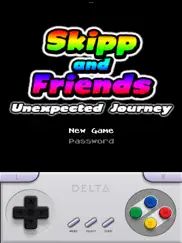
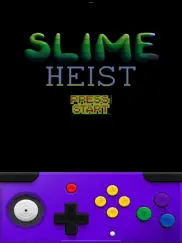

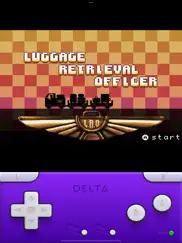
Delta - Game Emulator 1.7.3s Apps Screenshots & Images
Delta - Game Emulator iphone, ipad, apple watch and apple tv screenshot images, pictures.
| Language | English |
| Price | Free |
| Adult Rating | 4+ years and older |
| Current Version | 1.7.3s |
| Play Store | com.rileytestut.Delta |
| Compatibility | iOS 14.0 or later |
Delta - Game Emulator (Versiyon 1.7.3s) Install & Download
The application Delta - Game Emulator was published in the category Entertainment on 17 April 2024, Wednesday and was developed by Testut Tech [Developer ID: 333195245]. This program file size is 210.75 MB. This app has been rated by 27,630 users and has a rating of 4.7 out of 5. Delta - Game Emulator - Entertainment app posted on 11 November 2025, Tuesday current version is 1.7.3s and works well on iOS 14.0 and higher versions. Google Play ID: com.rileytestut.Delta. Languages supported by the app:
EN Download & Install Now!| App Name | Score | Comments | Price |
| Delta Legacy Reviews | 3.2 | 76 | Free |
• Fixed keyboard support on iOS 26 • Fixed "Outdated Emulator" error when using RetroAchievements
| App Name | Released |
| Patreon | 14 October 2015 |
| Prank App-Funny Prank Sounds | 26 November 2023 |
| YouTube TV | 05 April 2017 |
| Almanasa | 12 September 2022 |
| Amazon Prime Video | 31 July 2012 |
Find on this site the customer service details of Delta - Game Emulator. Besides contact details, the page also offers a brief overview of the digital toy company.
| App Name | Released |
| ER70 EVP Recorder | 03 August 2023 |
| Ombi | 18 May 2018 |
| ISTB | 14 February 2020 |
| GifJif - Custom Gif Creator | 03 February 2016 |
| Radio - Receiver | 16 April 2009 |
Discover how specific cryptocurrencies work — and get a bit of each crypto to try out for yourself. Coinbase is the easiest place to buy and sell cryptocurrency. Sign up and get started today.
| App Name | Released |
| Cash App | 16 October 2013 |
| 28 April 2011 | |
| Messenger | 09 August 2011 |
| 06 October 2010 | |
| Gmail - Email by Google | 02 November 2011 |
Install the Giftmio extension for smart shopping. Get notified about cashback opportunities, activate cashback in one click, and save money on purchases.
| App Name | Released |
| Geometry Dash | 13 August 2013 |
| Terraria | 28 August 2013 |
| Balatro | 26 September 2024 |
| Pou | 26 November 2012 |
| Paprika Recipe Manager 3 | 15 November 2017 |
Each capsule is packed with pure, high-potency nootropic nutrients. No pointless additives. Just 100% natural brainpower. Third-party tested and validated by the Clean Label Project.
Adsterra is the most preferred ad network for those looking for an alternative to AdSense. Adsterra is the ideal choice for new sites with low daily traffic. In order to advertise on the site in Adsterra, like other ad networks, a certain traffic limit, domain age, etc. is required. There are no strict rules.
Keep personal info private, avoid scams, and protect yourself online with AI-powered technology.
Delta - Game Emulator Comments & Reviews 2026
Issues. I really like this app and that I can revisit nostalgic games with only the cost of some free storage space. My most prominent issue with this app is that lately the games I’ve been trying to play have been having some bugs like for resident evil 2 N64 where the models for the characters don’t even show up. I was also really excited to play The world ends with you but it’s been also having a strange issue where I can’t even progress past the opening cutscene because it crashes right in between. I’m not sure if it’s an issue with the application itself or the files I download. I did try to experiment to see if the issue would still occur if I downloaded the same game from a different site but the issue still occurred within the app so I kind of just assume it’s the app. Overall, I’ve been having a really good time with most of the games I’ve downloaded and really like the UI within the app but it’s just those issues that make me wanna give that amount of stars.
What’s classified as a retro game…who decides. First of all apple deciding what is classified as retro is over stepping as a whole console gaming is now retro besides current and last gen of consoles witch there has only been three. Ps5 and Xbox whatever series and the switch, besides that these other consoles are classified as retro to the community. Can’t wait to see GameCube be added hopefully soon as it is a retro console…that being said overall I am grateful I no longer need to jail break my products to be able to play these games, I have ran into crashing issues when cheats were activated not sure if there is some errors occurring but overall 10/10 Edit for DS games I’m having issues with the blow feature the games offered not sure if it’s me or something else
Unbelievably Good. Yeah it’s good, I haven’t run into any issues with it at all. All stutters and bugs I’ve seen have been issues with the ROMs themselves, not the emulator. Customization is incredible, save states work perfectly, and native cheat libraries are insanely helpful. I don’t know if that’s a ROM thing or a Delta thing, but it’s cool either way. Also, controller support is wild. It’s so easy to use any controller I own, whether it’s an Xbox, PlayStation, or Joy-Cons, all of my controllers have worked without any setup. Delta just recognizes them and adjusts itself accordingly. I haven’t messed around with it, but I think you can also customize your controller profiles too. It’s easy, it’s perfect, it’s so much fun, and having a bunch of DS games on my Home Screen is an awesome bonus. Just remember not to share where you’re getting your ROMs 🤫
Very good save for some slight issues.. Immediately it’s a very good experience, being able to have this many systems and roms available in my pocket, but after extended use some little cracks start to show. One thing that felt rather needed was a better sorting system, there is no function from what I can tell to play recently or most played games, nor a way to favorite games. Ideally I’d like the ability to group series together, have a home page of favorited games, and a tab of those most recently played. Also, while most games run surprisingly well, I’ve noticed some pretty impactful latency problems, especially noticeable in rhythm games. When playing rhythm heaven ds, timings needed to be hit earlier and felt off. The difficulty was far harder than on original hardware, and overall that game and ones like it requiring especially tight timings on ds weren’t a very good way to play.
The Best App on the App Store. It’s still so surreal to see Delta on the App Store. I started using GBA4iOS and nds4ios about a decade ago, bought multiple Buildstore memberships on iEmulators for myself and a few friends, played iNDS and Delta when they were first made available, and have been doing my weekly refreshes to use Delta through the AltStore. After all these years and all these different methods of playing, I felt a strange sense of satisfaction when downloading Delta from the App Store. It felt like the proper “conclusion” to a journey across multiple sites and methods of acquisition. Here’s hoping that Delta has found a proper home on the App Store and continues to entertain users for years to come. Mr. Testut, thank you so much for providing entertainment so many people over the years by allowing us to play some of our favorite childhood games even when we no longer had the hardware to do so. For the countless hours of entertainment your apps have given me over the past 9 years, thank you.
Loving The Range of Consoles!. I’m having a blast playing so many different things in what’s looking to become an all-in-one kind of emulator for different consoles and handhelds. I greatly appreciate how easy it was to get everything running as well. The only thing I’d truly love to see realized is a way to save controller profiles. For the most part, they’re all perfect, but the N64 having such a weird controller layout means that one controller setup may not work for all games. Mega Man 64 is wildly different in control to something like Mortal Kombat Mythologies, and each time I want to play something different, I have to completely reconfigure controls. This obviously isn’t a make or break deal because the option of changing is always a thing. Just a nice QoL feature that would be great to see!
Thank you devs!. When I saw that purple delta symbol in the AppStore again, I thought it was too good to be true. I had the predecessor [GBA4ios]when i was in HS. So of course I downloaded this version. I had some ROMs from my previous attempts at other emulators, but this blew my mind. Delta emulator runs smoothly, is aesthetically pleasing, and is quite easy to navigate. It also runs in an optional fast forward mode that can honestly be too fast at times, no complaints here though. Also, integration of cheats and other mods should be used with discretion, because they might damper your experience with the game. However, that fault isn’t to be left with the emulator, that’s all on you. Lastly, be sure to save your data often (in game & on emulator), because it’s easy to forget that you’re not playing a game that is already on the App Store on its own & auto saving constantly, you’re on your mobile device. Therefore you need to save data yourself, to ensure no loss of gameplay. Otherwise, this emulator can & will change how you spend your free time. It is absolutely the best thing that I’ve come across!
Really good app, not perfect tho. I would love an option to make the ds screen to be vertical when playing horizontal, or at least one that works since when I click on the “arrange screen’s horizontally” it doesn’t really do much from what I’ve seen. I would also like an option to customize the controller skins on the app by colour at least instead of only being able to download a skin online, and maybe an option to position where inputs are when playing horizontal tho idt that would work with having a skin on so probably just have a warning screen to tell the player that. And finally idk if this is a problem about this app or discord, but when I try streaming the emulator on a discord call the audio cuts out completely even when I don’t have silent mode on. That’s about it for my issues, I really like this app and i can’t wait for more emulators for other retro consoles
Fantastic, only a couple issues. Delta has been great, I’ve had a blast playing through older Gameboy games. That being said, there are two issues for me: I really would like the ability to customize the spacing of the on screen buttons in app instead of having to rely on a skin. I’ve got big hands and my thumbs specifically start to get sore when playing because of the angle I’m holding them at to be able to use the D-Pad and the A/B buttons. Second, there seems to be a sound glitch that I’ve only noticed on GBA Pokémon games (Ruby/Sapphire/Emerald, LeafGreen/FireRed) where every 15-20 seconds or so, the music skips. It didn’t bother me too much at first but now it’s all I hear which is a bummer since the nostalgia of the music is a big part of why I enjoy playing these games again. It’s not an issue through RetroArch using any of the available cores so it seems to be a Delta-specific problem. Overall though, it’s been fantastic and I am so grateful to the developer and co for bringing this to life.
nds got screwed by the new update. on the previous update everything worked fine, had no problems with apple tv connectivity or loading saves. this new update comes out and all my saves are incompatible (fair and understandable) but now every time i try to load any new saves i made after this new update the whole app crashes and renders that save unusable. (saving through the game and not the app can fix this but it was annoying because it worked just fine before) also every time i would stream the game to my apple tv before this update, wether with controller or not would have absolutely 0 problems besides some latency. ever since this new update it’s been extremely laggy, (to the point where it’s unplayable not just a little bit of latency) and to top it off some my controller buttons will cease functioning when entering a game and i have to go back to the menu to re map it to find out it was mapped and just stopped working. to then have 0 issues remapping it, meaning the controller and connection to my device is perfectly stable. OTHER THAN THAT, top 5 apps on my phone n i absolutely love it. this alone tho makes most of my games unplayable for the time being, unless using the touch screen and phone screen. still possible but a little annoying since it all worked so well jus yesterday :(
Awesome app, but a slight bit pick. Delta is a extremely cool app that allows you access to a wide Variety of games that come with a convenience never before, but it doesn’t feel quite polished. Changing skins is a massive inconvenience that needs to be streamlined for the future. Furthermore the skins that come with the app often feel distracting to the game. Some problems I have encountered with the emulator itself are few but the most noticeable one is for The n64. When emulating something like tloz mm, opaque textures such as the clock often have a white or black box behind them. I have not encountered a game that this issues makes unplayable, but still Anoying. Very happy that there is a emulator that you can finally get without side loading or having to paying money/adds(Very happy about that), but delta has not reached its full potential. Looking forward to the next update! -sounds kinda insane but would love to be able to play together online as a second controller with another phone
Almost amazing. I’m really enjoying the app so far, but I’ve run into a problem. It’s very minor, but the audio is sometimes choppy and minor little glitches or discontinuous moments happen with the audio sometimes. I don’t know what causes this and maybe it’s just related to the power and processing of the device it’s on? It happens slightly less on my boyfriend’s iPad. I’m using a 7th generation iPad, so it’s obviously a bit older. I’m hoping this can maybe be fixed with an update, because it’s really my only big complaint. I suppose also, sometimes exact movement with an iPad stylus or Apple Pencil can be hard to register, but that’s not as much of a problem for me as the audio, and it seems to vary by game. Overall, I really hope this issue can get fixed, audio glitching or slight choppiness really ruins the experience more than any other possible issue.
Decent Emulator. So this emulator is pretty decent on its own, the way you can customize your controls, there’s more than one emulator, and it’s pretty easy to upload games, plus the appropriate controls for the appropriate console, there’s some issues though 1. The DS emulator is extremely buggy, one minute it can go 20 (or below) frames per second, and the next, you’re put in front of a white screen, not to mention the fact that the pink DS layout is inaccurate for both screens 2. If you emulate the N64, then some graphics are straight up missing or not loading, take Conkers bad fur day and Paper Mario for example, Conker has some of his head textures missing, and in Paper Mario, Mario’s dust won’t even load the right textures, it loads white squares (and orange squares for fire) 3. There’s very limited console options, I get it that you can’t get other consoles beyond the DS, but at least try to get other consoles, like the genesis or 32x Genesis thing 4. Sometimes, when you save a state, it’ll kick you out the app without saving, and when you load, it’ll kick takes you to a previous save state (sometimes) not to also mention the fact that the auto load states will only load on the worst times, like 3 whole hours of gameplay behind or a time that you died, it’s almost like the load states are mocking me for dying (Like in BIS, if I die, then the only time the auto save will show me is the times I died
Really Great Emulator, Just One Problem.. Delta is pretty amazing. Simple installation all the way around when you understand where your files should go. Pretty straight to the point though. The app’s layout is simple but easy to manage and to me that’s a plus. Games run almost perfectly if not perfectly. I have just one problem though, I own a 1st Gen Backbone and the dpad isn’t the most accurate when it comes to having to use it to move around in 3D games on the N64 and etc. I thought i’d be able to reconfigure my dpad to the left analog stick but the up and down controls don’t seem to work in game when doing so. They definitely register when changing them in the config but yeah, they don’t work in game. Would really love to see a fix and I’d definitely give 5 Stars
AWSOME APP!!!. I love this app, I’ve basically replaced every mobile game on my phone with this app, though there’s a few things that would be awsome to add in a future update. I hope they will add more emulators from other companies consoles (Like Sega Genesis, Saturn, and CD and also PS1) Also I wish there could be controller presets because Nintendo controllers and Xbox controllers have different layouts and I have to switch the buttons every time I switch. I wish I could have my save states be apart of the Sync because with my NES games I have to use save states because a majority of them don’t have a save system. Also I wish you could keep buttons if you don’t have enough buttons to map every button on the controller (I use a backbone controller and it only has 2 menu buttons while you need 3 for the menu, start, and select) also side note that you can use the joystick buttons which could’ve been used as menu buttons. And lastly I wish you could make your own controller skins in app though with an option to still import skins,
Literally a mama flipping masterpiece. Delta is one of the most fascinating apps to ever exist to this day. It provides great skins and features to using this app to unlock all of our memories of classic Mario. We gamers all knew how to home brew our Wiis and play games directly on there, but this is something else. As a person wanting to play Bowser’s Inside Story so badly, this app saved my life. Thank you Delta, for making old gaming on iPhone possible. And from the bottom of my heart, I hereby declare this as one of the best apps of all time. We are so Lucky to live in a country where we can play old games on our everyday phones. This will surely keep the legacy of the old Nintendo consoles alive through and out. One again, thank you Riley, for making this amazing experience. We wish you luck on your future creations. Happy gaming. 🎮
Please add iOS 18 “Game Mode” support. Fantastic emulator, awesome features and straightforward design. One big thing that’s missing is support for iOS 18 Game Mode. I’ve been using my GameSir bluetooth controller with my phone for the past few months and with the ultra low latency from Game Mode it works flawlessly in most iOS games, virtually not input lag. But I noticed it doesn’t activate when I use Delta, and the added latency is quite noticeable especially with the precise controls of a lot of retro games. As far as I understand, Game Mode isn’t activating because Delta is classified as an “entertainment app” in the store instead of a “game”. Not sure if it’s possible to switch categories after the fact or just toggle on Game Mode manually on the developer’s end, but it would be a huge benefit and make me want to use Delta way more often. Please look into this, but thanks for the great emulator regardless!
Great for beginners. I’ve been using emulators for around 4 to 5 years so I’m much more used to them then a lot of iOS users who are just beginning emulation. I think delta is the best emulator I’ve used it’s extremely easy to use compared to most other emulators which aren’t as beginner friendly like one of the biggest retro arch which is a lot less beginner friendly, it has a good interface which means you probably won’t want a front end (essentially software to display all the games you have like an arcade style). The customization of the buttons/layout is easy save slots and loading slots are reliable with auto saves happening very frequently. They have an easy fast forward button that isn’t hidden. Also I know like many others that I watch videos while playing games it will automatically mute game audio when you go into the app and if you’re not playing a video or on a call, then it will just continue the audio as normally which I haven’t seen on other emulators (it might be I’m not entirely sure), but is an amazing feature I love. Overall a wonderful emulator, with a good interface, ease of use for beginners, great customization.
Love the updates but... The latest update was amazing and fixed the AirPlay issue! But.. is there a way you can make it when airplaying on a Smart Keyboard it doesn’t think it’s a controller. I would love to mount my iPad and use the stylus. Also another option, when airplaying gameboy color games. I would love to see my phone screen while airplaying so I can look where I’m moving while playing vs it only shows my buttons and not the screen. I use discord to screen share when I airplay it to my computer so it’s difficult to play my games and share the screen while playing since it doesn’t show me my screen as well. If those updates can be pushed out this app would be PHENOMENAL. It already has so many great things but it could be better! Thank you for making this app! I appreciate the hard work you put into it!!
best emulator. this emulator is so easy to use and it has so many features that make playing from an emulator more enjoyable. adding roms is a simple process, you don't have to go through any additional "set up" steps to add/play. and the ability to "save state" without saving in game is amazing. i love the fast forward button and adding cheats is super easy so i got to actually use cheats for the first time!! the only thing i could possibly want more from this app is if you were to add 3ds emulation!! i have not experienced any issues with the on screen controller or the app crashing like other emulators i've tried. this app truly makes emulating a breeze- and i've played games on gbc, gba and ds in this emulator and all work just as well!! but PLEASE PLEASE PLEASE consider adding 3ds emulation to the app! i'd love to play some of my fav 3ds games on an emulator that runs as smoothly as this one
Something Perfect. I’ve had iPhones since the 3gs, and this is the first time I felt compelled to write a review for an app. This thing is perfect. It runs games perfectly. It saves games perfectly. It has the capacity to play games from multiple systems (and maybe more with updates?). And it works flawlessly with your files folder to get ROM files downloaded immediately ready to play. I was a little annoyed that I had to go an do the research to figure out how and where to get the right files, and you do have to do a little more digging to play DS games, but it shouldn’t take you more than a half hour. And once you’re done, everything just works. If you were a gamer in the 90s and 00s, the best thing you can do is download this app and get started. All you’ll be missing is the button clicks :/
A lot of people don’t know what an Emulator is it seems.. An Emulator is a piece of software that is able to run old games by simulating the consoles those games were made for. Emulators are completely legal. The games they run are the ROM files obtained by dumping the contents of physical cartridges or discs. Doing this is also completely legal. What’s illegal is downloading ROMs off the internet. That’s piracy, and is why Delta does not include them of a way to get them. You must provide ROMs yourself. However you go about that is your prerogative. Delta itself is an extremely powerful emulation suite that runs games as good as if not better than in some cases official hardware. Tons of customization of tools, very user friendly, works great with a Bluetooth controller if you don’t want to put up with touch controls, and is surprisingly easy on the battery. GBA4iOS was something I used WAAAAY back in the day and I’m super happy to see it get a true successor project that managed to get on the App Store officially.
Exceptional, best vintage emulator on the App Store!. It’s really cool to think how far we have came in terms of gaming in the last 20 years. 7 systems seamlessly on 1 device is just… amazing. This application brings so much joy to me, playing my childhood DS games. I ended up losing all of my childhood games on a flight when i was about 12 years old, and since then had been wanting to play the games again. I ended up loading all the games that I had lost into my library on the application 🥹 There are no bugs and the AirPlay integration is so cool, it just has a bit of an input delay. One thing I wish was changed: when AirPlay is being used with a controller on DS games, the “lower-half” of the DS screen is not displayed, which is quite annoying. I think the expected behavior should be to have the “top-half” screen shared to the AirPlay device, while the “bottom-half” touch sensitive screen is present on the phone, so it is still able to be used. Regardless, this app is the best thing to hit the app store and to hit the gaming industry in a really long time, and I’m excited to see how much further the developers can go with it in terms of devices and functionality. I will happily make a Patreon donation to promote the development of this application. :)
THANK YOU SO MUCH FOR THIS!!! 🙏🏽. After years and years of playing emulated games and emulators on PCs and various devices, this game emulator in a form of Delta Game Emulator has finally hit iOS devices without the use of jailbreaking or sideloading. Although Nintendo has a HUGE problem with game emulators for years, we still have other means of playing their IPs (aka intellectual properties) on other consoles/devices rather than purchasing their games/consoles or repurchasing their games on certain platforms. Lets face it. The past consoles from the 70s until the mid 2010s are now being eBay’d or Amazon’d, not TEMU’d whereas most of the games from back in the day are spread across emulator websites, bootleg game consoles, etc where big name gaming companies like Nintendo are rendered powerless to try to zap every single one them to reciprocate every last dollar in damages. Game emulation isn’t going anywhere, no matter how many game collections that’s been released on game consoles or remakes of any kind. Get acclimated. It’s here to stay if not, permanently. So again, developers of Delta Game Emulator, thank you for allowing us to relive every bit of our childhood memories through this app. Hopefully you’ll bring more past consoles to this app soon. RATING: 5/5
Awesome app! But some problems…. I have recently wanted to play some older Nintendo games and found this app to be perfect for that. The controls are nice, it has great customization, and it has controller support! The only real issues I’ve encountered is that it sometimes crashes but I’d never found that to be a real issue because I save my games often. Until recently the app ran perfectly with a few crashes here and there, but while playing today my game froze and so I decided to load a save state, then the app crashed which I didn’t mind because I was already loading a previous save. I tried opening the app and it crashed immediately, I tried opening it again, same problem. I tried uninstalling and reinstalling but the problem still persists. If someone on the delta support team could help me that would be much appreciated. Edit: I have restarted my device and it seems to have fixed the issue, I should done that earlier
Incredibly good. I’ve been using this app for a few weeks now, and I’m super impressed. I only have two gripes with the app. It occasionally crashes when switching games, but I can’t emphasize enough how minor a flaw this is. My other gripe is that when using my X-Box controller with the app (which is almost a necessity for me when playing N64 games), there is no way to access the menu for load/save states or to switch games. Other than that, the app works very well, is extremely user friendly, and is just all around fabulous for enjoying the great games of yesteryear. I look forward to GameCube support (which is in Beta, according to the developers). I would wish for more consoles to be emulated on the app, but I fear I would max out the storage on my phone with ROMs. In short, thank you to the developers for this app, and thanks to Apple for allowing it on the App Store.
Functional, great for public, needs attention. Writing this so more people can see including the developers. The emulator is great, works with everything it says, it’s awesome we have a dedicated emulator for iOS now, but my big issues are related to the sound. The sound quality is pretty bad, with frequent audio crackling/skipping/lagging (on an iPhone 14), and the emulator, given its DS compatibility, always has the microphone on, which means I am unable to be on call with someone through say, Discord, without disabling the sound of the game itself. This is very annoying as someone who plays games with friends and an audiophile. Of course, if these issues don’t bother you, then it’s perfect! But these issues have been discussed many times on the application’s Discord server, Reddit, and even directly mentioning it on Twitter. It astounds me that there’s been no option for us to say, turn off the microphone function, or for there to be more focus on sound quality. Those are my two cents however - I applaud the customization and functionality, I just would like more attention on these things.
Best App for older games. I have been using Delta emulator for the better part of 10 years now. Back in the day, we had to go through safari or special means to download this app and games available to us. Now, in 2024, I am happy to see this is accessible very easily for us. This is by FAR the best app I have found to play games for years to come. All you have to do is find the right file to download and BOOM - you're in unova, or sinnoh, or johto or even kanto. Because of this game, I am able to relive my childhood while exploring new challenges in these games. I never imagine apple would take this emulator on, but I am happy to see they have and I am exploring my childhood day by day. I have grown up with pokemon for over 17 years and my other consoles arent as easily accessible due to being put up from moving, so being able to replay them while traveling or on breaks at lunch or just in my own personal time - i DEFINITELY recommend!!
Outstanding! Amazing edition to my emulation toolbox.. I absolutely love this app! It brings me so much joy on a daily basis. The nostalgia I feel for these systems gives me so much comfort and pleasure. The app itself is very easy to use and has great functionality. I love the fact the I have my phone on my all the time and can play my childhood favorites anywhere I go. Hooking up to my flatscreen TV and using a Bluetooth controller is a breeze and it turns my phone into a console! Never would have believed this would be possible as a kid to have something this cool! My only hope for the future is that more consoles get added. Would love to see Sega and even the older Atari systems, but as it is I’m hooked and use it daily. Thank you so much for bringing this to reality for us iPhone users!!!
Amazing! real 5 star experience! 🤩. While I already emulated before but this really got me into emulation and Retro gaming because my all of previous emulators lagged very badly and might not even run on my iPad (5th gen) the only other one I might recommend is dolphin but it’s for only two consoles and isn’t really retro gaming and it really doesn’t give the same feel, while there are occasions where Delta won’t read certain ROMs that work on other you can always simply go for a different rom in the infinite ocean of the internet. there is also a problem where most DSI games do not read no matter what while I would like to have that fixed this experience is more than amazing for me and there aren’t many games on the DSI that I used to play so it doesn’t need to be fixed I’m happy enough right now. Thank you for all your hard work I really appreciate it
The first and best emulator on the App Store. This ain’t my first rodeo with iOS emulators. Before Apple allowed them onto the App Store, I used an app called AltStore that you’d use your Mac to install outside apps onto your phone. One of these apps was Delta - an all-in-one Nintendo-centric emulation app. This app is the first (never mind that one bootleg everyone talked about…) and possibly the best emulator app you will see on the App Store. Seven supported game systems, meaning seven huge game libraries you now have the ability to jump into on your phone. The interface is easy to understand, and doesn’t waste your time. Absolutely no advertisements on this app - even when it’s on the App Store! Organization and customizability is what I like about Delta. You have the ability to set game covers, change controller layouts, skins, and even sync your game saves and files to your Google Drive for multiple devices! That is SOOO good. There’s some things i wish to improve. First, the “auto-orientation disabled” feature for WarioWare: Twisted doesn’t really work. At all. I still have to turn on Rotation Lock in Control Center. Second: iPad support. I know this app was definitely not designed around it but… hey, it could be pretty nice! Overall, it’s a good emulator. Good performance, and gets the job more than done. I’ve been here since GBA4iOS, and I’m really happy to see how far we’ve come. This is great stuff, Riley.
There’s only 1 Issue with “Delta”!. I’m a user of the “Delta” App, and I love this app, except for 1 thing, the sound emulation for the Game Boy Advance. For some reason, the audio for Game Boy Advance games on the “Delta” App sounds horrible, I say this because I played “Wario Land 4” on this app and it made an annoying noise, there wasn’t any music or sound effects, just this annoying noise that made me wish I was deaf. The “Delta” App is a great app to emulate retro games, but there’s no excuse for the sound emulation issues with Game Boy Advance games on “Delta”, especially since the other games that aren’t Game Boy Advance games sound just fine in “Delta”, and Nintendo Switch Online has Game Boy Advance games too, but they sound fine on there. So there’s no excuse for the bad sound emulation for Game Boy Advance games on “Delta”. Don’t get me wrong, I love “Delta”, but it would be better if the people who made “Delta” would fix the bad Game Boy Advance sound emulation on “Delta”.
Got me through a tornado and working in a disaster zone. My town was hit with a powerful tornado over a week ago, and we have been without power, internet, air conditioner, and utilities. I’ve been spending every day with my husband and his family cleaning up the damage, and at night, sitting in the dark before falling asleep, I played a GBC Nuzlocke challenge using Delta. It has been a huge comfort to play through the games of my childhood again to take my mind off the stress and fear of the situation. I played GBA4IOS years ago, and enjoyed it greatly. When Apple released an update that made it difficult to use the App and removed it from the App Store, I was very disappointed and actually didn’t own an apple iPhone for years afterwards out of protest, and only bought one used when I needed to, so I’m glad to see they are now back up on the App Store and able to be enjoyed. Thank you again Delta team for everything you do. This is such a sleek and comfortable, reliable, and easy to use app to play custom games, and it’s amazing it can support both GBA and GBC games. I can’t wait to see future updates which may allow for trading and battle!
THE Emulator To Use!. I hardly ever review apps but wow, Delta Emulator has really blown me away. I’m about 45 minutes into a fresh play through of Pokémon Emerald and so far I have to say I’m very impressed. This is an amazing emulator that does its job exceptionally well. The user experience is great and simple to use. There are no ads or annoying pop-ups distracting you from the game. The haptic feedback on button presses was not something I expected but really made playing the game FEEL better. You can even cloud sync your games and save states between your devices via Google Drive or Drop Box, meaning you can play your game on the go on your iPhone and pick up right where you left off when you get home on an iPad! I will be recommending this app to pretty much everyone who wants to play their old childhood favorites on their phone. Would love to see other consoles supported in the future like the PS1 or Sega Genesis!!
Button Options. I’m happy apple has allowed emulation. It’s refreshing to not have to jump through hoops to support this app. 5 Stars no doubt. It’s great that there’s controller support but here’s a suggestion from a touch screen gamer. Maybe, in addition to the classic button layouts, you could work out some way to have the button placement customizable. So as to not be reaching to the top left and right of the screen for hitting the “L&R” buttons. Maybe a uniform shape language that allows a 6 or more button layout where our thumbs would naturally be. I’m no dev so I’m not sure of the complexity for an option like this but it would definitely be a nice addition in my opinion. A way to also blend the games from just being emulated to feeling more like a native touchscreen game. Anyway. I appreciate you being here Delta. Looking forward to whatever updates comes next.
One of the best emulators I've ever used! :3. I've only used a couple of mobile emulators before, most of them either have confusing layouts, are nearly impossible to put in games, or have horrible graphics. I'm really happy to say this isn't the case with delta!! After you figure out which files you need to boot up DS games it's extremely easy to put in the games you want! The graphics are AMAZING as well, I'm able to see all of the pixels without them blending into each other. It also has really good customization with being able to choose the cover art for the games you want to play and being able to have custom skins for the different types of consoles! My only real complaint is that some of the DS games speed up is a little slow, but other than that I would highly recommend!
Finally a developer gets it. Its all about preservation. Ive hoarded Nintendos content for the last 20 years. With my original save files slowly dying with the batteries in the cartridges. Wish I could retrieve the ones that still worked to delta. I Have followed this app since the original and appreciate how its grown. Its possibly the best app thats been created so far. The attention to detail, as well as the versatility. Its a love song to retro consoles and our childhoods. A map that takes you back to things lost in time. The fact that it doesnt attempt to capitalize or cheapen the experience is icing on the cake. I wish all developers had the same mission values. I wonder if adobe will attempt to sue apple for the app store logo. Since they've trademarked the letter A and all triangles 😂 I deleted long ago when found PDF expert to have less in your face advertising and better viewing customization for textbooks back when I was still in school.
Great first entry to emulators. so far i had no problems with the emulator and the quality is really good my only problem is the n64 touch control joystick it feels a little to sensitive but other than that i would recommend this for emulation edit: ok i am adding more to this now that i had more time with it i still like this app and its really good but there are a few other problems i did not say before like you can’t press 2 buttons with 1 thumb but they do have a button hold feature which works well enough, also sometimes n64 textures bug which is a problem but most of the time it is not a big issue for most games, but this is still a amazing emulator and a great first entry to emulators because its pretty user friendly i think would be good is to get settings for said emulators and change them because it fixed the texture problem in another emulator but this is still a great emulator.
Essential for any gamer with a good childhood. I was initially going to make a genesis joke with the title but this emulator shouldn’t be compared to any other. All mobile emulators are a godsend,but delta does it juuuuust right. It’s not as expansive as retroarch (which I’m also happy got a release on the AppStore) But it dosent have to be. Right now,It’s a collection of some of the red hat guys’s (name withheld for legal reasons. You know who they are though ;) best consoles. This app provides the simulated hardware,you bring the games. The skeuomorphic default interface is very well crafted on top of being quite customizable. I don’t know how much I have left to write but If retroarch is too complicated and the GBA emulators on the store are too limited,get delta. It’s free,adless,and supported by the community. If you love this app like I do,donate. Happy gaming. <3
Exceptional Emulator with a Slick Interface – Delta!. //1. I've been using the Delta emulator on my device, and I must say, it's an absolute joy. The interface is clean and uncluttered, which makes navigating through settings and games an effortless experience. //2. There are no annoying ads to disrupt the gaming session, and the smooth operation enhances every aspect of gameplay. The convenience of the emulator is top-notch, thanks to its intuitive controls and compatibility with a wide range of game formats. It brings back all those nostalgic moments flawlessly, running classics without a hitch. //3. However, there's one feature that would make Delta even better — expanded cloud sync options. Currently, it supports Google Drive and Dropbox, which works well but integrating iCloud sync would be a game-changer for iOS users. This addition would streamline game data management across all Apple devices, making it much more accessible and secure. //4. In conclusion, Delta is a superb emulator that offers a premium nostalgic gaming experience. If iCloud support were added, it would undoubtedly be the perfect package. Highly recommended for anyone looking to relive their favorite gaming memories on the go!
Great app but needs non Nintendo systems. This is a really great app and its something that I've been waiting for apple to officially put an emulator on the app store for YEARS and man has this app delivered. Systems run really well and I barley notice any stuttering. While I only tested some games I'm worried for systems like the N64 control layout might be a bit awkward to use the other layouts are great for the most part. My biggest complaint about the app is the lack of non Nintendo consoles. While why I understand that the Nintendo systems are some of the most popular, consoles like the Sega Genesis, Atari 2600 and PS1 are oddly left out. Since they announced that they will be adding more systems so they will most likely add some of these systems, as of right now as someone who plays non Nintendo systems more, it feels very limited. Again this is an amazing app and I can't wait for future updates
Best thing to happen to App Store. This is amazing. I finally get to play all the retro games I ever wanted. One thing I would like is the ability to maybe upscale the resolution I know the phone can definitely run it so if it’s possible, please try to implement it or at least in some consoles like the NES. The only reason why I want this feature is to see more clearly and just a better gaming experience in general, please and thank you. Edit: for all the people giving it bad reviews please note that this is amazing. You just have to know how to use it. If you have issues like no audio or crashing it’s not the emulator. It’s actually the game you have downloaded. Trust me happened to me before not all games you download work immediately somewhere just hacked and supposed to annoy you. TLDR: it’s not the emulator it’s the games you download.
A direct injection of nostalgia. I never leave reviews on any app because they are all pretty average. However this app had coerced me to let people who are thinking about downloading this app know how awesome it is! I’m a retro game collector, mainly Pokemon and have dabbled the world of emulation before on my desktop/laptop but this takes it to another level. I can play Generations 1-5 on this little app. Flawlessly and better than ever on the iPhone 15 Pro Max’s beautiful screen. They have a save state feature and the game changing fast forward feature!!! It’s game changing especially if you want to do speed runs, nuzlockes etc. I haven’t experimented with accessory controllers like the Backbone but from what I’ve read online it works flawlessly! Download this app and reminisce on your childhood times! I’m a physical media guy and even though I own a lot of the Gen 4-9 games physically I’ve been opting to game on my phone a lot more since this was released for iOS.
Now that Sega Genesis emulation is being worked on…. Welp, despite only being able to emulate Nintendo hardware, it’ll be a blessing when Sega Genesis emulation becomes publicly available here. Just one extra thing though: please try and experiment with Sega/Mega-CD emulation on this emulator and bring it here! It would be a great addition! Now one thing you do need to know: just like the Nintendo DS, a BIOS file requirement is needed to properly emulate Sega/Mega-CD games. Also just like the Nintendo DS BIOS integration for emulation, 3 BIOS files are going to be needed for Sega/Mega-CD emulation; however, each BIOS file will need to pertain to one of the three regions the console itself was released in: North America, Europe, and Japan. The BIOS version should NOT be specific as they may be different in size if possible. If you can successfully do that, you’ll have earned all the praise I could possibly give you!
My Inner 90’s/00’s Kid is Elated!. I’ve used Delta for a while, and I have had a great experience using it. Nothing quite scratches my retro gaming itch like having an emulator right in my pocket. Stuck in line at the grocery store? Bust out a Pokémon I love that everything is able to be saved via cloud, Google Drive, etc. Using a bluetooth controller is simple, and effective. I’ve used the Backbone all the way to a PS4 Dualshock controller and they worked great. However, some hot keys/controller keys aren’t registering in the L3 and R3 buttons. Not a huge issue, but I would like those buttons recognizable. Just as long as I can assign a button to access the menu, I’m content. Any and all ROMs work well, however, some games like DK64, Jet Force Gemini, have some issues with graphics. For example, the distant scenery and objects in DK64 is shaded pitch black and not rendered. It’s disorienting when you’re trying to go towards an objective. Other than that, I really love this app. If the developers read this, please PLEASE add a feature in the Nintendo DS where you can scale up or down either screen! Also please patch and improve graphical performance so I can seamlessly enjoy my DK64 w/o any issues!
Best iOS option for emulating retro games (with one small gripe). Let me get started by saying this is the most fun I’ve had in a LONG time, playing retro games, playing Rom Hacks (Radical Red), and just enjoying my time. The only thing holding me back from a 5⭐️ is the fact that I cannot have multiple instances of the same game without save states. For an example, I have my main Radical Red save file on a rom. I can’t seem to have a second version of that rom, regardless of what it’s named, where it’s downloaded, or when it’s downloaded. When I try to load up a completely separate file for the rom, it just boots up the original. The only way around it is convoluted and unsafe for the data because of the chance of overwriting the file, that being the export/import save option. All in all I love this emulator, and the only thing that could make it better is the option to have two versions of the same rom active at the same time, without the use of the export/import save functionality.
Intuitive & beginner friendly. Everything works smoothly, the UI is intuitive & looks nice, I also appreciate how easy it is to find cover art for files that don’t automatically upload with it. Looking to the future it would be great if they could add the version number of each emulator in the licenses page because they aren’t all up to date, for example Delta currently uses MelonDS 9.1 & the most recent release on the MelonDS website is 9.5 so it would be nice to know what features can & can’t be expected on the Delta versions. Also on that note MelonDS 9.5 supports DSI bios which allows access to the DSI menu screen so that would be a really nice update to get in Delta someday. Thanks to the developers for all their hard work making this app as great as it already is & I'm excited to see it grow in the future!
The Age of iNintendo is Here!. Having access to Gameboy games on an iPhone is great enough, but the added bonus of SNES and N64 support is on a completely different level. Having all of my favorite childhood games in my pocket is insane! Here’s to hoping even more platforms (GameCube, Wii, etc.) are supported in the future. My only critique is that the on-device files folder is a mess (Delta > Database > Games). The loaded games and save files are just strings of numbers that reveal nothing about the games with which they pertain. It would be nice to have the game names inserted into the files so that we can tell which file belongs to which title. Right now, it’s just a wall of digits. Overall, really awesome work! Thanks for bringing this project to iPhone. I’m so glad Apple finally gave in. Keep it up!
Great emulator that just does its job right!. As a new iOS user, I'm glad that you can now use emulators officially without having to sideload, and I think that's awesome! There's not a whole ton of variety though, since at the moment, only Nintendo consoles all the way up to DS (excluding GameCube) are available to use. I was really hoping to be able to emulate Sega Genesis/Megadrive games right off the bat, but as I looked into it, it's still in beta development! I'd love to opt into the beta features, but I'm assuming that's a Patreon exclusive. I hope you guys can add more customization options too! Personally, controller skins are neat, but I'd love it if there was the ability to use filters and such, like an old CRT filter that blends in the pixels and smoothens things out a bit so that the dithering in certain games looks the way it was meant to be, like the Sonic 1 waterfall! Playing games in pixel-perfect integer scaling (so there isn't any weird pixel simmering on the screen) would be great for people who just like even pixels. As far as I know, there isn't a way to change the aspect ratio either. Some games look nicer when they're displayed in 4:3 instead of 8:7, which is the native resolution for both NES and SNES.
This is VICTORY embodied.. 2014 was a year for emulators on iOS. We had GBA4iOS and iNDS especially. Just a couple from what would be so many emulators later on. The Digital Markets Act finally let Delta release on the App Store recently. This is a victory on every freaking level that basically means Apple’s iron cage is softening up. We need to keep this momentum from legislatures against Apple’s monopoly. This is genuinely the case where fighting the “security” guidelines means we get to have more fun. Delta’s just a Nintendo emulator. Imagine if PPSSPP finally released officially to the App Store? God of War on iOS for everyone? I’m playing DKC 1 and 2 right now on Delta, and I don’t have to worry about stupid revokes every few hours after an install just to enjoy the games I played years ago. This is a victory for all of us. For anyone who wasn’t around so early on when this was the expectation around downloading this kind of app - be grateful to never experience an annoying popup about a certificate from random places in the world isn’t the end of your fun and save states for weeks/months.
Did you know that you can earn 25 USD from our site just by registering? Get $25 for free by joining Payoneer!
Desmume tip. The app works perfectly fine. For those who used to play on Desmume or Desmume-based emulators and want to transfer your saves onto Delta, you’ll have to convert the save files first from “.dsv” to “.sav”. Google can help you find sites that allow for that.
This emulator is amazing but I have 1 problem. This emulator is amazing because you can play any game from those consoles. 1 problem that I have that I hope will be resolved in the future is that while running n64 games, 5 minutes in the audio cuts out and you can only hear buzzing but it is still a really good emulator
Really good. This app is really good love it so much but it’s only missing one thing. I’m playing Zelda phantom hourglass but I prefer to play it on a controller. It mainly uses touch screen but the one thing I would add if we could map 4 buttons to the touch screen as you can only add one button to the touchscreen. And add another binding so you can attack as well since movement and attacking is all done on the touchscreen
This is so good thank you. Was using it through Altstore but it really is a great app and for it to hit number 2 in Australia in the first day of release tells you everything you need to know the stability, lack of issues and glitches is great. I understand making it free but honestly I would pay $5 for this app in a hart beat
This is amazing. I always wanted to do emulator stuff but I had a bad laptop and not a lot of money and then delta came out and I was so excited because o wanted to play ds with touch screen and mic support and now my dream has come true thank you apple
One problem. I downloaded gameboy camera and when I tried to play it the game crashed so I tried to delete but it crashed again,now it’s stuck on the gameboy screen,how do I fix this?
Amazing!. So great to see this emulator on the App Store, makes our iPhone’s so much better that we can play many of our favourite classic games instead of needing another device, took far too long for apps like these to be allowed but I’m glad they are and I hope the decision is not reversed as the App Store should be a place for well made apps and the developers behind this app deserve the recognition and audience for their work. Having more devices we can use emulators on helps with game preservation and the efforts by the people who spend their own time on making this a reality!
Save system errors. There seems to be a save system error on Delta when playing catching animal games. Sometimes you save and it resets the game and you can’t get to the save you made so you can set yourself back hours. It makes it kinda hard to progress when you never know when it’s going to act up. I’ve tried preempting it and save often but it’s like it knows you did something to progress then at that moment it freezes so load in and out but even if you made a save once it decides that it won’t work you can’t trick the app to make it to load again.
Love it. This is the best emulator app you could ever get, it has smooth gameplay and you can customise the app to your likings, definitely recommend getting this game and also you have to download your games onto the system so they won’t be there when you download the app!
App closing while playing games. I want to thank you for being able to create an app like such for this community! Being able to play n64 games and relive my childhood has been something I’ve been meaning to do for a long time!! ♥️ My only issue thus far; and I’ve only noticed it happens on my iPad rather than my phone is that I’ll be in the middle of a game and the app randomly closes takes me back to my Home Screen, besides that overall everything is fantastic
this rocks. playing gameboy, DS, n64 and more games on my phone is absolutely wicked. runs super smooth. don't really have anything negative to say about it apart from some games having glitched visuals and the joystick being somewhat goofy to control. if you’ve wanted to play old school games on the go, this is definitely the way.
Pretty awesome emulator!. Downloaded it to play some retro Nintendo games, and it’s been really fun, and the only issues I’ve encountered where with ROMs. The only feature I’d ask for is the wireless connection feature to return, it’d be nice to be able to trade pokemon between versions
Best Emulator. I love this emulator and have been highly recommending it to everyone I know, the only thing i’d love to see though is Sega Genesis support, those were some of my favorite childhood games and would love to see a decent emulator for IoS that plays them, still gave 5 stars despite that personal drawback because i’m happy with what has been done so far, great job devs 👍
You must try this. After having a bond with retro games for quite a while I decided to download a place where I could get all the retro games and this app is special for it. Overall five stars ⭐️⭐️⭐️⭐️⭐️
Fr this is nice. This is niceeee, i’m really enjoying this so far! really hope i can get like custom skins and stuff not just the ones from the site, but i’ll look into that myself! Overall, this is a really good experience if you wanna play nintendo classics! BUT EVEN N64 GOD EMULATED?! IM HAVIN A FIELD DAY WITH THAT! but gotta look out for nintendo coppers tho!!!!!!
Touch screen D pad is a huge letdown. Everything is great about Delta except it basically requires external controllers unless you’re playing a turn based game or something that doesn’t require any precision in its D Pad inputs. This isn’t a touchscreen problem either, the zones for diagonals are simply larger than the orthogonal inputs. I’ve struggled to press single directions while actively looking at the D Pad and aiming for the middle of the buttons with the smallest surface area possible with my thumbs. This single-handedly holds it back from being an emulator I can use on a handheld device because the only way to play a lot of games would be to set my phone down on a flat surface and pick up a controller. I’ve tried everything and solely blamed myself at first but after a while it became clear that this was not the case, especially after playing equivalent mobile games that also have on-screen DPads and noticing the world of improvement in my inputs. I still make misinputs due to touchscreen’s nature but only at high speed.
THANK YOU SO MUCH🤩🤩. this is the best app every ALL of my favourite games are conveniently on my iphone and i can play WHENEVER i want without having to boot up an entire console. For the future of this app, I would like to see newer consoles such as 3ds and wii and I would also like to add how the resume and restart button on the games are a bit scary close but overall this app does WONDERS. Also if it would be possible to have an efficient way of saving progress since sometimes progress on the games don’t save but 10/10 THANK YOU😍
Look forward to trying this on my iPad and phone.. I hope to see a Apple TV app. You could then hookup a Xbox or play station controller. Although loading files on TVOS might be difficult.
Great App. Great app! I love being able to play proper games on my iPhone without ads. While it may seem confusing, the setup is actually very quick. Great features such as cloud syncing, but I wish I could just sync to my iCloud on the files app instead of Google Drive. That and Wii compatibility would make this a 5-star review.
Extremely good must try. This emulator is one of the best it’s not laggy and really good doesn’t it feel good to play those games you played on your Nintendo ds in the early 2000’s however this does not deserve a star down however I wonder where to get the files some people say to do it the official way by the actual ds game irl but if you download of the internet it is considered piracy so I wonder if we could make a game library
Amazing app! I have a suggestion.. Love this app. The picture quality is great and it runs smoothly. My only problem is the a and b buttons are swapped. If you could add button remapping it would be the perfect app! It can be done globally in iOS but that messes with non emulator games as well.
Emulator works very well but. I’ve been using delta for a bit over a week now and the emulator works great. I would like to ask about a couple features I would like to see however. One of these features would be the addition of wireless play. The ability to trade Pokemon in Pokemon games or play multiplayer dragon quest. The other is the possibility of support for the game cube. Keep up the good work
Awesome emulator but….. Love this emulator although I find myself constantly saving to avoid freezing and losing my progress, which I don’t mind but I can only delete old saves one at a time. Being able to highlight the saves you want and being able to move/delete them would be awesome.
You just saved iPhone. I was starting to give up on Apple. There was a lack of innovation, a lack of any real reason to buy the next model with such C grade games. But this has given a reason to stay with Apple. Thank you so much
Good emulator but…. It’s a great emulator, but I’ve realised with the N64 interface, the trigger button isn’t mapped. So in Legend of Zelda I can’t raise my shield, which is a big issue when some enemies require you to raise your shield and reflect attacks back. Will give a higher review if they bring the function in as for now, a lot of the n64 stuff is unusable.
Awesome app. It’s amazing to have this as a fix if you miss playing your old games! A couple of improvements, I hope 3DS games will be supported soon as well, and the option to select the order of screens for 3DS when playing in landscape mode (i.e, choosing the bottom screen on the left and top screen on the right if they prefer it that way, esp for some games)
Excellent!. Excellent app, can you please make it a universal app with iPad support? Can the customise controls be keyed on the controller name, that way I don’t have to keep remapping when switching between controller types? One more thing, if you are allowed, you should charge a few bucks for the app!
Best decision for app store EVER!. This emulator refines gameplay, makes gameplay more smooth not only single based but for ever ROM genere out there ps2 i can play on delta i can also use my controller and i can finally play games that ive allways wanted to play finally because of a good working emulator. This emulator is the best thank you apple.
GREAT emulator app. I love love LOVE this emulator. It lets me play pretty much all the DS games I used to play when I was young. No ads and no in app purchases !? Unheard of in this day and age. Devs, thank you for putting this together! If I were to recommend anything, it would be to create an iPad version (I play on my iPad and wish it was naturally full screen) but that’s me being nit-picky. Thank you ! Everyone else, do yourselves a favour and get this xxxxx
Great but. It’s really great, no lag and doesn’t drain battery. The only issue is when a game file doesn’t work it will make the app crash, and when i try to delete it from the library it crashes too, so it’s annoying having a game i can’t play in my library. Would be great if there were a delete option without having to press the game to delete it
Yes. This is actually an incredible emulator it works really well and runs smoothly on my mobile device highly recommend! The only issue I have is it doesn’t support 3DS but that’s fine because there is still a large variety of games available!!
Awesome emulator!. Tried it out with some n64 and it works great, smooth 60fps, nice ui. Only thing I would improve on is that it seems to only allow using files that are zipped, would be better if it allowed files that aren’t instead of having to zip them all.
Some DS games don’t work. This is a fantastic emulator. my only issue is that some DS games have trouble loading and cause freezing and can’t get into the game because I get a white 2 screens. Not sure if you guys can fix this but if you could that would be fantastic.
Genesis games. Can we have another update about playing Sega Genesis games on this app it’s been months since the last update. Sometimes it feels like the music and sound is trying to disappear like with SNES, NES GameBoy, Gameboy Color and GameBoy Advance can you fix the problem and make it more better please
Good! But!!!!!!! :((((. The app is great and i get to play lots of cute ds games on there that i use to play when i was little!! :) but… i think it would be a million times better if we could also have a 3ds game option!!! I would love to have access to all the pokemon games and to be able to play style savvy on there and im sure many others would agree too!
Fun. I was playing Nintendo games🤥🤔😳📱📱but then I got a call from Nintendo calling me a name😳😱😱😱then they raided my house and shot my phone and me they said it was because I was playing a game that I didn’t pay for that I can’t even get anyomore🥴🥴🥹🥳😂
Great emulator!. So happy to have official access to this amazing emulator! The only issue I’m having is that the emulator hangs sometimes when saving or loading. I’ve lost a few hours of gameplay because of this issue, so save often everyone!
Does the job with sone issues.. Overall it is good as I can get all of my games on it and most will run except for a few n64 ones like re2 which is pretty unplayable, gameboy and ds games do suffer from drift that always goes left after some time. Overall i lije it just could be improved
Auto save issue. Although the app is insanely goo I have found myself playing for hours at a time and loosing all that progress if I get a call or if the app gets interrupted for Whatever reason. I beat like 4 gym leaders in pkmn soul silver and had to do it again 😭 other then that the app is amazing 🙏🏻❤️
Great but 1 problem. Great app love how accessible the menu layouts are and the pretty skins I can use. However n64 emulation seems to be have problems with loading some assets or textures appearing as black boxes and voids. :( Unrelated but allowing upscaling for games would be greatly appreciated. <3
An emulator experience apple would be proud of. This emulator really embodies everything Apple stands for when it comes to design; convenience, intuitiveness, simplistic design and clean user interfaces. It’s simple and easy to configure out of the box, yet provides exactly all the customisability you could hope for. Truly masterfully executed and a serious win for the game preservation world. Only things that would be nice to have would be a master volume slider and some sort of 3D resolution increase options for the 3D consoles, but those are much lower priority quality-of-life features that don’t take away from how great this app is. Serious kudos to the developers responsible!
THIS IS AMAZING!! (But one issue). This is honestly amazing! Like it’s amazing quality! Super easy to add all your fav games!! Like this is so good! And I’m so happy that you guys were able to release this to iOS,ect!! One downside which I would love if the developers could add is maybe like a blow button? Or to help disable the background noise / as for example in Legend of Zelda phantom hourglass (to proceed I need to blow out the candles to enter the dungeon but I’m unable to do that and no matter what I try it’s nearly impossible to try and get that effect which is so sad as it’s such a good game and I know this is similar to other games as well!) but it’s just an idea! (Great game/app def recommend still!!)
Sideloading. I used to side load this emulator all the time but now that it’s in the App Store I can play sonic rush and many others without having to go through the trouble of side loading.
First emulator in appstore. It's been a while since I've been using an iPhone and I was missing one thing... emulators. and now, a real emulator right in the appstore. Delta emulator works perfectly on iPhone 11 in all emulators, smooth and beautiful, and most importantly convenient. Thank you for the work done, emulator developers!
love!!. i love this app so much! i can finally play many of my favourite childhood games that i no longer have a physical copy of. this app is amazing and i definitely recommend it! please please please add Nintendo Wii as an option!!
Really Good !. I love this game, it’s easy and fun to use, one thing I would like to add is that (in my opinion) the best way to improve this app is to add 3DS to it, because there’s so many games that I’d like to play but apple doesn’t provide any apps that I and many others could use without jailbreaking out devices, which is super unsafe.
Questions and some ideas. Hey, absolutely love this emulator as I’m able to play most of my fav pokemon games. I find the d pad a bit of a pain as it’s quite small and I sometimes find my fingers pressing the left or right bit instead of forward. Also when are 3DS games going to be compatible for delta?
Great with one issue so far. I love this, it’s what I’ve been looking for. Only thing is the DS screen is obscured at the top by the Dynamic Island. Also I really hope he does an iPad app, I know that’s not exactly likely to be done in a handheld way but I’d gladly pair a controller for that app. Lastly it really needs iCloud syncing as an option for backup, I do not use Dropbox or Google. Loving the app though so far, keep up the good work!
Must Have. Amazing app that’s easier than ever to use now that it’s on the official AppStore. Works well with my controllers too, however more input customization options would be nice.
May be hard but will make a improvement. Now. This app is great being able to play retro Nintendo games on iOS but it doesn’t as many systems as it should so it would be amazing if you could add GameCube and Wii support and if you say for the Wii motion controls since mobile devices don’t have motion sensors or or anything for motion controls you can add a extra d-pad/control stick for the motion controls which may be good for games that use motion controls in hard ways. SO PLEASE TAKE MY ADVICE FOR GRANTED AND ADD GAMECUBE AND WII TO DELTA
Imagine you at your best. All the time. Picture yourself at your sharpest and most productive. Your most alert and focused. Your most lucid, creative and confident. At work. At play. In every area of your life. Add Mind Lab Pro® v4.0 to your daily routine and uncap your true potential. Buy Now!
Best emulator on iOS. What can I say? It’s free, has great features, easy to use and rarely crashes. Amazing app
Reset a LOT OF MY PROGRESS FOR WHAT??. My progress in Pokémon soulsilver was reverted all the way back to badge 5 I had a shiny gloom, now lost, lost progress from the pokedex, trying to catch the legendary dogs, trying to get around in general, I just got through that ice path and everything then got reverted, that pisses me off and I have no idea what to do, thanks SO MUCH.
My list of ideas!. Epic emulator you got here! I really love it! I can play ALL the retro games I want now! I can play DOOM, some homebrew stuff, and more!! All through my phone! Thanks so much!!! My ideas list: Option to shrink the NES screen in the settings. There’s weird buggy things on the sides of the screens of NES games, like in the NES TMNT game, some weird stuff that looks like some glitched out health bar on the top of the level. Those are chunks the player isn’t meant to see. Filters! What if there was an option to add filters to your games? Like a VHS effect, monitor effect, TV effect, and more! GB Palettes The user gets the option to switch palettes for Game Boy games! Like the classic green, the default grey, and the multiple GBC palettes! Effects for the buttons Effects, like the buttons shrinking or darkening when pressed! An updated N64 emulator? The N64 emulation is kinda weird. I dunno if it’s just the type of phone I’m using, or something else, but there are lots of weird bugs in the N64 emulation, like you can see weird lines on certain 2d graphics, the intro cutscene for Pokémon Puzzle League is just a black screen, and in Super Smash Bros., Mario’s body is a black void for some reason? There’s also these weird sounds that kinda sounds like what happens when you take the cartridge out of a console while it’s on. Thx for reading!! :))
Awesome but misses one thing. Desperately needs 3DS support as its the only thing lacking
Completely unplayable. The controls are so badly placed on the screen, it’s impossible to hold your phone and play any game. Controls are NOT configurable on screen, and it is impossible to find any ‘controller skins’ that are remotely functional to play. This is the most important basic function of an emulator, and this app fails completely.
Sega Genesis?. Still no genesis emulator :/
Add 3ds and fix the music. I always want a 3ds and the it the games buzz instead of music
Good. iPad app when? Really good app though highly recommend
Been Waiting for This. I’ve used Delta for many years, great to see the app finally reach the App Store. Hands down best mobile emulator. Congrats to the team
works well. this is exacy what it says it is. the only issue i had was finding files witch was later resolved. the only thing you need moree than rom files for is ds. i just wish it had gamcube support
Pls bring 3ds. It is a great emulator but pls let me play 3ds games on there
Delicious. Perfect iOS emulator for retro consoles, it’s also really nice for plugging your phone into a TV and using it as a home console
Perfect emulator. Perfect emulator just wish I could use controller that is connected to Bluetooth with it. It might be difficult to do but developers should look into being able to play the games with a controller because it makes it more fun
Sheesh. I was wondering why my mic is on when I’m not on the app I get paranoid about that, thinking I got a virus on my iPad/iPhone please tell me why it does that but other then that is a good app!
Sound. I caaaaant hear anything :(
Doesn’t save games lost over 3 hours of progress. Doesn’t save progress in games
TOO GOOD TO BE TRUE!!. This is amazing. Everything was good, but add GameCube and Wii support with the hand being controlled by using your finger.
10/10. My whole grade used to play Pokémon at lunch time back in high school on this app back when you had to download it from the web and it always got revoked and you lost everything. I can’t believe it’s on the app store and here to stay now. Absolutely insane prob not downloading any other game from the app store forever
Perfect emulator. 👍👍
The best. Delta is the best
Must download for every Pokemon fan. I have played all my favourite pokemon games over the years on this emulator with no issues. I have not much to say but you have to give this emulator a try if you’re ever bored at work or tired of TikTok. 10/10
Great app. The app works wonders and does so flawlessly, however I think 3DS games should be on here like pokemon omega ruby and alpha sapphire, other than that this app is great!
Incredible app. Works extremely well with tons of great options. The ability to quick save and fast forward (and even map the functions to buttons) is truly game-changing!
The best emulator on iOS. The best emulator on iOS with exceptionally great UI and user experience.
yippee. works really well! easily the best mobile emulator ive tried also: if you dont have any sound, go to options and turn off respect silent mode :]
One of my favourite apps ever.. I really recommend delta it lets you play LITERALLY ANY GAME, this app is simple and amazing
Good, but…. I like this app. Games look great and run well. However…sometimes the sound doesn’t work…at all. One day, I’ll be playing Pokemon at Full Blast. The next day, no sound. If this could get fixed in a future update, it would be great and definitely change my review and rating.
An app for gamer’s who want to experience Nostalgia again❤️. I love replaying old Pokémon games that I used to enjoy playing as a kid like Pokémon heart gold💛
Please help. I try to add any other game of that then nes games and it won’t work
amazing but why is my phone so hot😂. i have a 16 pro so age isnt issue. phone gets so hot i cant even hold my phone after 15-20 mins on pokemon black version 2. a fix for this would be great. love the emulator otherwise 9/10
Split screen. can you make split screen work on delta so I can trade in different Pokémon in games please .
Needs 3DS support. Overall, a good app. Just wish it can get 3DS games in it!!!
Heck. Yes.. Works perfectly!! An A+ app.
Amazing and works flawless. This is an amazing app that works perfectly with any rom from the approved list of consoles Thank you for being awesome!
Gamepad not working. Overall it’s a great app, works like a charm besides this issue. The games no longer respond to my controls, I can’t even open the menu
It was worth the wait 🤩. I can finally play GBA games on iOS! 🙏🏼💜
Amazing and nostalgic.. For someone who grew up with most of these consoles but, not being able to afford the games or just the consoles at the time this is a nice treasure. I can now play all the games I wanted to when I was a kid and get the secret Pokémon I’ve been dreaming of. Thank you to the creators and developers. You guys get a big W.
More a question than a review. Hey, In the future will you put the option to play to the gamecube
Amazing app!. If this app adds Nintendo 3DS support too, it would be amazing!!!!! What this app offers now is excellent! Love it!
Great but... I’ve been using your emulator for the past 8 months and have been thoroughly impressed with how well it supports classic platforms like the Game Boy, Game Boy Color, N64, NES, SNES, and Game Boy Advance. However… I’ve noticed that the selection of consoles has remained relatively unchanged during this time. While these systems are fantastic, I believe adding support for more modern consoles like the Nintendo 3DS or Wii would greatly enhance the experience. The 3DS has a rich library of beloved titles, and the Wii’s iconic games could introduce a whole new generation of gamers to its classics. I understand that emulating these systems may come with additional challenges, but given your team's success with older platforms, I’m confident it could be a fantastic addition to your emulator. Expanding to include 3DS or Wii support would be an exciting step forward and make your platform even more versatile and appealing to a wider audience.
Amazing but could use more emulators for 3ds GC Wii etc,. I love this app but I want more emulators for the 3ds and GameCube and Wii, please add them to this amazing app!
It’s good. It’s good, but without 3DS I can’t taste it any higher than that
Best emulator on iOS. This is just a great emulator. Also PLEASE add Sega genesis and Gamecube
Super smooth. Love connecting my controller to this and streaming it to my tv all these systems in 1
Apple Watch support!!. This is probably the best emulator you could get for iOS plus it’s free. although I must say I wish it had Watch support It would make it much more fun.
Doesnt have a controller emulator. I downloaded this thinking it would let me have the force and swing impact a real controller has.
Great, but…. Can’t play yoshi safari or duck hunt, maybe make it touch screen
Please add 3DS games. 3DS games please please please 🙏
Amazing!. I can’t believe it! After all these years I can finally play game boy games on my iPhone! This app is absolutely amazing, it loaded all my ROMs with no issues. The game play is super smooth, the interface is very nice, and I was pleasantly surprised when I turned my phone to the side and saw that you can play in landscape mode with a larger viewing area! I haven’t been this excited about a new app in many years, I can’t wait to give some old games a new play!
It emulates good :). [UNDISCLOSED GAME STUDIO] stocks after I pirate a 25yo game of theirs that they refuse to resell: 📉📉📉📉
Adsterra is the most preferred ad network for those looking for an alternative to AdSense. Adsterra is the ideal choice for new sites with low daily traffic. In order to advertise on the site in Adsterra, like other ad networks, a certain traffic limit, domain age, etc. is required. There are no strict rules. Sign up!
Emulation on iOS (through App Store) is finally here. I have to say, for a first time app of emulating games on the iOS, I’m very please and impressed. I have yet to try out any other of the emulators included in this app however, I’m please to say the DS emulator runs great. My main and pretty much only critique is that the screens for the DS, even on an iPhone 15 Pro Max, are pretty small. It detracts from the immersion a bit, and they have no included black skin, though pink is one of my favorite colors, it’s very harsh on the eyes if you’re not outside. Of course that’s subjective but i would really like the ability to magnify the screens a bit more, or the ability to remove the skins. I’ve played phantom hourglass a bit and have had no issues with performance or stuttering, it runs great.
This app is amazing! Please add option to swap DS screens.. I love that there is a feature that allows you to put the top screen on the TV and the bottom screen on your phone for DS games. It’s just like a Wii U! But for some games the top screen isn’t the main screen. While this isn’t as common as the top screen being the primary screen it would still be awesome if you could have the top screen on your phone and only cast the bottom screen to the TV. I really hope you add this so I can play Mario & Luigi: Partners in Time on a big screen! Note: I also really love how you have utilized the IOS UI! Note: Really hope phones get powerful enough for the 3DS soon!
!!!Best emulator ever!!!. Very awesome emulator I almost never experienced any lag or input lag even on somewhat outdated devices. If I had to pick an emulator for most retro Nintendo consoles I would recommend this emulator, from the cheat codes to the organization and how there are no adds unlike other emulators to the easiness of playing a game. Nintendo emulators can't get any better then this. Though I have a suggestion, I would really love it if you added folders for cheat codes because say I'm playing pokemon and I want a certain cheatcode like give myself max poke balls instead of sorting through all my cheat codes I put it in a folder for item cheat codes then when I want that cheatcode I just open the folder and find it way more easilly
Best App Ever - download it. Hands down the best emulator for iPhone Apple looks stupid for keeping these guys off the App Store for so many years. People love this app so much they really had no problem having to use things like alt-store to obtain it. I’m glad Apple did the right thing in the end but it took them too long and Apple should issue an official apology to these devs. Adobe are a bunch of crybabies for the app icon. That’s absolutely ridiculous. I will continue to never pay for photoshop or illustrator because adobe doesn’t know their customer base and they’re out of touch. If buying isn't owning then pirating isn’t stealing. This is a respected piece of software that has been known to be the best iPhone emulator for a very long time. It’s unfortunate it doesn’t get the credit it deserves in the development / Apple App Store community for paving the path forward it did for iPhone emulation. This is an amazing app. Please download it and leave a review of what you think. I was so thrilled and in somewhat disbelief when I heard it finally made it to the App Store.
The Age of iNintendo is Here!. Having access to Gameboy games on an iPhone is great enough, but the added bonus of SNES and N64 support is on a completely different level. Having all of my favorite childhood games in my pocket is insane! Here’s to hoping even more platforms (GameCube, Wii, etc.) are supported in the future. My only critique is that the on-device files folder is a mess (Delta > Database > Games). The loaded games and save files are just strings of numbers that reveal nothing about the games with which they pertain. It would be nice to have the game names inserted into the files so that we can tell which file belongs to which title. Right now, it’s just a wall of digits. Overall, really awesome work! Thanks for bringing this project to iPhone. I’m so glad Apple finally gave in. Keep it up!
Loving it so far. So far I’ve only ran into a few problems. I’m having issues remapping the buttons for gba games with my backbone one plastation controller. I’m trying to make square my b button so I can run with it but instead it’s circle. Because of this I have the emulator holding run for me. The other issue I’m having is with mic mini games in Mario party ds. It’s saying I’m blowing when I’m not. Im also running into issues with saves on NES. When I save mainly but delete the previous manual saves it corrupts all saves and start me back over. It even does this to the auto saves. I’m still giving you guys 5 stars cause me being able to play alone is awesome and back in the day you couldn’t save the game anyways.
Nostalgia. Now on iPhone. (well, the App Store). I am blown away by having my old Game Boy Color, Advance, and N64 games literally at my fingertips. Today I played a round of Super Smash Brothers on my TV for the first time in literally 30 years thanks to this app, AirPlay and my Xbox One Bluetooth controller. It’s incredible—super polished, accessible, and I hope the app continues to support new features to sand off the rough edges of emulation, like the ability to tweak joystick sensitivity or move virtual buttons on the screen. Flying games like Rogue Squadron are borderline impossible, but I’m not sure if that’s input lag or me being spoiled by 30 years of game development improvements. But man, these are minor quibbles. What a ride.
FINALLY. When I say I have been waiting for a good emulator to hit the apple App Store that couldn’t be more of an understatement. I have waited YEARS for something like this to come out and after trying it out for the past hour I can confidently say that this app does everything I need and want and MORE. Seamless interface and customization for games and controller skins and it runs flawlessly and is VERY SIMPLE TO USE. If you are having any difficulties getting it to run the way you want it to, a little digging around the internet and Reddit forums will set you straight in no time. So happy and excited to finally have this seamlessly integrated into my iPhone and I couldn’t be happier about the user experience
What a gem!. As someone who rarely writes reviews for apps, I couldn’t not swing in and offer some feedback. I tested Delta two-ish years ago, loved it but didn’t love having to sign the app once every 7 days (I was working full time and would never remember to plug my phone into a computer). Now that Delta is officially on the App Store, it has removed any and all frustration I had with Delta previously and am loving having my games with me. The community around Delta is fantastic! Not only are there tons of community made, high quality controller skins but the community is great about recommendations and troubleshooting. Highly recommend seeking out the community online, you won’t regret it. It wouldn’t be an honest review without mentioning the one thing I’m looking forward to coming to Delta: proper iPad compatibility. We know it’s coming in the next major update so it isn’t a major gripe for me personally. Once there is proper iPad support, this will truly be a 10/10 app. I am very much looking forward to getting to use my Apple pencil for some of my DS games. One feature I’d really love to see sometime in the future: iCloud as a delta sync option. I have 2tb+ of iCloud storage, I would really love if I could use it as a delta sync option. My library is starting to exceed my Dropbox storage so having more sync options would be nice. I’m not a dev so not sure what hurdles there may be in implementing that but definitely something I (and others who predominantly use iCloud for their cloud storage) would be interested in. I hope this shows and is a good indication to Apple that this IS something consumers want and consider continuing to allow apps like Delta to be on the platform. 👍🏻
What’s classified as a retro game…who decides. First of all apple deciding what is classified as retro is over stepping as a whole console gaming is now retro besides current and last gen of consoles witch there has only been three. Ps5 and Xbox whatever series and the switch, besides that these other consoles are classified as retro to the community. Can’t wait to see GameCube be added hopefully soon as it is a retro console…that being said overall I am grateful I no longer need to jail break my products to be able to play these games, I have ran into crashing issues when cheats were activated not sure if there is some errors occurring but overall 10/10 Edit for DS games I’m having issues with the blow feature the games offered not sure if it’s me or something else
Great Emulator, But Questionable Paywall. Delta is a fantastic emulator with a sleek interface and impressive compatibility. It's my go-to for playing classic games on my iPhone. However, I have serious concerns about how they've implemented multiplayer for Nintendo DS games. Delta uses the open-source MelonDS core for DS emulation. While the emulator itself is free, they've locked DS multiplayer behind a Patreon subscription. This feels wrong on two levels: * Exploiting Open Source: MelonDS is licensed under the GPL, which generally requires derivative works to also be open source. Charging for a feature built on this free core seems to go against the spirit, if not the letter, of the GPL. * Paywalling Basic Functionality: Multiplayer is a standard feature of many DS games. Locking it behind a paywall, especially when using a free core, feels exploitative. I understand developers need to make money, but there are better ways to do it. Offer cosmetic upgrades, advanced features, or even a one-time purchase. This Patreon model for a basic feature leaves a bad taste. I still recommend Delta for its core emulation quality. But I urge the developers to reconsider this paywall and find a more ethical monetization strategy.
My Inner 90’s/00’s Kid is Elated!. I’ve used Delta for a while, and I have had a great experience using it. Nothing quite scratches my retro gaming itch like having an emulator right in my pocket. Stuck in line at the grocery store? Bust out a Pokémon I love that everything is able to be saved via cloud, Google Drive, etc. Using a bluetooth controller is simple, and effective. I’ve used the Backbone all the way to a PS4 Dualshock controller and they worked great. However, some hot keys/controller keys aren’t registering in the L3 and R3 buttons. Not a huge issue, but I would like those buttons recognizable. Just as long as I can assign a button to access the menu, I’m content. Any and all ROMs work well, however, some games like DK64, Jet Force Gemini, have some issues with graphics. For example, the distant scenery and objects in DK64 is shaded pitch black and not rendered. It’s disorienting when you’re trying to go towards an objective. Other than that, I really love this app. If the developers read this, please PLEASE add a feature in the Nintendo DS where you can scale up or down either screen! Also please patch and improve graphical performance so I can seamlessly enjoy my DK64 w/o any issues!
Needs a bit of work…. Okay so I have two major problems with this app. First of all I want to start by giving it a fair review stating that it’s true to its word on how amazing the app is. You can play games from the NES, straight into the Nintendo DSi. Something that not a lot of emulators will do. More to the point the user interface is super easy to use, not to complicated and still functions as all the corresponding game consoles work. However this app has to major problems. 1) the in game save system doesn’t always work. This is a major issue as the app should be able to distinguish when and where a game is saving. I had this issue playing Pokémon crystal. I’d get the first two gym badges and it would have my save file from two hours ago, BEFORE I got both gym badges. So in my opinion, as gently and kindly as I can, needs a complete rework or an extreme looking into. 2) The app occasionally crashes. There are times when I’d be playing games and then out of nowhere, the app would halt and then close. Both of these problems would make me so frustrated that I’d go play a different game and just get upset. I really want this app to work but until these issues are resolved, I have my doubts about the future of this app.
Horizontal trackpad issue. App is great overall but a recent issue that has come up for me comes to using the track pad on my iPad. I enjoy playing with my iPad horizontally and up to now it has not been an issue. However recently when I play games that require use of the trackpad, for example rhythm heaven, it does not track my taps accurately at all. If I want to tap something I have to tap elsewhere on the screen, like above or below where it is, for it to actually register what I am trying to tap. When I turn my iPad vertically this issue disappears but it’s unfortunate because the screens are bigger when using the iPad horizontally. Hopefully this issue can get fixed because this is a great app overall just this recent bug that is making the experience with certain games less enjoyable.
THANK YOU SO MUCH FOR THIS!!! 🙏🏽. After years and years of playing emulated games and emulators on PCs and various devices, this game emulator in a form of Delta Game Emulator has finally hit iOS devices without the use of jailbreaking or sideloading. Although Nintendo has a HUGE problem with game emulators for years, we still have other means of playing their IPs (aka intellectual properties) on other consoles/devices rather than purchasing their games/consoles or repurchasing their games on certain platforms. Lets face it. The past consoles from the 70s until the mid 2010s are now being eBay’d or Amazon’d, not TEMU’d whereas most of the games from back in the day are spread across emulator websites, bootleg game consoles, etc where big name gaming companies like Nintendo are rendered powerless to try to zap every single one them to reciprocate every last dollar in damages. Game emulation isn’t going anywhere, no matter how many game collections that’s been released on game consoles or remakes of any kind. Get acclimated. It’s here to stay if not, permanently. So again, developers of Delta Game Emulator, thank you for allowing us to relive every bit of our childhood memories through this app. Hopefully you’ll bring more past consoles to this app soon. RATING: 5/5
Good! But one tiny problem... So I started using delta a few months ago, and it was going great! However, after I installed "Yoshi: Topsy Turvy", the game wasn’t really doing well.. The instructions in order to play it, was to twist around the device to move to certain places. So I was twisting the device while I was playing, but it wasn’t really working. I have another game called "WarioWare: Twisted!" Which also has the same instructions: you have to twist the device. When I was playing "WarioWare: Twisted!" The game was actually moving around when I twist the device! it doesn’t really make sense why that one is working but the other one isn’t. can you fix this bug in a future update?
The Standard Set For Emulators On iOS. This is by far my favorite way to get my hit of retro games in. Nice, crisp visuals, good compatibility and pretty good audio emulation aside from the random *pop* here and there. Only problem I have with it is that there’s no way for multiplayer for multiple screens (but there is local multiplayer with support up to four players), which is a bummer since I use the AGB core a lot, but that also brings me to wish for even more cores in the future. Hopefully we can see some PSX and maybe even some Arcade cores come in sometime to be a true one-stop shop for everyone’s retro needs on an iPhone. Overall, it’s a beautiful emulator(s) that should’ve been on this storefront years ago.
Plays well. Easy to navigate.. I play retro games on every other platform available. I can tell, this app has had some time and love put into it. I didn’t know what to expect on this platform, but this app makes me expect more polish when it comes to gaming (Emulation) on apple products. This app is well done. Changing skins is super easy. Loading roms is hassle free. Cover art is hit and miss for me. Could be a naming issue. But the built in save states and fast forward make up for it. I was able to pair an external controller and start playing immediately. No button mapping needed. Apparently this app has been around for a while before the app store. I am glad apple has lifted some restrictions now.
Best Emulator in App Store! However…... Been using this emulator for a while no, mostly playing with my Xbox controller and everything has been great thus fa, no glitches, controller working properly being able to access the menu with the designated controller button, etc. However I’m regretting having updated the app because now there are glitches where the app suddenly crashes, I’m no longer able to access the menu and load or save states by hitting a button on the controller, now I have to turn off the controller and manually tap the menu button on the default app controller. The app now suddenly crashes and I have to relaunch the app. In conclusion I don’t know what got lost in the new update from the previous but whatever it is please bring it back, I don’t really write reviews like that but when I do is because I believe the app I’m interacting with has potential and this one is definitely a treasure but please fix the bugs! This app has allowed me to endure tough months of military training and allowed me to relieve childhood memories and for that I thank you guys, keep up the good work!
Weirdly good?. I’m… surprised? It works. Like it actually works, i immediately tried getting Pokémon emerald on it expecting nothing and like. Wow. It actually works. No pay walls, no weird adds like, Pokémon emerald just actually works after downloading it??? Which is surprising. Almost suspicious. I’ve found and used iOS emulators before but they always get taken down or delete all saves and become unopenable because something something Nintendo copyright or whatever. I don’t expect this app to last long tbh. Maybe if you just set your phone to never have wifi again so it’ll never update and muck everything up if it’s deleted or whatever?
Great, but audio is awful.... I got this app the other day and it works as intended, except the audio is just awful- only bc most of the time is gone. Is not on my end, this happens to EVERYONE and yet there has been no solution for years. This is very aggravating since ONLY the delta app does this- cut the audio off whenever on a call, or literally using any other app or audio source that doesn't come from the delta app... unless you not doing anything else besides just the delta app on your phone... please fix this, it makes it literally unplayable & most games NEED audio to be played like Rhythm Heaven, etc. And I'm not gonna restrict my other apps & calls just bc delta doesn't like other app audio playing and cuts everything off. If this isn't fixed, I think other emulators would be better option than this. Audio can make a big difference and without it is unplayable. Emulator is great, but without audio is nothing. Fix. This. Is been years... thx.
Unbelievably Good. Yeah it’s good, I haven’t run into any issues with it at all. All stutters and bugs I’ve seen have been issues with the ROMs themselves, not the emulator. Customization is incredible, save states work perfectly, and native cheat libraries are insanely helpful. I don’t know if that’s a ROM thing or a Delta thing, but it’s cool either way. Also, controller support is wild. It’s so easy to use any controller I own, whether it’s an Xbox, PlayStation, or Joy-Cons, all of my controllers have worked without any setup. Delta just recognizes them and adjusts itself accordingly. I haven’t messed around with it, but I think you can also customize your controller profiles too. It’s easy, it’s perfect, it’s so much fun, and having a bunch of DS games on my Home Screen is an awesome bonus. Just remember not to share where you’re getting your ROMs 🤫
Literally a mama flipping masterpiece. Delta is one of the most fascinating apps to ever exist to this day. It provides great skins and features to using this app to unlock all of our memories of classic Mario. We gamers all knew how to home brew our Wiis and play games directly on there, but this is something else. As a person wanting to play Bowser’s Inside Story so badly, this app saved my life. Thank you Delta, for making old gaming on iPhone possible. And from the bottom of my heart, I hereby declare this as one of the best apps of all time. We are so Lucky to live in a country where we can play old games on our everyday phones. This will surely keep the legacy of the old Nintendo consoles alive through and out. One again, thank you Riley, for making this amazing experience. We wish you luck on your future creations. Happy gaming. 🎮
Really Great Emulator, Just One Problem.. Delta is pretty amazing. Simple installation all the way around when you understand where your files should go. Pretty straight to the point though. The app’s layout is simple but easy to manage and to me that’s a plus. Games run almost perfectly if not perfectly. I have just one problem though, I own a 1st Gen Backbone and the dpad isn’t the most accurate when it comes to having to use it to move around in 3D games on the N64 and etc. I thought i’d be able to reconfigure my dpad to the left analog stick but the up and down controls don’t seem to work in game when doing so. They definitely register when changing them in the config but yeah, they don’t work in game. Would really love to see a fix and I’d definitely give 5 Stars
NDS Games Not Working. I just downloaded this app and love it so far but I’m having a issue with it. When I first downloaded it I was able to play the NDS games without the bios files. I then proceeded to download GBA games as well and I’m still able to access those but not the NDS games. I even downloaded the 3 bios files and it still won’t load for me. All it does is freeze my screen when I click on one of the games and after a minute or so it closes the app. I did update my phone to iOS 17.6 today so I’m not sure if that is the issue but if there’s any advice/help to fix this I would greatly appreciate it. Thank you and have a lovely day!
Outstanding! Amazing edition to my emulation toolbox.. I absolutely love this app! It brings me so much joy on a daily basis. The nostalgia I feel for these systems gives me so much comfort and pleasure. The app itself is very easy to use and has great functionality. I love the fact the I have my phone on my all the time and can play my childhood favorites anywhere I go. Hooking up to my flatscreen TV and using a Bluetooth controller is a breeze and it turns my phone into a console! Never would have believed this would be possible as a kid to have something this cool! My only hope for the future is that more consoles get added. Would love to see Sega and even the older Atari systems, but as it is I’m hooked and use it daily. Thank you so much for bringing this to reality for us iPhone users!!!
Sound is gone. When I started up the app and loaded up a game I noticed that their was no sound for the game so I just thought I needed to refresh the app and so I did but still no sound. So now I’m questioning if it’s just my phone so I restart my phone and I load up delta and load up a game and still no sound on the games. So now I decided to try another app game and guess what. There is sound for that, so now I’ve come to conclusion that the app is having trouble with sound not just the games but on everything. What I haven’t done is delete and redownload the app but even if I do and let’s say it “fixes” the issue. What if the sound goes away again? Do I really have to delete the app and redownload again? I wouldn’t like doing that all the time. Please fix
Loving The Range of Consoles!. I’m having a blast playing so many different things in what’s looking to become an all-in-one kind of emulator for different consoles and handhelds. I greatly appreciate how easy it was to get everything running as well. The only thing I’d truly love to see realized is a way to save controller profiles. For the most part, they’re all perfect, but the N64 having such a weird controller layout means that one controller setup may not work for all games. Mega Man 64 is wildly different in control to something like Mortal Kombat Mythologies, and each time I want to play something different, I have to completely reconfigure controls. This obviously isn’t a make or break deal because the option of changing is always a thing. Just a nice QoL feature that would be great to see!
Okay but Limited. Delta is a good emulator app, especially if you only play Nintendo. The button layouts are nice, it runs smoothly, it does everything an emulator could do. Although, something annoying is that it can’t emulate GameCube, Wii, PSP, PS1, or PS2 games. I was also surprised that it didn’t have 3DS, but then I remembered the amount of buttons and screen size so it’s explainable. Something else is that it only runs Nintendo consoles, not any PlayStation or Xbox. But for the things it does run, which is NES, SNES, N64, GBC, GBA, and DS, it runs it PERFECTLY! Never glitchy, no paying (IDK why some reviews say that), and the only thing wrong is that the music can get a little fuzzy, but only when you speed it up. Also it has built in cheat codes.
Pretty good. I downloaded this app for the ability to emulate Nintendo 64 games. While it can run most common games, it has issues running games that I presume stream data. My sibling tells me that the game has trouble running Resident Evil 2, as it crashes randomly, and I have personally experienced issues with it running Rare's Dinosaur Planet. Through my research, I found that certain emulators based on MUPEN 64 will crash while running more demanding games. It would be nice to have the ability to change emulator cores for the Nintendo 64 section as is possible with the Nintendo DS emulation because it would be cool to be able to play the best Rare game ever made (but not released) on the go. Aside from that, it's a good emulator as I can play the Game Boy Color version of Perfect Dark with no issues.
One of the best emulators I've ever used! :3. I've only used a couple of mobile emulators before, most of them either have confusing layouts, are nearly impossible to put in games, or have horrible graphics. I'm really happy to say this isn't the case with delta!! After you figure out which files you need to boot up DS games it's extremely easy to put in the games you want! The graphics are AMAZING as well, I'm able to see all of the pixels without them blending into each other. It also has really good customization with being able to choose the cover art for the games you want to play and being able to have custom skins for the different types of consoles! My only real complaint is that some of the DS games speed up is a little slow, but other than that I would highly recommend!
Great app with a very minor issue. Love all the games on the app. When the gba4ios stopped being supported I was bummed. Then this came out and bam it is amazing probably even better then the original. Only issue I have is a small one for games like Pokémon it is still required to do trades for evolutions. While yes you can use codes to hack it and get around it, some people may not want that. If you can try and find a way to bypass it, like give an item instead or some other method that would be awesome. Update: One game I play Zubo crashes at the same point every single time I play it. I’ve reset the game and I don’t know if there is a way to fix it. I don’t know if there is an update you guys need to do or if there is a fix I need to do myself
Simply Amazing!. Easy to use, set up & Navigate App! No expertise needed! I had the emulator set up, with an Xbox one controller linked and playing, cruisin' USA in under five minutes!!! Absolutely worth it if you love Games from the Big N?! Absolutely worth it for Newcomers to the emulation space!!! The Bottom Line: "what are you doing reading reviews? go download the app and get to enjoying some classic games!!" In a world chock full of Mediocre, copy & paste type games & One or maybe Two or Three good ones(if you're lucky) every few years, this application couldn't come at a more perfect time!!!! Download this and enjoy gaming from the time when it was all about fun!!
NOSTALGIA. I found out about this app on TikTok and I absolutely loved it the minute I downloaded. I have a website where I can download games and import them into the Delta app. I was a 3DS child and I found basically all the games I could from my childhood through that website. For me the ONLY DOWNSIDE was that the website I found only has ONE 3DS games in comparison to the over 6k DS games because there are a lot of good 3DS today (Cooking Mama 4, Mario and Sonic, etc.). I have tried other websites that have 3DS games but neither of them worked which is a shame because most of the games I play were meant for the 3DS and not the regular console. Other than that. FLAWLESS!! 10/10 recommended!!
No ads, but sometimes crashes / freezes when trying to save gamestate on IOS. First off let me say this is the best emulator we are gonna get here on IOS. But I’ve noticed sometimes the app crashes when I’m trying to save states, which can be a major pain- for example: I Spent like 10 hours playing Pokémon yellow, and I tried saving my game state and the game crashed and I lost ALL my progress (the auto saves reset to the intro screen as soon as I opened the game again). Not the end of the world but something id like to see them fix somehow? Idk. But regardless still a solid emulator. If your playing Pokémon games I would advise to try to use the IN GAME save feature BEFORE using the save state, just as a back up, I wish I did. don’t end up like me losing 9-10 hours of progress due to an app crash.
WOW. this is the best app I have been told about. My friend randomly told me about it and I am having so much fun sadly wii games are unavailable. Honestly I don’t mind everything else works. There is also no sign up just download the app and find a downloading link on a search engine that can be in your files and go wild. There will be chances that you the app won’t let you but from my experience you can download any pokèmon game most of Mario and you can put in keywords to find what you want first. I highly recommend that you download this you will have so much. If you are on mobile you can use bluetooth and connect a ps4/xbox controller and ay that way as well.
Mostly fine.. This work mostly okay, I had zero issues with 2d games. 3D games can be a mixed bag though. For example my copy of Ms Pac-Man Maze Madness couldn’t render the 2D Pac-Dot sprites on top of the 3D mazes, which makes the game almost unplayable. For the record I used the same file that I got from my copy on other emulators and on original hardware and this issue doesn’t occur. Other than that specific game, other N64 games can have slowdown, and same with 3D DS games. However this emulator is mostly good, however light gun NES games have no support, which could be added via using the touchscreen controls but have not yet been implemented. Other than those issues, this is probably the easiest emulator to get up an running on iOS and I definitely would recommend it!
Great app but needs non Nintendo systems. This is a really great app and its something that I've been waiting for apple to officially put an emulator on the app store for YEARS and man has this app delivered. Systems run really well and I barley notice any stuttering. While I only tested some games I'm worried for systems like the N64 control layout might be a bit awkward to use the other layouts are great for the most part. My biggest complaint about the app is the lack of non Nintendo consoles. While why I understand that the Nintendo systems are some of the most popular, consoles like the Sega Genesis, Atari 2600 and PS1 are oddly left out. Since they announced that they will be adding more systems so they will most likely add some of these systems, as of right now as someone who plays non Nintendo systems more, it feels very limited. Again this is an amazing app and I can't wait for future updates
Solid start, but needs more options. This is a very clean, simple-to use emulation frontend that does exactly what most people need it to do. However, I do hope the developers add more options for advanced users. In particular, I'd really love to see some scaling and aspect ratio options. NES and SNES games are too skinny, which other emulators have long since fixed; making them 4:3 by default or having that as an option would be greatly appreciated. Integer scaling would also be nice to have, especially since a lot of the systems go right up to the edge of the bottom screen in horizontal mode and the white iOS bar can cover things up. And I'd also love to see some shader options if it's possible. Generally though, if you just want to play some ROMs, this is a great solution for now.
Delta does everything advertised flawlessly!. I felt compelled to write a review because of the low scores this app has been receiving due to entitled users submitting low scores for consoles Delta doesn’t support. I don’t write reviews. That said this app runs everything it advertises perfectly. I’m sure there are improvements and features they could add but the app is great as is. The interface looks great. I enjoy being able to use different skins. Adding games is easy and the variety it offers in emulators gives you lots of options. Save states even allow you to play those longer or grindy games casually. I love this app and hope they expand on it. I enjoy having everything in one place, so if they added PS1 and PSP emulation to this I would be ecstatic. (I don’t expect it though as the creator hasn’t said they will). I just enjoy the app that much. One feature I’d like is being able to create simple skins and adjust button layouts in app. Skins don’t need to be complicated. Just a solid color with buttons I can move. Regardless of that, Delta is a 10/10.
Essential for any gamer with a good childhood. I was initially going to make a genesis joke with the title but this emulator shouldn’t be compared to any other. All mobile emulators are a godsend,but delta does it juuuuust right. It’s not as expansive as retroarch (which I’m also happy got a release on the AppStore) But it dosent have to be. Right now,It’s a collection of some of the red hat guys’s (name withheld for legal reasons. You know who they are though ;) best consoles. This app provides the simulated hardware,you bring the games. The skeuomorphic default interface is very well crafted on top of being quite customizable. I don’t know how much I have left to write but If retroarch is too complicated and the GBA emulators on the store are too limited,get delta. It’s free,adless,and supported by the community. If you love this app like I do,donate. Happy gaming. <3
Amazing!. I was a bit skeptical when downloading this emulator, I had zero expectations. After downloading, it was quite easy to find a site to download game roms. I downloaded one of my favorites for the N64 which is Zelda: Ocarina of time. The game and emulator ran very smooth! Sound as well! One problem I didn’t like was trying to play without a controller, I quickly learned after looking on the delta app that you CAN connect a controller! I decided to connect my Xbox Series X controller. The last step is changing the controls to your liking, but once that’s all done then you should be all set! I can’t speak for other games and other console emulators you can download on this app. However, for what I’ve experienced, I LOVE!
Please. So I know there emulators for snes and nes and n64 and even gameboy advance and EVEN GAMEBOY color but the thing is there only those emulators I would like to see more in the future like virtual boy and GameCube and 3ds or SEGA genesis or dream cast is something but since there isn’t in the current time of this I use retroarch so if you could please add virtual boys and SEGA dream cast and 3ds emulators and another thing making alittle shop in the setting that you could get roms for token for example if you beat a level in a game you get 5 tokens and if you beat an entire game is 15 tokens for it and it should be for al emulators and it should have deferent amount for each emulator sorry if I wrote too much but this is what I think could improve the app
Does the job, but buggy and slightly awkward on DS games. I'm psyched to have an emulator for the iPhone. I really appreciate the work that's been put into it, because it really is the best option available for gaming on iOS. That said...it is buggy on DS. Sometimes the DS touchscreen randomly gets disabled, and you have to go out and back into the app to re-enable it. Sometimes the volume somehow gets locked at 100%. Finally, as we know, switching between apps on a modern iPhone requires you to swipe up from the bottom of the screen...which usually means accidentally pressing the "start" button. I'll grant that it's a small device to work with, so distinguishing between swipes and taps may make the difference here. Otherwise, experience is pretty solid, but those issues alone require a lot of restarting of the emulator.
5/5 app but not without its issues. Delta is awesome. Performant, tons of features, extras (cheats, save states, etc). But I have noticed some kinks. I have no doubt updates will come out for Delta. But I have personally experienced poor lighting issues in Perfect Dark and Goldeneye both for the N64 core. Also my Bluetooth controller doesn’t work when my phone screen is off while Delta is still running, my phone screen must be on for my controller to work via AirPlay to my smart TV. Also Landscape mode for Nintendo DS on my particular iPhone doesn't look good at all! It’s two tiny screens stacked on top of each other like Portrait mode when they should be two screens side by side. I understand it’s an issue of aspect ratio but maybe there’s way.
Almost amazing. I’m really enjoying the app so far, but I’ve run into a problem. It’s very minor, but the audio is sometimes choppy and minor little glitches or discontinuous moments happen with the audio sometimes. I don’t know what causes this and maybe it’s just related to the power and processing of the device it’s on? It happens slightly less on my boyfriend’s iPad. I’m using a 7th generation iPad, so it’s obviously a bit older. I’m hoping this can maybe be fixed with an update, because it’s really my only big complaint. I suppose also, sometimes exact movement with an iPad stylus or Apple Pencil can be hard to register, but that’s not as much of a problem for me as the audio, and it seems to vary by game. Overall, I really hope this issue can get fixed, audio glitching or slight choppiness really ruins the experience more than any other possible issue.
Almost perfect. Plays all your backed up games flawlessly, even N64 which is surprising. Cloud sync is welcome but I manually back everything up. It automatically fetches cover art and when it fails to find it you can apply your own. Save states, fast forward, multiple controllers for multiplayer, all the good stuff is here. Even really beautiful skins for the UI (and more you can find online). But my one big gripe, and I don’t know how this escaped the devs, is that by default diagonal dpad inputs are enabled and can’t be turned off. It’s good for some games, like Super Metroid but makes others, like Castlevania, almost unplayable despite the impeccable emulation. We need an option to toggle this off, preferably per-game but even a global option or per-core would be fine.
Something Perfect. I’ve had iPhones since the 3gs, and this is the first time I felt compelled to write a review for an app. This thing is perfect. It runs games perfectly. It saves games perfectly. It has the capacity to play games from multiple systems (and maybe more with updates?). And it works flawlessly with your files folder to get ROM files downloaded immediately ready to play. I was a little annoyed that I had to go an do the research to figure out how and where to get the right files, and you do have to do a little more digging to play DS games, but it shouldn’t take you more than a half hour. And once you’re done, everything just works. If you were a gamer in the 90s and 00s, the best thing you can do is download this app and get started. All you’ll be missing is the button clicks :/
Why Delta Is The Best Period. I have used Delta for the past few years and in my opinion it is the MOST refined emulator on the App Store/Marketplace. The one main reason I love this app is that I am able to link my progress across many devices and redownload all my save data. This app is also 100% free with no paywall, no hard to find settings, and no sneaky in app purchases. It is also one of the simplest emulator apps out there, just get your game, import it and boom your playing! In the past few days people have been shoving emulator apps left and right into the App Store. Yes, I tested all of them so far and Delta is the only app out there that is a legitimate free app and not a ripoff.
Huge keyboard issue regarding keyboard cases. I would rate it 5 stars but the keyboard seems to not work at all on any of the games. It’s also set as the default control method so any time I open the app I have to go into the settings to change the control scheme back to touch screen. I also can not switch apps mid pay sessions because it runs the risk of resetting the control scheme to keyboard, soft locking me in the app, the pause menu I can’t come up because there isn’t one on screen for keyboard mode. From what I can tell when I look online, it seems to only be an issue with the keyboard cases on iPad, but hooking up an actual keyboard to an iPad is super unconventional and most people, including me, don’t have an external keyboard for an apple device. Again it wouldn’t be an issue if the app didn’t want to only ever seem to run on keyboard controls as the touch screen is sufficient for most games