Speedtest by Ookla App Reviews
Speedtest by Ookla App Description & Overview
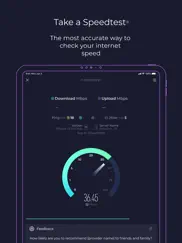
What is speedtest by ookla app? Use Speedtest® for a quick, easy, one-tap connection internet speed test—accurate anywhere thanks to our global server network.
Explore mobile network coverage with Speedtest Maps based on real-world data gathered by the Speedtest app. See performance by provider to find out where you’re likely to experience strong connectivity. Easily switch between providers and regions to compare coverage in the locations you frequent.
Video testing empowers you with a real-time assessment of your network’s current streaming quality. Take a video test to get actionable insights that help you optimize your online video experience.
Millions of users have made Speedtest the #1 app for testing internet speed, and it’s trusted daily by professionals throughout the industry:
- Discover your download, upload, and jitter
- Measure ping at 3 stages: idle, download, and upload
- View mobile carrier coverage with Speedtest Maps
- Take a video test to measure your max resolution, load time, and buffering
- Real-time graphs show connection consistency
- Test with a single connection to simulate downloading a file or multiple connections to understand max speed
- Troubleshoot or verify the speed you were promised
- Track past tests with detailed reporting
- Easily share your results
Go ad free! If you’d like to enjoy Speedtest without ads, we provide the option of removing ads from Speedtest for $0.99.
Privacy Policy: https://www.speedtest.net/about/privacy
Terms of Use: https://www.speedtest.net/about/terms
Do not sell my info: https://www.speedtest.net/about/ccpa
😍 Do you love Speedtest by Ookla app? Please share your friends!



Please wait! Speedtest by Ookla app comments loading...
Speedtest by Ookla 7.0.3 Tips, Tricks, Cheats and Rules
What do you think of the Speedtest by Ookla app? Can you share your complaints, experiences, or thoughts about the application with Ookla and other users?


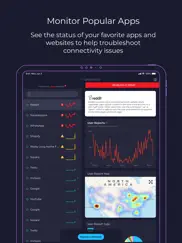

Speedtest by Ookla 7.0.3 Apps Screenshots & Images
Speedtest by Ookla iphone, ipad, apple watch and apple tv screenshot images, pictures.
| Language | English |
| Price | Free |
| Adult Rating | 4+ years and older |
| Current Version | 7.0.3 |
| Play Store | com.ookla.speedtest |
| Compatibility | iOS 15.0 or later |
Speedtest by Ookla (Versiyon 7.0.3) Install & Download
The application Speedtest by Ookla was published in the category Utilities on 04 January 2009, Sunday and was developed by Ookla [Developer ID: 300704850]. This program file size is 151.7 MB. This app has been rated by 27,800 users and has a rating of 4.4 out of 5. Speedtest by Ookla - Utilities app posted on 20 May 2026, Wednesday current version is 7.0.3 and works well on iOS 15.0 and higher versions. Google Play ID: com.ookla.speedtest. Languages supported by the app:
AR NL EN FR DE ID IT JA KO PL PT RU ZH ES SV TH ZH Download & Install Now!| App Name | Score | Comments | Price |
| Speedtest Pulse by Ookla Reviews | 1 | No comment | Free |
| Internet Speed Test Speedcheck Reviews | 4.8 | 98,283 | Free |
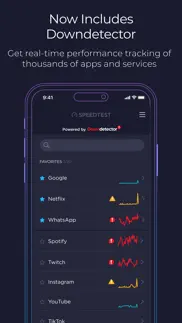
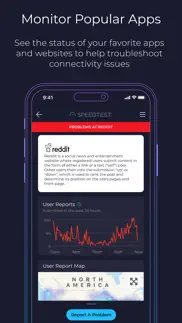
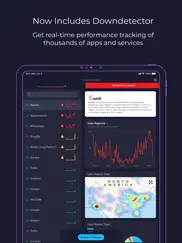
We've added a few updates to make the Speedtest app even better. Please give us a star rating or write us a review to let us know what you think. We’ve added Siri Shortcuts support, allowing you to trigger a Speedtest without opening the app. Added Downdetector Top Outages on the test UI. View the top 4 trending outages during and at the end of your test. Bug Fixes Thanks and happy testing!
| App Name | Released |
| Phantom - Crypto Wallet | 30 January 2022 |
| PrivadoVPN Fast VPN and Proxy | 05 January 2021 |
| DuckDuckGo Private Browser | 27 June 2013 |
| Facemoji AI Emoji Keyboard | 28 April 2016 |
| Xfinity | 18 April 2017 |
Find on this site the customer service details of Speedtest by Ookla. Besides contact details, the page also offers a brief overview of the digital toy company.
| App Name | Released |
| ForzaTune Pro | 08 May 2018 |
| AnyFont | 20 February 2014 |
| Overseerr | 01 August 2024 |
| ProPresenter Remote | 16 December 2008 |
| Transcend Theory | 16 April 2024 |
Discover how specific cryptocurrencies work — and get a bit of each crypto to try out for yourself. Coinbase is the easiest place to buy and sell cryptocurrency. Sign up and get started today.
| App Name | Released |
| Gmail - Email by Google | 02 November 2011 |
| TikTok | 02 April 2014 |
| Messenger | 09 August 2011 |
| BeReal. Your friends for real. | 08 January 2020 |
| Google Chrome | 28 June 2012 |
Install the Giftmio extension for smart shopping. Get notified about cashback opportunities, activate cashback in one click, and save money on purchases.
| App Name | Released |
| Plague Inc. | 25 May 2012 |
| RadarScope | 12 February 2019 |
| Bloons TD 5 | 15 November 2012 |
| Terraria | 28 August 2013 |
| AnkiMobile Flashcards | 26 May 2010 |
Each capsule is packed with pure, high-potency nootropic nutrients. No pointless additives. Just 100% natural brainpower. Third-party tested and validated by the Clean Label Project.
Adsterra is the most preferred ad network for those looking for an alternative to AdSense. Adsterra is the ideal choice for new sites with low daily traffic. In order to advertise on the site in Adsterra, like other ad networks, a certain traffic limit, domain age, etc. is required. There are no strict rules.
Keep personal info private, avoid scams, and protect yourself online with AI-powered technology.
Speedtest by Ookla Comments & Reviews 2026
Speed depends on device. I like your app, but running it on certain devices (iPad 6 and iPhone XR) give much lower speeds than I receive with other speed testers. I tried your app on an iPhone SE (2nd generation) and it runs at the expected speed as does your app on an old MacBook Pro. There was a 60x speed difference between the iPad 6 and iPhone XR (which both got the same slow result), than I got running your software on all other devices. When I downloaded another speed tester to the iPhone XR and iPad 6 they tested the same as the other devices. So the problem seems to be your software running on these two devices. All devices are running the latest version of OS.
Great app. Something that needs to be put back in is the cat Easter egg. Little touches like that are what caught my eye in the first place. That would make it five stars again! Brought a smile to my face. Otherwise great work guys! Anyone who is having trouble getting a read from their phone: your cell phone connect in different ways than your computer. Most carriers tether you to two or three towers to give you stable signal. These towers aren’t always close by and can be over 100 miles away depending on where you live. In mountainous regions your phone will connect to any tower it gets a signal from which won’t give a proper reading but the app can only work with the signal it’s given. There are apps that let you choose what towers you are tethered to but I’m not here to talk about them. I’m here to sing the praises of almighty Ookla! Long may she reign!
Useful in a surprising way. After years of observation we find that after weather effects bargain ISPs are about as good as any other and involve less billing hassles. Relevant to SpeedTest is that I think when whomever is our current ISP, from time to time service is throttled for one reason or another. When I notice this I bring up SpeedTest on my phone — and I think that the Current ISP is watching for this. I notice that the throttling of our bandwidth *often* is removed. I use SpeedTest as a lever to *effect* the behavior of the Current ISP!
Great App! A must have!. All around, a great, stable, efficient, and attractive app! I've used Ookla for as long as I've had my iPhone, and a quick thirty seconds seems to be just what my particular iDevice needs to get it going in the morning 😉 On a side note, if you use this app like I do, and you haven't discovered the Easter Egg yet.... You've got some strange and random good times ahead of you! Lol I was actually creeped out at first when i found the initial clue, not realizing what I had stumbled across ... That line was chilling... But also just enough to get me started digging🤓🕵️🏽♀️🐈⏱👁🗨 Keep up the great work, guys! Thanks again for all you've done with this hidden gem of an app!
Effective and efficient. Positive: Most people just leave a five star review and don’t actually say a lot about it, but I really do believe this app deserves is. It’s a very quick, reliable app that runs efficiently and effectively. Speedtest is one the fastest apps(of any type) to load. Even with a measly 2mbps out in the boonies where I live, Speedtest is extremely fast with providing live speeds to me in a split second. It never freezes up on me like many of my built in iPhone apps do. I highly recommend this to anyone looking for an app of this kind. Negative: this may sound a bit odd, but I am trying to think of any honest improvements that could be made, but I cannot think of one. 👍
Great tool for tracking my ISP. I depend on this tool for not only testing my speed from ISP but also use it for testing the Quality of my mess WiFi as my home is difficult to distribute maximum WiFi to all areas. My wish list for this APP would be a feature to also record to history the failures when I do not even register a ping. Also would like a feature to fix the server to my ISP so I don’t have to keep changing even though there exists better servers in my area. I typically send my ISP the history report showing my record at various times and dates but all from their server.
Speed Testing is Good, Map-Noir is Poor. The speed testing has been great and maybe this app should stick to what it is good at because… Using the Map feature to do a simple speed comparison between carriers for a location is largely useless and frustrating. You cannot find a location using the Map, it identifies where you are and that’s it. It advertises the ability to find signal information where you plan to go on vacation… good luck and happy scrolling! You end up having to use Apple Maps to find things around your target location and then scroll around on the blacked-out hard to read SpeedTest map to try and find same. I spent roughly 30 minutes trying to find a street location in Pacifica CA in SpeedTest and could not. (Like driving at midnight with dark sunglasses on.) Maps is also useless for carrier comparison. You have to switch back and forth to identify blotchy colors on a “map-noir” to try and figure out best carrier by guessing. By contrast (actually high contrast) OpenSignal provides a search, an easily readable map that’s not all sun-glasses-at-night map-noir, and will give you numeric comparison for the carriers. SpeedTest, stick to what you are good at, your name sake. Either fix the map or flush it because right now it stinks.
Ad free version breaks the app completely. UPDATE: fixed, bravo! 5* Ookla is a great app, but has become useless. Given the new data directives, I opened the app this evening and was presented with privacy options (I have been using the app over a year). I chose to pay in order to be ad free and wound up in a loop. The GO button would appear momentarily and then immediately is replaced by the Security Option screen. When I clock done I get the GO screen which is immediately replaced by the Security screen. A loop. I see I have an update and figure this must be the issue. I get the update and, for good measure, reboot. Now I get the Security screen and am asked to again pay for the ad free version - it’s ground hog day and I appear to be out a buck. Kindly fix this & I’d be delighted to give you 5 stars.
Excellent utility. I’m just a normal user of iOS devices and probably don’t understand all that I could do with Ookla, but I love having it available in my “utilities” folder. I probably use it 3 or 4 times a month, both traveling and around town, as I find myself running into “performance” issues. With Ookla, I can quickly pinpoint if there are any connectivity/speed issues with the internet provider at hand or if there are other things I need to check out. Just last week at home, I thought I noticed an issue. I ran Ookla and discovered that for the first time since we signed up with CableOne as our provider 18 months ago, they were delivering only half the guaranteed download rate. I called them, they verified the problem was theirs and resolved it. Without Ookla, I would not have had the data to back up my concerns when I called them.
Keeps my IT companies honest!. I love this app. I’ve been using it for years but my best experience was last year in my Florida home and my WiFi was HORRIBLE. Now I know there is some bleed but I was paying for 40mbs and when I used Speedtest it was registering 5mbs. Holy smokes. I called my provider and of course they always tell you to hardwire your appliances (yeah right) but I was mad. Amazingly when I tested about 10 min later I was up to 50mbs! It was a miracle lol. Winters in Florida are very crowded (but really warm) so I understand that occasionally traffic needs to be slowed but that was ridiculous. Thanks Speedtest for keeping them honest. ❤️
Hands Down Must Have App. I manage all aspects of IT for a medium-sized fire department, and this app is my go-to app when it comes to diagnosing any network related issues in our facilities and on our entire public safety campus. When someone tells me they suspect the network is down, once I’m on site, this app is the first app I open. It’s really quick to let me know if the internet connection is non-existent, or if the issue is related to network speed or packet loss. This app has saved me a tremendous amount of time when trying to figure out what the issue is.
Put it quick; like Ookla’s Speedtest:. This app seems to work pretty flawlessly, 95% of the time or more. Gives me reliable results when I double check with other programs I have installed on my desktop or MacBook Pro., I also like that you can choose between different test servers whenever you want, and then not only that but login and save your results under our profile so that you can log them in case you need to report them as evidence of slow down or a problem to your Internet provider like I just did have to do last week :-/ . Overall; the graphic user interface is pretty intuitive and clean. My only problem would be the couple ads that seem to be placed in not good areas of the app. Maybe there’s a way to pay a dollar or two and get rid of those completely? Otherwise : reliable, doesn’t put tracking devices and cookies into your Internet (as far as I’ve tested so far?) (some apps do and MANY VPNs do this so PLEASE watch out for all those “free vpn” apps. They are mostly very bad for your device, and privacy!!) Finally, Speedtest works efficiently. Shows at a glance info, then can go further into your results if you wish for more advanced users. Thanks!
Keeping them honest. Every now and then I have to contact my Internet providers from cable to cell phone Internet. Funny thing is when I use their speed test I always show higher numbers. But when I run this test it shows a more accurate numbers which is always a lot lower. I have even used other competitor testers which comes out to about the same as this. Keep your Internet providers honest. I didn’t insist that they start using this app as a standard. Usually the person that was in the call center totally understands. Like they already know there are throttling down your Internet. Keeping them honest using this awesome tool
Great app but needs more service to test in local areas. So I’m a little confused. I’ve been using this app for years and I have to say that with voiceover since I use it, it’s great. Why though do you only have a number of local servers but not all of them in say, Kansas City Missouri? For instance, why not have the spectrum servers listed in Kansas City Missouri? That would help. If you show them on spectrum wireless, then you should be able to tell me if I’m on a spectrum server. To be very honest, I’m on my own network. Yes spectrum is providing the Internet, but I am on my own network.
Really helpful. This is the first time I will ever make a review because this app was actually really useful. Best part about it is even being in the app it doesn’t make the download or uploads speed slower just being open it’s extremely accurate aswell. I haven’t had any issues with it yet either. I highly suggest Ookla for any speed tests as it can work even if your internet is slow as heck otherwise a very good choice in getting really accurate speeds. Definitely my first choice
Understanding results. Great app, I use it often, but comprehending what I’m looking at is hard. Something to think about with the app - for certain regions or networks, tell the user how fast the average test is, or what they should expect to be seeing based on traffic in their area. Then they could know if they are actually experiencing a slow connection. Also think about saying “x” upload speed is considered standard or “y” jitter is totally normal so that users can get a real sense of what we are looking at. Right now it’s very obscure. The numbers alone may make sense to someone accustomed to this line of work, but a normal person just needs bad, good, excellent to help understand our results. Thanks!
My Go-To App to test and diagnose my internet connection and speed issues. I’ve been using this app for Years now, and I just want to start by saying that I do NOT EVER write reviews for apps, so the fact that I’m taking time out of my day to write this one just shows how amazing I believe this app is and always Has been. If I ever feel like either my home WiFi speed or my cellular data speed is messed up and is not working in the correct way that it should be working at, I open this app and it Quickly runs a test that tells me Multiple data points associated with my current connection. It also offers a video stream test that can (also extremely quickly) let you know what quality your internet connection can stream video at at the moment. There’s a Ton of other features, and I haven’t ever paid a Dime for any of them. One more feature I’ll mention is a Free VPN that gives you a couple Gigabytes worth of private network security per month, and it works Very well. If you want more than that amount of use, you just have to upgrade to a paid monthly subscription, which I believe is pretty cheap, especially for what you get for the cost!! THANKS OOKLA!! You are an amazing company and I absolutely love and support this product with all of my heart and soul.
The best speed test go to site, but.... I've used this app since the iPhone 3. Back in the day the ads weren't so in your face like now. If you have an older device you might experience sluggishness because of the ads running during your speed test. Support has always been helpful but nothing really has changed much in 12 years which I consider useful...with the app that is. With the desktop version I can log into my account and see my speed test history. Can I do the same with the app? Nope. At best I can email myself the results as a CSV. I don't see much point using the VPN test mode even though I use a VPN. Doing so results in significantly slower speed results regardless of WAP. Many carriers and ISP’s don’t like it's when you use Ookla. Often they'll try to dispute the results in their favour. It's not keeping them honest. What it shows is how dishonest they can be. They usually steer you to another site that provides better, less accuracy or make an excuse for the poor speeds. Oh, the app is a ridiculous data hog. It's easy to chew up a gigabyte of data in minutes simply because the app uses large files. It’s no longer feasible to test my mobile carrier’s LTE data speeds because of this. In most of North America unlimited data remains a unicorn. As a result, only 2.5 stars.
Fake news. This app is just a huge scam, i have AT&T fiber at my house and had been having lots of problems with it after 6+ months of having it so i called support to come help me fix it, the guy told me to download this and look at my mbps, they were high 200s but I still wasnt able to even to gain internet access. I started running tests with different apps and sites and even my PS4 and they all said that mbps were under 20. Take in mind I spend and over a hour running tests and this app was the only one always getting anything even in the 100s. After all that the AT&T people tried to convince me that my 7 electronic devices at home are all messed up... (take in mind i had just bought 2 brand new PS4 Pros two weeks before this) Horrible app will never trust it again. Also i didn't run this on just one app on just one device..
Good app but lacking key element. Seems to work flawlessly, has useful notes feature, trustworthy results I’ve come to expect but would be MUCH more useful to have some sort of aggregate of average speeds in my area for context. Thanks to this app, I know *what* my up/down is but it sure would be nice to have comparative numbers to arm myself with knowledge if my service wasn’t up to local standards - otherwise how does a non-techie know what their speeds *should/could* be? Please consider adding something along those lines for those who want the best local internet service but who may not be technologically inclined enough to fully understand your results.
Great app!. I use this app all the time to identify my internet connections and speeds. I am going to buy your “ad-removal”, and is like to tell you that I use your app way more than I ever thought that I would! I agree with some of your reviewers that a notes app would really benefit my use of your app. Geo location would be nice to have in the notes section, but please don’t keep or track that information. I know there’s no such thing as anonymity any more, but less tracking is always better and it makes you all at Ookla look a little more honest to your customers! Thank you for reading my comments.
A useful app over and over 2.0 comment from 1.0 comment. This product has been very resourceful and feedback on issues are addressed by programmers on issues or improvements. It’s great job you guys/gals have done with this useful tool to help keep providers honest. Thanks!!! 6 stars in my book. It provides what its name implies. It test the speed of your connection. Nice job on the interface. There was a feature when you turned it sideways that provided a more overall view of info but I cannot remember what it was but it was nice. Either way thank you for a very handy app.
Love It!!. Love the app. If anyone complains about internet connectivity or speed, I just pop open the app and flash my FAST speeds in their face. Also I like to get what I pay for so it’s great to keep your provider honest. I do wish there was a video for dummies at the top of the page so that they could get told about the features and explain what jitter and ping are along with common reasons your speed could be slowed down, such as having interference objects next to your router, etc. Having a video would save some of us from having to explain more than once to some folks. That said, easiest tool to use to check your internet speed. AWESOME!! Keep up the good work y’all.
Random fact: my phone connects faster after testing with this app.. OK, this is gonna sound crazy, but when my cellular Internet starts moving slowly, I open Speedtest and check the Internet. (Ready for the crazy part?) Somehow my Internet ALWAYS get stronger immediately after running a speed test. I have no idea why this is. Maybe the test or prompts my phone to find a better signal? Who knows. But this hack has worked for me all over the world. Colombia, Switzerland, Spain, Poland, Austria, USA, Argentina, Hungary. Using this app to test your speed CLEARLY does something that actually improves speeds, but I don’t know how or why. Anyhow I wanted to share this tip/trick with everyone else. I love this app for this reason alone.
Accurate or Not?. I am not sure what to make of this. I installed it on my iPhone 10 and ran a test of my download speed. I am currently being provided with download speed of 100 Mbps From my Internet provider. When I ran the test using this app, it consistently shows that I’m only getting 40Mbps down. Yet, when I use other testing apps I’ve downloaded from the App Store, they show I’m getting speeds of approximately 100Mbps. I get similar results on my iPad Air 2. So I’m not sure if this app is returning accurate test results or not. Is this app correct and the other two are wrong or are the other two wrong and this is correct. I have no way to determine what is going on. So beware if you’re using this as your soul app to text your download speed.
Not accurate at all. I have tried using this app many times and never get an accurate reading. I go on laptop and use another speed test that is much closer to reality. When it searches for nearby signals, it shows that it reads from areas near 100 miles away from my home while the web based finds signals only 5 miles from home. This app will tell me I only have 14 mbps while I actually pay for 200. When I use laptop it will show my almost 150 mbps out of possible 200. Then i compare to 2 other web based speed tests and they run very close to each other. Then try this app again and still between 14 to 20. Totally useless if they can’t get real readings. Am deleting after many many failed attempts. It just seems they want you to download the app for information collection on users rather than to supply services as stated in descriptions. Totally not cool and just reconfirms my reason not to trust apps very much. Apps are not here for you, they are more about collecting personal information for ads and informational sales to other parties. Ads are killing the positive internet experience. Not the reason I buy a computer, laptop or any other device.
One of the few apps I pay for!. I use this app in many different aspects. Not only is it super helpful at home in testing both my 2.4 GHZ speeds but also in mapping my 5GHZ signal strength and assisting in laying out range boosters to get the most out of my ISP. I also use this app in the work place and assist in internet hook ups and networking on the job so my bosses company can run fluidly. I love the ability to hold the internet companies accountable and to detect problems early by simply running a speed test. My only suggestion to the devs would be to add that info to the home screen when running the test. I’d love to be able to see the signal strength and potential packet loss and such right on the main test screen but with some knowledge and know how this info can be guessed at for the meantime. Thanks again Ookla for an awesome app and hope to see more in the future.
Upload readings are off... what happened?. I’ve used this app for quite awhile for testing my internet speed. However, for the past little while I’ve noticed that the app (both on iPhone and on the windows store) has been reporting my upload speed way higher than it really is (2 to 3 times greater, so ~6 mbps as 12-18 mbps). That being said, because its done over a webpage, the website version reports the proper values! (Yay) I noticed this started happening with the app several months ago and its still there... and its also ONLY the upload speed. Download seems to still be reporting properly. It agrees with the website version and my knowledge on what my download should be and has always been.
Keeping The World Honest. 30Oct2018 Uninstalled again. Even with today’s update it will not connect while others do. The gage only goes to 50MB but in Singapore live testing goes to 78/88 so the app crashes. Might consider a fix for that. The high rating from other users tells the story. Great app. I use it to check my wifi performance before starting anything. The app is right there in my start-up folder. My service provider could careless if I complain of slow connection times. But this app keeps a public record of service provider performance worldwide for everyone to see and compare. Market place performance reporting provided by this app is my insurance for good service. Many times the upload/download speed is just too slow for email or Facebook to work properly so I look for another connection that is faster. I can also check my previous readings to see if there is a better time of day to be logged on.
Fantastic and easy to use app. I’ve been using this app for years. Occasionally at home but almost always on the road I like to see just how slow (or sometimes fast) my hotel/airport/wherever connection is. This is so easy to use. Click to fire it up. Wait about 4 seconds for the app to find the local network. Click again for Go. Then see your results. And it saves past results and locations so you can compare over time. Definitely download and pay the few bucks to help support further development.
No longer effective. Has Ookla become operationally irrelevant? Testing technical speed, sure, it will still work and show slowdowns of service due to connection and transmission issues. But, with regulations no longer making service providers treat content the same, does Ookla now give false sense of speed? Seems provides can now let Ookla have preferential treatment thus getting what appears to be great results while in actually still providing poor service with many sites to include news services being slow. Streaming and gaming win as they pay service providers while loading a simple page takes multiple minutes often with restarts. Ookla no longer reflects such slow speeds hence customers can’t complain to their providers for not providing advertised speeds. Ookla needs to disguise itself while running tests so as to reflect actual operational environments.
Ookla lives on!. Aside from this being the most reliable and accurate app that I use on a regular basis, it’s clear that the developers are the kind of people I would love to know in real life. Even after a redesign of the App, they still included a reference to the old Easter Egg that they had in the previous version. I used to love pulling down on the screen to see the (sometimes frightening) images of Ookla the cat and am delighted that they left a small piece of that in place with this version. I’ll admit, I kept pulling down on the screen over and over just in case there was more to see! This app is awesome! RIP Ookla!!
Confusing: bits and Bauds?. I love the app and it is the best one out there for testing network speed. However, in the settings, it seems that if you want the results in the Mega (M) range, the speeds are displayed in bits (small "b") per second and if you want results in the kilo (k) range, the speeds are displayed in Bauds (capital "B") per second. This becomes confusing and I would prefer if results were always displayed in bits (b) per second. This is the only criticism I have of this app as I find it exceptionally utilitarian. I use this app every day to check my home broadband connection download speed (50Mb/sec) and whenever I am out to check the cellular broadband speed as well as the download/upload speeds of any WiFi Networks that I might use. ThankYou. Update: Still a great and essential app. ThankYou!
Worldwide known accurate networking info!. Most used for a reason. I find it seems to be dependable. Only reason it isn’t 5 stars is because 1) I get nervous about giving out Hundos. B: it seems to sometimes knock your connection off; at least to where ipv6(which is only a minor part of the whole internet, I believe, but it’s all going towards there) cuts off in weird ways; one being that the site and desktop version won’t connect, and you may have to reset your router/General setup if you wanna be sure. I’ve seen tests that, while I Can’t pick which “internet” it’s testing; but I can see on the results; which seem to match regardless, though. Highly recommended by me and millions of others. We are legion. lol
Excellent tool. I love Ookla as I have a high end Netgear router on a true gig network. Meaning even a gigabit fiber internet connection. The router has Oookla Speedtest built in which is perfect for checking the main speed from router to ISP and then each portable unit has individual Ookla Speedtest to verify from each device to router. It’s amazing the speed. Of course ISP only guarantee is to within 10% of top speed but they know of my setup so no longer any question of what I have for speed. Thanks Ookla for your Speedtest. Never any question as to speed or a problem if one should exist.
Best speed test app. “Speedtest by Ookla is an essential tool for anyone looking to quickly and accurately measure their internet speed. The app is user-friendly and provides detailed insights on download, upload, and ping times, allowing you to pinpoint any issues with your connection. The results are instant, and I love the fact that I can track my speed history over time. Whether I’m troubleshooting my Wi-Fi or just curious about my network’s performance, Speedtest always delivers reliable data. Highly recommend it for anyone wanting to keep their internet connection in check!”
Extremely useful. I have used this app and website to measure real time download and upload speeds both in professional settings and in my own home for about the last 4 years. But I have noticed something peculiar lately. I use the Nighthawk app for my home network management and they recently added a Speedtest feature. So the curious thing is that most of the time the Nighthawk app will show somewhere between 100 Mbps and 200 Mbps but every other device will show only about 10% of the download speed, sometimes including my phone running the app. Regardless of being on the manual 2.4/5ghz bands or in the router’s smart mode. The upload speed is usually consistent between all devices. And the speeds shown really don’t change as devices are taken off the network. This includes a smart tv, PCs and other peripheral devices, gaming consoles, phones and tablets. Any idea as to why the major difference between the two?
Please fix Glitch - App rendered useless. Update: just checked my wife’s iPhone 7 Plus, also uses iOS 11.3.1. Same problem. Please remove this Privacy Page please! Thank You. I uninstalled app, shut down my iPhone X, then reinstalled the Speedtest app. I accepted the location and allowed data sharing. Again, when I tapped Done it keeps going back to the Privacy Page over and over. I’m about to head out on vacation for 10 days. I use this app the most when I’m traveling to ensure bandwidth integrity. When will you issue fix for iOS? Thank you. Ok, I have the paid version. I reviewed the new privacy policy. I tap next, then Done. Then it keeps going back to the “Welcome to Speedtest, Lets review your privacy options page with the giant padlock in the middle. What’s going on? I keep tapping Next, then Done over and over and it keeps going back the the privacy page. Please fix ASAP. Thank You.
Feedback. I’ve got an idea for feedback. This speed test really just does a speed test. One thing I’d love to see added is tests that’ll indicate throttling, speed drops because I notice a lot of internet companies will shoot max speed at the beginning for a speed test then drop a lot during downloads, and a test for frequency stability because that can cause problems with an internet company. I had problems with that with an internet company before with frequency instability causing bandwidth drops and disconnections. Once the internet company puts a stabilizer box between the router and cable, fixes the problem. If your Moro is to keep internet companies honest these sort of testers would be amazing. I work in the military for networking so I know a decent amount of how it all works but not as good as I want to know yet.
Excellent App!. Speedtest is exactly what I have been looking for to determine the speed of my internet connection no matter where I am. It quickly tests and displays the speed of any WiFi or cellular data connection, no matter whether you are on a private or public network. I use it constantly to see whether to use the closest WIFi network, the cellular data connection on my phone, or the Onstar data connection in my car. The app is easy to use and automatically saves each test result, which is great for comparing the speeds available on various devices and for determining whether the speed on a particular device has changed (such as when your cellular provider chokes your cellular data speed after you reach a certain data limit). Well done Speedtest!
Good app. Not a fan of the latest UI change where you have to slide up to change the server. There isn’t anything else on the main screen other than the go button so it’s not like it was taking up any extra space. Also I’ve noticed that Speedtest doesn’t pick the server with the fastest speed automatically. Sometimes when I test I have to change the server to get accurate results (when I know my internet is performing at full speed). Also would like to see a ping feature built in and the option to monitor download and upload speeds on a schedule.
Personal 1st choice for checking internet performance. I have been using this app for a while now and find it to be an invaluable tool for evaluating the overall performance of an internet connection, both wifi and cell. The only recommendation I have for the developers is that when I set and save my preferred internet connection in the app Settings on the OS-X laptop edition, it resets back to its default setting after each use. I also have the app on my iPhone 7 Plus and it stays where I set it, not duplicating the issue found on the laptop. For the developers: MacBook Pro 17” 2009 year model, OS-X 10.9.5
Ookla Makes the Best Speedtest App Available. Wow, has this app come a long way. Just realized the last time I left a review I was begging for an iPad version, and I can’t even think of what year that was because I’ve used the iPad app for so long. The app is so well designed and never ever has it crashed on me. There’s so many servers to test from, but you can also choose a favorite to default to for testing. I’ve been able to use this app for more than claiming bragging rights about the network speeds I get on 5G and my Home WiFi. It’s just so reliable and truly useful. On trips I can quickly get a read on whether a backup of my photos is going to take forever and I should just wait to get to the airport, find the best spot to install my security cameras, oh and there’s quite a bit of free VPN usage included. It’s impossible to overstate how useful this Speedtest app is. There’s even a dark mode that I have just kept on and really the team behind this app is really thoughtful for bothering to carry support for nuance features like that. There’s even a way to skip the almost non-existent ads by paying, which I haven’t done but I appreciate the option.
Not interested in account sign up. I’ve had this app for years, and it has worked well. There is absolutely no reason for me to have an account sign in, I don’t plan to use this app on any device except for the device it’s installed on. I don’t need my history ported from device to device, I just want to know my Internet speed at the moment I want to know it. As such, I have refused to install the latest update, and will continue to use the old version until I’m not allowed to… At which point I will just uninstall the app. I am not a fan of this trend on all things Internet to require an account in order to use a free product. Please remove this requirement in your next release, you spent a lot of time and money on it for no good reason in my opinion.
The Best Internet Speed Validation Tool. I have been using Speedtest for years and have not found any other tool that works as well as this one. If you're looking for a tool to help you keep your internet service provider honest, look no further. The amount of servers you can select from far outnumbers any of the other speed test platforms. If you are a network admin, IT professional, IT hobbyist, or just curious about your internet speed, download this app. You will not be disappointed.
Ookla saved my sanity!. Several months ago I noticed while updating apps on my iPhone that the connection speed was terribly slow... the WiFi symbol on the phone showed “full strength” so I was confused. The Speedtest app saved my sanity, because it proved there was a problem with my Spectrum connection. This could have been costly had I activated the “use data when WiFi is slow” iPhone button. After calling Spectrum, the router was reconnected remotely; the iPhone had detected an active router, but could not determine the router was not connected to the system. Spectrum technicians had suggested I download the app on both my phone and computer during system setup and now use the data I report for troubleshooting. Thanks, Ookla!
Erroneous reading. There seems to be no way to report errors in this app. All nearby servers report download speeds of about 40 Mbps, except Albuquerque Comcast which reads about 5 Mbps. Other apps and PCs report correctly for this server. Looks like this app is reporting MBps instead of Mbps for downloads from just this one server. Edit: It took about a month, but this weird issue is now fixed. Edit: But now its results are off again, reading about half of what it should. Edit: Try clicking the “developer’s website” link below. What do you get? A pretty picture and a link back to where you already were.
The Gold Standard. Can’t tell you how many times I’ve run Speedtest when my home internet connection seemed to be running slow. Sometimes it was user error of some sort, but other times it gave me the confidence to notify my provider. After the first couple times of having to escalate my complaint, backed up by my saved Speedtests, now my provider seems to just magically fix my slow internet almost the moment I report it. Thanks for helping us keep them honest, Speedtest! There’s a reason even Tony Stark uses you – you’re the best out there.
iP SE | iOS v10.3.3 | app v3.9.0. This app ver will work with iOS 11 and was perfect when v3.9.0 was released and works flawless with iOS 10.3.3, so I never updated it, because I never had any issues with it and I don't recall if I paid to remove ads, but if I did I may upgrade it and review it. If what I read about v4.x.x is true, then I'll wait for more miscellaneous "bug fixes," which tells us nothing. More information about what your updates exactly are would be nice. If the Dev(s), of this app could reach out to me and let me know if I did pay for this to be ad free (I thought it was due to configuring AdChoice and my special Content Blockers), then I will be more inclined to update this app and write a review for v4.x.x - I'd even be down to do some beta testing for you. You should expand your service and incorporate VPNs into your speed testing, because the app apparently rarely [if ever] notices and picks a server located near that locale. The web version does that. I hope this helps. ~S~ 2-RECAP: 5⭐️ v3.9.0 | iOS v10-v11
Not good at all. As of a couple weeks ago this app has failed in many ways. It does not read the connectivity of your internet, it also sticks n glitches extremely bad. I uninstalled this app cause it mislead the readings n i had the internet provider come out only for it to show this app was way wrong. When running the speed app against theres it was clear this app was not correctly reading my speeds. I re downloaded the app today may 5th to see if they addressed the glitching issues and can clearly see they have not. It say my internet was running fine. Yet the app cannot read connections correctly if its glitching out extremely bad and sticking about 7x during the read. N stops short of the actual speed due to all the glitching issues the app has. I would suggest this app but as of recently the app has failed miserably n i wouldn't suggest using this app until they fix the issues at hand n from what ive seen the developers are in no hurry at all to fix the issues. So il be deleting this app once again.
Did you know that you can earn 25 USD from our site just by registering? Get $25 for free by joining Payoneer!
Good but just one thing. Have an option or toggle switch to only test upload speed. It’s wastage of data to go through download speed test before upload speed test.
Cannot pass Privacy Terms Update. The latest update seems to have a small bug that the Privacy Terms Update Notice page keeps coming back regardless I tap allow and done on the page, basically makes this app unusable at the moment. Hopefully it will be fixed in the next release.
Review. I have used since for so many years now it’s not funny and when it comes to keeping isp honest it’s hard to beat so many times this has been the saviour to identify my speed issues and then where the problem is. Thank you team keep up the awesome work
Modem name has been removed. I’ve used this great app for years. The name of the modem is no longer displayed in test results after the most recent upgrade. As I use multiple modems I have to add manual notes now to every test result. Backwards step I’m afraid seeing as this feature worked fine to date :-(
Keeps Service Provider Honest. I have used this app for a while and with a couple of service providers. This app is excellent for monitoring what the service provider should be delivering. Highly recommended to make sure you are getting what you pay for. 👍🏻
Beautiful UI, and uncompromising UX. A loyal speedtest user for years, I waited with baited breath to see what their iOS 11 compliant designs would look like, and it is well worth the wait. All of the beautiful dark and minimalistic UI you’ve come to expect, without the ugliness of last decade’s skeumorphism, and new adaptive design considerations for the iOS ecosystem.
Works fine.. NBN FTTP with T$ and consistently get around 50/20 as advertised (unless of course the neighbourhood all decide to hammer it at once, in which case there’ll be congestion issues). — Dave H. Forgot to add that I have it on the iPad, iPhone and MacBook, and get consistent results; I also constantly keep my software up to date (having unlimited download helps, as I have a few other things as well, including a mailserver etc).
Great troubleshooting app. I have been in data communications for more than 30 years and I'm a bit obsessed about knowing my connection speed. Sometimes I even check the speed just for a bit of geeky interest. SpeedTest is by far the best and seems to be accurate.
New feature request. So far the app is great. Far more consistent results than other services. Having the history record is really what I was looking for. However, I think if you could add some kind of scheduler to perform the test at certain times every day for some period of time would be great. I’m looking for a way to be able to ask my ISP to fix my connection proving them that the speed is consistently bad. Having the history is perfect, but scheduling the test to have them run, for instance, at the same time every day for 2 weeks would be a killer argument I believe. Thanks anyway.
Really, really helpful. We recently had a situation where our provider refused to acknowledge problems we were having with our service. Being able to provide documented test results from Speedtest was a a key contributor to the positive resolution of the issue. It is widely accepted as one of the industry standards.
Greed is not good, Ookla. The latest privacy declarations which include the user agreeing to Ookla’s collection of your name and other personal details and then requiring the user to agree to Ookla then selling your personal info is just outrageous. Plenty of alternatives to this unconscionable developers ordinary app. Lots of others exist that don’t leave you feeling like you’ve been screwed. Uninstalling this app was a pleasure. Always read the fine print. You guys are just rotten.
Better performance and saved me money. Thanks so much for this app. Being in the country I was still on ADSL1+. I was getting an Internet speed between 0.8mbps and 1.9mbps. I have now cancelled my home phone, my internet plan and my mobile plan with DODO and started an 80 gig mobile plan with OPTUS. So I am saving $25 per month and using my mobile as a hotspot I am getting speeds between 17 and 25 mbps. A win/win for me and all thanks to SPEEDTEST for giving me the tool to do my research. But I’m not resting there. I still periodically test my mobile speed just to make sure it stays this good.
Works well but lacks link to existing pc results. It installed quickly and seems to work well. I couldn’t find a way to link to the history of wifi results that I had built up via laptop. Thought the app would give a quick easy way to test & track speed of home network at odd times, but not that useful if I can’t also see results recorded via laptop.
#1 Internet Testing utility. Best Software across all platforms to testing your internet speeds and troubleshooting potential problems with your network especially for gaming and other internet related services
History results worth having.. Had an issue with my service provider a few years back, band width was well below agreed value. When I had decided to leave that provider, I was informed that I needed to pay an exit fee. During discussions I agreed to pay their exit fee if they would refund 7 months worth of payments as I had Ookla history supporting their below standard supplied bandwidth. I never heard another word about paying an exit fee.
advertising on paid version. I paid for this app to support the developers, latest updates have bought VPN advertising into the app. I find this disrespectful to a paying customer. Rest assured I will never buy their VPN or pay for any other software from these guys. Also regarding their VPN service their privacy policy states that they will log your browsing history. I guess this would be normal coming from them.
Simple and effective. This diagnostics application for testing your connectivity speed is just as the title says, simple and effective. I have used this app, also the website for many years now and have told many people about it; it’s a staple for anyone who does networking to be able to diagnose slow speeds and it’s just convenient. Would pay for a version that’s ad-free; it’s just worth it either way.
Great interface- localised servers for testing internet. Downloaded many of these apps and this one is by far the best interface and uses the closest servers to your location, to test your internet speed no matter what country you are in. This is very different to other apps like in this category, as most of them only test American servers which is a shame because this is not the only country on the planet where customers exist!
Great little app. A very good app that has a simple easy to use interface, allows users to see the internet speeds at different times of the day, saving the results. I’m an Optus cable customer and consistently get downloads in the 90s and uploads at 1 to 1.7Mbps. It’s worth using this app just to see your getting what your paying for.
Great data, thanks! I test daily to ‘keep em honest’. My speeds are slow every morning, ookla helps me to daily ‘wake my wifi & internet up’! Great app, please keep the great work!! Handy to be able rate providers too ... though when there is NO connection (often) ... a zero connectivity (poor) rating is unable to be registered ...
Great Application. Been using this Speedtest app for a couple of weeks now and it's been great! The app gives great information on the speed and the server! It also is a lot quicker then some other Speedtest apps like Telstra Dashboard. Thanks for the service 🙏
I love this app. I loved this App and I should like to say that you guys should add this feature where is someone does a speed test it should tell if there connection is good or bad and it should tell what is the problem with the connection
Great aid to Slow / Laggy problem testing. Straight away you get good info on latency upload and download capacity. I would like to see a comment section in the history tab … l would use it to comment on local info eg.. known outage. Switched to 4G on router etc mobile phone paired on 5g etc
Nothing to complain about. I’ve been using this app for years. Even on my pc. When I was setting up my NBN with Optus I told them the speeds I was getting through your app. They were impressed because they didn’t realise how accurate and professional this app is! I don’t have any complaints. So, keep it up and let’s see what you can throw at us!
Use regularily. After getting rid of annoying ads I use this app frequently since my internet/wifi is not consistent,even though iinet says it is. This app would be better if it takes average of speeds during test instead of taking the peak reading which may only be there a millisecond
Essential App. I feel like I’ve been using this app since my iPhone 3GS or iPhone 4… either way it’s been on all my devices ever since, can’t argue with the price (thank you!), never had a problem and it’s reliable like my NOKIA 5110 was, probably is haha \../ Rock on
Excellent network speed test app. As a network engineer I have been using this app for years and years. Gives me all the info I need for a quick test. Download, upload and jitter. I can choose which server to use which is useful to me as I actually know how the important ones are connected to the internet backbone in Queensland, Australia. Combined with separate traceroute tests I can quickly determine where a bottleneck may be for a particular client.
Add option for preferences. 😉. It’s by far the most popular speed test, my service providers all ask me to use this app because of its accuracy and reliability. However, my server is Telstra, Sydney. This app defaults to Providers in Brisbane (being closer to my location). I find that every time I use this app I have to manually change servers. A great feature would be to allow users to set preferences and have them remain like that for each use.
Helped isolate where the problem was. I used this to push my ISP to fix a problem they thought didn’t exist. Regular speed test readings and many phone calls later and the fault was found at the end of our street.
Nice update.. — iPhone X on 11.2.5 beta 2. Used this way back on my iPhone 4 til now, this update is pretty decent, good you have it some love and hooked us iPhone X users up with optimisation etc.. New UI Looks good, set up is good, servers choose best for me and closest in my area etc, some reports people getting auto connected into other states.. Not case for me I’m in melbourne, hassle free on this version of IOS 11.2.5 beta 2 on the iPhone X and 8+ with same IOS.. Keep updates rolling devs, I’m never happy to wait for update and tbh it’s been few and far between but was Nice to see it updated today and working well!! Cheers and merry Xmas 🎄
Excellent all round. This app can really save your bacon. I’m thrilled to see they’ve been integrating a more enhanced featureset into the app and keeping the refined, elegant style that made it dynamite. Originally it was a internet/bit rate testing app, but recently down detector and other related quality additions have helped earn this app a 5 star review from me.
A great helper, well respected.. Speedtest has been the go to app for my remote internet options, from Satellite to a successful application for a legal LTE signal repeater. Years of solid use, excellent graphical interface. Latest version: iPad app does not have a functioning VPN selector. VPN takes me to results, Results takes me to Settings and Settings does nothing. I did a hard reboot. No Change. Then I updated the iPhone app (iOS 13) - it worked straight away.
Constantly showing 5mb download on any WiFi. Have used this app for years and I must admit it had been a while since I last used it. Tried to use it for work purposes, the download speed seems to be capped at 5mbs doesn’t matter what WiFi I’m connected too, all other devices that can utilize speed test all are showing the network speed that is always dependent on the isp speed. But mine always downloads at 5mps, have tried other apps that I don’t believe live up to this app but they give me a better reading. Also deleted the app and re installed and still have the same issue.
Excellent app just one requirement. Have used it since it started and love it. Especially the one/multi connections options One requirement to Ookla - can we please have for Sydney Australia a server with TPG? This Peovider has lots of customers and as of late I needed to test that versus other servers as TPG is my internet provider - and couldn’t . They recommended a custom Speedtest via browser with TPG which worked but that bypassed the app altogether as it can’t be compared Thank you!!
No regards for privacy and permissions. This app has found a way to keep running in background when you haven’t given it permission to refresh in background or also any other permission to share data of any sorts apart from giving it permission to collect data on the test done This app has absolutely lost my faith use to trust it Found out after the iOS 13.5 update how much data it was collecting in screen off time instant delete
Decent app except when they push broken updates. Decent app except when they push broken updates. UPDATE: As per the dev comment, they have fixed the broken update. My comment still stands, I’ll consider upgrading my rating to 5 stars if they start testing updates before pushing them to customers, lets see how the next few updates perform.
My “go to” app for network issues. If I suspect a network issue, one of my favourite tools is Speedtest. It can quickly tell me if my internet connection is really working and what sort of speed I’m getting.
Only app I’ve ever given a 5 star. ⭐️⭐️⭐️⭐️⭐️. Downloaded this app years ago. Never had an issue across many devices with even more operating systems, & even more updates. Telcos I’ve used over the years have all lied about their max speeds during peak times. This app has caught them out. I then use this data to force telcos to either fix their lies or give me reduced bills. Yes! I’ve had much success with this method. Even the ombudsman has received this apps data in my endless issues with all the telcos. Well done ookla
Easy.. It’s so simple. Just one click or tap and you get accurate internet speed results. I only downloaded the app today but have been using the website for the past 3 months and it’s been so easy. I would recommend the app to anyone who tests their internet speed a lot and wants an easy and effective way to do it.
Outstanding quality, reliability and functionality. This has been a speed test staple for many years, it’s trusted to provide the optimum environment for an honest and real world speed capability observation. I’ve downloaded the competition today to test them out and nothing came close especially where local servers are concerned.
The best of the best. My review goes something like this: Alrighty you earthlings, yes you, this app is like the best speed app that exist on planet earth. I been using it for years and it’s been pretty epic over the years I have to say. I’ve been trying to get in contact with the guys that make the app. Because I simply want to ask them if I can use this bright little app on my home planet. Yes I’m not from here I’m from planet Nanitsbok. Catch ya
Go Ookla. Speed Test is an awesome tool, we signed up to an NBN plan and immediately cancelled it after testing it. Customer service told us that the wireless router provided by them would make things faster but we didn’t buy it as testing with another provider proved our router (wifi6 so relatively new), is not the issue. I also use it for testing video streaming capability of our connection. I love the timeline, would be awesome to export it to excel to use later.
Latest update broken for me. iPhone 6plus on latest iOS. Went to use latest update of speed test and asked to Agree to privacy review changes ... wont let me check speed keeps looping on the privacy review - can’t see any other options to get around it. Uninstalled and reinstalled several times and agreed to full privacy invasion as requested but won’t let me out of the loop Update - all good after the latest update - no more looping
Great tool.. When you suspect you have internet issues, this app quickly tests your connection, and shows if speed is low. I have used it many times and my provider appears to accept Speed test results. Use with 5.8g wifi.
Professional Advice. I am a Technician for a major Telecommunications supplier, and I recommend Speedtest to each of my customers, whose internet service I fix or install, as it is the simplest, and most efficient way to quickly determine your internet speeds. The ability to keep a record of multiple tests and show this to your provider, is a great way to back up your claims of slow, or intermittent service
Fantastic app. I use this app every day to check connection speed on a lot of different networks. It helps me choose the best networks in the area so I know for next time. It’s an invaluable tool for me and I appreciate it a lot.
Almost perfect!. I’ve used this app on my iPhone, iPad and AppleTV for many years and it gives the only speed test results that ISPs never question. I’ve problem solved my family’s and friends’ connections and forced their ISPs to upgrade their routers and/or correct faults. I was once able to save my favourite test server in my iPhone app and I hoped this feature would eventually be extended to the AppleTV and iPad apps, but sadly you’ve now removed this time-saving feature from my iPhone app instead. Please bring it back because it’s a nuisance having to find and select my ideal test server every single time.
Keep Telco’s on check. Constantly use this to track speeds compared to what I should be getting, and even running the Telco’s own one (just to keep them happy) and picking up on system errors if they happen to return a different result. Used in the past from ADSL through to Cable and will continue to use Speedtest once I have to switch to NBN. Also have used it on my own Mobile (4G) Network as a comparison tool.
Was good...... Was good....now broken. Asks you to agree to privacy policy before use but no matter what you respond with it looks back and keeps asking the same question over and over. Unable to access the speedtest because of this. Same problem on both my iPad and iPhone. Looked to get assistance from the developer but clicking on "Contact" on the developers website just takes you to FAQ's. Can't seem to find a way to contact them directly.
Easy, fast, reliable & perfect to check speeds. This app is a MUST for everyone! Simple to use and obtain real time speeds for both download & upload. Great tool for ensuring that your service provider is giving you the speeds that you are paying for. Keep up the amazing work team!
Imagine you at your best. All the time. Picture yourself at your sharpest and most productive. Your most alert and focused. Your most lucid, creative and confident. At work. At play. In every area of your life. Add Mind Lab Pro® v4.0 to your daily routine and uncap your true potential. Buy Now!
Not a free service in reality. Please read their privacy policy before downloading and using this app. They are taking an unreasonable amount of your personal information. Use another free web-based service instead.
You want to track my identity? IDTS.. Scroll down and ask yourself why your identifiers, location and content is used to track you to do a simple speed test. Then check out the Fast app by Netflix that doesn't need any of it. Ookla if you're going broke with millions of people using a free app, sell a game and make people happy. Don't sell our data and make people hate you. -J
Doesn’t work. For me it doesn’t work at all. It says that my download is 30.4mbps and 13 upload mbps but I can’t even load a YouTube video.
Battery drain. Program continues to run in background after closing app and causing abnormally high battery drain. Check battery use in settings.
No Stand Alone Apple Watch App. Title says it all.
Doesn’t work. Doesn’t work?!?
Hello Ads … goodbye Ookla. It’s useless and irrelevant. Wow… what a comedy of errors. This once brilliant app has now become useless. Don’t waste your time downloading this garbage. The interface has become lost in visual trash. After your speed test it may ask you about you phones performance which has nothing to do with your internet service providers performance. Fire everyone responsible for reducing this once very useful application into utter garbage.
Vpn not working. When I tried to use the new vpn it’s not work maybe because of the app please respond to this I’m very disappointed.
Shut down. App simply will not open
Privacy concerns. App is running in the background. App wants location information. Speed testing servers are hosted by third parties. Too many privacy questions. Deleting.
Paid for permanent removal of advertising but. I was hoping in a fix but it’s still a long way to go😠 The ads still appear everytime I update the app and restoring the in-app purchase is not so intuitive to find. Would you please fix that?
I paid for removing adds. Why am I seeing VPN adds . I paid to remove the adds again . Not impressed.
Speedtest. Works really well
Use this for years …. Then they updated their “Privacy” Policy. This so called Privacy Policy is a doozy of a misnomer. It basically states that it doesn’t have one and your data is up for grabs to anything willing to pay for it. Nooooope. And ah-buh-bye.
Privacy policy isn’t very private. I actually read many policies, and was quite surprised to find how extensive the sharing of identifiable (not anonymous or aggregated) data is (related to this app), including to unrelated third parties, etc. This goes far beyond the policies of most any other company that I have come across, and though it is a “privacy policy”, implying they keep identifiable data private, that does not seem to be the case, with the policy stating it will share/sell that data. The privacy policy says they will not keep it private; so not really a privacy policy as the name suggests, and not a very responsible way for a company to do business by tricking the public/users into legally accepting the terms of a very lengthy agreement that almost no one will ever read, because people simply expect that “privacy” means privacy, and not that the policy is about ignoring privacy. If I am wrong about this, please correct me only with quotes from the written “privacy policy” and not just general remarks, which don’t override the actual written privacy policy/agreement.
Stick with Speedtest. Speedtest app is definitely a useful app, but the world doesn’t need another VPN company. Especially from a company who collects massive amounts of data already. Don’t get me wrong, your not Facebook but I wouldn’t trust you with my data. I wonder if people are starting to realize it’s pointless to pay a company for privacy, privacy doesn’t exist. Use tor and don’t give out personal info online. It’s free and smart. Anyways, go back to Speedtest and focus on that. Again the world doesn’t need nor want your VPN. We’re good. But thanks.
Slow. Even though my LTE is working fine and eventually shows high speed, the app many times takes forever to "connect". Useless.
Crashes. Used it five or six times and on two occasions it crashed my iPhone 11. I’ve taken it off my phone and will try something less deadly!
BEST SPEEDTEST APP. NOTHING is better. Most accurate that other companies directly rely on them. Great to check results. Never have any bugs. BEST APP
Too much data for a simple test. ⅛ of month datas burned for a simple test. At least warn users...
Crash. It crashes on the latest iOS
TRACKING YOU. Mandatory cookies blah blah blah. No thanks.
Superb. One of the few good guys of the internet. Over like 15 years I've used your service countless times and always works and is accurate. Dealing with an absurd amount of network issues, speed test has always had my back.
Won’t let me change country. Can’t watch US content anymore Only shows Canada 👎👎 Was planning to purchase Won’t without a list of servers
Tracks you. Tracks you and even sells your data if you don’t turn it off in settings.
No servers. After subscribing to your app I can’t find the list of servers. It only uses Canada. Where is the list, tapping on Canada does not do anything?
Easy to use and works great.. This is one of the better apps I have downloaded. Been using it for a few months and not a single problem or glitch. I can't even think of a way to make it better. Simple and works great.
Browser version was great, app = eh. I used to use the browser version for years to test my Wi-Fi and mobile network connection speeds. Browser was always incredibly reliable. Fast-forward to the point that I don’t really spend much time on computers, and was forced into downloading the app. Every time I try and run a Speedtest, I keep getting a “network connection error”, and it doesn’t matter if I am on Wi-Fi, Wi-Fi network network, or if I am on my mobile service provider. It just doesn’t connect. What if I turn on the Speedtest VPN, it will run a test on the Wi-Fi network. And it will run the video test. But it will not test my mobile network provider on the VPN, and it will not test my mobile network provider or Wi-Fi without the VPN. And to be very clear, I have tried this with the app VPN. And I have also tried it with a pre-existing VPN. And yes, I have insured when testing that my personal VPN was not engaged until I had intentionally tested it to troubleshoot. Needless to say, I had high hopes because of past experience with Ookla, the app has not lived up to those expectations, despite multiple attempts over the last two years.
The best. Work great !
New app hides most useful setting. In there typical effort to add more crap, they hid the test server, so now you have to go through extra effort to choose a test serve that can actually test your connection. I’ve used this app for years for work. Now more difficult and slow to use it. They have test servers that can’t actually fully test your speed. Since a new one came on board I have to chose a gooder one all the time. It’s kind of good this happened, as I was able to read the reviews that show how horrible their privacy is as they sell your personal data. It’s not even anonymous according to the ‘privacy’ policy. Sucks I need to move to another company.
Used to be great. They’ve clearly adjusted their focus towards making this app basically just an advertisement for their yet-another-questionable-paid-VPN service offering. Used to be a stellar, simple speed test app focused on providing a stellar, simple speed test. Love of money destroys everything it seems.
No More Peak Values. Lately, Ookla has been recording peak values and not average values. A peak value can happen 0.001% of the time and skew the real bandwidth available for use. The average bandwidth should be the recored/reportable value; this would be more representative of what is being received by the user.
How to lose customers by Ookla, a true story.. Update a simple to use app by removing the one feature that allowed for accurate speed tests by only allowing those users to choose a test server if they pay an absolutely ridiculously high reoccurring price. The whole office is deleting your apps off their devices and laughing at this ridiculous Ookla update. A massive LOL when people saw what Ookla is asking people to pay. Can you say Marketing epic fail? Bye Ookla, you just scuttled your ship.
Stopped working a few months ago. Used to be good. Now useless.
Robert. Very usefull. I use it often to follow the speed of the sites where I am to check the provider. Robert, (Bromont, Quebec.)
High battery drain - app runs constantly in background. Battery monitor reports 1hr of background activity every hour overnight. Turning off Background App Refresh fixes the issue, but what is this app doing when not in use (no Speedtest running, app swiped closed) and why? iOS 13.5.1.
Doesn’t work anymore. Updated today and know I can’t get past privacy info Fix please
Change your privacy policy. Privacy policy is garbage, how does a VPN app just sell all your info?
Very high background usage!!. I checked my Battery Usage and it showed this app was active over 9 hours in the background!! There is no way to turn off “background app refresh” for this particular app because it’s not listed. Please fix this bug!
Good job!. Working as it should!
I thought I was getting accurate results?. Turns out their numbers were 100’s of mps off the next apps in the store on the same device, taken in the exact same spot, one moment after the next! How is that even possible? I had new internet installed today that is supposedly running over 600mps, speedtest repeatedly showed it running from 52-76mps, with an upload speed avg of 100mps. I was about to get very frustrated, over the course of the last hour taking pictures of the speed to have a conversation with the provider. How embarrassing that would’ve been had I not checked some other apps for verification of the speed.
Is there any better?. Does as it should. Everyone(who cares about this sorta stuff) I know uses this app from time to time
Why not let me use the website?. Why is the website blocked, forcing me to download this terrible app every time I have to test my connection!
App forces you to track and share data. Completely stupid. This app shouldn’t be allowed on the App Store. Forces user to get tracked otherwise the app can’t be use.
It so private their policy. Disgusting to see that this company and app now takes your private data and will share it out.. they way they word it it very deceptive. Never supporting anyone who doesn’t respect people who are lawful operating in the private. Disgusting!
Have to download app for all features. It’s absolutely disgusting when companies remove features from the website to force downloads of their app. Trash company.
It works good but it’s sloooow. Last few updates I’ve notice it takes awhile for it to connect
Video test freezes. It freezes on iPhone 11
Eats data. I used it several times the other day to test a cell booster in my truck. Used 2.5GB.
I got served up an ad. No sooner do I run the first test, then I get this ad popping up (that I can’t get rid of) stating that I’m out of iPhone memory. Well, I’m on my iPad, not my iPhone and my phone has tons of available memory, as does my iPad thanks, I’m not stupid. If this is supposed to be a diagnostic tool, then it sure seems underhanded and counter-productive to be serving up bogus, spurious and misleading ads. Time to delete!
Adsterra is the most preferred ad network for those looking for an alternative to AdSense. Adsterra is the ideal choice for new sites with low daily traffic. In order to advertise on the site in Adsterra, like other ad networks, a certain traffic limit, domain age, etc. is required. There are no strict rules. Sign up!
Sleek, easy, accurate. My favorite network testing utility. It is sleek, easy to use, and accurate. It also saves details from each test, so it makes a helpful tool for diagnosing problems on my network and for proving to others (ISPs, hotels) that things have changed on theirs. An essential tool that gets used all the time. Great to have in app form for quick tests of new wi-fi networks that I connect to. Handy to check and see if it is worth staying connected to a ‘free’ wi-fi network or if it is slower than the available LTE. :)
Really helpful. This is the first time I will ever make a review because this app was actually really useful. Best part about it is even being in the app it doesn’t make the download or uploads speed slower just being open it’s extremely accurate aswell. I haven’t had any issues with it yet either. I highly suggest Ookla for any speed tests as it can work even if your internet is slow as heck otherwise a very good choice in getting really accurate speeds. Definitely my first choice
It’s not working after 4.0.6 update.. I’ve just updated the app to the 4.0.6 version and it’s not working. It will not get past the “privacy” notification page after making the selection. I’ve deleted the app and re-downloaded several times to no avail. Please check as soon as possible. New Update 4.0.7 It works perfectly now! It was a super fast update (less than 24 hours). The issue was resolved. I’m impressed. The rating is back up to 5-stars now!
Better than the rest. The server auto selection works even without the app requiring location access. Unlike every other speed test app I tried. This app is nice and simple and uncluttered if you pay to remove the stupid ads. I think a useful feature would be an option to select how big a file to download for the test. I recently upgraded my internet speed and the test ends before the speed really gets going. Same for upload, but opposite. My isp has really low upload speeds so no need to wait through a large upload.
Just Use It To Keep Your ISP Honest. I take the results with a grain of salt for embellishment, however from every time I run the test and or have connection issues it’s been pretty accurate and very informative as far as preparing me to speak with my ISP about why speeds aren’t what they claimed. Happy Overall with the app. Only 4/5 because of the giant ad boxes that only seem tonoop up right as you are about to click something else and they make sure to be right where you WOULD have been about to tap.
Great tool for tracking my ISP. I depend on this tool for not only testing my speed from ISP but also use it for testing the Quality of my mess WiFi as my home is difficult to distribute maximum WiFi to all areas. My wish list for this APP would be a feature to also record to history the failures when I do not even register a ping. Also would like a feature to fix the server to my ISP so I don’t have to keep changing even though there exists better servers in my area. I typically send my ISP the history report showing my record at various times and dates but all from their server.
I rely on this app!. I rely on this app to check my WiFi at home. When things seems to be slow I can use this app to see if it’s my phone or tv that needs to be rebooted or if it’s actually my WiFi that is slowing down. From there I know if I need to reboot or changed channels on my WiFi. The new release today that says I can use the same test to check speeds again I am so excited about!! If I change channels on my internet I want to be able to use the exact same test to see if it improved.
Always improving. I have been using Speedtest for several years, and I am impressed by how they continually add useful features, and improve the overall experience. I used to haggle with an internet provider over the speed I was getting, and when I mentioned Speedtest, they would make excuses and say, ‘well, you need to use ours.’ Not anymore, they now reference Speedtest on the rare occasions I need to contact them. Great job, Speedtest team! Thank you.
Useful in a surprising way. After years of observation we find that after weather effects bargain ISPs are about as good as any other and involve less billing hassles. Relevant to SpeedTest is that I think when whomever is our current ISP, from time to time service is throttled for one reason or another. When I notice this I bring up SpeedTest on my phone — and I think that the Current ISP is watching for this. I notice that the throttling of our bandwidth *often* is removed. I use SpeedTest as a lever to *effect* the behavior of the Current ISP!
A very honest review. So in the times that I have used this app, it has helped me bully my internet provider into giving me the speed I pay for rather than wonder why I only get 5mbs out of 1000mbs. Most people know this provider by heart and shall not be named but I am happy this app has kept me in the loop of their speed test service lying to customers and throttling speeds just to get you to lease their equipment. Good job so far and hope to see a WiFi analyst in the future for us tech guys to calibrate channels! :)
Suggestion!. I love this app! If you know anything about this space then you know Ookla is blowing everyone else out of the water, including Google! I just thought of one quick recommendation though... I used this app on all Apple devices (iPhone 11 Pro, iPad Pro 11", MacBook Air etc.), and it would be awesome for iOS to have a Speedtest widget. Swipe over from the home screen to the widgets and start a test with one quick tap. Super convenient. Anyways, that's all I have. I love the app and won't go back to anything else. Keep the updates coming! Thanks
The Best Internet Speed Validation Tool. I have been using Speedtest for years and have not found any other tool that works as well as this one. If you're looking for a tool to help you keep your internet service provider honest, look no further. The amount of servers you can select from far outnumbers any of the other speed test platforms. If you are a network admin, IT professional, IT hobbyist, or just curious about your internet speed, download this app. You will not be disappointed.
Accurate or Not?. I am not sure what to make of this. I installed it on my iPhone 10 and ran a test of my download speed. I am currently being provided with download speed of 100 Mbps From my Internet provider. When I ran the test using this app, it consistently shows that I’m only getting 40Mbps down. Yet, when I use other testing apps I’ve downloaded from the App Store, they show I’m getting speeds of approximately 100Mbps. I get similar results on my iPad Air 2. So I’m not sure if this app is returning accurate test results or not. Is this app correct and the other two are wrong or are the other two wrong and this is correct. I have no way to determine what is going on. So beware if you’re using this as your soul app to text your download speed.
The Speedtest on a PC is better than the app. This is a great app but I have 1 complaint. I have Speedtest bookmarked on my PC and I can also sign in and select a specific server to do the test. Why can't the mobile app have the same feature? There is one specific server on our carrier's network that is really slow and if I select a different server I can get a much better speed. I am wasting a lot of time on my mobile devices trying to find a better speed because this app does not have the same features as desktop.
Came in Very Handy. Our internet service went out on a Friday and didn’t come back till Saturday. When it did return, we used this Ap to check it out. It was very slow so we checked our equipment and knew we still had a problem. We were correct. Our line local to our neighborhood was broken. All along the process, we were able to test the fixes along the way. The upgrades we had installed have been testing in tip top shape. Thank you for this Ap. Quiltist
Needs a note field!. My WiFi speed varies greatly in different rooms of my house, and even the same spot can have a wide variance in network speed depending on time of day and network traffic in my neighborhood. Even testing esting different routers or router channels is more difficult because of the lack of being able to add notes to test results. I need a way to identify speed test results with notes! Perhaps add it to the Apple app first, later to the web-based Speedtest? Thanks
Honesty is a must. After downloading the Speedtest app I realized my isp was not providing me with a correct internet speed. I immediately contacted my isp and many troubleshooting steps later my isp fixed the issue. If it wasn’t for the Speedtest app my internet speed probably would have remained extremely slow for who knows how long. Thanks to the efficient and effective Speedtest app I can continue monitoring my isp at the touch of a few buttons thus maintaining the quality of my internet experience.
Really used it and loved the saved speeds until they were all lost. I’ve had this app for years. My iPhone off-loaded the app which apparently deleted the app. It won’t redownload after 50 tries, so all my saved data is gone. Verizon stating my speeds from an iPhone won’t be over 30mb/s is a lie. When my internet was working correctly, I was able to get over 75mb/s on this. Now all that proof is lost. After 4 locations of service and years of saving data showing my speeds would slowly decline to ½ of the original in 6months, and 1/10 by a year- I had quiet a data pool. It’s all gone. Awesome.
Fantastic and easy to use app. I’ve been using this app for years. Occasionally at home but almost always on the road I like to see just how slow (or sometimes fast) my hotel/airport/wherever connection is. This is so easy to use. Click to fire it up. Wait about 4 seconds for the app to find the local network. Click again for Go. Then see your results. And it saves past results and locations so you can compare over time. Definitely download and pay the few bucks to help support further development.
Caught a guy. As with most older people, my parents were the baby boomers kids. So they weren’t too tech savvy one could say. I’ve always been their IT support. I got my mom on a plan with AT&T that fit what they needed for internet speeds. Guy came and tried to leave before job was done. I used this app to check their speeds, dial up modem speeds they were getting on fiber optic cable. The guy was not happy but I made sure the speeds my mom paid for she got, and I used this app.
Not a fan of the new 6.0.0 update design. I’ve been using the Ookla app for the past decade, and I personally think this is one of the worst redesigns they’ve done so far. I’m not a fan of the forced feedback and the new scrolling design. Hopefully they’ll significantly improve it and make it look a lot cleaner than it does right now. Edit: unfortunately they’ve made it worse by introducing icons that show how good your test is compared to Internet browsing, gaming, video playback, and video chats, and it makes no sense and seems arbitrary. It looks a lot more clunky and I wish they’d just make it more simple, and show these more detailed stuff in the “detailed results” feature of the app.
I love this app! If there is a SpeedTest app to get, this is the one.. I am on an iPad MINI (2019), and this app can do everything in seconds. This thing gets insanely accurate results, in about 5 seconds. I feel like there is room for a bit of a design update, but this app is so easy to use. All you have to do is launch the app, and press go. If you want an internet speed test, get this. It has speed, accuracy, ease of use. JUST DO IT! even on older, slower iPads, iPhones, iPods, MacBooks, this still works great!
Save your .99 cents on the ad-free Option. Buyers Beware!!! What is the point of paying to get ad free use of the app and then turn around while using it and ask for feedback repeatedly? It’s ridiculous to ask over and over for multiple feedback questions on various things. Just as annoying as the ads and then you answer the feedback in hopes it’ll go away but nope, the feedback remains on the screen once submitted and starts all over when retesting. May not be an ad but pretty much acts in the same manner and a nuisance. Should return the money because this feels like a bait and switch or pick pocketing. This needs to be fixed unless the intention is to persistently annoy customers just like the ads do. Otherwise, it works and functions nicely. Thanks
Options for data file transfer size. As an area for improvement, I would like to see options for data file size. I want to select the bandwidth cost for the test being done and perhaps choose a low bandwidth test for a quick and dirty test. Radio buttons for high confidence (1G), medium confidence (500M), quick test (200M). My ISP has data caps which I have begun to exceed and one response I have taken is to cut back on my speedtest use. I’d rather not and I would accept known inaccuracy in a trade off for more tests.
The Gold Standard. Can’t tell you how many times I’ve run Speedtest when my home internet connection seemed to be running slow. Sometimes it was user error of some sort, but other times it gave me the confidence to notify my provider. After the first couple times of having to escalate my complaint, backed up by my saved Speedtests, now my provider seems to just magically fix my slow internet almost the moment I report it. Thanks for helping us keep them honest, Speedtest! There’s a reason even Tony Stark uses you – you’re the best out there.
Hands Down Must Have App. I manage all aspects of IT for a medium-sized fire department, and this app is my go-to app when it comes to diagnosing any network related issues in our facilities and on our entire public safety campus. When someone tells me they suspect the network is down, once I’m on site, this app is the first app I open. It’s really quick to let me know if the internet connection is non-existent, or if the issue is related to network speed or packet loss. This app has saved me a tremendous amount of time when trying to figure out what the issue is.
Terrific Application. I simply gave it 4 stars because I want people to know I’m a real person & not a bot programmed to give 5 stars, but I am giving 5. This app is great. It really is quick & easy to use, I can track my speeds & know when is the best times to download & upload, track changes, the app even comes with a VPN if you pay for the premium which is only $5 a month, making it competitive with Mullvad VPN which is my current VPN provider. I believe as they continue to improve the application, this app becomes the gold standard. There are hidden fees or weekly subscriptions to use like some other scammy apps that really think someone is going to pay a subscription to do a speed test lol no one will EVER do that. That’s why people like this app & download it best over all the others, even YouTubers use this one. Keep doing what you all are doing, it’s working.
Good app. Not a fan of the latest UI change where you have to slide up to change the server. There isn’t anything else on the main screen other than the go button so it’s not like it was taking up any extra space. Also I’ve noticed that Speedtest doesn’t pick the server with the fastest speed automatically. Sometimes when I test I have to change the server to get accurate results (when I know my internet is performing at full speed). Also would like to see a ping feature built in and the option to monitor download and upload speeds on a schedule.
We're not in Kansas, Speed Dorothy. Don't know how else to contact you. Since the beginning of Feb. 2022, SpeedTest thinks I'm either in Kansas or Georgia. I'm in Oregon. It choose servers near KS or GA, and even gives the mileage, all wrong. I can't specify a local server because it thinks it's 2800 miles away and refuses to connect and SpeedTest just gives me an error. With its preferred server, I get a ping of over 400 and download speeds of less than 1 mbps, and upload speeds the same or zero or SpeedTest just errors out. And that's on 4G LTE within a mile line-of-site of the tower, where I always get 30mbps download, 15mbps upload. Actually with other speed testers that IS what I'm getting, so SpeedTest is very very confused. And useless at the moment.
Not interested in account sign up. I’ve had this app for years, and it has worked well. There is absolutely no reason for me to have an account sign in, I don’t plan to use this app on any device except for the device it’s installed on. I don’t need my history ported from device to device, I just want to know my Internet speed at the moment I want to know it. As such, I have refused to install the latest update, and will continue to use the old version until I’m not allowed to… At which point I will just uninstall the app. I am not a fan of this trend on all things Internet to require an account in order to use a free product. Please remove this requirement in your next release, you spent a lot of time and money on it for no good reason in my opinion.
Keeps my IT companies honest!. I love this app. I’ve been using it for years but my best experience was last year in my Florida home and my WiFi was HORRIBLE. Now I know there is some bleed but I was paying for 40mbs and when I used Speedtest it was registering 5mbs. Holy smokes. I called my provider and of course they always tell you to hardwire your appliances (yeah right) but I was mad. Amazingly when I tested about 10 min later I was up to 50mbs! It was a miracle lol. Winters in Florida are very crowded (but really warm) so I understand that occasionally traffic needs to be slowed but that was ridiculous. Thanks Speedtest for keeping them honest. ❤️
A useful app over and over 2.0 comment from 1.0 comment. This product has been very resourceful and feedback on issues are addressed by programmers on issues or improvements. It’s great job you guys/gals have done with this useful tool to help keep providers honest. Thanks!!! 6 stars in my book. It provides what its name implies. It test the speed of your connection. Nice job on the interface. There was a feature when you turned it sideways that provided a more overall view of info but I cannot remember what it was but it was nice. Either way thank you for a very handy app.
WE RELY ON OOKLA SPEEDTEST!!. Ookla’s Speedtest rocks both while traveling to know how much juice is in the pipe, but also at home where our over-priced / under-delivered Spectrum 300mbps service often lags or goes out entirely. When Spectrum drops, my clueless kids end up pummeling data at home because the modem is still broadcasting a signal, but there’s no juice coming in from the router. IMPROVEMENT IDEA - any chance there could be a setting to send me a text when home internet drops out??
Keep your isp honest?!. This is the dumbest statement I’ve ever read.. Speed tests were the worst invention on earth. You say keep your isp honest. The isp is only responsible for the connection to their edge router. An isp has no control over what happens in the 20-30 hops before it reaches an “Ookla” speed test server that possibly could be in Darryl’s basement! The user is subject to whatever Darryl has going on. Change your wording and let people know what a speed test really is. The only way to hold an isp accountable is to host a Speedtest server just before their edge router. Stop with your lies!
One of the biggest and best ways. In the need for speed, This Application wins the race. It is an app! I believe it’s correct and Spectrum is faster than anything. I get way more than 500 on download, better than 20 on upload speeds. The app shows coverage of different providers which I really like and Video speeds to 4k you can if you want get a VPN pretty cheap if you’re in the market, Don’t know how well it works but it should be a sweet as the app. Love it. Love it.
Excellent App. The only speed test you will ever need. This one is perfect. Pick your server and hit go to test your internet speed. Now you can chose between multi streams or single stream in your test because it can make quite a difference. I like being to add a note to each test also, the results already provide a lot of info but sometimes you want to add the reason why you were doing the test. You can even delete the results you don't need to keep. Excellent! Bravo Ookla! ♪└(•‿•)┐♪
Perfect fit. I love and needed this Speedtest app I have several WiFi connections that I have different things connected to from outside to inside so having a stable fast connection gives me confidence so the Speedtest app has given me access to check those connections daily as much as I need to also they have a great VPN available with the app. I’m not to tech savvy but I do know enough about the harm that’s out there on the internet I have clean browsing history and keeping it that way is important. Thank you
Helped to realize my provider was awful. Love this app! It works great and overall seems to give very accurate readings. I had recently moved and signed up with a new internet provider. I ordered the “up to 40mbps” but on a good day I got 10. For one week straight I was getting only 2-4mbps speeds. I let the provider know and this started a whole chain of in and out service, 3 router changes and a mess of back and forth with the company. Finally switched providers and now get the speeds I’m paying for thanks to this app.
Erroneous reading. There seems to be no way to report errors in this app. All nearby servers report download speeds of about 40 Mbps, except Albuquerque Comcast which reads about 5 Mbps. Other apps and PCs report correctly for this server. Looks like this app is reporting MBps instead of Mbps for downloads from just this one server. Edit: It took about a month, but this weird issue is now fixed. Edit: But now its results are off again, reading about half of what it should. Edit: Try clicking the “developer’s website” link below. What do you get? A pretty picture and a link back to where you already were.
Helped with problem. Was having trouble connecting to Internet, Apps were crashing, etc. I thought the trouble was with my iPad until I ran this Speedtest on my computer also & both showed only 20 download (instead of 100 I pay for) so contacted my internet service via Chat, they checked it & said there was a problem & were able to fix it in minutes. Everyone should have this App, it comes in handy!
Favorite app for bandwidth testing, but I’d like another feature. This is a simple and efficient app for bandwidth testing. One feature that I would like to see is a way to automatically do repeated tests and then display the results over a longer time period, say several hours. My internet speed varies a lot, I think due to my internet provider, so a single reading over just a few seconds is not reliable when comparing speeds at different locations in my house.
Internet. It’s great to compare what you purchase to what you are actually seeing, especially if you are running consoles, and further seeing how your services are going, but when it comes to problems in the services like downage, you’ll be able to confirm it’s down, but with the new consolidation of companies, without internet… you can’t see what areas are down with “Downdetector” before the merge or maps. I can see how good I’m going with the scale but when it goes down… what can I be shown besides I need internet to see what is up… even just running cell service I can’t see how bad the downage is…or anything else, just an error showing error internet connection required
Amazing app. Dare I say, a must-have app!. This is the one and only app I’ve ever written feedback for. That is how grateful I am for it (plus it’s free and appears to be relatively transparent in the data collected). It’s extremely simple to use and is now on all of my machines. Great UI (the default dark layout is highly appreciated) and very intuitive in its operation. I’m also a fan of the recording of network names being listed along side the speeds. Very helpful overall! Already recommended to family and friends.
My GoTo app for connectivity. Whenever I even remotely think that I may be having issues with the internet, I fire up SpeedTest (ST) to see what’s happening. It’s usually a slow website or web app. But there are times when I see that my connection is the issue. Switching hotspots or even closing some apps usually cleans up the problem. It’s also very helpful in other countries as I have to look deeper into what’s slowing my access down. ST is always ready to help.
need to give more data + notes field. update oct 2018- wow, you all actually added the note feature (where the user can add a note to speed test results) - moving my review to three stars from one, will update to five stars if they add the ability to show more data as I bring up below — simple issue, the app could/should provide *much* more detailed data to the user. I shouldn’t have to stare at the at the full speedtest run just so I can mentally note the peak and trough speeds achieved during that run. show us the peak speed, or better yet make the useless graphs somewhat functional and allow us to see the various data points in those graphs. (even if this has to be on an advanced page or requires the user to turn on advanced mode or similar, such that the app can still remain “toned” down for average users looking for just a single number). clearly there should also be a notes section on a per test basis. allow users to set a file/transfer amount, or someway to increase the duration of the run length (nothing crazy, I know the server providers have to pay for their bandwith, but something longer than the ~7 second test , when you’re pushing an erratic 400 Mbit and don’t end up with solid data as the test was too short) (this one is much less urgent/important) - but allow users to send a message or report a speedtest server as having issues (obviously not for users to report bandwidth or speed related issues as that’s not the specific server or server providers fault- but there are a few servers (particularly from my own ISP), that regardless of device or regardless of the external ISP i’m using to test via, about 70% of their servers tests never get past the initial ping at the beginning (which is successful) or their various servers often gives the in app test fail message. This is information the servers’ admin probably would like to be made aware of. I would like to add that 99.9% of the speed test servers out there perform exactly as they should ). tks
spectrum use if app. there appears to be an error when running speedtest within spectrum, the test has shown that the test results are 1/2 the speed one is paying for. Testing using speedtest down loaded into an apple computer shows the correct speed payed for, going back to test the sample apple using the option in spectrum again shows the speed slower. This difference was verified by a spectrum service call and when showed to the spectrum tech in real time was informed that it is a known error.
Please fix one bug!!. It works well and does what I want it to do for the most part, but whenever I do a test on LTE, please make it so it shows the type as “LTE”, or when I do a test on 1x, make the type show as “2G”. For some reason, the network generation that I test last changes the “type” section to the network generation that I just tested, and it changes all my previous tests on cellular. For example, if I just did a test using LTE, then all the cellular tests show that they were tested on LTE, and if my last test was on 3G, all the previous tests change to 3G. I’d really like to know which technology I did the tests on. Thanks
Really like Ookla. My ISP uses Ookla for their own SpeedTest yet when I use it to keep them honest to me, they will say “oh you gotta go to blah blah blah . Ookla. SpeedTest” on your computer and plug it in via ether net! They say this because the ether port connection will show its faster than it really is. ! I use it all the time! This app is the fastest way to find out that my internet is not working as promised and makes my calls to complain much quicker. They used to argue with me, they don’t anymore! Keep up the good work! We needed this update thought!
Good app but lacking key element. Seems to work flawlessly, has useful notes feature, trustworthy results I’ve come to expect but would be MUCH more useful to have some sort of aggregate of average speeds in my area for context. Thanks to this app, I know *what* my up/down is but it sure would be nice to have comparative numbers to arm myself with knowledge if my service wasn’t up to local standards - otherwise how does a non-techie know what their speeds *should/could* be? Please consider adding something along those lines for those who want the best local internet service but who may not be technologically inclined enough to fully understand your results.
Speed depends on device. I like your app, but running it on certain devices (iPad 6 and iPhone XR) give much lower speeds than I receive with other speed testers. I tried your app on an iPhone SE (2nd generation) and it runs at the expected speed as does your app on an old MacBook Pro. There was a 60x speed difference between the iPad 6 and iPhone XR (which both got the same slow result), than I got running your software on all other devices. When I downloaded another speed tester to the iPhone XR and iPad 6 they tested the same as the other devices. So the problem seems to be your software running on these two devices. All devices are running the latest version of OS.