Drive Smarter App Reviews
Drive Smarter App Description & Overview
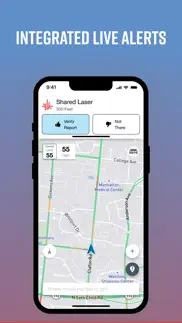
What is drive smarter app? Drive Smarter enhances your driving experience when you are using select* connected Cobra and Escort devices.
Drive Smarter lets you use your smartphone as a companion to your DashCam.
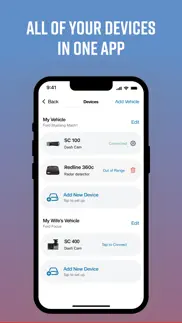
A streamlined onboarding process lets you quickly connect your Dash Cam and configure it as part of your dashboard. You can "add" a virtual vehicle to your account, then add compatible* Cobra and Escort branded devices to your vehicle.
Users with mobile WiFi hotspots** can optionally connect their cameras directly to the Drive Smarter cloud, to avail of instant upload of videos and to share time-sensitive data and event information.
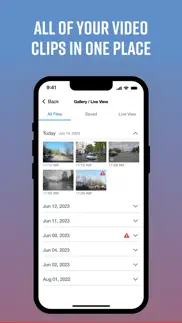
View recordings stored on your Dash Camera SD card; recordings are conveniently sorted by timeline which highlights events of importance; such as possible collisions or impact. Select files to download to your phone; trim video clips and share with your contacts using your favorite communications app.
Take advantage of streamlined reports generated for insurance claims processing.
Get help using the in-built Mayday services that are automatically triggered in severe collisions - send details regarding your current situation to a designed in-case-of-emergency contact.
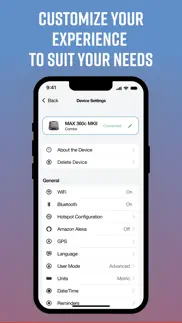
Keep your devices' firmware up-to-date so you are enjoying all the latest features that your devices' have to offer.
Emergency videos stored in the Drive Smarter cloud. ***
Convenient Snapshot button lets you remotely take photos via connected cameras, with a tap on your smartphone screen.
currently the Drive Smarter app and service is compatible with the Cobra SC- series Dash Cameras. Check out drivesmarter.com for up-to-date information.
* should have upload / download speeds equal to or exceeding 4G / Cat 4 speeds
** See drivesmarter.com for latest storage / deletion policies for free user accounts on the Drive Smarter cloud.
😍 Do you love Drive Smarter app? Please share your friends!



Please wait! Drive Smarter app comments loading...
Drive Smarter 4.10.0 Tips, Tricks, Cheats and Rules
What do you think of the Drive Smarter app? Can you share your complaints, experiences, or thoughts about the application with CEDAR ELECTRONICS HOLDINGS CORP. and other users?
Drive Smarter 4.10.0 Apps Screenshots & Images
Drive Smarter iphone, ipad, apple watch and apple tv screenshot images, pictures.
| Language | English |
| Price | Free |
| Adult Rating | 4+ years and older |
| Current Version | 4.10.0 |
| Play Store | com.cedarelectronics.drivesmarter |
| Compatibility | iOS 16.6 or later |
Drive Smarter (Versiyon 4.10.0) Install & Download
The application Drive Smarter was published in the category Navigation on 19 August 2020, Wednesday and was developed by CEDAR ELECTRONICS HOLDINGS CORP. [Developer ID: 1565592379]. This program file size is 716.79 MB. This app has been rated by 20,140 users and has a rating of 4.7 out of 5. Drive Smarter - Navigation app posted on 24 April 2026, Friday current version is 4.10.0 and works well on iOS 16.6 and higher versions. Google Play ID: com.cedarelectronics.drivesmarter. Languages supported by the app:
EN Download & Install Now!| App Name | Score | Comments | Price |
What's new: • Average Speed Camera Control: easily stay within speed limits with new average speed camera alerts and notifications that guide you through average speed control sections • FAQ link: access the FAQ page directly from the App Support form to quickly find answers to common issues • Bug Fixes & Performance Improvements
| App Name | Released |
| Divvy Bikes | 16 May 2018 |
| Google Maps | 12 December 2012 |
| MTA TrainTime | 29 June 2016 |
| Blink Charging Mobile App | 08 October 2022 |
| Electrify America | 03 June 2019 |
Find on this site the customer service details of Drive Smarter. Besides contact details, the page also offers a brief overview of the digital toy company.
| App Name | Released |
| Tide Graph | 12 February 2019 |
| Jacksonville Zoo - ZooMap | 25 October 2021 |
| MapOut | 19 March 2012 |
| MilGPS | 01 December 2010 |
| Cachly - Geocaching | 11 December 2015 |
Discover how specific cryptocurrencies work — and get a bit of each crypto to try out for yourself. Coinbase is the easiest place to buy and sell cryptocurrency. Sign up and get started today.
| App Name | Released |
| YouTube TV | 05 April 2017 |
| Amazon Shopping | 03 December 2008 |
| Telegram Messenger | 14 August 2013 |
| SHEIN - Online Fashion | 19 May 2014 |
| CapCut - Video Editor | 14 April 2020 |
Install the Giftmio extension for smart shopping. Get notified about cashback opportunities, activate cashback in one click, and save money on purchases.
| App Name | Released |
| Pou | 26 November 2012 |
| Geometry Dash | 13 August 2013 |
| AnkiMobile Flashcards | 26 May 2010 |
| RadarScope | 12 February 2019 |
| Bloons TD 6 | 14 June 2018 |
Each capsule is packed with pure, high-potency nootropic nutrients. No pointless additives. Just 100% natural brainpower. Third-party tested and validated by the Clean Label Project.
Adsterra is the most preferred ad network for those looking for an alternative to AdSense. Adsterra is the ideal choice for new sites with low daily traffic. In order to advertise on the site in Adsterra, like other ad networks, a certain traffic limit, domain age, etc. is required. There are no strict rules.
Keep personal info private, avoid scams, and protect yourself online with AI-powered technology.
Drive Smarter Comments & Reviews 2026
Junk fake warning 99%. That’s the worst system created radar supposed to scan for police radar and Mark not the app sending information to radar. There’s a cop when there’s no cop in the radar gives me a warning the biggest scam 99% of fake warnings :(( radar doesn’t it’s not doing job:( radar doing what the app tells what is there’s a police there’s no police 99% There’s a no police :(( the app Should not send the information to radar to give me a warning there’s a police, the second where in the world you find traffic lights on the freeway that’s the dumb stupid again. The app comes with rider there’s a traffic light on in the middle of the freeway and third about 1/4 miles time at the time gives me warning like 15-30 miles speed limit.:(( Junk app and radar :(
Disappointed- Buggy all. I purchased two Max 360C Mark two detectors from escort and the behavior of this app is the same regardless of which unit I’m using or which phone this is connected to. The delay between the detector alerting to the presence of radar and the. Is disturbingly slow. On the order of 6 to 8 seconds. Sometimes there’s no alert in CarPlay at all. Connecting Wi-Fi has been nothing short of frustrating. I have yet to accomplish this task on either detector using either phone regardless of hotspot, I’ve attempted to connect to. The redeeming quality in this app is the ability to configure these radar detectors without going through a maddening sequence of buttons and limited display real estate on the device itself. However, if you are going to make features available as reasons to buy such as. CarPlay integration, this needs to work as advertised. I went with the escort brand of radar detectors. For the integration with CarPlay as one of the main deciding factors. I was a Cincinnati microwave customer loyal to the end before escort new generation. Radar detectors came out long ago. I’m not sensing the same quality or quality of customer care compared to what escort used to be under the Cincinnati microwave umbrella. I’m starting to regret purchasing these instead of valentine one radar detectors. I also have a Uniden R7 that seems to outperform these particular units and while I don’t miss the R7 because if it’s chatting us, it makes me wonder if I should have purchased two or eight detectors instead. I am within the first 30 days of purchase. so I do have the option to return these. Maybe I’ll just do that. Let’s see if escort gives a rip to respond to me.
Waste of money. The app is trash ever since they changed it and it makes the Dash cam I have which is the cobra SC- 200D. The app will not connect to the dash cam so I am unable to view files making it pointless and when it does get connected after a very long wait either the app crashes or the camera freezes which causes it to loose connection. This is the 3rd camera I’ve felt with with these issues and they didn’t start till they changed the app. My first camrea started having these issues to I took it back and exchanged it for a new one since it was still under warranty and well the replacement is the exact same issues and my mom has the exact same dash cam and has the same issues with this dumb app. You should have just left the app the way it was. Now I’ve gotta go spend more money to buy a different brand.
Very slow ands buggish. The app is very slow to connect. Half the time it won’t connect to the camera at all. Trying to navigate through the options is very slow, it takes forever to load the videos. The videos can’t be accessed when disconnected from the camera, this should be a feature. Live view doesn't work. I spent hundreds of dollars on a name brand camera, I would expect the app to be flawless. You guys have some serious work to do to get this app to where it should be.
Great idea. Terrible execution. If you like hitting “not there” 4-7 times per police spotted report for the exact say report, than this app is for you. If you prefer not to do that just don’t download this as it it not ready for prime time as I think someone forgot to do any QA testing on it. Update: Even after the latest update this app is unusable. Why must I get 5-7 notifications for the exact same radar warning. Only one yet the verify button come up 5-7 times. It is like you all never bothered to test it in the real world. I suggest you all drive around with it to see how awful it is.
Fix the login!. If you forget your password, you can never log back in again, the submit button doesn’t work!!! There is no customer service. I have emailed them a dozen times. I cannot get back into my account to sync it with my car! **Update** i had to create a new account because they don’t have customer service! No one emails you back. When i went to sync my cobra to the new account it says log back into the original account and disconnect, but guess what! YOU CANT GET BACK INTO YOUR OLD ACCOUNT. The app is trash, and literally no customer service which is insane in 2025! Goodluck If you ever lose your password, literally your company is a joke.
Killed the original app and this app doesn’t support my max360 or M1DashCam. They removed the Apple Store older apps to force people to upgrade to their expensive devices to use their new app that they refuse to add compatibility to 5 year old devices. I manually side loaded the old app (thankfully I save all my apps) and then they forced a splash screen saying to delete the app and install this app which isn’t compatible with any of my devices (a few weeks after they removed it from the Apple Store). Horrible company Tactics and support just used the same emailing scripts saying that “there’s nothing they can do.” I 100% know they have no idea what I’m talking about and won’t just go to a the developer manager to tell them they are loosing their loyal customers that they had over a decade. The developer can just add the Bluetooth connection for the max360 gen1 and the M1DashCam if they are purposely killing the older apps.
Great potential. I love the integration with Apple CarPlay. App has potential but a couple things are really annoying. First of all the Speed display is way off and jumps around wildly. I figured it would be accurate since it’s connected to my Redline radar detector which accurately displays my current speed. Secondly making adjustments via settings is very limited. I’d love to be able to set direction to Always North so my map reflects what I am seeing. Currently I have to click on the Arrow on the top of the screen each time I restart my vehicle to set the map to show that I’m traveling North.
Works well with SC 100. Pairing worked alright, just had to update the firmware on the device before the live view worked. Now I’ve tried downloading vids and sharing with my pc and that went fine too. I like the parking mode, which isn’t so sensitive that it notifies me on windy days but I’ve tested shaking/rocking the outside of my car a bit and it sent a notification to my phone. So now I have better peace of mind than what just any car alarm alone can provide.
Has bugs and flaws to fix immediately. App keeps saying and announcing “ over speed “ even when not driving or connected to the detector. When connected to CarPlay with the detector powered up in the car, I’m not able to view any gallery videos through the App taken as from my Escort Maxcam 360. This needs to be fixed quickly and it’s a huge flaw. Can’t give this any more than 3/5 stars until it’s addressed. I don’t know what else to do but take the SD card out and plug it into a computer to see if the camera part of the dectector even works.
If it ain’t broke, don’t fix it!. I haven’t used this app in while but 6 mos ago the app was great. I use Redline 360 with an M2 camera and the app was great. I could watch live video on the top and the map below. I could also adjust my camera view if needed. Now, live video is gone. With the current firmware, the app continuously says ‘unable to download gallery and to retry. So I have a 256 gig SIM card and when full, the gallery is more than likely unable to load the gallery, times out and says try again. Can you please just bring back the simple one touch live view button and capabilities you one had on the main screen???
Useless map in apple CarPlay. I’m not sure who developed this app but I can’t express how disappointed I am that THIS is the app I have to use for a $700+ premium radar detector. It’s beyond pathetic. Where do I start? (1) when using the drive smarter app in apple car play the map shows an orientation that is either North up or the only other choice is whatever direction your actual phone is facing I think, no mater how I placed my phone, still couldn’t seem to show the DIRECTION OF TRAVEL. You’d think even the dumbest software programmer would have included the option to orient the map in the direction of travel. The only time it does is when you have a destination set, which is maybe 20% of my driving. (2) doesn’t give ability to send directions to the app from other apps, like your calendar. So any address you enter has to be done manually. (3) after trying to connect the RD to wifi (had to repeat the steps multiple times before it finally worked), only shows that it’s connected to wifi, the escort servers, and Drive Smart account show red X’s which I assume to mean it’s not connecting to those even though it is connected to my wifi (green check mark). (3) doesn’t communicate with Waze which would be the better map since their programmers know how to orient it to the direction of travel. This app is really really really bad. It’s like they gave zero effort on the app to go with their really impressive radar detectors which makes no sense at all.
Apple CarPlay support. I know this feature is relatively new, however, I would like to see an application option that allows you to see the screen on your phone rather than Apple CarPlay. One you connect to Apple CarPlay the only way of viewing the alerts is through CarPlay. This sounds great, but if you are using the screen in your car for factory navigation, or Apple Maps, you have to keep toggling back and forward to see alerts or see the navigation.
STILL Missing the dashboard screen of Live. I DO NOT LIKE THIS APP. I really don’t need six “map” apps on my iPhone all vying for my attention in the car with each one believing it’s the best. If I’m going to use an app to navigate while driving, Drive Smarter IS NOT going to be my first, second or even third choice. Bring back the basic dashboard of the Live app for those of us who spent a ton of money on an Escort only to be forced into ditching Live for this mess. Be aware if you’re transitioning from the Live app to this one, that you can’t have both apps running simultaneously as your detector will favor one over the other and you may not see your device settings when you go looking for them. Had to quit both, then relaunched Drive Smarter and was finally able to find the settings for my detector.
Some issues need to be addressed. App is ok but the company needs to update with more speed limits on it. I drive in small towns just between Abilene tx and Wichita Falls and some road don’t tell you to slow down because the posted speed limit isn’t on the app they need to update this . I use my cobra camera with this app and does take a few minutes to connect to the camera to get in the gallery. I wish they would fix it and make it a lot better also there is a delay between my camera and the app. The app tells me over speed and not the camera unless I speed up. The speed limit is 55mph the app goes off at 56mph the camera goes off at 58 mph way too big of a gap. Besides that the app is good and maybe link it to DoorDash and SPARKS uber and Lyft that would be awesome. Fix the posted speed limit in all the towns big or small and the over speed between the cameras Cobra dashcam 220. Thanks you very much
App issues with camera video & firmware installation. I’ve been a user since 2020. Bought a Cobra SC200 dash cam after I was involved in a nasty wreck in 2019. After buying a new car and setting the camera back up, I had no issues. But since I upgraded my cellphone, I have had constant issues with the app. My gallery/live view will not load on my phone from the camera, nor will my phone connect to the camera (with Bluetooth and WIFI enabled) to download the newest firmware. It gives me an error message of “cannot connect to camera” every time, even though the camera gives me the *chime* noise to let me know that connection has been established. Not sure why this is now all of a sudden a problem.
Continues running in background…. Very happy with the app combined with my Redline - amazing technology and super helpful. One glitch - phone & app & detector automatically connect with CarPlay when getting in the car which is great - and without starting the app on my phone - very convenient. However, even though I never started the app on my phone, & even though in settings I have selected to run in background ONLY when using app (not “always”), when I get out of the car it continues to run in the background of my phone - without me ever previously accessing the app on my phone. I have to then manually start and close the app from my phone to stop it. Otherwise, it eats up my battery life (iPhone 15pro). Hope I make sense & maybe a fix coming? Otherwise all good!
Has 2 major bugs. 1st big is the verify alert toast message has way too short of a pop up time to verify even if you were ready to push the button. Please extend the toast message a bit longer. 2nd bug is setting the sounds to off to be persistent. It always revert back to on for the next drive. Not everyone wants to hear the radio mute for all the possible alerts so having a persistent off button for only visual alerts would be ideal as per many of us in the groups and forums.
Great app, wish you could save the intensity mode. Thank you for the great app, only thing I wish would be considered for the next update is being able to start the device in auto mode, rather than having to go into the app and manually choosing auto mode and then having to back out to get to the map.
Connection troubles while using CarPlay. I was in an accident recently and I only just barely was able to get the video pulled up on my phone app to show the police and it was super buggy. Not being able to connect to both at the same time while also not being able to view the gallery and videos while in car play is incredibly frustrating. I am glad the video saved but I gave up on exporting to my phone and pulled the SD card to in order yo get for insurance. Please fix this issue it is crucial. I don’t want to have to “forget” my CarPlay WiFi just to be able to view the gallery in an accident situation.
Won’t connect. The concept of this app is great, but it won’t connect my phone to my radar detector and my camera currently. Don’t know what’s going on. Also, on my way to work. I basically drive the same route every day. Every time I go through an offramp at a certain area there are radar detectors. I’m guessing just to detective if there’s any traffic at all because I never see any police whatsoever. One of the features of these devices is that they get “smarter”. I keep putting Not verified for these KA bands, but the device does not seem to get any smarter. If I misunderstanding this, can someone reach out to me and let me know so that I know that the device is still working correctly?
Love it, but needs improvement. I REALLY want this app to work well. So much so that I’m writing a review, which I’ve only done a couple times for any app, ever. I upgraded my radar after 10 years once I saw the Apple CarPlay feature. I know this app is newer and they still are working out bugs, but here are some things I think need fixed. 1) If you don’t have a destination plugged in, it doesn’t know what direction to orient the map. You either have to lock it to North, or have your phone pointed in the direction you’re traveling. 2) I love how you can have Apple Maps or Waze work in the split screen function of Apple CarPlay, but this one doesn’t. 3) It still alerts marked locations on the app. Overall it’s a decent app, but still needs some work for me to use it over Waze or Apple Maps.
Doesn’t work. Still haft to use I radar because drive smarter doesn’t work every time I call cobra they just say we don’t have a ETA time on the fix so if you plan on buying a i700 and you own an iPhone I would not suggest it unless you want to deal with looking down at your phone every time you want to look at your map because cobra will just tell you basically you gps is not working because of their issue apple CarPlay on this app not been working for about 2 weeks now and still not working wish I didn’t even haft to give them a 1 star on this review
CarPlay. The developer removed your ability to launch the app from the CarPlay screen. I used to be able to launch the app from the Carplay screen, and it would flawlessly connect via Bluetooth to my Redline 360c v2. Now, you have to launch the app from your phone, which may seem like a minor inconvenience, but when you are driving, it is much more convenient and safe to do it from the CarPlay screen. I even created an iOS automation shortcut to launch the app once connected to CarPlay, but I still receive the same message. I am unaware of any other CarPlay-compatible app that prevents you from launching it from the CarPlay screen. Please return that functionality!
Regret spending hard earned cash on this. Had to get a new dash cam for a new car and decided to upgrade. Or at least I thought it would be an upgrade.. Got it and since purchase I have not been able to successfully connect and view my gallery. I got this dash cam because it was advertised as a dash cam that syncs with the app on your phone so you can view your videos anytime.. I wish i could get my $200 back so I could get a totally different one. I used to have a tiny little camera that only faced one way but at least it actually let me see my videos🤦🏻♀️ This app and camera are useless to me at this point.
Cobra is a very reliable brand all the time every single product and very underrated. Cobra is a very reliable brand all the time on every single product I’ve been using them since I had a car(2011) quality of the pictures,their app is great and their dashcams just last forever(5-6yrs) with the rough weather changes 🙏 I really appreciate them so much and I’d recommend them to everyone. If you had a problem with a product I would get with them . I’ve had Zero problems with my dash cams,speed detectors.. anything they got 🙏🙏
App is better but needs improvement.. I’ve been piddling with Drive Smarter for over a year. In the beginning I wondered how such a terrible app could actually be published in the iPhone store. For instance, the app could not even show what it was designed to do: show past radar events on the map. It also crashed constantly and failed to connect with the detector blue tooth about half the time. The latest version has improved but is far from perfect. It still has trouble connecting with the detector about 20 percent of the time. However, the app is finally showing radar events accurately and quickly. The latest problem is that the app does not send the maps past radar event to the detector as the old Escort app did with ease. Who has time to watch their phone app for radar events? The app should send the information to the detector with a beep and count down the distance to the past radar event on the detector just like the old Escort app provided.
Updating my Prior review. I was very critical of this app for some time due to connectivity issues not only to the internet (failing to upload detections) but also to the detector itself. The latest updates have seemed to address the issue. Thank you Escort! This app now brings usable functionality to the detector system. One thing I would like to see is the ability to zoom out on the nav screen. I don’t use the app for directions but would love to be able to see further down the road for possible alerts. Unfortunately the app automatically zooms in to a fairly short range.
iPhone Battery Killer. Sometime in the past few months the Drive Smarter app has become a huge battery drain, persistently active in the background, consistently in my top 3 apps by battery usage. Even on the days I don't drive (or connect to my Escort Max 360c) the Drive Smarter app eats through my battery in the background. For example, today I drove 6 miles in my vehicle for 15 minutes. I used 149% of my battery and the Drive Smarter app consumed 15% while on the screen for 1 minute and in the background for 15h 17m. I’m going to disable Background App Refresh, but shouldn’t be so much of a loss of capability now that the app no longer syncs the posted speed limit on my radar detector for most roads now.
I wish I could give it zero stars. This app is beyond useless because it works just often enough (maybe 10% of the time) to make you waste more time to try and make it work! It simply cannot connect to my Max 360c on Bluetooth, let alone wifi. When it did connect, like the first day or two, I could see how it could be useful… in at least to access the videos. But now if it connects at all, it’s non-functional. So the only way to get the video off the device is to remove the memory card and bring it to my laptop. I just can’t understand how a developer can release such a terrible app.
No Ka band arrows. No response after a month on my original post. Have now purchased a Uniden R8 as the app arrows work on all bands. Was a longtime (25yr) Escort advocate but the Drive smart app has made me change. Having used Escort Live, Drive Smart is close in performance but lacks a critical feature, the ability to show arrows for Ka band alerts. It shows arrows for K band but those are mostly irrelevant and ignored for my area. Ka alerts are a must reaction and as I have my detector hidden, the arrows on the app are critical to locating the Ka threat. The lack of arrows causes a driving distraction as I have to “search” for where the alert is coming from vs being able to focus on an area of interest. I would much prefer Ka band arrow alerts vs K band if I had to choose one. Since you can provide arrow alerts for K band, why not for Ka band?
Loyal customer. I love cobra’s radar detectors. I’ve had them for years. I had the first version that worked with the very first app that you guys ever created all the way up to today having the new 480 I getting ready to step up to the 700 and the front view camera. If I could say anything about your guys’s products at all, which I have really nothing bad to say, but maybe overtime with our input and other people‘s input we can help make the navigation app a little better it sometimes lags on current traffic conditions and directions, but still one of the best apps and radar pictures I have ever seen. Thank you for the great equipment and well designed apps.
FAILS CONSTANTLY. i’m still even trying to learn this app after using it for four months I tried to delete old videos so I can have more space but I believe that they automatically after a month I’m not entirely sure I tried to delete old videos, but they just corrupt with a red triangle, and then it disconnects meand it’s almost impossible to connect back to it once it does that you have to turn it off from the phone and then redo it all just for it to fail again if the video was taken that day within a week you’ll be able to watch it, but anything that is you will not
Ok App, Neefs Improvement. The concept of the app is great but in practice It doesn’t work well. First currently as it is, you can only have one phone signed into the app at a time. If you share the car with someone else, you can’t have two emails on one detector nor can you have two people signed into the same email address at the same time. The second big problem is that the app plays all radar alerts and turn by turn directions at the same volume as the music. Apple Maps, Google maps Waze all have separate volume for the term by turn directions and alerts versus the music. No one needs music at 75% volume and then here make a left and a half a mile at that same volume. It literally makes the turn by turn navigation app completely useless. All police alert alerts and turned by turn directions. Need to come in at a separate volume from the music volume. This app is not classified as a navigation app so that doesn’t happen.
Not user friendly. It’s works well for getting the videos off my dashcam, although it’s kind of slow, but it says all this stuff that it can do with directions and how it can show it on the dash cam, but then it doesn’t even allow you to search directions, it says you can do it straight through the app, but the only search bar is when it redirects you to google maps, which doesn’t even convert the directions back to the app it just keeps it on google maps, this makes it where I can’t even use one of the main features the dash cam says it has, directions and alerts while driving, needs to be more user friendly and if there is a way to search directions it needs a tutorial when you download the app so you can understand how to do it, although I tried everything so I think it just doesn’t work
Used Escort Live & Drive Smarter - Winner is…. The clear winner for everyone I know and myself who owns an Escort Radar Detector, and is many. Winner Is Escort Live. We all agree that the Drive Smarter app despite I forget who reading saying it is more advanced, we disagree. Just like reading on the Internet people disagree. Drive Smarter to all of us with how it appears it looks like an app from 5 to 10 years with how simple it is the way it looks. That is even on in many cannot even get it to work on CarPlay. This Drive Smarter does have very good reviewsI will say that, but with Escort Live just being shut down time will tell. Going to find a new radar detector and see what apps they have because I’m definitely not gonna Drive Smarter. I live in a major city that is loaded with speed cameras in red light cameras that Escort Live SHOWED!!! They do not show on this Streamlined app I know it’s time to purchase a different brand radar detector in many other people I know are saying they’re doing the same thing which we are all debating which one to buy. Thanks Escort
Unsat for the price of the hardware. After purchasing Redline360 and M2 dashcam, nothing but problems both with updating the redline as well as accessing the recordings and live view function of the M2. For the price paid for supposedly “superior” products, the app functionality is some of the worst that I’ve seen. Ready to get a less capable detector and camera that actually works with its app the way that it’s supposed to. The minuscule performance increase claimed for the hardware is not worth the frustration induced trying to work with its “supporting” aps. NOT RECOMMENDED. Update after using for a year. STILL NO improvement. These apps and/or hardware are absolutely terrible. Nothing but problems. You think the (expensive) M2 has you covered and is recording as it should. Better check it every day, cause just found out mine apparently counted every video on a smooth highway an emergency, so saved it and filled up the memory card, then not recording more recent vids. They recommend level 1 for the sensitivity, and I had it set to level 2 (should be More difficult to trigger). Actually wanted to love this equipment and aps (long time Escort user for many, many years), but this Redline/M2 (expensive) combo has completely turned me against this company if they can not do any better than this. Wanted to duplicate setup for other vehicles, but after these ongoing headaches, NO WAY. Switching to competitor.
Patiently waiting bug fix…. Been troubleshooting my new cobra radar with this app and it will not “fully connect” when adding the device through the app it does find my radar but then it goes to a continuous spinning wheel. You force close the app and it doesn’t save the device. Repeat the process and get the same result. After troubleshooting with tech support several times I got a response back saying “We've become aware of an issue with connectivity between the iPhones and RAD700i detectors. We're working on a resolution and hope to have a fix soon. Please keep an eye out for an update to the Drive Smarter app.” Patiently waiting the update to hopefully give a better review. ***update*** App has been updated and problem is solved. App works great with my radar. I love that I can choose to mute, lock, and unlock alerts from my Apple CarPlay
Don’t use. This app is horrible. I told it to take me the alternative way which is 465 S. because on I 70 and four in 65 south they are doing construction area and the road floods so I wanted to go 465 well this stupid app said I was gonna go 465 and quickly switch me and we go by 70 when I realized it was too late. I will screw it. I’ll go by 70 because of it hit something because what road was flooded and I couldn’t see it because it was flooded and I caused damage to my car underneath. You guys owe me a lot of money now. You will be paying for the repairs of my vehicle because your app did not take me the way I told it to.
Don’t waste your money. Just buy a more expensive better camera. I have a cobra sc200d. It’s given me nothing but issues since I’ve gotten it. It takes about 20 minutes to find a video you want, because you can only record up to 2 min at a time. So you have to try to guess which clip you need to download based off of one screen cap, spend another 5 min waiting for the video to download. Oh and after switching cars it’s basically impossible to set up again so this cameras essentially useless at this point. Glad this was a gift and I didn’t waste my money on it.
Connection issue. Attempted to connect my radar detector to the app, per cobra’s instructions, the app states the device is connected and shows a Bluetooth indicator on the device but the app acts like it freezes and will not go to the next step, just keeps scrolling, I have tried everything and in the results of it my device gps will not connect anymore after trying to figure this issue out and the gps feature seemed to have quit, everything was working great until I was forced to switch everything to this app
Makes my dash cam as useless as a paperweight. Can set it up, make it work, connect to my phone via Bluetooth. But good luck pulling any video files from the dash cam or updating firmware because the app refuses to ask permission for network access from iOS so therefore it won’t connect for these features via WiFi. I have a cobra SC 400. I have tried all of supports ideas with no luck. So they escalated it but I’m not holding my breath. I plan on reaching out to cobra directly about it. Resorted to pulling the sd card and manually downloading the video but I can only get my phone to recognize the card and not any computers. Trash app
Why must you freeze after one video. We bought this camera simply for the fact you can”watch” and play back videos on your phone or this app rather considering we don’t have a pc or laptop in the semi. It was suppose to be much more convenient.. however we have not seen a single video or footage due to the app literally freezing Every time I try to play anything… please fix this so our $200 dollar purchase isn’t a donation.. because as it stands right now it’s been worthless. An seems like the rest of these reviews confirms they all have the same issue.
Takes over everything. I do not have drive smarter installed on my CarPlay. Yet, when I connect my phone to my vehicle through the USB, open the drive smarter app, and enable CarPlay, the driver smarter app takes over all volume controls. The controls on my vehicle now only to work for "voice notifications" for the drive smarter app (which I have turned off anyway ) and the volume knob in my vehicle no longer controls the volume of any audio I have playing through my car speakers. In order to increase or decrease volume, I have to close the driver smarter app, make the changes to volume, then reopen the app. It is a pain! I have tried changing every setting through the app and through my iPhone that I can think of, and I can't find anyway to change this behavior. I see no reason why this app needs to try to take over everything. What is going on here?
Cam shut downs and often failure to come on. The app is pretty good. I like the functionality of it and I really like the ability of having my speed and GPS coordinates water marked on the videos and photos taken I especially like the ability to save important videos and photos taken in an emergency so that I can email them to my insurance provider if necessary that my opinion Is one of the main sellers of the device. Now what I don’t like is it when I first got it I had no problems with it but now, after having it installed in my jeep for a little less than four months, it has started to not come on when my car started and I have to unplug the dash cam and plug it back in for it to come on. Other times I will open a door or the liftgate and the dash cam will start recording. Other times when the dash cam is operating as expected, while driving down the road it will often shut down. By this, by shut down I mean the dash cam will turn off and not turn back on and I will have to unplug it and plug it back in. The dash cam is hardwired into my vehicle and nothing has changed from the first day It was installed to now. Other than that, I love the dash cam, and I love the app maybe I just have a faulty dash cam who knows if cobra could reach out to me and explain what’s going on and help me fix the problem or maybe have me send them this one and send me a new one I would give it five stars instead of the three that I gave it.
Needs Serious Work. App takes a looooong time to connect your device. I keep getting messages that Emergency file is full. I thought it would loop. But no, I have to delete the file. It takes a long time to get into the file. Once you do, you can’t mass delete. You have to delete individually. However, after deleting a few it disconnects the connection thus not allowing you to delete. Then, it’s says you have no device connected, and asks you to re-enter your profile. This app is very frustrating to use!
Great for detection but Navigation needs work. I love this app concept and really want to help make it better. This is my first review ever. The detection and community notifications are nice. Some false radar alerts go away so fast you don’t have time to mark them as false so if there could be a 5 sec countdown timer it would be nice. For navigation it is painful to get the destination into the app please allow it to read the calendar and contacts so you can just tap the destination. The other problem I have is it won’t hold a route when stopped. I stop at a gas station and shut the car off then when I get going I have to put the destination back in. Fortunately it is at the top of the recent list. Another nice to have is the route covers the traffic highlights so you can’t see traffic jams until you are in them. Auto rerouting would be great.
Very happy customer. When I bought this $700 radar detector, I was told I needed to go see a doctor because I’m crazy but after using it all the way from Connecticut to Florida I still thought I was crazy the reason I never hooked up to the smarter app that basically comes along with it, you can use cobra Dash cams, etc. anyhow, I just learned that you can actually use the app along with the radar detector which detects red light cameras, and things of that nature as a GPS as well so very cool stuff I’m extremely happy anyone out there that into gadgets, especially really into gadgets and for you spend the money and don’t be a,, 🥂 Cheers!
Speed limit not showing up on radar/app. Since you guys fined tuned the app while ago. More or less the app works well for me. But the only gripe I have is the speed limit not showing up on the Drive Smarter app/carplay and my radar. Before the major update on Drive Smarter app the speed limit showed up. My model is an Escort 360 max Sometimes it shows the speed limit shows up on the highway but nothing on local roads. Please fix this bug on the software. It would be greatly appreciated!
Highly Useless. The holding company Cedar Electronics has obviously chosen to put more profits in their pockets by eliminating all of the useful features of the previous Escort Live app. Traffic management is no longer accurate and is now based solely on their very limited crowd sourcing. There is no longer a landscape option. You can no longer zoom in or out to monitor traffic and still have your map icon remain active. There’s no way to orient your icon from the center to the bottom of the map so you can see more of the traffic ahead. Detector alert directional arrows no longer appear on the app screen. It’s like they didn’t want to maintain what was a good app and instead wanted to create the perfect app to uninstall.
Did you know that you can earn 25 USD from our site just by registering? Get $25 for free by joining Payoneer!
No landscape mode and a tonne of false K band alerts. This company doesn’t care about Australia and New Zealand market, we are absolutely irrelevant to them, they are showing total disregard for our market. Many emails have been sent. Many requests have been made and the firmware has not been updated, flooding false K Band noise
Good App!!! Straight forward. Does what it needs, seamlessly works with my detector!!!
Imagine you at your best. All the time. Picture yourself at your sharpest and most productive. Your most alert and focused. Your most lucid, creative and confident. At work. At play. In every area of your life. Add Mind Lab Pro® v4.0 to your daily routine and uncap your true potential. Buy Now!
Glitchy. I have an SC200, this app locks up as soon as I tap live view. It also always says firmware update available but does not work to update within this app, fails every time, says connection lost every time. I updated the firmware from my PC and that worked fine but this app still says there is a firmware update! Like other user stated, time is wrong. Definitely need someone to do some work on this app to make it less frustrating to use.
Escort Radar. I can’t get my device to connect with this app; Yes it has Bluetooth built in😎
Terrible. I cant figure for the life of me how they could release such a dysfunctional app. Does not work at all. Will not pair or even see my 2 devices, a 360 Max detector and M2 DashCam. Completely worthless app.
Terrible support. Bad support. Detector says already registered and won’t work with app. Was told no longer supported. Can’t use old app. Don’t recommend.
Worked okay. No glitches in the latest version.
Escort M2 won’t connect properly. Not user friendly to connect , glitches with apple Car play can’t connect both at the same time. Glitches . 1. Can’t change Ap to Km/hr 2. Preview is very slow it “ buffers “ Overall not user friendly ! Needs Tones of work still!!!!
Cannot access the videos. Shows error while playing videos through dashcam.
Useless. IRadar app says it’s no longer usable and I need this, yet this app isn’t compatible with my iRad detector
Lots of bugs. 1)Can’t open recorded video from the camera through “Gallery, can’t connect to camera’s Wifi 2)can’t use the “Manual” to change Date/Time, no drop down menu or keyboard to select numbers 3)Time is not correct even use the “Automatic “, have to do it through the camera settings
awful app. it’s the most buggy app i’ve ever used. Full of broken links that lead you in a loop of frustration. If you like your sanity stay away from cobra cameras until they fix the connection to this app to view the gallery
Auto rotate. Please add screen auto rotate.
Great idea. Doesn’t work. App has so many glitches and doesn’t work hardly at all!! Very unfortunate
Car play is great. I’ve been waiting for a car play app for ever. It is such a nice option
Over speed limit alert suggestion. The “over speed limit” alert can be set to a max of 25 over the limit. This is fine in MPH, but if you want to use KPH and set the alert to a limit higher than 25KPH (for example 40, which is excessive speeding) it is not possible. It would be an extremely simple feature to add. I emailed support about it a year ago and they said they would update it but nothing was ever changed. Just let us set the limit to what we want it to be, why must there be a limited number of options??
Crashed on iOS16. Developers please fix this app
Very unfinished. Hard to believe this was released to the public. Never connects properly, my phone and radar will both show Bluetooth connection but in the app it says cannot find device. So I delete the device from the app, and search for new device and is pulls it up no problem. But it doesn’t this every time I want to use the app. Incredibly annoying
Still problems.... The app looks much better and much more speedier than whatever they first released. However, for some reason even though the M2 dashcam is recording, I can not view what's being recorded and it won't let me save anything to the phone either, please fix this.
Absolutely Pathetic. I spent a lot of money on a Maxcam 360. The app is highly touted by Escort. Two months later, the app still cannot give me a speed limit in metric units, and does not communicate the speed limit to my Maxcam at all. I’ve raised this. Nothing has been done to fix it. With the greatest respect, this app looks like amateur hour.
Adsterra is the most preferred ad network for those looking for an alternative to AdSense. Adsterra is the ideal choice for new sites with low daily traffic. In order to advertise on the site in Adsterra, like other ad networks, a certain traffic limit, domain age, etc. is required. There are no strict rules. Sign up!
Are you a software company or a hardware company?. Personally I think you make the best hardware out there. And I think a lot of people may agree. Partner with Waze and you will have the whole market. Yes the Waze people will benefit from us. But there may be huge intangibles with this.
Often doesn’t update location in background. Does not update location in background, and is easily confused what the speed limit is because it’s not on the right road.
most annoying app ever. i have to get the app to connect to bluetooth n the wifi of the camera and neither ever works when i try to look at the footage. Update my car got vandalized and I can’t even see if the camera got anything bc the camera won’t connect to wifi for this app to work.
Amazing new app update. Finally updated app thank you so much looks Amazing and mor easy to use
Map Orientation. I just did the newest update that integrates CarPlay, and the map does not allow me to adjust so it follows me moving up toward the top of the screen. It locks the map orientation to face north, which is not the best view. I’m guessing this can be fixed with an update.
App.. The app needs an update asap. I’ve been having a hard time trying to get the app to not crash, having difficulties to even view the videos, the “Wi-Fi” connection is awful doesn’t even load anything, and if it does the app crashes.
Where Is the Support. Long time many decades Escort customer. Purchased MaxCam with high expectations but sorely disappointed. Radar detector works fine but unable to view dash cam. Resetting device, new SD cards, firmware update all to no avail. Multiple support requests via App ignored. Very frustrating experience
App needs some updates. App could be better if it switched to night mode when driving at night using the guidance mode. Also need a way to turn off the door bell chime when you’re only going 1-5 MPH over posted speed limits as it’s very annoying.
Needs improvement. I really love that it’s now available for CarPlay, but it needs some vast improvement as far as map orientation applies. Constantly find myself using the Escort Live app instead because Drive Smarter shows me faced in a weird direction. Please fix ASAP, then it’ll be a 5 star app. Thanks.
The recent update has caused a malfunction in the application.. Please revert the recent update, as my radar is no longer able to connect with the application since the update implemented two days ago.
Disappointed with CarPlay implementation. Was about to go pick up a new escort detector but it appears the CarPlay piece is only enabled for cars with touch screens. Both of my main cars have touch pad and it does not show. It does show for 2 other cars I’ve used in the past that he touch screens. Oh well. Back to Waze.
Won’t access open gallery. It was a good app at first, and then when I try to use the app to access the footage, it kept saying that Wi-Fi wouldn’t connect. I’ve tried resetting my device on multiple occasion and it still continues to do so.
Service error. Still no fix for the issue where I try to make an account and it just says service error. It has been 2 months and I haven’t been able to see any footage from the camera. Please fix soon.
What’s to like?. Wanted to like this app since I have a compatible escort radar detector but it has zero documentation. The Waze app has full documentation on their site on how to use all the features of their app from navigation to what each icon means to how to report an issue on the road. This app has nothing, just guess your way through it at 60mph. drive smarter? How about drive blind.
This app don’t work right. This app would be great if it made it easier to delete an old account and start up a new one I’ve tried everything to try and start up a new account and I keep running into the same problem it always says “service error, services unavailable” it’s a headache because I’m a trucks driver and I really need my camera in case of emergency for my own protection
Worse than the old app. This newer app no longer has a dashboard option with settings. The few settings it does have such as over speed alert does not update the detector. I expected much more at this price point. I expected the new app to be better than the old one. Disappointing
Just Started. Set up was very easy. Will start to use tomorrow & report back.
Hot Garbage. Couldn’t add my cobra device. Old app was mediocre- this one is inoperable. Don’t waste your time. UPDATE - Worked with tech support at Cedar, got it working for a couple days, now it won’t connect again. Not willing to waste more time, the developers have some work to do, and should have done prior to sunsetting the iCobra app.
Update the d@$n app. The addition of CarPlay to the app was great for the integration but make it a default on or off for voice notifications. Nothing is more annoying than turning off the voice and then it comes right back and starts rapping basically, “K,Ka,K,KKa band” This is beyond annoying and frustrating. I like seeing it in CarPlay but the voice notifications are not working as intended right now.
Problem with same radar detector types. I have downloaded your app and connected to one vehicle radar detector. I have the exact same radar detector in another vehicle in the app will not let me add to the same name of the detector. They are both escort 360 max.
5 Star app. The app keeps getting an update and it’s getting better and better. It works really well with my SC400 (specifically gallery and live view).
Awesome App. I commute far to work… Has paid for itself… wish they had better maps and/or Apple Maps integration.
ZERO STARS!. BUYER BEWARE! App will not let me in - just purchased COBRA SC200D - amazing dash cam- but the app is HORRIBLE! I’ve reset my password three times and it repeatedly says “incorrect data has been sent”. Re-registered the app three times and contacted their useless customer support - still nothing. The dash cam is pretty pointless without the app. SAVE YOUR MONEY!
Sc200d connection is horrendous. Sometimes takes 10 minutes or more to get to the gallery, scroll once toggle or try to see any clip and it locks up incessantly- basically if i want to do anything with files i have to get out a computer tear out the sd card and donit all manually - totally useless -
Video inaccessible. You can’t access video with the upgrade. It’s not compatible with car play. You can see navigation which I have 20 other apps for but video is inaccessible with car play. I’ll get another dash cam brand that doesn’t use this app so I can download to my phone again and not need an SD reader.
Unusable. Software is literally unusable. I’ve had luck with it, but I’ve more frequently had bad luck. It won’t connect and is saying the dashcam is “not nearby” when my phone is directly underneath, connected by WiFi, not connected to CarPlay. I won’t be buying a Cobra dash cam again due to this app.
Garbage. Logon issues. So you can’t use the app without logging in, but you can’t register because “incorrect data was sent” no matter how you format your email address or password. Useless error messages not letting you know what’s wrong so you can resolve it.
Connectivity issues. The Bluetooth connection is HORRIBLE!! Can't find the device 96% of the time I've been using the detector (one week - over 1026 miles driven). All I want is to change the color and a couple of the settings but it's impossible to connect so I have given up. May look to return the device and try something else.
This app is crap. Worst app I’ve ever used. I have a sc201 dashcam and even when the app says it’s connected it’s not connected. I’ve lost videos because it never works properly. I’m buying a new dashcam from a company that offers a cloud service so it’s easier to access the videos.
Garbage. This app is garbage. Run away as fast as you can. Once you download it, you’ll need to register. The problem is, it flat out doesn’t work. You can’t register as all you get is a service error. You can’t get past the register function so you can’t use the app. Like I said; total garbage!
Not so swell. Does not show shared/database alerts on the device like the old app does. Which means if your phone happens to be in your pocket, you will not see the notification on your device. Speed indicator shows red when first over. Then goes white then red again (with an over speed alert if applicable). So if your over the speed limit it alerts over and over again. Annoying. Map is flaky as it relates to car position Night mode is white??? Usually apps go to black background. An excellent detector system demands an excellent app. This app is fair, nowhere near excellent.
App logging out. I have to log in almost daily, there should be a way to remain logged in for long periods of time. It is super annoying and dangerous because I am usually on the road when I notice that it is logged out.
App is not properly working. The app keeps feeling me OVERSPEED even if I’m not in my vehicle or I’m not moving or driving and when the app is connected to the device, it’s giving the incorrect speed limit on the device. I sent an email to the app support and no one seems to care. I have 3 devices that I paid for but the app is junk!
Connecting to camera. It’s hit and miss connecting to my new sc 400 through WiFi on my iPhone to download videos. Video quality is next level when I can watch them.
Serious development issues. I have a SC100 dashcam and the Driversmarter App is the worst thing ever for mankind. When u try to download or even view a video on the app it shuts down. If something happens on the road how will I know im safe with the dashcam if I can’t see my own videos being recorded? Please Fix ASAP
Poor at best connecting and viewing gallery. When I try to connect and view videos it’s so slow and takes so long! It CC won’t let me delete videos so my card is full of videos that saved when I go over a bump and I literally can’t do anything. Please make this better!
It’s working well. After some tech support the app is working great
Onboarding error. Once I connect it won’t let me past the add device screen as the stupid onboarding error message comes up. Once I close that it disconnects the app from the cobra iRadar. Frustrating set up. Haven’t been able to use since I was switched from the native iRadar app
Massive step down from Escort Live app. App is updated to support some new features but the forced use of CarPlay and this app as the navigation tool is a non-starter. I will never use this for navigation over Apple Maps or Waze. This should have the ability to work on the phone while connected to CarPlay just like the Escort live app provides.
Almost good. So app is pretty cool with the integration of my redline 360 C but the map orientation is so screwed up that you cannot use it. If you can get that map orientation correct so when it’s showing you on the map, it’s not at an angle, it’s showing you going down the road. It would be much much more usable.
Terrible. I’ve had my dash cam for a week, I’ve downloaded the app as soon as I installed y camera, I can’t get any videos to come up. It tells me that my camera is not nearby when I’m sitting in my vehicle. I’ve updated the firmware and the app. I bought the dash cam to have videos, what good is it it if I can’t get to my videos. I’ve sent several emails to the company with no reply’s. I may send the camera back.
It's USELESS. I thought the old Escort live app was bad, this one won't even allow you to show the map in your direction of travel! Nothing like looking at carplay and watching your car going backwards (when the map actually loads). Speed limit indicator has been the ONLY thing worth using.
Map orientation. My major complaint is that the map doesn’t orient itself correctly. Even if you hit the direction arrow the road your traveling isn’t pointing straight forward
Can’t Connect!. After last update my SC200 will not connect and can’t be found while app is searching for devices. This has pretty much rendered this dash cam useless as I can’t access the video while using my phone and the app. Worked fine for two years, not acceptable.
No longer connects. I’ve had this dash cam for almost 2 years now never had any issues with my camera connecting to my app to look at any videos that have been taken, but now I can no longer connect my dash cam to my app, which is a very irritating issue please fix!
I hope this gets better. This has a lot of potential. The map direction does not change as you drive. The navigation sound does not turn off.
New to app. I’m new to this app. This far the GPS feature is really working out great. I like the multiple route choices.
Issues with Gallery and updating firmware. I have had this app and camera for about a year and while the camera takes decent video I have never been able to use the gallery for this app. Now I can no longer update the firmware in my camera regardless of what I do.
Great Potential, but big problems. App has improved greatly, but isn’t quite ready to take over navigation in Car Play. For one, it crashes often, and on just the app but causes CarPlay to close in my vehicle.
Wrong actual speed limit. It says the speed limit on the road I'm on no matter the actual speed limit is that its twenty five miles an hour.