AnkiMobile Flashcards App Reviews
AnkiMobile Flashcards App Description & Overview
What is ankimobile flashcards app? AnkiMobile is a mobile companion to Anki®, a powerful, intelligent flashcard program that is free, multi-platform, and open-source. Sales of this app support the development of both the computer and mobile version, which is why the app is priced as a computer application.
AnkiMobile was written by the lead developer of Anki and AnkiWeb, and it has been around since 2010. Beware other apps using "Anki" in their name that have sprung up recently - they are not compatible with the rest of the Anki ecosystem, and they offer far fewer features, despite charging expensive subscriptions.
Some of AnkiMobile's features include:
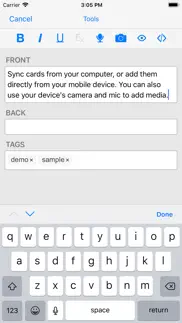
- A free cloud synchronization service that lets you keep your card content synchronized across multiple mobile and computer devices. This makes it easy to add content on a computer and then study it on your mobile, easily keep your study progress current between an iPhone and iPad, and so on.
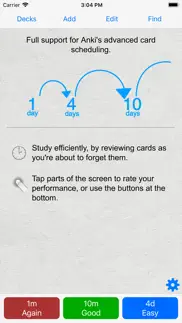
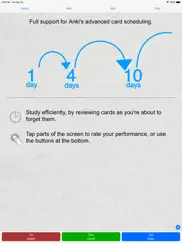
- The same SM2 and FSRS scheduling algorithms that the computer version of Anki uses, which remind you of material as you're about to forget it.
- A flexible interface designed for smooth and efficient study. You can set up AnkiMobile to perform different actions when you tap or swipe on various parts of the screen, and control which actions appear on the tool buttons.
- Comprehensive graphs and statistics about your studies.
- Support for large card decks - even 100,000+ cards.
- If your cards use images or audio clips, the media is stored on your device, so you can study without an internet connection.
- A powerful search facility that allows you to find cards that match criteria such as 'tagged high priority, answered in the last ten days and not containing the following words', and automatically place them into a deck to study.
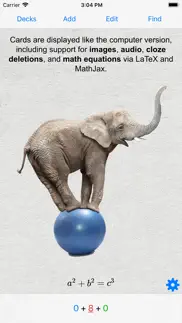
- Support for displaying mathematical equations with MathJax, and rendering LaTeX created with the computer version.
- Support for adding images drawn with the Apple Pencil to your cards.
Please note that AnkiMobile is currently intended as a companion to the computer version of Anki, rather than a complete replacement for it. While AnkiMobile is able to display and schedule your cards in the same way the computer version does, certain changes like modifying note types need to be done with the computer software. Add-ons are not supported, so while you can study image occlusion cards created with the computer version, they can not be created within AnkiMobile. For this reason, please start with the computer version of Anki before you think about buying this app.
The cloud synchronization service is optional, and data can also be imported/exported from the app via a USB cable or AirDrop.
Like all apps, AnkiMobile can be purchased once and then used on multiple devices in a household using the same Apple ID. Family sharing is also supported (apart from in India). For information on bulk discounts for educational institutions, please see Apple's Volume Purchase Program.
For more information on AnkiMobile, including a link to the online manual, please have a look at the support page: https://docs.ankimobile.net/support.html. If you have any questions or want to report an issue, please let us know on our support site and we'll get back to you as soon as possible.
😍 Do you love AnkiMobile Flashcards app? Please share your friends!



Please wait! AnkiMobile Flashcards app comments loading...
AnkiMobile Flashcards 25.09 Tips, Tricks, Cheats and Rules
What do you think of the AnkiMobile Flashcards app? Can you share your complaints, experiences, or thoughts about the application with Anki Software, LLC and other users?


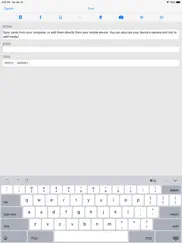
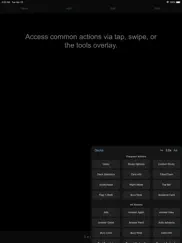
AnkiMobile Flashcards 25.09 Apps Screenshots & Images
AnkiMobile Flashcards iphone, ipad, apple watch and apple tv screenshot images, pictures.
| Language | English |
| Price | $24.99 |
| Adult Rating | 4+ years and older |
| Current Version | 25.09 |
| Play Store | net.ichi2.anki |
| Compatibility | iOS 15.2 or later |
AnkiMobile Flashcards (Versiyon 25.09) Install & Download
The application AnkiMobile Flashcards was published in the category Education on 27 May 2010, Thursday and was developed by Anki Software, LLC [Developer ID: 1895276950]. This program file size is 45.8 MB. This app has been rated by 2,266 users and has a rating of 4.0 out of 5. AnkiMobile Flashcards - Education app posted on 08 September 2025, Monday current version is 25.09 and works well on iOS 15.2 and higher versions. Google Play ID: net.ichi2.anki. Languages supported by the app:
AR BE CA CS EN FI FR DE HE GA IT JA KO ML OR FA PL PT RO RU ZH ES ZH TR VI Download & Install Now!| App Name | Score | Comments | Price |
- Updates to match desktop 25.09 release. - Support 'show reminder' in the 'show question' auto-answer action. - Make it easier to debug issues with card templates by exposing the reviewer to Safari. - Fix a spurious error when closing the preview screen.
| App Name | Released |
| Seek by iNaturalist | 09 March 2018 |
| Question.AI-Math Calculator | 30 May 2023 |
| ClassDojo | 10 September 2012 |
| HEPIQ | 20 December 2024 |
| PictureThis - Plant Identifier | 20 July 2017 |
Find on this site the customer service details of AnkiMobile Flashcards. Besides contact details, the page also offers a brief overview of the digital toy company.
| App Name | Released |
| PROmote - Army Study Guide | 07 May 2011 |
| ASTB Prep | 15 January 2021 |
| Prepware Remote Pilot | 20 July 2016 |
| Learning To Deal Blackjack | 19 October 2014 |
| Foundations Memory Work C2 | 01 October 2013 |
Discover how specific cryptocurrencies work — and get a bit of each crypto to try out for yourself. Coinbase is the easiest place to buy and sell cryptocurrency. Sign up and get started today.
| App Name | Released |
| TikTok | 02 April 2014 |
| Gas | 27 August 2022 |
| DoorDash - Food Delivery | 10 October 2013 |
| 06 October 2010 | |
| BeReal. Your friends for real. | 08 January 2020 |
Install the Giftmio extension for smart shopping. Get notified about cashback opportunities, activate cashback in one click, and save money on purchases.
| App Name | Released |
| Monash FODMAP Diet | 17 December 2012 |
| Earn to Die 2 | 20 November 2014 |
| RadarScope | 12 February 2019 |
| Terraria | 28 August 2013 |
| Shadowrocket | 13 April 2015 |
Each capsule is packed with pure, high-potency nootropic nutrients. No pointless additives. Just 100% natural brainpower. Third-party tested and validated by the Clean Label Project.
Adsterra is the most preferred ad network for those looking for an alternative to AdSense. Adsterra is the ideal choice for new sites with low daily traffic. In order to advertise on the site in Adsterra, like other ad networks, a certain traffic limit, domain age, etc. is required. There are no strict rules.
Keep personal info private, avoid scams, and protect yourself online with AI-powered technology.
AnkiMobile Flashcards Comments & Reviews 2026
The Most Important App on My Phone. Thanks Anki for all you do. As someone who never pays for apps, I quickly realized this was easily worth the money. Having your personally crafted flashcards on mobile to use during ANY brief downtime (waiting in line) is front loading your brain to connect the ideas later while it’s in diffuse mode. I have decks for language learning, geography, flags, new vocabulary, and top book highlights so far. The picture and audio on flashcards shows up and works great on the phone so far. I like how easy it is to edit a flashcards on mobile if you want to change something. The design is simple and that is a truly good thing in my opinion. It reminds me of the 90s, not only the design but making a one time payment for a good program. When first setting up a second device, I was asked a few times if I wanted to overwrite the Anki on my device or the Anki on my cloud, and I had to do this a few times on the desktop version. But now it’s seamless and whether I’m on phone or laptop I just remember to sync what I’ve done and it’s a quick moment before both devices are synced up. Locking in my world geography, recent reading highlights, and the most frequent 625 words in a new language is what Anki is doing for me in the first couple of weeks using it.
The app interface. Hello, I’ve owned the app for long time now. Surely, Anki’s original app still has its reputation as the original app for anki method, despite all the other new apps that copied its method of spaced repetition. However, I can’t deny that almost all the other new apps have a nice modern interface that’s attractive and can make studying a joy. Sadly, I can’t say the same for this app as the design is too simple and it’s really hard to use this app for someone who has gotten used to sophisticated designs almost in every other app. Your app is great and if you could make an app that’s this famous and efficient, I don’t think that fixing the interface would be much of an issue. Really , I’ve been waiting for years but the design is still the same. Consider my comment please. Thank you
No other way to memorize. I've never written an app review before, but this app has changed my life so much that I feel compelled to write one. I'm a medical student studying for board exams, and Anki has completely changed the way I approach rote memorization of facts. It can be used to memorize anything by repeating flash cards At THE RIGHT TIME so that it doesn't fade from your memory. Apart from the automatic delivery, the other advantage over physical flash cards is that the app supports not only text, but also audio (if you want to remember the pronunciation of a drug or microorganism or anything else), photos (especially helpful for anatomy or other flowcharts and tables), and videos within the flash card. To get started, I'd suggest using the desktop app first since it's always easier to navigate in a bigger screen. It takes some time to learn how to navigate the app and to learn all the different settings and features, but once you do it's brilliant. The iOS app is ALMOST just as powerful as the desktop app. However, as of December 2018, the iOS app doesn't have the ability to flag or view flagged flash cards (available on the 2.1 release of the desktop app and incredibly useful to help find and organize cards as you review them). That's a minor complaint though and I hope it gets written into the mobile app as well. Overall though, this is definitely the best way to memorize information in the 21st century. Two thumbs up!
Haptics and audiovisual feedback needed. I’m very happy to have transitioned to Anki from Quizlet. There was definitely a learning curve but it was worth it in the end. The only thing I truly miss from Quizlet is the haptic and audiovisual feedback. Probably the only reason I stuck with Quizlet for as long as I did were those features. As silly as it may sound, those features had an outsized impact on my motivation to keep doing cards during a session. It may only be me, but something about the haptic feedback for a successful Apple Pay transaction makes it oddly satisfying to part ways with my money. A haptic function would have the same effect for the Anki iOS app. I love everything about Anki but this feature is sorely needed to make the learning feel more immersive.
Best in Class, Needs some bug-fixes. This app is undoubtedly one of the best study tools on the market. That being said, there are some annoyances that, when fixed, could make this app realize perfection. The new browse function that has replaced the find function is also quite amazing! This change gives the mobile version a more desktop feel, without the clutter. 1. Multitasking is a mess: When multitasking, the app will often crash, or when it doesn’t the text boxes are no long completely in view, same for the preview section. Restarting the app fixes this, but this is not a reliable solution since it happens 100% of the time. 2. New Browse tab: The column space allocation is much too skewed. Either give the users the ability to change how much space each column takes up, or make it 50/50. 3. Keyboard shortcuts: It seems as though some of these have been removed. Bold, italics, and underline are all non-functional with external keyboards anymore. Copy/Cut/Paste still work though.
Clunky, Bad Interface. Everything about this app is clunky and difficult to use. It’s really disappointing. You can’t browse and download decks in the app, you have to go to Safari and download them, and load them in the app. Once you download them, it is difficult to actually use (especially as someone unfamiliar with Anki). There are a million options, yet things which should be easy (only selecting a few cards to focus on) are seemingly not possible or have a complicated process to get there. It’s not easy to tell the app whether you remembered or didn’t remember a card, and the app doesn’t give you good visual feedback if you swiped it correctly. There is no easy way to make sure the deck order is randomized, or tell it how many new cards to give you a day, or reset the number of cards that day. There are bugs, for example if you browse the cards the keyboard obscures a number of rows in the bottom. And this is not some free app, it is one of the most expensive apps on the store!! I’d be happy to pay, and I really want this app to be good, but it’s not. Maybe I’m just a beginner but it shouldn’t take an hour to figure out how to get started with something as simple as flash cards.
Worth.. Is it like $25? yes. Does it make life so much easier? yes. Can you technically just use this online? yes buttt the app makes it muuuuccchhhh easier and you can use it offline. You can use anki with pretty much anything as well. The clones/copies of Anki are not nearly as good. It’s super easy to sync your cards from device to device as well and people make flash card decks for alllll kinds of subjects whether it’s language or math etc. Over all if you’re trying to study something for a long time I would say without a doubt it’s worth it. If it’s something short I would still recommend it because you can always use it with another subject as well.
Difficult and buggy. 1. Cannot record sounds from other apps if you do either the recording is empty or it reports errors about IO exception 2. While adding a new note and type into texts using Apple Pencil , the dialog does not response anymore so I cannot save this new note and all contents will lost. This issue is why I’m writing this review and give a low star, because I have to spend more time to readd the note and write this review. (This is probably a bug of Apple system itself) 3.tap once in the input box, it’s too slow to display the toolbar. And sometimes it does not work at all. I have to tap another input box first 4. Select text in the input box while editing a Note does not work very well. Double tapping a text to select doesn’t work at all, and long tapping to select is so difficult to use, sometimes I have to tap another input box, then tap back again, hopping I can now select the text; sometimes I tried several times but I can’t select the text so I have to give up to use other means to do the job.
Well worth. Well worth the price as you can inconspicuously flex on your coworkers of how monstrously superior your giga chad brain is. Simply pull up the app in the elevator and all who see the app will be awestruck and speechless. Works every time, not a peep can be heard. I guess I really do exude a that kind of alpha presence. And in case anyone was curious, I’m currently using Anki to learn how to communicate with computers using electricity. So far I’ve already finished binary, assembly, and the html language. I’m always harassed by my coworkers to focus on the job but little do they know I’m building an AI that will render our job obsolete. Be on the lookout for a major disruption in the janitorial services market. The name is ThePrimeagen 🫵🏻
It’s a great app but it misses a very important feature!. I am a medical student who preferred to buy an iPad over a laptop and i did not hesitate to spend 25$ on this app because of how it greatly helps but when my anatomy block started i couldn’t really use Anki for all of that information all due to not having the “image occlusion” feature to make flashcards out of photos as it completely changes the way you study on anatomy, there is this feature already but it’s a third party and apple does not allow it, adding this feature is greatly appreciated and honestly that’s the only reason i rated this app a 4.
Decent add on with very bad interface. The interface of the add on is the worst. One of my biggest pet peeves is when you use the “cloze” card feature you think you’re going to see your answers one by one with the other answers staying hidden? NOPE. The card only hides the first answer while revealing the other answers. For example your answers could be (1, 2, 3). Using the cloze feature allows you to only hide the number “1” while “2” and “3” are revealed. Once you reveal “1” then “2” is now hidden while “3” is still revealed. What is the point of that if you already revealed the answers then try and hide them? It makes the feature completely useless. I gave the app one star because this is the ONLY feature on the app that can make or break a well done flash card system especially when you have a list of words to memorize. Terrible...
Best flashcard app, bar none. I searched for years for a good flashcard app for my smartphone, but everything I found was limited and made me compromise on what I was learning. Not Anki. The immense flexibility of this app means I can learn whatever I want, however I want to. Using Anki has been crucial in my ability to learn Spanish, help remember important facts at my new job, prepare for tests, and get a solid grasp of country locations and capitals around the world. Pre-existing decks you can download from other users mean that you can build off one another’s knowledge. But you can also design your own, and include sounds, video, images, text, mathematical symbols, whatever you need. The smart spaced repetition methodology the program uses means you won’t waste time going over cards you already know well, but will efficiently stay focused on new cards and cards you are learning. This is the best money I have ever spent on an App, and I use it every day.
The original and the best. The original active recall testing via spaced repetition app. Copied but never duplicated. Originally for PCs only, and always completely free, the developer made this version for iOS for which I will gladly pay to support his efforts. Stay away from the ripoff artists who use the anki name to try to get your money. I like the interface, it’s a “get down to business” interface, with a learning curve. In my experience, those are many times the most useful software. Some other guy left a star off because the icon looked dated and it doesn’t fit with his other icons. I mean, freakin really?!?! Too many developers spend too much time on a slick interface and end up with sloppy functionality. This software works if you use it. Yes, you will need to read the manual. You may need to learn some Latex. It’s not hard, once you get going. I’m fairly proficient with this software and try to use it daily. As a result, I can give you a 50 word definition of a Poisson Distribution off the top of my head. I never forget birthdays or anniversaries. Plus the looks when you can spout off dictionary definitions of random words (the other day at work I gave definitions of heuristic and algorithm). He looks are priceless. Support the original who for years did this for free. This is the flash card app for you.
The Gold Standard. Anki is the gold standard in memorization right now, and this is the real Anki app. Unlike the knockoffs, Anki Mobile features a state of the art scheduling system that allows you to memorize with maximum efficiency. In addition, while the one time price tag may be high, you’ll pay much less for the real thing over time than you will with the knockoff subscriptions that drain your wallet. Do yourself a favor: if you care about memorization, put in the money and time to get Anki working for you. It’s the best way to memorize words in a foreign language, the best way to memorize anatomy or law, and the best way to internalize historical dates and facts.
Would not recommend the mobile app. I use Anki on my computer even though the interphase looks a little outdated and the program itself is kind of finicky, I love the purpose of it. I used to not be a flash card learner but Anki changed me! :) Having said that... I thought I was going to enjoy having the app on my phone so that I could study on the go but truth to be told, I don’t like it at all! I am unable to see the images associated with my cards and that defeats the purpose of my active learning. I do realize that I have too many cards that need to sync but everything time I sync it, it says that it’s completed and still, I have no pictures. I already contacted technical support. I’m now waiting for a response and hoping the problem is fixable. So far, I feel that I’ve paid for a service that is overpriced, and more importantly defective as it doesn’t work as expected or supposed to :(
Poor reliability but otherwise great!. This app is really well done and nicely written. I don't understand why or how Apple promotes the knockoff apps over this one. Truly an injustice to this app. This is the original Anki creator himself after all! Totally a fantastic app and I actually preferring studying on mobile than on desktop. That is how much better the mobile app is over even desktop anki. The only reason I knocked off two stars is because during the period right before the single biggest and most important exam I could take in my life, the creator pushed an update that was poorly tested and all my flash cards became completely useless until he was able to patch the bug. The fact that I could not use my main study tool prior to such an important exam left me with a little bit of a resentment that such an error was allowed to go out! I can understand minor bugs or some functionality lost, but when the entire app becomes unusable for weeks right when I need it most, that just makes me lose trust in the reliability of the app. I do not understand why the app was not just rolled back if the bug was that big? Really unfortunate. But then again I guess this is a single guy writing this app so it is a common problem with many other indie apps where one man can only support so much. So just be warned that reliability may be a bit problematic.
Archaic design and confusing UX. This app feels frustrating to navigate and a waste of money. Why are the free Anki imitations easier to use? It’s no wonder why the knockoffs are more popular when this app costs $25 and looks like it hasn’t been updated in over a decade, and the free versions offer better features. For example, when viewing all cards in a deck, the only option is to browse by the front of the cards only. Very tiresome when needing to sort through cards for language learning purposes when it doesn’t show you the translation as well. Why can’t this app display the cards’ front and backs simultaneously? Second, do the creators know that the free versions of this app automatically translate words into your desired language when you put them in new cards? For $25, why can’t this app do the same? This app does not seem relevant anymore. There are plenty of better alternatives out there for FREE. Please do not waste your money.
Not intuitive. I am sure this will be a great app if I can ever figure it out. It sounds like it is exactly what I’ve been looking fo, however there is a lot of time investment needed to figure it out. After buying it, I was able to easily download decks that others made—although I’ve since deleted them as they weren’t exactly what I need. I tired creating a few decks using my phone. A nightmare. I’m not really techie but I’m not too bad—I’ve had a smartphone for 10 years and I use tons of apps. I’m also a school teacher and I thought I’d be able to figure it out. Nope. As I tried reading the manual I couldn’t figure out how to creat a deck—it looks like a lot of programming instruction. It’s probably super powerful, but not user friendly. Not simple. Anyway, I was succeeding for a little bit but then I hit the word “translation” in the tools section. Not sure what it means, but it changed the face of the deck. I could not turn it off. I finally deleted the whole deck and started over. Translation mechanism is still in place. Rats. I will invest a bit more time but if I still can’t learn to easily use this, I’ll ask for a refund. Pretty sad. I was really hoping this would work.
Thankful for this app. I have been using this app pretty much every day for almost 3 years now. In all seriousness, I would happily pay 10 times the amount of money that this app actually costs. As a learner of a obscure language this has simplified the process for me in ways I can't overstate. I highly recommend this app to anyone who is serious about learning a foreign language. Just keep up with it every day. If you miss a day, get back on it. If you fall behind a few days, just get caught up. It's worth it. You will learn that language if you use this app.
Best flash card app. I use Anki on my tablet, computer, and IPhone. At first I thought that the interface looked outdated, to my surprise this is the best flash card maker out there. I like the fact that you can flip the flash card and still have the ability to type in the answer (in my case I use text to speech) while the words are on the screen and mark it so it goes back in the deck. I wish that it was easier to flip the definition to the front of the card. I also wish that adding audio to the back of the card would play once the card was flipped and the answer was revealed. I enjoy using this app on my PC and being able to add pictures by copying from the search engine images and pasting directly to the card, no longer do I have to save the images to a folder and then upload them to the card. This saves me a ton of time, especially with the sync option on the separate devices. I’ve used study blue and quizlet for years. This app pretty much blows them out of the water. No more ads! Thanks Anki.
Great App, needs improvements. I am currently using this app for school. It is a great concept and has helped me learn a lot of information quickly. However, I do have a few suggestions: 1) I would really enjoy the ability to add subjects into folders. For example, after I am tested on a set of subjects I would like to be able to place them in an “old tests” folder. That way it is off of my main screen and reduces clutter. 2) It would be nice to have the option to create collaborative decks. Sharing a deck with a friend is possible, but it does not automatically update across all devices when cards are added. Even when you synchronize the cards, it only updates to the one account, not all accounts the deck has been shared with. 3) It is not possible to reset a deck on the iPad app. You have to go into the computer app to reset a study schedule. 4) I have not been able to share just one deck at a time. When I share something, it shares all of my decks. It also replaces the collection of the person I share the decks with. Just one subject at a time would be nice. 5) it would be nice to have more themes. A black mode would be nice in order to minimize blue light exposure. For $25 it seems like there would be a little more customization available.
Life changing. I started out using Anki only for learning languages but I now use it for all aspects of my life. Read a nice quote in a book? Put it in Anki. A term I don’t understand in Wall Street Journal? Anki. A new type of cuisine I tasted in France? Anki. It allows me to record and remember all the small things that may otherwise go to oblivion without repetition. I now have a dozen decks and tens of thousands of cards, and I spend at least 2 hours per day on this app. This is not the prettiest app and it will not work for you out of the box. And occasionally it is buggy. But it is hyper customizable, and for super power users like me, it is life changing
Incredibly overpriced and hard to use. I have found much of this app extremely unintuitive. It took over 20 minutes of research and trial & error to figure out how to study a single deck in reverse order, which seems to me a fundamental feature of a flash card app. There are a number of other settings that I’ve found very difficult to locate and apply, especially per deck. There‘s definitely a lot of functionality & customizability available here but for **$20**, I feel it should be much easier to use. The basics of the app work fine and the spaced repetition is invaluable, but prepare to be frustrated if you want to do much beyond that.
Great app for med school, but recently not as responsive.... I have a 2017 iPad Pro, and by far this is the best app investment I’ve made as of yet. I always use notability in split screen mode with anki and there were no problems when reviewing flash cards. However, today when I went to review my cards it isn’t a simple tap on the anki app to show the answer. Now I have to tap multiple times, sometimes 4 or 5 times, to get to the answer and move on to the next card. I used to be able to use the Apple Pencil, tap once, and move on. It seems to be slightly better with finger touch(but still takes about 4 times of continuous tapping). Also if I change the orientation of the screen it seems to be slightly more responsive but not a complete fix. I shutdown my iPad, closed the apps, put anki separate from notability, but still experience problems. Some help on that would be nice. Otherwise, excellent app!
Powerful, customizable study tool. I wish I’d started using this earlier in my language learning efforts. The mobile app is worth the price, but the desktop version is also fantastic (and slightly easier to navigate). I like to create and review from the phone but sort/organize and edit on the desktop. As a spoken language learner, this is so useful for collecting new vocabulary words, using picture or written prompts, making recordings of correct pronunciation (for each word if desired), and keeping recordings of stories. I also like the “cloze” card template for quizzing myself on irregular plurals. I’ve found the system still works well even with non-Latin script. One tip: READ THE MANUAL FIRST. So much can be helped/avoided by getting a sense for the wide range of customizable features.
Best Flashcard System Available. I know that a $20 price tag seems a little daunting for a mobile app, but I guarantee you that you will get your money back tenfold in the value of this app. When it comes to memorization systems, there is no better app than Anki. Aki uses spaced repetition and a flashcards system to help users memorize information for long-term. I use this app for medical school all the time, it is the gold standard for memorizing topics. Not to mention, this app syncs perfectly with the desktop version of Anki. If you are already an Anki user I highly recommend that you purchase this app both to support the developers and so that you have access to a great mobile Anki experience.
It is a great tool.. I mainly use it for language learning, however there isn’t really many other flashcard apps that are this fleshed out, and oftentimes subscriptions on other flashcard apps can total out to be more expensive than this one-time purchase, while offering less functionality. It is also a fantastic companion for the PC Anki. If you wish to learn a language, or would generally like to memorize really anything using spaced repetition, this could potentially be a great app for you. As for the UI, I personally find it comfortable and functional. It feels designed in such a way so that little distracts from the flashcards themselves, and there are no ads (as there shouldn’t be in an app of this price). Overall, I definitely recommend it if you are willing to shell out the money, and if you are often out and about lacking a great connection, but the PC counterpart is free, so I recommend checking that out first.
Anki is one of the best things civilization has ever created. The application is difficult to master, but that's for a reason. There is no excessive complexity here, every feature is necessary and useful. Request to the developers: Please add parental controls so that you can block access to all settings. Specifically, I would like to restrict access to the app settings, the ability to create a new deck, the ability to delete and rename a deck, the "custom study" feature, and the "Browse" feature. Thank you very much for your many years of hard work.
Overly complicated and unintuitive.. I really wanted to like this app, and the ideas behind it are great but it is sorely lacking in user experience design. I bought it in order to use latex markup in flash cards but after hours of trying to get this feature to work in the desktop version, and syncing to mobile, I gave up and just made paper cards. After all, I have class work to do instead of trying to master how Anki works. Before buying this mobile version, give the desktop version a serious trial and make sure you can work with the very strange workflow that it requires of you. This app needs flash cards of its own to understand how it is supposed to work, it is extremely unintuitive. By far the most expensive app I have ever bought and I’m not very satisfied with it.
Incredibly powerful. This app has helped me master over a 1,000 words in Ancient Greek and over 1,500 of German and counting. It’s not flashy and has a learning curve up front, but incredibly powerful. The problem with physical flashcards is they’re time consuming to make, complicated to keep track of, and cumbersome to carry. This solves all of of those. Every word I look up while reading I screenshot. Later I put all the screenshots into a specific album where a Siri Shortcut converts them to JPEG, crops them, and reduces their size. I then enter each photo into Anki, reviewing them as I go. With this process, I can make 50 flashcards in 10 minutes. Then each one is shown to you exactly when you need it, and is always in my pocket to review anywhere. There is not a word I look up that is not memorized now. In a year, I have made 3,500 flashcards in 5 different languages. I review 200 a day. If you invest some time to figure out how to use this app, it will change your intellectual life.
The (online) classroom study companion you need. I messed around with Anki for free on PC and the web for awhile in the midst of intermittent language self-study periods, always thinking I would find just the right deck to really kick my learning into high gear. Unfortunately, the decks I would find online seemed to be more miss than hit, even for things you would think would be pretty standard. In any case, I never got to the point of using it enough that I felt it would be worth paying for the iOS version... That is, until I started taking a real course online from a reputable language school. Now, just having a running deck where I can add whatever it is that I need to memorize for current and upcoming lessons, I’m starting to reap the benefits and have decided to plunk down the cash to support it. I’m sure I’ll get more than my money’s worth as I progress further and the new material starts to pile up!
Great app. Wasn't too sure at first about purchasing, but the app is definitely worth it as it increases time you can spend studying. I did wish it had more editing options but otherwise it's great. Edit: after using this app for a few months (and after using the desktop version almost every day for the past 4 months months) I definitely would still rate this app a 5/5 (or even a 6/5 if I could). Anki is an insanely useful study tool and I can’t recommend it enough, for whatever it is that you want to study. The UI could be a little prettier, but it grows on you eventually. Definitely get this app if you spend parts of your day idling (on a bus, in a subway, away from your computer, etc.) because it will improve your efficiency. If you’re on the fence, know that people don’t rave about anki without reason.
This is the Real Anki, Avoid Copycats. There are a few other programs on the Apple Store that claim to be Anki’s. They are all imposters. Don’t be fooled by these jokers. I can’t believe the Apple Store tolerates these frauds on their service. I’ve tried a couple of the fake Anki’s and they don’t hold a candle to the Original. So many more features, add-on’s, plug-ins, etc. The Real Anki has excellent customer support. Is it worth $25? Every penny of it. I feel good supporting this wonderful educational resource. Through the years I have used Anki in difficult subjects like Anatomy and Microbiology and my grades were top of the class. This program is so versatile. I’ve never had any issues with it.
I want my money back.... So I had this app on my regular computer, it was working ok, I found it hard to navigate in general. Downloaded the app bc I need to get something done to my computer, it’s so freaking expensive for an app, and I have encountered sooooo many problems with it. First, it takes a million years to sync, and then the syncing doesn’t even work right! You have to have the computer program in order to organize the decks and cards.. and then my previous cards lost all of there media!! All of it! I was like ok, fine I’ll just redownload the whole freaking deck and reorganize it ...and guess what? I finished what I was doing and it synced... I look on both the app and my computer and all of my cards disappeared... I am beyond frustrated. It was over 14,000 flash cards... I’m in Medical school, I don’t have time to keep downloading and reorganizing and waiting for it sync.... I know other people like this app, and good for them, but to me, it is not worth the hassle. Even people that like it, say it is hard to navigate as well.
In need of some updates.. A great app overall, I’m incredibly thankful for the developer and all their hard work. I’ve used the app for several years to excel in my clinical doctorate program. That said, I’d like to a way to pin favorited actions to the actual notes screen to remove the extra step of clicking the settings icon. Sounds silly, but this actually takes a chunk of time when reviewing hundreds of cards daily. I’m constantly “marking / burying” cards on my iPad … deleting / editing these on my Mac afterwards for ease. This way I’m constantly improving / culling my cards over time. Pinning the actions would really improve this workflow. Regardless, buy the app! It’s an incredibly useful tool.
Life-changing. It never ceases to amaze me that this app doesn’t have 5 stars. Anki is an extraordinarily powerful learning tool if you take the time to understand it. Learn how to use it on your computer first for free (and use the website when you want to use it on the go), and then when you’ve proven your own dedication to using it daily, download this app. *Edit* 7/9/21 Still an absolutely amazing app. From my browsing of the negative reviews, the vast majority are the result of “user error”. If you’re confused, try searching for a solution online before you leave an angry review that makes you look incompetent.
It’s 2023: Integrate Anki into Apple Watch. I can’t think of a better device I’d love to use Anki on than the Apple Watch. Especially the larger screen size ones available in 2023. When I'm at work or on the go I can’t pull my phone out just to look at a flash cards but I already glance at and fidget with my watch 1000 times a day. I was told Anki would need a lot of engineering to work on Apple Watch but all we really need on the watch is a very minimalist way to view cards. Obviously we don’t need to edit anything on the watch. How can we not get a stripped down version for quick viewing on Apple Watch. Please. Take my money. If you need an investor I’m willing to bank on it. Call me. Otherwise the mobile app is decent. When I accidentally click on the screen after revealing the answer it progresses to the next flash card without a way to go back. I hadn’t finished reading/processing the last slide but now I have to move on. No clue how to go back.
Yeah... this app is a lifechanger.. This app has given me my confidence back. I no longer have to worry about forgetting things that I learned throughout the day. This is not just a regular flashcard app. All of the other flashcard apps out there may have a few small functions like cloze deletions or audio support. But Anki has EVERYTHING. It has images, audio, cloze deletions, language, autosync, keyboard shortcuts (for those of us who like to use a keyboard with the iphone), LaTeX support (which is imperative for ppl studying anything mathematically related), addons that give you the ability to automatically insert language audio (AwesomeTTS), addons that let you automatically generate pinyin for Chinese characters, addons that let you modify any and every part of your anki experience.
Too difficult to make decks on mobile. As a language Japanese learner, I’ve found this app extremely difficult to use. I rely on my phone to make flash cards and it’s basically impossible to make my own vocab or grammar decks that match up to what I’m learning in my irl classes. The shared decks I’ve tried are all to unfocused or not right for what I need and the learning curve to make your own using only a phone is waaaay too high. It’s disappointing as I wanted to support the original app (that I also stupidly paid for, I really wish I could get a refund) but now I see why the knockoff AnkiApp is more popular, as it’s really simple to make a basic deck. Maybe it’s better for other kinds of study, but really I can’t recommend this for language learning unless you have a lot of time to dump into learning how to use it and you also want to make cards on your computer and then sync them to your phone.
Spectacular app. Being able to do Anki on my iPad is such an amazing feature. Only problem I have is that the images I paste into the notes section of my cards when I make them on my computer are too big to display the same way on the iPad (two images that fit side by side on the computer version won’t on the iPad and one will be below so I have to scroll to see it). Seems to be an issue with the images being sized by pixels and the iPad screen just can’t fit as many pixels as my computer. Would be nice if there was some sort of resizing option for the iPad version so the images could automatically scale down for the screen and display how they do when I make them on the computer.
Good, but quirks. Anki is well made. The program runs smoothly if you DON’T use any other apps in conjunction. As soon as you run it in split mode with other app (like notability), it is quite buggy. It won’t type at times, cursor would be missing, bold and italicize unintentionally pressed and so forth. I don’t regret paying for it, but the bug issue in split screen mode is definitely something you should be aware of. *EDIT: I have no idea how to suggest improvements on the website, but here’s what I found out. When trying to add a new card in a deck, if I hit left or right arrow on the keyboard when nothing is typed yet, Bold gets activated and the cursor disappears. Hope it gets fixed.. it is quite annoying
Responsive and meshes very well with Migaku Japanese. This app is absolutely worth the money in my opinion. I had been using AnkiApp for a while to learn Japanese - using a shared audio deck from AnkiApp, but once i started my own desktop mining deck I couldn’t get it from my computer to my phone. In addition, that other app did not handle audio correctly so it would significantly lag after just a few cards, and when exiting the app and coming back. A huge advantage this app has over AnkiApp is that it lets you sync to your AnkiWeb account. So now i can make cards on my desktop on the fly and sync it right with the app which is great. Not only is this app very responsive and feature rich, but one thing also really pleasantly surprised me: My custom deck that uses the Migaku(MIA) Japanese plugin on my desktop works flawlessly. This cannot be a coincidence. They must have intentionally coded this functionality in. As such, the furigana and pitch accent highlighting are perfect, even the fonts are preserved. If you are on the fence about this and you are also a Japanese learner (especially if you’re using MattvsJapan’s anki workflow), you should totally get this
1 Stars didn’t bother reading the manual. I have been using Anki and AnkiMobile for 9 months now. First off it has a huge learning curve, but that is typical for any application that puts any real power in the hands of the user. Anki does exactly as advertised. I am not going to explain what that is, but all the 1 star reviews almost exclusively demonstrate the user did not read the manual or expected Anki to be a stay on the rails single faceted type of learning app. It isn’t. What it is is an app that allows you to create your own learning environment(s) that YOU tailor for YOUR learning needs. This app is fantastic for memorizing large amounts of single pieces of information whether that’s language study, or medical knowledge or whatever is appropriate for a managed flash card style of learning. The only thing I would have changed, and I DID recommend it on the support board, is to move deck ordering option to deck options rather than it being a global setting. I have decks I want to see new cards first and other decks I want to see new cards after reviews. The developer responded that it sounds like a good idea and he’ll think about that. That limitation however does not warrant knocking down a star. So 5 stars
Pretty good. I love the anki ecosystem. For school this is a must if you have an iPhone or iPad, along with a laptop to use the actual app. If you consistently use anki, get the app. I do wish however the scratchpad for when using an iPad could be snapped to the left or right of the screen, instead of only the bottom. It would eliminate the need for using another app to draw while you study. Also some different colors would be cool but I can’t ask for too much. Although it is slower than drawing directly in the app. I think even implementing excali draw would be cool. Also since this app is so expensive, I feel like a dedicated suggestion setting somewhere in the menu would be cool so I don’t have to write a review to make a suggestion.
Love it for the most part. I originally bought this app to support the devs, so I didn’t have much high hopes for it base on all the reviews. The app turned out to be very helpful and I loved it for the most part, especially the scratch pad. The only negative thing I have to say is the image problem. Originally all of my images were synced perfectly. But after couple weeks of use, the white part of some of my images disappeared. Not sure if it has anything to do with data being lost during sync. I tried to sync it multiple times but still not fixed. This potentially could lead to more problems in the future.
The original. This is the original and by far the best flash card app. It’s the ONLY open source, community driven spaced repetition platform. Don’t be fooled by the imitation apps trying to sell you stuff. The open source nature of Anki ensures against predatory behavior. This app costs so much because it’s the only source of income the developer is asking for. He doesn’t even have a patron. The developer offers a cloud service and windows/Mac/Linux desktop clients completely free of charge. If you can’t afford the price of this app you can use the cloud platform for free (Ankiweb) on mobile which gives you basic functionality, and you can download the desktop client for the full experience for free.
Great value.. I hate spending money and have never purchased an app before now. I used the desktop version for a couple months to see if this was something I really wanted. It is. The $25 deal is a great value, especially when you think of it as completing your access to the Anki system. I’m happy to invest in the development of this program, and having it on my phone really helps me stick with my study goals. You can absolutely get by with just the desktop version. But if you have a little money to spend, I recommend the investment.
A great tool. Worth learning to use.. Been using Anki desktop and AnkiWeb on mobile, so I was already sold on what Anki offered before purchasing this. This app really is what you make of it. There are plenty of good decks out there, but you’ll likely get a better experience if you take the time to customize your cards and learn a bit of HTML/CSS. I had been using the web interface before on mobile, and it while it technically works, you have more control over the experience with the app, a better use of screen space, and the option to remove everything from the screen that isn’t your flashcard. This is a great tool and definitely worth the purchase. In my first review, I had a complaint about the implementation of audio buttons in the mobile app. The dev responded to this review with what I needed for the CSS styling and added it to the manual: “The giant audio buttons are a bit of any eyesore and can mess with card formatting. I’m turning them off for now, despite it being useful for cards with multiple audio clips. Please add options to at least change the size of the button. Maybe have it scale with font size in the CSS/HTML. It would also be nice if it was a play icon without the ring, or if the color could be changed. Edit: I’d like to thank the developer for the helpful response. Though, it’d be nice if that information was documented somewhere.”
Horrifyingly Slow Sync. Bottom line: Anki works great on a Win 10 PC. My advice: Use Anki on a desktop computer until sync problems are solved. I bulk loaded into a Master deck 3000 kanji cards using a custom designed template which works beautifully on a PC. Created a small filtered deck (100 notes) and imported that into a separate profile. On an iPad I attempted to sync that profile which contains only the small subset of the Master deck. Doesn’t matter that I’m using only a small deck on the iPad. The sync process behaves as if it needs to examine each of the 3000 cards in the Master deck. The sync process is so slow and so gums up my network that I find the app unusable. I don’t want to sit at a desktop to study flash cards, so I’m ditching Anki in favor of Flashcards Deluxe which has other advantages over Anki on iOS besides being able to sync multiple devices in a mater of seconds. Anki on a Win 10 PC is problematic for the simple reason that one is unable to redirect the media folder. All media are saved in a user’s profile which, for most users, is on the system drive. Say you’ve got a large media library on a NAS. All media from the NAS which you use on Anki gets copied to your Windows user profile. Now you’ve got two copies of all that media. This whole show is such a resource hog.
Original creator; A little buggy on iOS. Glad to see the iOS version of this original desktop program be so similar in features available to the user. The price looks daunting, but it’s worth the same as 2 months of a Quizlet Plus membership and has quadruple the features. No ads, no monthly payment, and a free desktop/web version with account syncing. Due to the nature of having such a small development team, this app does present with a lot more bugs than someone might be used to. Unfortunately the first deck I created was deleted to some error while synchronizing. Luckily it was only about 25 cards. The app does provide a Backup feature, but unfortunately there was no automatic backup created after finishing my deck. I’m glad to see that the app receives regular updates, and is still getting love from it’s original creator. I would love to see an easier way to report bugs through the app, without having to create an account on some random forum online. The app can be buggy, but it redeems itself with features that are better than Quizlet or any other program I have used in the past, and it definitely beats writing by hand. Looking forward to using this app for my future schooling.
Did you know that you can earn 25 USD from our site just by registering? Get $25 for free by joining Payoneer!
If your learning language buy it now. Worth every dollar
great app for memorisation any topic. anki has works in every way you could ever want it to work with great timing as to when to show you old flashcards. along with its great design, anki has an amazing community that has prekär flashcards for anything you need! the only problem would be the ui/interface, however i personally like the simplistic design of the ui/interface. also, if you’re a bit weary of paying for the mobile app before you know if you’ll like it or not, then you can use the free computer app and also transfer all progress from there to this app if you decide to buy the mobile version!
Great App - Ugly Interface. This app is incredible, been using it for over 12 months and it is a perfect companion to the desktop client. Unfortunately the latest update featured a design change, and I must say this app is now hideous. The new cog is good, but the changes to the answer buttons were unnecessary and are really really yuck. Please give us the option to have the old buttons back :( The app was beautiful as it was.
Images not working on phone. Poor customer service, received no reply from customer support at all. Do not recommend
Turn off the no internet alert?. I see it a billion times a day, what does it even achieve, why does it need to be an alert
THE REAL APP - Incredible for Study - well worth the $$$. I started using the laptop version of this app, but the phone app is where I do most of my study now. It is so convenient to study my flashcards which on public transport, going for a walk, or when I just have a few minutes free time. Only suggestion which I would love to see is an auto-sync setting which I could toggle to sync when the app is opened, and again when a deck review has been finished. Please add these options - make the default to have them disabled but please make them exist for people like me who want them. This app is well worth the money, happy to support the development for such a great project that I get so much use out of.
Anki is an awesome system. The whole Anki system and community is great. The phone app is well worth paying for, both to support the ecosystem and for its convenience. I’ve been using it for years, finally wrote a review.
Image occulation. Please add image occulation like addon for ipad
Do not buy this app!!!!. If you are not good at computer, donot pay this app. It cost me $40, but very inconvenient. Once you reviewed the card. It will disappear and you can not review that again, also it is so complicated to edit the card on computer.
Not worth it. You would think that for how much you pay the app could do something as simple as automatically synchronise your progress. But no, you have to manually synchronise every single time you study. It’s literally more hassle to use the app than just use the mobile site.
Better options available.. Downloaded and imported flash cards. App is unintuitive and only has basic flash card functionality. Other apps at a similar price point are better looking. Easier to use. Have better learning options like games.
Gets better and better...but. All the updates are making the app more and more amazing! But I just wish there was more support for Apple Pencil!
New Update. If I leave the app now, the flashcard I'm working on will change. Usually I leave the app to define a word or use a translator app for the current card I'm stuck on. Please fix that? FIXED: They fixed the issue the next day. Now back to my daily study :)
Gets the job done and is the official anki app. Giving this 5 stars cause it syncs exactly to my laptop! I have about 7500 cards and this app has accelerated my learning in clinic. Some people may say it isn’t the most appealing app, but that’s cause that is not Anki’s priority. If you want to see your flashcards in a perfectly executed soaced repetition cycle, then this is for you
Excellent but complicated. This is an amazing program but the interface is difficult to use and understand.
Extremely useful. Very useful while travelling. I really enjoy the image occlusion enhanced add on, but keep in mind that you will only enjoy this app if you like the computer version.
Solid but wildly unintuitive. Works, works well, supports everything you want but the UX is baffling to the point of actively adversarial. Web UI is even worse.
Fine, but no support for Opus Codec. I’m aware the blame lies at Apple’s feet for not natively supporting royalty-free codecs like VP9 and Opus, but all of my audio files are in Opus. I’m not transcoding them to .mp3 so they use more space just for a device I rarely use. So my flashcards are usable, but significantly less useful. I’m deleting Anki until either Apple’s cold dead heart grows three sizes, Anki devs do a lot of stupid work in Apple’s place, or Mobian becomes more usable.
Best srs app !!. This app has best of functionality which i had been looking for and yet despite of lot of features packed it comes in a very simple and uncluttered UI. 👌🏻
I can only view one Deck. Very difficult to use interface especially for the price. I can only view one deck when I click “Deck” and there doesn’t seem to be an easy way to find the other decks.
No good for NT Greek. I have found this app unusable and a total waste of money. I would like a refund please.
App faulty. This app does not work and I cannot get any support from Anki for a refund. Do not bother downloading this.
Cannot figure it out. Overall I love the idea of this app and think it has some great features but it’s difficult to use and I don’t understand it. I have multiple decks and each deck have about 20 cards in each but when I log in it only shows me the same 6-8 cards to review. I wait 24 hours after completing the deck and log back in and it hasn’t reset to allow me to review the full deck, just the few same ones. The user experience needs to be greatly improved.
Please add the ability to command-z. Very good app, only feature that is missing is the ability to command-z (for those using an iPad keyboard) for undo.
Original and best. I accidentally signed up to the copycat app, fortunately only 1 month. Luckily I realized my mistake. This original Anki is superior and has far more capabilities and the addons have helped me make it my own. I also love that it’s a once-off price not a subscription
Great for studying. This app is 10x more expensive than the next most expensive thing I’ve ever bought on the AppleStore, and it’s worth every penny. I don’t know how I’d study languages & biology without it.
shame on you. the app works but charging $40 dollars for something that’s basically html? shameful considering the demographic happens to be students.
Great app, would love some font support. Use everyday for medical school and is super helpful, my recall particularly of niche AF topics and info is off the charts, would love some support for more fonts (like Ubuntu) that make a dreary task of getting through 500+ cards a day that little bit more aesthetically pleasing...
Essential tool in daily study routine. I have been studying Japanese language for a few months now, and Anki in various forms has been a constant companion in my daily study routine. This app finally brings the power of the Anki SRS system to my iPhone, and lets me do my daily Anki reviews while on the go, syncing them with my desktop clients at home and in the office. The interface is designed with simplicity in mind, so as not to detract in any way from learning. With powerful features like media and furigana support available today, and an enthusiastic, responsive and helpful developer working on all sorts of enhancements, this app was for me definately the way to go. If you are the sort of person who has a short attention span, and doesn't take their learning seriously enough to spend a few minutes to watch a couple of videos and find out how to optimise their own learning experience, then this is probably not the app for you. If however you do take your learning seriously, and are out to get state-of-the-art tools and do whatever it takes to succeed, then you should look closely at the Anki desktop client and this app, and you will of course realise that the asking price of this app is peanuts in the overall scheme of things, when you consider the level of investment required for a massive undertaking such as the learning of a foreign language.
The original, and the best. It may not be the prettiest app out there, but I’ve been using Anki for over 10 years now, and it remains the best space repetition study app for serious learners. Don’t be fooled by the many copycats; this is the mobile version of the original Anki flashcard app on computers. It’s phenomenally powerful, flexible, customisable, and syncs with the free MacOS app. That there are so many imitators in the App Store trying to free-ride on the name so they can charge you a subscription tells you everything you need to know.
Excellent app. Have had the Anki iPhone app for years now and continue to use it daily. Over time it’s continued to get better. It’s a no-brainer purchase for anyone looking for a good spaced-repetition app and has already used/is using the Anki desktop version. The sync between this app and the desktop version is the major drawcard. Being able to do reviews on-the-go is really handy. Hard to live without once you’ve gotten used to it. Highly recommended purchase!
Great.... This isn’t a cheap app, but it’s simple and straightforward to do things like add words in the middle of study. Studying on the go is really easy.
Fixed the keyboard issue but one more question. I apologise about the previous review I left, as later i realised it was a problem with my keyboard and not the app. However I must ask if there is anyway I can get add ons like the desktop version, or if you guys are ever planning on supporting them, thanks!
Would be better with Apple Pencil support. There is no scratchpad option that can use Apple Pencil, so if that is added this app is 5 stars. Without it, I don’t think this app would be able to use all of the functionalities available with an iPad Pro. Please add it in the next update?? <3
Problem syncing. Spent more than $AUD30 to get the cross platform syncing functionality, only to find that it does not upload the new cards to Anki Web and I cannot use it on my desktop anyway. A real shame and disappointment.
Amazing. Anki, on its own, is amazing. I'm learning medicine, and I see a huge difference in my retention of the material with and without ANKI. I find myself wishing i had found this so mich earlier! And this app has just allowed me to bring my revisions with me everywhere - commute, waiting in line at a cafe, on my bed just as I'm about to fall asleep. Everywhere. And the app's updates are great, looking forward to more. $25 well worth! No regrets! It would be something to have an role playing game incorporated into the anki program/ app. For eg, for today's due cards, for every 5% completed, I advance/ achieve something in the game. And the goal is to reach 100% due cards done by the end of the day! I wouldn't mind paying extra for that add on feature!
Where’d the colour options go?. I use this for med school all the time - easy 5 stars. Would like to have more customizability in terms of app display colours.
Great for study but needs updates. iCloud sync would be better than having to manually synchronise to an Anki server. General UI improvements could be made as well, the app is somewhat confusing to new users.
The real Anki app. Don’t fall for the other clones
Issues with displaying mathsjax in night mode. The app is great, syncs fine and works like a charm in most areas. However the main issue I have is that mathsjax does not display in dark mode, I assume this is because the text is black but does not automatically adjust to white. Hopefully this can get fixed soon! Otherwise, very good
Can’t you afford better graphic designers?. For $50 per app the design is a joke. Whoever you have hired needs to go take another graphics design course or look at other things for inspiration and come back with a better looking and modern preface. I didn’t use this app for a long time solely because it’s hideous and I’m sure you would generate a lot more revenue if it had a rework. The concept is there, just work on design.
Super expensive, limited features. Whilst the app itself and its spaced repetition matrix is very useful, it’s frustrating that this is by far the most expensive app I have purchased, and yet it has very limited functionality cf the pc version. For example I am unable to download shared decks using this app, none of the add ons work with this app etc. This means that it actually doesn’t really function as a stand alone app despite its hefty price tag.
Love everything but the price. We are broke uni students, budgeting $40 on an app is not easily done.
They deleted everything. Bought the app, but they deleted all my cards because I was inactive Great way to take care of your premium users!! Thanks won’t come back 👎👎👎
Good for casual on the go use of flash card decks. Needs more formatting options like dot points and indentation. Also the ability to make MCQs would be great as the desktop add ons do not work. Otherwise most other functions are there.
Audio doesn’t sync. For $39AUD you think there would be active development to fix bugs. Lack of working audio on mobile is obviously something that is plaguing many users (simply google). It’s not worth the money and I’d like a refund.
Cool. But. I’m having problems playing the Audi file. Works on my laptop, but not here
Learning on steroids. Effective algorithm.. As an avid learner, I can easily detect what’s built to be popular and built from heart, to truly help you. Anki is later. Having used it for Vocab, geography, and general facts, can testify it’s algorithm is effective and clearly built by expert minds in field of learning. Using desktop to import, and mobile to learn.
Not for me. The much vaunted learning algorithm gets in the way more than it helps - a wrong tap means I won’t see a card for weeks, impeding my memorisation. I think I want a much simpler flash card app. One that will just cycle through cards and never, ever, ever hide a card because it thinks I already know that. Is there a way to configure Anki to do that? (I removed my comment about editing cards. Thank you for the correction.)
Must have!. This app transformed my studying, instead of scrolling instagram I now use this to make studying a game.
Imagine you at your best. All the time. Picture yourself at your sharpest and most productive. Your most alert and focused. Your most lucid, creative and confident. At work. At play. In every area of your life. Add Mind Lab Pro® v4.0 to your daily routine and uncap your true potential. Buy Now!
Bloodsuckers. Paid for the app to support the dev cuz I was “happy with the experience”. Then had to deal with stress in life etc. so I slacked off and stopped learning. Now I got an email titled “Account Expiry” that states “… Because AnkiWeb is a free service, we need to delete data from accounts that have not been used in 6 months or more.” But I freaking PAID!! If you want to motivate me to learn this isn’t the way to go about it!! Let this be a warning for you not to enable this kinda blatant bloodsucking greedy corporate behaviour!!
Expensive and inadequate. This is the only version of Anki that costs money ($35!) and it can't even sync automatically in the background.
Life changing app. Anki is the basis of my studies in university, but I would love it if the card browser was more powerful and independent from the computer version, especially on the iPad.
Worth the money. Smooth experience between mobile and desktop.. I’m a university student and I do 90% of my studying on the toilet and on the bus. This is an amazingly efficient use of time that would not be possible without the mobile app! Worth every penny.
How to make it work on iOS 11 on iPad mini 2¿. It doesn’t download, can you resolve it please ¿ I just bought a new iPad to make it compatible with the iOS 11. Can the pictures be included too ¿ Thanks
Recent V3 requirement update ruined everything. Now all of my filtered decks on the ios app show the correct number of new cards when viewed from outside in the deck list similar to the pc app, but then all of a sudden, whenever I tap on one deck to start studying, new cards number drops 10s or hundreds of cards!!!! V3 is not turned on on my pc, so when I try to sync to the ipad, it always asks if I want to update to V3 and basically i have no choice but to update to open the deck there. I went to the pc and checked the V3 scheduler option from preferences and i got exactly the same the card numbers as what I see on the ipad. (Higher numbers from the outside but always drops down to less whenever I click on it to start studying.) Its strange because the numbers of review, due and suspended cards exist before and after enabling v3 are always the same. So where did they go? Since my progress isn’t much on this current deck, I tried keeping V3 enabled and rebuilding the deck from my pc so i can sync it to the ipad. But it rebuilds with the same problem and same numbers. Please fix this, it’s driving me mad!
Unreasonably Expensive. This apps price is so ridiculously high. But it’s a great app.
FORCEFUL V3. You forced me into a corner with this mandatory v3 This literally caused a huge problem for us anking-er on v2
Highlight. How much time should I wait for having the function highlight?
Great. Been using this app for almost 2 years along with the desktop application. Works great.
Is there an option to flip the card?. Hi, I’ve been using Anki for a very long time and it’s my go-tool when it comes to learning new vocabulary and improve my English. In the older version, there was a option to flip the card once you’d learned it but in this version I can’t seem to find it. That’s the most important feature of the app! Please advice how can I do it seamlessly without constant coping and pasting the text from one side of the card to another. Thank you
Unsuscribe. Could you please share with me the process to unsubscribe to Anki mobile(pay version) I am not able to find the way to stop the subscription Thanks
Dogsh!t. Half the decks won’t import. No way to import from downloaded files. 500 errors constantly. Can’t download or search without logging in. Somehow $25 for this absolute mess to support devs who can’t tie their own shoes. Glad I wasted my money
Very disappointed. I synched my decks and the image occlusion cards don’t work.. kind of useless for 34$
Media doesn’t synch no matter how many times I’ve tried. I cannot believe this is an issue coming from Anki. I’ve been using the desktop version for a while now and I wanted to be able to study on the go so I went ahead and downloaded the app. I can’t even begin to express my disappointment. I payed $36 on the app and non of the media is visible. No matter how many times I’ve tried synching it won’t work. I’ve changed the network connection because I thought that might be the reason and yet it still failed to synch the media. I applied for a refund through the App Store the same hour which was refused by the developer, so Anki themselves. A nice ploy though, making us pay for the app that doesn’t even deliver and then don’t give us the option of a refund. I even tried contacting Anki themselves and have had no luck.
Good but no bulleted lists feature. I bought this app on my IPad so i could take notes during lectures and because I couldn’t carry my laptop with me as it was too heavy. Was really disappointed to realize that you couldn’t make bulleted lists on the IOS app because it’s how I usually make my notes. Would really appreciate it if this feature could be added. Besides this, it works great and hasn’t given me any issues.
Awesome. Syncs perfectly with the desktop version, completely worth the $35. This app makes studying on the go extremely easy, though the more complex cards are probably displayed better on desktop. For learning languages at least, this app is perfect
Show timer please. Great, love it. But can the timer be displayed too? I got distracted a lot and lose time
Excelente.. Melhor aplicativo que existe para estudo.
Disappointed - Anki can do better. I was surprised to find that the iPad version lacks a lot of the functionality of the desktop version. That would be fine if this app were free, but given the 35$ price tag, that's just unacceptable. For example, I can't use IO cards, and the card management section has been heavily stripped down. If you're going to charge such a high fee for the iPad/iPhone version, then I expect a high level of functionality. You can do better Anki.
Best Spaced Repetition Learning App. Been using this app for years to help in learning a language. While there is a learning curve and a premium price this app is worth every penny in the long run.
IMAGES DONT SHOW. Frustrating to pay so much and not have the images show.
Pretty good!. Worth it.
Great with some setbacks. Can't seem to enable compatibility with certain older decks as I was able to on PC. Otherwise has to my knowledge the same functionality as the desktop version. I debated buying it for a while which was a waste of time, it's too useful an app if you are into this kind of studying.
Worth the money!. There are a few minor images/videos that don’t work immediately, but the overwhelming majority do. In the span of a month I have used this app for so much studying; it’s extremely convenient, simple to use and has a cute interface. Highly recommend using this alongside the desktop version! So happy with my purchase thus far.
Amazing app. I’ve used Anki for years and learned so much.
Images don’t show up. Spent $34 on this to be able to study on the go but basically pointless without the images
Amazing app. I payed 35 dollars for this app it’s a amazing app, please update the mobile version to be able to do add ons and add files to it and stuff
Best for memorizing. Simply the best tool to help you remember information.
Pronunciation. I can’t add pronunciation to my flashcard. How to do that?!🥲
Awesome app for learners. Hands down the greatest app for med students. Should be a no brainer. However it would be great if we can add the card preview function for iPad so it’s easier to search for cards in the browser.
Best app. Anyone else if you see ankipro that is a scam. This app is the official app from the Anki team.
Question. Is it 34 a month?? I thought I was a one time purchase which felt hefty but was nothing to every single month!
the best reason for having a smart phone. Anki at $35 is a lot cheaper than FlappyFarm at a buck. How valuable is the ability to retain everything you've ever learned? Note: the Anki app really has to be used in conjunction with the Anki desktop program.
Broken app. It syncs endlessly, so I can’t use it. iPad version is broken.
Great app. This app is super powerful! I recommend it very highly! I have always struggled with memorizing key terms is school since I have ADHD and it’s hard to focus at times. But this app has improved my ability to memorize astronomically. It is well worth the money, I recommend it to everyone who wants to remember a lot of terms effectively.
Amazing. A bit pricey but 100% worth it, especially to help keep the servers running. far and away the best flashcard app out there and a necessity for language learning.
By far my most used app. If you are learning a language or any other subject, Anki is the best way to learn and review your learning material. The learning curve can be a little steep but once you have understood the basics, it’s enough to get started. Yes the app seems expensive, but it’s by far the most used app on my phone. I have used Anki around an hour per day for the past several years, so the price works out at a cent or less per day.
New Update Has an error anytime I click a new card. I get this “ Error: 500: The operation couldn’t be completed. (SwiftProtobuf.BinaryDecodingError error 1.)
Perfect for medical fellowship. Used this for me allergy and immunology fellowship. Spent the first year with data entry and the second year reviewing the flash cards. This is perfect for those few minutes you have interspersed throughout the day - waiting to review a case , before lecture starts, right before bed. Passed my fellowship with ease ( and won an award at one of our social knowledge competition). For serious hardcore studies this is the way to go. Note that this is not useful for the occasional course or quick academic study. As mentioned took me a little less than a year to make the cards
The official app, you’d expect more. Yes, you cant put a price on learning on the go, its pretty much priceless. This app is supposed to be a companion app of sorts—you set up everything you need on the desktop and really only use this to study your cards that’s it. Simple enough, but for some god forsaken reason you can’t synchronize your decks in the background—if you start synchronizing and you begin to use a different app it times out the connection… Then you have to start it again from where you left off, and leave your phone on the screen until you’re done. I’m aware it’s open source, but for christ’s sake for the money I just spent on this I’d imagine it is not that hard to simply move the update process in the background as I use the phone?? I get development is limited, so I hope there’s a way I can add this myself.
Mostly works, but keep backups. The functionality works most of the time, but I have found synchronizing between my desktop app to sometimes delete decks or cards
Wow, Anki is such a game changer!!!. I can’t believe I only recently discovered Anki. There is no better learning tool, and it’s never been more convenient than from this mobile app. Incredible stuff. If you ask me, it’s priceless, so $35 or whatever is completely worth it.
No se usarla. Pagué por esta aplicación que todo mundo recomienda pero hasta ahora no he podido usarla, no la entiendo y no me parece fácil de usar, he visto videos en YouTube y me muestran una versión diferente, no es como esta 😓
A joke.. Just stick to desktop, or use the off brand anki apps available. It’s not worth the price in any way shape or form
Syncing issue. The fact that I need to go out of my way to fix a basic feature for a $34 app is disappointing. It’s a great app when it works and has nice features.
The original one. Don’t be confused by AnkiApp jumping in on the brand
Original Anki. This is the real Anki, search Reddit and check for yourself before buying any of the other ones. It is much better than the inferior clones
Solid. My biggest gripe is that I need to sync manually. Also, it seems it’s not possible to delete card types from the app. You can delete decks, but not the card types that a deck may have created. Otherwise it’s a great app. The learning curve is quite steep though. The onboarding experience could have been better, especially for an app that costs more than $30 CAD. A simple in-app tutorial would suffice.
No images. I bought anki to help with school and on app i cant see pictures or use anki properly
Adsterra is the most preferred ad network for those looking for an alternative to AdSense. Adsterra is the ideal choice for new sites with low daily traffic. In order to advertise on the site in Adsterra, like other ad networks, a certain traffic limit, domain age, etc. is required. There are no strict rules. Sign up!
It’s a great app but it misses a very important feature!. I am a medical student who preferred to buy an iPad over a laptop and i did not hesitate to spend 25$ on this app because of how it greatly helps but when my anatomy block started i couldn’t really use Anki for all of that information all due to not having the “image occlusion” feature to make flashcards out of photos as it completely changes the way you study on anatomy, there is this feature already but it’s a third party and apple does not allow it, adding this feature is greatly appreciated and honestly that’s the only reason i rated this app a 4.
If you want powerful software here you go. I don’t have time to write an extensive review because I wasted a ton of time with “Anki Pro” which has nothing to do with the original and best in class Anki Flashcard app. So now I am behind in my studies. Anyway, there is no more powerful, customizable and useful flashcard app in existence, period. This is the one. Is it flashy and pretty? No. But, if that’s really what you want, you and I don’t have much in common and my recommendations wouldn’t mean much to you anyway. YOU CAN RECORD AUDIO DIRECTLY INTO THESE CARDS unlike Anki Pro, which again, has nothing to do with this app. And the computer & web based versions are totally free. If you want to learn, and you want to support real developers that don’t play games (like using another product’s name) but instead diligently create and maintain free open source software, buy this app to support them and avoid Anki Pro.
Really is the best. In college I used to use a flash card program called BYKI to study & I thought it was perfect, but that program is gone & the company has moved on. Since then I’ve been on the search for a program that had as good (effective) an algorithm. I’ve tried almost every app on iTunes & been disappointed. At first I was disappointed in this one too, because the UI is clunky & convoluted. But I’m glad I stuck with it bc now I’m convinced I’ve found something not just as good as BYKI but even better.
AnkiWeb is AMAZING.. I bought this app to support Anki, but after using it, I hardly ever use the desktop version anymore. I use the built in drawing pad for learning to write Kanji, and syncing the hundreds of megabytes of media I have between my computer and iPad is made simple. You can even install a custom stroke order font for learning how to write each character properly. Thanks to Anki, I've learned 1000 kanji in about 3 months. I can't recommend this app enough.
It's Anki, so it's great. One thing, though.... I use Anki to study Japanese, and there is ample reason for its popularity amongst Japanese learners. Unless I missed an update note, though, we still cannot generate Japanese readings from the mobile app. This makes card creation very slow and difficult because I need to get to computer to make or update a card. Really not convenient. This should be a priority fix. Also, it is time to enable card layout options and the ability to reset entire decks back to new. It is becoming anachronistic to require a computer for anything at all.
anki is great. this app, not so much.. first off, anki is amazing. i’m very grateful that there’s a mobile app. however, i really wish that add-ons from the desktop application would be applicable to the mobile application. my biggest complaint, though, is that before, night mode could be turned on/off specifically in the app. but now, i can only change the appearance of the app by changing the settings for my ENTIRE device. meaning if i want to have the appearance of the anki app be all black aka “night mode” i need to make EVERYTHING on my device have the night mode appearance. to be frank, i think that is the absolute dumbest thing ever. they need to change it back to how it was before.
Wonderful program!. I’ve used Anki a ton in the past and learned *so* much, so I decided to take the plunge on this app. Everything works well, the interface is simple yet intuitive, and the sync is nigh instantaneous. Phenomenal! The price point on this app is only steep until you realize that it’s a way to support the development of Anki as a whole while also getting some extra benefits. I’m very happy to support the dev team, this program has improved my knowledge acquisition by a hundredfold!!!! Cannot recommend enough.
It is a great tool.. I mainly use it for language learning, however there isn’t really many other flashcard apps that are this fleshed out, and oftentimes subscriptions on other flashcard apps can total out to be more expensive than this one-time purchase, while offering less functionality. It is also a fantastic companion for the PC Anki. If you wish to learn a language, or would generally like to memorize really anything using spaced repetition, this could potentially be a great app for you. As for the UI, I personally find it comfortable and functional. It feels designed in such a way so that little distracts from the flashcards themselves, and there are no ads (as there shouldn’t be in an app of this price). Overall, I definitely recommend it if you are willing to shell out the money, and if you are often out and about lacking a great connection, but the PC counterpart is free, so I recommend checking that out first.
Incredibly overpriced and hard to use. I have found much of this app extremely unintuitive. It took over 20 minutes of research and trial & error to figure out how to study a single deck in reverse order, which seems to me a fundamental feature of a flash card app. There are a number of other settings that I’ve found very difficult to locate and apply, especially per deck. There‘s definitely a lot of functionality & customizability available here but for **$20**, I feel it should be much easier to use. The basics of the app work fine and the spaced repetition is invaluable, but prepare to be frustrated if you want to do much beyond that.
Great app!! Worth the money, but no shuffle option??. I used to use Anki years ago for Japanese study. Just recently picked it up again for Arabic, and it’s great. Now that there is a computer program, app, and online version that all sync, you can use it pretty much anywhere. I was kind of shocked to find out there was no simple way to shuffle your deck when you’re reviewing. With all the special functions there are, you would think this would be one of them. Apparently you need to do a whole process to create a filtered deck to do this. Would definitely give 5 stars if a shuffle button was added!
Best in Class, Needs some bug-fixes. This app is undoubtedly one of the best study tools on the market. That being said, there are some annoyances that, when fixed, could make this app realize perfection. The new browse function that has replaced the find function is also quite amazing! This change gives the mobile version a more desktop feel, without the clutter. 1. Multitasking is a mess: When multitasking, the app will often crash, or when it doesn’t the text boxes are no long completely in view, same for the preview section. Restarting the app fixes this, but this is not a reliable solution since it happens 100% of the time. 2. New Browse tab: The column space allocation is much too skewed. Either give the users the ability to change how much space each column takes up, or make it 50/50. 3. Keyboard shortcuts: It seems as though some of these have been removed. Bold, italics, and underline are all non-functional with external keyboards anymore. Copy/Cut/Paste still work though.
A must have program for anyone needing to reach the next level. Thanks to Anki I am officially a veterinarian that holds a board specialty. I’ve never retained so much information for an incredibly important test. Trust the process. Put in the time to making the most of this program and understanding it widespread functions. When you’re done, it will be life-altering. I’m a believer in Anki and will gladly boast of its utility to anyone. Thanks anki for changing my life and prepping me for what has been the hardest exam of my life. It was worth every penny and minute of preparation.
Superb app but without Apple Shortcuts support. While the computer program is free, this app is worth the price to support the small development team. I use Anki and this app religiously and the synchronization between computer, iPad, and iPhone is fantastic. One small feature I wish the development team would add is support for synchronization in Apple Shortcuts; it would be ideal to be able to run an automation that synchronizes the app both in the morning and at night to ensure that the reviews are perfectly synced between computer and other devices.
Anki Gamepad settings iPad. I like everything about the app, except that you do not have a keybine setting for “toggle all” or “reveal next” prompts on cards that have hidden (or more than one answer). This is no issue on a desktop version of Anki, as you can program any controller you’d like to any key—but its due to the application allowing a “toggle all” button to be available. I love using my iPad an my anki remote with all the easy settings this app allows, but when I have cards that require me to click the screen to toggle (say an image-occlusion card) an answer, it defeats the purpose of the remote. Please add a toggle-all or reveal-next to your button mapping!
Great for Languages!. I really love this app and the way it works. It’s super useful for memorizing words and grammar, and I don’t really have anything bad to say about it. The only thing that I think would be an amazing addition would be if there was a feature that would let you flip the info on the cards, so the words on the back would be on the front and vice versa. I know personally it would help me with my memory to shake things up, and it’s just a bit tiring to make two decks for the same information. If Anki could make this happen, I’d be so grateful!
Thankful for this app. I have been using this app pretty much every day for almost 3 years now. In all seriousness, I would happily pay 10 times the amount of money that this app actually costs. As a learner of a obscure language this has simplified the process for me in ways I can't overstate. I highly recommend this app to anyone who is serious about learning a foreign language. Just keep up with it every day. If you miss a day, get back on it. If you fall behind a few days, just get caught up. It's worth it. You will learn that language if you use this app.
The only way to study. Most effective way to study. Was hard to reason spending 25$ on an iphone app but it’s so worth it. Plus, it’s money spent on improving your grade and your education, not a video game or new shoes or some other materialistic thing. I make my flashcards on my computer, there’s an free addon called Image Occlusion which i highly recommend if you’re studying anatomy so you can block the labels the organs and then reveal them for the answer. Also works good for flowcharts. Went from being a C- student to a B+ student just with bare minimum time using this app. Thanks Anki!
Thank you Anki. This app is a godsend. It’s difficult to rate Anki the iOS app without considering what you get as a whole. Yes there is a cost, but consider it’s a one time payment (no subscription nonsense) and you get a Mac App, web app and unlimited cloud sync storage for FREE. This is an app for power users. If you are knowledgeable about how SRS works and are down with customizing settings, tweak your own layout with CSS and JavaScript, then there is no substitute for this app. This has been absolutely necessary in my journey to learn Japanese over many years.
The perfect companion. I haven’t felt bothered to leave a review for a long time. I feel inclined because this app both has a lower rating and higher price. It’s the perfect companion to Anki on Mac. It’s more powerful than I expected - I can edit flashcards with ease, and the syncing is working flawlessly with 1000s of flashcards. I find it way easier to find time to review flashcards on mobile than desktop. You can use the web page for free, but the app provides some powerful features.
Wish to give it a higher rating, but.... Just based on the function (and perhaps it’s just me), this app has not been doing it’s job properly. (1) I’ve consistently seen cards the next day when i’ve touched the button for 2+ days. (2) Even if I touch the button for 1+ days (let’s say it was “good” for 5 days), I see the same card again a few minutes. They’re just inconveniences, but enough that I only use the app if I don’t have many cards due because I don’t want to waste time going through twice the number of cards because they keep reappearing. Hopefully this gets fixed or my issue gets cleared up so I can continue using the app! :)
Desktop level browser would be appreciated. As a medical student, this app is a must on the go. Although this app does the job, it’s not perfect. A desktop level browser would be useful in being able to quickly look through cards. I hope that this feature will be added someday. Also, an AMOLED compatible true dark mode would also be appreciated. Also, it wold be nice if there was an option to make a shortcut to open additional hidden fields so that it could be programmed into a gamepad.I understand that this has more to do with the Anking card type, but I’m sure there is a large number of people who would be interested in greater compatibility on the go.
I’m very annoyed 😖. I shied away from buying this app because of the price. I use Anki everyday on my computer and figured I should make the investment. I purchased the app to use on my iPad. I followed the instructions in the manual. I synced my decks only to discovered that my images didn’t sync . I have the cards with questions but can’t check correctness of my answers since I can’t see images on the card. I have the option checked to allow importing of sound and image. I have synced several times but it didn’t work. I paid $25 for this app (the most I’ve ever paid for any app) I need this fixed ASAP please and then I can raise my review rating from 3 stars.
Decent app. The app is indeed clean of bugs except for backup configuration where backups number looses its value every couple of days and clogs my phone with unwanted excessive copies. This issue has been in the app for at least half a year now. Another complaint is that the responsiveness of cards is slow sometimes: there is sometimes almost 1 sec between tapping and the text of the card actually appearing. This is a very disappointing thing because otherwise the app speed is good Other than that, the app is quite nice and the anki system itself is of course great
Thank you for keeping the web and desktop version free. As a poor student growing up, I have used the free desktop version and web version for years. Well, I finally had some cash to be able to support this fantastic developer. I don’t plan on using the mobile app, as the alternatives work just fine. But I’m mostly happy to finally be able to support the developer. Thank you for your help all these years, Damien.
Close to perfect. Wish some things could be implemented. Add-ons for mobile app would be great. Also I use an 8bitdo zero 2 remote when studying with anki. The remote works perfect except when I assign a button to scroll up and another for down. Every time I set those two functions up, the anki screen will baaaarely and sporadically move a tiny bit down like teeny tiny hops to scroll down and then it stops. I’ve tested the buttons on the remote, assigned all other functions to each of them and then ALL WORK so long as the function isn’t to scroll up or down. So then I added the scroll down function to the top bar and I pressed on my iPad screen to press the scroll down function and it was also doing the weird tiny jumps/skips as it tried to scroll down but barely went down at all. Any fix for this??? It must be something on the software side
Please Add Image Occlusion. Anki is pretty much one of the greatest apps, if not the greatest app, when it comes to spaced repetition and quality learning. My only desire and hope for the app is that they do their best to add image occlusion as a permanent feature of the app. The computer version of anki has this image occlusion add-on that gives you the power to edit pictures and block out certain areas to test on. It has helped me tremendously in medical school. If only I could do that on my ipad. Then this app would be complete.
Absolutely amazing tool!. I've been using this app to study the 2,300 Japanese kanji that is in a book I have and I'm loving it so far! The fact that I can take pictures of the symbols in the book helps tremendously also! Halfway as I began using it, I began fiddling with the online decks that people made and some are amazing with actual speech integrated into the cards as well as pictures. Then I opened my mind even further and realized I can use this for many other subjects that I want to improve on! Overall an invaluable tool for people wanted long term memorization of certain information!!
Good, but quirks. Anki is well made. The program runs smoothly if you DON’T use any other apps in conjunction. As soon as you run it in split mode with other app (like notability), it is quite buggy. It won’t type at times, cursor would be missing, bold and italicize unintentionally pressed and so forth. I don’t regret paying for it, but the bug issue in split screen mode is definitely something you should be aware of. *EDIT: I have no idea how to suggest improvements on the website, but here’s what I found out. When trying to add a new card in a deck, if I hit left or right arrow on the keyboard when nothing is typed yet, Bold gets activated and the cursor disappears. Hope it gets fixed.. it is quite annoying
WAY over complicated. I’m just trying to learn Spanish here, not how to program an app’s settings. I just want a flash card app that can show cards in random order and show the card from either side. I’ve spent more time looking through tutorials, message boards and the subreddit for this app than I have spent studying Spanish. I’m not too mad, because ever flash card app seems not up to to this apparently monumental task. I though I could throw money at the problem and buy this spendy app, but no. I am sure this is a powerful app. I see the enthusiasm the community has for it. There is something here. But it is *not* easy to use. Not user friendly. Not help from the app. No tutorial. Not intuitive to use.
Still the best after a decade. Best $25 i spent a decade ago. I have studied for so many exams with this, and still reference those notes. Used it as a “zettlekasten” before i’d ever heard the word or contemporary apps existed for that. I’ve tried all the newer spaced repetition apps that have links and back references or incorporate note taking with flashcard making, but for me, anki is superior for its specific use case. I have come to the conclusion that nothing beats anki for spaced repetition, and for me, nothing is more effective for studying than making dedicated notecards and using the anki approach to study. The app itself is well maintained with frequent updates, it works perfectly, and notwithstanding the slightly outdated sync approach, the sync works well across all my devices. I appreciate its customization ability and how i can utilise metadata in my spaced repetition review. I’m glad to have come back around to using Anki
Amazing. If you’re a medical student that uses Anki at all, just download the app. It’s so nice to be able to get through some reviews while you’re waiting in line at the store, or just sitting on the couch and don’t have your laptop. Sometimes when I am bored and on my phone, I’ll just tap the Anki icon. Then, I’m doing something productive without really thinking about it. The app is great for those times when getting up to get your laptop requires too much motivation. Makes studying for boards a little less depressing.
Couldn’t have done med school without it. Used it all through med school and now I basically have my med school notes with me all the time and they’re searchable! It’s amazing. Used it for step studying as well and now I’m using it for board studying. I don’t know what I’d do without it. Best $25 I’ve ever spent. One thing - can you make the review buttons bigger (the ones on the bottom of the screen when you’re deciding when to see the card again)? They’re smaller and harder to press now.
Browser?. Before making the suggestion, I’d just like to acknowledge the tremendous help Anki has brought to my and my fellow medical students’ study. This is one of the best way for people that are not so bright (like myself) to do well in medicine. Now on to the suggestion for the mobile App: is it possible to add in the browser function to iOS? The browser is the like a God’s view of all of the cards but unfortunately on iOS version it’s very truncated, and therefore when doing slightly advanced edits (e.g. changing templates for a given card) we have to turn to a computer. Thank you! Keep up the wonder that you guys are creating!
Great tool for learning. As you will likely see in our reviews, the UI definitely has room for improvement. However, the functionality of the app works well and as described in the App Store. At this point, it seems best to set up your decks in the desktop app and use the mobile app as an on-the-go study tool. My decks sync flawlessly with the mobile version. For a mobile app, $25 is more than most apps out there to start but the functionality is really good, spaced repetition is a great way to learn, and I’m willing to see how the developers improve the apps moving forward.
Great value.. I hate spending money and have never purchased an app before now. I used the desktop version for a couple months to see if this was something I really wanted. It is. The $25 deal is a great value, especially when you think of it as completing your access to the Anki system. I’m happy to invest in the development of this program, and having it on my phone really helps me stick with my study goals. You can absolutely get by with just the desktop version. But if you have a little money to spend, I recommend the investment.
Incredible!. Wonderful app with great support by the developer. Very quick to respond to any suggestions or bugs you run into. Indispensable for reviewing and retaining information. I’m not sure if this is a bug or intended feature, but filtering in the browser now interprets spaces as characters instead of AND modifiers. e.g. typing in “Biochem PKU” will now pull results for the exact phrase, where as previously it would pull results from “Biochem” AND “PKU”. You can’t even use modifiers in the filter dialogue box! This is a terrible change which makes the app immeasurable more difficult if you are a person with many many tags.
The Greatest Tool For Anything Memorization. I have been using Anki for over 10 years, and this is maybe the best $25 I’ve ever spent. Using it is the single most impactful addition to any language study or more general learning goals; I’m now fluent in Chinese and Japanese and have a relatable tool anytime I need to remember anything. You do NOT need Duolingo, DO NOT download the “free” (actually hidden subscription) copycats, this right here is what it’s all about. I also don’t think it’s all that hard to get started, so don’t be intimated by reviews that say so.
The most frustrating app experience ever!. I have spent over 40 minutes trying to figure out how to do a basic task—importing a CSV or TXT file—and NOTHING works. This is easily the most unintuitive app I have ever used. The app references an "iTunes link," which is completely outdated and irrelevant for a mobile app in 2026. For an app that is extremely expensive compared to others in the category, the UI feels 15 years old and the workflow is a nightmare. There is no direct "import" button for cloud files; instead, you’re stuck in a loop of "invalid zip" errors and "EOCD" messages just trying to load a simple spreadsheet. I bought this expecting a premium experience, but instead, I got a headache. Extremely frustrating. I want my money back.
The genuine Anki, and a gem of an app. I’m stunned by all the bad reviews. THIS is the only genuine Anki app, and it is a gem of an app. I’ve used this app for countless hours and its aesthetics and functionality are top notch. The developer is wonderful, responsive, and constantly improving this app and the free desktop version too. If you have questions or trouble, consult the clear and thorough help documentation, or visit the forums, or email the developer. Do not be fooled by the other apps with “Anki” in their names.
Every time I synchronize it deletes all the decks I created. Got the paid version for iPhone, and unfortunately every time I sync, it deletes the decks I created on my phone. It is not set to delete anything, only to sync. I’ve been making updates and want both laptop and phone versions of the deck to be correct, but at this pace I have to make a backup every time right before I sync because I expect it to delete all my stuff. Pain in the nose. Also, set to backup every 30 minutes but goes hours without backing up. And the count of my cards for the deck being created does not show correctly (still shows 14 when I have 30 already). Hoping the dev team works on these things for the paid version.
Not a user friendly app. First of all, I want to say that I have been using Quizlet for quite a few years. I was told to switch to this app. This is definitely not user-friendly. You can’t delete cards in a deck whether you’re using an iPad and iPhone or chrome there’s not a way to delete a card with the deck, or if there is it’s extremely difficult to figure out. There’s also not an AI generated test where you can use your cards for multiple-choice tests that may help people study. There is not an option to copy a card into a different deck overall, I’m not happy with this app. The only thing that I found useful was the image occlusion options. With the difficulties using this app, it is definitely not worth the money
Please tell me I didn’t just spend 24 dollars to make my own flash cards. I downloaded this app on the recommendation of others. I’ve been learning Japanese for about 3 months now and I was told this app was great. So I bought it. It’s is so ridiculously not user friendly. There is no explanation, no guide, nothing as far as how to use the app. I spent 24 dollars on something that I have no idea how to use. At this early stage it seems like I am tasked with making my own learning resource …… let me repeat that, to my Knowledge I HAVE TO MAKE MY OWN FLASHCARDS after paying 24 dollars? Is that right? I have no idea. There is no information lol. I’ll be happy to edit this review but at this point in time I’m totally lost
Not intuitive. I am sure this will be a great app if I can ever figure it out. It sounds like it is exactly what I’ve been looking fo, however there is a lot of time investment needed to figure it out. After buying it, I was able to easily download decks that others made—although I’ve since deleted them as they weren’t exactly what I need. I tired creating a few decks using my phone. A nightmare. I’m not really techie but I’m not too bad—I’ve had a smartphone for 10 years and I use tons of apps. I’m also a school teacher and I thought I’d be able to figure it out. Nope. As I tried reading the manual I couldn’t figure out how to creat a deck—it looks like a lot of programming instruction. It’s probably super powerful, but not user friendly. Not simple. Anyway, I was succeeding for a little bit but then I hit the word “translation” in the tools section. Not sure what it means, but it changed the face of the deck. I could not turn it off. I finally deleted the whole deck and started over. Translation mechanism is still in place. Rats. I will invest a bit more time but if I still can’t learn to easily use this, I’ll ask for a refund. Pretty sad. I was really hoping this would work.
Anki is one of the best things civilization has ever created. The application is difficult to master, but that's for a reason. There is no excessive complexity here, every feature is necessary and useful. Request to the developers: Please add parental controls so that you can block access to all settings. Specifically, I would like to restrict access to the app settings, the ability to create a new deck, the ability to delete and rename a deck, the "custom study" feature, and the "Browse" feature. Thank you very much for your many years of hard work.
This used to be my go to app. Ever since the forced update with the v3 scheduler, I’ve absolutely hated using anki on my phone and ipad to study. I prefer to back out of questions if I can’t recall the answer right away, which used to switch up the order of the deck. So I could come back to the question later on with a fresh mindset. I like it because it’s how I would approach answers on an exam, if I don’t recall right away I come back to it later. The v3 scheduler forces the same order for all cards. So you’re forced to stare at the same question that you have brain fog on. If they could update it to include a setting that enables random card orders again, it would be usable. But right now I just wish I could get my money back.
SCAM WARNING. at one time this was a legitimate application and I even paid the full $25 to download it and use the full version. At some point I got busy in my life and had to take a break from language learning, at which point the application fell into disuse on my phone, although I assumed it remained on my phone. When I went to use it again after several months, somehow it got deleted off of my phone and I had not been trying to delete it. When I went to download it again from the App Store, it will not download this. I highly recommend everybody save their money on this application until such problem is no longer persistent, taking $25 and not giving me my workable application is a scam, nothing more.
Disappearing images Fixed!!!. Update: Thank you so much Anki for fixing my problem!!! It works perfectly now and I have made faster progress than I ever thought possible in language learning. Keep up the good work!! Original: This app is great except... that my images keep disappearing!! It is soooo annoying to make hundreds of flash cards and then to have 10% of them just randomly lose their images. I am trying to learning a new language and it is so annoying to have a little empty box appear instead of my image. And the worst part is cards that used to work broke the last time I synchronized to get new cards I made. This app would be amazing but it is so frustrating to lose so many cards and to have to leave the app to go look up what words meant. Considering how much this app costs it is really disappointing. Please fix!! Would be five stars otherwise.
Needs UI improvements. I'm more than happy to pay the sticker price to support Anki, which I've been using on desktop for over a decade at this point. However, the UI is in a very poor state and does not follow iOS developer guidelines. Since the app isn't open source, I am assuming this is a mobile wrapper built on the same Qt framework distributed on mac and windows. At a minimum, I am expecting a native Swift UI with left and right edge swipes working for a paid app. New users without the desktop experience might not be as forgiving. Consider opening the repo to contributions, as this iOS app has been left in such a state for years at this point.
Disappointing. I heard about Anki a few times before getting it. I really was expecting more but just disappointed. I debated between buying this and buying a language course and decided on this as to make my own flash cards but it’s literally just that…. $25 flash cards…. Idk I guess I’m the fool for not knowing what I was buying but quizlet is way more interactive. It’s a shame I spent this much money just to turn around and delete it but this is definitely not worth it. You can get a whole lot more for a whole lot less. Irdk how people can learn by just seeing the card and tapping a button with no quizzes or interactive learning that I thought this would give. Now I’m out $50 because I’m going to buy the course I chose this over. Thanks Anki
Difficult and buggy. 1. Cannot record sounds from other apps if you do either the recording is empty or it reports errors about IO exception 2. While adding a new note and type into texts using Apple Pencil , the dialog does not response anymore so I cannot save this new note and all contents will lost. This issue is why I’m writing this review and give a low star, because I have to spend more time to readd the note and write this review. (This is probably a bug of Apple system itself) 3.tap once in the input box, it’s too slow to display the toolbar. And sometimes it does not work at all. I have to tap another input box first 4. Select text in the input box while editing a Note does not work very well. Double tapping a text to select doesn’t work at all, and long tapping to select is so difficult to use, sometimes I have to tap another input box, then tap back again, hopping I can now select the text; sometimes I tried several times but I can’t select the text so I have to give up to use other means to do the job.