Simple Whiteboard by Qrayon App Reviews
Simple Whiteboard by Qrayon App Description & Overview
What is simple whiteboard by qrayon app? A simple whiteboard,
fast and easy.
No fuss, no muss,
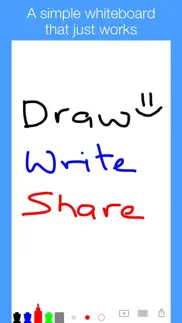
draw, write, and share.
Enjoy! :)
-- The app makers @ Qrayon
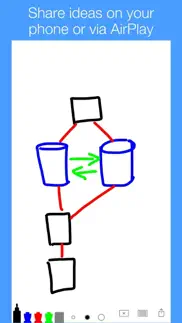
Tip: Mirror your iPad or iPhone via AirPlay to project to the whole room.
😍 Do you love Simple Whiteboard by Qrayon app? Please share your friends!



Please wait! Simple Whiteboard by Qrayon app comments loading...
Simple Whiteboard by Qrayon 2.0 Tips, Tricks, Cheats and Rules
What do you think of the Simple Whiteboard by Qrayon app? Can you share your complaints, experiences, or thoughts about the application with Qrayon, LLC and other users?
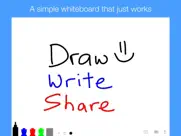
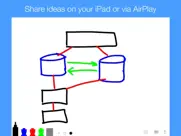
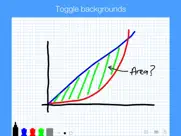

Simple Whiteboard by Qrayon 2.0 Apps Screenshots & Images
Simple Whiteboard by Qrayon iphone, ipad, apple watch and apple tv screenshot images, pictures.
| Language | English |
| Price | Free |
| Adult Rating | 4+ years and older |
| Current Version | 2.0 |
| Play Store | com.qrayon.Whiteboard |
| Compatibility | iOS 15.6 or later |
Simple Whiteboard by Qrayon (Versiyon 2.0) Install & Download
The application Simple Whiteboard by Qrayon was published in the category Productivity on 02 January 2018, Tuesday and was developed by Qrayon, LLC [Developer ID: 354980265]. This program file size is 5.08 MB. This app has been rated by 11,568 users and has a rating of 4.5 out of 5. Simple Whiteboard by Qrayon - Productivity app posted on 16 March 2026, Monday current version is 2.0 and works well on iOS 15.6 and higher versions. Google Play ID: com.qrayon.Whiteboard. Languages supported by the app:
EN Download & Install Now!| App Name | Score | Comments | Price |
| Vittle Pocket Reviews | 3.2 | 7 | Free |
| Stickyboard 2 Reviews | 4.2 | 96 | $4.99 |
| Four in a Row - Expert AI Reviews | 4.1 | 7 | Free |
| Smart PDF Editor Reviews | 3.7 | 109 | Free |
| Magnifying Glass by Qrayon Reviews | 4.6 | 255 | Free |
+ Bug fixes
| App Name | Released |
| Meta AI | 09 September 2021 |
| Microsoft 365 Copilot | 14 June 2013 |
| ChatGPT | 18 May 2023 |
| Smart Home Manager | 23 August 2017 |
| Turbo VPN Private Browser | 10 April 2018 |
Find on this site the customer service details of Simple Whiteboard by Qrayon. Besides contact details, the page also offers a brief overview of the digital toy company.
| App Name | Released |
| Lateral Pipe Calculator | 09 July 2012 |
| Pipe Fitter Calculator | 13 January 2012 |
| Ductulator - Duct Sizing | 13 August 2019 |
| Dumbify | 02 April 2024 |
| Wildland Toolkit | 07 June 2009 |
Discover how specific cryptocurrencies work — and get a bit of each crypto to try out for yourself. Coinbase is the easiest place to buy and sell cryptocurrency. Sign up and get started today.
| App Name | Released |
| 12 February 2019 | |
| Target | 24 November 2008 |
| Hive Social | 18 October 2019 |
| 07 April 2016 | |
| Telegram Messenger | 14 August 2013 |
Install the Giftmio extension for smart shopping. Get notified about cashback opportunities, activate cashback in one click, and save money on purchases.
| App Name | Released |
| Shotgun King | 24 February 2026 |
| Streaks | 31 May 2015 |
| AnkiMobile Flashcards | 26 May 2010 |
| MilGPS | 01 December 2010 |
| Stardew Valley | 24 October 2018 |
Each capsule is packed with pure, high-potency nootropic nutrients. No pointless additives. Just 100% natural brainpower. Third-party tested and validated by the Clean Label Project.
Adsterra is the most preferred ad network for those looking for an alternative to AdSense. Adsterra is the ideal choice for new sites with low daily traffic. In order to advertise on the site in Adsterra, like other ad networks, a certain traffic limit, domain age, etc. is required. There are no strict rules.
Keep personal info private, avoid scams, and protect yourself online with AI-powered technology.
Simple Whiteboard by Qrayon Comments & Reviews 2026
Great for on the go sketching. I needed a simple iPad app for diagramming relationships on the fly, and I found it here. Would be happy to pay for an upgrade that added simple shapes and text boxes I could use in a later edit of my hand drawn diagrams. Works well with Apple Pencil. Like notifications of changes,upgrades.
Switched from Microsoft whiteboard to this. Absolutely great app. No bloat, works offline, doesn’t tie you to an online account, and hasn’t frozen randomly on me. Just what I needed but didn’t get from Microsoft whiteboard. I would appreciate a larger-than-screen and rotatable canvas and a 2-finger undo feature like in Procreate but it’s already quite a bit better than other apps.
Almost there!. I would definitely buy the paid version of this, if it just had a slider to allow us more control over the size of the pens… I don’t like being limited to small, medium and large thicknesses. (I would like the small to be slightly skinnier and the large setting to be slightly thicker) Other than that, perfect- I love how there are options to change the paper to grid or lines, and I like the easy erase feature as well.
White Board. I think it’s good game but I definitely think it should have more colors then just black,red, blue, green and it should have a little bit more space when ever I write I barely have any room, whenever I take a screen shot it doesn’t show the words.I think it’s a really good game! I would suggest to make those updates!
Creative Conversations. I love the versatility of this whiteboard! One of my sister’s started using it to communicate with my Mom who’s hard of hearing. It made a big difference to be able to include her in our conversations! Thank you for creating such a wonderful tool!
A digital scratch paper for school!!. I was always wasting paper for online school, and I wanted to convert to digital and this app is the ABSOLUTE. PERFECT. CONVENIENT app that I was desperately looking for. I didn’t need those expensive notes app or ones where it had too many ads or bugs. This is perfect, and now I should get back on doing my homework :D thank you developers!
DEVELOPER PERSON PLZ READ. ok so this app is pretty good, i usually use it for drawing or playing games like school lol BUT i wish there were more colors and i wish there were more types of paper u could write on OR make the lines on the paper (lines or grid) bigger overall tho, this app is pretty useful
So maybe add an “are you sure?” Button.. Ahem, sorry to sound selfish I hope I don’t because this probably happened to another person too but uh.. I was drawing, and I’m right handed and my wrist accidentally touched the delete button and that wasn’t fun. Can you please add at least one warning before it deletes for good? I hate it when my art gets erased by accident. I was devastated 😓
Solid app. I use it often to make silly stick figure comics and it’s fantastic for that my only issue is a lack of an eraser, or an undo,.so one mistake and you have to erase everything and start over. Other than that it’s amazing and I’d still recommend it
Loving it! ❤️😃. Suuuuuuuuper fun 🤩 game! Doodle any time, even without paper 📝. Very easy to use but a little hard to draw ✍🏼 on electronics😖. But that is fine... I really hope you get this app! 😁😄Please do! If so, congratulations 🎉🍾🎊🎈! Really, have fun playing this game! 😜😎
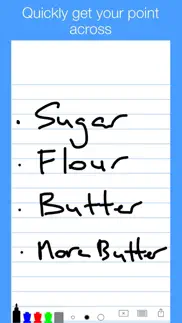
Simple yet perfect 😍. This is exactly what i needed! A simple literal whiteboard app with a few marker colors and an eraser. The frills they throw in are being able to change the background between blank, lines, or grid but that actually turns out to be a super useful tool! Love this app, will always recommend 😊
it's amazing!. I love this app because I can share math with my class and my family, anyone in this world!, I love this so much my daily will change and my first thing when I wake up I'll play this game again, I really support you this is amazing I can't even believe this app existed, I really wanna know if how you made this it's incredible! I’ll start playing this app a lot even if it gets old I’ll still be playing the app it makes me happy because I lost my marker
It’s alright, but a few minor problems.. Haha, I decided to edit the review I wrote here a while ago, since it sounded a bit cringe. Yes, I agree that you should probably add an redo/undo button, but I don’t really care much about this app anymore. I actually think this is a great app for doodles, charts and whatnot. Just change a few things, like adding layers, add new colors (but dont add too many), and other stuff people probably mentioned in their reviews. Anyway, have a good day
Here’s some feedback. So the first time when I started using the shop it was quite fun since I do have a apple pen so it was fun to draw and play with it but it wasn’t really eat that many options to color because I only had three who’s is it three or four colors I think so like I think they should update it and I’d like more colors yeah so people would probably love that
Easy, straight forward, and no Ads! 🥰. I’m not sure how many applications I have downloaded in order to get some thing that is easy without any ads that will pop up in my presentations. This might look overly simple but it works! And does not require for you to try to figure out where other options are everything is right in front of you. Thank you for whoever created this!
Simple and easy. I teach and wanted something I could use right away as a whiteboard. There aren’t a lot of settings but all I need are the basic colors and an eraser. No problems using it or figuring out how to switch colors or thickness.
Good but needs zoom🙂. This is an ok app but it is hard to get detailed results. Maybe you could add a zoom feature that lets me get in detail (pinch with 2 fingers) I tried to make a line chart but it is VERY hard to get exact.
Great, but maybe needs updates. I love this app as a student, it helps me to avoid my large whiteboard to the library or anywhere I want to study. My suggestion to the developer is to include the tapping function of Apple Pencil 2nd generation where you can double tap the pencil in order to switch from pencil to eraser instead of having to click the eraser on screen. Other than that, great app!
Love it but little problem. I love the way I can color and do whatever but the problem is that I want to save mine like I go on the app then it goes to add a white bored or keep working on it like something like that I also would like if it has emojis or something. One more problem I wish I can put it on my tv not just an Apple TV I would like an Apple TV and a Samsung tv to. I would like to voice it a upgrade but for the rest I like it! 😫✅😊
Almost perfect. … if you could just add yellow. I sometimes need to sketch out simple wiring diagrams for some electrical projects and I used to use paper and highlighters. This app is super cool and I can’t take away one star just because I think it could use another color. It’s simple and it works. I love it and can deal with it as is. Just a suggestion.
Perfect. The app is really simple straightforward, and it offers everything I need for my studying. The thing I love the most about this app is that I can erase the board with one click; I don’t have to click twice just to get to the erase button or press ‘yes’ on a confirmation dialog to clear the board. Thank you for publishing this amazing app!
Perfect. This is amazing I am new to the app and it's helped me out so much in my profession. I am very simple but like to get the job done fast, and your app is so user-friendly. I design and build base camps for natural disasters, when I say it's fast and easy to draw it out and then press send to my colleagues. That's it simple 123. thank you again.
Great service to students. The more I use the white board the more I like it. Thank you for contributing to a product with a good standing. Now I just need to see if I can make grafs in it as I truly learn linear Algebra at almost 82 years of age.
Okay for something quick. I got this app to do quick math problems on for my course. Didn't have to be anything fancy. I was using an ipad with an apple pencil however repeatedly when using this app because I rested my hand on the screen to be able to write the board kept clearing getting rid of all my work and no way to get it back. If you're doing something really simple same quick this app is for you. However if you trying to do anything else BE AWARE of the potential of the board completely clearing itself and getting rid of all your work.
decent. Useful for math. It would be nice to have multiple whiteboards and a ruler. A useful update would be able to shrink the board a bit so the top of my ipad screen is visible (so i could see the time, date, and battery while in the app.). The top of the screen is already unwritable so i'd be nice to have the time.
Great application. I am an online teacher this application on my iPad saves me because I can create fun educational games and draw with my students it is prefect thank you so much for creating this application the only downside is not too many color options
Amazing app. This app is a really great app because seriously it helps us organise our ideas and is also an app where I can solve a problem when I get stuck. Different colors can help because when there is one color it can create a confusion and thank you Whiteboard
Simple, straightforward. Great simple white board app. I really like that you can clear a board with a single button. I wish there was some sort of option to only write with apple pen though as my palm touches the screen and I get marks all over the writing surface
Big help. I just got this, been using a different whiteboard app until I found this one. I can’t speak and use it to communicate. It doesn’t have all the bells and whistles the other one does, but I don’t want that. I also use a text to speech app, but this is way better for a conversation. Recommend to any Laryngectomy.
Great but could use something like recording. This app can help a child with science reading and math it can also help grown-up show the kids how to do structures. But maybe you can add a recording button. That would be a lot of help for children and grown-ups.
Simply great.. It is just what I was looking for to quickly jot times down when calculating a multiple stop trip. It will be great for times when I need to remember something just for a little while. Now I don’t have to look for a pen and paper.
Exactly what I wanted (almost). Microsoft’s ‘whiteboard’ app is an absolute, stunning, mind-boggling disaster. This app is near flawless for my specific needs. I use it prolifically during my zoom meetings. If it were a paid app I’d give it four stars. Two improvements would make it a five-star-paid-app: (1) allowing brush sizes to alter the size of the eraser, and (2) adding a ‘+’ to the left of ‘x’ to add pages while saving prior drawings so I can swipe back and forth between multiple pages. Other than that the interface is clean, intuitive, and the screen has plenty of space. I also absolutely love the animations of the markers and that they are shaped like real dry-erase markers. Fantastic job!
Amazing and Simple. There are some things that could make this app complete; a undo/redo button should be very helpful for taking something away without using a eraser that could mess up other stuff, and especially if you accidentally clear everything you worked hard on you could get it back. Another thing that could be very useful to have is a tool (like a ruler) to make lines straight. Other than that it is a perfect app to explain stuff or just to doodle. That’s all I have to say, thank you developers for this app, and I hope you read this.
Why Three stars. I love the design and simplicity of the app. The only reason I give three stars is because it keeps automatically feeling in a diagonal line across the whole page whenever I write on the board. It lines right over my type. Please update to correct this. Thank you
Erase function. Hello! This app is fantastic! I downloaded it for my friend who has ALS and is struggling with communication. She’s having a hard time “clicking” on the small icon “X”. Would you consider making it larger and isolating it in a corner where one could easily tap it? Thank you!
Great! But a few problems. This is a great whiteboard app and I definitely recommend but I personally have a few issues with it. My first problem with this app is the eraser isn’t customizable in size like the markers and I think it should be. my other problem with this app is there isn’t enough marker colors if you were to add more colors or a customizable marker then I would be a happy user.
This is a nice product. Whiteboard is exactly what the name says, a whiteboard. There are four colored markers, an eraser, and a white surface to write on. You can also add grid lines to the backgroundTo make it appear either like lined paper or graph paper. I like it, and would only suggest adding a feature to add a clean slate without deleting current work. Sometimes a story or problem solution needs more than one blank whiteboard to complete.
Awesome!. I love the simplicity of this app and would have paid for it! The only thing I wish it had was the ability to change the background. I’d love to put a pic of a hockey rink or football field and use it for the kids I coach.
GET THIS GAME. It is so good you need to get if you are looking for something to right on you iPad phone or computer I would totally recommend this game. If you want this after reading the rate you will give it 5 ⭐️⭐️⭐️⭐️⭐️
Not Bad. So I think that it actually helps me with my math and I now understand in class and I get everything right and ready to have my test and I hope this will help so yea u should get if u need it but it’s pretty much basic so yea get it I recommend it 😁😎👍
Thank you. I use this whiteboard a lot as a professional tutor. I teach students of all ages, and it is an easy tool for them to use. The variety of sizes and colors on the writing size, is helpful and adds choices in teaching. It is also environmentally friendly, and saves using paper. The added eraser size is wonderful, as again, more choices are available for teaching.
Love this app! On my opening screen. Great app for quick communication with others quietly in close proximity. No need to push send and hope they will see it. Has been useful with the kids in church to be quiet. Also worked for communicating with another vehicle on the freeway. Communicate ideas with fellow associates at work. Great for my granddaughter when killing time is needed. Love the White Board app by Crayon😎
Definitely worth it. Have a 90 year old parent who has difficulty hearing, so writing a word or to out using the Whiteboard helps with getting what you want to say across to the aged parent. Thank You 🙏 The Whiteboard is a Godsend so I don’t have to raise my voice or sound like I’m shouting at my parent. The Whiteboard is SAVING my voice, so Grateful. Keep up the good work 👍😀.
Great App for me. I like your app very much. I have a disease called ET(Essential Tremors) that makes my hands shake a lot. This app is very helpful for me and I am considering getting your pro version of this app. I will suggest this to my therapy facility and maybe my doctor.
Because it’s really good. Bad thing is I don’t think I should be premium because like oh my gosh I really wish I had this thought they accept it before I really think that for a lot of things and make some changes and that makes my whole day and other people so maybe you can communicate with me and we can keep going so far you’ve been doing good but the premium I don’t think so
New colors and loving the game. I just bought this to do math and it is amazing but there is one small problem I’m trying to like make it bigger but there’s an X so I keep on hitting it but the colors you should add is pink yellow orange pastel Puprle and maybe it would be nice if you add some stickers(if there is an typo tell me)
. simple whiteboard. I love some whiteboard is so easy to use. I love everything about it. I love how you can change the colors but one thing I wanna change is like having different colors, but these colors are really good like black blue, red and green colors and then you can download on your phone and iPad. One thing I mean is a computer. The most people just have computer is playing my iPad but I wanna hear a story. I love it to teach your kids cause I’m a sixth grade and I love it but like stay home moms who was teaching the kids to go to school love it five stars.
Hi. This app is kind of boring so you not do much with it and it is a good but it is also not in some ways because when I tryed to send because you can do that in this app it find not work is it me my iPad or the I NEED TO THE ANSWER because if it’s the app I will not have the app not to be mean ok but I do not get the point of this app but it still like the app 100% ok I am a good Preson ok if you do not thing I am I do not know what to tell you ok bye
I like this app. I only got this app yesterday but I already love it. I like to use it for art and to solve math equations for school. It is simple to use. It is named simple whiteboard on the App Store anyway and that is not a lie. I think that you should get this app if you need something to color and salve on digitally.
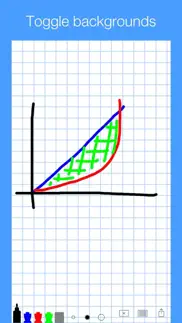
Yes, it does that too!. I have been looking for a program this simple. It just works! If like me, you need a grid to help draw straight lines, this is it. Even better, after you’re finished with your drawing touch a button and the grid disappears. Exactly my use case!
Did you know that you can earn 25 USD from our site just by registering? Get $25 for free by joining Payoneer!
.. Magnificent!!!!!!!
Whitboard. This app is so good I love it thank you for this app
Hated. Worst game ever. Can not change colour of paper. I need to say all you weirdo’s out there who like this game are weird as I mentioned earlier in this sentence. Bye weirdos.
Nice. Simple but better to put the eraser button more easy to access cis i am vissually impaired
Awesome!. At last, a simple app that allows me to draw/sketch my ideas just like a whiteboard, no brain strain required
why it is not good. one thing off the grids are too small
Really easy. I love how easy it is to use!
Whiteboard Raview. It was good but it could be better
Amazing. This app is amazing
Your personal whiteboard. This is a great little app.
Fantastic free app. Thanks for making this free.
Good. Just good
Very good. It is a very good app but it has some glitches but really good and I’d recommend it to anyone who wants to try doing work
Whiteboard. This app is so good!
Add. U should add a thing were you can upload a photo
Imagine you at your best. All the time. Picture yourself at your sharpest and most productive. Your most alert and focused. Your most lucid, creative and confident. At work. At play. In every area of your life. Add Mind Lab Pro® v4.0 to your daily routine and uncap your true potential. Buy Now!
My review. Simple and effective app. Get it!
I Love Drawing Like seriously. I Love You Guys Is App I Am appreciative Of Having this APP
Just what I needed. Simple. Basic. Effective. The perfect no-frills whiteboard app.
White board. Why do you make this app if it doesn’t work the half a time this is the worst app that I ever use in my life quite honestly get rid of the app it’s so stupid jerks
Whiteboard. When I use one color and it guest to close to a nothere color it changes and runes my drawing that is why Ionly gave you one star
So awesome to use. Awesome and simple so handy to use thank you again
Love it!. Works as expected. Clean and simple to use.
Ok. This app was ok I wish their is more colours in the app and a ruler a shapes ok. Bye, Parisa
THANK YOU! So pleasantly simple!!!. These days every app seems to be pumped with things you don’t want or need. This app’s simplicity is its greatest strength, and I am extremely grateful that it’s free with no in-app purchases. Thank you devs!
School. I use this app for school every day! This app... I Love It!!🤩🥰
Add Apple Pencil. You shall add Apple pencil’s eraser and pen change by tapping two times on the side of a apple pencil
bien. Bon logiciel pour le prix bonne job
H uhrht. Love it
Fun. It is so fun I can do math
Verry cool. J’ai vraiment aimé
Good. I don’t think you should have to pay 💰 for other colours and Zooming in
Excellent app. Been using it for years - perfect for getting ideas down quickly.
Nice and good. I think it needs more colours that’s what I want so I can draw with a lotta colours
Oh, wow. Pretty cool.. I like how simple this is, and how smooth the whiteboard feels. Everything about is so pleasant, and I absolutely love it. Please add more colours and allow us to zoom in. Then I will not hesitate to give you five stars.
Ok? Fine maybe?. I used it and loved this app until it did not word for my apple pen like u need to improve the updates and no more lagging
VIP. Grat
Whiteboard. No space to write anything + wym i gotta pay to undo
Good for school. Thank you for making a simple app that is easy to use. No sign in. No adds. Best of all I don’t have marker all over my walls.
I don’t like this app. Very bad.I dont like this app👎👎👎👎👎👎
Amazing app!. Me and my little sister love using it! I definitely recommend it!!
Colour. I really want to have more colour options but it’s not to bad and colour mixing pls
How can l rate it yet!. Have not used it
Loving this all over again. So happy that I can use this app on my first to my latest iPad. like all Qrayon apps it works intuitively and as a plus it makes my handwritting, even on my little old mini iPad, quite nice and neat.
Basic. Very good app! It’s 100% free! ! ! No one will probably see this anyways but it’s a very good app! You do have to pay for more colours because you only get eraser red green and blue that’s it but I think it’s a good app overall exept for having to pay for more colours
I liked it (kinda). I knew they said the app was simple but I wish you had more colours. I am giving this 4 stars. I deleted this app though. I am going to download an app more so for drawing. I am not deleting this app because it is bad, I was doing algebra with my mom but she fell asleep. This app is really good,simple, and easy to use, I only wish there were more colours or the size can change more. I would like it if this app were kinda like markup in photos after you take a picture. Otherwise, I like this app. Sorry for this long response, but I am an annoyingly talkative person. Great app.
Soooooooo Bad. Sooooooo Bad 👎trash cannot used apple pencil nooooooooo app trash 🚮 But it is free Do not get app
Just a normal girl 💎💖. When I use this app I mostly use it for math the reason i gave 4⭐️is that I have to pay and I hate wasting money on these things and yeah bye bye
3 star rating. i like it is simple but too little colour you should add more colours
Awesome!. I appreciate the simplicity, ease of use and no ads. A great way to jot down reminders. Thank you!!
Whiteboard app. Dear white board people , I love the whiteboard app because it so nice to have somewhere to be able to do math and draw and so much more I am so thankful to have that in my life thank-you very much whiteboard people. From Someone 😃🍎
The best. It helps me with my homework
Good. I like it but the other version of whiteboard I like the most
Way don’t. Pitman
Good but need to add some thing. U need to add a undo button > : (
Great little app. Pretty simple and easy…I like it!
I love drawing. I love drawing so much
Short suggestion. Just add hide hud and 0 - 100% stroke fade, because I wanna use this as drawing practice
At last!. Very simple, useful tool I use in shared screen in zoom or Teams, or Apple TV if I ever get to do things in person eventually. Enfin un outil simple , merci !
Great App!. The only thing I would add is to have larger sizes to draw. Other than that amazing app!
Awesome. I can do my homework on this but I think you can add more markers
T. Not fun enough
Goof job. Good job
Gdhdjdndid. Hdhdjdbdb
Love this app. It works amazing and it has no adds 1000000 out 10 recommend
Adsterra is the most preferred ad network for those looking for an alternative to AdSense. Adsterra is the ideal choice for new sites with low daily traffic. In order to advertise on the site in Adsterra, like other ad networks, a certain traffic limit, domain age, etc. is required. There are no strict rules. Sign up!
Perfect sketch app. My family uses this on ipad with pictionary cards! Love this for how simple and quick it works
Amazing. This app is amazing. I love it so much because it was so good for me to play teacher with and I just like to play. It is exactly what I wanted when I looked it up. Thank you.
It is really nice. I love it is a nice way to show your work and the nice part is how it can share your work you do on it like for how do sometimes for my assignments.
I love this game. When i started playing this game it started out stupid but i started play it more than i started to like it i drew narwals and nurse lady and and i drew my name in cursive
Very good. Very Good for making a quick drawing to show what you want or even a list to go to the store.
Small, fast, no ads. Everything I needed from a scratch note app -- quick loading, a few pen/marker choices and an export function. Thanks, Qrayon devs!
Simple. Reliable. Perfect.. Love this app for quick scratch pad and quick drawings. Highly recommended!
Whiteboard. This app is incredible, I can work on quick assignments and not waste paper or lose time by trying to find paper.
Great for teaching math!. Not a fancy app, but has what I need—grid background for graphs, quick erase, etc., and ability to save pics quickly so I can send to students. Uncomplicated and handy!
Simple and beautiful. I like the new update with eraser size settings, but I think its size setting should stay persistent regardless of marker size setting. I also wouldn’t mind some bigger sizes of the eraser. Amazing simple to use app! 👍🏼
Great. Its nice to be able to just work out a problem without having to waste paper. Plus this has 3 different colors and the markers don’t dry out!
Easy to use. Very simple and easy to use. Eraser and markers can be set to 3 different widths for even greater ease of use!
This app is awesome. This app is amazing I love it I can practice my skills on the app and I can get amazing at drawing but if you don’t like drawing DONT download it and if you like drawing down load now!
Very good app. If you like drawing or your a teacher this app would be perfect for you! l would only complain about how you can not save something on the app. Or have like saved files.
So simple, so effective. Just started using this with my clients and it helps so much to give them a simple visual. Thank you!
Love it! Just wish there was an undo button.. I love this app, up I use it to write out math homework problems. I just mess up a lot, so I’d love an undo button, or an undo jesture, like a two finger press or something! I’d also love Logitech crayon support!
Great for quick notes. I can write a quick note or reminder faster than i can type. Works great for me!
Nice. Perfect for iPad and iPhone but would be better if there was more options like undo and fill
Its good but some problems. One is when I try to write ✍️ next the a marker or eraser it makes me tap it when my finger not on the eraser cause I’m only saying this because I drawed a good Mountain 🏔 and could not finish it cause of the eraser error please fix 😌
Love it.. It’s just a basic whiteboard app that I needed. They’re are no annoying ads in the way and is simple easy to use.
Eraser. I just down loaded this app. It’s simple and have two different boards Lined and blank. But what I don’t like is the eraser. One click and everything is erased. Will this be in future updates.
It’s very handy!. It really helps when either doing math equations or just doodling! But there’s just one more thing. Can you add different color markers?
Too simple. I paid five dollars and upgraded to Pro, and can’t find a single additional feature. I was hoping to get Undo and the ability to go back and forth between two or three boards. But if I want to start a new board, all I can do is erase the old one.
Very good app.. This is a very helpful app for me I personally love it so much it works very good and if you can’t erase it fast enough you can easily press the x button. I rate this all stars ⭐️! Great job on this app
Love it. I can always draw in the car my house another persons house well you get it but it’s amazing
Get the game. The reason why I like the game is that I do not like my brother so It lets you put bad words so then you don’t have to say the bad word and then get in trouble that’s why I like it.
Love the lines. I love lines and grids. Would love it even more if you could put a five line music staff background on there! So glad I found this.
Keep it simple. Exactly what I want and need. A true whiteboard that mimics a physical one. That’s all, and because of it, it beats everyone else. I’d pay for this app, but certainly appreciate it being free. Qrayon is one of my fav app publishers.
There should be multiple pages. It is really hard for us cause when l am trying to do math we need multiple pages and not have to erase it every time we do a problem. But it is ok please better color choices!
Best drawing app. This is so amazing thank you so much devs :) I get so happy even tho I’m bad at drawing it makes me satisfied thank you once again I have no problems with this app once again thank you.
I love it 😍. You can drawl everything and no adds or money to pay 💰 it’s worth it get the app And play
Very helpful tool. I use it a lot on phone. It’s very fast to keep ideas saved.
Good app. I love your app it’s a really good app something that you can do is make more colors cause I can’t see them like other colors Love this whiteboard
Great whiteboard for drawing. I recommend the app to all who are carrying on our environment. Safe trees and go paperless. Personally, I use the app for my art projects. Love it!
No back or undo option. Constant frustration to accidentally hit the screen with my palm and draw a huge line through my drawing and not be able to remove with out erasing or just starting the whole thing over
Clears on its own. I thought this would be a great app for capturing ideas. However if I write or draw something in the morning it is gone by the afternoon. I shouldn’t have to save all my incomplete ideas just so I can go back and work on them later. (And by save, I mean ‘share’ it to my photo album)
Easy and useful. I am a special ed teacher and this is very helpful when work on a one to one basis.
Easy to Use. Always thought about being able to hand write messages, cards, etc. on my iPad. Now I can. For a free start, this is quite nice. Thank-you.
Perfect and free with great features. Great app that does exactly what it says. It is a white board with no ads. Simple enough for an actual child to use it.
Not bad so far. Great functionality but some settings would be nice. The ability to keep my drawings and slide them out of the way would be great but other than that, love it
Simple whiteboard. I have not used a lot but what I have found it excellent for my thought on design and layout. Bob Gebhardt
Simple and perfect. My go to app to silently chat with my husband when we don’t want anyone to hear. 😉
Fun by little kook. Hi, this app is fun it is free and I love to play school with my elf pets now my parents don’t have to pay for a white bord and the Singh doesn’t run ote I’m in 5 th grade so I still have emanation that is what I have to say.
Great app. … that would be perfect if you could choose to write with pencil only and touching by mistake with a finger didn’t smudge things.
Key feature missing. Love the simplicity, but the inability to do targeted erasing or “undo last” is a major downside. Sketching often means making mistakes or thinking things through and changing as you go. “Erase” on this app takes you back to blank slate.
Fun Learning Tool. Such a fun learning tool. We use it to teach words, numbers, shapes and colors (try inverting your iPhone color & you get twice the colors) to our young child.
I love this. I’m learning how to do so much with this app this app is also very fun to use because I’m learning words and so much more all from this app
The best white board app ever. I’m a kindergarten teacher and we have TVs instead of smart boards but with the Apple I brought in this app is the best for me and my students tysm!
Very nice whiteboard. It is a perfect app and does everything you could expect ! If that is what you are looking for! Hats off to the developers to a stellar product.
Fun but not. Hello , I writing because I think the app is great it’s easy to write on easy to erase but I think we should be able to change the color and I’m sooooo happy there’s no add and the best part is the app is free other than those things the app is great 👍🏼