Dayforce App Reviews
Dayforce App Description & Overview
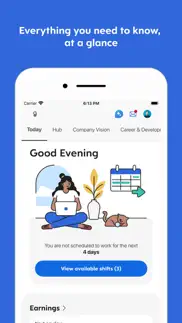
What is dayforce app? The Dayforce app helps you do the work you’re meant to do by putting you in charge of your work and life - anytime, anywhere.
With the Dayforce app, staying connected and in control is simple. Skip the paperwork and manage tasks efficiently across your devices.
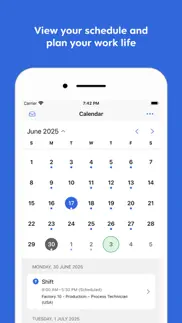
From clocking in and out to planning time off, checking your schedule, swapping shifts, or reviewing benefits, the Dayforce app makes it easy to manage your day-to-day.
You can also track your real-time earnings and access your pay before payday, giving you greater control and flexibility when you need it.¹
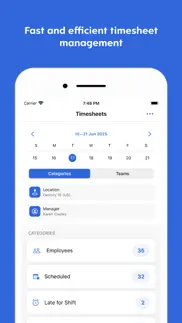
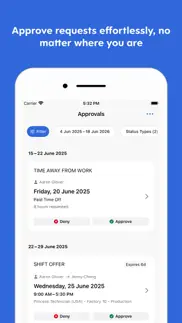
Plus, if you’re a people leader, the Dayforce app puts essential manager tools right at your fingertips so you can handle tasks on the go and free up more of your time. Need to approve timesheets or respond to requests? Dayforce makes it simple to stay connected and in control, wherever you are.
Disclaimers:
Features available to you depend on your employer’s setup, and not all features may be available.
Dayforce mobile access is available only to employees of organizations that use Dayforce and have enabled the mobile experience.
¹ Not all employers choose to offer on-demand pay with Dayforce Wallet. Check with your employer to see if this is available to you. Some blackout dates and limitations may apply based on your employer's pay cycle and configurations. Partner banks do not administer and are not responsible for on-demand pay.
😍 Do you love Dayforce app? Please share your friends!



Please wait! Dayforce app comments loading...
Dayforce 2026.7.1 Tips, Tricks, Cheats and Rules
What do you think of the Dayforce app? Can you share your complaints, experiences, or thoughts about the application with Dayforce Corporation and other users?
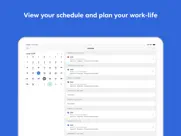
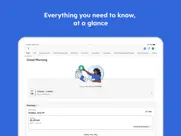
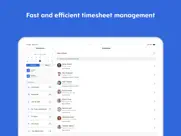

Dayforce 2026.7.1 Apps Screenshots & Images
Dayforce iphone, ipad, apple watch and apple tv screenshot images, pictures.
| Language | English |
| Price | Free |
| Adult Rating | 9+ years and older |
| Current Version | 2026.7.1 |
| Play Store | com.dayforce.Dayforce |
| Compatibility | iOS 16.0 or later |
Dayforce (Versiyon 2026.7.1) Install & Download
The application Dayforce was published in the category Business on 17 August 2011, Wednesday and was developed by Dayforce Corporation [Developer ID: 456073229]. This program file size is 218.48 MB. This app has been rated by 494,382 users and has a rating of 4.6 out of 5. Dayforce - Business app posted on 24 June 2026, Wednesday current version is 2026.7.1 and works well on iOS 16.0 and higher versions. Google Play ID: com.dayforce.Dayforce. Languages supported by the app:
SQ BG HR CS DA NL EN ET FI FR DE EL HI HU ID IT JA KO LV LT MK MS MT SE NB PL PT RO RU SR ZH SK SL ES SV TH ZH TR VI Download & Install Now!| App Name | Score | Comments | Price |
| MyDiscover Reviews | 3.6 | 3 | Free |
| Dayforce Flex Work Reviews | 4.8 | 121 | Free |
| Powerpay Self Service Reviews | 4.7 | 183 | Free |
| Network for Business Reviews | 5 | 2 | Free |
| Ideal Flex Work Reviews | 4.4 | 1,052 | Free |
We update the Dayforce app as often as possible to ensure the most reliable and enjoyable experience for our users. This release contains the following updates: • Bug fixes, performance enhancements, and usability improvements.
| App Name | Released |
| Paylocity | 27 June 2013 |
| Indeed Job Search | 07 June 2009 |
| Roadie Driver | 18 November 2019 |
| Shiftsmart - Find Work | 23 June 2017 |
| FlowPDF | 20 March 2025 |
Find on this site the customer service details of Dayforce. Besides contact details, the page also offers a brief overview of the digital toy company.
| App Name | Released |
| FileBrowser Professional | 17 April 2014 |
| Superpowers by SYPartners | 11 January 2018 |
| PDF Studio Editor | 26 July 2014 |
| IRecorder Pro Audio Recorder | 12 February 2019 |
| Gamma Calculator Pro | 05 May 2014 |
Discover how specific cryptocurrencies work — and get a bit of each crypto to try out for yourself. Coinbase is the easiest place to buy and sell cryptocurrency. Sign up and get started today.
| App Name | Released |
| Spotify - Music and Podcasts | 14 July 2011 |
| 07 April 2016 | |
| Ralph Lauren | 08 November 2021 |
| CapCut - Video Editor | 14 April 2020 |
| YouTube TV | 05 April 2017 |
Install the Giftmio extension for smart shopping. Get notified about cashback opportunities, activate cashback in one click, and save money on purchases.
| App Name | Released |
| Earn to Die 2 | 20 November 2014 |
| Monash FODMAP Diet | 17 December 2012 |
| Shadowrocket | 13 April 2015 |
| Subnautica | 08 July 2025 |
| Balatro | 26 September 2024 |
Each capsule is packed with pure, high-potency nootropic nutrients. No pointless additives. Just 100% natural brainpower. Third-party tested and validated by the Clean Label Project.
Adsterra is the most preferred ad network for those looking for an alternative to AdSense. Adsterra is the ideal choice for new sites with low daily traffic. In order to advertise on the site in Adsterra, like other ad networks, a certain traffic limit, domain age, etc. is required. There are no strict rules.
Keep personal info private, avoid scams, and protect yourself online with AI-powered technology.
Dayforce Comments & Reviews 2026
Attendance. From a supervisor view, I wish the attendance option was still available. While I can see everyone in the schedule part, it would be nice to also see who has signed in. To help with that, blue dot the crew member in the schedule who has signed in. That is what I really relied on in the attendance. It listed the crew members by time and highlighted those who have signed in. I like the schedule, just from there I could see who was signed in. Thanks John Edwards
Not reliable enough.. Constantly refusing the set password, it’s saved to my keychain and my keychain isn’t wrong, so I end up having to do the whole resetting password process all the time. The app locks me out of my account for “repeated attempts”, which I think is only 3 times? Forces you to make a password that can’t be one you’ve used before and meets all their “security requirements”: capitals, letter count, number etc. Meaning when I try to sign into Dayforce on a work computer, I’m never gonna remember the new password. And often the reset link I’m emailed doesn’t work and just displays an error message. These security measures are over the top and unnecessary for a scheduling app. If you want to add extra security procedures and password requirements to view paystubs and tax info in part of the app that would make sense- but I should NEVER be locked out from my own work schedule. It’s frustrating when you’re in bed at night and all you need to do is check what time you’re scheduled the next day, but instead you’re playing the make-another-obscure-password game and/or locked out of your app. Guess I just don’t get to know what time i’m supposed to work in the morning! Thanks for the added anxiety before bed for the hundredth time.
Clunky. What took one click in paycom takes an act of congress in this app. Signing-in is a mess and takes way more time than it should. Clocking in was also a chore but has since improved a little- if you know how to make the clock-in feature be the intro page. Adding tips is a hassle, taking multiple (at least 4) steps for something that was so simple and efficient with paycom. I like that there are so many work features you can access, but the paystubs section lacks vital information that we became accustomed to in paycom (review of daily hours, wages, and tips to name a few), messes up my digital and daily tips, and has no print/pdf option available. Definitely room for improvement, which I hope gets implemented sooner than later.
Pretty good but some improvements that I think will make it more user friendly. So I just started using this app seeing as I've obviously started working, and I think it's really useful that you can sync your work schedule with your apple calendar. The one thing I have about this is I have quite a few things on my calendar besides my work schedule and I use the calendar widget to see what is upcoming and I rarely notice my work dates and hours because of this. So my minor but pretty (in my opinion and hopefully many others) solution is to make it to where we can add a Dayforce widget to our home screens. There could be a widget for someone's next paycheck, shifts they could pick up, (the one I'm most wanting) the day's I've been scheduled to work and the hours I need to work, and etc. I know this is alot all for a single widget feature but I feel like it would be very useful seeing as most people are on their phones and will go by their home screen and see it easily instead of remembering to go to the app every day to see if you got any new shifts. Thank you
Better than not having a scheduling app. I can check my schedule from anywhere at any time. I used to have to be at work or call during business hours to get my schedule. I also like that I can check it on my lunch break from to see exactly when I clocked out if I forgot to notice at the time. And I no longer have to sift through a stack of schedule requests to see if my has been approved or denied yet. The only reason I took off a star is that If I clock in a second before or after my start time (say 8:59:59 or 9:00:01 if my start time is 9:00:00, I get a message that I am either too early or late. So it’s virtually impossible to punch in without a digital scolding. The time clock doesn’t show seconds so you can’t even try to time your fingerprint verification to the second. It’s not like we get in trouble for it but it’s sorta annoying and completely defeats the purpose of the notification. Seems like a pretty dumb oversight on the part of the people who made it.
Convenient yet also inconvenient. Great way to keep track of ones work schedule and other details... but doesn’t allow in-app communication and often malfunctions. It would be helpful if the app allowed associates to send emails and communicate with upper management etc. Also, the app doesn’t allow individual associates to reset their own account password. Oftentimes the fingerprint function has malfunctioned and when I am told to enter my password it does not recognize it. And then it forces me to communicate with administration to reset it , rather then allowing me to reset it myself.
Worst app. This app is the worst app ever it is the most unfriendly user app I have ever used it is always kicking you out of Dayforce you have too Keep resetting passwords if you do not remember your original password you cannot set up your security questions to do it yourself you never can get through to speak to a live customer service representative you wait hours for that ridiculous recording and if you do know your password the recording cuts you right off you should have twenty four seven live customer service representatives to answer the phone calls immediately this entire system needs to be rebuilt fix all the glitches
CONSTANTLY having to change my password. there’s a few of things I really appreciate about the app, mainly being able to sync my work schedule to my phone calendar and being able to view my check stubs easily. the main points of critique that would make the app loads better imo, is if I didn’t have to change my passwords every 3-6 months, or at least if there was some sort of heads up that I would need to change it soon rather than getting locked out the app completely because suddenly my password stops working. this is my only access to my work schedule and pay stubs through my job, so when I get locked out, I can’t even see when my next upcoming shift is. that is my biggest gripe with the app, and the other is more so just what I think would be a good suggestion: I wish we could get notified by the app when a new schedule is uploaded! my job only schedules about 2-3 weeks out at a time, and as being the most flexible with my schedule, it can change on short notice. there is no way for me to notified of this update if my manager does not reach out to me to let me know, and I have missed or been late to shifts because of this. it would be a cool feature! but I do think the password thing is the most irritating, so please… anything that can help that. update: I appreciate the response from the developer and will approach my job to ask about that, as things are, they have mostly just been just as confused as me whenever we get randomly booted. in regards to the notifications, I have notifications turned on but I don’t receive any schedule updates - only reminders about upcoming shifts (that is how I have found out that I had missed or been late for shifts but was confused typically since there was no way for me to know unless I was constantly checking my calendar).
Great when it works. This app is super useful and is great when it works but there are some glitches that make it unreliable. When you are trying to trade a day many times it puts in the day before or after although it ends up being correct. It is very confusing and can make you swap the wrong day if you’re not checking it on the regular computer. Also I find the new setup a little hard to figure out when I’m working. If I’m on the day. It doesn’t show a dot. I have to move to a different day to see if I’m working that day. Otherwise this app can be a lifesaver when you are in a hurry to trade and can’t get to a computer. I’m grateful it exists.
Gets the job done I guess. The app gets the job done, but it’s nothing special. If someone were to offer a shift, you get a message to your inbox to notify you and also it gets posted onto your calendar, but the message doesn’t go away even after you’ve already viewed it on the calendar or even if someone has already taken the shift. It’s just a redundant little feature that’s annoying. Also, even if you opt into notifications, you don’t get a banner alert on your phone if someone puts up a shift. If you’re looking to pick up a shift, you kinda just have to check in every time multiple times a day to make sure you catch a shift trade. The app has a myriad of little annoying features that make me think the creators probably don’t use it themselves. But again, I guess it gets the job done.
Awful. This app is the worst! I keep getting locked out when trying to access my schedule. It signs me out periodically then won’t accept my correct user name or password when entered. I have to get my store manager to sign me in with a new password which is inconvenient for both of us - it won’t let me change my password on the app - If this app is going to continue to be glitchy at least open up the restrictions so I can change the password myself - except that problem is that it doesn’t recognize my current password and keeps saying it’s wrong !ugh!
Major foundation flaws. We’ve have been using this app to clock in, clock out, and do a labor transfer in order to be compensated under the correct pay. The first of many infuriating problems with this app is that this app is really inconsistent and unreliable when you wanna do anything with your time clock. Whenever I or any of my colleagues want to clock in, clock out, start or end our lunch, or even labor transfer we are 95 percent sure that we are going to be hit with an error. What frustrates me even more is that the app doesn’t even tell what the problem is instead it just says “An unknown error has occurred” this frustrates me so much because even the app doesn’t know why our time clock interactions isn’t going through. Another major flaw is the labor transfers and the timesheets. My job especially, in my position, we must transfer between two different pay rates and looking at the time sheet it doesn’t even say our transfers went through. So either the timesheet or the labor transfer is not working properly and this may affect my pay. At this point I do not recommend this app. The desktop version is better than this and the desktop version doesn’t hit you with errors and works all the time. I’ve completely stopped using the features the app was made for since it doesn’t work and just use it to look at my schedule and that’s it.
This app and desktop site are trash. The company I work for swears Dayforce is the best thing ever created. The reality my coworkers and I have been subjected to via Dayforce is 1000 times less than the best. People have been constantly getting screwed over since the company switched over from the original product we had about eight years ago or so. PTO and STO accruals are always incorrect and I mean always. I’d say for at least 500 or so of my coworkers. Possibly more. Pay rates are regularly displayed incorrectly. The app and desktop site always display different information in regards to comparing the same subject lines. One can clock in for the start of a shift exactly on time, clock out for an unpaid 30 minute break, clock back in from the unpaid 30 minute break exactly on time, clock out exactly on time for the end of shift and Dayforce will regularly display more than 30 minutes of unpaid time for the shift. Dayforce has been robbing me and many others for many years. Dayforce has caused countless people to lose their jobs because it pushes one’s clock in time up to the next minute. Ultimately logging one in late by that action. Seriously, there is nothing good about Dayforce.
Version 62 is NOT helpful for managers. Version 62 claims it is to help managers do their jobs more efficiently and this update has done the opposite. Timesheets now lists every employee alphabetically, instead of by shift. Assuming I know every employee’s schedule; I don’t, which is why I use this app! There’s also no easier way to get to the employee’s file to get their personal information should I need to contact them, so now another thing to make my job less efficient. I’m all for updates and improvements but this new version of Timesheets is not helpful, please reverse this feature. There was not much more I could have asked for with the old timesheets, you guys had already perfected it and made my job more efficient. Don’t revamp it if it ain’t broke!
Overall good quality but needs to allow payroll approval. Overall, this is app is pretty high-quality and user-friendly. The main issue with the app is that the current app does not allow you to approve payroll in it. Instead, users are required to open a web browser and navigate to the web-based version of it which is less user-friendly on a phone or tablet than the app. Please update app to allow payroll approval through the app
Make it make sense.. Cannot stand this app. Constant rolling password changes and logins. Always seems to pop up when you’re trying to clock in when you get to work right on time. Constant password changes make people write the password down, which puts you at a higher risk to be hacked. Third party authentications like someone is gonna steal my phone, fool Face ID, and clock me in at work. This app’s new trick is to take 45 seconds to a minute to even open the time clock. If you work a long day don’t worry, the app will clock you out at a random time and error when you try to CLOCK OUT with “You are not clocked on”. If you accidentally hit MEAL START you may as well just take lunch because you can’t just end it, you have to wait 1-2 minutes to do that too. Funny how a corporation decides to use a low grade app apparently written by a third grader,and you’re just stuck using it.
Zero stars. This pay card is ridiculous. It does has the option to pull off money from your paycheck prior to your payday. But the downfall is every time you make a transaction you are taxed on it and it cost you more than you originally purchased the item for. Also there is no way to dispute any type of transactions via the app or online you have to call the hotline.I have sat on the phone for 40 minutes trying to get a representative on the phone it’s not the weekend but there is no answer. I spend so much with this company Dayforce and I can’t even get a representative to help me out. I would not recommend this company for anything. I also request days off and it won’t pay me until my paycheck in two weeks…. But Dayforce shows the days are pod for but I have to wait for a check. Hate it .Do not use. If your company is looking for a payroll company use tandiem I’ve heard great things. Forget about Dayforce they just want to rip you off tax you extra and be of no assistance.. thanks .
Locked Out of Account.. Again. When this app actually works it’s great. The problem is that they keep locking me out of my account because “your password is incorrect” even though I never changed it, and have it saved to my Apple passwords to log me in automatically. Then when I try to reset my password, I have a hour to click on the link in the reset password email. Problem is I never receive the email, so I try again and they limit the reset emails. I tried to get into contact with support but it directed me to there FAQ. On the FAQ they have a email attached, when I go to email them it’s undeliverable. I’m just really frustrated with the lack of support for its customers. Try to avoid using this app if you can.
Poor Reliability. Glitches, Errors, Distrust - BAD. Please, please stop changing something that already works wonderfully. Due to the app update and errors associated with this update, I viewed No work or off day scheduled on May 1st. Many viewed the same error. Now, my file will read, late to work 3 hours. Thanx to a phone call from a mate opening that very morning, I was made aware I was scheduled to work. My plans made 2 weeks prior we’re cancelled as everything shifted towards me rushing into work that day. Not cool! Blue dots before this update represented on days to work. So what happened on May 1st???? I can’t trust the app and that creates feelings of uncertainty. So, as a result, I rate the app update a 1 star or negative 1 star if that’s an option 😩
RUN. DO NOT USE THIS CARD!! Get your paycheck every 2 weeks like the rest of the world.. they charge $1.99 for any Venmo or Cash App or PayPal transaction. They charge 3.95 to withdrawal your money. I.e. tonight my card would not work at a point of sale. So I was forced to use ATM to withdraw funds to pay for the transaction it was charged seven dollars to take out $$40… Seven dollars to take out $40 called the number on the back of the debit card and explained the situation to them and was that any ATM withdrawal has a fee no matter where you go and that they would not refund the money even though the card was coming back invalid because of their and not mine and then I was forced to use an ATM to for the transaction they had no concern or no apologies. No refunding of fees they refuse to so my advice to you is don’t use the service. Just go get a real bank account. Do not rely on the service.
Just needs a few tweaks. We use the app for our time. It’s something we have to do. You learn to deal with things you have no choice but to use. Five stars? Things like being able to start the week on a different day of the week, print in a format that can be used as a calendar, see everything (in one day, for instance) at once without having to keep closing and opening things - that is what would get this app five stars. It functions well, is fairly fast, and the GUI is somewhat easy to read.
Worst update I’ve ever seen.. I and multiple people I know have either been late or missed a shift because of the recent UI change. Whoever’s idea it was to have a separate dot under the dates on the calendar that you work UNLESS IT’S DAY OF, in which case there is no dot, making it look like you don’t work that day, should have whatever 10 week UI program certificate they earned revoked and shot into a fire place. The icing on the cake is now after the update, you can select different days which highlights them in a blue or grey circle. The days that you work are by default highlighted in a blue circle, but if you click them to see the details of the shift it makes the blue circle gray. Additionally, if you select days that you don’t work it by default highlights the days is THE SAME GRAY COLOR. So selecting days that you don’t work highlights them in gray, and days that you do work also highlights them in gray while also removing the blue dot below them to signify you work, which by the way has been made nearly unrecognizably different from the small green arrow that appears below if someone else’s shift is available to pick up. Btw thanks for that, not like tons of people are blue-green colorblind. SOUND CONFUSING? It is. The architect behind this new layout owns me and many people I know money for the time we lost being late/in my case not realizing I worked a day that I definitely did EVEM THOUGH I’d been on Dayforce multiple times that morning trying to decipher the beyond clunky shift trade mechanism. Shame on you.
Suggestion. I’m using the day force mobile app and love it. Thank you for creating it. I do wish it had the ability to remember the last shift entered and carry it forward to the next shift entry. Usually it will be the same time range. If anything it will vary just slightly so it will be easier and faster to fill out a timesheet. Would also be cool if we could do the same thing when entering meal times. Could this functionality also be carried to the web interface?
Updates my phone calendar. I like that this work app updates my phone’s calendar. I do wish that it would automatically update it without having me to tap twice to physically update it weekly. I want to open it and it to take one second longer to open and automatically just update itself and my calendar. This year it would t let me select 2018 on the scroll when trying to swap a shift. Hoping that had been addressed in the app update. The new two factor is a super pain. Finally figured it out.
An app should be rated on how “epically” it fails!. If I could have given it a “zero,” I would have. The app initially wouldn’t allow me to successfully “sync” my work schedule to my main calendar on my iPhone. Not a big deal. I tried it later on, and it has successfully synced my work schedule to my iPhone for a few years now. However, recently it was not syncing…I tried a few different things, and it started syncing my schedule again….only I got it in triplicate, and it completely deleted the rest of my calendar information. This includes my other work schedule, my medical appointments, everything! The IT departments at both of my jobs have been unable to find a solution. So if you need to punch in an out, approve timesheets, it will probably be fine. But save yourself the headache and don’t even bother syncing schedules.
Works decently for what it is.. Look, it’s not a flashy game. The app does what it’s supposed to do. It’s not super fast about it, but it’ll get there. They do need to allow supervisors to have the full calendar schedule view the hourlies have. Also, fix the bug which makes me select a location every single time I login. I only work at/have login access to one location. Let me set it and forget it. These would get you 4 stars. Giving me ability to write/edit the schedule and edit attendance information in the app would get you 5. While you’re at it, lose the Silverlight dependence for all desktop access. It’s a dead technology and embarrassing as hell to have to explain to new employees they have to figure out where IE is on their computer to use “our” system.
Helpful. It’s very helpful, but it all depends on who enters in the information & that it’s updated. You can sink in your calendar your your other devices. I know how much my check is by $ amount & by %. I have the amount of pay hidden in personal info, that way if someone is looking over you, they don’t see what your hourly pay is. You can check your messages & send messages from app also. It depends on whom is entering your information & how they set up yo check stuff. Example, how many days left to take off, employee #, start & hiring dates, personal pictures & your job title, & who your boss is & see the chain of command. I would rate it a 5, but I haven’t used all the resources it offers & don’t want to inform false info.
Made obsolete by faulty new validation feature. I have already put in a request with our company's HR to switch to a competitor. Two updates ago Dayforce introduced a new timesheet validation feature. This feature makes it impossible to save changes to your timesheet. Since my employer adds hours automatically, I have to manually go in and mark hours I actually worked in order to get paid. With Dayforce's new timesheet validation feature, I cannot do so at all. I get an error message reading "failed to validate timesheet" every time I try to add a shift. Numerous of my fellow employees have complained about the issue, and our office manager contacted Dayforce. They said they would address the issue in a new update, yet it still persists. We will be switching to a competitor as this product is simply useless now. Be warned that they have terrible customer service and do not address app errors.
Bug. Dayforce is a decent app for all work related needs. It loads and has what you need in an easy to locate interface. The most recent app update is frustrating; I’m having to log in every single time I want to access the app. Previous versions, it would keep your login from the phone so you only had to log back in maybe once a week. Just a suggestion for future updates: keep information stored on mobile devices so we don’t have to manually type passwords in every single time.
This app needs some work. This is ridiculous, for the past 2years I’ve had to change my password 200 times because this thing refuses to recognize me even if I’m putting in my correct password and it when I am logged in and have it set to stay logged, it logs me out a day later and then I have to keep going to get the HR lady to reset my password because the app locked me out. I’m not the only one, literally everyone at work is tired of the same issue to the point that even the older coworkers can’t even use it since they aren’t good with using phones and are always wanting me to help to login and even with their password written in their notebook, the app still refuses to recognize their login info and forces them to reset….he’ll, even the HR lady is tired of having to reset everyone’s login. Hopefully my employer switches to something better.
Gets the job done. It does what it needs to in my case. I just look on there to review my schedule. I can check my earnings for the period I’ve been working, ask for schedule changes, even receive notifications that my schedule has been changed. I don’t used the app for anything else really, not fully utilizing it. But all in all I have no real complaints. Maybe its responsiveness when it comes to viewing those changes in a haste is kind of iffy, but it’s a good app. Just like other apps, it can only continue to developer to do/be better than how it started off 👍
Some bugs. Overall the app is fairly easy to navigate and works for the most part. I do find I will randomly get logged out and have to log back in. Sometimes it is daily and other times it can be after weeks. My biggest complaint though has to be with syncing the DayForce Calendar with my Apple Calendar. When the next month’s calendar syncs, if I am scheduled on the last day of the month (ie July 31st) when I sync August’s calendar, my July 31st shift suddenly disappears from my Apple Calendar. This has obviously lead to almost missing a shift. I just updated the app hoping it would be fixed, but it is not. Hopefully this can be addressed in future updates!
Allow email of stub from app. Get current That is email a PDF to anyone...from the App. You should consider adding the availability to print earnings statements directly from the app. Paylocity allows sending PDF copies from the mobile app. Which can be printed or screenshot at another location. It’s a hassle getting things printed if one doesn’t own a pc or have easy accessibility to one or a printer. I can’t immediately display a copy. I have to run around trying to find a pc and printer. A PDF email to oneself or another would make it more convenient and put it on par with paylocity’s options/ features. Also it would at minimum allow one to screenshot it --
Very useful, not perfect. I’m thankful for an app on my phone to keep up with my work schedule, messages, time off requests and balances. It’s easily accessible and synchronization with the calendar in my phone is simple. The biggest problem is with the messages. It’s glitchy on a regular basis. When typing a message in the portrait layout, the words are commonly not visible on the sides because they don’t wrap around to the next line soon enough. Sometimes it will stop showing the words I’m typing for a sentence or two, and then it suddenly appears all at once, which means I have to backtrack and edit what was typed incorrectly while invisible. If I navigate away from a message to check something else or answer my phone, it may or may not save my work for me, sometimes forcing me to start the message over.
Hate This App. Literally hate this app. It’s a requirement for work but it constantly logs me out and then locks me out for too many failed attempts. I can’t even reset my own password, I have to call up my manager or physically go into work just to get a new temporary password that I then have to reset immediately after logging in. It’s egregious for a scheduling app. I literally just want to check when I work next and end up locked out of my account until my workplace opens for the day so I can call in. If I could give an app zero stars I would. There is no reason for this app to need to reset passwords almost every freaking month!! Delete this feature!! Or let me try passwords until I can get it right, since I’ve got like eight freaking billion old passwords for this stupid app!!!!!!!!
If this were a banking app I would understand. Every week, this app never fails to log me out of my account making it so that I cannot log in. There is no reason why the security should be so high that every week I have to log in manually instead of the app doing it automatically. This is not a banking app I just want to check my schedule. I can’t log in & I can’t reset my password bc I don’t have security codes set. I just want to check my schedule. Is this a banking app? No. For what reason should this app be a burden. There is no reason why every week I should continue to have to go through the same thing. & the constart changing of passwords??? This app has nothing so serious that all this is necessary. Dial down on the security & work in making the app run smoother please, this app has become a burden. Stop making me have to type my password & just let the app login automatically. We do not need to change our password every few weeks.
Stop fixing what isn’t broken. The latest update (Feb 2019) is by far the worst. Not only can we can no longer see a running total on hours worked for the day we can’t even see one for the week. You may have removed bugs, but you removed important features most of us liked. Mobile functionality is by far the worst in this update. Why are there even hours listed between midnight and 6 am? Most locations close at 6 pm. The errors within the desktop version and the mobile version are similar. Requesting any time off on the mobile app takes great patience and skill. Fix your bugs but keep our features.
Good/bad. The good of Dayforce is having the upcoming schedule so available and not subject to transcription errors on my part. The bad is that my employers are “locked into” what the app tells them with little reason to go to the trouble of attempting to override the schedule provided. It rather also provides the excuse for not doing so, as Dayforce can and can’t do this. For example, I only want 20 hours, if I do get 20, it is spread over 4 days, sometimes more, in tiny time blocks. That breaks up the week too much, and the whole point of asking for fewer hours is more time for other activities and interests, whatever they may be. Apparently, the needs of Dayforce, do not allow for this configuration. Also, scheduling time off has to be set far in advance. This can be difficult with so many variables to factor in. My managers are really good about this, but trying to tie down dates so far in advance is often awkward. It’s not just Dayforce, I realize, since I see the same patterns in other family members difficulties in the same area. Thank you.
App needs improvements. Our company recently changed from Paycom to Ceridian. I use this app regularly to clock in/ out. I’m not impressed. Simple things that were easy with Paycom are lacking here. For example, when I have authorized time off, whether it be vacation or holiday pay, it does not total the same hours into my weekly totals. I have to factor those hours in on my own. Additionally, in Paycom, my weeks were separated by pay periods with two week total hours added and shown. Not the case with this app. As a part time employee, I have to go back and add authorized time off hours on my own. Doesn’t seem like it would be so hard to make these changes in a system. This would save me precious time as an employee. Separate the weeks per pay period in the app. Factor in all hours ( vacation, sick, holiday) into weekly totals. This was all done with ease in Paycom. I shouldn’t have to log onto my my computer to view these totals. Defeats the purpose of an app. Finally, move the tab where you log-out in the app. It is at the bottom of the options, which is blocked by pop-up confirming clock- out. Again, a very simple fix. Wish we could go back to Paycom!
Terrible app. Only works about 60% of the time. Logs you in and out constantly and frequently asks to re enter the password to log on the app then requires authentication with the Authy app but sometimes these two apps do not communicate with each other. I understand 2 factor authentication but this is so glitchy and extreme. The app has a geofence around the building but doesn’t let you clock in or out in certain parts of the building. Also extremely frustrating for our whole team to have to be aggravated by an app first thing ever . Single. Morning. 0/10 absolutely do not recommend. If you forget your phone at home you could in theory log in on computer station but then you need your phone for the 2 factor authentication… [multiple people were consulted on writing this review, so not a personal phone problem]
Continuously disappointing.. Why does it constantly log me out of the app? Why does it just randomly reject my password even though nothing has changed? I use the app almost exclusively on my iPhone which doubles down using Face ID but it never fails to log me out and reject the password anyway. Security questions? Reset my password? Lol. Who remembers that, it was done years ago when the company changed payroll programs. This is unreal. Worst payroll app program I’ve ever had to use. Entering time especially for night shifts is maddening. Pay selections are non existent, like Dayforce has never heard of overtime, or scheduled overtime, or am premium, or night differential. Unbelievable. Year end forms are I’m guessing only available on the desktop version and not the app because they’re not here at all. The drop down selections don’t exist on the app to even navigate there. Impossible to come in on your first workday and fill out your time for the week, why? Because Dayforce only lets you enter time on the day of or for the previous day. What!? I KNOW when I’m working but can’t fill out the timesheet ahead of time. And forget about schedule changes, only admin have that ability. Infuriating at best. This program is horrendous.
Almost awesome but…. Overall, all are great except for the availability portion. In there you can request day & time you are available but it will be pending & it won’t be showing approval. There are personal or family reasons why we are requesting that time & days for us to be available. Just hoping that it will be approve cause whatever reasons we’re requesting for that, I am sure it is a valid & important for me/us.
Has its flaws. Been trying to figure out how to set up my email so I can recover my password. Not much help on Dayforce’s end. Can’t log in to PC version so I can’t update my availability permanently. They need to make that more accessible in the app. You should be able to permanently change availability on all platforms not just the website. Besides that, I like that it syncs to calendar, keeps me up to date without having to go into the app to check on schedule. Maybe find a way to automatically sync with my iPhone if there are updates?
New To Dayforce.. It’s very convenient. Truly. However I don’t like how after a couple days of not signing in you have to start the whole sign and process all over again, which requires you to reset the pin way too many times it shouldn’t be this complicated. There are a lot of older people or are not computer savvy, so it should be made much easier for people to understand because even though they are computer savvy, they still need to make a living.
Usability issues. This app is very stable and works well. There are a few features that need improvement. Requesting time off - defaults to two days, odd, should default to one day/8 hours. The calendar fields use a roulette interface and you either do date math or play with it to find the right dates. It is simple designed for you to know the days ahead of time, not for planning. Notifications - do not support mark all as read. You have to open each one just to see an approval message. Better yet add a status field next to the request.
It’s Decent. I’m use to using work related apps that allow any users to view who they work with and at what times. There are some co-workers that cannot even access the app itself even when going through the steps to get things to work. It would be nice to have a bit more freedom to do things like changing shifts with coworkers, viewing everyone’s shift, and maybe an option to communicate with other coworkers via the app rather than keeping track of numbers or social media. Maybe, it is based on where one works... it would be nice to be universal if that were the case.
Dayforce pays for positive reviews confirmed.. I really can’t fathom a person that provides a positive 5 star review for Dayforce on their own time. If it works well then there is no motivation for the average user to provide a 5 star review, why bother? Is it really that life changing? Is it really that important to you? I digress, this app logs me out at least every 2 weeks and then refuses to accept the last security credentials I created the last time a service failure like this occurred. It’s really astonishing we live in a world where applications require updates every other week and yet they simultaneously manage to degrade each week and feel worse for wear than counterparts from decades prior. Oh well, if it’s the cross I must bear in order for a computer science major that got taken for a ride on tuition to be able to afford their student loan payments then so be it, someone’s gotta be there for it.
Good app with some opportunities. I use this app everyday for work. It's good. I wish you were able to update your "default availability" through the app as it is extremely time consuming to request availabilities week by week as well as to approve/deny them week by week. It would be extremely useful and impactful to be able to adjust “TimeSheets” via the app instead of going through the site on a PC. Sometimes leadership gets distracted with their responsibilities that they forget to make adjustments but it would be so much more convenient to be able to do this on the app.
Just ok. The Dayforce app can do most of what you need to do on Dayforce, but not everything. I wish the navigation was more intuitive—you really have to dig around to get to where you can edit your information. Also, why can’t the Dayforce app link directly to the Dayforce learning app like it does with Dayforce Wallet? Overall it’s a useful tool but it needs some smoothing out. Also major issues with the clock in/out zones—we have many employees that work at different locations and the app is constantly getting the location wrong. Also the manager controls for setting the geofence are hard to figure out.
Dayforce App. Dayforce is easy to use. I have been using it for 2 years. My only complaint which is an easy fix; recently I got locked out of the account because my password expired. I had to call customer support to get back into the account, my password expired with no warning and just locks you out! I don’t remember the program doing that in the past. A two week warning to change the password would be nice! A little more user friendly! ;)
Did you know that you can earn 25 USD from our site just by registering? Get $25 for free by joining Payoneer!
Work app. This app is great for work purposes but it’s one fault is that you have to keep changing your password which is annoying
Hate how it signs out quickly. Hate how it signs out after 10 minutes. Would be better to have a refresh button so it will show you any changes or updates with the rosters. Absolutely hate how it signs out so quickly.
Printing pay slips?. It seems to be a great app. Very clear and easy to navigate but I can’t print my payslips from here. So there’s no point for me to have it because I only check it at pay time when I print my pay slip.. which I have to sign in online to do.
Password. Password change all the time
Lots of cool features, but many issues and inflexible. Has some great features, but it can be slow, its hard to view rosters and other similar things, has a sunday to saturday week which is horrible, and the app does not work well at all for casual workers.
Frustrating. If the app doesn’t sign you out, it will freeze or crash. Have to close it a few times to make it work. I’ll let you request full days off, but don’t try to request a few hours because won’t let you. I only use it to see the calendar and scheduled shifts because it won’t work for anything else. Their whole system is terrible, offline for whole day at work as well. Waste of money, wish my company would go back to our previous system.
Updated IOS version of Dayforce now can't log in. So hello Dayforce app developers, I literally have been on my phone doing everything I can to get back into my Dayforce right this very second. I updated the app about 2 hours ago and now it has logged me off and then it won't accept my Company ID!!! Now why is this? A lot of my colleagues have issues with this all the time. One girl can't even reset her password at all we tried everything and even called HR admin and they can't help her. So can't see her work schedules. Now, it's my turn I guess and I am just annoyed why this has to happened. I understand there can be issues sometimes but not being able to Log back on is really frustrating as we now rely on this to know our work schedules. I need my issue fixed asap pls! This just happened now May 22, 2023 / time: 9:10pm Gold Coast Australia Time.
Accessibility. It is not very user friendly application. It would be nice if it was logged in all the time or if there was a pin or something easy so that we wouldn’t have to use our log in details all the time to speed up the process
Terrible App. Rubbish App kicks you out all the time won’t let you log in often. Instead of pretty and bells and whistles just make the basic function of logging in work.
Flashy Dayforce. Endless how to use a mobile application that does not look or respond like the how too guides. It may be the operator but I have tried for an hour to interact and do what the how too guides suggest is possible, only to be frustrated that I will not achieve the goal of ensuring my timesheet is up to date. I cannot see the leave I have already got approved to perform actions on that. I need to spend time with the help desk to solve!
Dislike using it from Day 1. - there are a number of things I do not like about this app or program Too many to mention & it’s not my job to fix it !
Password updates.. Not sure why you have everything in so many times just to be able to get access that I had yesterday. Very frustrating It's the same with the iPads in the store. Too many log ins when so many people use them. Should be short and simple!!
Logged out constantly. Need to use Microsoft account to log back in after continually being logged out. What’s the point of having a password when you can’t get back in via the password
Password.. It is confusing having to change the password all the time.
Poor. The fact that you have to close the app and open it again to both clock onto break. Clock off break aaand Clock off shift is somewhat irritating. It’s designed to monitor ur shift but can’t make it to your break without needed to be closed and opened again followed by 2+ More times
App not displaying leave requests. Cannot see or approve my teams leave requests (time away) from the app.
So easy to use and comprehensive. Everything I do at work in a single app. It's so easy - particularly enjoying the AI assistant💪
Biometric Authentication failed. Every 2 or 3 days I’m logged out due to the biometric authentication failing. I could be using the app to one minute then go back 5 minutes later and be forced to logged out due to this issue.
Makes me log in every time I click on all. Hate it. Not intuitive. Every time I click on the app it makes me put my password in. Why not just use a pin??
Calendar Access?? Won’t sync. Please help. Why is the only way I can sync the Dayforce calendar to my personal Google calendar is with Dayforce having Full Access?? When I change my iPhone settings to “Add Only” I get an error saying Dayforce doesn’t have access to my calendar. Have searched everywhere for FAQ and help regarding this - no app support anywhere!!!! I don’t want Dayforce to have access to every entry in my personal calendar!! Please help!
Fix This Problem. Extremely frustrated. I'm locked out of my account almost every payday and after, making it impossible to access my pay stubs. This recurring password lockout issue is unacceptable and clearly a problem with the app/system. Please fix this bug so I can reliably access my account!
Almost decent. We use the time clock feature at my work, but I can’t even access it on the app. Meaning every time I have to go through browser plus Authenticator app just to clock in and out for work or breaks. Also, my managers can never see my availabilities. Please have it that if they try to schedule when you’re not available, they have to tick an extra box or something so they know you are not available.
Weird. After sign-in has finished, app shows blank screen instead of functions until I minimise to home screen and then re-open. I have to do this every single time I boot up the app 👎👎
logging off from mobile. Dayforce is good when its working but most oftenly it kucks me off from my mobile app and takes many days to log in back after many tries
Terrible. Awful app to use. Continually logs you out. So many error messages. At least twice a week tells you that you aren’t clocked in, but shows you are. Sometimes doesn’t recognise your location when you are standing at the front door.
Too hard to log in!. Do you even read these complaints????? This is the most frustrating app I’ve come across. I never can get in. I know I have the right password and it constantly says wrong password!! Why is it so hard to get in to use it??? Please do something about this!! I can see so many others complaining about the same thing. We need this for our work, so PLEASE fix this!!!!!
Forced to use. The company I work for uses this and the app is so bad it’s full of glitches requires 10 ton of Secruity and then for the app to crash or not work terrible app, but I do like so attributes like the notification if someone changes my shifts and stuff, what would be better if it had an Apple CarPlay app that would be better and much more efficient for most of the people I know who get in their car and forgot to clock out or even clock in
Cancel leave. You need to be able to cancel leave with the use of a phone.
Avoid. Terrible app. Continually logs you out and then won’t recognise your password. Constantly having to change password. Definitely don’t recommend using this.
Annoying. Why do you have to log in every single time you open the app? It’s really annoying and useless.
Most glitchy app. It works about 30% of the time. Sometimes it won’t let you log in because your password is incorrect but it’s just the app. When you try to reset it, it will not send you an email to set up a new one. If any employers are reading this, please do not use this for rostering your employees “OpenSimSim” is so much better.
Absolutely terrible. The most UNuser friendly App I have ever used & being in Aged care for many years & used quite a few different platforms, this undeniably the absolute WORST. I’m so disappointed in management for changing to Dayforce. Hope you get the point.
Easy to use with modern features. Great for my work scheduling, gives me lots of good information and works like a modern app
password issue is driving me nuts. dayforce NEVER remembers passwords- not on the app, or on the website on a laptop. it is the most frustrating thing, especially when you can’t even change the password without administrative help. there are so many complaints and reviews about this but they don’t seem to be doing anything to fix it. driving me absolutely nuts!!!!!!!! please FIX THIS dayforce.
Can no longer access clock function on app. I can’t report that problem anywhere. Please fix asap.
Must have cause its usefull. Well i use this for work and i think its really a hectic idea and just IF you could update it with more usefull things that would be good hehe
Website disguised as an app. Trying to fill out forms that don’t show half the buttons until I rotate my phone, it zooms in randomly. It clearly feels not well put together.
Dayforce. The idea of the app is great however it doesn’t allow for staff to see everyone who is working or who is on annual leave. Dayforce will allow me to put that I am unavailable on my end but it doesn’t communicate that with my manager. So my Dayforce ends up showing that I am unavailable and rostered on the same day.
Silly App.. It should not respond when I fill in leave time until I've submitted it. It also needs to allow users to manually enter the time they are requesting if the users entered the incorrect information then the App should only ask the users to double-check and confirm instead of rejecting. Another issue I am facing is no fingerprint allowance (why not, as we will receive a passcode through text message anyway). And unable to use an iOS-saved password. It makes me type in the password that I am unable to remember, I have to check for it inside my Password App, then type every single bit to be able to log in. One morning, I finished my night shift and used this Dayforce App to clock off, but unable to clock off because it was due for (every 2 weeks??) a new password and it took me more than 20 minutes to get this thing run again. Before that, I tried to clock off the work device (a wall unit) but it tells me that I didn't clock in. This is not security it's a Silly App.
Annoying. Just more stupid details that we have to complete on our own phones and waste our time with, when something doesn’t do what it is supposed to do (which is half the time) Often can’t get internet on my phone at work unless I go 50 metres outside away from my workplace. Just SO convenient… NOT! 😑
Makes things so easy. I love the simplicity of engaging with my company and how it makes mundane tasks so easy.
Could be better. I like Dayforce however, I wish on the Calendar each day was broken down with the times shown, instead you have to click on the date to find your working hours.
password reset. i am appalled with how many times i have had to change my password because dayforce tells me it is incorrect even though when i change my password i write it down in my notes now because this app makes me think im crazy and forgetting my password also why do i only get three try’s at my security questions god forbid someone doesn’t remember which way they decided to spell the the answer two years ago. i am throughly unimpressed and unsatisfied with the “ new “ updates they have made to this app.
Can’t login. Worst frustrating app which doesn’t let me login even after entering correct password. You have to solve this issues.
Good idea, poor delivery. This app is terrible. The idea is great in theory but it constantly freezes making you close the app and reopen it only to freeze again just for trying to check rosters. It logs you out at least once a week if not twice and struggles with geographical accuracy for clocking in and out. I’d like to say “just fix it please” but after using it for the past year I don’t think that’ll happen.
Terrible Trash. The password was created on this phone and saved. Been using it for a month. Now it’s saying it’s incorrect. It’s literally impossible to be. But here I am. Locked out of my rosters
Miserable app that logs you out too often, too complicated security. Why make this app so complicated to log in, why cant it take my saved passwords from chrome, why do you require a new password time and again? Why dont you guys take a 5 to think how to make login easier, all i need to do this app is to check my payslip- why make it so hard like i am working for NASA
Change the week view back. Love the app for being able to see when I’m rostered and who is on each day in the schedule. However after the last update, when in schedules, it now shows Sunday - Saturday. Please change it back to Monday- Sunday as this is how our week rosters work. With how it is now, when I want to see Sunday, I have to skip to the next week and at the end of the roster month, the last day (being Sunday) is missing. It is sooooo annoying.
I. Love it easy to use and makes communication easy and to see all my information like finances
Not consistent. At times will not all to log out Does not allow broken meals States not correct information when trying to log on
Imagine you at your best. All the time. Picture yourself at your sharpest and most productive. Your most alert and focused. Your most lucid, creative and confident. At work. At play. In every area of your life. Add Mind Lab Pro® v4.0 to your daily routine and uncap your true potential. Buy Now!
Hard to use. I don’t know why i have to change password every time I login even I entered the right password
Dayforce. Complicated app, sometimes works good but sometimes gives me a hard time to sign in or out, very frustrating
Not working properly. This 2024 the app dont woking i cant login into my account
Dayforce glitch still in place years later. This application still has issues syncing with Apple’s calendar at the end of one month and beginning of the next. It has been a complaint for years. New employees, who are unfamiliar with this longstanding glitch, will miss shifts.
Latest update sucks. Can no longer see who is working on a scheduled day with me. Very disappointing
Worst app ever. Most complicated and stupid app to ever cross my life. Works for a person who does one job all day every day. Not for a person with multiple jobs and different pay scales. Fail.
Its not user friendly. Dayforce Please hire a UX designer
New Update Sucks. The new update makes this app essentially useless. It never loads my account, viewing the schedule is much less intuitive and the app always crashes or just never loads. Previously, the app worked great. Disappointing to say the least.
The new update is horrendous on mobile. The app has been working very well since I’ve had it, and has always been easy to use and check my shifts. Today a new update came changing the layout, and it’s really ugly. Now we’ll I try to scroll through my shifts, I end up scrolling to June with a single touch of my finger. I prefer the old layout. If possible you should add an option for the old layout or this new one. This new one is just very hard to navigate with.
Downloading Paystub. Cannot download paystub from mobile app. Very annoying specially for iPhones.
I wish I could rate it lower. I’ve tried to log in multiple times since getting this app, but am still unable too, even after changing my password twice. Please fix this!
Signing in. I wish it didn’t ask after not accessing the app for the sign in. This is why I opt for fingerprint access.
Password. The fact that we have to change our passwords so frequently sucks. As I forget mine all the time.
Log-in. Always hard time logging in
Extremely uncomfortable. Keeps giving errors when there’s nothing. To many time I had to reach out IT to fix minor issues
Can’t log in. After the recent update, I couldn’t log in. I get a blank white screen and nothing is working. I had to notify my supervisor that the update has disrupted the app and I can’t enter my hours in timesheet. Please fix this!!!!!
CONFUSING APP. The most stupid app ever. It’s really confusing, clicking a day will shows the day before.
Paper pay stubs. I’m only using this app because my company is forcing me to use it. I would prefer paper paystubs
App not opening after update. After recent update app is not opening at all displays only blue screen i waited for almost 15 minutes
Sucks. Worst App ever
Disappointed. Was excited to see that they finally added face recognition to the app. Worked properly the first time I used it, but the next time I had to re enter all my log in info again. What’s the point of face recognition if you are requiring log in info???? Get this fixed asap.
Annoying. Make it so I don’t need to enter a password to see my own schedule. Time consuming and pointless.
Day force card. Like being able to pay my bills on time
Employee. Most employees are trained as cashier and cashiers are trained for clothing, footwear. This is makes it difficult to get someone to cover a shift as I can’t see that they already are working in a different position. I always have to ask a manager who’s left that I can ask I don’t know who’s already working. This is annoying if I see who worked I wouldn’t have to bug everyone. So posting a shift doesn’t really work. Some people try to trade me or give me a shift when I already work but they can’t see. Also most people don’t check this everyday so they have no idea someone needs a shift covered can’t there be a notification.
it’s too difficult to use now.. why did you guys make it the most confusing thing to use ever. the new update should’ve never been a thing it’s horrible.
Calendar out of sync. It keeps saying the calendar is out of sync with my iOS calendar and duplicates those days’ schedules on my phone calendar. The schedule which is out of sync is always the last day of the month.
Doesn't sync with calendar. Try to update my calendar to sync with my IPhone calendar. Doesn't work- doesn't update past a date in the past. Doesn't help me for current schedule
Please fix issues. The app was never great and doesn’t give notifications for things like schedule changes and when new schedules are put out, but I can get a notification and email that doesn’t tell me anything when time off is approved or not. And the constant having to put in the password and second factor of authentication no matter how recently I was in the app got old fast. In one shift, I shouldn’t have to log into the app on my phone that no one else is on 4 separate times to sign in and out of shift, and in and out of lunch. The most recent update is terrible and we should be able to get notifications for things.
Disgusting User Interface. The new user interface is one of the worst updates I have experienced. Checking your schedule becomes a hassle as the hours vou are working that day is displayed through a tiny font that is barley visible. Furthermore, the way the calendar collapses makes finding future dates in which you work extremely difficult. Please revert the user interface to the previous one and fire whoever green-lit this decision. Sincerely, Your Average Customer
Sucks. This app really sucks, it’s always deleting passwords every month it seems , even with Face ID.
Please fix this!!!. Your app has this VERY annoying bug that drives me bananas. We use “time away” to track our overtime... and when I try to add my time, your app keeps changing the time!! Steps: i uncheck “all day” Then I select my start time (say 9am) I change my end time (let’s say 11am) And then this great app changes my start time. This is beyond annoying. And I’m working my hardest to convince my company to move away from day force based on this problem.
Won’t save my hours. My whole drive home is spent trying to save my hours for the day. Have to hit save about 30 times before it actually saves
Log out. Stop logging me out! App absolutely sucks
Annoying. Dayforce is the most annoying and useless app I have ever used. Every half an hour (if I’m lucky), I keep getting logged off. I don’t understand, this never occurred before the last update. This is super frustrating and not user friendly AT ALL. Change this.
Way too complicated. It’s easier to operate my bank account you guys have overall everything too complicated better have a paystub instead
Garbage. Never works. Always have to get password reset. Huge hassle. Would never choose to use this. Garbage.
Don’t Use this. We thought Dayforce was going to simplify and streamline for us but due to a clunky app, needlessly complicated user interface, endlessly complicated administrative interface, and a ridiculously disconnected accounting that takes 5-7 days to respond, I strongly urge any companies considering this program to look elsewhere.
Pls updated the bug of New version. After update , everytime when I want to check my schedule kick me out , it’s so annoying !!! And the app are terrible
Log ins ugh. Definitely not liking having to login every time I open the app
No good. Face ID never works have and then I try to get link to reset password and never get email and have to go in to hr to get reset lathe time
Forms. My employer is asking me to fill out all this on-boarding stuff and I am not able to locate that
PLS FIX. For some reason I now have to sign in w text authentication every time I open Dayforce even if I was just looking at it 5 seconds ago. This just started happening and is beyond inconvenient. I get having to sign in every once in a while but this is so awful and makes booking time off or planning anything so tedious bc you have to sign into the app constantly. Last night I was checking something and i literally had to sign in 7 times in 10 minutes. There’s no email or customer service beyond a phone number and nowhere to give feedback about this new horrible feature.
New update. The new update for this app makes it so difficult to view the schedule
Gud. Gudddd
Show next shift. Please fix so I can see my next upcoming shift without having to go to timesheet very annoying
good. good
Unstable. App continuously requires sign in. Which is a lack of functionality. If you’re going to deploy an app to inform an employee of their employment earnings please have it work properly and consistently.
맞는 비번을써도 틀렸다고 맨날 계정잠기는게 말이됩니까?. 초등학생이 앱을 만들어도 이것보다 더 잘만들겠어요. 왜 맞는 비번을 입력해도 틀리다하는지 앱 개선좀 하세요
Doesn’t sync,. It didn’t sync to my phone correctly. It only syncs some shifts in a week, but not all. Actually had one shift posted on the wrong date completely. When you go to look at your shift schedule in the app if you tap on the shift it sometimes opens the wrong day.
#1 crashed app. Kicks you out all the time, never available on Wednesday mornings when you actually want to look at your pay. This is also the same thing 100’s of of other co-workers are experiencing
Adsterra is the most preferred ad network for those looking for an alternative to AdSense. Adsterra is the ideal choice for new sites with low daily traffic. In order to advertise on the site in Adsterra, like other ad networks, a certain traffic limit, domain age, etc. is required. There are no strict rules. Sign up!
Work schedule. So this is a great app can find out my next shift if they change it or special need I can view way ahead of scheduled time also if you have short term memory loss and not sure if you clocked out or not it can tell you exact time you clocked in right to the min or if you forgot to clock out it will tell you.
New to Dayforce. TouchID is a little temperamental but once in, it’s easy to see my schedule and next payday. I’m not sure if I did it right when I asked for a day off…we’ll see. I told my scheduler just in case. I haven’t yet tried to print off my pay stubs; that might be a different website. The whole thing is a little too complicated for my tastes, but it must benefit someone. Probably someone who makes seven figures and doesn’t like this to interfere with his three martini lunch.
Ridiculous!!!. The app and program glitch All. The. Time. Its ridiculous! My boss has to constantly fix my punches as they never save correctly. Or, i get an “error” message, or it takes forever to load. And WHY do we have a password requirement of a bajillion letters!? It’s ridiculous and way over the top! Plus now, it randomly wont let me into the app saying my password is wrong, when I haven’t changed it. So now i don’t have access to my schedule or pay stubs. It’s freaking ridiculous. Tried resetting my password, it doesn’t work! And now I’m locked out. I HATE this program!!!
Needs a miss punch option. Right now at work we have to fill out a missed punch form and get it signed to approved the missed punch. I don’t understand why things are still paper and pen in the digital world but Dayforce should have a feature we’re as employees we are able to submit a digital missed punch form and our managers can digits approve it. It’s a great app but if this feature was a thing it would get 5 out of 5 stars. Beside that, it is like any other work app.
Works the bare minimum, could be better. The app is great for scheduling, don’t get me wrong. You can also request days off. However, there is no option to send a message to my scheduling manager. She is not always working at my store so she can be hard to reach when I need a quick change to my schedule. If I could message her through Dayforce, communication would be easier. This may just be for my company. I am not sure if other employers allow messaging through dayforce. Also, other employees’ can not be messaged either, so finding another employee to cover me on a sick day is darn near impossible.
Dayforce. The app is very convenient. I used to have trouble down loading the legacy version. It often took several tries to get it done. I’d like to have the ability to adjust font size. I’d like to be able to see our shifts for 2 weeks ahead. You can’t control your life when you don’t have consistency with your hours. We have managers that cut your hours indiscriminately.
New update renders the app pretty useless. Overall I liked the app. It was and can still be a little confusing to maneuver around but it works! There are minor inconveniences here and there like scheduling conflicts but it isn’t app specific. However, with the new update I can’t view schedules AT ALL!! Extremely frustrating Bc how am I supposed to know who I’ll be working with and who I can swap with. And from the sounds of it, it seems like everyone has been having this difficulty. It renders the app fairly useless at this point.
Features. They keep changing the layout and features and with every change the app gets buggy. It has to be uninstalled and reinstalled. And even then it’s questionable whether the thing will work right, show you all your employees. I use it to communicate with employees. The rest is a crapshoot as of today. If I need to look up data and I want to be SURE that I have correct data, I sign on from a PC. I wish my company would change vendors.
Great app one suggestion. Altogether this is a pretty awesome app. My one suggestion is making it so it could be a single sign-on with iPhone using thumbprint/fingerprint ID. It’s really annoying and time-consuming to have to enter my 16+ character password every time I want to login! And you don’t even have the option to show the password as you are entering it. Please consider adding those two crucial features!!!
Never Works. The company I work for only uses this app . Ever know and then the app stops working and I can’t see my schedule for work . I can’t trade shifts with coworkers . It is honestly frustrating . I even try to go on the website and it still doesn’t work . I literally rate this app 1 star because of the 10% of the time it actually wants to work . Yess I have send troubleshooting emails and reseted it and redownload millions of times . Just won’t work very frustrating.
My opinion on Dayforce. Great app, very useful. if i ever need to know when my next shift is or when i’m getting payed, i can always check and it will be right in my face the second i open the app. quick to get in with face ID and that also means nobody can just open it up themselves and see your info. dayforce is a life saver.
Quick fix?. Dope app, but could you do us a favor? When searching for an employee, the keyboard won’t go back down unless you click “search”. If you search a name and click the name before hitting “search” on the keyboard, the keyboard remains on the screen. No matter where you navigate in the app, the keyboard is all up in your face. You can’t exit the keyboard unless you quit the app. Thanks y’all!
The Notifications. My biggest issue with this app is that the notifications don’t go off properly. At first I wouldn’t see a banner or anything. Now I see the banner but I don’t hear a sound and there’s no vibration to alert me. I’ve checked my setting multiple times and everything is on. The app also won’t give you a preview of the message or tell you who it’s from. This is a major issue because when my coworkers offer me shifts, I won’t see the message until it’s too late. Please fix.
Just a few details. The app overall is good but it would perfect for all us busy to check the app and/or not with the habit on checking it, to have a default and custom alert notification for each shift already approved. Could be either on the app or once you sync it with your personal calendar, just a reminder on the screen. That way there’s no need to be on top of it, go in and seeing if something pop up everyday.
Issues with update. Since the newest update, it has not been working right. I also like the old setup a lot better. Posted shifts no longer show an orange dot on the calendar. I also don’t like how it shows all of the previous and coming days below the calendar when I just want to view one particular day. I wish I could go back to the way it was before the update. It was simple and easy to use..
It does what it’s supposed to do.. Idk if I’m dumb or what but I can’t connect Dayforce wallet and the instructions given don’t make it easy to understand if I’m doing something wrong or if it’s just not working. Anyways the app itself works and is super helpful. I’m just having trouble with connecting it to other apps.
59.2 Timesheet is a terrible update. Previous versions displayed the timesheet on a weekly basis, but the latest incarnation only gives a biweekly total which is fairly useless. Since the pandemic my employer has begun restricting hours so now instead of having that total displayed on my weekly timesheet I have to manually add up each day to see where I’m at (I do not work a 9-5 schedule). If there’s a good reason for this change I’m not seeing it. Also, adding a pay adjustment, which I have to do most days, seems more cumbersome than before. Please reconsider these changes!
Needs view of hours worked. I hate having a different app for everything, but the Dayforce mobile web page has a lot of problems in Safari with requiring an inexplicable double logon, to not fitting on the screen and not allowing scrolling to the right. All I wanted with the app was the ability to see a Calendar view or time card view showing Hours Worked for the week. Seems like the most basic thing that anyone would want, and yet it’s not here. Save your time and don’t bother with this app.
Disappointed. My company recently switched from Paylocity to Dayforce. It has been nothing but a haste. It took a week to be able to get logged into the system and no way of contacting anyone for support except for my HR department. They were just as confused as I was. We are scheduled to get paid In days and our checks are not even posted yet. With Paylocity they were posted the day after the pay period ended and those of us who had direct deposit got paid three days sooner. Not going to happen with this company. Someone needs to get it figured out. Go with Paylocity if u have a choice.
Does the job but needs some improvements. The app works well for the most part, but I hate not being able to revoke certain switch trades on my phone and have to go on an actual computer which is inconvenient when I’m on the go. Also not being able to switch if it is a couple days before a switch is inconvenient because it should be available at anytime. Also we should be able to see the full schedule!! When I have to be at work at 5am I like to know who to look out for, for safety purposes.
Dayforce. Having the system on my phone is so convenient. But the system in the office for logging in and out is terrible! It takes to long to up load causing grief at the desk holding up the computers not having access to fellow employees schedule make it so difficult it you need to ask them to switch a day with you.
Suggestion. I’m using the day force mobile app and love it. Thank you for creating it. I do wish it had the ability to remember the last shift entered and carry it forward to the next shift entry. Usually it will be the same time range. If anything it will vary just slightly so it will be easier and faster to fill out a timesheet. Would also be cool if we could do the same thing when entering meal times. Could this functionality also be carried to the web interface?
It’s okay, wish it were more simple and straight forward. It’s nice to have your schedule on hand whenever you need it but there’s a lot of bugs. It constantly locks me out and I’ve heard the same from many of my coworkers. It’s also awkward how your password has to be an entire sentence which is straight up annoying, so it’s not as convenient as it could be. Switching schedules is also not as convenient as it sounds. And there’s no way to reply to the messages sent by coworkers when trying to organize switching shifts. I also think it should alert you and send a request to see if it’s okay to change your shifts after the schedule had been posted so you get a notification and can prove that you saw the change. I don’t really like this app. But I like having my schedule in my pocket.
Best app. So far it’s amazing, no glitches no major issues that I have experienced. I love the fact that it updates properly and efficiently once changes have been made! It’s easy to access and navigate your way around the app. You’re able to see everything such as; pay date, pay stubs, update documents and so much more! I love this app!!!
Overall Good.... Overall good, I just wish it was easier to request time off. I’ve had this app for about 2.5 months and I still don’t really know how to request time off. I’ve had other apps like this and it shows you down a column what your week will look like. This app shows you your whole month (calendar style) and emphasizes the day that you work (with a dot). I think I prefer the former but it still is simple enough and looks cleaner.
What happened?. In general, I use this app every day for work. However, every update has led to the removal of a feature I was using regularly. First it was the ability to sync this calendar to google calendar. The latest being the schedules section - where I could see everyone working with me as well as posted shifts and swaps. That all disappeared so even as a manager, I now only see my schedule. I can’t fix it, and I can’t reload a prior version. The app is now just a fancy calendar.
If it ain’t broke…. HATE this new update. The calendar is now so sensitive, the slightest touch will send you months ahead - or backward. I liked being able to just tap one day at a time to see shifts available, but now it jumps all over place. And an orange triangle would appear on the calendar under the date you posted a shift for trade until it was accepted, but now that has disappeared. The update before this one was near perfect - I don’t know why they felt the need to mess with it again. The colors are also harsh and ugly with way too bold fonts.
Messages/ Notifications. There’s a problem since the last update where I don’t see when coworkers post their shifts in in-app messages/notifications. I only know if I go into the calendar and search or if the notifications banner alerts on my phone alerts me if a shift is posted. Beyond that I never know who posted a shift in my in-app notifications or messages. Fix this glitch asap! It’s been going on for over a month and no updates to rectify it after multiple complaints from various users.
Why I love this app!!!!!. This Dayforce app is very on time with a calendar, time and the person who’s schedule for the day. It’s easy to plan around your work schedule with this app. I absolutely love it. I can look at my phone anytime and anywhere to get my schedule or know my off day. Every employer should use this app.
Email. I hate that we have to type the email address in every time. The last company would recognize the device being used and already put in the user ID. All we had to do is put in the password with iPhone all you had to do was your facial recognition or your thumbprint!! Much longer login process with your system.
More functionality needed. UPDATE: Great customer service. I received a response to my review and was happy to be informed that #1 below is capable of being done via the app, so I will pass that on to management at my company. In reference to items 2 and 3, the developers think it’s a good idea, so hopefully those options will be implemented in a future update. ————————————————————— The app is only good for viewing paystubs. The following options would make this app 5 stars. 1. Ability to update your profile (i.e., change address, phone number, etc.) 2. Ability to view year-end statements (W2, 1095C) 3. The ability to print paystubs and W2s These functionalities are needed because some people have very limited access to desktops/laptops. You can do so much from a smartphone now, the need for a computer is almost unnecessary.
Does what it says, only one problem.. I relied too much on Face ID and didn’t verify my Email address. So when I messed up Face ID so many times, I needed to input my password. Which unfortunately I don’t know cause of reliance of Face ID. It’s telling me to contact a system administrator but I don’t even know what that is. Is it part of my work or the app, I don’t know. Wished it wasn’t vague and hopefully someone can get back to me with a solution. I’ll change my rating, but until then, we’ll I’m being generous with two stars.
Disappointed. Generally I really want to like the Dayforce app and I find I just can’t. I wish you could approve more than one day, review candidates in recruitment and approve forms. The fact that I can’t coupled with ongoing limitations of silver light means I can’t keep up with important tasks while on the go using my phone or tablet. And, I continue to be disappointed in the Ceridian support team. To many silos seems to create a support desk that’s limited and constantly handing off problems to other teams with little resolution. Sometimes you catch someone who really knows the product.
Bananas.. As I recall making a schedule and checking and also updating the schedule was as time consuming and hard to please a single soul. If you work for a great company they probably want to make the employees happy. This is happiness right here. Save time, paper and enjoy that time eating fresh bananas or even better, living your life as a happy fella.
It keeps logging me out and won’t let me log back in. I had put my correct password in just to get a message saying that it’s invalid and when I kept trying other passwords, it still had the same message. I’ve been having this problem for nearly a week now and I thought maybe if I’d download it, it would work and so I did that and still nothing. Requested for a password reset only for me to get two questions I do not know about. Someone help, thank you.
Being on medical leave. I happened to be on medical leave twice. When it is time to come back to work, it takes awhile to be put back into the system. It is 9 days before I go back to work and I can’t see my schedule from the system. I am having to call for it. Last time I was even terminated because I was gone more than 30 days. Just a glitch that probably needs to be worked on.
Motivation of schedule changes not working. Since last update. And when I go to settings and check Dayforce notifications all are set to ON. Considering my job changes schedules more often than people change underwear this means I have to go all the way into the app to check the calendar to see if I have my schedule changes. Several of my coworkers are also complaining of the same thing so it’s not just me.
So confusing. Dayforce is just so frustrating to navigate!! On my phone I can’t see the entire month with all the shifts I’m working. I guess you can see it on the computer but I don’t have a computer. Why can’t it be on our phones? I myself have to figure out how many hours a week I’m working. You don’t show me when a schedule is printed out how many hours I’m working in a week. Our old system did. People are having trouble fixing a punch when it is missed. They have to go to management. Dayforce is super time consuming. I waste so much time trying to figure things out.
Feeding the Robot. I am forced to use this even though I am looking straight at the person who makes the schedule printing it out. Someone who can tell me or hand me the schedule...cause I am standing there. But we have to put our faith in the almighty robot. I hate feeding the robot. But the app is pretty cool especially if someone calls in or does and the schedule changes on that paper I mentioned but no with the robot.
New options. The app is easy and great to navigate to, but there’s one problem, you should Inter-grate push notifications when General Managers or Assistant General Managers change scheduling. No one takes the time to login and look to see when you work next or waiting for the next work week to be updated. The sync calendar option takes about a couple second to load.
Notifications. This app is terrible. My biggest complaint is notifications. Let us know when the schedule gets put up. Tell us who we’re working with in case shifts need to be covered. This app would be used more for me if I had a message telling me something came up. I only go on to see when I work next. The format could be better. Calendar going week by week is confusing hard to keep up with. Another thing about the calendar, the last week of one month. If the schedule is posted for the next month, I can’t see it. Because it’s not that month yet. Just- unorganized
Errors in Saving. Probably should be a tech ticket, but doing so here. After the latest update, the Authorize and Save functions are now clunky and 50% success rate. They added a second step to save changes, including commenting on shifts. The authorize then save function is OK, although you still have to save (extra step). But every time I adde an employee note, the save function errors out. Therefore I can only add notes via the web interface. (iOS version )
Enable Touch ID *UPDATED 5/9/18. This is a great app! Everything to do with your job, from schedule, to hours, earnings, time off requests, etc are there. Easy to navigate. The only reason I didn’t give it 5 stars is because I would like to see Touch ID as an option. It’s a pain to have to sign in every time. I also had to change my long password four times in a year and a half! No one else has my finger print! Please make this happen!
Time clock. Worst time card and pay system I’ve had to use. Constantly having to call to reset password for no reason. Thumb print clock in..sounds easy right? Type in 6 digit number hold thumb forever then click 2 more boxes…ridiculous. You should just put your thumb in done deal..hate this system it’s garbage and takes longer than anything I’ve used before not to mention countless calls every couple weeks resetting password so I can see my time. Layout is pathetic as well
Notices. I know exactly what I’m looking for, and when I’m looking for it. I love working for David’s Bridal, but to be honest, if I didn’t have such a great store manager (Betty store in Spokane WA) and Dayforce, I probably would have found another part time job. I work now once a pay period, so sometimes I forget when I need to work. With this app it eases the stress, and this app is very user friendly. Please continue with Davids Bridal! I thank you and all that you provide
One thing.... Great app that my company has chosen to use, like the general set up, easy to request days off and see all my upcoming shifts. My company is super stickler about never getting overtime, even by one minute, we get in trouble. It would be really great if this app kept a running time total saying currently how long I’ve been clocked in on that day. I’m always taking weird lunches and then I get confused. That’s the one thing I wish this app did.
ANNOYING. If it wasn’t for my job… I hate this app. When I first downloaded it, it was perfect no issues. For the past few weeks every single day the app logs me out multiple times a day. It takes forever to get back into your account because every time you’re about to get back in the same error message pops back up. Then you’re waiting another 10 minutes to try again. Of course management dosen’t know what to do about it either other than “delete and reinstall the app”. Useless. So many other scheduling apps out there with 0 issues.
Earnings in ADVANCE?. Love how seamless and easy this app makes a busy corporate operation run smoothly! From the clock in features to the breakdown of your shift(s) My only complaint is that I cannot view my pay until the day it enters into my account. Most apps like "ADP" which I formerly used before "Dayforce", allows you to view your pay up to 2 days in advance. It's a guessing game until it hits my account which at this age, is very inconveniencing.
Actually starting to effect my work. I cannot see my hours ahead of time, so I can’t start budgeting the previous payday FOR MY WORK and I literally had to skip work Wednesday Oct. 5th bc I didn’t have the budget or money to GET TO WORK. This app is actually forcing me to use the desktop version which is more annoying bc I cannot get on it through a computer as I do not own one. I cannot load my calendar despite having it synced and yet here I am, unable to see my schedule bc the app is so broken from the last update. I have to look through EVERYONE’S SCHEDULES TO FIND MINE. It’s an app issue, not a phone or my end issue due to the fact I already deleted and reinstalled/restarted my device before and yet here it is, broken and useless and absolutely making it impossible to get to work on time. Please fix your app, I’m going to be FIRED bc of this broken app.
Mediocre at best. My first gripe with this app would be that it feels very clunky and not user friendly. For example; if it fails to recognize your face after two attempts it will log you out automatically and force you to sign in with a password. After successfully entering a password it will prompt you to save your password for future facial recognition logins. This is not the standard programming you would find in other apps with this many users. Secondly many of the features are lack luster. Navigating in the app feels clunky. Wouldn’t recommend this app to anyone that is running a legitimate business.