Paylocity App Reviews
Paylocity App Description & Overview
What is paylocity app? The Paylocity Mobile App gives you the tools you need to stay connected and access HR and payroll information, all in one intuitive experience.
Easily view paychecks, clock in and out, check schedules, update personal information, access messages, and complete tasks, all from a personalized home screen. Submit receipts, reconcile expenses, and use company cards with built-in controls.
It’s just another way Paylocity helps you handle it all with one unified platform.
Why employees love it:
- Secure access to everything you need — with just one login
- Edit personal info, search the company directory, or view current and historical pay info
- Receive push notifications for activities like time-off request approvals, checks becoming available, chats, and more
- Access Community, Paylocity’s social collaboration hub, to get important updates from leaders and connect with peers
- Request access to a portion of earned wages before payday
- Track expenses and card use
- Review schedules and timesheets
- Clock in and out
- View an interactive org chart to check organizational structure and reach out to colleagues
Why supervisors love it:
- Experience one, unified platform
- Submit, view, and approve time-off requests with real-time push notifications
- Review and approve expense reports and timecards
- Manage Journal entries for direct reports
- Create, view, and edit schedules and shifts
Security features:
- Biometric functions are available for secure quick logins
- All activities are encrypted and routed safely to secure Paylocity servers
- Sessions will time out if inactive to prevent unauthorized access
- Excessive failed login attempts will lock a user account
App usage:
To use the Paylocity Mobile App, your employer must be a Paylocity client, and you must be an authorized user with Paylocity credentials. Security role rights, specific access to the Paylocity mobile application, and functionality listed below may vary from company to company.
😍 Do you love Paylocity app? Please share your friends!



Please wait! Paylocity app comments loading...
Paylocity 26.5.2 Tips, Tricks, Cheats and Rules
What do you think of the Paylocity app? Can you share your complaints, experiences, or thoughts about the application with Paylocity and other users?


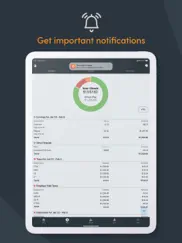
Paylocity 26.5.2 Apps Screenshots & Images
Paylocity iphone, ipad, apple watch and apple tv screenshot images, pictures.
| Language | English |
| Price | Free |
| Adult Rating | 4+ years and older |
| Current Version | 26.5.2 |
| Play Store | com.paylocity.paylocitymobile |
| Compatibility | iOS 16.0 or later |
Paylocity (Versiyon 26.5.2) Install & Download
The application Paylocity was published in the category Business on 27 June 2013, Thursday and was developed by Paylocity [Developer ID: 652438575]. This program file size is 283.03 MB. This app has been rated by 608,499 users and has a rating of 4.8 out of 5. Paylocity - Business app posted on 05 June 2026, Friday current version is 26.5.2 and works well on iOS 16.0 and higher versions. Google Play ID: com.paylocity.paylocitymobile. Languages supported by the app:
EN FR PL ES Download & Install Now!| App Name | Score | Comments | Price |
| Paylocity Benefit Account Reviews | 1.8 | 60 | Free |
We’ve built an employee-centric native mobile app so you’ll have access to everything you want and need in the palm of your hand. Like the apps you use in your personal life, the login, navigation, and notification experiences are fast, reliable, and intuitive. The home screen unifies all the information most relevant to you—new messages, tasks to complete, and more. Access your most-used features, like clocking in and out, timesheets, schedules, or On Demand Payment with one tap.
| App Name | Released |
| Fiverr - Freelance Services | 11 December 2011 |
| Indeed Job Search | 07 June 2009 |
| QuickBooks Accounting | 13 February 2013 |
| Paycom | 30 May 2017 |
| MyWalmart | 14 November 2019 |
Find on this site the customer service details of Paylocity. Besides contact details, the page also offers a brief overview of the digital toy company.
| App Name | Released |
| Craft Pricing Pro | 21 April 2024 |
| Superpowers by SYPartners | 11 January 2018 |
| FaxCover - Fax Cover Sheet | 14 January 2021 |
| EML Viewer Pro | 22 September 2017 |
| ABBYY Business Card Reader Pro | 23 December 2009 |
Discover how specific cryptocurrencies work — and get a bit of each crypto to try out for yourself. Coinbase is the easiest place to buy and sell cryptocurrency. Sign up and get started today.
| App Name | Released |
| Wizz - Make new friends | 24 February 2019 |
| DoorDash - Food Delivery | 10 October 2013 |
| Target | 24 November 2008 |
| CapCut - Video Editor | 14 April 2020 |
| 06 October 2010 |
Install the Giftmio extension for smart shopping. Get notified about cashback opportunities, activate cashback in one click, and save money on purchases.
| App Name | Released |
| Paprika Recipe Manager 3 | 15 November 2017 |
| Incredibox | 27 March 2016 |
| Balatro | 26 September 2024 |
| RadarScope | 12 February 2019 |
| Pou | 26 November 2012 |
Each capsule is packed with pure, high-potency nootropic nutrients. No pointless additives. Just 100% natural brainpower. Third-party tested and validated by the Clean Label Project.
Adsterra is the most preferred ad network for those looking for an alternative to AdSense. Adsterra is the ideal choice for new sites with low daily traffic. In order to advertise on the site in Adsterra, like other ad networks, a certain traffic limit, domain age, etc. is required. There are no strict rules.
Keep personal info private, avoid scams, and protect yourself online with AI-powered technology.
Paylocity Comments & Reviews 2026
It's alright, could use some improvements. I've only been using it a few months, but there are some things I encounter that are irritating, here's a few: The app could use a dashboard or home screen with useful info and shortcuts. Currently, when opening the app you're shown the plain menu. It would be nice to see a screen with relevant info like your current timesheet/hours, your last paycheck amount, etc., as well as shortcuts for your most-used items like clocking in/out. Why do I constantly get logged out? Even after enabling TouchID it still logs me out every other time I open the app. If a user's own biometrics aren't a secure enough method of logging in, then why even offer the option? It's frustrating to make a user keep entering their password. When you do have to log in, it's nice that the app uses the OS's password manager integration. However, it doesn't work correctly. When attempting to use my phone's password manager, the app searches for a credentials for "localhost" instead of Paylocity. So then you have to erase that text and type in "Paylocity", which is super tedious. Combined with the above issue, it creates a very frustrating login experience before you even can use the app. Please add support for Siri shortcuts. It would be incredibly useful to say "Hey Siri, please clock me in", or "submit my timesheet" or whatever like you can do with many other apps at the moment.
Room for improvement. The app used by my previous employer gave employees who had forgotten to clock in/out the ability to go back and fix it in the app. The event was still flagged in the system, so at the time of processing payroll management still had the ability to deny the change and question the discrepancy. I work in a veterinary hospital, when you get called back early due to an emergency (which can happen at any time) often people don’t remember to clock in from lunch. When this happens is an inconvenient system of leaving the manager a note with the correct information for them to manually go in and facilitate the fix. If this were possible within the app it would make everything more streamlined. Also, employee performance reviews would be a good option, both with management and as a anonymous peer review. If they are going to do it all, Paylocity could also add a scheduling feature to show work schedules/ shifts/ assignments for your place of employment. Everything together in one easy access app.
Current Version has Extreme issues. I was hesitant to write a review at first after returning to my previous workplace, which uses this app for clocking in and out, time cards and more. However, after about 2 weeks my workplace has still not been able to resolve the issue where time punch is locked for me and within the past week I started having a new issue where I can't even submit both clock in and clock out for correction to my supervisors using the system. And on top of that, I tried deleting and redownloading the app after rebooting my phone twice just to attempt to fix the issue and the forgot password feature is not working correctly. I submitted a request to change my password several times and out of the probably at least 12 times I attempted, I only received 1 message and the one time password it gave did not work. Please get on this ASAP paylocity team, I don't know what the problem is but these are all recent issues. FYI my workplace has already reactivated me as a current employee on your system so I believe I should be able to punch in and out at least.
Very handy!. The Paylocity app is very handy and user friendly. As an HR professional using Paylocity for pretty much anything and everything involving our company and employees, I’m impressed with all of the neat features it offers. Our employees typically say they prefer using the mobile app over the web browser! As administrators within the Paylocity system, we do call support for assistance when needed and it’s quick and easy to get in touch with a representative, however nearly impossible to get through to our designated account manager, which defeats the purpose of having one in my opinion. There have been occasions where we would call for support and the representative was not knowledgeable and would just refer to the Knowledge Base articles on the site, which I can do myself, usually leaving us with an unsatisfactory answer forcing us to call back and hope to reach someone more knowledgeable about the system. Paylocity representatives should also be thoroughly trained in compliance and legal topics, such as tax and garnishment procedures, and especially E-Verify. All in all, Paylocity is great and consistently improving to meet our evolving demands and the mobile app is an essential tool for all users. I would recommend this company/software to any business who wants a simple program that provides many great essential and bonus features to their employees and administrators.
Seek other options. I have been using HR/payroll systems/apps throughout my career, including Kronos, ADP, and Paychex. Paylocity, by far, has been the worst one I have used. Here is why: Poor Website Design: The website is not user-friendly. It’s crammed with drop-down menus labeled with verbiage that doesn’t relate to the function or the information needed. Inefficient Database Indexing: The indexing of the database is poor and lacks seamless integration. The filters are limited in their data-mining abilities because of this poor indexing. Customer Service Issues: don’t expect anything more than delayed responses and unresolved issues. Technical Glitches: frequent technical problems such as account lockout and not receiving one-time passcodes in a timely fashion. Paylocity App: the app is similarly frustrating and limited in it’s capabilities despite the very frequent updates. Don’t expect functionality to go beyond simple punch-in and out operations. Overall, Paylocity has not met my expectations and has proven to be a challenging system to work with.
I give this app a 1 only because that’s the min allowed. The app is only good for two things and that’s to look at paystubs and print them. The rest of the app is read only you can’t do anything but look. You have to go to the web site to do anything else. In the age of tech and you make an app that doesn’t do much of anything and the website isn’t much better. It’s complete trash if you try and do anything from a noble as well. Pc only and the password protection is even worse. Even when your browser saves your password it’ll tell you you put it in wrong. Then try a new password put in the actual one you was using and looky there you can’t use an old password (that it said was incorrect) but you’re in charge of the security of my money.... wish my company would have never went with this trash.
An issue with the “Announcements” option on the home page.. Once I’ve selected the recent announcements (from the home page) and I’m done reading them I can no longer select that “Announcements” option any further. I cannot view them again. I should be able to review them anytime by selecting “Announcements.” Instead it says, “All caught up.” This creates a problem when my memory may fail to remember exactly what that announcement said, such as a time or a date. I’ve looked around and cannot find anywhere the option to review them. Why is it they are not still available. This is VERY USER UNFRIENDLY. Please update the app to apply a continually availability option to review recent and all “announcements.” Thank you.
From an employee. March of 2020 I was offered a new job. In the interview i asked many questions about how easy of access i wound have to certain information as an employee. Including hours, time off, vacation, msa, insurance and more. I was shown this app as my answer and was mighty impressed. Now the app didn’t sell me the job but it sold me the company that was looming to hire me. This kind of organization and easy information access for us employees goes a long way. I love this app and what Paylocity does for us. Thank you. Proud employee of oilfield steel supply and user of Paylocity app
Always needs a password change. This app’s security is so bad that it always wants me to change my password. I save the password every time in my password manager and every time I go to sign in with my password it always says credentials are wrong. I know it’s not. Their security is so bad that it forces users to change the password multiple times a year and on top of that forgets it because I can never sign in. I always have to go to an admin to have the account reset in order to create a password AGAIN never seen a site with such terrible security that the only way to keep peoples stuff secure is to force them to change the password multiple times. They really need to get better encryption because there is no way anyone can guess a random password of letters and numbers and symbols. Users shouldn’t have to do anymore than make a long hard to guess password and nothing more. Any more effort out of users means the site has crappy encryption and they need its users to change the password because someone can easily get everyone’s login info.
Kinda okay. The app has a lot of potential and features that are nice and easy to use. The big kicker for me though that brought it to 2 stars is that for nearly a year I’ve been having to uninstall and reinstall the app to get the right pay week to pop up. I have an iPhone running the newest iOS and everyone at my company regardless of brand is having this horrible issue. If I don’t uninstall and reinstall the app I have to click through every week since I last installed the app to do my hours. How is this even an issue? This is the most basic aspect of use this app gets and it’s been broken far to long. Before that I would have given 4 stars. Please, fix your app.
App is trash. This app is trash man. I was trying to put in my direct deposit information to get paid early, and there’s just no save button. Meaning I can put in my direct deposit info but can’t save the information. Which is especially frustrating because In the tutorial video, it shows that “save” button, but when you actually try to set up your direct deposit, it’s just missing. So there’s no way to set up my direct deposit and get paid early. Please fix this. And there’s no clear customer service phone number either. It seems like you have to dig in the depths of the internet to even find a customer service number. And once you do, you’ll end up talking to a bot. I don’t wanna talk to a bit, I need to talk to a REAL PERSON.
Needs a calendar subscription. Great app. It’s extremely organized and I find many of the features really handy and useful. I’m glad we’ve made the switch to this system. However, I use the calendar on my phone to stay organized as do many other of my coworkers. One thing that Paylocity does not have that our old system did is a calendar subscription. With this feature, it automatically inserts an up-to-date schedule into your calendar app and sets it as an appointment. This is extremely useful as I am a busy student and have my class schedule, assignment schedule, and study schedule in my calendar app. Having to open the Paylocity app multiple times a day to review my schedule is a hassle. Please add a calendar subscription as it would be extremely helpful to myself and my other employees.
Too secure! Otherwise nice. Gotta love this. Beats punching a clock. I'm a retired SaaS infosec person working a part-time YMCA job. This app makes it super easy to submit time sheets. There's big room for improvement in the session management subsystem. Here's the use case. I'm signing in to work as I enter my workplace. I'm also fumbling with a key, opening a door, and schlepping my stuff. I open the app and hit the orange Clock In button. Then the app prompts me for my password. Not every day but only unpredictably. Gaaah! Password! did I remember to save it last time? What is it? Try something. Doesn't work. Then I think, to heck with it I'll email my supervisor and skip Clock In You don't have to expire your sessions this way! You can renew the session every time I use the app, for a preset number of days. And you won't compromise security. On the mobile side the session token is in the secure enclave either way. So I don't have to sign in again except maybe after a vacation. Because refreshing my creds at Clock In time is a big nuisance. Please consider this suggestion.
Its ok.... You can't use on boarding on the app, company set users cannot use the app for their CS log in. As an employee it's great with viewing pay and time off but you can't see everything that's available in the self service portal and the sections on the left are confusing because links you see in the SS portal for example under "pay" would go to Company links not under Pay which is confusing. I love the pie charts that shows your check breakdown you can see everything that has to do with your check and pay which is great. My other complaint is that it's not user friendly to download actual pay stubs; you have to email it yourself and the email but is just a little mail icon. I wish the checks you could click on like the SS portal and see the stub. It seems like they are working on a lot of upgrades so I hold out hope for them.
Log In Issues. The app itself is handy to have, but navigating through the menus can feel like a clutter trying to find specific features. The biggest issue is how every other day the app has issues trying to log in. The face scan feature never works half the time and for some reason paylocity will outright forget my password. I have it saved and I know for a fact it’s correct because I write it down. But this is the third time the app makes me create a password even though I don’t have to. But even trying to reset the password on the app doesn’t work as an error screen pops up every time. Aside from the glitchy log in issues it’s a nice app to have when you actually get to use it.
Efficient enough and inspiring!. Thank you team for all that you do to help us keep up tracking our schedule, timesheet, clock-in-out, awards and lot more! After using the mobile app for more than 3 years now, I would like to bring some minor modifications that you may further research to check the possibilities of bringing them into implementation! 1. Schedule: Can you add an option for the employee to pre-add their own timings into Paylocity, instead of looking into their own calendars! 2. Tasks: Can you add a new option for the supervisor to be able to add new tasks routinely (everyday with a checklist option for the employee to mark complete and later notify the supervisor) and special or urgent tasks labeled ASAP! With additional notes dialogue box! 3. Inventory: Adding an inventory option can help keep track on the office or work related items and mark them up immediately for purchase or supply request! Making the application holistic in nature can bring in more traffic, which I felt to share with you according to my personal experience. With regards Avi
Excellent and stable employee friendly app. I’ve had to utilize a few different Apps for employee self-service and engagement in my time. Paylocity’s is by far the most user friendly and stable. Always available and very easy to find whatever it is I’m logging in for. The Community feature is awesome, my company uses it to keep us up to date on everything happening in the organization, celebrate successes, etc. I’ve used other company’s (UKG, Kronos) that seem to crash too often and it takes forever to punch in because of the crashes. Paylocity’s has never done that. It is always available and I’ve never been “kicked out” due to a glitch.
Options missing from mobile app. My company went with this system and it seemed great at first. Now we can put time in on our phone. This is important as we constantly travel at our work. Until we found many of the input options required for our timesheet input are only available when using a computer. Rather than add options to this app to access items like location, and other features we need they have forced us to work around these issues. Now using this system has caused us more time and effort than was previously accomplish with paper timesheets sent via e-mail. Also system is glitchy. Often unable to log in. If you want a company that will work with you on tour payroll needs. Look elsewhere.
Overall. This is a very convenient app but has a couple time consuming issues in my experience The punch system Very easy but not always reliable In my case I have to take a photo while punching in and out The issue I’m having which creates extra work for managers and myself, the punch will go through as successful exit the app come back later to find the punch is missing What I think is happening, the gps check reads good so the punch is successful, what you can’t see is the progress of the photo being uploaded in the background so if you quickly close the app after making a punch it has a high chance of not actually reaching the server. I hope some update will either show us a progress bar or make us wait until it actually goes through to tell us the punch was successful Another thing on iPhone at least The training courses, tends to forget what you did for the past 45 mins, and since in my case it’s required by the company, it took 4 hours to submit a 45min training course after having to redo it 10 times it seems to lose all the information after clicking on what did I miss. The progress bars will fall back to 0 after completing a missed page for something as simple as a photo you did not click on.
Serious issues with clocking in and out. Hello, Me and my team Have been having serious issues with the app when clocking in and out. It will show you clocked in successfully and out successfully but when you go back later to look at your time the app will show you have missed punches. I have personally witnessed this and it has also happened to myself as well. Also sometimes you will clock in successfully and then you will go back later to clock out and it will say you were never clocked in it’s becoming very frustrating and time consuming to have to correct these incorrect missed punched for the team. Employees are also unable to clock in to work a lot of the time. Can we please get an update to correct these issues thank you!
Nothing wants to works for me. Nothing is working for me!!! Every time I put my info in it comes back and says something is wrong!!! Or it will bring up some else’s info with my last name. It just seems very difficult to get setup and not user friendly. By the time I get it to work I’m not gonna need it because it will actually be payday. Something else that makes me skeptical is everyone and I mean EVERYONE at my work (Wendy’s) has told me NOT to use the app that it will scam or it had already scammed them at one point. One employee didn’t receive a paycheck for 2 months because of this work today/pay today thing. He did however get his money and it was a little over $2000. If I can get the app to work for me I’ll update my review.
Very convenient. It’s nice to have this app available. Before installing this I was taking scans of each paycheck/paystub and adding it to my files folder on my iPhone (which I still do though redundant). But with this app I can easily look back and see my previous checks and the breakdowns of each including overtime, holiday pay and even what paid time off I’ve acquired. The fact that I can also pull up my w-2 makes it that much better. This is a very good app and if your employer uses this system you should definitely download and use it.
Best Seld Service app out there!. The Paylocity mobile app is hands down one of the best-functioning apps in the payroll industry. It provides seamless access to all my important information, including check stubs, time off, retirement details, and company chat and more. The app never crashes and runs smoothly every time I use it. The user interface is intuitive and user-friendly, making it incredibly easy to navigate. Whether I'm checking my latest paycheck or managing my benefits, the Paylocity app consistently delivers an outstanding experience. It's truly the best out there for anyone looking for a reliable and efficient payroll app.
Easy to use and everything works. I use this app to check my paystub, put in time off requests, check my HSA/FSA balances, and take trainings. My favorite is the expense report feature where I can easily enter each expense on my phone as I make the transaction on my business trips. Easy to use and I submit as soon as I get home without having to sort it all out the next few days after the trip. On Demand Pay for early access to my paycheck works well. I’ve used it successfully multiple times. I also respond to Community posts frequently and the new Mark All as Read feature for alerts is perfect for those who like to have a clean to-do list!
After so many updates....annoying pop-up remains. Everytime I open the app, a smug little window appears that says, “You do not have the rights to view this page. Please log back in and try again.” What page are you even talking about...? I just opened the app, have not gone anywhere on it...also, I am always loggen in, but it wants me to log out...yet, when I click the button to make the smug window go away, it takes me to the menu screen, not to a log out screen, and I remain logged in......can you fix this?? Maybe...?? And, in latest and greatest update, when I want to see my timesheet, it now takes you to LAST weeks’ timesheet, not the current one, which is what it used to do, and what I want it to do. Can you fix that...? Maybe...? No...? I will be watching you.
Wish I could respond to negative reviews. Most people complaining about these topics don’t realize they are company settings that their employer sets up in paylocity’s system, not a limitation of software. punch in/out issues, no access to mobile punching (company setting), incorrect PTO balances (company setting), took out too much child support (company set up), have to log back in after too much time away from app (standard security setting). The list goes on and on. Some people just don’t know the bigger picture. Otherwise it’s spam from Paycom reps. Wouldn’t put it past them.
Worst app I’ve ever used. Location based punch ins just don’t work. App is slow, lags, glitches. If you clock in, work anything more than I think 7 hours then the app just thinks no possible way you could have worked that long and defaults your next punch to a punch in instead of realizing you’re still clocked in and probably want to clock out. And I can only stress how bad their location based punches are. Takes me five minutes to clock in every day walking around my whole store while the app flickers around and tells me I’m in an unauthorized location. You just have to keep walking around until the app decides it’s done toying with you. To anyone running a business, do not get this app your employees will hate it. Get PayCom instead it’s what we used to use and it’s much better.
Great App, really poor customer service. I have been using this app for over a year and I must say that it is well done. Doing vacations and sick time is a breeze. However the downside is that I mistakenly signed up for an FSA and an HSA, something that you can’t do, yet my HR didn’t catch it and neither did Paylocity. Paylocity refunded the FSA money paid out, but needed me to pay everything that was spent on the card, which was more than I had paid into that account. But the way they wanted me to pay was through the FSA account they deactivated, because they couldn’t bother to listen or even read the case notes. Also they were sure to email me at 4:30am to let me know my Benefits card was suspended until payment was made. After a few days of letting them know they weren’t being smart about it, it was finally straightened out and an address was supplied. A cashiers check was sent and received within 3 days, then they took another 4 days to cash it, where upon nothing was credited to my account and it’s still tied up, as of 8 days later. So a TL;DR, it is a great app as long as you don’t need human interaction on Paylocity’s side, then it becomes garbage. Now that we straightened out
Has all the pieces, fails to put them together. This app is ok at best. On average it is consistently frustrating to navigate and use. -Constantly requires an updated password. -Lies about password availability (says it can’t be the same as the last 4, but won’t allow any password so long as it has been used by the user.) -Requires said password to access any sections of the app that a person would be using the app for (looking at weekly pay, W-2 forms, completing training assigned by the company, etc.), magnifying the above problem. -Limited or no access to information or sections that ARE available on the browser version. This leads to constant issues where the company will think the employee has access to certain information, where the employee doesn’t even know it exists. -No ability to change account information beyond name and address without a prompt from the app. -No way to remove the glaring notifications in app without dealing with the attached issue, regardless of significance of the issue. (Some of us don’t care to participate in every company competition for best field picture, and that’s ok, so let us get turn off the alert) -Just to list a few issues I’ve encountered. It has all the functions, but using them or getting to them is just consistently frustrating. If it works but it’s finicky, it doesn’t work. Certainly not a 1 star app, but it could be fantastic if it wasn’t artificially frustrating.
New Version First Impressions. I don’t like change. To walk in and my time clock doesn’t work and I have to go to the app but then it takes forever for the app to load. Why? Because someone decided they are not getting enough engagement and we have to move the social networking aspect of this tool to the front of the gui. I can’t wait until my hammer requires I give my boss a positive review before I can start driving nails. A good tool is one that does only what it needs to and does it well. There may be good features for this app but I’ll never know because I’ll never use them. Not the sign of the right tool for the job. Hopefully some CEOs at least get another yacht out of making my life more irritating. Now they can show shareholders how they did something to justify getting paid 1000X a frontline employee.
Not easy to use. The only reason this has two instead of one star is because the app works with little lag. The app has a weird refresh set up I have to do every time I clock in though, meaning if I don’t clock in, let it give me two updates, then click out of and back into the clock in page, it will not actually clock me in or out. I am also having an issue where they have taken away the “approve” button for me to approve my hours. This means I now have to go into the site on my laptop to approve my hours to get paid. Why, oh why? Unless I’m missing something obvious I’ve checked that page and others up and down, no approve button. I’d love to get some help from the site on this.
Good app, very glitchy. Has a lot of great features and the design is clean and straightforward. However there are lots of issues. I keep getting logged out despite always selecting the option to stay logged in for months at a time. This happens 4 or 5 times a week, often multiple times a day. My app is up to date. I also am sent back to early February every time I open the schedule inside the app, despite it being mid-April now. The hamburger menu icon also disappears frequently and I have to restart the app to get it to return, which often logs me out. If these issues were fixed I’d give 5 stars.
Some functionality good, others not. The time & attendance is very good & easy to use. Also like being able to do Supervision Notes from the field. It is tremendously disappointing that there is no ability for candidates or in-house employees to apply for open positions on mobile. This is a big miss. Had to set up Easy Apply with 3rd party. 97% of our applications come in on mobile. Also, no benefits enrollment or view. Mobile should have same functionality as desktop. Finally, your Community (desktop and mobile) misses the mark entirely. You have it geared to being completely social, at work. What employers need is for employees to access organizational knowledge easily and ask questions from the field, from managers, colleagues, SMEs.
Major bug that will never be fixed. This app is absolutely terrible. never have i experienced such a miserable helpless time while using an app! There’s multiple bugs that cause this app to constantly crash forcing you to have to continuously delete the app and reinstall it in order to correct the issue but only for a limited time until you need to repeat the process. Taking a simple photo will crash the app, or saving something will cause it to get stuck during the save process, or if you switch to a different app and then back to the paylocity app it will cause the photo preview to not display the correct image you just took with the camera, all resulting to have to delete the app and reinstall it. such an awful user experience. A cruel sick joke of an app...
For managing my team this app is lame. Yeah, app is awesome that i can clock in and out anywhere with my phone. But... other than that what i need it for it is useless. If i have a coworker call out on a day i don’t work, i can’t view to see the schedule. We also have many departments that I have staff that could switch over to help, but app only shows my dept. So i have to login through website and hassle with the login. A WASTE OF MY TIME ON MY DAY OFF. Also, if i need to go to the website because app won’t show me what i need, what is the first thing that pops up? My Pay!? If i am sitting at a computer logging in through this ‘super protective portal’ and then shows everyone my private info... that seems inappropriate. Maybe just a home screen would be better. If i could make changes they would be 1. Make it so on the app if I’m not working i can still see who all is working 2. Be able to customize who i would like to see ‘i am working with’ (across all depts) 3. When logging into website, NOT having my pay large and in the middle of the screen for all to see. 4. Once your biometrics have been used... STOP having me resign in. Your ‘register as a private device/computer’ doesn’t work either! Streamlining is needed! Too many tabs and sub folders! Easy to get lost and not user friendly! I do like that i can manage my hours and email HR as soon as I realize i forgot to clock in or out. But again, that doesn’t help me with my day to day job!
Love This App!. I’m in the app every day. I use it to view my paystub’s, request time off, see journal entries from my director in video messages, take trainings, updates from my company on our community page, view my HSA and FSA balance and file claims, and enroll in my benefits. It is so easy to have everything in one place. I just refinanced my home and was able to email my paystubs and W-2s with a secure password to my mortgage broker. I can’t say enough good things about this app. It has really been beneficial during Covid and getting updates from my company. I am a remote employee so I don’t go into an office every day and this helps me feel connected to my colleagues.
Work. I really love my job I love the people I work with the girls are so understanding respectful I have never worked in the place like this. This is my first time and I miss the girls. They’re at work since I was only able to work one week and I had an accident where I hurt my leg and I haven’t been to work since but I will not change my job for anything. I love the way we are there at work. Thank you Joanne for hiring me thank you Stephanie for teaching me the stuff you’ve been teaching me I really want to go back to work already and show you that I can be a good team worker. Thank you for giving me the opportunity. I’ll be back soon.
They refuse to fix security issues. Since 2018 I’ve been reporting a security issue to Paylocity support which they refuse to address. When you invoke the app switcher, sensitive/personal continues to be display rather then being masked for blurred out. Even days later! The time out doesn’t work until you open the app again. This is a standard feature of every app that involves finances and personal information. Paylocity still won’t implement this simple feature. Also this app still relies on security questions like mother’s maiden name which have been proven to offer no additional security. Finally, there is an option in the app to enable MFA (multi factor authentication) but this check box does nothing. When contacting support, they refer me to my companies HR team‽ Oh course no one in my company can fix a third party app. Even our CISO has been involved and nope, Paylocity does nothing. It amazes me year after year these security issues continue to get ignored.
Latest update caused a bug - 6/12 update. * added this 6/12 - apparently this company does not read the reviews because they have no way to submit technical bug problems in their app. It’s still has problems on iOS when trying to submit to clock in as they submit is grayed out but it’s actually a valid button if you want to call it that. Several of us are all experiencing the same problems the last few days when you try to look at the schedule it will show nothing, or it will take you to a month prior and you have to scroll until today, or it will show your today’s only and nothing else for the week or it will show you no one else that’s working at the same time. Having to close and open and refresh over and over to try to get any data is truly frustrating. What’s even worse is the fact that there is absolutely no way to submit anything to this company when their app isn’t working correctly. I even went to APP support but it just takes you to the companies homepage and if you go to contact they won’t discuss issues with their software with users of it. So here I am leaving a review about a bug because they don’t give you any other way to do it. After the last update when you go to punch in or clock in or out or any status the submit option stays grayed out but ho ho ho! it’s actually valid you just have to click on it anyways. Normally the submit option in the upper right corner stays grayed out until the GPS has located you. Have a nice day.
Paylocity needs a desktop timeclock app.. I downgraded my rating since the developers are complacent and haven’t changed anything in five years. Paylocity is likely bilking America’s working class millions of lost minutes due to superfluous security questions and offline issues preventing instant login. The solution would be a timeclock-only desktop app for Mac and Windows, which could stay open all day without access to personal info. I used to keep the website open on my computer so I could easily clock in or out, because logging in each time is such a multi-step hassle. It times-out for security reasons, so this doesn't always work. Leaving the page open is a risk because if you're away anyone can then browse and see things like your pay rate and other personal information. For whatever reason, my employer has chosen to disable the timeclock feature on the mobile app, thus defeating the only useful feature of the app. This option shouldn't be available to employers. Paylocity needs to make improvements before another provider beats them at their own game. Again, a desktop app that's timeclock-only would solve a lot of problems. The manual punch is also ill-conceived. If you forget to clock in, or a bug prevents it, you have to punch whatever time it is and type a note with the correct time so your manager can be inconvenienced with fixing it. Would make more sense to honor the employee's entered time and flag the actual time as a missed punch.
Paylocity Review. I Love everything Paylocity does to help their clients. Only issue I ever had was kinda a kick in the balls though. For whatever reason they double-paid everyone in our company recently. So like a normal human being I transfered the money from one account to another. Then enjoyed a nice high priced dinner. Well…a month and a half later they are still taking chunks outa my check to repay that double-payment. Which means I’m barely making ends meet because someone at Paylocity made a mistake. Yeah, I get that I probably coulda not spent that money, but I at the time, I wasn’t sure if they were even gonna figure out what had happened. Eithervwho, yeah, other than that incident they have been great. 🤷🏼♂️
Oh My Goodness, Bugs. Not sure if it’s the new iOS or just my almost 2 year old phone but I’ve never had a problem punching into and out of my shifts with with this app until around September of this year when it would require me to fully sign in EVERY TIME I OPEN THE APP. Not only does it take me around 2-3 minutes to sign in each time but it literally asks if I want to stay signed in for up to 3 months… and then does the same exact thing the very next time I open the app. I’ve updated, deleted/redownloaded, changed all my app settings and nothing seems to work. I’ve even contacted Paylocity multiple times about this matter and get the same beat-around the bush response so for now I just use the Paylocity browser on my work computer. Wish they would fix whatever bug/issues I’m having with this app!!!
Broken. Great job making this appealing for management and a daily chore for employees. Fix the punch in and out options for mobile. I hope managers are taking notes as your employees sit at their desks waiting to start work because the app takes forever to log in or suddenly wants you to change your password, again, or only lets you edit one stupid field at a time without saving. Maybe stop making silly “social” platforms and make a punch clock that actually works, physical punch clocks have been around for decades and I have used many of them without incident. The real shame is that you don't even need to build a physical machine, you could program it to do literally anything. It’s easier to get $500 in cash out of my bank acct than it is to punch in on the god forsaken app. Get after it.
Bad App. Besides my preference of having a real time clock. This app works badly and is poorly optimized. When trying to clock in or or or for lunch punches. The app must be force closed entirely before I can re login and make a punch. I have missed clocking in for the day or back from lunch because of this low functionality. Also when I try to update preferences within the app the settings don’t save or update or sometimes doesn’t let me change them at all. Also the app does not let you opt out of paperless and also does not let you opt out of sharing personal info with basically strangers. ie birthdays. I even contacted the app devs and HR to not have my info shared and it was shared anyway. Seems like this app is just a way to scam companies and also the app is made to make it easier for employers to scam their employees. Forced to use this poorly developed app.
Inconsistent Direct Deposit Submissions. My only complaint and which ultimately the most important is how this company releases funds to the bank(s) for direct deposits. Most people don’t do conventional old school banking anymore and many banking institutions now release funds immediately after going to the federal reserve. Many people never paid 2 days sooner than their “pay day”. With that said, for some odd reason Paylocity will send funds one pay period on a Monday, another on a Tuesday and the other Wednesday evening. I don’t get it! If my payroll sends you our timesheets on Monday morning, those deposits should be released to the bank no later than Monday evening or early Tuesday morning. Is it that difficult to push a button? All I wish is you to release funds consistently. And also people should not have to wait until Friday to see their pay check stubs, once the payroll is processed the stubs should be immediately available for review. Please do better Paylocity!
Works well within its functionality. 4 stars for a really solid app in terms of reliability and user interface The average employee will likely find this app useful in terms of clocking in and out. I’m sure managers find other features much more handy, but most of the time, you won’t ever find yourself having to access the rest of the app at all. Considering that fact, the development team could add some features that would likely increase adoption and improve user experience. Please consider these enhancements: ** Create a Home Screen widget or Siri command ** A widget for clocking in and out would be so useful. If your app’s primary function is to quickly do one task, there’s no reason that function shouldn’t be turned into a widget. Even better if it could be voice activated: “Hey Siri, clock out for lunch on Paylocity” ** Add custom scheduling and notifications ** My employer does not give me a set schedule. It would be nice if the employee could input their own schedule (for purely personal purposes). This could be the basis for adding notifications to remind you when it’s time to punch in or out (based on your custom schedule, or your employer-defined one). Tapping the notification could take you straight to the punch in screen or punch widget. It’s easy to lose track of time when working, and having to manually set alarms is annoying and easy to forget. Overall nice work. It’s tough to build a reliable, feature-rich application but your devs did a nice job.
Has Good Functionality, User Interface Has Some Serious Drawbacks. I realize that I am an old school User Interface critic - that’s because it was my job as a Business Systems Analyst to try to give my users the best experience back in the day when companies wrote their own systems. What prompted this review was the fact that I opened the app today and was presented with a complete login screen. Which wouldn’t be remarkable except for the fact that this happened two days after I ‘opted in’ to the screen that said I would stay logged in for 3 months unless I accessed sensitive information. Which I did not. And the fact that this was at least the third time it happened in the past two months. OK, that’s hideously annoying thing number one, because you don’t access this app for fun but to clock in and start getting paid. But, even more annoying is the fact that the ‘“Submit” button for the “Punch” function is at the bottom of the screen, which, on an iPhone 12, is where you swipe up to close the App. The “Submit” button on the “Punch” screen often gets ‘pressed’ inadvertently when you just want to close the App , leaving you clocked in or out by accident. Why not put the “Submiit” button at the top of the screen, safely out of harm’s way? Also, it’s hard to imagine that there is no functionality to export schedules to external calendars! Fixing these things would greatly enhance the user experience. Thanks.
Well… ok with my employer… but reverted to the mobile website. Worked flawlessly so far; no issues or recommendations BUT maybe it would be a nice feature to have seconds on the clock as well and have choices of digital or analog (a circle with the same digital clock with seconds, and circle on 00 seconds is a grey outline and seconds fills with blue up all around until 60 seconds and restarts), just like on the website desktop version. UPDATE Since after getting the iPhone 15 pro max and maybe there was an update for this app then… I think it would help with say.. if you started lunch .. it would give the option to end lunch after that.. and have the option to start lunch disabled since you started it awhile ago. To each their own I guess or perhaps it’s just simply the way my employer had it setup. I really don’t know. Recently I started lunch twice where the mistake was to have an end lunch. Of course I’d go thru punch corrections with my employer. The website doesn’t do that .. only gave me to end lunch. Just saying. Overall a good app if you are careful on your time and lunch punches.
No option to download or view PDF on mobile. I hope the support team can see this because I have no contact information to them. It’s very frustrating to say the least that I cannot view and download my paystub from the app, I have to email it which is very annoying. ADP is not like this and that’s why loved their app. If you enable users to do this on mobile, I’ll gladly do 5 stars. For now, I’m grading this 1 at best for the time it takes to get a stub on the mobile application. This needs fixed.
Works well as a employee but not as a manager. Update; I see that they are now finally saying that these will be added features with editing time cards and fixing punches but the main issue that will still be around is if I need to approve time cards for previous days during the shift it will not allow me to do so because if we are currently on shift there is a open punch thats making it error out. I tried reaching out to support but basically was emailed back that since I am not high enough up in my company I will not receive a response? They will only hear from someone in our operations department that they have contact with I guess… I wanted to reach out and explain that there are many shortcomings and some bugs when trying to use this app for administrative needs that I can only do via the web portal which is very inconvenient when im out of the office and need to make some changes.
Did you know that you can earn 25 USD from our site just by registering? Get $25 for free by joining Payoneer!
Imagine you at your best. All the time. Picture yourself at your sharpest and most productive. Your most alert and focused. Your most lucid, creative and confident. At work. At play. In every area of your life. Add Mind Lab Pro® v4.0 to your daily routine and uncap your true potential. Buy Now!
Adsterra is the most preferred ad network for those looking for an alternative to AdSense. Adsterra is the ideal choice for new sites with low daily traffic. In order to advertise on the site in Adsterra, like other ad networks, a certain traffic limit, domain age, etc. is required. There are no strict rules. Sign up!
Bring back old timesheets. The problem with this app and the software that the company that makes it is in some cases people have to work a whole shift without a lunch and this time keeping system says it is an error when it’s not an error and then when you put in notes to let your manager know your notes disappear. just because something is old does not mean you throw it away we need as a society we must I repeat must go back to traditional time clocks, time cards, timesheets, and forget about this digital stuff because it is a failure. The human brain does a better job of timekeeping, then a computer system coded by somebody who doesn’t even know how many continents there are on the planet.
Kinda okay. The app has a lot of potential and features that are nice and easy to use. The big kicker for me though that brought it to 2 stars is that for nearly a year I’ve been having to uninstall and reinstall the app to get the right pay week to pop up. I have an iPhone running the newest iOS and everyone at my company regardless of brand is having this horrible issue. If I don’t uninstall and reinstall the app I have to click through every week since I last installed the app to do my hours. How is this even an issue? This is the most basic aspect of use this app gets and it’s been broken far to long. Before that I would have given 4 stars. Please, fix your app.
Wish it had the functionality of the web app. The mobile app is great for punch in, schedule checking and requesting time off. Would be good for community pages but our company staff aren’t into yet another social app to check in on, not to mention that big brother HR is watching. One feature I wish the mobile app did is show policy updates posted as events. Can’t see them anywhere and it’s a pain to have to go get on a computer just to see a policy update. When the trainer hyped it up like the next best thing to sliced bread I expected more .
From an employee. March of 2020 I was offered a new job. In the interview i asked many questions about how easy of access i wound have to certain information as an employee. Including hours, time off, vacation, msa, insurance and more. I was shown this app as my answer and was mighty impressed. Now the app didn’t sell me the job but it sold me the company that was looming to hire me. This kind of organization and easy information access for us employees goes a long way. I love this app and what Paylocity does for us. Thank you. Proud employee of oilfield steel supply and user of Paylocity app
Serious issues with clocking in and out. Hello, Me and my team Have been having serious issues with the app when clocking in and out. It will show you clocked in successfully and out successfully but when you go back later to look at your time the app will show you have missed punches. I have personally witnessed this and it has also happened to myself as well. Also sometimes you will clock in successfully and then you will go back later to clock out and it will say you were never clocked in it’s becoming very frustrating and time consuming to have to correct these incorrect missed punched for the team. Employees are also unable to clock in to work a lot of the time. Can we please get an update to correct these issues thank you!
Awful app and scheduler. Paylocity has been a nightmare from a manager standpoint. My company switched from hot schedules to Paylocity for all scheduling (for a restaurant group). It’s been a month and we still have to fix stupid errors on Paylocitys end. For example, multiple employees are in the wrong time zone even though the company is Colorado based and the employees live in Colorado. The app also doesn’t save my preferences. I keep seeing employees from other restaurants in my team schedule. I can narrow it down to just my restaurant but if I force close the app when it won’t load I have to change it again. The whole thing is a joke and I would never recommend it to anyone. Stay away from paylocity for anything other than payroll!
Viewing Hours tab recommended. So I noticed Paylocity doesn’t have like a tab or section where you can see your hours worked can you guys figure out how you can make that happen? I mean the app is completely perfect only thing that missing is the hours worked tab and being able to request timeoff, sick leave, vacation etc. but having to see our hours worked on Paylocity would be a big game changer. If you guys can make that happen this app would be 10x better then ADP.
Options missing from mobile app. My company went with this system and it seemed great at first. Now we can put time in on our phone. This is important as we constantly travel at our work. Until we found many of the input options required for our timesheet input are only available when using a computer. Rather than add options to this app to access items like location, and other features we need they have forced us to work around these issues. Now using this system has caused us more time and effort than was previously accomplish with paper timesheets sent via e-mail. Also system is glitchy. Often unable to log in. If you want a company that will work with you on tour payroll needs. Look elsewhere.
Facilities Staff. In a former life I sold computer systems, small and large, and only dreamed of technology this capable to facilitate payroll processing. I use it every day to punch in and out on a very large campus. Saves having to go to a time clock on the other side of 83 acres. Increases my productivity, makes me feel trusted by my employer and truly proud to work in such a forward thinking environment. One year later, and I still feel the same way. It's really just gotten better. Thanks folks very, very much. I retire in October. Hope you guys continue to do well.
Easy to navigate no problems. I love this app a lot, I’ve never had any problems. What I like the most is, I can always see what My check will be before I actually receive my direct deposit or paper check. This app shows me my hours worked as well as what my pay will be, it gives me the option to email myself or any one else I choose to send my paycheck stubs to. It’s easy to navigate and very reliable, I would definitely recommend Paylocity to any employer.
Employees hate this app. I’ve worked at 2 dealerships that have unfortunately switched payroll over to this terrible app. Not a single employee at either of the shops I’ve worked at enjoyed using this app or the fact that you are required to download this app to simply clock in and out. It is a completely unnecessary waste of time and is unfair to impose the requirement of third party software on the phones of employees when the only real reason for its procurement it’s to save expenses on payroll software for the company. The geofencing is not accurate and only increases the difficulty of use and the software provides no other features of any use what so ever. This app is a joke for the employees and ultimately is only a way for management to save money.
App is trash. This app is trash man. I was trying to put in my direct deposit information to get paid early, and there’s just no save button. Meaning I can put in my direct deposit info but can’t save the information. Which is especially frustrating because In the tutorial video, it shows that “save” button, but when you actually try to set up your direct deposit, it’s just missing. So there’s no way to set up my direct deposit and get paid early. Please fix this. And there’s no clear customer service phone number either. It seems like you have to dig in the depths of the internet to even find a customer service number. And once you do, you’ll end up talking to a bot. I don’t wanna talk to a bit, I need to talk to a REAL PERSON.
Solid but could do more. Our company recently switched to Paylocity, it was quite an adjustment at first. The app makes sense once you figure out how to navigate it, however it isn’t very user friendly. Convenient customizations such as editing past shifts or even past shift notes would make things much easier for both employees and their supervisors who have to go in being the only ones with access to make adjustments. Maybe some companies prefer the restrictions but the option for more customization would be nice.
UI is confusing but powerful. I appreciate that I can input multiple time entries and approve them at once! The previous app our company used, Gusto, did not allow us to do that so it was more cumbersome to use. That said, the UI could be more intuitive. The timesheet UI isn’t smart or flexible enough to automatically adjust when changing time: instead, when changing start or end time that might overlap it requires you to basically start over. It hard to find things in the app: confusing that tax documents are buried in paystubs when it should be a separate button in the “More” menu which itself is confusing and could benefit from more intuitive labeling. Would also be nice to customize the bottom nav: I don’t use the “People” tab. It deserves kudos for being functional and not broken (unlike the other apps), but also our standards shouldn’t be so low. We should expect more out of an app we’re forced to use.
Average, at best.. Crazy to me how in 2022, full app functionality doesn’t match of their desktop. You can’t even update your address via mobile, it has to be from a browser? Other annoyances to me, the “help find my company’s ID”, once I’ve passed the security measures, you have to remember the ID to log in and it’s not auto populated. So to remember the number to log in, you have to go through the steps all over again. Lack of persistent login is also baffling to me. I log in maybe, 2-3 times per year and have to go through the head ache of reauthenticing everything. I might as well just register as a new user, which would be faster in the long run.
One thing I would like to add. App works super smooth for me. I don’t really have a choice to use it because my employer requires it, but we were doing paper timesheets I do enjoy being able to clock in on the phone. Super smooth and quick and it seems like they are making improvements to the app. The only thing that I would like to see changed it being able to modify the notes after clocking in and out. My brain is so use to clocking in and out that I forget to add a specific note and by the time I realize it is too late.
Some functionality good, others not. The time & attendance is very good & easy to use. Also like being able to do Supervision Notes from the field. It is tremendously disappointing that there is no ability for candidates or in-house employees to apply for open positions on mobile. This is a big miss. Had to set up Easy Apply with 3rd party. 97% of our applications come in on mobile. Also, no benefits enrollment or view. Mobile should have same functionality as desktop. Finally, your Community (desktop and mobile) misses the mark entirely. You have it geared to being completely social, at work. What employers need is for employees to access organizational knowledge easily and ask questions from the field, from managers, colleagues, SMEs.
Clerk. This app is ok. I have a few issues with it being I have used this for one year so far. When others get a paper check the previous day of the official pay day, people that use this app should be able to see their pay a day ahead as well. When the year ends we should still be able to see our last eight paystubs. Instead they all disappear and now your left waiting to receive your w2 for the previous year. Some people would like to go back and compare their paystubs, especially when they clicked the paperless option. Other than these two issues, the app is ok.
Basic details are missing from the employee app. As an exempt employee I don’t need to use the application for daily use. I periodically check in on key details and find some basic information is lacking. I recently wanted to change my w-4 tax deduction rate and can find no details on my current deduction settings or the w-4 form to change those values. Seems like this should be included. Time off and sick time accruals contain no history or rates of accrual requiring the employee to login each pay period to verify the accrual rate is applied correctly. This was a problem for me and others in my company when my employer converted to Paylocity and wasn’t as clear as it should have been to untangle. Finally and likely the most disturbing is the minimum pay for an exempt employee of my status in California increased this year yet my salary has not. It was a minor change for me and went unnoticed due to changes in other rates of deduction. Back to my hr for assistance.
No option to download or view PDF on mobile. I hope the support team can see this because I have no contact information to them. It’s very frustrating to say the least that I cannot view and download my paystub from the app, I have to email it which is very annoying. ADP is not like this and that’s why loved their app. If you enable users to do this on mobile, I’ll gladly do 5 stars. For now, I’m grading this 1 at best for the time it takes to get a stub on the mobile application. This needs fixed.
App has problems. I am forced to use this by my work and I hate it. This app constantly loses my password I have to get it reset every time I try to log in and I’m literally writing it down and making sure I’m not messing up. Takes a long time to update information as well I get paid and about half week later is when it’s updated. If you’re a business I BEG YOU to use anything else or maybe just do it the old fashioned way and keep your employees records yourselves instead of exposing it to the world. I also don’t like how my information is out there for hackers to potentially get from this app people just please stop using this type of stuff
Best HR/Payroll app out there!!!. I have been in human resources for over 10 years. I have used all of the outsourcing vendors out there from ADP, Paychex , Paycor , and even Paycom ! I have never had a better experience than I have had with Paylocity, especially with the app! it is very easy to use, and I am able to keep in touch with all my employees all in one place! The days are over when it comes to having to download multiple apps to keep track of your employee
Great innovation for busy managers. Initially paylocity seemed a bit over saturated with features, not quite as user friendly. So just like a payroll and data analytics platform it takes awhile to get locked in. When you get the functions down it is very simple and well structured. In today’s changing world clocking in from your smart phone should always be an option. Waiting on a computer to boot up when in fact we are geofenced to know the employee is at the location. There is my feedback. Good luck engineers!
Awful.. By far the worst app. You cannot see anything on it. I want to check my insurance cards that I have with my company I work with and all it ever says is that an error occurred and then tells me I have no active benefits. I pay every paycheck for my benefits but yet they are telling me I don’t have active benefits? The number they give you to activate your HSA card sounds like a scam. It’s an automated message that asks if you can hear her and then tries to sell you something. You have no option to activate your card at all. To see anything you need to go through the internet even though the app exists. Once you finally get onto the website it still isn’t useful. Just an overall terrible app.
I give this app a 1 only because that’s the min allowed. The app is only good for two things and that’s to look at paystubs and print them. The rest of the app is read only you can’t do anything but look. You have to go to the web site to do anything else. In the age of tech and you make an app that doesn’t do much of anything and the website isn’t much better. It’s complete trash if you try and do anything from a noble as well. Pc only and the password protection is even worse. Even when your browser saves your password it’ll tell you you put it in wrong. Then try a new password put in the actual one you was using and looky there you can’t use an old password (that it said was incorrect) but you’re in charge of the security of my money.... wish my company would have never went with this trash.
Good App until you forget your password.. Hate this app sometimes. I have to go through hoops when I forget my oasswird because hit the “Forgot Password” seems to send rest link to Never Never Land. I will wait hours and nothing ever comes through and that each and everyone no matter how and when I choose to receive it. It takes me having to contact HR which can take sometime and then give issue with that as you have to get locked out of your account in order to have a link sent to reset. Like now it’s the weekend and I have to wait days for HR to get back in office, mind you they are not local and on different time zones. Can you help fix this issue it’s become a bother.
Miss the “Timesheet” option. The recent update on the app that moved from “Timesheet” for logging weekly hours to “Timecard” that shows the pay period hours has been much more tedious and less user friendly. My entire work team used to calculate hours through the timesheet app that would easily show how many hours had been worked that week, and help people plan on Fridays how many hours they needed to work to reach 40. With the new update, there isn’t a “weekly” view, so evaluating hours takes more time and math, and some people are ditching using the app altogether. Please bring the weekly view back—it was great!
Garbage punch system. I keep getting errors when I punch in and out. Specially when I travel. Over engineered garbage. Why does punching in and out have to ve so complicated?? Just register the time and be done with it. It's not paylocity's job to police a companies employees. Let the employees put in their time as is. Even my manager has trouble fixing errors. Absolute garbage. One of these days a lawsuit will come up. Im keeping records if I dont get paid for that time that I worked.
Not easy to use. The only reason this has two instead of one star is because the app works with little lag. The app has a weird refresh set up I have to do every time I clock in though, meaning if I don’t clock in, let it give me two updates, then click out of and back into the clock in page, it will not actually clock me in or out. I am also having an issue where they have taken away the “approve” button for me to approve my hours. This means I now have to go into the site on my laptop to approve my hours to get paid. Why, oh why? Unless I’m missing something obvious I’ve checked that page and others up and down, no approve button. I’d love to get some help from the site on this.
Wish I could give zero. Had this problem last time I had to use paylocity as well with a different employer. My login information is all correct but keeps getting an error message saying it’s invalid. I’ll even use all the same info on my app and desktop at the same time and usually it will let me log in on the app but not the desktop and now today both are not working. I’m very frustrated. Even attempted to do forgot password but I’m never sent the passcode. Just hoping that like the last time this happened I just have to give it a day or two and then log in using all the same stuff again and it will magically work. This needs to be fixed though it’s extremely frustrating.
This app is the reason i’m quitting my job. Where to start, sometimes it won’t let me punch out for breaks, it will just give me an error. the user interface is super buggy and difficult to use. when i submit a day off request it changes it to the day before the one i selected meaning if i want to request a day off i have to select the day before the one i actually want off. i cannot believe i have to use this for my job. it is basically unusable and endlessly frustrating and i’m just done with it. i don’t know who is rating this five stars but i guarantee they haven’t actually used this “app”. if your employer wants you to use this app, just find a different job because they obviously do not care about their employees.
Nothing wants to works for me. Nothing is working for me!!! Every time I put my info in it comes back and says something is wrong!!! Or it will bring up some else’s info with my last name. It just seems very difficult to get setup and not user friendly. By the time I get it to work I’m not gonna need it because it will actually be payday. Something else that makes me skeptical is everyone and I mean EVERYONE at my work (Wendy’s) has told me NOT to use the app that it will scam or it had already scammed them at one point. One employee didn’t receive a paycheck for 2 months because of this work today/pay today thing. He did however get his money and it was a little over $2000. If I can get the app to work for me I’ll update my review.
Broken. Great job making this appealing for management and a daily chore for employees. Fix the punch in and out options for mobile. I hope managers are taking notes as your employees sit at their desks waiting to start work because the app takes forever to log in or suddenly wants you to change your password, again, or only lets you edit one stupid field at a time without saving. Maybe stop making silly “social” platforms and make a punch clock that actually works, physical punch clocks have been around for decades and I have used many of them without incident. The real shame is that you don't even need to build a physical machine, you could program it to do literally anything. It’s easier to get $500 in cash out of my bank acct than it is to punch in on the god forsaken app. Get after it.
Major bug that will never be fixed. This app is absolutely terrible. never have i experienced such a miserable helpless time while using an app! There’s multiple bugs that cause this app to constantly crash forcing you to have to continuously delete the app and reinstall it in order to correct the issue but only for a limited time until you need to repeat the process. Taking a simple photo will crash the app, or saving something will cause it to get stuck during the save process, or if you switch to a different app and then back to the paylocity app it will cause the photo preview to not display the correct image you just took with the camera, all resulting to have to delete the app and reinstall it. such an awful user experience. A cruel sick joke of an app...
Works great. Needs some small improvements. Because my company uses this service for scheduling, there should be an option to “publish to calendar.” The service we used to use would automatically publish the schedule to the calendar on your selected device and even the university I went to had the option to do so. There’s other small “quality of life” improvements that could be made to make the app to make it more of a seamless experience. Great app and browser experience but could use some small additions.
It does what it says it’ll do. Sometimes the best review you can give an app is to say it does exactly what it’s supposed to do. This app fits that bill. It’s not a game you love spending time engaging with, and it doesn’t leverage the latest in AI tech, but I’ve not noticed any flaws, it simply doesn’t get in the way. In some ways it’s better than the website, I use the iPad app when I’m on my MacBook as it’s easier to access than the website. Good work Devs!
More trouble than it is worth. This app has been mostly trouble. I have had it for a year or so and just seeing my direct deposit it wasn’t so bad. We have 2 employees who have tried to set it up for 2+ years and none of us can get it to work on their phones. This week we have 2 new hires who also can’t register on it. We also started clocking in via the app this week. I could clock in yesterday I see timesheets but today that option was missing. I have turned my phone off, logged completely out of the app and updated the app- all to no avail. It’s a lot of trouble to not work.
After so many updates....annoying pop-up remains. Everytime I open the app, a smug little window appears that says, “You do not have the rights to view this page. Please log back in and try again.” What page are you even talking about...? I just opened the app, have not gone anywhere on it...also, I am always loggen in, but it wants me to log out...yet, when I click the button to make the smug window go away, it takes me to the menu screen, not to a log out screen, and I remain logged in......can you fix this?? Maybe...?? And, in latest and greatest update, when I want to see my timesheet, it now takes you to LAST weeks’ timesheet, not the current one, which is what it used to do, and what I want it to do. Can you fix that...? Maybe...? No...? I will be watching you.
Love it. The company where I work was recently purchased by another company and everything changed including how we clock in and out. At first we were all very skeptical about this new system but honestly it is very easy to use very interactive you could access everything through an app including W-2s and precious paychecks. The only con is that with our old system we got paid a day early and the system is on the actual day. Still though I like the system better I would highly recommend
Not impressed. App does not allow me to update my phone number or several other things that I need to as far it’s holding me back app run slow and just doesn’t really allow proper updates by the employee which it should because we’re the ones that know what our email phone number and yada yada yada is it’s constantly logging off for no apparent reason push notices hardly ever work or any other notifications for that fact because they all get sent to somewhere else besides the phone or computer that I would use doesn’t really update anything on your tax information throughout the year, doesn’t tell you how many hours you’ve worked total for a yearthere’s quite a bit that could be fixed
Update set it back. I was using it for over a year, and other than a couple of glitches with the clock in setting it was great! I could see my schedule clearly at a glance and easily move from one page to the next. The newest update has made it clunky. I’m still having the clock in/out problem and now I can’t see my full schedule/assignment unless I click on each day individually. I then have to go back and click on the next day and so on. Editing missed punches is also become very cumbersome with the new update. I hope they fix this soon as my employer solely uses this app to function.
Does not know how to properly calculate time!. If I submit the following for a day in the timesheet: 1:37p-6:37p 6:37p-7:07p (lunch) 7:07p-10:07p The app calculates this as: 5.00H 0.62H 2.88H And shows (7.88 h) at the top. Which just ripped me off of 0.12 H. Now let’s say I start at the same time, but went to lunch 1 minute earlier: 1:37p-6:36p 6:36p-7:06p (lunch) 7:06p-10:07p The app calculates this as: 5.00H 0.60H 2.90H And shows (7.90 h) at the top. Ripping me off of 0.10H. Which is somehow a different amount even though the actual time worked is precisely 8.00H with 0.5H lunch in both scenarios. In the end it turns out that the employer can choose to have rounding enabled, but the problem with this is there is no indication whatsoever to the employee that rounding is taking place, other than seeing incorrect values in the time calculations. It’s extremely important that if rounding is enabled, that it’s disclosed to the employee. You should either modify the time the user entered to the rounded value, so they can see that the time is being rounded, or restrict the input fields to only allow the rounded value.
Never works!!. This app never works!! I know my password but I cannot check my pay on the mobile app or using a desktop computer. Every time the Paylocity app says either my user name or password are wrong. But the employee cannot talk to Paylocity even though there is a phone number to call for help!! You can only talk to your company admin or HR, so if both are out of the office, too bad for you!! It is so frustrating and irritating.
Really good but buggy. This app is really easy to use and works well. But the timesheet tracking is truly awful. It automatically adds a break and I’ll forgot and put it in 8 hours. It then breaks it up into 5 hours, .5 break and 2.5 hours of work. Kind of annoying tbh, not the end of the world. But if you go to edit one of those times to add .5 hours the entire thing goes sideways. It will delete the 5 hours and then you’ll only have 2.5 hours. Try to edit that and it will delete entries and give you zero hours. It just took me 15 minutes to try and edit and change a single day.
Not great. This app wouldn’t allow me to clock in. I was told to delete and reinstall the app. I did, and now I can clock in, BUT not under the line I need. Our company has different pay rates for different departments I work in. This app will not show all the options for me. So it is useless as far as clocking in. It does fine as far as keeping track of hours worked, paystubs etc. however, it will not print W2 forms filled in. I had to go to a computer in order to get my W2 for filing taxes. Honestly, I could delete the app altogether and use the computer. Not sure why I have not done that yet.
Frustrating. If this app would allow you to clock in from a few different locations by just tapping “clock in”, it would be ok. I work primarily at two different locations. One that is set as my primary location, I can simply tap “clock in/out” or “lunch” and is great. When I’m at the other work location, I have to “clock in/out” manually by “punch” & then it says “ pending correction”. This has to now be approved by a supervisor before I can get paid for those times. My fear has now happened. Those times weren’t approved & I have 4 days of work that I didn’t get paid for. I just feel like it shouldn’t be so hard just because I work at a couple different locations.
Log In Issues. The app itself is handy to have, but navigating through the menus can feel like a clutter trying to find specific features. The biggest issue is how every other day the app has issues trying to log in. The face scan feature never works half the time and for some reason paylocity will outright forget my password. I have it saved and I know for a fact it’s correct because I write it down. But this is the third time the app makes me create a password even though I don’t have to. But even trying to reset the password on the app doesn’t work as an error screen pops up every time. Aside from the glitchy log in issues it’s a nice app to have when you actually get to use it.
Easy to use. Paylocity has completely streamlined how I manage work-related tasks. From checking my pay stubs and submitting time off to accessing tax documents, enrolling in benefits & completing trainings, everything is in one convenient place. The interface is user-friendly and updates in real-time, which keeps me on top of everything I need. Highly recommend this app for any company looking to simplify and modernize their processes!
Needs improvement. The app is decent, and works well enough. It just seems as though the largest use for this app is to clock in and out, yet you have to tap through the app in order to get to the punch screen. Even then you have to select through a toggle to determine what type of punch you want. This is less accessible than the web interface! Punch should be the default screen, and it should be as simple as having 4 buttons: clock in, start lunch, end lunch, and clock out. This would make the app infinitely easier to navigate because the majority of users simply want to clock in and out.
Crappy for managers. What happened??. The app used to provide some basic functions for people as needed on the go but the user experience really gone downhill, especially if you are a manager trying to approve time cards. You can no longer do everything on one sheet but rather have to navigate between multiple tabs, can’t do anything as a mass action, it just takes forever, especially you have multiple supervisees. If you don’t have to clock in and out of work, there’s no point downloading this app. The reimbursement feature can be handy since you take photos of your receipts on the go but I don’t think most companies use that anyway.