Duo Mobile App Reviews
Duo Mobile App Description & Overview
What is duo mobile app? Duo Mobile works with Duo Security's two-factor authentication service to make logins more secure. The application generates passcodes for login and can receive push notifications for easy, one-tap authentication on your iPhone, iPad, or Apple Watch.
Additionally, you can use Duo Mobile to manage two-factor authentication for other application and web services that make use of passcodes.
Note: For Duo accounts, Duo Mobile needs to be activated and linked to your account before it will work. You will receive an activation link as part of Duo's enrollment process. You may add third-party accounts at any time.
License agreements for third-party Open Source libraries used in Duo Mobile can be found at https://www.duosecurity.com/legal/open-source-licenses.
😍 Do you love Duo Mobile app? Please share your friends!



Please wait! Duo Mobile app comments loading...
Duo Mobile 4.114.0 Tips, Tricks, Cheats and Rules
What do you think of the Duo Mobile app? Can you share your complaints, experiences, or thoughts about the application with Duo Security LLC and other users?

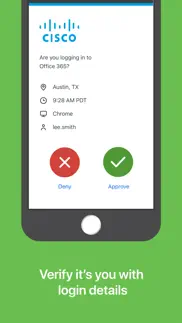


Duo Mobile 4.114.0 Apps Screenshots & Images
Duo Mobile iphone, ipad, apple watch and apple tv screenshot images, pictures.
| Language | English |
| Price | Free |
| Adult Rating | 4+ years and older |
| Current Version | 4.114.0 |
| Play Store | com.duosecurity.DuoMobile |
| Compatibility | iOS 17.0 or later |
Duo Mobile (Versiyon 4.114.0) Install & Download
The application Duo Mobile was published in the category Business on 08 March 2011, Tuesday and was developed by Duo Security LLC [Developer ID: 413163561]. This program file size is 45.62 MB. This app has been rated by 2,129,324 users and has a rating of 4.8 out of 5. Duo Mobile - Business app posted on 02 June 2026, Tuesday current version is 4.114.0 and works well on iOS 17.0 and higher versions. Google Play ID: com.duosecurity.DuoMobile. Languages supported by the app:
CA CS DA NL EN FI FR DE HI ID IT JA KO NB PL PT ZH ES SV TH ZH TR VI Download & Install Now!| App Name | Score | Comments | Price |
We're always working to improve user experience in Duo Mobile. This update introduces various behind-the-scenes improvements and minor bug fixes to enhance your authentication experience.
| App Name | Released |
| Grubhub for Drivers | 12 February 2019 |
| Planning Center Services | 25 August 2009 |
| UPS | 28 October 2009 |
| Indeed Job Search | 07 June 2009 |
| Amazon Flex | 14 June 2019 |
Find on this site the customer service details of Duo Mobile. Besides contact details, the page also offers a brief overview of the digital toy company.
| App Name | Released |
| HotSchedules | 30 October 2008 |
| Contacts2XL | 05 May 2016 |
| Audio Recorder with Timecodes | 24 March 2020 |
| ScanBizCards | 28 October 2009 |
| PDF Studio Editor | 26 July 2014 |
Discover how specific cryptocurrencies work — and get a bit of each crypto to try out for yourself. Coinbase is the easiest place to buy and sell cryptocurrency. Sign up and get started today.
| App Name | Released |
| PayPal - Send, Shop, Manage | 03 February 2019 |
| Target | 24 November 2008 |
| Amazon Shopping | 03 December 2008 |
| Gas | 27 August 2022 |
| 28 April 2011 |
Install the Giftmio extension for smart shopping. Get notified about cashback opportunities, activate cashback in one click, and save money on purchases.
| App Name | Released |
| Balatro | 26 September 2024 |
| Terraria | 28 August 2013 |
| CloverPit | 17 December 2025 |
| Slay the Spire | 13 June 2020 |
| Streaks | 31 May 2015 |
Each capsule is packed with pure, high-potency nootropic nutrients. No pointless additives. Just 100% natural brainpower. Third-party tested and validated by the Clean Label Project.
Adsterra is the most preferred ad network for those looking for an alternative to AdSense. Adsterra is the ideal choice for new sites with low daily traffic. In order to advertise on the site in Adsterra, like other ad networks, a certain traffic limit, domain age, etc. is required. There are no strict rules.
Keep personal info private, avoid scams, and protect yourself online with AI-powered technology.
Duo Mobile Comments & Reviews 2026
Wayyyy better than expected.. First, I hardly ever write reviews. When I heard our university was adopting a dual-authentication service I imagined clicking button after button and delaying every online interaction. I have been totally satisfied - it could not be easier or quicker. When I log in on any of my devices with my (saved) credentials and click “send me a text” it comes within a second to my phone and a click the green button. Easy peasy.
Leave app each time. It’s frustrating that you have to leave the app each time to refresh the accept the login. Prior to the update the alert would come this is handy when your signing into multiple accounts. Having to leave the app each time you have to use it makes the app feel cheap and clunky. Unfortunately we have to use this app for multiple sign ins and having leave the app each time to refresh it is annoying
Admin perspective. Straightforward setup, easy integration, and so far no issues replacing phones. Using strictly to secure an AD based infrastructure hosted on prem, RDP and VPN connections for users, admin creds and elevation on servers and certain cloud based dashboards. We do have a small number of non smartphone users getting auth via phone call. We do not allow users to apply duo to personal accounts, social media etc. The vast majority of bad reviews here are from end users complaining of company policy changes or being forced to use 2FA, so take that how you will.
Works with Apple Watch. My old school switched from duo to Microsoft and Microsoft doesn’t allow for use with Apple Watch like Duo does. I love being able to not need my phone to log into accounts and use my watch to approve a request instead. My new school uses Duo and I’m so happy to be back with how user-friendly they are. That being said, I would like to be able to choose if new devices need more security or not. Duo allows me to let them know the device is personal and on those few devices, I have not had to re-log into them which I love. But in devices that aren’t personal or shared I can say no and Duo allows for that choice. Overall great service.
Excellent and reliable. Duo is simple, it works, and it stays out of your way. It even has an Apple Watch app which is a godsend. Unfortunately, my company is being strong-armed into switching to a Microsoft solution, which, as per usual, is clunky, unpredictable, inelegant, and is basically third-rate software - and there’s no watch app either. I will continue to use Duo for as long as I can, I highly recommend it to anyone needing fast, convenient and secure authentication services.
Awful. Duo mobile has been the source of many of my frustrations over the past year and a half. This app never works and even though it has been connected to many of my accounts, I have still gotten multiple security issues. on top of the security issues experienced I have also been locked out of my own account multiple times as a direct result of Duo Mobile. Multiple times duo has not done its job. This app is ridiculously unhelpful. I am deeply dissatisfied with this app enough to go write a review about it, that should be saying something. I wish people would stop using Duo.
Consistently reliable and responsive. Our enterprise has used Duo for about 4 years now, and it has worked consistently and expediently the whole time. We have used Duo for all of our 2-factor authentication needs and regardless of the site or system it comes through without fail. Responding off of my watch or hard-pressing off the phone notification make acknowledgment of login requests so easy. Definitely a quality solution.
Great Authenticator. Great authenticator for work/school. Constructive criticism for duo mobile: Latest update may have fixed the high latency response times recently and is now authenticating in no less than 10 seconds, would be nice if it was 5-10 seconds but that’s life, maybe it can happen in 5 years... Before it was taking 15-30sec, which wasn’t taking forever to authenticate but it wasn’t fast either, to the point that I have to go do other important work things than to wait for a darn authenticator.
It just works. The university I work at uses Duo for authenticating EVERYTHING, and if it was any less than perfect this would be a huge annoyance. But the prompt and acknowledgment are nearly instantaneous so it takes almost the same amount of time to log in as it would without 2FA. Since I interact with Duo 20+ times a day (I need to access dozens of authenticated services), that’s really saying something
Works great for what it is. Only complaint is that I hate dual factor authentication (though it seems to be the direction EVERY company is forcing its consumers these days…), and so anything to speed up the process is appreciated. I wish that instead of having to open the app all the way in order to authenticate, you could do it from the Lock Screen or from the drop-down banner without having to fully open the app first.
This one is best in class. What I like about Duo is it is reliable, without being overly cumbersome. This is particularly important these days and in WFH environments as enterprises seem to be asking for authentication more frequently. While this may be necessary, it is annoying. But Duo keeps it relatively quick, simple and straightforward. I have one workplace using Duo and another using a competitor, and I much prefer the first for authentication.
Great. Out of all the authenticators that I’ve been forced to use this has been the most comfortable and easily implemented. My only wish was that I could set the push notification to only ever go to my watch, because it’s always the most satisfying feeling getting to just click a button on my watch and enter versus having to Scroll through my phone that just happens to be open face down on my desk.
I don’t speak German. I opened my duo mobile app for the first time and I was surprised to see it was in a language that I do not speak. So I found the settings icon to hopefully change the language back to English. My sister was trying to find the language setting on her phone cause hers was in English and there was no option! So I am stuck with a German Duo Mobile app. It could be a good feature to ad so people can actually use the app.
Good but not always reliable. This program has mostly worked well for us. There has been a couple times, however, when the dialogue box won’t come up like it should, which prevented us from connecting to the VPN. When this happens, we keep trying to manually connect, but the dialogue box doesn’t pop up. This happens twice a year. We usually need to re-install the program to fix it. Other than that, when it works it’s great and easy to use.
As a user, it’s easy and works. As an end user, Duo is dead easy and works. When logging in elsewhere, a button pops up here saying “Is this you? Yes No”. There is no number to type in, or complicated process, or waiting. By and large the button pops up about 2 seconds after attempting to log in, which is fast enough. And there is Apple Watch support, which makes it really easy to just tap “yes” on the watch screen. I have no idea how hard it is to administer. That might be easy, or it might be a mess for all I know. But for an end user, this has been one of the easiest secondary validation systems I’ve used.
Fantastic when it works. Duo’s interface is easily navigable and using it is straightforward. Only takes a couple presses of a button to unlock anything. However, there have been multiple instances where Duo’s website/server times out no matter how many times I refresh. So what’s intended to protect me from hackers ends up locking me out! This is very frustrating as I use Duo to access my school’s dashboard and submit assignments. Not sure what the solution would be but it’s incredibly annoying
Duo mobile works. While the other 3 dual authentication apps on my phone work sometimes, DUO is the only one who has yet to let me down more than a few dozen times since passwords became an insecure means of data protection. Definitely beats email or sms verification. I miss the days where it was just a matter of finding the guy with the key to the filing cabinet you needed to get into. That was me… the keeper of keys. That role kept me employed for years but now big tech comes along and starts automating the jobs of hard working Americans just trying to provide for their families. It’s a shame what this generation has done to this country…
Duo won’t work if you ignore daylight savings time.. Yes some people function better without allowing the phone to change the time because of daylight savings time. We become more productive go to bed on time and come to work early because we don’t follow societies time standards. So why is duo forcing my time to be the server time? I get the notification to approve the push and then I get a pop up that my time is wrong and won’t let me authenticate. You already know my phone can authenticate otherwise I would have not gotten the pop up. I can still use the passcode. So why am I not allowed to press “accept” on the push notification? This is ridiculous to say the least. Stop forcing the correct time on the app when we know it can work without the correct time as that is server tracked.
Verma, Prem. Very polite and patient to help me restore my password. I truly appreciate his patience. Usually I get on the phone someone that is so hard to understand and as they have a heavy accent, but this person, though he had a heavy accent, he spoke slow and I could understand everything he asked me to do through the phone. Though he had a really hard time too trying to recoop my password and the system for some reason wouldn’t take it. So, thank you very much for your help and patience.
Suggestion. Add “remember me” option in approval prompt on my authentication device. This option usually doesn’t work; Safari and Chrome both now have cookies and cross-tracking disabled by default and can’t be changed. On mini login windows, it also asks me for approval even though it’s on the same device I’ve told Duo to remember. Now, it’s causing issues with Canvas. When I open announcement notifications, it’s making me login to Duo on a pop up login screen even though the app itself is already authenticated.
Great app, some people just don’t like 2FA. Ignore people who complain about the burdens of 2FA. Those are not the problem of the app. This is a price for security and compliance. You will adjust and make sure you always have your device just like you don’t leave home without house keys. Same thing. Better than identity theft or a major data breach that gets you fired. This is the best app of the several I have used.
Terrible app for such an important matter. The app is cumbersome and every time you have to to log in you have to go through a long process. The interface is not intuitive at all and you cannot download your pay stubs in any way except or course by taking screenshots I'm surprised that such a delicate and important matter is handled through such a bad app 5 starts?? How many bots did they use to reach 5 stars? Believe me you will have to go to the office any time you need any documents from the app because it's just simple impossible to get them otherwise.
Good, but two-way authentication would be better. This works, but I’ve come to prefer the added security of Okta’s two-way authentication (in which both the login device and the authentication device have to provide information about the other, requiring them to be in the same place). One-way authentication can allow for remote authentication, which can be fine for certain accounts, but not for others.
I fear writing a bad review. I am having trouble logging into all my accounts today but I fear writing a bad review because I don’t want to answer a series of annoying questions while I am frantically trying, desperately, to get back to work. If you want info on your procures- monitor how many login attempts, passcodes and such fail and how much time passes before Duo is confirmed. Respectfully, It may be an eye opener.
Duo Mobile is hella easy. I know everyone hates having to do anything for access but if I had to choose an Authenticator, I’d choose Duo. Why? 1) it’s so much easier than Microsoft Authenticator; I understand what they’re asking me to do, and the screens don’t look crowded and sterile 2) it doesn’t make my phone slower! 3) it hides itself until I need to use it. It’s like it’s not even there. Finally my company has set it up so that I use super easy access methods (touch id and security keys. Touching things is my specialty so this is a win for me.
Random issues. Been using this for accessing my crypto. Couple days ago randomly switched to German. Next disconnected from account. Now it’s connected to some other account. No options to fix these things because apparently only a non existent IT person for an “organization” is the only with permission to fix these things. Been all over the webpage and all the contacts lead to the FAQ that offers no relevance to this issue. Tried reporting the issue through “reports quality issue” through App Store, but that’s not allowed either. This seems to be the only way to communicate the issue. If you can offer assistance it would be appreciated
Easy to use and effective for folks with brains. I don’t write reviews, but I felt compelled to do so here. I work in IT and since we adopted DUO, it has proven to be effective and easy to use for the vast majority of users. The one’s that have problems are generally the ones that don’t know how to operate their devices, or they take issue with our policies because they have poor personal information security. These are exactly the people that force companies to adopt stricter security in the first place. I cannot speak to the complaints of folks who choose to use it for accounts that are not connected to a work or school environment, but if you get a new phone or lose or damage your phone, of course it locks you out of everything. That’s what it’s designed to do.
Great if you have nothing time sensitive. Not a fan of forced dual authentication for every login, but unfortunately have to for my university. Initially, no problems with the system. However, recently ran into issues where it can take up to 30 minutes just to get login codes or a phone call to login. At first I thought this only occurred after business hours, but today the same problem occurred at 3pm on a Monday. So as long as you have all the time in the world you will be able to login, but if your in a rush, may the Duo gods be on your side because you will not be able to login for 20 minutes or so. At least this bug only occurs 1 out of every 3 logins now.
Maddeningly glitchy with WatchOS 10. The Duo Watch app used to be a massive time saver when logging into my work network: A pushed prompt would pop up almost immediately when I wanted to log in, I tapped Accept, and I’m in. One tap on my wrist for the entire 2FA process is as efficient as it can get. You can also get codes from it manually for things that don’t use push approvals, and that’s it—like a good Apple Watch app it does only a couple of things, and it does them quickly and efficiently Or rather DID, past-tense. As of watchOS 10, when I tap “Accept”, nearly all the time it launches the app and does not accept anything. There isn’t even a way to get it to ask again at that point, and the Watch app intercepts the notification on the phone, so now I have to get my phone out and manually open the Duo app to get a prompt and complete authentication. Instead of making things faster, it’s even slower, because without the prompt on the phone there’s extra steps just to get to the app. I’m guessing that the interface tweaks in watchOS 10 somehow messed up the accuracy of button tap detection, but every other app works fine, the button is huge, and no matter where I try to aim it doesn’t seem to help. More to the point, this should have been worked out before release. It’s time-wasting enough that I’m likely to uninstall the app so I can at least save time on my phone by having a notification there.
Really nice, but needs better organization tools. It has everything I need in one of these 2fa apps. It’s easy to add keys. It’s not incentivized to favor certain accounts more than others (ahem, google and Microsoft 2fa). The only reason I put 4 instead of 5 is that I haven’t found a way to collapse any of the accounts for easier browsing. I have a lot of accounts requiring 2fa and that leads to a lot scrolling when I open DUO. It would be really convenient to put some accounts in folders (tabs on the left margin?) or tag them and filter, just something to allow me to look at a useful subset.
Ask a better question. If you want to know if your app works well and meets my needs, ask that. It currently asks if I “enjoy” Duo Mobile, and the only honest answer to that is “no”. Not many are going to “enjoy” multi-factor authentication. We tolerate it because the world is full of bad actors. Ask better questions if you want to better understand user experience. I guarantee I’m not the only person who will refuse to give you a “Yes” because “No” is the accurate answer to the question you have presented.
Forcing People to Buy New Phones. I have an iphone 8 plus that works wonderfully. It's also fully upto date on software. Duo will now not accept anything less than iphone 12. My employer uses Duo, so I have to use it to access my job tasks. However, my phone is apparently too old to generate a passcode for dual authentication after having already typed in a ridiculously complex password. So, my phone is too old to receive push notifications, but not too old to receive a phone call that can just as easily be compromised. Update your app to; don't force me to buy another product I don't need. Free markets don't force economic activity.
Cross-platform bad UI. This is a typical app using cross platform APIs, with a user interface that looks non-native, behaves non-native, and has an excessive memory and storage footprint for the very minimal functionality it provides. The entire user interface design is specifically bad in how it positions a button named "I'm not logging in" tightly between the "Verify" button and the numeric keypad. This bad design choice causes numerous situations where the user may be attempting to input a number, or select "Verify", and ends up selecting "not logging in" instead. This product is a typical outcome of software production decisions made by people who don't really know nor care about the target platform for the product, bad API choice decisions, causing complete disconnect from the platform on which it runs. Notifications work only sometimes, and sometimes without any audio despite the system having alerts turned on and audio enabled for notifications. It seems likely that the high average rating on the App Store is due to the typically sneaky practice by the software producer, when asking the user from time to time "do you like this product", and if the user answers "yes" the app will automatically direct the user to the App Store , whereas if the user answers "no", the user will not be directed to the App Store. If this product wasn't the only app allowed by the employer to be used for log-in authentication, I would never voluntarily choose to use it.
Duo Secure Login. I thought it would end up being another cumbersome addition to accessing our work network but, it is actually very seamless once it is set up. I actually like it way better than many I have to use because it not a situation where I have to receive a text and then type it in on the computer. Simply login the way you normally do and your Duo app will just ask if you want to give permission and it literally gives you two boxes like in those letters kids would write to someone they like asking if they wanted to go steady and at the bottom would be two boxes and they would say check yes or no! It pops up automatically so no need to open the app first. It is actually that easy, way more easy than working up the courage to write a love letter asking someone to be you boyfriend or girlfriend much less giving it too them and going’s crazy waiting for it to be returned with the right box checked!
Suddenly changed language from English to Spanish. I've been using Duo Mobile for several years now, and happily so. However, and here's why the 2 stars: Duo Mobile has suddenly flipped language from English to Spanish. I can't find how to reset it back to English. There's nothing in settings, the help section only has answers to a few specific questions, none of which apply to my situation. There is no contact email to reach a support person. There isn't even a little flag to swap languages. Bottom line, when it works it's great, but when you have a problem with it then you are truly screwed.
Better than LastPass auth. Out of the authentication apps I’ve had to use, this is one of the most pleasant. The push notifications work like a charm and it’s never lost all of my logins during an update (I’m looking at you, LastPass). I’d dock a star for there being no way to interface via the Okta login flow from non-JavaScript apps but that’s such a niche technical complaint that no one else will ever care. (Also, there is Okta integration at all, which is nice.)
Good, easy to use, compatible with most products, but hard to transfer. Generally good, easy to use, compatible with most sites and protocols, but they really lose points when you change phones and need to transfer the permissions to your new phone. This might sound minor, but it takes away a lot of the convenience when you have to do separate re-registration processes in every single site Duo was connected to when you change phones (& you need to have both phones when you do it)
DUO is amazing. What can I say? The multiple steps involved in accessing the work computer, websites and even certain apps on your desktop is sheer joy to experience. Gone are the days where everything was instantly accessible - now it’s a wonderful experience getting thru multiple layers of security, adding minutes to your not-so-busy schedule. This is what I think, feels like going to a nice retreat. Sheer joy and pure wholesome time killing fun.
Easy and quick to use Duo mobile. Duo mobile is easy and quick to use. It makes a big difference when I can log in quickly and easily because I have to log in frequently. Other authentication routines where you have to find the message with the 8-digit number in small print and enter it take irritatingly more time and effort. Duo mobile is fast and smooth.
Best all around solution, especially for the money. We looked at quite a few of the available 2FA / MFA solutions for our organization, both paid (and some VERY Expensive) and free for our use cases. In the end, Duo was really the only solution that checked all the boxes we needed for our security compliance and provided the clients for our platforms, windows and linux. And it has a pretty nice admin interface with everything you need. And it didn’t break the bank. I honestly don’t think we’ve had to call support more than once, and they were able to fix our issue pretty quickly. Not sure how much more you could ask than that.
It’s good BUT. Works well only thing that annoys me is the constant pop-up that I need to update. Yes, I know I need to update. I’m not gonna do it until I feel ready. Don’t pop up every single time. I use the app to update. Allow me some sort of way to turn off that my administrator recommends I update. Yes I know. I am being recommended to update. Yes, I know. I’m being recommended to update. Yes, I know. I’m being recommended to update. Yes, I know it’s recommended. I update. Yes, I know it’s recommended. I update. See how annoying that is to have it show up over and over again? imagine it on your phone as a pop-up. just let me turn off that one notification.
Great App! Suggestion Though. Duo is awesome. It is super user-friendly. I just have one suggestion that would be super helpful. Adding a widget that can be added to the home screen. Being able to accept a push from a widget rather than having to open and close the app saves so much time. And it would make it less frustrating to log into accounts.
Did not screw me over like google authentication. When I replaced my phone I lost all my accounts that used google authentication, did not happen to Duo tho so that’s a win in my book. It also has never glitches out on me and the push notifications sometimes have a little trouble coming through but it’s usually my own fault. I would def use duo again
Enjoy it but hope more maintenance. I have been using duo for years. I enjoy it’s widespread applications and easy to use. However, it seems to be less maintained recently. The app on my phone has stopped popping up notifications for a few years. I have tried to open all the notification access for it, reinstall it, etc. but it never works and now every time I use duo, I need to manually locate the app on my phone and open it so that I can see the verification page. So I hope this app could be better maintained and I am willing to pay for the service.
Garbage. These reviews are full of bots and AI-generated reviews, every single actual human being i know despises this app. Most of the stupidity and intolerability comes from the idiots who are requiring us to use this failure of an application, but the app itself is also completely worthless. The “remember me” function might as well be removed entirely because it has never worked for me a single time on any device and just adds more tedium to the already over-convoluted so-called “verification” process. This app should not exist and it never should have been made. I would rather have my account be hacked than continue to have to use Duo multiple times a day without any updates or improvements to the app.
Saves My Facebook Account From Hackers. I set up this app some time ago, and just yesterday, Facebook sent me an email telling me that a request to change my password had been received and it gave me a passcode. It wasn’t me that was requesting it. Talk about a scam. Because of this app, I know that the passcode is provided by DUO and not Facebook. So, I just smiled because I knew my page was protected. BTW if you get one of these emails, don’t click on anything, just delete it. It’s tempting to click on that “if it isn’t you requesting the change, click here.” But, don’t do it. It could be the hacker trap. So, it’s worth the peace of mind to have this app helping to secure my account. Thanks
Annoying feature when accessing from lock screen. The extra layer of security is very nice and it integrates seamlessly into an existing network, but the newest update is very annoying to access from my phone lock screen. The new authentication method has you inputting numbers to match and when accessing the App itself it gives you a numpad, BUT when you open from the lockscreen it gives you a whole keypad which makes the experience kinda bad. If they could fix this it would be awesome
Useful App. I first found out about the app when it was required by my company. Since then have added it for personal applications that allow two factor authorization (2FA) via an app as it is more secure than using text messages for 2FA. In all due respect (and I mean that) it seems a number of the complaints about the app are really a result of company policies requiring multiple log-ins or not allowing users to stay logged in when inactive for a period of time, requiring another log-in. That’s not the fault of the 2FA app. Not saying this app is perfect and I haven’t used other similar apps so I cannot compare. But for my purposes it has worked well.
Just a click away. Oh man, what to write about an app I use literally every day. It’s great! I log into my laptop. This app make a little thing pop up on my phone. I click the little thing and I go about my day. If you’re looking for a button press to add to your morning routine, there are far worse buttons than Duo Mobile. Also, maybe important, we’ve had no ransomware attacks since the IT guy put this on all of our phones. So there’s that.
Easy to use, super streamlined. I’ve been using Duo for work and have previously used it at university and have had no problems. Adding new accounts is very easy and it beats carrying around a separate device for 2-factor authentications. Most of the negative reviews here are from user new to 2fa and are getting used to it, or have issues with their own organizations’ IT support. The app itself is great.
Did you know that you can earn 25 USD from our site just by registering? Get $25 for free by joining Payoneer!
Efficient and easy to use. Great app and has always worked effectively for me.
slow. slow
Good app. Great security and works well with all my Apple devices
Duo MFA. Duo is a great program for enabling a workforce and individuals to strengthen their protection against credential compromise and theft
no. no
Good security. UQ has taken steps by using DUO and I feel safer. Unlike QUT where my account was hacked after someone retrieved my information off LinkedIn and were given access freely.
Review popups. I get nagged with popups asking of I am enjoying the app. Clicking “no” has no pathway; clearly just a tactic to boost reviews.
Process is way too slow. In both the duo prompts in browser on my PC and the ✅/❌ process in the app are just needlessly slow. You cannot press yes from a notification and you must wait for the animation to finish playing before you can acknowledge a second prompt. Browser tabs must be open and allow the animation to play before redirecting or else it may time out even though you tapped yes. No authentication method should be this attention seeking.
Duo app and ICT help. Worst service received from ICT
It works. It’s reliable and does the job
Excellent product. Works really well and lot controls
Fast reliable app. I use this app to log into a workplace website - it's always very fast and reliable. I've been using it for 6 months and never had an issue. Great product
I like it. It is very slow and useless. Always give me a fun.
Simply the best. I’ve a few authentication apps, managed to get rid of most. Duo is not linked to any big boys and it’s the simplest friendliest auth app around. Big compliments from me!!
Security. Nice 2 factor security
Best Authenticator. Supports Apple Watch love it so bad
Efficient and easy to use. So far this is a great app, I use it at work and I like the ease of use
Stay internet safe. Really easy to use and enables me to access my uni accounts on multiple devices.
Security. Peace of mind having the extra layer of security
Duo. Sometimes slow to come through
Not great. Constantly booted out, receive notifications when I’m sitting in front my pc using my pc saying I’m about to logged out. This is being used for dealerlogic (cox automotive) who also have a horrible service.
What a waste of time. What an absolute waste of time having to use this every time I want to log into uni. How good it’s stopping all of the people who want to hack my uni account! How valuable.
Does this app even work?. It’s been installed for months and I’ve never been able to use it..
Love it. Very elegant design
A proprietary solution looking for a solved problem. This is a proprietary solution for a problem already solved with standard two factor authentication protocols that are built into modern operating systems and work seamlessly. On iPhone, the standard two factor or multifactor authentication methods integrate securely with keychain ensuring you get the highest level of security. This also ensures your privacy as the operating system does not collect any identifiable data when authenticating. DUO solves the same problem, but without seamless integration and without any privacy. By using an incompatible protocol DUO also ensures you can’t migrate away from this usability nightmare.
The most terrible app as I had!. If you change your device or if you delete this app from your cell phone, or if you delete the other linked apps to this app, then it is impossible to restore your access to your previous DUO account and after that you will lose your access to those apps that you linked to DUO, never ever install this disgusting app to your phone, and I promise you if you use this app you feel regret very soon. The owners of this application should feel shame because of these reviews and this rate.
Slow. Every update just makes the app slower. Now it takes more than 5s to pop up.
Easy to use. Great app - never had a problem with it. Easier than some of the others with the face unlocking etc.
Simple and easy to use. Great, convenient app. Never crashes.
Allow to take action from Notification. It would be great if the app allows to take yes or no action from notification itself. Opening an application and authenticating with device security options is really annoying and disruptive. I understand it provides more security but I’m sure must be way to get around it. For example, Okta allows it.
Hi. Hi
How much. Cost
Malfunctioned. It locked me out my uni account so then I missed my online exam, absolutely ridiculous the notifications weren’t coming up then I used other options and put in the provided password and then it disabled my account after two tries with no warning.
Meh. Only using this because university is forcing us
It just works!. It does what it says on the tin
sometimes bit frustrating if the phone is not nearby to me.. sometimes frustrating if the phone nearby to me.
App is in German. No idea why. I only have English set on this device. I don’t speak German.
It works …. I am a student at the University of Queensland. I have to use this app. It works. Have a great day.
downvote. piece of sxht
One Suggestion. Duo does what it is supposed to effectively, my only issue is that it could be improved if after clicking on the Duo approval button when logging in to a site is if instead of opening and staying on the Duo account page it returned to the browser page you were logging in on.
Two digits are enough. Rather than four digits, two digits are enough
It just works. The app is administered by my workplace, but I doubt they have much involvement in the config. Anyway, it just works.
Multiple verification requests. This dumb app queues authentication requests in order without any way to cancel spurious ones to get to the one I want to authenticate on. How incredibly frustrating.
A great system. User friendly and great for work and security.
Safety, it gives us the safety with our personal information.. We can have a safe online study environment on any computer while we use DUO mobile login. Thank you for the safety feature.
Works like a charm. My workplace made me get this. But it really is great and I’m using it for personal MFA now too! The Apple Watch integration is brilliant. So quick and easy. Thanks!
Convenient. Easy to use through app for two stage authentification.
This app should not exist. The only reason for this app to exist is that Snowflake won’t support standard 2FA technology. From a technical standpoint there is no reason for Duo to exist other than abuse of market dominance by a corrupt company. Instead of downloading the app I’m just forcing Duo to call me, not only it’s faster but it makes them lose money which they deserve
bad. I used this for 2 factor authentication on my instagram. after i lost my phone i wasn’t able to access my codes and Duo won’t let me get them and keep saying my emails wrong when it isn’t. i’m very disappointed as i can’t get into my instagram anymore.
Works excellently. Way better than Microsoft Authenticator
Imagine you at your best. All the time. Picture yourself at your sharpest and most productive. Your most alert and focused. Your most lucid, creative and confident. At work. At play. In every area of your life. Add Mind Lab Pro® v4.0 to your daily routine and uncap your true potential. Buy Now!
Good app. Does not support some websites
Garbage. This app has gotten progressively worse as it has shifted from security to data collection - and now I’m locked out of my account.
HELP NEEDED! URGENT. I’m in a very difficult situation and need help. After an Apple employee restored my phone, I lost access to my DUO MOBILE account, which locked me out of most of my social profiles. Apple Support directed me to you, hoping you could assist in recovering my access codes, as I still have the same SIM and phone number. This is causing immense stress, panic attacks, and anxiety, severely affecting my mental health. I have important files and connections I can’t afford to lose, and I feel desperate. I hope you can help me regain access and relieve this overwhelming burden.
Trash App. You can clearly see that all the 5 star reviews are fake. This app is used to harvest your activity to be sold. Cisco owns Duo Mobile & Blackrock, Statestreet, & Vangaurd own Cisco. Schools are getting paid to force students to use this App.
Single sign on sucks. This app was great until they changed the login. I can’t figure out the activation code and can’t use it at all. Really disappointing, as I’ve now lost those contacts. You need to change this or make it at least somewhat easy to figure out.
Garbage. All those 5 star reviews are fake
Bull****. I downloaded this app and it changed me!! Had NO heads up that it was going to charge me!
A Suspicion. How did this app get 5/5? It is a fine app but redundant (second factor authentication does not need a third party and additional security risk) and everyone I know feels forced to use it
Very good. As a college student, this really helps me keep my own security safe, and it makes a very big difference by just one push of a button
Great MFA for Snowflake. Simple to setup, simple to use, no nonsense.
Helpful. It’s good and I love the security!!.
No more Apple Watch app!!. Why did you remove Apple Watch support?
App. Nice app i love it
Make it close automatically on iOS. After checking that it’s me logging in let the app close automatically. Or at least let me have the option to set that up.
Horrible. Garbage app forced on me by a garbage school, I can’t log in it doesn’t work
Forgets. I need to use this pretty much every time I use safari on my iPhone, why can’t it just remember me? Bring back when it was just a check not numbers you need to enter
The Best!!!. The best!!
Terrible. If I could give it a 0 star rating I would. Can’t get into my accounts and they offer zero online support. Try to add an account and they say they need to verify my Identity. That doesn’t work either and now I can’t get into my school account and i’ve been trying to reach out for support and have gotten nothing back.
Good app. I like using this app because it’s easy, fast, safe and secure
Really wish we didn’t need this for school. Really wish we didn’t need this for school
5 stars. Easy to use, straightforward
Quick and easy. Very easy simple and convenient dual verification application. I’ve tried other ones that take 10x as long to verify
Restrictive Functionality. The app is a poor design because I have to close and reopen the app to get the login prompts. Secondly, the language in the app recently changed to what looks like German and now I can’t read which setting will change it back to English. It’s a joke!
Language.. I have never felt with something so difficult. Is there a version in English. Why is it I can’t get back to the code to scan. Beyond frustrating.
DUO App. Very efficient and effective way to verify identity of user. Fast and immediate compared to text messaging or input of codes .
Why is it in Chinese. Is it a Chinese app???
the app. it just works
Worthless. This is less stable, less secure, and slower than single factor authentication in every case. Reading through the positive reviews, they also spam bots to look better.
Stop asking me to rate your app. Super frustrating to have my log in request time out because your app wants to know if I like using it. I DON’T. But I have to use it. No one wants to rate your app when they are using because they are using it to do something else.
Weird. How about keep the main language on my app as ENGLISH not German. Everytime I changed it back to English it would be German. Just dumb
Privacy. Idk why universities are so eager to force students to have their data controlled and monopolized by a trash company
Does the job. Always reliable and easy to use.
Ok. Not that secure, but ok
Easy to use. Very intuitive
Honestly—have they been hacked?. Suddenly this app has turned and is all in German. While I love German and Germans, I don’t speak or read this language.No idea how to change it to English!
Great App. Great app it has never failed me and it works so beautifully fast!
Accidental push. When log in, there was non-stop “push” notifications for the confirmation of “approval” even though the first one was successful. Not sure what happened here.
They sell ur email. Getting spam scam emails after I signed up for this app
Site has dementia or something. It has a tendency to forget all of my logged in devices even though I checked Remember Me. I'll try to log in somewhere on my computer and it'll prompt my phone even though I logged in without issues a day ago. I am then forced to get up and find my phone when I specifically want my phone put away while I'm working.
The Logo. The logo design is very creative.
ABSOLUTELY HORRIBLE!!!!!. This app is just god damn awful. So frustrating to use, don’t have the correct phone number? Guess you are locked out of your account forever! Need to reset a password or phone number? CANT DO IT because you need the freakin code or QR code to do so. Download the app on another device? DOESNT TRANSFER OVER. So stupid. Would give negative stars if I could.
Use survey. Was using this fine for the last year Now that l changed my password it sucjs
not 5 star. i tried to give this app 3 stars and 5 starts popped up - what’s with that? i didn’t even want to review this app but it made me. it works ok but that sort of manipulation deserves zero stars - but it’s not fair to slap the coders for a PR team that deserves to be fired.
4.2/5 ⭐️?????? How?. How did this piece of garbage get a 4.2 rating? Claims to protect our information by forcing students to download a useless app and secretly track (steal) our information. Nice and thank you. All of the negative reviews by the whiny students showed this is a piece of garbage.
Useless to UofT students. Why they assume every student has equal constant access to multiple devices at any given time is above me. And after all that, we still get an email saying our data has appeared in a 3rd party data leak. Maybe look internally before burdening students!
Please Update View mode. The app works fine however it is super annoying to have to expand the otp codes. it requires too many actions. once i open the app, a list of all otp codes should be shown already and not have to have a second action to expand the otp codes. please make it similar to the microsoft authenticator app. thanks.
Breaks Login Everywhere, Everytime. Impossible to login to Kanopy anymore thanks to this garbage. Thanks a lot UofT!
Broken. Since the last update.. my Apple Watch passcodes don’t refresh . If I force close app it open with a number passcode I’ve used before.. fix it please
Garbage app wrong language. Downloaded the app and it is in german….? I am in the US. Useless to me. Fix up.
Easy to use. So far so good
Adsterra is the most preferred ad network for those looking for an alternative to AdSense. Adsterra is the ideal choice for new sites with low daily traffic. In order to advertise on the site in Adsterra, like other ad networks, a certain traffic limit, domain age, etc. is required. There are no strict rules. Sign up!
“ Fall Classes “. Keagan was such a big help. I had problems logging into my account and it was very frustrating. Keagan was patient, gave me clear directions, and took his time helping me over the phone. Keagan does a great job representing the University of Tennessee and is a remarkable person. Thanks for being such a big help Keagan.
Make your life easy to login. The fact is that if you don’t use it, you lose it is annoying because every time you have to call the service and you have to activate it. We use it as we have customer stop deactivating that.
Pesky little piece of…. Even though I use the same two computers time and time again, and always ask it to remember that they are trusted devices (I’m the only one who has access to them) every time I try to sign in, this app sees the need to have my hunt down my phone, be it charging across the room, still in my car, or (and yes, this did happen) in a completely different state. If the amount of time I have spent humoring this app was interchanged with the amount of time spent writing this review, it would be the size of a thesis. Irritating, pesky, and 1 star.
Duo for School. I use this for signing into my account for school. It works so well! I get a notification every time it needs my verification and it tells me where and when it was asked for. Super easy to use and understand. Highly recommend!
Works well. I’ve used the app for a while now, no issues it works great! Only thing is it seems there is always a notification about updating to newest software even if it was updated recently. Unless it has been months couldn’t that be optional? Must ppl do not update software every time a new version comes out.
Reliable. I’ve been using Duo Mobile for about 7 years. In that time I’ve worked for 3 companies that require it for dual authentication. I’ve never had any issues with it, and it is easy to use. I also began using it for personal log-ins as well.
Works well / Easy to use. DuoMobile app works really well. It is easy to use. And sometimes, it even allows me to approve my login requests from my Apple Watch - not sure why it doesn’t give me that option all the time (when I have my watch on). Overall, great job with this app.
Just let me opt out. I’m required to use it by the university I attend. It’s an absolute pain, half the time the notification doesn’t pop up. If you accidentally miss the notification the very second it pops up, it disappears and you have to open the app. Also if you lose your phone good luck logging into anything you need this app for. Just let me opt-out of 2 factor authentication, I’ll sign whatever it takes to do that. I’ll take the added risk, anything never touch this app ever again.
Solid/reliable. The app does exactly what I need it to do. My company uses Duo, so it’s required - I haven’t poked around to see what kind of features are available because I’m most interested in something being quick and easy, and this certainly is!
The best security dual authentication app. I love using this app. I was suicidal and had no hope or meaning in my life, till I started using this app. Because every time I need to login I get notification, I like to pretend this notification is someone trying to reach to me to say hi. I hope this app gives you as much as this app has given me.
You need Duo. My iPhone was compromised and someone took the liberty to access all of my photos and all saved passwords on my phone. So yes very unnerving. Now with Duo it easier to keep track of all my accounts and codes, and I’m notified if there are any unauthorized access attempts. You need this protection in todays online world.
Does the job. I was required by my job to download this and use it to access our VPN and secure login to our workstations. It is pretty simple, glitch-free and responsive. I think it is a rather quick turnaround from when you send a push notification to accept login to when it times out, but other than that, no complaints.
DUO REMOVES NEGATIVE REVIEWS. Don’t believe the rating, which used to be under 2 stars. This is a warning to never use Duo for anything. Not only has it done nothing for my security, it has also made my life measurably worse. I always have to bring my phone everywhere otherwise I can’t do work, and if I ever lost it or couldn’t use it I would be screwed. It also makes every single sign in 15 seconds longer, which adds up when you’re signing into things every day. AVOID THIS APP LIKE THE PLAGUE. They will probably remove this review soon, but don’t be fooled.
This App Is 100% Unsafe – Be Warned. This app is completely, 100% unsafe. Why? Because my political animation Instagram page – which held years of work, messages, and sensitive business content – was hacked and taken over by someone else, with the help of an Iranian employee at Instagram (Meta). I had been using this app to protect my account, set reminders for security updates, and manage access. But it did absolutely nothing. One morning, I just woke up and found out my page was stolen — just like that. If your work or life depends on digital security, don’t trust this app.
It serves as intended. This is a smooth MFA. I’ve been using it for about 5 years now and the only complaint I have is their user GUI for adding new devices and settings is clunky. It’s ugly and feels like an amateur built it. I think most ppl’s complaints could be resolved with a nicer looking and more visually pleasing user interface
Redundant UI. Please remove or change the "Third Party" indicator on entries and just show the name of the entry. That text being present on all but one of the authenticators in my app is super redundant and makes it harder to read the whole list at a glance. Maybe an icon badge for each one? Also let me pick images to use for each entry, instead of a tiny letter-in-a-circle? The rest of the app is fine, but it's not easy to use for my third party tokens.
Preferred MFA tool. Personally enjoy using Duo as my MFA tool as opposed to Google or Microsoft. Interface is clean. Approving pushes work well on both phone and watch. Apple Watch app is also nice for looking up codes. Wish push would come to my Watch even when phone screen is unlocked, but that is the only real issue I have with it.
Will not let me login to my account. I did everything correctly like the website instructions say but when I open the app it doesn’t even give me the option to login to my account it was password protected and I tried everything and can’t get back in honestly deplorable service lost social media accounts along with many other accounts if you ever get a new phone or lose your old one you will lose access to all your apps that were duo 2fa protected
Remote. My employer requires the use of this app to login remotely. I don’t know the technical inter workings of this app or how secure it is, I leave that responsibility to my employer. I have to use it to gain access when not in the office and it works every single time. It is seamless, easy and most importantly it always works
Authenticator Simplicity. I had to download this to access my university email. I honestly think it’s okay. Nothing special from this service. I just wish I had one Authenticator for all my accounts rather than downloading multiple ones. I just hope this company takes privacy and security seriously.
The ONLY 2 factor authentication I LIKE!. Absolutely the most simple and fastest app to use when a website or login requires a app for 2 factor authentication. You get a notification really fast, you just click it and then select the green checkmark button and done. So fast, ZERO loading.
Could be less complicated. Would be great if the pop up menu had a pop up keypad (the way it looks when you open it up all the way) so don’t have to use the phone keyboard. It’d be faster. Would also be great if you didn’t have to click verify on the website you’re logging into. Just automatically send the duo alert. Make it fast and seem less.
New phone. My first phone broke and wasn’t backed up so when I tried to redownload the app my duo wasn’t on my new phone. They acknowledge that maybe you have a new phone on their website and give you an option to log in except that they won’t send the text unless you sign in on the old phone first. News flash the whole reason I got the new phone was because THE OLD PHONE DOESN'T WORK. I’d love to be able to get into my account without needing to contact IT especially since I’m on a time crunch but it seems like I’m not going to be able to do that.
Simple to use and very reliable. It is easy to add accounts and access your accounts, the notifications and interface on the app are simple to use and I have never had any functional issues. Good product.
App is stuck in Spanish. I created my account, but for some reason the app is only in Spanish. I though it might have been an error with my app settings, but all settings on my phone were set to English. I looked up as many solutions as I could, and this HAS happened to other people before, but the only solutions are to set the version of the app backwards, which my phone can’t do. If this doesn’t get fixed then I guess my only option is to learn Spanish just to sign in to my account.
iOS notification auto dialogue box too small. I bet this is not under your control (I am an iOS dev myself, I know how iOS can be) but sometime ago the notification banner to accept with requests shrank, and is now harder to tap. I don’t mean the banner itself, but the “Accept/Decline” dialogue that appears when you pull down on the auth notification banner
Gotta use it. Force on us by our overlords so as long ad it works, I don’t have any complaints. 30 months in and its doing its thing. It has yet to fail at sending the push notification to login. You’re also able the approve logins via your Apple Watch which is a plus.
I hate the security step at work.. But this is very fast and easy for being a security clearance. Kinda omits the whole purpose of a password so at this point I feel the password should be done away with since it’s kind of redundant. But if I had to do an extra step in security clearance, I’d pick this app.
Too F’ing Annoying. Duo mobile was the killer app for the Apple Watch. One tap, boom! Then my org started using 3-digit codes. The Apple Watch app version of Duo does not launch a keypad but a sketchpad, so every login is now an arts and crafts project. This is stupid and worse and takes longer. Also, I would have just sent this to a general feedback email but that wasn’t obvious on the help/troubleshooting sites. So now I’m whining here and acting like it’s a bigger deal than it probably is just so it gets some attention. Might want to fix that, too.
Doesn’t work right half the time. The app won’t load and let me in half the time and it’s pretty embarrassing when I’ve got clients with me and I’m struggling to get into my computer and it also times out when wayyy to quickly. I’ll be on the phone with insurance and my screen locks while I’m trying to read them information and I can’t adjust the timer. I guess it serves a purpose for compliance, but that’s about it.
Security Feature. This is the perfect tracker for people working from home or anywhere really. We use this to verify information and to check login times to make sure they are actually working and logged in. Its also a great security tool to verify logging into the corporate network. This is a great tool for everyone to be on time and stay safe.
Amazing. You ever need to quickly find something in your email? Worry not!!! Duo Security is here to protect and ensure it takes 2 to 3 times as long to do any easy task! It’s very safe and works consistently and I genuinely love having to have my phone around me at all times to do anything at all!
Did not work for setting up 2FA for FB account. I got Duo to set up 2FA for Facebook (as I received an email from them saying that I’d be locked out of my account by a certain date unless I activate FA.) My FB account was the only account added. Sadly, having Duo didn’t help and I was locked out of my FB account anyway. It was not clear at all how to use the timed codes provided by Duo to access my FB—there was nowhere to paste them in FB. In the end, I was unable to utilize Duo and ended up having to switch my 2FA to SMS option. Given that Duo is the 2FA option recommended by FB, I’d expect the process to be much more straightforward.
Frustration with Language. At first with the app being in English it was simple and good to use. But next time, somehow weirdly the language in app is not English anymore. It’s either Portuguese or Spanish. I’ve tried finding so many ways to retrieve back to English but unfortunately no success. I don’t know how it even converted into a different language. It’s just frustrating to use and to have. If there’s a way to get English as language back, it’d definitely mean a lot. Please advise if so, thanks.
Just fine as an end user. I don’t have to administer this thing. I DO have to use it as an employee. I can’t remember the last time I had any sort of issue using it. The push notification makes this a breeze compared to other 2-factor authentication solutions
Needs a “default device” option. The default device was originally a USB Key. I added my phone for convenience, but now it ALWAYS goes to my phone first. The USB key is way quicker and easier to use, I just wanted the phone in case I ever forgot the key at home. The process takes a couple of clicks with my mouse and then the key now instead of a simple one tap on the key.
RIDICULOUS!!!! Let me log on to my email!!!. If I could give zero stars I would! I need to log on to my university email account, and this app keeps saying my password is wrong for the duo security part. I was looking at my email last night so I don’t have the wrong password for that. But the duo app on my phone says it’s the out of date version, yet there is no opportunity to download the more recent version on the App Store. The app itself is doing nothing to aide me in logging on to my email on my computer. A complete waste of my time that might cost me a grade if this isn’t resolved in the App Store ASAP!!!
Version Bait and Switch!. Suddenly my current app switches to being in Spanish, while all my language settings and iPhone are set to English, and it won’t give me any options to correct. Looking to support it shows it is a “bug” and I’d have to change to an iPhone iOS 16 or higher to have the language fixed. Old phone. No. This app description says it works with my phone. No, no it doesn’t. Fix this iOS 15 version and reissue. Fix the “bug”. Otherwise, we can assume it was on purpose to force consumers into buying different devices.
Everything just work :). I recently upgrade my iPhone to a newer model, I notice it has iCloud backup option so I gave it a try. It just worked. I do think 2FA in general create user frustration, but to be fair, Duo is on par with other 2FA app one may even say better?
Review of Duo. For some reason this time the message was half off my screen and only flashed on. I had to try a second time to even let it know I needed and wanted to respond. Now it wants my verification of identity. Again interrupting my response with a request for this survey. I just want to see my charges, simply. Just really, allow time for response or a reasonable time to see what is needful.
Downloaded in German. All my phone settings are in English, as are the app store pictures. Downloaded this for a U.S. school. It’s locked in Getman language settings and text support can’t see how to change it, but they were able to navigate me through to the green and red buttons and connect it to my account. I guess that’s all I need, but I’m slow, strughling, and worried about accidentally buying something because I can’t read German. Maybe change the app so it asks what language you want instead of randomly assigning you one?
I don’t get the negativity. I’ve been a mobile app developer professionally since 2013. What I go for is getting the user to what they need fast. This may not win UI of the year, but it’s an MFA tool and honestly, shiny animations would just slow it down. I’m guessing most complaints are user error because this app is pretty spot on.
Calin Jucan - Manager. Extremely bad experience! We’ve been trying for 2 weeks to set up the account for DoseSpot and you guys keep updating the incorrect phone numbers (mine as an Admin was connected to the doctor’s account and hers to mine). This is unacceptable. While we understand the pressure you are under to connect many offices after the cyber attack with the new software, you should also take the time to set up the accounts correctly from the beginning so we don’t have to call back numerous times. Calin Jucan - manager, Adina Family Dental Care
Removing bad reviews. Any institution thinking of using this, I’m begging you, don’t. I had to download this for my school and work accounts, which I’m currently locked out of because I got a new phone. Aside from that issue, this app is wildly impractical as there is no way to save a trusted device, so every time you log in it adds a significant amount of time, something that has annoyed both me and clients who are now waiting longer to be served. And if your one DUO-associated device is left at home? Too bad! On top of that, this developer is clearly either removing bad reviews of adding fake ones; when I downloaded this app several months ago it was hovering just below two stars, and there has been zero change to UI, not to mention something that would bump it up to five. STAY AWAY AT ALL COSTS
So simple and easy; terrific tool!. I use DUO now regularly. We (me and another person) set it up at our company for security, and “almost ‘none’,” if any, of our employees had issues learning how to us it, and have zero issues since. Really appreciate great tools that is easy to setup, easy to teach, but hackers and other cyber criminals can’t maliciously break into.
Helpful and Patient. Monica, Thank you for being patient with me and my phone issues. Thank you for taking the time to make sure I was set up on Duo. It’s a little intimidating going back to school at 50 and it being my first day. You made this part of my day a lot easier for me. Thank you so much 🤗
Really Nice. Ever since I was introduced to this app by a friend of mine I’ve never had any complications with it at all! It’s the best two factor app I’ve came across. I temporarily disabled my instagram account for months almost a year… Deleted the instagram app & because of duo I’ve haven’t been able to worry about losing any information I LOVE IT SO MUCH
Well Worth the Protection. Quite often, these types of systems are detail-oriented pains which in practice create more frustration than any offered protection. I am proud to say that such issues are not the case with DUO. Simple to install, easy to initiate, and DUO brings great peace of mind by knowing that your important information is not only secure from strangers, but also readily available to the user.
Great way to start this journey!. It was super simple! It was very nerve-wrecking at the very beginning, yet knowing that this company is allowing me to access programs verifying myself and being very safe with my identity and the codes used is very amazing to know. I feel very safe and cared for! Thank you rocket mortgage
Speed of speaking. I know that Spanish is often spoken very quickly but for me, the speed of the speaker is often way too fast to be able to understand. I wish there were an option to slow it down some, not as slow as the “turtle”, somewhere in between.