QuickBooks Workforce App Reviews
QuickBooks Workforce App Description & Overview
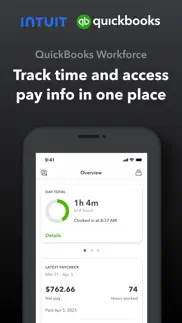
What is quickbooks workforce app? QuickBooks Workforce—an app for QuickBooks Payroll and QuickBooks Time (formerly TSheets)—lets teams view pay info and track time in one place.
Pay features are available to businesses that use QuickBooks Online Payroll & QuickBooks Desktop Payroll. Time tracking features are available to businesses that use QuickBooks Time.
What your team can do:
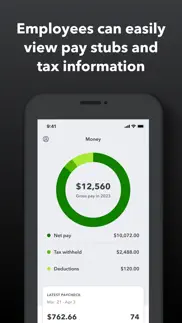
• Access pay stubs, W-2s, and other pay info anytime, anywhere
• Clock in and out, even without Wi-Fi or service
• Submit and track paid time off, sick days, and holidays
• Edit timesheets and manage job schedules
• Switch jobs, pause tracking, or take a break
• Use GPS location-based time tracking
• Add photos and updates in a project activity feed (QuickBooks Time Elite only)
What an employer or admin can do:
• Approve, edit, or delete timesheets
• Schedule by job or by shift
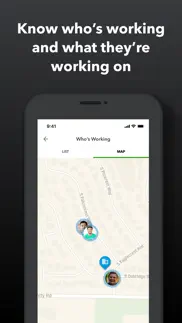
• See who’s working and where in real time
• Set up a geofence that reminds your team to clock in or out when they enter or leave a job site (QuickBooks Time Elite only)
• Create or modify schedules
• Push, text and email alerts are triggered if employees don’t clock in as scheduled, or approach overtime
• Track vacation, sick, or holiday accruals for employees
• See day and week totals, plus other time reports, at a glance
• Oversee team productivity and project status, and adjust budget, deadlines, and resources as needed (QuickBooks Time Elite only)
Extra benefits:
• Save on payroll costs and eliminate manual data entry
• Get real-time reports in multiple formats (PDF, CSV, online, HTML)
• Data seamlessly integrates with QuickBooks Online & QuickBooks for PC (Pro, Premier, & Enterprise)
• Integrates with other payroll, accounting, and invoicing software
• Protect yourself against labor disputes and audits with a detailed time log
• Accurate time data replaces paper timesheets and makes payroll and invoicing faster and less costly.
• Developer open API
Terms, conditions, pricing, special features, and service and support options subject to change without notice.
😍 Do you love QuickBooks Workforce app? Please share your friends!



Please wait! QuickBooks Workforce app comments loading...
QuickBooks Workforce 5.19.2 Tips, Tricks, Cheats and Rules
What do you think of the QuickBooks Workforce app? Can you share your complaints, experiences, or thoughts about the application with Intuit Inc. and other users?

QuickBooks Workforce 5.19.2 Apps Screenshots & Images
QuickBooks Workforce iphone, ipad, apple watch and apple tv screenshot images, pictures.
| Language | English |
| Price | Free |
| Adult Rating | 4+ years and older |
| Current Version | 5.19.2 |
| Play Store | com.tsheets.greatwhite.TSheets |
| Compatibility | iOS 17.0 or later |
QuickBooks Workforce (Versiyon 5.19.2) Install & Download
The application QuickBooks Workforce was published in the category Business on 17 July 2014, Thursday and was developed by Intuit Inc. [Developer ID: 313441566]. This program file size is 273.26 MB. This app has been rated by 188,332 users and has a rating of 4.6 out of 5. QuickBooks Workforce - Business app posted on 19 May 2026, Tuesday current version is 5.19.2 and works well on iOS 17.0 and higher versions. Google Play ID: com.tsheets.greatwhite.TSheets. Languages supported by the app:
ES Download & Install Now!| App Name | Score | Comments | Price |
| Mailchimp Email Marketing Reviews | 4.8 | 51,313 | Free |
| QuickBooks Time Kiosk Reviews | 1.9 | 55 | Free |
| IntuitCommutes Reviews | 3.5 | 2 | Free |
| Intuit QuickBooks for Business Reviews | 4.7 | 239,118 | Free |
| Intuit Business Credit Card Reviews | 4.5 | 18 | Free |
Bug fixes and performance improvements
| App Name | Released |
| Package Tracker - pkge Mobile | 25 July 2018 |
| Indeed Job Search | 07 June 2009 |
| Paychex Flex | 11 June 2012 |
| DoorDash - Dasher | 13 March 2019 |
| Paylocity | 27 June 2013 |
Find on this site the customer service details of QuickBooks Workforce. Besides contact details, the page also offers a brief overview of the digital toy company.
| App Name | Released |
| Craft Pricing Pro | 21 April 2024 |
| FaxCover - Fax Cover Sheet | 14 January 2021 |
| ABBYY Business Card Reader Pro | 23 December 2009 |
| SketchCut PRO | 14 June 2016 |
| ScanBizCards | 28 October 2009 |
Discover how specific cryptocurrencies work — and get a bit of each crypto to try out for yourself. Coinbase is the easiest place to buy and sell cryptocurrency. Sign up and get started today.
| App Name | Released |
| Gas | 27 August 2022 |
| Snapchat | 13 July 2011 |
| Cash App | 16 October 2013 |
| PayPal - Send, Shop, Manage | 03 February 2019 |
| SHEIN - Online Fashion | 19 May 2014 |
Install the Giftmio extension for smart shopping. Get notified about cashback opportunities, activate cashback in one click, and save money on purchases.
| App Name | Released |
| Bloons TD 5 | 15 November 2012 |
| Balatro | 26 September 2024 |
| RadarScope | 12 February 2019 |
| Bloons TD 6 | 14 June 2018 |
| CloverPit | 17 December 2025 |
Each capsule is packed with pure, high-potency nootropic nutrients. No pointless additives. Just 100% natural brainpower. Third-party tested and validated by the Clean Label Project.
Adsterra is the most preferred ad network for those looking for an alternative to AdSense. Adsterra is the ideal choice for new sites with low daily traffic. In order to advertise on the site in Adsterra, like other ad networks, a certain traffic limit, domain age, etc. is required. There are no strict rules.
Keep personal info private, avoid scams, and protect yourself online with AI-powered technology.
QuickBooks Workforce Comments & Reviews 2026
Works great but it requires location tracking to ALWAYS be on.... No complaints about the software itself. It does what it needs to do and is very user friendly. The location tracking on the other hand... you can’t use the app unless you set it to track your location at all times. As an employee I feel violated by this feature. I completely understand turning location services on while I’m clocked in and using the app but there’s no reason it needs to know where I am at all times. Every few days I get a notification saying “TSheets has used your location 31 times in the background over the past 3 days”. Please change the location requirements and I’ll have nothing but great things to say about the app
App has saved me a lot of time. The people at TSheets have been fantastic to work with, extremely helpful & patient. App is extremely easy to use - processing payroll takes a fraction of the time as we were using paper time sheets. There is a definite learning curve like with anything new but it seems like they are always trying to find ways to improve & they appreciate customer input. My only complaint is that they updated the site which changed the configuration of my printed time sheets & they cannot put it back. :( I would dock them 1/2 a star for that if I could. Other than that, this App has been a lifesaver - thanks TSheets & thanks to your many wonderful customer agents you have working in Idaho.
Extremely unreliable.. notice the lack of responses on bad reviews. Been using this for a few years now. The gps tracking is NEVER accurate. The customer service is never helpful and very basic (at its best). When reporting issues to the company , they never recognize any issues as a fault on their end. The solution is always “try updating the app”. When you let them know it’s still not working, they promise “someone will contact you” and it never happens. One employee has not been able to use his account for over six months and was told by technical support to “create a new email address and see if that works” I can’t believe it has taken me this long to finally give up on these guys. Don’t waste your time/money on this app unless you enjoy listening to elevator music for hours at a time to get nothing accomplished and be fed empty promises.
The baddest bish around Miss Ashley T. It was a beautiful Saturday afternoon, but inside I was dead. You see Friday night was full of debauchery and I was seriously hungover. Unfortunately I had to work but I didn't want to use my brain. This is when Ashley steps in, can I just say - she a angel! She helped me fix my schedule screen, I had been doing it wrong for too long. She made it better, she made me better too. Ashley's joyfullnes brought so many laughs to our conversation. I almost forgot I was dead. Her impeccable knowledge bombs about every question I needed answered were answered as if they were prayers. I don't know what I love more at this point smashingly Ashley or TSHEETS! Thanks for all the help and getting me through my scheduling issues.
Ever since scheduling. We have had tsheets for years. It was always great, awesome customer service. However, since scheduling our phone apps have been having issues mainly with iPhones. We have had many phone calls and tech support requests with tier two help buuut, every time someone calls or responds its the same blanket response: reset the app or delete and reload. Which granted doesn’t take that long however, every time I do it it deletes all my sheets since the last sync. Which is the problem, our phones will sync for a few hours, a few days then poof they stop. Another response was you can’t close down your app. Well that seems like a software problem not a user problem. And yes I have used WiFi for 31 hours straight with my screen saver off to see if it would sync my 91 sheets. But nope. It’s been months if not a year since this problem has been ongoing, still no fix. I wish I could come in to a location and show them the problem, or let them deal with it. I have to much time invested in this app it to me and please use it constantly to switch services however I am becoming closer and closer to that option. Tsheets also told me to turn off a bunch of the options and only view a few members of my team...
App is automatically in Beta. I forgot to clock in at work a couple times and wrote a comment in the app saying to clock me in at x time. Come to find out no one received my comment and I almost got fired. Turns out the app automatically puts you in the beta version where the comment feature doesn’t work. I don’t know why a time keeping app for work AUTOMATICALLY puts you in a beta version where some features don’t work. Have people opt in if they wish, but do not put people in the beta by default for something that tracks people’s hours for pay.
The Quickbooks acquisition and redesign has ruined this platform. Despite being a beta release for almost a year, where you could switch back to the original interface, this app is extremely buggy. Everything you expect it to do smoothly, it fails to do so. Switching your time sheet is extremely frustrating. Every single time, you have to re-enter your switch time twice, because it won’t accept it the first time and saving a change doesn’t change anything. It asks you for the project name, but not for the service item, which is generally what I’m changing when I switch. If you’ve been working on some thing for an extended period of time, despite manually setting a time for the switch, it prompts you to confirm a clock out time. If I switch tasks, and change the service item, the next time I switch, it reverts all of the settings, back to the initial timesheet, not continuing what I was doing previously. I revamping this app, QuickBooks has made this the least pleasant user experience out of any professional app I must use.
A little strange. Pretty good for a standard time tracking service. Though, In my first day using it, already had to be in touch with customer service. I couldn’t log in to the mobile app with my login info. Then when I did manage to do that, it clocks you out if you don’t have location setting to “always” on which they give some reason about needing to search for job codes to remind you to clock in via notifications. But having used many other time track options this seems a little strange. Not that hyped on it using up battery life, not to mention I really don’t like when apps add another level of constantly tracking a persons location. I know it’s a young company and hopefully they take feedback like this into account moving forward as they grow. Bumpy start but hoping that’s the end of it.
Tracks your movement. This app would be amazing except for the fatal flaw of allowing your employer to track your phones gps even when your not clocked in, while this doesn’t affect the performance of the app itself it leaves me feeling vulnerable to my employer, especially when the app tells you that it’s been used in your background 3 times since you last were on, why did my employer need to see my gps locations? I don’t drive a company vehicle, there needs to be new coding allowing for the shared gps data to end when clocked out, otherwise it’s just an invasion of my privacy, and anyone else who uses this app and has to use the app for work, it makes you feel cornered into going into settings and turning gps off after every shift, like I do, devs this is an invasion of privacy not telling us you allow our employers to track us 24/7
Calendar sync. Gave this 2 stars because after many times calling them regarding the iOS calendar sync, they have not updated it or even gave any type of solution. It’s simple. Have a real calendar you can subscribe to...you can download an ics file to merge the schedule to your iOS calendar but that’s it. If someone makes a change on the app, it does not show up on your iOS calendar. You have to physically download a new ics file every time you want to update the calendar. Other apps, like humanity for instance, actually let you subscribe to the calendar and it actually syncs by itself. You subscribe once and your set. Don’t know why this is such an issue for tsheets. You can’t even subscribe to the calendar from the app, you have to go on the website to do it. You’d like a big company like intuit would want to make their software function properly. Very disappointing. ———- Updated from 2 stars to 1 star because after 2 years of asking them to improve their sync feature, they still have not. If I could give them zero stars I would.
Workforce changes not improving. One of the greatest features of this app was the geo tracking. We use it on daily basis to see where our employees are / how long they have been on a job and it helps with time tracking to complete payroll and billing. When they changed the app to workforce the geo tracking stopped. I have called several times and am. It given any time line for this bug to be fixed. It has been a month since the bug was first reported and still no update. No projected time for fixes. Extremely disappointed 8-1-23- after writing this review I was contacted by one of the developers Nathan and after some clarification that our problem was with the mapping functionality not the geo tracking as I had written above we did determine that there was a setting in the app that was causing this issue and he walked us through how to change that which has corrected our problem. I’m sorry it took the writing of a bad review to get someone’s attention but glad it got fixed. If anyone else is having mapping issues you need to switch to the live version of the new update out of the beta version- it’s under the wand settings in the app. Thank you to Nathan for helping us fix this issue 😊
Very disappointed. I’ve now tried to reach out to quick books twice to talk about features I need and bug with this program. I’ve been using TSheets for 5+ years now, as soon as quick books took over they are of course in reachable and don’t respond like the old company used to. Now, I’m just a number. Really sad to see a good program and good management go away and corporate style come in and not be responsive to the customers you serve. I have over 50 employees and pay a good amount monthly to use this program. It now runs slow and has glitches and the lack of response is very disappointing. As of right now I would not recommend this product to any other businesses. I’m having to deal with it because I have been using it for years and don’t want to switch..
Customer service is #1. Let me just tell you about how I made the mistake of giving permissions to users for job entry. I assumed that the adults in my business had common sense, I was wrong. One of my users deleted an entire job folder! I thought my day was over, that I was going to have to recreate weeks worth of time sheets. I called customer support and got Monica on the phone. She listened to my story and told me not to worry. Within moments she fixed the whole folder! I can go back to life as usual! (After I revoke everyone's permissions to job entry.) Thank you Monica and thank you TSheets for making a stellar product. I'm especially love the system log, which made tracking down who made the mistake a breeze. This whole program has made my life incredibly easy!
Buggy and now completely unusable. Ran this as QuickBooks time and had some issues, but it worked better than the previous app we had been using. Our accountant requested due to the integration with quickbooks. Had some initial challenges with project posts not syncing with the server so I would reset the app and it would get better for a while. Last reset was about a month ago now and I haven’t been able to log into or use it since. It sticks on the “setting up your account” screen indefinitely. Customer support has given me a “we’re working on it” response with no ETA and a “use the web interface in the meantime” solution. I cannot use the web interface through my phone effectively. What worked through the app in 30s now takes 5 minutes to work right. Completely disappointed in this product and more so in the customer service.
D. This ankle bracelet wearing , working GPS garbage is for the birds. Shows a lack of trustTo the employees. I don’t like the fact that I got I have you running in the background on my phone 24 seven I think that you guys don’t need to be knowing my whereabouts when I’m off the clock. you say that you don’t track but your notification show up and flag us when we drive by a job site and we’re off the clock. So that shows me that you’re keeping tabs of where I am and what I’m doing it’s an invasion of privacy and it’s against the law. I don’t like the fact that my employer has access to change my time whenever he sees fit. But I can’t change or adjust anything. It’s one-sided it expects me to haveTotal trust In my employer who has no trust in me. Far is tracking time payroll you guys do a good job but is far is what your program shows to a loyal employee. It leaves a bitter taste in my mouth.
Gone downhill!. I have used this app for around 5 years and it was good for most of them but recently with whatever changes are being made the app has gotten near unusable. It’s ridiculously slow to the point where I will get in an almost never ending loop of clocking in and out and the only way to deal is to set the phone down, take a deep breath and wait for it to catch up. It’s getting very glitchy, it will just randomly clock me out or the app will just crash if I try to type notes fast. Sometimes I’ll get through typing the notes only to save them and have them not really be saved and forcing me to retype everything again. This app used to be helpful and now more of a hindrance of my efficiency at work. I wish my company would find something else to use.
For a huge company, has a lot of bugs. We have battled QuickBooks T sheets/time app for several years. Generally it works pretty good however tracking is 90% unusable in all of 2021 and there’s a lot of glitches that cause things to be undone or duplicated. There hasn’t been any major changes to those issue over the years and it can be quite frustrating. There are so many things that can be done to make this app better that are basic, intuitive, logical that this “guru team” apparently hasn’t even thought of yet or don’t have time to pay attention to. Everything QuickBooks has to offer has brought a lot of extra frustration into our business. Your suggestions will not crate any change, at least not for 3 years!! We use: QuickBooks software QB Time QB payroll QB processing PPP Loan thru QB All have issues and have caused us trouble and hundreds of hours of lost time. Not always bad but enough to be a thorn and cause a lot frustration. Look for another option before you start with them. Because it is very difficult to move away from them when you use all their products in your business. Don’t get stuck with QB products.
Best App and Time Tracking Service! Amazing fast Customer service. Work with Jen D through the desktop live chat this morning due to a sync issue with Quickbooks. It was solved in a matter of minutes and now we’re back to running our payroll for today! I researched this company and they gave me a trial with that trial it turned into years of commitment because of how easy it is to use. If you are a business owner like me and have employees, this is the best investment you can make for payroll. It’s easy to set up easy to learn and you can even track GPS location of the employees to the phone through the app. We use the kiosks a lot for our tablets in each vehicle. Now they have face facial recognition for clocking in. So they cannot clock other people in and out! Also if you ever have an issue the customer service especially the live chat through their website is the best. Wait time is practically zero and correcting the issue is almost under five minutes. They also help you set up everything and train you for no additional cost!
Updates and location tracking. Recent updates have required location settings to be set to always rather than while using. This is a drain on the battery and an unwanted surveillance when not using the app. A bigger issue that our company has experienced is that users are no longer able to add customers from their phones while out in the field. This has created issues for billing. We’ve attempted to reach out to Quickbooks and have been told that our settings were correct and that they would get back to us about fixing the problem. It’s been about six months and the issue hasn’t been resolved.
App is clunky and just feels thrown together without a plan. So update about 10 min after I wrote this review they did update the app and it has fixed the crashes so far so I also updated the review to 2 stars for it working. As for any kind of support or getting a response from intuit on a support issue is horrible I’d rate that less then 1 star keep that in mind if switching to any of there programs you either have to pay for premium support or sit around and wait for any kind of response I’d love to leave a review but I can’t even use the app! I can’t get thru to any support this is ridiculous for a program I’m paying monthly to use on top of having to pay for all the other QuickBooks programs so everything works together. iPhone XS Max and every time I log into the app to record time or see where employees are the whole thing crashes. Maybe the developers will respond to this and we’ll see what happens
Arbitrarily cut off my records. This app was working fine for a period of time (I’d say six months or so), the. It started to warn me of issues logging into the “server”. This didn’t seem to matter because I was still able to log my time and I didn’t need to reconcile it anywhere. But, then suddenly, without any warnings, it shut me out of my data in the last couple of days. It doesn’t seem there is any way to recover my timesheet data so I am left with a need to report my hours and no records to access. I rated three stars because the app was very functional for a good period of time (over a year), but with no warning or recourse to cut off my records is pretty egregious. Ultimately I’d only recommend if this is something you do to help manage yourself time personally.
Adding time off got a bit more difficult. I am my company’s administrator and was attempting to instruct a new employee in adding time off (a week’s worth) in the mobile app. This used to be pretty easy to do. Now you have to select “add day”, then click on the displayed day/date which is the current day, then select “add day” again to change the dates/times. This is not at all obvious when using it. The scroll is very sensitive too, so if you’ve figured out how to get to the point of changing the day/date and start scrolling to select a day/date and number of hours, as soon as you lift your finger to continue the scroll it accepts wherever you left off as the date/hours and you have to go back into it and continue. Customer service chat offered the advice of uninstalling and reinstalling the app. The problem is in the app functionality. Anyone else having this issue?
Thank you for (sort of) acting on our feedback!. OK, so y’all seem so ‘bent’ on never bringing back the fabulous ‘Red 1’ method for notifying users when they’re on or off the clock... WHY? Please give us a real explanation as to why this is suddenly an unachievable request. It was so elegantly simple, and I’m still trying to believe that your users are your #1 focus. Hit us with the tech talk; some of us will understand if you would just EXPLAIN! As further incentive to answer this question... it may just shut me up! (Although I can’t promise that) Thank you! Ever since our company started using TSheets, we were all used to seeing that ‘Red 1’ on the app’s icon. Then, after a recent update, they decided to do away with that feature! Time over-run’s started occurring and missed clock-in’s. We grumbled & persistently submitted our dissatisfaction. Now, rumor has it, they’re fixing it & bringing that feature back! Thank you for listening & keeping your loyal users at the forefront when development makes changes! I can hardly wait to see that ‘Red 1’ again... keep up the good work!
Worst app ever. I've made over 100 calls into Quick Books Workforce tech support due to the nonstop problems with this app. The problems all started when it changed names from TSheets. The problems I have been with 4 different iPhones. The app freezes, crashes, is very unstable, will cause my phone to reboot, loses my notes all the time and I have to re-enter it 2 or 3 times. Simple tasks that should take 30 seconds to complete now take 3-5 minutes. I've had my cases escalated to the engineering department and the problems all go unresolved. Numerous app updates, iPhone on latest firmware iOS, nothing fixes this problems. Most of the time I get the white screen of death with the loading wheel that just spins and spins. I have to log out and log back in, delete the app and reinstall it weekly, and nothing fixes it. It also kills my new phones battery in like 6 hours. iPhone 15 pro max, my battery health is now down to 80% capacity after 1 year old. This app is just poorly made and is a disservice to and for its users.
Amazing customer service. I had just recently download this app to track my hours as an employee for my job due to my boss being unable to keep track of them due to time issues, so i started off with the free trial. I had started using the app and tracked my work and break times. The features are very helpful in making sure my hours are correct and break times are deducted from the original work hours. The next day, to my surprise, I had received a phone call from one of your employees at customer service and was told that i could upgrade from the trial version to the full version for absolutely free and was told about many other helpful features that this app can provide. Very impressed with the quick and very helpful service and i would recommend this app to employees/employers who are in a similar situation as I am in.
This App’s Functionality is Patchy, At Best. I work on the employer’s side using this app, and since June I’ve been getting mixed messages from Intuit about the access to our pay stubs within the time tracking app. We’ve been told they’ll be together, we’ve been told now that they’re separate, and any method that we’ve been able to use to access our pay stubs is too complex and not at all what we were told we’d be able to do. The screenshots on the App Store don’t align with what we’re able to see in app at all. With the frequent updates and changes, my employees can’t clock in and remain clocked in - the app keeps clocking them out. I’ve spoken to support several times with no clear answer on when this will be fixed, and I have no other recourse but to leave a poor review. We’ve been considering going another route with time tracking because this has been going on for over 4 months. All I can tell my employees at this point is that there’s a new update every couple of days or so and to take the new update.
Clunkier and buggier by the day…. Quickbooks Time, which was originally Tsheets, has gotten more and more complicated, clunky and buggy. The more Intuit tries to improve and innovate on this app the more they ruin what was an almost perfect app to begin with. The more features they try to add the more time it takes to do the simplest of tasks that are supposed to help you make money, track time. There are constant location tracking errors, app crashing, and screen lockouts that cause more time to be spent troubleshooting just to clock in and out of a job. Way more complicated than it needs to be. Very disappointed with what they changed from Tsheets and now with the new beta. I understand they're trying to make it better. I’ve sent many suggestions but it seems they are only interested in making it look cooler or have more features that I doubt most users actually use. I need this to track time, that’s it, if it can’t do that well than it’s not helpful to have all the other features.
Very disappointing. I’ve used time tracking tools for years. I staryed w Exak Time, then to a couple other programs. After Tsheets was purchased by Intuit the program went down hill. When reviewing time sheets on the computer yo cannot edit the main body of text but instead have to hover your mouse over three small icons to the left, open a pop up window and then edit- it’s clunky. In addition, Intuit updates oir administrator wirh a vendor who was never an administrator of the company about every 4 to 6 months- trying to fix this each time has been extremely time consuming and frustrating. Also, it is inconceivable that a program would require you to be tracked “always” even when you are not using the program- why? The inly conceivable answer is big data, to sell my info. If there were a better option my company would switch in a second. The time tracking program is called “TSh*ts” around here. The same for Quickbooks. I still have to use excel spread sheets to get all the reporting my company needs- why??? And, It was quite a money grab when they forced the subscription service away from desk top software. I’ve been a user for decades and have researched options over the years (and switched one time), when something better comes along i will jump ship in a second.
Practically perfect in every way. Tsheets is amazing. I own an IT company with 10 employees and moving over to tsheets is one of the best decisions I’ve ever made. Fantastic integration with quickbooks allows us to set different rates for regular vs after hours work. Descriptions of work performed by each technician seamlessly transfers to quickbooks. My customers love seeing full details of the work performed on their invoices, too. I would highly recommend this for any service company that needs to not only track time, but also details on work performed for customers. They are also constantly improving the product. I love the ability to see where everyone on my team is scheduled for the week. I’m always on the go and would love to see a specific mode within the app for managers so we can track how many hours our employees worked today, this week, and this month.
Outstanding customer service!. Once again I am proud to say I use T-sheets bc this time Dustin saved the day! Each time I call in I learn something new and more details about the digital functionality of my business tracking gets smoother and smoother! And that’s not bc I’m techy at all!!! But thanks to their diligent help to make sure they understand how my business functions we are little by little setting even my QB to function better. I know how things work on paper but the transition into programs has been a steep learning curve. Honestly TSheets doesn’t pass the buck when it comes to making things function and breaking it down so you understand. As much as I hate overhead the combination of QBO, T-sheets, and Expensify has simplified my life so much! Once again one of the great employees at T-sheets, this time Dustin, held my hand as I was trying to understand how to customize my invoice. Then when he had exhausted his capabilities he helped me prepare how I should ask for further assistance with QBO. Bless his heart! 2+ hours and now I understand how these programs should function together and what result I am looking for. So excited! We are getting somewhere! Thanks Dustin!
As an Forman in the field. This app is great. So far with the few things I have used it is working well. The scheduling on the employee side needs a little help. It is confusing and lacks a few things that would make it a bit more streamlined for the employees. Other than that so far pretty good. ***** Update requested. ***** So you’ve sent me an email about my suggestions on the scheduling side of the app. To start I think a monthly, weekly to daily planner view for the employees app would be a good start. To help organize the schedule and divide up the schedule. Right now my employees get confused on what is what. Also I would like to see an app for scheduling I’d really like to see an app for admin. I do a lot of the scheduling in the field and it’s a pain from the app and real hard to attempt online from a phone. It would be nice to see some of the same options as the web site in an app version. Another thing is floating jobs. Or an unscheduled job list. Able to be sorted by age of job, name or work order number. Also roll over jobs. We usually schedule jobs for two days to 6 weeks with multiple and changing employees. If we could add and remove employees from the job list and have separate duties for each employee without creating a separate schedule that would be amazing. I found this app through a construction company we were working with. Therefore I believe more companies would be interested as well.
Terrible support. When this was tsheets the product was great and the support even better. The integration with quickbooks was seamless. As soon as quickbooks purchased it and turned it to quickbooks time, the quality dropped and support became some of the worst I’ve ever seen. The integration with quickbooks desktop has failed many many times and each time takes days and dozens of phone calls before the issue is resolved. Finally a few weeks ago the syncing between the two crashed again. This time no resolution. The solution quickbooks recommended? Send us your company file in the mail while we attempt to figure the issue out. In the meantime, everything we do in qb over those few weeks they have our company file would all have to duplicated and re entered once the company file is returned. No thank you. Is qb going to pay for all that data entry? Of course not. How does your product get worse now that you own it? And how do you not have any solutions to offer? We are now switching away from quickbooks time after 4 years of using it because other companies have figured out how to integrate with quickbooks better than quickbooks has. Ridiculous.
Best Time Sheet Program & Support. I rarely review a product, but I have to say that Tsheets is incredible. I currently am a sole proprieter doing consulting and needing to send bills with Quickbooks. I was often forgetting or trying to piece together where i was and when. This program is always there in your back pocket, and the integration with Quickbooks is perfect. When I grow to have more consultants working for me, I will pay for the product happily. That's the other amazing thing... i am on a free version... FREE, and yet whenever I have a problem, I am able to call their tech support and speak with a human quickly who solves the problem efficiently. The last time I had to call I got Dom Cooper on the phone. He knew the product inside and out and got me through the finish line perfectly. That has been my experience with Tsheets since the beginning. It works... if it doesn't they help you solve your problem with a smile and confidence that wins the day. Keep up the good work.
Very nice!. I really like this time sheet app. It is much easier to switch between jobs than others I have used. I like the fact that even if I forget to clock in I can change the clock in and switch job times as I clock in, rather than having to go back and edit the sheet later. I really like the tracking in background feature. At first I thought it was a little too invasive but I have used it to figure out what time I arrived on job sites even if I forgot to clock in at the time. I used to use a separate tracking app for this. Overall the ease of editing and tracking make this a 5 star app.
Bad functionality. First off it randomly crashes, I can’t put holiday or sick time in on the app. Also when I try to put my time in on the app it automatically puts brakes and lunches in and screws up my time. Then my boss calls and asks why I’m over hours then I have to find a computer to fix it because there’s no way to stop it. For some reason if I wanna put my work period duration in it doesn’t show the day just a number. Then I have to switch back and forth to figure out what day it is. But if I do the time in/out it shows the date but then adds the brakes again. The way it lists your past entires is awful and doesn’t make sense I wish it just showed a sheet the way the computer program does. I deleted this app and steer everyone at my job away from it to save them the headache. On a computer it works fine, I don’t know why they didn’t make the app the same. Also all the reviews are about how “great” the customer service and how they helped with the issues. That’s a lot of people with issues. I don’t have time to call customer service everyday just to put my time in. I just want it to work.
Customer service. As an employee who was required to use this app i have experienced syncing problems to where entire days have went missing because the sync did not finish properly, contacted customer service they ran me around and then basically said I must have reset the app that it was my fault and there was nothing they could do about the missing data, now I have to manually log my entire day but I still have to use this waste of time tracking app thanks btw I still have to go and write down and produce entire written account of all that was done on those days in order to get paid correctly, this has messed with my real life money and time management, would someone there like to reimburse all the hours that got lost so I can get paid! Sincerely, not happy with what happen, I’ll forever write everything thing down never trusting this app again…
Does not work. Okay, I was never a fan of tsheets, but we use it for the easy quickbooks integration. The mobile app in particular never worked well. I jump between half a dozen projects 10-20 times a day. Chief complaints are that it takes a full minute just to change what I’m working on, it ignores many of my updates (particularly when I need to adjust time), and when I realize I didn’t change projects I can’t tell it that I changed projects five minutes ago - instead I have to clock out, adjust that time, clock in with the new project, and adjust its time. I tried the new beta experience and I think that was worse. All of that was inconvenient, but with the iOS 16.2 update it just stopped working entirely. I can’t even clock in now. Like it acts like it is clocking in, but then it goes back to clocked out status.
won’t turn off when i clock out. clocked out, noticed literally nothing turned off. tried to contact customer support (who was very nice to be fair), had to give them my email, problem, and name like three different times before i could do anything. then the rep asked for a ‘company identifier’ which i could not find at all. tried to go back to my chat with the customer support staff and it just wasn’t there anymore. the app is still running in the background (despite me closing the app entirely through my phone) and when i go to my lock screen it’s still counting up minutes on the display that appeared there. I just want to know what’s happening, did i screw up my time card? do i need to tell my boss i broke it? am i going to get paid? is my battery going to be passively drained by this app until i delete it? why can’t i use the app to find information WHILE im trying to use it to talk to customer support? why did i need to provide the same information repeatedly? it seems like yall have a great customer support staff, but between the redundancy and inability to solve my problem i’m honestly just disappointed my first experience with this app had to play out like it did (Again though, no fault on the representative I spoke to, i’m quite happy with how they tried to handle it up until i couldn’t access the chat between us in the app)
Worked great until new update. I’ve been using this app for the company I work for about 6 months now and haven’t had an issue until the beta update was pushed. Since then, I have had times where I’ve clocked in and it appears that I was clocked in, and then I’d open the app later to find myself not clocked in. I’ve also had entire shifts just randomly wiped, and I’ve also have it run all night with me clocked in when I clocked out. I’ll go back and adjust my times, and then after closing the app it resets like I never adjusted it. Please fix this, peoples paychecks depend on this working correctly. I’m shorted 7 hours for this week because of this not working properly, and communication in my company is terrible so I don’t count on them fixing it for me.
Disappointed. I’m currently reviewing other time tracking apps to replace this one. With just under $40 every month for two people to track time, it’s not worth it. I feel ripped off every time I see that transaction go through. Sure logging in on a computer usually works just fine, however the mobile app does not work at all. Which is my preferred method. Being able to clock in right when the job starts to clocking out right when it ends seems like a feature a time tracking app would provide. My mobile app shows I’ve been clocked into a job for months. Months! I deleted the mobile app, I’m afraid if I try to “fix” it that my actual real time tracked will get messed up. Many months later, I have a new client, I grab my phone to clock in upon arrival. I quickly remembered I deleted the app but couldn’t remember exactly why so I redownloaded the mobile app. Logged back in to discover, I’m still clocked into that job mentioned above. Unreal. I still can’t use it. So frustrating. And the reports section should be easy and convenient. It’s not. When you pull a timesheet that needs to be printed or saved as a pdf, the report doesn’t provide the calculation of the total hours. That’s like the main thing it should do! So I have to insert text on my pdf with the total hours or hand write the total hours. If you use the notes section, which I do, you can’t actually see your notes until you create a pdf. But once you do that, you can’t see the total hours worked. What a joke.
Pushy sales department. Signed up for the free trial wanted to see the app. Within an hour received an email wanting to tell me about there product ok fine responded with one question told her If I had more questions I would reach out to her but I wanted to look at the app in my own time. Well that wasn’t good enough she had to reply back saying they prefer to talk again told her NO. So about an hour later received a phone call from a guy saying they require a phone call so they can tell you about all there options. Well I don’t care about there options I want to play with the app myself and see how it works. Seemed simple enough but not good enough for them so. There pushy sales department lost them a customer and a earned them this negative review. Companies should learn to listen to there potential customers if they want them to become paying customers. Cause this is one company thAt won’t do a dollar of business with Tsheets way to convert a customer. You get 5 stars on your ability to loose a customer.
New release glitchy. Super reliable when it was still TSheets, but transition to Quickbooks time has been terrible. Face ID, which is unneeded, creates serious lag every time I open the app. Face ID appears to require cell data on mobile devices, which is a problem for a construction firm that may have job sites outside of coverage. App periodically signs me out as well, which again is unnecessary since access to the phone is restricted by iOS set restrictions. Finally, the location tracker is no longer reliable when using a time card. At times I forget to switch customers and could use the GPS trail to confirm when I left or arrived - no longer. Map typically fails to have any relevant locations, often showing locations from prior to the start of the current time card. Intuit’s transition from TSheets name brand has been poorly handled across the board. They’ve removed options to save by committing to longer terms, made significant changes without warning customers, tech support wait times have increased while the quality of service has decreased and now the app is problematic. If you’re considering this service, I surest waiting for them to get their act together because they’re actively giving me reasons to switch.
Can we give 0 stars?. QuickBooks made changes to the project creation process without prior notice. Previously, entering project data twice was already cumbersome, but now it requires three entries due to synchronization with QuickBooks. Consequently, previous projects cannot be used in the same manner anymore; each one must be re-entered separately. Unfortunately, there's no option to sync old projects with the new ones needed for field access. It would be beneficial if QuickBooks informed customers about such changes beforehand. Furthermore, contacting QuickBooks support takes a minimum of 2 hours, and often the representatives are unfamiliar with the software, leading to frustration due to inconsistent support. Additionally, uploading pictures to projects has become excessively slow. If updates are being made, they should ideally improve, not worsen, the user experience.
Requires an Intuit account. Be aware, Intuit makes all users create an Intuit account to use this app. You, as the employer, will be unable to recover or change their email and password. The burden is put on the worker to fix any account errors. This caused a lot of problems for us because A) our workers weren’t too happy using an app that tracks them. B) some of them weren't tech savvy enough to figure out basic issues. C) Tech support is useless because the workers accounts are private and they can’t do any troubleshooting if the worker isn’t present or calling them directly. Trying to get someone who doesn’t understand technology, barley speaks English, and can’t remember their password to call tech support to fix their account is laughable. We dropped this app and picked up ClockShark instead. We had it fully operational with all our workers within a few days. Zero issues so far.
What was once a good app. This app used to be perfect! It was simple and straight forward. I can’t count how many times I’ve had to call the help desk just to sign in to the app or the times that it will just delete my clocked times or change job locations/or any of the other options for no reason! The “remember selections” option is non-existent any more. You used to be able to switch jobs and only have to change one or two options per job… now, no matter what, you have to manually enter in every option and the help desks response to their crappy app is “well, you just have to live with it…”. I have had to delete and reinstall this worthless app at least 10 times just to sign in! They turned a simple, reliable, user friendly app into something that makes you want to throw your phone at a wall every time you have to use it, all for the sake of changing the look/layout. If it’s not broke, don’t fix it!
Great app! Small suggestion/issue. T sheets is very easy to work with and visually appealing. When submitting times for payroll, it’s truly seamless. Unfortunately, the small business that I manage had to make the decision to switch to Homebase simply because of its MESSAGE BOARD. Staff communication is very important and if it were to be included in T sheets, this app would be everyone’s go to I’m sure of it! I think I understand that T sheets works within its niche of clocking hours and syncing well with Intuit. Simple is usually better. We already use Quickbooks and Intuit direct deposit forms and a message board update would be so perfect. so Please consider adding a message board! You’ll have my business utilizing your services through and through.
Off The Clock Surveillance?. I actually really like the app. It’s easy to use and I find it helpful to have my location tracked for my job. That is, when I’m actually ON THE CLOCK. However, after a recent update, I received an iPhone notification upon clocking in, informing me I needed to change my settings to allow T Sheets to ALWAYS use my location in the background, even when I’m not using the app or even on the clock. That is not ok with me. I have no worries about my company somehow accessing that info. What I want to know is, what is the app developer doing with this information? If it’s to somehow prevent a glitch in the system when on the clock and using the app, then fix the glitch! I’m wary of any third party that wants to track my info and I often intentionally choose not to use my location services. But when I do have location on, does T-Sheets really need to know how long I spent at Target on Saturday? What on earth is TSheets doing with this info? They have to know that many people (like me) are required to use this app by their employer, so I have no choice but to allow TSheets to gather information about me without my consent. Otherwise this would be a 4 - 5 star app based on ease of use alone.
Kelsey T. Rocks! (and she’s a dog lover - BONUS!). With one of the latest updates - I’m not sure if it was a TSheets update or a QuickBooks update - The mobile version of the time tracking system required that my employees select a customer when tracking their time. We are very small company and only have one employee who is tracking his time and therefore, we do not need time tracking at that detailed level. I chatted with Kelsey T. today to ask how I can remove that required field. She explained why the field is required and what needed to be done to “un-require” it. When I asked her what I needed to do, she went ahead and did it for me. It seemed to be an easy fix on her end as it only took a minute and I appreciated her doing it, saving me time. Kelsey is not the first customer support person I have chatted with from T – sheets. I have probably talked to three or four people and every single one of them provided the best customer service I have ever experienced. I’m giving Kelsey extra kudos today because she shares my love of dogs and congratulated me on good news that I received about my dog while we were chatting. Thank you Kelsey for helping me today and thank you TSheets for being so awesome.
If you want an app that will delete all of your hours this is the perfect one.. So to start off I got this app and I was using it and I actually liked this app for the first couple weeks. And then I started to notice some glitches. Like when I would put in my hours, it would decide to put in random hours so I had to put my hours in multiple times to actually get the right hours. After that happened this app kicked me out of my account and deleted all of my hours and told me there is no way to get them back. I’d try a different app and don’t take the chance to lose important information. I then started to talk to them to try and get my information back and they told me once it’s gone you can not get it back... unless you pay. I have to pay to get my hours back. This is a really bad dishonest company.
Absolutely terrible. I’ve never wrote a review, but I am so disappointed with this app and customer service. Aside from the app alone being glitchy, I was randomly signed out and through hours of trying to get back in, my account just doesn’t exist. Me and my employer spent hours trying all the troubleshooting steps, resetting passwords, everything there was to do, still won’t work. I call the help line of their website and was on hold for 35 minutes, after explaining my issue to the customer service representative, she out of no where put me on hold again! Didn’t say a word but I put me on hold once agin for 20 mins, until another representative picked up. This woman was as helpful as she possible, she contacted a technician and after almost an hour on the phone this time were still at a standstill. I also came to find out my previous intuit accounts I can no longer get into including my turbo tax which I’ve used for years. Very disappointed, not a user friendly app, a complete and utter waste of time.
Did you know that you can earn 25 USD from our site just by registering? Get $25 for free by joining Payoneer!
Privacy. Need to change it so you can use it but only have location on whilst using app not constantly!
Hopeless. The only good thing about them is their association with QuickBooks. The app is awful. Logins have all just changed. Jo automatic login. Support is good but the app is a joke.
Re-sync required with each launch. 500+ timesheets for load with every launch of the app; very frustrating
Bad app. Cannot upload photos Notes delete themeselves after saving. Very hard to upload many pictures and comment at once
Not happy. Dose not hold changes, I clock out, only to find the next morning, it still has me clicked in multiple times this has happened
Update “Squashed a few bugs” and created more. Just found out our phone apps aren’t syncing with our desktop QBTime as of the release date of this “update”. Have now spent Sunday morning manually entering all timesheets since 7 Feb. Shame on you QB - not the first time you’ve wasted our time and I’m sure it won’t be the last! ZERO stars from here!
Beta version bad. “Beta” version of app is far less user friendly. When switching customer and service items, the process is unnecessarily different to the original where you can see and confirm your changes before ‘switching’. Bring back the previous version.
Location settings always required?. Don’t understand why the app needs to have location setting set to always allow or else won’t function. Shouldn’t be the case, get it sorted out.
Currently all Bugs. Was useful, lots of new features improve usability until the entire app was completely bricked by bugs. Deleted.
T sheets. Changed the way we communicate as a company we all think it’s awesome
No Suport. Used to be great but the last 12 months there is no care factor and no support for issues. Frustrating to say the least
Doesn’t sync or show accurate accruals. Much better than old spreadsheets but still has user issues
Terrible. This app is hard to use and confusing, one of the worst apps I’ve ever used
TSheets always on. I need to always go into settings to change the settings as it only works when it says always it doesn’t work work - only while using the app
Great app easy to use. Great app easy to use
Not Happy. Seems this app has gone to the dogs since been taken over, the support is terrible.
Easy to use. I am very happy with TSheets which I introduced to the not for profit organisation I work for in October 2018. As team members are often out on the road visiting clients we are able to track their whereabouts to ensure they are safe as well as the distance travelled for mileage reimbursement. It has become second nature to all the team to switch activities, jobs and add notes when they need to as TSheets is on their phone. Our old paper timesheets were often left to the last minute to be completed, in arrears and not always accurately, which often delayed payroll processing.
Privacy invader. Tracks you all the time, can’t have the location set to only when using the app. Otherwise It won’t let you sign on. If your employer asks you to use it say no.
Excellent support Australia time 10:28. Wow the support is excellent. Using just a live chat message service my issue was resolved. The biggest surprise for me is the time. It is after 10 at night on a Friday night of all times. I have used the support for our more complex set up during the normal Aussie work times but to access support when things actually go wrong is amazing. Lets face it, it always goes wrong on a Friday when every one has knocked off earlier then normal. Thankyou very much. I am looking forward to all the time Tsheets will save me. A special thank you to Jen D
Garbage. Very buggy and now since most recent update won’t even load past the green screen. Just those annoying spinning dots and nothing else
Exploits privacy. It exploits and in breach of an individuals privacy . To constantly gps track an individual on their personal mobile is just wrong. As a clock in clock out timesheet ok and maybe ping location on clock in clock out ok . A big No to constant gps tracking ..we are not paroled convicts
Junky. Doesn’t guarantee users privacy. Looks like a data harvesting app
Not syncing with web app/database. The time tracked in QuickBooks Time is not getting uploaded to the server. Additionally trying to engage with support is useless, the chat window times out before the agent ever replies with either an answer or a ticket number, which means you have to repeat yourself every single time, to get nowhere.
Simple and to the point.. I am a very small-time user, but it does the trick. I think a ‘pause’ feature would work well, instead of having to clock out when you go on a short break (unless it has this feature and I simply have seen it). Otherwise ace.
Very helpful app. Would be great to jump out of one task to do something else then jump back in and continue the counter
Not recommended for workers. The company’s can keep tracking you even when you don’t work on the weekends I don’t like it Since two weeks ago they make me clock in by themselves and tracking me And find out why I’ve got one they off.
Clocking out not working properly. I often have issues with clocking out. This needs to be fixed.
Buggy. Used to be good until Intuit took over. More bugs, less support. Try Deputy instead.
Leave it alone. Keep doing updates and causes continuous issues with Xero
Tracks your location 2/7, kills battery and data!!. App will not work unless you enable always access to location, thanks big brother
GPS & Geofencing NEVER works among other “features”. Has more features that don’t work than do work. Don’t bother signing up if you need any of the following: -GPS doesn’t work. -Geofencing doesn’t work. -Constantly says employees are pending. -Can’t access past schedule once the week is gone it’s gone & the search function never works. -Zero customer service, the customer service reps are absolutely pathetic. -Chat function never works. This app is the biggest waste of time and money!!
If you’re jobs lasted longer then a year TSheets would be so much better. Ibbbbijj
Slow and clunky. This app has very week integration with xero, between screen freeze and inability to configure to suit our business our frustration is ongoing. I think with work it could be a better app but I feel improvement is a long way off.
Poorly maintained. App was originally called TSheets and worked well - recently bought by big tech and changed name and now lots of bugs - like constantly showing the wrong day , failing to change days for “yesterday” to “today” without force quitting app and reloading - today I have 3 days listed “today, today, today” instead of “today, Tuesday , Monday”. If they can’t fix this over months and months i start to worry that maybe their data syncing is as dodgy , and it only takes a few of my jobs not syncing and I’m out considerable income - QBO support hopeless , gave up reporting this to them as they have Nothing to do with the app - app has no feedback that works - posting here in last ditch effort to get fixed as after an excuse to Move away from QBO and TSheets was my only reason for choosing QBO in first place !!! Edit - issues with days not rolling over still exist after dozens of updates - every day when I enter the “track time” page to “add timesheet” I find the date stuck on the previous day that an entry was made - so on a Monday its set to Friday, for example —- dragging down to refresh makes no difference - I have to force quit and re-open app and then the date is correct - not sure if the developers bother to test this app or read feeeback, but being a global mega corp I expect not - just the usual “update and sync and don’t use multiple devices” boilerplate replies to any reports of bugs. My industry vertical PSA software has time tracking and invoicing so looking to that going forward as QBO offers no decent AU BAS/GST features either
Love It. Spewing I hadn’t found this app earlier! Makes my life so simple and my techs much more accountable
Please fix. Since last update whenever you use a favourite it removes it from the favourites list of clients. You re add this client to favourites only to have it removed again next use. Please fix this it defeats the purpose of having favourites in the first place.
Unstable and unsupported. Regularly stops synchronizing, often have to wait until it finishes updating itself to be able to enter times. Staff are losing respect for it and becoming difficult to keep time entries up to date when the platform behaves like this. I can’t get anyone to respond to my help desk enquiries, in fact it is very hard to even raise any help desk enquiries. The system seems to be set up to help yourself with online manuals etc but no human help. I would recommend doing research into alternative systems. It used to be great but not anymore. We are implementing a new business management software and are looking forward to moving off this system.
Overpriced and no support. This app does as it is promised but the subscription is extremely expensive for a simple system. The tech support is also a joke. It took me 2 days to get anyone to respond, including multiple periods of waiting 30 minutes on the phone/ live chat.
August 2023. As an employee, the app is super easy to use and able to learn the functions very easily with no struggle. Would recommend this for small and big businesses
Love it. I love everything it does, just wish that what I capture in TSheets could automatically upload to invoicing in Quickbooks
Currently unusable. Currently on iOS the app is unusable. Have tried deleting and reinstalling. When logging in, it syncs for ages, then if the phone screen locks it kicks you back to the start of the process. Please fix this.
No support and make it extremely hard to cancel subscription. Don’t do it.
Fault. The app is faulty. I clocked out at the end of the day. The following day as I went to clock on for the start of work. I noticed that the app failed to register my clock out time.
Hate it. I absolutely hate this app. Have to change my settings everyday or the app is using my location non stop even at home. If I change settings to only while using the app it won’t let me clock on. Just another opportunity for employers and t sheets to market and use my information. Complete invasion of privacy. Hate it with a passion
Broken notes function. Writing in timesheet notes results in erasing of text consistently while typing, sometimes entire paragraphs deleted at random. Uploading multiples of the same photo when only one is selected Very frustrating to use, need to write notes in a seperate text app and copy paste to do properly
Missing key features. When l amended a schedule on my app it’s doesn’t update on staff schedule. Also via the app I cannot select one employee to see what they are rostered on for the week. Staff also complain that the app isn’t very user friendly. Staff can click in on any client and it just flags it l have used scheduling apps that won’t allow staff to clock in unless they are at client.
GPS Does not work. Following new update(tsheet>workforce), most of the apple users GPS does not work.
Worst app tracks u helps scam people. They track where you are always and I got ripped off by a Boss they didn't help at all worst app ever!!
Logged out always. Logged me out every single time.
Tsheets in theory works well. The theory of tsheets works awesome but as soon as you have over 20 staff and planned shifts for 6-8 months the app stops syncing to mobile (if your admin). Constant uninstall reinstalls to make sure your mobile admin stays in sync with the web version. One feature needed in the pc version is a ‘search’ option (same as mobile version) using keywords from notes... names, addresses etc.
Imagine you at your best. All the time. Picture yourself at your sharpest and most productive. Your most alert and focused. Your most lucid, creative and confident. At work. At play. In every area of your life. Add Mind Lab Pro® v4.0 to your daily routine and uncap your true potential. Buy Now!
It works. Works very well for our companies needs for tracking time.
Not easy to use. Customer Service is awful wasn’t even done asking my questions and they just cut me off. This app is makes it way harder than it needs to be.
Ok. Ok app could use some work
Easy tracking. This is such a great way to keep track of my hours and materials used and can be used to help mentor my colleagues and share ideas on how to problem solve with photos and details.
Works well but an improvement I’d like to see…. Would love to see a brief preview of notes I made on the general view of timesheets. Sometimes I forget to do it and it would make the end of week easier, so I know what days I missed and need to add information too. Alternatively an icon that says there’s a note attached.
Intuit needs to get Out of it.. It was great until Intuit took over, now it is a pain to change anything. They require email or phone call confirmation codes for nearly everything. It’s a waste of my time when I bought this to reduce my admin time.
Excellent!. Very helpful and the interface great
extremely Intrusive,. this app claims to not store location or data points when off the clock. yet the app will show The Admin your not signed out even tho you are, and for the opposite, times you sign in and the admin (employer) sees you are NOT SIGNED IN. It tracks in the middle of the night.. I would not recommend this app. As I hate using it
Work. It’s work
It’s slow. It’s way too slow does not load fast enoughIt asked for the load number too often I should remember the load number from task to task
Good. Good
WORST Customer Service. We have been using Quickbooks for years so far, all has been well with great support up until 4 weeks ago when they updated their software to Workforce. Ever since then, our employees, including myself can not use the app. Quickbooks has essentially impacted the way our business functions day to day, with no support. Every time we call for help or start a chat, it is the same run and around and we have experienced some very rude staff member’s. Stating there is nothing they can do to help AND do not even know when the app with be up and functioning again. We have begged numerous times for Manager’s to call us back (it is a 24-48 call back time for a Manager… so they say). No one has reached out to us over the span of 1 WHOLE MONTH. Staff members have hung up on us, ended live chats, etc. I am in absolute disbelief, a large company such as Quickbooks should be capable enough to have GOOD customer service and know their customers rely on them to ensure all runs smoothly with their OWN personal business. I am hoping with writing this review over all channels that we will finally receive help with this dire matter.
Easy to use. This app is fantastic, very easy to use! It sends you notifications if you forgot to clock in or clock out. You can still change the time to reflect when you did clock in or out! It shows your paycheque & gives a breakdown!
Review of app. Love it works great easy to use
Ruined a great app. Struggle with manually doing time cards while scrolling through the start & end times. Limits me while adjusting time of day, prior to submitting card. Will not allow to bypass and its frustrating. Will update review when fixed.
Interface change not needed. Update causes more issues for company
Won’t open. After the recent update, I haven’t been able to open the app at all please fix this! Otherwise I love the app, but it doesn’t help if it doesn’t work.
Decent. Took a star off because you won’t stop asking me to rate thegosh darn app
Date of pay stubs. Only thing is i would like to to be less difficult to find put where my first couple pays are i don't like the system or at least have an all time option so i can scroll down and see my first couple pays from the company i work for
complaint. I changed my phone number and the app does not allow me to edit the previous number and there is no support for this problem
Beware...$$$. Doesn’t say anything about fees or trial peroid In the App Store, didn’t find out till after I downloaded and scheduled my employees about the horrendous fees...Hope this review saves somebody from the same grief I had
Doesn’t load most of the time.. This app is useless most of the time it won’t load or has an issue. Not worth it at all just get my stuff through the app.
Great app. I really like the app formatting
Workforce. The app works great n has been doing just fine
Updates have been negative. This was quite a reliable app when it was TSheets. Subsequent updates and multiple name changes later it is unreliable and glitchy.
Crash after update 4.21.1, had to reinstall. The app kept crashing whenever I tap "View details" on a paycheck, to the point I had to delete and install the app again. I updated to the latest version 4.21.1 right before this happened
Terrible. Slowest app every. Hate it
DON’T INSTALL THIS IF YOU LIKE PRIVACY. This app leaks your informations to several agencies who then harasses you It also tracks your mouvement at all times and probably sell this information too Logs out and bugs frequently Totally untransparent and ill-intentionned app Don’t use this
Bad experience. Monitor the customer by GpS.
Max H. I use the live chat option and was directed to Max H. He was very good at answering my questions quickly and efficiently and allowed me to get on with what I needed to do. This software is well worth the money for any contractor with who has employees and needs to keep track of jobs the support is excellent and I highly recommend it Jay Seel AARC Drywall
Garbage. You can’t set it to chose a favourite start time or end time so each time you need to ensure fit manually it’s 2024 link this to an ai that will prompt the person at the end of the day to meter the time
Awesome App!. User friendly and all infos are readily available
Terrible. We have been using this app for a month and I feel like I need a degree to use it. First off, won’t let any employee clock in and out or even put in there hours, customer support is a joke they will hang up on you, and be very very rude. Had customer support call me stupid for not wanting to uninstall and reinstall this damn app for the 10th time. Please don’t waste your time
Nice. Very nice
Its cool. Amazing, I can see easily how much i earn my biweekly salary 100% I recommended to others workers like me 😙🙏🏼
Slow and painful. I very much dislike that my company makes me use this app. I waste far too much time on this piece of crap.
Account disabled. I am able to login online with QuickBooks workforce to see my payslips, but whenever I try to login on the app, it keeps telling me that my account has been disabled, which doesn’t make any sense to me if I can login online. Can you have that fixed? Because it’s a pain always go online if there’s an app.
Cant Log in. Recently I have not been able to log in I have contacted support many times and they tell me there is nothing they can do about it, the most helpful suggestion was to make a new account and ask the accountant to add me again.
Not loading data. The past two weeks I haven’t been able to load any of my information. I can login as normal but it will continue to say tap to refresh because there was an error. I’ve done the update with no improvement. I’ve shut my phone down, offloaded the app, and deleted and redownloaded it with no change.
H. Best app
Tracking time like a breeze. I was looking for something where I would just click and track my time on projects and I found it with QuickBooks Workforce app. Not just tracking became easy, but also invoicing. Now, I just approve my time sheets and add everything to the invoice in a few clicks. It delivers what it promises, to streamline your invoices.
Love it. Love it
Comment. It’s been excellent and reliable.
Worst Software Optimization Ever. Seems like my iPhone 15 pro is too old for this advanced software. Need to insert an Intel i9-14900k inside to make this software runs smoothly on my phone.
Does its job fine 👍🏽. It does what you need to do fine. Nothing special.
Excellent. Excellent app for tracking paystubs. Super clear and easy to understand. I love it!
Great App.. This app is so convenient and helpful. A+
Meh. Good to see pay stubs but i cant log my hours in app…which is the reason i downloaded it
Slow…. Soooo damn slooooow. It’s sluggish to say the least. Sometimes it doesn’t save your changes of activities.
Great app. Awesome
Adsterra is the most preferred ad network for those looking for an alternative to AdSense. Adsterra is the ideal choice for new sites with low daily traffic. In order to advertise on the site in Adsterra, like other ad networks, a certain traffic limit, domain age, etc. is required. There are no strict rules. Sign up!
GPS used to be good.. now it’s Horrible. So this goes back to Tuesday May 11th the last time the GPS for the app worked properly… I made so may calls and spent so much time on the phone from one of the tech support team by the name of Earl that asked me why I needed to track my employee?? Really? My employee signed a consent form knowing that we use it for job tracking… Totally not the right thing to say to the customer… After the at least 5th call over a 3 week period to finally be told that there is issues on there end with the app.. and I was issued a credi for all the aggravation and inconvenience..🤔. .but the app still doesn’t work properly.. I do not recommend getting this.
Mobile > Desktop. The mobile app works great, so much so that I avoid the desktop app which frequently stalls for “connecting” (could just be a network issue unrelated to the desktop app). I really appreciate having this streamlined timecard app right at my fingertips. It is the most hassel-free system I have ever worked with. If I had one suggestion it would be having the option to enable location access and get a notification when I leave the worksite and forget to clock out.
TSheets great app, fantastic support. In 2 rings, Terry answered the phone in a cheery and helpful voice! She stepped me through the rest of the TSheets setup and then into QuickBooks for that end of things. Terry was able to navigate both products with ease and understands how they work together to form a more powerful product together. Looks like I will be using this for more than just the basic time tracking that I was planning on-likely that I will set up some time tracking rules specific to my billable items and clients. Cool stuff! Thanks Terry!
Excellent help. I had to do a live chat to try and figure out why my phone and coworkers phone had a discrepancy from clocking out from our phone at night and how it says we clock out but when we come back in the morning it still says we are on the clock. Shannon O was very awesome in walking me through it and suggesting I update my software on my phone to see if that helps and then if not to get back and ask again for help. Shannon O is amazing and is very intuitive with TSheets and everything involved. Thanks Shannon!
Gone downhill!. I have used this app for around 5 years and it was good for most of them but recently with whatever changes are being made the app has gotten near unusable. It’s ridiculously slow to the point where I will get in an almost never ending loop of clocking in and out and the only way to deal is to set the phone down, take a deep breath and wait for it to catch up. It’s getting very glitchy, it will just randomly clock me out or the app will just crash if I try to type notes fast. Sometimes I’ll get through typing the notes only to save them and have them not really be saved and forcing me to retype everything again. This app used to be helpful and now more of a hindrance of my efficiency at work. I wish my company would find something else to use.
Beta system is horrible. I used to be able to fix clock in and clock out times when my employees either forgot to clock in or forgot to clock out with my phone, but now I can’t. That was a great feature because they would text and I would fix it then, but now I have to do it from my computer. Then looking at the times for each employee, it gives me weekly made up numbers and then I have to click on each employee to see how many hours they worked. I really liked it before, but now it is basically useless. I don’t know when they clocked in and when they clocked out. Change it back!!!!!
Excellent service!!. I’m a small business owner time keeping is a major pain. Today I opted to use TSheets as my service to track time for my crews. I ran into an issue right away but rest assured I had good support. I called in and got a very helpful and experienced customer care rep went to the moon and back would not let me get off the phone before resolving all issues even the ones came up while we went through the process of setting everything up. Kait was so mild and mellow talking to her was as easy as talking to my neighbor. Kait thanks for all the help!! I hope not to have anymore issues but if I do I know I have great customer service to help. IGM.
Recent update woes. Sigh... each update brings some new unexpected “features”. A recent update now disallows me from viewing “duration” timesheets for a later day in the week. Fortunately, though, I can still fill them out for a day later in the week, but I just can’t view them. So, it’s really wonderful when the day rolls around and you’ve noticed that you now have 20 hours of time on one day because you accidentally filled out a day in advance (but can’t see it to correct it) - even more fortunately, though, I can use my web based access to TSheets instead of the app to view and update any day of the week; so thanks for that oh anonymous and uncontrollable tsheets app developer... kinda making this iOS app useless if it’s easier for me to go to the web to update entries).
Employees perspective time tracker. This app is extremely counter intuitive when it comes to tracking time as an employee, the fact I cannot edit time once I’ve added time more recently, is extremely frustrating. The fact that I have to tap clock out 2 or 3 times to get it to register, is extremely frustrating. The fact that I change my job, clock in, just to realize it didn’t register I changed the job, is extremely frustrating. The worst offender is the fact that about once a week i have an issue where everytime I clock in it deletes my time over and over and clocks my out, not allowing me to use the basic function of the app and having to resort to using another to keep track so I don’t get shorted pay is awful. Fix your app
Used to be good. Used to be a great service both app and desktop, since take over and security update by intuit TSheets is now completely useless. The app doesn’t show any of “employee’s working” anymore. Intuit did the upgrade and we were locked out of our account for rightly 4 days. Now everyone we log in on a desk too we have to wait for an email to verify log in. We pay for this subscription which we will be canceling once we find out replacement because this service is no longer worth the price. I would not recommend to any business owner as the services TSheets is supposed to do to make your life easier have actually now made life more difficult with this app and software. Too bad TSheets.
Dope app. I've only tapped into the basics of this app and I'm really enjoying it! It helps me log my time that i put towards my own work. Plus for each shift i can attach photos if what I've completed during that shift. It also lets me leave notes for each shift. It shoes you how many hours you've worked collectively within a time frame. You can toggle through to change the dates to see your hours worked. I'm enjoying it and have already recommended it to others that also do much work on their own.
Customer Service is to top notch. This app is so handy, employees can log in and out on their own and you can even give them the ability to enter their own time off. So many other features too. I love Tsheets, one of the main reasons being that they have excellent customer service. They KNOW how to fix issues and are quick in understanding and quick in execution. Quinn on their support team most recently helped me. I was not disappointed. Thank you!
Breaks splitting the day make time entries confusing. My compliment to start with is that the customer service here is FANTASTIC! Now, my complaint. Every morning I check the prior days time sheets. I find it confusing searching for the employees different times, as the time entries are not grouped by each employee. Would be a much simpler task if the times were grouped by employee. For instance, show when the individual clocked in, when they clocked out, and how long their break was all in one box... instead of multiple lines I have to search for. I hope you will consider simplifying the current format, I would like to stay with TSheets.
Work, force, timesheets by Intuit. I’ve use this product back for nearly 5 years when it was T sheets. Congratulations QuickBooks. You have muddled and rendered useless yet another product. I have had minor, yet aggravating and time-consuming issues with this app now for a few months since the switch over from the old T sheets programming. It has culminated into now a very aggravating situation this morning as I am unable to clock in with my iPhone 12. This is going to have to cause me to contact not only my payroll department, but notify my boss in writing of the reason why I was unable to clock in today. Thanks again for adding these time wasting details to my day.
Intuit has ruined an excellent product. Up until recently this app was working well but now the sync issues and poor tech support have made it unusable. On my fourth call to Tech Support in the past month and have over five hours of phone time invested in it plus another three with my bookkeeper. The chat support staff can’t help and hang up on you. The option to get a call back from tech support is gone leaving no option but to listen to inane elevator music for the next hour as I wait. So much invested only to meet failure on every front. Intuit needs to do better troubleshooting for their integrations, train and provide accurate resources for their technical support and fix their call in system.
Big issue. This app does what it needs to do. The only issue I have is that the app would literally crash EVERY time I opened the app. It would freeze then close itself out. I fixed this by turning off the private relay function on my phone and opening the app. Now it works fine, with or without the relay, but that should not have been an issue in the first place. It also wasn't helpful when I could not find anything online on how to fix it aside from the generic “uninstall the app” and “restart your phone”. Aside from that the app is ok
Nearly Perfect. This app is nearly perfect. The only issues I have the screen does not rotate and the jobs can be a little bit more customizable. It would be nice to hang out a cost center to the jobs and two add additional fields or customizable fields to the jobs. Are use my app for maintenance and in the description you’re only allowed a certain number of characters. We use a tablet and have the tablet attached to a keyboard and use it for very detailed notes however the tablet screen does not change it would be nice to have this compatible with an iPad. However the support that T sheets gives with the online chat is very commendable.
Too many issues syncing with my employer. I unfortunately have no choice but to use this app for my job because it’s what the company decided to use. Every single week, the day before payroll is done, the office manager asks me to “update” my timesheets. They tell me that on their end it shows that I have been clocked in ALL week without breaks, even when I clock out and go home. On my end my timesheet is perfect. I clock in and out and select the corresponding jobs I am working on. I may forget to clock out immediately after my shift is over but I always make sure to adjust my time. On the office end, apparently my timesheet is all one long shift that I clocked in on Monday and clocked out on Friday. This makes no sense. I have made sure the app is updated and have logged in/out and even deleted and reinstalled the app. Nothing changes. I am also apparently the only employee who has these issues. I have had many jobs that require this sort of timesheet but this is probably the worst app I have ever used.
Top notch service. This application is amazing. It’s easy to use and the company I work for is already saving money with the clock in clock out feature. They have excellent tech support as well. I had called when they were in a meeting and I didn’t even leave a message because I figured I’d just cal back later. I got a call from Kelsey T. a little bit later and she was able to assist me. Even the first time we exported to QuickBooks they scheduled a call with our CFO a week in advance so they could be on the phone when he was going to export incase he had any questions.
Extremely helpful and convenient!. Just started my business at the beginning of this year and have been using T-Sheets to help save time keeping track of hours in payroll. They are awesome, saves me so much time and worry! There’s never any question from my employees on whether or not their hours are accurate, and payroll only takes me five minutes. Anytime I have any trouble with the app or website I can hop on the ‘live chat’ function then it’s taken care of rapidly. Highly recommend!
Client Switcher. Our company has been loving TSheets so much that we have decided to get our second and larger company set up as well. Ashley helped me out this morning and was so friendly. She really took the tome to listen and was patient while coaching me through the setup. I love that she helped me figure out how to toggle between the two companies with the Client Switch feature. It’s so convenient! So glad TSheets has the best tech support team. Everyone there knows what they are doing! This program is such a time saver.
I wish I could give 0 stars. TSheets is riddled with programming errors that causes the app to function erratically. The app and the desktop version rarely match. Some of our users see appointments that don’t show on other users apps/desktop. I’ve called customer support over 15 times and they always recognize the issue, acknowledge the severity of the errors and say they need to speak with the programming team, no one follows up. As a result We’ve missed appointments and sent employees to appointments that were cancelled. Syncing issues, programming issues and extremely poor customer service. This product is simply not ready for consumers. DONT BE FOOLED, FEELS LIKE A BETA TEST except it’s cost us so many clients.
Used to be great. Then quickbooks happened. So this app used to be just fine. I didn’t have any issue with it. Then intuit bought them. Changed the logo and everything went downhill. Now I have to open the app 2 times EVERYTIME I open it because the first time ALWAYS hangs and crashes. And forget about tracking locations with the map. It’s so unpredictable. Sometimes it’ll show me at location. Sometimes it won’t be able to find me at all. And sometimes I can see the map and details. But when I click for specific time/location tracking it’ll either say no log found or just crash again. I hope our company finds another time track app soon. Because this one isn’t worth the headache.
Almost perfect. I would give this out five stars if you did at least one more thing for me. And that would be hold a longer list of recently logged into jobs instead of just one. Also another feature that would really be great is to have some sort of filtering at the top of the list for a job search to get clocked in. However, what’s up with ring in or text in for clocking in? I fill in this field every time creating a new job but haven’t figured out how to use it myself yet. Other than that this app is pretty darn nice.
Worst app I’ve seen. Just mind blowing!!! This app freezes, is laggy,and just doesn’t function well at all. Literally the worst app I’ve ever dealt with. Unbelievably slow. App has almost caused me to wreck twice and costs me approximately 30 minutes every day waiting for it to “catch up” when I press any button. No excuse for a company with the available resources this company has to have something as bad as this. It doesn’t deserve 1 star. I hate to rant but this thing is disgustingly bad. Hopefully my company finds another app for timekeeping because after a year of dealing with this, they’re obviously not ever going to try to fix it. If you can get away with never using this app, trust me, don’t
Full of bugs and generally unusable. When this program was called TSheets, it was generally a good app. It has gone downhill considerably since Intuit purchased it and promptly ran it into an iceberg. It seems inconceivable that an app entirely devoted to time keeping could make that task so difficult. The app randomly logs you out of it and requires a Byzantine process to get back in. When you clock in or out, sometimes it just doesn’t feel like you meant to do that and does whatever it wants. Editing timesheets seems needlessly complicated and requires a multitude of steps. There’s bound to be better options out there than paying Intuit their unbearably expensive monthly fee to have the use of a buggy and unstable app that they seemingly have no desire or ability to fix.
Very Glitchy App. Cons: The new updates on the app seem to bring about glitches. When entering info in the “notes” section, sometimes it won’t save anything that was typed. When adjusting the start/end time of a job, it will also intermittently not save your input. Once you’ve switched or ended a job, you’re unable to go in and edit the notes even though the functionality appears to be there. Each of these cause repetition and take time go back and fix. Pros: The app’s design is cohesive and easy to navigate.
Horrible. I can't even count the number of times I have had to delete and reinstall the app in the last few weeks. I figured I might as well let you know what a pain this app has been while I'm here installing the app yet again. This is beyond frustrating. The constant freezing and pointless layout changes need to stop. It went from being a mediocre app to literally useless. I spend more time fixing times and reinstalling the app than I do on the actual job. People are required to use this app constantly for work. One would think making it usable would be a priority for you, but here we are weeks later and it's still horrible.
Finally found the one!. I have been trying out timetrackers for years and even when I think I am set, I end up finding some major flaw and am back at square one shopping around again. T Sheets is awesome - easy to use and is set up for quick jumping around between tasks with minimal clicking. I also love that I can trust the data because it will not allow you to overlap time entries and things like that. This is essential so I know I’m not over billing my clients and also saves me so much time not having to double check all of my entries. And it’s free for a single user!! Can’t go wrong!!
Excelleny customer service & great software. Jeanine was patient and knowledgeable when I called in about the different features and options in TSheets. She went through every little questions I had and showed me even more options. -Thanks! We are very excited to have found this program, it is employee/user friendly, as well as provided multiple options for admin/managers. I have no idea why we did paper timecards for so long, wish we switched a long time ago!
Conveniently inconvenient. The ability to clock in on my phone is nice. However, the notifications are always hit or miss, and I end up having to use a tertiary app like my phone’s alarms to remind myself to clock in or out on time. I can’t set reminders for lunch slots from my own side of the app, and I’m unsure if my employer can from her end. Additionally, if you mess up and forget to sign in or out, there’s no way to internally let your employer know and rectify it to the correct time. Again, I end up calling or messaging outside the app to fix it. Definitely far a one-stop-shop, but it gets the job done by the slimmest of margins. I imagine there are other apps with more functionality.
Clancy helped me so much!. I am a new user to t sheet but so far even with my limited knowledge of the program it has helped me a lot. And today I called customer support to ask questions and try to figure out how to use the app the way I needed to and not only was Clancy able to answer every question I had but she helped me explore the program and showed me helpful features that I had no idea were available. Excellent customer support and a seemingly great product. No complaints.
Great Program, Prepare to get Spammed with Calls. I’m a person who enjoys my privacy and ever since I have tried out the trial (I planned on purchasing anyway since I already have a Quickbooks account and am integrating employees and was going to link it to my company) these people will not stop calling me despite me asking multiple times to stop. I don’t need help with the trial. How many representatives does it take to check in with one person? Each rep said that they are from some different department or position and “it’s the first they’ve contacted me” and that’s fair, but how many departments does this place have? I am this close to cancelling my time application all together. I’ve been woken up a few times from these calls and if they were to reach out, they should be extending to my email. It’s to the point of spam. Just be warned. Again- good program, annoying “customer service”. It’s not customer service when you are negatively impacting my day to day and invading my privacy when I’m trying to wait for other important phone calls.
Great customer support. Our company tested out TSheets about 15 months ago and the integration with QB wasn’t quite there for us yet. We have been testing it out again over the past month and they have made vast improvements interfacing with QB in that time. We have had lots of questions throughout this trial and the customer support line has been outstanding. Today I spoke with Chance who patiently listened to and answered all of my questions. I’d give Chance and TSheets more than 5 stars if I could!
Get this app- it pays for itself. If you own or work for a Construction company, there’s not a better Time Keeping App out there. It makes employees, office staff and owners lives all easier. Employees love it because they don’t have to deal with keeping track of paper and the office loves it because they get way better info from the field and they get it immediately. More money per job and happier employees! And the bonus, it seriously pays for it’s self within a month or two.
Has some good and some bad.. The good: seems to be reliable, I can start/stop a timer without a cell signal or WiFi, works ok with quickbooks. The bad: the app wants me to approve time in one week or one day blocks before I can invoice in quickbooks. I run a mechanic shop and I need to be able to invoice for jobs one after another all day long, but I get locked out of adding time for the rest of the week once I approve my existing time. There is a workaround, but it’s clunky. Integration should be better considering they are both owned by one company. TSheets customer service doesn’t know how quickbooks works and quickbooks customer service doesn’t know how TSheets works, though TSheets customer service is generally good.
Was better before Intuit purchase of TSheets. Been using TSheets for about three years. Their software and tech support was amazing and product worked as advertised Intuit bought the software and now it’s called QuickBooks Time. Features are removed, app is buggy and isn’t syncing properly Only last week of schedule shows up, which becomes a problem if you want to search to see if a customer job was performed and see notes I submitted a ticket over two weeks ago, and spoke with tech support that assured me someone higher up in development would reach out to me shortly, and no one ever followed up I wish big companies wouldn’t mess with stuff when they buy out smaller software companies Tech support with TSheets would be 30-60 SECONDS wait time almost every time and people were SUPER nice…and they were ALWAYS effective on resolving the issue As I’m writing this, I’m told it’s 30 MINUTE wait on hold Disappointing to say the least But, the product does integrate with QuickBooks and makes payroll a little easier. So, there’s the silver lining
Mess since Intuit took over. Unfortunately, we have had multiple issues with this app since it made the switch to Intuit. After multiple phone calls to Intuit and verifying that all of our settings are correct - GPS still won’t show current locations on the map within the mobile app. Our production managers strictly utilize the app to check the location status for our drivers for rerouting and delivery services. It worked for a short time and then stopped. Nothing they requested we try has worked. We are also unable to view any past working day GPS locations - which we utilize for job costing. This is incredibly frustrating and we are currently looking to switch companies.
New TSheets user. After another time tracking app failed us, we decided to get give TSheets a try. After I started the free trial, I was almost immediately contacted by a real person from TSheets welcoming us and offering a free training and support if we needed it. After a day of poking around checking things out I decided to use the live chat button to ask a question about a feature and was connected with Kelsey T. who answered my questions and walked me through setting up a comp time feature. So far TSheets has impressed me and I’d recommend.
Previous weeks time ☹️. It would be really handy to be able to tell how many hour that you have logged for the weeks in the past. I track previous weeks total hours and it’s a PAIN to do that with this app as is. Now, I have to manually add them up. It would be great if you gave total hours for previous weeks for those of us that track these things. Also, it would be nice if the recent selections came up at the top of the list with a list of the last 10 jobs that you have worked in. It takes a lot of time to type or scroll through to find what I done on the previous day/job. It would be nice to be able to type the hours that you have instead of scrolling that wheel around to the time, then it is off by a minute or two and office needs to change that time for billing. Also the new beta version, I can not add time for tomorrow. This is a problem, when I am on vacation the rest of the week and want to put my time in before I forget.
Average at best. The app is more complicated to use than before. You can’t view weekly hours except for current and previous week. So if you wanted to view your weekly hours for a month ago, for example, you’d have to add up the hours yourself. Seems odd to make this change. And customer service, especially through the chat, is absolutely pathetic. Spoke to multiple people to resolve this simple issue only to have them tell me that they will pass on my feedback to the app developer, that was 6 months ago.
Simple but effective Timekeeping app for my small business. I just recently started using TSheets after I signed up for Quick Books with Intuit BECAUSE I could integrate my timekeeping on TSheets with Quick Books. So far, I am still learning my way around the app, and a few things don’t work exactly as I would expect - such as manual entry of time - but I am learning how to enter time both as I perform a task and later, I didn’t have a chance to enter it contemporaneously. I think once I learn my way around the functionality, TSheets will be able to do exactly what I got it to do. Thank you for making a mobile app for small businesses like mine!
Worst AP EVER!. I was very excited in the beginning. No customer support what so ever. I wasted hours scheduling jobs for workers only for the jobs to show up with random times even after I deleted they still stayed on their schedules. I had to delete the entire Application and tell our workers to disregard everything from Tsheets. Very disappointing. Also tried to edit and it would only show blank screens and not show schedules at all on other computers signed in as Administrator. I do not recommend at all!!!! I NEVER give reviews but I am so furious over the amount of time spent on the schedules and setting everything up only for it to fail and no one to contact for help. 😡😡😡😡😡 I want to cry after all of this.
Jaylon didn't know what he was getting into!. Had a ghost issue occuring over the past few days where employee permissions were randomly deselected. Although we could not figure out the problem, Jaylon stayed on the line with me for 2 hrs exhausting all possible routes and comign with a solution in the event of future occurances. He also acted as a soundboard in my efforts to redefine out PTO policy as well as showed me all the excellent resources that Tsheets offers publicly! Thank again Jaylon...it's people like you that are the reason why Intuit came in and scooped you all up! cheers, Mounir
Used to work, now it’s nonfunctional. As a ProAdvisor, I have used with app for YEARS and have recommended it to many clients. It USED to work perfectly. Then they started the beta testing rollout. The app kept freezing and you couldn’t enter notes. Then they forced the conversion to the new format and this app hasn’t worked since. Not only does the app freeze when entering notes, unless you are entering them after hitting “clock out”, it is constantly logging me out, several times a day. And, it won’t sync with the website. The app shows me logged in for days even though I’ve clicked out online and clocked into another job. It’s absolutely nonfunctional. I don’t know why you messed with a perfectly functional app.
Do not get this.. Read the older reviews. They have gone downhill since Intuit bought them out. If you want nothing but problems, sync issues, tech-support people who don’t know anything about the product, spending hours getting the numerous issues resolved, then this app is for you. I’ve been in accounting for over 35 years and have never come across a product this bad. I’ve actually found numerous bugs in the reports and I personally talk to the software writers and help them resolve issues. Again I am an accountant not a software writer. That just goes to show if somebody like me has to train their own support people, this product is seriously going to be a thing of the past very soon. Shame on you Intuit.
I Love this App!. Besides the great customer service I received from Cassidy today, I love the Add-Ons including the Advanced Tracking features. I use this as an independent contractor and it’s way better than Hours Tracker which I had used previously. I can add fields to my jobs, which means I can include a number of tasks and then have detailed reports of my time with invoicing. So excited to have found this! So great that there is both the mobile and desktop versions. Thank you TSheets for the free app! My one person business really appreciates the generous offering.
This app is ok but needs more attention. This app needs more attention from a team that is dedicated to its development and maintaining its functions. It seems like they just put together a mobile app for the sake of being able to say that their native app or service has a mobile app, as well. Because it’s very basic, and a little weird looking and not very intuitively designed. Like I hate the way it looks and I hate the design. I’m able to clock in and out. That’s basically the only feature it serves. I’m not very excited about using it or it’s capabilities because of the way it looks.
Worst App Ever. This app has the most problems ever. This app causes employees extra trouble when clocking in or out. There is an extreme delay when clocking in and out of service items. Most of the time the app does not save your selections so you have to reselect everything later when you thought you had switched your time already. If you work a job with multiple clients this app is not for you. This app will also clock you out randomly as well. The app will also glitch and loading the same screen 5 or 6 times flashing back to back just to select the service item or client. No updates to fix any of the issues multiple companies I know of have had company wide.
App is glitching or something. I feel like there are two different apps that are supposed to be blended into one, but I can only get one or the other to show up for me. Originally I could see my schedule and clock my time and request time off, but I could not view my paychecks or update personal information or anything. I reset the app hoping to my the money tab added. I got access to my pay stubs and pay info, taxes, etc. but now I cannot clock time, view my schedule, or request time off. I am not finding how to fix this. The app is useless to me if I can’t at least get back to being able to view my schedule and clock time. But I would really like the all-in-one that they claim this app offers.