Apple Configurator App Reviews
Apple Configurator App Description & Overview
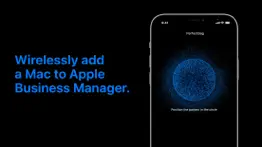
What is apple configurator app? Apple Configurator for iPhone makes it easy to add any iOS device running iOS 16 or later or any Mac with the T2 Security Chip or Apple silicon running macOS Monterey or later to your organization in Apple School Manager, Apple Business Manager, or Apple Business Essentials so that you can take advantage of Automated Device Enrollment.
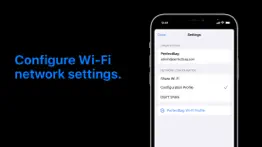
Once signed into Apple Configurator with your organization Managed Apple ID with the Device Enrollment Manager role, you can provide a network configuration to the device being added by sharing the iPhone’s network configuration or by choosing a configuration profile to install on the device.
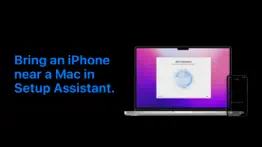
To add a device to your organization, bring the iPhone running Apple Configurator near an iPhone or iPad showing the Wi-Fi pane in Setup Assistant or near a Mac showing the Country or Region pane in Setup Assistant and scan the image or manually enter the six-digit PIN. After the device is added to the organization, it appears in an ‘Added by Apple Configurator’ MDM server placeholder in Apple School Manager, Apple Business Manager, or Apple Business Essentials; the Administrator or Device Enrollment Manager can then assign it to an MDM server for Automated Device Enrollment. The status button in Apple Configurator provides a report of devices which have already been added to your organization.
When a device has been assigned and enrolled in this way, it behaves like any other device enrolled using Automated Device Enrollment, including mandatory supervision and MDM enrollment. The only difference is that the user has a 30-day provisional period to remove the device from the organization, supervision, and MDM.
😍 Do you love Apple Configurator app? Please share your friends!



Please wait! Apple Configurator app comments loading...
Apple Configurator 1.1 Tips, Tricks, Cheats and Rules
What do you think of the Apple Configurator app? Can you share your complaints, experiences, or thoughts about the application with Apple and other users?

Apple Configurator 1.1 Apps Screenshots & Images
Apple Configurator iphone, ipad, apple watch and apple tv screenshot images, pictures.
| Language | English |
| Price | Free |
| Adult Rating | 4+ years and older |
| Current Version | 1.1 |
| Play Store | com.apple.ios.configurator |
| Compatibility | iOS 16.0 or later |
Apple Configurator (Versiyon 1.1) Install & Download
The application Apple Configurator was published in the category Utilities on 06 December 2021, Monday and was developed by Apple [Developer ID: 284417353]. This program file size is 1.81 MB. This app has been rated by 223 users and has a rating of 2.9 out of 5. Apple Configurator - Utilities app posted on 19 September 2022, Monday current version is 1.1 and works well on iOS 16.0 and higher versions. Google Play ID: com.apple.ios.configurator. Languages supported by the app:
NL EN FR DE IT JA KO ZH ES ZH Download & Install Now!| App Name | Score | Comments | Price |
| Shortcuts Reviews | 4.2 | 8,531 | Free |
| MacOS Mojave Reviews | 1 | No comment | Free |
| Apple Business Reviews | 4.0 | 60 | Free |
| Phone Reviews | 3.9 | 9,527 | Free |
| Swift Playground Reviews | 3.7 | 1,856 | Free |
Bug fixes and improvements.
| App Name | Released |
| My Spectrum | 16 December 2014 |
| Google Authenticator | 20 September 2010 |
| 12 February 2019 | |
| EarVision | 07 September 2023 |
| PrivadoVPN Fast VPN and Proxy | 05 January 2021 |
Find on this site the customer service details of Apple Configurator. Besides contact details, the page also offers a brief overview of the digital toy company.
| App Name | Released |
| IConnectHue for Philips Hue | 29 April 2013 |
| Overseerr | 01 August 2024 |
| Network Analyzer Pro | 18 September 2012 |
| NetSpot WiFi Analyzer | 04 May 2020 |
| Watchla for Tesla | 16 February 2021 |
Discover how specific cryptocurrencies work — and get a bit of each crypto to try out for yourself. Coinbase is the easiest place to buy and sell cryptocurrency. Sign up and get started today.
| App Name | Released |
| CapCut - Video Editor | 14 April 2020 |
| Google Maps | 12 December 2012 |
| Target | 24 November 2008 |
| WhatsApp Messenger | 03 May 2009 |
| Messenger | 09 August 2011 |
Install the Giftmio extension for smart shopping. Get notified about cashback opportunities, activate cashback in one click, and save money on purchases.
| App Name | Released |
| CloverPit | 17 December 2025 |
| Slay the Spire | 13 June 2020 |
| Gambonanza | 01 May 2026 |
| Earn to Die 2 | 20 November 2014 |
| Scritchy Scratchy | 18 March 2026 |
Each capsule is packed with pure, high-potency nootropic nutrients. No pointless additives. Just 100% natural brainpower. Third-party tested and validated by the Clean Label Project.
Adsterra is the most preferred ad network for those looking for an alternative to AdSense. Adsterra is the ideal choice for new sites with low daily traffic. In order to advertise on the site in Adsterra, like other ad networks, a certain traffic limit, domain age, etc. is required. There are no strict rules.
Keep personal info private, avoid scams, and protect yourself online with AI-powered technology.
Apple Configurator Comments & Reviews 2026
Will not work for iPad no matter what update. I downloaded it to get an app and it wouldn’t even let me open it my iPad is also on the new update 16.2
Review. Review
Worthless. Does not work.. As a parent trying to put my child’s phone into supervised mode, this app fails completely. I eased my sons phone, followed instructions to start the process on the wireless screen.. got the phone to pair, selected his account… Only then configurator froze on “Signing in For..”. I waited an hour. Tried the process start to finish running configurator multiple times on three different devices (an iPhone and the iPads). All failed in the same step.
Rarely works. Have to consistently reinstall. Doesn’t ever load or open half. The time doesn’t work. Apple, you’re a multitrillion dollar figure it out!!!!
This app is garbage. 9 out of 10 times I can never get the device to pair. This app is absolute crap. This process dos not need to be this complicated. Getting a device into ABM should not be this complicated. Stupid.
Utterly useless. I would give this 0 stars if it were an option. I need to add a single refurbed iPad to a company Apple business account. This app won’t install on any of the company iPhones or iPads. It will install on my personal (non-managed iPhone). However, it won’t let me move the iPad to the business manager. It just sets it up with my personal settings. This is worse than having no app. If there was no app to try doing what this app claims it does, I would have wasted a couple of hours fighting this.
falsa. No es una apps, es una extension que se utiliza para , Suplantacion y robo de identidad. Nota: Por favor LEEAN
Confusing and poor execution. Apple has made something that should be streamlined and simple… very confusing.
A little buggy, but it does work. We are a Microsoft shop, but need to deploy iPhones and iPads. Typically our VAR takes care of registering new devices with Apple Business Manager, but we were in an urgent situation where we had to source devices from a different vendor who didn’t have the config set up with our ABM account. We needed to deploy 10 iPads and assign them to ABM, but none of us are Mac users. We did have iPhones though. Apple’s documentation is a little vague and unclear, but it does state that to use the iPhone to register devices with Configurator for iOS, both device are required to be on iOS 16. This means updating the new devices with iTunes if they came out of the box on iOS 15. When you power on the device, go through the prompts until you hit the screen asking you to bring your iPhone close, but hit “Configure manually instead”, and while on the WiFi selection screen, open the Configurator app and bring it close to the new device. The “Add to your organization” prompt should appear and you should be able to scan the image. You must have the correct privileges to be able to add the device to your ABM account. It does work. But it took a while to figure out the quirks of the app.
It really shouldn’t say it works on iPads. It doesn’t work on iPads and the documentation says so. Stop the iPad downloads, because it isn’t designed for it. iPhone only. Any review that says it doesn’t add iPads it didn’t until iOS 16, so that is normal. Now you can do it after Nov 2022.
Scam. Unable to use this app which make it more than a failure. Never install this app!
PAGING TIM COOK. Just as bad as the desktop version. Can't get the Apple Configuration software to recognize Apple iPads from my Apple iPhone to add to the Apple MDM. This has been a problem for YEARS. Just need to bounce the iPads through the Apple jujitsu and manage them with Jamf... Paging Tim Cook. Paging Tim Cook... cleanup in the deployment isle... Jobs would be appalled (peace be upon him)
Why?. Why didn't you answer the question from January 17? I have the same question.
App is horrible. Downloaded the app ant opens and then crashes.
Nope. Still useless.. Don’t bother unless you have a Mac that can also run configurator. Otherwise get ready to be disappointed
Joke on an app. Don’t bother with this app, it crashes and won’t work. Useless
Really easy to use. If you are having issues read the documentation for it on the developer portal
I wish I could use this app for home without a school account and business Account!. I wish I could use this app for home without a school account and business account?
Every Supportive App. Awesome Tool, And Every High Quality. Great Job Apple
Waste of Time!!. This doesn’t work! The entire process for getting Apple devices into an MDM is a joke. My clients made the mistake of buying 20 iPads with a grant and it has been impossible to get these managed. Apple is not designed for business. Period. This will not work. You have to have the app on a Mac book and manually connect the device. They have NO PC version of this. Stupid. I want to chuck these iPads out a window.
Did Not Work for Me. Could not initiate after download. Required Apple Business account login for iPad/iPhone. Would not load devices on MacBook.
Does not work with iPads. As the app is incompatible for iPads and only iPhones it seems we would have to purchase iPhones simply for joining MacBooks to ABM.
Can’t join to ABM. Very annoying process to join a laptop to ABM they need to figure out another method cuz this ain’t it . . .
App won’t even open. Updated iPad to allow for Configurator installation and it just goes to a white window then closes. This also is only because the app isn’t available on macOS. Grand product.
When will iPad version be released?. Our use case doesn’t allow iPhones, therefore making this app useless for our users. Would be extremely useful to have an iPad version that allows the prepare and restore functions, as well as the other options available on the MacOS version. Thanks.
Immediate crash. Newest download crashes immediately on ipadOS 16 on a 12.9 inch 5th gen ipad.
Crashes on launch. Latest update causes the iPad app to crash on launch.
Much needed tool. Now please support iOS.. This was a much needed tool. It works great. Now it needs to be extended to support iPhones and iPads with a similar point cloud system.
Not compatible with iPad. Even though it says it's compatible with iPad it really is not.when the app is downloaded to the iPad and you try to open it up, it just closes right away.
Won’t work. After logging in, the app only displays a black screen. Tried deleting, reinstalling, and doing a hard reboot, but the issue persists.
Really Bad. I’ve tried this on 3 different iPads and two different OS versions and got the same result. The app immediately crashes on open. Cannot be used.
Has not worked for months. Crashes on startup for all iPads
$162 billion cash on hand……. How can a company with $162 billion in cash on hand not invest just a single drop of that ocean of money into this thing. It is absolute hot garbage that never works the same way twice. For those where an iPhone is the only way to enroll devices into Apple Business Manager it is completely unacceptable. I would rather lop off my baby toe than be exposed to this app for one more minute.
Help!!. Someone did this without my knowledge!! Apple thanks for the privacy!!!!!!
Misleading & Pretty much useless. Doesn’t do anything if you don’t have the “latest & greatest” Mac to go with it. Which defies logic since I can’t even download Configurator 2 anymore for my MacBook Pro that it ran JUST FINE ON until they, without warning, dropped support for. Why? Because Tim Cook is a mean girl…a mean, MEAN girl. I literally bought then returned a MocBook Air just to provision my new phone for ABM/DEP, and I recommend to do the same EDIT: for those who can use it, it will enroll you newer Apple Silicon Macs into ABM; just be sure to point the device to your MDM inside ABM. If you’re using Intune/“Microsoft Endpoint”, use an ADMIN acct (device enrollment manager won’t work) and setup a profile under “Devices➡️macOS➡️Enrollment program tokens➡️(token name)➡️Profiles➡️”Create Profile”
Did you know that you can earn 25 USD from our site just by registering? Get $25 for free by joining Payoneer!
Does not work on iPad 6th Gen. This application does not work on iPad 6th Gen after installation it crashes and refuses to open. Have attempted reinstall. Please advise as was hoping to try mac auto enrolment.
Useless. My iPhone 15 / iOS 18 screen layout has a number of widgets and also space between some app icons. These don’t show up in configurator and get removed. The app layout then gets messed up on re-loading to the iPhone.
Unreliable. If it works its great but i find the app often opens to or chrashes to a black screen. Devices sometimes don't go to the pair screen. If you proceed to far into the setup process on and iPad you wont be able to join it. It would also be nice if the app provided a way to share wifi profiles to iPads after theyve been joined to continue the setup process.
Useless. Crashes on launch so completely useless. Followed the App Store ‘report a problem’ link and it took me to a site where I couldn’t log a bug report. So frustrating
Doesn’t need to be this hard. - Doesn’t support Apple TV devices. - Requires an apple business manager account which requires you to dox your company to a credit agency and go through a week long approval processes. - requires an sap account which requires another week long approval process - Requires you to re buy all your devices using the sap account. I gave up after that, I’m not throwing away all our perfectly good devices just to waste money re-buying them so apple has their paper work done. Managing devices is supposed to save time and money. This does the opposite. Doesn’t need to be this hard.
Doesn’t work on iPhone with iOS17. App installs but opens to a black screen. Completely useless
iPad Version Please. I work in a K-12 environment and use an iPad Pro as my primary device, it would be great to be able to use this natively on iPadOS
Useless. Doesn’t open. Links to support from the AppStore don’t allow you to report it to apple. 0 stars.
App crashes. Does not work on iPad Gen 9 , every time I try to open Configurator it crashes.
Completely Useless On iPad. I got the app and every time I launch it doesn’t even load up Pls fix the iPad version
iPadOS version doesn’t work at all. The iPad OS version doesn't work at all. The app simply opens and you see a blank white screen and then it closes again. Please fix this, would be super handy
Useful. Pretty useful app
No Admin for MRC. Where’s the administrator for MRC Organisation
Imagine you at your best. All the time. Picture yourself at your sharpest and most productive. Your most alert and focused. Your most lucid, creative and confident. At work. At play. In every area of your life. Add Mind Lab Pro® v4.0 to your daily routine and uncap your true potential. Buy Now!
Doesn't connect to cloud. Useless app
The app is not working at all. The app is not working at all for adding devices to apple business manager
This application is not finding anything. The configurator app is not configured ! Check your app
Terms not accepted. Stuck at login saying “terms and conditions not accepted”. Can’t login or add any devices even though we have accepted the latest terms when the app prompted us to do so.
Adsterra is the most preferred ad network for those looking for an alternative to AdSense. Adsterra is the ideal choice for new sites with low daily traffic. In order to advertise on the site in Adsterra, like other ad networks, a certain traffic limit, domain age, etc. is required. There are no strict rules. Sign up!
Not compatible with iPad. Even though it says it's compatible with iPad it really is not.when the app is downloaded to the iPad and you try to open it up, it just closes right away.
Got. Great
Dumb. Dumb