Hubspace App Reviews
Hubspace App Description & Overview
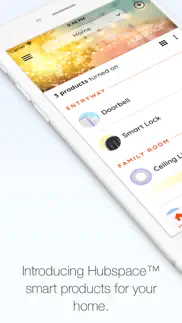
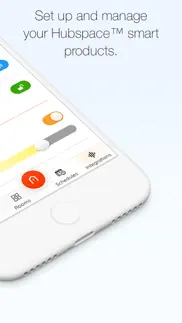
What is hubspace app? Use the Hubspace app to set up your Hubspace smart home products and begin managing your connected home in just minutes.
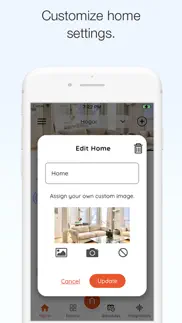
Organize your products by room and property, set schedules, or change product settings as needed using app controls. Manage and monitor your Hubspace products at home or remotely.
PRODUCT SETTINGS
• On/off controls
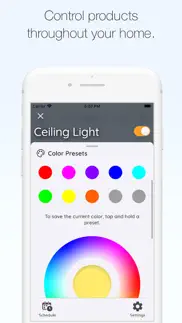
• Change light color temperature settings and colors
• Group products
• Set schedules
• Integrate with Google and Alexa
• Set fan speed
• And more
For Canada: By clicking “Install”, you acknowledge having read and understood this Description and consent to the installation of The Home Depot’s Hubspace mobile application and all updates and upgrades thereto (the “App”). The App allows you to build a home network of smart products and to control them from your device. It collects, uses and discloses certain personal information for this purpose, as set out more fully in the Privacy and Security Statement at https://www.homedepot.com/privacy/Privacy_Security. You can withdraw your consent at any time, though certain withdrawals of consent may limit your ability to use the App as designed or at all. Home Depot of Canada Inc. 400-1 Concorde Gate | Toronto ON M3C 4H9 | The Home Depot Canada |[email protected] | Privacy Policy https://www.homedepot.com/privacy/Privacy_Security.
😍 Do you love Hubspace app? Please share your friends!



Please wait! Hubspace app comments loading...
Hubspace 2.3.0 Tips, Tricks, Cheats and Rules
What do you think of the Hubspace app? Can you share your complaints, experiences, or thoughts about the application with Afero, Inc. and other users?
Hubspace 2.3.0 Apps Screenshots & Images
Hubspace iphone, ipad, apple watch and apple tv screenshot images, pictures.
| Language | English |
| Price | Free |
| Adult Rating | 4+ years and older |
| Current Version | 2.3.0 |
| Play Store | io.afero.partner.hubspace |
| Compatibility | iOS 17.6 or later |
Hubspace (Versiyon 2.3.0) Install & Download
The application Hubspace was published in the category Lifestyle on 17 December 2020, Thursday and was developed by Afero, Inc. [Developer ID: 1065087420]. This program file size is 103.05 MB. This app has been rated by 207,776 users and has a rating of 4.8 out of 5. Hubspace - Lifestyle app posted on 15 April 2026, Wednesday current version is 2.3.0 and works well on iOS 17.6 and higher versions. Google Play ID: io.afero.partner.hubspace. Languages supported by the app:
EN FR ES Download & Install Now!| App Name | Score | Comments | Price |
| Afero -- IoT Platform Reviews | 5 | 5 | Free |
Control your devices right from your home screen with new iOS and Android Widgets. This update also brings other new features, performance improvements, and bug fixes to make your Hubspace experience better than ever.
| App Name | Released |
| Starla - Call the Universe | 21 March 2025 |
| Toyota | 07 August 2019 |
| MyChevrolet | 27 October 2010 |
| Vivint | 20 November 2013 |
| LotusLanternX | 15 September 2017 |
Find on this site the customer service details of Hubspace. Besides contact details, the page also offers a brief overview of the digital toy company.
| App Name | Released |
| Baby Led Weaning Recipes | 17 May 2016 |
| Ask Your Guides Oracle Cards | 18 February 2010 |
| Sincey - remember when | 03 June 2025 |
| LeafSpy Pro | 19 March 2015 |
| WiFi Blocker | 30 May 2017 |
Discover how specific cryptocurrencies work — and get a bit of each crypto to try out for yourself. Coinbase is the easiest place to buy and sell cryptocurrency. Sign up and get started today.
| App Name | Released |
| 09 October 2009 | |
| TikTok | 02 April 2014 |
| Google Chrome | 28 June 2012 |
| 07 April 2016 | |
| Spotify - Music and Podcasts | 14 July 2011 |
Install the Giftmio extension for smart shopping. Get notified about cashback opportunities, activate cashback in one click, and save money on purchases.
| App Name | Released |
| Shotgun King | 24 February 2026 |
| Subnautica | 08 July 2025 |
| Balatro | 26 September 2024 |
| Plague Inc. | 25 May 2012 |
| Stardew Valley | 24 October 2018 |
Each capsule is packed with pure, high-potency nootropic nutrients. No pointless additives. Just 100% natural brainpower. Third-party tested and validated by the Clean Label Project.
Adsterra is the most preferred ad network for those looking for an alternative to AdSense. Adsterra is the ideal choice for new sites with low daily traffic. In order to advertise on the site in Adsterra, like other ad networks, a certain traffic limit, domain age, etc. is required. There are no strict rules.
Keep personal info private, avoid scams, and protect yourself online with AI-powered technology.
Hubspace Comments & Reviews 2026
Does not work after upgrade. Well i have to say the previous version work just fine linking with Google Home. But after this latest upgrade it broke. I unlinked everything and removed all the lights and ceiling fans. Then i added it all back on the hubspace app. That worked on that app. Then i tried to relink it to Google Home and it looked like it was going to link then within 10secs of saying it linked it said there was a problem and try again. I have tried 20times and always at the end it does not link. Please send an immediate fix! Otherwise this is basically useless now as i will have to use two apps!!! Fix fix fix!!! Increase your stars and fix it!!
Constantly loses WiFi connection. First month it was great, super reliable. The next month or so I was ready to throw the plugs in the trash because they would constantly lose connection with my WiFi for no apparent reason. I’d get the message “Sorry, ____ isnt available right now” so I’d have to turn the plug on via Bluetooth with the app, then reconnect each plug that may have lost connection. All of a sudden the app started working great again and never lost connection. This lasted about a month or then suddenly started doing it again. This is probably the most frustrating electronic device/technology I’ve ever dealt with. If it doesn’t start working right soon, I’ll be throwing all of the plugs in the trash.
Perfect for Indoor Garden Use. I use multiple Hubspace outlets for all of my indoor garden accessories from humidifiers, grow lights, fans, and irrigation; I can set a schedule precise lighting and environmental events as well as irrigate with greater accuracy than a conventional turn dial timer. The best part is being able to manually control any outlet from my phone… no more having to fumble with the outlet or try to reach it to make adjustments. Definitely a great step into the future of home automation.
Organized & Easy to Use. I’m excited about this app since the UI of controlling my Alexa suite of smart home devices is a huge pain right now unless we talk to her continually. Also, since I’m the “IT person” for my family and their houses and being at my boyfriend’s home a lot, I like that I can easily switch between home locations. My IOT home goal would be reducing consumption and increasing security using smart devices, day timing, motion detection for lights, a wall mounted tablet “master remote”, echo & dots, and a central app, I could create a smart home environment that I know how to intuitively control, responds to the time of day and motion in the room, and that our non-tech-savvy nanny and even the kids can use. Right now, we have a lot of devices without a central UI (Alexa’s voice control being the only unifying system). I’ve used pretty much every hub and smart home platform on the market and have even tried to build what we need. I will let you know how it goes.
Great product. I had bought 13 lights from Home Depot (Brand: Commercial Electric) about a year and half ago and to put it plainly, it was a horrible product. Lights would unsung all the time, they didn’t work properly and the app designed for them was terrible. After a year and half I called customer support for Home Depot and warrantied the product and sent me new lights. This time the app for them was Hubspace. I am soooo happy with this product. The app is easy to use, it looks nice, I can set schedules for my lights. Several people can have the same account on their phones. Truly night and day from the previous product. I am surprised there are not more reviews on this.
Functions well, some needed features. We’re using this app to control our lights currently. Overall the connection is good, slight delay when changing lights but still responsive. The colors are a little off (tend to be considerably more blue-hued than how they show up in the app) but that’s not a huge issue. The schedules section needs some work - currently there’s no way to delete existing schedules, only disable. There’s also no way to set a schedule for a room, or multiple lights (e.g. if you want to set a schedule for a ceiling fixture with multiple lights, you have to set each one individually). It would also be nice to have more customization on the light presets / fading, where you could choose your own colors in the series.
Works Fine. I purchased the Hubspace Smart Watering Timer from Home Depot to control my drip/sprayer system in my front yard to replace a RainPoint controller that was Bluetooth only. The timer came with a switch controller that doubles as a wireless hub for the timer. I downloaded the app, created an account and connected the controller to my Wi-Fi network quite easily. Installing the timer and adding a schedule was a snap as well. I would like to see them add a way to view the watering history. I believe they could also improve the interface to be more compact and user friendly.
Great product! No Custom Pre - Sets. I’ve used this product for a week now and I am extremely happy with it. The app offers so many cool customization options. The only reason I won’t give this product 5 stars is because there isn’t a custom preset function. I would have loved if I could save the custom light settings I create instead of having to re-edit them every time when I want to change the vibe. If there is a custom preset option, I haven’t found it.🤷🏻♂️
Add a Widget for iOS. I have two smart bulbs setup in my room and the app has worked fine this first week. I would really like to see better support for iOS either integrating control options into a Widget that can be accessed from the Lock Screen/ Home Screen or options to control the Hubspace app from the Control Center. That would be my only complaint is that there is no way around opening the app everytime I want to adjust or switch the lights on or off. I don’t use any voice assistant or smart home tech so all my controls are going to be input manually on my device.
Solid app but has some bugs. Most functions work and are simple to use for my fan. I found the Set Auto-off timer does not work. After setting a time like 30min and press start nothing happens. The fan does not start. If you go back into the auto-off timer setting, it goes back to 1min. by default. Additionally, the schedule function always turns of the fan and fan light even though I do not select the light to turn on. Both the fan and light turn on at the scheduled time even though I only selected the fan to turn on. Please let me know if you have resolved these issues.
Buyer beware. I’ve had the lights installed for less than 24 hours. I was really happy with them initially. Unfortunately, The app server appears to have gone offline and will not allow me to sign in. My smart lights are now essentially dumb lights. They’re stuck on the last setting because I can’t sign into the app to change them. This seems entirely unnecessary as these lights have both Bluetooth and wireless support so you’d expect that if they are having server issues on their end you would still be able to control them through Bluetooth but nope that’s not the case. I now have a set of lights that are stuck on until their server comes back online and lets me turn them off
Make your whole home smart for CHEAP. This is the clapper of the new generation. You can literally buy these ten dollar adapters and plug anything in your house in to them and control everything from your phone. Great for Christmas lights. ESPECIALLY if you have inflatable decorations outside and want to inflate them on command if you have company coming over for example. It does automatic timing, dusk til dawn timing, and on command control from your cell phone. I’m so happy with these things.
Currently lacks some pretty basic functionality. No ability to alter presets. No ability to create your own presets. The percentage of light output cannot go low enough. Even at 1% output setting the lights are like a 40w incandescent bulb. The app probably needs to be calibrated for the type of lights it is controlling. No ability to invite a guest to your account (a basic function for modern smart home technologies). This forces you to share login information with anyone that you want to be able to control your lights. To be fair, maybe you can do something with voice control to work around this limitation. The default view should be the “room” view and not a list of every light in the system. All in all, the app does what it CAN do just fine. It isn’t buggy or crashing or anything like that. But this app works like a proof of concept where some features that people would expect are just glaringly missing and the light output control seems like a work in progress.
Good but some additional features would make it great. I am using Hubspace for a Defiant smart lock. The app is easy to use and does what I need it to. However, two things that would make it more useful for me. 1) If the lock/unlock history included which PIN was used (so I could know, for example, when the housecleaner came in and left) and 2) if the notifications were customizable, i.e. allow me to know when certain people access the house, alert me when the automatic lock is unable to lock due to obstruction, or notify if someone entered the wrong PIN 4+ times and disabled the keypad. I don’t want to know every single time someone comes and goes, but certain events are worthy of having notifications.
Works well. Much better to than the Wiz app. This app works as described and gives me a lot of control over the mood of my apartment. I had originally bought a Phillips bulb at Home Depot, but the app, Wiz you must use stopped working when an upgrade was forced. Totally frustrating and customer service was unable to help. I returned it and got the ecosmart bulb which uses Hubspace. I’ve only tried it with one bulb, but I am planning to add more. I am very satisfied.
It’s going crazy. It worked great at first. For about a month with no issues. Download and set up was easy. Now it won’t let me shout the lights off. I can’t change the color or the brightness anymore or even the pattern. It just flashes random colors on and off. I’ve unplugged the light to try to reset them, no good! Tried shouting them off manually doesn’t work either cuz you can’t. Now I have bulbs that don’t work. I can’t turn it off unless I unplug them. There’s no app support. It take you to Home Depot. This so far has been a waste of money! I have no control over it at all now. The old people across the street think I’m signaling for help! I live in a town of less than 800. They keep calling the cops thinking it’s an SOS signal.
why always changing?. what was wrong with the app that you always changing how it works?! i hate that now i have to enter a new sub menu weird page just to enable or disable a device. if your goal was to RUIN ease of access than congratulations. you have succeeded in making the app cumbersome when it was perfectly fine the way it used to be accessible from main page. whats gunna be next two more sub menus for the same basic function that used to be right there on the main screen and now you gotta hide it inside sub menus? what a disgrace and how shameful.
I love the convenience. I absolutely love the hubspace light bulbs. I have a few throughout my home. Both inside and outside. Setting the schedules for each is rather straightforward. It did take a little fiddling with to get it right. I have read a couple of reviews stating that the sunset/sunrise on off function doesn’t work. That has not been my experience. I only have one minor complaint about the app. And to be absolutely honest it is a very superficial gripe. I wish there were more holiday color combinations and options. And it would be great to be able to control the timing. But other than that, the app works great.
Works with only set time schedule. I purchased a 12v transformer for outdoor lighting from The Home Depot and after doing the install of the hardware had difficulties getting the app to connect to the transformer. Scanning the barcode failed 3 times then finally it connected. I set up a schedule to turn the lights on at sunset and turn them off at sunrise. The lights did not turn on, the app showed the schedule was active but it would not turn. After doing a hard reset I went through the process of set up and creating the schedule again. This failed again. Except the lights turned on at 0913 and back off at 0945 on their own. I did a hard reset again this time choosing an actual time everyday to turn on the lights. This worked, lights came on at 1630 following the schedule. Time to turn off was the added and this also worked. So, being curious I deleted the schedule and setup a schedule to turn on at Sunset and off at sunrise everyday. This schedule failed again. I reverted back to the fixed time schedule and this worked again. I have to assume the app does not know when sunrise and sunset times are either because it does not get geographical information from the iPhone or the app can’t actually do this, or possibly the cloud based server running the program is not correctly programmed. Other than that annoying error the app seems to work fine as long as the hardware stays connected to the internet all the time with a strong signal for the schedule to function properly.
Works great!. I got this for my outdoor Christmas lights. We’ve been using it for a few weeks and so far, it works great! It only took a minute to set up. I am using the timer setting, which was easy to set up and just works. We have an older house that’s quite large. The internet box is on the other side of the house and I didn’t think there was any way it would connect to the internet being outside and far from the source, but it totally works!
Multiple timer settings. It’s taken a while for this old dog to learn a new trick, but I’m really liking this bulb now and am about to buy, like, 3-4 more. I can set multiple times for it to come on and go off each day, like just for two minutes, warm light, in the morning. Then warm but enough for reading at night, etc. will make traveling much easier without having to deal with literal timers place through the house. And the color changes are both healthy, and fun.
Love my Hubspace ceiling fan. About a month ago I went to my local Home Depot looking for a ceiling fan that had a brighter light than the one that was in my bedroom. Looking at the display of all the Fans that were demonstrating the brightness of the light I choose Zandra 52” ceiling fan because it had the brightest light out of all the fans on display. The Fan was a bit pricey but after reading information on the fan, I was sold. It works with Alexa voice commands and I can change fan speed, light brightness and direction on the fan. I didn’t need to buy another Lutron light switch to control functions of the fan. (That alone was at least $50) It even has an app to control everything remotely. This summer I plan to buy one more fan to put into my daughter’s bedroom. My only complaint it didn’t have a long rod in the box to hang the fan from the ceiling. However I used my exsisting rod from the original fan. Great purchase. Thank you Home Depot and Hubspace.
I feel smarter already! 👍🏻. The lights, whether they are indoor or outdoor, and I have both running at different times all from the same app… All very accessible and easy to use with a lot of options, but not complicated at all. If the Wi-Fi goes down for any reason, you can still control them by getting within Bluetooth range if customizing them is something you need to do while the Wi-Fi is down. This is the fifth time I have purchased a new item that’s attached to Hubspace and I have no complaints. I am also running it on an iPhone 15.
VERY Smart plugs!. The Defiant smart plugs (indoor AND outdoor) are the easiest smart devices to setup of all the brands I have tried! Using the nifty Hubspace app on my iPhone makes setup and installation deceptively easy, and they work immediately if they are in range of a working WiFi signal. I especially like the fact that the plugs can instantly “find themselves” and reconnect if they lose power or are unplugged. Reasonably priced and not hard to find ( I got mine at Home Depot). A great buy for Smart Home users!
Best ever. So happy couldn't be any happier I used to go downstairs and into my basement to plug in a boost fan for an extension to my dryer because the vent and pipe is too long to vent out We have to plug-in and then unplug at end clothes dryer and at night when you're tired and going downstairs into the basement is very dangerous when you half asleep and worn out it was a pain in the you know what I got the smart plug hub app and I use it on my phone to go on and off for the boost fan tell you it is prayer answered from God
Nice app, Missing Security Features. The app works pretty well, and setup is easy. The schedules are a little clunky - you can't group lights together for a schedule, have to set each light on a schedule individually. Otherwise it's pretty good and does what you need it to. But the major concern is the lack of real 2 Factor Authentication. It is unacceptable to have home automation using an account that is not protected by a one time passcode (either sms, email, or authenticator app). Despite how good the app is, and how reasonably priced the products are, I am not expanded further into the Hubspace system until accounts have 2FA. It's 2024 - implement 2FA on anything even remotely sensitive.
Very good app! One suggestion:. The app isn’t necessary for the lights to work, but it’s very useful. I love controlling them from my phone, it is much more efficient. However, I would like to ask that the developers maybe try to do a widget thing? Like you could see the light’s name, the color, the brightness, if it’s on/off, stuff like that! I think it would make life much easier for people who are very cluttered with their apps, like me XD Thanks :) 5/5
Bad plug for sump pump. I have a flooding problem in my basement, so I installed a lightbulb camera that always works with my Wi-Fi . I bought a defiant plug and got it hooked up fine, but when in basement it’s always telling me it’s offline. I set a schedule to run my pump for 4 minutes every hour, but nothing..I can however use Bluetooth to turn on and off manually. The BIG issues that this app will turn pump on at random times when I open the app. This will be dangerous as my pump running dry will overheat and seize at the very least… why in the world would this happen? I mean I’m looking at the screen and it turns on by itself? I have zero faith that I won’t wind up with a burned up pump, and who knows? A possible fire? No thanks!
Okay but unreliable. Overall the app is pretty solid and has good organization for appliances and rooms, letting you create grouped items for several bulbs. For example, I have three in a ceiling fan that I can control all as a single group. The problem comes if I forget to use the app and flip the light off using the switch. It takes forever for the app to recognize the bulbs are on and allow me to control them again. Sometimes I have to delete the bulbs from the app then add them back one by one. This connectivity issue is why I knocked off a couple of stars.
Does not have random feature. A fundamental application of these devices is to make a vacant home appear to be occupied. If the property is being observed over time and lights always go on at the exac tree same time, the observer can surmise that the lights, etc. are automated. A MAJOR DESIGN OVERSIGHT in the current version of this app is that it does not incorporate a time on/off randomizer. Such a feature would allow the user to enter a ± time value in 5-minute increments up to 60 minutes (e.g., 30 minutes) and check a “Randomize” check box. Accordingly, if (as per current ability) ON Time was “Sunset + 30 minutes,” the devise would turn on each day at some RANDOM time between Sunset and 60 minutes after Sunset. Another problem is that it appears impossible to integrate the Hubspace devices wIth Apple Home. Even the Tuya app won’t talk to the devices. Three stars because the simple but essential randomizer feature is missing and no Apple Home integration. Fix those things and it’s 5-stars.
Awesome Sauce. I purchased the wireless indoor/outdoor timer for my back yard Christmas lights and am SUPER PLEASED!! The fact that you can program the exact time for them to come on and turn off right down to the day and minute with the app on your phone is great. And another bonus is when the time changes you don’t have to mess with it. The time change takes place automatically because it is hooked directly to your router.. I’ll be purchasing more of these devices for my whole home in the coming year..
Great for Lighting. Really enjoying this app for specialized lighting, which came in surprisingly handy during Halloween for a performance setup in our garage. Those were 60 watt equivalents. We learned after that these were not quite ideal for lighting the front of the house, so I went back and got a couple 100 watt equivalents, which are great. The 60s are now in interior spots, and one has eliminated our need for a plug-in timer. The sunset/sunrise options are excellent inside and out. I appreciate several of the preset choices as well, especially July 4 and Christmas options. Ideally, I would love to be able to control those options better, including changing the colors and adding strobe effects. (We might like orange and purple around Halloween, or use green, red and white at Christmas.) Otherwise, it’s already a very useful product for different applications. Thanks!
Very upset with app update. I was using the app through my Alexa and I could control my fan by saying 50% or 30% and so on, however without any notification of any kind the interface was changed and I can no longer use that % feature to control my fan. I spent hours troubleshooting the issue to no avail and not until Hubspace called me back to let me know of the change. One of the main reasons I chose this fan was the language I could use to control the fan. It is unacceptable to make a change to a product that a customer has already purchased and was using. Not only did you make the change but you did not inform the user of the changes. I am seriously contemplating returning the product and getting one from a competitor and demanding that Hubspace pay for the removal and cost of the new product. Shame on you Hubspace.
Does not work well with Alexa. This could be a good product however the last 10% of effort let’s it down. Firstly, the integration to Alexa constantly needs resetting so all of a sudden your device is no longer respond to your assistant. Which in at South can be somewhat frustrating having to go back in and reconnect the skill multiple times within a week. Secondly, you’re not able to configure each individual socket within the Alexa app (two sockets per outlet). Only at physical outlet level, reducing some of the potential control and advantages of Smart outlet could deliver for a home. Frankly, a bit of a let down would’ve expected more from the software as part of us.
Works perfectly for me!. I got this fan bc I travel a lot and also am living in a investment home in a ( not so crime free neighborhood ) its suppose to be but its not. So I got this fan so i can turn on the light when im not home instead of just keeping lights on all the time. I also like it for circulating heat now that colder weather is coming. I really like the controls and how i can use it from my phone or IPad. I also like the different light color options. I will be buying more of these for other rooms in my home or in another home.
Hampton Bay Landscape Light Transformer. Few comments for the developers: 1. Setting lights on and off times at sunset/ sunrise it would be great to have settings closer in time 30 min before or after is quite a long time for outdoor lighting . Can you add 15 min or even 10 min before and after sunrise/sunset? 2. My three zones use 129 watts, good amount below the 200 watts of the transformer. Lights go on and off fine manually but if I set the clock to turn them in at sunset they don’t turn on and the app states there is a system overload. If I stagger their on time it is fine as I have three zones. I do want them all to come on at sunset and can’t do that currently. 3. Very east to set up! Nice job. 4. Please add the power failure feature (three options) as it is not currently available for the transformer. In am not sure what it will do upon a power failure. That feature appears to be on other products, it needs added to the transformer.
Simple. I love how simple it’s to set up. It literally take 30 to set up on my phone. Bought other ones and had to deal with connecting to app then the app has me go thru hoops to find then I have to find my WiFi and set up 5 min and sometimes you have to redo or it just doesn’t find the WiFi! Super easy my only problem which they worked on more things. Have it setup on my Christmas light outside, accent lights, Christmas tree and most importantly on my reef aquarium it controls my return pump. It makes easy to turn off for feedings without paying the big buck for a smart pump!
Much Better Than I Was Expecting. I had a low bar since partnerships like this with a big brand (Home Depot) in my experience are really sub par. This is not the case here. The UI is clean, up to date with Apple’s HIG, and intuitive. My two complaints are, one, there’s no way to save a “scene”. e.g., if I want to save the brightness and color of lights in a room for different holidays (Halloween, Mardi Gras, etc.), I have to configure each light every time instead of once/saving that scene. Two, schedules can only be created per light and not per room. If I have multiple lights in one room, ideally I could create one schedule that controls all of them.
If only it worked all the time.... I have 10 Defiant locks, when the work, it's a beautiful thing, but more than often, at least 3-4 are going "offline" for no apparent reason, I thought if was the tenants pulling the plugs out of the walls but then saw the same thing in my own place and office, it just goes offline, that's only the Wi-Fi plug, but also the lock itself. Another annoying phenomenon is that when you hit lock/ unlock using the app I can't get stuck in a loop showing it is not locked or unlocked for a very long while, this has started to happen lately. PLEASE DO SOMETHING! It's a great product and so easy to install and configure so it's really a shame it's not working properly. Also can you add a feature that will enable the owner to send an invite to another person that will grant them with limited control over the lock with the app, (just open / lock no change of codes) and without getting access to all other locks? Thanks! Sharon
HUBSPACE MAGIC. I absolutely love my Hubspace. It is so convenient six plugs in one I can set it to turn on at a specific time or if I change my mind I can turn it off or on with a touch of my finger! I don’t even have to be at home because it runs through their app I’ve downloaded on my phone! I just love that I found this Hubspace and really it was fairly inexpensive, I love the fact that I can use it outside or inside, but I use mine outside because I have literally one outlet on the outside of my RV so it makes things so much easier for me to be able to have the electricity wherever I need it and I can run different things different directions it’s just amazing. I love my Hubspace. I would recommend it to anyone thinking about getting one! Quit thinking about it and just buy one!
Not Interactive. Hubspace is very good and easy to install. But my only issue is it’s not an interactive app. For example :- the app has many presets to choose from but it does not lets you create preset as per your own requirements. Lot of other products such as Atomi you can make your own preset for a day or week however you want. Also schedule feature does not have a date option. If I want to create a schedule for a Certain date instead of a day. I should be able to do that for a particular date for the example if I want to use the valentines preset and schedule it for 14th feb it does not have that feature. Also the schedule is very taxing I have 22 lights in one area I have to go to each Individual light to create a schedule. They should allow to create the same schedule for a particular room/area. These are the issues that I have faced with hubspace. If there IT team is reading this review these are very easy fix. Please work on it. The app will work like a charm.
Solid but missing one thing. The App works very well and is easy to pair devices. My only complaint is that the schedules can only be applied to individual lights. I would like to apply a schedule to a group or a room. Right now I have to create a schedule/event for every single light, that’s crazy and I’ll have 30 schedules by the time I’m done. A nice enhancement would be saving a custom color. The orange presets aren’t very orange in my opinion but I found a custom color that looks great for Halloween. It would be nice if I could save it. The color wheel could be a bit bigger as well.
Light Has a Mind of Its Own. I bought a Hubspace light fixture for my work studio when we finished our basement. At first, I thought it was a really neat idea. We had never bought a “smart anything” and decided since we were going all in, it was time to go big or go home. At first, I set a schedule, as the app allows you to do that. I head to work around 0530 and finish around 1530 so that was my schedule. (Note: my office is in the basement. This light needs to be on the entire time I’m working) The light chooses to go off whenever it feels like it. 30 minutes after I start work? Oh, sure. 1014? Why not. I have to open the app and manually turn the light back on anywhere from 3-6 different times throughout my workday. I can’t just “flip the light switch” BECAUSE IT IS ALREADY UP. I’ve tried uninstalling and reinstalling the app. I’ve read the instructions in the box again. I’ve deleted all schedules and tried running that way for a bit, I’ve set new parameters; this light has a mind of its own and it’s one of the most annoying things when I’m trying to record my radio shows. There’s no real way to reach out to anyone to try and solve the issue, either. Smart. Hahaha. “Smart.” Yes, this is a first world problem. Listen to me, complaining about my smart light. However, we thought we were upgrading and joining 2022. I would take a 1960s lamp over this George Jetson malfunction any day. Great concept, poorly designed.
Nice App Except Random Logout. I have 3 fans controlled by this app. The app worked great for months. Last night at 3am my wife asks why a light is on in one of the rooms. It turn out that the app logged us out and somehow one of the fan lights turned itself on. It was a big hassle because I walked to the other end of the house to see if an intruder had turned the light on. Finding nobody, I went back to my bedroom to go to bed, thinking I could use the app to turn the fan light offf butsince the app was logged out I couldn’t & I keep the fab login info on a computer that would be too much hassle to get to so i walk all the way back to the other side of the house and use the fan remote controller. Now I wonder if when I’m on vacation are fans going to randomly turn on?
Works great / update. Experimenting for now. I’m setting up my property. Found these. Super easy to use and there are many other products. I am using the defiant out door plug. You can set up timers or simply turn it off and on with your phone. I’m looking into the whole house options. My biggest concern is out door lighting to be able to controll it. And turn it on and off when I want. Purchased another plug. Wanted to have the ability to turn the floor fan on in the house to cool it off before i get home. Next purchase will be a wall switch to control flood lights outside.
Good and bad but mostly …. I know I am lazy but this is just amazing now I can stay in bed instead of getting up and turning the lights off lol But this is amazing how technology is growing and spreading this is amazing but I will say I don’t like that every time go to go too bed the light switch is off so it won’t work but mostly this smart device app is amazing and free! The app is sometimes telling me that the light switch is not connected or whatever but most of my lights are not working but this device and app is amazing please fix this but the rest is amazing and it is helping me be my lazy self lol!
No app support?. Every time I click on the App Support link on the App Store listing, it always takes me to the Home Depot app, to a list of compatible Hubspace products. It’s like, “No! I don’t wanna buy more devices! I’m having issues with your app/service, the last thing I’m thinking about is buying more!” It’s incredibly frustrating, and there’s very few resources online on what to do if something goes wrong. Or in the very least I would expect an easy to find, quick access to a sort of “system status check” website where I could see if maybe they’re doing maintenance on the servers or something. But no, it’s just the website is down, deal with it. Not very customer driven/friendly 😑
Great products and app, but remove the delete account option on the login screen. We use these products for our business and they come in very handy. We’re able to reboot stuff from basically anywhere in the world. My only suggestion or improvement will be to Tuckaway the delete account option or make it available in another location if you accidentally decide to sign out and click delete account, there goes all your devices. Again great products and great app but can just work on that simple improvement of moving that delete account option to somewhere else.
Will not buy Defiant products again. I guess the name brand says it all. I’ve spent way too long trying to factory reset and reconnect this defiant plug to my network. It wouldn’t see my networks in order to change to another SSID. Plug added but yet wouldn’t connect many times. Tried to select another network and wouldn’t see any, only the one stored from before. It may have to do with Alexa being integrated, removed Alexa but it seems that worked but only minutes later. Is it tied to a remote service and takes forever to reflect? Only reason I have experience with integrated services is Cync wouldnt program a bulb until it was removed from google home. What a hassle. Never again.
Good app. Missing one key feature.. This app works really well with the new PAR38 Color light I just purchased for my front entry. However, I feel like the developers missed an opportunity to include a very useful function. The app comes with a number of preset color themes for the light to fade or jump through over a set duration of time. For instance, I purchased this light just in time for Halloween. However, there is no Halloween theme and I can find no way to create one on my own. I would like to set it to fade from orange, to purple, to green but the best I can do is set it to one of those solid colors. I do love the 4th of July and Christmas themes and will for sure be using them. Just wish there was a way to add my own.
Did you know that you can earn 25 USD from our site just by registering? Get $25 for free by joining Payoneer!
Imagine you at your best. All the time. Picture yourself at your sharpest and most productive. Your most alert and focused. Your most lucid, creative and confident. At work. At play. In every area of your life. Add Mind Lab Pro® v4.0 to your daily routine and uncap your true potential. Buy Now!
Worst experience. It automatically change colour even when i put on certain colour worst experience
Smart outdoor plug. This unit is so simple to program and operate once you download the Hubspace app. Then you can just add it to Alexa and turn it on or off by voice or use a schedule. I really like the easy way to name the plug and give it a room or location name
Ok App. It would be nice to see these devices integrate with Apple Home and not another stand alone app.
Terrible. I have several automatic plug ins and this one is the worst. Does not pick up the wifi at all! I have to literally walk outside to turn it off and on each day
Will it work?. I set up our Christmas lights with the app and it went very smoothly. Finally after Christmas. It was ready to turn them off. I was a bit suspicious because it just seemed too simple. It was a cold winters night when I went to the app. I sat in the comfort of my dining room and I clicked the switch and they’re off. Beautiful.
Cannot login. Alexa sometimes disable the skill and have to login via Hubspace. But there is always issue with the login it always shows “503 server unavailable” please fix this problem
Really useful app. For less than the price if a mechanical timer, i can create schedules, set a countdown timer or switch it on/off from my phone with an extra hub. Works better than i had hoped to control the block heater on my diesel tractor. DB Ottawa region.
Does not connect to wifi. One works okay. The other needs to be connected to wifi everyday
App has become unusable. Whatever the last update was has bricked the app for me. My device won’t work. Won’t let me delete it from my account anymore. Won’t let me search or connect to a network. I’ve delivered the app and re downloaded it and hasn’t changed anything. I don’t know what else to do. Regretting my purchase of this cheap garbage device now.
Needs support for iOS shortcuts and widgets control. Please add support for widgets and iOS shortcuts for a more quick way to utilise as siri support is not available for devices. But shortcuts on ios can definitely help support the lack of features / functionality with the app as siri will work with shortcuts flawlessly.
It is so great. I got this new light and this new app app is so good while the light is super Duper Duper good
Easy to configure, but poor smart home integration. I am using Hubspace app. with Defiant locks. The app. is easy to configure with QR code based addition of devices but when it comes to Alexa integration, it performs poorly. The app. is sending same event to Alexa both for lock and unlock events.; so if you create to trigger on deadbolt unlock it gets triggered even when deadbolt is locked. Furthermore, for support the app. simply redirects to generic Home Depot FAQ page.. good luck finding any relevant help there!
Excellent product!. I never have to worry about having to “manually” control my outdoor lights or about changing the timer box according to the season.
Great price and product. A great price! Very easy to set up and controls work perfect. Love the timer settings and ability to leave on for a set time or from dusk to Dawn. Perfect for Christmas lights!
Cloud connection needed. Any smart home solution that needs an active internet connection to work, is an automatic 1-star for me.
App is super clunky. Turning on a light takes several minutes for it to appear “online” in the app. You can group several bulbs together as a room but to create a schedule, you have to apply it to each bulb individually. Super annoying for chandeliers.
S’allume seul. L’appareil s’allume seul …
Good. Easy to setup
Do not buy. Terrible product, does not work as product describes, and the light turns on and off by itself. Do not cut it, once you do it stops working. I’ve bought two hoping the first was a fluke. Don’t believe me? Go ahead and cut along that dotted line there. Where you cut is where it will light up to. Also, my TV remote also controls the lights, turning it white then green with the volume button. It’s super cheap, don’t waste your money.
Great Product!. I would give this app a perfect rating outside of only 1 issue… I use the Hubspace app to control my defiant Home Depot door locks, and the locks themselves and the app work very well, but the issue arises when I have multiple locks, some at home which I share with my family and other locks that I share with tenants.. I have multiple locks on my account but I can’t share my house lock with my tenants.. It would be ideal if I can share only 1 lock on my list with 1 person, and another lock with another person.. currently this doesn’t seem possible, and makes it frustrating when you have multiple locks at different properties. Other than that the app is great, user friendly, customizable background.. highly recomend!
Not enjoyable experience. Keeps going off line so not coming on and off like scheduled need to keep resetting unit
Good product. The Hubspace application for controlling lights is impressively stable and simple to use. Its intuitive interface ensures a smooth user experience, and the lights themselves perform excellently. However, a significant drawback is the lack of a memory feature to store settings on switches 1 and 2, similar to Phillips Wiz. Without this feature, you cannot override settings without the app, which can be inconvenient. Adding this feature would make a huge difference. Overall, despite this limitation, both the application and the lights work great.
Good. Good
Light. Super convenient and it works, unlike most things in life. This works great
Great device. Works great
Works but….. The app works as described. It would be great - 5 star - if IFTTT integration was added.
Potential. App would be great if lights weren’t so buggy.
Only one user. Connected lights to my phone, came home my wife had connected to her phone and they were removed from mine. Only one person can have control.. ridiculous returning tomorrow
Ceiling Fan from Home Depot. App simply does not work
Battery life. Batteries keep dying
Light designs. It's great that you can design your own light display for the tree but you cannot save your designs.
Limited features. The app works as intended and the color selection, while not vast, is pretty decent. However if you’re like me you appreciate rotating lights. The only way to do that here is to use their presets. And because they’re presets, it’s going to rotate through the rainbow… And nothing else. There is a primary color rotation, which just looks even uglier. To the Dev, can we please have the ability to make our own presets? It’s really not that hard to implement and other people have it, I just like the bulbs that come with this. The hardware supports it. There is absolutely no reason this feature shouldn’t already exist, and nothing barring you from creating it. On behalf of the consumers, please do it.
Good. Good
Crappy light bulb. I bought one of your colourful light bulbs from Home Depot and it sucks. The app says that the light is offline, even when it was on. I have had to remove the bulb and add it back 3 times in the span of 4 hours. The app would not let me change the colour of the light saying again that it was “offline”. This bulb is connected to the best wifi I have and still has these issues . For the 16 dollars that the bulb cost me, 1 star is the absolute best I could give this product. I would not recommend that you buy one of these or use the app for it considering the problems with it.
App no longer works with Google. As of today devices unlinked from google. Tried to re-sync the app and it says something went wrong. Native app works fine but integration is gone. App is now asking to login every time. Doesn’t log in and says something went wrong.
Set it and forget it!. For years I’ve been using an antiquated timer for my Christmas lights. No more! This timer is perfect. Easy to set up and program. I bought two more to control my backyard water feature and lighting around my deck. Controlling all my light timers from one app on my phone has changed my life!
Home app by apple integration. wish that will be on my Apple watch , interface perfect ! but wish intergration to Home app .
Only 1 single user. Only 1 of your family members could have the control over this app to the device. Don’t waste your money.
Très convivial. Facilité d’utilisation , fiable .
Power bar. It’s only been hooked up for a week and already needed to be reinstalled.
Jordan Morin. Great app works very well and easy to use
Feature request. Overall the App is good. The lights works as advertised, been using for about a month now. So far so good It would be nice to have a way to put a “Room” on a schedule. As of now you have to put each individual light on a schedule. In my case I use them for outdoor lighting and want to put all the lights in the “room” on the same schedule. It is a pain to have to set each light individually. A suggestion for presets. A Halloween theme would be fun. Red & orange,
Excellent function. The switches are well priced, the software is very intuitive and the internet connectivity is very solid.
Meh. The app takes too long to find the bulb. You can also hear the bulb humming when it's at it's brightest.
Your update broke the app. Everything has been perfect for months. You sent me a update now the app gets stuck on the startup screen. What a letdown.
Great System. Love how easy these are to set up and have multiple uses. I have 5 in my home.
Mr Bob. Schedules should work by room or group of bulbs as well. Many fixtures have more than one bulb.
Seems to work. Would like to see the ability to work with Siri instead of Google Assistant. I am still waiting for this and has been a very long time Please add this feature .
Great app except notifications. Great app, easy to use, love the schedules and programming. But I wish you could manage which notifications you get. I don’t need to know every time the door is locked and unlocked I get tons of notifications a day, so I just had to shut off all notifications for the app instead through settings
Hubspace is Awesome !!. I use Hubspace in my cottage rental and it’s awesome . It allows we to provide keyless and no contact arrivals & departures . I can see codes for anyone to enter the cottage & remove the codes once they have left . I like that it has the capacity to store up to 10 codes st a time . I like it so well that I thought one for my house ! Highly recommend !!
Adsterra is the most preferred ad network for those looking for an alternative to AdSense. Adsterra is the ideal choice for new sites with low daily traffic. In order to advertise on the site in Adsterra, like other ad networks, a certain traffic limit, domain age, etc. is required. There are no strict rules. Sign up!
Works amazing. Great price at Home Depot during thanksgiving. Wanted something for the Christmas lights connected in my garage, hated walking outside in the cold to turn them off and on. Work perfectly, I can control them from 50 feet away from the house. They say they connect to 2.4 ghz but my modem is broadcasting a 5ghz in that exact same spot. No issues whatsoever since I’ve purchased them.
Love it and could use updates. I love having my entire house any vibe I want. My only criticism is that I wish I could program a flow of colors. You can do that for the string lights, but no the basic bulbs. Still… so nice to have whatever color in my house at any given moment. It most definitely increased my quality of life.
Good but no white on color wheel. I’m using Hubspace to control several lightbulbs outside the house. The application is easy to install and easy to use. The only drawback is that I don’t see away to remove a color that is applied and set the bulb back to plain white. Nor is there a way to move around the color wheel to select a white color. I may need to remove each bulb and re-add it to get back to just a plain white color.
WiFi dead bolt. We recently purchased a WiFi dead bolt and WiFi plug in. We love it. It is such a piece of mind, knowing that it automatically locks behind us. The plug in is handy as well. We can remotely turn on and off the light from anywhere. In short, we love the products and plan to purchase additional similar items.
Works great. I have to say I’m really impressed with this. I bought a plug for our Christmas tree lights and one for our front porch Christmas lights. Setting up and registering the plugs was easy and creating the schedule for them was a piece of cake! I can also control turning them off and on from my phone. You can label your plugs in the app so it’s easy to know which one is which.
Great App but a suggestion. Hello Devs, The app is amazing, it’s easy to use and understand. The set up is super simple. But I have a suggestion, would it be worth it to have a widget version/addition to the app? I wouldn’t want to go to the app every time I want to turn on or off my light. It would be nice if I can turn it off directly on a widget or a shortcut.
Good functionality. I like the ability to create rooms and label them with photos. The app is responsive and lights turn on and off almost in realtime. The only thing I wish is for them to get rid of the splash screen when you open the app. If I access the app, it’s because I need to operate the lights in my house, and I might not have time to wait for your motion graphics display.
Deadbolt and inside wall plug. Lock and wifi work great , but we have had a problem with keeping the two devices in the rooms. We would have to download everything every time we wanted to use the lock. But one of our phones keep info and the other hopefully will keep it as well.
Works like a fream. Been using Hubspace watering system all summer with zero problems. Love the Bluetooth to set it up and so far I have had no problems. Has a schedule to run the 2 zones and I can set it to run at times when we are not using water because I am on well with limited water: knowing what I know now I would have bought the 4 zone system.
Phenomenal!. I was searching for can lights that would work in my soffit, the 4 1/2 inch lights were absolutely perfect I liked them so much I decided to do my entire space with them. super easy to install, super easy to set up, and wonderfully reliable cannot say enough nice things about this system buy with confidence.
Alright. It work most of the time but sometimes your cellular phone will not work so I is weird I guess you have a problem I guess you can just text it and say you need a phone call and I can talk talk about that and then you could just say I can call you and then I’ll talk to the phone or whatever and you could text it or call it whatever it was I can talk to my wytowyto I can text it or to
Another stand alone control app. I’ve had HA / HC for over 30 years now. From X-10 through currently zigbee/Zwave and wifi. Lots of great product, unfortunately without futzing around there is still no central connect point. I want 1 and only 1 control to automate ( not control ) my lights and appliances. Hopefully Matter will resolve all the incompatible HVAC, Lights, Appliances, video, security products without having to spend 50K on Savant or Cestron. Till then we’re just stuck with another ( of many ) apps to control a few ( of many ) lights.
Color changing in schedules.. In the scheduling section, it would be nice to be able to change the color of the light and be able to change it during the schedule. And to go one step further, with that add the option of the light changing colors immediately or over a duration.
Easy to use application. I bought 2 packs of 24ft outdoor lights I use them for indoor but regardless of the fact the lights are beautiful. The app is very easy to manage, I even have the lights on a schedule to automatically turn on at night & turn off before sunrise. The app gives you many different options & light patterns to chose from. It was also a very easy setup to connect my lights to my phone.
App says fan is offline when it’s not.. After the recent update I can no longer control my ceiling fan. The app says my fan is offline when it’s not, and even shows the that the lights/fan is turned on but it’s grayed out and I can’t control it anymore. Please fix the app. Edit: It’s working again out of nowhere, weird bug but glad to have control over it again.
Great App, but fix Dark Mode. I love the products and I love the app. I was so pleased to see Dark Mode introduced recently, but am astonished that ANY developer would leave such a glaring error in it. WHY on earth would you choose to blind the user with a Light Mode splash screen. If iOS and the app are set to Dark Mode, display a Dark Mode splash screen. Very half baked and lazy engineering - cross those tees and dot those eyes.
Just great. I’ve been getting a lot of hub stuff lately— it’s simply fantastic. I do high end homes for a living and this is so much cheaper and simpler than the stuff we started dealing with back in the day. Fast to set up, works great. These custom patterns and colors are going to reinvent the holidays. Great lighting for a nice romantic dinner, and at the push of a button it’s Christmas or Halloween or whatever. Love it.
What changed?. I have had two Fanelee smart ceiling fans with LED lights now for almost a year now with no issues but in the past week the lights on both ceiling fans are going off randomly. I had them connected to Alexia and removed it, reset my WiFi, and toggled the power on both fans several times to see if it would correct the problem but the lights are still going out randomly. Is this due to a bad update? Is this happening to anyone else?
Worked good… for a while. I bought a ceiling fan with a light that uses this functionality. The lights don’t dim properly, but it was handy when it worked. Today, 30 days after I purchased it and can’t return it, Hubspace stopped working. I can’t even get a webpage to open for them. So I can’t even turn my light on. I can only turn the fan off and on because that’s the last thing I was using when Hubspace was functioning, at the current speed, by using the wall switch. I can’t even change the fan speed.
Ehh. The connectivity between the device and the lights are terrible I have 2 of the RGB flush mount lights and it is not accurate when selecting a color on the on the color wheel in the air the lights also do not dim as low as my hue lights. The app randomly logs me out from time to time I hope the new firmware releases for the lights for more stability because my experience with these lights are not the best so far
Great device!. My husband bought two of these. I thought they had to be used with Alexa, which we don’t have, but after further review found out they can be used alone or with Alexa. We used them right away to turn Xmas lights on and off but will be buying several more for around the house. Highly recommend!
Long overdue. I don’t know how I lived my life for so long, doing Christmas lights in the front yard, without this type of technology. This is made the testing and validation of all of my systems so much easier, but I have had many fewer steps on the Fitbit to confirm my work. The only complaint I have is that this loses connectivity somewhat frequently and is hard to manage when the device goes off-line. You don’t have a lot of options at that point.
Works great 👍🏻. At first, I was reluctant. I felt like what was wrong with my old type of box that used to light up my property. Why did I need something to work from my phone? But I have to say it is super convenient and I love it, especially when the time zone starts to change you can easily change the time on your phone.
Unreliable. The app and lights are glitchy. They may randomly turn off and not work without any clear reason. They do not work seamlessly with Google as they turn on in a delayed fashion, one by one. They also are unable to turn on in a different color than when they were shut off. For example, if you have the lights on red and turn them off, you cannot tell them to turn on to blue. You must first turn them on and then do a second command to change the color. Solid lights, just unfavorable usability.
Pleasantly Surprised. Not a recent purchase. We have been using the low voltage transformer for about a year and a half and it just works. No fuss no worry. Comes on according to the schedule and turns off when it is supposed to. If only I could get the rest of the electronics in my house to behave the same way. Please don’t screw with it and make useless updates…. It works perfectly
Led switch. I had this application for 4 months and when I tried using this application, I turned on the lights on (which i currently have for my color lights) to switch to its normal color and I tried several of times to switch and the app won’t let me switch back the color and un matter of fact, none of the other colors correspond as well and I want to fix it but I can’t unless it’s the roof light itself disconnecting itself.
App Functionality. I like the app, I have it for my ceiling fans. Only thing I don’t like is that you can’t program the light to be off and the fan on. When you set it up it automatically makes you turn the light on at a 1% brightness level. You can’t go into the settings and remove it or even go below 1% when switching the settings. Hopefully someone can fix that in the app.
Night light for Pet Lovers. I hate having my pets in the dark for too long when I’m at work so this was perfect. I set it so it turns in right before the sun sets so my pets are not in the dark for too long. It’s also great for when I’m ready to go to bed and I can just turn it off without having to get up.
Worked for less than 24 hours. I genuinely am so upset that I even bothered wasting money on this. Didn’t last 24 hours before I was unable to get the light back online within the app. Big waste of money. Id return if if I could but it looks like I’ll toss it instead. Went back to a 1 dollar bulb and I now have light again. If you think these products will add any ease or comfort to your life you’d be very wrong in your thinking. It only caused frustrations. These products are ONLY money grabs and scams. there’s no value in them past 24 hours.
Wifi. This App works well with the devices connected to it, one of the problems with it is that the devices connected don’t easily find the wifi network, the light I purchased connects to the app, can be controlled with the APP but it won’t find the house wifi, it’s asking for 2.4 ghz but that’s not the most current wifi. For me to be able to control the light with google or Alexa I would need to purchase a 2.4 GHz router. Makes no sense to me…on a positive note, the functionality, Holiday lights, etc are nice features and glad they still work on the app.
Lack Lusting Landscape Lighting. Apps not user friendly, had this landscape lighting for a while. Disappointed in your release of minor updates. I think I’ve waited long enough for a big release that would include different holiday lighting modes. You cover some holiday lighting modes, but don’t cover others such as Halloween for an example. 👎🏻 I’ve heard great things about Govee, and Philips Hue landscape lighting products. I think it’s about time I do my research and see which product I should go with. Might be more pricey but I think I’ll have more options with my landscape lighting.
Poor boy from Harlem living in the suburbs. Great!!!!!! Makes my life so much easier… I have a 7 year old that turns on every light. With the motion sensor option, it can turn them off after a few minutes of no movement, or I can do it from anywhere in the world… a true blessing for the lazy people like myself😂😂😂
Working well so far. I had the timer on our Christmas lights. When I took them down I decided to use it on one of our boot dryers whose timer stopped working. I’m now able to run the dryer the four hours I usually need to get the kids ski boots dry. They’re able to start it by pushing the button on the plug then I go to the app to input how long to run it. Saves me from forgetting to turn it off and running it all night!
Glitchy connection to lights. The app frequently shows lights as being offline. There is no consistency, sometimes it’s the #1 light, other times it’s #4 or 3, etc.. The Wi-Fi in the house doesn’t have any intermittent connection issues with any other devices, and the router is only 10-15ft away from the lights in another room. The only fix I have found is repeatedly turning them off and on with the switch while closing and reopening the app. It’s an annoyance and if I had known about these issues beforehand, I would not have purchased this product.
Full Power. Honestly I love these lights and don’t have any complaints except for one. Ever since I have gotten these lights they “malfunction” and turn the brightness all the way up and the fan all the way up and on. It takes a while for me to turn them off because it takes a couple seconds for the app to connect. This means that sometimes when I’m waking up or wanting to go to bed I’ll get blinded and cold. I love the app other than that but this is a big issue for me and I don’t know how to fix it. :/
No Local Control, No Support for Industry Standards. The Hubspace platform send all commands through Afero’s cloud. There is no way to control Hubspace devices locally over Wi-Fi; even when controlling devices on the same network, everything goes to the cloud first. This cloud-only solution leads to slow response times, a poor user experience, and a lack of support for smart home industry standards like Matter and Thread. It also means that Apple HomeKit support is not coming anytime soon. I recommend passing on Hubspace devices unless/until the brand shows they are willing to adopt industry standards.
App Needs Improvement. Purchased 3 Hamilton Bay Fanelee fans with the google mini promo. I was able to add 1 fan and the controls for that fan is flawless on the app. Now, for the other 2, the app said 1 is enough. The app does not allow me to add the other 2 fans no matter what I do. I’ve even tried creating rooms, but it comes up with an error to try again later. Tried restarting my phone, reinstalling the app, and disconnecting and reconnecting the WiFi. And… nothing. Once they get all the issues resolved I’m sure it’ll be great. Until then, I’ll have to stick to the remotes.
Awesome product. I bought my Hubspace outlet by accident ( grabbed the wrong item on the shelf) the price was a little high for the item I thought I was buying. When I got home I noticed I didn’t have the little clicker to turn the outlet on and off. Then I realized which item I bought and I can control everything by the app! The set up was simple and everything works like it’s suppose to.
Feature request. I love the Rockwood Smart Tunable Medium Exterior LED Wall Lantern and how they are programmable using Hubspace. I would have given 5 stars except for two things: 1) The instructions need to be more detailed. It took me a long time to figure some things out. Good instructions would have saved me some aggravation. I almost returned the product. 2) Need the ability to program my own color changing presets. Very important. If this is currently possible, then I refer to 1) above.
Worship Anew Stained-Glass lighting. Worship Anew is a Lutheran television program from Fort Wayne Indiana. We have recently rescued stained glass windows from Evansville Indiana. These are now in our television studio as backdrop behind choir risers. We use these lights for the shadowboxes to light up the Stainglass windows inside our studio. They do not flicker or band. Some churches have LED Christmas lights and cause a banding effect. These do not cause a banding effect on video or 4K drone footage. These LED Lights work really well as LED light for the Stainglass windows.
My only complaint. Amazing product, very easy interface. The scheduling was a function I didn’t expect to love as much as I have been, very easy to setup My only complaint and disappointment would be that the music sync mode is pretty lame. Very aggressive and lacks ANY adjusting with colors options or flash speed. Too obnoxious and unenjoyable to use Still worthy of 5⭐️
This is why I love this app❤️. Is help me and my brother win we need a night light or something colourful and It helps so much that we give it a five star Because it is like if you have a dance party or something like that, then it’s colourful things and fun It is fun and you like I said it can change colours and it is perfect for dance party or anything like that I appreciate people who make this app or any other app so thank you for the people who made this app because we always need a night light and this helps So much. My brother and I almost love every colour so we can change it to any when I say any it means like three And this is the reason why I love this app so much. Thank you for the person who made this app
Is it just me?. I have CONSTANT issues with this app. For one, I noticed if my husband selects our bedroom light to control the dimming, the light disappears from the app on my phone. Apparently you can’t have more than one user for the app with the same devices….so every time my husband does this…I have to re-add the device to app on my phone in order to take control of it (and it disappears from my husbands phone). Second: what’s with lights going randomly offline? We only have 2 lights added to the app…so there shouldn’t be an issue with having too many decides. Yet…every now and then the bedroom dimmer if offline. Not to mention, when the light is offline, I can’t manually dim it which means I’m going to need to buy and install a completely different switch in order to avoid this in the future.
Update needed. Can the devs update the app so that you can adjust the brightness without automatically turning the light on? For example our bedroom lamps were at a high brightness from the last time they were on, we wanted to turn them down before turning them on since it was early, but sliding the brightness immediately turned them on at the high brightness level before taking in our adjustment.
Cool concept but still has a lot of bugs. When you get home and want to turn the light on usually you want it to be quick, but that’s not the case half the time you get logged out of the app randomly. So now you you have to sit there and log in every day just to turn your lights on. What would normally be a 2 second thing now it takes a few minutes. Would love to be able to just open the app and go. If they could fix this I would give 5 stars
Hubspace outlets. I purchased my first dual outlet to use the timer and to control my outdoor deck lights from the app. Since then I have added numerous indoor plugs for the timer features and for the ease of turning lights on and off with my phone. I did have a warranty issue with one of the plugs recently, but Home Depot handled the issue by replacing the plug for me. Great customer service! I highly recommend this product!
SOOO EASY. I bought a single lightbulb to program on and off. This app was 1000 percent easier than the programmable Leviton switch that controls my outside lights. It took me weeks (literally) to figure out how to program the Leviton switch to go on at dusk and off at dawn. The Hubspace app was one minute to set up. It took longer to type in my email than to program this device. 10 stars.
New update is awful. I’ve had my led strips and this app for over a year now and I’ve never had an issue until they recently updated the app. Now I can’t even connect to them when I’m in my room. I used to be able to change them from states away if need be I could even shut them off hours from home. Now I can’t even change the color while I’m standing in my bedroom. If you’re gonna “update the app” maybe don’t make it 10x worse then it was?
Celebrity Test Lanai:. I installed an all Hub controlled lanai/ pool /deck for a rising star female film producer that has live bands playing under new big lanai at her parties with color changing led spotlites, with fountain behind also lit& controlled, as well as romantic edison lites on perimeter. The 2 outdoor fan / spot lites are also fully controlled ….. you can be the stage manager from cellphone or alexa! Pretty nice for Homedepot low budget technology!
Server down?. Bought a flush mount for my home office space. I was totally prepared to give a 5 star review until yesterday when I noticed my light was “offline”. After many attempts to reconnect it to my WiFi, restarting my phone & router…cussing like sailor & stomping around my house like a sleepy toddler. I may or may not have shed a tear or two. Finally decided to go to bed. Wake up this morning, check the app & everything is back to normal. UGH!!!! I’m happy but rather frustrated. So, I guess when everything is working well over at Hubspace this light is fantastic.