FortiClient VPN App Reviews
FortiClient VPN App Description & Overview
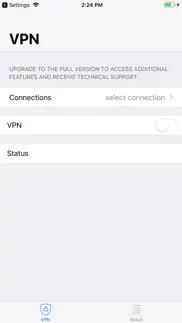
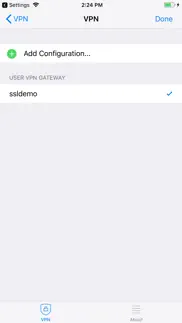
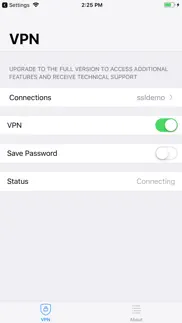
What is forticlient vpn app? This Free FortiClient VPN App allows you to create a secure Virtual Private Network (VPN) using SSL VPN "Tunnel Mode" or IPsec connection between your iOS device and the FortiGate. Your connection will be fully encrypted, and all traffic will be sent over the secure tunnel.
This Free version of FortiClient VPN App supports limited basic features for SSLVPN and IPsec. This app does not come with any Fortinet TAC support.
Supported Features
- SSLVPN
- Certificates based authentication
- Two-factor Authentication using FortiToken
You can install FortiClient App to get advanced VPN functionality and 24 x7 TAC support.
😍 Do you love FortiClient VPN app? Please share your friends!



Please wait! FortiClient VPN app comments loading...
FortiClient VPN 7.4.11 Tips, Tricks, Cheats and Rules
What do you think of the FortiClient VPN app? Can you share your complaints, experiences, or thoughts about the application with Fortinet and other users?
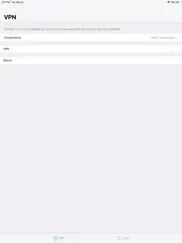
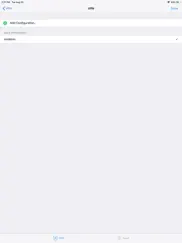
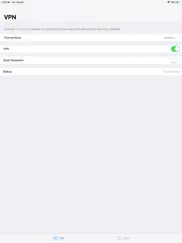

FortiClient VPN 7.4.11 Apps Screenshots & Images
FortiClient VPN iphone, ipad, apple watch and apple tv screenshot images, pictures.
| Language | English |
| Price | Free |
| Adult Rating | 4+ years and older |
| Current Version | 7.4.11 |
| Play Store | com.fortinet.forticlient.vpn |
| Compatibility | iOS 15.0 or later |
FortiClient VPN (Versiyon 7.4.11) Install & Download
The application FortiClient VPN was published in the category Utilities on 04 September 2019, Wednesday and was developed by Fortinet [Developer ID: 345361031]. This program file size is 12.73 MB. This app has been rated by 113 users and has a rating of 2.1 out of 5. FortiClient VPN - Utilities app posted on 03 February 2026, Tuesday current version is 7.4.11 and works well on iOS 15.0 and higher versions. Google Play ID: com.fortinet.forticlient.vpn. Languages supported by the app:
EN FR Download & Install Now!| App Name | Score | Comments | Price |
| FortiClient Reviews | 2.8 | 102 | Free |
| Fortinet Support Tool Reviews | 1 | No comment | Free |
| FortiCamera Reviews | 3.4 | 10 | Free |
| FortiEDR Reviews | 3 | 2 | Free |
| FortiMonitor Reviews | 3 | 1 | Free |
SSLVPN improvement
| App Name | Released |
| Universal Remote TV Controller | 30 August 2021 |
| DuckDuckGo Private Browser | 27 June 2013 |
| Genasys Protect | 20 February 2023 |
| TV Remote - Universal Control | 19 November 2020 |
| TV Remote - Universal | 10 February 2023 |
Find on this site the customer service details of FortiClient VPN. Besides contact details, the page also offers a brief overview of the digital toy company.
| App Name | Released |
| R8 Companion | 18 August 2023 |
| IConnectHue for Philips Hue | 29 April 2013 |
| FORScan Lite - for Ford, Mazda | 02 November 2014 |
| Hondata Complete | 26 April 2019 |
| Number Shield | 01 December 2017 |
Discover how specific cryptocurrencies work — and get a bit of each crypto to try out for yourself. Coinbase is the easiest place to buy and sell cryptocurrency. Sign up and get started today.
| App Name | Released |
| WhatsApp Messenger | 03 May 2009 |
| Telegram Messenger | 14 August 2013 |
| 06 October 2010 | |
| Gmail - Email by Google | 02 November 2011 |
| Spotify - Music and Podcasts | 14 July 2011 |
Install the Giftmio extension for smart shopping. Get notified about cashback opportunities, activate cashback in one click, and save money on purchases.
| App Name | Released |
| Farming Simulator 26 Mobile | 19 May 2026 |
| RadarScope | 12 February 2019 |
| Geometry Dash | 13 August 2013 |
| Stardew Valley | 24 October 2018 |
| MilGPS | 01 December 2010 |
Each capsule is packed with pure, high-potency nootropic nutrients. No pointless additives. Just 100% natural brainpower. Third-party tested and validated by the Clean Label Project.
Adsterra is the most preferred ad network for those looking for an alternative to AdSense. Adsterra is the ideal choice for new sites with low daily traffic. In order to advertise on the site in Adsterra, like other ad networks, a certain traffic limit, domain age, etc. is required. There are no strict rules.
Keep personal info private, avoid scams, and protect yourself online with AI-powered technology.
FortiClient VPN Comments & Reviews 2026
just works. light and does not eat battert
Unusable for iPhones. Cannot go less than “a” star ori would. The latest release of this software renders it useless on iPhones. Have tested and confirmed with Fortinet TAC that the application will not connect. Their suggestion is to use the premium application.
SSO Broken. App needs to be updated
IPSec. I can’t use IPSec to connect my server. The iOS FortiClient6.0 can’t but the Android can. Why ?
Stay Signed In Does Not Work. App does not allow you to stay signed in for 30 days which is our Microsoft 365 MFA standard. This works on all of our other authenticated services, except for the for the FortiGate VPN. I love FortiNet so please fix this app immediately!
Completely broken. Doesn’t work in the slightest. No error messages or anything, it just refuses to connect in app or in settings. I’ve tried troubleshooting it for two hours and I’m getting nowhere with this. Doesn’t matter if you have the wrong or right info, there’s no feedback from the app, it just won’t do anything.
Blank screen on iPhone. Did all the tricks like remove the app and config restart phone then install the app again. Everything version current… I get two untrusted messages the sso MS page and our 2FA then a blank screen.
Save password is a joke. What a poor implementation of an app.. Having to enter the password every single time after paying $$$ for fortigate and licences
Nice app. Is there a "stay connected" option? When I close the lid to my Mac Air, the connection is lost.
DNS issue. No DNS working
Save password???? Work reliably???. How can this option still be broken after 2+ years. Broken in the Mac version as well. This app also forgets the client certificate passphrase, which makes is more than useless for average end users
SSO port problem. This version throws an unable to get sso port. I hope fortunes will fix and give out different option in app store
Stay away from this app, even the other FortiClient is marked as legacy. 1) cannot work with IP address based URL - I got “invalid DNS server” 2) funny thing is, the app demands users to upgrade to full version to get additional features and support. But I am a paid user of fortigate!
Just a blank screen. I go through and enter in my credentials, etc, and get a blank white screen, except for the word cancel in upper right. This appears to be a known issue, and it appears nothing is being done about it. We were forced to use fortigate, and it literally shut down half the department. I wish we could go back to our old vpn.
Save password don’t work!!!. Same as everybody else reported. The save password does not work and if you use complex passwords it’s a real pain in the room to have to try to put it in every time you have to do it. Remove the option if you’re not gonna make it work.
Slow and unreliable. Drops connections unexpectedly and randomly, connecting is just as flakey, unfortunately forced to use it for work
IPSec Config Issue (Changes Server Address). When entering the server address for IKE setups the connection is auto prefixed with https:// after saving the config. This makes the IPSec setup unusable. Fortinet is pushing to use IPSec for client VPN but was unable to use this for a client setup. Please fix this programming issue as soon as you can.
Password. There’s no way to save the password. There’s a save password switch which doesn’t work at all.
Save Password Does Not Work. Seems to be an aged issue as others have also reported this. It makes the VPN unusable in my opinion. It is just to cumbersome to add in a password after every time your phone is locked/unlocked. Why have a save password toggle if it doesn’t actually save password??!! I’ll give it 2 stars simply because the free but there are better options out there.
Latest Update broke SSO. Your latest update broke SSO. Just timeouts on “Connecting” and doesn’t connect
Broken and does not work with iPad. Disappointing that the app does not work with ios 16 or 17 update. Someone please fix. This is frustrating.
Broken again. Have you at least tested 6.4.4 before releasing??? It doesn’t even connect now!
Bare bones VPN app. App offers minimal functionality but am forced to use it by company so really no choice in the matter. Password save doesn’t work.
Can’t uninstall the App, be careful!. Doesn’t work, tried to remove but no option, can only be removed from home screen but still in App Library, even thought I have deleted its VPN profile in Setting. This is very bad that can’t even uninstall.
Useless on IPhone IOS. Fire wall blocks Java Script maybe, will never know the app has no support and our team has been unable to fix it. Does work on all non apple devices. On apple it connects but no data appears once webpage loads.
broken dns split tunneling. dns split tunneling doesnt work. I confirmed the dns server responds to queries while on vpn, but the queries arent sent to the right dns server when using a browser.
Broken - Do not use until they fix it!. I have a FortiGate FTG-201F and cannot connect to the SSL-VPN from an iOS/ iPadOS device using this app. The authentication (including 2FA) works and then the device presents an “internal error”. After troubleshooting the issue with FortiGate support, it was identified that the 3-way handshake does not complete with a “Reset” flag (value of 1) sent from the app back to the FortiGate device and the connection is dropped. I understand that this sounds like a forum issue or a support ticket, but the FortiClient team is separate from the FortiGate support team and does not provide VPN support for users of the free app. They also don’t provide any way to contact them or provide feedback. I hope this review makes its way to the FortiClient team and they can fix the issue for all users. My FortiGate firmware version is 7.2.5, build 1517 and the iOS version on my iPhone14 is 16.5.1. Thanks for fixing this issue FortiClient team.
Stuck at Connecting Status. The app is unable to finish the connection. It get stuck on Connecting The licensed app works fine.
Terrible experience. Although I set information properly, it cannot connect. The problem was solve by another app name FortiClient6.0. Device: iPad Air 4th System: iPad OS 14.4
App doesn't work with iOS 17. Since the last update, I can sign in and it says I'm connected. But once I try to connect to my computer, it spins and spins and never connects. You'd imagine they would have fixed this issue, but here we are over 40 days later with no resolution.
Help. There’s no way I can input my password and download the latest version.
SSO doesn’t work. Single sign-on just doesn’t work. When trying to sign in, it just shows a blank screen. This is the only thing I need the app for. I can’t use this app.
Needs SAML. No SAML support
Not working. No working after ios 18 update
Connect hangs. It always hangs there connecting. Need delete it and recreate a new VPN profile.
Horrible App doesn’t work. Horrible app from a big company like this is unacceptable. I have to switch to Forticlient Android App and works like a charm.
这个至少mac能用. 正常的mac版本,直接就是个白屏
Cannot use google or YouTube. It says no safe connection
It’s not stable but I don’t have other choice.. You need to try hundreds of times to connect even though you’ve input all of the right information.
Works as intended. Works
Did you know that you can earn 25 USD from our site just by registering? Get $25 for free by joining Payoneer!
App closing. Hello, I am using an iphone 11 pro with iOs 16.3.1 and the app shuts down automatically when the log in screen appears for the SSO option.
Always crashes on ios 16. Never worked since ios 16 upgrade
Need passwords every time. Save passwords switch not working
Password save not working. Pls fix the password save option other than that it works well
MFA is not supported. Stuck at connecting because MFA answer option does not show up.
Junk. Pure junk MFA never displays
Imagine you at your best. All the time. Picture yourself at your sharpest and most productive. Your most alert and focused. Your most lucid, creative and confident. At work. At play. In every area of your life. Add Mind Lab Pro® v4.0 to your daily routine and uncap your true potential. Buy Now!
basic but good. works well on macOS (Apple Chip)
Can’t save password. Works fine but can’t save password anymore… it used to but not for the past 6-8 months
App crashes with iOS 16.1.2 👎👎. App crashes with iOS 16.1.2 👎👎
Doesn't save password. This is absolutely rediculous that such apps has this option broken! I saw message from users for more that two years mentioning the problem and the developer hasn't fix it. I'd put zero stars for that
Fortinet is heading from hero to zero. Constant nickel and dime’ ing now. Can’t even save your password without a license. I used to love Fortinet but frustrating that everything requires a license now.
Great VPN client - please fix ‘save password’!. Works great for connecting to our organization’s VPN. It is simple to use and has a fairly strong connection with minimal hiccups. The only drawback is the current version’s ‘save password’ feature does not work. It tends to crash when attempting to use the feature and it never saves a password. This is annoying as we need to use our VPN quite a bit. If this cannot be fixed, perhaps implementation of a touch ID option could be possible? Regardless, it does work and works well. Thanks for the app.
Adsterra is the most preferred ad network for those looking for an alternative to AdSense. Adsterra is the ideal choice for new sites with low daily traffic. In order to advertise on the site in Adsterra, like other ad networks, a certain traffic limit, domain age, etc. is required. There are no strict rules. Sign up!
Cannot use google or YouTube. It says no safe connection
IPSec. I can’t use IPSec to connect my server. The iOS FortiClient6.0 can’t but the Android can. Why ?