PS Remote Play App Reviews
PS Remote Play App Description & Overview
What is ps remote play app? Use PS Remote Play to access your PS5™ or PS4™ wherever you go.
With PS Remote Play, you can:
• Display the PlayStation®5 or PlayStation®4 screen on your mobile device.
• Use the on-screen controller on your mobile device to control your PS5 or PS4.
• Connect your DUALSHOCK®4 wireless controller.
• Connect your DualSense™ wireless controller.
• Connect your DualSense Edge™ wireless controller to mobile devices with iOS 16.4/iPadOS 16.4 or later installed.
• Connect your Backbone One PlayStation® Edition to your iPhone.
• Join voice chats using the mic on your mobile device.
• Enter text on your PS5 or PS4 using the keyboard on your mobile device.
To use this app, you need the following:
• A mobile device with iOS 15/iPadOS 15 or later installed
• A PS5 or PS4 console with the latest system software version
• An account for PlayStation Network
• A fast and stable internet connection
When using mobile data:
• Depending on your carrier and network conditions, you may not be able to use Remote Play.
• Remote Play uses a lot more data than most video streaming services. Data charges may apply.
Note:
• This app may not be compatible with some games.
• You need to grant this app access to connect to devices on your local network. If you haven't already, you can do this from the Settings menu on your iOS or iPadOS device.
• Your controller may vibrate differently than when playing on your PS5 or PS4 console.
😍 Do you love PS Remote Play app? Please share your friends!



Please wait! PS Remote Play app comments loading...
PS Remote Play 9.0.0 Tips, Tricks, Cheats and Rules
What do you think of the PS Remote Play app? Can you share your complaints, experiences, or thoughts about the application with PlayStation Mobile Inc. and other users?
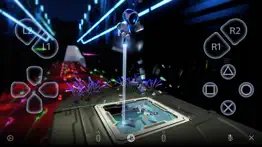
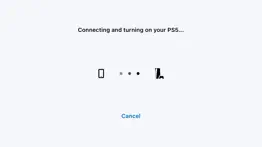

PS Remote Play 9.0.0 Apps Screenshots & Images
PS Remote Play iphone, ipad, apple watch and apple tv screenshot images, pictures.
| Language | English |
| Price | Free |
| Adult Rating | 4+ years and older |
| Current Version | 9.0.0 |
| Play Store | com.playstation.psremoteplay |
| Compatibility | iOS 15.0 or later |
PS Remote Play (Versiyon 9.0.0) Install & Download
The application PS Remote Play was published in the category Entertainment on 09 March 2019, Saturday and was developed by PlayStation Mobile Inc. [Developer ID: 912472174]. This program file size is 18.27 MB. This app has been rated by 18,703 users and has a rating of 3.3 out of 5. PS Remote Play - Entertainment app posted on 18 March 2026, Wednesday current version is 9.0.0 and works well on iOS 15.0 and higher versions. Google Play ID: com.playstation.psremoteplay. Languages supported by the app:
AR CS DA NL EN FI FR DE EL HU ID IT JA KO NB PL PT RO RU ZH ES SV TH ZH TR UK VI Download & Install Now!| App Name | Score | Comments | Price |
| Horizon Stickers Reviews | 4.7 | 36 | Free |
| PS4 Second Screen Reviews | 2.6 | 3,678 | Free |
| MLB The Show Companion App Reviews | 2.5 | 206 | Free |
| Uncharted 4 Stickers Reviews | 4.7 | 33 | Free |
| God of War Stickers Reviews | 4.7 | 53 | Free |
• We've made some performance improvements.
| App Name | Released |
| Steam Mobile | 26 January 2012 |
| SeatGeek - Buy Event Tickets | 11 December 2012 |
| TikTok | 02 April 2014 |
| Prank All-Hilarious prank app | 10 March 2023 |
| Xbox | 19 November 2013 |
Find on this site the customer service details of PS Remote Play. Besides contact details, the page also offers a brief overview of the digital toy company.
| App Name | Released |
| Shorts Blocker for YouTube | 28 August 2023 |
| GifJif - Custom Gif Creator | 03 February 2016 |
| IOvilus | 16 October 2009 |
| Merge Watermelon for watch | 04 March 2021 |
| Spirit Contact Talker ITC | 14 December 2021 |
Discover how specific cryptocurrencies work — and get a bit of each crypto to try out for yourself. Coinbase is the easiest place to buy and sell cryptocurrency. Sign up and get started today.
| App Name | Released |
| 06 October 2010 | |
| Gas | 27 August 2022 |
| WhatsApp Messenger | 03 May 2009 |
| Google Maps | 12 December 2012 |
| BeReal. Your friends for real. | 08 January 2020 |
Install the Giftmio extension for smart shopping. Get notified about cashback opportunities, activate cashback in one click, and save money on purchases.
| App Name | Released |
| PeakFinder | 12 March 2010 |
| Monash FODMAP Diet | 17 December 2012 |
| CloverPit | 17 December 2025 |
| HotSchedules | 30 October 2008 |
| Shadowrocket | 13 April 2015 |
Each capsule is packed with pure, high-potency nootropic nutrients. No pointless additives. Just 100% natural brainpower. Third-party tested and validated by the Clean Label Project.
Adsterra is the most preferred ad network for those looking for an alternative to AdSense. Adsterra is the ideal choice for new sites with low daily traffic. In order to advertise on the site in Adsterra, like other ad networks, a certain traffic limit, domain age, etc. is required. There are no strict rules.
Keep personal info private, avoid scams, and protect yourself online with AI-powered technology.
PS Remote Play Comments & Reviews 2026
Needs update for VisionPro. You guys have done an excellent job creating & maintaining this app. As you further improve the app, please add visionPro support. PSVR2 is an amazing technical achievement, but for those who has VisionPro, please do not let us be VRless. I’ve been PlayStation since day 1 (PS1) and my greatest dream was to play on a IMAX like cinema screen. I’m sure this dream is shared by many millions. For the moment, all VR experience is only available to a limited audience globally. By allowing your app or a version of it playable on visionPro will ultimately reenforce PlayStation’s commitment to excellence in gaming & entertainment; and further lay the groundwork for many gamers and entertainment enthusiasts to experience the grand scale of VR content through PlayStation.
3Stars. It’s a wonderful service by a person who understood the importance we hold for our gaming experience but the only issue I have is the Internet speeds affecting my gameplay..Even story mode games that are offline are affected but I know it’s not just one variable..I’m pretty sure the area I’m in does not have the strongest connection/signal that would allow smooth gameplay..I’m not hardwired and multiple people are connected to the wifi along with other devices so these are a few things to consider ..it was working smoothly for some time but not for more than 6 months, from what I can remember..I love the feature but because I can’t play I feel cheated for purchasing the backbone which was 100$ at the time and now I really can’t use it which makes me feel hesitant to purchase similar and other products in the future
Ps4>Xbox one. i got a xbox one and was disappointed when i found out it had to update in order to play, because at the time i didnt have internet. and id go somewhere to get it updated, and about a week later one morning, boom, xbox needs to update again, cant play or use it at all until its updated. so thats when i made the switch, and thank kelpy g i did. way more simple, way more fun, not only that, it has RECHARGEABLE controllers with speakers, lights (that can change colors for more immersive gameplay), and touch screen pad.🤯(not to mention the slick motion controls or the cool accessibility options it has like hitting the controller like a dying flashlight to get it working again in game, brings the immersion to another level.) gg
Why is a very bad app?. It’s a very bad app because it is always lagging out and always whenever I try to play it tells me to connect it to a different PS PS five which is what I have and then whenever I try to connect back to mine, it doesn’t work in that same minute, I have to wait like three or four hours just to get it to work so that’s why this app is a very bad app and it’s also very hard to play on from how like small the buttons are how big the buttons are because some are small and some are big and that the bad things about this but I know that there’s way more so whoever’s out there coming on this and say oh like he’s right here that’s like a very bad app to use because if you wanna play this game, you wanna play that game like very and then whenever I wanna play like a game or two it doesn’t work so that’s all about why in my opinion the PS remote app is a very bad app. Thank you PS that’s why a very bad app
Great but its missing one thing or two. The thing that it’s missing is the buttons since the buttons are super big because i have a iPhone 6s Plus the buttons are big that I accidentally tap on the other buttons while I’m playing need for speed payback I accidentally put the button to tune the car or when I play fortnite (I’m lazy and don’t want to download the game on my phone because it’s a waste of battery and time and memory space on my phone so I play on the games of my PlayStation on my phone witch is fun and add a option in the the setting where you can customize the buttons where you can put them somewhere else on the screen and make them smaller and one more thing that it needs is that you can use the daulshock and play on the phone without the one thing that one thing happening and the two the two things that I’m asking please because someone’s tv or monitor might break so they can play on their phone or tablet with or without the daulshock that are the two things that I’m asking right now and other people might appreciate it a lot and I mean a lot and by the way mention the in the news and more people or going to use it
Please fix the amplitude problem from the console to the app!. I have a such an issue with the disconnections on this app. It literally makes no sense into trying to play a game when all it tells me is that i don’t have “good connection” whatsoever when indeed I have great wifi service, I get cut off mid game and it’s absolutely infuriating. I go on google to see how I can get better signals for the app to stay compatible with my PS4 but nothing seems to work. And no matter how bad of a quality I set the picture per second and the rate of the high speed internet, it just simply doesn’t do much for me anyway. How can I enjoy this if I there’s no other methods to keep the connection permanent? Is this a bug on the app or did y’all think this wasn’t gonna happen? Pretty sure everyone knows this so they would rather delete the app instead of almost pulling their hair out the from scalp regarding for its lack of interest in fixing it. You're welcome.
Finally works like it should!. Works on MAX setting with no seriously noticeable lag over WiFi connection. No longer seems to drop connection as it always did in the past. Using mobile data over 4G LTE on the lowest quality settings. Works fine-Poor quality though. Using over mobile data on Medium or High quality settings brings the Stream to a stutter and drops out soon after. Once everyone is using 5G this should work great. So until then only the lowest quality setting is playable at the moment. The developers really can’t be held at fault for this though. It is simply the limitation of the slower mobile data uplink for the time being. Again when we are all rocking 5G when that’s standard all over (hopefully by 2025) we will all be playing remotely at the highest quality settings with no lag.
4 out of 5!. running ps5 + ipad pro. playing elden ring on the ps5 ethernet connected, ipad pro with controller connected via bluetooth. the app was disconnecting if i left my controller connected to the ps5. only works with controller connected to ipad. so no vibration, kind of sad, but still works. graphics look very nice, but lag is a thing. its around a 400 ms delay, enough to make things feel a bit clunky, but you get used to it. have had no disconnects (since controller is connected to ipad) sit right next to the ps5. only using it bc the lady watches a lot of tv, and i would rather this than another monitor lool. otherwise, there is proabably no way i'd play on the app. it has potential, but since you kind of can't get a better setup than what i'm running this on and there's still pretty prevalent lag, i dont know. good work though, team, and i definitely will so wow, i cant believe it even works THIS good. which honestly is pretty good!!! EDIT: a month later, a couple feature req's: -login screen be able to access ios keychains for passords, why in 2022 am i entering this everytime? and more importantly, support for multiple psn passwords stored, for us nerd families. -vibrate support for controllers (am aware this is complicated.) thats it though! thanks.
Waiting for Apple TV support. I’ll be honest, I rarely use my iPhone to play games of any kind. WiFi and cellular typically aren’t fast enough for a good experience in any kind of remote-play setup. What I do want is the ability to play my PlayStation games without needing to change the input on my tv. I’d love to see my Apple TV handle remote play over a local hardwired connection, centralizing all of my home entertainment to one receiver device. With a setup like this, I wouldn’t need to move my entire console just to play on a different screen. It would also mean that I could more reliably use my console when traveling, without having to pack the monstrous machine and lug it around. If I just bring an Apple TV with me, and give it a hardwire connection, remote play on any tv screen would be much more accessible.
Motion is broken. It’s incredible to use an iOS device as a portable window to the Playstation, so I’m very happy this app and functionality exists. I’ve been playing a lot of the game Dreams recently, and found a bug with the Remote Play app that makes Dreams, and games like it, almost unplayable. The app (or the Playstation 5 itself) isn’t handling motion correctly. I’ve tested with the onscreen controls, 3 DualShock 4s, and 2 DualSense’s, and the issue is the same no matter the controller type. My Imp (within Dreams) always drifts to the left edge, making me re-center the control every 30 seconds or less. All of my controllers don’t have this problem on the actual console, and I noticed this issue with no controllers connected as well. So it’s clearly an app / PS5 issue here. Luckily most games don’t use motion controls, but those that do won’t be a great experience. Please fix this Sony.
When it works, it’s fantastic!. I love using this app to play PlayStation from work and out and about. The only thing I have a problem with is the ability of the app using WiFi, which is to say, no ability at all. I will say, at work, my router is pretty far and through a couple walls, so the signal isn’t great. I always blamed the inability on that, but recently I tried using Steam’s SteamLink app to do the remote play thing with my Steam library. Imagine my surprise when the WiFi connection worked flawlessly. No lag, no weird glitchy looking pixelation, just clear and smooth gameplay. So I wonder now, why does ps remote play have this issue? I use a hardline at work, because I’m awesome like that, but it would be much easier to use WiFi, as I would then be able to move my iPad to a table instead of sitting behind the desk (I work in a restaurant and play during the 2 hour break we have between lunch and dinner. Anyway, great when it works, awful performance on WiFi! Make that better, and it’ll be a 5 star from me.
Nimbus Controller WORKS!!. Update: due to previous reviews asking for controller support for the nimbus controllers I assumed there was no support for ANY controllers. But I decided to try it myself and the nimbus controller worked flawlessly!! With the minor annoyance of no R3 or L3, but that is a fault of the controller not Sony’s app. Thank you Sony! Also when using the Nimbus controller there is no controller HUD on the phone screen which is another plus!! Like everyone else said. Need controller support. It runs games even multiplayer smoothly but if I can’t engage in the game properly and with ease what’s the point? The great connection and the potential only make the lack of easy controls or controller support that much more frustrating. Please add either nimbus controller or DualShock support and I will give 5 stars.
Love it. Recommendations to make perfect.. This is amazing. I’m using this to play upstairs so I don’t have to lock myself away in a basement I play on the tv my PlayStation 5 is connected to. Great connection and really no lag that I can tell. This demonstrates that it could potentially take the place of my switch. Just a few suggestions - would be great to allow for full screen on my iPhone 13 pro. Screen is good size but it looks like this remote play app is cropping in the video a bit and makes for a pretty tiny window into the game world. Also wish there was a way to cloud stream the catalogue of classics, etc. doesn’t appear as though that’s an option. Perhaps only an issue with select games. Other than these two gripes, this app is wonderful.
Needs button mapping. Honestly, the app has worked great for me so far. There are slight hiccups when it comes to connection quality, but that’s what I expect out of a streaming app. It’s largely dependent on my internet so I won’t fault the app for that. I’m not seeing the issues that other people talk about and the picture quality has been great. There’s one thing that would make this app 5 stars for me, and that’s button mapping for touch screen. I use a telescopic controller that plugs into the phone, so my phone looks very similar to the ps portal, but I have to take my hand off the controller and move to the upper middle of my screen to do any touchpad actions. What’s more, I have to tap first, then either tap or swipe on the digital touchpad. It’s pretty rough and breaks my flow to the point where I decided to write a review about it. With just that change, I think I’d easily put it at a 5.
Just deleting the app!. I have a great wifi connection, with my PS5, phone, and iPad all linked to the same network. Last Friday, I downloaded the app and used remote play on my iPad, which worked quite well despite a few glitches. However, when I attempted to play today, I encountered the same error messages: 1.) Unable to connect to your PS5, 2.) Unable to connect to the internet, and 3.) Unable to connect to the server. After trying various troubleshooting methods for 30 minutes, I decided to give it a shot on my iPhone, where it connected without any issues. Unfortunately, I find playing on my phone cumbersome due to the large buttons and small screen size for controller-based gameplay. I then attempted to use my iPad again without success. I'm uncertain about what app changes were made between Friday and Saturday, but I will just delete the app altogether.
So much fun. I’ve been using this to play PS4 while on my exercise bike, or right before bed. It works great and reliably, though I haven’t had much luck in locations outside of my house. I would highly recommend getting a MFI controller, however. Not every controller will have all the buttons you need, but most of the time you can supplement them with the touchscreen virtual controller. That said, almost all MFI controllers lack L3 and R3 support. One option is to use the Gamevice, because it makes it easy to reach the screen while you play, so you don’t really miss the extra buttons in some games. That said, a lot of games require easy access to L3, and R3. For those, I recommend the Rotor Riot, which is what I’ve been using most of the time, and my experience has been seamless, since it supports everything you need to play. The other cool thing about controllers is that there are a ton of great iOS games that support them, so you’ll use the controllers for other things (Jade Empire, Street Fighter, Leap of Fate, etc;) I’ve spent a few hours playing on my iPhone and iPad, and I love it. This is an amazing way to play games, and I can’t recommend it enough.
This app will not register away from home with my iPhone XR or my iPad Pro 2020 anymore. I’ve recently been trying to connect to my PS4 away from home on my iPhone XR and my iPad Pro 2020 that I just got only 4 days ago and tried using this app on both. Both are using the latest iOS 13.4.1 and this app on both will not work no matter what I have tried. I have tried reinstalling the app, restarting both devices, manually registering them to my PS4, setting them both to the lowest resolution settings, giving them both static IP addresses, and even port forwarding my PS4 and both devices and nothing is registering them. When I’m at home this app works flawlessly on both no lag whatsoever, but the moment I try to use both devices with this app on a different WiFi router over the internet, it finds my PS4, attempts to register, and then fails. It was working perfectly on my phone a couple months ago when I was using it. Sony it’s time to update the app... 😡NOW!!!
Only missing one thing IMO. You’ll see people complaining they can’t play first person shooters with this app. Well, obviously you won’t be able to play fps games. You’re on a cell phone. However, if you want to play single player games it works really well. I’ve able to play God of War, Detroit, as well as Kingdom Hearts. However, one thing is missing. The “shake controller” controls haven’t been ported over as far as I know. I wasn’t able to continue playing Detroit because of this. I know it’s probably not possible to port this by shaking our phones, but if there’s a way to add a button on screen that would easily make this a must have app for PS4 owners. It’s already worth a try but some games will be unplayable because of this control option missing. It’s still a great, well working app without it though.
Decent. I’d give this 5 stars if this app didn’t constantly freeze during streaming; it makes my character be stuck in place or the camera is going every which way without me even touching it because it’s struggling to reconnect to remote play and then bad enough to where it kicks me out. I was streaming Overwatch 2 on Discord and it kicked me out over 5 times, the game even gave me a countdown about to kick me out in the middle of a match set as “inactivity” because it was struggling THAT MUCH. May just find an extension to plug into my PS5 to do this so I can continue streaming games for my friends on Discord without this problem. Like I said, it’s fine but it has lots of connection and lagging issues. Not to mention the quality is kinda boo-boo. We are way past the times and need for 720hp being the highest quality available.
Great App, but some suggestions.. The app works great, I’ve used it to play at a hotel hours away from my PlayStation! Most people complain about the touch screen controls, but I have been playing 4 finger claw on mobile shooters competitively for quite some time now. It’s just a matter of getting used to it I always tell people. However, I would very much like to be able to customize the on screen controller HUD, and the ability to move and resize elements of the on screen controller. As I’ve said before I play with 4 fingers, two to control the virtual joysticks (move/aim) and two free for other actions (mostly aim and shoot) but I would like to be able to move the dpad and shape pad (is that what it’s called?) further up so that they are more accessible, being so far down they can strain my hands for extended play sessions.
Pretty good app, but has some connection problems. The PlayStation remote play app was a great idea, I love being able to play From School or a friends house without having to bring my entire PlayStation. I also love the fact that I’m able to connect a controller as the buttons are pretty small. but there are 2 problem that I don’t like so much. One is that I’ve realized that you need almost perfect connection to get OK gameplay, if you’re not near like a super strong Wi-Fi connection then it’ll probably be very glitchy or just lose connection altogether, which can be quite annoying. The other problem is not being able to connect a second controller to play with a friend. but other than that it’s a pretty good app with just some minor problems
Needs an update for connecting Ps5/PS4 Without using rest mode. Everything of this app works really well, but the one thing they could do, is have a big update that allows you to connect your Ps5/PS4 without having your console on rest mode. For me I have recently bought Backbone One PlayStation Edition Mobile Controller for using Remote Play. But I sometimes I forgot to put my Ps5 on rest mode, which I would have to bring my Ps5 controller just so it can turn on the Ps5 while at work, in order to play it mobile. But it’s not the internet fault, everywhere I’m at has the best Wi-Fi including my house. I really don’t want to keep bringing my Ps5 controller every-time I forgot to put it on rest mode. There’s a reason why I only bring on controller and it’s the PlayStation Edition Mobile Controller. We will really appreciate if you fix this problem with a huge update thanks
💯💯💯. Man this is so underrated i don’t think people talk about this enough.. so far it’s great for playing single player games i tried online once but it may been bad experience because i was using wifi.,. I love that you can download it for macs as well. I’m a truck driver and in my spare time or when im stop with great wifi i can play some of my games.. I also love that you can pair you ps5 remote making its ten times better.. This app alone is one reason i will forever love playstation. And to add when im at home im able to play my ps5 games in the living room on my ps4.. Great for when family and friends are over and i dont want everyone in my game room.. Again this is such an underrated feature , i wish more people talked about it, i hope they keep it and continue to better it
Would be the best if.... I absolutely love that I can mess with my PS4 while I'm on break at work via WiFi. I think this app is great BUT I really wish that this app would hold up a little better. I use this on my iPhone and while I'm using the app I'll get a text and if I answer the text on the iMessage app, the PS4 remote app resets and I have to start the whole process of finding my PS4 all over again. I also tried answering texts by not leaving the remote app and just replying by pulling down the message so that the keyboard comes up while the remote app is in the background BUT whenever I get back to the app, none of the buttons register my inputs so then I'll have to exit the app and start over. Like I said, I think this app is awesome but if there's a way to address these issues, this app would definitely be 5 star material!
This is so bad...sorry PlayStation be better with this app. This app is ok it’s got 4 great features that you can use like streaming, a vertical controller, using your phone keyboard, and using your mic on your phone. But if we are gonna be honest about this app it’s not better than r-play. And the reason why? Well it’s because r-play you are allowed to take that anywhere you want without making your PS4 primary you can use your LTE and also be able to make multiple accounts for it! For the price it’s a a great app and the rating are true if you want an honest reason here it is. You are so far behind with this that you make an “update” to the app yeah it made it better but it still didn’t make it “remote play” so if you wanna make this better maybe go take to the creators of r-play and make an amazing app that you can use anywhere without doing a million things before it works
Missing Key Features! PLEASE READ SONY!. Love that I can keep my PlayStation connected to LAN Cable and use it. But I wish I could use LTE on my phone to connect because sometimes the WiFi I have available is slower than my phone’s data. Also, the screen needs to fit the iPhone X. I cannot stand the black borders on the sides. So much screen space wasted... MOST IMPORTANTLY, the PS4 Controller needs to be able to connect to an iPhone’s Bluetooth... PERIOD. This app has no real value if you can’t even play real games on it because the analog sticks are basically non existent on the screen. Then once you do that make an option where I can take the digital buttons off the screen. Either make the controller compatible or trash this whole app and just remake the PS Vita with 2019 standards for a device.. such as a working remote play. Sad... Really wish the Ps vita Go would just come back.
Welcome to the 21st century. I have to say I was a sceptic at first with the playstation now service being a GameFly customer for so many years but there is one thing that I noticed and I’m glad I made the switch. GameFly has always and I mean always been slow with their shipping of games and even worse not sending the right game when a new release was coming out. I got tired of it and canceled my subscription and a couple of months later I signed up for playstation now which is way cheaper than Gamefly’s advertised price for just one game out at a time. Last night I decided to try out the remote play just to see if it was all the hype that I heard about being able to use the PS4 DualShock controller with a MacBook, all I can say is bravo Sony once again for blowing my mind. This is the best thing I have ever experienced besides VR but just the ease and functionality of it has impressed me tremendously. I strongly recommend downloading this app if you have playstation now because it is worth the money especially if your still a Gamefly customer.
Thanks PlayStation, very cool (but please fix some stuff). First of all, if your gonna make us play with touch, please make the buttons much bigger. I’ll be mashing a button and wondering why nothing is happening. Then I realize that I’m not pressing the button directly, and the joystick will spawn at my thumbs. Second, set boundaries for where the joystick can spawn. For example, do not let the joystick be where the buttons are at. Third, allow a wired connection between the controller and the device through adaptors and cables. I understand that apple wont read ps4 controllers through bluetooth, so please allow a wired connection. And maybe, just maybe, one day, will you allow people to connect to remote play from ANYwhere they want to? Maybe through a cloud or something? Or just for ps plus members. That would be amazing. Thank you!
Mouse is broken. Over all this is a great game for a man who is on the go a lot, however I have a few bones to pick with it. For one the mouse is broken for pc mode. If you don’t know, when connecting to a pc, remote play will hook up a custom key bind set for your game, however that sometimes includes clicking in some way, which unfortunately is broken. You see for some reason remote play refuses to connect a mouse, even though it will connect a keyboard. The other thing I have to say is that the game is very glitchy when using this. Now don’t get me wrong, I understand why that is, however it seems like it needs to have absolutely flawless internet connection in order to work at full resolution without any problems. Other then that, this is an absolute necessity to any ps gamer.
Works great with my PS5, the default white screen is harsh though.. I recently purchased a PS5, and after being spoiled by using my Nintendo Switch away from the living room I was very happy to find the Remote Play functionality is as great as it is. I have my PS5 connected via Ethernet to my Eero primary node, and my iPad connected over wireless. Outside of a very few slowdowns it has been amazing. The only reason this is not a 5 star review is the loading screen / home screen / launch screen is a harsh white screen, which is overwhelming and requires the screen brightness to be lowered, which immediately needs to be turned back up as soon as you reach the actual PS5 Home Screen which is black. The fact its such a drastic change and is not able to be configred even to a less harsh color like a dark gray is very frustrating as I have to change the screen brightness every time I launch / open the application. I will change to 5 stars the minute they add a setting to permit a dark mode or black background launch screen to match the PS5 background.
Reasonable remote access. I've been using this app to play BG3 from my iPad. The PS5 is upstairs on the root mesh router, and my iPad is downstairs (one floor difference) connected to the same router. The images are sometimes blurry on the iPad, but other times they're fine. I'm guessing there's some issue where the app thinks the network isn't fast enough so it's downgrading the resolution (or potentially overcompressing with a lossy format?). I've got 300Mbps down and my local network consists of all gigabit e/n or better (routers, two switches, and all wired e/n ports). (@Devs I'm happy to set up a test and record wireshark data for you, if you think it would help.) Right now, I can't seem to find the L3 and R3 screen control buttons, but it occurs to me that I didn't try closing the panel at the bottom of the screen, so maybe that will do it...
Amazing but it could have something added.... I connected a ps4 controller to my iPad and started the app, connected to my ps4. But one thing is that the PS button and the touch pad does not work. So in this case, I have to switch up some of my controls, or create custom controls so that I can switch whatever is connected to the touch pad and put it on a different button so I can use whatever it’s connected to. I just think that is would be nice to use the touch pad cause that’s what I’m used to, and the fact that I don’t want to change my controls every time I play on my ps4 using the app. The PS button, yes I understand that the button is on the screen, but if you are using a controller, it’s habit to press the PS button to exit out the game your in, I just think that having the PS button working should also be very nice. Thanks for reading.
Minimal use. This is a super exciting little gadget, our household doesn’t watch tv so the entertainment equipment has a separate room upstairs. It’s nice being in the kitchen and while I’m making food or laying in bed, I can access my game from my phone and doddle around. It’s great for doing menu work in fallout 76, I played the witness for several hours in bed. And path of exile just came out, sat my couch in my living room and slayed some monsters. Using the screens control (slight delay and my fingers take up most the screen) got tiring and I started googling how I can connect my PS4 wireless duel shock only to discover I can’t. It’s a real bummer, and I feel it’s a really missing of the mark on this app. All in all it works but expect delayed controls as it’s just streaming to your phone. No controller really kills it. But it’s super awesome of fiddle farting through menus. Would be perfect for old school rpgs or any game that doesn’t require precious movements. 4/5 will be my rating. First review of an app. Fun gadget
Best PS Feature, IF You Have The Right Setup. When first using the app I was disappointed by not being able to use a PS Controller because the onscreen controls were difficult to use (the more practice the better you’ll adapt to it, though). A few minutes into playing a game on my iPad Pro I thought to try connecting my steelseries Nimbus controller that I originally purchased to play games on Apple TV. After pairing the Nimbus to the iPad I was playing games easily on my iPad (with case the props it up) while also being able to watch news, shows, movies, etc on my Apple TV. It’s really expanded my ability to multitask and also frees up the TV for room mates, partners, kids, guests, etc. to use. If you have the right setup this could be the perfect app for you. If you only have an iPhone, or even just the iPad (no stand, controller) it may be difficult until you get used to the controls, even then it won’t be the same. *steelseries Nimbus controller will not have all buttons that the PS controller has. Missing: L3/R3, Touchpad, PS Button, Share and headset connection. Check the controls of your favorite games first. If it’s a slow paced game you can use the onscreen controls for those missing on the controller.
4 Stars. I’m going to be honest I give it 4 stars because it lags so much. You probably been saying “It’s your internet “ but no this app loses connection and lags so much. I know for a fact it’s not my Internet because I have good internet but okay. Everything else is good, is like if you are playing ps4 games on your phone with a ps4 controller. I like this app but like how I said you can’t play relax because it lags a lot and disconnects. But I use this app when I don’t have access to my tv because I can just turn on my ps4 and play on my phone. I would give it 5 stars but the lagging and disconnection problem bothers a lot.(Fun fact I use this app where I have a good signal of wifi which is my living room where my ps4 is in my room but my room is not far from the living room because is just like right away.)
Incredible! But please add DualShock support!. Please allow us to connect the DualShock 4 via Bluetooth or via a MicroUSB>Lightning connector! The only obstacle is Apple requires a MiFi certification for controllers. I mean the PS4 controller works with Bluetooth and there’s no reason it can’t connect just as the Steelseries controllers do. The Nimbus is a decent controller but I don’t like the analog sticks as they are too tall and don’t click, which removes L3/R3 functionality used in a lot of games. I usually do remote play on my MacBook Pro and iMac with the PS4 controller plugged in. Works perfect with no setup required. The controller combined with streaming in 1080p/60fps is like I’m playing on the console itself. No lag or latency whatsoever. Streaming to my iPhone XS Max works flawless also AND looks gorgeous on the OLED display. The only set back is no native PS4 controller support. Make it happen!
Almost there. There have been a few third party apps that have done remote play in the past. They always worked okay but not super great. This app promised to fix so many gripes I’ve had with remote play. It’s free, it supports microphones for voice chat, it requires very little in the way of configuration. This app would get an absolute perfect score... ...except that I can’t remote play over cellular. This makes that app a non starter for me as the promise of “play anywhere” isn’t exactly true. I don’t have good WiFi where I work and I’ve enjoyed remote playing on my phone from apps that support LTE. Now that firmware 7.0 has come out, the other app I was using is now no longer working. So now I have no options to remote play. Anyway, this app is great for what it is. It’s just missing this one key feature to make it a must download.
The beginnings of a game changer for gaming. So let’s start with the bad news, because there’s not much •currently, there is no way to play without WiFi. While this is a bummer, I feel like Sony’s hard at work prepping to fix this •the button placement is SLIGHTLY awkward at first, but nothing that can’t be adjusted to •Portrait mode’s screen is a tad bit tiny. Not bad, because I plan to mostly play in landscape Alright, now let’s talk good. I was skeptical at first because the idea of pressing buttons on a touch screen rather than buttons on a Vita was likely to be jarring. Not the case. Sony has addressed this with the 3D Touch vibration that is quite responsive. The other concern would be plugging in combos and fast paced movements. I ran it through the ringer of Devil May Cry 3’s opening mission. Is it perfect? Not yet. But I was able to clear the mission with an A ranking (which is my usual average on controller). The lack of latency in a local room is also very nice, and the battery consumption is surprisingly low at default settings. This is a game changer, folks. This takes the exclusivity of the Vita’s best function and gives it away to the phones. With a bit more work, this could actually be the genesis of phones and home gaming working truly together. And I’m ALL for it
Clunky but a great start. Finally for IOS users we’re getting remote play. And for the most part it’s pretty good. Connection is fairly easy once you register your Phone to PS4, framerate when playing is around 25 fps (even with a gigabyte connection) but is to be expected when your remoting in on a system so you’ll probably want to stay away from games like Apex legends or Battlefield and stick with single players game like Spider-Man and God of War. It’s controls are pretty good? While they done a good job emulating the buttons the L3 and R3 sticks are a bit finicky and hard to control. I don’t believe there is a sensitivity slider in the app so you might have some trouble getting use to it. Minus some hiccups this app mostly works as needed. So for Sony fixes to work on are framrate and better control of the L3 & R3 sticks and give us some option to hook up the PS4 controller and I can give this 5 stars. Still a great start though!!
Too much lag. Hello PlayStation, I’m one of your fellow users. I player games a lot but my TV has broken so I’m using remote play to play games but for some reason it keeps glitching when I’m trying to enter this game called WWE2K 24. I don’t know if it’s an issue with you guys are an issue with me but I personally think it’s not with me because I have 5G Internet and for some reason this game keeps lagging and I think it’s a lack of Internet. I’m not sure what this remote play app keeps lagging and lagging and lagging every time I’m trying to enter one of my games or something I think it’s because of the new update that you guys just released like a couple days ago in December 2024 but I don’t know and hey thank you for reading my message. Hopefully this message reaches out to you guys and you guys are able to work on the issue if you are not able to that’s totally fine I understand.
Amazing!!. This is amazing! The ability to play your PS4 games on your iPhone anywhere and anytime! That’s great! The update to able to use mobile data was just an incredible leap forward. My only two problems are I wish it was full screen on my iPhone X. The fact it’s boxed at 16:9 is still amazing but the ability to make it full screen would be great. But not a big deal. The second is that I hate that I’m a PS NOW subscriber and I can’t stream the games while using remote play. I realise the lag might be the reason that this isn’t possible… but not all the games are downloadable… Star Wars force unleashed for example is stream only and I can’t play it remotely… which is frustrating (hence the 4 star) But other than that… this app is incredible
Good but can’t really call it remote play. This is a cool app, and when I downloaded it I was under the impression it’d work like the xbox app. But unfortunately it doesn’t. You have to be connected to the wi-fi your ps4/5 is on, or you have to do a complicated task to have it connect outside your home. I don’t think that should be the case, I think the app should stay true to it’s name and can be played remotely. There really isn’t a point, it’s cool to play games on my phone for like 5 minutes, then I just switch back over because what’s the point of playing on a significantly smaller screen? If we could have it work away from home without doing that stupid set up then I’d give it 5 stars, but with how long this app has been out I’d doubt that Sony would make the change. If you want to make money out of it then have it for just ps plus players.
Works Seamlessly w/Proper Connection. Reading some past reviews and not sure reviews from 4 years ago should even count considering technology advances consistently. It should go without saying for something like this that the better your internet connection, the better the experience. I have an Ethernet PS5 connection (the best experience for this) and have traveled with a hotspot and had no major issues whatsoever. Obviously there will be lag, etc as you’re connected over time & space (as Louis CK once said “it’s traveling to space and back, can you GIVE IT A SECOND?!) but to be able to play your console anywhere in the world is magnificent. 10/10 (or 5/5 in this case), no notes. Keep the updates coming to keep it fresh. Cheers.
An absolute game changer, with one major flaw. This app is an absolute game changer. Being able to play diablo on my iPad with a real DS4 anywhere I want is a dream come true. If you’re on the same network lag is impressively low, and quality is amazing. It’s still not perfect but it’s great, anything that’s not a FPS is perfect. The app is very well built too - properly hides the home bar and everything. Well built! It’s very unfortunate the touchpad button doesn’t recognize - it makes a lot of games simply unplayable. There has to be a solution for this. It’s very limiting, and makes me grab my laptop for remote play instead of my iPad as it works great there, but my iPad has a way better screen and I’d love to be able to use it. All in all, a wonderful feature! Thank you 🙂
Lots of Potential!. This app has a lot of potential for the future. After attempting to give it a test with Apex Legends, I came to the realization that I simply cannot press all the buttons needed at the same time when under combat. The controls disappeared after a few seconds and I ended up pressing outside the button boundaries. I have not yet tested an external BT controller, so I might see if it has this functionality at a later time. But as for using it to control apps and services. It works great. The chat function works great, but it would be a nice feature addition to use it for only chat with no game audio or video. The quality and framerate is amazing if you have a 100mbs+ internet connection from both host and target networks. As this app was just released this morning, I'm sure there are lots more features and functionality planned as the technology evolves. Overall, this app works great as a way to play simple arcade or basic controlled games and is a nice remote, but not ideal for playing FPS or more robust games where you need better hand eye coordination. We’ll see what time has to offer.
I’ve limited issues personally. I have been using it at work, via my iPhone hotspot on my iPad mini (2021) for 5-8 hrs a day. I’ve had no issues at all basically when using it with my PS5. First your console needs to be on, or in rest mode, NOT totally off. The proper settings need to be turned on as well, which should be an easy search online on “how to make it work” if you’re unsure. It does what it’s supposed to for me. It plays my games away from home. Here’s some stuff to note from my experience I think; I am only playing offline games or with minimal online connection, I played a PS4 disk game, PS5 disk game and a downloaded game all with the same stability. I had minimal issue with stability, I was using the standard setting for quality, you can give it more oomph to use more data or if you have wifi. It would stay HD most of the time, and sometimes lose quality. Rarely was I getting the connection issue icon, which is good, because I’m playing in a sort of weird spot for network. Anyway, check your settings and restart your devices. I know it’s obnoxious but I can’t understand why others are having issues as bad as they say, however some of these reviews are older.
Runs well (but only if you have decent internet). I remember the days when ps remote play was only available on the ps vita. It was a really smart idea in my opinion to put it on the AppStore. These days I don’t have a lot of opportunities to sit in front of my tv and play video games but this app makes it more accessible. So it does come in handy. And it’s free(the app itself) but I’ve had to come across a few hurdles in order to get it running the way I want it to. I purchased 2 things: a backbone PlayStation edition controller (about $100) + a Wi-Fi extender ($35). The Wi-Fi extender was really useful because it made my ps remote play experience a lot better and I would highly recommend if your internet is not the recommended speed for this. It’s a great app overall. If you think you will find this app useful, it probably will be. Just make sure your internet is fast enough. Also, if you have an original launch ps4, I would highly recommend a Wi-Fi extender even more because those ps4s don’t support 5ghz internet (faster internet, but smaller range) I also use the ps4 wired internet connection. I hope this helps and hopefully more updates will come out that improve the quality. Thanks for reading!
UPDATE BOTH DEVICES TO YOUR LATEST SYSTEM SOFTWARE. I was having the same issue as everyone else making sure all of my network settings were right, making sure both devices were on the same network, even making sure the consoles settings were all right STILL nothing…. BUT make sure that BOTH DEVICES are updated to their latest system software: For PlayStation 5 go to settings > system > and the first section were it says SYSTEM SOFTWARE click that > SYSTEM SOFTWARE UPDATE AND SETTINGS and it will let you know if you need to update your console For IPhone it’s pretty simple settings > general > software update and it will let you know wether or not you need to update your iPhone for the latest system software update I hope this helps a lot for anyone who is struggling I was at this for awhile trying to figure out what the problem was and this works for me so I hope it works for you as well
Good idea just needs better execution. The app is great, it has great potential, but the execution was a little spotty. I got this app because I wanted to play PS4 games during my downtime at school. However when I tried playing it, it never connected. If there was one thing I would immediately improve is the ability to play anywhere on any WiFi network. I feel like the purpose of the app is negated when you can really only get the best use on the same network your PS4 is connected to. Also, the controls are a little hard to adapt to. The buttons are really big, and half the time I would end up pressing the d-pad instead of moving the sticks. The control delay is a major inhibitor and the unchangeable control sensitivity is difficult to work around. All in all I would recommend it if you need an extra controller or want to brag about playing Spider-Man on your phone, but at its current state, it needs some real improvements to truly be useful.
Amazing but just short of perfection. I have been using this ever since they allowed streaming via cellular since I have unlimited. But as of late I noticed one minor bug annoying issue with it, you can’t turn on the console or connect to the console if it’s not actually on and at the main menu. We have had power issues around me lately causing us to lose power and shut down my PS5. Since I wasn’t home I couldn’t use the app at all because I couldn’t boot over LAN and even after I turned on my PS5 it went to the error screen telling me to turn it off properly as if I could control that and at that screen you can’t remote in either which causes issues because I don’t have my PS5 plugged into a TV it’s just direct into my router and used solely via streaming. If they found a way to fix those issues, if it’s technically possible, that would make this app perfect.
Did you know that you can earn 25 USD from our site just by registering? Get $25 for free by joining Payoneer!
Doesn’t work with video streaming apps. Geez! It took me a couple of hours fartarsing about with account logins, profile IDs, device connections and so on. Once I got it working, I found that my fave streaming apps Netflix and AppleTV not only disallow streaming to the ipad (which I understand and do not want) but don’t even allow the remote controller to work for app controls like pause, rewind, etc. Not effing happy!
Bluetooth pairing issues. Not sure if this is just me, but once I connect my controller to my phone to use this app, that controller never connects to my ps4 ever again. Just keeps flashing blue, and none of the strats on google help at all. Just be mindful when connecting your controller to your phone to use this app is all I’m saying. Otherwise, as long as you have good internet, this app is great.
Will not connect to Sony servers. After fruitless searching on how to fix this issue, it just seems myself and many others with iPads simply cannot get past the first step of signing in let alone actually using the app. Poor effort Sony and a giant waste of time. I can sign into psn on every other device and pc I own. But for whatever reason, the Sony servers reject this iPad entirely for all Sony apps.
Fix login server issue. This is going to sound ridiculous. But if you can’t log in because it says server issue. Try rotating the iPad to portrait mode to log in. I tried every single thing to fix this issue. Uninstall. Restart iPad. It wasn’t until I accidentally rotated the device and attempted once more that it worked.
No full screen play. Please make this app play full screen. I have the iPhone 12 Pro Max and hate that this puts black borders at each end. Why not take full advantage of the large screens on the new phones. This is very disappointing and makes me not want to use the app. Please update it so we can play full screen.
First update in months, still broken on mobile. You think given how long it’s been, Sony would have corrected such a major issue. Unfortunately, it seems like they didn’t get the memo. The app is still unusable when on mobile data. It only seems to work on mobile when I am connected to a VPN. I suspect it’s an issue with IPv6 only addresses. This should not be such a problem at this point in time. Do better.
Terrible update. This has has worked in the past ok, the controls are terrible but the concept and overall experience is half decent. The analogue stick needs to be completely separated from the d-pad because there is too many wrong clicks. Since the upmost recent update I can’t connect even though nothing else has changed. Keeps saying my connections is too slow.. my connection is more than enough so sadly 3 stars down to 1 star because the app doesn’t work at all. It should be removed from the App Store until it’s fixed.
Please change remote conection. Please fix this i shouldnt have to conect my remote to my phone its made heists unplayable due to not being able to use my remotes aux output for headset this is extremely annoying please let the remote play just be remote play and not have to conect controller to phone as cant use microphone no microphone in headset i wont play its ruined my game experience and it needs to be fixed by the way im talking about gta5 gameplay this app is good the only problem is cant have controlee conected to ps4 so cant use headset
App review. This is an overall great app! But you need to make it so you can be much further from your PlayStation before you start to glitch out that’s all
Thankfully DualShock support is coming. When dual shock controller support is added by apple it’ll be easier to use also the app really needs to not just copy the screen because it’s nearly impossible to play split screen games because it makes your screen tiny but it’s still great and fun to use
Allow us to use Data!. Absolutely love this app but it infuriates me to no end that I can’t use my mobile data to play games. Considering I can hotspot to my tablet, how is this any different than using my phone directly. Love the new dualshock connectivity, just please, please, please allow us to use data and this app would be perfect.
R-Play app is better for now. Lacks necessary features.. The R-Play app is still better than this app. You can connect to your PS4 via cellular with the R-Play app, with this app you cannot. You can also configure MFI Controllers like the SteelSeries Nimbus for button shortcuts like L3 and R3 since MFI controllers don’t have L3 and R3 buttons. With this app you can’t do that either. You can also use your DS4 controller with the R-Play app when near enough to your PS4, but not with this app. If they added these missing features then there would be no competition. But hey, it’s free so why not download it.
Support. It’s a fantastic app, but it only allows me to play PS4 via a wifi connection. Is there a way or will there be a way to play using your mobile data?
Great app, but no DualSense support?. First off, this app is excellent. It’s great for when you want to… play on your PlayStation… remotely. If you’re on the same network as your PS, it even works without internet! However, currently, the lack of DualSense support is disappointing. If you get this app on Windows or Mac, the DualSense works excellently, with all of its features functioning, though only via USB. If you pair your DualSense to your iPhone/iPad, and boot up Remote Play, it works great as a controller, but there is no support haptic feedback or adaptive triggers. Hopefully this can be fixed soon. If it was supported, this would be an easy 5 stars.
Laggy constant disconnection. The app itself works well, controller connection isn’t an issue either as I’m able to connect my ps5 controller to my iPad Pro without any issues. However, games are playable probably 5mins in an hour, the rest of the time is frozen, disconnected, controls literally spinning your character or so laggy there’s no point. Strangely I do not experience any of this using the xbox X remotely. Come on Sony, do better, this could be great.
Amazing on PS5.. This app is amazing for playing video games whilst someone else is using the tv. Now that you can connect your PS5 controller through Bluetooth it’s amazing using to use, but on PS4 you can’t connect the controller to Bluetooth so y have to use the digital controller which isn’t as good. The PS4 also isn’t as good at connecting to Bluetooth like the ps5 does. But because I own a PS5 it is much better because you don’t have to use the digital controller. If you don’t own a PS5 you can use the backbone 1 for controller feel.
Please fix grey border issue. App is very good, recently it has worked mostly seamlessly which is a huge improvement over a few years back. However, there is an ongoing issue of grey borders on wide screen phones that are so ugly it makes me not want to play. Please fix this issue!
AMAZING!!!!!!!!. I just love everything about it I can walk to school playing my ps because I love the game the crew 2 and the crew 2 is not supported on iPad so this is great I can finally play it on my iPad
Works perfectly other than not working for IPv6 only Celullar. It provides smooth experience most of the time, especially connecting to local network. However, my mobile provider has switched to IPv6 only for three years now and This App can’t stream over IPv6 only network.
It’s good but there are flaws. First of all they should make a thing where you can change the button size of the buttons, also more range would be good like you can play your games when your somewhere else, if this is possible connecting your controller to your the device would be good. Good job!
AMAZING!!!. This has got to be one of the BIGGEST advancements in video game history! I can leave my PS4 on at home but turn off the TV, then I can go to school, work, etc, anywhere with an internet connection (heck even Macca's) and play on it. When I’m done I can turn off my PS4 from the app and then be on my merry way (well, unless I wanna play on it again later but I’m sure that there will be future updates that allow you to turn on the PS4 if it’s on rest mode or something). I haven’t spent too much time using the app yet but I haven’t experienced any bugs or crashes (there is a bit of lag but it’s not enough to cause a problem). I just love this app! Sony, WELL DONE, hats off to you! I would definitely recommend this app to any PS4 user. 5/5
Great App. I have been waiting for this for a long time, great to see it’s finally here! People will whine about the lack of PS4 controller compatibility but they don’t realise it’s not Sony’s fault it’s Apple locking all their systems down so they can sell their controller I.e (nimbus). Two downsides to the app. 1- is the lack of cellular use. Big mistake as people are simply going to bypass by using tethering anyway. Just have a button and a warning for data usage and performance issues that we can tick to say we understand. 2 - The screen is not optimised completely for All iPhones. I am getting black strips along the top and bottom, I realise the resolution means the app running on iPads is required to be scaled but the iPhone is a long display I think it can be optimised a little better. Until cellular is updated 4 stars as that will make the magic 5!
Latest Update is Broken. Something is wrong with the latest update. I used to have zero problems with remote play previously now connecting via wifi gets stuck and checking networking a lot, it often errors and often requires me to hit connect a second time. This occurs while using mobile data.
PS4 remote play.. I was excited about this when I saw it. Download it and couldn’t wait to play it. Once having used it I was let down. It’s virtually impossible to use all the buttons that you need. It’s not set up well to play complex games ie fifa, cod and other games. Using right analog stick to look around and aim is horrendous. You’re basically chasing your own view to try and control it and see ahead of you. It’s all over the place. Needs improvement but is very cool to control your PS4 with your phone.
Why won’t it let me sign in?. When I tried to sign it just sits there loading forever and i can’t sign in my email is correct but it did work at the start so 4/5 for me and it needs so much wifi to work pls fix it.
Can’t connect using mobile data. Love remote play in general especially using the backbone. However all of a sudden I can’t use it on mobile data. It’s worked fine over the years using mobile data, now over night I can’t use no longer use it on mobile data, only on the same WiFi it works. No recourse on how to fix. I called both Sony and service provider, neither can even see the issue. Please fix with an update.
It’s excellent. Since the latest update this apps did something amazing not only can you now use the DS4 controller for a person like me Who has too wear hearing aids that are connected too my iPhone/iPad through Bluetooth so its really great too have audio directly sent my hearing aids so I get sound that’s perfectly tuned to my hearing loss the hearing aids have 3D audio technology in them too so I get all the benefits of the really big headphones or headsets with out anything on my head
Rubbish, always streams over internet even when I’m at home on the same wifi as my PS5. Why oh why don’t you just handle the most popular case? A lot of people want to play their PS5 from another device when they are at home (eg in bed on a phone) However this app refuses to work on local wifi without fast external internet … there is NO NEED for this! So my experience is that it’s always slow, laggy, pixelated and within minutes it just gives up and drops connection. In addition, why not have better settings/info in this app so you can see exactly what’s currently happening? Eg what bandwidth there is, what network you are using etc etc so people can debug their setup. I stead you hide it all and just disconnect. I hope you can make this app work at last.
Amazing. This app just starting out is amazing it needs some work such as instant second screen capabilities when you can jus turn it into a map or something but seems great at conventions and other events without your ps4
Completely buggy. The app is an amazing idea and when I first downloaded it I absolutely loved it. But each time I used the app I noticed the video quality was getting worse and worse and the time it was taking to connect, even if I was right next to the console. Save yourself time and just don’t download this app.
Great Idea.... in theory.. I leaped at the opportunity to download this the second I heard about it and admittedly a lot of work must’ve gone into this for it to turn out the way it did. However, virtually ANY latency kills your ability to play 95% of games outright. The controls themselves are very clunky and L1/L2 are virtually inaccessible while using the left analog stick - which only works half the time itself. Not to mention the lack of any DualShock compatibility meaning I can only really use this to look at my games and wish I could play them while I’m out like I do at home. There’s isn’t much you can do if your internet isn’t 100% perfect but if DualShock support was added it could be a bearable experience for a turn based game or something.
Exeptional app. So I got this app in 2020 right, and when I first got it, it was great and all but then I notice that it wasn’t that great because I could not play with a controller, and that was a real downgrade, but I then figure out that the ps controllers ( DualSense or DualShock ) are both Bluetooth which makes them able to pair and connect to you device which made this app 10x better and up to my standard expectations and I can play all day long without my fingers getting sore. And that’s why I rate this app ⭐️⭐️⭐️⭐️⭐️
Perfect. My experience with this is amazing and it performs a lot better that I was expecting and there was next to no lag, the only issue I have is that i cant turn on my PlayStation if it is turned off or on rest mode, I’m not sure if you are able to do that but it would be great if it was a feature.
Mobile data support broken. Latest update has broken access via mobile data. Wifi still works but mobile data continues to prompt speed is not high enough enough it has been fine before and it still works when hotspotting off another device. While we’re in the area would love an option to connect via local or remote rather than wait for the app to decide itself.
Controller Support. So I’ve been waiting for an app like this for ages, but now that it’s finally here I’m kind of let down, because I was expecting controller support to be available! The controller is one of the most fundamental parts of the console and by taking away the controller aspect, you’re taking away one of the best parts! Now, don’t get me wrong, I love this app, but say for example, if I wanted to play fortnite from my phone, I could just play through the app, but if I had a controller available to use whilst still being able to use my phone, that would make me choose the app over anything! And also take into account that say the tv that the ps4 is connected to us being used, I could just go into my room and play on my phone while still being able to let others use the tv! I’m not saying it ruins the app, but it would be nice to have!
A very big hand to Sony. Wow. This is a very big leap for Sony and the game industry, being able to play games from my iPad and phone has completely changed the game for me. Another great addition is being able to use this app as an extra remote for those parties where you just don’t have enough remotes. Just hook up your iPad and play to your hearts content! Some connectivity issues the first time round, but one it does connect it’s absolute gold. Very well done Sony, 5/5
Great App. I love the app and how you can control the ps4 on your iOS device but just please make it compatible to use the PS4 controller or at least make the touch controls better. With the small buttons and delays, it makes the app pretty much useless for games on the PS4...
It’s ok.... The remote play is okay and the concept is sound but I found that it is unreliable. Sometimes I can be standing right beside the ps4 and it still doesn’t connect.( I do this so nobody can watch me play) It’s inconsistency is really irritating and if it were fix it would make the app all the more better.
RemotePlay is trash.. Great concept but there’s a lot to improve on. It seems that despite my continuously strong and fast internet connection, the PS4RemotePlay app constantly disconnects me from the PS4. This occurs for both the iPhone and Mac versions on the app. The disconnection happens every couple of minutes and then takes a few minutes to reconnect; allowing for less than optimal gameplay. Another issue is that when using a controller through Bluetooth, some of the buttons don’t even register when you press them. I constantly have trouble trying to use the touchpad and PlayStation home button on the PS4 controller. These issues were not relevant when I was connected directly to the console, however they seem to occur whenever I try to use the RemotePlay apps. I’m sure there are many other issues. If Sony really care about their consumers, they will fix these issues so that we can experience optimal gameplay while we are away from our consoles. Great concept, trash application.
Cannot connect to linked ps4. Hi, so I cannot connect to the ps4 but everything is perfectly fine and it only works when I’m on the ps4 but apparently it won’t let me play on rest mode, I want to play on it while it’s on rest mode because I can play wherever I want but I can’t do that because the app is on something. Please fix this and I’ll make another review with 5 stars thanks 😊.
Awesome Application, Apple TV Port Needed though!. As the title states I can’t fault the application itself, its really handy being able to utilise my iPad to play my PlayStation. However would be even more handy being able to utilise any of the other screen in the house that have an Apple TV connected to them. Being able to play these on the connected bigger screens will make for a much better experience without having to move any hardware or buying a second console.
No support for inverted X or Y axis play. I invert the Y axis on all modern games, having learned which way is up on a Thrustmaster joystick playing Comanche, a helicopter sim. In a helicopter, leaning a joystick *away* from you puts the copter’s nose *down* (and moves you forwards) I presume most gamers perceive the joystick as moving /the world/ around in their field of view; for me, the joystick is like an extension of my character’s spine through its head, and moving it moves *me* (well, my head and neck), never the world. Failing to support Y axis inversion in PS4 games makes this app unusable for me.
Telstra IPV6 support would be amazing.. This app is really really good however I’m wondering if there are any plans to have mobile data format IPV6 supported? Or if it’s possible? This is what Australia’s Telstra network uses so anyone wanting to play on mobile data with Telstra just cannot.
Update ruined remote play aspect ratio. Just updated to the most recent version of remote play, an app I have used fairy consistently the last few months without any problem. Now when I turn on remote play on my iPhone, when the phone is in landscape orientation, a portion of the bottom part of the screen is no longer visible. I can see it in portrait, but it is just black. It makes playing games incredible difficult because it basically blacks out all bottom-set huds.
Mostly works, irritatingly wifi only. Works fairly smoothly, more reliable than their Mac app. Sony’s totally failed to have any DualSense support, and they limit it to WiFi, but 5g is good enough to run this app, tether an iPad to a 5g iPhone and you can see it works brilliantly when it’s tricked in to thinking it’s on WiFi. It never worked well over 4g, so it’s understandable why they blocked it before, but they really need to update it to suit today’s situation. Still, very useful app, works quite well, even with all it’s frustrating limits.
Needs the ability to use phone internet. Great app, real cool but I wish I could use my phone internet so I can use it anywhere. It’s annoying it needs wifi, especially when my phone internet is on par or even better then most wifi networks. Would get 5 stars if I could use mobile data
Captcha system needs to be addressed.. These captcha puzzles are flawed. No matter how careful you are, there is a reasonably high chance you will fail at least one of the 5-10 or so required. They won’t tell you which one or more. The work around is using the audio puzzle, but even though that is easy to pass, you still need to do 5 or so of them, and right now even upon successful completion you are looped back to the log in page, where you have to once again complete them again. App is unusable as a result.
5 Star for the potential of this being a game changer.. Being able to take my iPad on a work trip and connect to my PS4 and play some games has got me really excited. Ran this at home and connection was quick and easy. Gameplay was smooth, this is all dependant on your internet connection I would assume so going to need to bump up my data with phone as hotel wifi’s can be awful. The biggest thing to integrate would be the controller. It is pretty hard using the on screen controls especially if you are playing shooters or games that require quick use of other buttons ie Spider-Man. So would love controller intergration and PS4 Name change. Had my at the time cool but now cringey ps4 name for 12 years.
Works well but could be improved. It’s a good app that works as intended most times, however I did have issues where it wouldn’t connect to my PS4 when on a different network even after manually pairing to it multiple times, because it was not set as my primary PlayStation. Also, if CHROMECAST SUPPORT was added it would be perfect - being able to go away and take this, a Chromecast and controller and getting a full PlayStation experience would be amazing and I’m sure I would use the app much more.
Need mobile data option too. It is now the best sony has provide for ios users. I mean to play ps while you are away, it’s awesome. But still need a option fir mobile data. I have unlimited 4g plan and I don’t have to worry about my data. It would be good if Sony provide us with this option.
Imagine you at your best. All the time. Picture yourself at your sharpest and most productive. Your most alert and focused. Your most lucid, creative and confident. At work. At play. In every area of your life. Add Mind Lab Pro® v4.0 to your daily routine and uncap your true potential. Buy Now!
Works with some carriers, not with others. Worked great with my previous carrier Telus, but won’t with my new carrier Roger’s. Both are high speed mobile 5g networks in Canada with download speeds over 150Mbps. Nothing else had changed. Every tech I talked to said it’s a problem with the app. Please, PLEASE update. I love remote play! I want to give 5 stars!
“No longer supports iOS 12”. I just wanted to play hell let loose now I need to go upstairs, get my freakin laptop and a controller NEXT TO MY PS5
No point. (At least from what I was told, as well as my own experience) You need to be on the same network, as the PS5 your planning on playing on. So there is literally no point as to downloading this app, because you have to be physically near and on the same network. I downloaded this app to be able to play on the go (like on a bus, or in a car), 0/5 stars if possible.
Crashing. Since updating my iPad Pro 2018 to iOS 14 this app keep crashing as soon as I try to enter the code for the two step verification. Devs please fix
Controller. Needs controller support and it would be perfect.
No full screen?. Why hasn’t the full screen issue been resolved? It’s been a couple of years now….
(8801330d). For 3 years I’ve been unable to use remote play due to this error. It seems to be a very common issue online yet Sony hasn’t fixed it. This is ridiculous… do better
Another failed update. Another update, yet they failed to fix the mobile data glitch on iphones. Thanks for nothing sony. All those programmers and cant even fix this glitch for the past 2 years.
Can't connect. My ps5 times out with an error code every time, my internet connection is strong and still having issues!
App doesn’t even work. Im sitting in front of my ps4 and it won’t connect keeps saying we aren’t on the same wifi when we are
Worked good until....... The app is amazing until iOS/ iPadOS 13.4 It doesn’t allow me to play away from my home. Only works with a local connection. Please UPDATE your APP to fix this issue.
Doesn’t work. I wasted my time trying to make it work and it wouldn’t find my console please fix your app.
Connection issues. Most of time connections lost even my wifi speed perfect
Perfect. I have my sleeping dog next to me, didn’t want to wake him by getting up and finding my controller
Terrible. Once I type password then it deletes the password and say it’s wrong but I know it’s right
Connection without iOS 13. Its a good app but i have a really hard time trying to connect to my ps5. Every time i try to connect it manually it says cannot connect and when i try to connect it by the internet it doesn't work. This app just doesn't work without iOS 13 and its stupid because people have to go and ether buy a new phone or not use the app.
Stupid. Only works if the console is already on which defeats the purpose.
bruh. bruh this goofy ahh thing says that it won’t connect to my ps5 for some skibidi reason
App shuts down. Every time I try to sign in, the app crashes, and it’s infuriating. Fix this now please.
Grey bars. Ugly grey bars appeared on the iPhone. No fix for over a month now.
Needs Data Support. Cellular data is becoming faster and faster, yet this app states that you need a wifi connection? If I can connect using my data, this app would be perfect. However I can’t, so I can’t use this on the go. Hell, this app is great. I’ve used it while I was in EUROPE, and my PS4 is in western Canada.
Fix resolution issue. It’d be awesome to be able to actually enjoy using all of the data that I have which is 75 gigs a month which my download speed is 1.2 GB in my upload is one gigabyte so I don’t understand how I can’t use 1080 P remote playbeing forced to use 720 with the highest possible data consumption rate offered by the app and it’s extremely grainy on my iPhone 13. It completely cuts out a lot of the time still and I know it’s not a connection issue between my remote play the Internet or my console. It’s the fact that remote play can’t process that fast. It would be awesome. If you guys can put out another update at the beginning of the year to help improve server, speed, and mobile data connection and usage of the app.
Do not download. Never lets you connect
Great app but. Great app love the idea but it’s kinda annoying how you have to turn on your console but with Xbox cloud gaming you don’t need even need a console
Doesn’t Work After Update. Smh
I mean it work. Pretty’s decent overall. Can play on screen but your best to sync a controller to Bluetooth. App disconnects from wifi quite often and lose connection to PS5 while the PS5 still manages to stay connected to the wifi. Hopefully update fixes this
Make it available for Apple TV and Vision Pro. Please make it available for these platforms. You already need a PS5 to use the app, would be great to stream it to another Apple TV or my Vision Pro natively
Seems cool. It won’t let me go through to connect
Limited operation. So limited you can’t even operate Netflix to select a show. Kicks you out in all streaming video programs.
Impossible on Sony TV Bravia 2023!. Hello, I would like to share with you my embarrassment. I recently bought a new Sony TV 2023 Bravia. My problem is not there, but the fact that I can't install PS Remote on a Sony TV is beyond me. I absolutely have to buy a Google Chromecast to be able to play. It's a little embarrassing! And the two together on my TV it creates conflicts. Why doesn't the parent company of one of its subsidiaries such as Playstation give full access to PS Remote on the Sony TV?? Can you do something?! Thank you for your interest.
Terrible. After I used this app my controller won’t Connect to my PS4 and look it up how to reconnect and it won’t work hate this app if I could give it a zero I would
too gay for me. not my thing
Mobile data issue. Doesn't let me use the app without needing a VPN connection
Controller. Controller needed to play most games.
Used to be good now useless. App use to work properly now I cant even connect to my ps5 using data even full bar 5g+
Second screen text. Needs a way to connect like PS4 Second Screen did, that way people can use it to type / text on ps messages or games faster without disconnecting their controller all the time
Singing in. Whenever I trie to sign in my password it would disappear and say the password is wrong please fix this
No longer works. It no longer works on iOS 14 just crashes constantly at authentication / sign in.
Cannot connect to PS5. It worked about 3 months ago. I go to use it again today and it doesn’t connect. Spent an hour diagnosing and trying everything. Checked Reddit. Sure enough, lots of folk posting theirs no longer works either. So 1 star until it gets fixed. It has only one job to do, but it doesn’t work at present. @sony (optimistic, I know).
Does not Work. App completely does not work. It gives the prompt for a second to sign in and it just crashes right after.
Trash app. This app works less then half the time and when it does it lags like crazy. The troubleshooting options provided by Sony is useless and defeats the whole point of playing remotely if I need to manually pair my console every other time I use this absolute dumpster fire of an app.
Recently unable to remote play longer than 1-2 minutes without connection dropped. Unclear if this is an issue with the app or the PSN but I've found recently within the last few months I'm no longer able to remote play to my PS5. I have constant connection errors and when I do connect, it will drop after 1-2 minutes of a stuttered connection. I barely can even start a came before it drops the connection as the video playback is so awful and laggy I'm unable to select a game. Nothing has changed on my side of my home network; yes this has been on a stable wifi and wired network of high 300 Mbps up and 10-25 Mbps down. It just appears this doesn't seem to work anymore? Did something change on the backend of PSN to limit data streamed so now it no longer functions correctly?
Doesn’t work. I literally put my phone right on top of my PS4 and it didn’t connect, I tried to connect using the 8 digit code the PS4 gives you and it just says error every time. Someone please help.
Number already used. It always says number already used for another user
Need to fix. ITS annoying when your not able to conect yourself Even do youre ps is on
Much improved but needs faster initial connection. Contrary to older reviews it is now a much improved experience. You can play over the internet and pair ps4 or ps5 controllers to iOS. Quality and lag depends on your internet connection so home speed must be good and preferrably wired to your PlayStation then your other connection to phone or iPad must be good, some hotels or airports might be slow but a coffee shop or library might be fast enough. The only thing keeping it from 5 stars for me is it takes too long to connect initially. Might not be much that can be done here but the app says its looking for local connections first then internet ones but if I know I’m not home I should be able to choose which to connect to when starting the app
Borderline pointless. But meh.. It’s not bad. But you need to be connected to wifi you can’t just pick up and go on you phones provided network plan. Kinda makes it pointless.
iOS 13 Bring Controller Support. iOS 13 will be controller support. Starting Sept 19th you will be able to use your PS4 controller 👍🏼
Use LTE/3G/4G. let us connect using LTE/3G/4G
Garbage. Billion dollar company that sells 800$ gaming machines with a piece of garbage app. How about fix it?
Adsterra is the most preferred ad network for those looking for an alternative to AdSense. Adsterra is the ideal choice for new sites with low daily traffic. In order to advertise on the site in Adsterra, like other ad networks, a certain traffic limit, domain age, etc. is required. There are no strict rules. Sign up!
Seems great (iPhone 12 Mini). I haven’t actually played a multiplayer game yet because I wanted to set this up before I went away, but it seems good. I played the new spider man on it and there was no input delay. It was like playing on my actual console. I will say, bring a controller bc without it, it isn’t very great but the controller is easy to pair (share button and psn button both hold). Everything ran well, it was a little slow starting up the game and closing the game but other than that it was great on my iPhone 12 Mini.
PlayStation ALWAYS fails. It’s so simple… the solution is SO simple, yet you’ll let the problem continue. Nobody is buying your stupid PlayStation Portal because of THIS issue. 98% of the time, you’re stuck on a “ Searching for Nearby “ Connections screen…. NOBODY is using remote play nearby. If they were, they’d be in their Console.. We are using this AWAY from the console. ALL YOU NEED TO DO IS CREATE A “ Console not nearby? “ BUTTON TO FORCE IT TO LOOK THROUGH INTERNET CONNECTED DEVICES INSTEAD! It is THAT simple…. Seriously??? Nobody is buying the portal and anybody who does buy it, is selling it or returning it. It doesn’t take a rocket scientist to figure that out. Fix this issue because I am sick and tired of not being able to play because of that…. My PS5 is literally 14 miles away. Why is it spending an hour trying to find a connection nearby????? Come on dude…..
Great Job. I’m giving 4 stars instead of 5 because it’s not perfect but pretty close. The better the internet connection, the better the games look on your phone and less input lag. Lag is very noticeable on games that are multiplayer and/or competitive. Single player games, fighting games, and rpg games seem not to suffer much from the very minimal input lag. What one will notice is how the digital analog sticks stink as far as accuracy because of the lag. The only way to solve this is by using a 3rd party controller for your mobile device when you are away from home. Hope this helps. I plan on getting a controller for my iPhone and having fun playing PS4 on the go! :D
Good but could improve.. I really like the app but it needs improvement. 1 pro and 2 cons: the pro is I’ve heard people complain about how you can’t use a controller and the phone at the same time. They say they want to use the phone as the screen and they can’t. While not being as good, you could use a different account with your controller than with the phone. (This might sound gross) but I’d do that and bring my phone into the bathroom and my controller and grind out some fortnite😂. But you 100% should be able to use streaming devices with it. And also they need to make it portable (like you can connect it once and it will be connected whenever you go in the app). Could be better but still kinda fun.
Fantastic App but would love to see 1 feature to be everything I want. This app is really fantastic! I use it almost everyday with my Backbone One controller. Great connectivity and game inputs feel responsive with no noticeable lag as long as my console has a hard connection to the internet. Only feature that is missing that it desperately needs imo is a mode where the app recognizes I have attached a controller and it turns the entire phone screen into a touchpad instead of how it is now where I have to first tap the screen to bring up touch screen controls then tap again in upper middle part of the screen to “click” the touchpad.
NEEDS WORK. Firstly, a huge fan of the concept of this app and have been waiting for something like this for years. THIS APP REQUIRES WORK. There is no way that anyone can spend hours playing on this screen the way that they have made the apps controls. I would recommend that they allow the use of a controller so that the phone would just be used as a display. But i think that you should be able to play via the phone. The response is not snappy. I should be able to use the right analog stick and buttons with ease. But this is not the case. I recommend that they use the movement of the phone to control the directions the player looks. Also the ‘r’ and ‘l’ buttons and hard to use in a quick fashion. It is difficult and unintuitive to use the phone as a remote as it is. The phone is not optimized as a useful controller!
Great Feature. I just tested this app out with my PlayStation and it works really well. This app only works on WiFi so if you plan on using it on LTE then you are out of luck. Expect some latency as it is streaming the game(s) to your phone from your base PS4 or PS4 pro. If you use on screen controls, you may find some difficulties playing games like Call Of Duty or Apex. But can work with slow relaxing games like Minecraft or Limbo. This is coming from an iPhone 8 user. I plan on trying to connect a controller to my phone to test it out fully in the future. But overall right now, it is a great feature if you want to hang out somewhere else in your home or using another WiFi network to stream your games.
Nice idea won’t use it.. This is a great idea. Unfortunately, right now this isn’t practical. The controls are too clunky on the touch screen to be able to play most of the games. Players can’t feel the buttons so intuitive play is just impossible. This limits players to slow games, old school platformers many of which are available already on the apple store and will perform better that streaming from a playstation or turn based rpgs like disgaea of which there just aren’t enough. So it’s a cool idea I might play something out of boredom at some point but for the most part until there is a controller available that allows L3/R3 and at least a button to simulate the touch pad this app will probably sit forgotten on my iPad.
No longer works on ipad. This app work great once you actually get it working (witch is usually an very annoying process) But since two days ago ive been getting a notification saying that “remote play does not have access to your local network pleas change in settings.” And now when i go to the settings tab for the remote play app on my ipad , the entire remote play icon is missing and settings cannot be changed regardless. Again this has only become an issue in the last two days but ive been struggling with this application for years at this point. You would think that the remote play infrastructure would be alot more solid since the release of the PS Portal, but unfortunately it only seems to get worse on ios
Very picky with what devices you can use, completely unusable in any place where it would be useful.. I use data constantly because I don’t live where working or school would offer a) a good signal being that it becomes blocked immediately or b) there’s no signal at all. not to mention that in public places, this is useless. if the point is to help pass time, why make it only work in a place that’s so specific, on such a specific type of phone, that works in no place that would be useful, and would only work AT your own house or perhaps if you happened to have a godly wifi connection when you’re on break for 5 minutes. oh and I’ve seen countless complaints about 8+’s, so I suppose I’m screwed. Not to mention how odd it seems to need to *downgrade*, most apps like to talk about needing an X or so, but a 7/iPad??? What??? Hopefully this is fixed soon, I would love to see this idea fully fleshed out.
Works Sometimes, Doesn’t Others. I have a PS5 that I connect to my iPad mini with to play games at work during my lunch break. We can use wifi at work, so I have a decently stable connection, but it’s really hit or miss whether I can get the app to connect to my PS5. Sometimes I’ll try like 5 times and it’ll finally take. Just today I had an issue where the app said it couldn’t find my PS5 and said to check that I have the proper settings turned on, which I’ve had enabled on the PS5 since forever. The app has potential, and is great when it works, but the wishy-washyness of whether you can actually get it to work correctly or not is extremely frustrating.
Please make this compatible with PS3. I love the fact that I don’t have to FaceTime another device to play a game when I’m not in the room but there’s only one big problem, YOU FORGOT THE PS3!! It already has a mobile device option in remote play along with pc but there’s no way to use it! To have the same concept of remote play on PS4 but with all my old games like mw2 and Gta 4 would be the greatest thing ever, not only for me, but for everybody else too. Unless there’s another way to register an iOS device on remote play, and if there is please let it be known, for PS3 please make it compatible.
It’s about time.. It’s only taken around four years for an app like this to finally come out from Sony. This should’ve been a launch product. As long as you keep your expectations in check this app is very functional. I am able to play Hollow Knight remotely from work, with very little problems. For a simple games with basic controls and where the action doesn’t require many simultaneous button presses this app succeeds. Where it could be challenging is if you’re playing games like Fortnight or Anthem, where complicated and quick button presses are required, it will be very difficult to use the screen to control your character. But I’m very excited for this to finally come out, and for it to become fine-tuned overtime.
Works, just not what I need it for. I downloaded this app to be able to charge my PS controller while I used this app to be able to watch movies. Due to the fact that video streaming services won’t allow streaming from the PS4 to the phone, I can’t use this app the way I intended to. App developers! Please allow the video from the PS to the phone to be switched off! That one simple thing would resolve my issue! I will happily change from 4 to 5 stars if you add this one feature! The App works great! I just want this one thing so I can use this app as a remote to watch movies. Thank you ahead of time!
A good start. I like this app conceptually, and it basically does what it says. You can play your PlayStation games on your iOS device using the touch screen, PlayStation controllers via Bluetooth, or some third party accessories like Backbone. Pros: - Customizable video quality and frame rate - Recent release of standby mode, so you can shoot a text message to someone without closing out of your game - Support for Backbone is great. It makes your iPhone feel like the new PS Vita. Cons: - Even on a fast connection to my PS5, I find that games can freeze up regularly. I think there are some performance improvements to be made. - No way to customize the on-screen controls! The DualSense touch pad section on the screen is tiny and hard to reach, especially with a Backbone or other grip/vice-style controllers. It would be great if I could make it larger and remove the other buttons on the screen, since I have the grip controller for that. That said, most games don’t require a whole ton of touch pad inputs, so it’s not the end of the world. Definitely a great start. I’d love to see more improvements going forward!
The problem isnt the app its tmobile. I was upset when i realized i couldnt get this app to work properly i kept getting speed to low error. I did speed tests and couldnt understand why it wouldnt work it. I started researching and realized that sony wasnt at fault. Dont believe me well hypothetically if one were to use a vpn it would most likely work. This is not a recommendation more disapointment of internet service providers. Imagine paying every month for “unlimited data” only to realize they can tell you what to do with said data. Dont blame sony app is phenomenal and it works better than xbox remote play.
Surpassed expectations. Really surprised & thankful on how well this remote play function of my PS5 works with this app both on my IPhone 13 & and my IPad 10th gen. Paired with a ps4 controller on both. It is seamless! I’ve tried it both from home & while at someone else’s spot, at least an hour from home-on their WiFi. As long as my ps5 is in rest mode it works on all my games. (40+) although I wouldnt recommend online gaming. I’ve been using it for about a week & have had zero issues with lag or anything. My only thing I can say is that it takes longer to initially connect to your ps5 depending on how far you are from it-seemingly. The longest I experienced is like 2-3 min. Sony is really changing gaming with this function. For some reason I doing myself playing games in my library I haven’t in years like ninja giden & etc. perhaps accessibility makes more of difference in the experience. It’s great for families at home too when everyone is one third own device in the couch watching a movie. We are truly in the future.
It’s good but not great. 1.the buttons are way too big when you have a small phone like a iPhone 6 2.there is this weird thing where the controller doesn’t connect when it does the phone loses connection to the PS4 3.sometime you cannot press too many buttons at once and it’s kinda hard playing games like apex or Spider-Man sometimes I accidentally press a button and ended up pressing another one This app is great if you are not allowed to play on your PS4 (like me) but the developers have to still fix some little errors And I know it’s hard fitting a whole console into a phone but the developers can try their best :)
A dream come true (some improvement). Thank you Sony for finally releasing a mobile emulator for your console, Although this does need some improvement; I’m talking about the D-pad, The d-pad works just fine except that sometimes my finger slips and I press the d-stick instead also controller delay is another trending issue but, I have not really had a problem with it, And also can you please add offline support for this app so you can play some games on the go, All of these suggestions and fixes will be a major upgrade for the app. Thank you very much Sony for doing this, This is a dream come true!
A frustrating app. I don’t know who at Sony needs to see and understand the customers concerns with this app, but it’s so annoying that you can set it up with your PlayStation 5, go somewhere else and use the app once and make it work. Then you go somewhere else and then the app like a day to a week later stops working altogether because it refuses to connect to your PS5, even though it is in rest mode as the app requires. Then you can’t do anything with the app and have to delete the app, reinstall it and set it up again to get it to work because otherwise, it will not connect to your PS5. It’s so annoying that this has to be done over and over again. Please fix this issue Sony/PlayStation.
Clearly No Effort Involved. Firstly, for those that don’t know, Sony bought Gaiku (first video game streaming service) and morphed it into remote-play and PlayStation Now. So even though they’ve had a solution for >a decade, Google stocks are rising because Stadia is already expected to deliver better options, better prices, and better support. Unless Sony signs a partnership with Apple (i.e. DualShock/MFi support), this app is already dead on the vine. R-Play is a better solution, has more features, and had to fight Sony hard in the process. It’s been on the market for years — and Sony would’ve been better off buying it/them outright. Xbox has a much better remote play experience, and is, increasingly, working with Google and Nintendo to make their options entirely cross platform. With all that said: Microsoft and Google will kill this market, simply by consumer choices. Better controller support, better software, and cheaper hardware is already winning the race. I was excited until I realized that Sony did nearly nothing except compile the MacOS/Win client — which was never a paramount task. Sony seems to be taking notes from Valve/Atari/Amiga. 🤨
Works amazingly well, despite current limitations. First, I agree with all the other reviews that say that this app works great for it’s primary purpose. I’ve never had any issues with disconnects or quality issues on my home network playing games. I use on my iPad Pro with a DualShock 4 like a large remote monitor. Second, I’m looking forward to any potential upgrades like more controller button mappings (specifically PS button) on iOS 14. The other feature I would like on current iOS is for second screen support if possible rather than mirroring when my iPad is connected to an external monitor. Keep up the good work!
An absolute game changer, with one major flaw. This app is an absolute game changer. Being able to play diablo on my iPad with a real DS4 anywhere I want is a dream come true. If you’re on the same network lag is impressively low, and quality is amazing. It’s still not perfect but it’s great, anything that’s not a FPS is perfect. The app is very well built too - properly hides the home bar and everything. Well built! It’s very unfortunate the touchpad button doesn’t recognize - it makes a lot of games simply unplayable. There has to be a solution for this. It’s very limiting, and makes me grab my laptop for remote play instead of my iPad as it works great there, but my iPad has a way better screen and I’d love to be able to use it. All in all, a wonderful feature! Thank you 🙂
As good as your internet connection. If your internet connection is good this works great. Just use your phone’s/iPad’s etc blue tooth and you can use your ps controller. Basic turn based games can be played just using your touch screen. To clarify, by internet connection I mean from your PS to the router/modem and then from wherever your phone/device is to the same network. If you’re traveling, you’re gonna need a fast connection at home where your PS is and locally wherever your phone/device is. Again, it works great with the limiting factor being your internet connection speeds.
A good start. This app has potential. Video and audio shows up very well on my iPhone with my wireless connection. Gameplay was pretty smooth for the most part (tried it with Elder Scrolls Online). However without the support of the DualShock controller or something similar it isn’t quite the same experience as playing on your television. Also I had to completely turn off my PlayStation and turn it back on in order to restore my audio to my television after signing off of the app. I’m going to try the app again with other titles that I own later.
A flexible way to play your PS4 anywhere!. I just recently discovered this app and boy am I glad I did! Remote play gives me the flexibility to play my PS4 games anywhere I want. It takes a bit of effort to get set up initially, but once it’s all connected, logging in to the console is quick and easy. I have used the app mainly on my iPad using a paired DualShock controller which has been a great experience. I would not recommend using the on screen controls as it is very difficult to use and now with the support of connecting controllers over Bluetooth it is basically obsolete. Make sure to have a stable internet connection otherwise the connection can become unstable. I have had a few minor hiccups in connection to the PS4 as I’ve played, but nothing that would take me out of the experience. I am very excited to give it a shot on my phone next! I purchased an iPhone clip for my DualShock controller which will make it much more easy with my phone. I highly recommend taking a look at the remote play app if you want to have a more flexible gaming setup.
This has gotten SO MUCH better. I recently started using the app again summer 2022 and let me say I love it. Obviously latency depends on good internet connection, but it’s 2022 and if you’re privileged enough good internet connection shouldn’t be a problem. This also work on a good cellular network which I love because my phone isn’t always connected to Wi-Fi. I’ve recently bought the backbone controller and that just make things even more better. If you’re a gamer and want to play on the go it’s well worth it. I have a switch, but switch doesn’t have all the PS5 games I play so this is a great substitution. Overall i love it!
Just the internet and have to resign back in. The PS Remote app is pretty good for itself, but here’s the thing, When I play it on mobile sometimes it won’t connect, or link it nor connecting it because of internet issue. 2nd thing, is like the re-signing in thing, I just HATE it when I have to do this process in order to get into my PS Account, it just so stupid, but I know it for “Protection” reasons but like you know your the person who the account, and they randomly log you out and do the sign in thing, I know that for the first try is not that, BUT when you got to do it so much it super annoying. The Remote Control app (or whatever) is pretty good it just some Issues I have with the app itself.
Shouldn’t need Wi-Fi. The game is absolutely amazing perfect and every way possible actually except one thing why you shouldn’t need to use Wi-Fi because it says access your PS five or PS4 anywhere and how would I be able to access it without using a lot without using Wi-Fi because it says you have to use Wi-Fi but if I have to use Wi-Fi, how would I be able to access it anywhere really my only complaint other than it’s kind of glitchy kind of laggy but other than that it’s absolutely a shame. The fact that you figured out your PlayStation so I mean you could’ve done it with the PS3 but anyways I think it’s absolutely you could do that but I don’t think you should have to use Wi-Fi. That’s why I ran three stars.
Initial Connections Do Not Work. Want to remotely start the PlayStation and play? Good luck. I have to turn on either of our two PS5 machines myself and go into my user and then run the network test before I can get this app to connect. You read that right, we have two and they do the same thing. One is Ethernet and the other Wi-Fi, doesn’t matter. Remote Play on, doesn’t matter. Auto login user is on in one of them…doesn’t matter. Ports manually configured in the modem/router…doesn’t matter. Send the PS5 in for service..doesn’t matter. It won’t connect until you play with it. I won’t ever be able to be anywhere and play remotely unless someone is home to turn the PS5 on first… :( fix it please! Also, why does my old iPad have a faster Wi-Fi module than this $800 internet-dependent machine?
Works Great With One Suggestion. I am getting pretty good service and connection through the app but do yourself a favor and research what ports to open in your router settings for the quickest speeds. My one suggestion would be for Playstation to allow changes in screen resolution to match the device. For example the iPad is a 4:3 ratio and iPhone is narrower than 16:9. This leaves black bars on the sides of your iPhone or top and bottom of an iPad. It would be nice to utilize the whole screen while playing. The app works well enough I’ve hit the point, most of the time I don’t even keep an HDMI hooked up.
Could not read my buttons on the controller. (Played on iPhone 11 Pro MAX). I’m just gonna give this a 2 star review because I did not test more than 2 games. The first game I played was ghost of Tsushima and get this: I COULD NOT EVEN PRESS THE ATTACK BUTTON. My PS4 DualShock controller works just fine but for some reason I’m ghost of Tsushima I could not get my bow out because the L2 button was not working and I could not swipe up on the pad or in any other directions for some reason. But what I will say is that it runs fine and did not bother me at all. For some reason tho the square, circle, swipe up down and left on the pad and the L2 button would not even work so I could not even play the game. All I was able to do was walk crouch and that’s it. I could not even RUN. Again, I played ghost of Tsushima. If there’s a reason the buttons are not working, someone please let me know.
Works great, has some downs.. U can play game in the house that the PS4 is in, or in someone else’s house, which means u can play on your PS4 even if u r 500 miles away from it! (Or as far as your phone can reach.) the PS4 needs a strong WiFi connection, same for the phone. U cant do everything on your PS4 tho. U cant do share play, watch movies or videos on tv and video app, but works great so that u could play it even on a vacation! I have one thing, just ONE thing I don’t like about the app. I sometimes get signed out of the app and that’s very annoying. Sony, plz fix this. Great app tho! (Ur gonna need psn account to play far away AKA: via internet)
Needs update to use mobile data. This app is great but can only work over WiFi. Even if you are away from home, you can connect over a WiFi network and it still work, but not mobile data. Back when we only had 3g/4g, this decision made sense because you likely wouldn’t get data speeds close enough to WiFi to use this app. But we’re in 2021 now. In Some areas that have 5g availability, I’ve gotten speeds faster than my home WiFi, so ideally I would have a better user experience with this app if I could use it over my 5g network. This should only require a small update to change. I even reached out to customer support about it and haven’t gotten a response we. I will be glad to give the app a 5 star review if this is ever changed.
Great in theory. This is cool you can do this over via your local area network but the concept is to do this outside of you LAN like MOBILE DATA or if you use someone else's internet OUTSIDE of your own internet so basically playing over the internet if you can just add it so we can use OUR PS4 over the internet and wake it up properly like over the 5ghz wifi for sone reason my PS4 pro has issues turning on over the internet even though i turn stay connected to the internet and enabled turn on from the network it would be great if that was fix so two issues is rest mode turning on from network and have the possibility to stream over mobile data thats it and this app will be perfect
Better after latest update. I was frustrated because I paid $15 for an app called “RPlay”, which was better than the PS4 remote play app and did the same thing pretty much, only to find out that it no longer functions with the latest PS4 update and has been removed from the App Store. So I turned back to this app today and I’m actually pretty I impressed. If you have good internet and a 5GHZ connection from your phone or tablet, the streaming quality is actually pretty good. Of course there’s never not going to be SOME lag, but its pretty negligible. The thing I’m most satisfied by is that this app now adds vibration and touchpad functionality to your PS4 controller when it is connected to your phone or tablet. I’d give 3.9 stars if I could.
Great extension for PS5!. I really love using this when I just wanna chill in bed but still want to play in bed. With my current internet connection (359 down, 121 up) it practically has no lag. Although I will say that this might not be the best thing for first / third person shooters since ANY sort of latency will be extremely noticeable but story based games, it’s practically a breeze to play through with no lag. FYI: If you pair this with the Backbone One, it’s like having your own little handheld switch. Can’t get much better than that for my needs.
Great App. PS Remote Play is an absolute game-changer! The ability to play my PS5 games seamlessly on my iPhone and iPad, even while away from home, is simply incredible. The controls are smooth, the visuals are sharp, and the app rarely ever lags when connected to a stable network. It truly brings console-quality gaming to my mobile devices. That said, I’d love to see this experience extended to Apple TV. Having a native Apple TV version would take things to the next level, allowing us to enjoy our games on the big screen without needing a console physically connected. Please consider making this happen. It would complete the ecosystem and offer so much convenience to players! Keep up the great work!
Visual bug on left/right sides on the screen. App works great, but there is weird visual bug at the sides of the screen on iPhones that is pretty annoying especially when using the app darker environment without onscreen controls. The sides on the screen outside the actual playstation remote video stream are not completely black but gray. On iPhone oled screen that is really noticeable and in darker room it kind of gives a glowing effect. Also there are thin black borders at the both sides just next to the video feed with a cutouts at the bottom that looks weird. I think both sides should be really completely black to not be visible at all.
DualShock should NOT turn off during connection!. I’m excited for the future of this app as this would solve a couple of nightly TV wars lol. Reaaaallllly wish I could still use the DualShock with this and simply use my tablet for a screen while I can switch my TVs input to cable. As it stands connecting the app and signing in to your ps profile immediately disconnects the DualShock. Ive been able to sign in as a guest and play using the DualShock but it’s been kind of useless to me personally as all my saves and ps now subscription is linked to only one profile. Probably easier to just make the DualShock compatible with iOS via Bluetooth. The touch controls are decent but far from ideal. The app is really close to being amazing though. Lots of room for improvement but looking forward to it.
Very good. This app is amazing and does exactly what it is supposed to, I’ve had no problems trying to connect to my ps4 or it disconnecting. It is very fun to play with if your looking to lay on your couch instead or in another room. There is only one problem I have and that the buttons which I feel we should be given an option to customize them from big or small and to move them around the screen because I have problems using the “Analog” stick because I keep touching the d-pad when I try to move to the left and it’s annoying because whatever the d-pad does in the game.... it will spam that button, very great app that has potential and I like it.
Pretty great, WHEN/IF it works. I recently started to try and using this app more often as i finally upgraded to a ps5, and more recently, it has either been absolutely perfect, or incredibly laggy and borderline useless, with no in-between. When it works, it’s great, it looks and feels as good as i would expect these games to look and feel on a phone, but when it’s not, it struggles to stay connected for longer than 10 minutes and when it stays connected, it lags nearly every 5 seconds, even when i’m less than a room away. I really hope that playstation hasn’t ditched updates on this app to force people to buy the portal
IMPORTANT CONTROLLER INFORMATION. The best way to use this app is with the Rotor Riot MFI certified gamepad. This gamepad allows you to use L3 and R3 by clicking the analog sticks. When you get the gamepad you will need to update the firmware via the controller AppStore app. This is fully compatible with this app and works incredibly well. I’m able to play all games and even shooters as I normally would. It is almost as good as using a DS4 except it works while away from the console . This also works with PSNow games which can be downloaded. So I have access to hundreds of games instantly on the go. It’s the best possibly use of your PS4.
T-Mobile USA customer and 1080 P support please. This is a review for all the T Mobile USA user. Please read this carefully. First of all, it is T Mobile USA network that is causing the problem with cellular remote play. It is their NAT setting that cause issue for connection. There are two ways to fix the problem. One, using another device ( iPhone or iPad )and connect it using the other device as hot spot. Second, google NAT changer to change your device NAT setting ( usually need to download a profile to install ) I have tried both and the best way is the second option. There is another way that using other carrier will work ( Visible works great ) For developer, please add at least 1080P support. Thank you
Ok I take it back this app is good. My last review I honestly thought this app sucked but all in all it requires some speed and bandwidth it also requires two accounts on the PlayStation it also requires that you pair the iPad to the controller. To do this all you need is to push the PlayStation button and share button until the controller starts blinking then goto Bluetooth and connect the controller to the iPad in order pair it back to the PlayStation you will need the chord that connects to your PlayStation. This makes it so you can stream games and use your controller. Please note that if you ever get a new PlayStation you will need to add the iPad as a remote play device. In order to do this you will need to goto remote play settings and follow the instructions on the screen and the app. Note that the iPad does not need to be connected to the PlayStation.
A marginal improvement on second screen. I’m cursed with knowing the capabilities of Microsoft’s Xbox app - it’s excellent. It’s not likely you’ll be playing any games using this app (for practical purposes) so the primary use of this app would be for media such as streaming. You can select what you want to watch, however, all controls disable, along with the second screen which is useless because I’m not watching from my phone in the first place, probably for fear that you’ll try and illegitimately record whatever it is that you’re trying to watch. No rewind, no fast forward, no pausing my live TV so I can fast forward through commercials that interrupt the game. Considering this is what I use my PlayStation for this app is essentially useless to me. Still leaps and bounds behind their Microsoft counterpart on this one.
“The connection to the server has timed out.”. I love this app, and I also have remote play on my MacBook, and they work great! It tends to have some connection issues on my iPad Pro (2016) but still works completely fine. ALTHOUGH, on my iPhone 6S, every time I attempt to log in, I am unable to to do anything after I click the log in button. I am on the same WiFi connection as my iPad and MacBook, and those work fine. It won’t matter if I enter my password and email in correctly or incorrectly, I always get the same alert. It’s disappointing. Do I need to erase my phone and reinstall iOS and restore my backup? Or is there something that you guys need to change with your app? Please let me know...
Very cool but needs some work.. I like this app because if I ever needed to do anything away from my PS4 I can but, gaming on here though is just way too hard and the analog sticks are wayyy too sensitive and makes it impossible to play most games. Another thing is that this app makes your phone act as a separate controller, and it would be very convenient to have both your phone and controller to be connected, but if I wanted to text on the PS4 it would be faster on my phone and then I can just get back to my game but I have to reconnect the controller and that’s the issue. Final thing is that you can’t watch movies or videos because it’s blocked, and I don’t see why this could be an issue but other than all that the app is okay.
A Good Start. It’s pretty cool to be able to connect to my PS4 on my phone! It works really well so long as the WiFi I’m on is strong. There are a few details I have problems with, though. 1. The black gradient at the bottom on landscape mode. I know it’s so you can see the Home, Share, and Options buttons better, but if I don’t need to see any other buttons until I press them, why do I need to see those? The gradient and buttons get in the way of some games’ hotbars but are too tiny in portrait mode to know what I’m selecting. 2. WiFi only. I wish I could use cellular. Oftentimes when I’m out and about, the cellular signal is stronger than the public WiFi. I even tried using another device as a hotspot and it didn’t work. If Sony could figure out how to make it work on cellular, too, that would be amazing.
Pointless. To make use of this app, you need to have your playstation turned on before you leave it, and need to be on some type of wifi. Im at work on break and trying to play on my iphone 13 pro max using my backbone controller, but it’s not connecting bc someone most likely turned off my playstation. I honestly dont recommend this app, it’s so pointless. Im just going to use xbox cloud gaming, which is so much better, Xbox doesn’t have to even be plugged in, and you can also play remotely while someone else uses the Xbox for a different game, unlike this app that just mirrors on to your phone what you’re already seeing on the tv. I only see this app being useful if u want to play games, you only have one tv, and someone else needs the tv. That would be the only time this app would be useful