3d Scanner App™ App Reviews
3d Scanner App™ App Description & Overview
What is 3d scanner app™ app? Transform your device into a powerful 3D scanner using LIDAR or TrueDepth technology.
3D Scanner app, downloaded by 11+ Million users, effortlessly makes you capture spaces and objects in full-color 3D and explore them in stunning, high-quality detail.
Easily share your 3D scans
Share your 3D models via iMessage or AR QuickLook in USDZ format, or export them in popular formats like OBJ, GLTF, GLB, DAE, and STL.
Export in advanced formats
Beyond standard exports, you can save your models as raw point clouds (PTS, PCD, PLY, XYZ, LAS) or floor plan images in DXF format, giving you full flexibility for professional workflows.
Seamless integration with professional software
Export geo-referenced LAS point clouds to GIS tools like ArcGIS or transfer raw scan data (including photos) to photogrammetry software such as Pix4D or Reality Capture.
Edit directly on your device
Refine, crop, and perfect your scans directly on your device for maximum control and precision.
Accurate scans for any space or object
Capture your home, garden, or any environment in 3D with LIDAR support. Easily import your scans into 3D modeling software like Blender, 3ds Max, SketchUp, Maya, and more. Use RoomPlan mode for quick floor plans, or TrueDepth mode for smaller, detailed objects.
Capture ultra-detailed scans with Photo Mode
Leverage our advanced "Photo Mode" to create highly detailed models using Apple’s Object Capture photogrammetry API.
Intuitive sharing and measuring tools
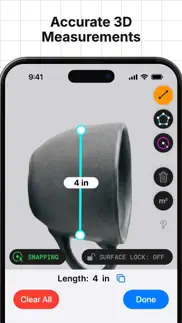
Share your 3D models effortlessly with the new "Share to Web" feature. Measure your scans with a virtual ruler or create bounding boxes to precisely calculate dimensions such as width, length, and height.
Discover the power of the LIDAR sensor
Transform your device into a real-time LIDAR scanner and unlock next-level accuracy and detail.
View your scans in AR
Visualize all your saved scans in an immersive augmented reality viewer for a truly interactive experience.
3D Scanner App is the perfect companion to Sweet Home 3D, enabling you to design, capture, and visualize your dream home with precision and ease. Its 3D scanning technology is supported in Sweet Home 3D, as the generated models can be easily imported and integrated into your projects.
Subscribe to access to premium app features; subscription details are the following:
- Length: weekly, yearly
- Your payment will be charged to your iTunes Account as soon as you confirm your purchase
- You can manage your subscriptions and turn off auto-renewal from your Account Settings after the purchase
- Your subscription will renew automatically, unless you turn off auto-renew at least 24 hours before the end of the current period
- The cost of renewal will be charged to your account in the 24 hours prior to the end of the current period
- When canceling a subscription, your subscription will stay active until the end of the period. Auto-renewal will be disabled, but the current subscription will not be refunded
- Any unused portion of a free trial period, if offered, will be forfeited when purchasing a subscription
3D Scanner App has been developed by Laan Labs Consulting, a company specialized in AR, CV, and ML algorithms. Visit https://labs.laan.com/ to learn more about Laan Labs Consulting.
Terms of Use: https://www.apple.com/legal/internet-services/itunes/dev/stdeula/
😍 Do you love 3d Scanner App™ app? Please share your friends!



Please wait! 3d Scanner App™ app comments loading...
3d Scanner App™ 2.5 Tips, Tricks, Cheats and Rules
What do you think of the 3d Scanner App™ app? Can you share your complaints, experiences, or thoughts about the application with AI Photo Editor Lab SRL and other users?




3d Scanner App™ 2.5 Apps Screenshots & Images
3d Scanner App™ iphone, ipad, apple watch and apple tv screenshot images, pictures.
| Language | English |
| Price | Free |
| Adult Rating | 4+ years and older |
| Current Version | 2.5 |
| Play Store | com.laan.labs.3dScannerPro |
| Compatibility | iOS 14.1 or later |
3d Scanner App™ (Versiyon 2.5) Install & Download
The application 3d Scanner App™ was published in the category Utilities on 20 July 2020, Monday and was developed by AI Photo Editor Lab SRL [Developer ID: 1739825677]. This program file size is 214.71 MB. This app has been rated by 15,583 users and has a rating of 4.5 out of 5. 3d Scanner App™ - Utilities app posted on 15 May 2026, Friday current version is 2.5 and works well on iOS 14.1 and higher versions. Google Play ID: com.laan.labs.3dScannerPro. Languages supported by the app:
AR EN FR DE ID IT JA KO PL PT RU ZH ES ZH Download & Install Now!| App Name | Score | Comments | Price |
| Photo Eraser - Remove Objects Reviews | 4.5 | 21,704 | Free |
| Sweet Home 3D Plan Your House Reviews | 1 | No comment | Free |
| Pocketbooth Photo Booth Reviews | 4.5 | 1,961 | Free |
| LUMINS - Light Photo Editor Reviews | 4.3 | 2,035 | Free |
Bug fixing and stability improvements
| App Name | Released |
| Mint Mobile | 15 November 2017 |
| Facemoji AI Emoji Keyboard | 28 April 2016 |
| Govee Home | 26 July 2018 |
| Second Phone Number - 2Number | 15 June 2017 |
| Genasys Protect | 20 February 2023 |
Find on this site the customer service details of 3d Scanner App™. Besides contact details, the page also offers a brief overview of the digital toy company.
| App Name | Released |
| Piping DataBase - XTREME | 11 March 2010 |
| EasyMSR | 05 February 2015 |
| Hondata Complete | 26 April 2019 |
| Wipr 2 | 12 November 2024 |
| Quantumult X | 11 October 2019 |
Discover how specific cryptocurrencies work — and get a bit of each crypto to try out for yourself. Coinbase is the easiest place to buy and sell cryptocurrency. Sign up and get started today.
| App Name | Released |
| Gas | 27 August 2022 |
| YouTube TV | 05 April 2017 |
| Telegram Messenger | 14 August 2013 |
| TikTok | 02 April 2014 |
| 06 October 2010 |
Install the Giftmio extension for smart shopping. Get notified about cashback opportunities, activate cashback in one click, and save money on purchases.
| App Name | Released |
| HotSchedules | 30 October 2008 |
| Bloons TD 5 | 15 November 2012 |
| Ouros | 14 August 2024 |
| Earn to Die 2 | 20 November 2014 |
| Shotgun King | 24 February 2026 |
Each capsule is packed with pure, high-potency nootropic nutrients. No pointless additives. Just 100% natural brainpower. Third-party tested and validated by the Clean Label Project.
Adsterra is the most preferred ad network for those looking for an alternative to AdSense. Adsterra is the ideal choice for new sites with low daily traffic. In order to advertise on the site in Adsterra, like other ad networks, a certain traffic limit, domain age, etc. is required. There are no strict rules.
Keep personal info private, avoid scams, and protect yourself online with AI-powered technology.
3d Scanner App™ Comments & Reviews 2026
Excellent UI, needs some updates for OS. I love this program, the ability to queue models is excellent and the results are top shelf. However, something changed from Monterey to Ventura and the models are not quite as clean as they previously were. We love the processing on the computer and would not be looking to move to an ios device, so any update on this would be really appreciated. Thank you!
Brilliant. Finally an app that isn’t a money grab. It works, it’s fun, and you don’t have to sign up to anything or pay money to even use the app. It’s quite fun to use, and I’m impressed Note to author: great app, and I would be willing to pay, my suggestion: add in-app purchase that is purely a donation. Don’t lock features or anything, just ask for a donation — you’d get my money!
The best and free. Amazing. I was one of the first user because I have bought the Iphone 12 PRO on the first Apple online batch at 4am and I have received my iphone on the first delivery scheduled possible. As a technology guy and addicted, I download this app and I am fan of it since that day. Thank you
Just Wow. You could never tell me that one day something that took my so many hours, electricity, and lots of planning can now be accomplished in minutes with instant results and for free I have never been as happy as today just with what this app now can let me do. Let me buy you a beer mate
Best iOS LiDAR app available!. This is hands down the best app for scanning any structure. Not only can you capture high quality scans quickly, you can also edit, manipulate and export your scans for free! Every architecture firm and construction company should add this tool to their tool belt. Hopefully they are working on adding NeRF models next!
Nice but. I like how I can scan a full room In matter of minutes but this is not what I want to do with this, I want to scan some toys so I can use those scans as a base for custom parts and other stuff often this toys are small as a lego or as big as an rc car but the problem is I can’t get any details with this and it scans the WHOLE background and I can’t make it scan my toy what do I have to do to scan small objects? I don’t need a whole lot of details just enough to have as a base
Absolutely phenomenal. I don’t typically write reviews all to often, but this so far has been so gosh dang good I had to write one. It’s very intuitive to use and simple to understand. It performs really fast and has a lot of different options to make your scan really nice. The detail of my scans has been extremely good, and the processing time is super quick. Highly recommend this app to whoever wants to make use of their LIDAR scanner for work or for fun.
Still The most accurate free version of 3D lid AR. I really enjoy the way that this app renters models quickly efficiently there’s a few hiccups but it’s still free and not sure the developers are working very hard to keep it going if anybody out there is enjoying this app you should throw him some bitcoin give me a thumbs up in the App Store because he’s guys are doing some good things and there’s guys out there charging a lot more for a lot less program
Great app, limited by the hardware. This is could be great but it isn’t because the iPad or the iPhone lack stereoscopic capabilities. Apple should provide a second camera for 3D scanning purposes. Our brains can produce 3D images because we have 2 eyes separated by a few inches. The iPad could easily accommodate a second camera to replicate that capability.
App doesn’t seem to do anything, but it probably does if there were documentation. iPhone 12 Pro Max. No matter what I do, or what settings I choose or how long I scan or at what distance, it always says “empty scan, no data saved.” The app has camera permission and seems to be doing something on the screen, but no 3-D scan ever results. I’ll check this out again after an update or two. (Maybe it just needs some kind of instructions for the many controls, or some kind of useful error messages.)
Great FREE app; waiting for improvements. This app will basically give you the same results as other applicaitons (free and for pay) on App store that run the Apple-afforded photogrammetry framework, such as PhotoCatch; Capturinator; Qlone; and 3D Photos. Unlike the rest programs though (with the exception of the OVERPRICED PhotoCatch), this '3D Scanner App' allows for processing videos. Also, some of the aforementioned apps (Capturinator, Qlone) crash or are otherwise unreliable, with poorly-designed UIs. So, I'm giving this app 5 star, but would also like it improved in many ways. And, recognizing the developer's continuous effort into this app, I would be more than willing to pay a one-time reasonable fee for the revamped version.
Love this app. I make many photogrammetry models and this program is the best i've found. It allows you to queue up many scans and works consistently and outputs excellent results. For furture features, a search of the model/folder names or a copy of the folder names would be great! I do occasionally get "export counts mismatched" but it usuallly fixes itself if i re-run the model with "unordered" checked instead of "sequetial"
Great app, needs tip jar. This is a solid app that has improved over time. I’ve used it to scan both locations and objects and the photo mode / M1 app photo processing is solid. Privacy seems reasonable. This app needs a tip jar at least. While other apps charge a subscription and some others are acquired by larger companies (and then their privacy policies change) this app has stayed consistent and consistently free. Please don’t go, girl.
This has huge potential… scans are awesome!. Took a few minutes of playing around with this app on my iPhone 12 Pro Max. i’m starting to get the hang of it and this thing rocks!I scanned my dog and a few other complex objects at high resolution and each object took less than 60 seconds to scan...Producing a photo realistic 3-D model…Wish I could show you. It’s pretty amazing. Now all I need is a 3-D modeling out to export to an edit and a 3-D printer and watch out!
Love it!!!. Very happy with this app. It is the only one that is fully Functional and doesn’t require a dang subscription or pay per scan!! I have one suggestion mainly because I cannot figure it out lol. I would absolutely love a way to make the scan data watertight so when I export the STL it will need minimal modification before printing or importing into CAD. For some reason I am not able to get it to function properly in Solidworks (this is not a fault of this app ) which is a bit annoying because my main hope for this is to use it to generate reference geometries that I can model off of. I am certain there is a way to do it but I haven’t quite figured out the process. Nonetheless I absolutely am blown away with this app and it is everything I was hoping for when the iPhone X came out. The 12 pro just makes it perfect!
Limited ecosystem. For what it is, (an app that leverages photogrammetry to produce 3D models), this is a useful tool. However, I expected the desktop version of 3D scanner app to play nicely with data from the iOS/iPadOS application and provide a field to office workflow linking both photogrammetry and LiDAR data. Unfortunately, dragging and dropping 3D Scanner App iOS .usdz files results in an 'Import Failed' error. The same thing happens with .obj and .jpg files from the mobile version. The files open and display properly on iOS and MacOS devices, but the desktop version of the app can't use them.
A Must Have for iPhone 12 Pro. I’m surprised this is free. This is the best LIDAR scanning tool I’ve found in the App Store. This will be useful for work. I work with machinery so it’ll be cool to share models of parts through iMessage. Some improvements I could see is with status indicators showing processes or a count down. Gets hung up on a scroll wheel if the object is too complex. App also needs tutorials. I don’t know the best settings for an object. Lots of trial and error to figure out the best way of scanning an object.
Absolutely awesome, and free?????. I used this at first to map out my dorm to show my grandmother the layout and I’ve since figured out how it is able to capture and create things photos simply can’t. This app is just so cool and powerful and it’s ridiculous that there isn’t an upfront price for this software
This app is incredible. I am a personal injury lawyer and often have to hire people to conduct 3D scans of smashed up vehicles, accident sites, etc. I just got a new iPhone with a lidar scanner and used this app to take a scan of a vehicle that was involved in a bad accident. I am totally blown away with the 3D model the app generated. All I had to do was walk around the vehicle pointing my phone at it and stick the phone through a window to capture the inside, and now I have a 3D model including the exterior and interior of the vehicle that I can take measurements from and use to consult with expert witnesses. This is among the most incredible new features since smart phones were invented and is extraordinarily useful.
This is a game changer.. I’ve been using this app to take quick scans of a room and then be able to revisit those scans to pull measurements. I then use those measurements to order material. It is a great way to visualize the room while you are shopping for the materials. I am sure that you can find many other uses for this app. I am not sure if it allows you to import the files into blender, unreal, or any other app like that, but for what i use it for it is golden. Thank you, please keep up the great work because right now you are the best scanning app I’ve used to date. I would love a decimate feature that would allow us to simplify scans to the most basic geometry, but in an imperfect world you come through perfectly.
Love the app but has major issues. As the title suggests I’m a big fan of this app as it works really well in some circumstances and performs very poorly in others. Bugs include constant freezing and crashing when trying to texturize or refine a scan. In the worse case scenario, the scan will actually somehow become corrupted and delete half of the scan. It’s devastating when it happens (especially when you no longer have the object you scanned) and it’s frequent enough where it’s unusable for me.
Great Free App with NO Adds. I wasn’t sure about needing the lidar sensor, even now I probably don’t “need” it, but this is a really cool app to have where you can scan a space and save it. I think it will be really cool in 10 years from now to walk through a virtual scan of an old apartment or space that I don’t have access to anymore
Blows normal photogrammetry out of the water. This app is insane. I’ve tried to do photogrammetry a ton, but there aren’t many user friendly apps for it on Mac. I’ve also tried other iPhone apps, but none of them worked as well as I wanted. Lidar scanning is incredible. The best part is that the developers made this app free, so anyone with the right phone can do it. I personally thrive off of free apps like Blender because I’m not a professional, and to see someone putting photogrammetry with LiDAR out for free is amazing. Most software that has cutting-edge features is expensive, and I’m great full that this was put out for free.
INSANITY. As someone who flies LiDAR on drones that cost more than your home, 99% of people that own an iPhone with LiDAR have no idea the power of what they have in their hands. Then 3D Scanner goes and adds the ability to use the points themselves, meshes, depth and even tell you how good you are at pointing your phone at something with color coding? This app is unbelievable. 6 stars.
Works better than it should. Depends what you are trying to accomplish. I use it as a 3D camera. Comes with understandable documentation and helpful examples. I was able to capture a usable 3D picture first time. Keep in mind that it uses lots of memory and processing takes time.
Incredible!. I can’t believe there’s a free app that uses both the LiDAR sensor on my iPad Pro and cameras to construct models of my home and objects with such detail and no adds! it’s seriously amazing. If I could suggest an improvement; the app does crash when I render a model in more detail “refinement”. And also, a slight tutorial such as what the “confidence” slider means. I hope to see this app improvement where I could add my entire home into one gigantic model. As it is, the A12Z processor in the newest iPad does a killer job whipping out gorgeous renders.
Makes heads pretty quick and is super easy to edit!. I wanted to scan my friends’ heads to make them custom miniatures for Christmas. You can get pretty decent scans with a few tries, each scan only taking a few minutes to complete (at least if you are using an iPhone 15 plus). The scans might come out with a bunch of noise over the actual bust, but fret not! It’s very easy to crop them out in app just by playing around for a few minutes. Only complaint (having used the app for less than an hour) is that the app kicks me out when I try to use the refine/ increase resolution tool.
Remote no longer supported. I used to be able to use a Bluetooth shutter release button to start and stop scans remotely, however now this functionality is no longer workings. It simply turns the volume up and doesn’t recognize the shortcut. I would love if this gets fixed.
LiDAR support is amazing and just very cool. I got the iPhone 12 pro with LiDAR capabilities and this app has blew me away. Both the app and phone are amazing, but mixed together is something else. It’s very cool and if that wasn’t all the app don’t make you pay a subscription or even a fee to use it’s services. It is amazing and I very much complement the developers!
Only the new. The only problem I find with this app and of the Apple products is the best things only work on the new phones I have an iPhone 11 which in the world is considered a pretty new phone but to Apple and all of its updates my phone is old if you did not already know this every three phones Apple makes the phone before it is considered old and starts to glitch so of course because my phone is old the app wasn’t compatible with my phone
The Best 3D App. On the App Store there are so few 3D scanning apps. And of the very few out there those scanning apps were pure garbage. This one however is absolutely the best and superior in every way and has now officially earned a spot on the front page of my device it is that good. Thank you developer!
THIS is the LIDAR App you want. Wow, very nice work on the app. This app offers the features of pay apps without any IAP. You are able to scan and export, as well as refine and view measurements in the app. This app works better than some of the other pay apps I was trying. The scanning works great. Great job to the developer on this one, appreciate the effort, and great app!
How is this free???. I’d literally pay $20 for this app. I just used it to scan the hulls and cabins of my boat, and used inventor to model new brackets and cabinetry. It would have taken weeks the old way, but with this app it took maybe 10 minutes.
Really great, but…. TrueDepth doesn’t really work. The app crashes whenever I try to do a TrueDepth scan, and when I actually can do it, and I do the maximum scan time, it says that there was an error in trying to render the scan. Please fix this, but the app works really well and scans are very fast and high quality.
Really impressive. Has almost everything you need in a 3D scanning app. Includes plenty of options for defining your mesh and a full set of export formats. There was only one format I would like to have that they don’t include, so that’s pretty darn good. You should definitely grab this if you have a device with Lidar and want to scan 3D objects. Works well for smaller objects (more than a 6 inches) and even larger items (rooms up to smaller building exteriors)
Outstanding App with no hidden fees. I just took this outside and used it to scan the interior of a 30-foot sailboat in a single pass. Easy to capture the data, and allows export in so many formats that you’re almost certain to find one that works for you. It’ll even zip the files up for you, for ease of airdropping. Couldn’t possibly be happier.
Very capable app for scanning objects. A reasonably quick and accurate scanning tool. It does a lot with the LiDAR on the iPhone 12 pro. I’ve looked a bit, haven’t found anything that does better at this early stage of app development. I’ve had it hang a couple times when doing Hi-Rez renderings of complicated objects, but you can just kill it and restart. It doesn’t lose data — not losing data is the critical thing. I wish it had some more capabilities such as being able to retouch a scan when you realize you missed a whole section, I’d gladly pay for that feature.
Works great. I use this app all the time. It maybe has some advanced features that casual users may not appreciate but it has great features and is easy to use. It uses all the means the phone has to capture data to vary the ease or accuracy of the scan. You can also choose how processor intense things are. I often use the face time camera for details at high accuracy but processor intense and LiDAR point clouds for low accuracy large scans that are lightweight. Exporting is good with many options. I’ve had this app for a long time when it first came out it was very basic and not great, but the developer continuously improves it making it into something that is pretty full featured.
Pretty darn good, but still needs some polish. I’ve been playing around with this app for weeks, primarily using the TrueDepth scanning process, and once I got the hang of it, my models have come out beautifully! I love the ability to reprocess scans, and the mesh cropping features are fantastic and intuitive. Even the cloud processing works well for unordered Photo scans Still, a few minor glitches here and there keep it from 5 stars. I’ve found the app often crashes on my iPhone 14 while processing if I choose the HD preset; however, I’ve had success using the custom preset with similar settings. Photo scans can’t be renamed from “Untitled Scan”, and much to my chagrin, choosing some mesh modifying tools on a Photo scan may require a Photo scan to be reprocessed all over again. Overall, a wonderful app that I’ve already used to 3d print a model of my dog sleeping.
Has potential. Been playing around with this since I got my iPhone 12. Getting an initial model is pretty easy but refining that model is very hard. It’s not clear how to optimize you range distance and resolution for best quality. The colors seam to indicate depth while scanning and actually seem to work a little better father away. I guide with tips on improving these details would be good. There’s almost always a few gaps in the model and it doesn’t seam to improve much if at all if get closer or at different angles. Over all it does the job and with a bit more refinement and documentation could become great.
Scan your items to 3D. Uses Apple's ARKit APIs to build 3D objects from your photos. Exports multi-resolution models without having to reprocess the photos. The 3D model viewer is handy to view models once the processing is done, and lets you apply the textures or see the untextured and polygon views. Only thing it's missing is the ability to specify where to save the models and texture files. The button to show the files in the Finder does help though.
Most Sci-Fi feature of the phone - completely free. This app allows you to digitize your whole environment, like your house, your office, etc just by sweeping your phone around. You end up with a rotatable 3D model that’s very cool to look at. The whole experience is seemless and partial scans can be extended later very easily and reliably.
Thanks For The Tool. I am grateful to the Laan Consulting Group for releasing such a powerful, wonderful, astonishing tool for free. Truly a gift to humanity. (And any other non-humans who also like to 3D scan) I am happy to see regular updates and I look forward to exploring what added precision and mesh optimization can be squeezed out of our current hardware. Thank you thank you thank you
It’s pretty good but could use some work. So this app does a really good job but the 3d scan only uses the face camera they need to make it to where it can use the other camera's on the phone but other than that I highly suggest the app it is very cool.
So far the best Lidar App I have tested...looking for more.. I have been looking for apps that take advantage of Apple’s LiDAR Scanner on the IPhone 12 and latest gen iPad and have been generally disappointed. The 3D Scanner App has been the best thing I have found so far, but I’m looking for more. How should I be scanning rooms or objects to get the best quality scans? Is there a help manual to explain some of the functionality of the app? This is promising, but not totally there yet.
Amazing!. I was completely unaware of the LiDAR scanning function. I had no idea what it was until today. I was told that my new iPhone 13 Pro has it so I downloaded this app and am amazed at how it works!! I can do so many things with this option now. I am still trying to figure out how to improve my scans and am not sure what is the best way. So, to have some tutorial videos would be a great option. The only other thing I see with this app is that there are incomplete scans no matter how you do it. There are always holes in places that you have scanned. However, it is minimal when you take into account how great it works! I would love to be able to take a complete scan of my home without it crashing but it seems too long of a scan does that. So here is an idea for you………. Maybe you could make an option to scan rooms separately but later be able to assemble them after the separate scans are done. This way we can make models of our complete houses! Great work on this app! I am so happy with this creation of yours! Keep up the updates and great work! 😊
This app is amazing, when it works. I have the brand new super powerful M1 iPad Pro, yet the app crashes when I try and texture the file. If it worked it would be amazing and the best 3D scanner app on the store. I really hope the developers fix this issue so I can texture the file in the future. I would be happy to pay a one time fee for this app if they maintained it better. Perhaps they can let me use the full 8 or 16GB of ram which would make this worthwhile.
Don’t be afraid to use Hi-Res. I can’t believe how good this app is it’s so fun and so cool make sure to get close to your objects don’t get too much of the background be sure to move around a lot get every angle get close-up get far away. The future possibilities are endless and this is honestly the greatest function of this phone
Great app except. This app is amazing and kinda fun to use, the only downside atm is the fact that you cannot use the high detail option when texturing, it’ll load and load and never actually finish. gets about 50% even after leaving it on the screen for 2 hours nothing happened phone wasn’t even warm showing it wasn’t actually processing any more. Other then that it’s amazing. iPhone 12 pro
I cant believe how good it is. After this most recent update this is almost as good as a real 3d scanner. Im not sure how accurate it is scale wise but it makes very accurate beautiful models. I currently use this app for 3d printing and slap these into blender to make minor adjustments.
Did you know that you can earn 25 USD from our site just by registering? Get $25 for free by joining Payoneer!
NIce, want more functions. Superimpose AR needs snaps and controls like rotate is impossible with finger gestures. Also simple mirror and flip functions. Nice app. Good use of LIDAR.
Will not open. The app does not open on my iPad Pro... might need the latest version of the iPad Pro... even though I have the second version which it is apparently compatible with
Nothing usable. Nice interface, great idea, but nothing usable in the resultant scans using iPhone 12 pro max.
Needs support on other devices. This has not even a little support for or devices so until then this app is rubbish and disappointing I’m dissatisfied and wasted a lot of storage, don’t download unless your on on a specific device
Outstanding App Tremendous Potential. Kudos, this is one of the best scanning Apps I’ve seen. I work in the AR industry, and am familiar with the challenges of pre-made 3D models in AR, but have only really taken to scanning opportunities since getting the iPhone 12. Really impressive, I look forward to following its development. Well done. Dave
Better than Polycam. So much better than Polycam. Much accurate when doing LiDAR scanning. My only concern with this app is that it badly needs a facelift and cleaner menu system (Polycam has better UI) Also the app icon needs some cleaning aswell looks very cluttered.
Doesn’t work. The application says that it is compatible with my device but when I open it, it says it isn’t compatible! Could you at least say the correct thing when advertising it! I am using an SE, which should be compatible.
Improvements. Hi, last 3D scanner versions lost visualisation of x,y,z axes in scan edit mode. Can you please make x,y,z axis visible again in scan-edit-transform mesh Thank you
Awesome app. Best one out there for free
Perfect, free and well supported. This created detailed meshes, point clouds and textured meshes for you to work in. When you want to bring it into your 3D/CAD program of choice, all the processing is done on the phone and ready to be sent as you choose (no stupid link to follow to download like others!). 10/10 would recommend.
Untrue supported devices. I downloaded this app on my iPad (Air 3rd generation) but once I opened the app I received an error message saying unsupported device, I need an iPad that has a LIDAR scanner.
3D at its best. I am impressed and easy to use. Very good
Great app easy to use.. I’m not sure how this app preforms on other iPads but on the 2020 iPad it works great. The interface is simple and just works. Being limited by the iPads power the app still creates good scans. Yes they could be at a higher poly count but that’s not the apps fault. There’s no need to upload your scan to a server to see your results and be charged to download it. This app does it all locally on your iPad. The developers are working hard to make this a better app and as it’s free it’s worth trying it out. There’s a few bugs but they’re getting sorted out. I’m happy to stick with app for awhile coz the scans are good and it can output to a lot of different formats with 4K texture maps. Well done to the developers.👍🏻
Waste of time. It can’t even scan properly. It just comes up with odd shapes all over the place. I’ve tried to scan a lot of things with this and none of them work.
First scan failed. Deleted. First scan crashed the ap.
Absolutely amazing!!. This is the most incredible 3D modelling app ever made
Be patient, learn the App. I’ve barely used this App but I’m pretty impressed with the results I get from iPhone 12 and 14ProMax’s LIDAR Sensor. If you’re prepared to experiment with different modes it’s possible to build a complete walkthrough of your property inside and out. Don’t expect immediate results with such a new technology (at the affordable end). The developers have put in some amazing work and I get the impression they’re going to persevere to make it even easier to use in the future. I would seriously consider paying a subscription to this App in the near future.
Amazing!. Considering that this is a free app it possesses some very interesting and powerful software that it very well featured. Very very impressive
Amazing!. This App is amazing 🤩 I just downloaded and tried it once and I’m very impressed for a free App. Has lots of features too! Thanks!
Better than most. I’ve tried all the LiDAR apps I could find (so far) paid & unpaid and this one seems to have best feature set, easiest to use and highest quality results. Ironic as it’s also free. I use it for my home renovation where I combine meshes with traditional 3D drawing (Autodesk Fusion) to avoid detailing what I don’t need to change, checking fit of my drawing & tradition topo survey, and scanning existing furniture to see hot it works in the additional rooms I’m adding to my house. My background is an engineer and I’ve been involved with LiDAR point cloud scanning for quite a few years. I have to say whilst it doesn’t have the resolution of traditional surveying LiDAR, Apple have taken this technology to a whole new level of speed and convenience. Getting an exportable mesh straight off the phone ready to insert into a model in minutes is a spectacular leap forward.
Continues to add new features. A great app that continues to improve with each update. The developers seem active and have delivered a great app. Thanks.
So Incredible. This app has helped me in Landscape Architecture so many times - I can take a scan model the concept and communicate effectively to my clients convincingly
Amazing. Have used this app so much. Very clean UI. Very powerful. Saved me a lot of time.
Horrible. Does not work with iPads
One of the best apps on the App Store. I barely write reviews on apps, but this app is so good I have to express it. Good job!
Great app. For an app that is free to use this app is so functional and useful. I used it to calculate volume of stockpiles and I am a big fan. Especially since they don’t force you to pay for it. Good vibes
Horrible. I was scrolling through the App Store for a measure then I saw this and I was like, oh maybe I should get that! I downloaded it with excitement then I opened it to find that it didn’t support my iPad! I was very disappointed with this. This should be fixed.
Loving this app. I have tried similar apps and paid some monies but this app beats the rest by a country mile.
Delighted. This just works. Excellent export options to CAD. This is Apple quality well done to the developers
Doesn’t work (iPad Pro). Would be good if you made a working app
Very good, accurate and fully functional app. This works very well and id free! Allows heaps of customisable options, does a very good scan and no limits on number of exports, supports many filetypes and is fast to boot. Tried many on here, most are rubbish and pricey. This is done by the FaceSwap devs. Recommended first start to discover the Lidar sensor.
Fault. Doesn’t open iPhone XS Max
Fantastic App. This is an absolutely fantastic app. The developers need to be congratulated. Easy to use and so powerful. Well done.
Very buggy. Lots of promise, fails to deliver at the moment. Any form of editing, and it crashes.
specially reference. Would like to specially reference scans into 3D mining program
Epic app. Rock solid geometry and texture capture tool
So Good!!!!!!. Incredible!!!!!
Imagine you at your best. All the time. Picture yourself at your sharpest and most productive. Your most alert and focused. Your most lucid, creative and confident. At work. At play. In every area of your life. Add Mind Lab Pro® v4.0 to your daily routine and uncap your true potential. Buy Now!
Great App but needs to add measure. This App works quite well and has some nice filter features but adding a built in measure tool to be able to measure points within the model would make this app a 5 out of 5.
Instructions?. Not sure I’m using it right.
Works great. Probably the best of the Lidar apps. Would be great if there was a desktop companion version that you could export the raw capture data to and process bigger more detailed files.
Needs improvement. Crashes all the time. Texturing freezes on 50%
Amazing tool. The true depth scanning is incredible. The only thing I wish I could do is to measure asking the surface of the scanned object instead of point to point. Well done 🙌
Crash crash crash. iPhone 12 pro - crashes if you do anything
Sure doesn’t work reason why. Why it doesn’t work beats me but I look and read for iPhone it shows my iPhone 11 so I decided to try it out and says it is not supported well that was a waste of my time maybe you should look into what phones have this feature and if it doesn’t have the feature mentioned then you should take the iPhones and other cell phones that do not have this feature that you mentioned for this to work sry about this but useless if that black dot is there so yea take the phone that do not support this thank you that includes iPads and other tablets that don’t have this feature
Glitchy. Very cool but in practise, every time I try and open a high quality render it crashes the app.
Device is not compatible. If my device is not compatible, don’t allow me to download it.
Does not work on iPhone 11. The details says that it works with an iPhone 11 but you actually need an iPhone 11 Pro or newer
Compatible device list is incorrect. App throws error saying my device is unsupported. Then why did it allow me to download it in the first place?
Pretty nifty. I’ve been using several apps and seem to have settled on this one.
Very good app 1.7.3. This app is very good every body should try it It’s amazing
Why. Why will it not work on my iPhone 12 it side it needed and iPhone 12 Pro like why did you do that
Love it. Didn’t think I’d get so into building these 3D model of places around me. It has hit me wanting to learn how to better work with this on my computer. The one drawback: I need a phone with more storage, since this fun, but the scans get large quickly.
Odd support. So this supports 2nd and 4th gen iPad pros but not the 3rd? I use the third. I cannot give a proper review
Better than most. This app is improving all the time. My simple tests have shown how far it has come, and soon I will use it on more important projects ...
Is iphone12 lidar ready or is this software not good enough. Trying a simple object and it‘a just mush..
Crashes often. Crashes often and I’m not able to access my scans
Can’t believe it. You guys are working hard on updating this app, so many handy feature added.
Very cool, great app. Got this on iPad Pro. HD works great, amazing app. For those of you saying "if it isn’t compatible don’t let me download it" that’s apple’s fault not the app you dunces. If it also crashes when using HD on your device that’s probably because you either don't have enough ram on your model (or if a lot is already being used by background tasks) or it’s the chip. I mean it could be the app but if it works for some and not others it’s most likely the device performance.
iPad Pro user. Have to say i very much like this app, I will prob add future reviews for developers. As this is my main app for lidar scanning. Patience is key with this app.Especially for a good scan. I have found painting up and down slowly has resulted in very good scans. Developers would you possibly be able two add more features in the scanning, like how it scans but would love two see the point references maybe a optional side window for telemetry data, point reference, the data side of the scan. I was also wondering if you could add more options when we load scans in app. Still learning how to transfer out of app. But could we have more rendering options, to cut trim and whatnot. I find some lag in scanning when I hit over a gig and app crashes, some bigger file sizes app crashes to, when loading or saving. So that’s something to look into. But I am pleased with this app, I have also found sometimes scanning or rending tends to make my IPad Pro warm up. Keep up the good work developers
It’s great. It’s so cool
l ove it!. This is the type of apps it's worth having an iPad for
That’s my iPhone, my device. Thanks for this awesome App. I now have the chance to try my CAN2500$ iPhone without having to pay 2000$ a year for an “App” which is ridiculous, seriously… I would gladly give the developers a good price for it though. Keep the good work
Really good!. Really good at room scanning, just wondering if there's a way to bypass the size limit or not ? Would be perfect to have high rez without limit
Fantastic!. Truly is a great app for making use of the LiDAR camera on my IPad. I know it’s free and already pretty good but I’d definitely pay for getting better textures on my models. Any tips are welcome :)
Cool app but…. POV: you’re here from that one Tik Tok video
Not good. Scan quality is awful. Don’t waste your time with this app.
High definition mode crashes a lot. App is great but high definition mode crashes a lot,and when I try to reopen the texture data is corrupted (although preview works fine). Shame as I had spent some time getting a good scan and it was all gone. Hopefully it will be patched soon,otherwise I really love the app
Wow this app I really cool. Just 3D scanned my 89 year old grandad SUV he was so impressed seeing what they could do nowadays thanks so much for letting me show him tech like this
Misleading. Compatibility states iPhone models that do not support LiDAR. (Only 12/13 Pro & Pro Max)
Lots of functionality. Great app, although still needs more polish, tried scanning a whole floor and it did a so-so job with some of the textures but since it did capture lots of it, it was a pretty amazing feat considering I am using a phone to capture it… lots of export options and it is a free app, which I appreciate very much
Not sure I’m using it right?. There are no instructions with the app, so I just hit record. The scans don’t turn out at all. I’ve tried longer recordings, recording all around the object/room. All the scans come out all bumpy and LOW LOW res, like unusable res. Not sure if I’m doing something wrong, my lidar sensor is broken or the app is broken. The 3D scans I’ve done so far, you can barely tell what the object is, let alone view it in 3D. Is there instructions somewhere?
Bad. Won’t work on my phone 8 plus
No just no. It says you need an I phone 11 pro or newer, if I don’t have that DONT ALLOW ME TO DOWNLOAD IT
Breaks camera functionality. Idk what the issue is but opening this app breaks lidar and camera functionality for any other app. Had to hard reset my iPad and delete the app to fix it. Pretty disappointed.
Not very good so far. Tried to do a low res 360 degree of my kitchen. Waited about 20 minutes watching the spinning wheel but nothing else happened. I had to force quit the app. This with iPhone 12 Max Pro with 120 GB of room left on it.
Definitely one of the better Lidar Scanners. I got the app when Lidar first came out and it was not to bad, but after a few updates it has really improved. For being a new technology the scans are now pretty awesome and you can export your scans to other phones or into formats that are accepted by engineering software. I can’t wait for more updates
Best free 3D scanning app.. For a free app this is amazing. Has some features even the paid apps are missing.
Great. Does everything it says it does well. No fuss at all.
Misleading compatibility. Says it works with a lot of phones that don’t have compatibility
Requires a Mac with Ray Tracing GPU or M1 Silicon. Although this app may be 'compatibable' with your mac, you're unable to use it for renders unless you meet the following requirements: • At least 4 GB of GPU RAM •Apple silicon Mac or an Intel Mac with a discrete GPU • GPU support for raytracing. My iMac with dedicated GPU Unfortunately doesn't meet these requirements mainly because of the ray tracing requirement and there is no clear way to check if your GPU is compatiable, because of this unless you have a fairly new Mac or an Apple Silicon Mac, skip downloading this app and pay the developer to render images for you.
It’s sad. I got a new iPad and iPhone less then 2 year ago and the app do not support them (iPhone X and IPad I don’t know what)
Amazing & Versatile. It’s so much fun capturing memories with this app, and being able to share them instantly is incredible. I love that this app gives you manual control over the quality of your scan, it reminds me of the control a professional camera gives. I had one small UI issue with this app, and after speaking with the developers it is fixed 1 update later. Amazing work, thank you for this app!
Not so good. It don’t work on iPhone 11😒😒
Not as advertised. I don’t know what it’s installing but its not what is shown. I don’t have the same ui , theres no option, there’s no high res mode every scan look like trash . I’m using a 12.9 iPad Pro 2020.
Adsterra is the most preferred ad network for those looking for an alternative to AdSense. Adsterra is the ideal choice for new sites with low daily traffic. In order to advertise on the site in Adsterra, like other ad networks, a certain traffic limit, domain age, etc. is required. There are no strict rules. Sign up!
Great!. iPad app needs a way to scale the ui though so the buttons aren’t off the screen.
Thanks for making it free. Too many apps on iOS charge subscriptions for basic services
This app is just what I’ve wanted!. Perfect for getting quick environmental scans to use in renders or to use as reference for modeling! The detail is nice and I am obsessed with scanning objects everywhere I go.
RoomPlan scanning is degraded. This application could not be used to scan using RoomPlan. While they are offering the options, they are stripping all the metadata and turn the geometry into an OBJ file. This is utterly useless for scanning an environment and using it in Xcode.
one in a million. this app looks like it is made from apple it’s self, extremely organized app; easy to navigate. and for once a free app (with no in app purchases) when the app is a literal legend. I praise the creator of this app
Phenomenal. I’ve tried multiple paid apps (used the free trial) and this app beats them all. Highly recommend this app for its ease of use, and superb accuracy.
Pretty neat!. I’ve never messed around with LiDAR before, so when I started trying out apps for it I ran across this one and was very surprised at the level of detail that can be achieved from it. Best of all, it’s a free app!
Amazing but…. This is great for scanning rooms in your house and then measuring afterwards when you’re in Home Depot or furniture store. But I don’t see an option to switch from meters to feet and inches. Seems culturally insensitive…. I FOUND IT UNDER THE LITTLE GEAR, MY BAD! It is perfect after all.
BEST APP. this app is crazy. i 3d scanned my room and the model turned out great and this app textured in perfectly in only 3 minutes. and the crazy part is that it’s free, you guys are awesome for making this!
Amazing scanning abilities, AR might need work. Amazing app. Super fun to play with. You can walk through an entire room and scan big areas from all angles! I would love better AR control (rotate objects in space is a bit bugged right now). Thanks!! :)
Coolest app. This is honestly the only reason to have an iPhone, it’s amazing how quickly and accurately a 3D scan of almost any object or space can be made.
Best value. The only app in the first page or two of results when you search for “lidar” that lets you share actual usdz files to messages and doesn’t have a paywall. Decent scan controls and colorization options too.
Language options need to be added. As title goes, more language options need to be added like russian, chinese, spanish and so on.
this is a wonderully easy UI for apples Object Capture. The UI is very nice and easy to use. Apple Object Capture API does all the work. Wonderful work - this replaced Agisoft Metashap which still does finer meshes but Apples solution is extremely fast!
Amazing mind blowing app. Thank you for giving us this very powerful tool for free. It has floor plans, 3D data, point cloud. Amazing.
Awesome app!. Using this to showcase some of my remodeling work and it is absolutely amazing. It doesn’t generate perfectly but still really impressive to show custom
Incredible. Excellent 3D app. Easily the best one I’ve found, intuitive -pretty accurate (I only have used for measuring building and hardscapes so far). Awesome for reference, really excited about the Floorplan function that’s in Beta.
Great app, with bugs. This is a great app (I use it with my Face ID because I don’t have LIDAR), but my only problem is the bugs. They are easy to get around, but ruin the ease-of-use.
Fun. And this is just the start? I can’t wait to see where this technology goes. I want to use it with my drone big time!
This is the best…. …many different options to capture your scans. Simple but powerful to use!
Should say if compatible. I downloaded this app because my phone was comparable but when I open the app it says it isn’t compatible. That’s just very annoying. Please fix
Awesome free app, laggy measurements. Great app, especially since it’s free. On my M1 ipad pro, the measurements are basically unusable because panning around is so laggy. It seems weird that measurement performance is so poor given the normal performance when viewing scans is great.
So Much Potential!! But crashes easily. Hope they will put energy and effort into fixing crashes. If easily pay $$$$ for this to work well!!
Don’t offer this to iPhone 12 users if it’s not supported. This is offered automatically at the App Store because the developer marked iPhones as compatible but once launched you get a dead screen telling you that this is for iPads and the giant screen iPhone only. Don’t waste your time. Need something I can carry in my pocket.
Must try. With no add, powerful functionality, I think this is the best free showcase out there for the IPhone 12 Pro’s LiDar addition. I hope to see more stability updates and a way to support the dev team for more.
Great for quick rapid scans for prototyping. Awesome interface and smooth design makes things easy to grab a scan and get it on my computer to develop parts from
This App is amazing. This 3D Scan App is truly amazing! The detail and accuracy is spot on so I highly recommend getting it.
It’s amazing and free!. Seriously good work. It does crash if the file size is over 100mb though. If you could fix that that would be great. I’m on an iPhone 12 Pro. Thank you!
Just gets better and better. Strong recommend this app. Plenty of tools and always improving. Laan Labs is fantastic!
Features not present. The only scan mode active was the Depth … UI to switch out of modes only appeared about 50% of the time upon opening . (Maybe not compatible on 13?) It’s unfortunate because the export options and measure tools seem to be front of the pack but are left irrelevant if you can’t scan.
Awestruck! 😍. Amazing application that will push your iPhone/iPad processing power to it’s limit! Enables use of the lesser known features of your phone such as LiDar and true-depth! The room plan beta feature is a crowd pleaser and if you work in sales and need to sell an iPhone, this is the app that will close the deal!
No overwhelming real world application… Yet.. Once AR glasses come out. This will be a perfect compliment. It’s pretty addicting to start scanning right away…and I mean everywhere. Great app. Would love the feature to walk around in the environment without AR.
Far exceeds expectations.. I’m glad to see a free and open source software with this functionality. Incredibly accurate!
well. Iphone 12pro , wont access my camera, looking at black screen, is there a settings issue?
Broken. I give this app a 3 star review because whatever I scan is broken and also once a scanned my bedroom I could hardly see myself in it and the fan in my room looked awful and I think it's only good for walls.
Maybe we missing something?. Seemed to work better before the update for iPhone 12 support...on my iPhone 12 Pro. Everything I try to scan seems to have large sections missing/that it does not collect data for. If I let the scan run for too long, the app hangs when processing.
Outstanding. Recommend to everyone
Best LiDAR scans by far!. This app is excellent. Simple, easy to use, great amount of features for scanning and exporting. No extra fluff or highly detailed manipulation tools to slow it down and exports and saves easily. Great job!
Never been able to get it to work. I've never gotten this app to work. Tried in a number of different lighting environments both inside and out. Especially bad for items the size of a coffee mug. I do 3d design and 3d printing and none of this is useful for either. Stick with photogrammetry for now
Not bad at all. 11/4 - Out of the 7 lidar apps I downloaded and tested, this one is the best by far. Easy to use and I like color map out for areas already scanned. Will keep y’all updated
Lidar scans with iPhone 12 Pro. This app just blew me away. I had low expectations for a lidar scan from a phone but I exported the generated model that this app made of my living room into Rhino and it looked great. I’m really impressed by this free app.
Everything works great but…. Everything in LiDAR mode works great and I couldn’t be happier but using the TrueDepth mode while using a mirror clip destroys the scan. I have tried using other TrueDepth scanner apps and they work fine with the mirror clip. I just hope it gets supported soon
Almost great!. Disappearing geometry from large room scan. The longer I scan, more and more geometry will disappear from the beginning of my scan. I prefer the UI to other scanning apps, would be willing to pay for this app if this bug is fixed.
See What LIDAR Can Do!. You will like this app, if you enjoy cool and new things! If you happen to have a properly equipped iPad or iPhone, you will see that it can do more than you thought, when you purchased it! Three-D modeling, and detection of lengths and widths sounds cool, eh?! It is!
Absolutely brilliant. This app brings me joy. The new user interface and advanced options are absolutely stunning. I have never written an app review before but feel compelled to do so for this. The features packed in this are outrageously good.
Exactly what LiDAR is meant for. This app allows me to scan the environment just as illustrated on the iPad Pro LiDAR product description page... and it’s totally FREE! Best app out there. Ignore those 1-star reviews. They’re just complaining LiDAR isn’t available on their device, which is totally nonsense.
Very nice app, but could use a few improvements for exporting. The app is very nice, and easy to use. I would love to have the option to make objects manifold for 3-D printing. An easier selection tool for cropping out parts of the scan would also be useful.
Great scanner app. Created an amazing map of my house. I trust this and scaniverse much more than others because I can keep all processing on my device, and not give my house photos to whatever server the other apps use.
Not good for large scans. This app is pretty decent for scanning small objects, but for larger objects or environments, like a room or multiple rooms, the high quality texture mode takes quite a long time and even then the textures are pretty low quality and not very useful for most use of scanning film sets and environments.
Locked for devices without LiDAR. I have an iPhone 11 Pro, and despite the app description saying it supports both a photo mode and a TrueDepth mode, the app still tells me it requires a device with LiDAR, and there is no way past that screen. I love 3D scanning, and have used several similar apps like this one, but would like to try this.