MacOS Sierra App Reviews
MacOS Sierra App Description & Overview
What is macos sierra app? Siri makes its debut on Mac, with new features designed just for the desktop. Your Mac works with iCloud and your Apple devices in smart new ways, and intelligent capabilities make your photos, music, and messaging even more enjoyable.
Get things done by asking Siri, the intelligent assistant now on your Mac.
• Enjoy your favorite features from iOS as well as new ones optimized for Mac.
• Send messages, create reminders, search the web, and more while you work.
• Drag and drop or copy and paste Siri results into your documents.
• Pin Siri results in Notification Center and reference them later.
• Find files, adjust settings, and get system information just by asking Siri.
Copy and paste between your devices with Universal Clipboard.
• Copy a quote, image, or video from an app on one device and paste it into an app on another device.
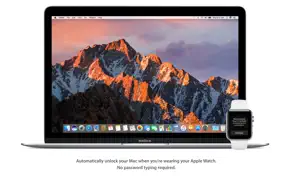
Automatically log in with Auto Unlock.
• Log in to your Mac automatically when you wear your Apple Watch — no need to type your password.
Enjoy the convenience and security of Apple Pay when you shop on the web.
• Use Apple Pay to make easy, secure payments when shopping in Safari on your Mac.
• Complete your purchase with Touch ID on your iPhone or with your Apple Watch.
Access files on your Mac desktop from your iPhone with iCloud Desktop and Documents.
• Automatically store all the files on your desktop and in your Documents folder in iCloud, and access them from all your devices.
• Keep the same desktop and Documents folder on your other Mac.
Easily free up space on your Mac with Optimized Storage.
• Automatically store seldom-used files in iCloud, where they’ll be available on demand.
• Additional tools help you remove files you don’t need, to save even more space.
Get control of your desktop with tabs in apps.
• Use tabs to manage multiple windows in Maps, Pages, Keynote, Numbers, and more.
• Work with tabs in your favorite third-party apps — no developer adoption required.
Keep an eye on the big game or your favorite video with Picture in Picture.
• Float a video window from Safari or iTunes over your desktop as you work.
• Place the Picture in Picture window in any corner, and it stays put when you switch spaces or work in full screen.
Rediscover the most meaningful moments in your Photos library.
• Enjoy favorite and forgotten occasions from your photo library with Memories.
• View your images by who’s in them. Photos uses advanced face recognition technology to automatically group photos of the same person together.
• Search your photos by what’s in them, such as beaches, dogs, or concerts, thanks to intelligent search that can recognize objects and scenes.
• Track your photo expeditions across an interactive world map.
Enjoy an all-new Apple Music experience in iTunes.
• Easily navigate your library with the redesigned Apple Music.
• Discover great new music thanks to expert curation and advanced machine learning that give you the best recommendations.
Liven up your Messages conversations.
• See web content previews and watch web videos right in a conversation.
• Respond to messages with quick, handy Tapbacks.
• Express yourself with 3x larger emoji.
• View the stickers, Digital Touch, invisible ink, and handwritten messages that friends send from their iOS devices.
Some features may not be available in all regions or all languages. Some features have hardware requirements. Some features require an iCloud storage plan.
😍 Do you love MacOS Sierra app? Please share your friends!



Please wait! MacOS Sierra app comments loading...
MacOS Sierra 10.12.6 Tips, Tricks, Cheats and Rules
What do you think of the MacOS Sierra app? Can you share your complaints, experiences, or thoughts about the application with Apple and other users?



MacOS Sierra 10.12.6 Apps Screenshots & Images
MacOS Sierra iphone, ipad, apple watch and apple tv screenshot images, pictures.
| Language | English |
| Price | Free |
| Adult Rating | 4+ years and older |
| Current Version | 10.12.6 |
| Play Store | com.apple.InstallAssistant.Sierra |
| Compatibility | iOS 10.7.5 or later |
MacOS Sierra (Versiyon 10.12.6) Install & Download
The application MacOS Sierra was published in the category Utilities on 20 September 2016, Tuesday and was developed by Apple [Developer ID: 284417353]. This program file size is 4.67 GB. This app has been rated by 17 users and has a rating of 1 out of 5. MacOS Sierra - Utilities app posted on 19 July 2017, Wednesday current version is 10.12.6 and works well on iOS 10.7.5 and higher versions. Google Play ID: com.apple.InstallAssistant.Sierra. Languages supported by the app:
AR CA HR CS DA NL EN FI FR DE EL HE HU ID IT JA KO MS NB PL PT RO RU ZH SK ES SV TH ZH TR UK VI Download & Install Now!| App Name | Score | Comments | Price |
| Find My Friends Reviews | 3.4 | 459 | Free |
| MacOS Big Sur Reviews | 1 | No comment | Free |
| MacOS High Sierra Reviews | 1 | No comment | Free |
| Apple Developer Reviews | 4.0 | 2,066 | Free |
| Apple Invites Reviews | 4.6 | 18,466 | Free |
The macOS Sierra 10.12.6 update improves the security, stability and compatibility of your Mac.
| App Name | Released |
| Universal TV Remote App. | 03 April 2024 |
| Amazon Fire TV | 22 December 2014 |
| TV Remote - Universal | 10 February 2023 |
| TV Remote - Universal Control | 19 November 2020 |
| Clean Up Storage - Cleaner Kit | 26 January 2017 |
Find on this site the customer service details of MacOS Sierra. Besides contact details, the page also offers a brief overview of the digital toy company.
| App Name | Released |
| R8 Companion | 18 August 2023 |
| Export Contacts to Excel | 07 February 2019 |
| My Classic-Retro Console | 14 October 2022 |
| Trump Trump - Block Trump content | 16 November 2015 |
| Shadowrocket | 13 April 2015 |
Discover how specific cryptocurrencies work — and get a bit of each crypto to try out for yourself. Coinbase is the easiest place to buy and sell cryptocurrency. Sign up and get started today.
| App Name | Released |
| Google Maps | 12 December 2012 |
| Messenger | 09 August 2011 |
| WhatsApp Messenger | 03 May 2009 |
| TikTok | 02 April 2014 |
| 06 October 2010 |
Install the Giftmio extension for smart shopping. Get notified about cashback opportunities, activate cashback in one click, and save money on purchases.
| App Name | Released |
| Slay the Spire | 13 June 2020 |
| Incredibox | 27 March 2016 |
| CloverPit | 17 December 2025 |
| Shadowrocket | 13 April 2015 |
| Pou | 26 November 2012 |
Each capsule is packed with pure, high-potency nootropic nutrients. No pointless additives. Just 100% natural brainpower. Third-party tested and validated by the Clean Label Project.
Adsterra is the most preferred ad network for those looking for an alternative to AdSense. Adsterra is the ideal choice for new sites with low daily traffic. In order to advertise on the site in Adsterra, like other ad networks, a certain traffic limit, domain age, etc. is required. There are no strict rules.
Keep personal info private, avoid scams, and protect yourself online with AI-powered technology.
MacOS Sierra Comments & Reviews 2026
Did you know that you can earn 25 USD from our site just by registering? Get $25 for free by joining Payoneer!