Intuit QuickBooks for Business App Reviews
Intuit QuickBooks for Business App Description & Overview
What is intuit quickbooks for business app? QuickBooks helps millions of businesses around the world handle accounting, payments, & customers on the go, with Intuit AI in the QuickBooks Essentials & Plus plans, and access to trusted experts.
TAKE PAYMENTS FROM YOUR PHONE
With Tap to Pay on iPhone, take in-person contactless payments from your iPhone. Plus, send invoices customers can pay with the tap of a button and get real-time payment tracking and notifications.
CREATE AND SEND INVOICES
Add customers and vendor info, capture project details, generate and send invoices & estimates from photos of handwritten notes, right in the app.
CAPTURE MORE LEADS ON THE GO
Customer Hub and Intuit AI work together to surface qualified leads from emails. Your written and recorded voice notes will be included in auto-generated estimates. Review, edit, and send from your mobile device.
AUTOMATION YOU CAN COUNT ON
Intuit AI categorizes and reconciles transactions, combines data, spot inconsistencies for review, and proactively recommend next steps.
EXPENSES MANAGED IN THE MOMENT
Accounting AI matches transactions and expenses—even texting you to upload receipts for receipt-required credit card transactions.
RECEIPTS IN A SNAP, NOT A PILE
Take photos of receipts, which are stored and automatically matched to transactions.
AUTO-TRACK MILES FOR ACCURATE TAX DEDUCTIONS
Automatically track mileage via GPS with enhanced accuracy and optimized battery life. Swipe to categorize, stay organized, and maximize deductions.
SIGN IN ON WEB
The QuickBooks mobile app syncs with your QuickBooks Online account so your financial data is always up-to-date, empowering you to make quick, informed decisions from anywhere..
Not compatible with QuickBooks Desktop for Windows or Mac.
Some features may not be available in all QuickBooks products.
#1 accounting software for small businesses, based on PCMag Review as of 2025.
Terms, conditions, pricing, special features, and service and support options subject to change without notice.
From INTUIT
Makers of: QuickBooks, TurboTax, Credit Karma & Mailchimp
Visit:
• https://www.intuit.com/privacy/statement/ to learn how Intuit protects your privacy.
• https://www.intuit.com/legal/terms/en-us/quickbooks/online/ to read the Intuit terms of service.
SUBSCRIPTION INFORMATION
• Your Apple account will be charged when you confirm the purchase.
• Subscription will automatically renew unless you turn off auto-renew at least 24 hours before the end of the current period.
• Your Apple account will be charged for renewal within 24 hours prior to the end of the current period.
• You can manage your subscription and turn off auto-renewal by going to your Apple account settings after purchase. On your device, go to Settings, tap your Apple ID, then tap Subscriptions, and tap Cancel subscription.
• You'll give up any unused portion of a free trial period when you purchase a subscription.
• Limited availability. Features may be more broadly available soon.
• Tap to Pay on iPhone: Tap to Pay on iPhone requires a supported payment app and the latest version of iOS. Update to the latest version by going to Settings > General > Software Update. Tap Download and Install. Some contactless cards may not be accepted by your payment app. Transaction limits may apply. The Contactless Symbol is a trademark owned by and used with permission of EMVCo, LLC. Tap to Pay on iPhone is not available in all markets. For Tap to Pay on iPhone countries and regions, see https://developer.apple.com/tap-to-pay/regions/. Apple Pay is a service provided by Apple Payments Services LLC, a subsidiary of Apple Inc. Neither Apple Inc. nor Apple Payments Services LLC is a bank. Any card used in Apple Pay is offered by the card issuer.
• Money movement services are provided by Intuit Payments Inc., licensed as a Money Transmitter by the New York State Department of Financial Services
Intuit, 2700 Coast Ave, Mountain View, CA 94043
😍 Do you love Intuit QuickBooks for Business app? Please share your friends!



Please wait! Intuit QuickBooks for Business app comments loading...
Intuit QuickBooks for Business 26.06.9 Tips, Tricks, Cheats and Rules
What do you think of the Intuit QuickBooks for Business app? Can you share your complaints, experiences, or thoughts about the application with Intuit Inc. and other users?
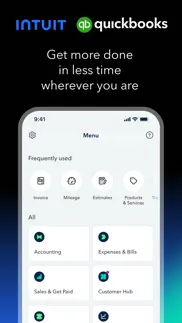

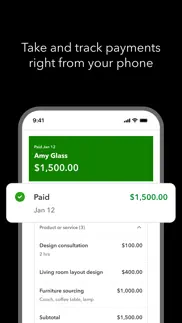

Intuit QuickBooks for Business 26.06.9 Apps Screenshots & Images
Intuit QuickBooks for Business iphone, ipad, apple watch and apple tv screenshot images, pictures.
| Language | English |
| Price | Free |
| Adult Rating | 17+ years and older |
| Current Version | 26.06.9 |
| Play Store | com.intuit.QBOiPad |
| Compatibility | iOS 16.0 or later |
Intuit QuickBooks for Business (Versiyon 26.06.9) Install & Download
The application Intuit QuickBooks for Business was published in the category Business on 14 February 2013, Thursday and was developed by Intuit Inc. [Developer ID: 313441566]. This program file size is 509.56 MB. This app has been rated by 249,336 users and has a rating of 4.7 out of 5. Intuit QuickBooks for Business - Business app posted on 30 June 2026, Tuesday current version is 26.06.9 and works well on iOS 16.0 and higher versions. Google Play ID: com.intuit.QBOiPad. Languages supported by the app:
EN FR PT ES Download & Install Now!| App Name | Score | Comments | Price |
| QuickBooks GoPayment POS Reviews | 4.7 | 6,362 | Free |
| Mailchimp Email Marketing Reviews | 4.8 | 51,313 | Free |
| Intuit Connect Reviews | 4.7 | 178 | Free |
| IntuitCommutes Reviews | 3.5 | 2 | Free |
| QuickBooks Time Kiosk Reviews | 1.9 | 55 | Free |
Now with Intuit Intelligence on Simple Start, Essentials and Plus plans, get on-the-spot AI insights and instantly create invoices, estimates, or receipts simply by pointing your camera at any financial document.
| App Name | Released |
| Roadie Driver | 18 November 2019 |
| Paychex Flex | 11 June 2012 |
| QuickBooks Workforce | 17 July 2014 |
| Shopify - Your Ecommerce Store | 12 May 2010 |
| ZipRecruiter Job Search | 28 December 2013 |
Find on this site the customer service details of Intuit QuickBooks for Business. Besides contact details, the page also offers a brief overview of the digital toy company.
| App Name | Released |
| STX | 17 December 2009 |
| HotSchedules | 30 October 2008 |
| Liberty Item Entry | 31 August 2011 |
| FaxCover - Fax Cover Sheet | 14 January 2021 |
| WinFab - Sheet Metal Ductulator | 08 March 2017 |
Discover how specific cryptocurrencies work — and get a bit of each crypto to try out for yourself. Coinbase is the easiest place to buy and sell cryptocurrency. Sign up and get started today.
| App Name | Released |
| BeReal. Your friends for real. | 08 January 2020 |
| Target | 24 November 2008 |
| 28 April 2011 | |
| 09 October 2009 | |
| Google Maps | 12 December 2012 |
Install the Giftmio extension for smart shopping. Get notified about cashback opportunities, activate cashback in one click, and save money on purchases.
| App Name | Released |
| Balatro | 26 September 2024 |
| Monash FODMAP Diet | 17 December 2012 |
| Geometry Dash | 13 August 2013 |
| Slay the Spire | 13 June 2020 |
| MilGPS | 01 December 2010 |
Each capsule is packed with pure, high-potency nootropic nutrients. No pointless additives. Just 100% natural brainpower. Third-party tested and validated by the Clean Label Project.
Adsterra is the most preferred ad network for those looking for an alternative to AdSense. Adsterra is the ideal choice for new sites with low daily traffic. In order to advertise on the site in Adsterra, like other ad networks, a certain traffic limit, domain age, etc. is required. There are no strict rules.
Keep personal info private, avoid scams, and protect yourself online with AI-powered technology.
Intuit QuickBooks for Business Comments & Reviews 2026
Awful Updates. Every time there is an update, we LOSE features we rely on. The fixes are too slow. An update should improve the app, not take away from it. I’ve been in touch with customer support numerous times and they assure me by “xxx” date the issues will be resolved. They’re normally wrong and this last time by over a month and counting. I own a small service company that visits customers annually. We refer back to last years invoices to compare notes. I’ve now lost the ability to view prior invoices. Only payments. Numerous chats with customer service has gotten me no where. I will be leaving Quickbooks when we hit slow season and I can take time to swap everything over. I’m losing time from what generates money because of Intuit’s VERY poor updating and feature losses/changes. I am EXTREMELY dissatisfied with Quickbooks and would advise finding something else. EDIT: I got a response on this comment that did work and fixed the app issue. Thank you for this, BUT why has it taken 3 times of customer support and NOW (after a nasty/negative review) doesn’t suddenly become important enough?
Gets worse with each new version. Better off with an abacus!. I can’t underscore how BAD this app is. Every time Intuit puts out a new version, it’s a whole new learning curve to figure out where they’ve hidden everything and how to do what I need to do. It seems as though the engineering department has no clue about real world experience of running a business. So, here’s a clue - business people don’t have the time to spend on relearning an already clunky and unstable app. Second clue - Business people are not your beta testers! Test, test, and retest these updates before you unleash them on the public. Again, the latest update has completely wrecked the app on my iOS iPhone and iPad. Now, I cannot utilize QB at all unless I utilize the PC in my office. I’m sure they will fix it in 2-weeks, but that’s 2-weeks that I have to try to work around this failure…and this is not the first time (nor second, nor 8th) …anytime a new update or version comes out it’s a nail biter as to how badly it’s screwed up and how many weeks it’ll take before I can use QBO on my iOS devices again. Now, when I start my iPad app, it says there is a newer version and I have no other option but to go to the App Store, where any attempt to update this app crashes the App Store, sending me into a constant loop. I feel like an abacus would be more productive than QBO.
Not really an upgrade from the old Self-Employed app. Finally, after being told no a year and a half ago, Intuit has made available the option to “upgrade” from the old QBSE app and be able to migrate all my existing data over. A rep had told me back then that this would never happen and I’d have to start over completely. Well, I’m three days into into my “upgraded” Soloprenuer subscription paired with this app and while most of my data was brought over from QBSE, not all of it was. I was promised an email when the migration process was over in about 24 hours total from the start, but that has yet to happen after three days. This new app seems to be struggling with my bank connections as they are very delayed or I receive emails telling me all my connections have expired and I have to refresh them. Never had that issue with QBSE. This new app doesn’t really seem like an upgrade and in fact, I have to hunt more to find things that were bundled together nicely in QBSE. I would give it one star but so far the mileage tracker has actually been working properly and as it should. This was a constant up and down battle with the QBSE app. But then also I used to always be able to upload PDF receipts on the QBSE app and while this new app does have that same option, it doesn’t work at all and I can only upload images. So, yet another step backward. I was really hoping this would restore my faith in Intuit and their products but yet again, they’ve completely missed the mark again.
Declining Functionality. Why would the QuickBooks Mobile which we’ve been using for years suddenly within this year lose all kinds of functionality?? Can no longer: • Add multiple invoice items to an invoice or estimate. • Move items up or down on invoices and estimates. (Rearrange order). If you want to move items to the top of the list or down you actually have to go into the desktop version afterwards and add those items higher on the list. Waste of time. • Bank Deposit no longer functions AT ALL! It’s as if whomever QB was contracted with to provide the programming has dropped QB and now QB is now struggling to create their own version of this mobile program. This is very frustrating! > QuickBooks Mobile previously worked perfectly, why would you downgrade your product and lose all that functionality. If you’re not making enough money, charge more for your product but make sure it works. Have you ever heard the phrase: You have to spend money to make money! Get it done! We’re paying good money for functionality and no longer receiving good service.
Great when it works. QuickBooks online is great when it works. Unfortunately there are frequent glitches. Some of these glitches cause major problems, like not being able to enter estimates. It recently each had all of the estimates mixed up/hidden. You had to go in and do some special filtering to see all of the estimates. Typically they are sorted by date with the most recent being at the top. This of course caused a lot of problems. The most recent issue is a new query processing error message I keep getting that will not allow me to create an estimate, an invoice, to do anything at all on the app. I have two phones so it’s not a phone issue as I’m getting the same error on both phones. It’s a mobile app issue. I’m able to login to QuickBooks online on the desktop and I have no problems at all doing what I need to do. It’s very unfortunate because QuickBooks is a great app it’s just really frustrating that it frequently has glitches and the glitches are major ones that can last for days and even weeks at a time.
Could not get worse. I’ve used QuickBooks for years and have complained to the company multiple times for the annoying ads that pop up as you are trying to create an estimate or invoice. Never a response from Intuit rationalizing why they are forcing me to watch ads when I’m paying for a subscription to a service. The neophytes responsible for maintaining this app and grinding it into a useless waste of memory would decide with every update to change the UI and workflow just to make the user waste more time trying to do some work. The last version is broken. I’ve called customer support and reported the issues, was told the issue would be resolved in 48 hours and I would receive a call to verify the fix. Neither has happened. My customer list is not accessible past the letter “J” and my product and devices list is no longer sorted by category. Having developed software for some of the largest software companies in the world, if I had let this abomination see the light of day, I would no longer have been employed. Now the app freezes upon opening and won’t advance beyond the opening screen. I’ve just cancelled my subscription and will also move to a different tax app for next year.
Using QB for My Small Business Was a BIG Mistake. I run a small business that focuses on outdoor media. Recently a client payed for an invoice via credit card and I was hit with a 2.9% fee, when I refunded them I was hit with a 3.4% fee. All of this was not very clear on their end. I tried to talk with the customer service in the midst of everything in order to try to figure out what to do and it was by far the worst customer service experience I have ever had (and that is saying a lot because I used to have Comcast). It was very hard, unclear, and costly for me as a small business owner to do something relatively simple. I was on 6 different phone calls, and constantly ran in circles by the support team. At one point my call was dropped on their end as if someone just hung up during a time where the refund was pending and could have really helped me save some money. Long story short I am leaving QB and going back to handling things myself, it was too easy to make a costly mistake, too hard to get help in the midst of a stressful time, and very obvious that my business did not matter and was simply a 15 digit account number to them. My advice is do it yourself or hire someone who will actually look out for the best interest of your business you are working so hard to build. Audios QB.
Continues to be the slowest app ever….. So, after writing a review and saying the app was slow and buggy and crashes constantly - as typical software/tech developers go…. “Couldn’t possibly be us, must be user error”… I got a developer response. It told me to do all the typical stuff they tell you to do. Refresh the app, uninstall/reinstall, reboot phone…. Yada yada yada - LET ME BE CLEAR…. I have done ALL of the above, I’m not an idiot when it comes to these things. Please be careful when responding as you don’t know how much or little experience your audience might have. This is also par for the course with QB customer service in general - you wait on the phone for hours (literally at times) only to get an “expert” who takes another hour to understand what you are saying, chats that are inane and take 15 minutes between responses - it is TERRIBLE. I am sure they blame COVID, after all it is the excuse for everything wrong in the world. The reality is they just don’t have it together. My honest review is after deleting and reinstalling, resetting, upgrading my phone software, etc etc, the app is slower than molasses. I have to wait 1-2 minutes for reaction/response when I select an option (if I ever get a response at all).
Unfortunate inability to update. I have had 3 problems with this software 1) all purchases through my bank account are not being caught apparently 2) I keep getting notices to update my card reader but when I connect to it and open QuickBooks I am not able to update since I must already have the most up to date version(if my card reader is not working due to a missed update I will not find out until I am in front of a customer). 3) automatic mileage tracking is missing some trips and I have not discovered this until days later and can not find out why it’s happening since all items have been on for tracking that I am aware of. Other than these issues QB is much better than when I used it 15 years ago with a previous business. Although with the advanced options I would like to rely on - I have found this newer version is not as “turn key” as sold. All I really need is for the system to work as advertised but no doubt I will find out how much has been missed when it comes time to reconcile for tax season.
Deserves half a star!. I would give it a half-star if it were available, because it at least opens when I tap the icon. But, even then, it tries to log me into my mother’s turbotax account EVERY TIME!(and she died three years ago). They say they try to make it easier to login by giving you only one password across all their products. But, these passwords are email specific, and if you have more than one Intuit account, it does not let you use an email specific password. So, you are prompted (no, you are ordered to) change password, and now the passwords do not match up because the other email addresses have different passwords. (Seems they would give you the option of using more than one password over multiple accounts...no, wait, that would be a user friendly option!) There is no support for this product, none whatsoever. If you have a question and go to HELP, you will ultimately end up at the user group or user community. And, then there generally is no consensus on the solution. Every one is adrift on their own. Just today, I had a customer who inadvertently paid twice on the same invoice, once by check on delivery, and once by credit card within their accounts payable process. I use and pay for qb credit card processing, so, I go to QuickBooks to determine how to give a credit card refund. And, the instructions IN NO WAY MATCH UP TO QBO! I called my accountant and she says she’s been trying to get them to give support to QBO issues for 6 years, and they do not even respond to her requests for help. She had no answer for how to issue credit card credit, and, she is QBO certified. I had already bought and was using QuickBooks Desktop, and now, I’ll have to go back to it. Misery, I tell you, misery.
Not for me, slow, confusing, etc. this is a confusing and difficult to use app. Not sure why the ratings are so good, I feel like a lot of people in my position would not like it at all. I’m not a paperwork person, I’m not a computer work person. I just build stuff and needed a better way to keep up with stuff and this has made it more difficult to keep up with receipts and invoices. The app is very buggy and glitchy. I have it on two phones. one phone it crashes on every time I open it even after updating it. Invoicing… It took me 15 minutes to send somebody an invoice after spending hours getting it set up. All I wanted to do was text it and email it to them and I couldn’t even do that. There was no way for me to text it to them. There was no way for me to add images to my invoices other than the logo in the top of the page. The website is very confusing. At least the app is easier to navigate, but it’s still flooded with a bunch of stuff that I don’t need and don’t want. Also no dark mode??? Are you serious? So when I’m filling out an invoice or an estimate for somebody before bed, I get flash-banged by my computer screen and my phone screen… we’re in 2026 people… sheesh. Also on my work phone, which is a brand new iPhone 14, the app is extremely laggy and slow. It is a brand new phone with a brand new battery and it hardly has any other apps on it. Why do I have to have the latest highest end model of a phone to run a basic accounting software? On my 15 Pro Max it runs smoothly. Tried to disable mileage tracking because it is so so annoying to use. Couldn’t figure that out. Took me a few days to figure out how to navigate between invoices and I still have a hard time finding everything. The receipt scanning is more difficult than just manually entering it into a spreadsheet.
Useless. I have used QB online for many years, and I’m very happy with it. The app is useless to me though, since the interface is way too limited. For example, one good use for it would be to enter receipts on the fly, but much to my disappointment I couldn’t do something as simple as to pull up a list of accounts to assign the cost to. Entering receipts would be a perfect use for a mobile app, but I simply can’t do it correctly. I mean, what did Intuit really think it was going to be used for? Also, the payment methods I have set up in QB online are not available in the app, all you see is credit, check or cash. It seems like the app doesn’t synch fully with your online info, which makes you wonder what kind of mess it can create in your bookkeeping. Strangely enough, when I started the app it said that it was synching with my data, but it appears that this was just the basic data and none of my personal account settings. It’s entirely possible that I have missed some of the finer details, but they really messed up the app by making the interface so different from the computer based online version. Having to learn and keep up with two versions is just too cumbersome for a small business owner like me, so this app is now deleted. Calling it a bookkeeping app is grossly misleading, since it’s so limited.
Hate it, stuck with it. Where to begin. First, but an iPad, most things can’t be done from an iPhone, for example, item quantities, can’t change it or see it. If you need to enter a new product via the phone, you will need to go back to your laptop to log in and reconcile your total of items if you track quantity. So inconvenient, I’m not with my laptop most of the time, so at the end of the year, it takes HOURS to reconcile your inventory. Once an item is in the system, and you get new product in, unless you log in on a laptop to add the quantity, you’ll have negative quantities, cause you can’t do it from the iPhone. The IRS taxes you on your inventory, and every year I spent hours counting and reconciling. Here’s the REAL kicker, started out as a promo for $40/mo in 2014, crept up to $50, then to $60 in a year, then to $70 without any improvements. So I exported my inventory data, stepped down to the $25/mo plan for my invoicing and estimates. Why pay $70 to track inventory that I can’t manage on the go? Since I’m counting at the end of the year anyways, might as well save that extra $540 annually. I can only assume that the nerds that built and maintain the app have very little retail business experience, just widgets guys. Sad.
Used to be great, then they “improved” QB. I’ve used QuickBooks since the late 1990’s and was an early adopter of QuickBooks Online. While Intuit has improved the platform dramatically, the latest rounds of “improvements” that have made the mobile app entirely unstable and unusable combined with nearly doubling the price and a pricing model that is disconnected from business scale (one could pay the same for a small business with $50k in revenue and a not so small biz with $10m in revenue) has left me utterly disappointed and looking for alternatives. Problem is, switching is nearly impossible. So, if you’re considering QuickBooks, just don’t. Try Xero or any other other competitors out there. If Intuit can fix its most basic issues and start providing actual customer support that is accessible (just try the “app help” link which takes you to an Intuit help page with NO APP SUPPORT option!) with modern methods (like chat and email instead of only phone, and phone that can’t be reached most of the time - again, give it a try), then I’d recommend QuickBooks again. It’s a shame because there is so much that’s great about the platform... but when doubling the price for purported gesture enhancements results in app bloat and instability, avoid like your business depends on it, because it does!
Stealing from your customers! Keyboard doesn’t come up STILL!!!. Quickbooks is not providing the service I am paying for. UPDATE: this app still doesn’t work. I have followed every instruction and have taken every update. When creating an estimate from the iPhone app, the keyboard won’t come up therefore I can’t enter an estimate and must go to my laptop. As a self employed person, this is extremely inconvenient. I have given Intuit a lot of money for Quickbooks and TurboTax over a period of many years. As a paying customer, I deserve better. I am wasting money with this app. But can’t go to a non-subscription program because it isn’t offered. This is theft. You’re stealing from your customers. You have a months long issue with an app that doesn’t work, after a faulty update! Fix this app!!! I have updated the app, deleted and reloaded the app, and still when creating an estimate the keyboard won’t come up! This app has become useless to me. When I create estimates from quickbooks online I’m unable to access them on the app sometimes for hours! The two are not communicating well at all. Self employed individuals do not have time for this! I am so disappointed that I’m going to either have to choose and learn another app or go old school with my own spreadsheets and invoices. This is so unacceptable!!!!!
Convenient but Buggy and Frustrating. This is a big step down from the desktop browser version. I love QuickBooks online on a browser, but this app is frustrating. It’s not easy to navigate at all and I can’t access multiple important things like the project page or more detailed reports. Also, literally every time I open the app it glitches and I need to force close and reopen. It just gets stuck on the stating page. 100% of the time. On top of that, very regularly it will not allow me to send an invoice. This is arguably one of the most important things I can do on the app while I’m standing with customers, and it just glitches all the time. Super annoying. These are just a couple of the problems… It’s convenience when I’m away from the office is the only thing keeping it from a 1 or 2 star. It’s nice to see the (limited) things I can while I’m out, and the receipt snap is nice. Finally, mileage tracker is really convenient when I’m driving to multiple job sites and vendors all the time.
This App is Unbelievably Glitchy. TLDR: QuickBooks wants us to spend more money in order to use this app the way we want but the app is full of glitches and doesn’t even work QuickBooks is hilariously absurd. They want to charge extra money monthly to allow us to create custom roles for employees. All we want is for employees to be able to create invoices on the go and then back in the office we can run payments. However, in order for them to create invoices they also have permissions to sensitive business information. After all that, to use this app is a nightmare. It is very slow and laggy. When creating invoices you nearly have to click every button/menu twice before it finally loads. When you add a product or service the app gets stuck in a constant loop of adding the product and the only way to stop it is to close the app and start over. The only problem is this glitch happens 50% of the time. The QuickBooks GoPayments app works more consistently than this app but for some reason doesn’t allow employees to create invoices, only sales receipts. But even that app has its own problems.
Glitchy and horrible quality control. This app has tons of glitches and problems, both in the app and the accompanying website. There is no quality control on coding or features that are added. Very low-quality developers, which is typical of everything QuickBooks does. Nothing ever gets fixed either, I’ve used QuickBooks desktop and online for years and it’s always been this way. Really doesn’t give you any confidence in the software that your entire company depends on. Edit: In response to the developer response… Restarting it or changing my Wi-Fi will not fix the problem with your app. It’s insulting that tech-support would even respond with that. The problem is low quality software. Also, I just spent an hour on the phone with tech-support to fix a problem with how some of our reporting is showing up… because of a glitch in the software. They changed so many things that they had to open a ticket to have someone else go in and reverse the damage that the tech-support rep did. The rep seemed to have very little knowledge or skill in accounting. ask any bookkeeper or accountant, they will tell you how much they hate this software, I’ve asked many.
Zero costumer service. When it comes to problems what eventually happen you find out that the costumer service is basically non existent. There is no email to write first off no chat either. You must call to talk to a person what is refreshing however each time they make you go though the same trouble shooting what usually take min 1 to 3 hours! I’m serious. Our issue started in May and called about it every 2 weeks. Every time you speak with a new agent and go through the same conversation. They have very limited access to help you do each time they are connecting to the “ engineers “ who are supposedly working on your issue. If you really push it you may get as far as creating a case number what they will never follow up on and all the cases are automatically closed..? Really? You can’t just be connected to a supervisor either! You must request a call back and they will try to call you back if you get luck the most random times. Since May I was only able to connect with a supervisor 3 times! For QB being a “tech company” have some pretty bad or lazy engineers or some under qualified upper management. For 6 months now we are unable to use our account don’t have access to all of our previously imputed data and still they don’t seem to know what is going on or how to fix it! If you already a user make sure your data is often downloaded and saved. Do NOT start a Free trial over apple app! Go do everything on they web otherwise you might find yourself in the same shoes with as they can’t seem to have that figured out at all and they don’t see any of our payments coming from Apple. The whole Quickbooks is a total mess.
Progress invoicing doesn’t work. When I try to send a second progress invoice form an estimate it does not reflect that the first invoice has been paid already and payment received. The balance in line items is the original balance from the estimate, not lowered by whatever I charged already. Also, in this way I could overcharge my client and QB would not prevent me from doing so. I tried that to see if that would work. This bug prevents my clients from tracking progress of payments and forces me to look back and track how much I charged for particular line item already. It’s a huge inconvenience for a construction company. I already spent 6 hours over two days with 4 different customer service reps and despite all being very patient and helpful, the last one admitted that it was a glitch in the system. I offered to spend some time with their software engineering department to work on that issue but nobody seemed interested to take me up on it. The reps were unaware of this issue until they saw my computer screen and confirmed I was doing everything correctly. It’s a major problem. I hope it gets resolved soon. Otherwise I would definitely give it at least 4 stars.
ABSOLUTELY HORRIBLE!. At the time of writing this review I have been on the phone with support for over 3hrs. Quickbooks online has been nothing but a complete disaster! For years I ran QB 2012 for Mac and was fairly happy with the software until it started crashing on me in mid 2017. Since it was time to update to a newer version of quickbooks I was pushed toward the online version since the latest desktop version for Mac was 2016. I had nothing but aggravation with the online version on almost every aspect of the software but if I were to explain each one this would be a book so I’ll just explain the problem that was most expensive to me. The syncing between the business checking and credit card on QBO would not sync for sometimes a couple days other times a month. When the sync feature would work it would create duplicate transactions and I would need to have QBO audited by my accountant to match my actual accounts. The 3rd time QBO needed to corrected to match my accounts was the final straw. I purchased QB 2016 for Mac and wanted to transfer my QBO data to the desktop version. I’m told now that I need to wait a “few” days to have everything transferred over. I am completely disgusted with quickbooks and will be reporting this with the better business bureau.
Why did the app developers cut out so many features?. First, App developers know that a very important rule when creating user experiences is to create the UX/UI that is similar across all devices. Meaning if you launch Netflix or Gmail or any most other core apps the experience and interface and features are similar if you launch on your desktop or mobile. For some reason Quickbooks decided to totally reinvent the interface between Quickbooks online on the desktop versus the app. Probably the same people that thought it a good idea to create totally different user interfaces between QB desktop and QB online. But I finally got used to QB online after moving away from QB desktop and actually now like it. Now the crack QB development team is asking me to become used to a completely different interface of QB online from my desktop to my IOS app. But interface aside why did the developers leave out so much of the “meat”. First thing I did when going to the app was to look up a Vendor open balance. Missing. You can’t find the vendor balance on the Vendor detail page. Second thing I wanted to do was to generate an AR and AP report. Missing. You can generate a P&L and balance sheet but most of the other reports are missing. Seems the QB development team are stuck in mobile development of the past when mobile devices only allowed you to do limited things on the road. The reality is I run my life on my ipad. I certainly don’t want to be forced to buy a computer in order to run a QB AP/ AR report and figure out what I owe a vendor.
If there’s other options I don’t recommend it. Ever since the most recent update I’ve had so many problems with QuickBooks. I use to love using the iPad app but now the only thing I can really use it for is to add new customers. I can’t add new invoices successfully like I use to. I have to now use the online version on Safari. When I go to an existing invoice on the app I can’t successfully make changes to those invoices. I use to have categories for all my expenses that I listed. Nope, can’t use that anymore either. If the category isn’t listed and I try to add it it says that the category already exist. On the app when I look at any expense it shows as no category. I go to the Safari version and I can enter or see categories. Well why the heck isn’t it being listed on the app. I have never been able to check my inventory quantity on the app. I always have had to use the Safari version to check that. I also can’t see a customers full history on the app. I may have 10 plus years of history on the customer and nothing or a couple of things may show. I’m sadly looking for other platforms to move to after using QuickBooks online for several years. I’m spending non productive time now on this review that I could be applying to catching up on all the things I’m behind on because of the terrible updates. I know that I’m wasting my time because who cares. It will be looked at as things have changed so get on board. Heck I’m not stupid! It’s just terrible designer issues that are actual fails that needs to recognized and addressed.
Sometime it works. Glitches that appear minor in the app become a big deal, especially when they are the few features that you actually need. Specific to my case the invoices stop loading at a certain number. The app needs to be restarted generally four times in order for the latest stream to properly appear. There is no default option to clear filters. And many times clicking through isn’t helpful. Also glitches in trying to message invoices that have not already been emailed. And some inconsistency in the buttons to share via message. Online checking leaves much to be desired. My feeling is the money you pay for the QuickBooks subscription just isn’t worth it. Welcome to 2026 quickbooks, the app is worse than ever more updates, more problems, more glitches. Thank you QB for your response it was not helpful. Refreshing the app might work but at this point only once in a blue moon. More frustrated and angry now than I was in 2025! You need to figure out how to filters in your estimates and invoices, since once they’re set, they never seem to clear and are completely confused toggling through them only makes things worse than most times you will be shown zero results. Invoices from 2024 invoices from 2023 at the same for estimates it seems to be chaos.
Mobile app program. I switched from another program for the 2023 business year to use QuickBooks exclusively for my company. Initially everything worked great the.n while creating estimates on the app for items I frequently use it could jot find the items even when I searched for it in the estimate portal. When I closed it and went to items the stuff is all there. Obviously I cannot manually create an identical item with the program so I have to go online to do the estimates if using items I have already created into my inventory 90% of the time because one or two items I can’t access. It works great online without issues. I’ve reached out multiple times over the past two weeks only to receive a generic reply that they’re working to fix the issue over the next few updates. I have not been happy with the customer service and looking to find another program that will function properly and actually fix issues when found. Liz has by far been the worst experience and support I have ever had with an app and they’re online version. I even upgraded the highest package that they have and you cannot even get any custom help. Every representative you talk to on the phone gives you a different story and cannot trust anything that they are saying trying to get help is like pulling teeth I would never recommend this company or program to anyone.
Each app update=more unusable. The last few updates made the app unusable in a myriad of ways, with the latest one, it doesn’t even want to open. Just sits there. The changes Quickbooks had made recently, both to the online version and the app, made my work life miserable every week when I had to make my weekly invoices for my customers. Years of data were on Quickbooks so I didn’t want to leave it. But it got so bad that in January I jumped ship for the new year. In trying to find a new product, I sorted all the reviews by recent and found the recent Zoho reviews tended to be very good. I switched for the new year and the difference to my business is profound. The app works, the loading is fast, it has more features, I can quickly and easily make invoices. Customer service is responsive. I can not tell you, as a small business owner who does all the paperwork myself, how much of a difference it has made to me and my stress levels to not have to constantly fight and struggle with failing software. I am truly wondering if Quickbooks has decided to destroy itself as a company for some reason. I still have quickbooks as I do not yet know how to archive all my quickbooks data from last years. To anyone considering using quickbooks as a new user, I would advise you go to the reviews and sort by recent. You can do the same on google play and find an identical trend. To quickbooks I would say that I will never, ever return to using your product once I figure out how to retain my years of old data.
Constant issues, and getting worse all the time. Developers like push huge changes to the app on Friday when everybody is about to leave the office. Most the time there are huge issues with these updates and they don’t get addressed until late the next week. I haven’t been able to access invoices for over a week now because of one such update. This is the one of the main features of the app and it’s been down for over a week. When we first got QuickBooks five years ago it was great. Since then, whoever has taken over in their product team has continued to make things worse and worse. At this point I would switch to a new accounting software if it wasn’t so difficult to do so once you get started with one platform. I can’t even submit a ticket in the app to report the current issue with QuickBooks because it keeps telling me “something failed”. But I’ve done tickets before and after months of getting the run around they just said that this was the way things are going to be now. As a developer myself, I’m really shocked at how bad things are getting with their mobile app. Online doesn’t have as many issues, but it really stinks to have to run to a computer anytime you need to do something.
Stop “fixing” it. This is now the third or fourth iteration of this stupid update. They’ve tried “fixing” this app several times, and every time they have ended up reverting back to the old setup. I much prefer the old setup, and I don’t think I’m in the minority on this subject. It may look nicer, but it’s slower and takes longer to do invoices. I do all of my transactions by phone, so using the browser version is a nightmare. The app is so much more convenient…when it works. I’m also tired of it “loading my data” every other time I open the app. The new invoice layout wastes a lot more ink with the wide color background/banner for the “bill to” and “invoice details” section, and you need a magnifying glass to see the text. Add an option on the app to choose the invoice layout, because changing it on the browser does nothing for the app. Also, if I want to add an item to the invoice, I can only search by “item”. I have over 300 products with 300 different item numbers. You use to be able to search by “item” OR “description”. Add the option to search by both again. If they fix these two problems, or just go back to the old app setup, I would change my review to 5 stars.
Horrible Service, Horrible Company, Horrible Everything. QuickBooks is a unprofessional service and honestly has no regard for the people who pay for subscription. I used invoicing for my car rental clientele and out of no where was flagged. Without any warning or notification QuickBooks put my funds on hold. I then went to call asking equestrians about why the funds would be on hold and what to do to fix the situation. Upon calling a representative she got an attitude and I told her I would no longer like to talk to her but someone else. I guess her feelings were hurt so I hung up the phone and proceeded to speak to someone more reasonable. They notified me that I needed to send in paperwork (bank statements, phone log, client contract, etc.) to which I had no problem doing so. The funds 3 weeks later were still on hold and I could not understand why. I call and without giving me reason they tell me my account had been closed for the past week. Yet they didn’t find it appropriate to call me, email me and I had continued invoicing throughout Thanksgiving. When asked how do I receive my funds they notified me that I would have to reach out to each and everyone of my clients. Have them dispute the already complete payments, then have them pay me again. Or I could wait 60 days for their accounts to be refunded and ask again. Totally unacceptable and they responded, “We are sorry for the inconvenience and the lack of notification”. Spend your money elsewhere because QuickBooks does not value the business you work day in and day out to build. They will outsource you to someone who can’t even understand the context of what your talking about and when asking to speak to a supervisor will then tell you they can’t get to them and will call you… No call, no solution, no respect for businesses. HORRIBLE
Complicated Interface, Terrible Customer Service. I am not an accountant by any means, but I was hoping Quickbooks Online would be easier to use for us average joes. Nothing about their program is intuitive- you are instead given loads of video tutorials and when that’s not enough you can call their Sales Department to get transferred to Customer Service (don’t try direct, it’s no use) who 9/10 times have thick foreign accents (which makes it even harder to understand the foreign accounting software) and if you’re lucky you get scripted answers with a side of sass. In my opinion, if your programming isn’t overwhelmingly user friendly you should at least have an overwhelmingly good customer service experience to give us all hope that we can, one day, figure it out. I am stuck with this program because my husband finds it easy enough to create and send an invoice, but unfortunately this leaves me to figure out the rest once a month. So all in all, thanks to Quickbooks Online our customers do know how much they owe us but as for the accounting, nobody knows what’s going on there.
Awesome for first-timers!. I am a new business owner and so far this is working out quite well for me. I’ll start by saying I’ve never taken any classes on business or economics, and as far as employment goes over the course of my adult life I’ve held jobs that require enough knowledge of basic accounting/billing, computer/software, (and other skills of the like) to get by on common sense. When it comes to taxes— that’s a foreign language to me and filing every year has been pretty simple (no major deductions, write-offs, etc. to worry about other than claiming dependents), so TurboTax is typically my go-to. That said, and with this all being new to me, I’ve found that QuickBooks is surprisingly user-friendly and fairly easy to figure out. There are still a few things I look at and I’m like “huh?”, but the customer support is pretty on-point as easy to contact (and work with to get help from). Most of the App interface is self-explanatory and the layout is easy to follow— it’s comfortable, for lack of a better word. Initially, I was going to rate this App at 5 stars because I’m diggin’ it so far... but decided to go with 4 for one reason only— I wish there were more options within the App (as opposed to the online version accessed from a desktop/pc). Too many times, I’ve found myself frustrated because something I want to (or need to) do requires you to log in and use the website and won’t allow the action from the App... and I can’t always get to a computer to do so. Especially since I work in the service industry (not from home or in any other stationary place of business) and I’m always running around or on-site somewhere, so my phone is often all I have to work with. That’s it. Other than that, it’s pretty awesome!
They will steal your funds look at the comments. I have used Square processing for many years now and this past year decided, January 1, 2024, to start using QuickBooks. The first thing was, I noticed how clunky and and hard to use the interface was. But I loved the professionalism of the invoices and the mileage feature. I noticed the first time I actually got somebody to deposit money through their payment, it was very hard to find where the money was and how to transfer it. They done you constantly to stay with their QuickBooks checking, and it takes days for the credit cards to clear, deposit into your QuickBooks account, and then be transferred to your business banking. It’s all in an attempt to make using your own bank instead of theirs, extremely difficult to point you towards using their QuickBooks checking. finally, less than a dozen invoices, and that’s all I’ve sent, this last one a customer paid me a deposit for their merchandise that was over $2400, QuickBooks closed My account without my permission and froze my funds in place. They admitted this and said it would take I’ll to 90 days to get my money. STAY AWAY!!
This CPA hates it!. I used this for about 3 days and have given up. It is a truly awful garbage app. It might work for someone with only one bank account and maybe a credit card. However, I have multiple accounts and credit cards that have “matching” transactions and this app made a complete disaster of very simple accounting. I ended up with every bank account and credit card out of balance with duplicate entries in accounts. There is absolutely nothing intuitive about this app which is ironic for an “Intuit” product. As a decades long user of QB desktop, I have reluctantly learned QBO despite its crappiness. However, this app is truly garbage. Double entry?? No. It is not intuitive enough to do any double entry accounting. For $35/month, it is an epic rip off. It is near impossible to edit the chart of accounts or literally do anything with this app. It was a huge waste of time for me and I am a very skilled accountant/CPA with decades of experience. Do not waste your money on this garbage. Fortunately, I chose the $1/month 3 month trial. However, after 3 days I have already cancelled and switched to something else. I don’t want to pay even $1 for this software development disaster. There is absolutely no way I would spend $35/month on it. Also, the solopreneur software is much worse for $20/mo. I tried it for a couple of hours then upgraded to “Simple Start”. Nothing simple about it. Do not waste your money on this garbage. I am so tired of Intuit buying out good software products and ruining them.
Use someone else. I received a $1600 payment but QuickBooks is holding all of it for $70 owed to them which I have spent all day trying it pay. Somehow I have to wait days for collections to reach out to me about paying the $70. I have no idea when I will get MY MONEY. I’ve spent all day trying to pay it and I am at the mercy of your collections when they can get around to saying “hey”. This CANNOT be legal. I want my money NOW!!!! Update:4/30 I received a $3600 payment on 4/29 with a payment link, that was processed, and I was informed it would be deposited today 4/30. When I went to check on the status of the deposit as it had not hit my account this morning, it’s now on hold and the forecasted time of receipt is now unknown. Apparently, my subscription ended, although it says payments currently active, and they allowed me to create a payment link, as well as receive the payment via my customers card. The $3600 funds are on an indefinite hold. It was taken from my customer, and not given to me to use towards rendering the service that my customer paid for. I was at no point notified of this by QuickBooks, and was on the phone over 3 hours today because each person that I spoke with did not understand what I was explaining. This will be the last time I use QuickBooks and will tell at the mountain tops for all of my colleagues to steer clear of this dysfunctional operation as well. Upon a quick google search, I have discovered that MANY have experienced the same issue, some for totals higher than 100k. It’s posted as feedback on their website for all to see. Please do your due diligence and find a better service. QuickBooks definitely ain’t it.
My experience has been mostly positive. With Quick books based upon the fact that I only use the basic service for sending out invoices. Biggest problems have been not being able to sign in a couple of times and having had both good and bad experiences with help desk personnel. I use 2 accounting apps. Square, which I run all cash, credit cards, gift cards and tax based revenue through. Quick books Is only used for my non-taxable customers who get invoices and pay by check. This keeps things simple for me as Square is hardly ever any problem and I have workarounds with Quick Books when problems arise. Since QB handles no money for me they cannot hold my business hostage at any time. And since both programs have numerous reports this also makes my tax requirements easy. However, one other thing I dislike about QB online is their constantly changing the program. Everyone likes their Apps kept up to date but I hate when they change things just for the sake of touting “look we made another improvement “
Bad business practice. We have been using the Quick Books Online app for approximately six years to do our business transactions. We create estimates which we later convert to invoices we match our transactions, track our mileage and snap receipts to pair with transactions from our bank. However, some new updates have made it so that our invoices no longer look the same. Instead of saying Bill, to then the name of the person, the name of the company followed by the address it now says the name of the person and then Bill to followed by the address. The names of our customers are now what used to be the Nic nicknames, thankfully, we don’t do anything silly for our nicknames. And we can no longer put our authorization numbers for our contracts above the first item in the billing section. It to be a part of the first billing item or as a completely separate note that does not show in the billing area but either in the bill to section or as a note at the bottom. These changes were forced on us with absolutely no input. Many of these changes were also not noticed until after bills were sent out with missing information or incorrect information. I never thought that I would have to go over invoices to ensure that they were correct after converting from the estimates and having putting in all of the necessary information in the same way I’ve been doing for over five years. I have spent hours trying to find a way to make our invoices look the way we want them to. And the way they have all this time. I am very unhappy with Quick Books at this time. I just want the old way back, and a guarantee they will NOT change my invoice style without permission ever again. It makes businesses look foolish.
Experiencing problems with QuickBooks mobile. The recent large update has caused a significant amount of problems for the mobile version of QB, the biggest issues I am facing at the moment are 1: the product physically crashing during use; this causes a significant loss of time due to having to rewrite descriptions and add previous line items, what was a 10-20 process before the update is now a 30-40 minute ordeal. That leads me to problem(s) number 2: during frequent use I am experiencing a glitch where attempting to tap on a line item will instead tap the line item below the item I am attempting to tap on, whenever I experience this glitch it also has a large delay on whatever it is that I am attempting to access. I have thought that maybe it was due to my phone that this glitch was happening, however opening any other app, regardless of how demanding it’s usage is, will immediately clear the problem. While this problem is more of a nuisance than anything it does continue to drain my time during invoicing, and as anyone in my trade would tell you time is money. There are a few other problems that I am experiencing, however they are minor compared to these 2, I am hoping that these problems are resolved by the next update.
QuickBooks update. Since the update, we have lost function in a lot of areas and are very disappointed and scrambling to keep our business afloat. This is all on the mobile app. We have used QuickBooks for a very long time and are shocked that they would roll out this terrible update. 1. The Estimate and invoice list used to be automatically sorted by date now it is by number. There’s no way to change it back that I can see. We used to be able to look at our invoice list list and see what jobs are coming in order of day which was our schedule for the week. 2. Now we Can’t copy and paste into the phone number field when you’re typing in a new customer. I’ve always copied and pasted from our email submissions as it spares any typing errors. 3. We used to be able to click the arrow next to the address and see the location in maps. Now that is gone. 4. We used to be able to click on the customer field on the estimate or invoice and see the phone number and click on it and text or call. That disappeared. 5. We used to be able to change the customer name field and now we can’t. 6. Our estimate and invoice templates changed to some sort of QuickBooks default without any of our legal writing on it. Not sure how to add it except for on every single estimate, adding it to the notes of the customer. 7. We used to be able to hide the product name and just have the description of the product but that went away on the estimate and invoice. I’m sure there’s more of these are just the ones that have been an all day every day frustration for us !
Very Disappointing. After having the account for just a month it was permanently closed without notice or warning, Now I’m having the most difficult task of finding a source or who can be able to help me retrieve the funds left on the account grant It just a small business owner and it wasn’t much on their. But how close my account due to fraud without any invoices or transactions being made and then they still have yet to reimburse me for my funds on top of it’s been 3 months now since the date of opening the account and no one has reached out to me after saying they would have someone follow up with me and not one call or email have I received yet and I’m not giving up I work hard for my company to start and can’t see how this is my fault to a point not only am I mislead but also duped from believing I would have it more easy way of working with Inuit, Now I’m just sitting here with a setback and more frustration in on off the most important stepping stone in capital America, Thanks for waisting my time with you guys I’ll be sure to learn my lesson and never come bank here or service again.
Quick book invoice. Ok so I heard about this program I sign up on the app on iPhone I follow all proper process as being told I get to the sample invoice that was created by QuickBooks so I’m under the impression that maybe they just wanted me to see what the costumer will see so they created the invoice taxes and etc even with my email there with no option to change or correct anything only a send invoice button so I press send as being told I receive invoice now as I stated I was under impression it’s just a sample and I’m to see what the costumer will receive so I press pay I receive an error message as to pay the sample invoice so I do so thinking I’m doing the right thing cause they program is leading the way so I pay I get a congratulation money Comes out my account thinking everything was done successfully I close out ready to use program I wake up following day only to find out they closed my payment processing saying cause I sent invoice to myself and paid the sample invoice myself which I was told to do so and as I stated they created the invoice with only the option to press send now I’m denied for money laundering 60 bucks which s as I stated I didn’t create the invoice nor did I put my own email to send to myself I followed instructions as told now I’m paying for a mistake I didn’t create this isn’t right and I’m so upset that the app gives instructions for you to follow they create they give no other options to correct and when you do as told if something goes wrong that you have no knowledge of your responsible as if you created the program to operate sich way it isn’t right
Once again tax has gone away. Attempting to write business estimates but state sales tax is no longer appears as an option. In what dimension or fantasy land is there no sales tax!!! Quickbooks had done this a number of times over the last few years with updates where there was no tax function and quickly reverted back as it renders writing up new business useless with out being able to include tax! I tend to use it six days a week so I notice when they screw things up. i have started to simply add an additional charge line for tax in estimates that i have to delete when converted to an invoice. Then there is the 30 minutes minutes I wasted tonight where I copied an old estimate that inadvertently included tax. When I was done, the total included tax - you can see the different subtotal, then the total, but without the tax amount listed or tax option to click on. However, this quote needs to be tax exempt and since there is no option to change that, I will have to start over. I was gong to include a screen shot but there is no option for that here. So convenient I cold be using Excel!
QBks App -> Less Than Half A Loaf. Having used QBks for 24 years in one guise or another, I have long since grudgingly accepted their inadequate technology chops. Be that as it may, I must let them (and you, dear reader) know that the iPad version is a HUGE frustration. In most regards the 12” iPad Pro that I use is the best. Most advanced technology I’ve ever been pleased to use. However, tech laggards like Intuit make it a trial. Anybody know how to cut a check from the iPad version? PLEASE tell me! Yeah. I didn’t think so. OK, how about putting in a bill? No? These are BOOKKEEPING items, guys! I understand they have as much to do with accounting as data entry has to do with data analysis. Yeah, these tasks are peripheral but ESSENTIAL. Seemingly IMPOSSIBLE with QkBks for iPad. How in the name of all that’s Holy can ANYone claim that this PoS (no, not Point Of Sale) allow small business management?!? JEEZum, Intuit!!! Splash out some of that Monopoly Money for some up-to-speed programming talent! And this time do it in the US of A, where there’s a fair chance the tech staff will understand what you tell them to do. Please and Thank You. By ALL means, give me a reason to update this review with a higher number!!!
Wow! This app is non functional with the last few years of updates.. We downloaded this app four years ago for mileage tracking and receipt uploads. About a year ago an update came about that started overheating our phones and killing the battery. Come to find out it was the mileage tracker. So we turned that off and used it for receipt uploads only. Now with the newest update last week, that doesn’t work either. In fact nothing works. I’ve logged out, I’ve uninstalled, reinstalled, cleared cache, all the normal fixes and it’s just error after error. Even if you try to submit feedback on the app, error. Try to submit a receipt, it’ll take the picture. Go to upload it and then it’s an error. Go to your to-do list, which is something I don’t think anyone requested that is now a feature, and it just says “all up-to-date”. Nothing works correctly. Pay all this money for a premium service, monthly, for nothing to work like it’s supposed to. They’ve overcomplicated the whole system. It used to be very simple, straightforward, easy, intuitive, didn’t even have to know how applications work to figure it out. Now you can’t get it to work at all, even if you understand how applications work. What a joke! The company got big, greedy, and over overcomplicated everything without listening to their customers.
Just downloaded and it won’t even open. Downloaded the app and got the $1/3 month deal because I have family and friends who use it. I was only able to open the app successfully ONCE to fill in info and all it does is continually crash or get stuck on the “Intuit” screen. It seems like a ton of people have had similar issues for a while now (my friend said its been doing this for a while and would be switching apps, but I held out hope) and I can’t believe there hasn’t been a fix yet. Based on the description/what I’ve been told this seems like the perfect app for my financial situation, especially with tracking milage, but if it doesn’t open how can I even use it? If anyone working on this app sees this, know people WANT to use and appreciate your product but CANT. Prioritize fixing your app for a week and I’m sure the customers that pay for your service won’t leave you… just an idea. Mobile accounting for small businesses shouldn’t be this difficult. Update: App still crashes upon opening, definitely no user issue because I followed all of your steps. Glad I got the deal on the subscription because I canceled it right away…
Works, but needs a major improvement…. This app works fairly well, but there is one MAJOR improvement that needs to be (and could easily be) made. The OCR technology currently used for capturing receipts should also be utilized for capturing images of checks written. A user should be able to scan in a check after they write it, and have it automatically added to a list of outstanding checks. The list can update based off of a linked bank account as the checks clear. The total sum of the outstanding checks should be displayed in a widget on the dashboard near the bank accounts. This would greatly assist my check-dependent business in tracking how much money is left in the bank after outstanding checks are taken into account. A virtual check register, of sorts. This improvement could be made quite easily and quickly using existing features (the current OCR would work for checks, the custom reports can already be configured for outstanding checks, and only one widget would need to be added to the dashboard options). I believe this improvement would be quick and low-cost to implement, and would greatly add to the value of QuickBooks for businesses like mine. I’m hoping this improvement is made with all possible haste, as I will be left manually entering large numbers of checks until it is. Note: It would also be wise to ensure that the checks recorded via OCR automatically match with any exact corresponding expense transactions, or that the expense transactions automatically match to the checks.
WARNING! They will hold your money for 7+ days. I’ve been using quicbooks for 5+ years, and until recently the payments side of everything was great, I’d receive deposits always within 24 hrs after a customer paid. Even large payments over 50k. Recently a 35k deposit came from a customer via ACH payment using a QuickBooks payment link, I checked my account next day as it usually hits without a problem but there was nothing. I called customer service and was told it’ll be available in 7-10 business days, when I asked “Why the change this time?” nobody had a good answer. I asked to speak to a manager and waited 20+ minutes then they finally said “Our manager will call you”… waited 3-4 days still no call. Called in again (I’m actually on hold right now going on 30+ minutes), same thing, except this time they said “My manager is very busy so he/she will call you back”… when I said “No please, I’ll wait on hold as long as I need to,” the line went silent as if nobody was there. But she didn’t hang up. I understand QB is not a “bank”, but to say there’s nothing you can do and then just hold someone’s money for 7-10 days then play these games on the phone is extremely unprofessional. Lesson learned, DON’T use ACH if you need your money fast. Or even better don’t use QuickBooks. GLITCHY!! The app froze last Saturday night around 7:00PM (MST) when I was sending an invoice and DELETED all my work. I’d worked on it for over 8 hours on my only day off. A complete waste of my day. Beyond frustrated. Also, after recent updates I can no longer stomach to do estimates and invoices using the app, instead I have to drive back to the office to use my desktop which is a frustration. It’s lunky now, I can’t even scroll the notes I input under each specific item, I have no to type it on a separate note on my phone then copy/paste it into the item on the QB app.
Allowed fraudulent charges. Very long story short. We noticed an erroneous instant deposit request which we never do. Reported it immediately, within 1 hour of the request being made. Was promised it would be stopped and removed and nothing else I needed to do. Lies. They not only allowed that request to be processed, they allowed 4 more to the tune of $22,000 by processed through my merchant account somehow without any invoice or payment processed on my side. They not only lied repeatedly saying I didn't need to get my bank involved (I did after they allowed more transactions after all my info was changed). No one ever returned our phone calls that we were promised and we stopped calling trying to fix the problem after the last rep told me"well you signed the terms of agreement" meaning I had to accept the charges bc I signed the agreement. My bank got my money back, then QB sent me to collections lol I disputed the charges and sent all three bureau's screen shots of no response from QB to resolve my problem. They removed the collections and ruled in my favor. DO NOT USE QuickBooks!!!!!!!!!!!!! They know this happens all the time and do nothing to support their customers. We moved to Jobber, protected payment processing and live chat support that actually responds!
Scam. I have used this application for 3 months, everything worked great until they made a payment with a credit card, they asked me for my details and it seemed great but suddenly during that time that I was presenting them they began to block services from my account without any justification. We called again and again and only received responses like: we don't know why the higher department is doing this, with all this with $1058 withheld, after several weeks we got that money to say that they are going to refund it to our client at a maximum of 10 days. After 20 calls we call and to our surprise they say that they are not going to refund the customer anything. They are going to give it to us to our payment account blocked by them, the day after the call we realize that they have blocked the application and that we cannot enter under any circumstances. Nobody gives us a solution, our English is not very good and nobody helps us in Spanish, a shame, we consider our $1058 lost but we can openly say that this application is a scam and we do not recommend it at all
Had it for 4 years. And it’s terrible! RUN AWAY!!!. It’s Monday morning. QB has an internal error. I can’t run a profitable business like this anymore. Run away do not put your business in harms way. This software is unusable at this point and costing us money. I will never come back after today. I’ve had QB for 4 years. It’s had its glitches but this year it’s just about unusable. The only thing keeping me is it’s a trusted name and moving all of my data from prior years would be very tedious. But unfortunately I have no choice at this point. I have a business to run and I can’t do that when the app doesn’t work 90% of the time. I have no need for a pc and I don’t use most of the junk in the app. Day 4 quick books won’t let me create estimates. I read the developer’s response to Thursdays complaints about new features. We shouldn’t have to re install the app clear history’s clear data to force the app to work. It was fine just as it was. Quit making changes or create a duplicate app that you don’t screw around with all the time for those of us that are content with basic features. We don’t ask for improvements every day. If it’s not broken don’t fix it. You’ve “fixed it” to the point it’s broken and useless. I feel completely stuck with QB.
App isn't worth it. I've been a 20 year user and I can't recommend this app anymore. If you subscribe, expect significant price increases every year. This isn't for new features either since significant ones like payroll are add-ons that you have to pay even more for. On top of that the app doesn't even work most of the time. I've submitted feedback for years and things just don't get fixed. For example, invoices haven't loaded correctly for me for several years. New ones just don't show up on the list and aren't searchable. I have to go into the web site to find them. On top of that, the websites invoices don't match the ones in the app. Another example - it takes forever for the transactions to load in the app - they don't load 90% of the time and I have to force quit the app and restart and force quit and restart before they finally (sometimes) appear. This is another issue that I've submitted countless tickets on and it still hasn't been fixed. Scanned receipts don't match transactions most of the time. I have to enter them in a convoluted way just to get them to show up as something that can match...anyway I can go on and on. Don't subscribe if you want to simply have a usable accounting package that works. This isn't it and the price increases despite it not functioning is ridiculous.
Did you know that you can earn 25 USD from our site just by registering? Get $25 for free by joining Payoneer!
Great app when it works properly. Works great half the time then randomly says the invoice you just created has been paid and deposited mean while the invoice hasn’t even been sent or received and read by the client go figure on how that works !!!! Trying to get an answer or help is like trying to make love to a door knob ! I can Guarantee everyone will have trouble with this app eventually ! Don’t understand why you don’t simplify your apps not everyone that uses these apps are normal everyday people not Accountants that have time to sit down and sort through your apps errors and miscalculation’s how that even happens I’ll never know ! All in all super easy to write up invoices and separate costings income and business expenses.
Requires : Raise PO to Supplier function. Missing few essential functions the app: Ability to raise Purchase Orders to suppliers in the app: with ability to turn this feature on or off in app. Link / Allocate Supplier Orders (purchases) to Sales back orders. Flow Chart from Sales Po - Purchasing of stock against Sales Inv or Sales PO - and linking of Purchased shipments’ tracking info. It would be good to be able to pull up the relationships between items clients orders of both sales and purchase and actual shipping info via tracking number and APi to view the flow of supply against sales orders etc. SAP has this ability (minus some of the features mentioned) Allocating ordered stock (purchased) against Sales Orders to have a clear indication on how much of the ordered stock is pre-allocates and how much is extra stock for shelf. Link with shipping programs by entering dimensions and weight and to book from with in or through APi. That would make the program ACE!
Absolutely Useless on iPad. You cannot edit a bill from a customer, you cannot add stock, you cannot add time billing, all you can do is receive payments create an invoice, add expenses, add customers. Anything else you need the full computer version. I use the full computer version at work, but I find the iPad version totally useless and a waste of space. I would love to be able to bill clients while I am out using a timeline app, but you cannot. There are many things I would love them to include on the iPad version but they do not. In fact I may even be going back to the book and ledgers soon as I find that I am losing so much time by having to do things twice, I am seriously thinking about going back to the hand written ledgers.
New business/user. I began using Quickbooks Jan 2018. I took a little while for me to get it set up and running. I watched some of the videos that they link too and that was helpful. I also contacted one of the Quickbook Expert Bookkeepers in my local area. She came to my house and we did 3 hours face/face which has been invaluable. We got through our first tax return easily and I’ve been lodging my own BAS with no issues. I find it very easy to use now, and consider it vale for money. I especially like the way it links to my Bank Account and Paypal, making the monthly reconciliation a breeze. I would recommend it, and recommend a session with an expert Bookkeeping to help with set up.
Disappointing Updates. Long time subscription since 2017. Another update for the app based version on my IPad Pro which just keeps getting worse. The search bar for both customers and quotes has gone which means scrolling through 100’s of names and invoices to find the information. The list of quotes and invoices does not even display the most recent at the top of the list?? As time goes on using this software through the app is getting more and more dysfunctional. There is not much that is intuitive about this company anymore.
Customer Service- yay!. As a small business owner who would rather be helping others it’s amazing that I have had instant help. I’m not a fan of accounting so this has inspired me. I love the auto vehicle tracking for tax and the invoice and bank matching. This is really cool and my business is taking off due to this as it’s running as well as a large business.
Was great but now having issues with reconciliation. This app was working fine until three weeks ago when it was unable to download transactions from my bank account to sort and filter. The app connects with the bank account and updates balances and transactions but the salt and filter option does not come up when I tap on the bank account I really hope this problem can be fixed or I will be forced to unsubscribe and use another app it would be great if app developers could contact me. I am visually impaired user and I have found the iPhone app to be infinitely more accessible than the online version. However this problem is a real roadblock.
What a breeze. Used MYOB for years, been using QuickBooks since March and what a difference. It is so easy to use. Some initial input but what a breeze in comparison. I can’t work out why people are having problems and errors. Never had an error. So easy to use. Have it on my mobile, iPad and windows system laptop. All work really well. My accountant can link in and my tax is done. On the road take a photo receipt input some data and bang it’s done. Have more time now for doing what I want to do. Thank you quickbooks 👍👍👍❤️
Extortion. After closing down my business in May and no longer needing to use this accounting software I cancelled my subscription. The one thing I had to do was lodge my payroll at end of financial year. When going to do this it creates an error, support tell me to film and send to them and they will get it fixed. They contacted and said it’s resolved and still doesn’t work. Now their answer is I need to purchase another months subscription so I can spend 2 minutes checking a box and lodging through stp with the ATO. All this after they’re unbelievable pricing restructure turned a $38pm fee to $94. Thank God for Xero.
Great Accounting App - one suggestion. I really enjoy QuickBooks. It's helps me keep my painting business on track, accounting and bookkeeping-wise. My only comment/suggestion with the app is this: When I create an invoice from an estimate on the Web version, it links the invoice to the quote. When I do the same in the app, the two are not linked and I have to go back into the Web Browser/Desktop version and manually link them, which creates additional issues. These issues then need to be manually addressed by removing the unlinked line items. I would love to see this addressed in a future update. Thanks for your great software. I am a very loyal and happy customer. -Phil C.
Overpriced and always getting worse!. The monthly subscription seems to raise every few months! On top of that, the app is constantly getting worse. The recent update is so annoying, beforehand you could go to the invoice section and view all immediately to find the most recent relevant information, but now it shows only paid invoices every single time. Even if you set it to show all invoices it goes back to only showing paid invoices. Just one of the many annoying things they seem to do on purpose as they put the squeeze on your wallet every month. I’ll be looking to migrate to other apps that are far superior, I only switched to this app because the price was lower but it’s since been tripled in price. I can’t understate how bad this company is, they get you on their app so they have your data and hope you’re too lazy to migrate somewhere else and take advantage of it by ripping you off
Upgrade details. The app is great but the lazy developers can’t provide details about the updates, they simply repost the same details from the previous many updates it would be nice to have transparency about what is being changed/ updated like all the other app developers.
Near unusable app. I use quickbooks entirely for my business transactions and accounting. It is generally alright on a computer. However, the app bugs and glitches and is not actually usable for me about 80-90% of the time - whether it just won’t login and tells me it can’t find an account, repeatedly refreshed the login in page after I put my details in, or opens and then is totally blank. It is one of the worst Apple app experiences I have had in terms of its consistency in actually even being able to log in, let alone upload a receipt. I don’t even bother trying to use it for more complex tasks….
Died in 2026. We have been using QB since 2018 and I always thought it was the best software on the market. Both desktop and mobile versions used work seamlessly. However with the new version/design that they updated beginning of this year specially the app became unusable. I don’t know if this is the company strategy to get rid off the app completely with making people frustrated deliberately to give up the app to reduce the maintenance cost but the app is not working. We send hundreds of invoices each day and have almost 10 years data in QB it is a big decision to move to Xero but seems like we will have to eventually.
Engaged User Who loves the product. Team QuickBooks, I think you have one of the better products on the market. I would really love to see Payroll support on the App or available on mobile devices with your online product. I like the simplicity of your product and the user experience I think is better than others on the market. PLEASE deliver either a mobile browser supported payroll feature or even better a APP solution NOW.....
Updated app is riddled with issues. After the update when I click on ‘Unpaid’ invoices it takes me to a list of Paid invoices organised from highest to lowest $ amounts. No rhyme or reason to it and cannot get it to remember to go straight to Unpaid invoices without going through the filters each time. Next issue. If I click ‘Preview’ Invoice. Can you just go straight to the preview rather than asking if I want to ‘Download a PDF’. It’s a redundant question. Just show me what I asked for please. Another issue. After converting Estimate to Invoice, GST field was blank. Had to specify ‘GST Included’. Then went to preview the invoice. Line item was $2580 but total amount had actually taken off 10%. So very nearly sent a customer for $2354. Had to delete line item and start again. What am I supposed to do when I have 40+ line items? Add them all up and make sure QuickBooks isn’t costing me 10% on all my invoices??? Absolute disgrace. If this isn’t sorted in a matter of days I will have no option but to move to Xero.
Worst Accounting Software Available. Avoid at all costs. It may be a little cheaper, but it is by far an inferior product. I have spent hours on the phone with their tech support because bank accounts keep dropping out. Most recently they had an update and for whatever reason they did not receive the payment from iTunes even though it came out of my account. So I thought this would be a simple problem to resolve. 7 days later and 6 hours spent on the phone with QuickBooks and they can’t figure out a way to let me pay and update my account. So they have said I have to start again from scratch with a new account. I feel as though they have given up, tech are dealing with an app that has so many bugs in it that it’s just impossible to work with. Customer service reps are tired of dealing with upset clients all the time and have no resolutions to any of their problems. Stay away from this software because what you save initially you will lose eventually in time. Just go online and type QuickBooks reviews and you will see all 1 star reviews. It to dissimilar to this one.
Massive security holes. Quickbooks support will tell you that this app is only available for users of your Quickbooks account who have Company Admin rights. And if it’s just you and no other users with limited rights in your company that is fantastic. Except they’re wrong. ANY Quickbooks user in your company, with even the lowest level of security can log into the app. Granted they will receive errors telling them that they’re naughty and shouldn’t be trying to log in, but click ok on the errors or close the app and reopen it and bam there are your bank balances, access to your invoices, expenses, customer and supplier information - no access to useful features like “Snap Receipt” but everything that you don’t want a user to see, and are told from their role in the settings that they don’t have access to, well they do. Worse, try to explain this to Quickbooks and they fob you off with pre scripted lines about how “Quickbooks online is continuously innovating and we make sure that our features meet your business needs” 🤮 So use user roles at your own risk. This app opens up your books to your staff in way more ways than you intended
Slow and painful. For a tech company, this is a horrible app. It’s so clunky in many ways - it’s inefficient and loads slowly. For example, every time I open it, it has to log in (including me inputting my email and password each time) and load my entire company from scratch each time, which takes minutes sometimes. Barely “snapping” a receipt on the go - it’s sometimes a 5min process which usually ends in the receipt being scrunched up, put in my pocket and never seen again or accounted for. Further, everything looks so different and is kept in different places to the web platform, so it always feels like I’m navigating this for the very first time each time I open it. Your web platform is awesome - this app is painful. Please put some money into making this better.
Saving heaps!. We changed over from MYOB, March 2016, so have been using this ever since & we are saving huge amounts of time & therefore money everyday. Intuit was & is cheaper per month than the other software, they converted my old data file over for free & all worked from day one. The book keeper actually works on the accounts 40% less (time to complete same tasks), saving our business lots of $. And I can input/complete invoices from all my devices! No matter what operating system they are using. We can’t recommend this software enough, 10 out of 10 Intuit (QuickBooks)
Good to recommend to small businesses owners. Already set up four companies files on Quickbooks. Initially got a little bit problem with bank feed. Receipt function got some room to improve. I am trying to use 3rd party e-invoice app these days with no luck to succeed but this is not really intuit problem. Quickbooks local customer support is pretty strong. Telephone support is quick and efficient. Cost of the subscription is the main reason I chose Quickbooks over Xero. Basically you need some basic accounting background to set up your file which you always can ask your tax accountant.
Slower and less convenient. I’m writing a review again as this app since update using AI is useless. It’s slow, when you copy previous invoice with pics it copies the old pics as well so now you have to delete images and upload new ones which takes longer on the new app than the old app. You can’t add in multiple email contacts to a client as it requires a comma, on the alphabet keypad theres no comma, numerical keypad no comma on symbols keypad no comma. What app developer forgets a comma? If I was paying $30 a month I’d be elsewhere and don’t recommend anyone pay that or more for this slow slow painfully slow app. It’s added time to my work day not given me more time.
Hate it. Accounting manually with a ledger would be quicker than this program. I officially hate this program and will be changing to another accounting software in July. I have been using quickbooks since 2000 and used to love its simplicity but it has become time consuming and harder to use. Make a mistake...can't fix it. If you are away you can't access all the features using the app - you have to find a computer and log on. App is garbage and pay run screen won't scroll so you can't edit anything like hours worked, for example. Reckon looks like a really good alternative. Maybe quickbooks should have consulted keychain when they developed the app. If you thinking of quickbooks for your business...DON'T DO IT! Every employee of quickbooks must have given this a 5 star review.
Ongoing Issue with bank feeds and P/L. Unfortunately Have to change my 5star rating. Definitely ahead with all of the user-friendly features against competitors. However I have huge ongoing issue with bank feeds (commBank) last financial year when I had no idea about issue I just relied on them and then end of the FY I realised with my accountant it’s mess impossible to fix as sometimes the bank feed come the another weeks didn’t. So I had to open another clean new account however the issue persist. Another issue they’re not even able to fix. P/L report shows different income then I have on bank statements. The just told me they are aware of the product limitation. So if you want to have your tax report clear do not use QB
So slow and often won’t open. So I enjoy using Quickbooks generally. It’s good on the browser and I’ll stick with it. But the whole selling point is invoicing on the fly. ‘Do it from the app’. I can be waiting minutes for the app to open. Then it goes back to the login screen 🤦🏻♂️. It happens every time. I have to force quit then wait longer for the app to work. Once it’s working it’s great. But it puts me off using it. I assumed it was my phone but I’ve upgraded to a 16 pro and it’s the same thing 😔. I’ve left this feedback here because the app has a feedback section but guess what? It doesn’t work if you want to give negative feedback.
Sept 2025 Update has ruined this app. I am so frustrated with quickbooks on mobile app. I once could run my business from my mobile but now, since the update, there are so many issues. I can’t believe they launched this update without testing basics. I haven’t got time to list all the issues. Checking these matters is the developers job - not mine. Here’s just a few. A quote needs to be able to show what the service or product is to be able to quote. Search on invoices by status etc is a joke. Can’t access customer details from invoice. Navigation has become very poor. Etc etc. I requested fixes and been told these issues with be “expedited”. Nothing has happened. Get it sorted.
Quickbooks app is now terrible. I’ve been using your app for a few years now on my iPad and it has been perfect, especially for me since I’m always on the move and I enjoyed its simplicity to get information and sending invoices but now ever since the update the new interface is just terrible and tedious. I simply find it too frustrating to use and everything on the screen is compressed and difficult for my ageing eyes to read. If this is how it’ll be from now on then I will be closing down my account with you and moving back to my previous program. I have never felt so disappointed with the developers.
Buggy and Restrictive. I’ve been using this App for several years and it’s buggy as hell. While drafting an invoice, I add an item, and when I go to add the quantity, the screen scrolls to the bottom of the page, putting the quantity field out of sight. It’s so restrictive with stupid things, like not being able to remove decimal places from quantity, or to have different invoices with different terms and conditions depending on which invoice is selected. Nope. You can only have one T&C and it will be on every invoice regardless of whether it’s appropriate or not. I’ve tried to contact customer service about my issues with the App and I’m getting the same line now that I got three years ago, “uninstall and reinstall the app”… “our developers are always working to improve our app”. Their call centre obviously have scripted lines that they’re not allowed to deviate from, because their answers often have nothing to do with what I asked them. QuickBooks is cheaper than other providers, but there’s still a cost in time and frustration. And it’s no longer a price I’m willing to pay. Save yourself a lot of time and frustration by using someone else.
New update makes basic invoicing unbearable. The latest forced update is completely unusable. What used to be simple tasks like sending invoices has become unnecessarily difficult. I’m using the latest iPhone and have refreshed my data multiple times, yet the app still lags heavily and crashes constantly. It takes around 45 seconds just to load a screen, another 45 seconds after pressing a button, and then often crashes, forcing me to start the entire process again. The new “modern” invoice template is also broken. Payment details don’t appear, even though they are correctly set in the settings. I’ve had to manually update every customer to revert back to the old template, as setting a default template does not apply properly. On top of that, copying and sending invoices frequently results in errors and failed sends. The experience has become so frustrating that I have not been able to send invoices this past week, and I can no longer send them on-site after completing a job as I previously could. QuickBooks has always had its issues, but this update has made the platform unworkable. Ironically, it has pushed me to switch to Xero. All that was needed to retain me as a customer was “to do nothing”. Instead, this new update has made the software so unbearable that I have no choice but to switch to a competitor.
Clean and intuitive.. QuickBooks is a great accounting software. I struggled for years with “the competitor”. But QuickBooks is the complete opposite, the screen is clean with only what you need in view rather than everything there in a visual nightmare. The only complaint is the incessant pop up encouraging me to use a new product within the software. I either accept it (which I don’t need as i don’t claim mileage expenses ) or put up with the badgering.
Great when it works, pointless when it doesnt. Iv been using the app for over a year now and faced consistent crashes and now currently the app will not even load past the logo screen despite multiple reinstalling and refreshing. It had been a great tool on the phone but more and more the app is letting the product down. If it doesn’t improve it may be time to check out the competition
No Longer Works. This used to be a brilliant App. Emphasis on “used to be”. For over a month the App hasn’t worked. It crashes before you can log in. I spoke to someone in the call centre that said, “they’re aware of the issue and are working on a resolution”. Well, it’s been nearly two months and the App still doesn’t work. Don’t buy a subscription if you want to use the App because you won’t get your money’s worth. Yes, I can use my laptop and send invoices from my laptop, but that doesn’t help me track expenses when I’m out and about via my mobile right there and then.
Poor cousin to the desktop. Are use this or a large format tablet unfortunately I had hoped that I would get the full functionality of the desktop however they force you to half of the functionality you could have because I think or mobile devices a small and only used for quick functionality. Please allow Full functionality in this mobile apps with settings which for allow us to make the choice on what we did on the devices. After all it's an online product so we rely on the computering power of the server and just use our mobile devices as Display screens.
Seems to be working as it should. I’ve been using QuickBooks for about two months. Before this I did all my bookkeeping (for a service business) in excel. As I get used to this app and cloud accounting it is getting more and more useful. Positives are: A lot of normally labour intensive bookkeeping tasks are naturally suited to being automated with an app. As I learn to navigate QuickBooks it is getting faster and faster to use - overall it is definitely worth my money because of the time I’m saving. The receipt scanning works like magic. The mileage tracking is cool (but perhaps a little buggy). And once I got my bank account to sync up (which was a headache) the data sharing became really handy. Negatives are: my experiences with customer service/support were atrocious, really such a stressful waste of time. QuickBooks rather aggressively encourages you to book free online “set-up” sessions with an apparent expert. I took a morning off and booked two in sequence for different parts of the app - and it was such an awful waste of time. Not the individual workers fault at all, but I had trouble communicating with them, and they were obviously forced onto a rigid and unhelpful script, full of creepy corporate-speak phrases (e.g. “customer-success team” rather than “customer service”) and their script had them trying to upswell me/sign-up to things like QuickBooks affiliated super funds. I would discourage anyone from using QuickBooks if you want good customer support. Another important negative, setting up and learning the program is quite difficult, the app can sometimes be a maze to find what you want, and the machine learning and automation can sometimes be annoying and irreversible. For example; do not set rules for the trip meter/mileage, as there is no way to remove or modify them. An issue I laboriously checked and tried to find out for about 20 minutes with their “customer-success team member,” a tedious conversation where I kept being redirected to various upwelling options before I could get a simple answer. But on balance the app saves me time and I like it. It is especially convenient being able to do my bookkeeping on the go and while waiting for coffee etc.
Bug - can’t choose accounts when creating new product on iOS phone app. States unable to load data.. Pls fix bug. Would love to be able to create PO to Supplier in the iOS phone app - also / ability to turn on or restrict certain function such as PO raising in app for different staff permission levels. Give or restrict access to areas depending on access level. Also, would be great if we could have an easier way to allocate GST against import. Cheers.
Bad update. The new update is so BAD and makes the app so much more difficult to use than before. First cannot set custom date range, only this month or last month etc difficult for finding specific month. Secondly the worst part is in expense it only loads up to most recent one month, have to scroll to the bottom of page to load earlier dates for EACH month. HOWEVER, once I finished uploading a receipt for one expense it automatically reset and I have to RELOAD AGAIN and this is happening for each one of them. Hope they get this fixed because it was a great app before the update
Not impressed. So many issues - messaging system to try to get support is useless. Tried to get a human instead of a bot and it posts a contact link that does nothing. Mileage tracking is pretty much useless too. I tracked several trips today - all in the app and they seemed successful. I got home and they weren’t on the desktop webpage. A few hours later I go back to the app and they’ve all been deleted. What’s the point?! That’s not the only issue I’ve had with it. Sometimes it randomly clocks my km’s as miles and then converts it back to km’s afterwards thus resulting in an inaccurate amount. I also get unreveiwed trips appear that I haven’t done! Maybe by posting a review I’ll actually get some support or these issues will actually be fixed?!
Downgrade‘able. Yeah but nah.. A pretty good product but let down by sneaky hidden limitations that conveniently prevent you downgrading. You may want to try the Essentials plan because it has multi currency, but beware. When you try and downgrade to Simple Start, you cannot. You might look up the help section “Downgrade your Quickbooks online plan” and read If you think your current QuickBooks Online plan isn't the right fit for your business, don't worry. You can downgrade. But quite a way down the page it states QuickBooks Online Simple Start doesn’t have a multi-currency feature. If you have this feature turned on in your current plan, you won’t be able to switch to Simple Start. Get in touch with us so we can help. On the featured list for Multi-currency in Essentials, there is No Mention of this restriction. Now you probably tried Essentials BECAUSE of the multi-currency. So you might be kind of annoyed to discover that when you get in touch, you will be told by the call centre employee in the Philippines, “No you cannot”. No explanation as to why not. By this stage you will have spent an hour and be REALLY ANNOYED, when you think how they might have simply stated this CLEARLY when you were easing their material promoting their product, when you were planning which one might suit you. A billion dollar company, and they stoop to this level of ducking and weaving, locking you into paying TWICE the amount for something you have decided to TRY but then decided you don’t need. Until they fix this, I suggest you look elsewhere.
Useless. Tablet app has limited ability. Still have to sign in through a web browser to do some tasks, such as changing account types. Program is extremely Clunky, and definitely not user friendly. They spend more time getting people to call you, then focusing on fixing the program. I was contacted 5 times within 3 days of signing up., Sales pitch calls. And even though I asked for help, I am still waiting for answers. I have deleted the program, and blocked them from calling or emailing.
Excellent Customer Service. I have been using Quickbooks for a short while now but have found the app to be very user friendly and easy to use, one thing I wanted to mention was the OUTSTANDING customer service I received when I spoke to Tom on the phone when setting up my account, he was very helpful and gave me faith that Quickbooks is a platform that I will continue to use and feel like I have my own little team behind me helping every step of the way! Thankyou so much!
Constant Issues With App. The app for IPhone & IPad is constantly riddled with countless errors and bugs. The customer service is terrible, not Australian based and you repeat yourself multiple times trying to get your point across. All in all a horrible experience and really there’s no excuse for it. Pick up your game QuickBooks, if not I’ll be going elsewhere .
Great for small business. QuickBooks has been a great experience for my small business. I’ve enjoyed the ease of invoicing and bookkeeping all on one app on my iPad or iPhone on site. The one thing I do wish it offered is the option to add subtotals on iPadOS or iPhone like you can on a desktop version. Apart from that, it’s the most used app for my business
Awfully slow to load. Been using quickbooks for several years now and have noticed that the ios app is just soooo slow to load up. I only use the app to quickly photograph a receipt after filling up with fuel or grabbing something from a store but when you open the app takes a really long time to load your data and log you in. it is so frustrating. I have hundreds of app on my device including multiple banks and finance organisations and not a single one takes even a 10th of the time this one does. Both my iphone and ipad have the same issue so it isn’t device specific and I have plenty of storage new devices . It really makes me question why i’m using quickbooks every time I try and send a quick invoice or add a receipt 😞 ***Update*** After developer response saying this is not normal, it definitely is normal because the app loading screen actually says " Loading your data.... Hold tight. This might take a few minutes" Now if this wasn't normal why would that be programmed to say it will take a few minutes? Anyway I did as the developer suggested and deleted the app and reinstalled, but a week down the track and nothing has changed, still takes and age to load which is so frustrating when I'm just wanting to snap a receipt after a fuel stop. ******Update Aug 2024***** Still slow to load, today I create an invoice on the app and when I try to add a product to that invoice there are no products populating the list. I have to go out, into products, see the list and then go back to the invoice before it works. The web based version of this is fine (still some issues with regards to not refreshing quickly enough, but generally OK) but this app is awful
Bugs and features not working. There is a lot of potential here but also problems. Our accountant would like us to use this software yet some of the features don’t work on the mobile app and even on the website there are still many bugs. The biggest is only a few of the accounts created in Chart of Accounts are available. Most are not available in the App and even on the website are “greyed out” and off limits.
Full of features glitches and poor customer service!. I’ve sadly been stuck using QuickBooks for the last 5-6 years and like a lot of users am sick of the continuous issues with the platform, the app, their website, rolling out new features before testing them properly. Bank syncing issues that have been happening consistently for MONTNS and just really poor generic offshore customer service where you hear the same scripted excuses every time you call. Avoid the platform if you can… thank me later!
Slow, Errors and keep having to Reinstall. It is very slow and lots of errors, you will also have to uninstall and reinstall all the time due to the error "Unable to get data, try again later", QB keeps closing open cases without being resolved or ask you to wait as this could be fixed in a few versions time, Yes you will need to continue to pay your monthly fees while they try make it work, possibly in 6 months time. Ended up just logging in via Chrome which is also slow but at least works without rendom error, well mostly anyway. Support is very poor, not like a phone provider poor, 10x worse and don't expect that they will or can assist with an issue as mostly they have less of an idea than you do. Bank Feeds are hit and miss and often down for 4 weeks and more, again cases opened are just closed after a few hours to say resolved but are not and then you have to start again with someone new wasting hours explaining the same thing over and over and doing the same troubleshooting done last time before they give up and log a new case, only to close it and start the cycle over again. Intuit it is time to pick up your game!!!
Worst customer service. I’ve had my account deactivated for over 6 weeks now. I have contacted your support helpline multiple times and this company still has no reactivated my account. They have even charged my the monthly fee in that time when they can see that I haven’t had accessed it since August. Seriously this is ridiculous! The customer service team are all Indian as well so they are very difficult to talk to and understand. Considering moving over to another accounting software if this ever gets sorted.
Impressed kinda. This app and service has given me freedom to grow our company whilst being able to monitor employee sales and client accounts. The credit notes is a bit confusing and it exactly intuitive, however it is rare we need to do this but still it is a thorn in the services side. Apart from that it’s absolutely brilliant
Sluggish & unimportant data. My accounting is project based, so 90% of my expenses and invoices are via the great project tool. But on the iPad or iPhone app it is almost impossible to get the information I need (POs, invoices, timesheet…) and for the little information available the app is slow and everything seem to drag rather than being fluid. Most of the data available is around the business performances and I don’t see why I need to quickly look at those stats, when I need to I simply use the web browser. I have pretty good idea of where my small business is and don’t need to quickly stare at it hoping that it has changed in the past 24h. Don’t get me wrong some people do need that information more than I do and I respect that, but I just wished the project side was better developed with a smoother experience. I hope someone will read this and bring some improvements to the app.
Good if you use Quickbooks for limited functions. Lacks access to a lot of what exists in the full browser experience. Particularly frustrating that not only can you not create a PO, you cannot view them. Other simple stuff missing or not quite matched up as far as fields being available for adding products, suppliers, customers etc. In light of them increasing their monthly subscription fees, hopefully some money is going to be spent bringing feature parity to their access tools.
Imagine you at your best. All the time. Picture yourself at your sharpest and most productive. Your most alert and focused. Your most lucid, creative and confident. At work. At play. In every area of your life. Add Mind Lab Pro® v4.0 to your daily routine and uncap your true potential. Buy Now!
Glitchy, very glitchy. Very disappointed with QuickBooks. I used their services for years now and only recently I have only experienced one problem over another. The entire app is so glitchy that it cant even recognize my password for my banking. I made sure every single password was correct, reset each pin and password 3-4 times and Quickbooks kept telling me it was wrong. However, I was able to sign into my banking app no problem, even with the new passwords I made. I wanted to be sure it wasn’t a bank issue. Would not recommend.
New updated app. I used QuickBooks online for years. The new mobile update is absolute garbage. Why change something that worked great? Change it back
Awful program. Glitchy... no help at all from customer service, I paid my fee and they used it to open a new account instead of paying for the one I had. “Unable” to refund me... I spent three hours on the phone today with three different people, absolutely no help, no service, no one has any idea what the hell they’re doing, a very poorly run company. Disappointed
App on phone. I was having an easy time managing my company through this service until just recently the app for the iPhone has been completely unreliable when I am trying to invoice or send estimates to clients on the go. Very disappointing especially with having to pay for this service and it being unreliable.
Great app, terrible costumer service.. After being double charged for months. They refused to refund my money and had to go through visa. Then months later my subscription was canceled and the representative helping me was blaming me. I did not cancel my account. I’ve asked for months to be contacted by a manger and never received an email. This is the worst costumer service I’ve encountered. The saga continues…. My account is reinstated and they are unable to fix the issue of my account not updating past November 5th. It’s been weeks now and my HST bill with the government is pass due. I’ve contacted quickbookcares@… and still awaiting resolution.
Facturation. Aujourd’hui mes factures sont réglés de façon à voir les 12 derniers mois donc je devrais voir toutes les factures mais je trouvais pas un client de cette semaine donc j’ai changé le 12 derniers mois pour ce mois-ci et la facture est apparu et quand je remets à 12 mois la facture disparaît à nouveau
Why do they keep making it worse??. Seriously im trying to run a business and they keep updating the app and its just getting worse and worse and to top it off the rates keep going up. Over the period of 6 years my monthly subscription has doubled and the app is just getting slower and more terrible. Shame on you Quickbooks, why cant you let a good thing stay, we dont need changes all the time noone is asking for this!
Great but be careful. I am self employed and have a need to occasionally invoice customers for consulting work. Quickbooks allowed me to produce professional looking invoices, keep track of expenses. Typical amounts were $500 to $5,000. Without thinking enough, I added the Payment feature so that customers could conveniently pay from a link in the invoice. A month ago, I produced an invoice for an unusual transaction, the sale of a piece of industrial equipment that I owned personally. Its value was over $15,000. The customer chose to use the payment option and I was faced with a $421.00 bank charge. The payment option is of course a credit card payment setup with a flat 2.9% fee (+ $0.25 per transaction). After extensive discussion with Intuit hoping for a one-time compassionate reduction to normal bank transfer fees ($17), I realized that they could not or would not come to a deal on a onetime basis because the fees are not theirs alone (bank/ credit card organization too). I’ll only do that once. Ouch. P.S. After posting this review, as you may see, I got an answer from QuickBooks from Caitlyn who may not have read my review very carefully. She said she could help “point me in the right direction”. The only help that I had need of is for QuickBooks to give me a partial one-time refund on the insane banking charge that I was subject to for a high value invoice. I obviously, as stated in the review, will only ever do this once and my reason for writing the review (when I asked to do so) was to warn other subscribers to consider carefully the value of their invoice before opting for, or allowing use of, the Payments feature!
I hate this company. Gouge. Terrible interface. Updates make it worse. It’s just a giant rip off, not worth half the outrageous price they charge. Every year they just jack the price, for no value. Can’t wait to ditch them, the AI revolution will see a host of much better alternatives soon.
Expensive. Rates keep going up.
PLEASE RETURN OLD INTERFACE!. I usually don’t write reviews but this is well needed. Please quickbooks team lets us go back to the old interface before the update.
New update. The new update/ version is horrible , please put it back the way it was . 100 times better than the new one
Slow & bloated Receipts feature.. Adobe executives really need a wake up call.
It’s OK as long as you don’t need support. Been using it for 6 years. Fees are high and as long as you don’t need support you’re ok. If not…Good luck!
Not even allowing to post a picture. I’m so sick of QuickBooks not working! It keeps crashing, freezing, and wasting my time. Every update breaks something new, and support is useless. I’m paying for software that constantly fails when I need it most. Total disappointment — fix your product, QuickBooks!
Loving it. I love working with QuickBooks. It’s very user-friendly and saves me a lot of time managing my finances. It makes staying organized easy and efficient.
Too much AI, no real support. The ‘feedback’ link doesn’t even work to send any complaints or concerns to Intuit. I’ve been using quickbooks for years, well over a decade. It’s been on a steady roll downhill for years now, but it seems they are more invested than ever in inserting AI into every corner of this program, yet no effort or mind is being paid attention to basic issues. The sales team is super eager to help you get signed up, but the support desks just pass you around for days with no answers. The camera feature to upload receipts is the glitchiest thing ever. You can’t add a reference number to receipts? The whole platform crashes on me at least twice a week. It just generally sucks and I and pushing to switch to Sage or Simply because I just can’t stand this anymore. I could go on for days, it’s cheep but you get what you pay for.
Constantly Crashing. Didn’t have an issue until about a month ago. The app will work for a day or a week and then go into a loop where it starts opening the app and the auto shuts down forcing me to uninstall and reinstall. Extremely annoying to have to do. On iOS
It was working until you broke it in the latest update. Filters don’t work, crashes often. One should do a better job of testing before release.
I hate QB. When I started using QB fifteen years ago it was an awesome little program that didn’t cost too much and had everything I needed. Now it is a gargantuan pile of slag and I can’t get out as it would take too much time to transfer all my data to different software. It’s glitchy, freezes, has data entry problems and their support is basically ‘we are very sorry you’ve had this problem, we will email you in the future’. I haven’t used the app much but I’d highly recommend you don’t get stuck in QB!
Great App!. This app is wonderful for keeping my transactions up to date and taking invoices. I would definitely recommend this for small businesses as it's an absolute pleasure to use. Thank you for your quick response and customer service. The app syncs all my transactions so I don't have to worry about them and any issues can be resolved through quickbooks online. I will definitely recommend this to my friends. Thank you for your time.
Great until new layout. I loved using this product.. Until the new layout. The invoice number keeps the previous invoice for a different customer and for some reason that’s the last option window, before it would remain blank and auto populate saying to add. I can barley add a customers name and cannot duplicate so something like - Jane Joey- addition rough in Jane Joey -service upgrade These do not work My logo has disappeared on my invoice and I have to go back into web browser and re create When selecting DUE ON RECEIPT it will auto correct to Net 30 which is super convenient when trying to collect payment and the customer says I have 30 days!!! It was very clear and precise the older version worked well. It was easy to see who has paid, what is due and coming due and broken down into sections. Your new platform is garbage and I get frustrated now every time I use this program to the point I want to cancel and move on.
New update ver 25?. I've been using this app for 6 years now. I used to think it was amazing. Some small glitches but they were addressed immediately and was a 5 star app for sure. Since the last update I'm considering making a big change and cancelling my subscription. These guys have changed the app and everything about it is messed up. So may Glitches! My payment terms have all changed. Customers with 60 day terms are getting reminders at 30. Taxes have disappeared. The layout of creating an invoice has way too much useless information. My invoices are missing my logo. Invoices are missing customer names. Invoices are being sent to the wrong customers! I can't preview an invoice to scroll through and find an old invoice without wasting time. I can't add a date to a line on an invoice. I do service and I may have 2 separate lines for labour so now I have to write the date in the description. I could write a whole story with the many things wrong with this app now. It is absolutely terrible.
Generally good but glitchy sometimes. MAKE IT USABLE OFFLINE!!! I work in the rurals often and low cell reception means this app is useless for billing people
Bugs / Glitches. When editing a product/service description, pressing Enter doesn’t create a new line. Instead, it moves the cursor to the very end of the text box. This makes writing and editing descriptions frustrating, inefficient, and time-consuming. Please fix this issue as soon as possible.
Nouvelle interface. Improductif
Great accounting. Allows me to manage everything on-the-go. Powerful software for small and medium size business.
Méga bug. Depuis la nouvelle "version", l'application est devenue très difficile à gérer. Plusieurs bugs, nouvelle configuration très désagréable. Pourquoi avoir changé ce qui allait si bien? 😡
Worst service. Spent 2 hours trying to open a Quickbooks Cash account to link to my existing account (one of the reasons I wanted to go with Quickbooks over other platforms). Transferred multiple times, constantly misunderstanding the issue. So disappointed in the service that I cancelled my subscription.
It's ok. We need barcode scanning capabilities, ASAP!
Last update. So many things stopped working right now. I can’t see any invoices or payments, can’t enter the milage, can’t send invoice. The app got literally empty from business data. Please fix it.
New update make mobile version useless. The new update now make the mobile version absolutely useless. You now cannot send invoices on the app and add tax or dates into the invoice. It forces you to use the website. Like what the hell is the point of that !
Cloud Attachments - Well Done!. I've been waiting years for the ability to attach files to an invoice from a Cloud-based source and it's finally here in this release. Thank you! Now my computer usage is 99% iOS, independent of a desktop.
I’m in 🥰🥰🥰🥰🥰. Quickbooks is the best!!!
Update. Depuis qu’ils on modifié toute l’interface l’appli n’est plus la même je pense changer pour le 1 janvier. Bug sur bug et leurs nouvelle façon de faire les factures et d’encaisser prend 4x plus de temps que l’ancienne.
used to be good. this app used to be good, things in order and make sense where they are for the most part. the new update is horrible and i dread using it at this point and i have to use it everyday. please change it!!
Constantly Malfunctioning. I’ve used QuickBooks for 6 years now and every year has got less functional. The mobile app barely is ever in working order, has taken multiple weeks for services such as invoices or estimates to be fixed. Every time calling I am told to use a laptop instead, which cannot be done from a work truck. No compensation has ever been given after opening a case for any issues. Customer service has declined in their friendliness in my experience over the 6 years as well. It’s a shame because the software is set up pretty nicely if it was functional consistently or at all.
Too high of increase in price. I felt a bit cheated that once we are using the service you increase the price by almost 50%.
Stuck signing out. Every time I open the app it says my session is expired, then I get stuck waiting to sign out. I cannot access the app. I have tried updating.
Don’t buy this. Prey to god that you don’t have to call customer service or that there is a problem with your account I have. 7 days with out access to my account. Invoices to send taxes to file not a good app don’t. Buy this pay your local accountant I’m on week 2 that I’m not able to send invoices if I create a new account I lose all my receipts photos and I have to enter all my information again
Latest update refresh. I absolutely hate what you’ve done to QuickBooks with the latest update. It’s killed my productivity and im constantly looking for functions that have disappeared or been moved to inconvenient locations. I want my money back and will move to another platform.
Doesn’t load information. I have to restart this app 10 + times for our current information to show. I try to view not due invoices, and absolutely nothing show up. Getting fed up with QuickBooks and looking for alternatives after 8 + years.
Problem. Never had any issues , and now I don’t see my layout anymore of my information and numbers , very bad situation
FIX THE FILTERS. For the love of god make an option to filter invoices by the invoice number. Ill create a invoice then have to search for it after creating it. The option was there for a few days as a teaser and then it was gone. Stupid layout
Not user friendly anymore. Can find people using keywords, not using house numbers, unit numbers or anything
This QuickBooks is not worth the value. As a Business Decision I was convinced to migrate my invoices & my prior Accounting Application to QuickBooks Online mobile App....and lost a great deal of time & money wasted subscribing to this online app. If you are hoping this software will be a ClusterF***k free experience, prepare for the opposite. It’s a great app (in theory) but it’s not ready for a SAAS subscription model given the bugs and stability on the mobile platform. Forecasting was impossible after failing to recognize our past financials & csv sales data. After the failure of csv, I began to separate the value of Quickbooks & the purchase of this product When preparing Invoices ...my frustration was apparent after more than 6 crashes just to draft Invoice # 0001. I would load a receipt & it would crash again....without a bug/log report to ticket/Jira story all the issues & errors. I have to leave the application, as it’s value negates the fact the UX is cumbersome - forcing a user to redo the same task 4-5X because the app doesn’t save draft documents in recovery when It crashes. Not worth it on mobile, would consider purchasing a desktop licence, however would need Intuit to reduce the amount I spent on this app towards a license for my Mac desktop - as the mobile product isn’t worth its value & needs a beta program for UX of this app, and a few others from Intuit in the App Store. It has potential for better user worksflows & Deep learning AI so that operation of daily/weekly/quarterly tasks are much easier and intuitive (no pun intended) Thanks Omar
Please bring back the old version. The new version has completely crushed my productivity. Why would you guys do that ? The interface makes the whole process 5 times longer. For some reason you have to download the invoice to preview it ? It is so much more difficult to export the invoice into another app and extremely complicated to send it in pdf . I have no idea why you guys did this. My invoices for this month will take hours to send out.
New GUI is the worst. Can’t perform the features I used to be able to after their radical update. Very user unfriendly now, terrible software.
New app is performing poorly. I have used the app for years with no problems. Ever since the recent update to the app it routinely malfunctions. I am so frustrated I’m looking into switching to another accounting system.
Game changer. Really glad I was suggested this program. It is so organized and easy to use. The new update is going to take a while to get used to. I liked it better before but whatever.
Adsterra is the most preferred ad network for those looking for an alternative to AdSense. Adsterra is the ideal choice for new sites with low daily traffic. In order to advertise on the site in Adsterra, like other ad networks, a certain traffic limit, domain age, etc. is required. There are no strict rules. Sign up!
Update Removed Key Features On iPad… Change It Back!. QB has been pretty good, despite being buggy at times. My main issue is that with the update, they made iPad and iPhone usage more difficult by trying to “simplify” the UI. I do a large majority of my QB work on an iPad Pro, where as my accounts payable uses it on a computer. The computer side has changed, but not in ways that the iPad has suffered. For example, now when creating an invoice on the iPad, you only get a small window as opposed to the full screen. Also, you can’t add a comment to the invoice before you start adding parts/services. For instance we have a client that has multiple buildings (about 400) on their property that we service. The building are serviced at various times through the year however, the billing is all the same. What we used to do was add a comment similar to: “Service Location: Bldg #435” Then we would proceed with the items for billing… But now that is no longer an option in the “simplified/improved” iPad version… This is causing us to explore other billing, invoicing avenues. Please don’t make drastic changes to a program that people live their daily lives on. The format/UI was really decent and already pretty simple. Or… make the iPad version work similar to the desktop version as iPad usage is extremely high considering portability, simplicity, & workflow capabilities.
Inaccurate Accounting. Ive been a customer for over 10 yrs. Unfortunately, I keep noticing accounting discrepancies with the way expenses are input into the system. When in the banking section, it recognizes transactions in their correct form, however when I run a report- it inverses the transactions so that credits become debits and vice versa. When I called about this issue, they said they can’t do anything about it and that I would need to go through thousands of transactions and manually fix them and re-enter them into the system. I have several banks and credit cards connected to QB, so this is now worthless for me, as it would be way too time consuming for me to do that and defeats the point of having accounting software to do this task for me. They also suggested that I could pay additional money to hire one of their “pro” bookkeepers to help me go through each item line by line. Refused to credit my account even for one month, so I’ll be moving over to another accounting service.
Thieves. I hope everyone reading these reviews knows that these one liner reviews saying how fantastic QB is, are fake! They are absolutely terrible in every aspect. Please be warned! This service lacks values and professionalism. They may close your payment accounts and withhold YOUR money without even letting you know. Do not use this “service” unless you want your money stolen from you. In short this company has 80k of my businesses money “on hold pending review” and has had it for over three months. After endless HOURS on the phone getting absolutely nowhere for three months , today I was told that my business 80k is on hold because it was flagged for an unknown reason. There was never even an email or alert sent to notify me out of courtesy. After I had to harass my client and my own bank for answers I came to the truth after several months of endless full circle phone calls with quickbooks for them to finally tell me the truth. Now I am paying a 6k retainer for an attorney to get my money back for me. DI NOT USE THIS SERVICE.
Quick Books online. I have been a QuickBooks user for many many years and generally like it. It has streamlined my paperwork. I have recommended QuickBooks many times. My problem with it just this year is that it automatically renewed for a year in January as I expected, now QuickBooks does not recognize the renewal and stoped my service. When I contacted QuickBooks they say I should contact Apple as they are a third party service, when I contact Apple they say I should contact QuickBooks as they are a third party service. All the while I paid the Year subscription and provided the receipt. It’s been a week and I can’t seem to get answers, and I cannot save and send invoices. I have been looking at other accounting programs after using Intuit products for more than thirty years. Mark
What a bad program to help manage your business. You may be better off with paper and pen than to use this program. When I began using mainly the mileage portion I was pleased with what I assumed was a working app. I was able to enter travel between customers by entering a location or tapping the GPS starting point and on completion of the trip I would hit the destination GPS button which filled in the address. Unfortunately, the app doesn’t alway provide the distance. The next problem was I could not save the trip because the distance showed 0 miles, getting out of the app without saving caused me to loose all the data for that part of my day. I just found out the data you have collected does not transfer to QuickBooks, so what good is this app. I’ll bet you think that’s all, we’ll it isn’t, now when I try to stop my subscription of only three days, I have found no helps to cancel this terrible app and stop this painful ordeal. Somebody please help me get out of this with out some kind of mental breakdown!
Did desktop. Now online.. First year I got desktop version. One time purchase and no monthly subscription. I thought it was a great deal and safe being off line. By the end of the year I was so deep behind on every aspect of book keeping realizing desktop version is the same as steering a massive cruise ship without any crew to help. Big mistake. I got online subscription now and most of the book keeping now is automatic. Not to mention I have instant access thru internet from anywhere in the world, on any device I have on hand at a time. Now my invoices go out automatically each month on time, expenses and income organized, and getting taxes done each quarter became a nonevent. I can finally enjoy running my business instead of worrying about paper work and book keeping.
Why Aren’t We Migrating Away!?!. The sheer number of issues, canned developer responses, and obvious disdain for us; why are we here? Technology makes it easy to move platforms with your data. I understand we like the comfort of staying with what we know but at this point the number of issues has me looking elsewhere after more then four years. I can’t keep hoping this place will fix the issues. I can tell you from a history working IT support for years as a manager. Cost is key for them and only focusing on the customers they don’t want to lose. We will either need to deal with it or move on. They’re betting we won’t leave because of comfortably. Well, they misjudged the impact of “good enough” and “perfect is the enemy of good.” That works for initial releases and small rollovers or updates. Not this debacle. So, I’ll be leaving this place for another with the expectation that it will happen there too. Good luck everyone; hope things work out for you.
Priced higher than the performance. This app does a lot of things well. However, basic things like connecting accounts are a nightmare of inconsistency. I've spent the better part of an hour simply trying to connect checking accounts that are all at one bank in to my app. It worked one time and let me connect one of my six accounts on that connection but wouldn't let me do the others. After that it wont connect using the same established connection. So many cryptic errors or connection issues, so many verifications of the stupid I am not a robot despite that I already did Touch ID and text verification and user name and password to get in. Every single time they error out, i have to redo the captcha bit with the pictures. Which are the worst. I know that once it is set up it is an ok experience, but the setup is a nightmare that is representative of a free product not one that costs me a monthly subscription.
Was great until the latest Apple update. Everything was great before the last Apple update. Now when I go to input expenses, it says no category found. It won’t let me upload a picture of the receipt, and when I review transactions under individual accounts, it says no matches available. This is on Apple iPhone 15 pro max. Update June 1. Previously categorized expenses still say no category. I still can’t expense anything. I have tried switching Wi-Fi, uninstalling and reinstalling with rebooting my phone in between installs and uninstalls. I can’t run my business effectively without this sw working correctly. Update June 1. The update as of 10 hours ago seems to have done the trick. Expenses are back to categorized.
No response. Ever since I updated the app almost a month ago, it regularly signs me out. I switch screens to look at my calendar, it signs me out. I open it up to complete a sales receipt, take a credit card and as soon I hit save, it signs me out. Sometimes, (which is a great word when dealing with customers credit card info) the receipt will save only to sign me out and I have to sign back in and check and see if it completed the transaction. I’ve submitted 3 messages about it through the app over the last 3 weeks only to receive a “thank you” email, “we appreciate your time to submit feedback”. After all of this, their “thanks” is very hollow and considered completely insincere. Stop thanking me for my feedback and actually acknowledge the situation. If it’s my fault for some setting that has changed on my device, TELL ME. If this was a free app then I would understand that I’m getting what I pay for, but as this stands, I’m paying for much more than I’m getting...unless y’all have found a way to charge for aggravation.
App is USELESS. For over a decade, I ran my business through the QuickBooks online platform. They did such a big push with their mobile app and for several years I never even had to go on the computer. Everything was possible through the app. For the last nine months, the app will not get past the “loading your company data” screen whenever I call they have nothing that they can tell me other than “there is a team of engineers working on the problem to get it resolved as quick as possible”. It’s totally mind boggling that someone can birth a baby in the amount of time that it takes them to work on a problem. If you don’t use QuickBooks, then I would suggest finding another company. However, if you’re like me and have the back end of your business in trusted with them then you have no other option. They make it impossible to export your data and continue to raise the fee for their services as if they are improving.
Desktop user tries online QuickBooks. Don’t do it. I repeat, if you are used to the desktop version, there is nothing but pain and frustration in your future. And, when you decide you do not like the online version, be prepared to loose all of your estimates (10 years for me) and have your books be off by ridiculous amounts (about a third of my gross receipts for 10 years is missing from my banking account). Who knows what errors I have not found yet. I was lured in because of some problems I have been having with 2015 QB and have wanted a more mobile friendly version of QB since I started with them in 2008. I have wasted countless hours trying to make this work and final ended up buying a windows tablet PC (Mac user, so that was painful) to get the mobility I need, assuming I can ever reconcile my books again. The one star is for the online techs. They are the all-stars of the QuickBooks techs with the patience of Job. Which is good because they will need it and you will need them.
Quickbooks has served me well, minus a few key things. I run a dairy distribution company that demands quickbooks 5 days a week. When I originally bought the company, the owner was still doing invoicing by hand. It’s 2020, not a chance! I figured out how to make quickbooks work for me and I’ve never been happier. I’ve listed all my products in the app and each store I go into, I can create a separate invoice and list all the product and quantities I bring into the store. However, there are a few issues with quickbooks that I wish they could take into consideration to improve my job even more 1. I wish quickbooks would remember each product that specific store sells. I have to search every single item, twice a week to create an invoice. How rad would it be if I could walk into the store and only have to change the quantities of the product? 2. Quickbooks has a feature to have the customer sign the invoice, but it doesn’t show on the email. I emailed 95 percent of my invoices to the customers and for some weird reason it doesn’t show. It does me no good that the signature shows up on my end and not the customers. 3. It would be a lifesaver if you were able to send statements to your customers through the iPad.
No “Support”, lack of basic features & no workarounds. The Online version of Quickbooks pales in comparison to the desktop versions. There are serious features lacking in QBO that are available in QB desktop & enterprise versions. Look at the QB support website: it's full of QBO users asking why QBO doesn't have the same functionality as other QB and non-QB platforms. The best a tech support person ever does is show you how to submit feedback to the design team. AKA, an email inbox nobody ever checks. To top it off, the home screen is always populated by ads for other QB products. Seems like QB just wants to sell more subscription-based services to their captured users. I have researched other ways to process payments & avoid QB's high transaction fee, but have learned that QB uses some features that aren't functional with 3rd party payment processors. Almost seems like that design is on purpose---so you have to run payments through QB & they get the revenue. I am 100% on board with paying for quality. I need this software for my business to run. But since this business started 5 years ago, the lack of features within QBO has become apparent. It's just frustrating as heck to spend so much time looking for workarounds that this software should be able to handle. For Pete's sake, QBO CANNOT PRINT A PROPER PACKING LIST. How this remains unfixed is beyond comprehension.
Bugs. I use QuickBooks online for the reason of being able to use all the functions through my mobile device. But it’s always having different things happen to it, not all commands are working properly, the only thing support helps me with is to check for updates and reinstall app. When you reach and talk to someone, they tell you there is no tech support and no app troubleshooting department. The only thing you can do is leave your comment or concerns on feedback and hopefully enough people will say the same thing and MAYBE something will get done. The other thing they say is to log in through your browser. Well it works a lot better through there, but that’s not the point. If I wanted browser screen I would just carry my laptop around. I like the app and set up but simple bugs impede a fluid experience while doing daily invoices/task. They need an app troubleshooting team that you can pick up the phone and call so that they can RESOLVE YOUR SPECIFIC ISSUE!
Worst customer service experience ever. Stay away. I purchased a subscription to quickbooks online via mobile phone to use on both mobile and desktop. I have an error on my account and cannot pay vendors through quickbooks online. I contact customer support on desktop and I’m told that person can’t help me because they weren’t sure if Quickbooks desktop and quickbooks mobile are the same company. So I followed the steps given by quickbooks help via desktop to manage my subscription on mobile. I had to cancel my subscription, which I did. My subscription will now end August 20th. I call quickbooks customer service to explain the issue and the woman let me know the subscription issue is with Apple app billing and they can’t assist past this. I asked if I’d lose customer data if I have to cancel via apple billing and restart via desktop. She told me yes, I’d lose the customer data, and I’d be billed again for the renew of the subscription although I still have an active subscription until August 20. I thought this program would be easy. This has turned out to be a totally disjointed product with critical issues when it comes to mobile to desktop ability to talk. The customer service representatives are not well trained, so not call for higher up assistance and show the lack of all around care for the end user. Don’t use this program.
Not as god as desktop or web access. I’ve been using QuickBooks online for over a year and while it’s ok, it’s really lacking in a lot of areas. Also, the mobile app can not perform a variety of common tasks that the computer app and web interface can do. For instance, I cannot edit certain invoices on mobile if they have expenses included. Once an expense is added to an invoice, only the desktop app or web interface can edit it. Also, as many have said, if you’re used to the traditional QuickBooks PC or Mac software which has been available for many years, the hosted version can be difficult to adjust to. It’s not capable of everything the older software can do, and a separate paid subscription is required for every company file you maintain. I am self employed with fairly simple invoicing needs, and I still have to use the most expensive subscription in order to simply link expenses to invoices. The hosted services leave a lot to be desired, but they do have som me positives as well. For instance, I’m able to provide my outside tax accountant with web access to my company data 24/7 from anywhere. That’s probably a big time saver for me and many other small businesses.
Someone needs to make a competitive alternative. I’ve been with QuickBooks online for going on almost 10 years now. I personally feel that for the price of what we pay for QuickBooks online plus payroll costing nearly $300+ a month I would get a quality product. Instead I am left annoyed, aggravated, frustrated, and angry at QuickBooks. It seems like every few months they roll out an update to user interface and they move things around so you have to re-teach yourself how to find this, how to find that. Constantly filled with glitches, forcing you to delete and reload the program to fix it, 2 to 3 times a year. This time was due to not being able create an invoice. The latest one " call succeeded, but payload is empty" QuickBooks online could be a great program. It has definitely helped me throughout the years with bookkeeping, but I feel that the price is high and the rollout of new updates are shady at Best.
Unusable. This app started several years ago with limited features and became better over time when using it for estimates and invoices. Still, over the last few years, updates have eliminated features, and your input values are not the same on estimates and invoices, and now I can’t create an estimate. I have deleted and reinstalled the app and can only do one estimate before it quits again. I used to be able to rearrange line items by dragging them up and down, but this feature was eliminated in one of the buggy updates. I have been asking for years to get my custom fields added where I can add our job addresses on invoices and estimates in the app, but I still have to go online and do this. So QUICKBOOKS, you are getting your wish. I will delete this app and use your slower online version for my estimates and invoices. I hope to find a viable replacement to QuickBooks even though I’ve been a customer since the late 1990s
Do not sign up for free trial. My free trial just ended so I tried to purchase a subscription and had to call customer service because it would not let me “renew” from the website or the app with my current login information. So she walked me through the process on how to purchase a subscription only to tell me when I was done that all my information that I originally put in the app (receipts, mileage, etc) from my free trial would not transfer over and basically I would need to start from scratch… even though she had me use the same email and password. Now she is trying to delete my “new” account to see if we can extend my free trial on the “original” one to idk I guess purchase it from the “trial” account. Was on the phone for over 50 mins and the only thing she was able to do was delete my new account that we created together and refund my money. But she is still unsure if they can recover/extend my trial account and “will get back to me”
Wish I could give zero stars. Awful program (quickbooks solopreneur). It does not allow export of transactions, importing of receipts, fixing errors within mistyped categories, allowing an account to access, or many other things. They released solopreneur before it was fully functional. They admit this over the phone and with service/help calls. They had a functioning program with quickbooks “self employed” and suggested I use that….but guess what. They deleted the app availability and therefore took away receipt snapshots, importing transactions, editing errors, and mileage tracking. What are you doing quickbooks. Loosing customers. Do not download or use the new “solopreneur” (the only option available now) since it doesn’t have all the functionality of what a business would need. And they “do not know when it will be fully functional”. What??? Find another app or company for your small business needs. Quickbooks failed. Look elsewhere. Honestly
Decent app, wish I could customize. The app is decent. Does some basic things well. I wish I could hide items I don't use like invoices, cash flow (future cash flow they mean) and estimates. That way only what interests me would be on the dashboard view. Expense category totals show but you have to open the desktop version to see any details. On the phone the mileage feature is nice. It tracks every phone movement. If you pull over to take a call, that might divide the trip into two. An improvement might be to have the option of a notification link to log the trip after each stop. Overall well done. These suggestions would improve it for me. Mileage tracker is nice when it works. Wish it had a notification when it stops working.
Stop updating!. I’ve used this app for about 8 years now and it’s been fantastic. However the last few months they have been doing constant updated and it’s almost unusable now. It runs very slow, It’s tripled the amount of clicks I need to complete an action, and they have removed some very helpful features when writing estimates and invoices. Unfortunately if this isn’t fixed I’ll be looking for new software for my 2 companies. Update: quick books has successfully managed to triple the time it takes me to write up estimates and invoices. Every button press is slow and unresponsive, not to mention with the extra amount of clicks per action. It continues to disappoint. Now I am unable to search through my customers as the search bar refuses to appear. They did fix one thing, the non functioning green “plus” button that used to hover over the green “plus” button to add invoices/customers/estimates.
Bugs bugs and more bugs. I have been using QuickBooks for five years now the online version on my telephone. It always has some kind of work that ultimately requires you to delete the app and download it again. It works for a couple of days and then the issues come back. QuickBooks makes it extremely challenging to provide feedbackor to do anything about these bugs. You just learn to work around them or find ways to get the billing done. In April 2024 they released a new user interface and it’s absolutely trash. The usability is nonexistent. I’m going back to using my desktop version because they added so much in efficiency to just creating an invoice or updating an invoice that performing my daily billings is something I dread doing. I hope somebody reads this and makes an informed decision. You will spend all this time in effort during the data entry and using their software that it makes it difficult to move to something else and you think Large would be on top of this.
Solid Application - Need New Custom Roles ASAP. All in all, the app is a solid mobile solution for invoicing and capturing expenses from the field. The ability to basically extend core functionality of the QBO web app to our guys in the field has been a game changer and has improved process efficiency across field operations. That said, we have been struggling with the permissions roles in the field and the lack of flexibility that the built in roles offer. We were excited to see that new custom permission roles were released for the web app but when we tried using these, our guys’ login attempts were denied when trying to login from the mobile application and they received a pop up message stating that they would be supported in a future release. When can we expect said release?
Efficiently Effective. We are using QBO Plus. Although there are some slight data reporting limitations QBO is continually updating reports; and, there are plenty of apps available to fill-in any other gaps. If you’re starting out or looking for a better small business accounting solution then QBO is the standard that will create value since it’s so well known, used and recommended by many accounting firms for their clients. We quickly found answers and solutions to all of our questions and gaps in setting up our operations. Everything was—and continues to be—easy-to-understand as well. QBO is more of an appreciating asset than it is an expense. This is a general nudge to move forward with your choice as there are other reviews that dive into more specifics. To that point: We wish we had made our move to QBO sooner...
Can’t run credit cards for past week or so. I’ve been using this app for a few years and here are my main complaints. Number one you cannot choose the paid by credit card option unless you swipe a credit card through QuickBooks itself. What if I want to use a different credit card service now my taxes will be messed up? Number two the app all of a sudden for the past week or so will not allow me to run credit cards at all whatsoever, it just glitches and crashes completely when I try. I’m really beginning to think I should find a different business software altogether rather than using QuickBooks. I can honestly say that QuickBooks has the worst, most unducated, most untrained, most unknowledgeable, customer service reps I have ever spoken to in my entire life “they seem to know literally nothing about QuickBooks or how it works”! And I’ve spoken to a lot of different customer service reps throughout my 34 years on this planet.
Customer Service is terrible!!!. A company is judged by their customer service. I created the account in June 2020 with a 30 day trial and $20 a month there after for 3 months. I run a business and our company wanted to see what was available for ease of use. (Their mileage tracker is not accurate.) I called Customer care to trouble shoot a few items. According to the rep it was the wrong program. She corrected it and was going to shut down the old one. She never did. In June they immediately charged me then again. I noticed in July 2020 the bill and tried to reach support. No human answered so I reached out via web support on their website. They said they would take care of it and saw the problem. In August again my credit card got hit twice and after 2 hours I finally got someone on the phone. They were texting their supervisor and said they found I had two accounts. I shared they created the new one and to shut it down I requested reimbursement. Her supervisor said No! I shared the persons name on the web I texted in July of 2020 they said they had no such person. We see no record of you calling and have no history in our notes and no one by that name that works here. In the end they did not reimburse me. I was Ripped off! CUSTOMER SERVICE is Everything and being this difficult I assert they have done this to others. I will not being using quickbooks on line!!!
Doesn’t update or work most of the time. I appreciate the features this app offers, but I've encountered several issues that hinder its usability. The app doesn't update in real time, and it often malfunctions. Despite opening it daily to stay informed, my bank information is frequently inaccurate and outdated. Refreshing multiple times is necessary to get things moving, and transactions take a week to post, making categorization difficult. The app is slow and plagued with problems, which is frustrating. I want a solution that's easy to use on my phone for a few minutes each day without needing to log in on my laptop. While the app has good intentions and I enjoy it when it works, these issues might prevent me from continuing to use it next year. I frequently delete the app and download it again to get it to update properly.
Good app if you want to manually import your bank transactions. I previously have QBself employed and everything was fine. Bank accounts would sync up. So I decided to get QB online for check printing capabilities. I started QB online beginning of Feb 2019 and immediately became aware that my bank was not on QB online list of banks, but it was in the list of QB self employed banks ... weird right...? So I contact CS and they said they will make a escalated ticket and this matter should be resolved with 3-5 business days. Well it’s almost 30 days later and bank account are not synced and have not heard from anyone from QB online. So I just recently contacted them again in chat support and they tell me that I need to contact my bank to see if they made some kind of change that would not allow me to connect. So in all reality they were never working on my ticket because if they were it seems they would have notified me to let me know that is what needed to be done. PS also ordered a card reader about 2 months and still have not received ANYTHING!!
Dear devs/ mgmt : Receipt Scan needs work. Have identified at least these so far: 1 - automatically snap the photo once the borders of the receipt have been delineated by the software (like every other app of its kind since forever). Or create a toggle for auto/ manual (see app recommendation below). 2 - in Crop mode make the borders themselves draggable, not just the corners (makes it easier to maintain perspective/ prevent warping; see app recommendation below). 3 - add automatic image enhancement you can undo (broken record, see below). Put devs with ownership of this feature onto looking at the dozen well-executed receipt scan apps out there, and emulate. In my humble opinion Scannable by Evernote has the strongest UX/ best productivity, though it is not accounting-specific. Suggest emulating this minimalist approach (which you are already doing): all the number crunching happens elsewhere within the Quickbooks app already. Scanner is a pure scanner and that’s it, not an expense categorizer, note taker, etc. Focus, make it the best scanner it can be with no muddying of that mission. Could consider an integration with Evernote/ licensing (“Powered by Evernote”). I am sure millions of users are using both to handle their business paper. Cross-promote, form strategic alliance. Hope this helps. Will update this review upon implementation.
Trash. Constantly have to wait for payments, no customer service, too many issues with platform. Update after speaking to A representative nothing has changed, was told that my payments “Batch out” as soon as I received them and it’s nothing QuickBooks can do..I recently paid $300 in fees for 1 transaction that was $9500, the money didn’t come instantly which is a scam have to wait 1-2 days for the money unlike PayPal where I have always received my money instantly without issue. I had another customer pay me $530 today, I selected to receive the money instantly, had to pay a fee on the money and it still has not been deposited instantly. The fees are not worth it, the monthly subscription is not worth it. Quick books payments are trash I have had more that 100k come through it for the little 6 months that I have had the platform and it’s been nothing but issues and more fees, I would recommend a different platform. “PAYPAL” is better and it doesn’t cost as much.
Intuit/QB should be ashamed. The only thing as bad, or worse, than wasting money is wasting time, and that’s exactly what you’ll be doing when you sign up for QB online. I was a long time user of QB desktop which is a great product. 4 months ago, I switched to online in an effort to streamline some processes in my business. The amount of issues and the amount of time that I’ve had to spend on the phone with QB customer support (most of whom can’t usually resolve said issues) is shameful. There are too many issues and details to put into in a short and simple review. Even worse, QB seems to ignore requests to fix issues. All you have to do is look in the online support forums to see how long people complain to QB about certain issues without them lifting a finger to resolve them. Part of the reason people subscribe to software packages like this is to save themselves time and streamline their processes. QB online does nothing of the sort - DON’T WASTE YOUR TIME AND MONEY!!!
Fix these two issues and I’ll be happy. Overall I am pleased with the app. I have QuickBooks online for my desktop and use the app when in the field taking and fulfilling orders. I have two issues with the app. First, there is no “credit memo” feature on the app. The desktop version has it. Some of my customers require separate receipts for incoming and outgoing products. I have to login to the desktop version to print a credit memo. Further more, if an employee did he would have access to company banking, personal info, etc. That’s not acceptable. Secondly, screen becomes blurred fairly often for all three of us on each of our phones. All functions of the app are locked up when this happens. You must exit completely out of the app and then pull the app back up for it to work properly. Fix these two items and you’ll get more stars.
Please stop squashing bugs. I was having some issues with the layout, so I figured I’d do an update. The layout got worse. The UI is hard enough to use on my iPad as it is. Why make it harder? 1. I’d like to customize the quick actions. Seeing things related to customers is super important. But that doesn’t mean Create a New Customer, which is what the quick action brings me to. I want to see the status of the existing customer, which I then have to hunt around for. 2. I’m probably not viewing it correctly, but clicking on an invoice makes it open in a small window now, and I can’t see much of it at a time. I need to scroll, but it is arranged differently than it was before, so I don’t know if I need to scroll up or down. Print preview opens nice and large, but can’t be edited. And I would never print these invoices, so it’s not a helpful option for me. 3. And I can’t seem to get directly to payments applied to an invoice.
Mobile Version improvements. Overall it’s a great app but there are some things that would make it more functional for those who are primarily users of the mobile app and use less frequently from the online version. 1. For some reason if an invoice is edited or paid it’s reflected in the image version but not the PDF. That fix would be great 2. The option to edit or input ship to information via the mobile app. I have customers who we would invoice with delivery to different locations. It would be great if I’m able to invoice and input the different SHIP TO addresses via the app instead of having to login online to do so when I get back to the office.
Makes more work. QB people: After many tedious hours of slassifying transactions and doing accounting work on the online website all that work went up in smoke. HOURS WASTED! Why? Because this stupid app decided to push that data to the website the moment I opened it. Now HUNDREDS of duplicate transactions I have to go back and sift through. It never asked permision or verification (it just assumed and assigned automatically across all platforms) and the software is too stupid to ficure our a duplicate! If you want to add hours to to your life and risk tax problems get this stupid app. App does not sync to the website so no all of your journal enntries and data and dransactions get scrambled. Visual image is someone takes dry beans and dry rice and throws them on the floor and now you have to sift through it all and seperate on a deadline for unckle sam where your life could be affected in a major way! So stupid and irrisponsible by Quickbooks to puch beta versions of product on consumers and charge them for it when they are not ready for the real world.
If I could leave 0 stars, I would.. I have been using the QuickBooks app several years now for my mobile business. The set up had been working well enough to continue use despite the occasional bugs. However, the most recent update has ruined the app’s use for both creating and tracking invoices as well as keeping tabs on daily profit, etc. I can no longer use it in the ways I was before without completely wiping all previously entered info and starting over or being forced the use their website thereby making app usage obsolete which isn’t feasible when you’re a mobile business primarily operating on an iPad. Pushing a major update with this kind of usage change without any warning is unacceptable. At the very least provide an option to revert to the old format that had greater functionality. Do NOT invest in using this app unless you’re prepared to relearn an entire system with every update.
Latest update makes this app incredibly time consuming. The app before the latest changes were…. Okay. But they updated the interface and some functionalities and it makes it insanely buggy on my iPhone 12 Pro. - Takes forever to add items : now the invoices / estimates are designed so it auto saves every time you add a line item. This maybe good for saving you from crashes or so but every time you add an item it has to wait until it auto saves so you’re just staring at a screen for 3-5 seconds doing nothing. The time adds up quite a bit. - Buggy buttons : tappable buttons such as “add product” or “add discount” are visible but not responsive. I have to tap it about 8-10 times just so it would respond. “Add attachment” and “add discount” would get confused with each other often times, so when I want to add discounts it would show attachment options.
Not user friendly.. I have used QB on line for a few years now. It’s overpriced and not easy to learn like the downloadable version. I’m good with computers but this is not user friendly or intuitive at all. The two and only great features it has, and the only reason I keep it, is the automatic download of transactions and reconciliation. I have 4 bank accounts and 3 credit cards. I love that it downloads all your transactions from your accounts so you don’t have to add them in one at a time and I can reconcile them in 1/3 of the time. The learning curve is very steep for the rest and if you aren’t good with computers don’t bother. It also glitches and I sometimes get a totally wrong balance because it has randomly unreconciled something from months ago and I have to find it and fix it to continue. It has real potential but is a long way from being something everyone can use and the monthly cost is enormous.
Abysmal software. Oh the distances I can go fueled by the rage I experience every time I use this app and cloud software. Quickbooks holds its market share by being the standard and what most accountants want their clients to use, but not by being a good product with an intuitive interface. Every software update brings a fresh set of glitches and nightmares. Now creating invoices on the app IS AWFUL and charging using a stored customer payment info is impossible. Intuit needs a whole new UX team or to do some serious soul searching and user testing before making any more “upgrades.” Quickbooks doesn’t care about customer service at all and the apps are constantly giving you pop ups to try to sell you more services. It’s just a dumpster fire you have to deal with as a small business owner. Literal hot garbage with no support and a user interface that would have been better outsourced to a middle school computer club.
10 year user. Looking to switch. Small business owner. Run 2 companies through QB. Lots of useful features (obviously, or I wouldn’t have stayed this long). There are so many changes that get implemented without giving us the option to change it. It’s just implemented. Invoice templates are changed without warning. If compromises our sales force. Today we were compromised due to the new invoice layout change in the mobile app. Couldn’t switch it back to the old layout. It changed the invoice creation process and the PDF template. HUGE HASSLE. I’m browsing other companies. I fully expect QB to comment on this review, and tell me to call in, which I won’t, because they are never helpful through phone calls. And it takes even more of our valuable time. Want me to stay? Stop making cosmetic changes that cause functionality to plummet and glitch out. Bring the old layout back and start asking before compromising my business.
It wasn’t great before the update, It is 10 times worse after the update. I will be switching to a different platform. I don’t normally write negative reviews as I try to deal with situations that come up and move on. But QuickBooks has made it impossible to do invoices and estimates without issues on any of my business mobile devices. I can’t even write up an estimate on my IPad on the job site anymore. The response of just delete and reinstall the update is NOT ACCEPTABLE when it has to be done every 2-3 days. If I did my job to the level the Intuit and Quickbooks have, I wouldn’t have a single client left in six months. There is nothing that gets my blood boiling every morning like opening my phone or IPad to get caught up on billing/estimating and ending up wanting to throw my device out the window because I can’t do much of anything without running into a bug somewhere in the system. Poorly done Intuit, Poorly done. You have lost a 8yr subscriber for good this time.
Great for Tradesmen. I work in the construction industry and I’m often on the road. Not a whole lot of time to spend in my office but this app makes keeping track of expenses by job and in general a breeze. I use it along with the joist app for invoices and estimates, they sync together and at the end of the year QuickBooks app gives me a report I can print out and hand over to my accountant to make his job faster and easier when it comes to taxes. Love the feature to snap receipt pictures, so I don’t have to have a huge pile of paper receipts everywhere I go as well. It does take some time to get used to it but when you do, it’s hard to find another app that can replace this one. Totally worth paying.
Useless updates.. I’ve been using QuickBooks for five years. It worked great in the beginning. The recent updates do not add any functionality at all. It makes the app more difficult to use because you have to tap through more screens to do the same function. For example, to add an invoice that has been paid, you have to tap through two extra screens now. Printing an invoice is also difficult, it makes you save the invoice brings you back to the main menu, you have to go back and find the invoice then to print it. in the worst case scenarios, I can’t even access my invoices because the menu item is completely gone from the app. I have no idea why this happens. I have to delete it and reinstall the app. When they updated the app, you also had to use a new format for your invoices, it wouldn’t allow you to preview them because it wasn’t a supported format.
App bug says my account has suspicious activity but it doesn’t. This app used to work ok but the update a few weeks ago finally killed it for me. I’m now forced to sign on through safari and try to use it on there, although it’s not optimized for mobile and has a million issues too. Every time I open the app now it says there’s suspicious activity detected so they’ve locked my account. The dumb thing is that it says this no matter what info I input into the login area. It can be a totally fake number or email address and it still says there some suspicious activity and it’s locked my account. I can still login fine through safari and on my Mac app but the IOS app is dead. I’ve deleted and re-downloaded it a bunch of times all with the same result. It’s insane that I pay $70 per month to have to struggle with this stupid app every time they do an update. How is it that a giant company like intuit can’t get a simple app right?
Former intuit employee, turned freelancer, stay away!. I used to work at Intuit, the makers of QuickBooks, so it’s no surprise that when I started my freelance consulting business last year I began using QBO to invoice and manage expenses etc. I didn’t reconcile receipts or go through items it was importing from my bank feed for a few months and it has created a total mess. Double entries, and deposits from their own QuickBooks Payments service don’t get matched up. Tax time is now going to be a pain because of all the errors their auto bank feed import created. Sadly, phone support was of little help, and wouldn’t even admit that they need to do better QA on data feeds from popular banks (mine is one of the biggest in the US- if it can’t get this right there’s no hope for folks using regional banks). Heartbroken that I can’t trust a product I once contributed too, but it’s time to switch to something else for 2019 to avoid this mess again. Would recommend others stay away.
Pop ups. Ill start out by saying the program itself is easy to use for what I need it for. Invoice and tracking is great. However! The pop ups are freaking ridiculous on iOS and PC. “Enjoying our product?” Zero stars and I comment everytime. It’s been 3 years and it has only gotten worse. Leave me alone and let me work QB! Secondly, I get on and get a pop up “update now.” It basically forced me to the AppStore as it didn’t give me any other option. You can close out then reopen only to have it come up again. QUICKBOOKS! Some of us just want to work. When I need the app in the field or a customer calls to inquire about something or to pay a bill, they don’t want to wait for me to do a forced update or write a review about my experience. I pay you for a service, and part of that service should be leaving us alone to work. QB must have daddy issues as they seem to be looking for reassurance that they are doing ok.
Either re-lease the previous version or fix the issues. The app is completely broken, I can no longer perform any of the basic functions that made the app useful. I can no longer edit invoices, copy invoices, accept payments, run specific reports. This is obviously a huge issue, look at all of the current comments, everyone is having the same problems. If this is not fixed soon Intuit is going to start losing customers. There are other products out there, such as Xero, and they may have their own issues but at least their app isn’t broken every other month with no actual support from the developers. Do not respond to comment on the App Store unless you actually have something of value to add. Responding by things such as “we are here to make the app work for you, we care…blah blah blah” is just a slap in the face when nothing is ever done. We aren’t idiots, we understand that the people responding to comments are not the developers, but instead a team assigned to respond. Just fix the app
Only works half the time.. The app would be so incredible, if it worked all the time. It is unreliable. There are days where I can’t log in at all. It will just continuously try to load my account. I’ve deleted and reinstalled the app so many times. We’ve called about it numerous times, and nothing has been done. There is also problems with sending invoices through the app. Many of my customers will never receive their invoice even though it was sent. I’ll add pictures to invoices through the app, and they won’t be there when I pull it up on the computer. So many bugs. I would love to use a different software, but do not have the time to shut down and switch over. Our business runs 24/7, 365. It’s time for you guys to do better Intuit. Y’all are to big to be having so many problems.