Air Projector App Reviews
Air Projector App Description & Overview
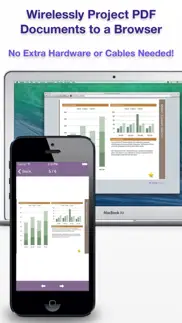
What is air projector app? Give a presentation wirelessly from your iPhone or iPod Touch in 3 steps:
STEP 1: Launch Air Projector.
STEP 2: Open the displayed URL in the web browser.
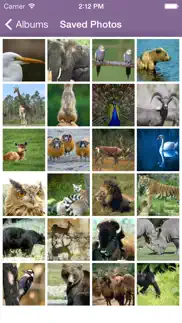
STEP 3: Pick a photo or PDF page and it appears remotely.
WIRELESS PRESENTATIONS, FROM YOUR PHONE
Air Projector projects PDF slide decks, documents, and photos wirelessly from your iPhone or iPod Touch to one or more web browsers connected on the same local network.
No additional client software or special hardware is required.
You don't even need a projector for small meetings: Have your colleagues open the URL on their own phones or computers.
Always be ready with your key presentations in your pocket. Air Projector is perfect for:
* Classrooms
* Boardrooms
* On-the-go presentations
PROJECT PDF FILES
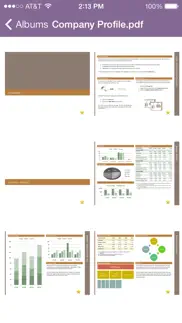
This works great with exported PDFs from PowerPoint or Keynote. Note that animations and transitions aren't saved in PDF files.
Tap and hold to show a laser pointer on the remote screen.
HAVE AN iPad?
If you like Air Projector, also check out Air Sketch for the iPad.
Follow us on Twitter to be the first to hear about upcoming releases.
Thank you for downloading Air Projector!
😍 Do you love Air Projector app? Please share your friends!



Please wait! Air Projector app comments loading...
Air Projector 3.4 Tips, Tricks, Cheats and Rules
What do you think of the Air Projector app? Can you share your complaints, experiences, or thoughts about the application with Qrayon, LLC and other users?

Air Projector 3.4 Apps Screenshots & Images
Air Projector iphone, ipad, apple watch and apple tv screenshot images, pictures.
| Language | English |
| Price | $4.99 |
| Adult Rating | 4+ years and older |
| Current Version | 3.4 |
| Play Store | com.qrayon.airprojector |
| Compatibility | iOS 13.0 or later |
Air Projector (Versiyon 3.4) Install & Download
The application Air Projector was published in the category Business on 09 September 2010, Thursday and was developed by Qrayon, LLC [Developer ID: 354980265]. This program file size is 5.68 MB. This app has been rated by 5 users and has a rating of 2.4 out of 5. Air Projector - Business app posted on 14 January 2025, Tuesday current version is 3.4 and works well on iOS 13.0 and higher versions. Google Play ID: com.qrayon.airprojector. Languages supported by the app:
EN Download & Install Now!| App Name | Score | Comments | Price |
| AirSketch Pro Reviews | 4.7 | 163 | $24.99 |
| Cardflow Reviews | 1 | No comment | Free |
| Inkflow Plus Visual Notebook Reviews | 4.6 | 705 | $7.99 |
| Audio Notebook Pocket Reviews | 4.6 | 55 | $1.99 |
| Air Sketch Free Reviews | 4.5 | 81 | Free |
+ Minor fixes
| App Name | Released |
| Grubhub for Drivers | 12 February 2019 |
| Roadie Driver | 18 November 2019 |
| Spark Driver | 11 November 2019 |
| UPS | 28 October 2009 |
| ZipRecruiter Job Search | 28 December 2013 |
Find on this site the customer service details of Air Projector. Besides contact details, the page also offers a brief overview of the digital toy company.
| App Name | Released |
| WinFab - Sheet Metal Ductulator | 08 March 2017 |
| Alon Dictaphone-Voice Recorder | 06 February 2012 |
| VesselFinder Pro | 05 March 2013 |
| JotNot Scanner App Pro | 26 March 2009 |
| EcMobile | 15 February 2013 |
Discover how specific cryptocurrencies work — and get a bit of each crypto to try out for yourself. Coinbase is the easiest place to buy and sell cryptocurrency. Sign up and get started today.
| App Name | Released |
| 06 October 2010 | |
| SHEIN - Online Fashion | 19 May 2014 |
| 09 October 2009 | |
| Hive Social | 18 October 2019 |
| Google Maps | 12 December 2012 |
Install the Giftmio extension for smart shopping. Get notified about cashback opportunities, activate cashback in one click, and save money on purchases.
| App Name | Released |
| Balatro | 26 September 2024 |
| Ouros | 14 August 2024 |
| Stardew Valley | 24 October 2018 |
| Shadowrocket | 13 April 2015 |
| Paprika Recipe Manager 3 | 15 November 2017 |
Each capsule is packed with pure, high-potency nootropic nutrients. No pointless additives. Just 100% natural brainpower. Third-party tested and validated by the Clean Label Project.
Adsterra is the most preferred ad network for those looking for an alternative to AdSense. Adsterra is the ideal choice for new sites with low daily traffic. In order to advertise on the site in Adsterra, like other ad networks, a certain traffic limit, domain age, etc. is required. There are no strict rules.
Keep personal info private, avoid scams, and protect yourself online with AI-powered technology.
Air Projector Comments & Reviews 2026
Awesome App. Works
Best app so far. Sure there could be more but for free this app works great and no problems no set up it just works.
Extremely Cool!. Hey, it does what it says it does. This thing is pretty cool. Just install and go to your photos then pick one. Navigate your browser to the specified address and you can view your pics as advertised.
Nice app. Very easy to use easy setup quick response between pictures. Thanks
5 stars :). An awesome app... Must have...
Outstanding utility app. I used it when ever I have to show pictures to our guest... I then use this app to show pictures on monitor... Though, it can be used for presentations. But I often use it to transfer my pictures to computer in small size.
Help. I just downloaded the Air Projector. However, it just keeps crashing. It is of no use to me. I feel cheated.
Crashes on IOS 6!!. Don't buy if you are using IOS 6.
Great for academics!. For teaching or presenting a paper this is a nearly fool proof and easy way to share images, graphs, etc.
Very cool app. Very interesting concept, should be useful for presentations. If it worked with presentation software like PowerPoint or keynote files, that would greatly increase its usefulness.
Nice app!. It is necessary to use one of the web browsers recommended*, because otherwise it won't work, but does a very good job and fast! *Internet Explorer, Chrome, Safari or Firefox
Great app just needs more capabilities. This is a great app, but it should be able to: -Play videos -Play music -A zoom in/out function And laser pointer is a little delayed and doesn't slide around the screen smoothly
High Hopes.... I just purchased Air Projector, and when I try to run it the app crashes. Is this a version bug? I hope I hear from the developers, and I will gladly update my review when I have it working. Other apps from Qrayon are awesome, I expect this to be every bit as good!
Great. It can be very useful at school
Like. Slide show of my picture, left to right navigation. No software needed, just type the http lung to ur browser then pick a picture to view on the iPod an the browser well display your picture full size or less on the browser, then you swipe left or right to turn the picture like page (not showing all the picture on the browser o_0 but you can view all pic in app) Needs: 1. Need "Pinch to zoom" in picture. 2. A laser pointer. 3. Maybe some music. 4. Tv-Out 5. AirPlay
Pleasantly surprised how well this works!. Wow! I am pleasantly surprised how well this application works. Save yourself the cost of buying a connector and plugging into the cable to view your pictures on a separate screen. It's worth the 99¢ and it works on my iPad...
Didn't work for me. Likely my fault, still $4 bucks for nothing . 1st time ever ripped off by an app for money. My 1st review, too.
At: gwen. Get air sketch for i pad
What It Says. App does exactly what it claims; no servers, no fuss. I can see how useful this will be for presentations on the go when one us not sure what software you will run into on supplied PCs. Just save your slides as PDFs or jpgs. One downside is I am not sure where to file the app.
Very useful increase speed. The program works but needs a little more speed.
not for iPad. It would be nice to have a regular version for the iPad. I downloaded it after it showed up in iPad apps, and that was honest. It seems like a good idea, though, and I'll give it two stars for that.
This is the coolest app ever!. I love this app it's amazing. It's perfect for presentations and other stuff! 😄
AirProjector boo. How do you make this thing work?????? The help pages are no help.
Works!!. Easy to use!! Just wish I could show more files than photos... Maybe I need to delve deeper into the app... But it is easy and took one minute to link up!!
Crashes on iOS 6. Both on iPhone 5 and iPad with iOS 6, the app crashes at launch.
Sounds like a web browser to me.. I could not tell the value in projecting just to the computer. Especially since it cannot stream movies.
Good one. It's quite good. The pics though seem to get rendered of very average quality. Can the quality of pics be improved on the browser? Can it render on PS3 browser over wifi so that I can see it on big TV screen, and later video too, when the feature is available?
Useless app!. They just want this app to he downloaded many times No use of this app It doesn't function
Cool!. Cool app! Thanks!
Hope theres a tweak on the way. Doesn't even do what it says or insinuates right now. Hope an update is on the way (or A few updates) 99c or not, I expect to get something even minimally useful - and what was advertised. Heres what it does on my iOS 4.1 iPhone-4: 1 - I am able to access and see only images from my picture folder - nothing else from my iPhone can be beamed/displayed on my pc browser window 2 - If I want to see the next image on my pc I have to choose it on my iphone, then refresh my my browser to see it - for each new image (first I had to turn off my virus software firewall - images wouldn't display with it on) 3 - The "laser pointer" (red dot) shows up on my iPhone when I press on the picture - but it doesn't show up on the pc image (then whats the "point" - *pun intended* - if the laser pointer doesn't translate to the image I am displaying on the larger screen?!? So all in all - it's about 33% of the way to being what I expected when I bought it But could be useful if it ever does what it says / what I expected - and could be great if it can ever do more (IE display apps, games, safari/web, mail, attachments, documents, and content from my other apps - or just display anything on my iphone screen on the "big screen") AKA the only way I can ever truly "leave my VGA dongle at home"
Neat. Works great. Wish this could do other file types and videos too...
Still has problems accessing photos. Before the recent update released in early March of 2018, I couldn't access more than 20 or so pictures from my photos app of several thousand photos. Now the app will render the thumbnails of my pictures, but when I tap on a thumbnail to expand it for projecting the app will crash. Sometimes the app will successfully enlarge a couple pictures only to crash again. Really frustrating that the problems with this app can't be successfully resolved. iPhone 6s+ running latest iOS software (11.2.6). I did try deleting and reinstalling the app. No help. I also did a hard restart of my iPhone. No help.
Crashes. Does not work after the iOS 6 update
Potentially very useful. It is pretty exciting to be able to display things this way, when you need a quick way to show a number of people your presentation and for some reason don't have it on the computer nearest you. I do wish there were an easier way to enter the URL than to type it by hand, which is a bit error-prone. Also, I couldn't immediately figure out how to open PDFs in Air Projector. (Hint: Get your PDF into Dropbox or Mail or some document manager that has the "Open in" functionality.)
Don’t waste your money. Don’t waste your money
Good but could use some improvements. It's great but it's really slow and the quality degrades when it's projected on a large 50" projector screen (which is expected with iPhone size pictures, but not with pictures that are 5000x5000 pixels big). Some added features like screen freeze and screen black would be useful.
Do not buy - doesn't work at all. I have several other apps by this same dev, and like them. Regrettably, this one is broken. Simply does not work and projects a blank screen, using an iPhone X and the latest iOS. Avoid it.
Location required - why?. This is wrong!
Works...Plain & Simple. Works well. Looking forward to additional features like video etc.
Like it. Useful for wireless presentations. Speed improvement would be welcome.
Nice app. I love this app very easy to use I wish later on you guys can add like video support for this that would take the app to a whole new level
Access to photos requires location services?. Call me over-cautious, but why would this app need to know my location in order to access my pictures? I downloaded it but won't try it if it requires location services.
Fantastic. Works exactly as described! Awesome!
works great. Works great, I was able to send a fairly complex PDF from my Dropbox to another browser on the LAN. I had a couple issues: 1) Doesn't run on my iPad (booo) due to the older OS... that's actually where I want to run it. Hopefully it will work when 4.2 comes out. 2) It asked me for my location, which I declined (I didn't understand why it needs my location)... now it keeps popping up this error about not being able to access pictures, and I have to click through it constantly. Can it just put up a static error message on the screen instead? This is annoying and I don't even need picture access.
$5 Wasted. It is not projecting pics from my camera roll at all, and doesn’t even give guidance within the app. It’s bizarre.
A Must Have. Especially for the holidays with family around. I love being able to show pictures off my iPhone. This is a great utility app and let's others see my photos without having to hand over my phone.
Great for Teaching. With this I can wander around my room and present from where ever. Does just what it says.
simple!. good! I love it! simple and useful!
I love this!!. This is awesome ad helpful! Thank you 😍
Great App. Love that I can save pictures on my phone and transmit them thru onto my computer with no wires. Only wish it would work with Ipad.
Did you know that you can earn 25 USD from our site just by registering? Get $25 for free by joining Payoneer!
Cool. Awesome app!
Does not work!. Does not work, don't waste your money.
Oh dear... there's $1.19 and 15 mins I'll never see again.. In less than 10 words, don't buy it.
Good. Simple but it works with the photo library as stated, and pretty fun and cool, if u have a use for it, or u like this type of stuff, then get it, for this price it's not too expansive, and it's fun.
Doesn't even work. This app doesn't even work, which is depressing as I was really expecting something good. I tried opening the link several times but it said it could not connect to the server. Oh well, guess I'll have to find another app...
Imagine you at your best. All the time. Picture yourself at your sharpest and most productive. Your most alert and focused. Your most lucid, creative and confident. At work. At play. In every area of your life. Add Mind Lab Pro® v4.0 to your daily routine and uncap your true potential. Buy Now!
Good. Fantastic and easy app setup. If support xls, ppt, doc types then awesome.
What?????. What is this u do need to set up stuff and it won't even work this app is dumb
Good quick screen share. Only gripe is not full browser. Easy to use and integrates with email attachments. Like it!
Amazing. Simply amazing that it truly works with no additional software on "display/projector" computer! Only supports photo album, camera roll and PDF from "Open With..." command. Some more file support would be nice to see. Otherwise, amazing product and well-built.
Works as Promised!. This is not only cool for home and fun but I can also use this at work. I subtracted a star because the transfer from iPad to web is lossy both in image integrity and in color. If you can live with a slight degradation of the image then this can become a very formidable tool in iPad productivity. Thanks, I like this one and will use it repeatedly.
Very nice!. Great for work presentations
Adsterra is the most preferred ad network for those looking for an alternative to AdSense. Adsterra is the ideal choice for new sites with low daily traffic. In order to advertise on the site in Adsterra, like other ad networks, a certain traffic limit, domain age, etc. is required. There are no strict rules. Sign up!
At: gwen. Get air sketch for i pad
Great app for teachers!!. I've been using this app for my lectures and exams (Anatomy and Phys.), and I love it. I prepare a keynote presentation, copy it as a pdf to dropbox, then open it with air projector.
Great!!!!. I hope this app supports MS-office files and movie files, too. Anyway, It's awesome!!!