Miele Scout App Reviews
Miele Scout App Description & Overview
What is miele scout app? Whether you're at home or on the go – with the Miele Scout smartphone app just tell your robot vacuum cleaner where you want it to clean and when. The app offers convenient operating functions.
The Status Screen gives you all key information at a glance, e.g. which mode the Scout is currently in and when it will begin the next cleaning session. With just two clicks you can select a cleaning mode and start the robot vacuum cleaner straight away.
The timer function can be used to program the start time for cleaning. Up to 7 individual timers can be set, allowing cleaning to start at different times on weekdays than at weekends.
Furthermore the Scout navigates systematically through the rooms and generates a map of the area being cleaned. This enables you to track where the Scout is at any given time and find out which areas have already been cleaned.
With the Home Vision HD function*, you can check that everything is in order at home at any time while you are on the go. Using the front cameras, you can also monitor the activities of the robot vacuum cleaner in real time. The camera image is sent via live tracking to your mobile device securely and in encrypted form.
Important information for use
The pre-requisite for the use of this app is a Miele Scout robot vacuum cleaner.
* Depends on model
😍 Do you love Miele Scout app? Please share your friends!



Please wait! Miele Scout app comments loading...
Miele Scout 2.3.0 Tips, Tricks, Cheats and Rules
What do you think of the Miele Scout app? Can you share your complaints, experiences, or thoughts about the application with Miele & Cie. KG and other users?


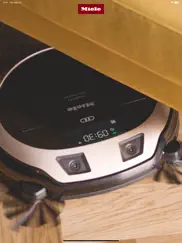


Miele Scout 2.3.0 Apps Screenshots & Images
Miele Scout iphone, ipad, apple watch and apple tv screenshot images, pictures.
| Language | English |
| Price | Free |
| Adult Rating | 4+ years and older |
| Current Version | 2.3.0 |
| Play Store | de.miele.ScoutRX2 |
| Compatibility | iOS 13.0 or later |
Miele Scout (Versiyon 2.3.0) Install & Download
The application Miele Scout was published in the category Lifestyle on 31 July 2018, Tuesday and was developed by Miele & Cie. KG [Developer ID: 423543287]. This program file size is 58.09 MB. This app has been rated by 35 users and has a rating of 2.1 out of 5. Miele Scout - Lifestyle app posted on 21 November 2022, Monday current version is 2.3.0 and works well on iOS 13.0 and higher versions. Google Play ID: de.miele.ScoutRX2. Languages supported by the app:
HR CS DA NL EN FI FR DE EL HU IT JA KO NB NN PL PT RO RU SR ZH SK SL ES SV ZH TR UK Download & Install Now!| App Name | Score | Comments | Price |
Many thanks for your feedback! We are constantly striving to become “immer besser” (forever better). Our update contains the following new features and optimisations: - Fixed occasional issues with push notifications - Fixed Remote Update issues for some Scout RX2 models - Minor bug fixes and performance improvements
| App Name | Released |
| Nest | 01 November 2011 |
| T-Life | 06 June 2016 |
| Google Home | 26 August 2013 |
| LG ThinQ | 17 July 2016 |
| Toyota | 07 August 2019 |
Find on this site the customer service details of Miele Scout. Besides contact details, the page also offers a brief overview of the digital toy company.
| App Name | Released |
| Pocket Salsa | 13 May 2010 |
| Astro Gold | 20 April 2011 |
| Sincey - remember when | 03 June 2025 |
| Baby Monitor 3G | 17 January 2012 |
| Time Nomad Astrology Charts | 24 March 2016 |
Discover how specific cryptocurrencies work — and get a bit of each crypto to try out for yourself. Coinbase is the easiest place to buy and sell cryptocurrency. Sign up and get started today.
| App Name | Released |
| PayPal - Send, Shop, Manage | 03 February 2019 |
| Messenger | 09 August 2011 |
| Wizz - Make new friends | 24 February 2019 |
| BeReal. Your friends for real. | 08 January 2020 |
| Hive Social | 18 October 2019 |
Install the Giftmio extension for smart shopping. Get notified about cashback opportunities, activate cashback in one click, and save money on purchases.
| App Name | Released |
| Earn to Die 2 | 20 November 2014 |
| CloverPit | 17 December 2025 |
| Farming Simulator 26 Mobile | 19 May 2026 |
| PeakFinder | 12 March 2010 |
| Balatro | 26 September 2024 |
Each capsule is packed with pure, high-potency nootropic nutrients. No pointless additives. Just 100% natural brainpower. Third-party tested and validated by the Clean Label Project.
Adsterra is the most preferred ad network for those looking for an alternative to AdSense. Adsterra is the ideal choice for new sites with low daily traffic. In order to advertise on the site in Adsterra, like other ad networks, a certain traffic limit, domain age, etc. is required. There are no strict rules.
Keep personal info private, avoid scams, and protect yourself online with AI-powered technology.
Miele Scout Comments & Reviews 2026
rx2. pairing via cloud does not working, trying to solve with miele for more than 5 months, I do not recommend!
F 7 after latest update.. What in the world! I am now getting a F 7 error message after updating to the latest app. Thanks a lot.
Horrible App. This is by far the most horrible app I’ve ever used. It cannot pair for extended periods of time. It will pair successfully then upon re-launching the app at a later time will have a fault in connection and you have to repair the entire thing all over again. Completely useless.
Worst App EVER!. I’d have rated it a zero if that were an option. Doesn’t work reliably nor CONSISTENTLY! I’ve tried for the past year. I’m used to working around the flaws of a disfunctional app but this one is impossible. AND what’s insulting is the company’s replay to an another poor review about continuous improvement but it’s been TWO YEARS since the last update! Astounded for a German company known for their quality and innovation!!!
Terrible app and service. The connections never seem to work. Pairing always fails and there is no message that is useful. It ends just being an expensive random floor vacuum with no intelligence. It would seem that firmware updates and software updates should fix something like this but my guess is that they have given up on any support for the scout series. The whole point of a smart software device is that you can fix it after the fact. Miele makes good hardware sometimes but the proprietary repair problems make it a brand I don’t like to purchase from since I can’t get it fixed.
Subpar app undermines a decent vacuum robot. I really wanted to like both my Scout RX2 and the app that is supposed to make it useful, but the app is just utterly unreliable. It took me a while to initially connect to the RX2 and configure it but I managed to do that. Then, since that’s done, very often when I use the app, I am presented with an error message about the vacuum cleaner being unavailable, suggesting that I should check whether it’s connected to another device. This happens almost every time I switch away from the app to another app. I have to kill it and restart it if I want to connect to the RX2 again. This is very poor software quality control. Then, on the occasions that I do manage to connect to the RX2, the map feature only works part of the time. Very often I get another error message when I try to view the area map.
No issues with RX3 Home Vision. Excellent app. Zero connection issues on RX3 Home Vision device.
Garbage. Everything everyone said is true. Absolute garbage. Just deleted the app.
Won’t sync. I got it to sync to the Scout on first try but won’t work at all after the first time. Tried on both phone and iPad.
Good app. Good app
Miele Scout. Owning to hairy Bull Mastiffs !!! Is wonderful except for the hair the Miele Scout is up for the task! Wonderful machine!! You get what you pay for!!!
Registration issue. Trying to register my app. Connection to Server Failures. Can’t use app without registration. Fix please.
First thoughts. Hi all, I purchased my Miele after extensive research on robot vacuums; Miele offered extensive technological difference from competitors including their app which allows me to control the vacuum in specific ways. The only down side I have overall is the app itself doesn’t work sometimes or has some glitches. I feel as the update is going in the right directions giving us more options and i hope they continue giving us innovative and great applications!
Won’t pair. Terrible app. Will not pair with iPhone. Have tried several times. Please help.
App works fine if you have a brain and can fix simple things. The app and the robot work tremendously well. Had a problem with the saying the server problem but I clicked forgot password and it sent me an email to set up my account via a web browser and then I logged in through the app and everything is working smoothly. All the bad reviews are from people who must not have patience or somewhat common sense. I am a dealer testing this out as a product that I might sell in the future. So far I have had a very pleasant experience. I have spoke to my Miele rep about the server problem via the app and he said they are going to work on it.
100% Disappointed - DO NOT BUY. DO NOT INSTALL THIS APP!! Return your Scout and get a refund. Installing the app will simply drive you out of your mind because it will never pair with your phone. My story: We bought the Scout RX2 after much research, largely because its noise level is quieter than the equivalent Roomba models. The machine itself is well made, relatively quiet and works in manual mode. But we can’t use important features because the app doesn’t work. My wife and I have tried pairing the Scout to our iPhones and it fails every time. We have tried multiple times. THE BIGGEST SURPRISE: Miele’s customer support is effectively non-existant! When I called Miele USA, support amounted to a seemingly clueless guy who told me that they have no control over app updates because they are done “by Germany.” He suggested that we wait “one or two weeks” because Miele in Germany “MIGHT” update the app. Miele’s website appears designed to discourage you from obtaining help. They offer two choices: Self-Help OR Book Technician. THE WORDS “CUSTOMER SERVICE” DO NOT APPEAR ON THEIR WEBSITE and there is a reason: There isn’t any. This for an $800 USD product. We waited for an update, having no other choice, but there has not been one. I wrote on their CONTACT page, but nobody has responded. Meanwhile, we also bought an iRobot Brava floor mopping robot. It paired on the first try and the interface is simple and intuitive.; and displays a map of what the robot mopped. What an incredible difference. We have had a variety of Miele appliances over the years and have been pleased, but none required an app. Thank god! Based on this worthless app, we plan return the Miele Scout and delete the worthless app from our lives.
Horrible. I switched from a RX3 to a RX3 and the one constant issue is the robot clock is always 1 hour off. On both machines. I thought it was the robots but I think it’s the app. Very sad as these are expensive machines!
Spectacularly poor. It’s really astonishing to me that this product was introduced into the marketplace. The robotics and user interface are so poor that one wonders if they knowingly traded on the Miele name to make a quick buck. Wow. Are there any plans at least to build a new app????
Better than i7 Roomba but Miele has to explain better the installation. To make it work: 1 charge battery 100%. 2 register the product. 3. I recommend to reset to factory settings. 4. Install the app in the newest mobile you have. 5 create a Miele account ( I would wait 24 hour after registration). 6 log in. 6.1 password is the Serial Miele number of the unit. and 6.2 set WiFi. 6.3a pairing got to connect with Miele wifi ( mi iPad explained how to do it my Android did not) go to WiFi networks, connect with Miele WiFi (the Miele password is the unit serial number). 6.3b put the mobile close to the unit and pair the unit ( cross your fingers). Miele sent an upgrade software to pair with the cloud and it works. Call 18008437231 to talk with someone, they my send you to the tube installation. Insist about your problem. 7 start cleaning with battery fully charged, watch the Miele if struggles with wires and small rugs...objects cleared, the Miele functions with German precision. Check that the Miele battery last 120 min. I give 5 stars for cleaning, 4 stars because the laziness of Miele to explain better the installation. I7 Roomba did a better job with the installation but the Miele filter is better. Give it a try. I hope that I do not confuse you more. The cleaning is better than the i7 and has two year guarantee. If you can not deal with the extra hassle get the i7.
Impossible to pair with the phone. I purchased the product and tried to use it. It is impossible to pair it with the phone. It simply stuck on the pair stage or present F1 or F2 error if I try to do anything. I called miele support and technician is supposed to call me back on Monday (today is Friday morning). I am returning the product.
Useless app. Don’t buy Miele products. Miele products are outdated and not suitable for current digital innovation world. scout rx2 is not pairing with miele app. I even tried with Android and same result. Miele support is also useless to resolve the problem and not accepting product return. Hope you will be saved with my feedback!!!!.
Incredibly disappointing for a German brand. This app is as faulty as they get. It’s almost impossible to make the pairing work, and when it does, there doesn’t appear to be any science to it. Also, enabling HomeVision seems like an impossible task, as well as making the device access the Miele Cloud. Is there a problem with the MieleCloud. I expected much better for this higher-priced German brand.
Good App, but there’s crashes. Good app, sometimes crashes and when you try to pair it some times days failed to connect to server but when you get it hooked up, it has a great functionality
Extremely low quality. I love the Miele appliances but…my experience with Miele’s mobile apps has been incredibly disappointing, and it casts a shadow on the overall experience. The apps feel outdated, unintuitive, and riddled with bugs. Features that should be seamless, such as remote control, program customization, or notifications, are often slow, glitchy, or simply don’t work as advertised. It’s frustrating to see such high-quality hardware paired with such subpar software. This also raises a more concerning question: if the mobile apps are this poorly executed, how can I trust the embedded software in the appliances themselves? Is the performance and reliability I see today sustainable in the long term, or will hidden software flaws surface over time? For a brand that prides itself on being at the premium end of the market, Miele needs to significantly improve its software ecosystem. In today’s connected world, seamless integration between hardware and software isn’t just a luxury—it’s an expectation.
Great Vacuum TERRIBLE App. I went to set up and connect my vacuum. Worked fine the first time. Ever since I exited the app now it’s asking for me to set up my vacuum every time I try to sign in. What is going on?! Someone please fix this. Update!!! 11/25/2020, I went to update the vacuum to enable the cloud and now it is stuck in end mode even after turning it off. Can’t even factory reset this. Returning this item tomorrow. TERRIBLE.
Worst Software ever. High quality Brand with the worst Software ever. If Miele invested as much effort into the Software as they have in the Hardware this would be a great product. But constant connectivity issues and several reboots, resets and complete reinstalls of the device have me seriously considering purchasing a completely different vacuum from a different brand. This App is a dumpster fire.
Does not work. Don’t waste your time with the app. It does not connect to the device. Complete waste of time trying it.
Doesn’t work. Too many issues for this to be a viable product. App just too buggy to try to use which is a shame because Miele products are above par.
Incredibly hard to work. I have tried several times in the past few years of owning this machine to pair it with the app. Each time, I give up extremely frustrated. I feel like we haven’t gotten the use we paid for out of the scout bc we can’t pair it up with app. And we bought it because of the brand and the great reputation.
Really expensive vacuum with a lot of bugs.. App is very hard to use and doesn’t work well. I now have a problem that whenever I tell the device to start cleaning, it leaves the base and returns 10 seconds later. Go buy a Roomba, you get much more for your money.
Not worth it. Cleaner works good, but cannot pair to the app. Cannot get robot to enter pairing mode.
Five years in and the app is still garbage. Update February 2025… I still hate this app. It has nothing to do with the phone. I keep buying new phones and the app hasn’t changed now it’s the first time I’m trying to use it on the 16 Pro the app loads, but the map doesn’t want to load. I have already deleted the app two times and reinstalled it I don’t understand. Why can you not make proper software? Why do you continue to employ people who do not know what they’re doing as a German company. This is an embarrassing, pathetic no excuse ….. You constantly strive to do better you say yet you do nothing. I have had the RX 2 over 5 years. thank God the machine is amazing but the app software has not changed and is still a disaster and I’m sure three years from now it will still be the same.all that money and all those people and you can’t do an app. I thought Germans were supposed to do it better. 10-14-2024 this app is officially the worst software I have ever used out of anything I have ever used. It is a disgrace of a company of this size and age and prestige cannot afford to write vacuum cleaning software startup companies can do it better outsource it at this point the stupid robot doesn’t realize where it is on the map, even though it starts in the correct spot on the map that are marked as a no go zone don’t work. It’s an embarrassing shame.
Miele Scout RX2 Home Vision. I have had many problems with the software and app for this product. It’s completely unreliable and frustrating. The reviews for the vacuum were somewhat positive but the product is not worth the money. Save yourself the heartburn and stay away from this app and product.
App needs a LOT work. Just got a scout runner RX3. Have run it twice now. It refuses to return to the base when the battery is low or even when I tell it to. I can’t figure out how to set different clean areas and customer service is of no help. They don’t even understand what I want to do. The app needs to be overhauled big time. I’m going to return the vacuum for this reason.
Terrible. UI is clunky and app is a form of torture to use. I wish I could do the update without the stupid app.
WORST APP EVER. Don’t waste your money on this robot vacuum cleaner. The mobile app is user unfriendly and the device won’t connect to WiFi. Go with a solid company that’s been doing it for years like iRobot, of which I have one of their devices. Miele is simply making a haphazard attempt to be successful in the robotic vacuum industry, and I went with the scout 2 for at least $1,000.00. Be warned !
As good as it gets. As good as it gets
Wifi router does not work. After upgrade to 1.2 I can not change to another router. Accept button does not work
Unreliable. We’ve had a very difficult time with our Miele Scout vacuum. We want to like it, and we want it to help with the job we hired it to perform. Its vacuum functionality actually works well. But everything else is 3rd rate or worse. It gets stuck all of the time. In fact, it gets hung up so frequently that we’ve never been able to get it to map even half of our modest home. To make matters worse, this app is frustrating and unreliable. For weeks now, it says it can’t connect to the server when I try to re-add the vacuum that it somehow forgot about. It’s a shame that Miele can’t get the rest of their ecosystem up to the quality of their appliances.
Not working. Tried an app on iPhone as well as on iPad. Both devices connected to a WiFi of a cleaner, but not able to pass further through the pairing. Hope they will patch it soon... ☹️
Worthless. App just plain does not work.
Great Vacuum, bad app. On an iPhone, you literally can’t tap the “Miele scout” to select it. Works on iPad, but not on 2 different iPhones. There’s a bug in the interface that makes it worthless on an iPhone.
Junk. App junk vacuum cleaner is junk. Worst purchase I ever made. Don’t buy Miele buy roborock
Doesn’t connect. After 30 minutes of trying and deleting and trying again and insuring I’m using the 2.4g as stated, no luck. Easier to use the remote it came with.
Won’t pair. Followed instructions, won’t pair. No hard feelings, just fix the bugs and I’ll try again.
Did you know that you can earn 25 USD from our site just by registering? Get $25 for free by joining Payoneer!
Hopeless. I’ve spent hours trying to connect my remote to my robot. I’ve phoned Miele and done what they advised, but it did not work. Even getting on to Miele is terribly time consuming. I am so frustrated and disappointed. I don’t know what to do next.
10 years. We’ve had our Miele Scout for about ten faultless years. When this one meets its maker, Miele is definitely where I will purchase my next one
Good. Good, but not at par with other players
App looks nice but that’s it. App worked initially for the first day or two and now it’s permanently greyed out ‘unavailable’ I also cannot log in to Miele account as it won’t let me input my email etc. I agree with what others have said, this is a premium product and the app should reflect that but it doesn’t at all. I don’t think there’s much will to change it from Miele given that one of these reviews is a year old and the same problems are still evident. Quality of vacuum is nice but the camera feature is totally useless when you can’t access them via the app.
Needs work. The app seems to work okay for one RX3 RVC but trying to add another RX3 RVC is impossible. The second won’t pair or connect to the network.
Great hardware. Dismal software. Clunky to pair. Maps inconsistent to load Miele support is poor. It just seems that one team developed the hardware and nailed the brief and then subcontracted the app development to illiterate monkeys. An app this poor should be constantly upgraded and fixed. Nothing like that is happening. Is there any sign or hint of software update. ? 2 years without an update. “Immer Schlimmer” Forever Worse. rolls off the tongue better. Just absolute trash considering the cost. This has caused irreparable damage to the brand. I will never buy another Miele product and will warn everyone away from them. 0 stars. Do not buy.
Finicky, and version 2.3.0 is buggy. Try as I might, I cannot update the firmware on my RX2 from its current version (firmware 105, software 118). I have the the app and the device paired, and am able to control the device. But the firmware simply will not update. The app tells me there is a new version and asks me if I want to update the device, but when I say “install now”, it says “ Please make sure that the Miele Scout is at the charging station and is in standby.” and does nothing, even though the device IS at the charging station AND on standby. Can you please release a version that works? I want to update the firmware to see if that fixes all the other bugs, the main one being that I simply cannot add a timer to clean my house at 7 AM every morning. Or ANY timer. Every time it faults to F7 and I have to reboot it twice to clear the F7. I also cannot access the camera which I used to be able to do, and failing ANY map fails.
Map saving issues. I found pairing no issue at all - the in app walkthrough worked first go. I do however have an issue with the map not saving. Our RX2 has done 4 house cleans and the map hasn’t saved. You can see where it’s cleaned while it’s cleaning, but nothing once it’s docked.
Pairing issues. After the most recent update I’m having problems with the app not pairing with the machine. And have had recent problems with the map not saving. The Miele Scout RX2 network does not appear in my networks.
Version 1.1.0 Seems to be Broken. The Updated App version 1.1.0 released on 7/Feb/2019 seems to have broken. When I attempted to connect to my Scout RX2 both remotely I receive an error saying “the Robot Vacuum Clean is unavailable, please check whether it is connected to another device”. When on WiFi the RX2 would run me through the pairing process, though it did not successfully complete. I could not resolve this until I had performed a full factory Reset of my RX2. In the previous version, I was able to have all the iPads, iPhones and iPods connected to my Scout RX2 to start or end cleaning. I’m not sure if it’s just with My Scout Robot, however I have not yet successfully had mapping complete in the app, though this may be related to the fact that in 3 months of ownership the RX2 to has not yet successfully completed a cycle of my 89sqm apartment.
Not Pairing with RX2. I have not been able to pair the app with my RX2. I have tried everything and no luck! What a waste
Pairing does not work. The pairing process keeps cutting out when pressing ‘continue’ on the app. Did a factory reset, no change. A premium brand like this needs to work better - the rx2 costs a fortune and has only brought frustration with the app interface.
Miele are you actually listening?. You have taken an app that was difficult enough to get to function correctly, and made it worse, particularly with the map functionality. I had previously got everything set up (which had many issues) mapped the house and edited the map for no go zones etc, had a daily start time and away it went. Which for the amount i paid was a relief that i had finally got the benefit i was looking for. Fast forward, I’ve had to resort the house and the vac had not been used for a few months, I’ve come to find everything is overhauled and become even harder to get working, I’ve got it operating and connected and the house mapped again after a fair amount of time, and now i barely have any edit functionality in the mapping! Whoever suggested this was a good idea from the team needs to be reassigned to the field of torture, don’t worry about inflicting physical pain on someone, just have them set this robo vac.
Pairing does not work so app is useless. Miele is a premium brand. This app is a total disaster. I’ve spent over an hour trying to pair the device. Each time it gets to the pair screen and then fails to pair and won’t let you try a 2nd time (the continue button no longer activates). So the only choice is to start again and the app forces you to enter all data AGAIN. Serial no. Wifi password. The lot. Insanely stupid app. I’m hoping the call centre can help as there’s nothing helpful in the manual.
Has Miele given up on this App?. Over 12 months since this App was updated makes me wonder if Mielie is serious about the Scout. This App, especially the map management desperately needs work. It’s clunky and unreliable. The vac itself is excellent. The App lets it down.
Imagine you at your best. All the time. Picture yourself at your sharpest and most productive. Your most alert and focused. Your most lucid, creative and confident. At work. At play. In every area of your life. Add Mind Lab Pro® v4.0 to your daily routine and uncap your true potential. Buy Now!
Useless. Is the app or the RX3 software ever going to be updated or have you abandoned this product completely? The vacuum barely works, it gets stuck on invisible objects, the mapping in the app doesn’t do anything. Disappointing and will be the last Miele product we ever purchase.
Not pairing. Not paring.... incredible!!!! :(
Impossible to sync. This app clearly has bugs It will not sync I am very disappointed in this product. Please fix the bugs!
Login doesn’t work / scout keeps disconnecting. I will fix rating if you guys can fix these issues, otherwise the app is almost always useless and I keep having to reset the vacuum. Also I cannot update my vacuum either..
Not able to scroll... I cannot enter my login details as it is not possible to scroll to the password box..!
Worst App. So disappointing that I can’t pair this stupid vacuum that doesn’t last as long as it says it does anyway. Disappointed in Miele products as a whole but this app is just ridiculous that it won’t simply pair or not make me sign in every time I go to check my wifi. Figure out your technology.
Bug. I can’t complete the setup process because the system won’t let me continue after I have activated the sync mode!
Useless. So disappointing. It won’t pare - you get either “an error” or “the server is unavailable”. This is my third robot, two previous didn’t last for 6 months, and this app didn’t work with the first one and still is not working. It won’t pare. I don’t understand why it wasn’t fixed by now. Just an update I guess two years later. Still useless the Wi-Fi keep blinking, impossible to connect to the app. Waste of time.
Can’t complete the setup. Downloaded and erased the app 3 times, hoping it will “fix” the problem. Can’t pass the “paring “ step !! Soooo frustrating !! Need help !!!
Does not pair. This app does not pair with my robot although I tried everything: re installed the app, split wifi into two separate networks to ensure I have 2.4 Gz wifi, rebooted vacuum multiple times. It should not be that difficult. Considering returning the vacuum as I don’t care how good it cleans if I cannot get the functionality I paid for
Can’t get it to sync. Tried this on my iPhone, my wife’s Samsung, it doesn’t work! You can’t get past one of the screens, you check the button to progress and the “continue” word/area isn’t clickable. From what I can determine, this app is useless and as a result the vacuum is just an average roomba not the amazing Miele products we have in our kitchen.
Adsterra is the most preferred ad network for those looking for an alternative to AdSense. Adsterra is the ideal choice for new sites with low daily traffic. In order to advertise on the site in Adsterra, like other ad networks, a certain traffic limit, domain age, etc. is required. There are no strict rules. Sign up!