HEOS App Reviews
HEOS App Description & Overview
What is heos app? HEOS is the controller app for the world’s biggest and best range of connected audio gear.
It is a smart music streaming technology found in all devices Powered by HEOS from Denon, Marantz, and Definitive Technology. HEOS is for music lovers who want a beautiful and intuitive way to enjoy the latest advances in connected audio. You can find HEOS built into great sounding AV receivers, Hi-Fi equipment, sound bars, speakers, mini systems and specialty multi-room models.
Features:
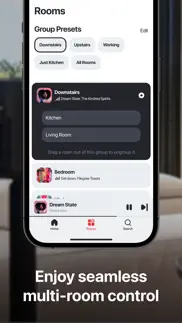
True multi-room audio: play different songs in different rooms or the same song in multiple rooms.
Quick and easy setup: add all your speakers with step-by-step instructions.
Instant access to your favorite music: play from your favorite online music services, like Spotify, Amazon Music, TIDAL, and more.
Search your music in one place: use one search function to browse across multiple music sources.
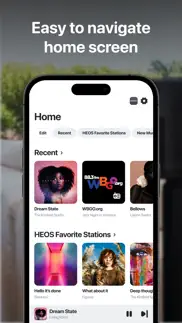
See what’s playing any time: play, pause, and skip music from anywhere in the app.
Access locally stored music: play music saved to your phone, USB, analog inputs, computers, and NAS drives.
Share with your friends and family: support for multiple users and multiple music service accounts.
😍 Do you love HEOS app? Please share your friends!



Please wait! HEOS app comments loading...
HEOS 3.115.361 Tips, Tricks, Cheats and Rules
What do you think of the HEOS app? Can you share your complaints, experiences, or thoughts about the application with D&M Holdings and other users?



HEOS 3.115.361 Apps Screenshots & Images
HEOS iphone, ipad, apple watch and apple tv screenshot images, pictures.
| Language | English |
| Price | Free |
| Adult Rating | 4+ years and older |
| Current Version | 3.115.361 |
| Play Store | com.dm-holdings.denon-live |
| Compatibility | iOS 16.0 or later |
HEOS (Versiyon 3.115.361) Install & Download
The application HEOS was published in the category Music on 22 June 2014, Sunday and was developed by D&M Holdings [Developer ID: 388608883]. This program file size is 314.79 MB. This app has been rated by 26,616 users and has a rating of 4.3 out of 5. HEOS - Music app posted on 14 April 2026, Tuesday current version is 3.115.361 and works well on iOS 16.0 and higher versions. Google Play ID: com.dm-holdings.denon-live. Languages supported by the app:
HR CS DA NL EN FI FR DE IT JA KO NB PL PT RU ZH ES SV TR Download & Install Now!| App Name | Score | Comments | Price |
| Denon Headphones Reviews | 2.2 | 32 | Free |
| Marantz AVR Remote Reviews | 2.0 | 612 | Free |
| Denon Cocoon Reviews | 1.8 | 8 | Free |
| Denon Audio Reviews | 3.9 | 464 | Free |
| HEOS 3D Reviews | 3.5 | 7 | Free |
Bug fixes and performance improvements.
| App Name | Released |
| AMI Play | 18 June 2013 |
| Sonos | 08 June 2020 |
| Suno - AI Songs | 01 July 2024 |
| Airbuds Widget | 21 October 2022 |
| Music X - Best music streaming | 22 May 2016 |
Find on this site the customer service details of HEOS. Besides contact details, the page also offers a brief overview of the digital toy company.
| App Name | Released |
| MIDI Layers | 26 August 2022 |
| Gap Click by Benny Greb | 09 June 2020 |
| FL Studio Mobile | 21 June 2011 |
| Vocal Pitch Monitor | 28 March 2014 |
| Tuner by Piascore | 23 April 2013 |
Discover how specific cryptocurrencies work — and get a bit of each crypto to try out for yourself. Coinbase is the easiest place to buy and sell cryptocurrency. Sign up and get started today.
| App Name | Released |
| Amazon Shopping | 03 December 2008 |
| WhatsApp Messenger | 03 May 2009 |
| 06 October 2010 | |
| YouTube TV | 05 April 2017 |
| Gmail - Email by Google | 02 November 2011 |
Install the Giftmio extension for smart shopping. Get notified about cashback opportunities, activate cashback in one click, and save money on purchases.
| App Name | Released |
| MilGPS | 01 December 2010 |
| After Inc. | 26 November 2024 |
| PeakFinder | 12 March 2010 |
| Streaks | 31 May 2015 |
| Balatro | 26 September 2024 |
Each capsule is packed with pure, high-potency nootropic nutrients. No pointless additives. Just 100% natural brainpower. Third-party tested and validated by the Clean Label Project.
Adsterra is the most preferred ad network for those looking for an alternative to AdSense. Adsterra is the ideal choice for new sites with low daily traffic. In order to advertise on the site in Adsterra, like other ad networks, a certain traffic limit, domain age, etc. is required. There are no strict rules.
Keep personal info private, avoid scams, and protect yourself online with AI-powered technology.
HEOS Comments & Reviews 2026
Sounds great, UI could use some polish. After a little trouble with the initial set up, I’ve had no network issues or other problems connecting to my 250. The ability to integrate all my music sources (Tidal, network server, Apple Podcasts, etc.) into one app is fantastic and was the main reason I chose Denon over other comparable brands. And the sound quality is noticeably better than using AirPlay to stream from the same sources. The actual interface is a bit clunky though and could use some improvements. My biggest complaint is that unlike most music apps, you have to unlock you phone and open the app every time you want to play/pause/skip a track or change the volume; there’s no ability to control the app from the Lock Screen or Dynamic Island. My other main complaint is that in Tidal, unlike in the app version, there’s no search function for my collection of saved music. Or even an ability to change the sorting other than alphabetically which means a lot of scrolling if you have a large number of saved albums, songs, etc. I don’t know if it’s the same for other streaming services but I would assume so. But I still would recommend this app for its ability to integrate many different sources, sound quality improvements, and just as a companion to a wonderful speaker!
Have to have a solid network. The app and the HEOS system in general work great and the sound quality is superior to that of sonos. That being said, you must have a rock solid network for this to work reliably. No network extenders that plug into the wall, no dual router setups, no service provider routers. You need consistent internet service, a solid router and wired access points if you home is large. Also, hardwiring your HEOS devices is the way to go unless it's not possible. If you have a router that does 5g and 2.4g but uses the same name for both (eg ATT) it will cause problems like “searching for devices”.
Ok App but missing some basic features. The HEOS app is fine, it gets the job done. However, it’s missing some basic features, which is why I prefer Apple’s own Music app over this. First, there’s no ability to list Albums by Artist, which is exactly how I keep my physical media sorted. This is because when I’m looking for an album I’m first thinking of an artist, then I’m choosing an album from them. Second, when listing by Artist there’s no thumbnail image for the artist, which I’ve come to rely on in Apple’s Music app as a way to quickly identify an artist. Also, and this seems specific to Denon devices, there’s a disconnect between iPad’s volume control and the HEOS volume control. You have to first turn your iPad volume all the way down prior to playback. Only then when you raise or lower the volume does the Denon’s volume raise and lower properly. If these features are added, and the volume control fixed, then I will happily use the HEOS app when streaming from my iPad/iPhone to my HEOS devices. Until then, I’ll stick primarily with the Apple Music app and use the workaround for the volume control.
Great Customer Service. I’m grateful for the patience of the HEOS and Denon support staff. The software took a little getting used to but they walked me through it until I got it. I should have initially looked for a video to familiarize myself with how to chose the sources for the music /CD player. I hope they consider putting the list of sources at the top of the web page. It’s the first thing you need to reference before choosing the room/speaker that you want. I have three 150 bookshelf speakers. They have a wonderful clarity and balance. This is simply a revolutionary system.
Zero Development - STAY AWAY. I’ve owned my speakers for over three years now. During that time, there has been no features added to compete with other wifi speaker systems. The amount of music platforms is very minimal, there is no crossfade option, no sleep timer, no desktop app for your computer, and playing local music from your mobile device is hit or miss. All of these issues are leading me to selling these speakers and moving over to SONOS, who spend time continuously developing their platform for their customers. There are so many music services available on SONOS, including Apple Music and Plex! Sleep timer? No problem! Crossfade to enjoy seamless playback? No problem! Get it together Denon. HEOS is getting blown out out of the water and all you need is a couple developers to fix it.
Clunky awkward login and control. This app is medium and clunky. I find that it keeps trying to play stuff and my Marantz receivers(1 and 2 year old models) keep trying to play tracks after I have paused them and switched to a different input (cable etc). It takes a few tries and settles down. Navigating a larger collection of music on my server is tedious and has yet another way of selecting favorites and playlists. Playing higher resolution music is nice but there is not much info if it can’t play a format other than skipping the tracks and sometime giving me message. Some formats won’t play on this app but play fine when played directly on the device. You cannot manage much on the receivers since it only looks at a subset of features on them. Sometimes it finds the receivers, other times it is searching for them. Since there is no web log in it is very hard to find your password and it’s unclear what benefit I get from logging in to the system. It can be made into a nice app, but it is primitive and unintegratrd at this time. Since the company owns all of the receivers they should be much more tightly integrated that they are. Sonos is a good model to copy.
What am I missing?. The people that rate this app poorly must be holding their mouth wrong or something. It puts everything you want in one location to witch you can control everything. As those who have it know Airplay is almost better than money and I put HEOS right by it. Instead of going to the network pc (Windows) and pushing music to my AVR I can grab it with this app. I have total access to my wav files on the flash drive and can make a queue or play track by track whatever I want. If there’s a music source connected to the network or online it will find it on its own and access it. Those of you who are having problems finding something you know is on the network turn that device off and back on again and HEOS will find it. Be patient and learn the app and you’ll love it.
Ok at times. My HEOS system only uses 2.4 ghz WiFi and I’ve even replaced the router to a dedicated 2.4ghz router. While that helped some it takes a minute or two for the system to sync and then it’s ok. I still have the frequent issue of speakers dropping off and needing to be reconnected. Sometimes this is accomplished by simply pressing the connect button on the affected speaker while other times I have to disconnect and reconnect power to the affected speaker. Overall the system is “ok at times”. I’ve had this setup (HEOS 3 (2ea.), HEOS 5 (1ea.) & HEOS 7 (2ea.)) for 6 years and I’m hesitant to upgrade as it’s a pricey setup especially when considering the frequent connectivity issues.
Wired Center Channel. I have had this for about six months now and absolutely love it. I built a new house and spent allot of time researching what I would put in. My wife was insistent that we not have speaker enclosures visible so i needed to support in wall and in ceiling speakers. After some research I quickly discovered that heos was the only system that supported a wired center channel. I was nervous considering so many negative reviews of the app. After using it for six months I can honestly say I have no idea what the negative reviews are talkinG about. The app is intuitive. There are 3 steps 1) select what you are controlling, where you can easily combine zones to create a multi zone sync. 2) select your source, which can be any streaming service or any input on any of your physical devices and 3) control, volume, pause, skip. One thing that took a bit to find was how to expand the volume control so you can set individual zone volume. It is right under the master volume.
Worked great until I updated iOS. I recently moved to HEOS when I bought a denon 9.2 system. The ap was great (compared to my old onyko setup). It was easy to use, my wife could even figure It out! But a couple weeks ago my iOS changed and now the ap does not function properly. It does not update with each song and does not show the zone (s) are on. It would be great if this can be resolved. If I kill the app while leaving the music playing and then restart the app it seems to heal itself for one song then is out of date again. Happens with multiple sources. Hope this gets resolved because I know it can work
Works great!. This works relatively well and has really simplified my home music system. Instead of wiring speakers all over the place I can use the denon wireless. The speakers work with airplay and Alexa too which is a plus. The music services on Heos are exactly what I need. The app has changed a lot and I’m still getting used it but it’s really easy to use once set up. My biggest issue with Heos is that the music via my wired speakers and Denon AV receiver is not in sync with the wireless speakers. I’ll have to play around with settings to fix.
Now SiriusXM quit working—fixed it. I have 9 Denon & Marantz receivers driving in-ceiling speakers in each room. Generally the app works pretty well, but it’s definitely not something I could confidently set up with a family member or customer and expect to never get support calls. I don’t know what changed in the last few days, but now it just keeps saying that there is a problem with SiriusXM “controller” and won’t play a thing. The “more info” link just sends you to the SiriusXM login page with no explanation as to what the problem might be. Since this is the service I use the most, it’s now basically dead to me! I’m guessing that this might be a new legal issue between Denon and SiriusXM, but faithful customers like me get no useful communication at all. My bad. I had somehow gotten signed out of my SiriusXM account. Once I signed back in, all was good again. I would have preferred a bit more useful feedback than I got. Glad to have it back again. Next time this happens, at least I’ll know where to look. SiriusXM seems to have become a bit more cranky if you have multiple receivers running simultaneously, displaying a warning message on the receiver displays about how they have to pay extra for multiple streams. This started happening after a software update, so it’s probably something they required Denon to do. Hmm…I think they’re still the best streaming service in spite of this.
Near 5* Can’t Have EVERYTHING. Near totally satisfied. After reading reviews, hope that others will check network connections before submitting negative reviews as this app is amazing considering it works with so many different platforms involved. I began utilizing it after setting up my Denon home theater 9.2 system. It would be great as mentioned in other reviews to have a more fluid avenue to adjust even just the bass and treble but the menu for channel adjustment would be a dream. Overall the apps they’ve made available to us are beyond my level of acceptance (especially because they’re FREE) and doesn’t make me question buying the other one they offer for my setup.
Doesn’t touch Sonos. Don’t waste your money! I owned a Sonos system and now invested in the latest HEOS Home with playbar, sub, 4 150’s and a 250 for a total of 3 rooms. Setup via the app is terrible!! Setup with Sonos is 1000 times easier and everything just works. Good luck tuning the home entertainment room for surround sound. Speakers drop. TV input drops. Sometimes no sound from a room even though blue light is on. Difficulty getting sound from all rooms when grouping. No it’s not the WIFI. No it’s not the size of the apartment which is 80m2. App is not intuitive at all!! Doesn’t work with Apple Music. The place where I bought it says Denon is coming with an app update in May. That’s 3 months from now and based on previous reviews with same/similar problems, I expect no solutions. Will probably return today and replace with Sonos. Because Sonos works and Sonos is supported.
Major drawback for me - missing sorting options. The app is ok for what it does, but for my use case it’s missing an important functionality. In file browser it sorts tracks by track name by default with no option to change the sorting. My compilation track files are already arranged in a specific order in folders so it’s really annoying to see that the app believes that it knows better than me in what order they should be played back and doesn’t give me an option to select the order by original file name. Another improvement would be to use alphabet navigation in all lists - artist, track, album and genre. Now it’s only available in file browser.
Best in class. We would be hard pressed to number the Heos products that we’ve installed. Our clients sell them for us. We have never had a request to take them back and sell a Sonos system. While Sonos is the closest operating system to Heos, it is also where the similarities end. The Heos platform is far and away more advanced and intuitive, is continually updating features and functionality, and is supremely constructed to deliver the very best in sound reproduction possible for a portable streaming solution. There seems to be a disproportionate amount of negative feedback in the above reviews. There are really only two main criteria for complete satisfaction with the Heos line: 1) A comfortable working knowledge of your smart device, and 2) A rock-solid wireless network. The latter is much more easy and affordable to achieve today. More of the world needs to experience the product. JKL
Mostly good, but sorting is messed up.. I love the much needed UI refresh. Much better, but it still needs a little more wax. I also love how HEOS plays my music files exactly at the bitrate of the file with no change in sample rates as other players often do. My biggest complaint is the way it sorts album tracks alphabetically within searching my library. The only way it doesn’t do this is by Artist/Album where it lists the track number and track. Every other way ie by Folder, the same artist and album will sort the album tracks alphabetically. Maybe this is the Twonky software on my NAS? If so, bad on them. Keep up the good work.
HEOS flaws to control the ND8006-PM8006 pair. HEOS miss one important opportunity: making the duo PM/ND8006 operate as one integrated device. I explain: while you can turn both devices on using the HEOS app, you cannot do that in one click. That’s a shame. The switch to turn the amp (PM8006) on is almost hidden in the “music” session of the app! Also, because of that, when you connect Alexa to HEOS, you cannot turn the streamer and the amp with one command. That’s frustrating, it seems an easy fix. Marantz, please fix that and let us enjoy the full integration of our wonderful audio system (PM+ND) with simple voice or app commands. Update: I need to add that this is a highly unstable app. It crashes often and is often left “hanging” without connection. When is Denon/Marantz going to finally pay attention to the app????? I hate to have exceptional sound and horrible user experience.
Thank goodness for fixing the bug. I am a strong Denon fan. Because of the last software update, I could not group my rooms together. Several attempts with “over the phone support” taking me through the same repeated steps as the previous support attempt, yielded no improvement or solution. Two days ago, the software update came out stating bug fixes. Thank you HEOS for fixing the non-grouping issue associated with the last version update. I’m so happy that it’s now performing as before.
Why. Why does my HEOS act on its own? I have the Marantz ND8006 and I’m using HEOS to stream from music on my IPhone 14 Pro Max. It will be doing just fine then, switch to another song right in the middle of a song that’s playing; then, sometimes it will not play the next song as instructed. There are times it seems to have a mind of its own. When it’s working right, it’s great, but more often, it’s just doing what it pleases. I’m using the WiFi connection vs the Ethernet connection. It’s just very frustrating. There hasn’t been any updating the app in a while which means someone thinks it’s perfect. Pls do some work on this app. Someone had a great idea it just needs some fine tuning.
HEOS App Needs a Major Upgrade.. We built a new house and did built in speakers in several rooms including surround sound in our basement rec room and outdoor speakers for the pool. I do like the quality of the speakers, but the app needs a major overhaul. The app is tricky to learn, it took quiet awhile for me to catch on to. My husband pretty much refuses to use it. Also, with the last update the app keeps trying to update the speakers, which was just done not long ago. I keep hitting “update tonight” but it overrides my choice and tries to “update now” anyway. Our internet is not the greatest so this is super annoying and prevents me from getting to use the system when I want! Every time I see there is a HEOS app update I hope that it’s a major one. Hopefully it happens sooner than later. We have a $6,000 audio system that should have came with an app that is much better quality than it is.
Terrible app. Do not waste your time and money with HEOS. The app keep “losing” the speaker and then you have to rejoin them. I have had this problem for well over a year and it never gets better. I bought one speaker with the intention of adding more in the future, but with the problems I did not and will not purchase any more. The speaker sounds great when you are finally able to get everything connected. Initially I was deciding between HEOS and So*os and went with Denon based on their reputation, sound, and quality of other components I own. I regret my decision now and wish I had went with the other one. I am now left with a speaker that is not good for much else than a paperweight. I would rate this app in the negatives if allowed. Denon, you have lost a loyal customer.
App is extremely buggy…. If all the app functionality worked exactly as the developers intended, it would be a fantastic app and user experience. Unfortunately, the opposite regularly occurs. The app always seems to stop functioning properly in some way or another, usually this includes: the app unable to properly update the queue and/or change the song to the next song to be played, or displaying the current playback information (most of the time the “Current playing song” screen is frozen from a previous song played long ago). While most of the time you can still search for new songs and play them, the app seems to never update to reflect changes so it’s always a guess as to what’s really up next. So, I guess 5-stars if you want to use the app to start a playlist and forget about using it for anything else after that. 🤷🏻♂️ Not recommended for people who want to use the app to search for music, skip songs, and constantly modify or update the song playback queue - You’ll just find yourself frustrated and annoyed. Really wish this would be a more refined and much less buggy experience.
Wasted potential. HEOS has/had so much potential from design and hardware point of view. However, software support is seriously lacking. On a paper, HEOS has HiRes support, various input options including Bluetooth, aux in, USB, airplay etc, extensive lineup with AVRs, many standard support DTS etc. However, no Roon support, no Apple Music, AirPlay didn’t get added to expensive Heosbar nor on second gen HEOS speakers. Denon is now releasing Denon home series and therefore trying to get into smart speaker market. This is a great move from hardware perspective to add another device on their extensive line up. But they seem to be always years after SONOS. The biggest issue and trend here is; however, the lack of support on existing customers from software stand point of view. App has looked the same despite all the negativity its receiving on online reviews. Even now still no support on major stream service like Apple Music. I believe Sonos devices retain relative values because each device sees upgrade via software and firmware. Please make App better, more professional looking and easier navigation, and most importantly speed up software update process e.g. Apple Music Support.
App has issues with Denon Home product line (in my case, a mixture of Home250 and Home350 speakers). Issue 1: poor user interface (UI). This looks like an app that development engineers hacked up to get the system working. UI organization is horrible with many redundancies and non-intuitive paths to what you want to accomplish. I can live with issue 1, but … Issue 2: some units will not upgrade firmware to latest version. They “think” they’re updated but they’re not. As a result, units have different firmware revisions, which breaks your ability to group speakers to, for example, get them all playing the same music. After about 48 hours, the culprit speakers do update to latest firmware, but there’s no apparent way to control this other than leaving it up to the auto update feature and waiting until it does its thing in the background. Issue 3: I’m sure it’s a big challenge to make the app interface well with all the music streaming services out there. The app doesn’t allow for search in Pandora, which is a major pain. The app also doesn’t show or give access to any content on my iPhone.
Hijacks the whole system. It’s great when it works but often hijacks the whole system and intermittently kills the sound when just watching TV. It also switches randomly to other inputs. We know this is the culprit as when we delete the app (off all devices which is annoying) and sign out completely and sign back in..it seems to work. My husband has nostalgia for the brand as it was his first stereo and he thinks the sound is nice. But to come out with an app to compete without being functional is irresponsible. There is nothing worse than having company over, music on and your stereo decides it has other plans. Or watching a movie and it decides its will switch to a different input. I went to the App Store to make sure we weren’t missing an update. Sadly over and over not the case. I am not one for reviews but hope you can use this to get the resources needed to fix these major glitches.
Great looking and sounding products, but the app needs 1 thing. I have the 5 in my bedroom and also two 3’s and the sub grouped as a 2.1 system in my garage and they all sound amazing! I’ll admit I had my doubts at first to the spotty/connectivity issues I had. I decided to upgrade my WiFi network to a whole house Eero Pro 3 router system and haven’t had a problem since. As others have said, most if not all negative reviews probably stem from a poor WiFi network. It’s nice that you can hardwire the devices to completely eliminate that from ever being an issue. If there is one thing I could ask for though, it would be an easier access to the EQ and sub level settings while playing music. As recordings and sources vary, I find myself having to navigate excessive steps to make a minor adjustment to the sub level. PLEASE add an independent sub level (for grouped devices like my 2.1 system) at the music page!
AV guy using this with minimal issues. Read lots of bad reviews, but as an installer, and user in my own home, if you have strong wifi, and did the updates, no problems. Tested Sonos here as I do with all products I sell and install, my wife told me to get it out of here. User interface is super easy. If you are having issues, 1. close the app completely, 2. reopen, 3. check your wifi, 4.cold boot, 5.tech support, 6. worst case swap out for a new unit. Sometimes you get a bad part. I have worked on several systems, Sonos, Bose, Samsung, Polk, B&W. I prefer HEOS. Good luck and God bless.
Great when working, not great if you make changes. I love my speakers and when this is working it is amazing. Unfortunately, two issues make me rate it less. The first is grouping. Grouping out of the box was easy and great. However, after I grouping and regrouping they never quite work the same. One speaker or the other will intermittently come in and out. I’ve followed the help suggestions for rebooting phone Wi-Fi, rebooting router, rebooting speaker and yet the problem persists. Sometimes it’ll just start working again but I can’t control it, which is frustrating when part of the appeal is that I can move them around (outside for a party, etc) only to never have them work right. The second issue is closely tied to the first. The same connection issues happen after unplugging a speaker to move it. Great idea. I love it when it works, but the grouping is faulty.
Still not very accessible. Let me start by saying I LOVE my Marantz receiver. With that said though, this app STILL is not very accessible to a blind customer who relies on a screen reader to access the app. In my case, VoiceOver which is built into my Apple devices, and supported by Apple. Too many unabled images, with no clear idea of what focus is landing on in the app. And when in settings, it continues to land on elements from the previous screen. Sadly, the AVR app for Marantz and Denon is even worse, and less accessible. I would love to see marantz and Denon embrace the concept of accessibility for all of their customers. This is definitely a pain point that it feels they overlooked when developing this new version of the app. I was excited to hear about the redesign, but quickly let down to learn it was no better, perhaps worse than the previous version.
I’m a Systems Architect and Audiophile. Half of the people reviewing this application are complaining about Bluetooth while the Heos devices are primarily WiFi speakers and that is how this application communicates. The other half are complaining about issues which are clearly caused by poor WiFi coverage and connectivity within their homes. Is this app aesthetically pleasing? No, and that’s a shame, but it is for the most part functional. For those speaking to issues with individual receivers and zone configuration try ensuring your firmware is up to date. I’m not saying that fixes everything, but give it a shot
AVOID HEOS AND DENON at all cost! TRASH!. This app can’t even get through one song in my playlist before it stops working or switches to the next song. EXTREME level of bugs in this app. How can they release this without any It cannot group multiple zones as it did year one. It cannot control the volume with any kind of precision at all. It blew out two of my speakers right from the get-go. Their customer service was nonexistent for me. Everything they suggested as a fix, did not work. These functionality problems have existed for YEARS and they have ZERO improvements. Avoid HEOS and Denon and save yourself hours of frustration. Because from my experience and that of others on these reviews, it seems they don’t care about their customers, their products nor their reputation. HEOS and DENON = TRASH!
Great When It Works (but buggy). I bought a new Denon receiver last December at least in part because the updated technology allows me to play music via WiFi connection from my phone and iPad. The software enabling this functionality (HEOS) works well for most of my music, but I have experienced increasing issues with the app being “unable to play” media from my wireless devices. It’s ironic because the app stops working in the middle of songs and then attempts other songs from the same playlist. Clearly not a network connectivity issue. Hope the developers fix the bugs….
Broken again. They broke it again - for a few weeks it was sormewhat usable. Now it does not connect reliably to my Denon AVR-2500H. After a few retries it occasionally connects. Then, playing from USB, track selection or skipping generally does not work - but sometimes does; and some tries it says it cannot play the track- a track that played okay in the past. Rant: Denon apparently uses paying customers as involuntary beta testers. I bought this equipment under the expectation that it would work as expected. Yet most firmware updates are broken in some significant way. I will never again purchase any Denon product that contains updatable firmware - that are not competent maintainers.
Lacking accessibility and usability. Accessing the HEOS app with a screen reader, such as VoiceOver, is incredibly difficult, largely due to an apparent oversight in its design. For example, when navigating linearly—by swiping right—the app should ideally skip over album images, which are all redundantly labeled “image, image, image.” This repetition is very annoying. Unfortunately, the creators of this app seem to lack an understanding of how headings, buttons, and links can facilitate navigation. It's surprising that they didn't grasp the importance of using these elements effectively. Implementing a structured heading system would have greatly improved usability. For instance, using level one headings for main sections and level two for subsections would have been beneficial. It's advisable for the developers to consult with a native user for better insight into these aspects, rather than attempting to create a unique, yet inefficient navigation system. Additionally, the app fails to notify users that account setup is required for full functionality. This oversight is problematic not just for screen reader users, but for all users, leading to confusion when trying to sign in or access services without an account. Moreover, the app does not facilitate easy control of volume for screen reader users. There should be distinct plus and minus buttons to adjust the volume in small increments, enhancing accessibility.
Wonky. Well, when it works it’s great. I’ve a Denon HEOS AVR and the app works with that each and every time, maybe because it’s hardwired to my network. I also have two HEOS 3 HS2 speakers (which sound amazing) stereo paired in the kitchen, and with them, the app is just plain finicky, but they are WiFi connected to my network. The connection is solid so I doubt that it’s a connection issue that sometimes causes various problems, such as dropping a speaker, failure to play from one of the in app streaming providers after having connected to the service, and in the case of my wife’s app, random crashes. This is after having deleted and reinstalled the app, reconnecting and configuring the speakers, resetting the app controller and standing on one foot while swinging my black-cat-mojo-bone in a brown paper bag over my head. Anyway, I look forward to future updates resolving these issues, and when that happens, it will be a five star app.
Heos in new Marantz AV preamp is fantastic. I have been an audio and home theatre enthusiast for many decades. We also have a wired whole house sound system. We added the streaming music source to it via a PC with a remote control PC app and streaming has become our main source. The problem is that using the remote app for the PC with security log ins and navigating the various music sources was really clunky and inconvenient. I ended up being the only one who understood it well. HEOS in the new Marantz home threatre preamp has changed everything for the better. The audio quality is far superior. The variety and easy access to streaming sources is amazingly comprehensive. Control is super easy and intuitive. Our local radio stations streaming feeds allow us to enjoy local programming with the same ease. The Home theatre sources are all available as well. My wife and children love being able to use it as well as I can. I can’t tell you how much of a game changer this has been. We love HEOS. Note: We do have strong WiFi everywhere.
Please add virtual zone. Developers, this app has the potential to be great, but a few shortcomings set it back. 1. Nobody wants to mess with constantly rearranging rooms/devices/speakers. Please allow us to create virtual groups (rooms) to combine same devices/speakers in multiple configurations. For example an upstairs group, a downstairs group and a whole house group in addition to being able to stream to dividual devices. Please make this happen. 2. If I group devices together, I don’t want them to get ungrouped without my input, ever. Please don’t make me “rebuild” my room every time after using Airplay or every time after I watch TV with Denon 550 soundbar that’s also paired to a few Heos Links. Please!!! I could ask for a lot more but this would be a fantastic start!
January 2019 works, as supposed. I witnessed no real problems with this application, I would say it is really useful and cool way to manage home sound system. I think there is one missing functionality (not an issue, but opportunity to improve) and that is memorizing several different setups. For example for louder party music in living room only, opposing to smooth background music in all rooms. With pushing memorized setting button to change all together at once. HEOS is truly revolutionary way to manage music at home and this app is nice cream on the cake to CEOL + Soundbar. Thank you Denon!
App is horrible. I’ve had my HEOS bar for a couple of years now. For some reason, despite having a flawless home MESH network, the HEOS bar and subwoofer have trouble staying connected to each other and the network. And the app is so archaic that it really is no help at all. In order to fix the problem you have to physically plug your phone into the sound bar and do a bunch of steps that seems very Y2K. Last night, about 8 hours after the app updated, the HEOS bar started flashing yellow/green and woke us up. I’m assuming this was a software update but now, once again, the app can’t find the speaker! My god is 2020. This stuff should JUST WORK! All in all I would avoid this App and Denon in general. Try Sonos or BlueSound or anything else....
Usability w/ SoundCloud. This app’s interface with SoundCloud is super frustrating. There is no way to search in SoundCloud for tracks so you have to search everything which returns a bunch of useless results. There also seems to be a glitch with the latest update where it doesn’t download my Stream content and prior to that the Stream content was limited to a few days which is insufficient. Finally, when you pause a track and come back to it it annoyingly restarts you at the beginning of the track again which is also a new glitch that happened since last download. Overall this app is mediocre at best.
Works well but I have a request. I’ve been using the HEOS system in my home for a few years. This app controls the system well. The layout of the settings was confusing at first but is OK once you learn where everything is at. They have even fixed bugs in the HEOS app that prevented you from using the Denon app to control the amplifier for non HEOS purposes; e.g. TV audio on movie night (you had to unplug the amplifier for about a minute and then plug it back in to use the Denon app). That was top on my list but here is a close runner up that has yet to be fixed. . I want to be able to order the volume controls for the individual speakers. They currently show up in a random order and the order changes every time I open the app. I didn’t think it would be a big deal at first but over time it’s VERY annoying. And as long as I’m asking, +/- buttons for all the volume controls to make it easier to fine tune the volume would be a nice to have.
WORST...APP...EVER....IN THE HISTORY OF APPS. Selected Denon over Sonos because the speakers have a lot of ways to connect music. All supposed experts reviews I read wrote that the Sonos speakers sounded better specially in large spaces. My space is not that big and I already had a Denon receiver so it made sense that I would just buy HEOS speakers to pair them along. Have a HEOS 1, 2, and 7. When the speakers emit sound they are great. Rich and profound sound comes out of them. The problem, and I’ve should have listen to the different blogs on the internet is the App. I feel like I am back at 1989 trying endlessly for any basic computer application to work. It’s insane the amount of time to pair the speakers, the countless times speakers do not appear, the countless times the speakers do not pair. I have probably one of the best internet connections ever but that’s not it. Unfortunately, Denon has applied all of their research and resources into sound quality but have not figure out that is 2019 when it comes to connectivity and wireless applications. If you want a one off speaker that sounds great, HEOS are excellent, if you want a cohesive sound system all over your house, don’t make the same mistake I did. This is not the system you want.
Works fine but annoying error constantly. As far as I can tell every single bit of functionality in the app works fine. However every single time I open it or even SWITCH TO THE APP AFTER I'VE GONE AWAY FROM IT on any iOS device it tells me "Network Error: another app is preventing HEOS from communicating with your devices. To fix this issue close all other apps or restart this iPhone". Total bull poo. The app works perfectly fine. It sees my X3800H fine. Can't find a function that doesn't work aside from the fact that every single time I switch to the app I have to look at that message. Oh by the way I've restarted the phone/iPads numerous times, I've closed every single other app, I've "logged out of account" and back in, I've even deleted the app off the devices and reinstalled it. Nothing whatsoever seems to be wrong. Please make this error message go away.
Heos App is horrible!!. This is the worst music app ever. I have two HEOS 1 Series 2 speakers with go packs that look and sound amazing when they work. The problem is the app. Everytime I use them I have to go into the app and find the devices and reconnect them to Bluetooth. The app will come up and say "searching for devices" but won't find them, even if I am standing right next to them until I do it multiple times. Then I have to go back into Bluetooth and connect to the devices all over again. If you then try linking the two devices to play together which they call "pairing the devices" it takes multiple tries as well. I have to toggle back and forth between Bluetooth trying to connect and the HEOS app trying to pair until they finally work. This takes a minimum of 10 minutes and has to be done everytime you use them. The app doesn't remember anything you have done before and the devices constantly lose Bluetooth connection. The app is also very basic with no real features at all. I have had these for over a year praying for the day that Denon would try to save their reputation by updating this app with a new awesome version. NOT!! Very disappointed in Denon that they don't care enough to put a decent app out there to run an otherwise awesome product. They look good, sound great and the go pack is phenomenal. How could they package this together with such and archaid grade school level app? Go figure?
Works ok, dumb UI. This app does work but I really question the design team behind the user interface. It recently went through a design change, and it’s even more convoluted than before. Why are the volume controls on an entirely different screen than the Play, pause and other controls? Why is the home screen icon gone when I go to the volume screen? It took me forever to figure out that I had to swipe this screen away from the top, which is different than navigation anywhere else in the app. It’s like they decided to glom the old poorly designed app into a new poorly designed app, and they are transitioned by another poorly designed thing. Once you figure out where everything is, it’s still clumsy and disorganized. It does however, control playing music through Denon Heos products.
Simply the best!. In short, I have had Onkyo, Integra, Pioneer and Elite receivers, including THX certified Onkyo, AVRs and without a doubt Denon and the HEOS system is the best yet. Ion to get an ADR with HEOS and a HEOS link in the garage, as well as 12 HEOS speakers throughout our home and have given a Denonn AVR equipped with HEOS to my brother along with 2 HEOS 5 speaker as and to date 4 HEOS Home 150 speakers to our daughter and her family and will soon be setting up a Denon AVR-S760H and up to 4 HEOS Home 150s for another family member and two more Home 150s for two friends. I think very highly of Denon/Marantz and the HEOS system!
Pause issue, Album art issue. 1. Pause is causing the queue to start from the beginning. This just started along with the below problem. 2. Playing music from the NAS is causing album art to stop showing after the first song. It does not refresh until the next album starts. Then it will show the album art for that album. After that album’s first song the album art goes to a blank screen. The info button always shows album art. So it isn’t an issue with jpg size, server issue, etc. it points to an app problem on version 3. I have an old iPhone 5 mounted in the garage with an old HEOS version 2.119 on it and don’t have an issue.
I like it!. It has worked pretty good so far. I have a Marantz receiver , Denon receiver and a HEOS link connected to a Yamaha receiver and they are always in sink from room to room at my house. They all work well and sound nice with my ability to stream from my computer with MediaMonkey or JRiver programs. But there are s few issues… 1. Every two weeks or so it just will not connect to receivers, I have a great router which functions with everything else during these periods? 2. I almost always have issues if i use my Marantz phono input with HEOS, it will not change back to the other HEOS inputs without struggle . The HEOS must be cycled along with all equipment and will not readily change as I have said. Internet streaming and my server have few problems except occasional connection problems. But I said on the whole it has been very good!
Just okay.. The functionality of choosing which speakers and system works great, and it’s nice to have one app that gets your streaming services all in one place...BUT, in this day and age it is simply unacceptable to have such a poor interface. The search functionality of Tidal is so freaking bad they should be ashamed of themselves. If you don’t spell the name of the artist or song perfectly, the search won’t recognize what you’re looking for. In this day and age that is just completely unacceptable. That technology is almost 30 years old at this point and HEOS couldn’t bother to put it in their app. Also the way the song queue works is a mess. It’s great to use the app from your phone to control your system but the HEOS app is a mess. Had I known how lame it was I might have chosen a different receiver. HEOS needs
Did you know that you can earn 25 USD from our site just by registering? Get $25 for free by joining Payoneer!
Great station. Better than American Fifties which we can’t get now in Australia Well done Canada
No device found. Worked well for about a year, then doesn’t connect saying device not found. Readded the devices, worked well for a few days then same thing again. Not designed for long term use (sigh).
HEOS glitches. This app needs some urgent attention. When using tidal through HEOS it does not function as it should. Example if you select an album and press play album it will play one song then skip off to some other random tracks. Tried directly through tidal app and don’t encounter that problem.
It’s a dumb app !. The app is hopeless and ruining my HEOS experience. Tells me I need to update .... yet will not complete the update ... I now have resorted to deleting app in the hope the new download comes updated .. have got 2 rear speakers that will not connect on account of the update.... what a shame the sound on the bar and sub is awesome when working ... wife continually complaining on this ..... guys steer clear ... not sure why this rated higher than sonos ... and it frustrating to see positive reviews when there are so many bugs ... come on Denon ... lift !
Great sad sound, appalling app. Good sound when the speaker actually works. Almost never connects properly and the app is completely unreliable when trying to play from music apps. Can’t even simply connect and play using the lightning cable in a reliable way. Mostly just an attractive paperweight
Such great sound but the software lets the speaker down. I’ve had my HEOS speakers for circa 3 to 4 years. I have two HEOS 1 (portable) speakers and a soundbar. The sound on the system is great and the little HEOS 1 speakers are great. The battery last for ages too, but the software is absolutely terrible. I am forever not having one or two of the speakers appear in the app. Having to disconnect and reconnect. When you want support it is only during business hours, so you effectively have to have a morning off to get your system working....hopefully! It is also rare that you can actually group all 3 speakers together, which they are supposed to do. I had hoped updates would solve the problems but after a few years now, they clearly haven’t. It’s a shame as the speakers sound quality is great!
Great speakers, good app. The app is always getting better. I would like to see included in the app a sleep function to stops the music after a certain period of time.
Sort out the order!. Listening to opera and musicals on this system sounds great.....but only if like listening to them in alphabetical order and not in the order they are meant to be listened to. Very frustrating.
No Apple Music support. No AirPlay support for HEOS Hs3 speakers, no Apple Music support via the HEOS app. Really clunky user interface that has no ability to search your own library on your iPhone. Very amateurish app, that only does half the job. Never been able to get it working properly. Poorly thought out and poor implemented. Definitely regret changing from my old Yamaha setup. Utter junk.
Great sound on Denon 350 but….. Disappointing- limited to using wifi access for paid services rather than personal iPhone music Means switching between Bluetooth and wifi with the consequential loss of range. No mention of this restriction Also app is unstable on occasions requiring relaunching
More updates and support needed. HEOS used to be great but I’m now looking at alternatives. Features that used to exist on my system including listing artists against albums have disappeared and I can’t find where to restore them. If there was an effective support system it would really help.
Clunky and frustrating to set up and maintain. This system is so clunky. Can’t even get the subwoofer to pair with the sound bar and even when I get the sound bar working fine it occasionally reverts back to another setting where the dialogue is inaudible. Frustrated and wouldn’t recommend.
High quality sound. HEOS gives me the opportunity to stream very high quality sound. Combined with my valve amplifier HEOS gives me lots of pleasure listening to classical music.
Denon, please finish the app, don’t abandon it!. Why leave it at this state? You didn’t care about users and only report to your boss about functional changes implemented. Need to finish UX for Browsing, playlist management. Will require couple of months effort to make this app truly great. If you need help with design I can help. Can’t you hire normal developers to create a working app for once?
Sign in should not be required. When I first bought HEOS I did not need to sign in to use various online services. Then an update introduced signin requirement - for no benefit to myself. Enough of this garbage to harvest email addresses and monitor user behaviour with tracking, tracing, and privacy invasion.
Buggy. This new version is so buggy, cannot stop the channel unless I shut down the app and reopen, also very clunky, poor design work, even though original was average at least it worked well
Awful. This is the 2nd unit I’ve had as the first one was faulty. This unit I was advised by dealer was up to date with software etc. this unit is now giving me grief. When I spoke with technician today he advised software was years out of date even though unit says it’s current. I cannot get to most songs on Tidal as it loses the link. I hate this HEOS and will advise everyone to purchase another brand. Functionality is so prehistoric it’s awful. I’m now using my Oppo to stream Tidal as this unit has packed up. I hate this unit with a passion.
Heos Bar, Sub and 2x Heos 1 - 5.1 setup. Loving the app and the overall home theater performance is awesome. Using eARC, remote learning and adding skills to Alexa a must to optimize the experience. So far no complaints :)
HEOS App. The most painful thing about using my system is the app. Often we have gone with the system turned off because it’s less hassle than the stress on getting stuff to work through app and syncing.
CLUNKY. This feels more ‘clunky’ than the original app! The master volume adjustment when rooms are grouped doesn’t work smoothly. It will either raise or lower other room volumes inconsistently even if master volume is lowered. Why introduce another button to press to adjust group volumes? Keep it simple as it was! Get rid of quick access to bass and treble adjustments for each room from the volume tab. This means that any person (or guest) using HEOS can increase a customer’s bass levels and damage their speakers!! Only allow this access to an ‘admin’ user or the account holder similar to Sonos. Maybe have a play with the Sonos app and get some ideas and understand why most people prefer Sonos over HEOS!! Most of my client’s complaints are about the HEOS app. Now I think you have made it worse by just applying makeup!
Awful! ... just a terrible app. Something broken every update. Latest update breaks the track indicator function. Album tracks play by name instead of track number if more than 13 tracks on an album. Forget about trying to play properly tagged double album. Also don’t bother using the Help > Report an Issue link in the app. Your issue will be ignored. Avoid at all costs. Never again Denon/Heos
Class action required. Does not work as advertised. There should be a class action against Denon for selling a product that simply does not do what it is advertised to do. Can’t seamlessly stream music. Can’t group rooms. Can’t listen to apps like TuneIn without their stupid intermittent ads. Can’t stream a play list for your phone with greater than 130 songs. The only thing this product is good for is the bin. I’m sure it’s against Australian Consumer Law to sell a product that does not do as advertised, it’s called “false advertising”.
The app isn’t too good, lets the speakers down. This is a revised review…third time I’ve done so, i think. I’ve had a few little issues with the speakers over tthe years, well, the app really. The speakers seem fine, good actually, but the app has been glitchy and annoying. A year or two ago my preferred radio station stoped working with tune in. I randomly decided to try it again a couple of weeks ago, and now it’s working again, which is awesome! Technically, i am back to being pretty happy with what i have, but the issues that have come and gone, connectivity fails and a clunky interface primarily, have been a bit frustrating. The speakers are good though!
Love HEOS, love the app. At first the app seemed to be glitchy but turns out my wifi was dropping out a lot so I fixed my wifi and then HEOS worked like a dream yay! Couldn’t live without the HEOS system now
What’s dov284 going on about?. Problem free setup for me. Plug in HEOS bar. Download app. Update HEOS bar software and it works straight away. Easy to use software.
Great sounding speakers ruined by buggy app. I’ve had my HEOS speakers for a while and they’re great individually and work well with various music services. Unfortunately this app fails at least 3 times out of 5 to connect to all my speakers, fails to group speakers to have music throughout the house, etc. it is such a shame. All I want is to be able to reliably group my speakers according to the situation and I don’t think there’s an alternative to this app. I keep hoping that a new version will address the bugginess but it doesn’t. Too late to swap to Sonos now I guess 🙁
Amazing speakers let down by a terrible app. HEOS 7, bar and sub setup sounds AMAZING. Such a shame that the app is missing some basic functionality and has a rubbish workflow. I would not by recommend or buy again due to constant dropouts (even with mesh wifi) and terrible app. Would have expected some more updates by now.
Latest update doesn’t work on IPhones. I can’t believe the latest all updated has made the app totally useless with IPhones and IPads. It doesn’t work, needs to be re set every time you try to use it. How can they get it so wrong? How can a company don’t test their update on apple devices before making it available. I just purchased my Denon amplifier but if the app issue is not fixed ASAP I will be returning the amplifier under warranty issue.
WiRED4. Hi as an installer the HEOS system and products are great but I would like to see and external speaker system option and in having installed the speakers into a number of wine bars and businesses I have been asked if the microphone In the phone/tablet could be used for announcements. Thanks
New version of the app doesn’t work. Seems the latest app update (for iOS) has rendered my expensive and beautiful sounding stereo close to useless. HEOS app streams to the HEOS link for a minute or two then stops - when you open the app and try to press play again, it says ‘media cannot be played’ and the app has to be relaunched to get anything working at all, and then has the same problem. Fix it
Adding Devices. Adding devices seems near impossible! Trying to add HEOS 7 Speaker along with the 5 others I own and cannot get past the part where it says “Using this IPhone we will now setup your Heos7” - even if I select another method it just sits on that screen!!
Frustrating. Have had much difficulty connecting Bluetooth device to Denon amp (AVR-X4500H) - songs skip & cut in/out etc when using Apple Music app, HEOS does seem to solve this issue but when I try to play music through this app it will only show songs downloaded on my device of which most come up with a DRM warning & will not play. User Interface is pretty average too.
Regretful purchase. When you can finally get the speaker connected the sound is good. But the app is so buggy that it’s impossible to do simple things like play an audiobook from your phone through the speaker, either through the wifi or bluetooth options. Actually, through wifi it is impossible and the Bluetooth connection is always dropping out. Really regret purchasing this to be honest.
Heos - just don’t. The unfortunate thing about these speakers is that the concept is good if you could just connect to them reliably. However the software limitations make them useless. Regular drop outs, disconnects etc along with a practically unusable app interface regrettably has me looking for non wifi speakers for streaming audio. No ability to cast to them. Cannot connect with any other software, programs or desktop media streamer except through an app that fundamentally does not work. Expensive junk!
Major bug in new app update. The is a major bug in the new app update that does not allow songs to be played past the first minute or so when playing from songs that are stored on a phone. Can this please be looked into ASAP
Rarely shows the correct track playing. I use a Heos 7 and two 1’s to play from a USB in the 7. Sound is good, but the app consistently shows the incorrect track currently playing. The latest upgrade to the app is a bit of a nightmare. Everything is harder to find and none of the bugs like the above and intermittent connection bugs seem to have been fixed. Would also like to see artist name when playing from list of albums.
Unstable App. App keeps dropping my devices and cannot re connect. Music Shares are dropped and cannot be reconnected. Have tried deleting the app and reinstalling, resetting the app without success. Have sent two emails to the support site and no reply. Phone message left as well, call not returned. Cannot recommend this app at all.
Works as Expected. Paired with my amplifier, I am able to select from a range of music services and play it on my 1st or 2nd zone. Also able to play to both Very easy to use. Going to be a great easy app that I can explain to my family They even give you the option to hide music services that you don’t have/use.
Starting to see improvements. Sound quality wise the Denon HEOS leaves other brands for dead. The app experience is getting better all the time. A strong WiFi network ensures that my speakers all work well. Development suggestions and feature requests given in the app are taken seriously.
Still a little odd.. App still lags in response to volume controls, also not as fine control, I use the vol controls in app or on lock screen The need to go into sub menus for favourites.. they should be on top Eq controls are too many layers deep, it would be nice to have them available on top Eq setting just bass and treble.. can’t they be split better or is it just the two drivers... Better than last version Also does not grab all audio ,, you have to go to Bluetooth as well, silly, It would be nice to have the app drive your Bluetooth when not using HEOS spkr.
Getting issues with Soundcloud. Been getting a ‘HEOS account server unavailable’ when trying to search for playlists and tracks on Soundcloud via the app
You want the truth?. We installed HEOS on recommendation from our automation man for a home Reno. We wanted simplicity & ease to play our apple music in our 6 zones. However after the installation & significant expense $$$$$ we found out it does support Apple. What a waste.. My wife, being sick of HEOS’s difficultly & restrictions, has now purchased the new apple speaker as a replacement, which was next to nothing compared to HEOS and is brilliant. Our recommendation for the HEOS sound system is... DONT!
OK. Love the sound of my system, have had for about 5 years. As with all the other reviews, the app is unintuitive and unfriendly c/w Sonos. I wish they would rebuild that side. Eg, Heos, allow the user to move back or forward to a point in the song, rather than Start again or Next. Have been tempted a few times to trade to Sonos but for my laziness.
Please Work On Tidal Integration. There are quite a few annoying things, however the biggest is not being able to see what is censored or not. You show both albums when looking at an artist but I can’t differentiate them. As an adult I don’t want to listen to a song and hear it censored and have to go and find the artist again, and play the other album. I would also like to see if something is master quality, basically... it would be nice if by using tidal through your app It was just like the tidal app
An abominable app. I absolutely hate having to use this pile of trash. It has a user interface straight from the 1980s, it keeps logging me out, and the tidal interface is horrible. And it’s not like there aren’t plenty of examples of apps that do the same thing but far better, this is just inexcusable, especially given the high quality of the hardware it’s interfacing with.
Horrible. The latest update has broken all functionality, user interface is not intuitive. I would not recommend the Heos system. Unable to play files from dlna/nas server. No support documents online on how you can configure Heos app.
Terrible update. This app has become so buggy since the latest update. Volume jumps around. Rooms won’t group, then when they eventually do group they won’t ungroup, or they ungroup on their own. It’s become almost unusable and soooo annoying!!!! Really getting jack of it. Some of speakers need updating - seriously thinking about jumping ship to Sonos or something similar as this is getting ridiculous.
Improvement needed. There is really no way just to choose an album and just listening too it, you need to queue the songs first… one by one. Your better off using a music streaming app like Apple Music, Deezer, Tidal, etc
Poor UI. Not much of HEOS user, I just own HEOS 1. Cannot play USB music without my home wifi range. While playing music and iPhone doesn’t even recognise it is playing music, which makes me difficult to change music, I have to unlock and open app then only it will allow me to change or stop music. Poorly designed and developed.
Terrible app and terrible experience. Don’t buy the speakers. I was sold these speakers based on their quality. Unfortunately it’s impossible to tell their quality because the app is utterly terrible. Want to play something from your phone on a speaker... we’ll you have to use the app. And chances are that it will be hard to find and access your existing music library. You need a HEOS account to access half the content, or accounts with other services to access other content. This whole product line needs to be taken out and shot. Unless they’re going to support things like Airplay, they have no place in the market. You can’t even play bog standard radio without a third party account, and with no IFTTT support or time support you can’t use it as an alarm clock. Complete waste of money. DO NOT BUY THE HARDWARE. Denon need to up their game. Add native airplay to the devices, allow playing radio streams without a separate app login, fix the crashes, improve the UX, fix crashes, and more.
Imagine you at your best. All the time. Picture yourself at your sharpest and most productive. Your most alert and focused. Your most lucid, creative and confident. At work. At play. In every area of your life. Add Mind Lab Pro® v4.0 to your daily routine and uncap your true potential. Buy Now!
Volume Control. What happened to individual room volume control?
skiping tracks randomly. when i play deezer it skip tracks after 15sec of playing,unable to listen any track
Search for music is broken. I select some Guns n Roses from HEOS Amazon music, but it does not play guns n roses, it continues to play a previous song that I was listening to, but with incorrect album artwork and/or incorrect song title etc. really frustrating basic functionality is broken
App is ok but my HEOS 7 speaker not. it hangs, freezes, some buttons stop working. PLAY, PAUSE and STOP - you can press but nothing happens. Bluetooth delay from TV - cannot watch, aux output once set it changes by itself and have to set app to set it again.
Not working with Spotify. Intermittent sound from all wireless speakers while using Spotify.
Removed features in a recent update.. Why have you removed the ability to control my Marantz CD player and Marantz 8006 amplifier. I used to be able to control both (inputs, switching tracks, power to CD player). Now I can only control the power to the amp.
App is useless. Trying to setup Alexa with my denon receiver. Have to setup a Heos account in the app but the app has no option to get to the Home Screen to create an account. Only says setup now and plug in then select avr then prompted that it can’t be setup, so no way to signup for Heos account. Wasting a lot of time for nothing. Have a denon AVR-S530BT
Heos vs Spotify. I have two Denon 350 bought in 2022 and using them with Spotify. Heos, the app that manages my Denon, prevents my Sootify music from playong on my speakers. I have to reset constantly.
favourites not working in new version. Heos messed up my favourites and keeps messing them up. I add favourites like siriusxm channels and later go back into favourites and they have moved around or are no longer in favourites. I don't know what is going on but this has only happened done your big refactor which I am actually not a fan off.
HEOS. Toutes les possibilités qu’offre cette application, c’est vraiment SUPER. J’apprécie beaucoup.
Errors and will not load track list for albums. Frequent errors. “HEOS account server is not available. Please try again later”
HEOS. Lors de lecture de fichier sur nas , il n’y a pas de curseur pour avancer ou reculer , on doit l’écouter en entier,j’ai manquer quelque chose ? , le receiver supporte les fichiers audio haute résolution , HEOS supporte quoi ? Et on ne voit pas les détails lors de la lecture , ce sont des petits plus cher à votre clientèle… pour le reste c’est bien .
Works great. Been using the app for 2 weeks now with a new home sound system. Haven’t had any issues at all. Easy to figure out and setup. Has links to all our music sources. Happy customer.
Works great for me. We live in the country so it is hard to bring in stations from the city with an antenna. Also it allows me to stream Spotify from my phone to my receiver. A very handy app.
2 things to fix please. #1 When viewing artists it should show album artists, not all artists in each song as there are multiple meaning when under artist tab I’m getting multiple instances (10-15) of an artist and all his various guest artists from every track! #2 When viewing albums it should should show the artist. That is nowhere to be seen until you actually play it.
Tidal. Doesn’t show difference between masters tracks and standard tracks in Tidal Does not interface well with Tidal
Doesn’t work. 🚫
Apple Music. How many years do we have to wait until Apple Music is as integrated as Sonos has? When will Apple Music be as easy to use in HEOS as Spotify? The only thing keeping this app alive is it’s married to superior hardware. Otherwise....
TuneIn. Use this to switch to my favourite stations. Very nice tool
International radio. Good ,very good,and to excellent.
Really starting to hate this app. Really starting to hate my whole HEOS setup. The app has become ridiculously slow to load, and then just loses track of what song I’m on, because it shows a song that I played 2 or 3 songs ago. Then won’t respond when I try to adjust the volume. Considering 99.9% of my listening is music ripped to my NAS and therefore I really really NEED the app to navigate my folder structure, I’m ready to throw my setup out the window.
Keeps going from bad to worse. Another update, another issue… Now it is impossible to enjoy music via Bluetooth as there are lags in the song playing. Tried different phones and my three HEOS 1’s, only to always face the same isssue. Which is not present when using other Bluetooth speakers. Denton/Marantz: last time I purchase any product of this brand. They now sell their name, but their HEOS 1’s do not live up to any decent standard (and it was the same on my AVR…)…
Amazon music integration is poor. Trying to play Amazon music is a real chore. I can’t find a way to do it easily.
Good. I use it to cast Deezer to my Denon AVR, it’s great, works well Except I face this issue: when I launch the app and choose a song, it will play an other one.. So I have to go back and choose my song again.
Dec 2023 new design is full of clutter and hard to navigate. In the new HEOS iPhone app the Home Screen is filled up with tune in radio related content. Please allows users to hide the tune in radio content. I do not use it. And it takes up the majority of the real estate like it’s the main focus of the app. It is not. High quality audio sources should be the main focus. Tine in takes a long time to load and all I want is to use the options that are now on the very bottom of the screen such as the access to media servers. Also please add access to Qobuz already.
Decent, but lots of room for improvement. I have 3 Marantz receivers and a HEOS speaker by Denon. HEOS works fine, but the Amazon Music section needs to be improved. It’s incredibly clunky. Also support for YouTube Music is a must. I typically use Spotify, which I can control from the Spotify app, this works the best. Also the interface could be modernized/allow for customization. Overall I find it functional
Not the best.. User expérience is not the best. I would prefer to be able to use the tidal or Spotify platform and send it to Heos through the native apps. Not to mention the intermittent bugs. But it works.
Shame. Only have 2 words to say… Youtube Music
No youtube music support. Where is youtube music support !!
HEOS works good for me.. Update - Thank you for the major app update, so far, so good. Like the new look, better search capabilities and overall improvements. It did crashed couples times but nothing that bothers me too much as I was clicking everywhere get familiar with the new UI. HEOS did recovered each times by restarting automatically. - I had read many negative reviews about HEOS, but for me it works adequately, using a Marantz Model 40n. Perhaps some UI improvements could be done, especially around browsing files, but all around it works good for me.
Need Full User Interface rebuild. Trying to Add Favorite Chains tune-in in the favorite list, getting 1 « room » and 1 channel. Impossible to Add any value. Impossible to Make this work with the Denon AVR S660H. Possible I am THÉ PROBLEM unfortunately, I am an IT support person fixing issues, Supporting People with Multiple APplications, Multiple tool and PC. But this is FAR from USER FRIENDLY.
Wish I stayed with Sonia. I thought Denon was a reputable name and might be able to compete with Sonia for home streaming speakers and a functional app. Boy was I wrong! Constant issues, speakers ungrouping by themselves, speakers that refuse to be grouped together, unable to see your speaker in the app, and on and on. To top it off they still have not been able to strike a deal to integrate with Apple Music. All I can say is this is a terrible experience and I previously owned the Sonos system but wanted to switch to a more affordable system before I kept buying. That was a a mistake, Denon HEOS is garbage through and through, save your money or buy Sonos!
Love it but…. This is my favourite streaming app. I use it daily and appreciate its simplicity and quality. But there is one huge flaw across my devices and has been for a very long time. The volume slider in the app can be very incorrect. On start up my Denon AVR has a preset volume of 20 but the HEOS app routinely shows a setting much higher usually in the 50 something range. Attempting to adjust the volume will instantly boost the AVR volume to this level so I have to exit HEOS and use the Denon AVR app to have accurate control of the volume. Fix this and for me it’s a five star app.
Disgrunt. The last update ruined this app for me.
No Apple Music. No Apple Music. Not good for me, so disappointed
Marantz NA6006. Fantastic sound !!! So nice !!!
No Qobuz Thais is useless. No Qobuz Thais is useless
New version is a Step Back. I am not a fan of the new version of the iOS HEOS App. This version is not a fluid as previous versions in that you have to jump back and forth from rooms, scroll to sources, it just feels disconnected. Looking forward to some improvements.
SoundCloud integration broken. This has been broken for many years. It’s time they remove the integration or fix it. Lack of updates reflects poorly on software development strategy
Even more unstable than before. I have had a HEOS Drive and multiple remote speakers for years. Have continually struggled with stability issues. Delays, cutting out , etc. Had high hopes for this release, but it is now even worse! Still no Apple Music support. I am thinking of scrapping the whole system after 7 years and moving to BluSound or something similar.
Enjoyed the sounds. Best paired with my amazon music
Functional enough. Mostly works fine but annoying that only the first 300 songs of a playlist load. There should be no limit or make it like 10k or something real high. Very annoying when you change your router it wouldn’t connect to Tidal for several hours.
Awesome. Thanks for being awesome love the variety
Fantastic!!!!. I use it to play my Apple Music playlists through my Denon system. It’s so easy and sounds amazing!
Add amazon music please. Despite it saying it works with Alexa it works terrible with it. App alone is very finicky. To add to trouble the only music service i subscribe to is amazon music and of course it doesn’t work well with the app.
Thé only way for real Hi-Res. Only way to get real Hi-Res music to your Denon AVR. Worth it! Easier to use with Amazon Music Unlimited combined with Alexa HEOS Skill.
Ok app - it can be improved. Some music apps are integrated direct and don’t require Bluetooth and drain your device battery (eg Spotify and SiriusXM). But you are out of luck if you use Apple Music or YouTube Music - which is a miss. Also no support with Apple Watch - which these days should be table stakes. If you want to compete with Sonos - need to spend some development $$s and improve the app.
Bon matériel mais logiciel très ordinaire. J’ai acheté un Denon Home 150 et un Home 350. J’ai installé l’application HEOS sur mon iPhone. Le rendu sonore des Home est très bien mais l’application mérite à peine une étoile car elle ne brille pas fort. La navigation, les menus, les regroupements de fonctions... Tout est à revoir. Denon devrait investir rapidement sur son application car ils vont perdre des joueurs. Si j’avais essayé l’appli avant de faire mon achat j’aurais sans doute regardé ailleurs. Stéphane Thiffault
Does not work. Constant connection problems.
Problem. Since last update, I am only able to play one speaker at a time. The grouping feature does not work anymore. After checking with the store where I bought my speakers (Denon home 250 and 350) This problem has been noted by many users. Please fix this ASAP, maybe push the old software version for an update while you figure it out.
Adsterra is the most preferred ad network for those looking for an alternative to AdSense. Adsterra is the ideal choice for new sites with low daily traffic. In order to advertise on the site in Adsterra, like other ad networks, a certain traffic limit, domain age, etc. is required. There are no strict rules. Sign up!
Hopefully it will play all my songs. It’s not the easiest to get ahold of customer service, but when you do it is helpful. The one thing that I am hoping they will fix: the 300 song limit in the queue. I have around 7000 songs on a hard drive that is shared on HEOS. I like to be able to randomly play from all 7000, but that doesn’t seem possible. Or even if it could randomly select 300 of those 7000 (it’s not like i ever listen to that many, i just like to hear random songs from my entire collection) to add to the playlist, that would work too.
Works Great. I’ve been using the app for about 2 years now with only a couple of minor glitches. If you have more than one WiFi band you have to make sure that your phone is logged on to the same one as the receiver. I’ve had to call Denon service twice, but they were very helpful and got me up and running again in a few minutes. Heos is a great product and value.
Export your playlist and being able to add to existing playlists.. HEOS is pretty good app. A couple of features I think would improve the App would be to have the ability to sync your HEOS Playlists to tidal or send them via text messaging. A second improvement would be adding the function where you can add a song to an existing play list you’ve created. Finally fixing the star icon to create favorites. It doesn’t work.
Poorly Programmed. Incompatible. Bought a $1000 Denon receiver on the advice of some of my more tech savvy friends. The receiver isn’t the most exquisitely designed piece of technology but it works for what it’s supposed to do. Except work with HEOS. It’s a big selling point, it’s even branded on the receiver. The step by step instructions in the HEOS app were inadequate to get the app to recognize a receiver from a phone with both already connected on the same WiFi. Tried trouble shooting for hours and the stupid app can’t find the receiver. Called my tech friends over to help and it looks like the app just doesn’t work with my receiver. The receiver works for literally everything else I wanted for. I think the app is just not very well made.
Latest update makes HEOS worthless. I have a Denon amp with 3 zones. I use the main zone for tv and audio in the main viewing area. Zone two is outside and in a couple of other rooms. Before the latest update I could turn on the amp and play music anywhere (any zone) and control volume in either zone, all from the phone. The updated app took all that away. Now to play music outdoor I have to walk back inside to turn on zone two, and any time I want to change the volume, I have to walk back inside again. Please either fix the app or let me reinstall the old version.
Amazing sound, app can be buggy. I love my HEOS. Wirelses/wifi streaming music without the hassle and tangle of cables with the old home stereo system. And the Denon sound quality is top notch. How are the app can be a bit buggy at times - gets hung up on loading, won’t find devices on the network, unpairs devices that I had grouped together, etc. Doesn’t happen often and I supposed I’ve gotten used to being spoiled when it works like it should, but very frustrating when it’s buggy.
Terrible. If I was a VP or CEO for Denon, I would be ashamed of how poorly the software inhibits the ability to use the hardware. When I find one failure mode in the SW, I optimistically try a different method to see if that can bypass the bug. When your product is an audio system, the essential performance is to play audio. Unfortunately, there are many times the Denon software (including this app, but also the software on the receiver) simply won’t play music. “Unable to play media” is the common error. Funny that it can throw this error even when I’m trying to play music off a USB flash drive that is directly connected to the receiver and it worked an hour ago! I truly wish I could return all Denon products and start over.
I can’t tell a lie…. I wouldn’t buy.. I have an SR7010. This unit has nothing to do with Heos. Except that when the most recent app update for the nearly useless Marantz app I normally use came out, everything stopped working and it told me to download this app…. and provided me a nice link to the Google Play store (from my iPad app). ..before erroring out while trying to send the error report. This is just the latest trend in a long line of disappointments to audio amateurs whom have mistakenly purchased a Marantz product. Maybe you should return what you bought and find a company that understands the ways the world started shifting from copper and capacitance to silicon and streaming.
Great, but lacks in music options/playback. I use this app to stream to my Marantz SR7011 AVR and it’s great for playing albums, but if you want to listen to a playlist you’ve created and used on other streaming devices/platforms, you can’t. Nor can you create a playlist on the fly or “add to queue” like so many others can offer with their services. It’s little nuances like this that keep me going back to, and sticking with tried and true, Sonos. Keep trying, Denon/Marantz. Hopefully you figure it all out much sooner than later.
Marantz7011 w HEOS app recent problem. Since the latest update, my Marantz will literally turn on without guidance and HEOS will play music online. This just started happening, it’s the most confusing and haunting thing all at the same time.. Imagine walking into your home with your music on when no one is home... This morning at 5am once again it decided to just switch on, wonderful timing.. This has happened 4 times in the last week, no clue, however I have narrowed it down to something within this application. Please work on an update HEOS to fix this! I’ve been using this application and the Marantz app for the last 3 years with livable issues, this is not one of them.
I’m a Systems Architect and Audiophile. Half of the people reviewing this application are complaining about Bluetooth while the Heos devices are primarily WiFi speakers and that is how this application communicates. The other half are complaining about issues which are clearly caused by poor WiFi coverage and connectivity within their homes. Is this app aesthetically pleasing? No, and that’s a shame, but it is for the most part functional. For those speaking to issues with individual receivers and zone configuration try ensuring your firmware is up to date. I’m not saying that fixes everything, but give it a shot
Usability w/ SoundCloud. This app’s interface with SoundCloud is super frustrating. There is no way to search in SoundCloud for tracks so you have to search everything which returns a bunch of useless results. There also seems to be a glitch with the latest update where it doesn’t download my Stream content and prior to that the Stream content was limited to a few days which is insufficient. Finally, when you pause a track and come back to it it annoyingly restarts you at the beginning of the track again which is also a new glitch that happened since last download. Overall this app is mediocre at best.
Thanks Denon. Yesterday Sirius Xm would not work. I think they had some kind of server issues. This is important to me because the quality of the streams is some of the best I have ever heard. Superb through my PME 900 driving 2 sets of Klipsch speakers and the r120 sub. Today it’s back up and running. I feel like this proves that someone is still working on things from Denon. This app is a tad buggy, but when it works it brings musical joy to my ears.
Biggest piece of crap. I hate my HEOS app and AVR. It won’t recognize my newest music on my device, the AVR can only be controlled by an app which is the dumbest design. Imagine you have someone watching your house and the only way to watch tv is to download an app? What idiot thought that was a good idea? I’ve owned this AVR for over four years now and will soon destroy it with a hammer and never buy another denon device again. I have a Bose soundbar that works perfectly every time. I’ve owned it for over seven years and it still performs flawlessly. Why does Bose cost more? Because it’s just the best equipment.
The hardware is Great, but.... Finally we thought we had a solution for competing with Sonos. As a system integration company we’ve specified Denon and Marantz for years. We’d love to sell the HEOS products, but the interface is simply not intuitive enough. I wonder if they performed usability studies or if they just released it because it was functional. I personally have been in the industry for over 2 decades, designing user interfaces and working with pre-designed ones. I get confused navigating it, so naturally my clients, who aren’t tech savvy, do. I’d be willing to work with D and M Holdings on a redesign, but as is, this software falls way short.
The new version of the app is much worse. This new version of the HEOS app appears to be one in which the manufacturer makes money by putting stealth advertising directly in the app, and the users pay for it by a much more cluttered, less usable app. The old first of the app was nice and streamlined. It didn’t have a bunch of junk that I didn’t want. Music streaming services and servers were easy to find quickly. The new version makes these things harder to find quickly. There’s a whole section on trending. I don’t care what’s trending. There’s a section on radio stations. The radio stations I like are already programmed into favorites. If I want to find new radio stations (which is rare), it wasn’t hard to do that in the old app. Assume that stations pay for placement in the app. I want to be able to get to my music quickly. At least give users the option of using the old version of the app.
Terrible software. The HEOS app is probably the worst app that I have ever used. When it is working, it works well. When it runs into a glitch, it is next to impossible to be able to update a password. every time a problem comes up forget password is the most convoluted and slowest method to change a password. For such a big successful company, I think you could do better.
Well done. The HEOS app is reasonably well done. Simple, straight forward to use, and reliable. My only complaint is that the log in tended to be a bit finicky but once I overcame that with no small effort it’s smooth sailing. Love that I can use my iPad to explore and play through the receiver as I’m doing it. I’ve got 2 Apple Homepods and they sound great for their size, and certainly are convenient, but when I really want quality of sound I use my Denon receiver - hands down. Using the HEOS app for exploring music and streaming options is a huge bonus in my opinion.
Works good. After reading all the negatives i was a little leary. But must say this works pretty well on the heos amp 2 so far. I have yet to connect it to my whole system with the denon receiver. Once i do that i will update this. One thing i will that i dont like is that you cannot use the volume buttons on the side of an iphone se when the phone goes to sleep or when your not in the app. Kind of annoying to have to open the app every time. But not sure if thats an app thing or a user thing 😂.
Doesn’t function well. I am a huge fan of Denon and Marantz (DM) and I support them fully in word and my pocket. I have purchased the highest and most expensive of Marantz. I love the idea of HEOS is saves customer from needing to buy streaming HIFI items in addition to the preamp receiver like Blue Sound. Unfortunately, despite my loyalty I do not pull punches. DM has a very long way to go with HEOS. I recently purchased a new Blue Sound device to stream HIFI because HEOS glitches, freezes, and responds slowly. WHEN this is fixed I will be front and center to withdraw my statement and continue my advocacy. At this point I unfortunately have to say please don’t use HEOS invest in another HIFI streaming device like Blue Sound or another. This is not a paid review, I am blessed to not need DM or anyone else’s money. Don’t use HEOS for now. If DM cares they should reply to this review with updates I have full faith they will provide. At this time when HEOS functions seamlessly then I will endorse using HEOS.
Not terrible but not great. Recent updates have made me leave this review. Constantly having issues with the app not know what song is being played or simply displaying the wrong song. It makes it super difficult and frustrating especially to do any seeking or skipping through the queue. Previous versions of the app were not this “bad” and I actually used to enjoy using it. Hopefully it’ll be something that will be resolved in the future as I am a big fan of my Marantz receiver and the quality HEOS is able to deliver when it comes to streaming music.
Update still has major issues. I wanna love my Denon and Heos stuff. I was super excited for the new update. However it is still filled with flaws. It’s just never works smooth. I pick a song, hit play and sometimes it pays and sometimes it wont. Sometimes I can group all my speakers to ply and sometimes I can’t. The app, although looks nicer now is still flawed with speakers dropping out, not connecting for no reason at all. It shows the speakers are connecting and playing but nothing. Super annoying to spend this much money in a system and have a product that works sometimes.
Squandered. Nice speakers, but the software is horrible. You can’t get to the setup menu half the time, you can’t address a password problem w/o closing the app and signing back in, or using another phone to tell Denon you’ve forgotten the password. Once you change the password other devices may or may recognize it— insisting your new password is invalid! Getting to the hardware edit page takes too long, then if you do make changes it’s too long to update, or it may just lock up They need to hire some real programs.
Stop HEOS from automatically playing TuneIn Radio. With the newest AVR-X6800H receiver, when I switch to the HEOS input, TuneIn Radio automatically starts playing Bloomberg radio. This is driving me mad since prior receivers never did this and I refer to have the Denon start up with that input selected so that at some future point after that, I can use AirPlay from my phone to beam music to it. Now when I wake up in morning, or when switching to watch TV and then back to the HOS input, it always starts playing TuneIn no matter what. There doesn’t seem to be any way to remove TuneIn and/or stop the auto playback, of any source, from happening.
Great app and Great DENON receivers!. I really enjoy the app on my phone and Alexa, I Can turn on or off any of my 3 DENON receivers from anywhere (obviously 99.9 percent from within home) and choose any station or type of music. I have 2 of the 3500 and 1 of the 1609 series and of course you have to pair them with good speakers, the sound is amazing. I use the “MULTI CHANNEL STEREO “ setting, red switch on the bottom of the control, when listening to music, this way you can enjoy the stereo music in all the channels/speakers, not just the front speakers.
LET’S GO ALREADY. I know I’m not alone when I say this, but this app could be SO much better if they would put some work in. There are many different ways to stream music through my Marantz Cinema 60 AVR, but I keep coming back to HEOS, mainly bcuz the volume buttons on my phone work better with HEOS than Tidal Connect etc. I keep coming back but I keep leaving, looking for more, and hoping the developers of this app can get motivated and bring us a real, world class, Home Entertainment Operating System! With some sort of UI that you can access via eARC in case you don’t have your phone handy. COME ON LET’S GO… please??
Lots of great features, and the recent update to the UI is a huge improvement.. I’ve yet to find the perfect streaming app, but the way the HEOS app has been redesigned makes life a whole lot more enjoyable when it comes to streaming music. HEOS now has a layout which is very logical, and the whole operation is convenience experience. Great sound as well. Very impressive.
Terrible and cluttered interface. I just can’t help but wonder what some app developers are thinking. The interface is so cluttered, and full of space wasting graphics. Although you can change some parts, the biggest space wasters persist taking up space, and making this buggy app difficult to use. Most of the time you cannot ungroup rooms by dragging them, as it tells you to do. It takes me numerous attempts to u group them. How about making a nice, space efficient and streamlined app interface? It also takes way to long for streams to start, even when just trying to use the line in on the pre-amp unit. Wish I had never bought the thing.
App has me locked out of my music services. This app worked great for awhile, and then one day it just broke. I reinstalled it and after about an hour, was able to get back into my HEOS account. Now 1/2 the time, the online music services are missing from the app. When they are there, I’m logged out of all of them. When I click on one, I get an error or a no data message. I called Denon support. Automated message states higher than normal call volume, goodbye, then it hangs up. I was an avid Denon customer for years, but this has been so frustrating, it will likely be my last product from them.
Last app update. After this last update when I switch from online listening(Pandora, SiriusXM, internet rafio, etc.), and switch to inputs(analog, cd, etc.), although I can listen to the input signal, the generic icon for that input is not displayed. Rather the display show what I was listening to before I switched to the input! Crazy, need fix!
Excellent Streaming App. I have 2 HEOS HS2 Links. They were easy to setup and the music streaming is awesome. They do not integrate to my Savant control system, but it still works great. The Links allow me to consolidate all of my streaming music services including a few of my wife’s favorite radio stations into one app. And the fact that they are hard wired to my network make the music bulletproof. HEOS is highly recommended....I have no idea what some of these other reviews are talking about. My experience has been smooth and seamless.
You need a robust network!. Full disclosure I’m a Heos dealer. I have been in the electronics industry for 30 years. Heos is 95% of my networkable audio installs........why? because it’s the best! People like me look for low call backs, Heos delivers! We look for product innovation, Heos delivers! Out of all the products I could have in my own home, my wife and I choose Heos! The customers that do have problems have some things in common. 1: Low performing network(discount routers are for checking email). 2: Low cost phones and tablets(these discount devices are for basic use not A/V or control systems). I have many VERY happy customers that when my phone rings it’s for more fun goodies not Heos service. Beware of some of these DIY comments, sometimes there’s more to the story! Some people do not posses the skills to trouble shoot the big picture! Hope this is helpful to someone.
Definitive Technology. This is the app for Definitive Technology , Studio 3D Mini. This allows me to remotely tune my sound bar and sub from Def-T to aurally match my three other B&O system to match harmonically when walking from room to room, whilst drowning the traffic on the Champs Élysées that my office looks out upon. Now I can not hear the traffic, but can watch the stream of cars to the music of my choice.
Works very well of course. Many different ways of playing to Denon receiver, airplay, tidal, sootufy, tune in for example and lets say you airplay something to the receiver directly, then you open this app and you can see it's showing it's playing already, kind of neat, shows the album art, name, artist ect, but not the quality for example, but does show the volume of the receiver and lets you change not only volume but also sound mode.
Constant crashes on iOS 26. This was never a beautiful app, but was basically reliable and let me control Zone 2 on my Denon 7.2 receiver with relative ease. After installing iOS 26 on my iPhone 16 Pro, and updating the HEOS app, all I get is constant app crashes. Sometimes it crashes as soon as it’s opened, other times it crashes when simply adjusting volume or powering off. It’s a mess. The app probably needs a total rewrite. While you’re at it, how about finally incorporating native Apple Music support instead of suggesting AirPlay??
Simply the best!. In short, I have had Onkyo, Integra, Pioneer and Elite receivers, including THX certified Onkyo, AVRs and without a doubt Denon and the HEOS system is the best yet. Ion to get an ADR with HEOS and a HEOS link in the garage, as well as 12 HEOS speakers throughout our home and have given a Denonn AVR equipped with HEOS to my brother along with 2 HEOS 5 speaker as and to date 4 HEOS Home 150 speakers to our daughter and her family and will soon be setting up a Denon AVR-S760H and up to 4 HEOS Home 150s for another family member and two more Home 150s for two friends. I think very highly of Denon/Marantz and the HEOS system!
So bad it's funny - just wait another ten years!. This app is so poorly thought out it would almost be funny if, you know, its users weren't paying hundreds of dollars for the hardware to run it. If you asked me to design an app for the pure purpose of vexing its users, I still couldn't design a worse app. But just wait! They'll say it's a work in progress, and always getting better. That's what the salesman told me two years ago, that's what the developer says in all their replies, and guess what? The app is exactly the same. Counterintuitive and slow. At this rate maybe by 2029 they'll have an app up to 2019 standards. Do yourself a favor and get Sonos.
Pretty smooth. I have always bought Sony products for my household and recently I purchased a Sony receiver for upgrading to dolby Atmos and the receiver was defective. Was advised by several sales people who have had Denon and swore by it so i traded the Sony for the AVR-x1500h and have been satisfied ever since with this app i can turn on my tunes from anywhere near wifi sound is great and couldn't be more pleased. I can set up the play list and let it play.
Best in class. We would be hard pressed to number the Heos products that we’ve installed. Our clients sell them for us. We have never had a request to take them back and sell a Sonos system. While Sonos is the closest operating system to Heos, it is also where the similarities end. The Heos platform is far and away more advanced and intuitive, is continually updating features and functionality, and is supremely constructed to deliver the very best in sound reproduction possible for a portable streaming solution. There seems to be a disproportionate amount of negative feedback in the above reviews. There are really only two main criteria for complete satisfaction with the Heos line: 1) A comfortable working knowledge of your smart device, and 2) A rock-solid wireless network. The latter is much more easy and affordable to achieve today. More of the world needs to experience the product. JKL
FANTASTIC!. Works way BETTER than expected. I’m using it with my Denin in AVR-X 4400 H. I’m not using with Bluetooth at all. Only over Wi-Fi. I have total control over all four zones in my house. I couldn’t ask for anything more. It’s capable of doing so many things, sometimes I do forget how to access certain components such as surroundsound mode or playlists. But overall 5+ Update 6-8-22 Can’t group rooms any longer
Excellent. I’ve been using Denon HEOS for a few years and I’ve seen the improvements continually be pushed out to improve the app’s performance and functionality. I am extremely happy with HEOS and I have speakers throughout my house. The functionality of the app has continually improved over the 3 years I’ve been an user and it is absolutely a fantastic way to control music in one or more rooms. I’m very pleased and highly recommend this to my friends and family.
Thank goodness for fixing the bug. I am a strong Denon fan. Because of the last software update, I could not group my rooms together. Several attempts with “over the phone support” taking me through the same repeated steps as the previous support attempt, yielded no improvement or solution. Two days ago, the software update came out stating bug fixes. Thank you HEOS for fixing the non-grouping issue associated with the last version update. I’m so happy that it’s now performing as before.
Great App. Works well with Denon 760 AVR with it’s network port set to operate continuously. I use it mainly to play music from a USB flash drive loaded with 100+ CDs and plugged into front of Denon. I select music tracks ahead making a playlist and it’s like a top quality internet music service but without subscription $20. Often use ‘multi channel stereo’ audio from stereo source for clarity and surround effect. Sometimes use it to select FM or internet radio stations like ESPN radio, KUSC.
Functional (barely). This app has so many shortcomings I don’t even know where to start. It is full of latency and rarely displays what is actually playing currently. It does all kinds of unexpected things and has many “dead ends” that force you to back to the main menu and pick from EVERY single music service (I only want to see the ones that I use!). I gave it 2 stars because it works and it is cool to control music streaming services directly in my Marantz receiver without any other device, but the app itself is really terrible and barley passes for a beta version to me. Sonos is much better.
Nice all in one package. Works great with my Denon receiver for zone 2 in the yard. Im able to control my SiriusXM as well as play my music collection from my hard drive via usb. Much better sound quality and consistency than bluetooth. Would like to be able to play random from more than one album at a time but otherwise its great. Since music comes directly from HDD you get full file quality including hi-res stuff so sound quality is top notch.
Network Shares keep resetting. For the most part the HEOS app works for me. EXCEPT, when it comes to “Network Sharing”. In another room, I have a MacBook Pro, with a music folder setup for network sharing. With the proper PATH to the folder set, the proper computer name in “network bios”, it is seen in the HEOS APP, I let it index. All seems good the first 24 hours, I can play music files via HEOS app, or using the remote. Then the next day, within the HEOS app, the share is no longer seen, instead, in the HEOS preference, is listed an OLD share PATH, one that I already deleted, as I moved the music folder on the Mac serving the share. That old path should have been deleted, but this keeps happening. Now I close HEOS APP, run Heos directly on the Denon 3500, and the proper share works fine, and I’m streaming my shared music. But I can’t do this via this IOS HEOS app. I may try deleting the app, and reinstalling it, but this of course means losing all the saved favorites and setting up the account again, and reindexing a large shared music folder again. PLEASE FIX THIS!!!
App Doesn’t work with wired Ethernet. I have a system with several Heos amps and several in-wall iPads with the Heos app and wired Gigabit Ethernet for the apps and amps. WiFi is not an option with this system. I also have a separate system with 1 amp that uses WiFi for the app and wired Ethernet for the amp. The amps have always worked well with wired Ethernet, but the apps have always been buggy with Ethernet (switching rooms for no reason, taking a long time to reconnect to the amps). Since the latest update, the apps won’t even open on the iPads that use wired Ethernet, so the system is effectively worthless. All other apps on the iPads work fine with wired Ethernet, so it is a bug specific to Heos.
Terrible app. Do not waste your time and money with HEOS. The app keep “losing” the speaker and then you have to rejoin them. I have had this problem for well over a year and it never gets better. I bought one speaker with the intention of adding more in the future, but with the problems I did not and will not purchase any more. The speaker sounds great when you are finally able to get everything connected. Initially I was deciding between HEOS and So*os and went with Denon based on their reputation, sound, and quality of other components I own. I regret my decision now and wish I had went with the other one. I am now left with a speaker that is not good for much else than a paperweight. I would rate this app in the negatives if allowed. Denon, you have lost a loyal customer.
New app stinks!. I love my Denon products & have loved my Heos speakers & app until the most recent update. The app is now very slow & there is now considerable lag/delay between making a control change on the app until the speaker or device responds. The delay is 7-10 seconds. Very disappointing & makes using the app frustrating as you have to wait to see if it’s a slow change or if the tapping the volume, play, pause, etc was accepted at all. I have fiber internet & wifi speeds are consistently >400 to 500 Mbps so my wifi is not a limiting factor, it all changed with the new update.
Glitchy but, alas, the only way to connect to Denon. The current version (July 25) has issues with streaming radio stations and artists alike (I use Tidal for my streaming service, it could be that it works better with other suppliers, don’t know). It has no option for creating a radio based on artist or song, but, at this point, I’d be happy if the intended functionalities would work, and set aside expectations for new ones to be released. Bottom line is that, with every update, the app gets worse, not better, but I’m locked in with using the app, being that I can’t connect my Denon amplifier with another app.