VLC media player App Reviews
VLC media player App Description & Overview
What is vlc media player app? VLC is a free and open source cross-platform multimedia player.
It can play all your movies, shows and music in most formats directly without conversion.
It allows file synchronization with Dropbox, GDrive, OneDrive, Box, iCloud Drive, iTunes, direct downloads and through Wi-Fi sharing as well as streaming from SMB, FTP, SFTP, NFS, UPnP/DLNA media servers and the web.
VLC offers support for advanced subtitles including full SSA compatibility, multi-track audio, playback speed control and rendering through Chromecast.
VLC is completely free and open source.
😍 Do you love VLC media player app? Please share your friends!



Please wait! VLC media player app comments loading...
VLC media player 3.7.3 Tips, Tricks, Cheats and Rules
What do you think of the VLC media player app? Can you share your complaints, experiences, or thoughts about the application with VideoLAN and other users?
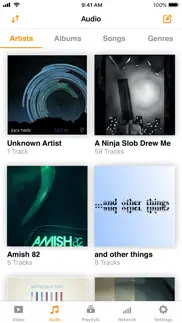

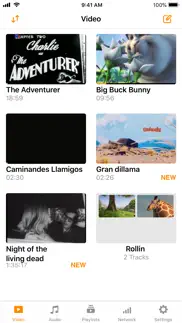
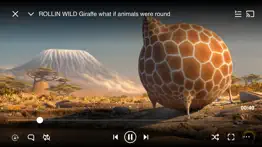


VLC media player 3.7.3 Apps Screenshots & Images
VLC media player iphone, ipad, apple watch and apple tv screenshot images, pictures.
| Language | English |
| Price | Free |
| Adult Rating | 4+ years and older |
| Current Version | 3.7.3 |
| Play Store | org.videolan.vlc-ios |
| Compatibility | iOS 9.0 or later |
VLC media player (Versiyon 3.7.3) Install & Download
The application VLC media player was published in the category Photo & Video on 19 July 2013, Friday and was developed by VideoLAN [Developer ID: 599606329]. This program file size is 186.22 MB. This app has been rated by 5,652 users and has a rating of 3.6 out of 5. VLC media player - Photo & Video app posted on 24 April 2026, Friday current version is 3.7.3 and works well on iOS 9.0 and higher versions. Google Play ID: org.videolan.vlc-ios. Languages supported by the app:
AF AR EU BE BS BR KM CA CO CS DA NL EN FO FI FR GL KA DE EL HE HU IS ID IT JA KO LV MS MR NB FA PL PT RO RU SC ZH SI SK SL ES SV TA TH ZH TR UK Download & Install Now!| App Name | Score | Comments | Price |
· stability improvements · fix expansion of playlists stored on the network
| App Name | Released |
| CapCut - Video Editor | 14 April 2020 |
| Remini - AI Photo Enhancer | 01 August 2019 |
| Picsart AI Photo Editor, Video | 02 January 2013 |
| Visify - AI Photo Enhancer | 24 January 2024 |
| PhotoCircle | 19 April 2012 |
Find on this site the customer service details of VLC media player. Besides contact details, the page also offers a brief overview of the digital toy company.
| App Name | Released |
| Photo Scanner Plus | 10 March 2015 |
| Camera M - Pro Manual Camera | 03 August 2017 |
| GR Linker - Image Sync | 24 December 2021 |
| Stop Motion Studio Pro | 05 July 2013 |
| TV Cast Pro for Roku | 30 June 2016 |
Discover how specific cryptocurrencies work — and get a bit of each crypto to try out for yourself. Coinbase is the easiest place to buy and sell cryptocurrency. Sign up and get started today.
| App Name | Released |
| DoorDash - Food Delivery | 10 October 2013 |
| Cash App | 16 October 2013 |
| CapCut - Video Editor | 14 April 2020 |
| 07 April 2016 | |
| Messenger | 09 August 2011 |
Install the Giftmio extension for smart shopping. Get notified about cashback opportunities, activate cashback in one click, and save money on purchases.
| App Name | Released |
| Monash FODMAP Diet | 17 December 2012 |
| Subnautica | 08 July 2025 |
| Balatro | 26 September 2024 |
| Terraria | 28 August 2013 |
| After Inc. | 26 November 2024 |
Each capsule is packed with pure, high-potency nootropic nutrients. No pointless additives. Just 100% natural brainpower. Third-party tested and validated by the Clean Label Project.
Adsterra is the most preferred ad network for those looking for an alternative to AdSense. Adsterra is the ideal choice for new sites with low daily traffic. In order to advertise on the site in Adsterra, like other ad networks, a certain traffic limit, domain age, etc. is required. There are no strict rules.
Keep personal info private, avoid scams, and protect yourself online with AI-powered technology.
VLC media player Comments & Reviews 2026
Bad File UI. Files are organized automatically instead of following your folder structures. That means you can’t manually group nor organize anything. Further, file names aren’t displayed (even when renaming…) if the mp3 files have media metadata. So if you renamed your files to be in a specific order before transferring to your phone, you have no clue if that order is maintained or not. Lastly, you can copy a file but you can’t move it. Say you have a random set of audio files and want to move one into a Best folder after listening to it. Can’t do it. Instead you can share-copy it, then you end up with two identical files in the UI and you don’t know which is the original one to delete. I’m not using playlists because when I sync files between PCs/devices/apps playlists always break and you’ve got to sync the media files as well anyway. It’s just way easier to use folders, assuming the app supports them which VLC doesn’t. Sadly that makes it unusable for me despite it being one of, if not the best, media player for all platforms. If you have time, please add a folder view and playback by folder.
Love VLC but can’t use app. I have used VLC on my computer for years & love it, hence the higher score. Can not use the app. The app instructions to transfer videos & music from a MacBook to an iPhone do not actually work. It says to use iTunes- I am using macOS Catalina. There is still the iTunes Store but no iTunes App. Now it is music or videos. Maybe if I could transfer from the VLC computer program itself or have new instructions/ videos to help. Edit: was able to get the video on using a flash drive with USB-C & Apple Lightning sides. Works great! Thank you 🙏
Ui a bit confusing sometimes. It’s a pretty good app. I just find some of it a little confusing. For instance, seeking with a finger swipe seems to be counterintuitive at least for me. I swipe in one particular direction and I end up going the opposite direction that I intend. I’m also getting used to not being able to close the video I am playing by swiping down like I am used to doing with any web player I have used. But that is just a little nitpicking on my part. At least I’m not accidentally closing a video that way! The seeking direction is just a little weird for me. I wish I could change that via an option. Aside from that, I’m having trouble getting sorting to work properly. I’m trying to sort by alphanumerics. It works pretty well with my files, which usually have the same “base name” followed by a number. Eg ABC1, ABC2 etc. my problem is that when I get to 10 that it places it between 1 and 2. I’m looking into different ways of labeling the files to get the behavior I want. But I’m sure someone else has run into this. Don’t get me wrong. I love the app. I just believe in submitting feedback that could be helpful. :-)
Great app, works perfectly fine 98% of the time. I’ve been using this for the past few months and it works great. It plays my music fine, and importing music was a breeze. It can also be used as a pseudo file transfer app, letting me export files to other devices. However, I have some problems. One, I notice that my music skips somewhat when turning on my phone. Music scrubbing outside of the app (on the lock screen) is very inaccurate, and will sometimes jump to another part of the song. After skipping, the pitch is slightly off; it’s slightly higher. I know it’s a very niche nitpick, but since I’ve noticed it I can’t un-hear it.
Shuffle. Hey guys just thought i'd let you know that shuffle for music is broken. Im using an iphone 13 pro on ios 16.3. Thanks, just wanted to let you know. Protip: dont copy apple's shuffle algorithm where it shuffles a bunch of a time. It has to be ine shuffle at a time with the ability to rewind the track in case you want to go back to something the shuffle showed you that you want to go back to. Apple ruined shuffle in music. Like shuffle on an ipod touch 1st through third gen i know is awesome. It always plays the song you want. With the current state of apple's music shuffle, its trying to shuffle things all at once so the device spits back bad songs that aren't in tune with what the listener wants to hear. Please be the savior of music on ios VLC. Pleasee. Oh yeah vlc is amazing for music because of the volume amp thing. Hey now.
Great alternative for old fashioned media syncing. I really like this app since I’m stuck in 2008 and prefer to have my own personal copies of audio files downloaded to my devices. It’s fairly customizable, does a decent job of automatically sorting artist/album, works with pretty much any file type. Only a few issues: 1. Sometimes when listening via Bluetooth, audio tracks have about the first second cut off, or a noticeable gap between tracks. 2. I’d love if I could download full folders from an smb file share, since that’s typically how I get my music to my phone- having to go to Apple’s awful Files app to do so is annoying, but slightly better than copying tracks individually. 3. The ability to modify the tags used to organize tracks straight from the app would be great for the few cases where it doesn’t sort like I want it to.
Great app but chromecast bug still not fixed. I have enjoyed VLC for a long time, and would rate it five stars but several months ago the chromecast icon started to disappear. If I delete the app and reinstall, the icon will be back one time, and then it’s gone again. I wrote to the developers and they replied that they had just discovered the bug and were working on it. That was several months ago and several revisions have come out since, but the bug is still there. I’m using it with iOS on several devices. I don’t know if the bug is also on other platforms.
Great when it works. I use the app to play downloaded mp3 podcasts, and the interface is very user friendly. The equalizer options are also great. However, the app crashes frequently and does not “save” the time the podcast was at. Given that some of the episodes may be 4+ hours long, trying to find the time the episode left off is difficult. Furthermore, if the player is paused, the app will crash resulting in the same issue described above. Additionally, the skip buttons are in 60 second increments, so shorter/customizable options would be great. I use VLC on desktop, and the app works flawlessly - for mobile there are a few areas that could be a bit better!
EDIT: It actually still has looping. -Why remove looping?-. More fiddling with the app revealed that the button for looping only appears in the video controls when the player is in horizontal orientation, not vertical. Presumably this is because there is more room to fit buttons in the bottom of the screen there than in vertical orientation. Shame that it got somewhat "buried" so me and at least one other reviewer I saw thought it was removed and shot off inaccurate reviews. Anyway, here is your full, very well deserved, five stars. May this app remain as fine or better for many years to come. IGNORE AFTER THIS POINT; NOT CORRECT: -I used the video looping feature often, both on single videos and playlists, so the choice to remove such a useful feature that has been in this app for as long as I've had it is disappointing. If the looping feature was left in, this update would have gotten a full five stars from me, not four.-
Mostly works. Every now and then the app will get stuck in an infinite loop of about 30 seconds when live streaming. The only way to fix this is to close the app, turn off the iPhone or iPad, wait a few minutes, and then start over with a cold boot. Is this an Apple problem or VLC problem? It started happening about a month ago when Apple pushed out their latest iOS and iPadOS. Perhaps Apple should worry less about “new features” for the fully failed but woke loser snowflake generation and spend more time on fixing existing problems.
Great offline player. Minor issues tho. It's also what I use to view webm/ogg files. A game changer if you have a huge library and want to save on space! Unfortunately I couldn't give it 5 stars in its current state. The UX is a bit.. avant-garde. Sometimes i try to swipe down / pinch to zoom (for video) and it turns the volume/brightness down or changes aspect ratio. Great for power users but it trips me up most of the time. And most recently im having an issue with the repeat 1 mode (🔂). Playing a song all the way through in the background will cause the loop to break, and stop playing the song. Hoping since the app is open source that'll get addressed soon tho! :)
Audio glitch?. this app works p well. it does what its advertised and whatnot. small thing thats kind of annoying with audio is if u rewind a track to the beginning, it cuts off and u miss the first second or so of the track randomly. only time it DOESNT happen is if im opening it for the first time. that and it seems like audio will randomly speed up if im rewinding or fast forwarding, despite me not touching the speed slider. i also feel like the ui is a bit much but it works for what it is. if the problems i listed were fixed, id probably rate 4 or 5, those r my main problems
Buggy mess, not user friendly. Listen, I just want to use this to play audio files. Adding songs to the app is really easy (you can just put it in the VLC folder), and I give this app props for that, but unfortunately, the app doesn’t function once it’s actually running. For some reason, it is incapable of playing audio files correctly. Audio is always incredibly sharp, typically around a half step above where it should actually be, though sometimes even more. For those who don’t know what that means, essentially the app is playing higher sounds than it’s supposed to and it’s really annoying. Other than that, certain audio files will make really loud snapping noises occasionally while playing. Again, this is unacceptable for a music player. Lastly, I’ve had a lot of difficulties with the UI. Controlling volume and brightness by sliding on the right and left sides of the screen makes it REALLY easy to accidentally adjust the volume or change the brightness. This means you could be listening to something and accidentally set the volume to max, killing your eardrums. It’s really upsetting how unusable this app is. If these issues get fixed, I will promptly adjust my review, as this app has tons of potential.
buggy UI. first of all, I realize this is a free open source app, and I appreciate the efforts the developers are putting into this. However, this app is unique in that it is one of the very few (the only??) media player on the App Store. I use this app to view my home security cameras from my phone, when I’m out traveling . This app can be infuriating to use at times unlike its desktop PC counterparts. Very frustrating interface doesn’t give you any feedback or details about why the stream is not playing and just showing a black screen. Does not handle certain RTSP streams and file formats just sits there with a black screen instead of telling you what’s going on.
Works most of the time. It’s cool when it works. I don’t like that the settings I make like equalizer and video filters and playback delay are reset every time I reopen the app. This one isn’t that big a deal but it’d be nice to give it a minor tweak, when I try to add subtitles from Opensubs I have to scroll up when trying to click it because it doesn’t let me otherwise, despite it being in plain view, maybe it thinks it’s under the screen or something idk. Also I made a playlist by accident and now I can’t delete it. Aside from that, the serious bugs are the ones like for some reason if you try to open videos too much it’ll just give you a black image even though you can see every UI aspect fine, through my 1 week of experience the only way to fix it is to just restart your device. Second serious app breaking bug, when accessing my FTP server and tapping too many times I guess? it just crashes the app. :/ Furthermore, two great additions to the app I’d like to see is custom presets, such as audio equalizer presets and video filter presets, etc. + the ability to zoom in by pinching your fingers on the screen, I know there’s the resize button but if I wanna see a minute detail on the screen this just doesn’t cut it. If you think this could interfere with the watching experience there’d always be the lock interface option for anyone having trouble.
Meh.. I use VLC all the time on my PC, but U got this at ChatGPTs recommendation because it’s supposed to also work on my Apple Watch. It clearly does not. Furthermore, I put videos and music on the cloud so that I can play my own content without the internet, by way of uploading from the computer, and then downloading to my phone. Fair enough. But most of the time, I have to “open in” VLC twice. The first time doesn’t do anything, while if I open a music file in Flacbox, for example, it works every single time. It’s frustrating, and I’ll keep looking for something better until/unless these quirks are resolved.
Used to love VLC player. VLC player is choppy when playing back H265 content or high bit rate H264. Even if I download from server to local inside of VLC, the playback is choppy with hardware decoding. Disabling hardware acceleration helps, but doesn’t fully eliminate choppiness, of course it will then eat through battery using software decoding though, so not useable. Another program I use on this same iPhone for streaming from DLNA media doesn’t have same choppiness issues, but it does use the built in iOS 17 video controls when playing videos instead of VLC’s custom player (which I really like aside from the choppiness). Unfortunately it’s gotten to the point that I may just have to switch over to another media player as hardware decoding has gotten worse over time with VLC.
Audio Issue. I’ve looked up my issue and apparently the audio not starting when you play somethIng on this app for the first second or so that the audio should be there (or after pausing it and then starting it back up) is supposed to be fixed in vlc 4.0, but since that version doesn’t seem to exist for iPad (even in another app, like a vlc beta app) I guess I need to find another player that can do both music and video properly? When this problem is fixed I’ll definitely come back to VLC as it’s the best player I've found by far. But I can't really overlook the audio (delay? I’m unsure what exactly to refer to it as.) issue anymore. I’ve appreciated this app for several years (both on my laptops and on my iPad) and am sad that this happened.
It’s a stupid player!. Why does it lack the ability to add/import local subtitles? Why can I not download a stream and convert it into a mp4…etc…? Update/Response… I use an encrypted cloud service to store videos.. Although the video may have a name within the website or app, When I want to share/view the video, it creates a random URL with too many characters, so I cannot name the subtitle the same name as the URL… There is no option to import a subtitle regardless of the name of the video, the source of the video, and the name of the subtitle… When I play a video, and I click on the subtitles icon, There should be an option to browse for a subtitle file. whether it’s in SSA, or an SRT, regardless of whether it’s shares the same name of the video. This was the reply I got from you back in September of 2022…: "You are absolutely right. We are going to add that feature." So far this feature has yet to be added… I don’t expect much to change, as this is after all a free piece of software; and developers put their own precious time into something that nobody pays for… This is not a criticism, it’s an observation… It’s probably the best player hands down on windows/Mac/Linux… Thanks for all the hard work that has gone into making video playing tasks simpler… it has saved me countless hours needless headaches… for that a salute you.. 🫡🖖🏼
5 star to 3 in < than 2 years. Wow. I’m new to Apple & quite frankly the resolution & camera is all it’s got. 2 years ago this was the only player that I could figure out to work & the highest rated. I mean after transferring all my mp4s it couldn’t find them. It or the iPad or iPhone corrupted half my files on a separate disc after I discovered a way into not being forced to upload them to iCloud for a price. Like $1000 for my phone & $500 for the pad wasnt enough? Or having the glory of being a $3-trillion company to smear it in bill gates face wasn’t enough ya gotta try to force new customers to buy storage? I have my own storage stop harassing me it gets old & it’s rude, very rude. Anyways…. So a few days ago this app just stops working. I have 2.86GB of free space I mean come on… to cheap to give me 64GB? Or want me to buy iCloud by building less storage? Idk I’m tired of this crap. This app is like Dinosaur Windows Media Player. It plays good but very few controls to mess with it really is like the old days. Very shocking & really pisses me off about Apple. Wow
Works ok. I am using this app to watch simple MP4 files. It works excellent for watching them while on my iPad however, while I am casting to my TV with Chromecast, it works for a while, and then will give playback errors. When I attempt to use airplay, the video will not work at all. Sometimes they told me it has to convert the video and I say OK while other times it doesn’t, but it’s still gives errorsafter casting for an undefined amount of time to the TV. The worst part is the video completely restart each time and you have to go through the video and find the part you were on.
Flac player with great UI, but still buggy after constant updates. App gets constant updates for bug fixes, but often times previously fixed bugs just keep coming back. Sometimes new bugs appear as well. Bugs - shuffle sometimes still repeat to first selected song after about 5 songs. - flac files sometimes do not play when selected, even when it is shown to be playing (requires restart) - shuffle state doesn’t save after app is closed. sometimes works sometimes doesn’t - now when shuffle is selected, selecting the song you want to play just shuffles to another one. So you would have to turn off shuffle, select your song then hit shuffle again. Suggestions - add option to turn off changing album cover of selected song to an equalizer. - add option to sort songs numerically, where we can change the position of the songs - add more settings for customization - give users the ability to turn off a new feature or animation. e.g. new bump animation is added to a selected song, give us the option to turn that off Still, the dev has made a lot of quality UI changes and bug fixes which makes this one of the best looking audio players on ios.
Videos Not Deleting, Being Stored as System Files. For some reason my videos were still taking up space even after being deleted from the app. And it was showing up in my iPhones System Data taking up the entirety of my space because I had a lot of stuff in the app. Had to do a full restore and thankfully had enough space on my computer for a basic backup to get my space back and all my other stuff. Will not being using it again till I hear of a fix or otherwise. The app used to work fine, I have no idea what has happened to it but I may need to restore my iPad as well because I had some files there too from a while back that may still be lingering on it’s already limited storage.
Skips tracks, randomly stops playback, at least I don’t have to use the horror which is Apple Music. I use VLC mainly as a music library, and up until a few months ago, it served that purpose fantastically. However, I’ve recently had several issues with playback. While trying to listen to a playlist, the app will frequently randomly stop playing music after 1-5 tracks, requiring me to either enter the app to reselect the desired music or reboot the application entirely, as this occasionally is in conjunction with the whole thing becoming unresponsive. This is frustrating, especially as I tend to use it most at work when my hands are occupied. Additionally, trying to listen to an album in order — if I can get the app to register that I’ve toggled the shuffle function off, which it occasionally doesn’t, despite displaying as such — is an exercise in futility, as for some unknown reason, the app starts skipping every other song. I’m trying to listen to musicals. Needless to say, this dysfunction is not ideal. Again, this is not a problem I had before fall 2023, and I suspect an update of said time period is to blame; would be nice if Apple (my detested) let users revert to previous app states so I could investigate this more thoroughly. It should also be noted that I am using an iPhone 6.
Solid media player. [updated] Colorspace issue fixed in 3.3.2. Some feedback on the new UI: - [iPad Pro] less sensitive adjustment sliders in playback view?: The left & right side “virtual” sliders for volume & brightness during playback are extremely sensitive, you have to barely roll your finger on the spot for a small adjustment, any bigger finger movement will max out the slider in either direction - [iPad Pro] denser list view?: Non-thumbnail list view (ex.: network folder) leaves a lot of space between names, as well as ~2/3 of the screen on the right empty. Or maybe at least generate & cache thumbnails for non-local folders? [previously] My full review incl. the green/purple video issue and an immediate workaround was not published for 7(!) days - until after the app was updated already. When I wanted this unpublished review removed it WAS published in its useless form below, with a wasted response from the developer? [was: “Review not being published?”-“So delete this because I can’t”]
Annoyingly buggy. FOURTH time coming in to update my review on this app. The app has had some nice changes, especially with its encoding where FLACC tracks would skip beats but every so often, the app will bug out and close. I STRONGLY think it’s related to the new UX where you see the bars playing over the current music. Also, sometimes if you press rewind twice on a track, the app takes that as you wanting to go to the last music and will remove the replay on one track. Also, the app’s touch sensitivity is strange when scrolling through your tracks, where you accidentally select the music instead of scrolling. I understand what the devs were going for, but it’s a nuisance more than a quality of life change. It’s so close to being perfect but it’s just not there yet. Raised the review from 1 star to 3.
I have no idea how to open the now playing viewer now.. This sounds stupid, I know. It opened automatically the first time I played a song, but half a second after it closed the now playing viewer and now always starts songs in the small bar at the bottom (like a quick controls you know? With the skip songs and pause and play?) and nothing I do opens the now playing menu. iPad if Apple doesn’t show you. I can’t use repeat, or song speed, or anything but skip and play/pause without the now playing menu. I have tried all sorts of gestures near the small bar. All swiping down does is close it and left and right skips songs. I cannot open that now playing menu! Help, please. I love your app but I just can’t open this menu now.
Will rate higher if someone can help. Pros: I just wanted an app that loops my music, and I loved that it has that option and also has the sleep timer because that’s exactly what I was using this for. Problem: I fail to have any success with “login to cloud” or whatever it is where it says it can import files from a cloud server. I have some music files on icoud and all it does is act like I have to select individual files but when I do this it takes forever and acts as if downloading then fails. I tried to logon to google drive because I had some audio files there too, and it doesn’t even load a screen to login. I tried to share files to VLC from my cloud and it won’t allow me to save the files in VLC or even add them to a playlist; so I can only listen to one file at a time. Very annoying. If someone can help, I will gladly update this. For reference, using iOS on iPhone X
Doesn’t Work. This application is not even a work in progress. If you install and open the app it gives vague instructions for loading video content present on your machine into the App Library. (You have to do that because the app has no navigation capability to point it to your video file.) Guess what? The instructions refer to buttons and controls that don’t exist. If you do manage to get something into the app and want to make use of it good luck. It does not have a standard AirPlay interface. It might connect to your AirPlay display device but you will only get audio and no video. There is no troubleshooting info anyplace to fix, if that is even possible. If you use the app to play a video locally the controls are extremely difficult to make active during playback. You can poke and prod like a madman for hours and the app does not respond. No, this app is nothing but an immense headache.
Broke A Couple Months Ago. I used this app for a long time to view webm files that I couldn’t view normally on my iPhone. Now that iPhone browsers can play webm files, I use this as an archive tool so that I have videos that I love. However: a video I tried to play in the app has made it so I can no longer open the app. If I try to open the app, (after unlocking) it immediately crashes. I loved this app and that if I wanted to I could listen to FLAC’s and archive media. I don’t want to delete the app because I’m worried I’ll lose the media I’ve accumulated. I feel like a possible solution would be to have a setting available in the settings app that can be enabled that only lists the media added to the app. Then from the app, being able to delete files from the name. I’ve posted a similar review before and I do not enjoy leaving a negative review on an app that I like, but I don’t know how to contact the developers otherwise.
Frustrated. I have a modest but growing CD collection, and I was overjoyed to find that VLC, which I've been using on windows for years, had a mobile version. I ripped all of my albums to FLAC files and dumped them on my phone. After spending a few minutes happily listening to music which I never expected to become portable for me, I realized that there was a noticeable stutter, almost like a scratched CD skipping, every few minutes on most tracks. Because it happened in the same place every time, I assumed that the files had been corrupted in the transfer (many of the CDs I ripped had been basically unused until the rip, so I ruled out the possibility of damaged CDs). Nope. I checked the files using VLC on my pc. Same exact timestamp on every song I tested had the same stutter. Ok, so the files hadn't ripped correctly. To double check, I opened a couple files in windows media player. No stutter. I googled the issue, and apparently it's a bug in the VLC software that's been around for more than FOUR MONTHS?? My files are totally fine, but my main player on both PC and now mobile can't play them correctly. I like the app, I like the UX, but I cannot recommend this app without the ability to correctly play such a common file type. Come on guys, this app is an easy 5 once this bug gets fixed.
Buggy. Album is initially sorted wrong. When I hit play, it automatically sports itself into the proper order. But the play list has already been set with the incorrect initial order. When playing a song, the first few milliseconds are cut off sometimes. When hitting pause sometimes it continues playing for a few hundred milliseconds before pausing. When editing playlists, things are getting randomly selected for no reason and half the time can’t get unselected. Can’t search for folder name. Sometimes albums are in named folders but don’t have the right meta data. Folder name displays but can’t be searched for. Conversely, many individual files that are in one folder but have meta data from different artists are all split up into dozens of icons with just a single sing in them, causing a bunch of scrolling for no reason. Folder icons are too big and annoying to scroll through. Too many various other interface usability issues to discuss.
Regret updating the VLC Media Player app. I loved the previous VLC Media Player and used it extensively on my iPad. After this recent update, I will be looking for something else. I can no longer use my iPad keyboard space bar to pause a video anywhere in the video. I often paused videos during the credits so I can see by the credits showing in the thumbnails which videos I’ve watched. That doesn’t work anymore. Also now when I load a bunch of videos that are named in alphabetical order and are loaded in that order, when I start the first one playing, after it’s done, the next one that plays may or may not be the next one in line. I’m not sure what this is app is doing but it has gone downhill in one update.
Lacks a lot to be desired. You play long audio. You pause and go do something else, you open VLC again later. Can’t just press play and start where you left off. You have to go find that specific audio you were playing in a terribly designed UI to continue were you left off. The grid layout for your files have just been updated to basically be useless after the latest major update. Now it’s 2 rows of files that can barely show the first word of every file name. If you turn on text scrolling to mitigate this crappy new design you will immediately start to feel sea sick as the whole screen starts to scroll at different rates depending on the length of the file name and you won’t be able to browse in a meaningful way to find something you are in the mood for. You would have to know exactly what you are looking for and then do a specific search for that file name. I downloaded VLC on iOS for FLAC playback and I have to probably pay 10 bucks or something for a proper solution. Apple doesn’t respect global standards and VLC is designed by random people’s whims.
Problem. This app has been amazing and i have used it for years but recently with the new update iam having alot of issues ,for one my shows play in a green tint all the time and I couldn’t figure out how to fix it , another problem is that my audio files are not playing in the full screen just showing up as a bar on the lower part of the screen iam unable to press on them and have them displayed on the full screen where i can edit the playback speed and everything. Please fix the bugs soon ,this app is a staple and iam sad to see it having so many issues. 4 stars for always being reliable before this problem.
It was 5 stars. But the new update made it so annoying.. It was an awesome way for my audio library to be accessible. However, sense the new update, I was having trouble with loop single. You used to be able to skip forward to reply the audio when it was on loop single. But now, when I skip forward (or back) it plays the next or last audio file and it changes loop to loop all. This is so annoying and please make sure we can turn this new feature on or off so I can use the app well again and other people can still take advantage. Thanks!
Good, but has some playback problems. I use this mainly for music so my review will focus on that. The different categories that tracks are sorted into are very helpful (album, genre, etc.), and the network section is easy to use while also providing several ways to download/add music. When I listen to tracks with a bluetooth device connected, some songs have a second of silence at the very beginning. Sometimes there’s a split second of sound, followed by another moment of no sound, and then the rest of the track plays normally. Rewinding doesn’t make it play that part; it’s just silence. Playing audio through my phone speaker doesn’t have this problem, so I know it’s not my bluetooth headphones. Additionally, from my understanding, the queue does not show the next actual song when using shuffle play. It just shows the queue as if the shuffle option were not toggled on. Shuffle also appears to include tracks that are added to the queue via the “Play next in queue” option when shuffling. As a result, adding a song to the front of the queue with shuffle on does not result in the track actually being played next. Overall, this is a reliable app, and has been very useful as I have moved away from streaming services and towards buying music. That being said, some fixes/changes to the previously mentioned issues would make it even better.
Still has bugs and needs Picture in Picture. Although the app has been my go to for years it still has issues plaguing it from the redesign. Under the network tab when downloading from a media server there are issues regarding the reliability of videos downloading as well as some files become hidden after downloading. First issue is that when pressing the download button for multiple videos in a row some of the videos are not queued properly for download and are skipped over leading to them not appearing within the VLC library. Another bug is that some files are hidden. Even upon a rescan on the library they do not appear. However, removing them from the VLC folder and then putting it back in using apples files app will lead to the file being visible within the app. When downloading a file for a second time from a media server/NAS and the file did not appear the first time the app will produce a second file ending in an underscore and then a subsequent number (e.g. Captain America_1). Finally, in terms of features it would be nice to have Picture in Picture video so that users can multitask.
Convenient Audio Player With Bugs. The app has been very useful for me, as someone who listens to a lot of indie music. However, the audio playback seems to have a persisting bug where it will randomly speed up or slow down. It’s not necessarily a detrimental issue, but it does definitely hinder the listening experience a decent amount. Not sure if there’s something I need to fix on my end or if it’s just the app itself. I have a hard time imagining it’s on my end though, as these songs work fine on everything else I have them on. Hope it gets fixed/there is a fix I can do.
Great, But…. I don’t know how to explain this seemingly isolated-to-me incident, but dammit I’m going to try; so I have 200+ local files in the local VLC folder, and some tracks after I reached 200 just did not play. No audio at all. Couldn’t pause either. All songs chosen to be affected have Album covers. It’s not an issue with the file, I’m sure of it; It plays normally everywhere else. As far as I’m concerned, this is either 1. A song restriction (no album covers), and/or 2. A HARD 199 SONG LIMIT. Deal killer. I want to like this app, but I just can’t. Get this fixed, and then I can like this media player. Video player not affected.
Such a weird major update. I love VLC. I’ve used it on every computer I’ve owned for the past…10 years? I’ve sure there have been updates to the program, but it’s a great system and whatever updates there were, didn’t change the interface too much. So… what happened here? The new interface on the iPhone (and ipad) seems to be a total downgrade, with a lot of features I would often use hidden behind new menus. Okay, whatever, I can get used to that. Then the subtitle download button seems more difficult to access on the iPad, which is bizarre. Still, not gamebreaking. Two super annoying problems, which is why I’m rating this app so low after loving it so long- 1) now the app creates a dummy “put your media files here” in the folder, which you cannot delete- or rather, you can delete it, but the app will restore it on startup. I do not need to be reminded where my files go. Please stop reminding me, I’m not 80 years old. Secondly, the video filters, playback speed and sleep timer options on the iPhone just… don’t work? At all? I’ve tried restarting the app, restarting my phone, downloading the app again, no dice. I don’t often review app, but when I do, it’s because the developers released a worse version of a good app without proper testing. One last thing- I would’ve just submitted a bug report but there’s no option for that? Fair enough, here’s a negative review instead…
V3.3 is amazing! + Some feedback. Awesome new interface, but best is the speed improvements while playing video from accessing the network. It used to take between 10-20seconds to start a video file on a network drive and scrubbing/skipping forward or backward had noticeable latency - now that’s all gone, everything is near instantaneous! Scrubbing is amazing to find a specific point in a video quickly! Great update and work! Some feedback for future improvements: - if you have password lock on for opening VLC, it feels like content should pause or stop playing if it’s locked. For example minimizing the app locks it, but content keeps playing in the background. If you try open open up the app again, password is requested but audio content is still playing. Feels like password protect is leaving a small loophole in its privacy. - when playing media back in shuffle mode, pressing back used to (a few versions ago) take you to the last video you watched but it now just goes to the video before it when sorted by file name. It feels like a good use-case to cache what was watched so that you can rewatch one quickly if you wanted by pressing back once or multiples times to go back multiple videos. - it would be nice to have more configurable playback controls with gestures. Instead of just turning them on and off, be able to assign what gestures do. For instance, If I want swiping up to jump forward 1 min instead of increasing volume
Feedback on FaceID. I would appreciate if you could fix the bug that causes the FaceID to appear inconsistently when I want to unlock the VLC app. FaceID works if you relaunch the app after closing it. I have been using VLC player for a very long time and love its flexibility in customising the hot keys to my suit. When the VLC player for iPadOS was updated, I was surprised to see the playback speed control icon (my favourite feature) removed from the viewing screen and buried in the submenu within the settings. It is very disappointing because I use this feature a lot in adjusting the playback speed between 2x and 4x on the fly while screening the videos. Under the new UX/UI design, I would have to stop the video then access the playback speed under settings to adjust. Please bring the icon back to the viewing screen! Thanks!
FLAC files not playing properly. Ever since the update in December 2022 FLAC files have not been playing properly on all my Apple devices, which consist of two IPads and one iPhone using VLC. Intermittent and annoying pauses occur. These same files play properly on my PC as well as my Apple devices when using other programs. Unfortunately those programs are more cumbersome and not as user friendly. Prior to the update all was fine. If things can return back to the way everything was previously I would be giving the app all five stars. So perhaps the powers that be at VLC need to fix these latest bugs plaguing what is otherwise a great app.
I love it.. I love VLC so much. I threw my WAV files and a few MP4 files on it and it does what I need… but it doesn’t report song information to either my Dock Connector to my truck or to my iPhone’s lock screen. Maybe fix this issue? I even tried reinstalling the app, and even force rescanned the Media Library. I also think a “Lyrics” function should be added where if you have files, you can edit them on iTunes or some other related app before dropping them in VLC, and if they’re written to that file, VLC detects it and adds a button for you to view the lyrics on the current audio player page. Otherwise, this app is perfect! Opens almost anything.
Love it but one small problem. I’ve been using VLC for the longest time to listen to my flac music, but after an update a while back my music has gaps in it always in one specific part of the song which varies between tacks. This doesn’t occur with mp3 VBR, or ogg by what I tested. Putting the music on pc and using VLC or other software doesn’t cause these gaps. My music coming from direct download from qobuz, deezer, or other sources, doesn’t matter they all have the same issue if the format is flac.
Caution!. First I really appreciate the team of people that made and published VLC for free. Extremely generous and kind! However, the media file organization is offensively bad. It's just so bad, what were you thinking? In the Files app I have my media organized into folders. VLC ignores all that, and gives me two inferior options instead: all files dumped together, or VLC's own auto grouping feature which is awful and seems to work on matching the first five characters of the filename. Is it really so hard to present the files in the same folder structure that is shown in the Files app? Well it wouldn't be in the spirit of free software if it didn't have some glaring usability issue. Other than that pretty serious issue, VLC plays a wide variety of formats, seems to sync up audio and video correctly, lets me choose audio and subtitle tracks, displays subtitles well, and doesn't cause my iPhone to overheat. So great job there! If you make the media browser not bad I will pay money for this app.
One issue. There was an issue before the latest update which was whenever I turned on the “Descending order” toggle under “Sort by” option, it used to automatically turn the toggle off when I switched tabs or closed the app and relaunched it. In the latest update, it seems that the issue is only partially fixed. Now it doesn’t automatically turn the toggle off when I switch tabs but it still automatically turns it off if I completely close the app (from app switcher) and enter it again. Please fix this too.
A bug in last update. VLC is a superb app & I pretty much like it. But in the last update there is a bug , i have playlists in which I have inserted some songs multiple times in a row in order to listen to some of my favorite tracks 15 minutes in a row , but after last update, when I play my playlists, the same tracks that i have put multiple times in a row r being considered 1 & just one of them being played and then the app jumps to the other songs & doesn’t play all the repetitions that I have added
They ruined audio playback. Audio playback UI is ruined in this version. There no longer is double-tap anywhere on screen to fast forward/rewind, instead I have to use the dedicated buttons which means slower use speed. Also the entire app lags now, whereas before it didn’t. If I tap the skip buttons too fast, it lags and then crashes the app. Terrible update for listening to podcasts. Update: it’s been a week and I can no longer continue fighting with my sound files. Seeking is ruined, the seek bar lags badly and is unresponsive when trying to find my previous position in the podcast (the app no longer resumes same position on audio files). The ff/rw buttons are equally unresponsive and laggy, whereas before the update they were quick and immediately responsive. This is the 3rd of updates that made the UI worse and worsened performance. I have no choice but to leave VLC and find another app. iPhone 12 Pro iOS 16.1.1
Did you know that you can earn 25 USD from our site just by registering? Get $25 for free by joining Payoneer!
Latest upgrade a step backwards 🙁. Update: Thank you for your response and for the latest upgrade which seems to have solved the second problem I identified where it wasn’t possible to scroll backwards through tracks in a playlist when in repeat mode. The first problem still remains though. There is no longer a way to set videos to repeat - either in the video tab or the playlist tab. If I make a playlist that includes both an audio file and a video file then I am able to select a repeat option. But when there are video files only, there is no option to set the file(s) to repeat. Prior to the latest update it was possible to set video playback to repeat a file. This option seems to have disappeared with the new version. Please bring this feature back. Also, since the update when the repeat option is set for a group of audio files, it is no longer possible to scroll backwards through the list of tracks to an earlier track, only forwards to a future track. This is very frustrating. Prior to the latest update I would have rated this app 5 stars. Now I am unable to use it for some of the functions it was previously very useful for 🙁
Love this app but. I ADORE this app but lately I've been having this problem where songs are vanishing from playlists, so I have to keep repeatedly adding them in, which is a real pain because I have so many and have playlists for songs I struggle to remember names of. If this could be fixed I would be so happy🙏
Latest update makes things more difficult. The writing that comes up for disabling sound or subtitles is now white and I can hardly see it with my eyesight issues. I can also now no longer delete easily or bulk delete multiple different movies/shows at once
Good developers. Providing a 5 star review in attempt to combat all the 1 star reviews. VLC has good developers who listen to community feedback. Even when—for some reason—someone thinks the review section is the place for a bug report. Thanks for making a seamless iOS player! Connecting to other devices is extremely useful.
Only plays one track at a time. Every time I try and play an album or playlist, it plays the song I clicked on, but once the song finishes it stops playing. It’s annoying because every time I’m trying to listen to an album, I have to keep reopening the app to click each song, one after the other
Wonderful app but with minor details to fix. This is a fantastic app with video and audios. So many preferences and options for users in need to tune and choose. However for the feature to play on external screens, I am in an iPhone 15 pro max currently and I can only hear the sound that passes through the TYPE C to HDMI cable but can’t see the video but only a black screen, please fix that part. Apart from that it is overall a outstanding app
Works great.. Plays FLAC audio, no ads, no opt out privacy slop as far as I can tell, and a really nice file transfer over wifi system that makes it easy to transfer music and video from your PC/Server.
The best multimedia player!. No ads, multiple audio and video file support, completely free and playback in background. No wonder why the creator rejected millions of dollars just to keep VLC cool.
Generally does what I need it do but Carplay broken. Playing local videos and music stored on the iPhone works as expected. Video functionality works better than the apple tv app. The only issue I'm getting is VLC doesn't seem to work on Carplay. When I access the app via Carplay, the app doesn't load, crashes and then returns me to the Carplay home screen. The only way I can get music to play via VLC and Carplay is by accessing VLC via my phone, select music to play, and then it works via the 'Now Playing' section of the home screen of Carplay. As soon as I select the VLC app on Carplay, it crashes and the music stops playing.
Absolute legend Devs and Amazing App Overall. The devs are very nice and very considerate and the app is great for audio files and movies, They fix problems every quickly. My only two gripes are occasional crashes when using the keyboard outside of VLC and the artwork for MP3’s sometimes not showing. But that’s minimal compared to how great this app is! I’ll definitely donate when I can!
Issue with new update on iPad. The app was working really well on my iPad before the latest update. I use it to download videos from OneDrive and play on VLC. When I play on VLC, the videos used to save as a list in the VLC app and would restart where I stopped watching. The latest update has stopped that. I can still play videos but the moment I close a video, it disappears from the VLC app and I have to go back to OneDrive and tap “play on another app” again. It doesn’t download again because it’s already downloaded.
Great option!. Fantastic option to both play and manage video files stored locally on my ipad. Highly recommended
Not compatible with Idrive. This app words good in theory but my biggest complaint is that it isn’t compatible with idrive. I have alot of movies I want to share with family and friends (about 3T) so I had to get a large storage platform to have room for everything. Idrive is the only service with enough storage but now I’m struggling to play any movies at all and VLC player would have been my saving grace if not for it’s incompatibility. Please FOX THIS ASAP!!!
Always appreciate VLC!. VLC never disappoints. It does so much especially for a free app. I cannot recommend it enough. All these years and it’s still free, open-source, and ad-free. People need to appreciate all the work the VLC team does. Always supports a wide range of formats and works seamlessly. Thanks!
The elephant in the room. Until VLC can access Apple Music files on iOS devices there doesn’t seem much point in using it. I’m not about to create a copy of my local library, which would have to come from somewhere other than the library itself, because that would cause space issues and duplication. Other apps have managed to do this. Is it too much to expect VLC to be able to?
Casting Issues. I was chrome casting a movie from my VLC media player on iphone app to my tv. The problem is that movie stop playing after few minutes and then we have to cast it again and movie starts from very start again. What’s the issue and how to resolve it ? Kindly please fix this issues on IOS please
No Folders. Generally I liked this video player, and I’ve always had a soft spot for that orange traffic cone ico. (ie I’ve used VLC on a number of different platforms). But VLC for iOS does let users create folders (which I like to do) so I’ve moved to Infuse (which at least allows one level of folders)
SMB - failing since upgrade. Previously I could stream any size media from my SMB shares, now most of them fail after about 2 seconds of play time…. Results same on iPad and Apple TV. Thank you for all the work you’ve put into the app so far, but please rollback or address this. My number one app is now useless to me. :(
Works great, responsive dev team. Works great. I’ve only had one problem over the years and it was quickly fixed.
So far so good. Switched from Movie Player to VLC and it’s been so much better so far! I just wish there was a ‘manual grouping’ feature as opposed to ‘automatic grouping’, as some of my movies are a series and aren’t in the folder with the others, making them all spread out further
Best media player and its free. Totally 100% free no ads , no catch, plays every file type and has never let me down .. works well on my iphone 11,
Adding songs to playlist is broken. When selecting a song none of the bottom bar menu works when tapping them. I can’t add them to a playlist, rename them, or share them. When tapping the button is greys out but registers the tap but nothing happens. Please fix this bug
SMB server browsing slow. If it’s slow to browse through folders on an SMB server, go to settings in VLC Media Player and turn off “Prefer SMB1”. It’s strange that this would be on by default. Now it works perfectly for me.
Extremely buggy ui experience. Browsing network shares locks up whole app.. I love VLC as a desktop experience but this iOS release is extremely unreliable. Trying to zoom on a video is fine and centered UNLESS THE PHONE IS VERTICAL. For some reason the app is incapable of double-tap zooming on a video if the phone is in the standard upright position. It always zooms slightly to the right rather than the center. Locking rotation PERMANENTLY locks rotation even when later unchecked unless you exit out of a video and go back in which doesn’t pick up where it left off nor offer to like the desktop experience can. Sometimes while browsing Windows network shares the whole playback will hang and the UI stops responding. Can’t go forward to the next video or back. Exiting reveals the entire network share of folders has also hung. The app does not exit properly when iOS tries to kill it when swiped closed and re opening it reveals the same hung folder browser screen for 5 more seconds before it finally terminates and opens again. The network lets you create duplicate entries of the same name with one having saved credentials and another not. But swiping to delete the one without credentials DELETES BOTH ENTRIES. Overall the app is incomprehensibly buggy and I don’t understand how this is the same program as the desktop. It is clearly entirely unrelated to the VLC codebase we know and love as the desktop experience because you can’t even zoom on videos while the phone is upright. I don’t understand how it’s so buggy.
Fantastic app. Occasional glitch here and there, but otherwise brilliant and always gets the job done, even with streaming over SMB. The developers of this app are absolute legends.
Great player but poor organizer. This is a great player for individual files & my preferred app for videos. But it's poor at organizing folders such as music or photo albums. It creates duplicates or divides content of folders randomly and often fails to copy music artwork. If you just want to play from a list of individual files it's excellent
Great app, could be better 👍. Big possible improvements: 1. Add folder support. Replace album structure with folder structure where folders can be made within folders for more in depth organisation. Also add sorting options within. 2. Remove resizing embedded image in audio files. The embedded images display fine in grid view, however upon opening the file/song into the main view menu, the image gets compressed to a square canvas. The image should be left in its original form like those in grid view. I really do appreciate the fact that all types of audio file format can be played!
Time and date. Time + date and battery percentage be now showing in full screen mode when it never used to, also cannot delete videos and files as easily as able to you were before the last update
IOS update 16.1 freezes. The player won’t play videos after iOS 16.1 update, I needed to shutdown and start the iPad a couple of times now it works Still an issue if you stop then try to start the video after opening another app sound, drops, video freezes while sound is played or the video and sound doesn’t play and pressing the play button does nothing. You have to close the player reopen it to get it to work.
Excellent support on iOS 12.5.7. Still receives updates. Less can be said about the fruit company that makes iOS.
First second of song does not play. Looked around on the internet and it seems that the devs have known about this issue for years and have not resolved it yet. Deleted this app and got something else for my mp3 files.
Let me close a video, don’t minimise it!. Infuriating change. An updates applied that now i cannot just close a video, i have to pause it, then i can close the video. As ui experiences go adding extra steps to do stuff is annoying. Either stop the video when i hit the ‘x’ like we used to, or allow me a preset to do it in settings. Why does this app make such asinine design changes?
Latest update to 2 columns is horrible!. When using the iOS latest version it changed the lists to 2 x columns, you can only read about 4-5 letters of the file name and playlists names. Terrible when you name files and playlists for specific reasons! You have to wait for every single file title to scroll. Then when selecting a file it reduces to only seeing 2 letters! ABSOLUTELY USELESS NOW!
Video playback stuck in horizontal mode. Love the app and use it as my main video player when watch videos on my phone. I’m currently having an issue with the new update where the video in the app can’t be viewed in landscape mode, it seems to be stuck in horizontal.
Almost there - CarPlay needs work though. App for the most part works quite well. Apple car play has a bug where when clicking on an album or artist it starts playing the first song. That’s not a major issue however if you press the playlist button it skips to next song and doesn’t show you the play list. Not great if you are wanting to get ready to queue something up or start from a specific song
Latest version introduced bugs and usability issues. Latest version 3.4.0 (released this week) has introduced new issues. 1. When watching a video playlist (on NAS Network drive), when skipping to the next (video) track, VLC will only play the audio track not video track. 2. In order to fix this, need to close the video, and reopen the video. (Pressing the X button on the top left) 3. However pressing X now, will only minimise the video. The previously available “down” (minimise) button has been removed. Need to long press the X button to close the video, and reopen the next video. 4. Please bring back the Minimise button of video. Pressing X should close the video, and Minimise should be seperate functions. Thank you for an otherwise excellent product.
Love this. Great app. Especially love the ability to download/stream from Google Drive. Would love to see Picture in Picture added so you could watch video while doing other things.
Audio keeps changing speed during playback. This app has so much potential. I want to use it so much. But when playing audio files ( at least 24bit was, and also plain mp3 files) it keeps changing tempo randomly during the song. It make it totally unlistenable. Still have 3 stars because it plays video ok.
No more iTunes!. Finally I can manage my own folders and music outside iTunes to give my own collection full control! Embedded covers in mp3 files are displayed correctly and all easy to navigate! 10/10! Thanks VLC!
SMB failure. Updated last week and can longer access Media content from network devices. Have checked firewall etc no issues. I have now had to start using another app. Also issues playing MKV files on windows 10/11 and player crashing on Windows 10 since updates August now and still unable to access network share smb. No response from your tech team
Thanks VLC. I’m just so happy with VLC. It doesn’t take much battery and is quite intuitive to use. I like it’s customisability and I really like a lot of the features like the sleep timer. Thanks devs :D
So Good AAA+. Having tried nearly every music app available for iPhones I decided to give VCL ago! Absolutely fantastic. Super easy to play directly from cloud. Tried ICloud, Google Drive and One Drive. They all work perfectly. I keep my music in folders in the cloud. No problems at all playing over 100 songs from a folder. If you want you can download your music. Just perfect
Amazing. Exactly what I was looking for to use for my own music library. Wifi transfer is an absolutely amazing feature and works great. CarPlay in this app is also more reliable than some paid streaming platforms apps. Thanks for bringing this to us for free as always VideoLAN!
Thanks for this. I uninstalled apple’s music app, it’s great to have this, thanks to the volunteers There are a couple of pretty critical issues. Firstly, a way for the app to recognise files stored locally? Although I suspect apple is to blame for this. Even so, logging in to cloud service (onedrive in my case), there’s no easy way to create play lists other than downloading each song one at a time. I have hundreds! (Still like to buy and own my music 😁). Secondly, music folders only displays 48 songs! (Starting at S). It does seem to scroll through the rest when you scramble and skip to the next song though Thanks
When I select multiple videos it’s not gonna delete. I like this video player app very much but since many times there is a problem in the app that even when I select multiple videos, it not gets deleted or not share , so please solve this problem as soon as possible.
Playlist bug. This app is now visible in apple car play. Now, there is issue with ‘playlist’. It does not show all songs in ‘playlist’ of this app. It shows the very first song of the playlist and the rest just disappear. Result is: since only one song can be played from playlist, no automatic play sequence of rest songs happens. Before this app was optimised to “apple car play”, we could play sequence of songs of ‘playlist’ seamlessly and perfectly via ‘apple car play’ even the app itself was not showing as an app in ‘apple car play’ in my VW Tiguan. So, please fix this ‘playlist’ issue.
Almost perfect. Resume playbqck has not worked correctly for the past 3 years at least, it always resets and forgets the position of all videos even when enabled. Apart from that it’s perfect!
At least it is ad free. Points for being ad free but I’m having issues with music stuttering no matter what latency settings I use and I’m on a very good wifi signal strength. Seems like it got significantly worse just recently rendering the app useless for me, while it was tolerable before. I only use it for music so can’t comment on video.
I want to use this app BUT.... It seems to cut of the first tiny little bit of a song so that it starts slightly late. This wouldn't be a problem if it didn't adjust the time which it's at to match. Therefore, each song starts a few ms into it!
It just works.. Never had a problem on ipadOS. MacOS version isnt nice to use though. Gesture shortcuts are intuitive. I wish keyboard shortcuts are also added in the same manner like in windows and mac version, in addition to gesture shortcuts. Subtitle delay option cant be found on ipadOS version.
Imagine you at your best. All the time. Picture yourself at your sharpest and most productive. Your most alert and focused. Your most lucid, creative and confident. At work. At play. In every area of your life. Add Mind Lab Pro® v4.0 to your daily routine and uncap your true potential. Buy Now!
Most recent update. Recent update has broken resume playback of videos if the app is closed. Playback will resume if video is closed and reopened right away, but if app is closed and reopened all loss of progress in videos will be forgotten.
Disappointing. Shocked at how badly designed this is. Can’t even paste a URL into the video stream URL field. Really??
Didn’t realize VLC on iOS would be so bad. UPDATE Still quite buggy. Stops playing and won’t start without force quit and trying again. Update I like VLC on desktops, was hoping for iOS too. Still, after updates, VLC can’t do the basic thing it’s for, play media files reliably. It often gets into some situation, after working for a while, where it shows it’s playing in all ways, yet there is no audio at all. A force quit and starting again and it works. This app is so unreliable buggy. Clearly this is a Beta test in the wild. I commend those working on this category of app. Has many features and abilities. Alas, as others have said, it’s buggy! Audio isn’t playing but says it is. Stops looping as requested. Forgets it’s last usage settings. This after a shot bit of audio only playback with one play list. Ho hum.
It’s Fine. I use this app because it’s free and allows me to listen to my own music ad-free. It would be nice if there was a crossfade option between tracks
Thank you vlc!. Perfect app to play downloaded mp3 without needing PC. Stupid apple rules
Best video player ever. Free and open source. I really love that it continue playing where I left of in each video after I close the app. Besides that, the fact that it uses Files to detect the video is the most efficient way to import bulk videos in my humble opinion. And, it has equilizer.
Very good. Solid media player
Super Carplay interface. I love this app. Even more in my car with the Carplay interface. With direct URLs to my preferred radio stations and live streaming sources registered as favorites, it is easy to me to listen to what I want while driving.
Just gave this a try …. I’ve got some very old vids - they’re .avi files. No problem downloading from Google Drive and the audio and video were without flaw. TEN STARS!
Rare Gem.. Playing everything since childhood. Will continue my support to VLC.
Direct upgrade to iTunes. It lets you just copy paste stuff without syncing the entire library and wiping your playlists every time you copy from a different PC. So much easier to use, supports way more formats than iTunes, just so much better all together. And iOS 11 support (maximum support as Apple mandated). Such a great app
File transfer is a game changer. The only app that makes transferring media files on this garbage iPhone easy.
Turn your phone into a .flac player. I put all my CD rips on my phone and play them through VLC, wifi sharing is insanely quick and just works
Free media player without ads, but inferior to the android, pc, and Linux versions!. It’s great in that it plays everything without ads, but unfortunately is inferior to the other versions, namely being able to play all media only within a folder you specify. There is still a way to select the files from your file system, but they have to be selected individually before they play.
What happened to the VLC we loved?. I use VLC on everything, and now with my switch to Linux on the desktop it seemed like a no brainer with the lack of iTunes and Apples very restrictive interaction in iOS I downloaded vlc player, took all my folders of music copied them on, found the work around to create m3u playlists because somehow vlc doesn’t respect folders as playlists and all seemed great but then comes time to use VLC player to actually play some music. Opening a playlist on shuffle it just repeats the same song over and over, forward and back dont work let along any chance of shuffle, and of course the app shows up in CarPlay but trying to open it there just crash’s the app. All default settings, tried searching online for others with these issues and simply vlc isn’t popular on iOS. I’ve donated a few times to VLC over the years and will continue for the project but the iOS release is very very disappointing.
Poor on IOS. Simply crash and doesn’t work on my 15 pro max
Reason why I deleted it. Like most apps these days they try to trap you in their world. I used it to make a 10 song playlist of stuff I have released yet but now it’s decided I can only listen to audio through it so I’m searching audio clips and every single time it wants to jump over to VLC. Is there an easy to find way to turn that off so I can just check my clips the way I used to without them? No there isn’t. Did I ask it to be my default player. No I did not. This is annoying enough for me to go back to hearing unreleased audio the old way. I spent way too much time on it already. Too bad because I liked it until then. Bad move VLC
The Gold Standard for Media. Aside from a few bugs that arose in some versions, I’ve enjoyed over a decade of use of VLC across several platforms and OS’s, nothing comes close to the wide compatibility, precise fine tuned control that this gives you. Maybe they’ve given us a bit too much control for some new users’ own good. Check settings before assuming it’s VLC. I’ve had MANY broken and corrupted files, totally unplayable on native media players, but this thing plays anything you throw at it. Windows, Mac, IOS, user.
Great app if you love reinstalling. This is a fantastic app for for Chromecast users who love frustration! Literally cannot go a day without “Casting Devices” going greyed out for no reason, requiring an app delete and install to fix. Drops network streams with no warning, disconnects the app from the Chromecast without warning. Sometimes just stops playing network streams with no dialog when you click “Open Network Stream”. Drove me to pay for an app that actually works for IPTV streaming.
Best player. A long time ago, the last time I tried VLC, it was incredibly inconvenient. And now I've decided to give it a second chance. It's the best video player ever! I've found features I never thought would be so convenient. There are still some minor flaws. For example, I'd like to be able to adjust the playback speed step. But tell me anything in this world is 100% perfect. So for now, it's definitely a 5.
iPad windows. Please add ability to open multiple windows on iPad
In today’s edition of “this version is worse”. Swipe to delete is gone. It’s now swipe to select. Lol. Every other app ever including old VLC does swipe to delete. Not VLC tho. Cool and innovative VLC takes your reliable and predictable work flow and disregards it all. Never know what to expect when you perform an action, and how you used to do something changes every update. So as VLC continues removing things, in this version they’ve removed the status bar. No more knowing what time it is in portrait mode. Thanks folks, I hate knowing what time it is. I love leaving the app. This continues VLC’s trend. Previous releases saw the removal of the “minimize” video option. You used to be able to basically minimize the playing video and access the rest of the app (turn on wifi server to load videos, etc.) without stopping the video. We also used to be able to swipe on the right hand side to control the volume. Now that’s gone. Is it a good app? Sure. But give them time. They’ll fix that, I’m sure.
Best. One of the best player
Needs fixing. No sound just picture
Sadly stopped working. Sadly stopped working with new iPhone update. Was great before it stopped working. Please fix this!
Still the best player ever. I like not being worried about if my videos will play, because if they do not, they were not a video. Selecting songs and creating playlists is easy.
Fraudulent Activity Detected. Once again, i will not donate! And i will be reporting your fraudulent “install-reinstall “ scheme to as many platforms as possible.
Good mkv player. It works best for playing mkv files on your phone
Screen resolution. Please add 19.9 aspect ratio to play vidio on full screen
Great but a little buggy. The loop function seems to not play the audio for the first few seconds which really bugs me but other than that it works great
Best media player around. VLC has been the gold standard in its category across all categories for decades. See those negative reviews? Those are what IT people call PEBKAC problems - ‘problem exists between keyboard and chair’ (user error, because some people just can’t be helped). If you’re smart enough to sign your name with something other than ‘x’, use VLC. If not, I’m sure there are plenty of companies peddling apps that will charge you lots of money and reduce your privacy and offer much worse functionality than what VLC provides for free, without ads, and with some of the best privacy practices of any app developer.
Good but buggy. I keep on having an issue with skipping songs on IOS 12 while the device is locked, when I do so it lets me skip two songs then just gives up and crashes for some reason.
Still showing Stereo. It’s written, Latest update supports Spatial Audio but when I played a multichannel movie it shows only “stereo”. But when played same 5.1 channel mp4 movie on FE Explorer. It showed “multichannel “. I was using airpods max
Let’s me play my personal music collection. Not perfect due to iOS restrictions. Found nothing better that handles my offline music collection. Keep up the great work VLC team.
VideoLAN Cone. It'll play anything.
It’s ok but. The videos play well and there’s options for speed etc. but if you leave the app and want to finish your video the next day it won’t let you continue where you left off. It doesnt get saved so you have to upload it from your files again.
New UI is horrible. Text size is inconsistent, there is occasional stuttering while scrolling, and playback buttons are weirdly placed. I’m using the 13 Mini.
Was working perfectly. Latest update messed everything up. Cannot shuffle. Stops playing after some point. Wont save my shuffle and repeat all choices. Shuffles a couple songs and loops them.
not working with OS26. for some reason, many files on my drive is shoeing playback failed after upgrading to OS26 and 26.1 didn't solve it
I am suffering buffering issue video stops after 30 mins i dont know why it is not fixed yet?. Buffering after 30 mins
Version 3.7.3 review. Some issues. The audio player starts at random times of the day and night. When this happens and when I am unaware, it drains the battery of my iphone. It would be such a great player if it weren’t for this issue. As well, Sometimes it freezes.
Best offline music player. It’s probably the best we have got here for offline music playing. Nothing comes close. Best part is it’s completely free!!
Great player; incredibly buggy. It really is a great app but it’s absolutely infuriating to use due to it being plagued by a multitude of constant issues. Sometimes playback just has no audio even when the same file would playback fine a few hours ago, sometimes playback fails to start if the device is locked and sometimes using the search feature instantly crashes the app. Really do like the app but it’s just constantly broken.
Today, it’s about the team.. VLC has been around for a while. I love VLC. It’s my main media player on all my computers and when I discovered there was not only a mobile app, but also an iOS app (an ios app!? i.O.S, Tim freaking Apple iOS!) some years ago, I immediately downloaded it and it was still amazing. Is it perfect? Of course, not. No app is. But I could import video, audio, background play, stream, listen to audiobooks etc — and again — all this on i-O-get-off-my-lawn-no-escape-or-enter-API-alcatraz-freaking-S. Apple is notoriously difficult to develop apps for; especially if you’re an independent developer and/or developing for a FOSS (Free & Open Source) project. As a years long FOSS stalker, I have observed that when a team takes up the mantle of a beloved FOSS project, they may also incur the ire of that project’s community — for free. All of this to say: many of them, volunteer their time while also experiencing the same stress of hard deadlines, hoop-jumpings and lambastings of less-than-charitable customers of a regular well-paid job. As normie and power users, lets support the projects whose fruits we enjoy. (I know, it’s cringe, it’s been over-said and it goes without saying) But if of the tens (maybe hundreds) of thousands of users that enjoy this app/project, if we each pitched in a few shekels, quetzals, colones, rupees, yen.. d*llars, this app, this project could be even better. We could also support individual devs that work on this app which would give them more incentive to keep going (I think this I’d the route I will take for now). I’m sure many of them have Github profiles. I say this because as I understand it, developers can’t implement or even mention of ANY links to donations or transactions outside of Apple’s walled ecosystem… maybe this comment/review might not show up because I’ve mentioned such things. (I’m a normie so I might be completely off). so… TODAY, ladies and gentlemen, I raise a glass with *Five Stars* to the VideoLAN Devs, particularly, to the team that deals with Apple/iOS, API inferno!
Beware - VLC does not free up storage space when files are deleted. Overall I like VLC on the iPad. It nicely organizes files and has a great interface for watching videos. But because it has one fatal flaw, I am deleting it for good and looking for another solution. When you delete video files in VLC from your iPad, it does not free up the storage space on it. Instead the files end up in “Other System Data” and I could find no way other than completely resetting my iPad to factory settings in order to recover this space. This is of course extremely inconvenient. I have observed this behaviour on different versions of iPads and with different versions of iPadOS, including the most recent iPadOS 16.x ,and I have not noticed similar behaviour with other iPad apps. This makes me conclude the problem is VLC and not iPadOS. I lost over half a terabyte of storage space on my iPad due to this app, so I am completely done with it. Whoever is in charge of this app should fix this problem once and for all.
Why??. Latest update has completely changed and messed up the interface. Deleting an item takes you to the “More Options” ? It seems more like a downgrade sadly.
Awesome. It works, it plays music well, it's well designed, it's open source, collects no data, for better or worse (no music recommendations). It's great. The only limitation is that to recognize music stored on the device, you need to move the files to the VLC folder. A minor issue, however. Some things: I have songs named "Artist name - Song name", and I want VLC to recognize and label the artist name and song name. It would be nice to be able to tell it to look for that. Being able to edit metadata (song genre, artist, album, etc) from the audio tab and in the song view would be good. It would also be nice if it could somehow, magically retrieve metadata from something like MusicBrainz. Like the playlist the songs belong to. Perhaps unrealistic.
Latest release. The latest release of VLC no longer allows resuming playback where you left off watching a video. Tried to report this but their reporting system is so complicated and convoluted it’s impossible. They must make changes to make it easier for people to be able to report issues. I suggest you wait until a newer version comes out.
A working app. Finnaly some app that work with iphone 4s
Streaming is glitched while playing from wako app. Its a great app but latest update bricked something and while streaming from wako app it try’s to play the source file but crashes immediately. Plz fix it asap. I love the work u guys r doing & greatly appreciate it. 😊
Adsterra is the most preferred ad network for those looking for an alternative to AdSense. Adsterra is the ideal choice for new sites with low daily traffic. In order to advertise on the site in Adsterra, like other ad networks, a certain traffic limit, domain age, etc. is required. There are no strict rules. Sign up!
Opens everything. If it’s a video it can open it. Probably I know this app can do other things, but it is really handy. Specially for things like iOS work it currently doesn’t have a feature to consistently play .webm but with this app, you can download and play that. You’re also able to sort things, however you want, and even have sub folders. My God do other apps need subfolders!
Fix OGG and M4A! Good app overall though. For those whose music seems to speed up and slow down randomly while listening, especially at the start of a song or after pausing it, using MP3 fixes the fault. Please fix this bug!!! Also for those who are worried about album art EasyTAG allows you to change all the metadata pretty easily :) Also please remove the brightness adjustment. I try to drag down to see my other songs and my screen goes dark!! Great app otherwise!
Decent player, possibly issues with playback. Many variables determine if a video runs smooth: codec, battery level, file integrity, hardware, source, disk speed and surely more. These are factors to consider when I report that, in my experience, playback has been choppy. More specifically, after a few minutes of playback from a local (non-streaming, hardware-decoded) HEVC file, the video would stop, and even the app itself would freeze. On the other hand, x264 video seems to work fine, and the codec is much more common.
Great control, waiting on PiP feature. The control You are given on media playback is unmatched. The file transferring from desktop iTunes to the phone (or other methods) is amazing. Truly a unique application that is well worth the cost… which is nothing. This freewareis one of the first applications I install on all my machines and devices. I would really love to see support for PiP (picture-in-picture) eventually. Great app, great media control, great devs. Love it.
It works great I just have a question. I just have a question is there a set limit of videos I can put on VLC ? I have a lot of videos but what is the maximum amount of GB it can handle ? And how do I set a favorite playlist ? I tried finding a recent decent video but can’t find one can someone point me in the right direction with a link to a video that is useful or can someone answer my questions?
A bug in last update. VLC is a superb app & I pretty much like it. But in the last update there is a bug , i have playlists in which I have inserted some songs multiple times in a row in order to listen to some of my favorite tracks 15 minutes in a row , but after last update, when I play my playlists, the same tracks that i have put multiple times in a row r being considered 1 & just one of them being played and then the app jumps to the other songs & doesn’t play all the repetitions that I have added
Very good app but. This is easily a 5 star app for letting you use your music and vids. However, I would give this 5 stars if it would let you save equalizer settings. Because currently, if you go to another audio file, it will discard any changes you made to the equalizer. But otherwise this is a great app since it also doesn’t shoves annoying ads in your face like every other app does. But I can’t give a 5 star rating since you can’t save custom equalizer settings.
What a joke. Nearly useless. You can use VLC for local playback of files on the iPad but you can’t create playlists in the app. I’m not sure who came up with the workflow to create playlists but it may be the most useless iOS adaptation of a desktop app in history. In order to create a playlist of local files on the iPad, you can’t, playlists need to be created in the desktop version, then the iPad app connects to that local pc to sync the playlist. Sounds fine unless you aren’t at home near a pc/Mac to create a list of files you want the iPad app to play. So why offer an app if it can’t do over half the stuff the desktop version does. This is a waste of time and disk space.
Used to be better…. iPhone 12 would get hot when watching videos downloaded from Plex server, especially while charging and watching. It could be fixed by restarting the phone. Now, being on iOS 16, it gets hot while watching and charging regardless of restart. The volume slider while watching a video USED to step up in increments with a swipe up on the right hand side of the screen, now it just goes straight to full volume, which is not ideal for headphone users… When downloading a file from my local Plex server, it used to give an accurate transfer speed and time remaining. It doesn’t do either of those anymore. It hasn’t been the same for a year or more. It seems like a lot of the functionality has been overlooked in place of better aesthetics. May have to find another alternative…
Well Well…. I have to say my prayers and then wait on bated breathe to see if my prayers on the subtitle brouhaha was answered. I only have to wait less than 5 secs and most, I end up hissing out of exasperation. Why do I have to keep trying and repeatedly trying to download subtitles before I finally succeed, if at all? Thought it was the previous VLC, I uninstalled that to install a newer version yet the issue persists. It’s really frustrating and annoying. I, for one, literally do not need your app save for the subtitles, so Please, do something right yet again. Thank you.
Great alternative for old fashioned media syncing. I really like this app since I’m stuck in 2008 and prefer to have my own personal copies of audio files downloaded to my devices. It’s fairly customizable, does a decent job of automatically sorting artist/album, works with pretty much any file type. Only a few issues: 1. Sometimes when listening via Bluetooth, audio tracks have about the first second cut off, or a noticeable gap between tracks. 2. I’d love if I could download full folders from an smb file share, since that’s typically how I get my music to my phone- having to go to Apple’s awful Files app to do so is annoying, but slightly better than copying tracks individually. 3. The ability to modify the tags used to organize tracks straight from the app would be great for the few cases where it doesn’t sort like I want it to.
The best media player just has some sorting Bugs. Only problems I came across with this app is organizing and sorting the playlist feature. But other than that being able to fast-forward, change the speed set the default speed for playback play skip.. controls on the screen for eases of use to change brightness and volume. Easily the only third-party video player I use. Other media players are baby simple compared to VLC.
Incredible compatibility, one small BT bug. Love the app. It is the only one I've found that is able to playback my .opus library, and detects relative paths in my .m3u playlists (which I sync between my other devices). There is truly no alternative. There has been some playback and search bugs in recent months, but most have been fixed within a week or two. The bug which persists only occurs during playback on my BT headphones (Galaxy Buds2 Pro). Half the time, selecting a song will show the playback beginning, but no sound plays. I need to press forward then backward to actually start it. Then, when playback of any song begins, it always skips the first second or so. This never happens when playing on the speaker, and my headphones don't glitch out with audio playback in other apps. Hope it see it fixed sometime soon, but I'm quite fond of the app regardless.
Love VLC (updated review). I would like to turn on/off album art on the lock-screen. I prefer a lockscreen background with playback controls). Also, a toggle for the “internal media player”. Audio tends to play in the “video” player by default but i experienced a “bug” where only a minimalized player was available. Finally, is there an option to add local subtitles to video files? P.S. Many thanks to the developer for following up!
Convenient Audio Player With Bugs. The app has been very useful for me, as someone who listens to a lot of indie music. However, the audio playback seems to have a persisting bug where it will randomly speed up or slow down. It’s not necessarily a detrimental issue, but it does definitely hinder the listening experience a decent amount. Not sure if there’s something I need to fix on my end or if it’s just the app itself. I have a hard time imagining it’s on my end though, as these songs work fine on everything else I have them on. Hope it gets fixed/there is a fix I can do.
It works okay.. I use this app to listen to audiobooks and occasionally watch downloaded shows. It usually works fine, but my main issue with it is that I can’t close media and come back to it without it restarting, which is very annoying when I’m listening to long audiobooks and I have to scrub through it just to get back to where I was. I’ve tried using the bookmark feature, but tapping add bookmark does nothing. Edit bookmarks makes it look like I can add a bookmark, but nothing happens when I tap on the add bookmark button. Please fix this issue, and I’ll rate this app much higher.
Barely works. Scrubbing playback is glitchy, randomly stops playing for no reason, it once deleted every song that was in a playlist (not remove it from the playlist, just deleted it). Shuffle barely works, loop one song barely works. Both can’t be enabled at the same time, if they are it’ll still shuffles when looping the song. For whatever reason it’ll randomly subtly pitch up or down a song (maybe only happens with wireless earbuds I’m not sure) and I have literally never seen another app do this. If it was easier to import songs into iTunes using only my phone I would never use this app.
Request for Feature Enhancement. The desktop version of VLC Player has one feature that is very helpful: Subtitles -> Background Opacity -> 100%. It can be configured in the settings if one wishes to have it permanent. However, the iOS version does not have this, and I would like to have this feature because it’s sometimes hard to read the subtitles in some instance despite changing the colour, weight, and such. It’s easier with background opacity to 50% or higher. Please add this feature to the iOS version. Thanks!
Please please please add picture-in-picture!!!!. The title says it all! Its a great app that I use all the time for videos that are in a format that my iPhone cannot play. It is also an amazing tool to transfer files from my phone to my computer thru itunes. However the one thing holding me back from a 5 star rating is that it does not yet have Picture-in-picture capabilities. The ability to use PiP on iPhones was released over a year ago. Why doesnt this app have that feature yet??
Bugs when opening files makes this hard to use. I’ve been using the app for years now and for some reason it CONSTANTLY opens in the wrong state. Every movie I watch starts playing as audio and I have to restart the app completely and then after selecting to open a video, wait 5-10 seconds for it to realize I want to open an app and actually brings it up in video mode. This is an absolutely painstaking process. No app should require 1-2 restarts then stall when you try to use it for its intended purpose.
Very good app. The ability to use an HTTP server to drag and drop files from my computer to my phone is incredibly convenient, as well as the app's vast codec support. Unfortunately there is no gapless playback between tracks, and when listening on bluetooth there is a small amount of audio dropped from the beginning of each track. Other than those two issues, the app is nearly perfect. Supposedly the second issue was fixed on mainline VLC about 4 months ago but has yet to make it to VLC for iOS.
Audio glitch?. this app works p well. it does what its advertised and whatnot. small thing thats kind of annoying with audio is if u rewind a track to the beginning, it cuts off and u miss the first second or so of the track randomly. only time it DOESNT happen is if im opening it for the first time. that and it seems like audio will randomly speed up if im rewinding or fast forwarding, despite me not touching the speed slider. i also feel like the ui is a bit much but it works for what it is. if the problems i listed were fixed, id probably rate 4 or 5, those r my main problems
Meh.. I use VLC all the time on my PC, but U got this at ChatGPTs recommendation because it’s supposed to also work on my Apple Watch. It clearly does not. Furthermore, I put videos and music on the cloud so that I can play my own content without the internet, by way of uploading from the computer, and then downloading to my phone. Fair enough. But most of the time, I have to “open in” VLC twice. The first time doesn’t do anything, while if I open a music file in Flacbox, for example, it works every single time. It’s frustrating, and I’ll keep looking for something better until/unless these quirks are resolved.
I really like it but. There are some things that are to my dislike (This one is pretty minor) if you have a series of something with subtitles and you want subtitles on all the episodes you have to manually go to the subtitles and add them. The mini player for iPhone (the little screen when you go off an app)doesn’t exist(yet) but if you want to play videos like MP4 and MKV or music like MP3 or OGG it’s good (PS: I would like a setting to save any settings you do on the video like color on the video or audio delay)
Unlimited playlists is great but organizing it is a hassle. I’ve been looking for an app that’ll play mp3 for free and this gives it to me without those subscriptions. That’s cool. But whenever I move songs into a playlist the songs are shuffled and not sorted. The only way to sort it is to drag and drop and that becomes a hassle. If there was an easier way to sort the tracks in the playlists without dragging and dropping then I’d give it a better score.
Most recent update is amazing. One last thing from me though. Thank you so so very much for adding tab remember, loop/shuffle remember, and audio filters to the latest update. I absolutely love it. GO VLC! Aside from that, I use box for video storage, it VLC seems to have a hard time loading subfolders. It is quite large, but I can’t open the folder at all. Doesn’t seem like a connection issue to me. I would be happy to provide some sort of test box folder or video of the issue.
getting there.... I've been experimenting with using VLC as a music player on my iPad, and it has mostly worked. But even when you change the viewing setting from "Grid" to "List" it still shows them in a horizontal grid. Even worse this makes it impossible to rearrange songs on a playlist or the up-next list unless you open VLC in a narrow floating window, which forces them into an actual vertical list. And it's still annoying that you block pip. Why would you do that? Pip is a really useful feature, you're just making your product worse by doing that.
Thank you for helping to develop this free app. It's easier to complain, rather than be thankful for what we have. I see so many negative reviews and I feel sorry for the developers who are trying to solve all these bugs for free. The grand majority of people don't understand how difficult it is to develop an app that manages video and audio streams of various formats, and adding network and streaming features into that just makes it all even harder. These developers are going to fix the bugs, but it will take time, and most people don't like hearing that. Thanks for all the updates. If you're still able to work this hard, even after all the negative comments, then you really do care about what you're creating.
FLAC files not playing properly. Ever since the update in December 2022 FLAC files have not been playing properly on all my Apple devices, which consist of two IPads and one iPhone using VLC. Intermittent and annoying pauses occur. These same files play properly on my PC as well as my Apple devices when using other programs. Unfortunately those programs are more cumbersome and not as user friendly. Prior to the update all was fine. If things can return back to the way everything was previously I would be giving the app all five stars. So perhaps the powers that be at VLC need to fix these latest bugs plaguing what is otherwise a great app.
Issues. Last few versions have had a few issues, the latest version 3.4.8 for the Apple TV, broke the random/repeat functionality. Also I should mention that adding a plex server doesn’t work at all. The easiest way to get content from Plex to work in VLC is to turn DLNA on in Plex’s settings, and then you can view all of the content in VLC unrestricted. I use VLC to play content for my kids on random/repeat so the content will play indefinitely, and if it’s a series, it will play the episodes in a random order and will only repeat once it play all of the episodes. The latest version 3.4.8 broke this functionality. Currently if I start playing an episode of whatever, I manually select repeat folder and random play, instead of moving to the next episode, it just stops playing. On a side note before posting this review, I attempted to join the developer’s forum to submit an issue, and still have not received my approval to join. There’s no way to submit and issue without joining.
Skipping/scrubbing needs a fix. Swipe-to-skip on an imported audio file often crashes playback, or causes it to skip to a random position much earlier in the track, or causes it to skip to another track. Also, when these things happen, the track time gets distorted (ie a 1.5 hour track shows up as 38 minutes) and the display is confused about the current position. Similar confusion while manually scrubbing. Idr if this is a problem with short tracks, but it’s definitely a problem with long tracks. // Old review: When selecting multiple videos, the UI buttons at the bottom overlap & some buttons are inaccessible (ie delete button). Attempting to delete multiple videos this way opens menus instead, with no way to go back to content. Happens frequently. Force-quitting the app & relaunching restores the functionality of the delete button temporarily. Pinch video to minimize (to access playlist etc). This change is good, fewer steps.
Great, But…. I don’t know how to explain this seemingly isolated-to-me incident, but dammit I’m going to try; so I have 200+ local files in the local VLC folder, and some tracks after I reached 200 just did not play. No audio at all. Couldn’t pause either. All songs chosen to be affected have Album covers. It’s not an issue with the file, I’m sure of it; It plays normally everywhere else. As far as I’m concerned, this is either 1. A song restriction (no album covers), and/or 2. A HARD 199 SONG LIMIT. Deal killer. I want to like this app, but I just can’t. Get this fixed, and then I can like this media player. Video player not affected.
Latest Update no Longer Supports FLAC from OneDrive Cloud Storage… Lovely. I’ve been using VLC under duress as it’s the only free iOS app that can barely support using media from a OneDrive cloud account. This use case had many glitches, increasing network buffering highest latency was required, large folder would only parse the last 15 items, etc, but it was worked for what I needed, barely. Using the reworked OneDrive interface in the latest update, the .FLAC extension is no longer supported. The files are present per the OneDrive app, and .m4a, .mp3 and .wav extensions can displayed for playback, but not FLAC. Some folders have FLAC and WAV files and only the WAVs are displayed. I did a full uninstall for the old app installation, reinstalling from the App Store as well. Oh, now the clipped large display all content with the OneDrive update, this is like a cruel joke. Devs, please fix this ASAP, 60% of my music library is in FLAC format.
Used to be great… downhill the last few years. I don’t know what the developers of this app are thinking really. The number of useful features is down as the number of useless “enhancements” are up. For example: FOLDERS! Where are my folders? I like to organize things neatly by TYPE (e.g., movie, tv), then GENRE or YEAR. For TV series, it is nice to have them grouped. NO! That is too much to ask. VLC will “organize” things for you: either a random collection of things with no logic and no way to force organization the way I like, or just a long list of things in random order (yes, either alphabetical, or by date, etc.). Sure, there are playlists but this is a useless extra step. I ALREADY HAVE MY FILES ORGANIZED IN FOLDERS. Keep my organization and stop messing with it. Then there are the bugs: some files are just not visible in VLC “browser” until you go to Network—>Local Files. WHY??? I know the app is free (thank you), but stop adding useless features and fix the problems. Older versions worked flawlessly. Newer versions not.
One huge problem.. I really wish I could give this five stars. There are no ads, clean UI, plenty of settings, and the file transfer over WiFi feature works excellently. However, there is a problem that causes the audio to drift in pitch significantly, rendering this software completely unusable. I heard disabling time-stretching audio can fix this problem, but it didn’t work in my case. I can consistently reproduce this bug by scrubbing the timeline during playtime. Sadly, I can’t recommend this to anyone until this is resolved.
Great when it works. Been using it as an on device music library for the better part of 2 years now and it's been through its ups and downs. Comparability for a lot of file types makes it better than most of the competition alone. The UI occasionally leaves something to be desired, and I would like to see haptic feedback, but it's still a great app. Also, thank you SO MUCH to whoever added back the functionality where you can skip songs in repeat one mode and it remains in repeat one.
Buggy. Album is initially sorted wrong. When I hit play, it automatically sports itself into the proper order. But the play list has already been set with the incorrect initial order. When playing a song, the first few milliseconds are cut off sometimes. When hitting pause sometimes it continues playing for a few hundred milliseconds before pausing. When editing playlists, things are getting randomly selected for no reason and half the time can’t get unselected. Can’t search for folder name. Sometimes albums are in named folders but don’t have the right meta data. Folder name displays but can’t be searched for. Conversely, many individual files that are in one folder but have meta data from different artists are all split up into dozens of icons with just a single sing in them, causing a bunch of scrolling for no reason. Folder icons are too big and annoying to scroll through. Too many various other interface usability issues to discuss.
Feature request. The 3.5.0 update fixed a lot of the problems I had with the app, but it missed something that I wanted. Something that the desktop version has that the mobile version doesn’t. I want to see convert/save in mobile. That is a much needed feature for someone who listens to several codecs of music in their library. If we were able to convert .ogg to .mp3 on mobile the floodgates would be opened to so many great things. Also, can there be a feature to change metadata in VLC? Does anyone else notice that the audio wows when you start to play a song? This is a bug.
Useable, some issues though. The player itself seems to work pretty well, though I have had a lot of issues with it loosing connection to file servers and media servers that require you to restart the app to see them again. Doesn’t seem to be network related as it will often only see 1 device or the other, when both are still up and running. Casting to a Chromecast device also only works the first time, in order for it to work again I must uninstall and reinstall the app, otherwise it will never show the option again.
Ohh no this is getting more worses. Why does this app is giving headache I've been upgrading this player over & over again but nothing has changed in it, before I really love this player just bcos of the subtitles is very easy & simple to download but for now you guys are make me feel anxiety, I can't continue waste my data with my time for your new update I'm tired of it, bcos from now I'll no longer be using the app again
Great app but chromecast bug still not fixed. I have enjoyed VLC for a long time, and would rate it five stars but several months ago the chromecast icon started to disappear. If I delete the app and reinstall, the icon will be back one time, and then it’s gone again. I wrote to the developers and they replied that they had just discovered the bug and were working on it. That was several months ago and several revisions have come out since, but the bug is still there. I’m using it with iOS on several devices. I don’t know if the bug is also on other platforms.
Cannot view or play any video. I have been using this app for a long time and I have not come across any problem with it until recently I tried to play a video file I had previously uploaded to my phone. The video does not load and I cannot play the video and I’m left with a black screen although the video play button and everything is still shown. I couldn’t play any other videos I had uploaded to the app as well. I tried uninstalling and reinstalling the app but the problem still occurred. Please give me a solution for this.
Playback failed. Every time I try to play an mp3 or an ogg it either is silent or it says "Playback failed." It only works very rarely. I've had this app for a couple of months and it's never worked properly. Also the UI elements are too small. The play button at the bottom of the screen and the X at the top left always take about eight tries before they actually do anything. It feels like it was made for someone with a tiny stylus. In this new update, why does it open a view that lets you select more than one file? You have to highlight the file and then hit open in the top right. Just let me tap the file and play it!
Not perfect but gets the job done. Sometimes the music/video playback just dies when I change the item being played. I also get a .5 second “silent hiccup” on song start. I also wish videos could be grouped by simple file system directory structure. But this is a decent media manager otherwise because it doesn’t randomly mess with my files metadata or “disappear” my music because some contract expired or some intern decided to move things around one of the streaming service catalogs.
Great app but a couple issues and things that I would like. There is a one second audio delay when resuming a video. Also sometimes when I play a video I hear it but don’t see it and I must fix it by tapping on music and then back to video. I think this only happens with .avi files. As for things I want, Picture in Picture would nice to have. Also it would be nice if I could fully customize the aspect ratio because 3d movies aren’t showing the way I want and I want to watch them cross eyed. That’s it really. Good app.
Love it but one small problem. I’ve been using VLC for the longest time to listen to my flac music, but after an update a while back my music has gaps in it always in one specific part of the song which varies between tacks. This doesn’t occur with mp3 VBR, or ogg by what I tested. Putting the music on pc and using VLC or other software doesn’t cause these gaps. My music coming from direct download from qobuz, deezer, or other sources, doesn’t matter they all have the same issue if the format is flac.
Mostly works. Every now and then the app will get stuck in an infinite loop of about 30 seconds when live streaming. The only way to fix this is to close the app, turn off the iPhone or iPad, wait a few minutes, and then start over with a cold boot. Is this an Apple problem or VLC problem? It started happening about a month ago when Apple pushed out their latest iOS and iPadOS. Perhaps Apple should worry less about “new features” for the fully failed but woke loser snowflake generation and spend more time on fixing existing problems.
Needs work.. but good start. I appreciate this app for sure as it’s better than most mobile video apps for iOS, but it’s also missing a lot of essential functions. The gestures system needs a lot of improvement and customization options, currently no way to easily scrub thru a video and pause in a simple manner. Only can skip ahead which requires repetitive motions, no way to easily seek with more precision like nPlayer does. And play/pause gesture isn’t customizable.. requires convoluted 3 finger touch. Network files access is really basic, doesn’t generate thumbnails or have multiple views for folders, or sorting options. Audio cuts out for a second every time I play/pause rather than immediately resuming with video.. this is really annoying. Looking forward to further improvements on these things so I can fully replace nPlayer which is no longer being developed.
Like the app but could do without the reminders to donate. I love this app for listening to audio described movies as I'm completely blind. My one complaint, minor though it is, is the pop-ups which allow me to donate today. if I wanted to make a donation, and it's not that I don't support you, I would actually navigate to a place where I can do that. Those pop-ups are just annoyances; almost like someone playing good music on a street corner somewhere and then periodically waving his donation tin.
Version 3.4.0 breaks AirPlay and subtitles. I’ve been using VLC for quite a while using AirPlay to play videos on my TV. That seems completely broken. If the device has Screen Mirroring turned on, VLC doesn’t use it and won’t allow me to turn it on in VLC. If I turn it off on the device and select it in VLC, it puts a thumbnail on the TV and plays the video on the device. Also, the subtitle menu is just all white. None of the built in subtitles are available and there’s no way to search for subtitles to download. I can’t watch videos without subtitles, so this make VLC completely useless to me. I’ve tried restarting my device and completely reinstalling VLC, with no change.