CA DMV Wallet App Reviews
CA DMV Wallet App Description & Overview
What is ca dmv wallet app? Now live in Pilot Phase – California DMV Mobile Wallet
Californians now have a secure way to present their driver’s license or identification card using their smartphones via a Mobile Driver’s License (mDL) digital credential.
California DMV Wallet gives you the control of the driver’s license data you share with others. For example, when buying age-restricted items, the app can confirm you are of legal age without having to share your birth date or address.
With mDL in your CA DMV Wallet, you can breeze through the TSA queue at the airports using your phone. You can also enroll in the TruAge program via the Wallet Marketplace to purchase age-verified products at a corner store near you (starting with select pilot locations in California and expanding nationally). The Wallet will soon be supporting online identity verification for government and commercial applications.
Designed with California's diverse population in mind, the CA DMV Wallet open-source platform uses state-of-the-art encryption algorithms and security technologies to combat fraud and reduce identity theft while improving privacy, transparency, and access for all Californians with a smartphone.
Important note: While the mDL can be used as an official state-issued ID, per the pilot scope approved by the California legislature, you must still have a physical driver’s license or identification card with you.
For more information, please visit: https://www.dmv.ca.gov/portal/ca-dmv-wallet/
California DMV Wallet is free, easy, secure, and convenient
😍 Do you love CA DMV Wallet app? Please share your friends!



Please wait! CA DMV Wallet app comments loading...
CA DMV Wallet 0.2.27 Tips, Tricks, Cheats and Rules
What do you think of the CA DMV Wallet app? Can you share your complaints, experiences, or thoughts about the application with California Department Of Motor Vehicles and other users?
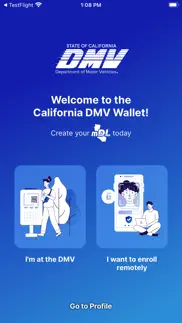
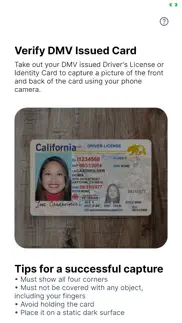
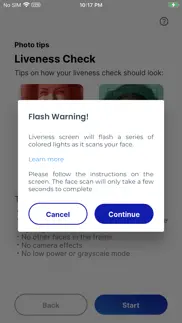
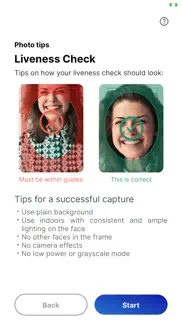
CA DMV Wallet 0.2.27 Apps Screenshots & Images
CA DMV Wallet iphone, ipad, apple watch and apple tv screenshot images, pictures.
| Language | English |
| Price | Free |
| Adult Rating | 17+ years and older |
| Current Version | 0.2.27 |
| Play Store | gov.ca.dmv.wallet |
| Compatibility | iOS 16.0 or later |
CA DMV Wallet (Versiyon 0.2.27) Install & Download
The application CA DMV Wallet was published in the category Travel on 30 June 2023, Friday and was developed by California Department Of Motor Vehicles [Developer ID: 342725267]. This program file size is 148.32 MB. This app has been rated by 130,542 users and has a rating of 4.7 out of 5. CA DMV Wallet - Travel app posted on 15 June 2026, Monday current version is 0.2.27 and works well on iOS 16.0 and higher versions. Google Play ID: gov.ca.dmv.wallet. Languages supported by the app:
EN Download & Install Now!| App Name | Score | Comments | Price |
User experience improvements to mDL lifecycle management Security and privacy enhancement for DC API interactions
| App Name | Released |
| Universal Orlando Resort | 16 May 2014 |
| Veo | 20 October 2017 |
| My Disney Experience | 02 August 2012 |
| United Airlines | 19 July 2011 |
| Enterprise Rent-A-Car | 03 October 2015 |
Find on this site the customer service details of CA DMV Wallet. Besides contact details, the page also offers a brief overview of the digital toy company.
| App Name | Released |
| Kauai GyPSy Guide Driving Tour | 10 May 2017 |
| California State Roads | 20 September 2016 |
| Ultimate RV Checklist | 02 February 2019 |
| US Public Lands | 11 April 2014 |
| Alfa OBD2 Car Scanner Pro | 03 November 2024 |
Discover how specific cryptocurrencies work — and get a bit of each crypto to try out for yourself. Coinbase is the easiest place to buy and sell cryptocurrency. Sign up and get started today.
| App Name | Released |
| Netflix | 01 April 2010 |
| Spotify - Music and Podcasts | 14 July 2011 |
| Google Maps | 12 December 2012 |
| WhatsApp Messenger | 03 May 2009 |
| Cash App | 16 October 2013 |
Install the Giftmio extension for smart shopping. Get notified about cashback opportunities, activate cashback in one click, and save money on purchases.
| App Name | Released |
| CloverPit | 17 December 2025 |
| Balatro | 26 September 2024 |
| Shadowrocket | 13 April 2015 |
| Bloons TD 6 | 14 June 2018 |
| Bloons TD 5 | 15 November 2012 |
Each capsule is packed with pure, high-potency nootropic nutrients. No pointless additives. Just 100% natural brainpower. Third-party tested and validated by the Clean Label Project.
Adsterra is the most preferred ad network for those looking for an alternative to AdSense. Adsterra is the ideal choice for new sites with low daily traffic. In order to advertise on the site in Adsterra, like other ad networks, a certain traffic limit, domain age, etc. is required. There are no strict rules.
Keep personal info private, avoid scams, and protect yourself online with AI-powered technology.
CA DMV Wallet Comments & Reviews 2026
MDL. Let start off by saying this is a cool feature to have in our wallet/phones. The issue I had with setting up is, the MDL did not allow me to sign up upon opening the app. It took 3 times before I could even start the process. Also, the website lags, not sure if it’s my connection at home but the overall service this morning was good. Keep up the awesome work DMV.
Ca finally did something digital, but badly. Should every state in the country write their own app, doing things “their way”, causing their highway patrol to potentially see 50 different approaches, then guess if it is real? Of course not, yet CA did exactly that. All US states could have let the Federal government to get Apple and Google to agree on a digital standard for both of their Wallet apps. (The EU will probably do that!) The whole digital wallet concept was to have a single place to hold important credentials like your drivers license or credit cards, plane and train tickets, bus passes… When will that ever be more critical than when a person is at your car door, cars passing at 75 miles per hour, and the person taking to you has their finger on the trigger of a loaded gun?
Meh just use Apple wallet. They tried? It would have been so much better to have it work on Apple wallet. This app is okay when it works but like it just feels like a waste of money when Apple already made a really beautiful experience that’s native to iOS. Like I get that not all people have iPhones but hey California google has a wallet app that supports drivers licenses and it works really well. It’s like my clipper card my credit card my transit card my student id are all on apple wallet but it’s just embarrassing to carry another app around. It’s weird how we are such an innovative state yet this totally missed the mark.
Maybe small govt people have a point. This is an app that will convince you that the govt cannot do anything right and maybe not paying taxes so they can waste money on things like this is the right strategy. I have been trying to get this to work for months. You think you have it working, but when you need to show your id, it’ll need a ‘refresh’. Even though you used faceid to open the app, now you have to login with your email and password again. It will then try to refresh your license and just keep spinning until your phone battery dies. I was trying to use it at a pharmacy because i forgot my wallet. Left the app open trying to refresh, but started driving home anyway. Retrieved my wallet, showed it at the pharmacy, got the meds, all before the DL refreshed. What’s the point of this again?
Seamless and Digital Exellence. I recently completed my DMV application using their digital platform and I couldn’t be more impressed. The entire process was seamless, user-friendly and intuitive. The interface guided me step-by-step, ensuring accuracy and efficiency. I was particularly thrilled to see such a critical service go digital, making it accessible and convenient. This shift towards technology-driven solutions showcases a commitment to innovative and customer centric services. Kudos to the DMV for setting a new standard in public service.
DL Scan Problem. First, you need to have a DMV account before you can start with the registration process. I was able log in into the app with my account. SMS text verification was also fine. But when I get to the part to scan my DL, I had a hard time because it couldn’t read my DL and after a minute, the screen just went blank (white screen). After doing this multiple times, it successfully scanned the front side of my DL. But when it prompted me to flip DL to the back side, it literally had three seconds before the app just snapped a picture of it. The image has my hand flipping the DL!!! I gave up !! It’s a good idea but the process is so frustrating.
A very approachable, involved but informative process. I really did like the option to take the test with the progressive learning module. It took some effort, but each step is very evident and understandable. Sure beats driving to the local DMV digs and enduring the “character-building” wait times to complete any process. Overall, I think CA DMV has put in the time and effort to painstakingly complete a world-class remodel of the site. Whatever $zillion it cost, it was money exceedingly well spent!!!
Start Button Below Screen. I learned about this application through a friend who could not install it on his iPhone. The blue start button was below the bottom of the screen, and if you tried to scroll up with one finger, then touch the start button with another finger nothing would happen. I happen to have a XP pro and when I installed it only the top sliver of the blue start button would show up on the bottom of my screen. After multiple tries, I was able to tap the edge of the blue start button and then the rest of the process went fine. However, I was further surprised to see that this doesn’t allow me to add it to my iPhone wallet. I cannot make it add to my iPhone wallet, rather it seems to only be its own wallet. The iPhone wallet has a listing for other state drivers licenses, but only includes Arizona, Colorado, Georgia, and Maryland.
Really good and easy. Not bad at all, I am impressed. Here is a bug fix I suggest: even though I am logged in, in the “Profile” tab (bottom right) there is a title called “Account”. Under “Account”, there is “Create Account”. I was surprised to see this, because I was already logged in with my DMV account. There should be no button for creating a DMV account, since I clearly have an account since I am logged in. Summary: remove the “Create Account” button if I am already logged in.
CA reinventing the wheel poorly. Don’t understand why the state decided to come up with their own app instead of just leveraging the existing ID features in Apple Pay. App development is crazy expensive especially for the amount of security features needed to prevent a counterfeit digital ID. And all that money seems to be a waste because this app has turned out to be so bad that I’ve had to uninstall, reinstall, re verify, and re download my ID multiple times. Shame really, my ID card is really the only thing I don’t have a digital copy of a this point, but a decade after its introduction Apple Pay still can’t replace my physical wallet because our state wants to trailblaze their own technology. UPDATE: apparently the virtual ID card dying periodically is intentional, because I got an email from the DMV asking me to “re-enroll”, sadly I don’t think they realize they are breaking the app when they remotely kill the old one. This app is literally useless because every time I go to use it they’ve killed it due to my inactivity.
It worked for 2 minutes literally. This is horrible I liked the idea since I usually travel with only my cellphone so this app would have made it super easy to not carry wallet with physical cards (I don’t use anymore thanks to Apple Pay ) but ofcourse go good to be true after being selected now it won’t open I can’t imagine being pullover and cop will be staring at me as I stare at the screen ! They have to get this working how hard can it be ??
Difficult to upload photos. I realize that this is a beta version, however the process for uploading your license and biometrics is unclear. You need to take photos of the front and back sides of your drivers license. When the app captures the front image, it tells you to turn the license over to the back side. However, it only allows you 1-2 seconds to do so. I failed to upload my license multiple times because I couldn’t turn the card fast enough, and I had to start over. The app also takes pictures of your face, to match the biometrics the DMV already has on file for you. My phone has front and rear facing cameras, and there were no prompts about which camera to use. The app uses the front facing camera, so be ready.
Awesome trouble app. I have iphone 7 plus. While i was able to enroll successfully few months ago, and it decided it needs to refresh my digital id. I don’t know why? My id expries years later. Then i tried hitting refresh and wait for it. It never finishes. Try again few days later. And again and again … Contacted customer support, found out refresh means deleting the ID and enroll again. What? Ok, then delete the id try to enroll again. The app crashes after capturing my driver license on authentication. It never takes my picture again. Even delete the app, reinstall it, still the same. Giving up. Stability and design is poor. Agree with others, why not add it to Apple or Google wallets? It is lot more simpler and cost effective. Don’t waste our tax money.
Zootopia 2, DMV, 5-Stars ⭐️⭐️⭐️⭐️⭐️. This app is awesome. I saw Zootopia with my wife the other day did the first time and we love the DMV. We go there all the time and we love everyone there. This app is the future and I’m glad California is moving pass all these boomer states and actually getting with the times. This facial recognition should be utilized to catch criminals too. In actuality, the app is very simple. Just make your account or sign in and then scan your ID. It’s so easy that a 3rd grader could probably do it if they knew how to drive. Anyway, I like this app. If my wallet ever gets stolen, I’ll still have my phone.
TSA doesn’t know how to work the machine. Idea is great but I tried to use it at SFO (the one place it’s supposed to work) and tsa said they don’t take it. I pointed to the huge sign right next to them that says “try the digital id app” they responded yeah I don’t know how to do that. If you’re going to roll out a product have end to end working at the two places in CA that take it.< updated> on flight back out of LAX I tried to use it, again sign right next to the TSA agent. Agent walks me over to another station tries the machine. A app pop up shows on my phone to “accept” I hit accept and app says “connecting Bluetooth credentials sent” . Agent immediately got annoyed and just said “the machines broke do you have a physical id?” (Personally I don’t think he knew what to do after it said sent but you can’t say anything to tsa beside ok) So the problem is 100% people training. You released an process and didn’t train people how to use it. 2/2 failures. Which means you have to bring ID.
Have High Hopes. This app has lots of potential. Easy to download, a bit difficult to use it’s scan tool. I took 4-5 tries of front and back before I was able to upload my ID. I also had some interface issues, but after resetting by screen display to normal, everything viewed correctly. I hope it will view using bold text and large fonts that I normally use. I was also hoping for some interface with my iPhone digital wallet with the rest of my passes and cards. I would also like to be able to view my ID as the card. Anyway, i hope these will be added in the near future as this is a handy tool.
App doesn’t work!. I have an iPhone, XR, iOS 16.6. I installed the DMV app and tried to remotely enter my California drivers license information, and on the opening screen, it asks the user to hit a submit button. However, the button appears at the very bottom of the screen, and is barely visible. In trying to click the button, i attempted to pull the screen upward to bring it into view and click it… But nothing happens.
Come on CA DMV ! Embarrassing. Do not use this app ! Who is the DevOps manager at the CA DMV? The blue start button is not accessible. And the users are reporting this issue yet no corrections are forthcoming!? Why? How does this happen in the first place. This app should be removed, and the dev team fired! This throws everything into question including security and privacy! If you haven’t tested the GUI - we must assume there are ways for bad actors to exploit this app and take our personal data. Please respond and give us assurances that you’re started over and done the development correctly and securely. The CA DMV quality and compliance manager needs to resign or step up and start this over!
Grateful for the pilot program. I was recently traveling and left my wallet with my driver’s license in the rental car. While TSA was able to verify my identity (~20 min process) and allow me to pass through security, having a verified version of my California driver’s license would have been a timesaver. The set up process is a bit clunky but, technically, works well. Looking forward to their improved UX and systems integration that will make it simpler and more understandable to all Californians.
The app works, but you still have to have a physical ID!. If you follow the instruction on each page of the app you should be able to set up everything in less than 5 minutes and it took a few more second for verification and you get your digital Driver license. It is a clear and stright forward quick process. Problem is on the AppStore it stated you still have to have your physical card on you!!! So what is the point of this app or the digital ID??!! The interface itself is good for something in 1990s it could be a lot better specially for a California it should be very high tech nice easy user interface and result. It should also state if you can use this while driving and if it completely replace the physical ID Because this part is confusing Also, the one time QR is for who to scan? A police officer? Official places? State office? Any one? Wouldn’t be easier to be able to add it to apple wallet same as bank card all in one place?
Enrollment bugs. If you have non-standard zoom enabled don’t even bother starting enrollment until it’s set to standard. You won’t be able to get past scanning the physical ID before you get a white screen of death… no way forward to take my picture. Once that step is fixed and allows for Display Zoom to be set to “Larger Text” the enrollment should go smoother. I guess they don’t have many testers of the app using reading glasses. lol Overall the app is functional but Apple wallet compatibility would be so much easier for Apple users. I hate having a separate app for such a basic function.
A pointless app. Don’t bother with this ID. You have to refresh at least monthly, and since there are so few places to use it you’ll fall behind on that. Mine got stuck on refreshing so I couldn’t use the ID even if I wanted to. The physical card is much easier—no need to refresh it, or worry if there is a reader available—and you’ll have it with you anyhow for the 99.9% of situations where the app ID cannot be used. Like a lot of government digital services, it’s much more difficult and cumbersome than sticking with the physical card. When the digital ID works as easily as a digital credit card does, then I’ll be interested.
A bad start to a failed project. This app is a start, but rather unusable as it is because it can’t really be used in most places. It does not integrate with Apple wallet, which is a huge negative they need to fix. Every time I open the app it seems like I have to refresh the ID. I don’t understand why I have to keep doing that to keep it valid. California just needs to give in to Apple wallet and make that possible because this is really useless. it’s a useless pilot program. I say shut it down and work with Apple. It’s 2024 and I shouldn’t have to carry my drivers license everywhere when I have my phone.
Beta is buggy but a good start. The process was pretty simple. Confirmed within 1 day. Main bug is it keeps inviting you to activate, so I now have a duplicate card in my “wallet.” Unfortunately there doesn’t appear to be a way to move this to the Apple Wallet and defeats the purpose of having all of your items in one place. I don’t want to have to go fishing for one of 100 apps on my phone. There’s a tab that invites you to share your age. This makes me nervous. No one needs to know my exact age. It’s sufficient to confirm I’m over 18 or 21. At the pont where this can fully substitute for your physical card, they need to be transaprent about how to show this to law enforcment without givng up your rights to not have your phone searched without a warrant. Curiously they make no mention of RealID anywhere.
Pretty cool idea. I hope it gets wider integration.. I love the idea of the digital drivers license. It was tricky to take the photo of the back of the card bc the app automatically snaps the picture. I had to do it a couple of times bc the camera would take the photo as soon as it detected the edges of the card, once before I could get my hand out of the way and twice more before the card was really in focus. The one thing I would really like to see is integration with the Apple Wallet. It’s kind of a drag to have to go through the extra steps of opening and signing into a separate app when my credit cards, boarding passes, insurance info, tickets etc are all collected in the Wallet.
Great App. I’m so impressed with this new DMV app which is easy, quick, understandable, efficient, and well designed with simple questions and explanations to register your ID card. Be prepared to have your Driver’s license ready to upload, and ready to take a Live Photo of yourself for facial recognition. Great Job DMV because now I can have my DMV information on my phone with my ready photo ID for identification purposes.
Works well. Haven’t had any issues. I did just get a notice that if I got a new phone I should uninstall the app and re-setup the card. This was for security purposes. Might not be the most streamlined way of doing this but it did work and I have my DL on my new phone. I didn’t even realize it was an issue as I had not tried using the app since I got my new phone. But if people are having issues give that a try.
Unable to start DL scan on iPhone8Plus. The “Start” button for scanning my DL is only visible if I scroll up the screen on my iPhone8Plus, but as soon as I let go from scrolling, the button drops below the screen again and can’t press the button, the button is also not active if I hold the scroll up. Thus can not continue. Note that my partner had no trouble using an regular size iPhone13. Changing my review from 1 to 4 stars as figured out that changing the text size to small in the iPhone settings allowed the “start” button to be visible without scrolling and thus was able to continue registration.
Won't take my face photo. Everything was going smoothly until I got to the part where it was supposed to scan my face to match my photo. All it said was what was going to happen, then said in blue under it "Learn more". Pushing "learn more" does nothing, scrolling upwards shows only a blank screen, and pushing the question mark icon does nothing. There's no continue button, no timer for an auto picture, nothing. It just sits there. I've tried closing the app and pulling out back up again several times to try again, but nothing changes. It simply won't progress. What am I supposed to do now?
Say what, CA?. First of all, why? CA is the home of Apple and Apple Wallet is so easy to use. And several other states (that I wouldn’t necessarily consider to be tech savvy) have already incorporated their DLs into Apple Wallet. I’ve heard rumors that CA will “soon” do so as well, but on what time scale? In the meantime, this app is less than useless. First, whenever you want to use the DL, you discover that it needs to be “refreshed”. Why???? My plastic card doesn’t need a periodic refresh (other than the every four year renewal). Why does this DL need elan every 30 day refresh? Secondly, I can’t even refresh, as I get an error each time I try, since at least a week. Useless. And even worse since it is taking time and resources. GET WITH IT CALIFORNIA!!!!!!!
BAD USER INTERFACE. Buttons at the bottom of the screen to capture image of driver’s license is barely visible on my iPhone 14 Pro Max. They are cut off. Difficulty taking a photo is the driver’s license - multiple failed attempts even though I followed instructions. Very nice concept if this app works. I understand that the app was just introduced to a limited number of the public and I’m hoping that the app will be updated very soon in order for a successful pilot program. You will need a DMV account to set up this app. Also, I noticed that there were 2 CA DMV mobile apps in the App Store. Be very careful to choose the right one. You will also need to grant the app access to your iPhone’s camera.
App doesn’t work after phone upgrade. Don’t know if this an iPhone 15 Pro Max issue or an app or iOS 17 bug but after upgrading, the app hangs on the Yosemite splash screen after the FaceID scan. It has a moving status bar with “Startup Completed!” underneath. No matter how long I wait or whether I switch away and back to the app or if I close and restart the app, I can’t get beyond the splash screen. Also, the scaling and of the splash screen is off. The status bar and dynamic island have a weird, truncated look against the splash screen background. And the”Startup Completed!” message is laid out on top of the top edge of the DMV logo.
Works fine, but…. So far, places where I’d want to use it haven’t known about it and are reluctant to use/accept it. They have to get the word out to merchants and public servants/services for this to be useful. Also, not integrating with Apple wallet is really annoying. Having to have separate apps for things that I would carry in one wallet greatly reduces the convenience. (I don’t even understand why they call the app DMV Wallet—how many things from the DMV to most of us usually carry, and in a wallet?)
misleading – not actually integrated with Apple wallet.. The application name makes it sound like you’re going to be able to add your driver’s license to the Apple wallet which is of course the reason you came to get this app in the first place. But it turns out that after you have actually gone through the process, it doesn’t let you do that. The implication is that in the future you’re gonna have to open this app every time you want to share your drivers license with someone. What is the likelihood that that is actually going to even be meaningful to the relying party? or that you are going to remember in the heat of the moment when asked to present your ID, that you have to open a special app to do it? how would this scale if every state created their own app? presumably there is a roadmap to eventually get all 50 states using a common standard so that relying parties such as TSA, law-enforcement etc. in each state would be able to recognize IDs issued by the other states. How in the world is that going to work, if each state created their own special “Wallet app“?
Crashes every time on Verify DMV Card. After successfully scanning front and back of my driver’s license, I get to “Step 1 of 3: Verify your DMV Card” where it shows the DL#, name, address and dates from my DL (all us correct). Options are Next and Rescan. The app completely crashes EVERY time I try hitting Next. When I say crash, I mean the app closes instantly without any error message, and I’m back to the iOS home screen. I have tried uninstalling the app ans restarting the whole phone- it is 100% consistent, so I have never gotten past this step.
Doesn’t work with Apple Wallet yet. Took a couple of attempts to get registered properly. This was a problem on the DMV’s back end. Doesn’t support Apple Wallet, even though Apple is headquartered in Cupertino and California portrays itself as a progressive, forward-looking state. Can’t use the electronic driver’s license to buy beer or to pass airport security outside of LAX and SFO. Most importantly, from a privacy and security standpoint, cannot display electronic driver’s license without unlocking the device. There is NO WAY I’m unlocking my phone and handing it over to law enforcement. This is a huge Fourth Amendment issue. Because of this glaring security deficiency, you still need to bring a physical copy of your driver’s license with you when you go out, thereby eliminating most of the point of having an electronic driver’s license.
Didn’t work. Was it tested on iPhone 8?. IPhone 8, iOS 16.6, installed app on 9/4/23 version 0.1.9. 1) Can’t scroll down to select button even though I can see the button. Resolved this by reducing text size to be the smallest one. 2) Scanning DL would cut off the edges (California without the “C”), no matter what distance I used. 3) I used another iphone (my husband’s iPhone 12, iOS 16.6) to do the scanning to resolve #3 and it worked. DL was scanned without the edges being trimmed. 4) Now I tried to log back on to get to my digital DL from #3. However, my account doesn’t show the DL created using another phone even though it was created with my account there. Shouldn’t my info store in my account? 5) On my iphone, I tried creating it from scratch again, even though the scanned pics were trimmed. After scanning, there was another screen popped up asking me to “tap the accept button”. but there’s no “accept” button. 6) I deleted all the processes, restarted my phone, went to the app again and still didn’t work. Please test it thoroughly before releasing the app.
Bluetooth Connectivity?. After installing CA DMV app I don’t know if it works! If I touch the ‘Show my MDL’ button on the Welcome screen I’m taken to a blue screen with a spinning circle that says, among other things, “Connecting to Bluetooth services.” At this point am I suppose to see a QRcode that can be scanned? I don’t. Eventually the spinning circle times out (10 seconds or so) and the app goes back to the Welcome screen. So, is it working? Finally I had to Allow CA DMV to access Bluetooth in SETTINGS>CA DMV. Now the app generates QRcode that can be scanned by whomever, TSA, etc. I’m using an iPhone SE 2nd Gen. All the screens/buttons were formatted fine on the phone’s screen. One other glitch, I couldn’t change my CA DMV account password using the apps instructions. I had to log into my account using a computer.
Worked perfectly for me - impressed. I’m not sure what all the complaining is about because the app is pretty impressive for a beta or testing program. Seems that it’s been improved in the last month based on some of the reviews from about a month ago which is also positive (that it’s continuously being improved). Now, just want it in my Apple wallet…
Useless. After several attempts, I was finally able to set up an account and load my license onto the DMV Mobile Wallet. I was initially optimistic about the convenience it promised. However, my enthusiasm was short-lived. Upon migrating to a new iPhone, the app became unusable. It's now trapped in a frustrating loop of "account needs to be created," to "this account is already in use," and then inexplicably, "your password is expired." Moreover, the practicality of the app is debatable, as it's only accepted at a handful of stores in CA. One would hope that for all the effort put into setting it up, it would have broader acceptance and smoother functionality. Sadly, this seems to be another classic case of CA's ambitious tech ventures missing the mark. A wasted opportunity.
Bad interface. Can not get to “start” button to take pictures of license. Workaround is to reduce text size to get to the “start” button. I guess no one thought of testing this on iPhones before releasing???? Or have instructions to reduce text size on the license picture taking page……. This happens when software is not tested thoroughly. Been an IS manager for over 15 years, never released a software package before testing over and over. On the good side software, once completed, looks real good. The frustration the user has to go through to get it to work is not acceptable.
Terrible Use Interface. When the step comes to “Continue “ (in order to take a photo of your license ), the continue button is not accessible. When screen is scrolled down to access this button it hops back up, hiding it completely! The screen at that point could would not scroll properly or let you expand or contract as the developer suggested to do. That doesn’t work! I tried settings/Accessibility/Zoom to see if I could move around the screen. After doing that, the text size was huge(4-5 words per screen) and didn’t allow me to move ahead any further. The phone locked!! I had to do a forced reboot in order to return to normal functioning. The 1st thing I did was to turn off Zoom! Great idea! Very poor implementation!!
No Apple Wallet == Useless. The app doesn’t support Apple Wallet, which means I have to fumble thorough it instead of smoothly pulling up my ID in Apple Wallet. I was able to use it fine (for the level of “fine” that a one star app has) on my iPhone 8+, but on my new iPhone 15 pro max it just hangs on the startup screen after using Face ID. So it seems to move to a new phone one has to delete and reinstall the app. Once that is done, log in again. Then re-enroll since ENROLLMENT IS NOT TIED TO YOUR LOGIN! It looks like logging out means you unenroll yourself. Just move to Apple Wallet driver’s licenses and we can all just get on with our lives. The “create DMV account” button in the app is unaware that I have a DMV login. It should only be shown to users that don’t have one. Latest version still doesn’t have Apple Wallet support. Enrollments also expire! And guess what, hitting the enrollment refresh button just gives an unspecified error message. The sin of requiring an enrollment refresh every 30 days is compounded by the fact it just doesn’t work. This app is a waste of time and money that could have gone to supporting the major phone wallet apps instead.
Easier to use than reviews are letting on. Notes for users: 1.) Make sure to sign up for a DMV account. This will be one of the first steps and is needed 2.) Have the license Front side up before the camera opens and flip the license over to the backside without the camera pointed at it. The camera is fast and probably just looking for Identifiers on the ID without noticing you’re still touching it. 3.) thats really all I noticed. The app itself is well made and slick. Pretty easy to use and took ~5/10 minutes from start to finish. Ideas for devs (not that this is warranted, just my ideas) : 1.) Make a landing page that notifies that the user will need a CA DMV account when they start the mobile drivers license process. Maybe something like “Do you have an online DMV account? You will need one to process your CA DMV application” and then have two buttons “No I do not” which links to the sign up page for the CA DMV online account outside of the app, and “Yes I do” that takes you to the sign in page you already have. Maybe even have a feature that sends them an email when they click “ 2.) Add a few seconds delay for taking picture of back of drivers license or have the tech notice there’s an object in front of the license. The picture will snap before you can move your hand away.
Worked perfect for iOS. The directions works fine. A couple of points to add for the new user as I learned this quickly; First, you will need to have an online DMV account so if you do not have it, create on and you will be fine. Second, When you take out your drivers license, put it on a dark background. When it goes to take the front side of your license on the dark non-reflective background, you see a check mark after it takes the first photo, immediately turn the license over as that part of the process is not paused and it will continue the process as you will notice. A second check mark will then appear and you will then be prompted after that to continue. This is a moving target which means improvements are on the way. This app does not save to your Apple wallet just yet (it does in the app for sure) but in time I am sure California will be added at one point down the road to the Apple wallet as long as privacy is protected as expected.
App just hangs. Installed great on my old phone. Got a new phone and the app just hangs when run. The report a problem on the developer website is useless and has you go in circles. Very simple concept, such bad implementation even when it was working on my old phone. As a software developer myself, I’m very disappointed with this implementation. Deleted the app from my phone. Installed it and it wants me to take a photo of my license again, but the start button is off the screen and auto scrolls off the screen if I move it. So, can’t get past this step that worked on my old phone. Tip: don’t have important buttons at the bottom of the screen in iOS apps
DOA either with iPhone 15 or iOS 17. Wasn’t stupendous on iPhone 13 and iOS 16, but now won’t even load gets stuck on login screen. It’s not super useful even when it works since it can only be used at a few airports and with age verification systems that I doubt anybody uses. Other states are implementing the Apple wallet version which is functional in almost all use cases. Update: still lousy app. You need to delete it and reinstall if it is installed automatically after upgrading phone. Won’t read my license. Like credit cards in Apple wallet you shouldn’t have to start from square 1 when updating phone just validate that it is really your phone. Ca dmv really missing the boat here.
Political Grift and Unnecessary Apps. Add support for Apple Wallet, like every other state that supports a digital driver’s license. It’s insane we’re squandering money on a proprietary, stand-alone app (and it doesn’t even work with Apple Wallet). The app itself has a pretty poor UX. After several tries I was able to actually get it working (but this app really shouldn’t exist in the first place). I’m unable to start the app on a new iPhone 15 Pro Max on iOS 17. It’s just stuck initializing forever. Also the background image doesn’t scale for the larger sized iPhones (lol). On the bright side, some politician’s friend or family made a lot of money on their bid to create this terrible app.
Refresh fail! Worked for one month, then refused to refresh, and became unusable. I downloaded MDL, and was planning on testing it on my upcoming trip through an airport listed as mDL-enabled TSA airport. As my (bad) luck would have it, on the morning of my flight, the first 30 days had just passed, and the wallet requested a refresh. Every time I tried to refresh, it gave me an error message. No dice on the test. This went on for weeks. I assumed it may have been a temporary problem, so I kept repeating my attempts. Always an error. I submitted a report, but never heard anything (although I did get a request to rate their “response” about a month later). I wasn’t able to get beyond that error, so at that point, I considered the app to be unusable, at least for me. I deleted it and downloaded it again, and used it on another TSA adventure. This time it worked, though I’m dreading passing the 30 day mark and encountering that error once again. I’ll update this if the refresh works this time!
Easy To Use But Photo Verification Blah. I was so excited to apply for the mobile ID. The process was easier than expected except for the face photo verification process was slightly frustrating. After researching online, found out i had to change the text size of screen to a smaller font so the “next” button to forward to the take the photo screen portion. Once I got through that, the verification was easy. And viola! Mobile Id added to my dmv app!
Did you know that you can earn 25 USD from our site just by registering? Get $25 for free by joining Payoneer!
Imagine you at your best. All the time. Picture yourself at your sharpest and most productive. Your most alert and focused. Your most lucid, creative and confident. At work. At play. In every area of your life. Add Mind Lab Pro® v4.0 to your daily routine and uncap your true potential. Buy Now!
Adsterra is the most preferred ad network for those looking for an alternative to AdSense. Adsterra is the ideal choice for new sites with low daily traffic. In order to advertise on the site in Adsterra, like other ad networks, a certain traffic limit, domain age, etc. is required. There are no strict rules. Sign up!
Need to turn off larger font size for app to work. After reading others comments found you have to turn off larger font size for app to work..developers need to put that in the instructions - it’s crazy they haven’t corrected this already! Also you don’t use your camera to take a photo of your license - again, correct the instructions Yi reflect that the app takes the image for you. App doesn’t work! It tells you to take a photo of your license with your phone but when you do the app just freezes - won’t let you upload the photo or move forward. Needs serious work!
Great app. Soon Apple wallet will get it too. Everything works perfectly. Yes you have to fill out the application and register for a free account, you don’t want anyone being able to use your Info. Like everything you will learn how to use it. Easy to use and now we can carry the driver’s license in our phones in California.
This is a challenge. It’s not working. Downloaded the app. Initial set up went well. Never was prompted to link my iPhone camera to the app. It went to a page that prompted me to take a photo of my drivers license. The button was obscured at the bottom of the screen. Tried to press it while lifting it up manually but it never worked. Couldn’t load a photo of my license. Why is this happening to a supposedly updated app that’s supposed to make the process simple? By the way, I have an iPhone 8+ with iOS 16.6.
Refresh of license reqd too often. I only open the app once every month or two and every time I do it says I have to refresh the license. Why? Also, in March while I was traveling in Florida and the app said refresh of license required, I couldn’t get the refresh to finish. Was it because the app knew I was currently out of state and has some kind of geo security feature? I wanted to use my digital driver license at the airport but couldn’t because it wouldn’t refresh.
Is this a joke?!. The app can barely scan your ID. After many tries it finally scans and brings up your info only to crash out when you touch to continue. I had to force quit at least ten times for it to even get to the “continue” after recognizing your info. If the DMV needs you to re register an expired password the app gets lost after that procedure. This kind of app is the simplest of apps and yet it can’t do the basics. Sad that nothing was clearly tested for errors or crashes in the real world. Tried app on two different phones even! Do your job devs!
Unable to complete registration. I have tried several times to register using the app, but it always fails. Really poor release and too many bugs. I believe that the ability for the app to connect with the DMV’s system is poorly designed.
Works so-so; a few issues. 1) Lack of Apple Wallet support. Please add support for Apple Wallet soon! 2) When accepting mDL into the app’s internal “wallet”, the app allows to do that multiple times - creating multiple identical active mDL credentials in the “wallet”. Is this so by design, or a bug? 3) With no one internet access - e.g., in Airplane Mode - the app would intermittently get stuck on “Loading…” or on “Registering device token…” when trying to open. Close/reopen - same thing. Close/reopen again - now shows Welcome screen and allows to retrieve mDL. Please fix this “intermittent stuck” issue!!!
Slick app, though not 100% optimized. Found the process to be really easy and fast. As others have stated, taking a picture of your DL/ID is tricky as it does it fast. Unfortunately, it’s not completely optimized for smaller devices like an iPhone SE. I had to change my text size to something smaller to get past the Liveness portion.
Tedious layers of logins just to display a license. This app has a single very basic purpose - simply display your driver’s license. Seems to be a hacked together Russian doll of wrappers around other services or apps, more like a proof of concept than finished app. Launch requires a login. Then to actually display your license another login requiring typing in an email address and password AND again to display age. Go back to the drawing board and look at any banking app ever created.
Problem scanning resolved. I had the same problem of being unable to push the button to start the scan. I adjusted the text size on my phone which fixed the problem.
Glitch. There is a glitch in the app. I have an iPhone 13 and the screen will not move down to the SUBMIT button so I cannot upload my license. Hopefully, this is fixed soon. I have deleted and reinstalled it, several times, and it still doesn’t work.
Worked seamlessly for me. The app verified all my info and I had a digital ID in less than 5 mins. All the negative reviews are probably for older versions. They have fixed a lot of the errors in the latest version of this app. One caveat - Unlike the other states with digital IDs, the Mobile ID for California still does not port to the Apple wallet. Looking forward to that enhancement.
Fairly straightforward. I am hoping this will be sufficient for presenting ID vs. having to remove DL from wallet. The process is fairly easy to set up. I wish the DMV presented more info on where this format can and cannot be used. For example, can it effectively be presented to TSA at airports, or to law enforcement in most circumstances?
Unable to scan license. I would really love to have this on my phone but I can get past the page where that app is asking to scan (take photos) my license. I can’t scroll down to click the needed button. Let’s get this FIXED or the trial will be a failure.
Remote Provisioning for Minor Children. If my children have had a Real ID California ID and an online account that are both four years old, of what additional security is provided by mandating a personal visit to a DMV office to enroll them into the mDL program? Now that most services are provided online, and with practically all local DMV offices no longer being open on Saturdays as a result, this in-person requirement seems rather … overwrought. Please reconsider if the idea is to increase acceptance of mDL usage.
0.2.9 still not working correctly. Will allow you to take photos of your drivers license, but when you try to move to the next step of taking a photo of yourself. It crashes! Uninstall it numerous times and end up with the same result. Please fix this issue
What a terrible app. Awful app- keeps saying system unavailable… I’ve tried about 20 times and it does not go past system unavailable screen… i’ve deleted it… Reinstalled it… Tried it numerous different ways still says system unavailable 🤷♂️
Sometimes waiting for Bluetooth?. Setup worked well enough, but using the ID is unreliable: Sometimes the app shows the QR-code, sometimes it shows a spinner saying that it waits for Bluetooth services (to which I have given access). Overall it is puzzling why CA needs their own app instead of allowing us to add the ID to Apple Wallet that works reliably. Would be great if app would also educate where digital ID is accepted.
Beyond Horrible. My husband downloaded it and it works no problem. I’ve been trying for three weeks and nothing! It doesn’t let me scroll to the bottom of the page to push the start bottom. I’ve deleted the app numerous times with the same problem. Someone better figure it out or this app is completely useless. They said they don’t understand why no one has signed up for the program, we’ll fix the app and maybe people will use it. Can’t use what doesn’t work.
Step 2 - take a photo does not have a button on iOS. To create the application for the mobile drivers license there are three steps. 1.) scan your drivers license 2.) take a picture of your face 3.) submit the request on the app As of last week, when I tried step 2, there is no button for submit on the page that provides instructions for step 2. I am using the most recent version of iOS on an iPhone. I don’t think that the developers know there is a problem because there is no way to submit an issue. If they released this version without the audit check to confirm all the steps work on the most common operating systems, I’m not sure they’ll easily find bugs or other interactivity issues caused by the app interacting with the user interface.
Finally! Thank you!. The CA DMV is really starting to make things easier and getting with the idea of using digital rather than paper documents. They are also making it easier to do basic tasks online rather than needing to go to the DMV and stand in line.
Quick, can’t wait to use it!. It took all of five minutes or less to download over WiFi, scan my Driver’s License front and back, take a selfie against a blank wall, and that’s it! (After verifying the info a couple times and checking out your selfie.)
I Couldn’t Get it working until the 15 Pro Max Bug Update!!!. I have an iPhone 14 Pro Max and this app refused to scan my identification card to enroll. But now it’s working because of the IPhone 15 Pro Max App Update and it also resolves the same problem with my iPhone 14 Pro Max!!! I am excited to use this Mobile Drivers License!!!!
Convenient. Surprised on how quick and easy it is to get the verification approved. Not only this will provide a quick way to log in to california dmv website but also makes it easier to not to always carry wallet. Keep up the update!
Exactly what you’d expect from the CA DMV. Junk. The app got stuck at the step where it is displaying tips to take a picture of the license. You could not scroll to the bottom of the screen to select “Continue”. And why do I need to take a picture of the front and back of my license? This is ridiculous - the CA DMV has all of my information including my picture so should be able to create a digital copy of my DL to stick in my Apple Wallet. When I buy tickets from Ticketmaster they put a digital ticket in my wallet. I don’t have to take pictures of physical tickets and then upload them to the wallet. Fix this please!
More functionality. This app is very useful and a good tool for every day citizens however it could be a little bit better. Recommend the app include your Global Entry status/ indicator, veteran status/indicator , restriction status/ indicator, and disability status/indicator. I believe all this information is linked to or pertains to an item on an individual drivers license. Also recommend that other categories of licenses licenses that are linked to other State of California departments being included in this particular app such as fishing license, hunting license, business license, tax exempt license, and such Or at least the ability to upload a verified copy of such. Thank you
A few notes for setup. I’m happy to test this beta app but I came very close to chucking it a few times. First, when you enroll, the login has to match your online DMV account. Next, thanks to another review, I learned that the text size must be set to small to enable the Next button to photograph your license. Then I discovered that the license needs to be copied in portrait mode, not landscape. Otherwise the scan will fail. My facial scan would scare Dracula. Let’s see if DMV accepts it!
Not a wallet app, requires internet data. This is a custom pretend wallet ID app. However it cannot be used reliably as it requires an Internet connection to load, thus missing its primary function to be a backup for a physical ID. It doesn’t support the Apple watch, so missing another important real wallet functionality.
DMV drivers license app. Since the inception of this app, it has been fairly easy to use upload your drivers license into the app and you’re good to go. My problem is you still have to actually carry your drivers license and the app is not accepted most places. It would be nice to know when and how long it will take before you can use the app in place of your drivers license.
California fails us again. Absolute garbage app. Nonfunctional in every imaginable way. Tried to refresh/update and that didn’t work so I deleted the app and reinstalled. Now whenever I attempt to log in via the app it takes me to the DMV webpage but won’t let me get back into the app from there so I’m stuck logged out. California is trying to show the world they’re tech savvy and failed. Why couldn’t you just be like the other states and gone thru the Apple platform? Massive but unsurprising disaster of an app. F-
Not Political. PLEASE! Quit making this into a political issue. There have been many technology boondoggles at the state level in many states under both parties. Yes, this product is not very good and been totally useless especially after upgrading to iPhone 15. To the developers: Please address when there will be a fix to the iPhone 15 problem. Also, can you please answer why you just didn’t take advantage of Apple Wallet which already is working with several other cards and IDs. Just let us know something, PLEEZ!
Does not live in Apple Wallet. Downloaded the app expecting to get a virtual ID similar to my Apple Pay credit cards that can all live in my apple wallet. That was not the case. The virtual ID stays within this app, so you have to have it downloaded indefinitely until the off chance you use it. It’s not worth it considering this isn’t accepted anywhere besides the airport. However, the process to sign up and be approved took me 5 minutes, so there’s that.
Almost perfect.... The lack of apple wallet integration is the only thing that's missing from the app. Having the convenience of having my DL on my phone and not having to bring my physical copy in the future is something I'm looking forward to. Hopefully they decide to integrate the card into the apple wallet for a truly digital future.
Refresh app process is terrible. I originally set up California DMV wallet last summer. Since then, they’ve had me refresh it twice both times has been very difficult to get the picture scanned and then when you finally get your picture scan correctly, it takes forever to actually process it and you keep getting an error saying “Processing “ when it’s processing your DMV ID. The message says normally takes two minutes to process your ID well it’s been two hours now and it still hasn’t happened. Similar situation happened when when it forced me to refresh it several months ago In summary, the app is more trouble than it’s worth. I think it will be better to incorporate something into the Apple wallet instead of this fake DMV wallet. If I can have airline tickets and credit cards directly in an Apple wallet, then I should be able to have my DMV ID
Was easy to set up but. I just don’t see a point to having this downloaded im not a frequent flyer so that it comes in handy at TSA check point. You can’t add your DL to apple wallet doesn’t display address either for when an officer requests to see your DL if you get stopped but not like you should be handing over your phone to the officer anyway. I will probably just delete the app as I have no use for it having a Digital copy is nice but this app needs more features.
Newsom 2028. Press a button, the app freezes. You try to upload a photo, and it decides your face is just not ‘ID-worthy’ enough. Sometimes your ID will just delete itself. It’s like trying to order a cheeseburger from a vending machine that only speaks Latin. But here’s the deal: if Gavin Newsom can somehow turn this digital dumpster fire into something that smoothly slides into Apple Wallet, I’ll vote for him in 2028. Gavin, I believe in you. Make this app not just a relic of tech masochism, and you have my vote. Fix it, and you’re not just the next POTUS; you’re a magician.
Useless. Who would want a drivers license app that you have to refresh every 30 days? What’s the point of that? To add insult to injury, refresh doesn’t even work so when you press refresh you just wait and wait and wait while it said “processing” endlessly. How about an app that just works that you don’t have to do anything with until your drivers license is expiring. What a novel concept. If it has to be refreshed, how about having a refresh process that actually works and takes 10 seconds or less?
Solution to Successful Pic Taking. If you are stuck on the screen where you need to have the license picture taken by the app, if you cannot scroll down to tap the start button, simply reduce the magnification of your iPhone screen. Just go into iPhone settings, display and brightness, and slide the button to reduce the magnification of the screen. Hopefully they will make your license in this app legally accepted by law enforcement or all places that require ID so that you do not have to carry your license or if you happen to have lost your license or forgotten to take your wallet when leaving your residence.
Got approved quickly. Im impressed with how fast I got approved. I will try to use it at LAX next time I got there. I wish it would work at more airports but I understand it is only a pilot. My cousins from Australia have digital ID they can use anywhere in the country. I hope sometime soon we will have the same thing. The United States is falling behind in technology.
Better than launch. Like most things from the DMV, our bar of expectations isn’t exactly super high. At launch, it was rather buggy and I opted to not sign up. With it also coming to Apple Wallet soon, I figured I would secure a spot and found the process incredibly straight forward and even user friendly.
Difficult app. Once you arrive at the section to take your picture it is faulty. The person cannot see if the picture being taken is acceptable ( looks like an X-ray) and the app does not allow you to retake it (even though it has the link) and you either start all over (multiple times for us) or submit it and it’s rejected. Very frustrating. Not at all user friendly. Sending it by mail is the other option.
Cannot scan. Love the idea of this but, like previous user mentioned, I cannot scan. It does not allow me to scroll up enough to hit the 'start' button to scan. And I cannot even restart it, because every time I attempt to it brings me back to the same screen. So it's stuck. And the virtual chat assistant is no help. And I can't find anything that allows me to ask a live person. Frustrating. I realize it's a pilot program, so I will try again another day. Thinking you might not get 1.5 million too soon if we cannot do it remotely. 🙄
I had none of the setup issues that others seem to have had and it set up no problem .. BUT… one day, my ID and all the biometrics and essentially my entire profile information was just gone. Total waste if time because there are no options for me to set it up again. I click on my profile and my “wallet” , and activity log and literally nothing is there . The app is just a complete void with no options to do anything at all except for navigate away from it and be taken to the DMv website. What a waste…
START button issues, read here.. If you are attempting to move past the “Verify DMV Issued Card” but you are unable to press the “Start” button just off-screen - you need to decrease the font on your display. Go to Settings > Display & Brightness > Text Size on your iPhone to update the font. Looking forward to using this for my United flight at SFO today.
Horrible and failing scanning process. The app looked easy enough to use at first and I followed all directions to avoid light reflection, have the card on a black background, etc. Card is very clean (brand new RealID). Scanning the front seems to work but scanning the barcode on the back failed dozens of time. It always shows a check mark, as if it succeeded, but immediately followed by an alert saying that scanning failed. Also, there should be a pause between scanning the two sides, maybe a Next button. I give up until you fix your bugs. Also, why no Apple Wallet support yet?
Awful release. This application should never have been released to the public. It barely functions. No accommodations for upgrading or changing phones, it can’t take license drivers license pictures even though I’m on an iPhone 14 pro which has an excellent camera. You need to go back to the drawing board. I can’t believe that California can’t come up with a better solution than this, Arizona, Colorado, Maryland, Georgia all have Apple Wallet integration for their drivers license. California one of the tech capitals of the world can’t do better?
Too Many issues. Initially, I faced the same issue as another app user when I got to the screen that gives tips for taking a proper image of your ID. I couldn’t scroll down to hit the “next” button. Once I went to my iPhone settings and chose smaller text I was able to get past that first glitch. But then during the “selfie” portion of the screening, I repeatedly got a message saying “unexpected error.” And after MANY failed attempts despite adjusting lighting and following all of the recommendations on the app, I gave up. Really frustrating!
Wow. Super easy.. I’ll be honest, even though I work for the government, I’m very critical of the governments ability to deploy technology. Group think, overly complicated design under the guise of security and a clear disconnect between usability and a real person is generally the primary outcome. But the virtual DMV CA DL was fast, easy and worked the first time. Congratulations. Here’s hoping we dump physical DLs soon.
Great app, little use. The app is actually great. It’s reliable smooth etc. So sorry for the 3 stars to the devs. The pilot is the the problem. People don’t want DLs on their phones cause getting it out of a wallet is so hard. It’s so you don’t need to carry your wallet. This fails completely at that. It could be a long time before you can depend on bars and stores to accept the app for proof of age. That’s unavoidable. But what is very avoidable is the fact that you can’t currently even use the mDL in a traffic stop to prove you’re licensed. What?! The use of an driver’s license that’s entirely within the State’s control, the part that’s literally in the name, is the thing you definitely can’t use it for.
Remote Enroll Doesn’t Work. If you choose to enroll remotely, the scan of you driver’s license goes through. However, there is a “liveness” check that is supposed to scan your face. Is it scanning to see if it matches you drivers license? Is it scanning just to make sure you’re a human? Who knows? There’s no explanation and the scan always fails. Simply try again. I’ve tried this on multiple phones and different iOS. Don’t bother downloading unless you have to go into the DMV for some reason and verify in person. Even then this doesn’t even compare to Apple’s Driver’s License in the Apple Wallet Feature.