Nav Trainer Pro App Reviews
Nav Trainer Pro App Description & Overview
What is nav trainer pro app? Selected by AOPA.org readers as number one of five aviation apps you can't live without! *
***** Reached No. 4 in the Navigation category of the U.S. app store for iPad! *****
Make IFR flight training easier!
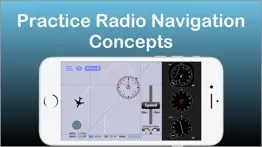
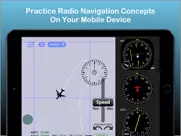
Practice the use of aviation navigational equipment on your mobile device.
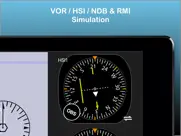
Simulates VOR, HSI, RMI, ADF, DME and ILS navigation.
A must have tool for any CFII, student and instrument pilot!
-Students and pilots: improve your understanding of radio instrument navigation at the comfort of your own mobile device.
-Instructors: demonstrate complex IFR concepts to your students from bird's-eye view while on the ground.
-Also suitable for flight simulator enthusiasts.
Used in classrooms, one-on-one ground sessions and by individuals to improve their IFR orientation skills.
--------------------------------------
-user reviews (from all markets)
***** Great to study instruments and saves lots of $$$!!!"
"***** I have been looking for an app such as this to teach my students"
"***** Before I used this app all this VOR orientation was so complicated, and now it's clear as ice!"
"***** Easy to use, perfectly designed and helping to understand basic navigation stuff. Highly recommended for student pilots, instrument applicant and CFI's."
- Improve your situational awareness under IFR.
- Save time and money on your instrument and initial flight training.
- Prepare for your instrument rating or proficiency check.
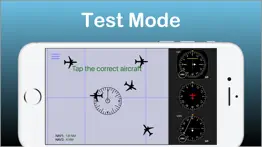
- Test your NAV situational awareness with the test mode.
- Flight instructors: the perfect tool to help you easily explain and demonstrate complex radio navigation concepts to your students.
***Features:***
-Dual navigation displays.
-VOR\NDB trainer screen: Simulates VOR and NDB navigation using VOR, HSI, ADF and RMI displays.
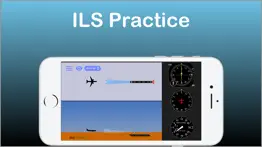
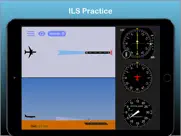
-ILS trainer with both VOR and HSI displays.
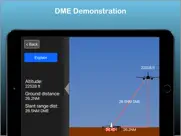
-DME visualization screen - demonstrates how DME slant range distance is affected by ground distance and altitude.
-Test mode - generates phantom aircraft around the navaids. Your goal is to find the correct aircraft position.
-Drag and drop the aircraft and nav fix around the screen.
-Fly! mode - Make the airplane fly around the screen. great for practicing intercepting and tracking courses.
-Wind direction & velocity control.
-Aircraft tracing (contrail mode).
-Accelerator support for aircraft control.
How to use:
-Select the various instruments by double-tapping their dials.
-Toggle VOR sectors visualization on/off.
-Auto tune OBS by pressing the OBS knob.
-Auto turn the aircraft towards the nav fix by tapping the aircraft symbol. Double tap will turn the aircraft toward NAV station #2
-Change aircraft headings by flicking your finger over the heading indicator.
-Tune the OBS by dragging your finger around the HSI/VOR displays or over the OBS knob.
---------------------------------------
The developer is a Gold Seal CFI/CFII/MEI and part 121 airline pilot
---------------------------------------
For comments, feature requests or bug reports, if you have the app, please take the survey at http://bit.ly/hCAqgF
* (https://www.aopa.org/news-and-media/all-news/2013/february/26/five-more-aviation-apps-you-cant-live-without)
**If you experience any problem with the app, please contact me before leaving a review and I will do my best to solve it for you.**
😍 Do you love Nav Trainer Pro app? Please share your friends!



Please wait! Nav Trainer Pro app comments loading...
Nav Trainer Pro 3.5.0 Tips, Tricks, Cheats and Rules
What do you think of the Nav Trainer Pro app? Can you share your complaints, experiences, or thoughts about the application with FLEMINGER MEDIA LLC and other users?

Nav Trainer Pro 3.5.0 Apps Screenshots & Images
Nav Trainer Pro iphone, ipad, apple watch and apple tv screenshot images, pictures.
| Language | English |
| Price | $8.99 |
| Adult Rating | 4+ years and older |
| Current Version | 3.5.0 |
| Play Store | com.fleminger.navaid |
| Compatibility | iOS 11.0 or later |
Nav Trainer Pro (Versiyon 3.5.0) Install & Download
The application Nav Trainer Pro was published in the category Navigation on 28 March 2011, Monday and was developed by FLEMINGER MEDIA LLC [Developer ID: 427480054]. This program file size is 13.14 MB. This app has been rated by 37 users and has a rating of 3.8 out of 5. Nav Trainer Pro - Navigation app posted on 27 March 2024, Wednesday current version is 3.5.0 and works well on iOS 11.0 and higher versions. Google Play ID: com.fleminger.navaid. Languages supported by the app:
EN Download & Install Now!| App Name | Score | Comments | Price |
| Flight Winds Reviews | 3.1 | 8 | $3.99 |
| MyFlightResume Reviews | 3.6 | 3 | Free |
| Holding Pattern Trainer Reviews | 4.1 | 113 | $4.99 |
| AeroPointer - Airport Data Reviews | 4.6 | 89 | Free |
- Bug fixes - UI improvements
| App Name | Released |
| Electrify America | 03 June 2019 |
| Bonjour RATP | 14 May 2012 |
| Earnify | 22 May 2024 |
| Neshan Map | 04 May 2023 |
| KakaoMap - Korea No.1 Map | 27 February 2009 |
Find on this site the customer service details of Nav Trainer Pro. Besides contact details, the page also offers a brief overview of the digital toy company.
| App Name | Released |
| GPX-Viewer | 23 May 2014 |
| Find93 | 04 March 2025 |
| Blitzer.de PRO | 03 August 2022 |
| NavRules | 07 March 2011 |
| Solocator - GPS Field Camera | 09 December 2012 |
Discover how specific cryptocurrencies work — and get a bit of each crypto to try out for yourself. Coinbase is the easiest place to buy and sell cryptocurrency. Sign up and get started today.
| App Name | Released |
| 12 February 2019 | |
| WhatsApp Messenger | 03 May 2009 |
| Gas | 27 August 2022 |
| Amazon Shopping | 03 December 2008 |
| TikTok | 02 April 2014 |
Install the Giftmio extension for smart shopping. Get notified about cashback opportunities, activate cashback in one click, and save money on purchases.
| App Name | Released |
| PeakFinder | 12 March 2010 |
| Gambonanza | 01 May 2026 |
| Scritchy Scratchy | 18 March 2026 |
| Shotgun King | 24 February 2026 |
| Bloons TD 6 | 14 June 2018 |
Each capsule is packed with pure, high-potency nootropic nutrients. No pointless additives. Just 100% natural brainpower. Third-party tested and validated by the Clean Label Project.
Adsterra is the most preferred ad network for those looking for an alternative to AdSense. Adsterra is the ideal choice for new sites with low daily traffic. In order to advertise on the site in Adsterra, like other ad networks, a certain traffic limit, domain age, etc. is required. There are no strict rules.
Keep personal info private, avoid scams, and protect yourself online with AI-powered technology.
Nav Trainer Pro Comments & Reviews 2026
The best app. This app is the best i ever used. It is very user friendly, helps you understand and create navigation scenarios and even use it to demonstrate and explain about the navigation instruments to your student !
Great training aid. Easy to use, clear, clean graphics, helps my students to visualize a procedure before we go fly it. Price is low considering the great value.
Doesn't work on iPad 3. Stuck with non working app after upgrading iPad.
Not for military flight students. I found this app by searching "RMI" in the app store. I had to pay $5 to find out this app was not helpful. The RMI does not have a VOR or TACAN needle. It is also missing 45 degree benchmarks. Save your money.
Good learning tool.. Great for answering the question “where are you in relation to the VOR or ILS? Especially good for those tricky reverse sensing problems when on an ILS. Back Course.
Great training aid!. Very useful
A must have!. Especially for student pilots, and for all aviation enthusiasts out there
Cool idea. Quick and easy app to keep your navigation skills fresh.
Great Training tool. This app is simple yet does an excellent job of helping you visualize the relationship between what the gauges show and the plane's actual position. I agree-OBS scrolling could stand to be a little less sensitive. Useful tool for ground school.
Great learning tool!!. RMI could use 2 needles. Other than that works well
Disappointed. Don’t get me wrong— there’s nothing wrong with the app. But the price point is off base. This is a $1.99 app at most.
Please Update. $5 is a lot of money for an app that hasn't been updated to work with the new iOS
Great!. Worth the money especially if u have an iPad.
A Very Poor App. After having this app go black on me, I got it going again be deleting and reloading it.
Not bad. Needs a bearing pointer to the station in conjunction with the HSI
Good. I enjoy this app I had trouble with this part of my pilots test now I am Traning for ifr and this is very helpful
Nicely done!. Well put together; really gives good visual interpretation of what your nav indicators are showing you, including wind effects. Only suggestion would be to make OBS and DG a little less sensitive so that changes could be more precisely set. Test feature is great - really makes you think about what you're seeing on the DG & OBS. About to get an iPad; hope this is set up to run on the iPad, too, with a larger display.
Not worth the money. The VOR training portion of the application is well done, however, there are free versions of this online that work equally as well. The remainder of the application is not worth much. Should be .99 cents.
Helicopter CFI. What an awesome tool. Visual aids seem to work well with instrument training. The graphics are great, concept is great. Reinforces my own training. A worthy investment for any pilots training!
Don't buy. Waste of money, all of about 5 minutes of use and its done. Not a very extensive learning tool. Looks thrown together, is definitely not worth 5 dollars and leaves me very disappointed.
Update to IOS. Please update
Great for navigation training. Its so realistic and useful for navigation training and exercises for VOR interception and ILS approach training
Great training aid. Great app...one improvement would be to set the wind speed and direction prior to fly mode although a minor update all is well. Nice job, well worth the $$$ BA. CFII GOLD SEAL
Very limited usefulness. I was hoping for something useful for maintaining instrument currency, but this is not it! This is basically a very cut-down version of OddSoft RANT. If it was a better imitation it would be quite useful, but this is missing too much functionality. In its current version it's just a really simple introduction. This might be quite a useful tool for instructors introducing students to first principals of radio navigation. But after 30 minutes mastering it, this program would have little to offer. On the plus side, it's nicely programmed and the controls work well.
iOS 11. It doesn’t work at ios11. Please fix it.
Feature for next update. I think you should add a clock/timer feature for practicing holds. Besides that app is great.
Great visual aid. This is perfect for explaining the use of VOR and ILS instrumentation
CFI-I Review (Updated). Nav Trainer 3.4.1 IPad Pro 9.7 v.11.1.2 • Settings > Instruments “BIG \/ SMALL” does not work. • Motion sensors still changes heading at warp speed. Absolutely useless. • If you are going to provide an option for turning via the motions sensors, use an algorithm which works similar to a real control wheel/yoke. [Ref. X-Plane 10 for iPad] • Add delay variable when rolling in/out of standard rate. [Ref. VOR Tracker] • Based upon most textbooks (FAA, Jeppesen, ASA, Rod Machado, etc.) and typical training aircraft with ‘standard’ instrument configurations, the HI should be either on top or bottom—not in the middle of the NAV instruments. If you disagree, make the option to place any instrument in any of the tree locations. [Ref. IFR Trainer] • My guess, however I could be wrong, it’s general aviation students/pilots or CFIs using this app. Having to press twice to achieve a standard rate of 3 degrees per second is distractive. Put an option in Settings to set the default to match the pilot’s preference. ! Based upon the Law of Primacy, train the student’s eyes, motions, and thinking (even with simple trainers) according to norms/standards from the very beginning. Negative Transfer of Learning is expensive! “It’s an iPad typically held in the left/right hand” is a poor excuse. ! “This is not a flight simulator” is not an excuse for making something that could have been made otherwise and better with a little research, foresight and testing by a few CFIs / CFI-Is.
Excellent app. I teach instruments for the US Army at Ft Rucker, Al. This is a very good app to demonstrate the effects of wind on your course and how various MH effects the correcting for wind drift. It's also very useful in explaining, demonstrating and adaptive practice of track/course intercepts. At this price it's more than worth it.
Great Learning & Practice Tool. This is a great program for learning awareness and to stay current. You can rotate the compass card one degree at a time and practice awareness for that degree. Worth every cent and well written. The only fault which is minor is sometimes the airplanes are to close to each other which can result in a missed answer. Overall it is a great program.
So far so good. Great app for starters and easy to understand
Geez!. Don't waste your time with this app. When it works, you just drag and drop to move the aircraft around...no instructions. Otherwise the app doesn't open. geez, at waste of time and money!
Awesome practice app. Great way to kill time in line and at the airport!
Great trainer for IFR students. This is a great app for pilots seeking an instrument rating. The simulated test function within the app is great practice for the FAA written exam. I have used this app to demonstrate holds, DME arcs, and HSI situational awareness. The only downfall is that there is no test prep for the ADF. Great app none the less.
Just what the doctor ordered. This is a tremendously simple, intuitive, and powerful app for those of us who get a little spatially confused by abstract geometry represented by a static image. The user can easily toggle among 1 or 2 navigation devices including VOR, HSI, ADF, and RMI and drag a plane around. This is not a flight simulator but a great Navaid simulator. Worth every penny and a great study partner for the FAA knowledge exams.
Excellent product. I use this extensively to test VOR knowledge. It is perfect.
Unrealistic instrument behavior. The CDI needle has very low resolution. It ticks in 1 degree increments. One dot is 2 degrees, so from full deflection to intercept is only 10 ticks... it looks terrible. The CDI does not move fluidly in an analogue manner like in real-life. There is not as much trend information as in real-life. Not good. Update: Your response is nonsense. I’ve used plenty of modern digital displays like Garmin G5 and G1000 and while the OBS is only capable of selecting a course in 1 degree increments, the CDI needle itself still moves fluidly in an analogue manner as bearing to the station is changed. Stop making excuses. The instrument in this app does not behave the same as a real life VOR indicator in virtually any GA airplane.
A must have!. Great to study instruments and saves lots of $$$!!! Now i understand instrument flying. Please make more aviation apps.
Good. Pretty good app, the area to play in is kind of small though...
Good basic instruction tool.. I like the app, for the $5 it is a good value. It demonstrates clearly what the instrument would display, relative to the aircraft position from the VOR, ILS, or radio signal station. The "fly" mode is interesting, but not very useful. The pitch control barely responds and the speed control (reverse?) is really just silly. Turning with the compass on the tiny little ipod screen is a little touchy This app could be improved by fixing those things and maybe adding VOR morse identifiers and ILS marker signals.
Use it all the time!. My students really like it when ever I use this trainer. The test mode also helps my students for both instrument and private written exams.
Really Useful. A simple really useful app to drill VOR use (even though most of us fly with GPS). Great for FAA test prep.
Nav.. Horrible! Waste of $5.00 For student pilot the instructions are completely inadequate. I-tunes should provide a warning to new student pilots!
Grrrrreat!!!. This is a great app and it really helped me understand navigation instruments better..
VOR training. Great VOR training! Would recommend for anyone new to flying. This really helped me to grasp VOR instrument flying.
Updated for iOS 11. Thanks for keeping this app alive with an update for 64bit!
GREAT APP. This app works good and has helped me a lot. I recommend it to all pilots.
Nav trainer. Best training aid for bringing a student to complete understanding of the VOR system. Excellent!!
Instrument ground school. Just one more tool I am using to help me teach students that haven't flown with traditional navigation equipment. Wish the quizzes were more random but I like the new update.
Great app. Got everything I asked for in the update great tool!
Did you know that you can earn 25 USD from our site just by registering? Get $25 for free by joining Payoneer!
Great apps. I really struggled with NDB orientation and approaches. This app is so quick and easy. Only use a sim now to practice the full flight before a review. Use this app every day. Would be nice if the contrails remained for the entire flight.
Good, could be Great!. Currently training in NDB's, so bought this app to help train. While good at understanding intercepts and drift angles, a few things could be done better. As 99% of people using it will be doing approaches, it would be good if instead of turning the heading indicator (highly unrealistic and un-natural), you could tap on a left or right arrow to enter a rate 1 turn. And then what is desperately required is a heading bug that can be set independent of current heading. Do these, and it becomes a vital, and 5/5 app!
AAA++++. Great app for novice pilots gives you scenarios which you create yourself. Very visual so you can picture yourself in the cockpit. Happy customer thank you!
Great. Another renewal done, the flying feature with the ADF made this purchase save me ten times its value in the actual plane by not having to repeat sequences.
Irex application. I would like to thanks for the creators of this and it helped me to learn instrument approaches.
Heading bug !!!!!!!!. Please add a heading bug as I find it very helpful when intercepting a given radial
Review. Fantastic application!!!!! However you need RATE 1 turns... Please :)
Over priced. Good for showing the very basics, though far to over priced for the little amount of information you receive.
Pretty good!!. Was looking for an iphone intercept trainer and this does the job very well. Took a risk as there were no other reviews, and Im glad i did. Would be good if the speed controller was a little smaller, and if you could zoom the overall picture out a bit , but doesn't really affect the overall benefits of use. You can simply tap the navaid to change to another type. After only a few hours working with it, I feel a lot more confident on the various aids, and that's why I bought the app.. Good work..
IFR. Great app!!!! Please consider adding some RNAV exercises!
Great app for teaching!. As a flight instructor, I love this app to teach students to track to/from various aids and intercept tracks. This translates to greater confidence inflight and costs less in the most extensive classroom: the aircraft! David - Moorabbin Airport, Melbourne Australia.
Buggy and not intuitive. Better IFR trainers out there for less money - wish I could get my money back
Rate one turns. Good app , needs Rated turns to practice intercepts though !
Imagine you at your best. All the time. Picture yourself at your sharpest and most productive. Your most alert and focused. Your most lucid, creative and confident. At work. At play. In every area of your life. Add Mind Lab Pro® v4.0 to your daily routine and uncap your true potential. Buy Now!
Not Happy. Seems to be a scam! Worked for one day and no longer! Beware!
Good practise, bad trainer. This app is great for playing with different scenarios but does not actually explain or show you how to use the navigation geatures. Great if you want more practise in using VOR and other instruments, but not so much if you dont already know how.
Very easy to use. Very easy to use as long as you know thé theory!
Exceptional teaching aid. I imagine the ILS simulator is better on iPad. Overall an excellent app.
Pocket procedures trainer. While I don't disagree with those who suggest that this has little use for those who don't know how a VOR or ADF operate, I would suggest that most apps have little value for those who don't know what they are for. For those who DO know how a VOR or ADF works, this is a great practise app. I use it for both practising and helping my students learn things like VOR intercepts, hold entries and getting established on an approach. The ability to turn off and on the plane is VERY helpful because it makes the user actually USE the instruments. Track trails then help to confirm if I got it right. The speed controller allows me to customize the tool for my needs. The time is a very thoughtful touch making it possible to practise Time-Turn-Throttle-Talk although you have to talk to yourself. :-) I would suggest this for all instructors and IFR students.
Good. Really cool for learning and it's helps me to improve I give it 5 star
Perfect learning aid. I bought this app to help with my commercial flight test prep and it has definitely improved my instrument navigation. It has improved my partial panel timed turns, ADF and VOR intercepts, as well as familiarize myself with instruments that I have not had access to yet, like the RMI. Because of this app, I successfully past my flight test with 100% on the Nav portion. This app is perfect for explaining scenarios and testing myself, to keep my skills sharp.
Great app. What a time saver when you can visualize your situational awareness without an expensive trainer and aircraft fee attached. It is great that you can try endless scenarios in minutes and learn so quickly. I would recommend this app for anyone who is considering IFR training. Sincerely Mooney Encore pilot
NO NDB. Where is the NDB? All it has is two VOR
Great NAVAID trainer. A must have for students and teachers for use of VOR, ADF, RMI, DME
Satisfacted. Very very helpfull if u are a student pilot
Adsterra is the most preferred ad network for those looking for an alternative to AdSense. Adsterra is the ideal choice for new sites with low daily traffic. In order to advertise on the site in Adsterra, like other ad networks, a certain traffic limit, domain age, etc. is required. There are no strict rules. Sign up!
Nav Trainer. Fantastic app for learning and practicing ILS flying!
Good app. Very useful for ground school instruction
Great teaching aid. Works great to introduce NDB nav and approaches
Lost 5 dollars. I got it and it never loaded but it still says "installed".
Cool app. Cool app ! Nice!
Instrument Instructor. Great tool for understanding how the OBS,RMI, and HSI instruments work. I have been looking for an app such as this to help me teach my students. No complaints, however I would like to see the ability to adjust the aircraft's altitude or foot/min descent rate on the ILS. Keep up the good work!
Awesome. Vey cool app
Awesome. As a CFII this app is great for instruction
Great app!. Easy to use, perfectly designed and helping to understand basic navigation stuff. Highly recommended for student pilots, instrument applicant and CFI's.
Amazing!. I am an instrument student, and this application clarified so much! Before I used this app all this VOR orientation was so complicated, and now it's clear as ice! I showed my instructor this app and he downloaded it too! Brilliant application for anyone who learn to fly instrument!
Pilot. No comment
Cool app!!. An awesome designed program for anyone training to be a pilot or just interested in flying. I use it to keep current on some of the things I don't do often. I highly recommend this app!!!
CFI,CFII,MEI. Nice work Prefect for instrument students