1Password: Password Manager App Reviews
1Password: Password Manager App Description & Overview
What is 1password: password manager app? 1Password has been helping folks forget their passwords since 2006. Trusted by millions of people and more than 180,000 businesses, "1Password offers the best combination of features, compatibility, security, and ease of use" among password managers, according to The New York Times Wirecutter.
== Generate strong passwords ==
Use the built-in password generator to create strong, unguessable passwords with a tap, then access those secure passwords on any device. 1Password works across popular operating systems as a browser extension, mobile app, or desktop app.
== Sign in automatically ==
Autofill your username and saved passwords when signing in to websites or apps. 1Password for iPhone and iPad works with Safari and apps so you can sign in to your online accounts without the hassle. You can even download a dedicated 1Password for Safari browser extension for even more seamless integration.
== Built-in two-factor authentication ==
1Password can also create and autofill one-time two-factor authentication codes for services that support 2FA, so there’s no need for a separate authenticator app – and no more copying and pasting.
== Industry-leading passkey support ==
Did you know there’s a more convenient and secure alternative to passwords? They’re called passkeys, and you can generate and save those in 1Password, too – and even use them to unlock 1Password. For sites that support passkeys, you’ll never have to generate another password.
== Sign in with other providers ==
If you sign in to websites or apps with Apple or other providers in a web browser, you can store and sign in with those logins in 1Password, too.
== Secure and organize your digital life ==
Faster sign-ins are only the beginning. In addition to managing passwords and passkeys, you can store credit cards, secure notes, banking info, medical records, and anything else you want to protect in 1Password, so your most valuable personal information is always available on any device.
== Share anything, securely ==
Share passwords and anything you store in 1Password with anyone, even if they don’t use 1Password. Securely (and temporarily) share Wi-Fi details, financial information, and other sensitive info with friends, family, or colleagues to keep that information out of insecure channels like email and messaging apps.
== Security made easy ==
Strong password generation is a big win for your personal security, but 1Password is much more than a password vault. Security features include unlocking 1Password with biometric authentication (including Touch ID or Face ID), and real-time security alerts and reporting through Watchtower. You’ll know immediately if your accounts are compromised in a data breach, so you can take the necessary action.
== Travel Mode ==
Protect your data from prying eyes while traveling with Travel Mode. Temporarily hide vaults containing sensitive information and restore them when you’re home.
== Uniquely secure, completely private ==
Protect yourself and your family from cyber criminals with 1Password’s unique, industry-leading security. We can’t see your 1Password data, so we can’t use it, share it, or sell it. Learn more about our security model at 1Password.com/security.
== Get started for free ==
Try 1Password free for 14 days, then find the plan that's right for you or your business.
Terms of Use: https://1password.com/legal/terms-of-service/.
😍 Do you love 1Password: Password Manager app? Please share your friends!



Please wait! 1Password: Password Manager app comments loading...
1Password: Password Manager 8.12.12 Tips, Tricks, Cheats and Rules
What do you think of the 1Password: Password Manager app? Can you share your complaints, experiences, or thoughts about the application with AgileBits Inc. and other users?
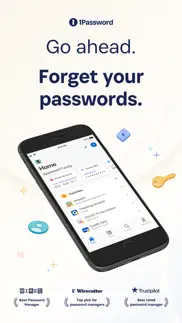


1Password: Password Manager 8.12.12 Apps Screenshots & Images
1Password: Password Manager iphone, ipad, apple watch and apple tv screenshot images, pictures.
| Language | English |
| Price | Free |
| Adult Rating | 4+ years and older |
| Current Version | 8.12.12 |
| Play Store | com.1password.1password |
| Compatibility | iOS 18.0 or later |
1Password: Password Manager (Versiyon 8.12.12) Install & Download
The application 1Password: Password Manager was published in the category Productivity on 09 August 2022, Tuesday and was developed by AgileBits Inc. [Developer ID: 285897621]. This program file size is 393.69 MB. This app has been rated by 19,854 users and has a rating of 4.5 out of 5. 1Password: Password Manager - Productivity app posted on 22 April 2026, Wednesday current version is 8.12.12 and works well on iOS 18.0 and higher versions. Google Play ID: com.1password.1password. Languages supported by the app:
NL EN FR DE IT JA KO PT RU ZH ES ZH Download & Install Now!| App Name | Score | Comments | Price |
| 1Password for Safari Reviews | 1 | No comment | Free |
| 1Password 7 - Password Manager Reviews | 1 | No comment | Free |
- We've improved how we handle shortened Apple Maps links. - We've updated the phrasing used to describe unlock presets options. - We've improved localization for a number of our supported languages. If you'd like to suggest a localization improvement, contact 1Password Support. - We've fixed an issue that could cause excessive battery use in the background after you used AutoFill. [[#PA-847]] - We've fixed a visual issue with the account deletion screen in Dark Mode.
| App Name | Released |
| Claude by Anthropic | 01 May 2024 |
| VPN - Fast VPN Proxy | 24 October 2017 |
| Padlet | 10 August 2015 |
| Gmail - Email by Google | 02 November 2011 |
| VPN - Super Unlimited Proxy | 15 May 2018 |
Find on this site the customer service details of 1Password: Password Manager. Besides contact details, the page also offers a brief overview of the digital toy company.
| App Name | Released |
| Tampermonkey | 18 November 2024 |
| LineLearner | 22 April 2010 |
| IFacialMocap | 13 January 2020 |
| ChoreoRoom | 08 January 2018 |
| Things 3 | 18 May 2017 |
Discover how specific cryptocurrencies work — and get a bit of each crypto to try out for yourself. Coinbase is the easiest place to buy and sell cryptocurrency. Sign up and get started today.
| App Name | Released |
| WhatsApp Messenger | 03 May 2009 |
| CapCut - Video Editor | 14 April 2020 |
| Cash App | 16 October 2013 |
| YouTube TV | 05 April 2017 |
| Netflix | 01 April 2010 |
Install the Giftmio extension for smart shopping. Get notified about cashback opportunities, activate cashback in one click, and save money on purchases.
| App Name | Released |
| Farming Simulator 26 Mobile | 19 May 2026 |
| Slime Rancher | 26 May 2026 |
| Pou | 26 November 2012 |
| AnkiMobile Flashcards | 26 May 2010 |
| Earn to Die 2 | 20 November 2014 |
Each capsule is packed with pure, high-potency nootropic nutrients. No pointless additives. Just 100% natural brainpower. Third-party tested and validated by the Clean Label Project.
Adsterra is the most preferred ad network for those looking for an alternative to AdSense. Adsterra is the ideal choice for new sites with low daily traffic. In order to advertise on the site in Adsterra, like other ad networks, a certain traffic limit, domain age, etc. is required. There are no strict rules.
Keep personal info private, avoid scams, and protect yourself online with AI-powered technology.
1Password: Password Manager Comments & Reviews 2026
Hesitant. I hate doing reviews and it may be I would hate any and all password managers but I feel I should say, I hate this App and it feels like my worst digital mistake ever. They own me now. It works badly on the laptop and worse on iOS. It rarely works with apps and websites, of course fights with all other password saving functions, but I can never drop them. THAT’s the worst part, I believe that with all the whack mega passwords it’s generated I can never keep track of them WITHOUT 1Password or some other paid manager. I should have known when, not long after I started, I reached a help desk person and asked how I was supposed to convert to full usage of the App and he said “well, eventually…” Surprise, that word never came up when they were selling me. Eventually btw is of course never. Other thing is… I was convinced by a gang of colleagues at work to try 1Password, struggled with it for months… finally remembered to mention it and they ALL said “oh heck, that thing is trash, we all dropped it.” So… three years plus now and … my initial “worst mistake ever” assessment has… not changed. Sigh…
Great App, Confused on Poor Reviews. I’ve used this app for over 5 years now. The synchronization and UI of the app are great, even through changes over the years. Its integration into iOS to replace Keychain has been wonderful since iOS 16 (I think). The MacOS and extensions on browsers such as Chrome and Firefox work like a charm as well. Other little features I’ve enjoyed are sharing passwords temporarily, Watchtower, and customizable Home Screen. I’ve seen a lot of negative reviews for the app which I think were quite frankly baseless. The app works great between all platforms, I have never thought about “why isn’t this working”, and most importantly I have never been concerned with security because of the constant updating and improvements to the app. There a lot of features I don’t use on the app so maybe that’s where some of the complaints stem from, but as a password keeper, it has done its job and more.
Like the look, not to thrilled about the update all together. Update: Still using the old 1Password 7 version. Waaaaay better than the 8 version, which didn’t even import all my passwords to it from the 7 version. Staying with the 7 version. Maybe when they come out with a 9 version I’ll give it another try. Till then, 7 is my lucky number. I like the look however with the new 1Password8 it doesn’t show vaults separately. I hate that. I created different vaults to manage information and now it’s all mixed together. 😑 Bring that back and the ability to customize the Home Screen to have vaults, not just favs, pinned, recently used, blah blah blah. Also where’s the Apple Watch integration??? I’ve paid for the family plan for well over 5 years now and absolutely loved it. Even recommended it to others but with this new update I may cancel our plan and find something else. That’s how much I hate the new update. Giving it about a month to get used to (if I can tolerate the change for that long) but if it doesn’t have what I need and like I’ll more than likely find something else.
Trainwreck!. I used 1Password for years, and was delighted with it. A couple of years ago I had technology issues and stopped using it for a bit. I recently tried to reload it, and the process of bringing in my old and new data was clean and simple, and I thought I’d nailed it. Yay! BUT… Then I discovered that when you upgrade, it does not override old versions of the software, so suddenly I had version 4.1, version 7, and version 8 all arguing with each other. I consistently had to log back in and unlock the app. Instead of saving me time, it killed my productivity. The database for addressing this issue was incredibly confusing, and I couldn’t get a straight answer from the very few live contacts I made. So I decided to write off my $35 investment as a loss, and I completely deleted every single file related to the software off of every device I own. I am sad and I am angry at the same time. I mean who writes software that doesn’t override old versions!?
Great App but Cust Support even Better!. The 1Password app is very well organized and feature rich but also can be overwhelming to those not current with the latest technology or how to setup the numerous settings within the app (two factor auth, fastmail, virtual cards, autofill, etc). The reason I have not given up or moved on is because of the outstanding “human via email” customer support. I mention this group because it’s one thing to create a great product but entirely a different (and I think) more difficult task of bridging the product innovations to the varied knowledge level customer base. Customer support has continued to be supportive, encouraging and most helpful in helping me secure my family’s information. Thank you for sticking with me. Happy with the product and grateful for the education along the way.
Should have done this sooner. I was a long time hold out to using a dedicated password manager because I didn’t just want another app to maintain. There is some startup capital you will have to invest (time, app learning curve, etc) but in the end it is so worth it. Love the integrations with browsers and my iPhone. Love the ability to customize password length and special character usage. It just feels better knowing my passwords are protected and randomized for each different application/resource. Now I truly only have to remember 1 password and not have to worry as much about a single data breach at random website exposing all my information to more sensible accounts. I will say some of the bugs mentioned in other reviews do exist (random crashes, asking to create/save a password two times) and are annoying but I assume the developers will work these out over time.
Getting buggier and buggier. I was so willing to let 1Password prove me wrong with version 8. I see the potential benefits from a shared core, and there have been many new features added, like passkeys and ssh keys. However, it just keeps getting buggier and buggier. Sometimes autofill doesn’t work on sites where I use it regularly. The passkey feature gets confused and often won’t offer a passkey if 1Password was locked when I first loaded the webpage. Items don’t sync well, and every time I open the app, my screen is covered with duplicate messages about the same item failing to sync. Sometimes the 1Password drop down shows up, but a lot of the time it doesn’t. Or it says “no saved passwords” for sites where I’ve filled passwords 1000s of times. The changes between 7 and 8 could have made 1Password more reliable, but it’s been months and it just gets worse and worse. I haven’t overcome the inertia to move to a different password manager yet, but I’m so disappointed that 1Password is pushing me that way. Don’t add new features if you can’t solve 6 month old bugs. Do better.
Still disappointing. The engineers who are working on this app are not communicating enough with those working on the macOS app. The apps used to be mostly in-sync with each other in how their UIs work. This release of the iOS app is a wide departure from the previous UIs. Lots of things moved, changed, but I can see no reason for the changes. And I’ve read a fair amount of complaining about these changes. It looks to me like some engineer chose a certain toolbox for the management of the UI (or parts of it) and *forced* everything to fit within it, rather than consulting experienced HCI people to determine usage patterns and proper placement of UI items to facilitate those patterns. There is a lot of white space in the UI what wasn’t there before and it does nothing but make the UI look childish and waste users’ clicks and scrolls to find what they want—things that were easier and quicker to find in the previous UI. I’m always in favor of improvements, and in general in the past, 1Password has added useful and helpful features. And there are indeed improvements in this release, just not the UI. The macOS UI for version 8 is much better and more expected than this iOS version. As I said, I’m disappointed here. But probably the most important thing is that this new UI has effectively turned what was the top notch password manager into (apparently) one of the worst with its 3.4 rating. It’s hard to get a high rating. But it’s easy to lose it. And even harder to get it back.
Expecting it all, but getting barely enough. I consider myself pretty tech savvy. Build websites, navigate to remote machines via ssh, but I feel like Apple keychain was easier to use and a lot more efficient. I use this app for mobile and desktop. I have the browser extensions and can’t for the life of me figure out simple things like going to a website and getting 1PW to populate the uname and pw. I have to manually go to the app and search for the credentials and put them in by copy/paste. If this is meant to be efficient it’s another head ache. Half the time it doesn’t even show what I’m searching for and I have to search all. This can’t be how it was intended to work. I do love that all of my pw , passkeys, and more are in a central location, but this should be a lot easier for the average user.
Rushed update introduced nasty bugs. 1Password 8 introduced nasty bugs. The worst one is that if you tap on the edit button for an entry, it will edit a totally different entry. I just tried to edit a credit card and it saved my changes to a totally unrelated login. This has happened repeatedly since version 8 was released. It’s deeply disturbing that version 8 was released in this condition, especially since the bugs involve improper state management when editing passwords and other data: the app opens the edit window for a totally different entry after you tap on the edit button, editing the wrong data, losing data when editing, etc. This release was clearly rushed, and combined with the fact that these bugs are so frequent that QA surely found them in testing, clearly indicates they knew the product wasn’t ready but they shipped it anyway. For an app that holds its user’s most sensitive information, this is unacceptable and a breach of trust.
Private Vaultd. I chose 1Password several years ago because of stand-alone vaults. I have passwords that I never want available on the Internet. You’ve chosen to remove that feature even though you once advertised it as important. You have arrogantly decided that you are smarter than I am, that your security architecture protects my data on your servers and that’s all that matters. You have covered yourself. If my passwords get exposed, it’s my fault. The passwords in my private vault are on a computer inside a secure facility only accessible on a fire-walled network. The computer is off a great deal of the time. It’s not impossible to get them but nearly so. If I lose my phone, no problem. If I lose my phone with my important passwords stored on your computer they are not nearly as safe. Your seamless integration of private vaults with a vault on your server was an unbeatable combination. Less important passwords available everywhere, all of them available on my private network. Now I can’t think of any reason to continue to pay for your app.
With the right choices by devs, could be leading password manager in a few years!. Wow. I've used LastPass, DashLane and the default Apple/ios password manager. None come close to 1Password in any aspect: design, customizability, family password sharing, adding custom fields that auto-fill into the website. I am shocked at the lack of reviews for the iPhone app. So far, it works well for me. Not as polished as the desktop application, but once y'all polish up some mobile stuff and maybe market more aggressively (it took me forever to hear about 1Password) you will get more mobile users. I hope to see this app/company succeed and use this as my password, identity and secure note manager for decade(s) to come. 🍀
Bugs galore. The seemingly over engineering of 1Password has introduced bugs, some worse than other. Lately when selecting to editing a password for “Account A”, the opens the edit functionality for “Account B” — different than was selected. If not paying attention there could be serious consequences. I no longer trust the Safari function that prompts to update an existing entry because I have no idea if it will update the correct entry. The Windows app works well but the browser add-ins have become bloated and intrusive. Constant prompts to use saved info or automatically complete fields cannot be disabled for a particular page. It’s all or nothing. Forget exporting your passwords from the apps but it might be possible on the website. Things were going well for a few years with 1PW but lately I’m missing the days when it was a standalone app on my iPhone and backed up to Dropbox.
I’m done with this app. I used to find this app very helpful. I’ve had it for many years. I even helped my mom set up but now, it seems to be holding my passwords hostage. It shows I paid for a year on my Apple wallet but then when I open the app, it says my subscription is frozen and I have to pay to get access. What the heck? Is there two apps? It all started when I had to get an authentication app for an online account. I ended up with 2 apps on my phone so I deleted one. One was “1Password” and one was 1Password 7”. I have been able to access the one I kept up until a few days ago. This is ridiculous. And today I tried to download an app and I had to put in the password. Since I don’t have to do that oven, I of course tried to use a password key. I can only use the one stored in 1Password but then it won’t let me see it until I pay. I guess it’s back to old school write them down.
Recent updated F’ed this app. This app no longer auto-fills the necessary fields to log into accounts. I have cleared browser cache, disabled/enabled the browser extension, turned phone on/off…and nothing seems to work right anymore. When editing an existing login, the app switches to a previously viewed login…pay attention before you change passwords or you will change it for the wrong login even though you very specifically select which one to edit, the app brings up a different login ready for editing!!!! When trying to set up extensions to have this app work with a browser, it tries to ask permission to use/access a previously navigated web page instead of the web page you are actively trying to log into. Basically you have to open the app, and manually copy/paste every field… this app has become a lot less convenient, and more cumbersome to use.
Excellent update!. I have used 1Password for over 15 years, from back in the day long before subscriptions were in place. It has always been a great, secure, encrypted, password manager. I held off upgrading to version 8 because of reports with Face ID and such not working. When I learned that this version I’ve been released and what one password was saying about it in the corresponding feature list, I felt it was time to make the update. Some reviews are less than positive, which brought me concern, and I held off for a day. I’m not sure why others are having such difficulties. For me, the Face ID is working perfectly, the new search field employment works perfectly, and most excitedly, with the integration of 1Password and Safari on my phone, I have a seamless experience of entering passwords into websites on the mobile device. I simply haven’t found anything not to like in this most recent addition. It’s a solid updates that is working well, adding value to the ease of using a password manager, and maintaining the quality that I have come to expect from 1Password. Great job, 1Password team!
Was great, now not so much. Today a new 1 Password appeared without notice. It no longer locks nor are new passwords or data allowed to be entered. My security is all wrapped up in this. The following is my previous review which suggests this problem is not new. I have been using this product for the last few years with great enthusiasm. Version 8 doesn’t work. It won’t open using Face ID. It will not take new passwords. It will not offer any basic options of autofill. I was told a fix is coming. If it doesn’t come soon, I will be going not to return. Developers response was to provide them more information, all of which has been provided before. They know their app doesn’t work with Face ID for “some”‘folks. There are only work around that make 1Password 8 just a file of passwords. The rest of the options that make 7 so good, just don’t perform. My recommendation would be to stay with 7.
This was recommended to me by my tech savvy brother.. We’ll the jury is still out. My brother is a computer wizard and while on a golf getaway he was reviewing my cell phone and let me know - I need to something to create a better buffer between my information and the people that are constantly trying to steal it. Oh, I should also mention - he’s 20 yrs younger that me and I’m 70. He recommended 1Password for a number of reason that I can’t remember- I just did it. Well- this was not an easy download the app and the system walks you though the process. I think I spent my first day searching the internet on “what do I do to get started” Today, I accomplished exporting my passwords from Safari and Google. Then I’m supposed to store the files somewhere - and hence the question “what’s a vault?” After a few hours - my wife’s says - don’t you dare send that to me! We had a pretty good chuckle confirming the tech train did not stop at our station. I think I need to get my brother the CIO to volunteer some time to the needy. By the way, How many CIO’s does it take to screw in a lightbulb? None, that’s a hardware problem…..If you are reading my review, and you have knowledge of a 1Password for idiots Book or video - pass the information forward. And, yes I have tried reading through many instructions and I still return to my the word “What?” Thanks
Stop trying to get me to share my info with you, 1Password!. Generally, I’ve been happy with 1Password. However, recently, it seems every time I log into it, it tries to get me to share my information with it about my family account “for product improvement reasons.” In the dialog box, the option is to accept the sharing is on by default. But when I deselect it and dismiss the dialog box by selecting “Confirm Choices,” the app just asks me again the next time I log in. I DON’T WANT TO SHARE. Let it go, 1Password. It’s creepy. While you promise not to look at the passwords, the implication is that you can see the sites we use and the name of our items. No thanks. Additionally, the desktop app also wants to have full accessibility access on the Mac. This is a bit disconcerting and confusing when the browser plugin does just fine without it). Since I don’t want or need 1Password to fill passwords outside the browser, it’s annoying. Also, 1Password 8 is only available for direct download on the Mac, and I don’t want that—for security reasons I prefer to download (and update) via the App Store.
So many in need of whaAmbulance. Not sure why so many whine about the app. Seems to be mostly people who don’t take the time to setup properly, neglect reaching out to what my experience has been the most responsive support team to ask questions, or simply complain about something that wasn’t offered to begin with. Most issues I have encountered where resolved with a little effort put into settings tweaks, what I couldn’t find or figure out was resolved by reaching out to support. Support has been amazing every step of the way, everyone with exception of the sneaky world domination focused Ai Bitbot…… yeah you! Have been amazing ( mentioning BitBot jokingly.) They also take feedback seriously and look forward to future possibilities like integration of other apps like Eprivo, duplicate merging, and other ideas anyone comes up with. Seriously don’t be an angry (insert colorful adjective here) and you may be surprised how kind, playful, and responsive any developer may be when you try and communicate with them. Thanks 1Password for all your hard work! Looking forward to who ever draws the short straw next 😉. Until Next Time, DeletediO
Great password manager and customer service. This is an excellent password manager. I’ve pretty much used all the major / popular ones and this one honestly makes me feel the most secure and actually seems to work best across devices. An example of that is when you update your password on one device it instantly is updated on all of them. I know that sounds basic but lastpass, Microsoft and apple password managers always seem to have a problem actually doing this which leads to a lot of frustration. It’s also just the best if you use lots of browsers and different types of devices since obviously apple and MS don’t exactly play well together. I had issues with Face ID not working previously as I’m sure many others experienced. 1Password customer service did everything they could to ensure i was a happy. They listened to and acknowledged the issue helped me with a workaround while they worked on an update for their app. They followed up afterwards on multiple occasions. really just took care of me at every level I’m impressed by their customer service and technical support. I highly recommend this app and company.
1Password 8 has gone to the dogs. I have been a HUGE fan of 1Password over the years. The latest release is a complete disaster. It fails to work on the basic use case of a password manager - to fill passwords on a form. 1Password was built as a Mac first app - and it worked flawlessly. With 1Password 8 it was rewritten to be cross platform so they can go after more users and make more money - and in the process completely broke the app. It has not worked on Marriott, Chase or other very mainstream sites. I have tried working through support - who believe it or not blame apple for the problems. Even though their own 1Password 7 works beautifully. Support basically said we know it does not work and we will not fix it - because it is an Apple problem!!!!! Their solution - here is an faq article on downgrading to 1Password 7! So very disappointing for what used to be EXCELLENT software with excellent support. The whole company seems to have lost their way recently. Most of these problems are on a Mac - maybe it works on Windows.
Exceptional Application. I very rarely feel a desire to leave a review for anything but the best and worst that I feel there is to offer; this is most certainly in the former camp. This is an exceptional application. I’ve used 1Password continuously both personally and across multiple enterprise teams for over two years and have found no better single solution across all platforms to manage anything and everything that you want managed through a password manager: files, personal information, environment variables, OTP/MFA details, addresses, login details, server credentials, all easily imported and exported into and out of any environment or operating system you work in or spend time on. They have browser extensions that (recently) have become extremely stable across chrome and firefox builds, a dedicated CLI and a dedicated GUI for Windows, Linux, and Mac - all of which i use invariably and all of which work really well once you get them setup - as well as options for hosting your own access server in cloud/remote environments. They also make it extremely easy to manage access across users, environments, and teams. There are a multitude of imposters out there that all may appear to do the same thing, but don’t bother. You can and should immediately stop wandering through the haze for a complete password management solution. Just grab 1Pass and be done for good.
Bugs and no fixes. Just trying to switch over from another password app, and it’s creating duplicates of every new entry. Is this supposed to be a feature? If you cancel the add item card when it pops up again after you hit save, it doesn’t save anything. So if you want to add a new item, you can make 2 or 0. Not sure what they’re doing there. I highly doubt the “support team” is the answer to this question. Try your programmers. Good thing I’m still on the free trial 😂 Update: So I contacted the support team as the canned response suggested, there is no resolution for this issue, it’s a bug, they’re working on it. In the mean time, I’ve moved on to a competitor, with a name something like “hyphen-road”… It’s going great over there! Whoever decided to release this unfinished, buggy mess of an app that you’re supposed to trust your most sensitive data to I have no idea. Avoid. Maybe less attention to the canned responses and more to your product and you wouldn’t have hurt the reputation of a once-great app and service.
Best Password management tool in the market. I have used two other before using 1Password. Our family uses this service. In addition to this, my husband uses another service for his business. So I can compare this to three other services and 1Password is by far the best. They are always on the forefront of the new security trends. The app has also been improved by leaps and bounds and has been kept up with new features. It has some issues, but thankfully not too big. I really appreciate the support team publishing the list of all updates on the AppStore, unlike most other apps with a generic and useless update notes like “made improvements” - I mean, why even bother? This app has become one of my most used apps and without good app team, this app would have never scaled up to that usage. Glad I found this service.
For a paid service, I expected basic functionality. Im not one to leave reviews but I just switched from Lastpass to 1Password and am wondering why I decided to start paying money for this. I wanted to have access to my passwords on my phone, but this app is really glitchy with other apps when prompted for a password. The whole reason I got a password app is so that they would autofill, but now I am prompted to type in my complicated 1PW master password every time I log in. This is extra annoying because the interface is buggy and you cant actually see the field you are typing in because the keyboard is in the way. On top of that, if I change a website password 1Password doesn't ask to update it in my vault so I have to do it manually. All of this is just as annoying as not having password management on my phone and keeping the free Lastpass service. If it doesnt get better in three months Im out.
glitchy. I used to really like this app, but now it just glitches constantly. Go to edit a login? Starts editing the wrong one! Finish creating a login and save? Pulls up a create new login form for the one you just made AGAIN! Want to use a passkey? Better hope the stars are aligned and Mercury is not in retrograde, or it might just fail for no discernible reason whatsoever! Seriously though, fire the UX and UI teams and just replace them already, they've had a long time already to work this out, and they just have not been able to cut it. Triple the size of your QA team, and give that manager the authority to put a hold on your new releases if they are not really ready, because whoever has been making that decision has been making the wrong one over and over for more than a year now. I think a lot of us are just about ready to throw in the towel and move on, and it genuinely makes me sad to say that!
Long time user but disappointed. I am out on a long camping trip in Colorado and Utah. I have been using 1Password to help me login to state websites and make reservations at RV parks. I was exploring some this morning and needed 1password to get some information. Unfortunately I could not login. I could not get around any of the crap that they have built into the login. Their support is worthless when it comes to this type of problem. Only crappy companies do not publish a telephone number. I ended up calling their sales department and talked with someone. I did finally send them an email, but who knows when they will respond. I’ve been using the password 1password since the program first came out many years ago. I have generally been pleased with it, and have stored many things on it. This last version has been bad.
Works fine for me. I’ve used 1Password for well over a decade and put off updating to the latest version based on all the negative reviews. Most people are griping about paying the subscription, but a vast majority of password managers (and software in general) are now subscription based. The transfer from 1Password 7 to 8 was on my iPhone was seamless, as was the transfer from 6 to 8 on my Mac. The only reason I don’t give it 5 stars is because you can no longer store your vault exclusively your local device, it has to be on their servers which I don’t really like. Bring the option back to allow your vault to reside where the user wants it, and I’ll change the rating.
New app has many more features!!. I’m a longtime 1Password user and was hesitant to switch from 7 to 8 as I saw no point and things in version 8 is slightly re-arranged. However after checking with support on some longtime pet peeves of mine, they were super helpful and firmly suggested that I move to 1Password 8. I did and am very happy with the new features. I had no idea they were in the new app. Example-for sites and apps with a user login and then a credit card where before the app couldn’t tell the difference, the app now gives you the option to update and learn the difference. Works great on similar bank issued credit cards and anything where you had to hand select before. Many more improvements and the app seems to have better system hooks and to run faster than before. Overall excellent performance and update.
Deleting passwords breaks the app. If I delete a password, particularly from watchtower tab, the UI breaks. The entry has been removed, but it’s still visible. Clicking on it or anything below will now result in a click offset by 1, due to the delete being out of sync. Further, swiping left to delete another entry no longer works. Swipes are broken after this, and maybe thank god since the UI is out of sync, and I’m likely swiping on a mislabeled entries. Also, the delete confirmation to view/undo is SUPER annoying. Massive, intrusive popup that CAN’T be dismissed and stacks. Meaning delete 2 back to back and you can’t see anything on your screen for 5 seconds. What a pain. Do NOT expect to be able to manage existing passwords on the iOS app. Do it on desktop or you will hate every moment of it. So we have a password manager that you can’t manage passwords on. For $7/mo for life. Nice. Edit: thanks for the generic, unhelpful response that you give to all less than perfect reviews.
Been using it for 1 year. I am very happy with 1password. I use it on my phone and computer and it works seamlessly. I feel that it is extremely secure as well. I like that your master password must be complicated and the string of random digits they provide which you must use every time you set it up on a new device. You definitely want to keep that in a safe place. Add to that an authenticator app when using a new device as well and I feel very secure which is the most important thing for me. It is also easy to use and there is a way to import your passwords from other password managers. That’s what I did when I dumped LastPass (too many security issues with that app)
App is not great. A few issues/bugs on 8. However, my biggest problem is with its limitations. There are many things that you cannot do with the app and are required to login to the website. For instance, you cannot recover your family member’s account from the app. You cannot export your data from the app. As far as I know, you can’t change your master password from the app. My second problem, and this is a big one, is that there is no live chat or phone support. For example, I recently had an issue where my login was working on one device, but not the other. Then I couldn’t log in on the website. Going back and forth on Twitter and/or e-mail is frustrating and slow. Eventually I figured out that if I logged out of everything then I could log back in. Now it’s working. I’m not sure if I’m getting any value from 1Password that I couldn’t get from a free service. I’m currently investigating some different options.
A good product gone bad. I have used 1Password for years and have been happy with until version 8. It loads way too slowly, constantly asks for reauthentication, no longer supports Touch ID in the web browser, does not play nicely with FireFox, can't get Safari to connect to the so called helper, even after going through the troubleshooting steps, and so on. I fail to understand how what used to be a good stable product has gone so bad. Have worked with support, but have run out of time to keep trying things that do not solve the issue. They also can't seem to understand that I only use Safari as a last resort, which might be once a month, worst case. Currently am trying to figure out a way to export my Secure Notes, Bank Accounts, and Credit Card info into a .csv format. They see to hold those data hostage.
The best password manager. I've been a 1Password user for many years with both a family account and business account. I am constantly impressed by the quality of the app, the quick releases of features and bug fixes, and the amazing support from the Agilebits team. I've tried other password apps, from open source to paid, and always like 1Password better. It's the only password management app that I recommend to my friends, family, colleagues, and clients. Keep up the great work! Developers: One minor issue has crept into the latest version. When you edit an item the app will open the wrong item to edit. By pressing cancel and editing the item again it will then open the correct one.
Best password manager I’ve used, beyond what I thought was possible. First off, I’m just gonna say I never excepted to “love” a password manager. But 1 password has blown me away with its functionality and how easy it is to use. With one caveat that makes it hard to recommend. It’s always asking for my password, like constantly. I work in tech and have done a lot of cybersecurity. I get it. But the app is basically unusable unless you disable every security feature (I have it never log me out, turn off the feature that breaks Universal Clipboard, and basically make every setting as lax as possible). with every security feature off, it asks for my password an acceptable amount of times. I literally had to add my password to my Apple autocomplete suggestions AND I have it in an unencrypted note AND stored in my iCloud Drive because 1Password can’t ^}*%ing seem to stay logged in for more than 30 seconds. I get that you’re trying to make things “more secure” but you’re really not. I’m about an inch away from changing my password to “123” because of how disruptive it is to use my phone. I should pretty much never have to use anything thing but my biometrics and my phone pin yet 1Password is over here asking for a 37 digit password every 10 seconds. Ugh
Overcomplicated. Update: I’m upgrading my review to four stars because I have to acknowledge that 99% of what I do with the app is through the password field integration and that part is great. But I still think it’s inexcusable that the app doesn’t prioritize search above all else. At least it remembers that search is my last used tab, but it doesn’t default to it. Otherwise my prior observations stand: I get trying to make the app happy and friendly. But for more experienced users it’s annoying. I don’t want tips. I don’t want favorites or a happy Home Screen or whatever. I have too many items (hundreds) to curate and tag and group. I just want the app to open to a list of all my items and a search bar at the top so I can filter it. That it. That’s all I want. A list and a search bar. In my face when I open the app. At least give me the option or let me set my default tab/view.
Worst migration/update ever. First I should say I’ve been using 1password since 2006. It’s been great. No problems up to now. This “upgrade” migration was just really bad. The directions provided to get through this most delicate high wire act — moving all the keys to your life — is often not clear or not correctly provided. Some of the steps they give are in the wrong order. The whole process of upgrading is so slapdash casual. I almost lost everything. When my 1password7 vault was zeroed out in moving it into their cloud, it was all gone, and I couldn’t log into 1password 8. It was all gone. Luckily I had the presence of mind to turn off wifi and put my phone into airplane mode. The info I needed to log into 1password 8 was there in my old vault. OMG. And so now my 1password password — the key to all my keys — seems to be basically another web login? Besides the process being bad, I do not like this change.
A strange fall!!. I can't believe that a Application was destroyed like this with an update! I mean, the version of your notes in Password7 was backed up on your iCloud, but this is not the case in this new version! In the new version, if you do not buy a monthly subscription, your notes will be frozen and you will not be able to edit them! Can't even delete them!! Your notes will remain on the 1password server until the day their servers become hack and your notes and passwords fall into the hands of hackers! This version of the program has completely insulted the user! unbelievable!! A strange fall!! Only because of the respect I have for Password7, I did not give one star and gave two stars! 2) The app store should remove this app from its store because this company is deceiving the user recently and when you have not received a monthly account, they will freeze your account and deny you the ability to delete your notes and hold you hostage until you do. Get a monthly subscription and you won't have mental security until you get a monthly subscription!!!
Has potential, but some serious flaws need to be addressed. The concept is great, however, trying to share with someone, in my case, my spouse, is extremely sloppy. Everything‘s in private vaults you have to put in the share vault and you end up having multiple logins for the same account some of them being old passwords that are still there. I find that when I try to login to something that I haven’t logged in for a long time, i’ll bring up 1Password and they’ll be 10 different logins, some with old passwords. This makes it become very messy. Also, when I save a new password, it automatically defaults into my personal vault, which doesn’t share with my spouse until I edit it to change it to all vaults. All these extra steps have us looking to switch to a different password manager.
Not seeing what’s so terrible…. I switched to 1Password after using Apple’s built in Keychain password manager for a little while and being left wanting more. Heard great things about it. Come to the App Store to see everyone bombarding the app with 1- and 2-star reviews, so I went in feeling uneasy. This is so much better than Keychain on so many levels. I especially love being able to search through my accounts on my MacBook similarly to how you would use Spotlight. I have NO idea why Apple didn’t think to do that themselves. I’m also a fan of being able to have my most commonly used accounts saved directly on my Apple Watch. Super convenient. Haven’t ran into any glitches or issues. So I’m loving everything so far! It’s most definitely worth getting the annual subscription. $35 feels like a steal.
Love this app. I’m not sure how I lived so long without it. Actually, yes I do. I reused about 4 passwords across every site or app - not very safe or smart. I love that I can have 1Password suggest and save new passwords, and I can edit the suggested password before saving it. I can save membership numbers, credit cards, etc. on top of login info. I also love that I can share a password with someone by sending them a link to that specific password. I also have a shared vault with my husband where we save our personal login info, and I save all of my work related passwords in my personal/not shared vault. It works great for us. Now when the bank requires us to update our passwords, the other person doesn’t get locked out. And I don’t have to remember any passwords, except my 1Password password. Love it! I’m sure I’m not utilizing it to its full potential but I appreciate what I do use it for.
Very buggy. I had 1Password for a year now and I am not renewing my subscription. The whole 1Password system including the app and browser extension never really worked well. One of the things that was most annoying was that the auto-fill feature really only worked maybe 50% of the time. On my iPhone, it actually maybe worked 25% of the time. If they could fix that it would be a pretty good password manager. Even the password generator worked on some website but not on others, so I had to go to the browser extension to generate passwords. The app and vaults are very intuitive and I actually liked how everything is set up. However, having to type or copy and paste the passwords 50% of the time is just to cumbersome. Honestly, 1Password should be of no cost or at a much lower cost for having so many issues.
Buggy. Will there ever come a day when 1Password 8 is as good as 1Password 7 was? It’s been a year and a half, and 1Password 8 is still as buggy as ever. For a while now, every time I open 1Password, it automatically opens—in edit mode—an item I created a few weeks ago. Every time! This is a bug that 1Password has known about for at least several weeks, and they’ve even claimed to have fixed it already. When is enough enough? I’ve been using 1Password for over a decade now, and I even got my workplace to switch to the business version. But it seems obvious that 1Password just doesn’t have the commitment to software quality that they used to have. I’m not jumping ship yet, but I hope someone at 1Password sees that the reviews for their product have been getting more negative for a long time now, so they can right the ship before it’s too late. To the 1Password employee who responded to my review today (March 28, 2024) claiming that the bug I’m experiencing has already been fixed: you’re wrong. I have the most recent version of 1Password, and the bug is still happening.
Still the best among competitors, but recent updates moving it backwards rather than forwards. Although I historically liked the 1Password app, it appears to be intentionally difficult to find a support email or number on their website or apps. I’d assume this is to decrease their operating costs by driving customers to self-service forums and chatbots, but they aren’t very effective and are a detriment to service quality and market reputation. Over the past several months I’ve experienced multiple issues of de-syncing between my desktop and browser plug in as well as changes which add unnecessary red tape and make it more onerous to login. For an app designed to deliver seamless, quick autofill of numerous passwords, the organization appears to be introducing updates which do the exact opposite. The frustration is compounded by poor accessibility to support, forcing users to spend time on an app they purchased to increase their bandwidth through automation.
I’ve Lost All Faith in AgileBits. AgileBits could teach a masterclass on how to completely destroy a great app and screw their customers over in the process. I can’t believe this app was actually released in this state, bugs galore! I guess this is the result of a company aiming to please venture capitalists rather than their loyal customer base who got them here. I’ve lost my patience with this company, it’s been months since they released this dumpster fire of an app and it just gets continuously worse. Good riddance 1Password! Here, I’ll even do your job for you: DEVELOPER RESPONSE Thanks for leaving a review. We completely agree with you, our app is a flaming pile of horse crap. The fact of the matter is that we just don’t care about you as individual customers, we only care about our enterprise customers. Please download and use Bitwarden instead, as all of our developers are still high school students taking their very first programming class. Thanks for the 36 bucks though!
Too much friction. It's reliable, I've been experiencing increasing amounts of friction with this app lately, almost to the point where it is asking more of me than it is giving back. Am considering a move, perhaps to ProtonPass, after many years of use. (I started before the subscription models began.) - The latest annoyance: it has decided that I failed on the password too many times and so now it is making me use the password every time until it decides otherwise. Thing is, I never failed. I just backed out of the darned thing, which I didn't want open in the first place. Moreover, it should be my business what the consequences are. But no. There is no setting for this issue. It makes me feel like I somehow got transported to an enterprise setting without admin privileges.
No option for feedback, so I’ll write a review instead. Just went through a whole loop on their website where the “send us an email” link doesn’t let you send an email, and posting to the forum requires a lengthy registration process. Every time I open the app, it loads the same item and when I try to close it, it asks if I want to save changes. Like the changes I made a couple weeks ago aren’t saved?! Or is the dirty bit just stuck and it will forever ask if I want to save changes I haven’t made? When I tap the magnifying glass it seems to bring up whatever I had searched for before (or it’s another bug). I want to search for something and no, whatever I found last time is not a good result—especially since it’s not an item in a list below a search field, it’s the item instead of a search field.
Edits random items, high risk for unintentional changes. I love 1password, but I’m experiencing the issues many others have cited on the iOS app where a random item will be opened in edit mode when switching to the app. Like others, I choose “discard changes” but this is a really big deal for a secure password manager. I work in the IAM industry, and even use 1password instead of my company’s password management product simply because I’ve been a 1password customer for so long (long pre-dating my employment at my company). I don’t want to have to switch, but it’s becoming clear that this is a serious issue. I was on the cusp of upgrading to a family plan, but I cannot request that my family members use the iOS app in this dangerously buggy state. I truly hope a patch is rolled out soon — this bug has been a problem for a long time!
Frozen account even though subscription paid. I signed up and subscribed through Apple, yet even though my subscription is paid and valid, my account is frozen. Used the same email as my Apple ID. Looking online, this has been a problem for years. Why offer an option to subscribe through the App Store if this continues to be an issue? Emailed customer support at 1Password and still no response. EDIT: received response from developer, but there is NO option to “apply subscription to account.” Account is still frozen. Second EDIT: I clicked Subscribe again. It told me I was already subscribed. I clicked manage. It showed an active subscription, but my account was still frozen. I clicked subscribe one more time, but this time just clicked ok. Account is now unfrozen. This was a huge pain, and there was well over 24 hours in between email responses with tech support. Seems to be working now. I hope.
Did you know that you can earn 25 USD from our site just by registering? Get $25 for free by joining Payoneer!
Buggy. After signing in it forces you to setup autofill and the modal doesn’t close so you’re unable to use the app, there’s no way to contact support so I sent a message on twitter which was mot helpful either.
Downloaded old passwords. I’ve just updated your app, and my passwords have reverted to a previous copy, I’ve deleted it and reinstalled but still is the old version. Not happy
No longer can see my key to setup another device!. Old app I could use to easy setup another device as it would show the account information. In this new app all that is gone. I can’t even see which email I used (I use email aliases for privacy).
V8 is far worse than all preceding. Since moving to Electron as the back end, the iOS and MacOS apps are far slower and less reliable and accurate than they used to be. Saving money is clearly the driver here which makes the 1Password products unfortunate collateral damage. Looks like it’s time to move to Bitwarden which is at least free as opposed to paying for the premium product/solution and now getting the half-baked one..
Best password manager. 1Password has so many awesome features. Wish I knew about this years ago. Totally recommended
Good, used to be great. Solid password manager - and having any password manager makes it so much easier to have better password hygiene. Managing 2FA is good, autofill is great, passkey support is good, and being a keep track of secure notes, share things with family, all great. The user interface is just more and more papercuts. What used to be effortless now is an extra step. What used to work every time now has random bugs. Do they get fixed? Yeah, mostly. Does some other random annoyance come up to replace it? You betcha. Software has bugs, I get it. But 1password never Just Works any more - there's always something slightly broken. I work around it and the functionality is good, but it didn't used to be this way, and that makes me sad.
Amazing. Don't listen to all the bad reviews, this app is amazing, feature are so useful and well worth the money
A lot of room to improve. Good idea but lack luster execution. Autofill box pops up in the strangest places on iOS, app suddenly stops working for a while (which is an issue when ALL my passwords are there). Hope they get a great team to fine tune and fix over time, because it’s a good service held back by some issues
Everyone needs this. I’m shocked by how many people still don’t have a password manager. This one is the best. The new upgrade has much improved the experience in Google Chrome
Happy customer here. I recently migrated from another app and I find 1password user-friendly and responsive with many useful features and an attractive interface. The helpdesk is one of the best: fast and focused responses that worked, both times I messaged it during set-up. (I am baffled by other negative reviews. Maybe it improved before I came along!)
My Number 1 app. Excellent app. Been using 1Password for over 10 years. Started out on my Mac now it runs on all my computers, phone and my 2 iPads. I use this app daily and couldn’t live without it.
Better. Not sure why such mediocre ratings given, maybe due to bugs in earlier versions. I find it better than the 7th version, made the switch almost immediately. There are things I wished they had in the 7th that got added in 8th, like ability to see recently added/modified entries at glance, so that’s nice. Customer service is top notch as always, can’t recommend it enough.
Can’t wait to get off this app. Have been on 1Password for years. Initially it was fair value. Now it is WAY overpriced and the UI is trash, somehow they took a good product and totally stuffed it. Moving to something that is simple and cost effective. Do your homework
Scary Scam Do Not Purchase. I used to have an account but then it froze as I stopped paying after a year and just forgot to as its a nice to have thing but don’t really need it. I received an email recently (definitely from 1Password) saying I can get $10 off if I renew again. Now that I want it again for a new phone, I realised I should renew and I’d get $10 off too. I should have known it sounded too good to be true. When you download it on the App Store it does not let you log in at all, it forces you to pay upfront the regular price. So I was lied to, on top of that, it did not let me connect to my old account. This has been a nightma process. I had no choice but to purchase it again just to get my account renewed. I paid for everything via App Store btw not any third party sites. This company has gone from genuine to a scam and should be taken off the App Store. This is so wrong to advertise that it can be bought at a difficult price yet you are forced to pay the full amount up front and there’s no option for me to request a feedback. After this years subscription is over that’s it, I’d rather pay more for a better app that won’t expect you to pay twice because of a stupid App Store loop hole. How the hell else am I supposed to get the app on a new phone??
1Password All You Need. This is a great product, easy to use and has everything you need to keep passwords and special notes or credit card details safe and secure. I’ve been using it for about three years and love it.
Set up a personal account today, happy so far.. I’ve used this at work, but decided today to try out a personal account. Really like it. Definitely going to make things easier for me. I like that I also store other information, like API keys and CRNs in here too!
Using for over 2 years. This is an extraordinary app that I’ve been using for over two years now. Great across multiple devices.
Does a pretty good job. The absolute very best feature is the multi platform support. This makes it very easy to work on a Mac the iPads and iPhones. There really isn’t any excuse for not having unique passwords for everything. It would be nice if email alias was added as a feature as an option to iCloud. Otherwise a solid all round performance product.
I’d look elsewhere. This app has gone seriously downhill. Don’t know what happened but nowadays you can’t even type in your password to save in the app without it skipping characters. App performance is generally buggy and slow even on new hardware. And the subscription model is expensive. Not worth it
A Solid Vault. I certainly recommend 1Password. It is a enormous vault where you can store you passwords. And the best part is you only need to remember One Password!
Oh dear -subscription pay pay pay pay pay. “Subscription service” ie start renting your software, is not something I like. I don’t rent my home, I don’t rent Microsoft Office, Adobe, or Autodesk, Apple TV… etc and I’m sure as hell not going to start renting every other little bit if software or thing in my life that I need to use every day. I got a little suspicious when I saw the app had a new version -but with a seperate name. Then it wanted to migrate my data. Hmmm why a new app? Updated visual branding, fixed migration bugs Oh.. subscription after two weeks hmm how about “no”? There is no value added every week and Apple stores most of my passwords for free.
Good app for password management. I think 1password is quite good app for password management. I have been using it for more than a year now and it worked perfectly for my requirements. When I compared this app with other competitors the main unique selling point for this app was that it didn’t have any data leaks and it was giving standalone vault to avoid putting data in cloud. It seems to me that this is a step backward in this version where they have removed this support which was kind of differentiator for this app.
Bugs. Set up an account for the trial period. Put in a password. Next was saving the emergency kit/secret key. Then a pop up to add iPhone permissions, and never got back to giving me a secret key. Best move? Probably find another password manager while you still have the energy to set this stuff up.
Don’t forget your password. If you do purchase do not forget password to app, even with paid membership details, security key, i.d., previous password the only option you have is deletion of the account and start again. I have had to redo all passwords and cancelled subscription. Please be mindful it can take the support team 24 hours per 1 email they send but this could be the Timezone I’m in which meant I received them around 1am each time.
Issues with current release. When accessing records within 1Password 8 the app is loading strangely to previous editions, entering at other records. When I go to edit a specific record, selecting edit on that record it is actually switching to an entirely different record necessitating locating the record and selecting edit once more whereupon it works.
Be Warned. If you had a long-standard functioning App without a subscription, do NOT creat an account. For that triggers a need for a subscription and your account gets frozen without it! They didn’t tell me that when they suggested creating a secret key simply needs an account. Misleading at best (lied at worst). My App that had worked perfectly for years, is now frozen.
Disappointed. I have used 1Password for over a decade. Updated yesterday to v8. It no longer accepts my master password. Support is limited and do not reply. Bad when companies grow too big for their own good. What is point of paying for a license if I don’t get neither the software to work or support to fix it. No way I will ever recommend it again to other people, as it would be bad for me.
Keeps asking to save changes on random passwords. I have the latest iOS version and every time I reopen the app, it is open on a random password. When I click to go to out of the password, it asks me if I want to save or cancel changes. I haven’t made any changes. Now I’m worried that maybe I have made a change…
Great App. I have been a password app user for years and really like this technology as a way of managing passwords and increasing security for my accounts. I use 1Password version 8 which I switched to from another well known password app a few months ago after that app stopped working on my desktop. I have to say that 1Password is much better and easier to use. I wish I had made the change earlier.
Support people are very helpful. I have been using 1Password for over a year now and enjoy using it as it keeps all my passwords in one location. Whenever I don’t understand something or I have a problem with a particular password the support people at 1Password are always available to assist. And not only that they are always very prompt in returning my calls to resolve all my problems. A great password manager with impressive back up support.
Each release seems to get worse. 1Password 7 worked great for me but version 8 seems a major regression. As soon as I try to use it it feels buggy: even the menu in the top left corner didn't work until I restarted the app. I'm still running the previous releases on my iPhone and MacBook and I just pray they continue to work because every upgrade AgileBits releases seems to take away features and introduce bugs. It's sad because they used to be highly regarded as an example of well designed Mac software. I don't know what happened inside the company that has resulted in this degradation of the engineering but I hope they find a way to turn the ship around.
Works for old lady. It takes a bit of work to learn all about such a complex system, but 1Password gives such peace of mind in this scary world.
The beat pass manager by far. It’s not even a competition at this point 1Password is simply the Michael Jordan of password managers! I’ve been trying Bitwarden, Apples own iCloud Passwords (keychain), Dashlane, Googles chrome passwords + authenticator…. The list goes on and nothing has ever come close to the level of integration, fluidity and smoothness across all the OS’ systems I use daily (ios, ipad, mac, windows…) every app, every extension just works! Don’t think too much, email 1password them asking for discount and they will give you some kind of deal 100% of the time.
Honestly Percect. I never review apps but I just have to for this. Yes it does cost money but it is 100% worth it. The features & polish of this app greatly outweigh its competitors like Apple Passwords and Lastpass. Spend a good few hours setting it up properly and it will integrate like magic with Brave and iOS. Kudos devs!
Better then Lastpass. I recently switched from Lastpass to 1Password and I have found every aspect better. My favourite feature is being able to save 2FA codes and auto fill them!
Your memory will thank you. 1Password strikes a good balance between being usable and secure. You may be frustrated by setting up on a new device (which has gotten smoother lately to be fair) or occasional clunkiness with auto fill, but you’d be much much sadder if your single password you use everywhere gets compromised. 1Password generates and stores seperate passwords and secrets for all your login needs so you don’t have to remember them or revert to reusing the same password or the same password(+n) for your nth website. I also appreciate the attitude of the company, they seem always willing to listen to their users and make an effort to understand their concerns and resolve/explain them. They’re doing good work in an increasingly fraught space.
Forced subscription. You cannot just purchase the app anymore and you cannot use a stand alone vault. They did one thing and they did it well. 10 years later and like everyone else they’re greedy. Can you please make 7 available for download.
Terrible … a password manager that doesn’t manage passwords very well. Forced to move over to 1Password from LastPass by my employer, and what a piece of horrible software. Just got prompted to change my password by one off my web sites, and I had to get 1Password to manually create a password in the App as it didn’t activate from the site, then after copying and pasting that password into the website by logging in, it didn’t recognise the new password and ask to update it, so then I went to update it using the App, as soon as I clicked on the password line to put in the new password, it instead copied the old password … and now I have lost my new password to the site. It;s a password manager that doesn’t manage passwords very well.
Need more features. User management on the app is a must, for a small team we need to manage vaults and overall user accounts
Only “shared secret” model supported.. Except there is no such thing as a shared secret. Yes, you keep the encryption key. But not the storage or the encryption algorithms or the encryption implementation. Your passwords, albeit encrypted, are stored in the cloud. You, as the user, do not control the security of this cloud. The common argument is - but if there is a leak (and there is always a leak, despite all the good intentions), then only encrypted data leaks. Problems is, any encryption can be broken. If not today l, then tomorrow. If not with today’s computer, then with next generation one. Every encryption scheme that at some stage was claimed to be unbreakable was, in fact, broken. Allowing the user to set the encryption key just shifts responsibility to the user. The truth is, there is no such thing as a shared secret. Only a vault on a device controlled by the user and encrypted by the user is truly under the users control. Sadly, the “shared secret” is the only kind of storage 1password 8 supports. As a long time user of 1password from v 1.0 to the latest version 7, I am very disappointed with this move. Whata fantastic way to screw your loyal user base. I am looking for an alternative product to use instead of 1password now. Sad, but this is good bye. And no, I do not want to contact support.
Excellent password manager. I think 1Password one of the best password managers! The ease of use, clean design and features (such as password history stored automatically) make it easy to recommend to anyone looking for a password manager
Safe, secure, simple. I swapped from last pass last year after seeing all of the issues and security breaches last pass was having. After spending a lot of time researching who to shift over to, I chose 1pass due to their passion for cyber security. I have 0 regrets. 1pass has been fantastic. There is a little management and setup required, but once you have it, everything is super easy. 11/10. Simple to use app. Safe and secure passwords / accounts. Couldn't live without it. (maybe I could but I definitely do not want to)
Frustrating. Families and I have been using one password for years. The fingerprint biometric entry works on iPhone however doesn’t work on my work phone (Samsung). Extremely disappointing and frustrating. If it doesn’t get rectified soon will be looking for a new app.
Sanctioned in Australia. I tried to pay my annual subscription and was not able. I contacted support and they said I was sanctioned because of what is happening in Ukraine. I was born and live in Australia!? Perhaps this company could spend less time trying to be woke and virtue signalling, and more time studying a map :) Moved to another platform which is much better rated.
Overpriced. Absolutely no reason to pay any money for any of the services offered. 1Password was my first ever password manager, and I appreciated the shift towards password protection that it offered. But over the years it has become bloated, and hidden behind a subscription wall. There are better options out there. I think this company has gotten what it wanted, but it lost what it once had.
Amazing product. I suspect the mediocre reviews are a result of early versions of the app. Currently using v8 and its stable and very user friendly. There’s still minor initial load Home page UI inconsistencies but apart from that I’m recommending this app to all my friends.
Great product. Honestly don’t understand all the hate. Functional, fast, smooth, and pretty to boot :)
It’s gone downhill. There’s no saving it.. I’ve been an advocate for 1Password for a very long time. Beautiful experience on all platforms- seamless sync, ease of use. That’s no longer the case. Ever since 1Password 8 came out and it stopped being a true native app, ever since those guys decided to ditch AppStore on macOS and go their own route- experience has been terrible. On desktop safari auto-fill is extremely glitchy if app has not been previously unlocked. Why? Because AgileBits decided to reinvent the wheel instead of doing a proper integration with Apple’s password management implementation. Also- now you gotta download a third party installer from the developer’s website rather than installing it from app store directly. Also had my own fair share of the new glitchy 1Password 8 UI on macOS where it doesn’t even let you successfully unlock your vault. On mobile- iOS is OK so far, but barely. The other popular mobile OS- auto-fill doesn’t work in chrome majority of the time. For people looking to migrate- try StrongBox, it supports 1Password exports and migration is very painless.
Good but Buggy. It’s a solid application and I especially appreciate the desktop browser extension. However, the iPhone app is somewhat buggy. It has improved over the past month or so, but there are still some issues. For example, when I open the app it opens to a recently edited password in edit mode. I would’ve thought that when I open the app for the first time in a couple of days, it shouldn’t open in edit mode of a specific password just because that was the last state it was in when I closed it. Overall the issues are relatively trivial and the application is good value.
Instantly locked out of account. I signed up and followed all instructions as laid out by 1password to get started and transfer all of my data. I wrote the password down as I created the account to make sure I got it right. As soon as I had to log into the account again I was locked out. The password was 100% correct. I have now lost all of my passwords. This app is either completely useless or a scam. Buyer beware.
Imagine you at your best. All the time. Picture yourself at your sharpest and most productive. Your most alert and focused. Your most lucid, creative and confident. At work. At play. In every area of your life. Add Mind Lab Pro® v4.0 to your daily routine and uncap your true potential. Buy Now!
Great app and updates. I’ve been using 1Password for over a decade. It’s reliable and they listen to suggestions/reviews from its users! Love the recent updates/upgrades.
Horrible prices.. You have to pay a ridiculous fee to enter at all
Life changer. This app is a life changer. So easy to use, a lot more secure than my previous (and somewhat complicated) approach to unique passwords, and orders of magnitude more convenient. Until the interwebs get their act together and ditch password-based authentication solutions, this is the way to deal with passwords.
Bad keyboard experience on iPad. Every time I think they couldn't do worse with the app, they manage to do it somehow. This time they broke the keyboard search flow on the iPad. When you hit the backspace key in the search bar after having entered a search query, it tries to delete items from the account.
Absolute nightmare. As soon as I installed 1Password I started getting fraud and hacking total data breach
Can’t recommend this app. Had a password set up that included a 1 time password and saved backup codes. Went to use the app one day to find the data gone with no history. This is the second instance where the authentication feature failed and where data didn’t save. Would never use again and I don’t recommend 1Password.
Just a terrible upgrade, Don’t go to version 8. I just upgraded to 8 and it is absolutely horrible. Where is my short passcode to unlock! Every time it closes it now requires my master password. Completely unfriendly and unusable. The 4 icons when open at the bottom I can’t add the vaults under the home Icon. This is a useless icon. To use with a browser they now want to track your history. I have used this this for years and will not renew . Time to find a new app. Tragic redesign
Great password manager slowly becoming mediocre. I have been a user of 1Password since version 5. I think it’s great that it supports cross-platform use, OTP, and Apple Watch. Recent updates have made the default to auto submit on all devices. I don’t know who thought this was a good idea… a lot of sites still use some form of ReCaptcha. Give me the option to turn it on, rather than turning it on for me. I know I can go turn it off, but it is difficult to find, and the settings do not carry across all devices. This is the number one “feature” that ruins it for me. I now have to go and change the default behaviour on every device I have 1Password installed on.
I miss the old 1Password :(. It used to be one of the few 5 star apps I had for the past 10 years or so. But it’s getting worse with each update! I hope sooner or later Apple makes a proper password manager to replace this nightmare.
Best Password Manager. I’ve used other password managers and 1Password tops them all. To see why, look at the app version history. They are constantly fixing issues and adding features. Great job devs!
Fantastic app. Confirm account password please add a time. I find I’m often in public situations or at a checkout where I don’t want to enter my master password allow renaming of attached files, annoying on iOS when you select photos. Travel vaults are strange, I feel like the travel vault should be a “logical vault” where you can share items to it, but the system works in that your transit vault becomes your important-ish item vault minus specific items not needed for travel, and everything else goes in another vault. But on the day to day everything goes into the other vault so you need to clean it up.
Love it. Very stable, never crashes or hangs. The UI is simple but the integration with other operating systems and also the data synchronization are amazing. To the iOS Devs working on the app: great job guys.
Great password manager and integrations. Love this app. The only anxiety I have is what if something happens like they get acquired or if I no longer have the means? My entire online identity is tied to this app.
Some bugs. App mostly works. Autofilling within apps seems to be hit or miss. I frequently have to manually copy and paste from 1Password into the target app.
Best Password Manager. By far the best password manager on the market. Ease of use combined with a sleek interface & cross platform support makes this a no-brainer.
Fantastique. Système bien fait. Autant les applications que la version bureau. Parfois des petits glitchs dans les navigateurs, mais c’est mineur. Service à la clientèle exemplaire. Une grande valeur ajoutée.
It works. Here’s the thing. Life without a password protector is difficult. You can use the same password everywhere and lose. You can have a paper list but it’s long , unwieldy and not with you. Or you can bite the bullet and make your life easier and slightly more expensive. I cleverly tested this by losing my login. The passwords are gone with the wind. I had to reset everything. Now if I lose my main password I can recover , safely , and get on with my day. No grief , no more trying to remember a password that actually protects my Accts, . I remember one password.
Paid for the app years ago and now have to pay for the subscription🤡. I paid for the app several years ago and now I also have to pay for monthly subscription😅
Prix d’excellence. J’utilise ce logiciel depuis qu’il est sur le marché et je n’y trouve aucune faille et faiblesse. Probablement, le meilleur logiciel sur tous mes appareils.
The easiest way to stay secure. I’ve been using 1Password for almost a decade and can’t say enough good things. It makes using strong passwords and passkeys easy, and is the best way I’ve found to share passwords with family and friends.
Was once excellent and now average. App quality, stability, and interface are all lagging. AgileBits have you lost your way? You need better quality control.
Best way to secure you, your family, and your business. If you know anything about cyber security or have only heard the horror stories, using 1Password is one of the best steps the average computer user can take to keep your digital life secure. The team keeps pushing great, incremental improvements at a fast pace. If you’re a developer or sysadmin, the SSH key management and command line tools are indispensable. As an enterprise business, the ease of embedding employee security across the organization is seamless, intuitive, and powerful.
Best password manager by a long shot. Super clean UI, easy to use. And they offer great tools for developers like storing SSH credentials and terminal integration.
Dysfunctional interface. This app is used primarily to search for passwords, but on the iPad, unlike the iPhone, opening it does not put you in search mode and the "search" button and icon are buried deeply enough among a list of commands that you need to search for them.
I’m done. I used to love this with the old app, but since the switch to 1Passowrd 8, I’ve been disappointed. First, no more on-device/iCoud storage. I’m forced not only to have to save my stuff on yet another server (“zero-knowledge” or not). Second, I’ve been forced into a subscription. That wouldn’t be so bad if it wasn’t for: Third, the apps UIs are horribly buggy. I either have to click on different tabs to have it finally display, have items either not save or disappear after saving and have the edited item switch on me along with other erratic behaviour, and that’s assuming that it doesn’t crash. Pre-emotive note to the dev’s response: No I won’t be following up with support to submit the bug reports. I’ve found other solutions that will suit my needs better. Good luck to you getting this back to the reliability it had before!
What on earth were they thinking?. iCloud sync is gone? What? Why? Can’t migrate all data again from 1password7? A GUI that’s a horrible mess? Can’t see passwords or PIN codes on Apple Watch without extra set of taps? I don’t know who approved this version, but please for the love of the gods fire them. This appears to built for the company’s benefit, not for the user’s. Unfortunately, can’t seem to find a way to get back version 7. Textbook screwup of a good product. Sigh. Need to look for a new tool
Great Software!. I’ve been using 1Password for around 3 years and haven’t had any issues. The software is clean, easy to navigate, and offers all the features I could ask for. The only downside I can point out is the subscription model. However, I do appreciate that the software is kept up to date and that the money is going to a team that has been doing great things for years. Thanks for making this product, I wouldn’t want to use any other password manager.
Editing on iPad is broken. Editing items on iPad is broken. The notes field and delete icons aren’t visible.
It's been a good run, unfortunately that run is coming to an end.. I've been using 1Password as my primary password manager for the past four years, and I wouldn't choose any other. I've tried several alternatives, but none have matched up. However, with Apple's new password manager coming out this fall, I will no longer need 1Password and plan to cancel my subscription. A word of advice to the creators of 1Password: consider investing in another app, as this one might soon be obsolete.
Confusing. I have been using 1P for many years. It still isn’t intuitive to use. I am trying to change a password for a big box store. At first I could not easily find the password generator. Then I get a suggested password. When I try to confirm it, I get a different suggestion. Each time I need a new password, I end up writing it down and then entering it manually. Then I have to go back to be sure it has been saved properly.
1Password 8 is bad compared to 7. I’ve used 1Password for a long time (I have 4 different 1Password apps just on iOS!). I’ve never been so disappointed moving from 7 to 8. Passwords failing to fill, editing dialogs opening up the wrong password entry, all sorts of UI flickering and non native dialogs. I gave 8 a good 3 months and I’m done with it. I went back to 7 and everything is way more reliable. I hope 8 can get better but it might be time to start looking at a different password manager.
Agree, terrible update. I’ve been using 1Password for just about as long as they’ve been around. I disagree with the new subscription model, but that’s not why I gave it 1 star. The upgrade experience from version 7 to 8 is the worst upgrade I’ve ever seen, since using various computing devices since the 1980’s. Essentially I’ve now given up and continue to use 1Password7 because the new version can’t find or import all of my data. Complete fail by their software “engineers”.
Top-tier. Not only is this the best password manager money can buy, but the company also continues to buck the downward spiral of apps and app stores by publishing patch notes that don’t just insult their users (hi Match Group).
This is what happens. Kiki. You can call her anytime and I can tell
Passwords don’t carry over from version 7 to version 8. I have hundreds of log-ins saved in version 7, but version 8 only shows 47 of them.
Türkçe yok. Türkçe yok
Requires patience. I use this tool at work and qualify for a free family account. It’s frustrating to use at work, and the home version requires patience. That said, it looks nice, has a clean interface and does seem to be improving.
Terrible last few updates. Still opens the wrong item when I click Edit, while in the item I want to edit! Both iPad and iPhone are up to date. Fix this.
Worse and worse. No ICloud! Mandatory subscription fee? So I pay you $4 a month so I can access my passwords and if I don’t pay I no longer have access to them? They are MY passwords! Unacceptable. NO SALE. I loved this app. Since day one, always bought my updates. Now it appears someone Has bought them and is monetizing it into the ground. Well it was a nice ride.
Extremely buggy version. I have been a huge fan of 1Password, and got my whole family and several friends onto it but the latest update has been an absolute mess. Several extremely fundamental bugs - editing an item takes you to the wrong page, off by one errors when tapping items on a list, inability to scroll on secure notes, app doesn’t open after update, the list goes on! It hurts to write this because I benefit so much from your product but it has got to a point where I think your organization needs to pause on feature additions and focus on bringing the performance up to the native app experience across all platforms on 1Password 7. Deeply dissatisfied and have downgraded to 1Password 7 to wait it out. Not interested in doing quality assurance on such a critical application.
Difficile récupérer son compte. Si vous oubliez votre mots maître bonne chance! Impossible à récupérer et leur fameux kit d’urgence contient une code de clé secrète invalide! Choisissez un autre gestionnaire de mots de passe
iOS app is horrible. Just switched back to 1Password after a few years. The mac app is fine, but what’s up with the iOS app? Bugs: 1. Every time I type a letter in the search field, it loses focus. I have type a letter, select the field, type a letter, etc. 2. The various edit, three dot buttons randomly disappear from the entry I’m looking at. I have to navigate to another password then back again to edit an item. Wish List: 1. When searching, it finds the items I’m looking for, but it doesn’t filter the list to just those items. 2. I’m cleaning up years of passwords, I’d love to be able to merge entries. 3. I always have to confirm a deletion (although I can tell it to no longer confirm archives).
Loyalty and trust versus corporate responses. People have posted really amazing experiences with 1Password. Many have used the product for years, have been pained by poor product choices by the developer. The person replying to people’s concerns is doing barely more following a basic template: “sorry, write support..” Sad because I loved 1Password too and always felt there was something special behind the company… My faith, and money are done after seeing the product become what it has, and with replies like the developer’s, AND lastly the product remaining how it has… The the company not listening to feedback in a genuine way shows how far it’s strayed. Stay strong, stay corporate 1Password! (That wasn’t a compliment…)
Useful and Useless. Since the updates, secure notes cannot be updated properly anymore. It doesn't seem to matter what text size I have on my iPhone, but I try to add a new item to a particular note and it takes me somewhere further down the page and I cannot scroll up. This means I cannot edit earlier entries with new information within the same note or take things out that should not be there anymore. For example, I have a note that is specifically for serial numbers and registration numbers for hardware. I might sell a piece of hardware to somebody I need to remove it. I might want to add something made by the same company in the same region of the note and not be able to get to it. Pulling down does not work. It just bounces annoyingly. So it is impossible to edit anything above a certain point.
Used to be great. But then electron happened. Interface got clunky, features were lost to never return, search became useless. Overall the whole app is buggy. I’ve been a user since the beginning, but lately I’ve been looking for an alternative due to the items above. Specially the browser extension on IOS it’s useless, bugs all the time.
Great Password Manager. I love 1Password and have been using it for over 5 years. Whole family is not on it and I would highly recommend.
Brilliant App. I’ve been reading some rather negative 1Password reviews here in the App Store but it seems to me that many of these reviews reveal more about the reviewer than they do the app, and their overt negativity doesn’t align with my experience (and I’ve been using this app for years). Our family uses 1Password on an iMac, a MacBook Pro, and various iPads and iPhones. It works. There is no way that we would be as secure online if we didn’t use a password manager and given the recent security breaches in competitors, our confidence in 1Password seems well place. This is a MUST HAVE app!
If 1Password acts flaky (Can’t see the Master PW when entering ) do a full restart on your phone!. I’m disabled. Having my password manager is extremely important to me. I found out I need to restart my phone if I have trouble logging in.
Ask to pay every several years. Updates: Found out I am still able to download the old version under purchase history. Thank you for developer’s respond. ——————— Good software. Had been using 1password for many years. Then it asked to pay for service, and switched to another password keeper software. After several years, 1password offered version7/8 and were free. Now it happened again, asking regular payments. One-time payment will be fine but not monthly fee. Probably company being bought out.
Too pricey. It seems that the app is too pricey for what it does.
Adsterra is the most preferred ad network for those looking for an alternative to AdSense. Adsterra is the ideal choice for new sites with low daily traffic. In order to advertise on the site in Adsterra, like other ad networks, a certain traffic limit, domain age, etc. is required. There are no strict rules. Sign up!
Solid, Reliable Password Manager. I’ve used 1Password for a few months, replacing a clunkier password manager. Porting my ~150 passwords over was easy and went well. This password manager responds better to the wide variety of password situations, and when I encounter an app or webpage that I can’t rouse 1Password to populate, opening 1Password and manually copying and pasting is not difficult. I work across multiple platforms like many of us (iPhone, MacOS, Windows), and 1Password performs consistently well across them. The only annoyance is the necessity of logging into 1Password each desktop/ laptop session, and the iPhone with facial recognition is the easiest. Nice integration with Apple Watch, BTW.
Poor customer service. I’ve use this app for numerous years and was overall happy with the way it worked. The problem I have is the lack of customer support. I have always auto paid through Apple. This time around my auto pay went through as expected but one password froze my account. They took their sweet time in responding to me. Took them about four days to unfreeze my account. In the meantime, I was not able to utilize the account. Rather inconvenient when you depend upon the app. I canceled my account and requested a refund. They have refused to refund my money. The good news is they are no longer the number one password account service. I have since switched and I’m really happy with my new service.
Great but not all good. I feel very secure using 1Password. I have been for years. However, the password auto-fill function (when logging into websites and apps) annoys me. It requires me to type the password to 1Password twice. Not just once. My login names usually consist of my emails, which are well know to thousands of people. It’s crazy to have to type a password just to get my login name filled in, and then the same password another time to fill in the web/app password. I can’t even deactivate this feature in 1Password, so that it stops taking up the space of other, more valuable login suggestions. The iPhone does both at once with Face ID and I can choose which login name I’m going to use each time.
iOS 18 update overdue. Where’s the dark mode/tinted icon among other iOS 18 compatibility features? “We’re working on it” isn’t good enough for a massively venture-funded app/service. 1Password is the only subscription app on my devices that hasn’t released an iOS 18 update. The timing is particularly notable given the addition of a full first-party Apple Passwords app in iOS 18 and Sequoia. 1Password grew up as a Mac and then iOS app before going fully cross platform. At a time when users would be most tempted to switch, 1Password seems to be neglecting this original core user base. The browser extensions are improving and the team is clearly trying to address reliability issues. So it’s all the more frustrating that the iOS app goes weeks between releases. We need smaller iterations.
Rushed update introduced nasty bugs. 1Password 8 introduced nasty bugs. The worst one is that if you tap on the edit button for an entry, it will edit a totally different entry. I just tried to edit a credit card and it saved my changes to a totally unrelated login. This has happened repeatedly since version 8 was released. It’s deeply disturbing that version 8 was released in this condition, especially since the bugs involve improper state management when editing passwords and other data: the app opens the edit window for a totally different entry after you tap on the edit button, editing the wrong data, losing data when editing, etc. This release was clearly rushed, and combined with the fact that these bugs are so frequent that QA surely found them in testing, clearly indicates they knew the product wasn’t ready but they shipped it anyway. For an app that holds its user’s most sensitive information, this is unacceptable and a breach of trust.
Does Not Work on iOS17. If you want to repeatedly have to delete the app, because you are prompted to input your 1Password credentials, which aren’t accepted, and give you an infinite loop of password requests, then you’re in luck. Either skip 1Password, or skip iOS17. I’m sure it will be fixed, but I’ve already updated 1Password at least once if not twice since the iOS17 update. For something that is critical to your daily use of your mobile device/life, this is not an acceptable situation. They should have had this resolved long before iOS17 was released. EDIT: Still an issue. Although the issue stopped occurring on a daily basis, it is still happening. This time it seems likely a bug that occurred when I was prompted to fill credentials in Safari but 1Password required the password (which I have set for every 2 weeks). Infinite loop. Force delete and reinstall is the only solution. Horrible bug. Recommend using iOS17 built in password management if you are fully Apple ecosystem. EDIT: Long after iOS has been out now, issue is still a problem. Just today I’ve had to delete 1Password on my iPad twice because trying to launch the application goes immediately into the same password loop. No I am not interested in contacting your support. There is absolutely nothing unique about my iPad, or how I use 1Password, and the fact that this issue is constantly occurring, only in iOS, indicates that you haven’t updated your app to work correctly with iOS 17. Fix your app. EDIT2: And the issue still persists. Let me spell it out for 1Password support. Your app has auth requirements. This is a good thing. BUT, when you loop that auth requirement indefinitely, it’s NOT a good thing. If you want to repro this issue, and enjoy your infinite auth loop, forcibly expire your auth token, browse a website and attempt to use 1Password to input credentials, wait for the reauth to 1Password, which btw doesn’t allow you to directly use Keychain, you have to manually go grab that credential. Or, just try to auth directly to the app…and, enjoy the infinite loop of auth purgatory.
I was offered a free year subscription to upgrade and now I can’t use the software!. I had the previous version of 1 password, which is version 7.2 because I would no longer be supported. Now I am being prompted to subscribe within a month less than a month of setting up the cloud based account and following the instructions. I have trusted 1Password for a number of years. Now I can’t even get in touch directly with the company to try to resolve this issue for the free subscription for a year. I do not wish to pay or be forced to pay for an annual subscription when I have been initially offered back in December 2025 a year free subscription for 1Password. If this isn’t resolved, I’ll just go onto a competing product because I refuse and move all of my passwords manually to another product.
Software you need more than you realize. 1Password is the kind of software you don't realize how much you need until you have it. It's not just about passwords: it's about protecting all the information and money controlled via your computers and phones. If you stop to think about it, that is a mouthful. The family plan gives me a way to protect all of that not just for myself, but for people I care about who are not so tech savvy. But it must be admitted that in order to use all the things 1Password does requires a bit of a learning curve, both for the family organizer, and for everyone who uses it.
Worst migration/update ever. First I should say I’ve been using 1password since 2006. It’s been great. No problems up to now. This “upgrade” migration was just really bad. The directions provided to get through this most delicate high wire act — moving all the keys to your life — is often not clear or not correctly provided. Some of the steps they give are in the wrong order. The whole process of upgrading is so slapdash casual. I almost lost everything. When my 1password7 vault was zeroed out in moving it into their cloud, it was all gone, and I couldn’t log into 1password 8. It was all gone. Luckily I had the presence of mind to turn off wifi and put my phone into airplane mode. The info I needed to log into 1password 8 was there in my old vault. OMG. And so now my 1password password — the key to all my keys — seems to be basically another web login? Besides the process being bad, I do not like this change.
Settings are device dependent. I want to disable auto-fill for the localhost domain. The instructions say to go to the login item and next to the a "website" field, there's a settings button to choose auto-fill behavior (never being one of the options). 1.) First issue, granted not a very major one, why do I need a saved login item for a domain I don't want 1Password auto-fill for? I just want 1Password to ignore https://localdomain and http://localdomain entirely so having a saved login for it seems redundant. But that's honestly not that big of a deal and the app needs some way to have the ignored domain(s) saved. It just feels kinda clunky having it saved as a login instead of in an ignore list or something like that. 2.) It appears that settings aren't the same nor synchronized across every device. I primarily use 1Password on my mobile phone and Linux laptop. I have the 1Password Firefox browser extension on my laptop and do not have the 1Password desktop client installed. When I go to edit the website field to edit the auto-fill behavior on my laptop, there is no edit option for website fields, I can only edit the url text field. After changing the auto-fill setting on my mobile phone it still tries to auto-fill on my desktop.
Want to like it more. I’ve been a 1Password user since the days of Dropbox sync and local sync on your Mac. I’ve given up and accepted the idea I’m going to have to sync to the cloud (instead of 3P like Dropbox) and pay a subscription. Nothing beats 1password’s security model with the secret key (imo). It’s the thing that keeps me around. But the app has gotten so buggy, so janky. It’s clear they’re focusing on all the revenue generating business aspects now and it’s significantly degraded the quality of the apps. The iOS app is a complete joke. Such bad performance. Please please fix this and start caring about quality again. I know quality doesn’t generate revenue but at this rate, the second one of your competitors offers the concept of a secret key (like Bitwarden) I’m gone. And I’ll advocate for everyone who I’ve pushed to 1Password to do the same.
8 is Terrible. Version 8 is horrible. I have worked with customer support to fix some issues and still can’t stand it. Please give us back 7 ?!? I tried 8 for my MacBooks and have reverted them back to 7. In 1Password 8 the auto fill features are hit and miss, it never remembers you are already logged in and constantly asks for master password input. Also it sends about three or four emails a day telling me someone’s logged on using my account. YES it’s me! and yes I have all the settings set correctly to remember the password and to auto fill correctly. On top of the issues and problems that 7 never had is the whole design and layout looks like something from my 3 year olds preschool class. Distracting at best. I am a long term user and I hope we get a better version in the future.
Seems like it’s still in beta. I just switched from LastPass (10+ years) because of multiple data breaches. 1Password is included with my eero subscription. It’s good, not great, and more user friendly than LastPass. The app fill and Safari fill work fine (again, better than LastPass). The LastPass import function did not work so I had to import using csv. There is a major issue for which I have deducted 2 stars in that there must be a significant lag between edits and server updates (I don’t know if it’s local or in the cloud)… Any edit wreaks havoc in the app and in the browser. It seems to create multiple entries (possibly temporarily). Password changes don’t always update and I cannot find password creation history promised (LastPass did this well). Deleted entries don’t show up in the Recently Deleted folder at all. I’ve resorted to either copying the new password and pasting it to the notes of an entry or just creating a new temporary entry. This is a tedious workaround which doesn’t always work so I’ve had to reset multiple lost passwords. Since it’s “free” with my eero subscription, I’ll try it for a while. If it doesn’t improve, I guess Keeper is up next.
Switching Apps. My biggest issue with this app has been when a new version is released, I lose EVERYTHING I have saved. The reason being, is that I get very used to using my face to access the app, usually for a year or more from when I have set the master password, then, all of a sudden I come back one day, the app has updated and I can no longer access with my face. It would be very helpful to get warnings that an update is coming, so that I can go in and change my master password or do something that allows me to have access after the change. I realize this is on me that I’m not remembering my master password, but I cannot be the only person who gets lazy and relies on the face or fingerprint security. This is the third time this is happened, and I will just go out and find another app since now I have to go back and reset all of my passwords anyway.
Too much friction. It's reliable, but I've been experiencing increasing amounts of friction with this app lately, almost to the point where it is asking more of me than it is giving back. Am considering a move, perhaps to ProtonPass, after many years of use. (I started before the subscription models began.) - The latest annoyance: it has decided that I failed on the password too many times and so now it is making me use the password every time until it decides otherwise. Thing is, I never failed. I just backed out of the darned thing, which I didn't want open in the first place. Moreover, it should be my business what the consequences are. But no. There is no setting for this issue. It makes me feel like I somehow got transported to an enterprise setting without admin privileges.
I love1 Pass. I have near 100 passwords in 1 pass. What is neat about it is it’s ability to hold everything i need to sign into a website. My user name, password and the website address is all there. Upon a 1 PASS lookup I usually can remember the user name so I just copy the password (just in case I need it) and then click on the website address and then click the “Autofill” as it shows up. I have been using it for 4 years and there is no way I could remember all my passwords and I definitely do not use my old slow password list. Best of all I have 1 Pass my laptop, desktop and mobile phone. Any change or addition I make on any device is available on all my devices. I love it.
Been using it for 1 year. I am very happy with 1password. I use it on my phone and computer and it works seamlessly. I feel that it is extremely secure as well. I like that your master password must be complicated and the string of random digits they provide which you must use every time you set it up on a new device. You definitely want to keep that in a safe place. Add to that an authenticator app when using a new device as well and I feel very secure which is the most important thing for me. It is also easy to use and there is a way to import your passwords from other password managers. That’s what I did when I dumped LastPass (too many security issues with that app)
Very buggy. I had 1Password for a year now and I am not renewing my subscription. The whole 1Password system including the app and browser extension never really worked well. One of the things that was most annoying was that the auto-fill feature really only worked maybe 50% of the time. On my iPhone, it actually maybe worked 25% of the time. If they could fix that it would be a pretty good password manager. Even the password generator worked on some website but not on others, so I had to go to the browser extension to generate passwords. The app and vaults are very intuitive and I actually liked how everything is set up. However, having to type or copy and paste the passwords 50% of the time is just to cumbersome. Honestly, 1Password should be of no cost or at a much lower cost for having so many issues.
Over-complicated. I got this to have a tool to share with elderly members of my family and it is way over-complicated for anyone really. Instead of just using your password to get access on a new device, you have to get the pass key which is a very long combination of digits which would be impossible to remember. There is an option given to send the link for the passcode which would be great if the link actually worked. Still more complicated than just using a password but better than typing out a long passkey. When you get the link in your email, it doesn’t work. When you copy and paste into your browser it doesn’t work. It’s far too complicated for elderly to use which was the whole purpose of getting this. Now I’ve just confused them more because I’ll have to get a different password manager that’s easier.
With the right choices by devs, could be leading password manager in a few years!. Wow. I've used LastPass, DashLane and the default Apple/ios password manager. None come close to 1Password in any aspect: design, customizability, family password sharing, adding custom fields that auto-fill into the website. I am shocked at the lack of reviews for the iPhone app. So far, it works well for me. Not as polished as the desktop application, but once y'all polish up some mobile stuff and maybe market more aggressively (it took me forever to hear about 1Password) you will get more mobile users. I hope to see this app/company succeed and use this as my password, identity and secure note manager for decade(s) to come. 🍀
Still lacking some features. Like a lot of PW Managers there a pros and cons… the web UI is inconsistent in comparison to mobile and PC. BUT THAT DOESNT MATTER! small gripe and will improve. 1Password comes with loads of custom and proprietary integration options… they even have a freakin CLI to integrate across virtually any 3rd party to your hearts content give ln you are so technically inclined. I’ve used all paid versions of Lastpass, Dashlane, NordPass AND Keeper (the only other pw manager that holds a flame IMO is keeper). Honestly 1password is the most unique, streamlined and best documented out there. They get 5 stars from me for effort and keeping up with the times… The only cons are minimal… being unable to upload multiple attachments to a single record… nothing that would deter me personally…. There is no perfect password manager out there but this one is pretty much as good as it gets - at least until ChatGPT starts building it’s own apps, takes over the world and imprisons us all. Although I wouldn’t be surprised if the Devs at 1Password are already looking at wrangling that bull. Cheers mates. Great work
Excellent. I love 1Password it has made my life so much more convenient online. I use to use the same three password variations for everything until I got hacked again and was just sick of it. Decided to go with 1Password and they helped me change all my accounts to unique passwords knowone would be able to guess. It works in sync with my pc, phone and tablet so I never do not have it. Also I really love the passkeys option and they are always improving this. super clean ui and very user friendly app. It is like $36 a year but that’s such a small price for what it offers and the constant updates making it safer and what’s to come make this well worth it over they’re competitors
Great app. I love this app because of its ease of use and syncing between all my Apple devices. However, there is one thing there is annoying that could be improved. Once in a while, I have to enter a password for the app every 30 days or so instead of using Face ID. This 90% of the time pops up at the most unfortunate moments when I’m in a rush to get a credit card number, for example. It would be great if I could dismiss that requirement instead of using Face ID just once and delay it for 24 hours. This would be far less annoying. They can even send me a notification a few hours later to enter my password to start the clock again, which would be much more convenient.
Excellent Security, Frustrating App. I’m very pleased with the features and services that 1Password provides. I cannot give the app a good review though. The app seems to be riddled with bugs. Sometimes, tapping a collection doesn’t do anything. Tapping and holding the drag handle starts moving fields before I’ve moved my finger. It often happens that they start dragging down and there’s no way to drag them back up. If you cancel an “add new credentials” flow and then reopen the app, it comes back up. You can stack this error by canceling several additions. Each time you resume the app, it will bring up the next most recently canceled addition in the stack. I like 1Password and I’m more than happy to switch from LastPass after their multiple security scandals. But this app is making me consider switching to Dash Lane.
Has potential, but some serious flaws need to be addressed. The concept is great, however, trying to share with someone, in my case, my spouse, is extremely sloppy. Everything‘s in private vaults you have to put in the share vault and you end up having multiple logins for the same account some of them being old passwords that are still there. I find that when I try to login to something that I haven’t logged in for a long time, i’ll bring up 1Password and they’ll be 10 different logins, some with old passwords. This makes it become very messy. Also, when I save a new password, it automatically defaults into my personal vault, which doesn’t share with my spouse until I edit it to change it to all vaults. All these extra steps have us looking to switch to a different password manager.
Long time user but disappointed. I am out on a long camping trip in Colorado and Utah. I have been using 1Password to help me login to state websites and make reservations at RV parks. I was exploring some this morning and needed 1password to get some information. Unfortunately I could not login. I could not get around any of the crap that they have built into the login. Their support is worthless when it comes to this type of problem. Only crappy companies do not publish a telephone number. I ended up calling their sales department and talked with someone. I did finally send them an email, but who knows when they will respond. I’ve been using the password 1password since the program first came out many years ago. I have generally been pleased with it, and have stored many things on it. This last version has been bad.
The migration process is a nightmare. I’ve used this app since 2013 and have LOVED it. I have the standalone apps because I worked for Apple and got them for free. While recently trying to sign-in using family access through eero, I had more trouble than I’ve had with any other app I’ve used. It was terrible and the resources weren’t great. It kept telling me I needed my secret key but I didn’t have one. I finally created a login and tried to login to the standalone apps with it. It needed a Secret Key. I ended up resorting to creating another new login which linked to eero fine…only to realize that a secret key miraculously appeared in the standalone app and was different. Now the vault is linked to the one without the membership and the support articles have been trash once again.
Extremely unintuitive and frustrating. I am very comfortable with Apple products and technology, but this app was anything but intuitive if it’s going to live in the Apple ecosystem it needs to work like an Apple app, simple clear and user-friendly. It wasn’t the app kept trying to auto generate usernames and password passwords instead of letting me save the ones I already use it repeatedly fought me when I tried to enter my existing credentials and wouldn’t switch to the information I typed in manually. Every step felt like a battle what should’ve been a straightforward task, turned into hours of confusion and frustration. I expected a smooth apple like experience instead, it was clunky, unintuitive and ultimate the export also would not load any of the pre-existing passwords
Works fine for me. I’ve used 1Password for well over a decade and put off updating to the latest version based on all the negative reviews. Most people are griping about paying the subscription, but a vast majority of password managers (and software in general) are now subscription based. The transfer from 1Password 7 to 8 was on my iPhone was seamless, as was the transfer from 6 to 8 on my Mac. The only reason I don’t give it 5 stars is because you can no longer store your vault exclusively your local device, it has to be on their servers which I don’t really like. Bring the option back to allow your vault to reside where the user wants it, and I’ll change the rating.
Gone downhill. I’d really like to hear from leadership about the way the product has gone down hill since v8. I used to recommend 1Password to all my friends and I’ve been a family account holder since they started offering it, but the bugs and poor design decisions in v8 have me looking for an alternative. All of the issues mentioned in other reviews happen for me as well. Password filling in Safari used to be rock solid, but now it fails most of the time. It seems to decide randomly when I should enter my passcode instead of using biometrics. Searching is a hot mess! I need to enter in the exact string to find what I’m looking for most of the time. Please don’t use the canned reply on this, I know the support email and have emailed them many times, and each time they say it’s a “known issue”.
Poor support, locked out. 1Password worked fine during the free trial. As soon as I paid for the subscription, I started getting locked out. I was having to enter my password and secret key every time. I thanked my preference to having to enter it every 2 weeks, and I then changed my password to something easier for me to remember (since I was having to use it daily). Two days after changing my password, I could not get into my account at all. The secret key is worthless, it wouldn’t even let me in. Two factor verification was non existent. So now, it’s been about a week and multiple contacts with support. Support takes a couple days, at least, to get back to you. And they basically tell you to use your secret key and password or delete the account. No other help available.
I’m done with this app. I used to find this app very helpful. I’ve had it for many years. I even helped my mom set up but now, it seems to be holding my passwords hostage. It shows I paid for a year on my Apple wallet but then when I open the app, it says my subscription is frozen and I have to pay to get access. What the heck? Is there two apps? It all started when I had to get an authentication app for an online account. I ended up with 2 apps on my phone so I deleted one. One was “1Password” and one was 1Password 7”. I have been able to access the one I kept up until a few days ago. This is ridiculous. And today I tried to download an app and I had to put in the password. Since I don’t have to do that oven, I of course tried to use a password key. I can only use the one stored in 1Password but then it won’t let me see it until I pay. I guess it’s back to old school write them down.
Excellent update!. I have used 1Password for over 15 years, from back in the day long before subscriptions were in place. It has always been a great, secure, encrypted, password manager. I held off upgrading to version 8 because of reports with Face ID and such not working. When I learned that this version I’ve been released and what one password was saying about it in the corresponding feature list, I felt it was time to make the update. Some reviews are less than positive, which brought me concern, and I held off for a day. I’m not sure why others are having such difficulties. For me, the Face ID is working perfectly, the new search field employment works perfectly, and most excitedly, with the integration of 1Password and Safari on my phone, I have a seamless experience of entering passwords into websites on the mobile device. I simply haven’t found anything not to like in this most recent addition. It’s a solid updates that is working well, adding value to the ease of using a password manager, and maintaining the quality that I have come to expect from 1Password. Great job, 1Password team!
My Favorite and Most used App. I have used 1Password since it was first available and don’t know what I did without it. I used it not only for items that need to be secured, but also to keep track of serial numbers and warranties that I want at my fingertips. Being able to add attachments like receipts, etc. is a great feature. I like how the developer issues meaningful and useful updates, and specifically explains the content of those updates. Other apps I have issue “updates” but describe them in meaningless trite statements, like “we’ve squashed a few bugs” or “we’ve made this even better.” What does THAT mean?
Why is this app getting worse?. Rather than improve, this app is getting worse! There is currently a bug where if you have this app and another side-by side, in the background or popover (on iPad) and you move between it and something else, when you go back to it it pulls up a different password entry instead of the one you left off on. The first time it happened, I actually changed a password different than the one I selected! This should NEVER be able to happen on an app that is designed for secure password storage. I’ve been using this app for as long as its been out and I swear its been going downhill the last 2 big releases or so. What gives!?! Get the basics right before adding a bunch of crap people aren’t using. You’re competing with Lastpass, and lets just say, that’s a LOW BAR!
Recent updated F’ed this app. This app no longer auto-fills the necessary fields to log into accounts. I have cleared browser cache, disabled/enabled the browser extension, turned phone on/off…and nothing seems to work right anymore. When editing an existing login, the app switches to a previously viewed login…pay attention before you change passwords or you will change it for the wrong login even though you very specifically select which one to edit, the app brings up a different login ready for editing!!!! When trying to set up extensions to have this app work with a browser, it tries to ask permission to use/access a previously navigated web page instead of the web page you are actively trying to log into. Basically you have to open the app, and manually copy/paste every field… this app has become a lot less convenient, and more cumbersome to use.
Don’t be fooled by the 1-Star reviews. I’ve been using 1Password since 2018 during my job hunting spree after moving to California. Saving hundreds of login credentials across different job posting websites was getting way out of control and I was starting to write down variations of important passwords in a notebook. I knew I had to do better. 1Password works seamlessly, across all of my devices and browser extensions, and has dramatically changed how I safeguard my information. In an age of rampant identity theft and digital warfare, 1Password is there on the frontlines protecting my vital data. Very happily subscribed for 6 years, with many more to come.
Frozen account even though subscription paid. I signed up and subscribed through Apple, yet even though my subscription is paid and valid, my account is frozen. Used the same email as my Apple ID. Looking online, this has been a problem for years. Why offer an option to subscribe through the App Store if this continues to be an issue? Emailed customer support at 1Password and still no response. EDIT: received response from developer, but there is NO option to “apply subscription to account.” Account is still frozen. Second EDIT: I clicked Subscribe again. It told me I was already subscribed. I clicked manage. It showed an active subscription, but my account was still frozen. I clicked subscribe one more time, but this time just clicked ok. Account is now unfrozen. This was a huge pain, and there was well over 24 hours in between email responses with tech support. Seems to be working now. I hope.
Expecting it all, but getting barely enough. I consider myself pretty tech savvy. Build websites, navigate to remote machines via ssh, but I feel like Apple keychain was easier to use and a lot more efficient. I use this app for mobile and desktop. I have the browser extensions and can’t for the life of me figure out simple things like going to a website and getting 1PW to populate the uname and pw. I have to manually go to the app and search for the credentials and put them in by copy/paste. If this is meant to be efficient it’s another head ache. Half the time it doesn’t even show what I’m searching for and I have to search all. This can’t be how it was intended to work. I do love that all of my pw , passkeys, and more are in a central location, but this should be a lot easier for the average user.
So many in need of whaAmbulance. Not sure why so many whine about the app. Seems to be mostly people who don’t take the time to setup properly, neglect reaching out to what my experience has been the most responsive support team to ask questions, or simply complain about something that wasn’t offered to begin with. Most issues I have encountered where resolved with a little effort put into settings tweaks, what I couldn’t find or figure out was resolved by reaching out to support. Support has been amazing every step of the way, everyone with exception of the sneaky world domination focused Ai Bitbot…… yeah you! Have been amazing ( mentioning BitBot jokingly.) They also take feedback seriously and look forward to future possibilities like integration of other apps like Eprivo, duplicate merging, and other ideas anyone comes up with. Seriously don’t be an angry (insert colorful adjective here) and you may be surprised how kind, playful, and responsive any developer may be when you try and communicate with them. Thanks 1Password for all your hard work! Looking forward to who ever draws the short straw next 😉. Until Next Time, DeletediO
The best password manager I’ve ever used.. It seems that this review may go against the grain of recent reviews after 1Password 8 release however I love 1Password 8 and the new UI . I’ve used a couple password managers before from chrome, to keychain and Last-pass and 1Password is by far the best one. I haven’t experienced too many issues and none have been anything more than a minor inconvenience. By far my favorite features are the ability to have separate work and personal accounts logged in at the same time, and the extension being able to scan and save 2FA QR codes on webpages is a huge time saver.
Mediocre, lots of bugs/pain in common flows. Having more than one account attached frequently results in one being locked while another is not, resulting in annoying flows having to switch over to 1Password tapping a bunch of times to unlock other accounts. 2FA keys don’t work on iOS at all, and if one account has a 2FA requirement sync is locked out for all accounts. Someone crossed the streams. There’s almost never a functional autocomplete for TOTP on iOS, which as with the above things requires an absurd number of taps to work around as a user. No passkey support. re. Developer response: the docs on multiple accounts do not address the aforementioned UX issue, shoving doc links in response to this is making disingenuous implications. Don’t try to mislead, that’s dishonest.
Loved it for years, but it’s time to say goodbye…. This app was incredible during the 1PW7 days. Once 8 came out, my experience went downhill. It started off slowly, but recently has been in full freefall. I’ve given this app chances, and for $35/year, I’d expect better. Recently switched to a competitor (BW), and for $10/year, I am getting what I want from a password manager. Here’s where it went wrong: 1. Reliability. I cannot trust this app to save passwords or any information correctly. It is supposed to be seamless from extension to desktop app. Nope. There’s time when I would edit something, and once the screen to pop up and edit the entry showed up, it was some other stupid entry. Then there’s the times when you thought it saved, but went back into the app and it’s still in the “edit” mode. Knowing I saved it, this is a terrible experience. Do you discard and or save? It’s a crapshoot, which is not fun when it comes to passwords and what not. 2. Appearance. They’ve over done the UI. It should be simple and not distracting. I shouldn’t have to tap three times to get to a password or other entry. Also, it does not always autofill, which makes for a terrible user experience. 3. Privacy. Stop with the location requests and other invasive requests. Next thing you know, you will be asking for “motion & fitness”. Nope. This makes me very concerned since I am trusting you with my other sensitive information. All in all, it was great while it lasted. There’s nothing setting it apart from BW. It was ease of use, but that’s no more. Passkeys? Other have it. So to that, I wish 1PW the best, and thank you for the good times of the past. Hopefully you will go back to your roots. Sometimes you don’t need to fix what’s not broken.
Good app has gotten buggy. I have been using 1password for years and have always thought highly of it. However the iOs app has recently become quite buggy. Specifically, I have been seeing the same thing that others have described: switch from 1pass to another app then back and it opens a seemingly random record in edit mode. This has once or twice caused me to unintentionally edit a record, or to make changes to the wrong record. It’s an easily reproducible problem that I hope gets fixed very soon. Also, when I click the magnifying glass icon it means I want to search, so why do I then have to view the results of my last search and click “search “ again?
Edits random items, high risk for unintentional changes. I love 1password, but I’m experiencing the issues many others have cited on the iOS app where a random item will be opened in edit mode when switching to the app. Like others, I choose “discard changes” but this is a really big deal for a secure password manager. I work in the IAM industry, and even use 1password instead of my company’s password management product simply because I’ve been a 1password customer for so long (long pre-dating my employment at my company). I don’t want to have to switch, but it’s becoming clear that this is a serious issue. I was on the cusp of upgrading to a family plan, but I cannot request that my family members use the iOS app in this dangerously buggy state. I truly hope a patch is rolled out soon — this bug has been a problem for a long time!
I’ve Lost All Faith in AgileBits. AgileBits could teach a masterclass on how to completely destroy a great app and screw their customers over in the process. I can’t believe this app was actually released in this state, bugs galore! I guess this is the result of a company aiming to please venture capitalists rather than their loyal customer base who got them here. I’ve lost my patience with this company, it’s been months since they released this dumpster fire of an app and it just gets continuously worse. Good riddance 1Password! Here, I’ll even do your job for you: DEVELOPER RESPONSE Thanks for leaving a review. We completely agree with you, our app is a flaming pile of horse crap. The fact of the matter is that we just don’t care about you as individual customers, we only care about our enterprise customers. Please download and use Bitwarden instead, as all of our developers are still high school students taking their very first programming class. Thanks for the 36 bucks though!
More Than Just A Password Manager. I originally used OS X keychain but that was always for the Mac. iOS keychain originally was lacking a lot of features like Alphanumeric Passwords and that’s where 1Password stepped in. 1Password can save anything from a gun safe password to website or app passwords to just information you want locked down for later. Watchtower lets you know when your passwords are weak or you’ve used them twice. I suggest everyone use a password manager. The best thing about 1Password is that to change it or download it you need multiple passwords with one that is only printed on a sheet of paper.
Seems great to me. Not a power user, this is my first password manager. I hung in there with the old paper book, but I was done with worrying about it every time I left the house. Also it was a hassle (my hand written passwords were good ones and many got a Fantastic rating from 1Password). I am very pleasantly surprised at the many features and how easy it makes logging in. It’s a great manager. My only gripe is the slider used to select the length. It jumps around and is very hard to pinpoint a length, and many sites have a limit. I wish there was an option to manually enter the length. Other than that I love it.
Please fix search. A very annoying bug has returned to the iOS app. It was fixed for a few months but recently reared its ugly head again. Here are the steps to reproduce because obviously the 1Password QA team can’t be bothered to do any kind of real world testing. 1.) Open 1Password on iOS and navigate to a list of entries (eg All Items or Archive) 2.) Click into the search field 3.) Type search criteria Expected result: 1.) Every character typed into Search is visible in the search field 2.) Search results are returned with each keystroke Actual result: 1.) The first 3 or 4 characters are deleted after being typed and only the following characters are entered into search. 2.) Search results are returned only for the characters entered. My guess on why this is happening: I began typing into the search field very quickly after launching the app. There seems to be a lag of around 5 seconds after launch where 1Password queries the server for changes (e.g. updated passwords, new passwords, etc.). If I search while those results are being returned from the server, then 1Password will null out the search criteria while it pulls in the changes. After the changes are pulled in, then subsequent search criteria I enter is properly logged. Sorry if this isn’t a clear enough description of what’s happening, but that’s the best I can do. You should be able to figure it out. This is just poorly designed UI/UX and a frustrating experience for power users who open and quickly search for what they need in 1Password. Fix it. Edit: massive price increase for absolutely no reason. No additional benefits. Won’t be renewing after 15 years. Hope it was worth it, you greedy fools.
Looking for Alternatives. I have been a 1Password user since the original back in 2008. The app wasn’t pretty, but it functioned. Lately, 1Password has put more effort in looking nice at the expense of functioning as a reliable password manager. Perhaps it’s their attempt to stay relevant with other free options becoming increasingly available (iCloud Password 👀). These new features seem half-backed and rushed out, making the UX a shell of the original. Most notably, the Safari browser extension has been buggy on all versions (MacOS, iOS, and iPadOS). The prompt to save or update passwords, tokens, etc. does not respond and causes the webpage to freeze. It is easier to manually create or change these credentials in the full application, which takes away from the experience. On MacOS, the Quick Access feature mostly makes up for this. The ability to quickly copy usernames, passwords, and even OTPs straight from the Quick Access dialogue is the biggest reason I still use 1Password. I also appreciate that when browsing, it automatically suggests credentials for the page I am on. This also sometimes works in applications that require logging in (though it doesn’t suggest application license keys which is a bummer). Perhaps with the latest update syncing releases for the application and browser extension will solve the issues I’m having. I’m cautiously optimistic. Ultimately, I am waiting for Bitwarden or KeyPassXC to catch up on features to make the switch to a self hosted password manager; not because of the issues I’m having, but because I can save $60/year not paying for the family plan. Even if I eventually move on to a new password manager, I owe a big thanks to 1Password for 16 years of protecting and securing my passwords and especially for teaching a naive 19 year old me that using “SuperS3cretPa$$w0rd” for all of my accounts is not secure, and that I needed to take my online security seriously.