Goodnotes: AI Notes, Docs, PDF App Reviews
Goodnotes: AI Notes, Docs, PDF App Description & Overview
What is goodnotes: ai notes, docs, pdf app? Goodnotes has always been the place to capture your ideas — from quick notes to big plans. Now, it goes further. With powerful AI and new ways to capture information, Goodnotes helps you connect the dots, unlock insights, and turn ideas into action.
*Existing Goodnotes 5 users can continue to use Goodnotes 5 indefinitely or upgrade to the new Goodnotes. Either way, your notes are safe!*
For professionals: Increase productivity at work
■ Whiteboard + Goodnotes AI: One of our most requested features — brainstorm, mind-map, and diagram freely on an infinite canvas that grows with your ideas. Enhanced diagramming tools and real-time collaboration make it easy for teams to workshop, ideate, and problem-solve together, while Goodnotes AI helps you capture and organize key takeaways instantly.
■ Goodnotes AI Audio & Meetings: Stay fully present in every conversation while Goodnotes does the work for you. AI-powered transcription and live summarization automatically capture discussions and structure them into clear meeting minutes. After the meeting, merge transcripts with your own notes to create polished, shareable documents in seconds.
■ Text Documents + AI: Create documents that think with you. Enjoy a superior typing experience with rich inline blocks, build on ideas with external insights, and collaborate seamlessly with teammates. With AI-powered summarization, automated note generation, and transcript support, you can turn rough notes and meetings into finished content faster than ever.
■ Present your notes, slides, and content directly from Goodnotes when you connect your device via AirPlay or HDMI to an external screen.
■ Use Laser Pointer to guide your audience’s attention during your presentation.
■ Export your notes to email, print, or share them anywhere as PDFs.
■ Send a link to your notebooks to work on the same notes directly — perfect for asynchronous work or collaborative brainstorming.
■ Import documents by emailing them to your custom Goodnotes email.
For students: Ace your exams with ease
■ Record audio notes that are magically synced to the moment you write — perfect for lectures or presentations.
■ Search and instantly find any of your notes from any class.
■ Study and practice straight from your notes with Study Sets — flashcards built on active recall and spaced repetition.
■ Use AI to summarize, shorten, change the tone of your words, and perfect your typed text.
For planners: Let your creativity flow
■ Customize the size and color of your paper templates to create the template you want.
■ Add, create, or import stickers, stamps, washi tapes, images, and more
Digital notebooks: unlimited notebooks for the price of a single physical one.
■ Combine handwriting and typed text on one page, alongside images, stickers, diagrams, and doodles.
■ Create digital notebooks with customizable paper templates, including Blank Paper, Ruled Paper, Cornell Paper, Checklists, Planners, and more.
■ Navigate long documents with ease. PDF tables of contents are automatically imported; or create custom outlines yourself.
■ Back up all your notes to Google Drive, Dropbox, or OneDrive, and use iCloud to sync across iPad, iPhone, and Mac — so your notes are always safe.
■ Edit your writing by resizing it, changing the text color, or moving it to another spot on the page.
Privacy Policy: https://www.goodnotes.com/privacy-policy
Terms and Conditions: https://www.goodnotes.com/terms-and-conditions
😍 Do you love Goodnotes: AI Notes, Docs, PDF app? Please share your friends!



Please wait! Goodnotes: AI Notes, Docs, PDF app comments loading...
Goodnotes: AI Notes, Docs, PDF 7.0.60 Tips, Tricks, Cheats and Rules
What do you think of the Goodnotes: AI Notes, Docs, PDF app? Can you share your complaints, experiences, or thoughts about the application with Goodnotes Limited and other users?
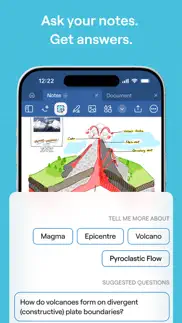

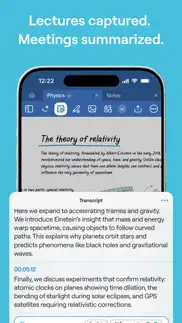

Goodnotes: AI Notes, Docs, PDF 7.0.60 Apps Screenshots & Images
Goodnotes: AI Notes, Docs, PDF iphone, ipad, apple watch and apple tv screenshot images, pictures.
| Language | English |
| Price | Free |
| Adult Rating | 4+ years and older |
| Current Version | 7.0.60 |
| Play Store | com.goodnotesapp.x |
| Compatibility | iOS 18.6 or later |
Goodnotes: AI Notes, Docs, PDF (Versiyon 7.0.60) Install & Download
The application Goodnotes: AI Notes, Docs, PDF was published in the category Productivity on 15 January 2019, Tuesday and was developed by Goodnotes Limited [Developer ID: 1708570616]. This program file size is 702.48 MB. This app has been rated by 426,810 users and has a rating of 4.7 out of 5. Goodnotes: AI Notes, Docs, PDF - Productivity app posted on 25 May 2026, Monday current version is 7.0.60 and works well on iOS 18.6 and higher versions. Google Play ID: com.goodnotesapp.x. Languages supported by the app:
NL EN FR DE IT JA KO PT RU ZH ES TH ZH TR VI Download & Install Now!| App Name | Score | Comments | Price |
| Goodnotes Classroom Reviews | 3.6 | 3 | Free |
Shapes now have rounded corners by default, and you can use a new Rounded Rectangle shape. Paste copied objects exactly where you tap on the page. Create numbered lists with parenthesis-style markers, 1) 2) 3), alongside the standard format. Find your transcription language faster with a searchable language picker in recording settings. Press Backspace on a connected keyboard to delete a selected image on iPad. Fixed an issue where re-transcribing during an active recording could leave the transcription stuck. Fixed an issue where .goodnotes files couldn't be imported into a Class folder. Fixed an issue in Text Document where triple-clicking text selected more than the current paragraph. Fixed an issue where editing links inside shapes didn't work. Fixed several toolbar and object menu issues (object menu hidden by keyboard, stroke popover closing too soon, "copied" message after cut). Text Document fixes (image context menu overlapping the toolbar, delete key on keyboard not deleting a selected image) General bug fixes and stability improvements.
| App Name | Released |
| Yahoo Mail | 10 December 2012 |
| Microsoft Excel | 27 March 2014 |
| VPN Proxy Master - Super VPN | 15 September 2015 |
| Ostrich VPN Light - Fast Proxy | 12 December 2022 |
| Ringtones Maker - the ring app | 14 March 2018 |
Find on this site the customer service details of Goodnotes: AI Notes, Docs, PDF. Besides contact details, the page also offers a brief overview of the digital toy company.
| App Name | Released |
| Whisper Notes - Speech To Text | 04 April 2023 |
| Bullet Journal Companion | 23 February 2017 |
| IBend Pipe | 16 November 2009 |
| IA Writer | 18 December 2013 |
| Lateral Pipe Calculator | 09 July 2012 |
Discover how specific cryptocurrencies work — and get a bit of each crypto to try out for yourself. Coinbase is the easiest place to buy and sell cryptocurrency. Sign up and get started today.
| App Name | Released |
| 06 October 2010 | |
| Target | 24 November 2008 |
| CapCut - Video Editor | 14 April 2020 |
| WhatsApp Messenger | 03 May 2009 |
| Telegram Messenger | 14 August 2013 |
Install the Giftmio extension for smart shopping. Get notified about cashback opportunities, activate cashback in one click, and save money on purchases.
| App Name | Released |
| Incredibox | 27 March 2016 |
| PeakFinder | 12 March 2010 |
| Slay the Spire | 13 June 2020 |
| Procreate Pocket | 17 December 2014 |
| Gambonanza | 01 May 2026 |
Each capsule is packed with pure, high-potency nootropic nutrients. No pointless additives. Just 100% natural brainpower. Third-party tested and validated by the Clean Label Project.
Adsterra is the most preferred ad network for those looking for an alternative to AdSense. Adsterra is the ideal choice for new sites with low daily traffic. In order to advertise on the site in Adsterra, like other ad networks, a certain traffic limit, domain age, etc. is required. There are no strict rules.
Keep personal info private, avoid scams, and protect yourself online with AI-powered technology.
Goodnotes: AI Notes, Docs, PDF Comments & Reviews 2026
LOVE the app, just a few feedback suggestions. First and foremost, the fact that this app is a one-time purchase unlike other apps that require a subscription is the main reason that I bought it and on of the main reasons I still use it. The app has many customizable options, has a cool smart study feature, easy to use, and each facet this app offers is used in different ways for my college courses. I have a journal to keep track of assignment dates, flash cards to summarize points for tests, notebooks to hand write notes, and the option to import class slides that I can directly write on to avoid the stress of writing bullet points given in class and what professors lecture. My main feedback for the company likes in their new smart study feature. For one, if they made it possible in the type section itself to change formatting, fonts, use subscripts/superscripts, color, etc., I’d use it more often. I know I can technically do this in the draw section, but in the typing section it’d be more convenient. I also I think there should be an option to turn off night mode in the app itself versus only relying on the device settings. I also think there should be templates for the smart study flashcards that are either flash card style or graph paper style. Overall its a great experience, the suggestions above just peeve me a bit. I still definitely recommend this app!
Recent Updates:. With the recent updates that have been made to the app, I keep experiencing this “glitch.” It happens when I am writing something and for some reason, it just disappears. My writing/drawing does not stay on the document at all. It mainly happens when I am attempting to color/fill something in. This also leads me to ask why the new update didn’t include a paint bucket tool that will allow people to just drag and drop so that they can fill empty spaces with color easier. It also made me sad when they got rid of the community sharing option where everyone would upload/share their notes/templates. This gave people the option to even download the shared notes/templates and use it as a guide to hep them explore/develop their own sense of self/creativity. I think that this app should specifically have an academic section similar to the original community sharing option. This would allow students to upload their notes on the platform to help other students study for various subjects (STEM, social sciences, etc). If the app is worried about plagiarism, the use of AI, etc; they can absolutely set up a guideline and have it so that before the notes officially get uploaded to the database, they are processed via pre-screening. (Might add more/write another review soon)!
Goodnotes v. Notability. Personally, I favor Goodnotes over notability. Note taking with an apple pen is easier and more straightforward on Goodnotes. I can tap anywhere to create a text box, write anywhere on the screen, and the text goes into the text box. On notability, I create a textbook, but when I write somewhere else on the screen, it creates a new text box. Setting the font and keeping it on the set font in notability was harder than it should have been. On good notes you can set and forget. However, I do like certain aspects of notability. I like the file/divider organization on notability more than the folder organization of Goodnotes. I have managed to work around that by creating a folder for the semester, another fold within for each class, and creating quick notes per chapter rather than notebooks. This gives me the ability to see my notes first page without having to click on a notebook and scrolling through endless chapter notes. ‼️ I also like the feature to zoom out on notability, allowing users to view multiple pages at a time, for quicker document navigation.‼️ overall, I like Goodnotes more and will continue to use it. Hopefully, in future updates, they will consider adding the zoom out feature.
My Favorite App: Best Replacement for a Notebook. I'd been searching for a replacement for a notebook for a long time before I found GoodNotes, paying for several apps that didn't deliver or have the intuitive controls of a pen and paper. GoodNotes delivers. I use it for EVERYTHING for work and my home life. It's my personal budget planner, my personal calendar, my lesson plan book, my gradebook, my PDF annotater...everything! It's replaced basically all paper in my life. As a teacher, I could not be more thrilled with this app's functionality. The ability to create different notebooks with specific templates (and upload your own) allows it to function as so many different things! As a teacher, I'm a big binder person so I can keep related notebooks and files near each other. With the ability to open new notebooks in tabs within the app, I can keep these files close at hand and jump between them--it's kind of like a big digital binder that stays organized and doesn't get overwhelming with the number of files. The organization of the app and the way you can navigate through it by flipping the pages like you would a notebook makes it my favorite app of all time. AND now that it has apps available for iPad, Mac, and iPhone that all sync up beautifully, I can access everything everywhere! Well done, GoodNotes; thank you!
Great App But Needs Updating. Overall, this is my preferred app when it comes to note-taking for college. I find it that it provides me with almost everything I need for note-taking with maybe a few things here and there that I require from other apps. One thing that I have noticed is that it lates quite a bit when it comes to writing or drawing multiple things on a page. This can get a bit annoying especially for note-taking for heavy concept classes like microbiology where I need to draw microbiological processes that usually requires multiple drawings, colors, written annotations, etc. the only way I have found to fix this is by going out of the notebook and going back in. Additionally, I think there needs to be a sensitivity adjuster for the scribble-to-erase feature. I have been finding it very annoying when it does not erase and leaves the scribble. I understand that some people do not like this feature but they are able to turn it off. However, for people like, me that need this feature to keep up with fast paced lectures, it gets annoying when it takes me multiple scribbles to erase and sometimes I just give up and use the regular eraser. I have found that if it does not erase with scribbles after about 4-5 times, it just completely stops working. These are the only current complaints that I have. Overall, I would definitely recommend this app to others who are looking for a well-balanced note-taking app for school work or general work.
For the most part pretty great. I was looking for an app where I can annotate pdfs, and switch between the computer and an iPad while doing so. I love the capabilities, and the layout. I like that you can choose covers for notebooks, and that there are even so many different types of "papers" to choose from, from dotted, lined to even Cornell notes. And that you can add pages to pdfs, or can easily take photos and then export them as pdfs. Furthermore, whenever I edit a pdf on the iPad, it would automatically sync to the app on the Mac. My main problem is with the glitches on the Mac app. Often when selecting the highlighting tool, the highlighting has to be done manually, which is difficult to do on the computer without touch screen. You can also select text and then click highlight, but I would like that capability when I am using the highlighter specifically. The option to select the text would also often not work after a while, and I would have to quit Goodnotes and open it back up again. And finally, there is also no convenient way to underline, which currently would require manually drawing lines under text. The layout of the files is also sometimes not as intuitive for me, and I would like to have the option of seeing my file folders on the side bar as well. But other than that, I am enjoying using Goodnotes so far, and feel that the pros definitely outweigh the cons (which I hope will be improved soon with updates!)
Lost my notes. I was using the free version which I’m totally ok with and have no need for the updated version, but today I tried accessing my notes and it was not allowing me, it kept saying “good notes 5 is no longer available please update to Good notes 6”. Which I DID, but I still have NO ACCESS to my prior notes and to be completely honest, I like the app but I’m not in any place to pay for it because I don’t NEED anything from the “advance” version. 3 notes books is absolutely enough for me and the pages are unlimited (as far I as I know ), so that was great. Some of the features like the copy and paste + adding images and stickers were great too, and honestly that was all I needed, but now I’ve lost all my notes and honestly that’s a pretty low thing to do, I really just wished I had access to some important things I wrote so I could transfer it to my files but I guess I’d have to pay to gain access to something that was free literally yesterday 💀. Overall I’m not paying and I’m a bit disappointed that I can’t get access to my former notes. But if you do NEED he advanced features than yeah I can see why you’d pay and I’d definitely say go for it, I mean if I needed it than I’d pay too, but I DON’T 😭 and that’s the thing like just let me access my old notes and I’d delete the app like what…
Fantastic notetaking app that showed me reading and writing on screens was feasible. I love this app. Previously, I would print every single paper I read because none of the electronic tools I would use allowed me to mark it up the way I like to. GoodNotes essentially gives me all of the tools on my desk - pen, highlighter, etc. and allows me to read and manipulate a document as though it’s really in my hand. There is really no difference, and it’s actually even better because the highlighter can automatically snap to lines of text! I only have two wishes that would make this program better than it already is - which is near perfect: I’d like to be able to store more pen or highlighter colors on the top row of tools. I use lots of different colors for different notes, and it seems like there’s plenty of room (at least on the 12.9 inch iPad) for a few more options to allow for quicker switching. Second, it would be nice to have page hyperlink support. When you’re reading a 300 page manual, it’s a little annoying to swipe back and forth between pages, especially when the table of contents is right there. I know about the goto page feature, but that doesn’t always line up with the page numbers correctly, and it isn’t easy to determine the right page looking through thumbnails. Otherwise, this app is amazing!
Back after years away. I had this app years ago on my old iPad and decided to try it again with my new one. I decided to go all in and purchased the app. I love it on my new iPad but there are some improvements I would love to see. 1) Being able to password protect individual notebooks being one. That is a huge one for me. 2) I would also like it if when viewing the individual pages of a document it could be done in full screen. 3) Also I’m still having trouble using images as stickers for digital planning. But whether that’s GN or Apple I don’t know. I keep getting the option for a screen shot. 4) I would love to make hyper links without that weird little link image, why do we need that? Maybe just putting a smaller cuter symbol or allowing the I to see nothing at all. 5) being able to create a notebook with a set number of pages, so when creating a notebook having a place to put how many pages to start the notebook with. For example new notebook, pick cover, template style, and be able to put 50 pages or whatever you like when creating the notebook instead of having to go copy and paste 10 times. 6) being able to copy paste pages quicker and easier. Other than that I think this app is absolutely amazing and it’s nice using it on my new iPad.
Drag and Drop Feature Not Working with GoodNotes !!!!. I’ve recently encountered issues with the drag and drop feature not working between my MacBook Air and my iPad Pro, specifically with the GoodNotes app. This feature is crucial for my workflow, and suddenly, it just stopped working. Interestingly, the drag and drop feature works flawlessly with Microsoft Word, so I'm led to believe this might be an issue isolated to GoodNotes. I've already tried resetting my devices but had no luck in resolving the problem. To the creators of Goodnotes has anyone experienced something similar, or does anyone have any tips on how to fix this? This feature is a true lifesaver for me, and I'm really hoping to find a solution soon. Thanks in advance for your help! This app was a g*d send up until this issue occurred. I even took my MacBook Pro to Apple and even they couldn’t figure it out!!! Update: They have reached back out to me regarding the inability to use the drag and drop feature between my MacBook Air and IPad Pro. They stated that they’re aware of the situation and that’s it’s a known bug and that they’re working towards a resolution. I’m pleasantly surprised because I thought I wouldn’t even receive an answer. They still remain the best note taking app for me.
Bookmark feature is no longer great. I loved the older version when the bookmark icon was right on the screen, above the tools bar. I could just go from one page to another then bookmark any page with just one touch. Now I have to go to the option on the top right where the bookmark feature is hidden in there (takes me two steps instead of one). Secondly, in the older version, because the bookmark icon was right on the main screen, I could see which pages were bookmarked right away (the icon would be red if the page as marked). Hence, I could choose to mark or unmark the pages easily. Lastly, in the older version, I could choose to read JUST bookmarked pages (among the other two options: Thumbnails, or Outlines). Now, when I’m in the “Favorites” option, if I select one of the those pages, then swipe left or right, it will not take me to the other bookmarked pages. Instead, it will just take me to the regular pages before/after the chosen bookmarked page. If I had a file that has 300 pages and only wanted to read 100 pages that I bookmarked, having to go to the Bookmark option to select each of them every single time (100 times in this case) would be a real big hassle (on top of checking which page currently on in order to choose the next one properly). This is such a bummer! I hope you will consider bringing the old bookmark features back! Other than that, I’ve been enjoying using the app. Thank you!
Game-Changing, Love this app.. I officially got Goodnote at the start of the spring semester for 2023. Taking 18 hours becomes much easier with all the notes easily uploaded and downloadable in one place. You know, that morning when you're running late and accidentally grab the wrong notebook, papers, or whatever and only realize once it's too late. This app makes life less stressful. All of my notes, documents, PDFs, and voice recordings are synced through iCloud, which means I can edit and access them on my phone, computer, and iPad. I wish I had this when taking physics, chemistry, and organic chemistry. I love all of the app's features, especially uploading any homework directly into Canvas without leaving the app. I also appreciate that I don't need to pay a subscription (one of the reasons I decided against some apps.) I love that I can have unlimited notebooks and every color under the sun available to write with. However, one of my problems with this app is that the folder colors can't be edited; I hope this will be in a future update. I'm a very visual person, and it would be great to organize the folder by color. Another problem I have is that the app likes to crash on me. Luckily I haven't lost any work or writing; however, it's annoying and worrisome.
Worked great until it didn’t…. I’ve been using Goodnotes 5 for just over a month. The newer version, Goodnotes 6, recently came out and I had the option to try it for free. When I did that it locked all of my old notebooks and wouldn’t allow me to edit them without subscribing. So, when I tried to subscribe, a message appeared showing I was already a subscriber and could restore my purchase. I tried doing that and it says the restore failed. I got onto the website to look for troubleshooting ideas. It states if you receive that message it means you aren’t logged into the account that you originally subscribed from. Only problem.. I was logged into that account. I never changed my login or logged out. This is infuriating. It won’t allow me to subscribe or to restore my purchase. I tried several more things including searching my purchase history and found the charge on my Apple account from July then went to Apple’s helpdesk. Their suggestion was to report it or label it as a scam. I didn’t want to do that because I want to use it and to have my notes. So, I went back to the Goodnotes website to search for more help, but there was not a solution for this problem. I finally gave up and “downgraded” to version 5 again so that I can access my notes but now I cannot edit them. You would think since I just purchased this app a little over a month ago that it wouldn’t be such a hassle to upgrade. I’m hoping it’s a glitch and gets fixed ASAP.
Two reasons to like GoodNote, and one complaint. I use pdf apps almost every day on my iPad to both read, review, and mark-up technical papers, and to present college lectures. I use pdf apps on my mac for similar purposes. Having experimented with almost every pdf app available for iOS, I am excited about two features in GoodNote that have made it my primary pdf app. (1) Goodnote has an excellent laser pointer mode with delayed trails, that make if an excellent choise for giving technical presentations from pdf slides. It is easy to flip back and forth between laser pointer mode and mark-up mode. (2) Goodnote allows the iPad screen to be split into two sides, showing the same document on both sides of the screen. This is extremely useful when reviewing technical documents because one half can be used to read the document, and the other half can be used to refer to equations, citations, tables, etc., located on other pages of the document. To my knowledge GoodNote is currently the only app with these two features. The complaint: documents are synced between iOS and OSX using iCloud, but not stored in an iCloud folder (or any other folder as far as I can tell). Documents can only be viewed and accessed within the GoodNote app. There is no integration with Box, Dropbox, Google Drive, etc.
Would give a 5 star if the collaborative editing mode is stable and truly real time. I’m doing online teaching and would love a notebook app that can enable real time, collaborative editing for lecturing. GoodNotes does provide a feature that may work well. My setup is: I am doing white boarding on my iPad while sharing the screen of my laptop using Zoom. I open a GoodNotes session on the laptop and project the app to Zoom’s shared screen. While the fast collaborative ode works well for newly created document, it becomes really lagged when 1) the document has been opened for a while (20 min to 1 hour), and/or 2) I re-open an existing document that I created a while ago (with fast online editing mode enabled). The latency is too long—ranging from 10 seconds to sub minute— to be acceptable for real time editing. I have to switch to a different app in order for my lecture to proceed as expected. I love the user experience of GoodNotes’ other features; but talking about the collaborative editing feature, it really pisses the users off. I’d really demand the team to fix the lagging issue of this feature. I’m not sure if this is due to the backend design options like periodically moving a doc to a slower tier that syncs using the slow iCloud storage or not. But this issue does persists for at least few weeks. Thanks!
Almost perfect!. After using OneNote for a while and finding it doesn’t have all the features I want like importing PDFs and PowerPoint slides or a really good writing experience, and then trying Notability but not wanting to use a subscription based service, I decided to try GoodNotes. First impressions, very clean app with good organization! Love how the notebooks are more like real notebooks with page separation (you can choose not to separate though) and different page colors and styles as well as some really pretty covers. Also love the writing experience, like all the pen colors and sizes are nice and everything feels smooth and adding pictures are super easy. I’m really glad there’s a search function as well to easily find stuff in my notes. Though, I do have some problems with this app. I wish that I could put more than 3 pen colors at the top, I feel like a few more slots would be great. I would also love if the pen size could stay on each slot if that makes sense, kinda like OneNote, rather than me having the change the pen size every time I switch colors. I think it would be cool if like Notability there could be a voice recording feature, and paper styles with texture like real paper added. This is a smaller issue but it would be cool if some different folder colors were added as well for even better organization :) Overall really like this app but there are some improvements that could be made!
Great, with a couple glaring missing features. This app is great and the sole reason I use my Apple Pencil. It’s got plenty of features to maintain its notebooks, but isn’t so feature-filled it gets bogged down and bloated. I’ve kept digital notes for years now; this is the first time I feel like I have all the benefits of digital note taking along with all the benefits of physical note taking, without any of the drawbacks of either. That said, there are two issues I would like to see added: iCloud drive support for auto-backup. This is seems like a weird miss, but at least you can manually backup to your iCloud via the Files app for now. Secondly, handwriting recognition is awesome, but it would be so much more helpful if it supported multiple languages in one notebook. When taking notes for language learning, it’s normal to take notes in your native tongue and in the language you’re learning (in my case, English and Japanese, respectively). As it stands, handwriting recognition’s usefulness for language study is limited. Still, there are plenty of other ways to organize and find your content. I use this app nearly every day, and I’m finding more and more uses for it all the time. Thanks for the great app!
2023 Update After Gooodnotes 6. (Love GoodNotes. But needs Record Feature.). 2023 Edit: Not only did they add the record feature, they added a slew of others. I’ve been using GoodNotes since version 3. While was hesitant to upgrade to 6, because 5 was more than enough, I’m glad I did. If they would have went to a subscription only system, I wouldn’t have though. But the ability to pay a one time fee was perfect for me. I love this app. My iPad wouldn’t be the same without it. As long as it’s worth it, I have no problem paying 20 bucks for an upgrade every few years. And Goodnotes 6 is worth it. The new handwriting recognition feature is amazing. Not only does it recognize when you’ve misspelled a word, it has the ability to correct the misspelled word and replace it IN YOUR OWN HANDWRITING. 🤯The new dynamic notebook covers were something I didn’t know that I needed with so many notebooks in my app. And the ability to customize them by changing multiple colors on the cover make the possibilities infinite. All this app is missing is a record feature. With that added, it would end all other competitors. Someone please get on this. Other than that, outstanding app. By far my favorite must have apps on the iPad. I’ve gotten at least a dozen people to download it. Just please add the record feature.
Complicated iCloud Syncing Settings. I recently confronted a syncing issue on both my Mac and iPhone. I just downloaded the apps on my Mac and iPhone today, since I normally use iPad for notes only. However, the documents are only partially synced to my Mac and iPhone (some documents were synced and some were not). I’ve tried to diagnose and fix the problem by myself, such as turn off and back on the iCloud sync in Apple ID Settings on all 3 devices, and restart the laptop to activate the new settings. But all these operations didn’t help to solve the problem. I logged into my iCloud Drive which doesn’t have the GoodNote folder in it, and I think this may be the root cause of the problem, but it doesn’t explain why some documents were synced. After a few hours, I noticed that in the app Settings, there’s another iCloud Settings > Use iCloud inside of the app, and then I found the problem: it was turned off on my iPad. Although the issue was solved, but I don’t quite understand what’s this setting for? Normally, users want to manage iCloud settings at one place, but not in each app. If I enabled iCloud for the app already in the system settings, but it was turned off inside of the app, then what’s the point of this setting? So, I would suggest you removing this setting inside of the app, and using the general iCloud setting should be more reasonable.
Amazing Note taking and file holder. I love this app so much. I don’t do reviews but this app definitely deserve it. I am in nursing school and this app makes my life so much easier from taking notes to uploading them, PowerPoint into pdf that I can take notes on, to saving files and having different files for different classes all condensed into one file….is just so amazing. All I do is take my phone, laptop and my ipad and I am good. It’s so amazing and most importantly it makes everything so simple and easy to use. One of my favorite features is being able to have it on my phone ipad and MacBook. I can upload pictures and multiple things on here and also it saves everything. It is definitely good notes. I want to Thank the creators so much for creating such an amazing tool for students and helping them succeed in their academics. God bless you. And I am wishing best of luck to everyone who are using this app to accomplish their academics goals! You will not be disappointed! Suggestions:;now that it has an audio record. I wish it gives you option to drag the different audios in one file into the notes. That way in each notes or writing you can have the audio right beside it and won’t have to guess what or when it was taken. It being up at the corner is pretty difficult trying to navigate it and not being able to tittle it.
GoodNotes 5 Users getting Ripped Off.. So after seeing the giant pop-up and everything for GoodNotes 5; changing to version 6. It states that GoodNotes 5 users who had a paid lifetime subscription before would STILL HAVE ACCESS TO ALL THEIR PREMIUM PAID FEATURES from the previously purchased version. However that is not true; after updating it locked ALL my notebooks that I have created and uploaded and I have needless to say WAY MORE THAN 3! I am a doctoral student and I used GoodNotes almost daily but now they have basically stolen all my content that I created and locked it from me unless I pay to unlock all my notes. Almost 100% sure this is illegal and false advertising as I paid for the LIFETIME use of a product and the specifications of the product at that time. Taking my money for a lifetime user; then taking away what I originally paid for is point blank FRAUD. Especially since they have that blurb in GoodNotes about GoodNotes 5 users being allowed to still have their full features and access just not the new features. So, not quite sure what your end game is developers. Since sure people will buy the subscription or upgrade. Or someone that has the time will come for your app as the aforementioned items above violate the terms of use from apple. Along with again Fraud. So FYI devs may want to actually follow through on what you say your going to do and give the people who paid for lifetime GoodNotes 5 have their PAID for features back…. 🤓
Locking imported images. I’ve been using this app for years and it has really helped me study well since I can annotate the images I import from my camera roll. However, I’ve been getting frustrated lately with this feature because there is no option to lock images. Sometimes my finger or palm will get sensed on the screen to where it’ll highlight the image and go “on top” of the text I wrote all over it. If I happen to move the image one bit, it’s hard to put it back in place to line up with my annotations- which sometimes, the undo button doesn’t always fix this problem. I see there being 2 solutions that may please those that are having this problem as well. Main solution is to incorporate a “lock image” feature- giving us the choice to lock certain images on our screen without risking it moving and messing up the text alignment. The second solution could be lowering the image’s opacity when we move it around so we can at least see through it to be able to line it back up with our notes. This will get rid of the users playing a guessing game with the image, hoping that with each try, they will align it correctly. Other than that, this app is fantastic. Just please consider the image features to make things run more smoothly. Thanks
love it, but a couple concerns. Love the app, convenient for college and holds a lot of storage, I wish moving around pages could be easier. And the ball pen seems too stiff, fountain pen is a little awkward to use, and the brush pen is fine, but again the pens are something I need to get used to. I wish the eraser marks could have an option to be smaller, and not erase a whole line but exactly what my pen touches. So pens are not as fluid as it could be and may make your handwriting either better or worse. Zoom ins are great and resizing also never pixelates my writing, which I LOVE. I never write reviews, so I hope the concerns I listed will be considered and that this review helps those deciding whether or not to use the app. I wish I could download it to my computer without paying extra so that I can see both on my iPad and computer. For an app meant for taking and saving notes, it is an easy and great app to use, but pens are hard to get used to. If you are a high school student, digital note taking is okay, but it honestly isn’t necessary and teachers and classmates usually feel weird about it. In university this app is perfect since in my classes there is a lack of space for desks and so many places to walk to so the portability of a tablet is more useful then (this app also allows for split screen which is convenient)
I LOVE this app, best notetaking app out there!. This is the best notetaking app ever. I'm an AP and Honors student in highschool, and I live for this app. Since doing online school this year due to the pandemic, it has changed how I take notes and turned in assignment. I love how GoodNotes is uploaded to the cloud so you can look at your notes no matter where you are or what device you are on. I like typing my science notes on my computer, and I love that I can switch over to my IPad to draw graphs and symbols whenever needed. I love using my Apple pencil to take all my other notes, its perfect for hand writing notes. I love all the different paper types and the covers you can choose from. You can also organize all of your documents into folders. My favorite thing BY FAR is that you can download pretty much ANY pdf or worksheet into GoodNotes and write directly on the document. Especially because of online school, a lot of my teachers post their worksheets on GoogleClassroom, and being able to download the documents and write directly onto it, and then I can just drag and drop the PDF from my desktop into Classroom ITS AMAZING! It saves me so much paper, and has helped me stay so organized with everything in one place. The format and interfacing is incredible, you HAVE to try this note taking app, it's incredible. I would recommend this to ANYONE and EVERYONE. Please get it for yoruself and check it out!
This is the greatest app I’ve ever purchased. I’m in nursing school and I can’t tell you how this app changed my study routine because you would be here all day. Not to mention, I essentially will never have to purchase multi-colored pens, highlighters, no more erasers, or other odd items like stickers. Everything in this app allows you to creat fun, engaging, and detailed content. You can import documents (easier than any program I’ve ever used), you can export to any format you’d like without any additional conversion programs or making sure the order and format are correct. It makes everything easy! You can take photos and crop as you need, add text, move your notes around if they’re in the wrong place rather than having to re-write them all together. My favorite feature is drawing on things you can import to the app: need to take notes on diagrams? You can do it. Need to draw on a photo and export? You can do it. Everything is so intuitive and super simple to figure out/organize. I know $9 seems a little steep for the app but I promise you, you will get the full value of this app. Retrospectively, even if this app was $30 I would still purchase it. If you’re on the fence, don’t be! Get. The. App. You’ll be glad that you did.
Best App Out There for Writing & Drawing with Apple Pencil ESPECIALLY. I downloaded several different apps that were free for note taking and or drawing in notebooks, etc. After not being satisfied with any of them, I decided to pay for this one. It is so worth the price! You can easily organize notes and notebooks while customizing them for whatever you need! The Apple Pencil works flawlessly as if you are using real pen and paper. I use the 1st Edition Apple Pencil with my 2019 iPad. One of the best things about this app is the fact that you can set it so that it does not capture anything from your hand or palm resting on the screen and allows you to still use your fingers to zoom, scroll through, and navigate the app all while still connected to the Apple Pencil. Also, it can literally READ and SEARCH your own handwriting so you can find where you left a certain note on a page. I have found that it this feature is very accurate! You can also customize your notebook covers, create outlines for easy navigation throughout a notebook, and you can create folders to organize each notebook even further. My only suggestion to the developers is to make it easier to get different templates for pages/covers and also allow those pages to have more background colors than just yellow or white.
Glitchy. I originally downloaded GN5 back in 2019 for school after choosing between GN5 and Notability. I thought that GN5 best fit my needs and was a great deal for the price. It had served me well for several years until they decided to release GN6 which required additional payment for the update. I was reluctant to buy the update as I had already paid for the app and had all the features that I needed with GN5. I had no intention of using the few new features of GN6, and I certainly did not think that 2-3 new features warranted the price increase. However in the past year, GN5 had begun lagging, closing out out the app without saving my notes, and not syncing with the app I had on my laptop. Now in graduate school, I rely heavily on my notes on GN. I didn’t want to risk losing anything important if the app closed out unexpectedly, so I caved and downloaded GN6 hoping that would fix the issue. Disappointingly, GN6 has been infinitely more glitchy than GN5 and was not worth the extra money. Had I had known back in 2019 that I would be paying more than what was originally advertised to for a poor quality app that runs the risk of losing important notes, I would have gone with a different note-taking app. I used to love Goodnotes, but like every other company, they are taking advantage of their consumers (the majority who are students with little to no income) by unnecessarily increasing prices and doing very little in return. It’s lazy and exploitive.
A simple update made me drop two stars.. Update: the dev has apparently fixed this issue. Back to 5 stars! Today this app went from 5 star to 3 star. I use this app every single day, often for hours every day. Unfortunately GoodNotes has decided to hide a feature that I used constantly behind a multi-click process that has ruined my regular flow. Prior to the update that was forced on me this morning, I could quickly select between 3 different thickness settings that were clearly visible and available in a single motion. Now changing the pen thickness is ALWAYS hidden behind a small drop-down/pop-up style window. Instead of a quick tap to change pen thickness, I must now tap to open the pop-up window, tap to select the thickness, and tap once again to close the pen thickness selection. There was absolutely no *good* reason for this change. There was plenty of screen real-estate available when I was able to select from all three thicknesses. Now there is a bunch of empty unused space at the top of the tool bar and every single time I change line thickness the process is literally 3 times as long. Please give us the ability to see multiple line thicknesses again.
Closest to pen and paper I've found. For me it's all the little UI decisions that make things wonderful in this app. I like as minimal clutter as possible, hide the UI whenever possible, make it as much like a pad of paper I'm looking at. It feels like a pad of paper because I can swipe between pages. I CANNOT OVERSTATE how much this helps me to not have scrolling pages but instead a finite canvas size that the visual part of my brain can remember. For some reason scrolling I can't remember the shape and thus the location and then from that the information that's at each location. Same thing for swiping between pages to change them, it's probably just me but not being able to do this in the notes app or any other app drives me insane. I don't want to be looking at UI / the titles of other pages. I want a page that is adjacent / above / below my page and nothing else. I don't need any other information in front of me. I love that the Mac application bar at the top is basically hidden and it's only the stoplight in the top left. The fact that I can then move the UI to the bottom of the page so that it's out of the way make it look like I have my paper right there next to my main screen. THANK YOU for making these UI decisions that others may not appreciate but I certainly do :)
Good but needs some more work. It’s my first time using an app like this and overall it’s going great but the following additions could be considered: -option to clear all annotations/notes on a document instead of having to clear each page one by one -an undo shortcut like a two finger tap on the screen similar to how it is on Procreate -another general view that doesn’t entail having to open each folder one by one to see what’s inside it -positioning the tool bar to the right or left of the screen as well -being able to zoom out of the document page instead of just the default full screen fit. updated review: i love you goodnotes but you seriously need to fix a few major issues. i tried to switch to notability but goodnotes is really great so i came back. the first issue is the huge amount of battery consumption. another one is that i keep having importing issues from google docs every single time since the first day i started using this app. i’ll always have to import every file one by one which is really annoying and time consuming since it will give me errors even then. a possible addition would be to have different ways to view the current document you are working on like in notability. i want to be able to have an option to view it with 2, 4, 6, pages in a single page, etc. another one would be to have a list view with a e homepage also like in notability. please fix these issues goodnotes!! you’re too good to give up.
Issues, Issues and more issues. I’ve been using this app since 2020 and I’ve recommended it to so many people who use iPads but now I think I’m going to stop. I don’t know what was done with the update but now my app crashes like nothing whenever I’m recording while taking notes. Please take note that I NEVER had this issue prior to the Goodnotes 6 launch. Now, every single time I record my notes, this app crashes midway making me lose my notes all the time. I already downgraded from Goodnotes 6 because it was happening even more frequently with Goodnotes 6 so I stuck with version 5 because why fix what was broken? But the same issue has persisted for months now. It hurts me to leave this bad review because I used to LOVE this app and I still use it for all my note-taking and so many other things—planning, presenting, you name it. But I cannot keep using something that time and time fails me because now I lose so much progress with all the notes I thought I’d kept recorded. I want to say that it’s my iPad but the same issue has also come up on my Mac when I record my notes. It really is frustrating because no matter how many times I update the app, the same issue occurs. I hate that now I have to find another alternative because I thought I found my forever app but I guess not. If this is a bug, I really hope it’s fixed soon because I don’t want to have to migrate but it seems like I will soon have no option.
Good notes 4 performs better than Good notes 5. I am writing this review to help the developers and potential buyers. First I’m providing this review in March 2019. Things may change later so if you are reading this review you should keep the date and version number in mind. 5.0.20. We are a large builder which use Blue beam, Procore, “go to meeting” and other related industry software. We found that Good notes 4 was simply the best vehicle for note taking and plan markups available. It truly was a “five star app”. We could be on a “go to meeting” with 15 consultants on a conference call and annotate plans instantly. (What I mean is hand write changes on the pdf plans to give direction. Not edit DWG drawings.) It was fast easy and simple. Superior to other products out there, even the industry specific ones. Now, with Good notes 5 the layout and folder structure have been improved. But, there is a big problem. If we open a set of plans and try to zoom in, the plans pixelate. Plus take an in ordinate amount of time to gain focus. Thus, most of us have stopped using this program. I have Good notes 4 and have gone back to it. I. Don’t know. If the developer is aware or working on a fix but it was a great program. If the developer is aware hope you can fix. I will check the App Store for updates. Will mark as 2.5 stars and revise rating if able to remedy problem. Good luck.
I’d be lost without this app! (One change from perfection). I tried so many notes apps to find one I would actually use, with the features I’d appreciate, knowing I might not get everything I want, however, I was able to find it all in GoodNotes! This notes app helps me manage my ADHD better than I’ve been able to with previous apps. I utilize this daily for work and personal use. I rely on GoodNotes to keep me on track and store all of my information in one place, and I’m consistently checking back on my notes and easily editing and adding new pages as I go- there’s a wide variety of templates available to guide your entries available through the app and other sites. I now look for things I can add to my documents because I enjoy writing in this notebook so much. I am grateful to the developers for putting so much thought and effort into creating this app. The one issue I have is with the update to 6: the writing tools (redo, undo, zoom, etc) have changed places and it’s taking some time to get used to it. I’d LOVE to be able to customize the tools and put them in an order that’s more convenient to my personal use. Overall, it’s a 5/5 star app and definitely worth checking out.
Amazing, but could be perfect with these added features:. Goodnotes is awesome, especially with its one-time purchase feature. For college, this app is great for taking notes, scheduling, and journaling. However, Notability and other similar applications compete and considered better in comparison to Goodnotes because of some features that they have that Goodnotes do not. First and foremost, Goodnotes needs to bring in more pens, something similar to Apple’s Pencil pen and Fountain pen. The Pencil pen would be perfect for notetaking and allows people to not be limited to Goodnote’s ball pen. And of course, Goodnotes has a fountain pen, but it isn’t anything like Apple’s Fountain pen which is perfect for calligraphy and gives a handwriting look. Another feature that Goodnotes should add, would be the double-finger one-tap undo option, similar to what Notability and ProCreate offers. This undo feature would make taking notes so much easier and more efficient. Goodnotes should also add the option to add custom folder colors, covers, and emoji symbols. It feels very limited. They should also fix the weird bar where you select the colors and size of your pen. It looks cut off and unfinished and we’re having to scroll just to get to the other colors. Other than those, goodnotes is an awesome app and I wouldn’t even consider other apps if goodnotes added these features!
Amazing. I absolutely love this app. I use this more for pdf creation and personal journaling than anything else. If I were to add or change anything, it would be to include a colored pencil or crayon writing utensil among the hi-liter, and various pen-pen, brush-pen, etc. I may be mistaken, but doesn’t the primary photo used to advertise GoodNotes is, in fact, written and drawn with what looks to be a colored pencil. How odd that is not a function. Also, voice recorder that syncs with ur written notes, as similarly done by “Colla-note” and “notability” would be a highly desired note taking tool. Other features that would rock my world would to insert in-notebook hyperlinks so that, say for example, I nay make a table of contents at the start if my 300 page notebook. It would be fabulous if I could make some text or a insert picture that would hyperlink me to page 288 where I want to read my notes on socio-economic hierarchies. Something like Collanote did. And also the ability to embed videos or audio in a note would really be beneficial. Despite that slight suggestion party I just threw out there, GoodNotes, is the note taking app I continue to consistently return to. No other note app seems to so effortlessly and perfectly change, adjust, create, or mark up pdfs as well as GoodNotes. No other note app has such an amazing array of paper to write on. Thank you GoodNotes. You are some damned Good notes! You are my most used app among all my devices.
The best app for digital planning!!!. I absolutely love GoodNotes! I originally bought it on my iPad Air because I was making the switch from paper to digital notes and several tutorials told me to try GoodNotes so I did and I fell in love with it! I’m a sophomore pre-law student so having an app that allows me to markup my lecture slides or any other handouts my professors give me is really useful and I can do all of that in GoodNotes. The app itself is really easy to use and it’s a great tool to have in classes since I can annotate my slides in real time while my professor is lecturing. I also love all of the color customization options that are available and it’s by far one of my favorite tools in GoodNotes to use when I digitally plan on my iPad. The only main issue that I have with GoodNotes is its organization system which is partly why I switched to writing down all my notes in notability instead because of the subjects and dividers included in the app which allows me to organize my classes more easy. Overall, a great app for anyone looking into switching to digital note taking or digital planning and it’s also great to use side by side with notability which is what I’m planning to do this semester. I’m looking forward to new updates in the future!
The Best App I’ve Seen, Can Still Go Farther. I’m very finicky when it comes to note taking apps; if even one feature I feel I need is missing I try to find a different one that better encompasses my needs. For several years, GoodNotes has been the strongest contender by a large marking! I love the mixture of tools, how easy it is to customize the tools and notebooks (not to mention how pretty they are), and something like adding a new page is made so seamless and intuitive! This is an edited review because, since my last review, they actually added a feature I asked for that involved editing the tools in the toolbar for a more customizable experience. Thank you so much GoodNotes team for adding this!!! The only things I can think of for the developers to add is: 1) a “softness” slider for pen tools so handwriting comes out a little smoother, because I feel my writing on a paper is more often smoother and more legible than the direct translation onto a screen; and 2) a way to add integrated text boxes into a page format that tracks perfectly with the lines on the page (some notes are much better taken typed rather than handwritten, so it would be great to be able to do both with ease). GoodNotes team, you’re doing great! You’ve got a great app on your hands, you’ve already implemented features that fans have wanted, so please keep doing what you’re doing and keep adding features to make your app the best on the market!
Almost perfect. Some years ago a friend recommened GoodNotes to me. I couldn't find a use until I began a "commonplace book" (think scrapbook: favorite quotes, paragrpahs, images). My commonplace book, so far, is awesome. That said, GoodNotes could reall use some attention to details. Example: I import a selection of text and want to chant the font and color. But, I can't do it without deslecting what I just imported, selecting a non-text option, then re-selecting and making the changes I want. And that doesn't always work the first time. Unnecessarily time consuming. Sometimes imported text includes the HTML formating and loads as an empty block on the left and the text in a long thin column. The only solution is to pasted the text first in a text program, remove the formatting, then import to GoodNotes. Again, time consuming. A final example: if you import and image and then wish to change the size of that image more often than not your attempt ends up duplicating the image. This glitch is maddening. At times I've deleted 5-6 duplicates before--finally--getting GN to resize my image. Sadly, when I've asked GN for help, I get no response. All that said, I use GH every day and just live with the (ridiculous) issues that, I hope, will one day get sorted out.
I'm sure Goodnotes does not care about its consumers.. I get it. A platform like this which is trying to expand across multiple Operating Systems needs a cash inflow. But the options they're giving to current consumers and their awful customer service are indicative of a larger apathy toward the people that have been using the platform for a long time. I bought Goodnotes 5 back in 2020 for full price, and have gotten terrific use out of it. Recently, however, the team forced the upgrade to Goodnotes 6 upon everyone and my apps uploaded automatically. Suddenly, I had to choose between paying more for a subscription with AI features (sounds cool, but not what I need) and using a "unpaid" version of Goodnotes 6, which capped me at 3 notebooks total. I was shell-shocked. I tried to reach out multiple times to their customer service (which has no phone number) via email, and never got a response. Thanks to Reddit, I finally found a way to downgrade back to Goodnotes 5, but I'm sure it's only a matter of time until Goodnotes 6 is fully forced upon us and I have to pay more or jump ship. If you're considering purchasing, just be aware. If you don't mind subscription fees and/or would get a lot of use out of the AI features, go ahead. Otherwise, I would save your money and try a different app, only because it's probably inevitable that everyone on Goodnotes will be forced to upgrade eventually.
Great App. Please add audio recording!. I am a full time student and this multimedia platform is exactly what I need. It’s a way for me to synthesize all the hectic information coming from different places in digital and paper forms. Instead of having to get out my notebook, folder, binder, phone and computer to do one task, I can just scan anything paper and import anything digital onto my IPad! This way I can incorporate figures, worksheets, pdfs, lecture slides, hand written notes and typed essays all into one organized place. And because it’s searchable, I can go back and look at my learning process or to study. I can even turn anything in writing to typed form, which makes it easy to turn in essays or save the important stuff on a flash drive in simple text form. HOWEVER there are three things that I really want this app to do. First is to allow audio recording!! Lectures are a huge part of what I do and I need a way to organize them with the notes I take. Second, I would appreciate if the conversion algorithm could read written math symbols because that would be really helpful. Third, this app really needs a better hyperlink/table of contents situation. It is very impractical to use the goto feature or scrolling when quickly switching between pages or looking for something. Overall great app, I use it everyday. Please consider my suggestions.
Almost perfect!. I absolutely love this app. I’m currently a graduate student working on a capstone project, and this app has made notetaking and organization such a breeze. I do have the following suggestions: first, when typing, I would love if I could do subscripts under my bullet points; second, I think the page should continue automatically rather than asking me if I want an additional page (sometimes this is buggy as well, and it has duplicated an entire page when I add a new one); third, sometimes when using typing the page seems to freeze and won’t let me select a page to type on unless I go to another notebook or close out the former and reopen it; finally, the search feature doesn’t always work for me even with typed notes. The last one, in particular, is a big problem for my research. I can understand it not always catching documents that require OCR, but I had a notebook I was exclusively using for typing, and it wouldn’t let me search that notebook at all. So far, I’ve only noticed the issue in one of my notebooks. Overall, I would be lost without this app. These issues are a small inconvenience that have not affected my ability to use the app overall. It has been my primary notetaking app since day one, and indispensible to my studies.
There’s always room for improvement. I really enjoy this app BUT I wish they would add an option to do typed notes in addition to having a text box. With typed notes, it would be nice to be able to do bullet points. The text box sometimes doesn’t work. I’ll click on the document and it wouldn’t let me type. Also, I’ve been having issues where when I would copy a picture/image from my laptop and try to past it in my ipad into Goodnotes. It wouldn’t load all of the time and then the app would freeze up. I would have to restart the app to get it to work again and it is not very efficient when I’m trying to take notes quickly. But other than those things, it’s a good app for taking notes especially when having so many slides to annotate. *update* Still hoping that there would be improvement on the adding text feature. It would be nice to be able to switch from using a text box to being able to type like a normal document. It would be nice to be able to do bullet points and have features as writing a word document. The text box has been working but recently, when I would change the size of the text, the spacing would be off. Hopefully this would be fixed soon!
This is an excellent app! I only have one pet peeve…. Honestly, I really love using this app! It is very well thought out and I can use it for many different kinds of workflows. Great app if you are considering starting/ transitioning to digital note-taking/ journaling. I enjoy taking handwritten notes in it with my apple pencil and being able to easily import pdfs that I can mark up is great. I enjoy the elements feature, which allows me to add custom sticker that I use all the time as post-its or stickers for journaling. Plus there are som many other excellent features, such as being able to search in your hand written notes and the ability to back-up your notebooks, to name a few. I only have one pet peeve when it comes to this app. It does have a typing feature, but it’s a bit clunky and not very intuitive. When I am doing journaling, it is very nice to put text exactly where I want it, so I don’t want the feature to go away. But having to use the text boxes for more type-intensive tasks can be a bit annoying at times. I would be nice if there was a feature you could enable within the notebook where if you could type in a notebook like a normal word document. My work around is typing something ahead of time in a word document and then importing it into the app, but honestly, it would be nice if I didn’t have to do that (maybe I am being too picky)… Otherwise, this a really excellent, solid app that I recommend highly to folks for note-taking.
Hit or Miss - worse and wors. The app is pretty buggy since the most recent update with symptoms varying symptoms. In my case, documents aren’t appropriately exporting to an email. There’s no error message, it looks like it should have sent but nope. I’ve had other issues with syncing across devices. A classmate is having issues with the app randomly shutting down on her while taking notes. Just a lot of little things that should have been caught before launch. Customer service is pretty meh when you report a bug. Oh, and they’ve added templates you can PURCHASE. After already buying the premium membership. If you haven’t it may be worth comparing closely to other options. This one has been a standout in the past but they seem to be trying to cash in on that good reputation for a short term money grab. Edit: goodnotes 6 is not an effective solution. The lifetime license they previously sold is being scrapped for a subscription based service. The actual app has significant issues including a bug that cause me to lose a pretty important recording. I emailed customer service two weeks ago and just received an auto-response saying that they’re dealing with a lot of requests right not. They have been the big name in this space for a couple of years because they had a fairly strong product with fair pricing. Unfortunately, it seems that they’re making some choices that could jeopardize that position.
I don’t use anything else for notes anymore. This app definitely requires a stylus. Even better an apple pen because of the wrist touch problem, but my $10 stylus works fine. As the title reads, I no longer lug around notebooks that end up getting crumpled or lost or thrown out, contributing to waste. I’ll admit, I didn’t purchase this to save trees, but it’s awesome that it does, now that I think of it. I never buy apps either; that’s one thing that kept me from finally pulling the plug on this, but I’m glad I did. I REALLY like being able to use the dotted line tool thingy that allows you to just move a whole paragraph or drawing or chunk out of something to another area AND/OR to just simply copy and paste it somewhere else. That is my fave feature probably. Oh, AND you can change it’s size. That’s so much easier than erasing your notes and starting all over again when something was written to big or too small and you wasted a whole page. So again, 4 stars just cause sometimes it glitches and moves super slow, but that’s just cuz I’m usually using it for hours on end, and also I wish we could change the pen style to brush or pencil...maybe you can and I just haven’t figured it out yet. If so, I apologize but yeah I love this app and don’t use pen or paper or any other inferior app. I have yet to find a better one than GoodNotes
Absolute Godsend. I've gone through several different notetaking apps including Notability, Sketch, GoodNotes (both the old and new one), and several other physical notetaking medias like the RocketBook, Moleskins, and TUL. GN/GN6 makes my iPad absolutely worth keeping; I love the compactness of the UI (Interface), and the variety of pen styles. I would love to see the top bar with the "Writing/Typing/Mic" button removed... I never use it. I also would LOVE to see a similar "hide your notes" function like Notability has started to use recently. I think that would be insanely useful for students. Another feature I would love to see get more appreciation is the microphone recording feature; it works really well, but its tricky to use, especially during class. I've accidentally started playback of audio during lecture when I was simply trying to erase an old recording. Lastly, I was a bit annoyed when the new 'subscription' model came out (as even Notability has done lately, too) because I had already purchased GN, and had no interest in the AI options. However, it limited my notebooks and thus my usability during my senior undergrad year, and the price was very affordable. I look forward to continued years in GN6! :)
Love being paper free. I’ve been using this app for years, & recently upgraded to 5. There’s a lot of additional functionality, with more powerful tools, new objects, & way better templates. The only thing I miss is the way the app opens. Previously when opening the app it presented the view I left it int when closing the app. Now every time I start the app it opens to my folder list. I have a loootttt of notebooks, and remembering which one I was last using is sometimes difficult. Maybe I’m just not as organized as I should be, but it’s just annoying that every time I open the app I have to search through my folders & then my notebooks to get to the one I was in the middle of using. I open one notebook only to find that the page I’m looking for is actually in another one. Many of my notebooks hold similar data, but I keep the in separate books for specific reasons. I’d just rather not have to search every time I start, especially when I’m already used to picking up right where I left off with GN4. That minor thing aside, I love this app worthy of all 5 stars, & the upgrade to 5 was a great improvement. The developers seem to really pay attention to what additional functionality could be useful as the way we work evolves. So I’m always looking forward to the next version to see what new stuff I’ll get!
It’s the best in the business, with some annoyances. I really love Goodnotes. While completing my Bachelor’s in Mechanical Engineering, I use this app and its capabilities hours at a time, everyday, all semester. But I do have some complaints. I use Goodnotes on the iPad Air 5th gen. Battery consumption is crazy, but probably no way to get around that. I find myself having to restart the app every 20-30 minutes of nonstop use because the writing starts to delay and get laggy. I assume this is because of the undo button and that the cache fills up a lot and starts using a ton of memory. So, a restart of the app clears the cache and then it’s back to normal. I also get annoying with the rearrangement of pages. It could be way simpler. Finally, the most annoying thing: writing on the edge of the paper. When I write all the way to the right side of the screen (I’m right-handed), the Goodnotes software doesn’t let you move the page over. So I have to move my hand off of my iPad to finish writing on the edge of the page. If the software would just let me slide the page over so that my hand can stay on the iPad and I can write all the way to the edge, it would help a ton. It’s so simple. Adobe apps do it perfectly. Just revamp the zoom and view adjustment please!
Not So Goodnotes. Im sad to write this, because this app used to be great. Instead, the creators have put their focus in the wrong place. Previously they made a good product, now they’re beginning the phase where they screw you over. New features have been added with things like AI that reek of “just do something to create growth” instead of thoughtful consideration for what the user actually wants. The same useless smart features that spread like a cancer in the tech industry these days. The app expects users to buy it again at a higher price, and is more restrictive on files available free. I just want to take notes. New updates have corrupted all of my previous notes I had, years worth of thoughts and research that I wont get back. I spent days googling how to fix it (and I consider myself quite tech savvy as a CS major) but nothing worked. Even my backups are useless because the file format is unique to this app, not something accessible like pdf. (You can choose to use PDFs with this app, sure, but thats not the default.) This was all done to justify a subscription model with deceptive methods to hide bad reviews, since the new app just replaced the old one on the app store. I cant remember another service I’ve used that has fallen so far and left such a bad taste in my mouth. Don’t make the same mistake I did, use a different app and save all your documents in a third party cloud provider in pdf format for portability.
Technology Issues. The app is superb for taking notes, but when it is coming to the part of syncing goodnotes across ipads, phones, and laptops it is really junk. I have all apple products, all goodnote 5 updated for each technology and I use the icloud sync function for all my goodnotes 5 apps and it is very frustrating when I am trying to take notes and upload documents at the same time and it takes so long to sync that I am unable to eficiently take notes on powerpoints. I also think that adding a "recording" feature to the app just like how notability has, will make the app even greater. I also think reinventing the app were it accepts all types of programs will be really beneficial as well because there was one document that was created through pages on mac and the only way I could import it was through notability, then export the file as a PDF version, AND THEN import it to goodnotes. I think being able to have a variety of access to other apps will make things run a lot smoother and faster. Overall, I would love to see this app become a lot more faster and effincent. While in school professors don't talk slow. The rate at which the app should be functioning should be producing at the same speed as how fast we talk on average.
Did you know that you can earn 25 USD from our site just by registering? Get $25 for free by joining Payoneer!
Good app!. I really enjoy using goodnotes! The range of things you can useto take notes and write are extremely versatile. And i also really like how when you insert images, and resize it larger, the quality doesn’t get worse! (Omg) Not to mention drawing on it is super easy and fun, too! (Just one minor problem: I don’t know if this is just a me thing or smth but since the goodnotes 6 update, i haven’t been able upgrade goodnotes 5 to goodnotes 6, and i’m kinda panicked because all my work is in the app and i can’t access it until i, “upgrade” the app to goodnotes 6. But i can’t find the update button on the appstore. (I’m a free user btw) Could this issue please get addressed clearer?
Great, not perfect.. Major issue of late is that the app keeps crashing when I try to scan in a document. Very annoying. Other than that, prefer the usability of it compared to notability (which is, in my opinion, it’s most similar app on the market). And I far prefer the organisational system and features compared to the numerous other apps out there. I wish adding stickers was easier. It feels unnecessarily convoluted. It’s possible, but that does bug me. The sync between devices is super fast and reliable (another thing I’ve had issues with on other apps). Overall, I’d definitely recommend it, I just wish they’d iron out a few kinks and introduce a few features to make life easier, that’s it really.
Absolute game changer. I was recommended this by someone at a uni expo I went to. I was using notability at the time when it decided to stop my subscription i had through my school. I switch to goodnotes 5 and it has made all the difference. The app is by far better than notability and way more reliable. One issue was the typing feature was playing up a bit for me but it hasn't made a significant impact. I just found out about goodnotes 6 and am in the process of purchasing it right now. My notes are far better organised now and it has definitely made me more confident anout my external exams. Will definitely recommend to others. Thank you for making this app. Also if not already done, I recommend the lifetime subscription.
LOVE this app!. GoodNotes is hands-down the best app I've ever downloaded. I love the fact it's a one off payment at a fair price and that you get it for as long as you want after that. It's SO easy to use compared to all the other note-taking apps I've tried, and it gives you all the options you need to create, edit or fill in any forms or documents you need - and then gives you the option to turn them straight into PDF's and send them off or save them. Thank you for creating such an awesome app and constantly keeping it up to date without completely changing the layout or functionality of the app. Very happy!
Great app. Goodnotes is the best app I've found for note-taking on the go. As a legal professional, it's allowed me to go completely paper-free. I use it with Apple Pencil and everything just works brilliantly. Other apps I've tried, including Apple's native note taking app and Adobe's app, do not work as well. No more accidental lines or page-scrolls from inadvertent touching on the screen. Bets of all, Goodnote's ability to integrate with other apps including Drop Box and iCloud is simple and easy. Importing and exporting .pdf documents works better in Goodnotes than it does in Adobe's own apps. I'll often use this app just to convert documents. The ability to instantly work on documents between the app and the desktop app is also great. Highly recommended.
Pretty Good Upgrade. I use this every day as my notebook at work. There is no longer support for connecting to one drive - but this doesn’t really matter as there is drag and drop which works easily. The new folder system is something I always thought GoodNotes 4 needed. I can be taking a note or drawing a diagram in my daily notebook and can easily drag a single page and drop it into other apps (mainly One Drive and PDF Expert) One thing that appears missing.....AUTOMATIC BACKUP!! Where has it gone, can you bring it back, the is only Backup Now. **EDIT** Coming from using GoodNotes 4, there is definitely some items lacking, where is the pen size slider in the customisable colour, its gone, the autobackup is gone, the eraser sometimes does not fully erase or an erased line rerappears. And i think the palm rejection is not as rock solid as the previous version. I have both versions running side by side to compare. Though it definitely is much more polished than the previous version. Just not sure why these features have gone missing. **EDIT** When is AUTO BACKUP being reinstated. I am kicking myself...had an iPAD crash had to reset and lost a month or so of notes. My bad!!! GoodNotes 4 had it. Still a good app. **EDIT** AUTO BACKUP to OneDrive please!!!! Keep getting an error with iCloud
Great. I had to decide between Good Notes 5 and Notability. Both apps are very similar but I went with Good Notes, mainly because it was a dollar or two cheaper and I’m very happy with the experience I’ve had with it so far. It’s so easy to write notes and actually makes note taking fun! I can customise them however I like and organising each document into folders is super useful. My only suggestion is improving the handwriting to text option. At the moment, you have to select the text, convert it, copy it and paste it again and it’s just a nuisance and so time consuming. I’d prefer if it automatically changed to text if you, say, double tap on it twice or something like an app called Nebo does. Otherwise, Good Notes 5 has fulfilled all my other needs.
Why would you want to ruin a really good app?. I use (maybe used will now be more appropriate) goodnotes as my main tool at work. It was a wonderful app that allowed me to keep track of ideas and projects, comment on work by my staff, sign off documents and a lot more just in one app. I was forced to change to version 6 on my iPhone and this change affected my iPads. Since then I had to spend a lot of time trying to get rid of the default settings like autocorrect for hand written words that make the app almost unusable… It is a wonderful example of changes made by programmers that don’t understand how their customers use their apps… Most people write handwritten notes to themselves… It is much easier to type or dictate if you want write nites for others… One of the many other problems is that when you import files now it doesn’t ask you whether you want them in the file you have open, meaning you have yo go back to the main menu and identify that file if you want it in it… There are many more extremely frustrating changes that ruin a perfectly good program. Seem like changes its competition would have suggested GoodNotes makes to be able to steal away its market share …
Customisable toolbar and split screen please!. GoodNotes has been a great app to use. However, again and again I am finding myself constantly wishing for a customisable tool bar and split screen function between two GoodNotes notebooks! It would be a lot more convenient for us to be able to choose what we want on our toolbar - for me specifically I would love to have more colours on the toolbar since I am switching between colours so often over the camera or text function which I never use. I am aware that these functions may be useful to some people so having that option to choose what to keep or remove from the toolbar would be AMAZING and would definitely improve the user experience :) Notability also has this really cool split screen between notes function which I think is super useful when you want to have the questions / notes / PDF on one side and your answers on the other. I have been considering switching to Notability JUST for this function so I really hope this is considered in the next update!
Excellent. Great app. Keeps improving. Two improvements that would like in future: 1) simple system to create zip file back up of an entire folder that contains the subfolders, to be stored in cloud (Dropbox etc), so can move non-current folders out of Goodnotes, but restore them later as they were. 2) create a button visible on home screen that prompts to update whenever new version released. I am constantly finding that the sync between my multiple devices is not working due to one or more not having been updated, but without checking the app store you do not know that it is not running latest version.
Useful ❤️. I downloaded this app because I needed a functional app to annotate PDFs and write notes on my iPad. The app has nothing but one minor feature of pro (which i found a way around). All the tools in the notebooks are very functional. There are no ads and the notebooks are very customisable. you can even change the cover of your notebook, the sizes of the page and so much more. Only one downside is that you can only make 3 notebooks before paying for pro. However, you can insert photos on your iPad into a notebook so pro isn't really necessary. If you do need it, I think pro is a one-time purchase. If you need a functional, useful and overall good app for annotating and work, this app is awesome ❤️🤌🏼
Great except you have broken the straight line tool. A number of great improvements from GoodNotes 4 but some lost functionality. Shapes tool is nowhere near as good at drawing straight lines. Now that GoodNotes 4 is no longer supported and no longer works with Google Drive we have been forced to use GoodNotes 5. We draw a lot of diagrams that have straight lines and GoodNotes 5 does not function consistently in this area. Also has a tendency to hang when using lasso tool to copy and paste. A real shame. We will have to migrate away from GoodNotes 5 if these function are not improved. Did raise a support ticket about these issues and initially the response was good. Were asked to demonstrate the issues with screen capture which we did then received no further follow-up.
Upgrade is a scam. Goodnotes used to be great and this is what all of the original good reviews are for. We had to pay a small amount for the app. They just released a upgrade, Goodnotes6. It looked like a new app where you could try out for free, but you end losing the ability to edit all of the notebooks you have created over the years (except for 3) unless you pay either a yearly membership or ANOTHER lifetime subscription. We have already paid one, now we have basically lost access! What’s to stop them from doing this again down the line? Surely it isn’t allowed! Also, as I mentioned, all these reviews are not for Goodnotes6,but Goodnotes5. It is scammy in itself to use all the positive reviews you have garnered from another app for your new app which you are recharging members for WITHOUT WARNING.
✌️😗. really good app, I use it for my year 12 study notes on ipad pro, it might cost a bit more than usual iphone apps but compared with typing and computing apps such as word and one note it is really cheap and a one time only payment. There is a wide range of options for organisation and has really cute designs for the individidual note pads to fill. One thing I'd say could be improved is the text feature, more structured formatting options could work well, especially for using it to type with a laptop. Overall love the app and would definitely reccomend it for students looking to organise notes easier.
Almost perfect but. Its a great product and does almost everything I want - my biggest gripe is on the synchronisation between my iPad Pro (2021 model) and my Macbook Pro with M1 chip (2020 model). Its too slow and often eratic. I will sometimes need to work on a note in both the macbook and ipad. Often the synchronisation does not happen until I shut the app down on both iPad and Macbook and then hope it synchronises. It does so eventually (sometimes only days later if I havent shut down GoodNotes and then reopened it). This is extremely frustrating for my coaching practice as I record material and videos. The rest of the programme is Fantastic. Just wish synchronisation process was as good as the rest of the program
Fantastic! Wow! But I have a suggestion. First of all, I think this app is perfect. You can use it for school, study, work, art, accounting, personal records, journaling, LITERALLY ANYTHING. It works amazing too, easy to use and compatible with the pencil and other accessories. I am loving this, but, when I am done with my project, there is only one thing that I would recommend for this app. This would be to be able to save it as an apple book. Now, I con you can export it as a PDF, but I just think saving it as an actual book would be really cool as it’s easier to scroll and manage. That’s literally it. This app is great and 100% recommend.
Great until it wasn’t. I have been using this app for the past three years to take notes for my university subjects. There was a one time payment to purchase the app and it worked great for what I needed. But recently they have introduced a subscription option which I was not interested in (broke uni student). However with 1 week left in uni I was attempting to email a document (pdf) to the app, which I have always done, but the emails kept getting rejected. I then noticed there was a new version of the app so I had to delete and reinstall the app to get the new version. Doing this I found out I could not longer email my pdf documents to the app and that these documents can’t be more than 5mb. This is extremely unfair to people who have purchased the app years ago, but now need to pay to use it. 5mb and three documents is not enough or fair to people who can’t afford continuous payments and want the basic free plan. Let alone people who have already paid for the app. The app is a great tool for studying and taking notes, as long as your willing to pay the price, of which I am not.
Really disappointed 2023. Too many glitches! GN5 user for almost 4 years! Have recommended it to so many people, but GN6 you have tried to reinvent the wheel and it’s now like riding on square tyres….! Main issues: -select a file, good. Select a notebook, good. Select a page……opens a different one! Try again, still the wrong page. Stay with that page and then scroll right through the whole file till you find the page you wanted! Start working on your project and want to change zoom, nothing, so you pinch or slide slightly more and wham you might be lucky if it stops within 5-6 pages! Go back to trying to locate your page and be very careful to not do the same thing again because now it’s starting to take longer than the old paper version to do any task! Not what I wanted from a supposed better program/app. Please see if you can rectify, or just add a couple of the new things(like the ruler! Brilliant!!) to the old GN5 and I would be happy.
Best Favourite App. I started using Goodnotes late 2023 having never used a digital notebook much before, beside the native Apple ones. Absolutely love love love this app! It is now a part of my daily life and I don’t know how I would organise myself without it. It can keep my daily planner, all my study notebooks, brain dumps, literally almost everything I could want… and all the pretty stationery!!! OMG stickers! One thing I would love to see added in the future is more options for colouring - not on the level of Procreate obviously - but I would love to be able to put digital colouring books in the app and be able to use coloured pencils with a bit more control and textured, rather than just solid colour. But LOVE it.
Amazing. This has completely revolutionised the way i study! For someone who hates to study, this has made studying so much more easier and interactive as it allows me to add drawings and colours to my notes that I couldn’t do before without starting over again if I made a mistake. It made note taking so much more enjoyable and in turn studying more enjoyable. I feel like I can retain a lot more information especially using the Cornell Notes templates and also understand the notes I’ve taken. With inbuilt handwriting search system it lets me go back to my notes and refer to my own handwriting if I need to search for a topic or subject. Simply an amazing app and a must have for any student!
DO NOT UPGRADE TO GOODNOTES 6. I was a frequent user of Goodnotes 5, however when goodnotes 6 came out, I thought it would be a good idea to upgrade but mind you, this upgrade would've been the worst decision I've ever made. Not only does it cost extra suscription money, but my notes were laggy, the annotations would disappeare quite frequently and it has become a hassle to use this to take notes during class, imagine notes disappearing right after you've written them down, not the best feeling when it happens literally every 10 minutes. If anything Notability probably is more stable and a MUCH better platform to use. Goodnotes 5 was pretty good and upgrading is probably one of the worst decisions I've made. From lost notes to things I've sworn I've written down which have magically disppeared, Goodnotes 5 was so much better :((
Some suggestions. 1.Record while writing ( Most IMPORTANT); 2.Support to use documents and PowerPoint in notes page 3.Can make a mind-map (by itself ) ; 4. can have contacts /key words for each pages, and you can touch the themes/keywords to jump to that pages 5. When I change the size, I hope I can choose change the thickness line’s can be changed or not; 6.Can add some shape like dash line; Can also change a circle with certain center, radius. 7.Can chose the changes of tool can be changed together or not while using split screen; 8. When I search something, I hope I can search formula and the words of pdf; 9. The outline can have second, third...tags when I type in; 10. While copy something, can automatically change the size which match the hand writing size, but not always just 24; 11. Can use translate in the app; 12. When I implore PDF of word and PowerPoint to the app, I hope I can select to have same size as my Nate page and select to leave some empty gaps. Thank you. Looking forward to the next update. Best Regards.
Brilliant. GoodNotes 5 is my favourite. Maybe it's just because I haven't got used to Notability, but the GoodNotes UI feels a lot more natural. I am so happy that they haven't jumped on the subscription bandwagon - it makes the app feel more like a solid part of the iPad. One of the improvements I would like to see is better shape tools. When you make a filled shape, it's transparent, which is just odd. And it's not very intuitive - it's rather difficult to get the app to recognise when I'm trying to draw a rectangle. It would be wonderful if they introduced an editable table feature, similar to Microsoft Word (because last I looked, Apple's Notes app can't do basic tables to save its life and Word is a crashy laggy mess on iPadOS). I make a lot of lists and tables, and it would be good to be able to edit cells as you go (though the template feature is wonderful). One last thought would be to add suport for more languages. I use the app partially to make notes for learning a language (Norwegian) and it's a little disappointing that the search doesn't recognise æ/ø/å. I know it's an obscure-ish language, but a girl can dream. All that said, the app absolutely deserves #1 in productivity. Very much worth the money. Edit: The app really lends itself to journalling and diaries, so it would be really helpful if I could encrypt specific folders/notes and make them unsearchable until unlocked. Thank you for reading!
Wonderful easy to use app. Easy to use with an intuitive design, reliable and regularly updated. Developers listen to users’ feedback and if enough users support changes they are implemented. I use it to take study notes for university, medical research, recipes, receipts and other personal information and best of all it is not stored on someone else’s server. I can combine handwritten notes, screen shots, PDF handouts, pictures etc into a single journal where I can make further handwritten or typed annotations and drawings. Notes synchronize quickly between devices through iCloud. I have never experienced any issues with synchronizing or the software. I have tried a number of other notes apps and have found GoodNotes the best and easiest to use.
Missing a very helpful feature. Great App and the recent update is amazing for decorating my planner on good notes, however it is missing a very helpful and basic feature that I’m disappointed that there isn’t an option to bring items, images, texts, stickers, the option to bring forward or back in order to layer these features. Just cause of this simple feature I’m giving it 3 stars since its such a basic but extremely helpful option. Its hard to decorate my planner or add anything without planning all of the designs in advance which is stupid and no one has those specific details in place when decorating their planner of course. Hopefully the developers can fix this problem ASAP
Handy App - Better Integration Across Platforms Required. Goodnotes is a great app - have been using it on my iPad for years with my studies. Once your preferences are all setup, it's super handy for getting things done. Have recently started using it in conjunction with my Macbook, and there are the beginnings of some great ideas in that performing work on your iPad is directly transferred across to the Macbook app. However, even with a good internet connection the time it takes for changes to transfer across platforms is ridiculous. Writing something on the iPad sometimes requires resetting your iCloud to ensure the changes are transferred to your Mac. This is the same for changes made on the Mac to transfer to your iPad. Surely, considering both apps work basically flawlessly by themselves, there could be a more seamless transfer of information between them?
Imperfect, but still my go to app. I find GoodNotes handling of finger and pencil input frustrating. I wish there was a way to stop it ever responding to a finger touch with the large keyboard. And the interface for font size and spacing is truly horrendous. Just let us type in a values, or use a pull down, or dials. And the interface for using custom colours is also clunky and inconsistent between fonts, backgrounds, etc. essentially it’s excruciating to use if you care how your page looks. Despite this it’s still the best option I have found so far for a digital bullet journal, and filling out PDF forms on my iPad.
Great app but sync is unreliable. I've been using goodnotes for years now and I think it's a great app, on all platforms (mac, iPad, and iPhone). However, since I use it for the purpose of being across my devices, the main thing I've noticed is how unreliable the sync is. Open and closing and rebooting over and over again to hopefully trigger a sync, needing to be on the same network to sync, just a bunch of things that make it very impractical sometimes. I wish they could fix this, but as it's been a problem I've encountered ever since I started using it... I'd heavily reconsider investing all my time in setting everything up on it if I could go back in time.
My favourite note taking app. I downloaded Notability first as a friend had recommended it. I found it clunky and couldn’t organise my notes how I wanted to. It doesn’t work how my brain works…Admittedly, she was using it for uni notes. I was looking for an app that I could use for work that would take the place of my diary and my notebook and be able to search and find the notes I’d made on a particular subject, somewhere. GoodNotes does that with the help of some great templates provided by third parties. I’m now sorted! The only feature that would make me delete Notability and the reason I gave 4 stars is the missing audio recording feature that Notability has. I record research sessions and the recording as you write feature in Notability is gold for quickly searching for quotes and fixing up notes and transcriptions. I could see the value for meeting notes, lecture notes and any other application where you need to re-check your notes against audio. Please build it!
Staying with version 5 for now. I still use Goodnotes every day as a teacher but version 6 offers me nothing new and some regressions. The toolbar takes up more space but is mostly empty space. The app size is bigger than ever (because it contains two versions?). I have no use for the AI features and its imitation of my handwriting was terrible (my handwriting isn't). It was also tricky to downgrade, with too many upgrade prompts. I'll be happy to pay for an upgrade when some useful features are added - especially more presentation tools (selectively show/hide elements or 'replay' a note) - but it stings that Family Sharing is not supported. At least dotted lines and links between pages are on the way.
Best note taking application ever!. I started off using Goodnotes4, but due to the restriction of horizontal page flicking, I moved to Notability instead. Although I enjoyed notability I didn't have the option to create page outlines in my notes which made it hard to section my notes and look for specific topics. I switched back to goodnotes knowing it now allows vertical scrolling and I am in love! The ease of writing also feels more natural than notability and also the option to customise book covers! I also love the filing and organisation of Goodnotes a lot better than Notability. An extra bonus is with the Macbook app, I can also now type notes into the same notebook and have all my notes in one synced spot. I LOVE IT SO MUCH!
Great for organisation but some problems with writing. I absolutely love the ability to scan in documents is such a good addition and it’s really high quality software - the fact that is also recognises text makes it so much more useable as well. That said, on thing that frustrates me to no end is the limited movability of the page you are writing on. I’m left handed, I write at an angle and I need to write in the middle of the screen so that the edge of my iPad don’t get in the way. There is no way for the edge of the page to be moved to the middle, it’s stuck there and I hate it so much because I'm forced to write on the very edge of the screen. It’s messy and uncomfortable and I hate that there is no way to fix it. It’s such a stupid “feature” to force you keep the whole page on screen, it makes it look nicer sure, but it detracts from the actual usability.
Excellent app for the Apple Pencil. I got the Apple Pencil for Christmas and I wasn’t sure which app to use for note taking I looked in the App Store and downloaded a few free apps ( some with in app purchases) and looked on you tube to see what others were saying about the paid apps and even though I had to pay for this one it had everything I needed. It would be good if it had voice recording but other than that it’s great. I wrote the in 2019 but didn’t post it - this app has been my go to app for everything during 20 I tell people it is the extension of my brain. I love it can’t recommend it more highly
Great…but could be improved!. As a high school student, this app works great for note taking. Using good notes on my iPad means I: - can access my notes from any of my devices (useful for flash cards) - can find specific words in my notes - can use existing note taking formats While these features are amazing, the thing that personally makes good notes so difficult to use is the small bar (paste, paste and match style, zoom,e.t.c.) which pops up each time I rest my hand on the screen for too long (which happens often). This is distracting and really slows down my note taking process. If any developers see this, it would be great to have the ability to turn this off/have it pop up only when the pen is in a particular mode (I.e. lasso mode)! Thanks :)
I Haven’t Used This App For The Longest Time Because Of Trust Issues. I refuse to engage with software that I cannot trust. I thought you made it clear that our relationship was honest and devoid of any nasty surprises. Personally, I will not use apps on a subscription based platform, and, yes, it seems recently that you understand this by providing what seems like a one-off purchase to address my concerns. However, the price of admission seems unreasonably high. Add to this the real possibility that new updates might make new, unreasonable demands. I hope you can see my dilemma. I think the only way I can continue to use this app with any level of confidence would be to have it completely separate from the app I originally purchased. If I can make suggestion, why not create a separate app called something like Goodnotes AI? Please note that my review wasn’t easy to write because I enjoyed using the app when it wasn’t integrated with the add-ons included in version 6.
Downgraded to 5 - don’t wish to have a separate account. Have tried version 6 which adds no meaningful benefit for my use case. This app is great for occasional note taking with combined written and typed information plus pasted images. The ability to lasso and move objects is what sets it apart from similar note taking apps. I reject the need to have a separate account and login at intervals just to use an app I have purchased and with data stored in my own files. Developers please take note from the many people who do not wish to have a subscription based app for occasional use. I would happily pay for major version upgrades but not with a mandated login and subscription fee. Looking elsewhere in case this older version (5) becomes deprecated.
Goodnotes 5 has improved in almost every way compared to notability. Notability has become unusable for me as shuffling pages in a large document is now all but impossible. The note taking writing experience is now a bit glitchy. I have been using notability for three years without a problem. These issues began when they moved to the subscription model. I no longer trust what they say. So notability is now a past reference tool for me. Goodnotes 5 has improved while I’ve been away in almost every way. The writing tools are superior as is the highlighting and diagram creation. The choice of templates is HUGELY better! The addition of document short cuts and easy to view thumbnails is on par with notability. Nebo is the best for script to text. Goodnotes 5 easily the best for everything else. The user friendly interface makes it easy and quick to learn. I love it! I don’t trust ginger labs and what they have done and may do with notability. My notes are important to me.
Not worth the upgrade. NB. Goodnotes 5 deserves a 5 star rating and is an outstanding product. GN 6 simply adds a couple of AI tweaks that don’t really work, and so make it hard to justify calling it a whole new version. The worst thing, and the reason for one star, is they decided to ‘interpret’ a scribble as ‘erase text’. And you cannot turn it off. GN is a handwriting tool. Handwriting often extends across multiple lines as you write sentences and paragraphs. When you write a word that extends below the line—like ‘gradually’, where the ‘g’ and the ‘y’ go below the line—and then touch these as you write on the line below, GN interprets this as a scribble and erases the lot. It is very frustrating and a show stopper. Imagine every time you write GN deciding to randomly erase your previous text. I have written to support and revive a very polite ‘we are busy’ response. No issue with that, but don’t get the upgrade until bugs like this are sorted
My first choice. I digitized all my research work/literature of my PhD due to overwhelming number of printouts I was taking. With lockdowns in AU and unpredictable COVID environment, I had a way to keep access to all my notes, papers, annotations, etc. GoodNotes gives me a go-to place with notes in sync, annotations on research papers, etc. Also I can share links to other parties if that becomes a necessity. Very easy to use and can have the hierarchy of content I wish without limits. App is super responsive and fast to work with. Multi-tasking can be a huge time saver. 100% recommended for researchers, students or school kids saving paper and going digital.
A Few Things Missing. Great app, just a few things missing… It would be great if typing text and hitting enter or typing a long sentence, the text would snap to the next line on the template, it adds so much extra time moving texts around and lining them up. This might just be a problem with my app, but I can’t press tab past half way through the page without it going down another line. Another thing would be an easier way to move texts, images etc. to the next page. Right now you can only move on that specific page, you need to copy and paste it onto another pages. Besides these little things, the app is great and I use it for all my classes.
Great app! BUT ONE HUGE PROBLEM - PLEASE FIX :(. I absolutely love goodnotes, takes a day or two to get the hang of with a wacom tablet, but it's changed the way I go about uni. I've tried both notability and goodnotes, i defintely prefer goodnotes BUT I'm having to use Notability at the moment, as goodnotes for some reason, when writing (espeiclaly when writing quickly whilst taking notes), sometimes just doesn't register the stylus, so when writing a word or a sentance, everything is working fine and then one of your letters wont have registerd, but the next will just fine, and when you go back to re write the letter it works just fine. This seems to happen randomly, when writing fast or slow, no matter what the angle or the spot on the drawing pad. I've tried every fix in the book but still nothing has helped! And I literlaly mean every trick in the book. Wo I've been forced to go back to notability, and then export my notes into goodnotes to file them into folders, as the file system is brilliant!!! PLEASE please please try to fix this! I love goodnotes and it's such a pain having to export from notabilty and then not being able to edit notes in the manner I'd like to later on :( I'm using a WACOM Intuos 4 Tablet with a Grip 2 pen. Other than this problem (which i hope isn't too common), would 1000% recommend this app!!! But please if any developers see this please look into it as I want to fully embrace goodnotes! :)
There’s a glitch. When I changed the toolbar to appear at the bottom of the page rather than at the top, I noticed that there was a glitch. (Because it’s difficult to keep going back to the top of the screen, I moved it to the bottom.) Sometimes, a line appeared on top of the bar making it unusable. There’s a play button and a bar next to it, which is why I think it’s some kind of recording feature. However, it would be nice if this glitch is fixed soon. Thanks man 🔥❌🤞🤞 Other than that pls make a small customisable bar that lets you add your preferred pens and highlighters (like the one in notability) thanks bro GoodNotes was a good purchase
The best app. This is a way better app then notability and doesn’t glitch or lag at all. I’ve barely got any storage on my iPad yet I can use this app really well and don’t have any difficulties. I also love how I can add different colour codes that I find off of Pinterest and it makes me study a lot and I use free planners and love to use them on this app. I can also put any presentation and PowerPoint onto this app. I’m in year 7 and this helps me do any of my class work when I have to take notes in any of my classes. It’s a very convenient app and even with the free version (I used to use that) it works very good. Although after a while you will have to buy the unlimited version if you need more than 3 notebooks. Overall the best app that was worth paying for and I can’t stop using this app as if it’s addicting.
Best app out of hundreds. I’ve only used this app for a short while but I can say that the features are easy to use, but also do what I’d need them to do for studying! It’s not a hard layout to learn and most of the features are straightforward making for a quick, simple and enjoyable user experience. After using this some more I am seriously considering getting the full version as this looks very promising, considering I’ve gone through so many apps and none have the features available here. I also love how customisable everything is, I’m someone who loves to make everything personalised and this allows me to do so without sacrificing the aesthetic of the notebooks. Thank you Good notes team for this amazing app!
A great alternate to Notability. I have to admit to being really (and very pleasantly) surprised by GoodNotes! Having moved to GoodNotes from Notability I am not going anywhere. Whilst you might think that they were the same, the great thing about GoodNotes is the laser pointer. The fact I can use it whenever I want and not limited to presentation mode. As a teacher, I don't want to sit there and try and present my notes. I want to create them on the fly and use the laser pointer. I was flexibility. I love the fact that GoodNotes is so easy to use. I look foward to seeing future product developments. I would deealy love the ability to copy and paste images from one slide to another without having to keep taking screen shots! Keep up the good work.
A brilliant app that makes studying and note taking fun. For a year I was using notability but with notability I could really do much with my notes as I found the features to be rather boring so I decided to switch things up this year with a new app and a new note taking method that where I discovered good notes 5 and decided to give it ago and I can say with this app you can do so much more I love the notebook lay out it really gives you that writing on paper feel !! I feel with this app you can customise your notes to suite ur needs and the way ur Brain retains information this app has saved me so much time and effort with having my notes and worksheets in place and can I say the flash card feature has really helped me ! I was going to use quizlet before but NO ! good notes has saved me money on that too. I would high recommend this app I personally prefer it over notability it has really allowed me to be creative and structure my notes the correct way and I have noticed I’m understanding the material better ! Guys just have a play around with the features it seems like a lot to take in at first but once you get the hang out it it’s truely amazing !! Love this app !
Love the app, but please add automatic line spacing for lined paper!. I brought this app for my final year of university and wish I had brought it right at the start. I love it and it fits my work and study style perfectly. The only thing I don’t like about the app is that there is no way to automatically have text boxes line up with lined paper. Please add this! It can be really tricky to manually space out the text box so that the text lines up to the lines on the paper. I believe other apps have this feature and it’s one that I wish was on this app too. It seems like an easy and essential feature to add in, I would love to see this added! I only take away a star for this one missing feature. Otherwise, everything else is a 5 star. Automatic Line spacing is such an essential feature and it’s sad to see it left out of this brilliant app.
Lag in syncing iPad notes to computer and vice versa. There is a huge lag in syncing notes written in the iPad to the computer and vice versa, especially when I want to toggle between handwriting with the Apple Pencil and typing with the computer. Some documents take days to show up on the idea device despite being connected to the same network the whole time, and being updated to the same version. IT ALSO HANGS SO MUCH. So much. More than any app I’ve used, and glitches out a ton (I’ll suddenly be unable to use the text box tool at all unless I force quit the app entirely and try again). Although I can tell they’re trying to improve it, because before recent updates it used to be absolutely impossible to use GoodNotes as a split screen with lectures (it would hang, glitch and crash every 5 mins). And after the update it’s better.
Fantastic App, One Gripe. The feeling of the writing is super accurate and smooth. Even in low power mode, the writing doesn’t feel like it has any additional latency. As soon as I wrote 1/4 of page I knew I’d found the one. One gripe with the latest update where the pen size presets have gone to a drop down menu, I don’t like that. The option of adding extra colour presets isn’t worth the extra tapping to change the size. But how you could make it better than both layouts is by keeping the current layout and just allowing me to tap and drag the size menu access button to scroll through the size presents. Think like the brush size adjuster in Fresco.
Great for note taking. I was an avid user of another app but it is super glitchy at times and consistently paying for storage space is not really affordable. The app also makes it hard to import files, so I bought this on someone’s recommendation and I used it one time when I needed to download a file during a class, and I was blown away by how easy it was to use. It wasn’t hard to switch between typing and writing with my stylus, and once I was done it was easy to export the file to my computer for a back up. Needless to say I will be using this a lot in the future and I have been converted. Please don’t do anything like making it an add on service app, as I found that tends to ruin apps that I’ve previously enjoyed. I guess the only improvement would be if I could lay out my notes for each folder in a different way, as I found the tabs a little messy and would be nice to see a list of files in the folder instead. Highly recommend.
Imagine you at your best. All the time. Picture yourself at your sharpest and most productive. Your most alert and focused. Your most lucid, creative and confident. At work. At play. In every area of your life. Add Mind Lab Pro® v4.0 to your daily routine and uncap your true potential. Buy Now!
GoodNotes 6 < goodnotes 5. It’s just a expensive scam with uglier interface….
Not polished enough. The ipad and the iphone apps are great but the mac app is considerably worse when compared to its other counter parts. - The app is very laggy when clicking on the button to create a new file or new document. - the search function needs a reword. It does not work like an actual search function and overall provides a very bad experience.
Add to favorite icon. Putt back the add to favorite icon on the left corner!!! Don’t want to have to click on … each time!
Great app, but text (typing) can improve a lot. This is a great app for writing notes with your pen. It feels robust, syncs quickly, and easy to use. The one big downside is the text tool is very difficult to use. It has a number of bugs associated with it. Overall, I would recommend this app!
Many issues. GoodNotes is in general a great note-taking app but there are way too many bugs. Most recently the notes have stopped saving text boxes and will just randomly delete texts, which makes it VERY frustrating when entire pages of notes would just disappear. Please fix this!
No tool bar in the zoom window!!!!. GoodNotes 4 has the pen colours, erase, undo, redo, and indent buttons on the zoom tool bar. GoodNotes 5 only has the indent buttons, which means you have to go all the way to the top of the screen to erase mistakes and switch pen colours. Sounds like it’s not a big deal but in reality it is rather inconvenient. This will take up precious time when you are taking notes during lecture. I will be using GoodNotes 4 until a better update is released.
GREED. Why are they making us pay more for a software we have ALREADY purchased.
Forced to Pay. I used the free options of Goodnote 5 for months and then suddenly was prompted to upgrade to 6 because 5 no longer exists, so I follow the steps and cannot get past a paywall. Either cough up a subscription fee or don’t even get into the app at all. I cannot access any of my old notebooks or notes because closing out of the subscription screen isn’t an option. Pay up or get lost. Garbage update for a once good app.
Don't upgrade to 6. Don't upgrade. I upgraded to Goodnotes 6 , and Now I can't get my mac to sign in at all despite using the same sign in credentials. I can't believe I dished out more money for this, and lost all functionality. I'm considering contacting VISA to get my money back. Just despicable. Clearly this release was very rushed, and they didn't care that it wasn't going to work. There's no way to get help with it, either, no support.
Gross!. I have to do another payment to update to gn6! Hello????? I already paid before😅
Terrible Bookmark. Please bring back the rename bookmark feature like GoodNotes 4.
Stay with GoodNotes 4. Not worth the upgrade. Key features are missing. New versions should augment and improve. That is not the case here. GoodNotes 5 is not improved.
Awful. Thank god I didn’t have any important documents there. These guys updates version 5 that was free to version 6 that doesn’t have free mode. So to access your docs there you’d have to pay for version 6. Plus what an awful idea to just stop access to the app - that happened to me in the middle of the class when I had to draw something for my students. Never again I’m gonna use this app, even for free.
GoodNotes isn’t so good. Halfway through using editing tools, they cease to function leaving the job half done.
A good improvement, but not perfect.. Overall, I would say the reasons for upgrading are self-evident. The upgrade in visuals is very appealing and the ability to erase just highlighter or rotate imported pictures is super helpful. Although, I don’t see why there was a need to take away functionality that had already existed. The zoom function for handwriting has been changed, and now I can’t control how many lines are skipped when I hit return. Also, it would be nice see better integration with the IOS files app, so that you can move documents from other cloud services into your document more seamlessly. I hope, in the future, they can implement these features, because the added features don’t seem to warrant the price with what seems like it could have been a simple update to the previous app.
Subscription service. Why is everything a subscription service now? like really ? way to discourage potential buyers. NO ONE LIKES SUBSCRIPTION SERVICES. no one is expecting constant updates with a one time license. Just let us have access to the version we are paying for. Update from 5 to 6 is entirely useless and a cash grab.
New updates require subscription. I already paid $11 for gn5 and now they took away the sync among devices function unless I enroll into the new paid subscription version. You can’t make customers pay for a one time fee to buy the app, then take it away and force them to repay a monthly subscription. I would call that a scam. Not a smart business strategy for GoodNotes to keep clients.
DO NOT TRY V6. I am extremely disappointed with the new version of Goodnotes (6). I was forced to upgrade to version 6 through many invasive notifications, and now I cannot go back to version 5, which I own. I also cannot access my previous drawings and notebooks for edit. To make matters worse, version 6 is asking me to pay for everything I want to do. This is unacceptable, as I already paid for version 5. I tried to contact customer support, but the chat on the website is AI managed and it always recommends me to read some articles, but never answers my questions. I am very frustrated and disappointed with Goodnotes. I would not recommend this software to anyone.
The best writing app for iPad Pro & Pencil. Good notes 5 was great. New version 6 roll out is a bad experience. Pop ups, forced upgrade, no opt out to stay at version 5. Very poor execution by the management team. :(
Why Can't I Sync?. "Existing Goodnotes users can continue to use Goodnotes 5 indefinitely or upgrade to Goodnotes 6. Either way, your notes are safe!" Then why do I keep getting messages saying I can only sync between my iPad and my laptop if I upgrade to Goodnotes 6?
Capitalistic. I was a goodnotes user for 2 years, I paid 20$ for the app a couple years ago and was prompted to update. Upon updating the app I was completely locked out of my notes and told i had to pay another 30$ to keep using the app. I feel like i'm being blackmailed to access my own work. Never trust these apps. I'm in the middle of midterms and can't continue to write notes until i pay these frauds more money. you guys have small pp's.
I HAVE TO PAY AGAIN???. I already paid for the previous Goodnotes app and now I have to pay another $30??? How many times am I going to have to pay? I made a one-time purchase and now I have to make ANOTHER “one-time” purchase. Do you know what one-time means? How is this even allowed on the Apple Store???
Best handwriting note app I have used. I started using an ipad full time in 2017 for fieldwork - once the Apple Notes app acquired a scaleable ruler with degrees readout. By then I had already played with quite a few different note taking apps, some free, some paid for, before I settled on one (not Goodnotes). Spring forward to 2019 and I had started noticing that the app I was using was becomoing more and more glitchy over time and was not seemingly able to keep up with the evolution of IOS. I even (gasp...) lost some data now and again - though not too much. I started doing some research again on what note taking apps were best to use. I finally chose Goodnotes 5 and have been exceptionally happy I did. After using it over winter here are some of the reasons why I have recommended it to both my son for university and coworkers... 1) Stability. So far Goodnotes 5 has been rock-solid in my use. It has never ever crashed and I have never ever lost data (knock on wood). It also does not glitch when auto saving like other programs. 2) Ability to open multiple tabs. When I am doing fieldwork I have multiple places where I have to enter data. This is a trivial thing to accomplish in a paper field note book with tabs... but not so easy with a tablet. Goodnotes 5 handles multiple tabs seamlessly and elegantly. 3) PDF Handling. It works really well handling PDFs - especially when incorporating an existing PDF into an existing document. One can selecta PDF and open as a stand alone document, or elect to havwe it append to the next page of whichever Goodnotes document you have open. This is a great boon, especially for processing and collating the mountains of health and safety paperwork we have to deal with these days... 4) Easy incorporation of images into the notebook. Many programs do this ok, and Good notes also does it just fine as well. 5) The goldilocks level of writing options. The program I went to has a wonderful plethora of pen nib options and is quite lovely to work with and use - except for the crashing part. Goodnotes has a more limited colour palatte, but it is easy to use, and facilitates quick switching between nib types and colours. This is abotu as close as you can get to wrting on paper wiht one of those Bic multi colour selection pens. 6) Just an overall level of clean, simple, elegant UI that is easy to navigate and understand. It shows that the Goodnotes team has definitley tried to meld the best of paper and tablet together to make a solid, ease to use product. It does not have the immediacy of pencil and paper, but it is as close as I have seen so far, whilst also leveraging the power of a tablet.
Have to repurchase. I bought GoodNotes 5 a few weeks ago, recently it updated to GoodNotes 6, I am unable to edit my notes unless I repay the 30 dollars I payed a few weeks ago. Overall tho in my experience GoodNotes 5 was really good…while it lasted. Now I have decided to go back to using apple notes.
Horizontal scrolling & bookmarks!. I used to use Notability as my main note-taking/PDF viewing app. however, the lack of horizontal scroll and built-in viewer for preset bookmarks makes it rather frustrating to scroll through large documents. GoodNotes 5 has both horizontal scroll and vertical scroll, making viewing documents and taking notes a breeze. The built-in bookmark editor does not only present the preset bookmarks but also lets the users to edit the bookmark list. With the addition of multiple levels of folders and the “favourite” marking method, organization is superior on GoodNotes. The writing experience is also smooth and enjoyable in every aspect. NOW WE JUST NEED A BUILT-IN VOICE RECORDER.
Not worth the money. Version 5 was free and was great. Forced upgrade to version 6 and now it’s all lost unless I subscribe for $$. Not cool I am out. Deleted the app and not looking back.
Horrible update. The idea is there, but it is insanely buggy, it disconnects from wifi, it crashes, it has duplicated things multiple times… It does not work, I’m writing notes and it crashes and does keep any of the notes I had written, leading to having notes to be redone…. I would not recommend this app and it is a complete waste of money…. I should just go back to google drive
Takes 8 GB of RAM on MAC!!!. General a good app but allowing that much RAM to be used on Macs causes the spinning wheel of death as well using most of the memory. At first I thought my Mac was defective even though I've had it for like a year and a half, but my friends and familys Mac's have the same issue. FIX THIS APPLE!!!!
The upgrade to version 6 is the worst of all. I have purchased versin 5 and thought that was a permanent purchase. However, recently after upgrading to 6, they tried to rip money by forcing you to pay for the upgrade otherwise you can only edit/import 3 notebooks. Even worse, the software fails to load the upgrade options so you can't upgrade even if you want to pay them again ... This is very disappointing since this app has been my go-to optin for taking notes on iPad.
DO NOT UPGRADE. Absolute biggest waste of money.
Moved on to Noteful. Another great app destroyed by greedy developers. They poked fun at Notability for going to subscription, then shortly followed anyways.
Disappointed. I paid for goodnotes a long time ago since my university years, recently i updated to goodnotes 6 and i no longer have unlimited edits eventho i have paid before. What have you done? Why why why, this is awful, now I won’t use goodnotes anymore. Very disappointed, i feel like i just got robbed
Handwriting issues. I have some issues with the handwriting: my lines are cuted in smaller lines, as if my Apple Pencil wasn’t detected some times. I always have the latest version of Goodnotes 5, and my Apple Pencil is working perfectly with other apps.
It's amazing on the Ipad but Awful on Macbook. it works wonderfully on the ipad, and its really easy to read and write and take notes on there! The select function makes life easy when you need to move things around and there are diffrent options for highlighter colours and pen styles. writing is really easy and it doesnt cram the hand because you dont have to use as much pressure. Without a pressure sensitive pencil you wont be able to get bold, curvy lines like seen in the photo though. Reading textbooks is a breeze, and you can zoom in and write in a note on a diagram which is amazing. BUT!! on the Macbook its soooo annoying. it literally is so frustating it constantly is freezing, and its difficult to get the text box where i need it. the highlighting function on the macbook is useless i cant move my mouse in a straight line and it would be better if we could highlight with a text cursor, and you can kind of, but its impossible to select what your trying to highlight! another annoying thing is the side bar it can be removed but its annoying to add and remove or edit pages on here when on the mac, not on ipad. And the top bar with all the functions such as highlight text always goes into hiding and you constantly need to press the down key for it to pop out again. Its really great on the ipad, but if your buying it for macbook its a waste of money, pages would work better.
Disapointing Practice From The Developers. I could not be more unhappy about the transition of Goodnotes 5 to Goodnotes 6. Gn5 lifetime was 12$, Gn6 is now 33$. About 3 times the price for a few app features update, for an app i already bought. Also everytime you open Gn5 there is a pop-up about upgrading to Gn6, could have one the first time only but no it needed to be EVERYTIME. Very disapointed in the developers. This used to be my favorite note app.
Loved but forced upgrade?. Used to love this app but what’s with the forced app? I paid to be able to use it when I initially bought it so why is it 30 dollars?
HOW IS THERE NO WAY TO ADD BULLET POINTS? - Please add this. NO BULLET POINT CAPIBILITY – WHAT ARE YOU AS APP DESIGNERS DOING?!?! – A notetaking app is supposed to make it easier to create notes (including typing them) and not make it more difficult and time consuming. I’m literally contemplating calling Apple tomorrow and requesting a refund for this app. I can’t even type notes without the ability to add billet points or spend an absurd amount of time manually adding them in (which is also extremely annoying). Not only is this annoying for the users of the app when typing, but it is hindering the success of this app. I’m sure that it’s safe to assume that EVERY other notetaking app has this feature. It seems as though that many people choose between this app and Noteability. This is a great app and stands out in many aspects and appears to be a good notetaking app (specially the folder organization). This is why even though I already purchased Noteability, I bought GoodNotes planning on switching apps because of the many wonderful things that GoodNotes has to offer. I was very excited to be using this app, but apparently, I was wrong. Within 5 minutes of use I realized that its essentially useless to type notes on as a result of not being able to organize my notes wih bulletins when typing. The ability to make bullet points and sub-bullets is a fundamental feature of taking notes. So I guess I will continue to use Noteability as the point of having an iPad and MacBook is because of the ability to flawlessly be able to switch between the two and when using my MacBook, I obviously will be typing notes. Are you guys trying to have a lower revenue by having customers choose competitor apps instead of GoodNotes? I’m sure that by adding this one feature you would have a lot more business, as this is something that people REQUIRE in a notetaking app (especially for university students). I am extremely disappointed that this app does not have a feature to add bulletin points. This is not something even think to look into when researching the app as it is such a basic feature and is unheard-of and obscure for a notetaking app to not have. How does a notetaking app does not have this basic capability? especially when advertising to students? it is a headache and is extremely time consuming. This is extremely annoying and makes it difficult to organize notes for my university classes! There ABSOLUTLY SHOULD be a feature for you to add a bullet and to make sub bullets. Instead, I have to type "-" and when making sub bullets press the tab a bunch for the next line then add in the dash. This is so unnecessarily time consuming. I’m sitting there having to pause my recorded lectures just trying to add bullet points into my note. I understand that this app is more directed towards iPads, however, most iPad users (including myself) also have a MacBook because of the easy capability to switch between the two devices. And some classes are easier to type notes when they are word-heavy where you need to write a lot, especially since tying is factor. These same are also classes where you NEED the ability to have bulletins so that your notes are not a DISASTER (and the inability to do this on this app is a DISASTER on your part). I don’t design apps, but id assume that this is such a simple feature to add. When I was trying to figure out how to do this, I came across MANY posts and comments of others who are also complaining about this and for YEARS. Thus, this is not the first time this is brought to the attention of the app developers and is very evidently a MAJOR problem with the app that greatly affects the apps useability. So, you guys either do not read your reviews, don’t care about creating a more friendly user experience, incompetent at designing a notetaking app or are stupid... I am sorry for being rude here, but I’m astonished that such a well-rated and popular app lacks such a curtail and basic feature. And if despite the demand for it, you still think that this is something that you don’t need to add, at least indicate that on the main page of the app. I would say that its almost false advertising by saying that this is a notetaking app but doesn’t even have bullet points. Or do not offer it in the app store for MacBook’s and only offer it for iPads. Because I’m certain that pretty much anyone wishing to type their notes would want this capability. I would probably have given this app a five-star review, but only have two stars because it is absolutely ridiculous that this is not a function. PLEASE JUST ADD BULLET POINTS for your sake as you will have more satisfied customers and for the sanity of students trying to type their notes. PLEASE FIX THIS!!! I’m literally begging you.
It's my top 3 most used app. My life is in there. Literally. All my notes, journalling, workbooks, business plan, meal plans... it's all stored and accessible thought good notes. I don't even like writing on paper anymore. I can carry everything I need in one app and access it on any of my devices. Love it.
If I could give 0 stars…. Was a good app until this update ruined everything. Remember last year when Notability switched to subscription pricing, you guys promised to the users that you would never turn into subscription? And you reduced the price of the app to attract the users remember? Then what it is now? We as lifetime purchasers have to pay again? For those new subscribers, good luck with the next version launched in future… hopefully the company won’t rip you off in couple years… bah very disappointed.
Goodnotes 6 breaks the agreement with people who purchased Goodnotes 5 in good faith. I’m back to Notability. Pity; Goodnotes was good until they pulled a bait and switch going to a subscription model in version 6. Interesting comments online about their usage of your data - Apple should really be looking in to this. Note the high reviews of this app are for previous versions…
Now I have to pay for everything!. They released the 6th version and now you have to pay to create and write on everything. Very disappointed.
Upgrading. I bought Goodnotes 5 less than a year ago at 1/3 of the price and really enjoy it. Now they keep bothering me to upgrade to Goodnotes 6 which is 3 times more expensive than 5. I purchased Version 5 with a lifetime contract, so please stop bothering me.
The mac app is buggy. It looks and feels just like a clone of the ipad app, with pinch gestures that select items, and the ui not being optimized for a computer. That would be ok if the app wasn't buggy, but it is. It is slow, sometimes crashes and has syncing problems. The mac app is nowhere near the same quality as the ipad.
Why pay again?. Why are you making people pay again?
Terrible app. Got rid of my subscription after goodnotes 6 released. Scam and waste of money
Loyal User of 4+ Years Disappointed. Backing up the other negative reviews of GN6 and the additional fee, I am incredibly disappointed in this company. You're making users pay 3x more for an app they've ALREADY PURCHASED. Many of the updates are simple things (ie. folder colours) that users have been asking for over years. Also disappointing to see an encouragement in using AI for academics. I have loved and used this app through university, but this feels like a slap in the face. Will not be upgrading and possibly moving to different apps. Shame.
Can Improve. It is a great app but can improve if a template for organic chemistry could be added (hexagonal paper) + audio recording like notability! if those features were added GoodNotes would be the perfect app.
Reconsider for Text Based Notes. I primarily use text based notes with photos/illustrations as adjuncts. I was hoping to utilize editing abilites to create visual notes however there are constant and signficant challenges to using this application, especially for text. Do not use this application if you use text based notes. Often this application does not tolerate format changes and there are problems with typing: 1) indentations from Word will limit text margins and textbox size 2) colour change and font emphasis is problematic with screen lag/glitching (ie. font colour selector glitches and with typing it will alternate each letter to a different colour) 3) keyboard shortcuts do not consistently work/are recognized (ie. keyboard shortcut for change inconsistently changes to ∆ in this application only) 4) spelling error indications disappear after initial input and reappear only with highlighting text vs simply selecting the textbook 5) the textbox is finicky to resize (specific area needs to be clicked in order to resize) 6) textboxes do not lock in place (with multiple layers on one page do not anticipate moving objects without altering another object) - layering and locking objects should be an option The application lags with multiple windows of the application open. The amount of times I've had to force close and restart the program has made any potential efficiencies of this application nearly nonexistant. Changing pages on the sidebar/note book outline is not always accurate (ie. on page 3, click page 1 on outline and not automatically taken to page 1) - there is also no option to hide the margin and moving the window to hide the outline would hide tools/features you would require for note writing. There are adequate functions with handwriting and colouring. Photos do not have the ability to be moved or copy/pasted from different pages without reinserting the picture on the correct page therefore another problem where moving content/editing is difficult (also problematic switching between Macbook/iPad if photos are not easily accessible/organized). This is a paid application that has many active problems and has not greatly improved my note taking abilities and therefore I regret this purchase.
Very practical for students. UPDATE 2: please add a ruler feature! And a toggle to not have the highlighting darken when you overlap in different strokes Dec - UPDATE: After using for a whole semester, I find that the app works well enough to keep up w me but sometimes it will glitch and won’t even open up and I have to quickly switch to one note, MID-LECTURE. Also, when using the zoom box, the jumps from indent to indent are so big and hard to control/predict. W the zoom-box you can only erase within the box itself, which is a waste of time bc you have to either scroll the box up or exit zoom mode altogether. Also, I wish they’d make the pen size REALLY big so I can colour things in or use it as whiteout (when annotating pictures/PDFs that can’t be erased). Another cool thing would be to add an equation feature. I would also really like to change the colours of folders. Maybe they could also give the option to ppl to add more preset colours or remove them, bc maybe someone only needs 2 or wants to have 5 at the top. I’m also waiting for the day auto sync to google drive will be integrated. I don’t have money to expand my iCloud storage and I would also like to look at my slides as PDFs on google drive. Although I personally screen record in lecture to record my profs AND see what I’m writing at the same time, it would be helpful if there was an integrated recording feature within the notes so I don’t have to watch the entire recording all over again just to find a 5 second tidbit. Another helpful thing would be to add a feature where you can use an infinite scroll/canvas with presentation slides, so I can annotate all around if I run out of space within the slide, instead of having to add a slide underneath, which is hard to do when using symbols and diagrams. All in all, it’s a solid app, save for a few minor pet peeves. I can’t imagine switching back to pen and paper. Aug: I was very nervous about forgoing pencil and paper but once I got the hang of the settings on GoodNotes it turns out it’s so much more efficient to use this app. In paper switching colours, highlighting, erasing takes a lot of time, whereas this saves time, which is valuable when you’re in a lecture. You can move around what you’ve previously written, which you can’t do on paper, you can write directly on PowerPoints, which saves money from printing and storage space, you can add pictures, so much more. Add a Bluetooth keyboard to your tablet and you have a laptop. You can undo, split screen and have a calculator on the side, or your online textbook. I’ve never been more happy with a lifestyle/education app. Well worth the money.
Going back to GoodNotes 4. It’s getting worse and worse as the months goes by. Been patient for a while now (especially in the beginning to give time to fix the little issues) but the lagging started and it is now excessive. It is literally slowing me down a lot. Got tricks to make sure I don’t loose anything but the frustration (and the fear to loose something important) is growing. The struggle is real. Going back to 4. Will even consider another app. If you can’t get better than what is it you have to offer?
Adsterra is the most preferred ad network for those looking for an alternative to AdSense. Adsterra is the ideal choice for new sites with low daily traffic. In order to advertise on the site in Adsterra, like other ad networks, a certain traffic limit, domain age, etc. is required. There are no strict rules. Sign up!
I'm sure Goodnotes does not care about its consumers.. I get it. A platform like this which is trying to expand across multiple Operating Systems needs a cash inflow. But the options they're giving to current consumers and their awful customer service are indicative of a larger apathy toward the people that have been using the platform for a long time. I bought Goodnotes 5 back in 2020 for full price, and have gotten terrific use out of it. Recently, however, the team forced the upgrade to Goodnotes 6 upon everyone and my apps uploaded automatically. Suddenly, I had to choose between paying more for a subscription with AI features (sounds cool, but not what I need) and using a "unpaid" version of Goodnotes 6, which capped me at 3 notebooks total. I was shell-shocked. I tried to reach out multiple times to their customer service (which has no phone number) via email, and never got a response. Thanks to Reddit, I finally found a way to downgrade back to Goodnotes 5, but I'm sure it's only a matter of time until Goodnotes 6 is fully forced upon us and I have to pay more or jump ship. If you're considering purchasing, just be aware. If you don't mind subscription fees and/or would get a lot of use out of the AI features, go ahead. Otherwise, I would save your money and try a different app, only because it's probably inevitable that everyone on Goodnotes will be forced to upgrade eventually.
Recent Updates:. With the recent updates that have been made to the app, I keep experiencing this “glitch.” It happens when I am writing something and for some reason, it just disappears. My writing/drawing does not stay on the document at all. It mainly happens when I am attempting to color/fill something in. This also leads me to ask why the new update didn’t include a paint bucket tool that will allow people to just drag and drop so that they can fill empty spaces with color easier. It also made me sad when they got rid of the community sharing option where everyone would upload/share their notes/templates. This gave people the option to even download the shared notes/templates and use it as a guide to hep them explore/develop their own sense of self/creativity. I think that this app should specifically have an academic section similar to the original community sharing option. This would allow students to upload their notes on the platform to help other students study for various subjects (STEM, social sciences, etc). If the app is worried about plagiarism, the use of AI, etc; they can absolutely set up a guideline and have it so that before the notes officially get uploaded to the database, they are processed via pre-screening. (Might add more/write another review soon)!
Quality of life suggestions for future updates!. I love this app it’s almost perfect! I use it for all my note taking endeavors. However I really wish there was an ability to add voices to certain slides or the ability to add a voice icon on the slide so that you can explain what something means and then have the ability to listen back to it in the future whilst doing a revision. Since I’m a med student and some subjects require far too long of an explanation writing all of it down is both time consuming and impractical. Another thing is the ability to make highlighters bigger in diameter than the current limit (or to not have a limit at all). I hate it when I highlight the text even with the biggest diameter sometimes it doesn’t cover all the width of the text(because sometimes the text is too big or the paper size/slide size that our tutors used is bigger) and I have to highlight it back and forth to cover the whole text. Also if you had the ability to change the highlighter texture I think that would be pretty cool. And one last thing is zooming out and scrolling, I don’t know why but scrolling the slides (vertically) is too slow and it doesn’t speed up when scrolling for more than once, I wish that it would be just like the normal IOS scrolling or if there was an option to change it in the settings to be the normal IOS way. And as for zooming out, you can only see one full slide/page when fully zoomed out I wish that you could zoom out further to see multiple slides/pages at once. But other than these slightly annoying things, this note taking app is one of the best if not the best out there! for anyone wondering if they should look into buying this app then go right ahead! You won’t be disappointed.
The best app for digital planning!!!. I absolutely love GoodNotes! I originally bought it on my iPad Air because I was making the switch from paper to digital notes and several tutorials told me to try GoodNotes so I did and I fell in love with it! I’m a sophomore pre-law student so having an app that allows me to markup my lecture slides or any other handouts my professors give me is really useful and I can do all of that in GoodNotes. The app itself is really easy to use and it’s a great tool to have in classes since I can annotate my slides in real time while my professor is lecturing. I also love all of the color customization options that are available and it’s by far one of my favorite tools in GoodNotes to use when I digitally plan on my iPad. The only main issue that I have with GoodNotes is its organization system which is partly why I switched to writing down all my notes in notability instead because of the subjects and dividers included in the app which allows me to organize my classes more easy. Overall, a great app for anyone looking into switching to digital note taking or digital planning and it’s also great to use side by side with notability which is what I’m planning to do this semester. I’m looking forward to new updates in the future!
An app with a big organizational hole. I just started using GoodNotes 6 with my iPad Pro and Apple Pencil, and it’s a dream to use—I was a writing teacher for years, and GoodNotes makes the iPad into the paper editing and note-taking machine I always wanted it to be, but the iPad just couldn’t seem to reach. However, as I use it for creating personal notes, I find it very limiting that there is no way to create links between pages or documents you have. It makes taking lots of notes very difficult because there is no way to easily reference anything you’ve written previously. In a physical notebook, you could at least number the pages and write in that reference, but with the ability to add pages into a notebook wherever you want (which is good, and I like :) ), any sort of reference system becomes an exercise in simply trying to reference what you’ve written before. So I like GoodReads, but it looks like I might be in the market for another app that can handle a large amount of text and allows me to create my own reference links to help keep information organized. If you’re looking to do a lot of writing, either typed or handwritten, you might want to look at other apps as well, because your notes can become a bit of a mess in GoodNotes otherwise.
This app is a joke. The app used to be available on a subscription basis (both downloads and in-app purchases), but was updated to a new version on August 9, 2023, with a free download subscription or re-paid subscription (but the change to the subscription system was not specified in the update announcement). For users who have previously purchased the software on a subscription basis, the software will cost $68 per year to subscribe or $168 per year to re-buy for an additional subscription fee. Goodnotes5 will not have a new standalone link when it is upgraded to Goodnotes6, so the original users will not be able to enjoy the subsequent updates and services and will not be able to downgrade back to the original version of Goodnotes6 after updating. After upgrading Goodnotes6 and downgrading back to Goodnotes5, the advertisement on the upgrade screen will be forced to appear, and it has not yet been clearly stated whether and how long the maintenance of the 1-day version of Goodnotes5 will continue. This behavior violates the purchase agreement reached between the old users and the platform, the second charge, which is a commercial fraud. And it violates apple store 3.1.2(a) review mechanism: If you want to change an existing app to a subscription-based business model, you must not delete key features that existing users have already paid for. For example, when introducing a subscription model for new customers, users who have purchased "Full Game Unlocked" should be able to continue to access the full version of the game.
Limited Custom Font Compatibility & Handwriting to Text is Unreliable. I’ve used Goodnotes for many years and it has been good overall, However, recently I’ve been trying to use custom fonts and it has been a nightmare. Whether it’s using the handwriting to text feature or just typing on a keyboard using the text box, I cannot format the text at all unless I revert to the stock fonts. My specific custom font came with a bold, regular and light version and I downloaded all 3 profiles. Initially it worked but after 1 day the font defaulted to regular and I could not change it at all even if I selected the light or bold versions from the start. In addition to that the actual text boxes I created came with limited options (only bold, italicize or underline) none of which worked with custom fonts anyway. I had to copy a previous text box in order to get the light or bold versions of the font. Note taking was taking me 3x as long and I eventually gave up. I reported this to Goodnotes weeks ago as well. Additionally, the handwriting to text feature was very frustrating even using stock fonts. It would change the place of my cursor and insert words in the wrong place instead of sequentially. I would have to pause, delete words, replace my cursor, and then re-write words. I also gave up on this and just started typing on my iPad keyboard. My enjoyment of this app came from using the handwriting to text feature so I could use my Apple Pencil, get the feeling of writing my notes by hand and having it convert to clean text in real time. I came back weeks later and installed the updates hoping things would be better, but they are not.
Wonderful!. I LOVE GoodNotes! It's great for rewriting or taking notes. I like to use it's quick note feature to solve math problems if I don't have scratch paper. Also, I didn't have a journal on hand, so I used GoodNotes for my bullet journaling this year. I love it's simple design, especially how I can customize my colors without an overwhelming amount of colors to begin with. The tools make it so nice to use and I love the different types of pens. The only thing I'd change is some parts of the flashcard feature. I think it's thought out really well and I love being able to add diagrams, pictures, etc. However, I would love being able to select the flashcards I want to study. Like maybe when you click on the flashcard feature, have a pop up ask whether you want to study all flashcards or some. Then, if you click some, you can select the ones you want to study. I appreciate being able to make flashcards so quickly, but I don't want to study all flashcards every time. However, I like to have the flashcards for each class with my notes to review for exams. Overall, it's a great app and with the apple pencil, it's probably the best note taking app out there.
In-add purchases needs work. This app has been great for organization and note taking for me. The add-ons are very useful and much needed. The only draw back is the purchased add-ones do not get added to your pages to add to a notebook, instead you need to copy the page you want to use from the imported document that you get from the add-on. This is slow and unnecessary. The color of pages should also be customizable, currently different colors are sold on the in-app store. Which is clunky, incohesive, and feels greedy. It is clunky because once again you need to copy and paste these imported pages with non standard colors. All of the colored pages are incohesive with the standard notes options, an example of this is a very nice green which is used in a few add-ons, the issue is that this green color is not available in the base notes layouts and so if you want to use the green grid paper in your Cornell notes will be white, yellow, or black when your grid is green. The addition of page colors in the in-app store seems greedy as it would be easier to make the page background and lines color’s customizable, this way all the add-on page options are able to be used on all notebooks regardless of the color. I suppose using vector based graphics would be easiest to add this functionality. If these few issues are fixed this will easily be the most useful notebook app I have ever worked with, both functionally and ethically. The page layout add-ones are well worth it, but locking the color behind a paywall is arbitrary and send the wrong message about the app developer’s intentions. In summary add-on purchases should be made usable from the add page tab and the color of pages and the page lines should be made customizable.
What A Great App. This is my go to app for school. I can create separate notebooks for each class. There are plenty of page templates. The app has many options to customize. From the type of pen you write with (ballpoint, and other types) to the thickness of the font. The menu layout is great. What I love about this the app is I can export my pages in pdf format. I can export page by page or every page in the notebook. When I hand in my homework my professors are blown away. The search function is very very good. I type in a phrase or a word and it can parse any file you imported (such as for annotating) or my hand written text. It highlights it all, no matter how small or large I write And by far the best thing I love about this app is palm rejection functionality. In previous apps I used no matter what I did or no matter how I modified the settings, when I went to write my palm would leave a dot here and there. I was OCD about that. And this app has EXCELLENT palm rejection. I don’t think I once had an issue where I inadvertently left a mark when I went to write. I do have a suggestion for the developers. When you write and zoom in the page stretches all the way to the end of the screen. And as you write your hands starts to slide off the screen and if you do it enough times it gets uncomfortable. I just modified the standard template and drew a red line on the right side as well, around where my hand would start to edge off the screen. But it be nice if and when I zoomed in that there was some buffer between the end of the page and the end of the screen. That way I can keep writing without my hand sliding off the screen. Same thing would be helpful at the bottom but the right side it would help 100%.
Hit or Miss - worse and wors. The app is pretty buggy since the most recent update with symptoms varying symptoms. In my case, documents aren’t appropriately exporting to an email. There’s no error message, it looks like it should have sent but nope. I’ve had other issues with syncing across devices. A classmate is having issues with the app randomly shutting down on her while taking notes. Just a lot of little things that should have been caught before launch. Customer service is pretty meh when you report a bug. Oh, and they’ve added templates you can PURCHASE. After already buying the premium membership. If you haven’t it may be worth comparing closely to other options. This one has been a standout in the past but they seem to be trying to cash in on that good reputation for a short term money grab. Edit: goodnotes 6 is not an effective solution. The lifetime license they previously sold is being scrapped for a subscription based service. The actual app has significant issues including a bug that cause me to lose a pretty important recording. I emailed customer service two weeks ago and just received an auto-response saying that they’re dealing with a lot of requests right not. They have been the big name in this space for a couple of years because they had a fairly strong product with fair pricing. Unfortunately, it seems that they’re making some choices that could jeopardize that position.
I’d be lost without this app! (One change from perfection). I tried so many notes apps to find one I would actually use, with the features I’d appreciate, knowing I might not get everything I want, however, I was able to find it all in GoodNotes! This notes app helps me manage my ADHD better than I’ve been able to with previous apps. I utilize this daily for work and personal use. I rely on GoodNotes to keep me on track and store all of my information in one place, and I’m consistently checking back on my notes and easily editing and adding new pages as I go- there’s a wide variety of templates available to guide your entries available through the app and other sites. I now look for things I can add to my documents because I enjoy writing in this notebook so much. I am grateful to the developers for putting so much thought and effort into creating this app. The one issue I have is with the update to 6: the writing tools (redo, undo, zoom, etc) have changed places and it’s taking some time to get used to it. I’d LOVE to be able to customize the tools and put them in an order that’s more convenient to my personal use. Overall, it’s a 5/5 star app and definitely worth checking out.
Some technical difficulties. I’ve been using goodnotes for a few months now, and overall it’s been a great service for my online learning. I’m not wasting as much paper, and all of my work for all of my classes are now in one place. That being said, I have had a couple of issues since downloading the app. The first thing is about the auto backup feature. I absolutely LOVE that I can upload onto my Google Drive because I have very limited iCloud storage on my iPad. It makes it easier to get PDF’s from all devices, and turning in assignments through my iPad have been a breeze. I will say that, while some of my notebooks are completely up to date with my notes, other notebooks haven’t been updating. Sometimes I just have empty notebooks that I already deleted a while ago still on my Drive. I checked the Auto Backup in the settings and it says that it’s up to date, and I don’t know how else to troubleshoot this. Since I upload my documents to my Drive, I’ve noticed that when I open the documents on there the lines get very pointy? It’s like wherever I’d lift my pen there would be some sort of streak on the end of it. It looks fine on the app, but once it gets converted it bugs out and, in some cases, makes it nearly illegible. After using this app for a while, I can say that these two things have not been fixed in updates, but desperately need to. Both of these problems really hinder my experience and make it impossible for me to currently give it 5 stars. I’ve been on this app pretty much every day for school, and I’m so glad I made this purchase for the school year, I just wish that the backup feature worked better.
Glitchy. I originally downloaded GN5 back in 2019 for school after choosing between GN5 and Notability. I thought that GN5 best fit my needs and was a great deal for the price. It had served me well for several years until they decided to release GN6 which required additional payment for the update. I was reluctant to buy the update as I had already paid for the app and had all the features that I needed with GN5. I had no intention of using the few new features of GN6, and I certainly did not think that 2-3 new features warranted the price increase. However in the past year, GN5 had begun lagging, closing out out the app without saving my notes, and not syncing with the app I had on my laptop. Now in graduate school, I rely heavily on my notes on GN. I didn’t want to risk losing anything important if the app closed out unexpectedly, so I caved and downloaded GN6 hoping that would fix the issue. Disappointingly, GN6 has been infinitely more glitchy than GN5 and was not worth the extra money. Had I had known back in 2019 that I would be paying more than what was originally advertised to for a poor quality app that runs the risk of losing important notes, I would have gone with a different note-taking app. I used to love Goodnotes, but like every other company, they are taking advantage of their consumers (the majority who are students with little to no income) by unnecessarily increasing prices and doing very little in return. It’s lazy and exploitive.
Locking imported images. I’ve been using this app for years and it has really helped me study well since I can annotate the images I import from my camera roll. However, I’ve been getting frustrated lately with this feature because there is no option to lock images. Sometimes my finger or palm will get sensed on the screen to where it’ll highlight the image and go “on top” of the text I wrote all over it. If I happen to move the image one bit, it’s hard to put it back in place to line up with my annotations- which sometimes, the undo button doesn’t always fix this problem. I see there being 2 solutions that may please those that are having this problem as well. Main solution is to incorporate a “lock image” feature- giving us the choice to lock certain images on our screen without risking it moving and messing up the text alignment. The second solution could be lowering the image’s opacity when we move it around so we can at least see through it to be able to line it back up with our notes. This will get rid of the users playing a guessing game with the image, hoping that with each try, they will align it correctly. Other than that, this app is fantastic. Just please consider the image features to make things run more smoothly. Thanks
I can't believe this is considered a good program. I saw that this was considered one of the best note taking apps, so I took a chance and bought a full license. I am very disaponted. After trying to use it for a couple of months, I have abandoned it and gone to another program. My first complaint has been that number doesn't flow from one page to another. If I start a numbered list, I want ti to continue to the next page, not start over. I have tried various settings, but nothing seems to correct this. My next complaint is the need to manually set up a new page when I reach the end of the one I am working one. We have had word processing programs for the better part of 40 years by this point, how is this app still failing in basic things like this. My necxt problem is if you are working on a page in the middle of a notebook, and your notes get to the end of the page, you have to make a new page. It doesn't automatically go to the next page. There are various othe rproblems like fonts, underlining, etc., but I am not going to elaborate further. Ultimately, this program, for no logical reason, acts like each page is it's own entity, rather then part of an overall document. I will say that it does do a good job of syncing between my various devices, but the standard Apple notes does that as well, and I am going to stick with that.
Game-Changing, Love this app.. I officially got Goodnote at the start of the spring semester for 2023. Taking 18 hours becomes much easier with all the notes easily uploaded and downloadable in one place. You know, that morning when you're running late and accidentally grab the wrong notebook, papers, or whatever and only realize once it's too late. This app makes life less stressful. All of my notes, documents, PDFs, and voice recordings are synced through iCloud, which means I can edit and access them on my phone, computer, and iPad. I wish I had this when taking physics, chemistry, and organic chemistry. I love all of the app's features, especially uploading any homework directly into Canvas without leaving the app. I also appreciate that I don't need to pay a subscription (one of the reasons I decided against some apps.) I love that I can have unlimited notebooks and every color under the sun available to write with. However, one of my problems with this app is that the folder colors can't be edited; I hope this will be in a future update. I'm a very visual person, and it would be great to organize the folder by color. Another problem I have is that the app likes to crash on me. Luckily I haven't lost any work or writing; however, it's annoying and worrisome.
Was… terrific for annotating music…. Updated again for v. 6: Yet again, brilliant techies add all sorts of remarkable capabilities I will never use and the simple editing tools I’ve depended on for years are either gone or impossible to find. Time to try a new app that makes the simple stuff simple. Too clever for your their own good now, but probably they’ll make more $$ with more sophisticated users. Similar objections as in my previous update, but more egregious; they’ve driven me away this time… Previous Update: Used to love it, used all the time. But, as most tech, it’s now been improved to be much more capable AND much less dependable. You never know now what a tool is going to do, except probably not its basic function. Lasso tool will do almost anything but move what you circled. Text tool - stay away! It may use the settings you’ve made, it may go back to its default, it may allow you to edit or it may just make marks wherever you touch or gray out a line with no way to Undo except to exit the app and relaunch. I guess you need to take a class now to use basic functions; wastes so much time that I’ll spend now looking for an alternative. Complaints before were an annoyance, now practically useless. Great tool for writing and sharing (and changing) music analysis. Works remarkably well - the main consistent glitch is the Text Box Tool. When it doesn’t work, quitting and reloading app works, but annoying frequency. Sometimes doesn’t make boxes at all; more often, the tools for making text in the box don’t appear, also for editing an existing box. Please fix, so helpful to have clean text in place of handwriting w/o regular interruptions to close and reload!
I don’t use anything else for notes anymore. This app definitely requires a stylus. Even better an apple pen because of the wrist touch problem, but my $10 stylus works fine. As the title reads, I no longer lug around notebooks that end up getting crumpled or lost or thrown out, contributing to waste. I’ll admit, I didn’t purchase this to save trees, but it’s awesome that it does, now that I think of it. I never buy apps either; that’s one thing that kept me from finally pulling the plug on this, but I’m glad I did. I REALLY like being able to use the dotted line tool thingy that allows you to just move a whole paragraph or drawing or chunk out of something to another area AND/OR to just simply copy and paste it somewhere else. That is my fave feature probably. Oh, AND you can change it’s size. That’s so much easier than erasing your notes and starting all over again when something was written to big or too small and you wasted a whole page. So again, 4 stars just cause sometimes it glitches and moves super slow, but that’s just cuz I’m usually using it for hours on end, and also I wish we could change the pen style to brush or pencil...maybe you can and I just haven’t figured it out yet. If so, I apologize but yeah I love this app and don’t use pen or paper or any other inferior app. I have yet to find a better one than GoodNotes
Please add these features. The app works great but I have a couple of things that would make it just easier to navigate and make notebooks. First off it would be amazing to have a “scissor” button that you can use to cut down a page to a shorter page. You can currently shorten a page but it is kind of a long process and you have to guess the page size you want. But if we had a scissor button then you could write what you wanted on that page and then draw a line beneath it and it cuts the page where you draw the line and your next page starts. For example let’s say I write about mitosis and I end up taking only half the page. I like to cut that page halfway so then I can start a new page talking about my next topic. Last semester I had a lot of pages that I made only quarter pages because I wanted my next topic on a separate page. And I did not want a bunch of mostly empty pages to scroll through. Second thing is add an easy to find “return to tabs” button. Right now if you hit home you have to go to search and click the recently opened. A single button press would just make things flow ever so slightly better.
Good, but has a few cons.. I’ve been using goodnotes for a while now, and especially during when I first installed the app; I found it a little hard to use. For example, when I tried to delete an image, it wouldn’t work. I tried searching online and I couldn’t find a direct answer, so I’d add more in-depth instructions, as without watching a couple videos online; it’s a little hard to work properly. If you watch and like aesthetically pleasing notes like me, you probably will encounter that all these aesthetic notes cost money if you aren’t starting from all the way from scratch. It is understandable, but, I would enjoy if there would be free stickers, cuter templates, for free to use note-takers. I found the app a little hard to use without an apple pencil. You can’t really do a lot of things without it, especially the drawing feature. The lasso tool was also a bit confusing, as it kept on copying the things I selected instead of moving them for example. Enough with the cons, it’s really useful when I record lectures and how it reads along my notes if you’re a university student like me. I love when you use the scribble feature it works on this app too. Overall, it’s a great app; just have to get used to it.
Disappointed!. I converted to GoodNotes 4 last year as I transferred my work and bullet journal into paperless. The version 4 was great and I thought that Version 5 will bring it to the next level. What a disappointment! Yes, somethings were improved but with the cost of slowing down the app. I wish I could add the video that I just took where I spent 3 mins switching between tabs and there was soooo much lag. With version 4 every page appeared instantly without waiting. I always felts that I had a real notebook with version 4. In version 5 If you zoom in to write, there is a lag where it takes time to show the content of the page and then it becomes blurry. Then the software doesn’t allow you to write, if your write during this blurry phase, then your writing becomes unreadable. The shape tool doesn’t recognize the forms and goes directly in creating lines instead. When you do undo, it takes for ever. What a disappointment. One of the things I love the most from version 4 are the bookmarks. version 5 allows you to bookmark but DO NOT allows you to change the name of the bookmark. Believe me, I went to every website to look for information, and nothing. The only reason why you bookmark a pase is to create a table of content! This is suppose to be a productive app and version 5 is not. This is my first review EVER and I feel bad that is has to be for the app that I love the most. I will be going back to version 4...wasting once again my time, because I will need to transfer the last two weeks of work from version 5 to 4!
Goodnotes v. Notability. Personally, I favor Goodnotes over notability. Note taking with an apple pen is easier and more straightforward on Goodnotes. I can tap anywhere to create a text box, write anywhere on the screen, and the text goes into the text box. On notability, I create a textbook, but when I write somewhere else on the screen, it creates a new text box. Setting the font and keeping it on the set font in notability was harder than it should have been. On good notes you can set and forget. However, I do like certain aspects of notability. I like the file/divider organization on notability more than the folder organization of Goodnotes. I have managed to work around that by creating a folder for the semester, another fold within for each class, and creating quick notes per chapter rather than notebooks. This gives me the ability to see my notes first page without having to click on a notebook and scrolling through endless chapter notes. ‼️ I also like the feature to zoom out on notability, allowing users to view multiple pages at a time, for quicker document navigation.‼️ overall, I like Goodnotes more and will continue to use it. Hopefully, in future updates, they will consider adding the zoom out feature.
Made Note taking enjoyable. I often found myself hating the fact that I had to take notes. The reason? The fact that I would end up with a pile of paper the size of a small car at the end of the semester. So I decided that I would finally take the plunge, get myself the iPad Pro an Apple Pencil and a competent note taking app. I came upon the choice of Good Notes 5. Now, I am never going back to regular paper notes. This app had a variety of features that make the note taking process a dream. I personally love the the variety of templates that you had to choose, my favorite being the dark notes. Personally I find the tool bar very quick to use as you are given 3 colors on the tool bar itself, meaning you don’t have to go through a menu to change color. The image insert function shows you the recent images added to the library, once again saving you time from having to go through a menu. The lasso tool, has to be by far none, the best feature on this app. It is honestly so powerful and versatile in what it can do. You can move text, resize text, and of course most of all my favorite change the color of large groups so text in one action. Personally, my only real grip I have with the app is the way that the file system works. For example, you can add outlines to notebooks, however, you can only really add them to one page. I would like it much better if you could create and outline on a notebook and add the individual pages that you want into it, much like if it were a sort of a sub notebook. Another is the exporting function. You can only export one page at a time as opposed to the entire notebook into a pdf. Those aside, if you are looking for a great app to put all of your notebooks in one place, I can recommend this one enough.
Technology Issues. The app is superb for taking notes, but when it is coming to the part of syncing goodnotes across ipads, phones, and laptops it is really junk. I have all apple products, all goodnote 5 updated for each technology and I use the icloud sync function for all my goodnotes 5 apps and it is very frustrating when I am trying to take notes and upload documents at the same time and it takes so long to sync that I am unable to eficiently take notes on powerpoints. I also think that adding a "recording" feature to the app just like how notability has, will make the app even greater. I also think reinventing the app were it accepts all types of programs will be really beneficial as well because there was one document that was created through pages on mac and the only way I could import it was through notability, then export the file as a PDF version, AND THEN import it to goodnotes. I think being able to have a variety of access to other apps will make things run a lot smoother and faster. Overall, I would love to see this app become a lot more faster and effincent. While in school professors don't talk slow. The rate at which the app should be functioning should be producing at the same speed as how fast we talk on average.
Pop UP shop is a joke. For the app, sure it does the basic stuff, but customization is seriously limited. Your pen types are limited, page type, cover type…ect. When they finally have an option to expand, mind you it’s all paid content. SO excited to finally have more types of graph paper, than just the one…. So you can buy it from this shop. They sell it to you as a file type. They are so lazy they don’t even integrate the pages into their selection panel. Working on a note book for math and want to use that new graphing paper you just paid for? You have to export that specific page then import into that document as a file. Cause they literally just yeet 56 pages at you in a single file type. When you go to add a new page to a pre existing document, guess what….drummrollllll…. You can’t select any of the new pages you just bought, because they are not actually integrated in. Pretty tedious in my opinion. Like after using it for over a year, waiting for more options, just waiting, and this is the way they make it available? Like if you buy something, why can’t it be an in app function? Every other art, and note taking app just about has this function. Or just allow the file type to be added in like brushes on procreate. It’s not a novel concept. Very tedious, and not overly clear when you go to buy it. You think oh sweet new pages for the app! Oh…it’s …just a document of pages, and you can’t add the pages to new documents or even open a new notebook with that page type…you have to specifically import that page, and leave a blank so you can duplicate if you need another sheet….bleh.
It’s the best in the business, with some annoyances. I really love Goodnotes. While completing my Bachelor’s in Mechanical Engineering, I use this app and its capabilities hours at a time, everyday, all semester. But I do have some complaints. I use Goodnotes on the iPad Air 5th gen. Battery consumption is crazy, but probably no way to get around that. I find myself having to restart the app every 20-30 minutes of nonstop use because the writing starts to delay and get laggy. I assume this is because of the undo button and that the cache fills up a lot and starts using a ton of memory. So, a restart of the app clears the cache and then it’s back to normal. I also get annoying with the rearrangement of pages. It could be way simpler. Finally, the most annoying thing: writing on the edge of the paper. When I write all the way to the right side of the screen (I’m right-handed), the Goodnotes software doesn’t let you move the page over. So I have to move my hand off of my iPad to finish writing on the edge of the page. If the software would just let me slide the page over so that my hand can stay on the iPad and I can write all the way to the edge, it would help a ton. It’s so simple. Adobe apps do it perfectly. Just revamp the zoom and view adjustment please!
Zoom window??!?!. I really enjoyed GoodNotes 4 and was excited for this update. However, the new version removed many of my favorite features and often just doesn’t work correctly. I was frustrated when I imported all my old notes from GoodNotes 4 and found all of my bookmarks mixed together in the same page. This effectively made the favorites page useless and I had to go through and unbookmark everything. The pen changing tool, eraser, and undo buttons have been removed from the zoomed text box. This dramatically slows me down when I’m trying to keep up with lecture notes. Having to move up to the top of the page to change the color of my pen or erase something takes much more time. I’ve also noticed that the feature that allows the zoomed in box to slide over as you write doesn’t move all the way to the right of the page. It will only go 3/4 of the way over and then I have to manually move the box to write on the full line. One other major issue is sometimes when I’m writing I will finish a word and look back to see that a letter has been completely removed. I also wish that the right hand margins had not been removed and that the settings you put the margins at would be saved and not removed whenever you close the app. I also wish you could still name the pages you bookmark. I do like that you have the option to fill the shapes, and that the highlighter automatically straightens itself. The brush pen is also fun to mess around with. Maybe some of these options and tools will be added back in for future or fixed with an update. 🤞🏻
One time purchase (*fixed). I purchased goodnotes premium Feb 2025, however as of June 2025 my premium access has somehow been lost within a few months, I contacted customer support through their only form of contact (email) and have been sending back and forth emails for the past 3 WEEKS, it should not be taking this long, I am currently taking a summer course and my midterm is approaching, I have been heavily reliant on goodnotes premium and when it actually was accessible to me through my one time purchase it was great! But the stress and time that I have been devoting has been insane, as such a popular app there should definitely be much better customer service, I was hoping to love this app and honestly I did, but the customer service needs some real work and being that this is an app used by students there should not be any difficulties regarding the one time purchase since many people probably invest in it. Also as a student I already do not have that much time, I am beyond disappointed with goodnotes. (Also all of the cute stickers/ templates must be purchased if you do not make custom ones. ) Update: after 3 weeks they were able to restore my membership but it took much longer than it should have, I didn’t even have goodnotes for a year at the point of that happening.
GoodNotes 5 Users getting Ripped Off.. So after seeing the giant pop-up and everything for GoodNotes 5; changing to version 6. It states that GoodNotes 5 users who had a paid lifetime subscription before would STILL HAVE ACCESS TO ALL THEIR PREMIUM PAID FEATURES from the previously purchased version. However that is not true; after updating it locked ALL my notebooks that I have created and uploaded and I have needless to say WAY MORE THAN 3! I am a doctoral student and I used GoodNotes almost daily but now they have basically stolen all my content that I created and locked it from me unless I pay to unlock all my notes. Almost 100% sure this is illegal and false advertising as I paid for the LIFETIME use of a product and the specifications of the product at that time. Taking my money for a lifetime user; then taking away what I originally paid for is point blank FRAUD. Especially since they have that blurb in GoodNotes about GoodNotes 5 users being allowed to still have their full features and access just not the new features. So, not quite sure what your end game is developers. Since sure people will buy the subscription or upgrade. Or someone that has the time will come for your app as the aforementioned items above violate the terms of use from apple. Along with again Fraud. So FYI devs may want to actually follow through on what you say your going to do and give the people who paid for lifetime GoodNotes 5 have their PAID for features back…. 🤓
Best Notes App for Organization. I had my doubts about this app honestly, but it is safe to say that it is currently my favorite app on my iPad. I like to color coordinate my notes, it makes it easier for me to see and understand my notes. I love that you were able to import files directly into GoodNotes5. For example, as a college student, I use the Canvas School App. I am able to import all PDF readings, notes, PowerPoint‘s, and even test blanks directly to a new or previous folder and then edit them all while my professor is teaching. It loads quickly, there is not much of a learning curve for beginners. It’s honestly that easy. I love that there’s tons of free “Templates” if you wanted to use this app as a planner or a binder as well. My only suggestion, is highlighting your text at the very end of class. If you highlight everything first, then decide to edit the text size or font later, anything that was highlighted will not move with your text if that makes sense. All of it will resize together as one if you use the “resize“ button. However, if you resize your text in any other way, or change it in any other way, the highlighter markings will not format themselves to fit your new font or text size.
Lost my notes. I was using the free version which I’m totally ok with and have no need for the updated version, but today I tried accessing my notes and it was not allowing me, it kept saying “good notes 5 is no longer available please update to Good notes 6”. Which I DID, but I still have NO ACCESS to my prior notes and to be completely honest, I like the app but I’m not in any place to pay for it because I don’t NEED anything from the “advance” version. 3 notes books is absolutely enough for me and the pages are unlimited (as far I as I know ), so that was great. Some of the features like the copy and paste + adding images and stickers were great too, and honestly that was all I needed, but now I’ve lost all my notes and honestly that’s a pretty low thing to do, I really just wished I had access to some important things I wrote so I could transfer it to my files but I guess I’d have to pay to gain access to something that was free literally yesterday 💀. Overall I’m not paying and I’m a bit disappointed that I can’t get access to my former notes. But if you do NEED he advanced features than yeah I can see why you’d pay and I’d definitely say go for it, I mean if I needed it than I’d pay too, but I DON’T 😭 and that’s the thing like just let me access my old notes and I’d delete the app like what…
Glitchy. Goodnotes is a staple for me. But with version 6 I’m wasting tons of time undoing glitches. Like if I import a picture and need to remove the pic, the erase or move or adjust the pic, the erase tool or lasso wont let me grab it at all it just stuck on the page. It only goes away after I either exit the program and swipe up or sometimes if I’m drawing or erasing something else, the program will suddenly remember I pressed delete na finally delete. Sometimes I’m tapping undo a bunch of times and I’ll realize it’s undone a TON of other stuff on my screen that I wanted to keep but it will not have erased the annoying picture I wanted to get rid of that was the last thing I did. So frustrating. Another problem.. I imported a picture and the picture popped up on the page too large and zoomed me WAY in so I could only see like 25% of the page I was working on. The random zoom in was annoying but I thought minor and fixable… So I went to zoom out and shrink the screen but good notes thought my gesture means I wanted to copy the HUGE pic I imported to it just kept creating duplicates. And if would not let me grab any part of the page around the pic to shrink the picture or zoom out. Putting glitches aside, the ONE thing I like about 6 is the new pencil feature. It’s got a real pen and paper type of drawing feel and gives me the satisfaction I really do enjoy of writing with a physical piece of paper. That that pencil is ALMOST worth the annoying frustrating glitches that’s wasted me tons of time. If they remove the glitches I’d say that #6 might be worth paying for. At the moment.. not so much.
So. Many. Bugs.. Honestly, I loved GoodNotes when i first downloaded it in 2019 (?). I loved the ease of it and how I can sync it to all of my Apple devices. GoodNotes is my MAIN note-taking app. I'm talking for every single class, every single semester, I have a GoodNotes notebook. But, lately things have been getting buggy. The app will just shut down out of nowhere and not save the notes I was taking for the last several minutes. It's like it gets overwhelmed. If i'm editing pages, it crashes. If I'm typing a lot, it crashes. Additonally, the text just does not want to work if you want to make it bigger. If you type something out and then increase the texts size, the text will get cut off and only show a sliver of it. It's like it will only show what the initial sized box would see despite you making it bigger. Also, it has become almost IMPOSSIBLE to zoom into my pages on my Macbook. Even after closing/force-quitting the app, it still is picky about letting me zoom in. Not to mention there's ALWAYS an update but it doesnt seem to fix any of these bugs. I just updated the app yesterday afternoon and here it is saying there's another update this evening. I think I've had enough. I still like that all of my stuff is synced to my devices, but I'm officially switching to Notability. I can't handle the frustration anymore.
Great, with a couple glaring missing features. This app is great and the sole reason I use my Apple Pencil. It’s got plenty of features to maintain its notebooks, but isn’t so feature-filled it gets bogged down and bloated. I’ve kept digital notes for years now; this is the first time I feel like I have all the benefits of digital note taking along with all the benefits of physical note taking, without any of the drawbacks of either. That said, there are two issues I would like to see added: iCloud drive support for auto-backup. This is seems like a weird miss, but at least you can manually backup to your iCloud via the Files app for now. Secondly, handwriting recognition is awesome, but it would be so much more helpful if it supported multiple languages in one notebook. When taking notes for language learning, it’s normal to take notes in your native tongue and in the language you’re learning (in my case, English and Japanese, respectively). As it stands, handwriting recognition’s usefulness for language study is limited. Still, there are plenty of other ways to organize and find your content. I use this app nearly every day, and I’m finding more and more uses for it all the time. Thanks for the great app!
The best note taking app that is more than a note taking app. GoodNotes has proven to be the best note taking and PDF organization app I’ve used. In the past, I used Evernote, OneNote, Google Notes, and Apple Notes, as well as traditional paper notebooks. I’m working on my doctorate, and I am heavily using GoodNotes to organize the research articles I’ve read for my dissertation. I have written notes on the documents and organized them easily into folders. I also downloaded etextbooks in PDF files when they were available. I can take notes, reorganize or duplicate the pages and move them into different folders if needed. Also, I have created my own notebooks to use for planning or writing notes for meetings or classes. It is easy to download the articles and etextbooks into folders. I highly recommend GoodNotes to all students, but the app can be used by anyone who is interested in maintaining a note taking system for such uses such as keeping favorite recipes, journaling, or household management. The app allows users to not only import documents and take notes, but also images! The uses are endless! I can access the app on my iPhone, iPad, and Mac.
Long-time user, but Goodnotes 6 is lacking. I’ve been using Goodnotes since 2019 with the purchase of my first iPad. I’ve always enjoyed my experience albeit a few things that could use improvement here and there. It’s sad to see those improvements hidden behind a paywall now with the roll out of Goodnotes 6 and the two paid options. I have had the yearly subscription tier for my first year and I can honestly say that it is not worth it. The majority of Goodnotes users who utilize the app for digital planning, are crafty and using their own homemade planners. The notebook limit of 3 wouldn’t be a bother with the Free version. The wonky AI features that take up the majority of the new feature list with Goodnotes 6 honestly annoy me and are rarely accurate with use. I would have expected more from a subscription based product. The Marketplace does not even have quality or many options for current subscribers. All products must be paid separately (which you’d get cheaper on Etsy directly from the creators). Overall, I recommend sticking with your already-paid-for Goodnotes 5 or the Free version of Goodnotes 6. It’s not worth the yearly subscription or one time fee for lifetime membership.
Absolute Godsend. I've gone through several different notetaking apps including Notability, Sketch, GoodNotes (both the old and new one), and several other physical notetaking medias like the RocketBook, Moleskins, and TUL. GN/GN6 makes my iPad absolutely worth keeping; I love the compactness of the UI (Interface), and the variety of pen styles. I would love to see the top bar with the "Writing/Typing/Mic" button removed... I never use it. I also would LOVE to see a similar "hide your notes" function like Notability has started to use recently. I think that would be insanely useful for students. Another feature I would love to see get more appreciation is the microphone recording feature; it works really well, but its tricky to use, especially during class. I've accidentally started playback of audio during lecture when I was simply trying to erase an old recording. Lastly, I was a bit annoyed when the new 'subscription' model came out (as even Notability has done lately, too) because I had already purchased GN, and had no interest in the AI options. However, it limited my notebooks and thus my usability during my senior undergrad year, and the price was very affordable. I look forward to continued years in GN6! :)
Disappointment Arises as GoodNotes 5 Users Miss Out on Upgrade Incentives for GoodNotes 6. As a devoted user of GoodNotes 5, I approached trying out GoodNotes 6 with eager anticipation, hoping to explore its new features and improvements. However, my excitement quickly turned into disappointment upon realizing that there were no upgrade incentives offered to existing users when transitioning to GoodNotes 6. This left me pondering whether the company truly values the dedication and support of its loyal user base. GoodNotes 6 does introduce some promising new features, but the lack of any form of acknowledgment or reward during the upgrade process made me feel as though my past investment of time and money in GoodNotes 5 wasn't fully recognized. Having spent considerable effort and resources as a loyal user of the previous version, the absence of any additional consideration or special treatment upon upgrading to GoodNotes 6 was rather disheartening. I sincerely hope that the company recognizes the significance of its devoted user community and considers providing suitable incentives or special offers for existing users in future upgrades. Not only would this motivate current users to continue their support, but it would also cultivate a positive image of a company genuinely invested in its users' interests. It is my wish that the company learns from this upgrade experience and endeavors to create a better experience and value proposition for its dedicated users moving forward.
I can't believe I prefer Notability over this app. I tried Goodnotes because I was frustrated with several features and "bugs" in Notability (I am using these apps with a laptop, not a tablet). After getting comfortable with Goodnotes, I actually think I prefer Notability. I'm using a Wacom sketchpad with my laptop, and the lassoing features to move objectives is just too much of a hassle. It's much more inconvenient than Notability's click-and-drag or simply clicking on a object. I left Notability partly because I can't create text boxes in the laptop version, but using text boxes in Goodnotes isn't really that smooth; the big problem is that if you are using the text tool, you can't switch to another tool with a keyboard shortcut, you need to click the new tool at the top of the page. There's several other minor things that I prefer with Notability. Resizing is easier in Notability (Goodnotes will only let me resize from the bottom right corner and it resizes from the center, not as intuitive to me as from the upper left like Notability; Goodnotes want to give me the ability to rotate while I'm resizing, which ends up being an inconvenience most of the time). Drawing straight lines and shapes is easier in Notability, keyboard shortcuts are faster in Notability, copying and pasting between different pages of a document is easier in Notability, more pen sizes in Notability...but the main glaring shortcoming of Goodnotes is the lassoing and the lack of a simple click-and-drag to highlight and move or delete things. I didn't give it two stars because I think my expectations for these apps are fairly high.
This is the greatest app I’ve ever purchased. I’m in nursing school and I can’t tell you how this app changed my study routine because you would be here all day. Not to mention, I essentially will never have to purchase multi-colored pens, highlighters, no more erasers, or other odd items like stickers. Everything in this app allows you to creat fun, engaging, and detailed content. You can import documents (easier than any program I’ve ever used), you can export to any format you’d like without any additional conversion programs or making sure the order and format are correct. It makes everything easy! You can take photos and crop as you need, add text, move your notes around if they’re in the wrong place rather than having to re-write them all together. My favorite feature is drawing on things you can import to the app: need to take notes on diagrams? You can do it. Need to draw on a photo and export? You can do it. Everything is so intuitive and super simple to figure out/organize. I know $9 seems a little steep for the app but I promise you, you will get the full value of this app. Retrospectively, even if this app was $30 I would still purchase it. If you’re on the fence, don’t be! Get. The. App. You’ll be glad that you did.
There’s always room for improvement. I really enjoy this app BUT I wish they would add an option to do typed notes in addition to having a text box. With typed notes, it would be nice to be able to do bullet points. The text box sometimes doesn’t work. I’ll click on the document and it wouldn’t let me type. Also, I’ve been having issues where when I would copy a picture/image from my laptop and try to past it in my ipad into Goodnotes. It wouldn’t load all of the time and then the app would freeze up. I would have to restart the app to get it to work again and it is not very efficient when I’m trying to take notes quickly. But other than those things, it’s a good app for taking notes especially when having so many slides to annotate. *update* Still hoping that there would be improvement on the adding text feature. It would be nice to be able to switch from using a text box to being able to type like a normal document. It would be nice to be able to do bullet points and have features as writing a word document. The text box has been working but recently, when I would change the size of the text, the spacing would be off. Hopefully this would be fixed soon!
Good but not as user friendly as Notability. Was forced, after years, to switch over from Notability (because the glitches were too much). Goodnotes is fine. I like all the added features but it’s not as user-friendly. It’s a little bit harder to navigate and it doesn’t always pick up on words in PDFs or pictures when you search words -which is very annoying because I have a lot. It is constantly buffering, and I have to reload it, especially when I am moving some writing around -it will like leave some strokes behind and I have to fully reload the entire app to get it to be fixed. Also PLEASE make a way to LOCK photos in place so I can write over them without them moving every two seconds!!!!! Please! I also would love to be able to adjust the size of the line or graph spacing more easily like in Notability. Also, I feel like the sizing for the templates should be more clear. It’s really confusing and unclear. I wish there was a way to see what notes you had open while on the homepage- I don’t love not being able to see that. Finally move the home button away from the contents button! - I am constantly hitting the Home button when I mean to hit the content button and then it takes me to the homepage where I cannot see what notes I have open and I have to go search for it.
Not the best anymore. The app is great for quick edits, journaling, taking notes, even uploading pdf school work to write in. The app is very easy to use, and I have had it for years. But if you plan on using planners with hyperlinks or anything with hyperlinks but specifically a planner, then it’s not the app for you. As goodnotes got bigger more problems came. It’s very glitchy, constantly frozen, it can’t handle exporting large files, the app will crash quite a bit, and it just dose the most random glitches ever. Every time they do an update to fix one thing, they need another update to fix something else. It seems like they can not keep up with the tech idk. While I love the simplicity of the app and how easy it is to use; it doesn’t have enough features, especially for those of us who use it for digital planning. I need layers, creating hyperlinks, and other features that would make digital planning easier, but I don’t need all the glitches. I will still use GoodNotes for things but not for digital planning. I will say I do love how I can use GoodNotes on my phone and then my iPad with zero issues, and it’s always updated! I do love zoomnotes it’s like procreate and GoodNotes made a baby lol but I have reached my first problem with uploading a large file. It’s a little complex like windows software, where as for GoodNotes it is much simplified like Apple software. If you don’t mind learning how to use the program I definitely recommend it. Noteful is a really good for digital planning but I have not tried it myself. I plan on trying CollaNotes for digital planning next, and hopefully that program can handle it.
Back after years away. I had this app years ago on my old iPad and decided to try it again with my new one. I decided to go all in and purchased the app. I love it on my new iPad but there are some improvements I would love to see. 1) Being able to password protect individual notebooks being one. That is a huge one for me. 2) I would also like it if when viewing the individual pages of a document it could be done in full screen. 3) Also I’m still having trouble using images as stickers for digital planning. But whether that’s GN or Apple I don’t know. I keep getting the option for a screen shot. 4) I would love to make hyper links without that weird little link image, why do we need that? Maybe just putting a smaller cuter symbol or allowing the I to see nothing at all. 5) being able to create a notebook with a set number of pages, so when creating a notebook having a place to put how many pages to start the notebook with. For example new notebook, pick cover, template style, and be able to put 50 pages or whatever you like when creating the notebook instead of having to go copy and paste 10 times. 6) being able to copy paste pages quicker and easier. Other than that I think this app is absolutely amazing and it’s nice using it on my new iPad.
Don’t buy this app because if you have issue, customer service is useless…. I bought this app and confirmed with the receipt which email I used. It won’t let me sign back in saying that I have a Goodnotes under a different account. For giggles, I used every sign in option they have and I always get the “you have another account under a different email” notification. I even went into the app on my iPad to double ensure the email I used for sign in was correct and still the same message pops up. I reached out in the app for help and there were only 2 emails back in forth (after I sent all the info they requested) which resulted in silence… and then an email saying my ticket will be closed. I replied saying that my issue hasn’t been resolved and after a while (and replying this to each email I got saying my ticket will be closed), I stopped getting emails about my ticket being closed all together. It’s been 4 months and STILL no resolution on this. I’ve now reached out to the Apple Store over this mess because now I’m feel like I’m getting scammed. I paid for a service that is NOT being honored. Biggest waste of time and money…. WOULD NOT RECOMMEND BUYING THIS APP because if you have the audacity to have an issue, just know that you have better luck asking your cat for help than the support services for this app.
Not So Goodnotes. Im sad to write this, because this app used to be great. Instead, the creators have put their focus in the wrong place. Previously they made a good product, now they’re beginning the phase where they screw you over. New features have been added with things like AI that reek of “just do something to create growth” instead of thoughtful consideration for what the user actually wants. The same useless smart features that spread like a cancer in the tech industry these days. The app expects users to buy it again at a higher price, and is more restrictive on files available free. I just want to take notes. New updates have corrupted all of my previous notes I had, years worth of thoughts and research that I wont get back. I spent days googling how to fix it (and I consider myself quite tech savvy as a CS major) but nothing worked. Even my backups are useless because the file format is unique to this app, not something accessible like pdf. (You can choose to use PDFs with this app, sure, but thats not the default.) This was all done to justify a subscription model with deceptive methods to hide bad reviews, since the new app just replaced the old one on the app store. I cant remember another service I’ve used that has fallen so far and left such a bad taste in my mouth. Don’t make the same mistake I did, use a different app and save all your documents in a third party cloud provider in pdf format for portability.
Two reasons to like GoodNote, and one complaint. I use pdf apps almost every day on my iPad to both read, review, and mark-up technical papers, and to present college lectures. I use pdf apps on my mac for similar purposes. Having experimented with almost every pdf app available for iOS, I am excited about two features in GoodNote that have made it my primary pdf app. (1) Goodnote has an excellent laser pointer mode with delayed trails, that make if an excellent choise for giving technical presentations from pdf slides. It is easy to flip back and forth between laser pointer mode and mark-up mode. (2) Goodnote allows the iPad screen to be split into two sides, showing the same document on both sides of the screen. This is extremely useful when reviewing technical documents because one half can be used to read the document, and the other half can be used to refer to equations, citations, tables, etc., located on other pages of the document. To my knowledge GoodNote is currently the only app with these two features. The complaint: documents are synced between iOS and OSX using iCloud, but not stored in an iCloud folder (or any other folder as far as I can tell). Documents can only be viewed and accessed within the GoodNote app. There is no integration with Box, Dropbox, Google Drive, etc.
Really Annoying Bug, But Otherwise a Fine App. It was my favorite app to use for my university classes, I can import all my pdfs and lecture slides from class and annotate them directly. I can also export these as homework files easily. It was able to support many different notebooks so that I could categorize them for different subjects and quarters and handle several hundred pages. I even imported some textbooks and used them in Goodnotes. The annotation feature is helpful, and especially the search function, which wouldn’t be available in a paper textbook or notebook. I like to use the photo feature to include pictures into my notes. For the past few months, though, I have been having this very annoying bug where after importing some pdf slides, they won’t load in Goodnotes and appear as blank/white slides. I have to close and reopen the app to get a few of them to load at a time, and when I do so, it doesn’t save any of my recent handwritten notes and all the recent writing and work I did before closing the app gets deleted. I used to enjoy this app a lot, but this seriously interrupts work flow and it is extremely frustrating to lose all of my work. I have turned to using the Apple Notes app or even writing in a physical notebook to avoid having to use this app and this issue.
Suggestions. I’ve been using GoodNotes for years now and it definitely made notes taking way easier. However there’s something that I’d like to be added to GoodNotes 5 from the previous version. I would love to be able to change colors on top of the zoom box again. Also, I would love to have the ability to get the dashed lines for indentations to show when I’m not using the zoom box as well. Something I absolutely hate is that every time I scroll back to previous pages to copy something I wrote down it kept bring me back to the page I’m writing on. This is extremely annoying so I’d have to take away a star. I’m a math student; there’s a lot of formulas and equations that I constantly need to refer back to. With GoodNotes constantly changing the page/section of a page I want to view it quite frustrating. GoodNotes 5 also have trouble picking up my Apple Pencil where I would have connect it over and over again. Is there a way to make scrolling to a new page easier while using the zoom box? I have exit the zoom box every time I fill the page up or I would have to minimize the page and pull the zoom box to the bottom of the page to add a new page. I’m not sure If I’m the only one with this problem but sometimes the lines on the pages don’t connect and it looks pixelated.