Label Pics App Reviews
Label Pics App Description & Overview
What is label pics app? If you love and crave simple organization, you’ve found your new favorite app! This easy, all-in-one picture-labeling tool is so simple to use, you’ll want to label everything.
Simplify making labels with pictures for your home, office, classroom, work room, garage, or storage.
Easily use your device’s camera to add pictures to your labels, and print them from your printer or email them for later use.
LabelPics allows you to quickly and effortlessly create custom photo labels
•Use your device's camera to snap a picture, or use your photo library to select an existing one
•Quickly title the photos
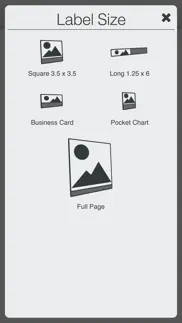
•Select label size
•Select the font
•Print or email an automatically generated PDF
Check out a few of the things you can instantly accomplish:
•Organize office or craft supplies
•Create formatted picture labels to use in an early childhood setting
•Make photo name tags
•Pocket chart items
•Create picture flash cards for words or sounds
•Create classroom labels
•Quickly make or change labels throughout your classrooms
•Easily establish permanent records for inventory and insurance needs
•Tag boxes for moving or storage
•Make children’s toy clean up simple and fun with a name and picture label showing where it belongs
•Generate schedules, chore charts and behavior charts with pictures and word descriptions
•Create classroom visual aids
•Great for providing clear, precise, repeatable directions
LabelPics is perfect to use for early childhood development settings such as Daycares, Preschools, Kindergarten classrooms, and Special Education settings. It's a great tool to help children recognize environmental print connected to real world objects, or for anyone that loves organized and orderly living, learning and teaching environments.
😍 Do you love Label Pics app? Please share your friends!



Please wait! Label Pics app comments loading...
Label Pics 3.1.1 Tips, Tricks, Cheats and Rules
What do you think of the Label Pics app? Can you share your complaints, experiences, or thoughts about the application with Andrew Kasper and other users?



Label Pics 3.1.1 Apps Screenshots & Images
Label Pics iphone, ipad, apple watch and apple tv screenshot images, pictures.
| Language | English |
| Price | $1.99 |
| Adult Rating | 4+ years and older |
| Current Version | 3.1.1 |
| Play Store | com.andrewkasper.labelpics |
| Compatibility | iOS 15.1 or later |
Label Pics (Versiyon 3.1.1) Install & Download
The application Label Pics was published in the category Education on 04 September 2017, Monday and was developed by Andrew Kasper [Developer ID: 1272541873]. This program file size is 41.82 MB. This app has been rated by 4 users and has a rating of 3.5 out of 5. Label Pics - Education app posted on 03 March 2026, Tuesday current version is 3.1.1 and works well on iOS 15.1 and higher versions. Google Play ID: com.andrewkasper.labelpics. Languages supported by the app:
EN Download & Install Now!| App Name | Score | Comments | Price |
Fixed bug with app crashing when adding over 20 labels
| App Name | Released |
| Canvas Student | 08 December 2011 |
| HelloTalk - Language Learning | 15 December 2012 |
| Elevate - Brain Training Games | 21 May 2014 |
| Beanstack Tracker | 07 May 2018 |
| Duolingo - Language Lessons | 13 November 2012 |
Find on this site the customer service details of Label Pics. Besides contact details, the page also offers a brief overview of the digital toy company.
| App Name | Released |
| Monkey Preschool Lunchbox | 31 August 2009 |
| CE5 Contact | 05 April 2020 |
| Jumpmaster PRO Study Guide | 01 November 2011 |
| ABA Wizard | 19 December 2017 |
| Shroomify - Mushroom ID USA | 21 December 2019 |
Discover how specific cryptocurrencies work — and get a bit of each crypto to try out for yourself. Coinbase is the easiest place to buy and sell cryptocurrency. Sign up and get started today.
| App Name | Released |
| 09 October 2009 | |
| BeReal. Your friends for real. | 08 January 2020 |
| Gas | 27 August 2022 |
| Telegram Messenger | 14 August 2013 |
| Google Maps | 12 December 2012 |
Install the Giftmio extension for smart shopping. Get notified about cashback opportunities, activate cashback in one click, and save money on purchases.
| App Name | Released |
| Shotgun King | 24 February 2026 |
| Balatro | 26 September 2024 |
| Terraria | 28 August 2013 |
| Incredibox | 27 March 2016 |
| Gambonanza | 01 May 2026 |
Each capsule is packed with pure, high-potency nootropic nutrients. No pointless additives. Just 100% natural brainpower. Third-party tested and validated by the Clean Label Project.
Adsterra is the most preferred ad network for those looking for an alternative to AdSense. Adsterra is the ideal choice for new sites with low daily traffic. In order to advertise on the site in Adsterra, like other ad networks, a certain traffic limit, domain age, etc. is required. There are no strict rules.
Keep personal info private, avoid scams, and protect yourself online with AI-powered technology.
Label Pics Comments & Reviews 2026
Works. The app works but I wish the creators would make so you can rotate the label or put the picture on the side of the word and have a 3x5 option (index card size).
Stopped Working. App was working great until recently. Then it began crashing a few weeks ago every time I tried to print the labels. Now it does not work at all.
Not working. used to love this app but it’s not working now??? It’s grayed out and I’m unable to click anything. Unable to reach customer service either. Please fix it.
Price. I know it’s only 6 cents. But I thought the app was 99 cents. My bank shows a charge for $1.05. Yes I know it’s only 6 cents. But it adds up on their end.
Nothing is working. Hi, i tried to submit this to your app support and than it wasn’t letting me press the submit button. So I will leave a review in hopes to be contacted. I just got this app about a week ago and payed a $1 for it. Used it once and than opened it to use it again and it dims down the color of the app and won’t let me click on any of the buttons? I have opened it several times since than and it won’t work? Turned off my phone and back on. If I delete this app and download it again will I have to pay another $1? I have never payed money for an app but decided to so I can use it for work and it’s not working? Thanks
Effective App but it will not work anymore. I have had this app since 2017. The last time I used it was in May. Now I cannot remove the one item I put on there last year, I cannot remove. The screen is grayed out and I would really like to use it to doubly label my classroom.
Stopped working. This has been my favorite app until last fall it just froze and will not allow me to do anything. It’s like two screens are open. I have used this app for ever and welp lost with out it. So sad.
Print. I make the labels in the app and every time I go to print- the app crashes.
Amazing app. I have used this App since first introduced on a teacher page by your wife. I hadn’t used it in a while since everything had been labeled. Started using it again recently and love all of the new features. I am not sure why it has gotten so many bad reviews. One app cannot do everything that everyone wants. Give feed back to help improve. This app lets me put “real” pictures of the items in the bucket and not use generic ones. The children get to relate to the actual items that go there. I have made cubby pictures with names for the kids, then magnets. Now my question of the day and sign in for younger ones have pics. I could go on. Love this app!!
Grayed out screen. My screen has changed to gray and I can’t make labels. Any ideas?
Used to LOVE this up, but no more!!. I’ve used this app for years and have shared it with every one of my co-workers. It was simple, easy to use and got the job done quickly and efficiently. The latest update has changed everything. I was forced to update the app in the middle of making labels as the app froze. My hope was to keep all of the work I’d done up to that point, but it all disappeared after the update. Now, when making a label, the page jumps so the words being typed cannot be seen. Black, the most basic label color, is way off to the right and has to be found for each new label. Unfortunately, this is the only label app of its kind so I have to use it but I’m out if anything better comes along!!
Needs improvements. I wish you could resize the photos and preview the label with photo. I tried it and it took me 3 tries to get the photo I wanted (positioned) and the words for my label was cut off. Great idea but needs some improvements
Love this App. I had so much fun organizing the craft room that I've now started on the garage boxes. I love that it is simple to use and easy to understand. I'm involved with a large youth group and I've had trouble learning all their names, so creating flash cards using this App with their pictures and names has been a cinch. Next, I'm planning on doing a home inventory folder book. I've looked for something like this for a long time.
Stopped working. Why did the app stop working?? It will pull up but I can’t click on anything
Don’t waste your time.. This app is a great idea, especially when you have hundreds of things to label in a classroom. However, this app freezes up frequently, crashes for no reason, is slow to load pictures and often erases texts that have been entered. No updates have been provided to fix the problems that occur with this app.
LabelPics is amazing!. How did I not know about this? I'm about to make a lot of teachers REALLY happy! This app allows you to make picture labels really quickly and easily! Every teacher's dream!❤️
Perfect for what I need!!. Works great for getting everything together and organized!! Definitely would recommend!:)
Needs Work. (FYI - I don't know why this is titled "This app is trashy" because I did not write that!) I was excited to use this to make labels and name/picture cards for my classroom, but I was unable to adjust and resize the picture to properly fit the space. I don't have time to retake photos and play with sizing to get it right. Also, the fonts are very limited. Comic Sans is a deal breaker. If you want to include a common font that is good for classroom use, then Century Gothic could be included. This is a wonderful idea and could be a useful tool, but it needs some work.
Love this recommend to all teachers and moms with young kids. Love the app. Love it saves me so much time, and I can get labels made for anything made so fast. Target added a new size this year, anyway you can add that new size. 9.8 x 3.5 anyway to add a label this size to fit them! :) maybe the picture to the side and words to the right of the picture Just a suggestion I am using them to label my cubbie bins. I know ur wife’s a preschool teAcher as original person who shared this With others and myself.
Awesome App. I really like this App, would love if it was compatible with my laptop and IPad and not just my phone!
Was great. I teach, and these are awesome ways to put photos with the label for things on the shelf. However, now, as soon as I submit to print it shuts down and goes back to my main screen. And I am unable to use it. I as well have tried to contact someone about it and get nothing
Awkward sizing. I wish there was a size between the 3.5x3.5 and the full page.
Was impressed but doesn’t work. Hi yes I downloaded your app a few days ago. Super excited to use it easy. I did one project emailed it started a new project and the project is gone and the screen is gray and I can’t use the app at all. What do I need to do to fix this. So I posted this on your website so that I could just email y’all but when you click the submit button nothing happens so now I’m having to leave a review and I just want the program to work especially since I paid for it. Not excited at all that much stuff disappeared in there it’s gray and won’t work I just looking for help
Help!. I really love the neatness of what this app does! It took me awhile to figure the best way to get my picture fitted in the box but I did it! I have used it quite a bit over the last few weeks being that I am a preschool teacher I was excited! I still like the app but now I am having trouble saving my work! I save each one after I have the picture the way I want and the words the way I want! No when I go out of the app and go back in my work isn’t there ; therefore, it isn’t saving! How do I ensure I save my work so I don’t have to start over!!
Love it. Super easy to use. I have two toddlers, this is perfect for easy to print flip books and flash cards for them.
Want all photo! No text?. No way to get rid of text box- bc yes, I don’t want text! And when I go to ask at website, the “send us a letter” submit now is a dud.. no feedback, thank you!
Excellent app for teachers!. This is an amazing resource for teachers. As a preschool teacher I label everything in my classroom with pictures to help the kids with cleaning up independently. Only thing I found disappointing so far is that I can not zoom in on the pic I add to the label, just have to make sure the pic I add is already cropped/zoomed. And maybe in the future more fonts can be made available :)
Keeps Crashing. I recommended this app to a lot of people because it worked great now it keeps crashing only allowing me to make 1 label at a time. 😩
PreK lifesaver. Update. I have used this app for eight years now and everything I have used for labeling in my room, reflected the old app. All of the pockets that I have spent money on around my room fit the old size. I prefer The rectangular which gives me more room for text. I also have to use more effort to change the color from red, which is not aesthetically pleasing in a classroom. Not happy with the new changes now that I have had to use it to make new labels. More of a rectangle. Now, however, I don't have an option for that size. I've been a teacher for 27 years and this is one of the best tools I have used to set up my classroom. While I have purchased premade generic labels from tpt, the ability to create my own labels from items the kids actually use is priceless. I can send to my home printer directly from my phone. Also, I can email the labels to myself with a title so that if I need to print more or print at school from my computer, I can do so. It would be nice if I could save the files right on the app to keep them in one place. There are several apps that make labels but for my classroom, I love LabelPics. If I had any suggestion, it would be to be able to save my color setting for text. Size and font stay as set but I have to scroll for my class color each time. Literally my only "complaint". The app was recently updated and looks and works even better.
Help is absent. I sooo want this app to work! Photos cannot be rotated once you place them. My preview looked good , but when it printed the print was too big and it was cut off. Great idea, needs better directions and a few tweaks and it would function great too.
Nice app if it works.. This app did an amazing job but it stopped working after 1 week. I can’t access it at all and I tried sharing with others but it won’t show up in the store. What is happening?
Anastrophe. Using iPhone 8 + I found it difficult to predictably size photos and send them via email. Photo must be converted to PDF file before it can be labeled. So you’re not labeling a photograph at all. Unfortunately you don’t find this out until you’ve bought the app.
Help. I purchased and downloaded the app, supe excited in the hope of labeling my classroom easier. I started, got about 20-25 pics with labels completed, then, app went gray and I can’t do anything. I can’t contact you via app, reset, print… nothing. Now pics are blank. Total white.
Great tool for teacher. Tool is great to create picture with label and it's easy to use.
Doesn’t work. Just bought the app, went to use it and it won’t even work. It just shows a faded picture on the screen and none of the buttons work.
QUESTION. I can’t get it to open. I used it last school year. Please help’
Cropping. How do you crop pictures in your app?
Time saver. This app is awesome. I’m a preschool teacher and this app has helped me a lot with labeling my shelves. One thing I wish is to edit the picture in app like turning or cropping. But overall, it’s one of my best friends!
Started crashing. I have used this app for a year without any issues and now every time I try to make a label the app crashes. Thank goodness for the new auto save because at least I am not loosing all my work but it takes two to three “crashes” per label. Not worth it anymore.
Label Pics. I purchased this app. Thought it would be great for my class. It slowed my phone down to an absolute crawl. I took the app off and my phone return to its normal state. I tried to contact the app developer to see if I could get some help troubleshooting the problem before I wrote a bad review. The link to contact the developer did not work. Very disappointed.
I love this app. Please fix it.. Last year, I used it all the time. It crashed. I downloaded it again. It has crashed constantly now. Please fix. I need this app. It’s made my job easier in the classroom.
Help not working with latest Apple update. Hello - I love this app but it doesn’t seem to be working since I updated my I phone phone yesterday. When the app opens everything is a light shade of gray and is unresponsive to any of the things I click on. Please tell me there’s an update I use this app quite a lot! Thank you Same for me!!! Help!!! I have been using this app for years. Kim
Did you know that you can earn 25 USD from our site just by registering? Get $25 for free by joining Payoneer!
Imagine you at your best. All the time. Picture yourself at your sharpest and most productive. Your most alert and focused. Your most lucid, creative and confident. At work. At play. In every area of your life. Add Mind Lab Pro® v4.0 to your daily routine and uncap your true potential. Buy Now!
Adsterra is the most preferred ad network for those looking for an alternative to AdSense. Adsterra is the ideal choice for new sites with low daily traffic. In order to advertise on the site in Adsterra, like other ad networks, a certain traffic limit, domain age, etc. is required. There are no strict rules. Sign up!