HS Team App App Reviews
HS Team App App Description & Overview
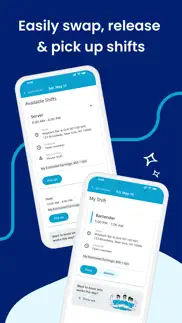
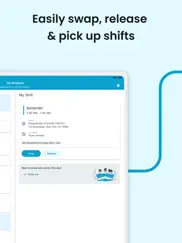
What is hs team app app? Check schedules and send text or email alerts to notify staff about the schedule or other important messages. Team members can swap, pick-up or release shifts with one click. Schedules and the roster automatically update with any manager-approved changes.
NOTE: The HS Team application REQUIRES a valid HS Team user account through your employer.
😍 Do you love HS Team App app? Please share your friends!



Please wait! HS Team App app comments loading...
HS Team App 5.25.0 Tips, Tricks, Cheats and Rules
What do you think of the HS Team App app? Can you share your complaints, experiences, or thoughts about the application with HotSchedules and other users?





HS Team App 5.25.0 Apps Screenshots & Images
HS Team App iphone, ipad, apple watch and apple tv screenshot images, pictures.
| Language | English |
| Price | Free |
| Adult Rating | 12+ years and older |
| Current Version | 5.25.0 |
| Play Store | com.hotschedules.cfa |
| Compatibility | iOS 17.1 or later |
HS Team App (Versiyon 5.25.0) Install & Download
The application HS Team App was published in the category Business on 24 January 2017, Tuesday and was developed by HotSchedules [Developer ID: 294934061]. This program file size is 97.14 MB. This app has been rated by 9,159 users and has a rating of 4.3 out of 5. HS Team App - Business app posted on 21 May 2026, Thursday current version is 5.25.0 and works well on iOS 17.1 and higher versions. Google Play ID: com.hotschedules.cfa. Languages supported by the app:
EN ES Download & Install Now!| App Name | Score | Comments | Price |
| HotSchedules Passbook Reviews | 2.3 | 3 | Free |
| HotSchedules Inventory Reviews | 1 | 1 | Free |
| HotSchedules Logbook Reviews | 2.7 | 31 | Free |
| HotSchedules Reveal Reviews | 3.5 | 2 | Free |
| HotSchedules Dashboard Reviews | 1 | 3 | Free |
- We heard your feedback. Loud and clear. This release focuses on fixing crashes, improving performance, and making the app feel reliable again.
| App Name | Released |
| MyWalmart | 14 November 2019 |
| Lyft Driver | 08 May 2017 |
| QuickBooks Accounting | 13 February 2013 |
| Indeed Job Search | 07 June 2009 |
| ADP Mobile Solutions | 13 July 2011 |
Find on this site the customer service details of HS Team App. Besides contact details, the page also offers a brief overview of the digital toy company.
| App Name | Released |
| Alon Dictaphone-Voice Recorder | 06 February 2012 |
| EagleEyes-plus | 11 February 2010 |
| Craft Pricing Pro | 21 April 2024 |
| Audio Recorder with Timecodes | 24 March 2020 |
| FileBrowser Professional | 17 April 2014 |
Discover how specific cryptocurrencies work — and get a bit of each crypto to try out for yourself. Coinbase is the easiest place to buy and sell cryptocurrency. Sign up and get started today.
| App Name | Released |
| Hive Social | 18 October 2019 |
| Gmail - Email by Google | 02 November 2011 |
| 09 October 2009 | |
| CapCut - Video Editor | 14 April 2020 |
| SHEIN - Online Fashion | 19 May 2014 |
Install the Giftmio extension for smart shopping. Get notified about cashback opportunities, activate cashback in one click, and save money on purchases.
| App Name | Released |
| Slime Rancher | 26 May 2026 |
| MilGPS | 01 December 2010 |
| Paprika Recipe Manager 3 | 15 November 2017 |
| CloverPit | 17 December 2025 |
| Pou | 26 November 2012 |
Each capsule is packed with pure, high-potency nootropic nutrients. No pointless additives. Just 100% natural brainpower. Third-party tested and validated by the Clean Label Project.
Adsterra is the most preferred ad network for those looking for an alternative to AdSense. Adsterra is the ideal choice for new sites with low daily traffic. In order to advertise on the site in Adsterra, like other ad networks, a certain traffic limit, domain age, etc. is required. There are no strict rules.
Keep personal info private, avoid scams, and protect yourself online with AI-powered technology.
HS Team App Comments & Reviews 2026
login issues. just found out you have to click the mypass login and then the labor login links in order to ACTUALLY log in otherwise it says your credentials are not correct, but when i login it just gives me a screen that says “//walk me stuff,” whatever the hell that means. and i’ve got one question; you guys didn’t hire anyone with any experience at all in app development when y’all were making this app, didn’t you? my mother could do better than this. this app is counterintuitive and you’re better off just adding a shortcut from the home screen to the website.
app update. v5.0 has been out for one day and i already dislike it. i can not even see who is working on days i’m not scheduled without going to the roster and waiting forever for it to load. i used to be able to see a full week and a half most of the time but now i can only see like three-fourths of a week. i don’t hate the design but just make it the same size it used to be and reinstate the previous functionality or add an option to revert to the previous design and i will change my opinion. edit: apparently the change has been reverted or something so for now the above is invalid
Incompatible with Dark Mode. With the new IPhone update a lot of apps are either staying the exact same or moving along and adapting to dark mode, however this app is unreadable when dark mode is on. I don’t know if it’s an apple thing or if you guys can do something to fix it, but the color of the text stays the exact same and parts of the background turn black, making the app useless unless you go to settings and switch off dark mode. It’s more of a PITA than anything else, but it would be cool if you guys could fix it. Definitely would get a 5 star review for that
Bug/Problem Spotted. I’ve been using this app for work and for the most part it’s been really good and reliable but today I’ve been trying to log in for 5 hours and it’s acting like it’s loading and then timing out and now it’s loading in straight to some kind of settings home page and won’t let me get out of it. When I tap on any of the options it will either load and say my account has no name/number/email, etc for profile and everything else acts like it’s loading for a minute and then tells me I don’t have a connection.
UNDO THE UPDATE!!. i’ve loved hot schedules for years now. it’s been extremely convenient to see schedules and who i’m working with. this new lay out over the whole app is terrible. makes the app way less quick and easy. if i’m clicking on my shift i don’t want to click more buttons to she who i’m working with, it should already be visible. but no, you added basically a random buffer to seeing that. which is extremely pointless and frustrating. the old lay out while it was oddly compact it had better flow and was much more enticing to use. not happy with new changes in the slightest.
App needs fixed. I’ve been using this app for the last 3 months. This month I’ve been having a lot of issues logging in. It continues to say my device is not compatible and to update to version that is compatible but when I try it won’t give me the option to download new version. I’ve been having to use the website instead of app which is frustrating to me.
Dark Mode Update. I use this app every day for my job and it’s been such a huge help in my life. That being said, the new dark mode update has turned a useful tool into the most inconvenient app on my phone. I understand that most apps are switching to dark mode to comply with the new IOS update, but the execution of dark mode in the latest update of this app is horrible. You can’t see messages, times, or days, which makes seeing my schedule and communicating with my coworkers more difficult than necessary. Please, either edit the dark mode compatibility to make the app usable again, or ditch it completely and go back to the old format. There is absolutely no reason why I should have to adjust my phone’s entire display to see an app. I love this app and all the help it provides, so I am extremely disappointed at this update and the problems it’s caused.
great app but one issue. i am TRYING to change my availability and it keeps saying bad request 400. i told my manager countless of times how it never lets me change my availability and she’s not responding to me in time. i have to get this done tonight otherwise i’m going to have to be available all day, which i’m not. i only work 4:30-10:30 pm. can you please do something to fix this bug? it’s been bothering me so much. i cant do anything to fix it. i even try it online and it still won’t help. like what is going on.?
Please fix the calendar sync!!!. One of the most useful things is the calendar sync so everyone in my family knows when i work. I allowed hs to have full access to my calendar, however it keeps telling me i need to give it permission and will not turn on.
Not a good layout. The app is just not easy to navigate. I believe this app could be so much more organized. I find it unnecessary to have to first click on the calendar icon on top, and then each day of the week over and over just to set up your availability. I think having a pop-up or a drop-down box after simply clicking on each day of the week, with the time frame you are able to work, would be much easier and faster to set up. Even on the website, the availability calendar is set up almost like an excel sheet when it could just be a one-click drop-down box of the hours you’d want to work. The message feature on the app doesn’t give me notifications of a new message so I often read them late (doesn’t go through push-notification), and new messages should be in bold print to differentiate between old/new messages. Simple features make a huge difference.
Calendar issue. I have been using this app for a year now and all of a sudden it doesn’t want to sync up with my calendar for my family. They have been planning stuff around the times I work because ever since the recent update on this app, it doesn’t show up on either of our calendars.
Dark Mode Not Working!!. While I appreciate HotSchedules making adjustments to have dark mode available, this app isn’t ready for it, yet. The text stays black and doesn’t shift to white, so you have to manually change the display to light mode in your iPhone. I’m hoping a fix comes soon. Also, the load time has been slow for quite some time, and I would love to see that get resolved, as well, in the future.
hate everything hot schedule related. much to my dismay my boss uses hot schedules for work. I hate having to open Google and search hot schedule every time I want to see when I work. I thought this app would help make it easier (it doesn't).no I do not want to pay for the $2.99 version just want to look at my schedule. I shouldn't have to pay for it. hot schedules could make this very easy for employees but it doesn't it's trash. the company is trying to make money but take it from my employer it's not the employees I'm just trying to work my dude.
Good- but. I’ve been using this app ever since I started working, which isn’t to long ago. I work at chick fil a and it’s been the best experience so far! This app is what I use to check my schedule and ask of time etc. this app has some problems but I didn’t think to much of it because I could easily restart the page. I’ve been trying to restart the page since idk when this morning because I need to see my schedule for this week and the next week because I might have plans. It’s honestly so annoying when it takes forever to load and I’m just waiting for something to happen. I know what time I work today tmmr and the next. I don’t now if it’s my phone or the app being slow but I’ve tried restarting my phone, turning my cellar data on n off and I’m gonna try to use wifi to see if it will work.
No longer loading. The app has been great but recently nothing seems to be loading. Other people on my team with iPhones have been having the same problem so I’m sure it’s not a network issue. Beyond that this has worked great in the past.
Will not work period. It works perfectly fine on any browser even on the same device and even worked once on the app but besides that it says my login information ‘does not meet the credentials for this application’ which is ridiculous since it obviously does work 😭 even my manager looked at me funny because of how ridiculous the error was when they’ve been using the program for YEARS.. I’ve seen others complaining about recent updates and it’s such a letdown because it looks like a super useful tool and it’s mandatory for my work.. oh well :/
Duplicate shifts on google calendar. I have the app synced to my google calendar, however every time I open this app it re-adds all my shifts to my google calendar, even though non of my shifts have been changed since they were published. Since I have opened my app like 5 time this week I now have 5 shifts today all for the same exact time on my Google calendar.
Goooood for job. I worked at Arby’s for a couple months and I love this app. I’ve worked at multiple jobs over the years and by far the best scheduling app of their the only thing I would say to critique it is a dark mode instead of every time you open it in the morning let’s see if they get up at 6 AM well and you open the freaking bright as a freaking sun!!!! but overall great app
Terrible. App loads schedules properly maybe twice a day. The rest of the time the screen times out and tells you to try again. Then the screen times out and tells you to try again. Then the screen times out and tells you to try again. I could go on but I think you get my point. How this app has 4.5 stars is beyond me. If you’re making schedules and using an app use literally anything else because this thing is just an exercise is frustration. Now if you’ll excuse me I have to call my manager and see what time I work because this thing sure isn’t going to tell me.
An App that barely functions. More often than not, when one tries to open the app, it will stay stuck on the loading screen (a rotating circular object will appear). When one is finally able to access the app, the load times are really slow and the app, as a whole, is really buggy. The developers should really take a look at this issue because the app is practically unusable most of the time.
Breaks on Occasion. Not perfect but is great when it works. I’ve been using this app for over 2 years now and hasn’t given me a single problem until now. Sometimes I can get past the loading screen and have to hard reset for it to load. Pretty good app overall and it’s nice that my multiple employers all use it.
Not able to use my app. I had this app for a previous job an my new job uses the same app so I created my account for my new job upon being hiring an it’s telling me my credentials are not eligible… I have to use the browser to get my schedule every week… someone help me
Doesn’t work half the time. This app will not load half the time , hoping my job changes to a different app if it doesn’t get fixed Having to screenshot my schedule or log onto the website just to see what days I work when it decides it’s not going to load Technology is supposed to make things easier, this app seems to make things harder
Good app for work. Ever since the latest update, it takes forever to load my schedule. Takes forever to load the “How would you rate your shift?” Then finally after that it takes even longer to load schedule, If at all. Wifi not the issue
One problem. This app is user-friendly and very helpful, but I’ve had a couple times where I am trying to pick up a shift, but because I’ve asked for time off it won’t even let me see the shifts and even if the time off isn’t scheduled for that day it won’t let me see any released shifts at all.
Good app but unreliable. Half of the time when I try to get on the app it takes forever load and just doesn’t show me anything. The app works fine and makes it easy to add/drop shifts, change availability, etc, however when I want to look at the app it’s always down and it’s not just me.
Invalid certificate. I am googling to figure out why I am not able to look at my schedule after I just looked at it 30 minutes ago. It says my certificate is invalid when I have already reset my phone along with restarting the app multiple times. Any solutions cause the date and time are correct on my phone
Great App. This is a fantastic scheduling app, it totally gets the job done! Two things I would love to see implemented. Schedule notifications (when a new schedule is posted, or what my hours are for the upcoming day) and the ability to see all my hours totaled at the top of the week. Awesome work on all fronts. Thanks!
Poor Performance. Anything from signing in to opening into the main schedule, and even looking at messages takes minutes at a time to go through. Tapping on notifications while outside the app always takes an extra minute or two. This is has to be due to a poor backend structure as this shouldn’t be happening for a simple scheduling/networking app. Disclaimer: I’m using the newest iPhone (14 Pro Max) and have tried several fast/stable internet connections. All relevant troubleshooting steps still lead to waiting 30 seconds minimum for even basic app interactions.
Layout and Loading. The layout is really nice and easy to navigate. Recently, however, the app won’t load sometimes. This is incredibly inconvenient because I will try to check my schedule and it won’t load. This is the only way I can look at my schedule. So, if the app won’t load I won’t have a clue when I work and there is no accessibility for me. It used to work really well, but with the updates the issue has been getting WORSE. Please update the app to have it load quickly again, thank you.
Bugs. Laggy. Wont let me in the app.. This app genuinely annoys me. I try to log in everyday for work and it just doesn't freaking load anymore. I checked for an update.. NO UPDATE!! I am not even being a Karen I am just so freaking annoyed. I love my job, but when I want to make sure i go in at the right time and i’m too early then i'm in the way waiting to clock in, or I am late. You know how annoying it is to be late? V E R Y.
Great app, but one issue.. It’s awesome and easy to use and all that great stuff, never had an issue till now. Ever since Apple updated the phones to “Light” and “Dark” modes, the dark mode steering was changed and then this app was updated to accommodate that. However, in doing so, the dark mode on this app makes it nearly impossible to see the “My Schedule” page and the shifts that show up on there, because of the color scheme. Please fix this so I can actually see my shifts, thank you. 👍
Good but one quick question. I find HS to be an effective system of schedule dispersion. However, I’ve noticed lately that people let go of shifts and I KNOW they let go of it but it doesn’t appear on my app. Is my app specifically broken? Or is it a widespread issue? Can you guys maybe investigate this and fix it in the next patch?
Super helpful app with one issue. I work at Chick-fil-a and we use this app for scheduling and it’s super great and fairly easy to use! But the one issue I have with this app, idk if others have this issue, but I have gotten a new number since I started working at cfa, and the app won’t update my new number. I’m tried it in both my phone and my laptop, and I’ve tried deleting the app then re-downloading it, but my number still won’t update.
New look. I get the idea behind making the look of the app interface more modern, but the simplicity of seeing everything laid out is now ruined. And as a leader who has to see the entire roster of people working and house shifts in a day, it is difficult now to see who’s working, not working, what available shifts there are, and what house shifts are available without going to 3 different pages on the app. Not a fan
This app has the predictability and temperament of a printer.. It worked fine whenever you don’t need it, but the absolute second you need to know what your schedule is as fast as possible, it takes forever to load and won’t let you see anything for hours. I am convinced this app can sense urgency and takes every step to ensure the worst time possible in that situation.
Very useful to keep track of my schedule. The app is very useful to keep track of my schedule, but I also love that I am able to see who else is working that day. The one thing I wish you would add is a total for the hours scheduled and also a total for the week to see house many I am scheduled for
Calendar Syncing Issue. Honestly, this app is not very great, but it works for me. There’s only one very annoying issue that I have with it (as of now lol): So I synced my work schedule with my Apple Calendar, however, there’s like multiple listings of the same shift on my Apple Calendar. So like it’s there, it’s syncing, but it’s putting it there multiple times, which is pretty annoying. I don’t know exactly what’s causing this, maybe every time I open the app it re-syncs? That’s my biggest issue at this moment.
App installation update by developer. I have an iPhone 5 and have had this app for six months and it has worked amazing. I love the app! But about a month ago the app stopped updating and I could not update in the App Store but it still allowed me to access the app. But a week ago it refused to let me into the app and said I had an authentication failure so I uninstalled it and tried to reinstall it and now it won’t let me install the app back on my phone. So I was hoping to get an answer or find a way to fix it. Thank you for any help. I hope this can be resolved.
Will not load. I had to get this app for my job but I cannot stand it. Hotschedules is the only place where I get my work schedule but it will not load! I have had consistent issues with long load times and I just spent 10 minutes trying to get the app to load but not once did it. Heck, it just gives up loading and leaves me on a blank screen. I’m only giving two stars because it’s doing its job right, I just can’t even get to that part!
Small text. The app is fine for what it does but the font size used is very small. It doesn’t resize according to system font settings and appears to have no app setting either. The app updates my calendar but adds to my main calendar. It appears to have no way to use a different calendar. Maybe it could publish a subscription calendar which would let me record shifts in a separate calendar and even share that subscription with family and friends so they could see my schedule.
Could use a theme update for iPhone.. The app seems pretty decent and well put together. Recently theres been an iPhone update to enable dark mode and this is the only app that seems to not work well with the new iPhone update. It’s extremely hard to see the text when in the app. I have to go into my phone settings and change my entire display to be able to read the text in the app. Hope an update can be made to support the new iPhone display settings. Otherwise a good app overall.
Suspended for no reason. I’ve been suspended for over a week now. My managers and directors have no idea why this has happened and has emailed hotschedules and all they got was to reset my password. It wouldn’t work so I tried reinstalling the app. Nothing. I can’t see my schedule in the app, cant request off through the app, can’t pickup or drop shifts or do anything associated with the app. This makes it very hard for my team leaders to keep track of what’s going on and this needs to be fixed.
Its great... when it works. This app is great in the number of features it offers and the simple design. I work at Chick-fil-A and it is the scheduling app we use to manage everything. However, there are problems with its performance. Its loading times can be very long, to the point where it will time out you have to restart the app. Sometimes, even when you restart the app it won’t work and you have to wait 20-30 minutes until it comes back. Second, the messaging system is unclear whether a message is sent. I will write a message out and hit send, and the send button will go dark and it will just sit there. No confirmation, just a static page. If you wait 30 seconds, it goes away. However, it is unclear whether the message sends if you don’t wait until it vanishes automatically. Lastly, the shift pickup system is buggy. A few weeks ago, I was trying to pick up a shift for a Saturday (and it was a Monday) and it told me there was an error. I kept trying to pick it up throughout the week and it never let me pick it up. I tried to pick another one up that week too, and again, I was never able to. This app would be awesome if it were more reliable.
Bug Spotted. I have an iPhone….maybe that’s the issue but for the past year, whenever I open the app while it’s synced to my calendar it will I’ll double up on what’s already been synced to my calendar and I get twice as many notifications an hour ahead of time. It’s really annoying. I hope the next update will fix this
I liked Shift Agent better. On HS you are unable to see the whole team you are working with. If you are scheduled front of house, you can't always see who is back of house or in leadership. You also only have the options of being available or unavailable. On Shift Agent you were able to say when you preferred to work or preferred not to work even if you were available. Also, the interface just isn't pretty. It's shallow but as a consumer, it matters. It still gets the job done and works. But these are ways it could be better.
It works alright. I used this app when I worked for Whataburger for 2 years. It’s how we got our schedules, obviously. But you couldn’t use the time off requests option because it didn’t go through to the managers. Often it would log us out. If you don’t have an internet connection, then you don’t get to see your schedule. At least it has a dark mode so it don’t burn your eyes when your bosses update your schedule at 2am and you need to see how they modified your schedule (again).
Fix it. The app worked fine at first. I could see my schedule and it let me know when a new schedule was posted or if I had a message. The new update now I have to log in like it’s a computer and than it said I’m not in the system. I’ve been using it for like 3 weeks. What’s going on? I uninstalled and installed again said the same thing. I looked at the other app where you had to pay. It’s doing the same thing. Fix it. This is getting really annoying.
This needs to be fixed. Every time the app updates it logs me out and then when I try to log in it, it says my info is wrong and it won’t let me but I know I’m entering the correct info because I’m logging into my job website fine. I’ve changed my password and tried logging in again and it’s still not letting me and now I have no clue what my work schedule is… the app shouldn’t log users out after an update, this is very inconvenient.
Almost there. I’ve been using HotSchedules for a while. It’s worked for previous jobs and now it’s not. I use the same log in I use on the website and it’s behind.I mean it’s an error message. Plus there should be an outlook calendar addition to this. That way my schedule is not all over the place.
Did you know that you can earn 25 USD from our site just by registering? Get $25 for free by joining Payoneer!
Imagine you at your best. All the time. Picture yourself at your sharpest and most productive. Your most alert and focused. Your most lucid, creative and confident. At work. At play. In every area of your life. Add Mind Lab Pro® v4.0 to your daily routine and uncap your true potential. Buy Now!
Old App and Needs Help. The messaging UI is terrible. Makes it overly complicated to receive messages. Feels like this is an old app that hasn’t been given any love in a long time.
Adsterra is the most preferred ad network for those looking for an alternative to AdSense. Adsterra is the ideal choice for new sites with low daily traffic. In order to advertise on the site in Adsterra, like other ad networks, a certain traffic limit, domain age, etc. is required. There are no strict rules. Sign up!
Fix it. The app worked fine at first. I could see my schedule and it let me know when a new schedule was posted or if I had a message. The new update now I have to log in like it’s a computer and than it said I’m not in the system. I’ve been using it for like 3 weeks. What’s going on? I uninstalled and installed again said the same thing. I looked at the other app where you had to pay. It’s doing the same thing. Fix it. This is getting really annoying.
One problem. This app is user-friendly and very helpful, but I’ve had a couple times where I am trying to pick up a shift, but because I’ve asked for time off it won’t even let me see the shifts and even if the time off isn’t scheduled for that day it won’t let me see any released shifts at all.
More flexibility. The system allows only a pre 3 week notice and there is always something going on. Since the system makes the schedule as I have been told it doesn’t allow us really to make our real schedule. Logging in is always a bother and we are in a time where we need quick access.
Needs new update. Since the new update, the app has been acting weird. I’m trying to look for whose not working the shifts we have for our team, and it has the whole staffing crew. Even the people who are working that shift are under the not working shift. Not sure why that’s happening it it’s making it hard for my team to find replacements and such.
Crash from update. Roster section of the app is still crashing and/or not updating to current schedule for days.
Good but one quick question. I find HS to be an effective system of schedule dispersion. However, I’ve noticed lately that people let go of shifts and I KNOW they let go of it but it doesn’t appear on my app. Is my app specifically broken? Or is it a widespread issue? Can you guys maybe investigate this and fix it in the next patch?
Dark mode problems.. I have been using the dark mode on my iPhone since it came out a little while ago. However now that HotSchedules has a dark theme, with a black background and black font, that doesn’t really work... please fix dark mode, or add a setting to disable it in app or something. Please. Thank you. Otherwise would be 5 stars.
Needs dark mode. Love the app! Works great for everything that I use it for, but unfortunately there is no dark mode. I find this to be greatly disturbing, as most modern apps are capable of designing with dark mode. I absolutely love the recent app redesign! But I feel your designers need to be paid more. Will change this review to 5 stars when dark mode is added 😁
App has a lot of issues. This app barely works because it doesn’t load the schedule it keeps saying no connection but I have data and or Wi-Fi Neither works. Please fix this issue and I’ll move to 5 stars. It’s annoying guessing about shifts and new schedules
Works great. It needs a little work, for profiles, myself and a few other people our numbers aren’t showing up in the app
Very useful, when it actually loads.. I like the layout and it is useful but it is no good to me when it doesn’t load. This happens all the time and it isn’t only me but also everyone I work with. We’re constantly saying how hot schedules never loads. I even try using the website and it doesn’t load either lots of times.
Went downhill. So I have to use this app to get my schedule from my employer. It was all fine and dandy till recently. I did the update that recently came out for the app and now it’s completely black. Like I can’t see my schedule even though it’s posted. I can’t see who I’m on shift with. I can’t even be on the app too long without it crashing.
Getting worse every day. The last couple times I have done anything with using the availability setting it changes the times after I hit submit and look it over more than once to make sure I entered it correctly. Doesn’t submit and it disappears. It’s a terrible app now after the last couple updates.
areas of improvement.. I would like to be able to scroll past the previous work week. Also, would like for it to show the number of hours being worked each week and it adjust if schedule changes are made.
Fix Calendar Sync Issue Please. Calendar sync no longer works. Continuously loops in asking to allow calendar access even though I already have. Calendar sync made it so much easier to combine my work schedule into the Apple Calendar app. Please fix this issue soon!
newest update. I actually really like hot schedules, until the newest update. It will barely load it takes a few moments, I cannot see who works the off days anymore, and I have to hunt to actually see who works the certain positions of the job due to it being sorted alphabetically for the shift.
New update. The new graph is for the schedule is awful. You can’t see as much, and it is much more confusing. The other version had shifts that were bolded out, making it easier to read. And was very concise and easy to understand. Now you got these weird separations and it is simply uneasy to comprehend.
It’s good… when it works. This app is very useful for keeping up with my schedule or messaging team members, but it also glitches out very frequently. It’s to the point where I avoid updating it because every time I do I risk the app not working. Overall it’s good, but it has too many bugs for an app with such important work information.
change it back before the update. i can’t see now. the new update ruined the whole app. it’s too big and scattered. i have to scroll down to even see the whole week. and now when i need to see if i work or if i want to pick up a shift it takes longer and its easy to miss. they need to change it back real fast. i loved this app until the update. they messed up. also i can’t check to see who im working with when the day is here. if i want to look before i clock in who im gonna be working with im unable to. or if im not working i cant see who is working to take their shift
Never loads. It seems like the app only works like 5% of the time, most times I will open the app and it won’t load anything or I won’t be able to log in. Definitely not ideal since I need to know when to go into work. Luckily my employer sends out our shifts in a email as well. I’m not able to make any time off requests or pick up any shifts most of the time since it never loads.
It’s ok. I’ve had this app for work for a year and a half and up until now it’s been great, however now most times when I go in the app to look at when I am scheduled it loads and loads and then comes up with error for no reason :/
Fix it back. I have used this app for almost 5 years. It has worked fine, until they changed the app to show all the schedules by arrival time. The whole point of having the different schedules was to make it easy to see who I had coming in for what part of our restaurant. Now it’s like a game to play hide and seek. Please turn it back to the separated schedules. It’s a nightmare.
Duplicate shifts on google calendar. I have the app synced to my google calendar, however every time I open this app it re-adds all my shifts to my google calendar, even though non of my shifts have been changed since they were published. Since I have opened my app like 5 time this week I now have 5 shifts today all for the same exact time on my Google calendar.
New layout update 0/10. There's no way to filter the shifts. I couldn't care less about the people that work the other shifts. I now have to comb through all the team members. It is time consuming. It isn't as easy to navigate. I should be able to choose which layout I want on the app because this is not it.
“time range error”. I keep getting ‘time range error’ anytime I put partially available 4pm- 10pm and it’s infuriating. Other than that the app is pretty nice and shows teammates numbers so I can easily contact them.
Weird Colors on my app. I just downloaded this app for work and idk if it’s just mine but the the layout for my app is the exact same as the pictures except the while background is black and all the text is dark grey. it is SO SOO hard to read and Im only 22 so it’s not like my eyes are bad. I uninstalled the app and reinstalled it so that wasn’t the problem?? I hope they have an update to fix this or if someone from the app can get back to me to figure out how to fix it.
New update. With the new update I can’t see when my shifts end, or when anybody else’s shifts end. For example, if my shift is a 6am-2 it’s only showing me the 6am part. This happened with the new update. Before that I’ve had no issues with the app.
Giving me problems. The app is actually really good if it decides to load which is whenever I don’t need it to load. I got yelled at because I have no idea what day or time I work because it’s impossible to check if the app doesn’t want to load, I was reading the reviews and I saw multiple people complaining about this too, clearly the developers don’t care about the consumer only about the profit
Slow outdated app. I am currently working at Chic Fil A in order to raise money for college, and this app has been nothing but problems for me. On more than one occasion, I haven’t been able to make necessary schedule changes because this app freezes often. Today, I desperately needed a shift taken because of an emergency, and I couldn’t log into my own schedule.
App won’t work!. My app has not been working for the past 2 days and I can’t find a way to update it. I also can’t see my new schedule that was put out because the app is stuck on a white loading screen… I’ve opened and closed it and refreshed it a million times, even turned my phone off and on to see if that fixed it but nothing will work. Very disappointed.
Profile Pictures.. Been using for a year and a half now for my job, but the profile pictures look so low quality on the app. They’re so crunchy looking.
Great when there are no bugs. App is awesome when there are no bugs with notifications. Sometimes I get them, sometimes I don’t. Kind of frustrating.
USED to be perfect... When I go to adjust my availability, it wants to switch my PM to AM or vise versa. We have over night hours and it doesn’t accept that I can work 5PM to 1 AM. It’s very problematic. It used to be simple when I could open this app..! Now I have to get on my laptop and use your website...
Login usually not working. Can not login to the app, but when I log on through an internet browser I can get in. What a terrible way to manage an app when you can not login with correct info. Have tried multiple ways to be able to log in as well through many channels. No matter which path I choose I cannot get into the app. Not sure if this is a way to try and buy the not free app, but this has been a terrible experience.
App crashing. When I go to roster to look at the next day schedule it crashes after I scroll down to write up our team’s schedule for the next day. Very frustrating that I have to log onto a laptop or pc to use roster then it isn’t in a time order
Just a suggestion. It’s a great app, easy to navigating. However I have two jobs that both use hot schedules it would be nice to be able to switch back and forth. Without having to log in and out everytime
Suspended for no reason. I’ve been suspended for over a week now. My managers and directors have no idea why this has happened and has emailed hotschedules and all they got was to reset my password. It wouldn’t work so I tried reinstalling the app. Nothing. I can’t see my schedule in the app, cant request off through the app, can’t pickup or drop shifts or do anything associated with the app. This makes it very hard for my team leaders to keep track of what’s going on and this needs to be fixed.
one small bug that I wanted to bring up. The calendar sync feature continues to add the same shifts to my calendar over and over, to the point where on one day I’ll have 5-6 identical calendar events with the same shift, all on one day
Great app, but one issue. I have never had this much trouble with the app, I work at chick fil a, I need to see my schedule and the app won’t load any of my data, I tried restarting my phone, I tried turning off the wifi, I tried with wifi, I tried logging out and logging back in, I tried deleting the app and reinstalling, it’s not working, and I want to know what is going on right now.
ALWAYS LAGGY. Sometimes it’ll work but it’s usually a 40-60% success rate this past month at least. I saw it was updated just 4 days ago and it doesn’t even open, I have to ask my coworkers who haven’t updated their app yet to see my in time.
Works great, one complaint. This app is so simple to use and I LOVE that it syncs with my apple calander. The one request I have is to be able to choose which calendar it syncs with (i.e. Home, Work, etc.). That’d be super duper helpful for me, but other than that this app functions great!
Question. Is this app only for Chick-fil-A or other companies can use it as well? I used to work at Chick-fil-A and this is what we used but at my new job the scheduling app is not so great. I’m planning to suggest hot schedules if it’s possible for them to use it.
Works pretty good. Two things of note. Please add the ability to use dark mode. I hate super white/blue look. It’s a huge eye strain. Also, for anyone else having the issue. Make sure to turn on “Alternate Identity Provider” to use your specific employer.
Loading issue. My schedule literally will not load on this app. I have had this app for about a month and have tried to use it COUNTLESS times and I’ve only gotten it to actually work like twice. I feel like this app is to just be like “oh yeah we have a free version but it doesn’t work so you have to buy the app or go online”. It’s baiting and annoying.
Push Notifications. This app is fine and works well with my job. My only complaint is that there is no option for schedule updates to go through my push notifications.
Good app but unreliable. Half of the time when I try to get on the app it takes forever load and just doesn’t show me anything. The app works fine and makes it easy to add/drop shifts, change availability, etc, however when I want to look at the app it’s always down and it’s not just me.
App problems. I try to login and it says I need to update the app so I try to update the app but when I do it doesn’t give me the option to update only gives the option to open the app. So I try to open it and says I need to update it. Please fix this problem thank you
Horrible application. If I could give this negative stars I would. Never loads, constantly crashes, and extremely unappealing to look at. You better screenshot your schedule at the beginning of the week because if you’re so unlucky to be forced to switch to this app it will not work for you 95% of the time. To eh just released an update to “bug fix” but I’m truly not sure what they did because it’s worse than ever.
Viewing hours. I think it’s weird that when I launch the webclock and click view my hours nothing comes up anymore. I like to keep track of the hours I work. I think it’s weird there’s so many things you can do on the app but viewing your own hours isn’t one of them.
Does not work properly. My employer uses this app for everyone's schedule. My complaint is when someone releases a shift that they are not able to work out it only shows released for some but not everyone. I know this to be true because my daughter and I work at the same place and a released shift will show up on her app but it will not show up on my app. This happens every week