ProCamera. Professional Camera App Reviews
ProCamera. Professional Camera App Description & Overview
What is procamera. professional camera app? Upgrade your photography – start your free 7-day trial today!
THE ORIGINAL: ProCamera is the ultimate photo and video app for enthusiasts, creatives, and professionals. Experience the power of a DSLR camera with ProCamera's innovative features and seamless integration with your iOS photo library.
ProCamera perfectly blends simplicity with sophistication: Choose from easy point-and-shoot mode, semi-automatic mode or dive into full manual controls with just a tap. Effortlessly capture stunning images and film like a pro with advanced features and support for external lenses and microphones.
The powerful editing suite allows you to elevate your images with a wide range of tools for complete creative control. Know everything about your captures with our pro-level EXIF/metadata viewer. Enjoy custom sharing options to easily remove geo-tags for increased privacy or downsize photos and videos to save data.
Trusted since 2009 and continuously refined through years of innovation, ProCamera is loved worldwide: Featured by Apple, numerous prestigious awards and more than 40k 5-star reviews!
––– KEY FEATURES FOR UNRIVALED CONTROL –––
Independent focus & exposure control
Auto, Semi-Auto, full Manual mode
Manual focus & focus peaking
Exposure compensation with zebra stripes
Portrait mode with depth preview
RAW, ProRAW, TIFF, JPG & HEIF
Optical & digital zoom (up to 24x)
Manual white balance (incl. gray card calibration)
Support for all lenses (ultra wide, wide, tele, LiDAR)
48 MP photos (iPhone 14 Pro and up)
Configurable capture quality
Lock screen camera
Support for Camera Control Button (iPhone 16 and up)
Custom launch settings
Selftimer & ProTimer intervalometer
Selfie mode with display flash
Image stabilization on/off
EXIF & metadata viewer
Live Histogram
Aspect Ratios (4:3, 5:4, 3:2, 1:1, 16:9, 2:1, 2.4:1, 3:1, golden ratio)
Adjustable LED light
Rapid Fire photo series
Apple Watch Remote Trigger
Powerful gallery with iCloud integration
Support for iOS albums
Mirroring options
Anti-Shake
3D Tiltmeter
Photo Compass
Code Scanner (QR, Barcode,…)
Date stamp & copyright field
Volume button & full screen trigger
Lightbox (optional internal save location for easy file sharing)
––– ADDITIONAL VIDEO FEATURES –––
Video resolution options (4K, 1080, 720, 480 VGA)
Frame rates (24, 25, 30, 48, 50, 60, 96, 100, 120, 192, 200, 240 fps)
Codecs (H.264, H.265 HEVC, ProRes, ProRes RAW)
Log profile
High bitrate recording
Record to external USB-C drive
Connect bluetooth, lightning, USB microphones
Stereo audio & Audiometer
Disk space indicator
Still photo capture while filming
––– PHOTO EDITING –––
ProRAW/RAW Editing
Depth editing (Bokeh, simulated aperture)
EDR and ISO HDR
100+ photo filters
Wide range of pro tools
Save & export options (resize, convert to jpeg, remove geotag)
Automatic Perspective Correction (APC)
––– INCLUDED PREMIUM FEATURES –––
Get access to premium features such as Auto Perspective Correction with Live Preview for professional-looking photos free of perspective distortion, custom camera presets (Exposure, WB, Focus) for a fast and consistent workflow, anamorphic lens support, (RAW) exposure bracketing, safeguarded Private Lightbox folder, and specialty photo filter sets.
After the free trial, ProCamera is available as a subscription.
Terms & Conditions: procameraterms.cocologics.com
😍 Do you love ProCamera. Professional Camera app? Please share your friends!



Please wait! ProCamera. Professional Camera app comments loading...
ProCamera. Professional Camera 26.2.2 Tips, Tricks, Cheats and Rules
What do you think of the ProCamera. Professional Camera app? Can you share your complaints, experiences, or thoughts about the application with Cocologics and other users?
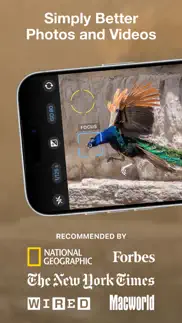
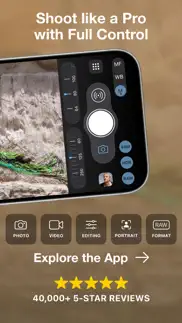
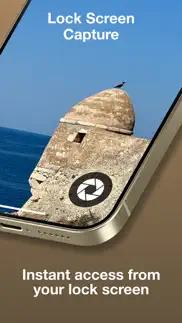


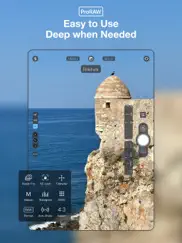
ProCamera. Professional Camera 26.2.2 Apps Screenshots & Images
ProCamera. Professional Camera iphone, ipad, apple watch and apple tv screenshot images, pictures.
| Language | English |
| Price | Free |
| Adult Rating | 4+ years and older |
| Current Version | 26.2.2 |
| Play Store | com.cocologics.ProCamera |
| Compatibility | iOS 15.1 or later |
ProCamera. Professional Camera (Versiyon 26.2.2) Install & Download
The application ProCamera. Professional Camera was published in the category Photo & Video on 18 September 2013, Wednesday and was developed by Cocologics [Developer ID: 490969165]. This program file size is 195.35 MB. This app has been rated by 10,908 users and has a rating of 4.7 out of 5. ProCamera. Professional Camera - Photo & Video app posted on 24 April 2026, Friday current version is 26.2.2 and works well on iOS 15.1 and higher versions. Google Play ID: com.cocologics.ProCamera. Languages supported by the app:
CS NL EN FR DE HU IT JA KO PL PT RU ZH ES ZH TR Download & Install Now!| App Name | Score | Comments | Price |
[+] AUDIO METER IMPROVEMENTS Faster response with more updates per second. Now also available when launching ProCamera directly from the Lock Screen. [+] SMART DEPTH (Premium) Bring professional background blur to any photo with a human face in it — even images taken years ago on a different camera. Our new Smart Depth uses machine learning to detect faces and apply a natural, artistic bokeh effect. Simply open the photo in Studio and adjust the simulated aperture to your liking. [+] EDITING STUDIO REDESIGN Our redesigned editing studio embraces the elegant Liquid Glass look of iOS 26. [+] FILE FORMAT DISPLAY View the active photo format and effective resolution directly on the capture screen. It dynamically updates to match your current camera settings. Available on all iPhones with a notch or Dynamic Island. [+] SUPPORT FOR iPHONE 17e Optimized for the newly available iPhone 17e. +++ 26.x: [+] AIRPODS HIGH QUALITY AUDIO [+] IMPROVED EXTERNAL STORAGE SUPPORT (Premium) [+] LOG 2 RECORDING [+] PRORES RAW [+] WINDOWED APP SUPPORT [+] SUPPORT FOR THE NEW iPHONE GENERATION [+] iOS 26 REDESIGN [+] ALL-NEW ALBUM LIST [+] SAVE PHOTOS TO EXTERNAL STORAGE (Premium) [+] NEXT-LEVEL VIDEO CAPABILITIES [+] AUDIO MODE SELECTION +++ 18.x: [+] PRIVATE LIGHTBOX UPGRADE [+] NEW DUOTONE FILTERS [+] CAPTURE 50,000 PHOTOS WITH PROTIMER [+] ADAPTIVE HDR SUPPORT [+] VIDEO PAUSE [+] LOCK OPTIONS IN CAMERA CONTROL [+] LAUNCH SETTINGS [+] LIGHTBOX IN LOCK SCREEN CAMERA [+] PORTRAIT MODE IMPROVEMENTS [+] CAMERA CONTROL [+] GESTURE CONTROL ON APPLE WATCH [+] 4K 120FPS PRORES VIDEO [+] LOCK SCREEN CAMERA [+] MUTABLE SHUTTER SOUND +++++ If you have any suggestions or find a bug, please let us know via in-app support or email us at [email protected]. Visit blog.procamera-app.com for the latest information about ProCamera. If you enjoy our app, please consider leaving a review in the App Store or updating your previous one. Every single review is much appreciated.
| App Name | Released |
| Canon Camera Connect | 06 January 2015 |
| Picsart AI Photo Editor, Video | 02 January 2013 |
| TikTok Studio | 20 June 2024 |
| YouTube Studio | 12 July 2014 |
| Remini - AI Photo Enhancer | 01 August 2019 |
Find on this site the customer service details of ProCamera. Professional Camera. Besides contact details, the page also offers a brief overview of the digital toy company.
| App Name | Released |
| 8mm Vintage Camera | 22 December 2010 |
| IWebTV PRO | 15 March 2019 |
| TV Cast Pro for Sony TV | 30 August 2017 |
| ProCam - Pro Camera | 30 October 2013 |
| NightCap Camera | 12 December 2013 |
Discover how specific cryptocurrencies work — and get a bit of each crypto to try out for yourself. Coinbase is the easiest place to buy and sell cryptocurrency. Sign up and get started today.
| App Name | Released |
| TikTok | 02 April 2014 |
| Hive Social | 18 October 2019 |
| Messenger | 09 August 2011 |
| Cash App | 16 October 2013 |
| Google Maps | 12 December 2012 |
Install the Giftmio extension for smart shopping. Get notified about cashback opportunities, activate cashback in one click, and save money on purchases.
| App Name | Released |
| Plague Inc. | 25 May 2012 |
| Slay the Spire | 13 June 2020 |
| Pou | 26 November 2012 |
| Paprika Recipe Manager 3 | 15 November 2017 |
| Procreate Pocket | 17 December 2014 |
Each capsule is packed with pure, high-potency nootropic nutrients. No pointless additives. Just 100% natural brainpower. Third-party tested and validated by the Clean Label Project.
Adsterra is the most preferred ad network for those looking for an alternative to AdSense. Adsterra is the ideal choice for new sites with low daily traffic. In order to advertise on the site in Adsterra, like other ad networks, a certain traffic limit, domain age, etc. is required. There are no strict rules.
Keep personal info private, avoid scams, and protect yourself online with AI-powered technology.
ProCamera. Professional Camera Comments & Reviews 2026
Yes....5 stars. Apple (and a few others) are slowly making the DSLR and Mirrorless camera obsolete for the vast majority of the public. Not so good for Canon, Nikon and the others! Of course many of the owners of these big, heavy, costly, etc. etc. cameras scoff at this. They are right (for the time being). ProCamera however, unleashes the vast and sometimes hidden features of the X and iPhone and gives it most of the features of those big, heavy, costly, etc. cameras. The app and it’s developers understand photographyThey understand app development, support and value. This is a must purchase for anyone wanting to get the most out of their iPhone. For all ProCamera owners, we already know this. If you haven’t, go buy it after you read this. And then let the developers know you agree with that 5 star rating.
Low light+ is amazing. The new low light + feature is amazing. I was searching all around online to find a night sight camera app for my XS Max. I came across this app (ProCamera), neuralcam and procam 7 as apps that where recommended online by you tubers and online media outlets. I couldn’t decide and none offered free trials so I just purchased all three apps and spent close to $30 for all of them. I can tell you the $12 - $16 you spend on this app (app $8, HDR $4, low light + $4) is worth it. I did a low light comparison between the three and this one by far could get the brightest and clearest picture, if you enable lux it has almost no grain in the photos and the image can get very bright. A grainy photo is my biggest pet peeve with cameras. I am super impressed with whatever magic it is that they run in the background after it compiles all the photos it takes. I wish I could return the other apps but it’s too late. Save yourself some money by skipping the other apps and just get this one with the in app purchases. With this app, I do not feel that I have to upgrade to the iPhone 11/pro’s to get a great night sight feature. I look forward to seeing whatever else this developer has instore for future additions.
Ability to record with no external sound. I really love this app but one option I'd like to see is the ability to record a video without sound. It's nice that the camera control sounds can be muted, but more often than not I don't want any sound being recorded. I live near a busy road and the sounds of the passing cars can be heard on the video. Or, when I'm trying to record when other people are nearby, I don't want their conversation in my video. I tried denying access to the microphone in settings but it isn't permitted. There are apps that can be used to edit videos to remove the audio, but that's more trouble than it's worth. Allowing users to restrict access to the microphone while recording a video would be a great feature. I cannot believe I'm the only user that would appreciate that option. Thank you, though, for all the other great features and continually enhancing this app.
May I suggest the y important upgrade that everyone wants.. Please did deep into what apple did, starting with the iPhone 12, to enhance the photo and video images, in a way that’s totally unnatural. I’d like a switch that reverts all images to what the iPhone 11 Pro Max, produced. All users complain to deaf ears, because sone none-photographer geek or committee at apple, thinks they’re Ansel Adams. Every iPhone user agrees. Addendum; The Developer !! Just sent me a personalized reply on how to adjust the amount of over processing. I’m amazed at such a quick response and from the Developer, yet! Just goes to show you, why this is has always been, and still Is the #1 iPhone camera app.
I love this app but it’s missing the macro function. I love this camera app very much. It’s my go to app when I take photos but there something missing. I have to use Camera+ for the macro function. I’m hoping in the next big update that the macro function will be added. When you put in that function I’ll delete Camera+ and won’t buy into the hype of Halide. By the way Halide has the macro function too but what stops me from getting the app is the subscription. I’ve used ProCamera for over 10 years. What makes this the best camera app for me is this app rarely crashes. I can used this app for 2 hours. It won’t crash. It’s one of the most stable camera apps. I hope you will read this and listen…
GAME CHANGER. I purchased this app as soon as I got the iPhone X that I pre-ordered. I had never tried anything other than the normal Camera app on my older iPhones last one I had before the X was the 6. It was painful purchasing that iPhone X for over a grand for the 256 GB but once I downloaded this app and started using it, totally worth it. Added on to how great the phone was in other aspects. I help my parents manage a five-star resort in the mountains. I needed to take a lot pictures for our new website I was creating for the resort. Not knowing what to do without purchasing an expensive camera or paying someone. It’s been 2 1/2 years now since I took those pictures and people are still amazed on how great the pictures turned out not even knowing that they were from my phone. I will say that I now have the iPad Pro 2018 model and I can’t get as good of photos with just the one camera. Not that I need 2 insane cameras anyway. I am still using that iPhone X and dropping jaws on the photos it comes out with completely because of this app.
*Updated* What is it going to take?. Update: Finally fixed! Rating revised. Thank you! — Original Review: I keep waiting and waiting for HDR support, a feature I paid for, for the iPhone XS Max. I understand it takes a little bit of time to get things properly upgraded, but now we’re crossing over into an excessive amount of time. I am missing countless photo opportunities due to the fact that this is my go-to camera for all professional and prosumer photography. I suppose on one hand this low score is a supreme compliment, but seriously—I can’t wait much longer. Please expedite the process or offer beta access. At such time as I have hands on full functionality for my device, beta or otherwise, I will revise my review accordingly. As it stands, I cannot recommend purchasing yet if you own an iPhone XS Max.
Amazing!!. I subscribed (purchased) the ProCamera Up. This app, developed by Cocologics, offers what I believe to be the best IOS camera available today. The latest version has many new features that these have made my learning curve difficult to achieve. Perhaps I have not done sufficient due diligence in finding tutorials that could help me to properly use this app, and get the best results. I found a tutorial for German speaking users but, I haven’t found one in English. In this store, you will find at least 3 applications with names similar to ProCamera; make sure you use the one developed by Cocologics which, in my opinion, is the best. If a reader has information s/he wish to share regarding tutorials produced in English, please write a note with that info. Yes, it is an amazing app.
ProCamera. I haves tried a LOT of camera apps over my lifetime of IPhones (Since IPhone 2) and was never really satisfied with the camera that came with the phone or other apps. In 2017, we had drives to Austin, San Antonio where we stayed 2 days and went to The Zoo, The Riverwalk, and Lackland AFB, then we drove to Corpus Christi. While at the San Antonio Zoo, I was not happy with the performance of my current camera or app and having to go back and greatly edit photos afterward. I found a lot of great reviews for ProCamera. Almost immediately I was amazed at the clarity and the focus. The video was amazing on my newly purchased IPhone 8. My wife downloaded for her IPhone 6 and was also just as impressed. The final “test” was when our son flew into Houston for work. The Johnson Space Center (NASA JSA) for the 1st time ever had the actual Apollo 11 capsule and a lot of the crew’s tools, suits, etc. As our kids are 25, 17, and almost 18, I wanted to capture this likely once-in-a-lifetime visit with us all together. The video and the images are stellar. Even if you do not want to purchase the upgrades, I suggest you at least give this a try. I need to sit down and really learn more about features that will make even better pictures and video. I normally do not participate in many reviews unless they are extremely terrible to warn other people, but I HIGHLY RECOMMEND ProCamera. If you take the time with the settings and get to know how ProCamera works for you before an important event you want to document with video and/or images, I believe you will agree. There IS a slight learning curve, but WELL worth it.
Lacking features. So if I am trying to take a picture of something close (2-3 inches) to my camera the autofocus feature always focuses the picture badly. I bought this app believing I would have a focus slider so I could force the camera to stop blurring the picture at the last second but no. This app does let you manually select the area to auto focus to and when everything is perfect and clear if you hit the button it goes through its auto “blur your picture for no reason” routine and blurs it for you. I bought this for that single thing so I am disappointed. Is this not possible? Just to say set focus here and take the picture without refocusing? Every once in a while if I am moving the camera just right the camera will get confused and try to autofocus to the wrong spot and bam! A crystal clear super detailed near focus picture will accidentally happen so I know it’s possible. Very frustrating and this app does not help! Update found a better app super bummed I spent money on this one
My new go to camera app. We all have certain requirements we look for in a camera app. The tools to capture an image with this app, lacks very little for me. In fact none readily come to mind. It is a well supported app, in constant refinement where new additional features seem to occur with regularity. They provide resources on using the camera and all of it’s feature. Notifications are sent out on current upgrades, which I greatly appreciate. If you are looking for a new camera, I’d venture to guess it is because you feel that your your talent needs exceed your current app’s capabilities or the features you want are either lacking finesse or completely missing. I obviously recommend you give this a try, I find the price of admission, offers any photographer the quality tools needed for great image making. I have not touched on the rich editing features of this app. I will come back later to fill that in. This review comes from three months of consistent daily use. New additional feature has appeared. The user now has the ability to shoot B&W with live view, by simply toggling a switch off or on. The B&W is nondestructive, so it can be converted back to a color image at anytime.
Found the one. I've tried a number of camera apps and even thought I found the best with ProCam, but there's something about this UI that got me. Simple to use yet lots of fantastic features tucked away. I was sold with the the widget which opens the app and is ready to shoot amazingly fast. Editing tools are not as great as other apps, but I'd rather do editing on my computer for certain photos. RAW capability is awesome and the portrait mode is super fast and I love the ability to post-adjust the bokeh. Portrait mode has crashed the app a few times for me and I've reached out to support on that. I've been impressed with the customisation of modes and quite impressed with the LowLight feature for nighttime shots. Purchased LowLight+ with the noise reduction – amazing! Totally worth it. And the LUX feature is truly something. Close to getting the HDR feature. All in all this app is feature-rich, fast, easy to use, and makes my photos look professional.
Glad they updated it to iPad, but auto adjustments horrible now. UPDATE: I was so excited when I saw they updated it to iPad and you can actually turn to landscape no issues and have the entire screen. But, now the auto adjustments are HORRIBLE! It used to get it right most of the time and I’d have to make little adjustments once in a while. Now it’s always waaaay too dark or waaaay too light. If I try to increase lighting to help it, then it’s waaaay too light and whitewashes everything. It’s crazy! It’s really frustrating using it like this! ORIGINAL REVIEW: This app was great! I absolutely loved it to be able to shoot professional quality photos with my phone. However, sometimes I want to shoot landscape mode. With the app previously, I was able to turn my phone and get the app to go landscape. It sometimes was a little touchy and would turn the whole app to go vertical again, but it usually wasn’t an issue. Now, it’s so touchy! I can only get it to go landscape if I am VERY slow about it and at a slight angle. Then when it’s landscape you have to have the phone flat. If you want to take it with the phone at an angle, the app instantly turns to be vertical again. It’s seriously annoying! There should be a way to lock it in vertical or landscape and then unlock it when you want. That seems simple! I also wish they had a way to e recording video and restart so I didn’t have to create multiple videos and piece them together or cut out things.
Good Camera App for features we wished for. The camera app pre-installed does quite a good job on its own. But when I heard this app offers the ability to capture 48MP shots without being in the raw format, I had to have it. My photos look even more crisp before without enduring the raw look and uncompressed size that the pre-installed iOS app does which is great and something I wish Apple does. However I keep coming back to the original Camera app due to lack of long exposure settings on the iPhone 14 series and how hdr photos appear more overblown with ProCamera compared to the regular camera app, even with having paid for vivid hdr. There’s also no action mode that I could find, but this is a new feature for iPhone 14 so I should be more forgiving, even though they did release Deep Fusion from the new iPhones already.
For Novice or Expert (or Anyone In-Between)!. I don’t have the time (or ability) to learn the “guts” of a changing iPhone camera system (from model to model). But, since the developers obviously DO know all the “gory details” of the hardware, I can depend on their abilities to give me the BEST (or perhaps CLEARER) access to that hardware. Since you can use the app’s “settings” to make it fit YOUR skill level (whatever that might be), you could start at “all automatic”, and then give yourself more “refined control” over differing aspects of a shot. This means (and only if YOU want to do so), learning about photography at YOUR own rate. Since it is FULLY FUNCTIONAL, learning photography with it would seamlessly turn a “learning tool” into your MAIN iPhone Camera App! Whatever generation of iPhone you have and whatever skill level you have, I believe it will give you the BEST PICTURES that are possible with YOUR hardware and skill level. You also KNOW it will make almost immediate use of any and all new hardware features, as they appear on newer phones. And, IMHO, the MOST IMPORTANT THING about any app is that the developers actively update their app, fix any bugs, and ensure that you ALWAYS have the BEST “memory maker” for your iPhone! This app has also earned my HIGHEST COMPLIMENT, which is REPLACING the built-in Apple app on my “Home Screen”, and moving the Apple app to my “Not Used” folder, on my last page! The implication being: I have complete confidence in this app to be my “Memory Maker”! Overly Long Review Short: GET IT! You won’t be sorry!
Excellent app and even better photos. This is much better than the default IOS camera app. I love that filters are built right in to the app. After shooting some pics I can quickly go in and apply filters if needed. I ended up purchasing the HDR and low light add-ons. You’ll be surprised how the photos can turn out even better using those. Although they are nice, this app still takes incredible photos and video without them. About video, I use this app at work to film all our video. The default audio capture is adequate, but I have opted to use an external lav mic to capture the highest audio quality possible. The built in meters and visual indicators allow you to take most of the guess work out of taking excellent photos and videos. Do not hesitate in trying this app. It will quickly become your go to camera!
Outstanding Interface. If you want the ability to be in control of the technical elements of your iPhone photography such as ISO, aperture, shutter speed, filters, etc., this app makes it possible. However, it’s not the only one. Other apps such as Halide also place you in control of as many elements as you wish. The feature sets of Halide and ProCamera are not exact duplicates, but either one should serve you well. What sets this app apart is the superior interface. To me, Halide can feel cluttered and annoying to use. The UI for ProCamera is much cleaner and more intuitive. Unless Halide or some other app has a feature I couldn’t live without, I’ll pick ProCamera for ease of use every time.
Awesome Camera App. I have been a photographer for a long time (60 years) starting with a 127-size roll film camera as a boy and eventually using pro grade Canon dSLR cameras and lenses, and state-of-the-art Olympus mirrorless gear. So I’m no stranger to all of the settings, options, etc. that are often to be considered when shooting. Fast forward to today’s iPhone 11 models and I now have a pocket sized camera with lots of built-in still and video capabilities. ProCamera flawlessly expands on this awesome technology by enabling a robust set of the creative tools, options and settings that I came to love with modern digital camera systems in the same pocketable device. Things like shooting in RAW mode, setting the aperture, focus and exposure locking, display grids, live histograms and so much more are now available when using the iPhone (the most portable camera platform today thanks to the ProCamera app. Augment these fantastic capabilities with the ProCamera in-app purchase of the HDR and LowLight+ features and you’ll have an incredibly powerful still/video camera - so powerful that I leave all the dSLR/mirrorless gear at home when traveling, around where I live, etc. The add-on HDR capability is well worth its minimal cost and rivals what can be produced with the dSLR/mirrorless gear either in camera or with special software tools. I cannot rate a camera (or any other type) app any higher than ProCamera. Its developers are the best!!
Love this app, don’t like the subscription. This is my favorite camera app and have used it for years. I appreciate all the attention to detail and it’s obvious this app caters to more photography minded shooters. I’ve had no problem paying for single in app purchases that give even more features and functionality. Unfortunately the developers have decided to go with a subscription model for future upgrades. While I get the reasoning behind this, I fundamentally dislike a subscription model. I wish they could provide a one time payment option for upgrades as well. I’d even consider paying a little higher one time payment for lifetime access. But I can’t get behind paying a regular subscription so I will use this app as long as I can and hope that what I have as is will last. Aside from this one big negative, it’s a great app. Highly recommend.
By far the best of all the photo apps I’ve soent a fortune on over the years and never use!. This interface mimics the iphone camera interface which not only is the most intuitive and simple this interface is like as if apple created an expert mode. That’s it. And the steady shot is such an amazing feature. The app won’t take a picture until it’s steady and clear and there’s live feedback on screen. Couple that with the several modes like lowlight, sunny, etc - all which you can tell are finely tuned algorithms made with perfection based off the end result and the reasons we use these apps. I would consider replacing my default camera icon with this app it’s just as familiar of all 9 apps I have that are “pro”
Every thing charges. Camera’s control (ex. ISO shutter speed) should be our right, not for charge! Hello Cocologics, Thank you for taking the time to explain the reasoning behind your new pricing structure. I understand that development and marketing costs have increased, and that you need sustainable revenue to maintain and improve the app. However, my original concern was not about pricing in general, but specifically about core photographic controls such as ISO and shutter speed being placed behind a paywall. These are basic, fundamental camera functions — comparable to steering in a car. Many photographers see manual control as an essential part of photography, not an optional “premium” feature. Charging extra for them feels like charging for access to the most basic tools of the craft. I suggest considering a different model: Keep essential camera controls (ISO, shutter speed, white balance, etc.) available to all users by default. Reserve advanced features (special shooting modes, RAW editing tools, AI processing, etc.) for the paid tier. This part could be more expensive. This way, you preserve accessibility for photographers who value manual control, while still having meaningful premium offerings to encourage upgrades. It could also help maintain your reputation as a photographer-friendly app. I appreciate your work on ProCamera and hope you’ll consider this feedback for future updates. Best regards, azheh
Pro-Level Quality for Every New Pro. This app has easily become my go to app. I’ve paid an embarrassing amount of money on other “Professional” video and photo apps. Others may be close in quality, but almost always lack in one way or another. Every beginner, new or longtime professional can benefit using ProCamera. I’m obsessed with quality but I do not like to waste my time. This has everything I want in go-to planned or last minute photo/video app. Max your video/photo quality on the fly for any occasion. If you are a beginner, I can’t stress enough how valuable ProCamera is! For the professional: All the options you want in speedy creative work environment! - Video File Recovery, Creative Cloud Integration, File Formats, Non-destructive Photo Editing and more. The developers are always adding more and more features all the time. Cons/Wishlist: More times than not, when I want to quickly record and share a video on social media, I have music streaming on my phone that I’d like to continue playing while I record. Just about every video app available silences the audio playing in the background the moment you open the app or begin recording. My easiest option at that point is to use the social media platform’s in-app camera. PLEASE, consider adding the ability to record without the phone audio silencing! If you are feeling great today, some basic video editing options to trim and adjust the video brightness and color temperature would be amazing!
Disappointed, especially for the price. I was very excited to use this and take full advantage of my iPhones capabilities but I haven’t found this app to be worth $8 ( even more after in app purchases). Shooting on an iPhone XS Max. The HDR modes all look terrible in my opinion (don’t buy the upgrade!). Taking pictures is slower and more clunky compared to native app. I like the curves and some of the editing features but it doesn’t feel like I’m getting much more than the adjustments I can do with the camera app. Lowlight (not +) takes way better low light pics than the native camera app so that’s the only thing I use it for so far. Colors without tweaking seem even more flat and desaturated than the already flat iPhone colors which I also don’t love without adjustment. I hate writing this because I had high hopes but again, just not worth the price, ESPECIALLY with the add ons... $8 plus in app purchases seems like a crime for what you get. Not worth more than cheaper apps like camera+. I find myself preferring the native camera app 9/10 times :( Wish there was a refund option... sorry ProCamera team.
The best Procamera you ever need!. I’m a skill photographer, and this is the best app I ever bought! It have most of the feature you ever need and it work the same way as you do in DSLR manual mode. Most of my photos have been improved so much thank to this app! 😃 Also, you may notice that there are some new customers that are complaining and writing negative about this app. To be honest, they are the one at fault because they doesn’t have any clue on how this app work. If you use this app only to take Automatic mode photos, then sorry this app isn’t for you since Apple stock camera already do the automatic mode too. If you willing to learn something new about manual mode, then you are in the right place and start buying it! 📸 😃
Struggles to photograph accurate colors. I take product photos for my online store using this app. If something is rich in colors, the auto processing bleaches the photo and no amount of editing can make it like the original image before the processing. I have to take a screenshot of the preview photo to get accurate colors. It really struggles to focus on small objects like rings. When it does actually focus the photos are amazing, but it’s hard to get it to do that. I’d give it 5 stars if the auto focus worked on close up images and if I could turn off the processing after taking a photo. Might have to use a different app because these things are annoying. The products in my store need to look exactly like the photo, and this app only does that sometimes.
Very nice. Who needs a regular camera with this it's in your hand great features. I have had pro camera since it came out help fight to keep it on the App Store now the next gen is here thank you very very much this is a must have if you use you iPhone for photos just get this app it's easy to use and your photos will pop. Man Fantastic update when you update you update sweet even better. Just keeps getting better and better thanks for the update. Nice update and thanks for adding HDR was disappointed in the cost I hate in app purchases just hope it's not a habit but I have had pro camera since it came out its perfect I fought to keep it when Apple wouldn't let it update this is the best camera app period. You guys just keep getting better wow great update thanks. Another fantastic update. The update is great but the monthly charge for some is f the new updates just plain wrong no monthly revolving charge is better.
Wow this app absolutely destroys the stock camera app.. I always needed more from the stock camera, and being forced To shoot photos in HEIF is super annoying as you loose significant amount of quality from a extremely good sensor and optics. This app solves all of my issues and probably yours as well! The ability to take photos in TIFF unlocks three times as much detail when pinching to zoom it’s incredible and gives larger sensors in the other phones a serious run for their money. This app obviously gives you full and total professional control of every camera aspect including a legit histogram! Actually several to choose from from live feed to approximate this app is next level and Apple needs to take some serious notes. Bracketing HDR photo mode with up to 7 burst shots for some seriously dramatic imagery is next level and smokes the measly 4 bust photo shot Apple does with its stock app. And this app even supports Dolby vision HDR at 4K 24,30 and 60fps and it removes that nasty block rolling shutter artifact from inadequate lifting you get with the stock app. All I have to say is spend the $10 and enjoy the best camera hardware you can get one a phone with software to match its capabilities!
A Phenomenal camera app!. Search no more my friends, you have hit the jackpot in camera apps! I'm embarrassed to admit, since I am a photographer'l but I have spent a ridiculous amount of money on pathetic camera apps that nearly all of them fell short of a crappy one star review. Take it from someone that took a punch in the bank account. Read the reviews here, these are not people paid to lie for pure entertainment purposes. If I had done that I would of saved myself some serious cash and would of also saved myself from a lot of painful headaches from not getting the shot I wanted. PRO CAMERA has done a complete overhaul on this app and although it was a Phenomenal app before it is now a spectacular photography app. If you are into iPhone photography dump every other app you got and get this one and if you’re a beginner then your photos are about to get a whole lot better. Thank you to the developers and just a huge Kudos to everyone under the hood of PROCAMERA/Coclogics
Hands down my goto photo App!. I love the control, state of the art features, and most of all the amazing photos this application helps me to create. I am ever excited to see what the Cocologics Developers have in the works, as I believe I'll be using it (and continuing to pay the modest subscription;we'll worth it) for years to come. I could go on forever about the pros of this software but being that this is my opportunity to make public suggestions I'm going to mention the few areas in which I'd like to see improvement. First, I am a user of Adobe's CC Suite and find it to be the best set of tools imaginable. All of which are highly integrated. I am aware that Adobe has a new camera app that obviously competes with Procamera, yet I would like to see Procamera work to make strides in integrating with industry standard post processing applications. I am actually logged into the creative cloud inside Procamera for iPhone but I honestly have no idea what functionality it provides - any comment Developers? Secondly I use my iPad pro 2020 for everything creatively and business wise. So, I bought Procamera HD for iPad OS and I have been quite disappointed. It does provide much better use of the iPad considerable attributes but it is only the most basic version of Procamera. I feel like I've traveled to the app as it was five years ago (it was still amazing back then). But what did I pay an additional $4.95 for when I already purchased every add-on and pay the annual fee for Procamera Up. What's the deal with such an un-Procamera offering. Hopefully it is because only the initial version has been released and this product will soon be integrated and on par with the indelible Procamera App we all love.
Issue with Manual Controls. It is an amazing app. It really is. I have tried a lot of cameras on the App Store but keep coming back to ProCamera because it truly has it all. However, after upgrading to an iPhone 14 Pro I find that a most manual controls, including the fantastic shutter priority mode do not work either with 48 MP captures or whenever HDR is active. They do mention in their site that Smart HDR is sort-of an “auto” feature so it has to be disabled for you to be able to control shutter speed or iso manually… but if you are in the app, there is absolutely no indication of this. I took so many photos until I came to realize my chosen settings were not in the resulting image. Even knowing, it’s hard to keep track of this, since I can dial in settings that I am expecting to get, then later I remember (Oh, I forgot to turn off HDR). So please, disable the possibility of selecting things that do not work as expected. I am surprised by this, though. I was trying Halide which does support manual settings with 12 MP proRaw capture with smart HDR, so I guess it’s possible. I still think ProCamera is better than every other camera app out there. I just hope this gets fixed.
The 14 Pros Out! 🤷🏻. I said this in a review before & yes this app is amazing the fee they ask for isn’t much a year which I’m happy to pay. They keep adding features & that’s amazing & it’s rich filled with options for any photo-taking enthusiast but this app is still lacking the basic features that the standard camera app has. The developers did contact me & gave me a workaround for macro photography photos but I don't want a workaround, I want the features to be added in. This is the second phone with the feature, it wasn't added on the 13 guess it's not coming to the 14 so maybe the 15. This is an amazing photo app & I'm obsessed with it but when I gave others a try I couldn't believe how much more they had, things that I'm still waiting for on this app but I just refuse to move on but how much longer will we have to wait. Ps. & by the way fix you Lock Screen widget that thing disappears every second & needs to be tap on to comeback.
Great paid camera app. I love the options that come out-of-the-box with the $18 purchase and the smooth functionality compared to other apps. However, there are some tweaks I would make for this 1st purchase that I’m not sure that comes with the $60 purchase if I were to make it. I love that you guys rarely get very critical negative feedback and respond to your customers. But I have to ask - I’m an amateur photographer, I don’t have much experience with manual control. Is there an option for slow-shutter speed, time-lapse photography? I tried googling it and I would appreciate some guidance. I hope you guys have it because that would make you the best out of the competition in my humble opinion. Please advise. Thank you.
the Human perspective to Human experience. I’m absolutely positive this app I paid for is amazing and I’m sure it will put amateur photographers on the same level as a 30 year veteran. Okay amateurs let’s humble ourselves and not forget the 30 year veteran will always have something digital technology will never be able to compete with and that’s the human perspective capturing another’s human experience. One person capturing another’s emotions and freezing it in time. Only learning from a breathing human being can teach you how to capture the human experiences at the right moment and then work from that point with this amazing app to create the perfect image to show why we will always need a human perspective capturing the human experience with compassion, empathy, laughter
Essential camera app. Apple’s camera app is good—if you like point and shoot cameras with minimal control. Since iPhone 2.5g, my go-to Camera app has been this one. I’m use to, and prefer, manual settings, or at least, a high degree of control over my photos. I prefer a Nikon F to the modern fully auto cameras. I want to think about my photo composition: the framing, focus, exposure, and film speed. This app provides that to me and more: including HDR photos, anti-shake, different aspect ratios, and now correction like tilt-shift so high angle objects are not falling down in the photos. While not a replacement for a quality digital SLR, the best camera is the one you have with you. And I always have my phone with me. You can expect to get shots limited more by your skill than by the camera with this app. 2025 Update on this review — with multi lens iPhone: I use it with the Fjorden Grip and don’t use an SLR at all any more. Plus this app allows me to store in RAW and other formats so I can have the photos with all the post processing the Apple Camera App does.
Crucial with Poshmark. I am very satisfied with this app! I sell clothes online and just using my iPhone does not cut it. The images are mostly dark and do not pop. I downloaded this to take better pictures for fun but I find myself relying on this app day to day to color correct images for Posh. I love how many filter options there are, as sometimes just popping on a brightness filter is enough. If not, you can custom adjust brightness, contrast, and even curves and shadows, etc. It really is a quick and easy game changer. Before I found this, I downloaded VSCO and it was all right, but the monthly fee was NOT appealing to me. I bought this once and can use it day to day with no additional fees unless I want more filters, which I might do. Very satisfied and easy to use!
Subscription base switch over/I was a purchaser back in 2017. I don’t think that I have to pay for a subscription when I paid for a full professional application back in 2017… I think I should get the added features anamorphic lens , and other added features since my purchase …it just seems like a big letdown… I do enjoy the app. It is intuitive. There is a big difference in the manual realm of user interface. I am happy with the application. But when I switched to my 16 Pro Max and found out through the application that I have to be sold more features it’s a big letdown. I was underneath the impression that once one app was bought on the App Store that other added features I would acquire… to me. That’s a big laydown. Would I promote this app? I would speak about the good but I wouldn’t try to push it like I used to in other words get people to download and pay for premium….
Video mode falls short. I love this app, especially its photo mode. However, video mode leaves a few things to be desired. First of all: zoom. While recording, zooming is soooo slow. It looks and feels like a low-end camcorder. I would like the ability to zoom at any speed I like, as one is able to do with a physical zoom lens on a real DSLR or video camera. A little smoothing would be nice, but the way it is currently is awful. Secondly, when recording in VGA resolution (I know, it's 2020, but it works great in low-light and has the old skate-vid vibe to it) the viewfinder is offset to the left and is partially obscured by the controls on that side of the screen. Being 4:3, why isn't it centered, like it is in photo mode? Thirdly, the app was recently updated to support a few new video recording features, such as support for external microphones. However, in doing this, the interface is now ridiculously slow. I expected them to fix the problems already present in video mode, not add new ones.
Pro Camera 16.0. I have been a professional photographer for over 41 years starting out using canon and then using Pro Nikon cameras. So when it comes to camera settings I know them inside and out. I have purchased all the in app features like Raw Exposure bracketing, Auto Perspective correct, Private Lightbox, San Fran filter pack , food filter pack, Low light plus and vividHDR they are all worth the price paid. This is by far the best Pro Camera app in the App Store. I have been using this when it first came out on the App Store for several years now and it just keeps getting better every year. Now with the iPhone 14 pro max 48 megapixel camera it’s just as good as the pro dslr cameras. Now I can go on vacation and only have to bring my iPhone 14 pro max and take outstanding photos and videos using Pro Camera 16.0. I highly recommend this app to everyone. Since using the new beta Pro Camera 16.0 app one feature that has been a huge help is the auto perspective correction feature that I have been using for Real Estate Photography no more distorted pictures just a one tap solution and your done. Every feature is a plus especially taking pictures in Low light. This app definitely rates higher than 5 stars.
No longer a practical choice for serious photographers. The complete lack of documentation that matches the current software version makes this app problematic for serious photographers, which are its target audience. Simply put, the current "Quick Start" guide does not match the current software and there is no longer a full manual available. Why is this important? The iPhone camera and image processing pipeline have become more sophisticated, providing technology such as "Deep Fusion" and "Smart HDR," to provide enhanced imagery, and night mode, for low light situations. There is no way to know whether and/or how these technologies are used in Procamera's different camera modes. For example, HDR mode does not support ProRAW format. Does this means that Smart HDR is not used here? Does Smart HDR work into photo mode when parameters, such as shutter speed, are manually changed? (I suspect that Apple's Smart HDR has essentially replaced Procamera's HDR, but both still sit in the application.) More fundamentally, it is frustrating to refer to the Quick Start guide and find that the software does not work as documented. This app has been around for many years and has not cleanly adapted to the changes in the iPhone camera system. As far as documentation goes: the developers have simply given up.
My new default iPhone camera. I was on the lookout for a replacement, default camera app as the previous apps I had used have failed to deliver consistent updates and customer support. Saw an article listing ProCamera as a top app for 2018 and went all in purchasing the paid app as well as all features. First time using the app today and can’t be more impressed. Simple UX for a novice such as myself and the HDR, Lowlight and auto settings truly give the best quality pic my iPhone 6s has ever been able to create. A+ all around and although I hope I don’t have to reach out for support I’m fairly confident the developers provide a high level of support. $10 VERY well spent for all features and this is literally now my primary iPhone camera. I’ll still use Snapseed for editing but will take all pics with ProCamera!
Quality. I must admit, if all developers were half as dedicated to their products like the ones for ProCamera the iPhone would hold close to 75% of the global mobile phone market. One they are dedicated to Apple, (least that’s my impression) two it’s frightening how obsessive they are over this app! ( I’m serious! If I didn’t no better I’d think it’s not people in charge but a male/female AI program gone rouge and this app is their offspring, you can feel how protective and proud they are over this app.) Three they care about us the consumer! It’s a crime if and that this team has not been picked up by some Fortune 500 and given straightforward instructions then free reign to protect and care for your very important project! I don’t give reviews often, when I do it’s cause I believe. I have benefited from this app much much more then the 5 bucks I paid. I don’t know if this is the best camera app on the market... but I am thoroughly convince the people behind (or AI Momma/Poppa if robots take over I’m pointing Harrison, Will, Sigourney right at you. Snitching Hard!!!) this product... if they say their 2 hard press to find 1. There efforts are deserving of this review Period!
J-dub. The update and the explanations for each area is to the point and informative. It’s exciting to see all of the new updates and improvements that are able to take full advantage of the newer hardware I the new IPhones. I’ve been waiting for the HDR update because it is so good, already and now you say it is improved, as well as the low light. I missed out on some wonderful moments that I wanted to capture and enhance while I was waiting for this update. I also was not aware of the formats that utilize 50% less storage but have higher quality - Wow I love that. Finally the ability to hide or securely store photos and video without having to buy another vault type app is super cool. I will try out these new features and get back to you.
They Now Are 5 Stars!. When I first got this app, I really liked its interface and myriad of features. Hands down, this is much better than the native Photos app. However, in the past, whenever I would make any revisions or changes to a picture I’d taken within the app, it used to save those pictures as separate files. I let them know of that concern, and they were professional in getting back with me on it quickly. But now, with the 12.2 update, they answered my concerns, and for the first time, whenever I make any changes to a picture, it asks the question: “Allow ProCamera to modify this photo?” When I hit the modify button, it saves the edits to the EXISTING photo just like it does in the native Photos app. This feature alone has now put it into the 5-star category for me, and it also saves on disk space! I highly recommend this app.
Love love lovvvvvvve this app, what's not to like?. Recently the camera app I've used for years went to a very expensive annual subscription model without warning. I did my research and decided to give ProCamera a try. Wow, I'm so glad I did! While the basic settings will give amateurs like me great results, there are plenty of pro-worthy settings that let you take *amazing* photos. The basic package is a bargain one-time price. The extra whistles and bells can be purchased through the app. It even has a better photo library interface than the default iOS version. And the developer is very responsive with an active online community if you have questions or need support. What's not to like??
Very slow on ios16 / Crashes. iPhone 12 Pro with iOS 16. Deleting multiple pictures crashes the app. The app seems very slow. App is missing gesture controls that are available throughout most of iOS. Feels a little weird. Example: when viewing images, you have to click a button in the top corner to go back to the camera instead of swiping like in the default camera app. Taking a picture ties up the camera for over a second while it saves and processes. I don’t even have any additional processing turned on. It takes way long than the default camera app to take images. I love the controls and features, but a few things are making this app really rough on iOS 16. Update: thank you for the response and the update! It’s working much better now. The Deep Fusion doesn’t quite make sense on why it’s slow to allow me to take another photo when I can do it on the main camera app.
Amazing - Big League - Professional. For years I carried my Nikon everywhere with me; Then my son purchased the iPhone 13 ProMax with 2T. I was amazed at the quality of his photos. They were better then my camera. He captured the moment. I asked which application he was using. It was ProCamera; So I upgraded my phone to the 13 ProMax 1T. I’m hoping to follow in his footsteps. I love all the Applications that make photography exciting. This is exceptional. With my Nikon I used my flash even in the high noon daylight to capture the details of seashells. With a flash on the iPhone that’s evenly exposed the details in the shadows would come to life. Especially when the sun is behind my subjects. ProCamera allows a quick preview and the flash will light the shots to perfection.
Best photo app for iPhone!. THE BEST!!! First I’ve been using this app since the iPhone 4S now on my iPhone 13 Pro Max still the best - Photo quality choices, choices, choose TIFF etc. Photo, Video, HDR, Night mode, Q scanner, Builtin editing, filters & more. Crop W/built-in sizes, flip horizontal, straighten. Flashlight with different brightness setting's, choice of App library or iPhone Photo library. Choice whether or not to keep photos or delete later right from the app! Shooting in HDR automatically keeps both HDR & regular photos or just HDR when editing photos keeps original image I think this is the best photo app I've used on my iPhone 6 or 4s & I do believe I had the previous version/app on my 3Gs? It's still the best & running great on my iPhone 13 running iOS 18.4 but you will have to learn how to use it! There are a lot of options although you can make it simple or use it as an expert in (expert mode) which is still easy once you get the hang of it. I think using the previous version helped me to move to the newer versions. Best of luck...
Plain & Simple. I am a career shooter owning all things Canon and Carl Zeiss. My main shooter is the 1DX. I love playing with depth and very sharp images. My post edit ware is Capture One by Phase One and Lightroom. This App can do in seconds what I have paid tens of thousands of dollars to try to do with very heavy, bulky and expensive gear that I usually have to haul around with me to get my shots. If you ask me if an iPhone using this App can replace my top gear, then the true answer is... well, yes in many cases this would in fact rival results from an average shooter with a DSLR. It has tons of post edit adjustments. I will still use my big gear on dedicated shoots, but I will not take it with me as much as before. Please keep in mind that my iPhone is the new one with dual cameras. A single lens phone camera will not have such depth. A very well done to the developers of this very fine and stable application. Kudos.
Close to perfect. If this app allowed connecting to external hard drives natively it would be perfect. With the ability of today’s phones to shoot high quality Pro res files it’s mandatory in order to get the best results when you want them , apples new Final Cut does it and so does Blackmagic camera get with the program if you want to call yourself a professional app. Since writing this review I’ve found out that there’s a known flaw in apples program that won’t allow you to grant write permission to o this apple and others when you go to screen time allow changes under photos it reverts back to don’t allow changes as soon as you close it haven’t seen any real solutions yet none the supportive actually work so it’s up to APPLE to fix this
Its ok. I really wanted to like this app. I love the layout of the user interface. However I can’t flip the selfie view in portrait mode and I can’t adjust the amount of blur in portrait mode live and have to wait to do it in post. Also, when saving to the lightbox, it is saving two photos, one with blurred background and one without. I only want the blurred background. I couldn’t get past this to check out the other features of the app. I am sure they are great. Apple’s camera app is better for what I want to do, but I like how Procamera is laid out better. ***Update: I appreciate the response from the developer. I have given this app another try and am enjoying using it. I still use the Apple camera for selfies but everything else is being done with Procamera now.
Did you know that you can earn 25 USD from our site just by registering? Get $25 for free by joining Payoneer!
Excellent support / regular updates / no more to pay ✅. ProCamera is still one of the best iPhone camera apps out there for Manual shooting. After my initial outright purchase they have kept the updates coming in without asking for more $$. I’ve been with them forever and the support is great 👍
Updating the interface without updating the manual is sloppy. Wasted at least an hour attempting to figure out how to move between dual lens mode and single lens mode because the new 13.3 interface operates completely differently from the instructions provided in the manual. Implementing a completely redesigned interface without updating the manual in sync is just plain sloppy development.
Complete control of the iPhone camera. It’s a steep learning curve to get the most out of Pro Camera but it’s worth the effort! I still love my Nikon but for street work and as a walk around camera you can’t beat the convenience of the Pro 13/14 cameras. The Pro Camera app really does get the best out of smart phone technology and gives you a great level of creative control.
Keeps getting better and better. Already a great photographic tool, ProCamera just gets better and better with each update.
Great all round photography app. Yes, you do have to pay for extras like low light photography but this app opens your iPhone to a whole world of control when it comes to natural lighting. I'm not sold on the need for subscription but this has been my goto app for photography.
Excellent app for photographers. I have been using it for last several years and I have found it most useful. Features like RAW manual controls, etc are indispensable.
Ease of Use. Love this app. Have been using ProCam 7 up til now and although I love that app also ProCamera has even more to offer the amateur photographer without having to resort to expensive cameras. I prefer to use my IPad to take photos as I need to wear glasses as I grow older and the image on the iPad is so much clearer for me and now I can play with exposure and other settings just like I used to with my old Canon and Nikon cameras.
Awesome. Love the features with this app. However, after the last update, I can no longer change the app icon.
Finally found the good app for apple camera 😘😘. It changed the original iPhone camera it involved more options for the camera. I really like it
Excellent photo & video app. Just used the latest version to landscape images of a desert to augment images by my full frame cameras. Very happy with the results using this app even those taken side on from moving vehicle. Nice being able to easily change aspect ratios. Can do close ups. Would like a pano option. Sometimes the delete button and photo button get confusing if concentrating on a hurried shot.
Everything you need. I’ve been using this app for over 5 years and watched it become probably the most versatile and user friendly camera app available. Doesn’t hurt that it’ll boost your iPhone cameras results weather you’re a beginner or Pro. ✔️
Great, could be improved. Works great, very impressive! However, it doesn’t recognise my Bluetooth remote for activating the shutter. I hope you can fix this immediately. Thanks for your prompt and very helpful response. My Bluetooth works now and your support is even more impressive!! I have given 5 stars now!
Even Greater !!. As a 78YO I've used all types of cameras and equipment. With the Ultra low light exposure Pro, dual lens clarity and other enhancements on iPhone 8+ IOS 11.2.5 it’s even more brilliant!! I only use my digital camera for ultra zoom now.
Nice so far but disappointed that I cannot mute shutter. The shutter keeps making a sound when taking a picture! On iPad Pro 10.5” 2017 there is no physical sound off switch. I turned the volume down until it showed with a cross through the icon. I disabled the system-sound preference in ProCamera, but the shutter keeps making a sound!
Lowlight + is a complete waste of money!. I think the app is well designed however I was initially disappointed with not being able to set the exposure time for longer than 1 second on the Lowlight setting. So I decided to pay the extra for the Lowlight + in-app purchase only to find out there is no manual mode and I paid $6 for nothing! The reason I bought this this app and in-app purchase was because I wanted to try shoot raw long exposures with my iPhone 11 Pro (30sec), however I was really disappointed that the lowlight + mode was to me absolutely useless and provided next to nothing new from the stranded lowlight function. I will not be using this app again until there is a new manual control setting for ISO and shutter speed etc in the Lowlight + mode. If you want try Astrophotography or long exposures over 1 sec with this app I wouldn’t waste your time!!
Manual Control Cam. Closest thing to DSLR camera where you can have control over settings. Well worth the yearly subscription. Where the Pro iPhone native camera struggles with lens attachments this app can handle it.
New version has cut the ability to select zoom lens. I only use this software for the ability to specifically use the 2x lens. Since the last update this has been removed, now using the phones selection (which preferences digital zoom from the 1x lens when light levels are low). Can’t recommend the app for camera switching until this is rectified.
Best iOS camera app, hands down. This is the only app I’ve tried with excellent shutter & ISO priority modes, best stabilisation, and full-fledged gallery. It can be as simple as you want, or as powerful as you want. VERY reasonable fees with no mandatory subscription plans (unlike another app that wants to charge me $80 for their one-time purchase… big yikes!). The super-friendly team behind this app is just icing on the cake! Would give six stars if I could.
Very good App, just missing Live Photos. I’m now switching over to use this App fir my videos and fir bracketed exposure HDR photos. The only thing I still go back to the Apple Camera app for is Live Photo’s which is very useful for capturing the right facial expressions for example on group shots. Would be perfect if Procamera could add Live Photo taking support
Best thing since sliced bread!. It is bye far the best photo app for my IPhone that I’ve found and used. The point and shoot function is very accurate and gives a true image when taken from out of my pocket.🤗
High recommended. Simple, effective and high quality photos come out of this application. Lots of optional extras you can add to make it feel just like a professional camera in your own hands!
So much better the iPhone camera. Have downloaded this app from After dinner who told me about when I said the iPhone camera was still not as his Samsung And he suggested this for your iPhone so your pictures are clearer
Pricing !!!. Another app in store - with high priority to gouge purchasers with many high priced add-ons and monthly/yearly subscriptions that can get costly over time. The app maybe good - but there is a price. We would rather just pay a reasonable set price once up - not these monthly/ yearly gouging. The app will share with family sharing - but the add-ons do not. I have purchased similar apps to later find the app has not been updated to a new IOS or just disappears from the store. You lose the app and all the money you spent on the app is lost.
Everything in one App. Finally here's the App that does everything most point and shoot photographers want. Easy to use and comes with detailed PDF instructions. Lots more options than Apple's Camera.
Works reliably every time.. I love how ProCamera enables my IPhone 7S to take professional quality videos and photos. I use it all the time and it always works reliably.
Best camera app. The ability to change the focus, iso and shutter speed has been incredibly useful. I’ve used ProCamera for about a year now and it’s just perfect, I have the best images of the night sky and other usually difficult things to capture. If you’re thinking about getting it, it was the best money I have spent on the App Store to date.
ProCamera - I wish I’d heard about you ages ago !!!. ProCamera is brilliant!!! I’m a keen photographer but I can’t always carry around my big camera and that’s when I turn to my iPhone - and ProCamera’s ability to take raw photos is simply astounding. I’ve also snapped up the Low Light and HDR in-app purchases, and I particularly like the Low Light feature; and I also have the ProCamera Up subscription which provides automatic perspective correction which is simply fantastic !!! I’ve recommended ProCamera to my photo-enthusiastic children who are equally rapt with this inexpensive and incredibly useful app. Highly recommended!!!
ProCamera? ProStar!. Just got my new device back after 10 weeks. First thing? First app? ProCamera! It’s good to have my mojo back! Thanks guys. Loving it today just the same as I did all those yesterday’s
Video Date Stamp. I am happy with this app & would like to give 5 star in the future if developer could add "Video Date Stamp" please as I can see there's already "date stamp" incorporated to taking photos. If "Video Date Stamp" can be added it will make this app even better as a whole package. Pls Pls, add "Video Date Stamp" features as I like to know when my videos are taken & am sure there are many people out there would like the same thing. 21May2018-Update please regarding an options to add "Video Date Stamp" as I am currently putting myself on hold from buying another iOS app with video date stamp capability called "Timestamp Camera" by Yubi Chen.
Excellent. I use the iPhone 7 plus with this app mostly for hiking photos. I don’t need to carry an slr camera any more. This app has every option I need, and many I have never used.
My Goto Camera App. This app has a permanent place at the top right of my home screen. Aside from being able to save in RAW my favourite feature is being able to set the second shutter button to Anti-Shake while leaving the main button for quick pics. I also have the date-time-location stamping 'in pic' on permanently as it is so much better for me when reviewing pics to see that right in front of me than having to 'get info' on to see meta data. Bottom line for me is that I take far better pics with Camera Pro than with any other app I have tried, and I have tried quite a few.
Awesome. Using my IPhone for photos has become more and more common as apps improve and offer better features. I have to say this one has surpassed my expectations and I would definitely recommend it!
Great. Have used for half a year and have only one issue, when using HDR the app freezes and doesn’t compile the final HDR image. This requires a restart of the application, this happens on a small amount of HDR shots and has happened on both an iPhone XR and 11 otherwise I really like the app.
Absolutely fantastic. I have used ProCamera for several years. It has both helped me take fantastic images and learn so many aspects of photography. I have upgraded my Fujifilm camera just to catch up. I don’t normally submit reviews of apps but ProCamera is worth it. Happy Birthday!
The best Pro Camera app on the App Store. I’m very impressed with ProCamera. Not only does it have an extensive list of Pro features, but the developers are very responsive and friendly. I had a few requests/suggestions and not only did they respond promptly to my email, they actually implemented my suggestions in the next app update. Superb customer service. Highly recommended. I have also unlocked all of the advanced features. Definitely worthwhile.
Bothie in one frame. When are we ever going to have Bothie shots combined into one (picture in picture). Been waiting for too long and think developers are underestimating the popularity of this feature. How does the person taking the shot be included in the shot when there is no time to set up the phone in a secure place and to use the timer feature. More often than not this is not practical nor can it possibly happen with video. But having Bothie combined in one shot brings the person into the shot especially when the shot is with your loved one’s. That way, the camera person is not missing. Thank you.
File name change. Hi, great app, but cannot find how to change the file name. The time, date and location setting is awesome but would want to add a file name eg I would take a photo of say of gnocci I made and would like to rename it to gnocci. Would you please be able to advise how to do this. I love this app.
You need no other app!. I have loved using this app since I purchased it way back when. It’s been so long I don’t remember when exactly. But for shear easer of use and professional outcomes this app is the best. Having some much control over every aspect of exposure, focus , white balance, ISO is for me what makes the app so good. Highly Recommended!
A brilliant photographic package. The absolute best camera app with many improvements to utilise iOS changes. Add to that the embedded photo editor and you have the complete package .
The best camera app available.. ProCamera is by far the best camera app out there for your iPhone. I am a Professional iPhone photographer. Yes, I earn my living from my iPhone photography, and I use this app as my main camera app for all my photo shoots. This latest update brings full support to iPhone X, and I have extensively tested it on the iPhone X with no issues.
Boarderline perfect. Pro camera is an incredibly useful app, that works wonders for shooting and saving photos and videos of all kind. With intuitive editing tools and easy to use controls, it’s almost your all in one app. I say almost simply because, sadly, it lacks two features that with the incredibly high quality of the app, I was surprised to see were missing. Sadly, video editing cannot be done, and neither can individual colour correction. A borderline perfect app, but you’ll need a third party application to do the above things. Well done developers! It’s quite an achievement!
The best by far. I have tried several other phone camera apps, but I always return to ProCamera. Their promotional descriptions are accurate, not overstated. Fantastic features for full manual control make for great night shots. Unlike the standard phone app where, unbelievably, you can't set aspect ratio until AFTER you take the shot (how stupid is that!), with ProCamera you can set aspect ratio in preferences - making framing the shot so much better. The HDR mode gives shots that I have difficulty producing on my DSLR. The latest version supports choice of lens on iPhone 8 Plus. Look through the preference settings to get a feel for how much power and versatility this app has. That said, it is also very intuitive to use. This is a superb camera app, and the developers are great to deal with. Well done team.
Outstanding app. Over the last couple of weeks I’ve been reacquainting myself with the iPhone and trying this and that camera app.. I pretty much fell down the rabbit hole with it.. but hands down this app is a game changer for me. Fantastic and easy to use as well.. great features and once again handy to use on the fly. Keep up the amazing work with this app.
Where’s the portrait mode?. Fantastic app - definitely would be my favourite (and I’ve purchased HDR and LowLight packs) - the lowlight, HDR and additional features make this uniquely suited to me, as well as just a general amazing app overall. However - with iOS 11 Apple opened the API for Depth Map features, and I still don’t see that option within the app - which is puzzling to say the least. I would say that’s the most important part of what needs fixing. There have been updates since ios 11, so I’m very confused as to why this isn’t available. If it is available, then I’m either blind or the UI is hiding it/not intuitive. If we could simply fix this one issue I’d be forever grateful and very loyal.
L Denning. This app has allowed me to take very professional photos. It is easy to use and my photography has improved because of the app.
Getting there. Still some way to go in terms of usability and functionality. It is generally good but still doesn’t 100% replace the Camera app. Missing some standard things like lighting effects. Zooming is not as intuitive as Camera app. HDR is an add-on and looks pretty good, but if you don’t apply it straight away you lose the chance to use it.
User Friendly. Brilliant alternative to the stock phone camera, with greater control over your photo/ video shoots. Brilliant 👍
A pro camera in your phone. Change ISO, change Shutter change your white balance do it all with this app and make photos happen! No longer using normal camera on IPhone All things though this app
Lidar Bokeh Blur is awesome!. ProCamera app has always been full of features, such as dual camera, wifi mode, HDR, and the additional bokeh blur via Lidar is brilliant! Thank you for great app update all these years.
Great app but one thing. I would love to be able to take photos with a longer shutter speed than 1 second. I would like to be able to adjust the shutter speed in lowlight + so i can play around with “light painting”
Imagine you at your best. All the time. Picture yourself at your sharpest and most productive. Your most alert and focused. Your most lucid, creative and confident. At work. At play. In every area of your life. Add Mind Lab Pro® v4.0 to your daily routine and uncap your true potential. Buy Now!
Bravo!. De bonnes et utiles améliorations
Raw files give flexibility. I have been shooting RAW with Canon cameras for more than a decade. It gives me maximum flexibility for post processing. To have a 12 MP camera that shoots RAW in my iPhone makes for a very usable carry-around camera. I seldom take another camera, unless for birding, pro portraits, or other similar outing. People are constantly amazed at what comes out of this app. And with each update it gets better and better: crisper, more beautiful photos and easier to use. Has to be the best iOS camera app available!
Good. I’m going to be able to make a new update
Loving it so far!. I’m not a great photographer, but I think I can be much better with this app. So far my photos look better and I love how intuitive it is to use. I bought it to do photos of my products for Etsy. It’s so much more flexible I no longer need to but a separate DSLR camera. Well done!
Meilleur application photo. Utilisé depuis plusieurs années, après en avoir essayé d’autres, cette application est ce que j’ai trouvé de plus complet, et maintenant avec la version Ipad c’est le bonheur. De plus les développeurs ne cessent de l’améliorer constamment, je recommande totalement.
Best Best. Just LOVE it really deserves full 5⭐️ Richard
Very good application for day to day photography!. Very reliable application for photography! Good choice of filters and application who receive new features throughout the year! Very good for day to day photography!
Great product. This camera app took my cell phone photography to the next level.
The best it is. ProCamera is the best mobile photography app you can probably get. The numerous settings are just perfect. I do shoot manually and love that thing! Every times I get nice comments on my photos, I do know this app is a major reason for it.
Dragos V. 🥸👻🙌🫶🏼
ProCamera. Fantastic new features for the new iPhone X that make photos look amazing.
Best mobile camera app.. When I forget my Nikon at home ProCam is my choice of cameras. I’ve toured Scotland and Ireland using only my iPhone X and ProCam, and people say “well of course your photos are great because of that Nikon you have”. The photograph quality with ProCam is astounding
Loving my IPHONE Camera. If you take your time to learn all the tricks of the iPhone 13 Pro Max you will be amazed with the pictures you can create. I took a few online courses to get the most out of my camera and having tons of fun almost as good as my Nikon D500!,there are lots of tripods, add ons like wide angle and even fish eye lens,first take a few courses to figure out what kind of photography you want to do, then you can start to look at accessories you like,and the rest is up to you,have fun!!!
Effortless multi person sharing. This five star feature.
Amazing Camera App. To get the best image quality, you need the best camera app… and this is the app!
Wasted $20. I thought this would get rid of that stupid forces camera shutter sounds in iPhone, but this does not!! Wasted 20$
The one I actually use. I’m just an iPhone user who sometimes takes photos. I’m not a hobbyist photographer. Sometimes I need more power (like RAW) format without having to spend money on a new phone. I’ve tried others; ProCamera is the one I actually come back to and use.
Unusally well thought out. All useful features with unwanted features easy to hide, an intuitive interface, and clear documentation on on-line.
Not compatible on iPhone X. There’s a notch on the phone and you cannot access the top bar setting. I bought this application thinking it’s compatible but not. I hope i can refund completely. I bought even the HDR+ and lowlight plus but the setting is unreachable because of the notch of the iPhone X. Useless because you cannot change the white balance and all setting on the top.
Does not launch. I have i16 with the latest os and yet they app does not work
An amazing App. This is one app I don’t mind paying for. I have tried many camera apps but ALWAYS come back to this one. Well designed, reliable, and frequently updated. Kudos to the developers.
very fast customer service. I had complaint about the camera focus problem. Sometimes the focus doesn't focus. Got the very fast reply from customer service saying that they will update the app soon :) and fix the problem
A very unexperienced photographer and I *love* this app. On a 15 Pro Max I just bought I grabbed a couple of Camera apps. On this one, Pro Camera I purchased the in app purchases that were available - and then dithered about and bought program for $59 Cdn. The automatic perspective correction available is invaluable, making me a little less of a lousy photographer. Thanks. In 8 days, it has become my goto photography app, save for the built in camera app on the iPhome, which I assign to the quick action button. Would it be possible to have additional lock screen small widgets for individual shooting modes? I tend to use full auto or semi-intelligent for the time being.
Would not focus. I read great reviews for this app, but when I went to take some photos of my orchids that just yesterday with the same set up and different app (Fjorden), I was left with blurry, out of focus photos. The pictures I got with Fjorden were absolutely phenomenal and this app left me with garbage. I’m sure it has other great uses but paying $19 to get blurry photos is unacceptable.
I was very impressed by this app.... I've been using this app with pleasure for many years. I BOUGHT it and I gladly paid to unlock many functionalities... Now, with the latest update, I learn I must subscribe a monthly fee to use the latest improvements. That's unacceptable. A total lack of respect for a longtime paying customer. This developer is getting very greedy.
Great app. Easy to use.. Great app. Easy to use.
I loved this app. Now I don’t.. Greedy subscription based money grabbing developers have now finally annoyed me enough to voice my disdain for the practise. Charge $10, $20, $30 and I’ll pay it. I will NEVER pay a subscription. You deserve and will get what you deserve. Deleted.
Low light plus not supported. I purchased the app specifically for the feature called lowlight plus - night camera. However after downloading the app, this feature is not offered in the ‘shop’ within the app. I could not find a good explaination on the developer website. This, I have to refund the app. Very sad.
What in the heck?. So I just paid $18 plus tax for this app and to use pro features I need to pay a monthly subscription?
Great App but off the rails now. This is a camera app which I use frequently. Feature rich - I have purchased both the LowLight Plus and VividHDR but have no interest in a subscription of any kind. The intro of the subscription has lowered the app from a 5 to a 4 star for me.
Pro Camera. Application complète, versatile et précise. Cette version de l’application est conçue pour des utilisateurs avertis. Bien que excellente, elle est un peu plus complexe, mais elle y gagne en polyvalence. Je crois que plusieurs amateurs sérieux la préféreront aux applications intelligentes de développeurs concurrents. Il est à noter que l’aide à la clientèle est excellente. Bravo à toute l’équipe.
Wow. C’est beau la vie, je peux maintenant mourir!
Hi. Amir
Zoom. why is my 5X Zoom on my iPhone 15 Pro Max closer than that of ProCamera????
Keeps switching to Lightbox when I chose Camera Roll so many times!. It’s so irritating. Ive informed the team a few times about this issue. The worst thing that happens when i find out the app switched back to Lightbox is I have yo export them and they dont keep the date and time. If you’re gonna keep imposing lightbox and least fix this date/time issue!
Big Mike. 25360m
Best camera app. I really enjoy working with the ProCamera app.
Focus issue …. I like the app. Nearly everything is there except 2 main issues: 1. The focus do not works well for close objects. I have to use the native app of the iPhone which works perfectly; 2. Macro do not work or is not there like the native iPhone app.
Very Fast. I love this app
Just a phenomenal app. All the available iPhone 16 pro camera control that a dslr person could all for, excellent with add-on lenses, and more post-production management than I expected. This is an amazing application. Wow!
Can save to usb on iPhone 15. Brilliant app that really does mean pro now with record to usb-c through the new iPhone 15 port. I love the total control in composition and editing
ProCamera a un très bon potentiel. La photographie à son meilleur
Pro Caméra. L’application pour photographie et vidéo la plus complète et professionnelle. Je l’utilise régulièrement et les tutoriels sont très pratiques et adaptés à tous les niveaux d’exigences. De plus cette app est le meilleur rapport qualité-prix. Vraiment, j’ai fait le meilleur choix en matière d’application photo-vidéo et je la recommande vivement. Bravo à toute l’équipe de Pro Camera!
Read The Fine Print. Very buggy app. You set to save to photos library and reverts back to lightbox and than when you try to save your photos laters gives an error. This has been going on for a long time and even tried reinstalling.
Just Lovin It. I’ve had ProCamera for a while now. I really liked the basic version so much that I’ve downloaded it all. All I can say is Amazing!!! Once you’ve got this and Lightbox, you won’t use anything else.
Great but Crashing. Seems like a great app, but it keeps crashing when in portrait mode
Continuous development is great!. I’m very pleased to see how the developers of this camera app continue to improve it and add new features as time goes on. Yes I have subscribed to some additional paid features. They were just so useful to me I couldn’t pass them up. The sort of features that I do not find useful in a camera app are the various filters and “looks” that some camera apps add. I never find anything I like among them. I guess I’m more of a traditional photographer having started with film cameras and photographed with film for many years before digital came along. The sort of new features I do enjoy exploring are things brought about through computational photography. Portrait mode is one I especially like. I would very much like to use portrait mode in video. I’m also very keen on using a powered gimbal for mobile video so having support for a gimbal is very important to me. I especially like the Insta 360 Flow gimbal. Hint hint. I am very happy to see white balance lock in ProCamera. I use it all the time when I shoot and I use a white balance reference card with it. It’s just the only way to get good colour, in video especially. It’s so much easier to get the colour right at the time of shooting instead of trying to fix the colour in editing. And another feature I consider essential for video is stereo audio. What is the point of recording audio if it isn’t stereo? So I was very happy to see that my Shure MV88 stereo microphone works great with ProCamera’s video mode. Thank you!
Not recommended. I think before iPhone 8, this app probably made a difference in your photography. But it’s a complicated app, and I pretty much stopped using it when its file format caused issues when syncing to Photos. I contacted the developer but never heard back. I find the built in Photo app does most all I need now. It has evolved a lot. And the rest happens on my desktop.
Artist. I’ve used ProCamera for many years. Even from the beginning it was the best around. The quality and excellent user interface and tools have been superb from the first day I started using it. I left all the other camera apps to never be used again. Grateful User
Lost zoom function in either manual or semi-manual mode. I purchased ProCamera app for manual focus. It’s very disappointing that it disables free zoom in manual mode. You can only use 0.5x, 1.0x, 5x. There’s no way to choose 2.0x, 3.0x, or any other zooming lens. If someone helps me to enable zoom in manual mode, I am willing to pay you
Adsterra is the most preferred ad network for those looking for an alternative to AdSense. Adsterra is the ideal choice for new sites with low daily traffic. In order to advertise on the site in Adsterra, like other ad networks, a certain traffic limit, domain age, etc. is required. There are no strict rules. Sign up!
WOW - Finally a camera app worth having!. Every single thing about this app makes my iPhone a great backup to the DSLR! -UPDATE- I have had this app for over a year and a half and still the best app out there. Some apps come and go because somewhere they lose their way or don’t maintain them. The people that work on this app must be forward thinkers which suits photographers well because we want to think outside the box with our creativity, this app is updated regularly, they listen to the customer base as well. Nice work everyone involved and always keep up the innovation and never lose sight of the vision that fuels us end users!
From a Pro The Best camera app. I have been photographing for almost 30 years and doing it professionally for 11 years. I have tried so many camera apps since I started taking iPhone photography more seriously and this hands down is the best. A few other apps come close but their is always a feature or two missing or something like the hi it a little off well not this app it’s close to perfect.
My default camera. I’ve been a photography enthusiast for 30+ years and have gone through the whole arc. Disposable cameras, point and shoot, 35mm SLR, medium format, 4x5 field cameras. Back then I’d use the 35mm film SLR for reconnaissance then follow up with my 4x5 for any favorite shots. Fast forward 20 years and now I shoot 90% of my photos with my phone and ProCamera lets me play with the settings that I’m used too. I still use a DSLR for time-lapse and astrophotography but thats the iPhones limits, not ProCamera.
Amazing and only..... A perpetual link to your wallet! No you can’t just pay a one time upgrade. The new Capitalist trick like Apple’s iCloud and endless upgrades is to make you pay monthly and yearly fees to “feel professional”. I have real photo equipment and Lightroom. I don’t need my phone for all that. No. I’m not paying you whatever per month or year for this feature. Get lost. I’m sure you’ll find a few suckers. But many will now no longer respect the company like I don’t. I will never pay a monthly fee to stay with “the latest”
The perfect camera app!. I really love this app and it makes photos and videos look a lot more professional and produces high quality photos. I personally think this is a great alternative to a typical DSLR. My only complaint is that the audio quality sounds a bit poor compared to the recordings from the stock camera app. Even when I use an external shotgun mic to record, the audio quality still sounds a bit off. Overall I'm very satisfied with the app and was definitely worth the purchase.
AMAZING!!! 10+STARS. First off, this app is better than the default camera app period. Second this offers so much features that the default camera app would never let me do. One important one is how I am now allowed to manually switch between the two lenses on the 7 Plus. I have one question though, is optical image stabilisation just available for video? Because in photo I have noticed it is not activated, this is also an issue I’ve ran into with the regular stock camera app, I was wondering if you guys at ProCamera could activate optical image stabilisation in photo mode?
Make sure you bring a backup camera. I’ve owned this application for almost 2 years. Bought it primarily for its protimer function. When it works it’s 5/5 stars, but sadly the app still has some near-fatal flaws. I say “near” fatal because some flaws SILENTLY corrupt the photo capture data, but don’t call for an app reboot. Examples: usually the WB will just shift the overall hue to purple (happens OFTEN in daylight). Sometimes the pro timer will just “pause” and may or may not resume taking photos. (Happens frequently when several series have been captured). Other times like today... It did everything expected for normal operation, but SAVED ALL BLACK frames. So today, I captured 180 completely black frames during a pool party.
This is may go to photographic app. I take many nature photos and videos. Sometimes at night, sometimes not. I use an iPhone 7 because I have not seen any major development in the photo sensor since the 7 (outside of pro or + phones). I was recommended ProCam by a good friend who uses imaging professionally. I have used it for over a year now, and unless I am taking a quick shot, it is the only photographic app that I use. There are occasional mishaps/glitches with this app, but they do not sway my favor for it. I have captured some of the most remarkable shots of my life with this app. The opportunity to manipulate extended exposure provides me with the play of a conventional SLR, but in my pocket all of the time. As a semi-professional and dedicated hobby-photographer, I truly love ProCamera for all of the control it provides me.
At Last! A Really Professional Quality Photography Application.. Have had this app for several months and enjoy all facets of this application. My only wish is for a bulb setting in shutter control. Maybe it is present and I just don’t realize it asi continue to explore and use it. Were it not for the fact the mothers of the bride would be so upset, I’d use this app for 90% of the pictures I take! :) Combine THIS app with BeastGrip and your old EOS/Nikon lenses and you’ve got a REALLY nice 35mm camera in your pocket!
Without exception, the best photography app. I have had this app for years and it has never disappointed me. The reliability of the app is great (10/10) and has never unexpectedly shut down on me (one of this apps best features, what good is a photography app if it doesn’t work?). I have used other apps that allow you to shoot RAW but I always come back to this app since I don’t think the others are nearly as good. I can’t say enough good things about this app, you won’t be disappointed.
Great Photos But Freezes Up Consistently on iPhone X. I’ve lowered my rating to 1 star. After nearly 3 years and 4 different iPhone models (8 plus, X, Xs, Xs Max) this still freezes in HDR mode so often that even though I’m a long time paid user with all of the options I’m looking for a new goto camera app. It still freezes up and needs to be restarted after about every 10 photos. You’re pretty much guaranteed to miss important shots with this app and it will happen over and over again. The crash is easily replicable and I’ve submitted documentation and logs to the developers and there is still no fix forthcoming. The developers have added a pop-up saying the app lost your photo/video because of full memory. Funny that this never happens with other camera apps. Yet instead of fixing the problem the developers have now added a subscription service. Will the subscription have a “don’t crash” option? LOL... I doubt it. Any complaints are replied to with “we are working on it.” Yeah right. For three years? 😂 What a joke.
Took some time. Took me some time to figure out all the different settings, I went all out and got lowlight plus and HDPlus. Just shot picture after picture. Awesome that you can change shutter speed and exposure. I have taken pictures that were professional quality and have sold them so the money spent is well worth it. My suggestion to new users is shoot every thing and start playing with settings. You’ll have fun and get awesome pics fast! I’m totally satisfied!!
Confused. Update: How do I get the beta? I bought this lab less than a week ago, and the only reason was the Vivid HDR and low light plus options, and now I find out that low light plus has been canceled, because the built-in camera can do it? And the vivid HDR only worked a few times a couple of days ago. I don’t understand what is going on. Uninstalled and reinstalled several times, a couple of times it sort of worked, but when I make changes in the settings to HDR and exposure bracketing, it immediately stops working.
UNRELIABLE. I have used this app extensively for several years now, and it would be absolutely brilliant if it weren’t for one very fundamental issue: the audio get completely blown out at times, with no way of knowing when. I backpacked across India and had many beautiful reels completely ruined because of this. And yes I am monitoring the levels indicator while recording and yes I know where the mic is on my phone amd it is not being blocked. Everything appears to be fine, and a lot of the times it is, but sometimes the file comes out with no audio and there seems to be no way to know when that will happen. I reached out to the company about this and they said they were not aware of it. That was at least two years ago and just tonight I decided to give it another try and guess what. SAME ISSUE. NO SOUND. That’s as far as I can go with this app, which is such a shame because otherwise it would be amazing. Hope they’ll keep working on it, but in the meantime if you are going to use it, make sure you don’t use it for anything audio dependent.
A camera with a subscription?. Why would anyone subscribe to a camera? Features that were previously available as one-time purchases have become part of a subscription for new users, and it appears there’s going to be a shift toward making new features part of a subscription. I was fortunate enough to start using ProCamera long before this update, so the subscription would really only net me a perspective correction feature. I can already do that in other apps, and I don’t like the idea of paying repeatedly for continued access to an unchanging feature. Subscriptions make sense in some apps, but this isn’t one of them.
The update really makes this app PRO. Many new feature features were added giving controls similar to my Nikon D800 and some that it doesn't have. The main features added that I find most useful are the exposure control similar to a basicDSLR. I have tested allthe new addtions and am pleased with all. I normally use my Iphone with my DSLR, great companions, and ProbCam update has made my iphone a must must accessory, excellent tool. A nice feature would be a light meter but not necessary. Great job developers!
Only camera I use. I don’t use the camera that comes with my iPhone regardless of every upgrade bc ProCamera has a better user friendly interface- esp for someone who has to capture candid shots as I work in staging and editorial creation. It allows me to quickly pick the setting I need as fast as possible and also switch between video or photo. So much more I can say about the features on this app that has made a huge difference in my professional career.
Quality, Simplicity and just plain awesome. Pro Camera has strived for perfection through continuous improvements and the quality of pictures and video doesn’t disappoint. My daughter graduated yesterday and the excellent quality of the pictures and videos will last a lifetime. Since Pro Camera is consistently improving and expending, how about a Pro Camera for Windows?? Having a cross platform photo editing app that would rival Photoshop would be exciting to say the least. Thanks for making such a great app!!
Essential. Pro camera gives you the control that the operating system is trying to make abstract. For instance, in 10.3, you cannot turn off HDR! HDR can do some interesting things, but it makes skin tones unnatural. I first noticed it with one of my cats fur -it just looked unnatural. they are so enamored of their computational photography that they have tried to remove the user from the equation. Pro camera gives that control to you. It is a great interface, and you should take the time to learn all of its capabilities.
Best photo app I have found. I am a photographer, not a videographer so my comments are limited to the app’s photo capabilities. This is a very comprehensive app that is optimized for the latest iOS and iPhone 13 pro. I find it more reliable than the native Camera app on several counts. It can simply run automatically or you can tweak it a hundred ways. It takes full advantage of the iPhone 13’s deep fusion capabilities. The photo editor is very intuitive. I highly recommend it for serious photographers.
Love it. I have been using my iPhones camera for four years and have recently returned to ProCamera to try the new ProCamera 9. Had heard good things. Very please that two tough situations have now been managed simply and exceptionally well. Both Lowlight+ and HDR function beautifully and produce really nice images. Highly recommend and especially these two modules. Also, I use it with my macro lens. I can use ProCamera’s settings for wide or telephoto. That gives me four choices of focal lengths....all within the Macro range. Totally amazing.
Elite Photography. As a professional photographer, iPhone photography was simply a spur-of-the-moment adjunct to my work; your powerful app and iOS13 have now changed my outlook on cell phone photography. I’ve tested your app against the native iPhone 10S/iOS13 output and your app clearly out preforms the Apple product. Your distortion correction feature is excellent and saves valuable time in post protection. You’ve moved mobile phone photography much closer to a go-to camera option for a professional. The bracket feature is often the best option when shooting in difficult lighting situations as well. Well done.
Thank you for finally adding presets!. I have been waiting for years to have the option to have presets so I can save the shutter speed and ISO settings and finally is here. I think the one-time fee of $32 is fair. I did notice that the presets don’t save the resolution. Can that be added as part of the presets? I created a preset of 24fps with 1/48 and 100 ISO while on 4K resolution. Then I changed the resolution to 1080p and changed the ISO and shutter speed and then I hit the preset and it only reapplied the shutter speed and ISO, but left the resolution in 1080p instead of bringing is back to 4K. This would complete the package.
Still the best. Still the best camera app out there been using this app for years this is my go to camera app packed with features but still easy to use by beginners but still good for advanced photographers the low light + & the vivid hdr are worth the extra money the low light + is amazing if you like shooting night photography I also have camera +legacy not as good & filmic first light but does not not have the features of pro camera if you are looking for the best camera app this is it.a very happy customer.
Really great app, one big request. I’ve been loyal to another app for the past 5-6 years, and this one has finally lured me away. Almost full control of the camera with great UI. One huge miss for me is the ability to do any long exposure. It’s an expensive app, and even in the in-app purchase pro tools you don’t have the ability to keep the shutter open. Normal/HDR cameras allow you to have up to a 1-second shutter, and the low-light (night) pro doesn’t even allow you to control ISO/Shutter (exposure comp and flash are the only controls). Fix this and it’s an easy 5, but for this sophisticated of an app it’s a big miss.
Best camera app for iOS. I love this app. It’s my go-to for photography every time. It does everything I need and more! After 10 years, this is still my first choice for taking pictures, movies, selfies. Best app I ever bought! And with the new version, with all these new features, WOW! I have other camera apps but ProCamera occupies the best spot in my iPhone 7 - first page, upper right hand corner. So I can reach to it ASAP. ProCamera: Always choose the best! A new review: short and to the point. I LOVE THIS APP!
This is the solution…. Long-time artsy/SLR photographer who made the transition to digital phone cameras for the intimacy. I’ve loved my iPhone, except for the lack of temperature control and iPhone’s “forced” colors. Tried couple of other apps, and none quite fit what I was trying to do in camera with my shots. Just a few days in using this app and am so pleased with it. Give it a try if you’ve been using other apps. Edit: make sure you try “”THIS”” app and not another app by the sort of similar name. This is the app that everyone is talking about. Live and learn.
New update for April 2018 needs work!. I’ve been using Procamera for the last 3 years. I have little complaints about the app. It’s functional and allows users to fully utilize the iphone camera capabilities. However, the recent updates features bugs with selfie shots and in photo mode. The processed photos are strange. Additionally, there are crops to the photos taken in photo mode. Please improve your quality control before releasing updates. Especially when your justification for the update is “bug fixes”.
Fantastic!. I have played with a lot of 3rd party camera apps trying to get the best out of my iPhone pics. Procamera puts all the others to shame. It is by far the best, whether you are looking for an app to help you with your composition and lighting or one to make in-camera editing easier, this is the best I’ve found. It is simple to use, the options comprehensive and the interface intuitive. Great app! I will no longer use my iPhone’s built-in camera controls but will rely on Procamera to help me take the best photo possible.
On of the apps out there. I have been using this app for a while now for taking pictures with my iPhone 8 Plus. When I take photos with my regular camera app the pictures turn out OK when I’m using ProCamera it’s absolutely amazing they are so clear and perfect. I highly recommend you to try and the proof is in the putting. You won’t be sorry absolutely amazing I haven’t found anything better yet and I don’t think I will. The other part I like about this is there always adding new features and updating it it’s not a stagnant app.
This app is a scam. I purchased this app because it advertised that it utilizes the 2nd telephoto camera on the newer iPhone X and XS models. The truth is. IT DOES NOT! When you press the 2x button in the app it merely enlarges the pixels! I should have tested this feature the minute I purchased the app but instead I took their word for it and now I have a whole series of images I thought were digitally cropped. I got suspicious when I imported some recent files that I also shot using the iPhone native camera app and the pro camera files were half the size. I ran a test and shot two images side by side and sure enough, the pro camera images were less sharp and more pixelated than those done with the native app. If I could give this app no stars I would. Too bad I spent $2.99 for a falsely advertised product!
excellent camera but hate the subscription model. would love to see a real version of this for the iPad. would also love to have a setting to show what the depth camera sees. i’ve used this camera app for years and it’s been great. that said i hate the subscription model … i don’t mind paying to upgrade and buy new features if i need or want them, but to continue paying for the features until i’m 90, a long way off, makes it ridiculously expensive and something i’m not going to do, yes i hope to still be using some paid for camera app when i’m 90!
Perfect for novice or professional needing quick adjustments. Could NOT be easier to use, navigate and correct photos into professional looking shots and great for social media and my web page! The tutorial segments make you and what your shooting look amazing. Have had this app for 3 years and haven’t found anything close to this, and the updates along with extremely helpful customer service makes this my go to App!!!!
Broken. This app used to be great aside from pushing the paid options, but a recent update broke it and now manual focus only works in video mode. The options menu is set up unintuitively and seems to move around with every update, which made it difficult to confirm that it was actually an issue with the app, but after digging around and emailing support (no reply) I did confirm it. As long as you don’t need to focus on something that takes up less than 1/2 of the frame it still works great, but you will get a great many blurry photos of flowers or jewelry or people whose face and elbows both fit into frame.
Still active on my list. Of all the third party photo apps for my iPhone, ProCamera is the only one I use. It stays way ahead of me and keeps up with all the latest features of the iPhone (I have the 14 pro max right now). That being said, the $45 upgrade for a few advanced features is a bit steep, but it is a great cam platform. Also, be super careful for all the carefully worded similar apps on the AppStore. It's irritating to see how they pose to be the real ProCamera. There's only one, folks!
Money extracting app: addition of subscription fees. I have purchased this app and all additional purchases, and now this developer is adding on a subscription option for more ‘premium features.’ This is rather obviously a decision to join the masses of other app developer that seek to extract monthly funding without a practical basis. It is quite sinister that the app has a 7.99 price tag and then goes on to add a monthly fee. If you really want more revenue, without regard for user preference after the initial purchase, then do as you have done with San fran, low light, and hdr and make them additional features to purchase. It makes no sense for a camera app to use the subscription model, and at the end of the day it turns off potential customers, who will have no issues resorting either to competing apps or apple’s very own native offering.
AFAIK the best photo/video app for iOS. I'm not a professional photographer. But have quite a bit of experience. And am a 3D Artist which works on many of the same principles. The latest iPhone 6s Plus is nice. Sure. But this app makes it perform like a DSLR. As the user, you have a lot of control. Bracketing, separate focus and exposure, plus. It's definitely coming from a pro angle. Which is pretty necessary if your phone costs more than your DSLR. You can also upload to Dropbox and I'm sure other options as well. But. Uncompressed. As opposed to Apple's laughable (yet sad) saving of what should be an HDR file or EXR, as a JPEG. Really? I've purchased several other competing iOS photo apps in this category. The others promise, yet don't deliver. Now they collect proverbial dust in my purchase collection. Sorry. This is worth the tiny price to pay for the performance you get.
Human. Been using ProCamera since iPhone 3S. Then and now on a mini (like a large format camera). Easier for older eyes. And most recently on 6S. Oooh!!! Only thing on my wish list is a telephoto or even a longer fixed dist. Maybe a 135? Use it every day. 2/17 Several years later, new iPad, lowlight & lowlight+ really excellent. Still fingers crossed for longer lens....... built into app. 8/23. Camera of choice for quite a while now. Still holding out hope for a telephoto tho.
Thanks, my respects to customer support. Thanks so much to Eva from customer support. Thanks for everything, I lost the access to my paid app after my phone change and I downloaded again my app in puchases were going and she absolutely helped me to recover my app purchases and in app purchases, I do appreciate so much!! Hands down to wonderful cuadtoner support!!!! I have so much respect and I love the app. I will absolutely keep adding another premiums .
Pro-level control. The controls in Pro Camera for iPhone are the closest I’ve found to those in my professional gear. That makes it perfect for times like family vacation when I want to shoot good stuff without dragging gear around. It can save a high res file that I can take into Lightroom and it has a lot of optic functions found in Photoshop . Its also a great tool for teaching students and hobbyists the basics of photographic control.
No presets without subscription?. I bought this because it appeared to be one of the very few pro photo/video apps without the need for a subscription…. Well, unfortunately you apparently DO need a subscription if you need to save a single preset. What a bummer. I hate the subscription model, especially for something as simple as a preset. You should allow a single preset to be saved for the regular purchase, which isn’t cheap as it is. To lock this basic feature behind a subscription seems scummy to me. Otherwise this seems like a nice app, this just leaves a bad taste in my mouth.
Awesome awesome awesome!!. I think I have 6 or more camera apps on my iPhone … all the name ones.. Pro Vamera is sooo good and super easy to use for manual or automatic exposures. Covers All the types, sizes, resolutions, and has many bells and whistles you can either choose to use or not. I have third party lens’ and it works well with them… even the Anamorphic automatic desqueeze!! Yes, it’s a paid app… but you won’t find this flexibility and quality anywhere else. I HIGHLY recommend it!!
Better apps for free, don’t spend your money.. Purchased this app for its ability to use an external microphone via bluetooth. Although it states you can use bluetooth mics this is not the case. The instructions state a bluetooth icon appears in settings. This is NOT the case. I tried across three devices, an new ipad Air, iPhone 10xs and iPhone 12. The bluetooth icon did not appear as an option on any of them. I downloaded three other apps for free and was easily able to use my airpods as a external mic. on all three. Two stars, instead of one, because it does video. Knocked off several because of the reason above and there are free options that are just as good.
Decent, but also money grab.... Camera is a pretty decent app. Lots of controls to really create the type of shot you choose to make. Feeling a bit ripped off, though. Early option to add HDR mode was purchased. Later, they added the option for exposure bracketing but for that you have to buy a subscription. I don’t want a subscription for my camera app. I just would like HDR capabilities (exposure bracketing) which is what I already purchased. Using valuable space on the camera interface to place a button for a feature that only comes with a subscription and triggers a promotional, buy now, style message when touched, is just further evidence of their intent. (And no, I don’t want perspective correction either.)
Not quite as good as I expect to pay for this app. First, I wouldn’t buy it if I knew I had to pay a subscription to use the bracketing. This is a whole point why I jump into buying this app. Second, the manual mode is annoying. For an example, I set iso to 100 and shutter speed to 1/500; take a shot, switch to check on the image, switch back to camera and it goes back to auto exposure. This manual setting should have stayed. For now, this app gives me the option to set the self timer longer than 30” and love that.
Becoming my mainstay, without PS clutter. I’ve always used Adobe as early as Elements, Lightroom, PS, and now Creative Cloud. I’m almost ready to cut the Adobe Cord and could if I didn’t have $$$ hanging around my neck. ProCamera with a great camera phone is becoming my “go to” for almost every type of photo endeavor I’m encountering. I’ve captured awesome shots whereas the shot would have been lost gathering up 30 lbs. of equipment for shooting. I know, the 300mm fix lens the clarity is like no other; but for all else, I’m good going’lite’ I.e., leave the baggage at home. ProCamera is rejuvenating my flow which now brings me more enjoyment. Cheers
I love this app!. I love the control I can have through this app. I don’t even bother with the built-in camera app on the iOS. I can’t say enough about the real time view. I can play with the settings to get the perfect picture. I show the ease of the app to anyone who asks what app to get to take pictures. I was worried about the price and all the upgrades, but the app is worth it (when you get the shot that other apps might have blurred or got the exposure wrong).
Its fine. I did not think justifies the price.. I've used it a bit over the last couple of weeks and it has some interesting options, but it doesn't offer much that you can't do with the regular camera app. Maybe a few years ago it was a bigger difference but i don't see it, now. It does offer some useful controls but I can't see why its more than $3-5. While I had some additional controls to work with I didn’t find that it resulted in better pictures. In some cases i had to work harder with this than I did with the standard camera app to get the same thing.
Amazing. This camera is absolutely incredible. I was trying to get another camera with a similar name and I accidentally downloaded this one. That was the best mistake I have ever made. This is easy to use and very professional. If you want to transform the way you take pictures this is the camera you want to get. It is well worth it. The editing capabilities is top notch. I have tried many photo edit apps and this by far is the best!! Thank you pro camera now I can get rid of the 10 other editing apps on my phone because this has it all.
Love love this app. I believe I have had this app since it first appeared. I am always able to get great photos and edit them right on spot to share with family and friends. Often when taking pics Along with others I find that I was able capture details and colors which others using their native camera apps only dream about. I consistently get comments on my pics and believe it is the my photography skills it’s my ProCamera App. It’s the best!