Measure Angles - Bubble Level App Reviews
Measure Angles - Bubble Level App Description & Overview
What is measure angles - bubble level app? Measure Angles – Bubble Level turns your device into a powerful and versatile tool for precise angle measurement. It includes both a digital protractor and a bubble level, making it perfect for professionals, makers, and everyday users who need accurate angle readings for any task.
Since 2016, Measure Angles - Bubble Level has been trusted by over 1.5 Milion users worldwide, this app combines advanced AR technology with a wide range of measurement tools to ensure accurate results in any situation — all with a simple tap on your screen.
Key features:
-2D Level Mode (Surface Level / Bubble Mode) – Measures the flatness or inclination of a surface, like a traditional spirit level.
-Protractor Mode (Angle Finder / Protractor) – Measures angles between objects or surfaces accurately.
-LED – Activates the device’s flashlight for visibility in dark environments.
-Compass – Displays cardinal directions using the device’s built-in magnetic sensor.
-Protractor – Another tool for measuring angles, useful for precise alignment tasks.
-Ruler – Allows you to measure small distances directly on your device’s screen.
-Camera Ruler – Uses the camera and AR to estimate real-world distances.
-Timer – Multiple countdowns and stopwatch tool for timing tasks.
-Altimeter – Displays your current altitude based on GPS or barometric pressure.
-Audio Meter – Measures ambient noise levels in decibels using your microphone.
Always 100% precise: Measure Angles - Bubble Level automatically adjusts to your device’s size and resolution for maximum accuracy.
But that’s not just it! A Premium subscription to Measure Angles – Bubble Level will also grant you access to Tape Measure - Ruler - AR APP!
Measure Angles - Bubble Level is your go-to tool for precise angle measurements, featuring an easy-to-use bubble level and digital protractor. Paired with Tape Measure – Ruler – AR App, which lets you accurately measure distances, heights, and 3D volumes like cubes and circles, this bundle gives you everything you need for full 360° measurement precision. Perfect for DIY, design, or professional use, this bundle will allow you to create and visualize with great precision the house and projects of your dreams!
Privacy Policy:
https://magic-cake-e95.notion.site/IOS-Measure-Angles-Bubble-Level-Privacy-Policy-23fcf6557a0880d9bb2fe9c37e0ae881
---
Terms & Conditions:
https://magic-cake-e95.notion.site/IOS-Measure-Angles-Bubble-Level-Terms-Conditions-23fcf6557a0880179abdcee4e3dc715a
If you have any questions or feedbacks, please contact us at [email protected]
Subscribe to access to premium app features; subscription details are the following:
-Length: weekly or yearly
-Free trial: only on selected subscriptions
-Your payment will be charged to your iTunes Account as soon as you confirm your purchase
-You can manage your subscriptions and turn off auto-renewal from your Account Settings after the purchase
-Your subscription will renew automatically, unless you turn off auto-renew at least 24 hours before the end of the current period
-The cost of renewal will be charged to your account in the 24 hours prior to the end of the current period
-When canceling a subscription, your subscription will stay active until the end of the period. Auto-renewal will be disabled, but the current subscription will not be refunded
-Any unused portion of a free trial period, if offered, will be forfeited when purchasing a subscription
😍 Do you love Measure Angles - Bubble Level app? Please share your friends!



Please wait! Measure Angles - Bubble Level app comments loading...
Measure Angles - Bubble Level 4.2 Tips, Tricks, Cheats and Rules
What do you think of the Measure Angles - Bubble Level app? Can you share your complaints, experiences, or thoughts about the application with WHATSTICKER APPS SRL and other users?

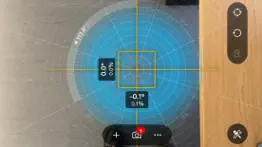


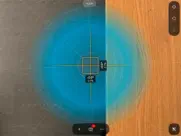

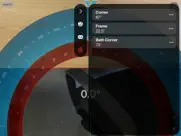
Measure Angles - Bubble Level 4.2 Apps Screenshots & Images
Measure Angles - Bubble Level iphone, ipad, apple watch and apple tv screenshot images, pictures.
| Language | English |
| Price | Free |
| Adult Rating | 4+ years and older |
| Current Version | 4.2 |
| Play Store | com.jrsoftworx.winkelmesserhdlt |
| Compatibility | iOS 16.6 or later |
Measure Angles - Bubble Level (Versiyon 4.2) Install & Download
The application Measure Angles - Bubble Level was published in the category Utilities on 26 August 2011, Friday and was developed by WHATSTICKER APPS SRL [Developer ID: 1784779333]. This program file size is 45.75 MB. This app has been rated by 1,936 users and has a rating of 4.2 out of 5. Measure Angles - Bubble Level - Utilities app posted on 09 June 2026, Tuesday current version is 4.2 and works well on iOS 16.6 and higher versions. Google Play ID: com.jrsoftworx.winkelmesserhdlt. Languages supported by the app:
EN FR DE HI IT JA PT RU ES TR Download & Install Now!| App Name | Score | Comments | Price |
| Sounds Effects by Whatsticker Reviews | 4.5 | 10,329 | Free |
| Network Toolbox Net security Reviews | 4.5 | 3,271 | Free |
| WhatSticker - Sticker Maker Reviews | 4.5 | 69,864 | Free |
| SSH Term - Secure Remote Shell Reviews | 4.2 | 14 | Free |
| Ruler, Measuring Tape - AR App Reviews | 4.2 | 1,021 | Free |
Bug fixing and improvements
| App Name | Released |
| Tuya Smart | 06 November 2015 |
| Blink Home Monitor | 20 November 2015 |
| Amazon Fire TV | 22 December 2014 |
| Second Phone Number - 2Number | 15 June 2017 |
| Genasys Protect | 20 February 2023 |
Find on this site the customer service details of Measure Angles - Bubble Level. Besides contact details, the page also offers a brief overview of the digital toy company.
| App Name | Released |
| FindPaintColor | 14 May 2021 |
| AnyFont | 20 February 2014 |
| EmoGuard - Keyword Blocker | 18 October 2022 |
| Overseerr | 01 August 2024 |
| AdBlock | 15 March 2014 |
Discover how specific cryptocurrencies work — and get a bit of each crypto to try out for yourself. Coinbase is the easiest place to buy and sell cryptocurrency. Sign up and get started today.
| App Name | Released |
| Target | 24 November 2008 |
| Cash App | 16 October 2013 |
| DoorDash - Food Delivery | 10 October 2013 |
| 09 October 2009 | |
| WhatsApp Messenger | 03 May 2009 |
Install the Giftmio extension for smart shopping. Get notified about cashback opportunities, activate cashback in one click, and save money on purchases.
| App Name | Released |
| Scritchy Scratchy | 18 March 2026 |
| Monash FODMAP Diet | 17 December 2012 |
| Gambonanza | 01 May 2026 |
| Farming Simulator 26 Mobile | 19 May 2026 |
| After Inc. | 26 November 2024 |
Each capsule is packed with pure, high-potency nootropic nutrients. No pointless additives. Just 100% natural brainpower. Third-party tested and validated by the Clean Label Project.
Adsterra is the most preferred ad network for those looking for an alternative to AdSense. Adsterra is the ideal choice for new sites with low daily traffic. In order to advertise on the site in Adsterra, like other ad networks, a certain traffic limit, domain age, etc. is required. There are no strict rules.
Keep personal info private, avoid scams, and protect yourself online with AI-powered technology.
Measure Angles - Bubble Level Comments & Reviews 2026
0 stars. Absolute garbage app, does not give correct angle whatsoever. Better off using the angle tool on your iPhone.
Okay. This thing is okay this was made by some Asian dude probably.
Locks up iPhone. App works great while open. Very convenient. However, there’s no way to close the app on my iPhoneX and I have to shut down the phone every time U use it. Unless I’m missing something?
Tu-bad. This is a great app that would be perfect if the ads didn’t pop up every 3 minutes while you are using it. Scratch the ads and you’ve got something a lot of people would love to have and use.
Big Advertisement. The protractor appears to be quite accurate. However, this app has a Huge Advertisement Banner across the bottom of the screen that is persistent. When I wrote to the developer asking how to get rid of it, thinking there may be a way to upgrade, all I heard was crickets. Apparently the Developer isn't interested in feedback or any type of communication. For that, I gave it one star.
Works great once you turn off the ads. Really nice compass and level, accurate to 0.1 degrees. Easy to read, accurate, and big improvement over the iOS built-app. I use it to set up a telescope (which must be flat, and north-pointed). Ads are super annoying until you pay to turn them off.
Very useful!. I use this app when working on household projects as well as hanging pictures. Cokes in handy and is dead-on accurate!
Incredibly useful. I made a casual mistake of forgetting my protractor while trying to figure out the best angle for building my ramp extensions. I saw this app and after getting it calibrated, it made finding the best angle for the ramp height and length incredibly quick and easy. Thank you sir for creating an easy to use app. Also for those that get annoyed by a simple ad I highly recommend that you just go to the store and buy a protractor, the developer has the ad out of the way and it by no means restricts the controls or function of the app.
Very useful and well-designed. I installed this to use as an angle finder. Though the free version worked fine for that, I purchased the pro version. It's much easier to determine which angles you're measuring than with the built in level. The option to check angles through the camera is also nice. The functionality of the ruler is fantastic! You can slide it to get the measurement from the end of your phone and easily mark the distance.
Ilevel. The advertisement banner is not professional enough to use properly. The scales could add a percent scale and others depending on usage. Sorry, not professional enough for me, zero stars. One star was given only to get out of this program.
Using for knife sharpening. This app is pretty great. Keeps my angle consistent. Still working on how to fine tune the app and phone position on my sharpener but so far it’s easy and accurate. Thanks for a great product to
Total garbage.. Zero stars. Worked for about 2 minutes, then the controls got covered by ads. Also seemed to lock up my windows somehow. Total waste.
Way off. Calibration and readings were way off from level, this app was useless
So far so good. It seems to work well. Haven’t field tested it yet but plan to sometime today. Another tool on the tool box. Pretty cool.
Getting out of the dame thing. Shutting my phone off and restarting it is not my idea of closing an app. I knew there was a reason I deleted this a year ago. A lot of features, but exiting the app is the problem
Using this to check the camber. This is a great tool to check the camber of your wheels! The numbers are nice and large, so if you have tired eyes, it’s easy to see
Level review. Great feature to have. Very handy.
Impressive. The first time I used this app, it really impressed me with its great features and high precision. Definitely worth trying!
Used for a completely different purpose. So I’m an amateur astronomer. Your thinking ...why are you here. Well this app is amazing because it shares compass bearings and the inclinometer helps me find celestial objects in the night sky. I have my phone attached to my scope facing true north at 0 degrees inclination for calibration and I am able to swing my dobsonian telescope and angle it with reasonable accuracy. Usually within a degree or 2 in compass and inclination. While that’s a bit high error rate for more serious astronomers it works just fine for me to get a general sense of the target I’m searching for. My only recommendation from a purely selfish point of view is to have an option to show compass bearing on the same page as the inclinometer without having to switch between the 2 modes.
Update Forces Ads. Latest update REQUIRES an internet connection (it’s a measurement app????) so that you will be served ads. Fortunately there is still a workaround, right after launching and tapping “continue” turn off WiFi/cell data and you’ll be fine. 5 stars bc this app works like it should. -3 stars for trying to force ads down users throats.
Radio Control 40% Bi-Plane. Work perfectly assisting trimming matching control surfaces on my bi-planes
Why you making me leave a review. If i can find another program i will use it this app has many obstacles and now its making me leave a review
The program may be good but I could not get past the advertisement. I think it would be better if the user could actually try the app in between ads If the advertisements run 100% of the time the user will not be able to try the app Maybe a ratio of 90% add to 10% useful app allow the user to also try the app rather than just watch advertisements
Awful Experience!. I had difficulty using the app - hard to hold steady to select the points to measure. But what I really didn’t like was that I couldn’t swipe up to return to the Home Screen. Plus there was a barrage of ads that covered the screen hiding the functions and had very tiny x buttons to close the ad.
Annoying pop up ads-not intuitive to dismiss. Ugh!
Got a one because there is no zero. Worked great until an update. Now the ad covers the menu. The protractor won't swap sides. Deleted and moved on. Great lesson on how to ruin a good app.
Nothing to complain. This app measure precisely the angles on different surfaces. The best levelling tool to check surface levels.
Such a cool app. It is an extremely useful protractor app for everyone who wants to take measurements using their phone or wants to check surface levels.
Megalomaniacal. Will commandeer your entire iPhone, rendering it unresponsive & useless, only way to dismiss it is to turn phone off then restart.
Ads wont go away!. Paid for "no ad version" but ads keep coming back!
Great backcountry ski tool. Just what I was liking for. Most clinometers require you to match the angle with the edge of the phone as you look at it. It’s also how mot handheld tool work. The problem is you have to be ON the slope and thus already in danger for that to work. In his excellent avalanche safety book, Bruce Tremper recommends using a mirror compass with a clinomètre that lets you sight downslope. The problem with that is the numbers are hard to read at arms length, are backwards and are off by whatever declination you have adjusted for which, in my area, is about 13 degrees. This app solves all those problems. You can use it on the slope sighting across, but you can also sight down a slope, double tap, and it saves the angle so you can read the number easily. Perfect for what I want.
Garbage. Opened after install to locked screen. Ads fill much of screen precluding user from closing app. Forced to reboot iPhone 12 Pro Max device to get rid of app.
Hate it. Can’t figure out how to close it. I shut down my phone to get out of it.
No iPad split screen, no instructions, ads always on screen.. I clicked every inch of that screen, no operating instructions to be found. The App Store ad says there are different types of screens, including a 360° radar looking screen, but no matter what you click, you can’t get to that. Advertising on the bottom of the screen constantly, no way to eliminate it without paying. Can’t run 2 iPad math apps simultaneously because this app does not support split screen. Deleted. iPad mini 5, iOS 16.3.
You won’t be sorry. I upgraded to the pro version. This is the real deal it works.
Frankie old man. We put the machinists level on the lathe when setting it up, I put my phone on the lathe to see if it would be close to the machinist level and as we leveled it up my phone stayed with in a half of a degree, I was impressed with how close it was
Angle Keeps locking. Basically the app throws so many ads and locks the angle so frequently in order to force you to buy the full version. I needed the app to make one adjustment for a mirror. Will more than likely never use it again so I see no need to buy it. This app wouldn’t let me get that far even. By the time I clicked the lock, moved my phone into place, the angle locked and I couldn’t read it. The angle locks in less than a second. So I bought one at Home Depot. Much easier to work with…
Worked great & now it’s broke…. Bought pro last year. Worked great to level my RV. We boondock so usually no internet until I set up Starlink…after leveling! 3 weeks ago, I start getting NETWORK ERROR. Yeah, cause there ain’t no internet! So the app went from quite useful to totally useless as it now searches for connectivity before presenting the CONTINUE button. Be aware…
In app ads 🤦🏼♂️👎🏽. Great except for in app ads that have open when you even slightly touch the screen while using app 😳
Ads interrupt your measures. You’ve almost got something level and boom! Tasca Chrysler wants to show you an ad. Over and over
Great app. Now if apple would not screw up the straight sides and back of the phones……
Displays ad at inappropriate times. In the middle of a critical measurement I get interrupted by an ad. I realize this is a free version but what a poor approach. Soon as possible I’ll delete this ap.
Nice!. Good app. Thank you.
Inverted angle. I tried to use this and use the protractor as an overlay to get an angle on a piece of board. I’m trying to cut for a wall. The angle appears reversed or flipped, I thought maybe I had the wrong camera on or something like that so I all go through a bunch of stuff nothing changed. I’ve been just turned the camera onto a door a normal door, and the door ended up horizontal no matter which direction I turned my phone. A vertically standing door was horizontal in my phone. That kind of makes the point of having the camera overlay useless.
Ads. Lose the ads, and I'll love it
Scam. I canceled the subscription the same hour I started it. Its not in my active subscriptions. I am being charged for it though. So now I am dealing with Apple customer support to try and get it stopped.
Slow your role on the ads…. Great app overall… when it doesn’t freeze! I have to turn on airplane mode before using it everytime now due to the ad package sucking up so many resources it freezes the app or causes it to lag absolutely horribly! Ads are fine, but not at the expense of the app itself!
Forces tracking. Wouldn’t let me use it unless I agreed to tracking. I can deal with an add here and there but don’t force me to agree to anything if I don’t want to. No you’re not tracking , and app deleted . What a greedy market
Cluttered screen.. Not recommended. Cluttered screen. Many functions but not intuitive at all. Very short help provided. Better applications for the task.
worthless. All we wanted to do was place an image in the camera - like top of a tower - and get an angle measurement from 0 in degrees - apparently not possible- crap instructions too
Did you know that you can earn 25 USD from our site just by registering? Get $25 for free by joining Payoneer!
I’m an idiot. App failed to get through the set up phase. Looked good at first.
Not very intuitive. For something that should be straightforward, it is not clear how to save angles. Once setup they are not their next time.
Imagine you at your best. All the time. Picture yourself at your sharpest and most productive. Your most alert and focused. Your most lucid, creative and confident. At work. At play. In every area of your life. Add Mind Lab Pro® v4.0 to your daily routine and uncap your true potential. Buy Now!
Ggg. Buena
Math sucks. I hate math
Crashes instantly.. Get a brief splash screen and less than two seconds later returns to Home Screen.
So many ads you can’t even use it.. Full screen ads pop up every time you try to measure something.
Great app. Just downloaded it to set up my solar panels for my security cameras, works perfectly, getting 100% charging now. Will likely get the pro version.
Poo. Sucks
Super. Super instrument
More like a top. Just spins in a circle
So bad. Don’t use this app. Its a joke. Cant even see anything and the camera feature shows images upside down with so many ads on the screen you can barely see anything.
Adsterra is the most preferred ad network for those looking for an alternative to AdSense. Adsterra is the ideal choice for new sites with low daily traffic. In order to advertise on the site in Adsterra, like other ad networks, a certain traffic limit, domain age, etc. is required. There are no strict rules. Sign up!
This nice bruh. Muy beuno
Ads. Lose the ads, and I'll love it
Ad's get in the way making it unusable. As my title says, the iAds get in the way of being able to use the program. Additionally, I think this app is just a rip off of a similar app with the obstructive ads thrown in.
Trash. Can’t even get into the app without subscribing.
kqkq. ja ja kw ka
Nag. Impossible to calibrate (unless +/- a degree or two is close enough for you). Calibration directions are contradictory to on screen events. Bad coding.
Not a “free trial”. I downloaded this app to give a try. Signed up for the free trial and the moment I hit accept I was charged $21.00. I saw no mention of a charge except for the annual cost which was to be paid at the end of the trial period. I cancelled the subscription and deleted the app but the charge remained on my account. It’s been more than two weeks since then. The app itself seemed to work well, but not for that price. Especially an annual fee.
为什么不能显示中文?. 如题
Ad blitz. If you like ads, this is the app for you.
Yeet god. Y e e t
I quit using it- -Worked great & now it’s broke…STILL SUCKS. Developer want answer other than Thanks. Avoid…. Sucks! Now not only does it need internet but the first page asks for money again. Sucks. Sucks. Sucks. Bought pro last year. Worked great to level my RV. We boondock so usually no internet until I set up Starlink…after leveling! 3 weeks ago, I start getting NETWORK ERROR. Yeah, cause there ain’t no internet! So the app went from quite useful to totally useless as it now searches for connectivity before presenting the CONTINUE button. Be aware…
Awesome. I like it it works!
Me. I BOUGHT This app 5 years ago, no you want me to buy a subscription on top of that?
Preciso e simples. Preciso e simples de usar!!
Us v. Uh yeah you y. We⛩️🐋
Got a one because there is no zero. Worked great until an update. Now the ad covers the menu. The protractor won't swap sides. Deleted and moved on. Great lesson on how to ruin a good app.
Nice!. Good app. Thank you.
To f see paws re. PI’m o lol lol until the Leno on mo woo ok am no fa
0 stars. Absolute garbage app, does not give correct angle whatsoever. Better off using the angle tool on your iPhone.
Way off. Calibration and readings were way off from level, this app was useless
User. Works Great
David. Works really good for math