CodeSnack IDE App Reviews
CodeSnack IDE App Description & Overview
What is codesnack ide app? CodeSnack IDE is the first mobile IDE crafted specifically for mobile devices and tablets, unlocking the power of coding right at your fingertips. With fast and intuitive tools, CodeSnack IDE empowers you to create amazing programs, learn from a vast library of samples, and deploy real-world back-end and front-end apps within minutes — all for free.
Whether you're an experienced coder or just starting out, CodeSnack IDE offers all the control and flexibility you need to create and customize projects without any compromise.
Now powered by advanced AI, CodeSnack IDE delivers cutting-edge development features straight to your mobile device:
• AI-Generated Project Creation: Generate projects from text prompts
• Smart Bug Detection & Fix Proposals: Find and fix issues effortlessly
• Code Explanation: Understand the purpose and logic behind your code
• Code-Specific Question Answering: Get answers to your coding queries
Everything you can do with CodeSnack IDE:
* Write & run code like on a PC or Mac
* Develop real Web and Mobile apps with React, Ionic, Capacitor, and React Native
* Install dependencies using Linux terminal
* Intelligent coding assistance, autocompletion, linting
* Use any programming language
* Utilize your favorite hardware keyboard and shortcuts
* Debug program output, and see detailed error logs (in real-time)
* Practice coding with 1000+ examples in our library
* Sync your projects across all your devices
* Deploy projects through SFTP
And so much more!
CodeSnack IDE supports 18 programming languages for versatile coding:
- Java
- Python
- C
- C++
- C#
- Dart
- JavaScript
- TypeScript
- PHP
- Shell
- Swift
- Ruby
- Go
- Kotlin
- Lua
- Haskell
- Rust
- Scala
Quick project templates to jumpstart your development:
• React (Vite, TypeScript)
• Vue (Vite, TypeScript)
• Vanilla (Vite, TypeScript)
• Preact (Vite, TypeScript)
• Lit (Vite, TypeScript)
• Svelte (Vite, TypeScript)
• Ionic (React, Capacitor)
• Ionic (React, Cordova)
• Ionic (Angular, Capacitor)
• Ionic (Angular, Cordova)
• Ionic (Vue, Capacitor)
• React Native (Expo)
• Express (Node.js, TypeScript)
• Express (Node.js, JavaScript)
• Simple HTTP server (Python)
• Django Web App (Python)
• Simple HTTP server (Java)
• Gradle (Java)
• Blazor (C#)
• Laravel (PHP)
• Simple HTTP server (PHP)
• WebSockets
• WebAssembly (AssemblyScript)
Pro Subscription benefits:
* Compile and Run code up to 8x faster (2 vCPU, 1 GB Memory, 8 GB SSD, 3,000 Mbps Network)
* Docker Container Manager
* Gain access to up to 500 AI assistant requests per month
* Unlock in-app browser for Web and Mobile projects
* Virtual keyboard customization
* Upload code to your server using SFTP
* Access all Examples in the Library
* Access all Project Templates
* Unlock 2 more color schemas for the code editor
Important Links:
Terms Of Service: https://www.codesnack-ide.com/terms-of-services.html
Privacy Policy: https://www.codesnack-ide.com/privacy-policy.html
Connect with the CodeSnack IDE community:
Join our Discord Community server: https://discord.gg/FKmzpuqUnZ
😍 Do you love CodeSnack IDE app? Please share your friends!



Please wait! CodeSnack IDE app comments loading...
CodeSnack IDE 5.9.13 Tips, Tricks, Cheats and Rules
What do you think of the CodeSnack IDE app? Can you share your complaints, experiences, or thoughts about the application with Mobibean, LLC and other users?


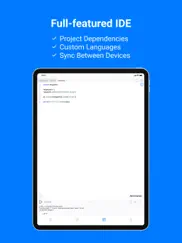


CodeSnack IDE 5.9.13 Apps Screenshots & Images
CodeSnack IDE iphone, ipad, apple watch and apple tv screenshot images, pictures.
| Language | English |
| Price | Free |
| Adult Rating | 4+ years and older |
| Current Version | 5.9.13 |
| Play Store | com.cloud-compiler |
| Compatibility | iOS 15.6 or later |
CodeSnack IDE (Versiyon 5.9.13) Install & Download
The application CodeSnack IDE was published in the category Developer Tools on 30 July 2018, Monday and was developed by Mobibean, LLC [Developer ID: 1142567045]. This program file size is 65.83 MB. This app has been rated by 1,545 users and has a rating of 4.4 out of 5. CodeSnack IDE - Developer Tools app posted on 03 February 2026, Tuesday current version is 5.9.13 and works well on iOS 15.6 and higher versions. Google Play ID: com.cloud-compiler. Languages supported by the app:
EN Download & Install Now!| App Name | Score | Comments | Price |
| S3 Photos Reviews | 3.2 | 5 | $2.99 |
| MongoLime - manage databases Reviews | 4.7 | 65 | $11.99 |
| SSH Tunnel - with SOCKS5 proxy Reviews | 3.9 | 148 | $7.99 |
Big update to our code examples library! Dive into fresh new examples for Rust, Lua, Scala, and Haskell.
| App Name | Released |
| Bluetooth Inspector | 02 May 2020 |
| Termius - Modern SSH Client | 07 August 2012 |
| Pyto IDE | 23 September 2018 |
| Textastic Code Editor | 12 March 2016 |
| Store Redirect | 12 January 2022 |
Find on this site the customer service details of CodeSnack IDE. Besides contact details, the page also offers a brief overview of the digital toy company.
| App Name | Released |
| Smart NFC | 19 September 2019 |
| SSL Checker | 20 February 2018 |
| Ruby 2.0-run code,pro | 16 October 2014 |
| IDepth NDI | 20 July 2024 |
| UDevice - Dev Assistant | 02 February 2022 |
Discover how specific cryptocurrencies work — and get a bit of each crypto to try out for yourself. Coinbase is the easiest place to buy and sell cryptocurrency. Sign up and get started today.
| App Name | Released |
| 07 April 2016 | |
| SHEIN - Online Fashion | 19 May 2014 |
| PayPal - Send, Shop, Manage | 03 February 2019 |
| Hive Social | 18 October 2019 |
| Google Chrome | 28 June 2012 |
Install the Giftmio extension for smart shopping. Get notified about cashback opportunities, activate cashback in one click, and save money on purchases.
| App Name | Released |
| Slay the Spire | 13 June 2020 |
| Bloons TD 6 | 14 June 2018 |
| Balatro | 26 September 2024 |
| Monash FODMAP Diet | 17 December 2012 |
| Shadowrocket | 13 April 2015 |
Each capsule is packed with pure, high-potency nootropic nutrients. No pointless additives. Just 100% natural brainpower. Third-party tested and validated by the Clean Label Project.
Adsterra is the most preferred ad network for those looking for an alternative to AdSense. Adsterra is the ideal choice for new sites with low daily traffic. In order to advertise on the site in Adsterra, like other ad networks, a certain traffic limit, domain age, etc. is required. There are no strict rules.
Keep personal info private, avoid scams, and protect yourself online with AI-powered technology.
CodeSnack IDE Comments & Reviews 2026
Great app, hoping for a more fleshed out web dev system. Great app, complies multiple file java projects well. I do however hope to see a more fleshed out html/css system. Ideally with support for multiple pages and local files.
Installed, got about 4 taps in, promptly uninstalled. They don’t even give you access to a terminal, the most basic of basic functionalities, without premium. Isn’t that tech almost old enough to be public access? Shouldn’t there be laws about that?
tried it too many issues. looks cool put a script in there to generate some text for something else but when switching apps it doesn’t keep your spot so it starts the script over! plus you cant copy the output with normal iphone copy / paste behavior. So sorry cant use it due to the limitations. Also nagged me to buy at $50 a year off the bat which is just not competitively priced at all. It might be good for something else. Also if i cant paste into it, that’s going to be yet another issue
Alright. Does a decent job but is lacking features until you pay for a subscription. Even Microsoft provides a compiler that is a full featured community edition of visual studio. I think I’ll stick with that, was basically looking a full featured compiler to use on my iPad.
Not Free!!!. I can run only one file in one project, adding second file did not compile and run! After few clicks, asking for upgrade! Upgrading requires money per month!
Works wonders for Python language. I just downloaded the 1st app that worked well with my Ipad. I can run my codes, no problem. Thanks!
Not working. The program lets me write a python file/code but only shows me errors when I execute, if everything is correct, it states no errors but doesn’t actually run or prompt for inputs or show any outputs. Only thing that works is printing a string, but won’t run any equations or anything.
Easy to use, Best!. This IDE is for both beginner and professional programmers. I have been programming for going on 21 years and I absolutely love it!
This is not good at all. Coming from a python coder, it is nice with modules and things like that but when you indent it goes to the other side of the screen and then you can’t read what you’re writing, and is very delayed. I’ll re download and test again in a month.
Subscription doesn’t work. I purchased the premium subscription, and still am not able to utilize the apps features. Every time I attempt to input a “Subscription Necessary” message pops up. Even when I click on the subscription I’ve already purchased, hoping it will update or connect some type of way. I get a “You’re already subscribed to this package” message, yet the app still will not allow me to utilize the features I paid for. Don’t waste your money, I’ve reached out to support to no avail Update: Developers reached out and informed me what I purchased will now be free and sent a link in which I instructed to request a refund. However, it says the app is not eligible for refund. So I am feeling like I am just out of not only my money, but a useful app! Again, do not waste your time.
Ya. A little hard to operate and give comprehension to with the functions so close and undefined. Trying to figure it out I do like how it sections the codes pasted in there.
Love coding on the go. Out of all the mobile development apps on mobile this one by far is the best
Issue loading from files. Issue when creating html documents it will not import images from files. Can’t really create a website with out images unless it’s the 90’s. Cannot access content of external files in the main file folders on iPhone. The app definitely has bugs and small things to work out but in a year or so it’ll be worth buying.
The App I didn’t know I needed. This app works great for writing and compiling C on the go - if you're okay being limited to a single file. When I run, “system(“ls”);” it appears that each file is isolated from each other in the VM/docker instance. Thus I cannot include other files I have written in the app.
Terrible FOMO Freemium Experience. Probably would have ended up subscribing if it didn't prompt me with that FOMO, 50% discount. Just deleted it instead because I literally can't do jack without subscribing. That kind of business tactic just screams a lack of connection with your target community. The editor itself also looks awful and doesn't even use monospacing
Too many bugs that make the app a pain to use. There a ton of (mainly UI-based) bugs that make this app a pain to use, for example, after logging in with your account the login screen will overlay on top of everything else, requiring you to restart the app to do anything. In its current state, the app is very unfinished and feels more like a TestFlight beta than an public release.
Incredible. Definitely the best programming app for mobile by far. I was going to request for them to add Lua as one of their programming languages, but they beat me to my own request and have added it. If you want to program on mobile, this app will probably have the programming language you want to use, and is for you.
Terrible IDE. I grabbed this bc I was in a coffee shop w/o my laptop and I wanted to write a script in Python. I wasn’t expecting brilliance; I’d rarely use it anyway because I downloaded it on a phone, not a tablet. I was blown away by how awful it was. It didn’t even meet my low expectations. The error highlighting warns you for not coding in according with PEP8. But PEP8 states that the style guide should not be an ultimate law never to differ from but this app treats it as such. It makes it impossible to make use of warnings that actually matter because it’d be easier to read through and look for them yourself than check all the warnings. The color themes aren’t customizable and you have to pay for alternate ones. Do yourself a favor and look up someone’s list of recommendations instead of downloading the first result in the app store.
Honestly not bad. Pretty good, easy to use, very intuitive. You have to pay to get templates but that’s ok. All round solid choice
Swiss Army Knife for Programmers. This is the best programming mobile app I have ever come across. They have packed so much stuff so creatively in this app that it can be used by both beginners and experts. I started using it as a quick refresher and it replaced my scrolling with learning. Subscription is affordable and I would highly suggest it if you want to dive deeper.
Getting Back in to coding. Just getting back in to coding and everything seems to work fine so far. You should consider adding support for landscape.
Bait and switch. It was sold as a generative AI coding app and the AI turned your ideas into reality. It was terrible then worse now. I mean I could choose better templates and fill them out in a minute, I’m busy coding my own things(ironically a far better coding assistant), i just wanted a quick simple page done, the AI basically threw templates at me and disappeared.
Needs more features. I like the overall layout and simplicity of the app. However, theres not much customization settings or other features such as changing the color of the compiler. Nothing strains my eyes more than staring at a white screen for long periods of time.
not that great, lots of potential though. name is kinda lame, cant paste in terminal, and AI can’t explain contexts outside of selected lines 😔 I was hoping it could be similar to Cursor AI but it’s not quite there yet. you also can’t use your own openai key. tons of potential, good for absolute beginners that don’t understand syntax, but kinda useless for actually coding imo. if they partnered with cursor, I would pay a premium on every request, but right now I have no real need for it
Mostly good. It works, the only thing that is wrong with it is that you can’t go over one character like you can by pressing the arrow buttons on computer
Bugs and stuff that makes no sense. Ok, I love this app! It’s ok. But, I have a few opinions I would like to get out. Ok. So, there is this problem with loading up the app where it would crash. And another thing, I don’t understand why you not let me use STDIN/STDOUT unless I have paid the subscription. I don’t know about all that, now.
Really Handy. As a beginner this has been really helpful and. Use my iPad Air 2 will upgrade to do more for sure with this app as I learn
Great app. When signing up for pro the options for 1 year and 6 months contradict when you actually subscribe.
I will Give 4 Stars If:. 1. You add the ability to add projects to GitHub as a free service 2. You add SQL 3. You unlock all of Python's learning modules Otherwise, Thank you for a good app. Bonus: I will consider a yearly (non-auto renewing membership) for $30, and a Lifetime membership for $50.
Great but.... This app is really nice I don't always have my computer and coding on my phone is useful and helps practice I only wish that inputting into the console was free because a lot of the default options use input
Preview Error. I’ve had my ways around using IDEs and things like that. This one is really nice to look at and find things. I can not say much about it only because I’ve just started using this software. The only thing is that whenever I use Java and use a print, it doesn’t show half of the letters. I am on a iPhone 13 so I do not believe it is the phones fault but I think it’s a simple software issue. Other than that, it seems great!
So impressed right after opening the app. I was searching for a IDE on iPad for multiple languages like java, JavaScript, HTML, and Python. And found this. So good, impressive, fantastic app!!! Recommend to download
Folders. This app is wonderfully helpful and great. Especially a mobile app! My only issue is that there are no folders, so after a while your files just all get jumbled together. Other then that, it’s amazing!
Good. I haven’t been using it for that long but compared to other IDEs designed for iOS/iPadOS it has a very user friendly GUI along with minimal bugs.
About other Packages. So this kinda works as you’d expect, but as a programmer in Python, I don’t think this supports all the Python packages (numpy, random, etc.) for the free version at least, just the basics
Inaccessible. I've always had issues with IDES's not bing accessible with my screen reader and this IDe is no exception. CodeSnack is not accessibile with VoiceOver. At the bottom of the screen, they're tabs the VoiceOver does not know the names of. When creating a project, VoiceOver can not select the templet I need to use. For example, using select Java leaves theitem unselected. I would very much appreciate it if the IDE was accessible but unfortunately, it isn't. Oh well, back to Unix and TextMate I go.
Subscription doesn’t work. The reason I’m giving it two stars it’s because I just bought the subscription to execute a small program which I was not able to. After buying the subscription the program just stays loading on the executing screen and it doesn’t do anything. I just spent $5 on nothing because it is not working.
Looking Good So Far. I’ve only just begun to use the app, so they’ve asked for a review prematurely, but so far it looks like it has lots of functionality and a very appealing GUI.
Pretty cool.. Have used extensively working on small projects for my CS classes. Haven’t had any issues. Would be real cool if there was a way to expose the remote user directory as a local directory on device to be able to drop files.
Why get rid of the lifetime price?. I subscribed to the app for a month so see if I liked it and they went and removed the lifetime purchase feature. Edit: so it’s safer to remove features that were always a part of the program? What a laughable response to say we removed features to maximize profit. Yeah I’ll take my money elsewhere.
Nice for when your lazy or in school. I like being able to lay in my bed at night while practicing the many languages this supports, its also great for school during lunch or in study hall. It gives you a custom keyboard with most of the special characters you use at the top.
I would pay, but..... Id would pay for the additional features but the free version is stingy on resources, and it is frustratingly slow on a 5g network. I can image how stingy it would be even for the paid version. Is also a bit buggy with the network issues. I create package init files that never appear on the folder and when they do, its an empty file with no dependendecies or init info. Great concept but its relaying way too much on the network commectionand sluggish container due to that network conmection. I am sure is all part of upselling me to the paid version, but the currect free version is not convincing that I should spend money on it.
Nice. Just a few days using it, it s working fine so far. I’ll update my comment later.
Unable to launch on iPad Air 3. I bought an iPad Air 3 on 6th Oct., 2020 and I downloaded this app, wishing it could be a useful assistance in my daily work and life. Unfortunately, this app didn’t launch successfully on the same day I got my iPad Air 3. I thought it was the iOS issue and waited for its update, however, the truth has proved me wrong. It is 28th Dec., 2020. This app still doesn’t successfully launch on my iPad and it seems to me the app won’t be able to launch forever on my iPad, I believe I might get myself a brand new, latest version of iPad so that I could use this app properly, lol.
Default themes randomly darken. Anytime I switch to a different file or expand the terminal, it randomly darkens the entire screen. Only way to stop this is to either exit the app or focus elsewhere.
Easy to use!. Wasn’t expecting such a smooth experience!
Really Great!. A lifesaver for me who codes afk. Works well and does the job and the interface looks good. Thanks so much for this app.
Looks great 🤩 but not running java programs well💔💔💔. Its looks nice and cool but when i want to run a java program that includes inputs it seems like it’s not responding after I fixed every error and every thing is ready to go its not running iam surprised that a nice app like that doesn’t have support team or any official website or any accounts on social media it’s realy weird tho By the way iam using ipadpro 2018 Hope some have something to do about that cause i am in live with this app interface and I really wanna make it my official programing app on my ipad
Great so far, just a couple things!. I haven’t been using the app for that long, but I think it’s great. The interface is really nice, and you can still use it a lot without paying for the subscription. One thing that I came here to mention: it won’t let me paste anything into the file! I am using Java, so I can’t speak for any of the other languages, but I assume it does the same. Also, it would be great if i could import libraries like JavaFX. Although there’s room for improvement, it's still great especially for a beginner!
Works Okay. It does what it says on the box, but obnoxiously regularly will ignore an iPad smartkeyboard. Sometimes it works, other times it doesn’t. It’s frustrating, the iPad is such an amazing hardware platform, but half baked software is keeping it from being truly useful EDIT: The keyboard is a logitech touch combo. I can get it to work by hard right clicking
Did you know that you can earn 25 USD from our site just by registering? Get $25 for free by joining Payoneer!
Wow. Wow
Very good. It’s really good
Good. Best
Milk. Man
Decided to purchase after inputting my first prompt. I like the features rich app it’s fast and very intuitive for a beginner coder like me! I look forward to using it and learning as much as I can.
No ruby. Advertises it has ruby. Got it for ruby. Ruby is 'coming soon'. It doesn't have ruby. 0/11
Doesn't work. Won't run any file, even one of the sample ones such as Hello World. When I click the Play button to run any file, I then click "view ad and run for free", and nothing happens. Have tried different languages but have the same problem. No help available in app other than "contact support" - why not a simple guide or introduction, FAQ or common problems???
Imagine you at your best. All the time. Picture yourself at your sharpest and most productive. Your most alert and focused. Your most lucid, creative and confident. At work. At play. In every area of your life. Add Mind Lab Pro® v4.0 to your daily routine and uncap your true potential. Buy Now!
The Support Team is Amazing!. The app works great! However there are some saving issues, and your project may get wiped randomly if you chose to go back to the menu instead of closing the app. Rating 5 stars in support of the amazing developers for hope in the future that this issue will be fixed!
Minimalistic yet fulfills one’s needs. Minimalism is good, following the KISS concept (keep it simple stupid). Serves the need to code on mobile.
Overpriced. Clunky UI, and the price is absolutely insane. 0 stars if I could, stay away.
nice. best ide for ios
Stupid app. Does not work. Complete waste of time
Has potential, but not great atm.. I attempted to write a very simple variadic templated function in C++ and the compiler refused to allow it, despite it being perfectly valid as far back as C++11 (2011 — a decade ago) and compiles without issue on any other compiler, from gcc/g++ to MSVC. Speaking of C++ versions, I don’t see a way to determine what version of C++ their compiler uses, much less a way to specify which version to use. I noticed a section in the settings for SSH, I'm assuming that means you can use ssh to compile code on your own server instead of uploading it to theirs, but it requires the Pro version, which costs $200CAD for a permanent license, or $50CAD every year! Quite frankly, that price point is ludicrous considering Textastic is $14 and not a subscription, or vscode.dev, which is free, available on every platform, and has infinitely more features & support. Seems like a cash-grab to me, unless they accidentally appended a 0 to all of the prices.
0. : !
Awesome. Wish I had money. This app is the best I have used bravo guys. Love it
Great Compiler. I’ve tried other compilers and didn’t enjoy the aesthetics. This app is clean and aesthetically pleasing, which should be important if you’re going to be sitting down to write code for periods of time. The app is free, but you can pay a subscription fee to unlock better features. Don’t listen to others comments & For future updates, I’d suggest an option to add colour to different words like a laptop compiler does.
Good. import random def main(): number_to_guess = random.randint(1, 10) attempts = 3 print("Guess the number between 1 and 10.") while attempts > 0: try: guess = int(input("Enter your guess: ")) except ValueError: print("Please enter a valid integer.") continue if guess == number_to_guess: print("Congratulations! You guessed the number.") break else: attempts -= 1 print(f"Wrong guess. You have {attempts} {'attempt' if attempts == 1 else 'attempts'} left.") if attempts == 0: print(f"Sorry, you've run out of attempts. The number was {number_to_guess}.") if __name__ == "__main__": main()
Good. Very good
Great app!. Works exactly as you’d expect and even better!
This app is so slow. Everytime i try to code very basic stuff in python on my M2 ipad pro which shouldnt have trouble scrolling through a text file, this app slows me down to the speed of a computer from the early 2000s. Poor compatability with the magic keyboard as well, cursor is constantly bugging everywhere and the interface isn’t smooth at all. I deeply regret spending my 40$ on this app.
Bien. Tout va bien
Good IDE with ability to execute calls on remote servers. Great app that allows you to write code and execute it on the app’s remote servers. It is not a desktop IDE replacement but a great IDE for simple scripts. I’ve been using this app for writing examples from a ruby book that I’m reading. I got some good chill coding time without my laptop. Feature suggestion: I’d love to run the server for running code locally as an alternative to running the app servers.
Hon. I love coding
Better than expected. I was able to import my Python/React app from GitHub and get it running without much issue. The IDE itself is decent and supports multiple languages (I tested C#, Python, Typescript). The integrated browser is sufficient to test React apps. It's a good compromise to a full VM. The savings from deleting the VM will more than cover the app store cost.
Trash app. GTFO here with your subscription. There are better multi language compilers out there for free.
Adsterra is the most preferred ad network for those looking for an alternative to AdSense. Adsterra is the ideal choice for new sites with low daily traffic. In order to advertise on the site in Adsterra, like other ad networks, a certain traffic limit, domain age, etc. is required. There are no strict rules. Sign up!
Everything is premium. Why I don’t have money just put adds in there how
Crashes on iOS 9.3.5. bad
Cant copy and paste. Is it just me, or I can’t use the normal iOS copy and paste function here. It’s a bit annoying. Please fix
Noice 👍. It’s cool. But I have to learn how to use it.
Fun to play with. Fun, interactive, the lessons are well explained and simplified.
Great app. Easy to use
Great app. I really like this app. There are so many features and the developer is on top of complaints and recommendations.
Subscription not working. I purchased the pro monthly subscription and it’s not working. All pro features are still locked. Disappointing.
My review. It works to develop
Crash on startup. The app crashes on startup on iOS 13, the app looks promising but I can’t use it to know for sure. Looking forward to using it once updated.
This is good. This is actually a good IDE and compiler but can you make standard input free?
My back door. CodeSnack got the back door with el todo. Plus now that I have a big project it’s v. Organized.
Good app but. Good app but my screen goes black from time to time ??
I got scammed bro.. CodeSnack is a scam company. I sent them a message saying that I couldn’t get into the main app, and they replied with a “Who cares *****? We don’t have to allow you to use our app lol. Expose us *****.”.
This app is amazing.. This app offers all templates for free. And the premium is very very cheap
So laggy. This is best ipad ide ever but i so laggy
Cool. So far I like it
Whenever I am wrong python the screen goes dark. Screen turns super dark when writing python and I can’t see what I’m writing. Big bug
Great but a little more. This app is awesome but it would be nice if they added more languages
Where’s my pro version? Scam???. I just bought the pro version of this app and I didn’t receive it!!!! Beware if you wanna buy the pro- version!
Okay. App works alright but has no landscape mode and no external keyboard compatibility
Nice app. Easy to use
it’s Create without premiums. By Harper K. J. smith, It’s just great when without premium features. Chilling
Great. Five stars, learned a lot on the go! Interactive terminal is great too.
Sad. Can’t do anything have to pay
Pay to play. Very good but this is pay to play. First off: AI, 15 chats per month??? Ima go crazy People with good reviews have pro And I gotta spend 4 dollars per month… I am just someone who wants to learn coding for free
Great. Pretty good for normal programming.. comfortable.. easily accessible symbols and all.. give it a try
Rude. Don’t force me to review screen
Bad GitHub support. Doesn’t seem to support projects within organizations.
Solid compiler. Great for practicing alongside lessons for different coding types, organized and smooth enough. Not perfect but certainly helpful.
Cool little console program. Free version seems fine, haven’t played around with premium features.
Need to be adaquet. Learn more learning apps about learning
Great app amazing. The best ide i have ever tested on an iphone i am using the iphone 16 pro max and it is amazing great optimization best regards
Pop ups. Auto opened a “Write a Review” screen without my permission
Great app for developers. Using it for JS Development, love it!
Great. Seems good so far
Amazing. Thanks you
Really good. Really good recommend
Download without a doubt. Very good . I have a keyboard and with it, it’s very smooth
Good to start. Easy way to start programming
After launching the screen goes back to home screen.. It runs in the background but always switches back to the home screen. iOS 9.3.5 iPad 2.
Stuck on “Starting Cloud Container”. It won’t move past this screen. It goes from 0%, to 5%, then 65%, then restarts infinitely. Does the same thing on iPad and iPhone.
Subscription. I’m not completely opposed to subscriptions. I get its a more viable option for devs to make more money. But when I purchase an app for lifetime maybe its not fair to start charging. This app was quite finicky before now I regret more having paid for it.
perfectly helpful. thankyou for your work
Pretty good. So far
Super cool and easy for beginners. I’m really loving it so far, it’s super simple and easy!
Fantastic. So good and intuitive.
Dog. Interesting app could be better
🤦. I hope to solve the paste problem. When I copy the text, only one letter is pasted
I like it. I like it a lot of white space and no fluff. To the point