HP Prime Pro App Reviews
HP Prime Pro App Description & Overview
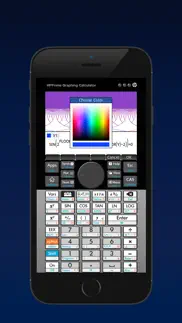
What is hp prime pro app? HP Prime Pro is an extensive and integrated graphing calculator app that enables students to solve problems, learn, and explore on their mobile device.
Designed with the same layout and features as the College Board approved HP Prime Graphing Calculator, the app answers the demands of the digital classroom and delivers flexible functionality anywhere you work.
FEATURES:
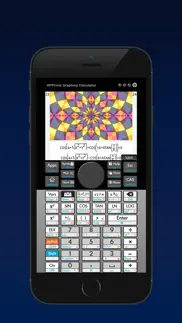
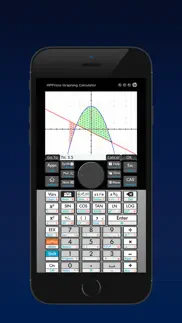
• Advanced graphing capabilities to graph implicit and explicit equations and inequalities, with the capability to trace or build tables of points of interest.
• Use the Graph 3D feature to plot functions that define Z in terms of X and Y
• Units & base conversions to handle the most complex problems in chemistry, physics, quantum mechanics and other engineering fields
• Pinch-to-zoom and multi-touch capabilities for a hands-on, intuitive experience.
• Full featured programming language including user defined functions and re-assignable keys
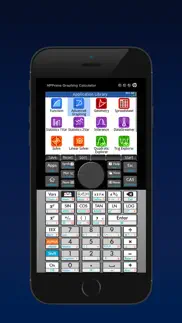
• Perfect companion for secondary and collegiate mathematics courses with dynamic Geometry, Statistics, Finance, and Spreadsheet applications.
• Just-in-time context-sensitive help available through the app.
• Easily toggle decimals to special values of (a/b)*π, (a/b)*√(c/d), ln(a/b), and e^(a/b)
• Solve single equations and systems of equations (linear and nonlinear)..
• HP Prime Explorer allows the user discover several function families
• Calculate bonds, cash flows, dates and more with the Finance feature.
• Reduce keystrokes with optional RPN.
• Delivers a multidimensional Computer Algebra System (CAS).
• Authentic app, developed and supported by HP.
😍 Do you love HP Prime Pro app? Please share your friends!



Please wait! HP Prime Pro app comments loading...
HP Prime Pro 2.1.14584 Tips, Tricks, Cheats and Rules
What do you think of the HP Prime Pro app? Can you share your complaints, experiences, or thoughts about the application with MORAVIA Consulting, Spol. S R.o. and other users?
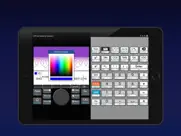
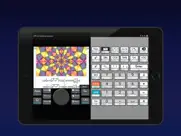
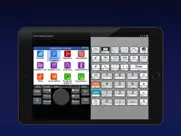
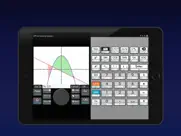
HP Prime Pro 2.1.14584 Apps Screenshots & Images
HP Prime Pro iphone, ipad, apple watch and apple tv screenshot images, pictures.
| Language | English |
| Price | $24.99 |
| Adult Rating | 4+ years and older |
| Current Version | 2.1.14584 |
| Play Store | com.hp.PrimeGraphingCalc |
| Compatibility | iOS 12.0 or later |
HP Prime Pro (Versiyon 2.1.14584) Install & Download
The application HP Prime Pro was published in the category Education on 16 December 2015, Wednesday and was developed by MORAVIA Consulting, Spol. S R.o. [Developer ID: 1673101600]. This program file size is 54.6 MB. This app has been rated by 81 users and has a rating of 3.2 out of 5. HP Prime Pro - Education app posted on 29 May 2021, Saturday current version is 2.1.14584 and works well on iOS 12.0 and higher versions. Google Play ID: com.hp.PrimeGraphingCalc. Languages supported by the app:
NL EN FR DE JA PT ZH ES Download & Install Now!| App Name | Score | Comments | Price |
| HP Otto Reviews | 1 | No comment | Free |
| Curiscope Virtuali-Tee Reviews | 4 | 74 | Free |
| HP Prime Lite Reviews | 3.5 | 41 | Free |
| Wonder for Dash and Dot Robots Reviews | 4.2 | 465 | Free |
| HP 12c Financial Calculator Reviews | 4.2 | 313 | $14.99 |
Bug Fixes
| App Name | Released |
| Toca Boca World | 21 November 2018 |
| HelloTalk - Language Learning | 15 December 2012 |
| Babbel - Language Learning | 11 June 2014 |
| Toca Boca Jr | 18 December 2014 |
| Lingvano - Learn Sign Language | 18 March 2021 |
Find on this site the customer service details of HP Prime Pro. Besides contact details, the page also offers a brief overview of the digital toy company.
| App Name | Released |
| Jumpmaster PRO Study Guide | 01 November 2011 |
| Driving Theory Test 4 in 1 Kit | 18 August 2014 |
| Prepware Private Pilot | 13 October 2009 |
| Prepware Remote Pilot | 20 July 2016 |
| Learning To Deal Blackjack | 19 October 2014 |
Discover how specific cryptocurrencies work — and get a bit of each crypto to try out for yourself. Coinbase is the easiest place to buy and sell cryptocurrency. Sign up and get started today.
| App Name | Released |
| Telegram Messenger | 14 August 2013 |
| 06 October 2010 | |
| Spotify - Music and Podcasts | 14 July 2011 |
| Gas | 27 August 2022 |
| PayPal - Send, Shop, Manage | 03 February 2019 |
Install the Giftmio extension for smart shopping. Get notified about cashback opportunities, activate cashback in one click, and save money on purchases.
| App Name | Released |
| Bloons TD 6 | 14 June 2018 |
| Terraria | 28 August 2013 |
| PeakFinder | 12 March 2010 |
| Geometry Dash | 13 August 2013 |
| Farming Simulator 26 Mobile | 19 May 2026 |
Each capsule is packed with pure, high-potency nootropic nutrients. No pointless additives. Just 100% natural brainpower. Third-party tested and validated by the Clean Label Project.
Adsterra is the most preferred ad network for those looking for an alternative to AdSense. Adsterra is the ideal choice for new sites with low daily traffic. In order to advertise on the site in Adsterra, like other ad networks, a certain traffic limit, domain age, etc. is required. There are no strict rules.
Keep personal info private, avoid scams, and protect yourself online with AI-powered technology.
HP Prime Pro Comments & Reviews 2026
App crashes. Every time I try to calculate the determinant of a matrix.
Product Improvement. 14Oct17 Very Happy HP - Keep up the great work nice to see u still value your calculators. Note to HP Marketing - if you want to sell more Primes you need to get these high school teachers onboard with your product. They are all teaching TI’s. High school teacher education program and discount for the teachers may go a long way. I’m an engineer, not teacher so no conflict of interest here. Review Both sons now using HP Prime Calculator in high school (iphone version as backup). Im using to iphone version to help teach them and for work. I have one product improvement recommendation for the iphone version. Can you add an independant “click volume control” to the calculator app. The one thing i don’t like about the touch screen is the lack of feedback without physical keys. The screen “click” works really well but i have to raise the ringer volume to max to hear it. Inevitably I forget to lower the volume after using the calculator and my phone goes off in a meeting and i have to scramble to adjust the volume control or it is way too loud when I answer a call. Hey Apple...product improvement for you, a more mutifunctional volume control center would help other apps as well. Different volume control levels for ringer, voice, alarms, etc. would be a big improvement. May want to consider app level control as mentioned above. Thx *************** Old Review Below- bugs below havebeen fixed. Iphone 6 Plus IOS 10.2 30 year HP15C Fan Luv RPN Purchased Prime calculator for 15 yr old son and App for myself so i could help my son learn RPN and the calculator. Having the following issues but not all the time: 1). Tap on icon and app opens in background. Have to scroll thru open apps to find calculator. 2). Changes to the HOME SETTINGS do not hold after shutting down the App and restarting. Changed NUMBER FORMAT to FIXED-4 and reverts to STANDARD-8. Change ENTRY to RPN and it reverts to TEXTBOOK. Same thing for FONT SIZE. Does not do it every time. Have not been able to correlate with changes to shutdown sequence associated with closing App, clearing hostory or full power down of phone. Appears random in nature. Older ipad running IOS 9.3.5 does not exhibit same issue so far. Confident HP will fix issue. Happy so far with Prime and layout of calculator. Fix these issues and would consider giving 5-star. NOTE: Review made with just a few days of use.
NEEDS UPDATING FOR MULTITASKING AND A NEW UI SKIN. NEEDS UPDATING. BADLY. A vertical mode with responsive resizing for iPad Pro multitasking is MISSING. BRING IT UP TO SPEED. Allow for more streamlined UI and connectivity tutorials.
Current version crashes often. This used to be a useful emulator of the HP Prime, but the current version is buggy and crashes often, especially when using CAS functions. Sad.
Crashing. This last update crashes when any calculations are done. Then it resets the app. Please fix the pro version.
How do you load . hpprgm files into the app prime pro ?. How do you load . hpprgm files into the app prime pro?
Some functions don't work. I have the actual calculator and the app cannot run all the functions, for example DDAYS down not work in RPN but it works on my calculator.
Does Not Load on iOS 11.0.2. HP Prime Pro (paid app) does not run after updating iPhone 7+ to iOS 11.0.2.
Please update to latest version and add system keyboard support. I’m using a real HP Prime and this iOS version is more convenient and durable (the keys on my real calculator is kind of broken after 3 years). My real calculator is a G2 hardware version. Somehow it can’t properly plot Y=X^(1/3) in Advanced Graphing (X<0 is somehow not defined), but this iOS emulator and PC/Mac emulator are both correct with the domain. This is an emulator, but it’s kind of over emulated. Why not add system 26 keys keyboard support? It will be a lot easier to type in commands. Besides, I’m writing this review in 2024. The latest firmware version is released on 04.13.2023, but in the emulator it’s only 05.05.2021 version. Other than these it’s still a good emulator. It solves some integrals like ∫(1/(x^3-1),x,0,∞) that Texas Instruments and even Mathematica couldn’t.
Nice try.. Just paid for something that doesn’t work. The emulator keeps crashing when working in CAS mode.
Great Replica of the Calculator. Over all I love the representation of the calculator, but that makes it rather annoying to attempt to program on the calculator without the external keyboard. That was one of the biggest drawbacks to the actual calculator. If HP would simply use the native keyboard or alternative keyboard it would be more useful. Update: It does appear that HP is leaving the calculator market as they have sold the business to Royal Consumer. It appears that Royal is also not interested in staying in the market and has transferred the application to Moravia. It appears that the demise of the HP calculator is complete.
Problems on iPhone 7. Just starting using this app. The touch gestures are having a real problem on the iPhone 7 but work fine on my iPad mini 2. Key click works great on iPhone 7 but are delayed and erratic on iPad mini 2. Will update after more use. Edit: It seems that the problem with the touch gestures is that this app leaves the standard iPhone title bar on when running which offsets the app graphics down. The app will work fine if you select the "hide title bar" option. This will not remove the iPhone title bar which will appear on top of the app title bar. Not perfect but will work until they fix this bug.
Latest version consistently crashes.. In agreement with some other recent reviewers - this app WAS great, but recently functionality that I was using regularly causes the app to crash. Definite or indefinite integrals crash the app in any mode. This is 100% consistent and repeatable, both on my iPhone and my iPad. HP charges too much for this app to have no way to report or address issues. Until they do, one star. It’s now unusable for anything other than basic arithmetic. HP’s inability to listen or even provide a feedback route shows again how they’ve declined as a company from their glory days...
THIS UPDATE BROKE IT!. It used to work fine in iOS 11.1 b1 this update broke things bad. Only the display shows, no keyboard, completely black.
Needs to be updated to fit iPhones without a home button. Can’t believe this is still designed for the old iPhones with buttons. It’s hard to and everything is too small. If it was updated to fit the new iPhones it could be zoomed in more making it much easier to see.
HP Prime Pro. Hey !!! They fixed the bug that had it crashing for two years. Back to a five star calculator.
A too faithful emulator. For better and for worse, this is an extremely faithful emulator. Right from the start, the app/emulator makes a bad first impression by requiring pointless interactions. First, one must "slide to unlock" the virtual HP Prime screen. Next, it asks one to set the calculator clock, as if your iOS device wasn't already keeping track of time for you. This faithfulness, quirks and all, might seem like a selling point to a fan of HP's graphing calculators. As such a fan, I found myself frustrated. The biggest problem is that the virtual buttons are small or way too small for a iPhone screen. You'll find yourself slowing down considerably to ensure that the correct button is pressed. Another frustration is that the user interface stubbornly follows the design of the real calculator and therefore one must press the virtual buttons to accomplish tasks that would feel more natural as on-screen touch gestures. For example, one often needs to press the virtual D-pad and the virtual enter key to navigate the on-screen elements instead of just touching the elements directly. In the end, I'm not sure who the target audience for this app is. If you need a graphing calculator on a daily or weekly basis, then just buy the real thing. It'll be much easier to use. If all you want is an occasional RPN calculator on your iPhone, then there are plenty of good ones on the App Store that don't have tiny buttons. If you only occasionally need a graphing calculator and you want the depth and familiarity of HP's design, then maybe the quirks are worth it.
Brushed aluminum texture needs update.. My iPad has 128GB of memory. I don’t think it will matter if HP adds an HD aluminum texture behind the keyboard. It’s the little things...
Completly broken. Running iOS 12.2 on iPad Pro 10.5”. CAS functions I have tried immediate crash the app every time. For example integration or summation. Pretty clear this app was not tested with this version of iOS. Too bad, I like the physical calculator and would like to use the app. Hopefully HP will fix it. Also, oddly, it supports 3 of 4 screen orientations but not the one I use: home button at top — I use this to avoid hitting the home button with my palm while taking notes.
CAS features crash iPhone X. I own the HP Prime calculator and thought this would be a nice portable version for meetings, etc. Unfortunately it crashes when you use CAS features. HP, please fix!
Constant Crashes. The app crashes every time that I use the toolbox functions related to CAS, or any calculus functions entered “manually”. I also can not find support for the app. The app support link is worthless as it takes one to an area that does not address this app; only the physical calculator is shown, or addressed on the HP website.
Finally 3D graphing support. Some bugs have finally been resolved and I’m really liking the new 3D graphing app!
A total waste of money.... I bought an HP Prime when they first came out. It and the virtual on my pc are in sync and not as glitchy as they were when first acquired. Using the connectivity kit i can save and load programs on external media as well as interchange between devices. HP does not support the iPad. I would like to know one thing...how does one get years of programs from a pc into an iPad that doesn't seem to connect to anything useful? I'm using iOS11.4 As for the calculator itself...it's just like the real one. And just as glitchy. update...finally can connect with my pc to transfer programs. Still just as glitchy as ever. But at least now I can save my work.
price decrease. I bought this app a little over a month ago for $25. It is now only $10 and I am very disappointed and want my money back!
Update to fit new phones. Please update the app to be optimized for iPhone 11 Pro Max phone.
Drains battery severely. You should be aware that this app will drain your battery, even while not being used but running in the background, to the point where your device will become very hot. This happens on my iPhone 6 (not 6S), and my iPad Air (not Air 2). The app itself appears very good in its calculator functions, but the power drain problem is serious. I will be asking for my $25 back once I figure out how.
ROM Update?. Are we ever going to get the lastest ROM update?
Crashes. This program has been broken for months and still no update. HP, if you are not going to fix this program, at least put the previous one back because, at least it worked.
Accurate replication of HP Prime. HP Prime is the best calculator out there and runs circles around anything from TI if you know how to use it. This updates reflects the 5/5/2021 firmware update of the real calculator. This app faithfully replicates the calculator’s functionality. The only missing feature is the ability to synchronize programs with the real calculator or the pc emulator that is probably related to iOS sandboxing restrictions.
iPhone X screen problem. The app doesn’t fit the screen of iPhone X well.
CAS crashes. Cannot solve with CAS mode. Just crashes app. Considering cost of app, very disappointed. This was updated 11 months ago. I expect better from h.p. I'm a long time hp calculator user, and own the prime calculator. It's not perfect, but at least it's pretty stable, and gets regular updates. Too bad hp can't find the time to put a little care into the prime app.
Keys no longer visible!. The upgrade caused the calculator's "LCD" to be visible but everything else is a black background. If I randomly press in the black area, a key will be pressed but I can't see what I'm pressing.
Great if it works!. I wish it made use of the entire screen and gave you the option of resizing the graphing/calculating screen. It's also not usable currently and just shuts down when I try to use CAS made to calculate anything.
CAS does indeed crash. Liking it overall so far, wish the RPN support were a bit more complete; as with many other reports, I found that at least on iPad the CAS is easy to crash: from Home in RPN mode just key in: ALPHA X ENTER and boom, the app crashes. So far it looks like the prime is one step forward two steps back from the 50g, but the app simulating it has stability problems regardless.
Great first release. I purchased a Prime and then noticed this app which was released on Dec 15 and purchased it while waiting for mine to arrive. I have a 6S Plus on which it is easy to use. It works quite well at matching the calculator's functionality - especially for a first release. Since my phone is always around this app will be a nice addition to the fantastic i41CX+ that I've used almost daily for the last two years. Great work all around HP!
Best I have found but a bit buggy. I agree with others that there are some bugs and often it takes opening it more than once for it to work. Sometimes the app doesnt respond to touch and makes it more frustrating. I used on a 6s+, 7+ and iPad Pro (9.7 & 10.5) so I assume its not the device. I was looking for an HP that has the Solve function they pioneered yesrs ago (e.g. on the HP-28 and many others). Used to be great and easy to use but as the calculators got more sophisticated (HP-48/49) it became less easy. Its a bit easier here but not great. I suppose I'm looking looking for is long gone and the HP-28S experience is dead. I will keep looking but until then I will use this app.
Need key click. Would be 5 stars if I could get audible feedback when keys are pressed.
Latest Version of Calculator Keeps on Crashing. This was a great app, but the latest version has significant issues and has become unusable. It constantly crashes when you use any of the CAS solve capability. I tried deleting the app and re-installing, but that did not correct the problem. I do not know if this is a compatibility issue with IOS 12 or a bug introduced in the latest version, but it exists in both the iPhone & iPad versions. There doesn’t seem to be a way to contact HP on the issue (no phone or email). The app support link is totally useless since it appears you can only get support for the physical calculator and not the app for which they charge a lot of money for. Extremely frustrated with HP’s poor support with an app that constantly crashes. Beware and keep away until they fix this.
Great calculator. The calculator works as it should and I haven’t had any issues so far. The app however scales its gui to fill the screen and it doesn’t look sharp. I would give it 5 stars if they improved this.The app is great.
Please update!. I just want to easily connect this to my connectivity kit and move over my backup from my actual calculator.
Disappointed. Longtime HP fan, and love RPN. But it crashes *often*, and when it does, it resets the Settings. I'm constantly having to go back in and change it back to use RPN all the time. Hope they release an update soon! For the cost, they should.
Unusable. Latest version crashes constantly on start up. I can’t even use it anymore.
CAS causes instant crash. As many others have noted with this version 2.1, the app crashes on any CAS problem. Seems HP have abandoned the app as this issue has existed for a long time. How do I get a refund!?!?
A very powerful, but finicky app. Having the power of a very full-featured calculator in an app is quite handy. Entry is a bit clumsy and sometimes sluggish. Occasionally the app will crash for no apparent reason, and in that case it reverts to the state of the calculator when you last opened it which discards any of your recent work. I expected more for a $25 app.
Awesome function / Adequate form / Buggy. Great programmable cas with rpn... I would give it 5 stars if the app didn’t shrink just to get the hp logo to show at the top of the screen... please fix this hp! UPDATE: App crashes when using CAS solve functions. Very disappointing that the company known for “gold standard” engineering calculators such as the HP 50 g, HP 42s and more, can’t get this right on a paid app! Lowered to 3 stars...
Decent first version. In my limited use, I haven't noticed any differences to the physical calculator. However, I can't find a way to transfer programs. Files copied in using iTunes are corrupt and paste crashes the app. Five stars if this gets fixed or working solutions documented.
Buggy and latest update makes it unusable. The app would crash under iOS 11 so I thought the latest update might make it better. However, now the app is unusable! The keyboard on the calculator is not visible at all on my 10.5 iPad Pro. 😩
Crashes in CAS mode. When can we expect a fix?
All CAS functions crash the app. Do not buy. Intentionally crippled by HP and they are not fixing it
Need help with prime pro. Just downloaded pro version. App is stuck in the language mode, shifting between the various languages. What do I do?????
Did you know that you can earn 25 USD from our site just by registering? Get $25 for free by joining Payoneer!
This is appalling. Initially worked on the iPhone, did an upgrade and hasn’t worked since. Many re installs all leading to disappointment. This cost me $40AU, don’t waste your money on it. Whatever issue they have it hasn’t been fixed. Very poor.
Perfect engineering companion. Perfect 'replica' and functionality is spot on! Handy, can perform any calculations whenever, wherever at the palm of my hands. Engineering that amazes! Keep on 're-inventing' HP!
Wow this is what I'm looking for. I have the actual one and it is amazing. I've just seen the app for it and with out thinking I've downloaded it, It's a great app. Thx HP
Great app - but. This is a good app and a good replica of the real calculator - but still one or two bugs - from time to time the calculator crashes on startup and the rpn mode defaults back to standard entry. The splash screen needs to be optimised for the 6s plus. HP please provide an update and I will update this review.
Better now. The new version has many bugs fixed.
541T. Does not support floating window-within-window mode. So you have to switch back and forwards between the app and which ever other app you’re using.
Has stopped working on iPad Pro. Usually a four star app, has stopped working on iPad Pro over the last few months. No response from HP to my reports of this fatal issue submitted to the HP Museum forums or to the HP Prime calc beta email address. App simply crashes instantly on startup - am unable to use the calculator, or access my programs and data stored in the HP Prime app. Sad.
this calculator disppoints its customers. I just bought this app, and tried it on my brand new Iphone 6s. Sin(30) returned a weird minus number instead of 0.5, same goes for other Trigonometric functions. It is useless. And the control panel is not easy for use as well. if I use my right hand to press on the "shift" button, on average, 1 out of 3 is successful, and if I use my left hand to press on the "shift" button, on average, 1 out of 10 the botton is pressed. It is not the right app for education purpose.
Imagine you at your best. All the time. Picture yourself at your sharpest and most productive. Your most alert and focused. Your most lucid, creative and confident. At work. At play. In every area of your life. Add Mind Lab Pro® v4.0 to your daily routine and uncap your true potential. Buy Now!
Nice to have the app working again. Great app, when it works
Don't do it.. NOT worth $30-40. It’s not easy to use, does not format properly to iOS devices (I have iPhone XR and iPad Pro 11 2020)… I want a refund..
Almost great! Bug in arg() in CAS. In CAS, regardless of angle settings, arg() returns randomly the answer in rads or in dregs. Example: arg(3+4i) retorna radians, but arg(-1) returns degrees.
Problems. Poor sizing on 6 Menu for help does not scroll You shouldn't make a calculator which has the poorer resolution of the original -- it should not faithfully emulate in that manner!
Update fixed cas issue. It works fine in cas mode with the update.
Sait for update/ Attendre mise à jour Fonction de base ok, le reste plante avec iOS 12. Attendre pour une version compatible avec IOS 12. La version 2.1 ne fonctionne pas. Pour le moment cette version plante pour affectation de mémoire en mode CAS, plante lorsque l’on veut faire un cercle manuellement dans l’app géométrie, impossible de faire le calcul automatique de l’aire d’une forme, etc... Donc utiliser la version Lite et attendez une nouvelle version avant d’acheter. Please, wait for a update the version 2.1 is not working with iOS 12. Use the lite version, this one works better, but do not have all functions like the pro one. Hope HP will works to get an update of this product.
Unusable on iPhone 4s - no keyboard !. Works fine on iPad 2 (although keyclick is a badly needed addition), but on iPhone 4s running iOS 8.4.2, the 'touchscreen' area shows up but the 'keyboard' region is just black. It seems to accept key presses in the black area, but you can't see where to press. Maybe it assumes the iPhone 5 or 6 aspect ratio?
More Problems. Tried a short program. When typing reached the bottom of the screen, the cursor gets lost and could not finish the program because the cursor would not go past the first screen. The screen would not scroll past the bottom of the screen even if you tap ‘RETURN’. The cursor then positions itself between lines. Taping the screen in the upper part does not solve the problem. cursor remains between lines and straddles both lines. if you try to delete cursor moves erratically and does not delete but simply moves around the screen. The condition described above is common to both iPhone 6+ and iPad. Apart from programming, I find the calculator work normally. I don’t know yet if the programs one would make could be transferred from the Emulator back to the Mac(iTunes) through File Sharing or vice versa, and what format the files would take? Or is it even possible?
Still works on iOS. The Hp Prime Pro is still functional!
Adsterra is the most preferred ad network for those looking for an alternative to AdSense. Adsterra is the ideal choice for new sites with low daily traffic. In order to advertise on the site in Adsterra, like other ad networks, a certain traffic limit, domain age, etc. is required. There are no strict rules. Sign up!
Please update to latest version and add system keyboard support. I’m using a real HP Prime and this iOS version is more convenient and durable (the keys on my real calculator is kind of broken after 3 years). My real calculator is a G2 hardware version. Somehow it can’t properly plot Y=X^(1/3) in Advanced Graphing (X<0 is somehow not defined), but this iOS emulator and PC/Mac emulator are both correct with the domain. This is an emulator, but it’s kind of over emulated. Why not add system 26 keys keyboard support? It will be a lot easier to type in commands. Besides, I’m writing this review in 2024. The latest firmware version is released on 04.13.2023, but in the emulator it’s only 05.05.2021 version. Other than these it’s still a good emulator. It solves some integrals like ∫(1/(x^3-1),x,0,∞) that Texas Instruments and even Mathematica couldn’t.
Bug in ATAN function. I did a calculation producing ~2.64. I have the angle setting to degree. I used the ATAN function with Ans/10 as the argument and the calculator gave the answer as ~2.64e-02 which is clearly wrong. So I repeated with ATAN(2.64/10) and got the answer 14.81º which I checked using a handheld calculator.
ROM Update?. Are we ever going to get the lastest ROM update?
Still doesn’t work. The Pro app still crashes when entering any variable in CAS mode. The lite version however works. It is very easy to reproduce the error: with the latest iOS version, enter in CAS mode, type x and then ENTER and the app crashes. There is not apparent support from HP and this seems to be this way from near three months. Don’t purchase unless you see it fixed. This was posted 2/21/2019.
Finally fixed - Update 12-13-2019. Ok, FINALLY someone at HP decided to fix this. CAS appears to work now, so far all functions I’ve tried have not caused a crash. This is once more THE BEST modern calculator you can get for an iPad! (Well, the vintage HP calc simulations are really great too.) Would be 5 stars, but ignoring it for about 2 years and leaving paying customers with a broken calculator after paying up to $25 has to knock at least 1 star off. ————- Original review below ———— HP, shame on you. Either fix CAS mode, or stop taking people’s money for a product that’s severely broken. BEWARE, this was a great calculator for iOS, but appears to have been abandoned by HP. DO NOT BUY.
Nice rendition of the HP Prime G2. It’s a little buggy and the developers don’t appear to update the software very frequently. The last update was over 3 years ago and the emulator has 2021 firmware as opposed to the real HP Prime G2 which has firmware dated 5/5/2025. Aside from that, it’s still handy in that one doesn’t need to carry the physical calculator around. It will connect to the HP Connectivity Kit, and one can transfer things between a real Prime G2 and the app as well as to and from the Prime emulator computer program. Because the app firmware is so dated, things exploiting newer firmware features won’t work properly on this app. If the developer ever addresses these issues I’ll upgrade this review to 5 stars.
Works pretty well!. Overall, the app works fairly well and is faithful to the hardware version. However, there are a few annoying bugs which need to be fixed: - Sometimes crashes on startup - The title bar isn't hidden at all even when "Hide Tile Bar" is selected. (This bug isn't present in the free version of this app). 1/31/18 update Rev 1.40 appears to have addressed bugs and crashes... plus added new features and improved legibility/colors on keys! Hoping these new features get released on the hardware version soon.
Accurate replication of HP Prime. HP Prime is the best calculator out there and runs circles around anything from TI if you know how to use it. This updates reflects the 5/5/2021 firmware update of the real calculator. This app faithfully replicates the calculator’s functionality. The only missing feature is the ability to synchronize programs with the real calculator or the pc emulator that is probably related to iOS sandboxing restrictions.
Problems with program. I have an iPhone 5S and whenever I try to go to the Settings menu for the Home view the program shuts down. I also noticed issues in other areas of my 5S such as non-responsiveness to taps on various icons. This problem went away when I deleted HP Prime and rebooted my phone. Might consider re-installing HP Prime after a couple of updates have been issued. As of now I feel I wasted $6. Updated 4/28/16: I updated my OS to iOS 9.3.1 and the program is working much better Update 7/29/16: Continue to experience unexplained crashes when using both the Geometry app (see my 7/27/16 review) and now the Spreadsheet app. This program definitely needs an update. Update 9/29/16: Found another bug: the catalog function "shift_phase" doesn't work on my iPhone. It does work properly in the virtual version of the Prime on my PC.
Hp fan. I have both the app and calculator. Calculator is great, the app is not. Definitely not worth what I paid. The latest update broke it completely. It used to work ok, but now I can't change any settings. Some things respond some don't. The web site isn't any help at all. That's why I am forced to use this method to voice my concerns. Maybe Apple broke it with version 10.2, but the update came after the iOS update. You would thing the latest update would have fixed the broken code caused by the iOS update. Guess not!
Great calculator. The calculator works as it should and I haven’t had any issues so far. The app however scales its gui to fill the screen and it doesn’t look sharp. I would give it 5 stars if they improved this.The app is great.