IbisPaint - Your Art Studio App Reviews
IbisPaint - Your Art Studio App Description & Overview
What is ibispaint - your art studio app? ibis Paint is a popular and versatile drawing app downloaded more than 500 million times in total as a series, which provides over 47000 brushes, over 27000 materials, over 2100 fonts, 84 filters, 46 screentones, 27 blending modes, recording drawing processes, stroke stabilization feature, various ruler features such as radial line rulers or symmetry rulers, and clipping mask features.
*YouTube channel
Many tutorial videos on ibis Paint are uploaded to our YouTube channel.
Subscribe it!
https://youtube.com/ibisPaint
*Concept/Features
- Smooth and comfortable drawing experience realized by OpenGL technology.
- Recording your drawing process as a video.
- SNS feature where you can learn drawing techniques from other users' drawing process videos.
*Features
ibis Paint has high functionality as a drawing app along with features of sharing drawing processes with other users.
[Brush Features]
- Brushes with fluid strokes that glide effortlessly.
- Over 47000 kinds of brushes including dip pens, felt tip pens, digital pens, air brushes, fan brushes, flat brushes, pencils, oil brushes, charcoal brushes, crayons and stamps.
- Various brush parameters such as starting/ending thickness, starting/ending opacity, and initial/final brush angle.
- Quick sliders that allow you to quickly adjust brush thickness and opacity.
- Real time brush previews.
- Original brush patterns
[Layer Features]
- You can add layers as many as you need with no limit.
- Layer parameters that can be set to each layers individually such as layer opacity, alpha blending, adding, subtracting, and multiplying.
- A handy clipping feature for clipping images, etc.
- Various layer commands such as layer duplication, import from the photo library, horizontal inversion, vertical inversion, layer rotation, layer moving, and zooming in/out.
- A feature for setting layer names to distinguish different layers.
- Adjustment Layers that let you modify filter effects at any time
[Manga Features]
- Advanced text tool function featuring Vertical, Horizontal, Stroke, Font select, and Multiple text functions.
- 46 screen tone functions such as Dot, Noise, Horizontal, Vertical, Slash, Cross, Square, etc.
*Purchase plans for ibis Paint
ibis Paint for Mac is a free download app.
Immediately after downloading, the app is in free mode and there is a one-hour daily time limit for editing your artwork.
By purchasing Pro Upgrade within the app, the one-hour daily limit will be removed.
Also, if you purchase Pro Upgrade, you will receive benefits such as pro filters.
If you purchase a "Premium Membership", you will be able to use all of ibisPaint's functions in addition to the removal of one hour limit per day.
[Premium Membership]
Premium features are available to Premium Members. A free trial is available for the first 7 days for monthly plans, and for the first 1 month for annual plans.
As a Premium Member, you will receive the following services:
- 20GB of cloud storage capacity
- Advanced vector features (*1)
- Advanced Shape Tools (*1)
- Premium Materials
- Premium Canvas Papers
- AI Disturbance
- Premium Fonts
- Premium filter
- Pro filter(*1)
- Pro Adjustment Layers(*1)
- Surrounding Fill・Surrounding Eraser(*1)
- Artwork folder feature(*1)
- Import original brush patterns(*1)
- Remove watermark from videos(*1)
- Plus many other features exclusive to Premium Membership!
(*1) Also available with purchase of the Pro Upgrade.
* The free trial period for “Premium Membership features” in the Mac version is 7 days for monthly plans and 1 month for annual plans. If you do not cancel automatic renewal at least two days before the end of the free trial period, you will be charged for automatic renewal.
* We will add premium features in future, please look out for them.
*Questions and support
Questions and bug reports in reviews will not be responded to, so please contact ibis Paint support.
https://ssl.ibis.ne.jp/en/support/Entry?svid=25
😍 Do you love IbisPaint - Your Art Studio app? Please share your friends!



Please wait! IbisPaint - Your Art Studio app comments loading...
IbisPaint - Your Art Studio 14.0.2 Tips, Tricks, Cheats and Rules
What do you think of the IbisPaint - Your Art Studio app? Can you share your complaints, experiences, or thoughts about the application with Ibis Inc. and other users?
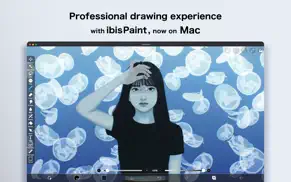

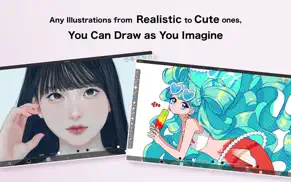
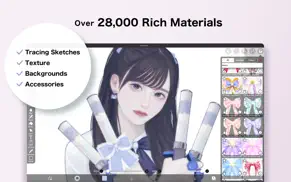
IbisPaint - Your Art Studio 14.0.2 Apps Screenshots & Images
IbisPaint - Your Art Studio iphone, ipad, apple watch and apple tv screenshot images, pictures.
| Language | English |
| Price | Free |
| Adult Rating | 12+ years and older |
| Current Version | 14.0.2 |
| Play Store | jp.ne.ibis.ibisPaintMac |
| Compatibility | iOS 11.0 or later |
IbisPaint - Your Art Studio (Versiyon 14.0.2) Install & Download
The application IbisPaint - Your Art Studio was published in the category Graphics & Design on 28 August 2025, Thursday and was developed by Ibis Inc. [Developer ID: 300834419]. This program file size is 52.34 MB. This app has been rated by 17 users and has a rating of 1 out of 5. IbisPaint - Your Art Studio - Graphics & Design app posted on 26 May 2026, Tuesday current version is 14.0.2 and works well on iOS 11.0 and higher versions. Google Play ID: jp.ne.ibis.ibisPaintMac. Languages supported by the app:
AR NL EN FR DE HE HI ID IT JA KO PT RU ZH ES TH ZH TR VI Download & Install Now!| App Name | Score | Comments | Price |
| Ibis Paint Reviews | 4.7 | 3,935 | $15.99 |
| Ibis Paint X Reviews | 4.7 | 281,709 | Free |
| Ibis Works Reviews | 2 | 2 | Free |
Thank you for using ibisPaint! The summary of this update is as follows. [Improvements, Changes] - When transforming shapes created with the symmetry ruler using the Translate Scale command, their appearance remains unchanged before and after confirming the transformation. - Renamed the shortcut command from "Save Canvas as PNG" to "Open Save Image window". - The Cancel button in the Transform Tool has been moved back to the bottom. - An icon has been added to the Edit Canvas Size button in the Create New window. - Improved the UI of the Rain Filter. [Fixed Bugs and Problems] - Fixed an issue where the playback of "Invert Color", "Clear White", "Flip Layer" and "Flip canvas" were incorrect with locked layers. - Fixed an issue where the Wave adjustment layer was not flipped correctly with certain parameters when flipping horizontally or vertically. - Fixed an issue where, when switching the artwork size between portrait and landscape orientation, the appearance of the Wave adjustment layer changed more than expected. - Fixed an issue where dragging the canvas while closing some windows could prevent drawing on the canvas afterward. - Fixed an issue where undoing "Reorder Frame" in an animation artwork could mistakenly undo "Change Current Frame". - Fixed an issue where the scrollbar in a floating window would not fade out. - Fixed a bug where the Tool Selection bar would scroll even when there was enough vertical space when it was positioned on the side of the screen. - Fixed an issue where the brush "Chain 8 (Color)" was incorrectly displayed as "Chain 8 (Outline, Color)". - Fixed an issue where dragging the canvas while holding down the Space key was sometimes not recognized as a pan gesture, resulting in lines being drawn instead. - Fixed an issue where the confirmation alert might not appear during drag-and-drop image import operations.
| App Name | Released |
| AI Video - AI Video Generator | 29 March 2024 |
| Remodel AI - Interior Design | 18 April 2023 |
| Rooms | 17 November 2023 |
| AI Remodel - Interior Design | 09 May 2024 |
| Mematic - The Meme Maker | 17 February 2012 |
Find on this site the customer service details of IbisPaint - Your Art Studio. Besides contact details, the page also offers a brief overview of the digital toy company.
| App Name | Released |
| Nomad Sculpt | 04 August 2020 |
| Menu Maker - Design Templates | 22 March 2024 |
| RoughAnimator - animation app | 20 January 2015 |
| KiCAD PCB Viewer | 29 June 2023 |
| Sci-Fi Keyboard | 29 October 2024 |
Discover how specific cryptocurrencies work — and get a bit of each crypto to try out for yourself. Coinbase is the easiest place to buy and sell cryptocurrency. Sign up and get started today.
| App Name | Released |
| Amazon Shopping | 03 December 2008 |
| SHEIN - Online Fashion | 19 May 2014 |
| 12 February 2019 | |
| Target | 24 November 2008 |
| Google Chrome | 28 June 2012 |
Install the Giftmio extension for smart shopping. Get notified about cashback opportunities, activate cashback in one click, and save money on purchases.
| App Name | Released |
| Streaks | 31 May 2015 |
| Slay the Spire | 13 June 2020 |
| Scritchy Scratchy | 18 March 2026 |
| Procreate Pocket | 17 December 2014 |
| Shadowrocket | 13 April 2015 |
Each capsule is packed with pure, high-potency nootropic nutrients. No pointless additives. Just 100% natural brainpower. Third-party tested and validated by the Clean Label Project.
Adsterra is the most preferred ad network for those looking for an alternative to AdSense. Adsterra is the ideal choice for new sites with low daily traffic. In order to advertise on the site in Adsterra, like other ad networks, a certain traffic limit, domain age, etc. is required. There are no strict rules.
Keep personal info private, avoid scams, and protect yourself online with AI-powered technology.
IbisPaint - Your Art Studio Comments & Reviews 2026
Did you know that you can earn 25 USD from our site just by registering? Get $25 for free by joining Payoneer!