VN: AI Video Editor App Reviews
VN: AI Video Editor App Description & Overview
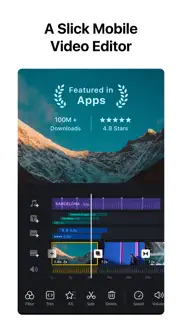
What is vn: ai video editor app? VN is a free, easy-to-use video editing app with no watermark. Its intuitive interface requires no prior experience, yet offers powerful tools for both beginners and professionals to create high-quality videos.
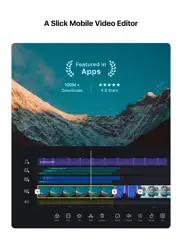
Intuitive Multi-Track Editor
• Precise Editing: Frame-accurate timeline (0.05s) with easy zoom, trimming, and keyframe control
• Easy Management: Swipe to delete clips, drag to reorder
• Multi-layer Timeline: Add PIP videos, photos, stickers, and text with keyframe animation
• Non-destructive Editing: Save drafts anytime with undo/redo support
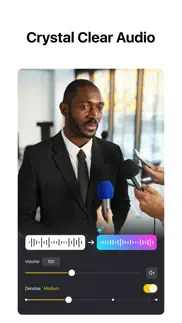
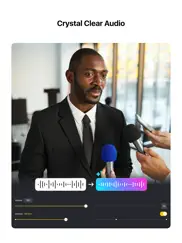
Music & Audio Tools
• Beat Editing: Add markers to sync clips with music
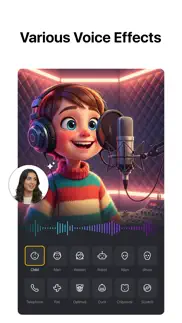
• Voice-over: Record high-quality audio directly in the app
Effects & Filters
• Speed Curve: Advanced speed control like Premiere Pro with presets
• Transitions & Effects: Smooth automatic transitions and diverse visual effects
• Filters & LUTs: Import LUTs and apply cinematic filters
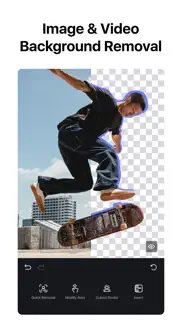
• Video Cutout: One-tap background removal with AI detection
Advanced Features
• Keyframe Animation: 19 built-in effects with customizable curves
• Reverse, Zoom & Freeze Frame: Add creative motion and highlights
• Templates: Create and share video/music templates
• Auto Captions & TTS: Convert audio to subtitles or generate AI voiceovers
Flexible Materials
• Easy Import: Add media via AirDrop, Wi-Fi, WhatsApp, Telegram, or Zip
• Asset Library: Access stickers, fonts, and more
Text Tools
• Templates & Fonts: Wide selection for different styles
• Customization: Adjust color, size, spacing, and more
Create & Share
• Cross-Platform: Transfer projects via AirDrop or iCloud
• Secure Mode: Protect drafts with passwords and expiration dates
• HDR Editing: Support Dolby Vision HDR (iPhone 12+)
• Custom Export: Up to 4K resolution and 60 FPS
Discord: https://discord.gg/eGFB2BW4uM
YouTube: @vnvideoeditor
Email: [email protected]
Terms: https://www.ui.com/legal/termsofservice
Privacy: https://www.ui.com/legal/privacypolicy
Website: www.vlognow.me
😍 Do you love VN: AI Video Editor app? Please share your friends!



Please wait! VN: AI Video Editor app comments loading...
VN: AI Video Editor 2.4.2 Tips, Tricks, Cheats and Rules
What do you think of the VN: AI Video Editor app? Can you share your complaints, experiences, or thoughts about the application with Ubiquiti Labs, LLC and other users?


VN: AI Video Editor 2.4.2 Apps Screenshots & Images
VN: AI Video Editor iphone, ipad, apple watch and apple tv screenshot images, pictures.
| Language | English |
| Price | Free |
| Adult Rating | 4+ years and older |
| Current Version | 2.4.2 |
| Play Store | com.frontrow.vlog |
| Compatibility | iOS 16.0 or later |
VN: AI Video Editor (Versiyon 2.4.2) Install & Download
The application VN: AI Video Editor was published in the category Photo & Video on 22 April 2018, Sunday and was developed by Ubiquiti Labs, LLC [Developer ID: 1267839470]. This program file size is 545.23 MB. This app has been rated by 300,336 users and has a rating of 4.7 out of 5. VN: AI Video Editor - Photo & Video app posted on 15 May 2026, Friday current version is 2.4.2 and works well on iOS 16.0 and higher versions. Google Play ID: com.frontrow.vlog. Languages supported by the app:
EN FR DE HI ID IT JA KO PL PT RU ZH ES TH ZH TR UK VI Download & Install Now!| App Name | Score | Comments | Price |
| VN - Video Editor Reviews | 1 | No comment | Free |
1. BeatsClips now allows leaving segments unfilled 2. Moved Denoise to a dedicated entry in the bottom toolbar 3. Bug fixes and performance optimizations If you have any questions, please contact us via the following methods. Instagram: @vnvideoeditor Youtube丨Telegram: @vnvideoeditorapp Email: [email protected] Official website: https://vlognow.me/
| App Name | Released |
| YouTube | 11 September 2012 |
| Edits, an Instagram app | 22 April 2025 |
| Picsart AI Photo Editor, Video | 02 January 2013 |
| Frameo | 08 December 2016 |
| PhotoCircle | 19 April 2012 |
Find on this site the customer service details of VN: AI Video Editor. Besides contact details, the page also offers a brief overview of the digital toy company.
| App Name | Released |
| White Balance Meter AI - KEV | 30 January 2020 |
| Camera Remote Watch | 20 February 2018 |
| ProCam - Pro Camera | 30 October 2013 |
| TV Cast Pro for Chromecast | 29 July 2016 |
| IWebTV PRO | 15 March 2019 |
Discover how specific cryptocurrencies work — and get a bit of each crypto to try out for yourself. Coinbase is the easiest place to buy and sell cryptocurrency. Sign up and get started today.
| App Name | Released |
| Gas | 27 August 2022 |
| 12 February 2019 | |
| 28 April 2011 | |
| Google Maps | 12 December 2012 |
| WhatsApp Messenger | 03 May 2009 |
Install the Giftmio extension for smart shopping. Get notified about cashback opportunities, activate cashback in one click, and save money on purchases.
| App Name | Released |
| Earn to Die 2 | 20 November 2014 |
| Slay the Spire | 13 June 2020 |
| Gambonanza | 01 May 2026 |
| CloverPit | 17 December 2025 |
| Streaks | 31 May 2015 |
Each capsule is packed with pure, high-potency nootropic nutrients. No pointless additives. Just 100% natural brainpower. Third-party tested and validated by the Clean Label Project.
Adsterra is the most preferred ad network for those looking for an alternative to AdSense. Adsterra is the ideal choice for new sites with low daily traffic. In order to advertise on the site in Adsterra, like other ad networks, a certain traffic limit, domain age, etc. is required. There are no strict rules.
Keep personal info private, avoid scams, and protect yourself online with AI-powered technology.
VN: AI Video Editor Comments & Reviews 2026
Good app, but some suggestions. I came to this app from using CapCut for a while now, and I think it’s a decently good app. It’s mostly free, and you don’t have to pay for a lot of the different stickers and things like that. Just one issue: I mainly use video editing software for making edits with fancy transitions, altering the music in the background, and a bunch of other techniques, and I found that this app doesn’t exactly have a lot of options regarding that type of work. A few recommendations would be to add more ways to edit the audio, like filters and different ways you could change the sound, as well as transitions for the stickers themselves instead of just an abrupt cut of them off the screen. It would also be nice to have more ways to change the videos or pictures in a project, like for example, the way that CapCut allows you to add little bursts of fire or starbursts to introduce a new clip. The transitions between the clips right now are okay, but if you could make them in a way where you can move them around the project as if it were a sticker, that would be helpful. Also, I’d really like to have a drawing tool of some sort, I keep having to switch between apps just to get a drawing tool, and it’s really annoying. A drawing tool would improve this app drastically. There’s another thing, more animated stickers and animated frames. I feel that more moving parts to add to projects would really make this app great.
Great but needs more. I love this editing app a lot, I like how many features you get. You can split clips, add text, include audio, etc. My only gripe is that I wish there were more text effects, I feel like we’re very limited in the options we have. We can choose the effect and choose how it performs but we are left with only 5 in/out text effects and we don’t even have key frames for text so I think that’s another feature that should be added. I want to be able to animate a text to match up exactly to when a person says something. If that makes sense. Otherwise, the sharpen feature is amazing, I know some apps make the quality look grainy when it sharpens but this app doesn’t.
Amazing!. It is absolutely amazing so far. I’ve only tried editing a few times but this is a lot better than some of the mobile apps that I have payed for! Thank you so much. I’m giving it 4 starts as of now until I have more experience and hopefully can change it to 5 stars soon. There’s absolutely everything that you probably will need to edit on mobile. It’s simpler and easy to use. I also hope that the newer updates add more customization to the video although it’s pretty much perfect! Editing is my passion and this app has delivered it perfectly! Much appreciated VN Team!
Fx suggestion?. Overall, VN is incredible, but I’ve seemingly found the limits of how far the FX feature can go. Combining the preset motion effects with transitions allowed me to make more eye-pleasing shakes in transitions, although few. Using the same FX over and over has gotten a bit repetitive, which is why I began wondering, could we make our own FX in the future? Adding a feature that allows us to apply our own movement to clips using keyframes and blurs could really make editing videos a lot better (which is something that can be seen in Adobe After Effects), which is what I think this app is missing. Hope I help make the app better.
Unusable due to ads. I’ve used CapCut for a while now and wanted to play around with other apps. First of all, I keep my clips for videos on a flash drive and use an adapter so that I can use it on my iPad. With CapCut I can drag something from the files onto it and it’ll add them. I can’t do that with this one. It gives an error saying that the original file is missing. Every single time I did ANYTHING, I got a popup ad. It was completely unnecessary and incredibly frustrating Another issue I noticed which may just be me missing a way to not make it to this is when I go to add my audio, it only lets me add audio that’s however long my current video is. So for example: I create a project and have my first clip on the timeline. It’s about 2 seconds long. I then add a 20 second audio to make my edit with. It lets me select the entire 20 seconds, but will only have 2 seconds of the audio because I only have 2 seconds worth of video 😐 I can’t stretch it out or anything. It also feels weird when I trim the audio. It feels like it’s compressing the whole thing from both ends and it’s really hard to tell how much I trimmed I really wanted to give this app a go with how good the ratings were, but in my experience it’s genuinely unusable
Exactly what I’ve been looking for!. I would give this 5 stars hands down, and I plan to after I actually create and export with it. As of right now I have only played around with the app to get a feel for its capabilities, and let me just say it is exactly what I’ve been looking for. Significantly, and I mean SIGNIFICANTLY better than any editing app I have ever used previously. I was in a broadcasting class in high school and used adobe premier pro every day for 4 years. This, of course, is much simpler. But that’s perfect for an app. It does everything I want from my handheld device and it’s FREE. That’s the best part. I understand devs have to make money too, but some of the apps I’ve paid for are a complete waste of time and money. This app, so far, has done nothing but satisfy my needs and I will recommend it to anyone and everyone I know looking for a good video editor. 👍🏼
Media services reset. Cannot export. The app was working fine until it would not let me export this specific video. I can’t share the file at all and I still have all the clips saved on my device so there is no reason it shouldn’t be working. When it’s loading to export it always stops at 36% and gives me the error “Video generation failed, media services reset please save project and try again” when I press the Help button that pops up nothing happens ! I use this app all the time and this is super frustrating ;( I can’t find any answers online either. Please help! I even tried to use the same clips in a new project rearranged but it’s giving me the same problem.
Great App, But Saving a Project is a Gamble. This app has a lot of amazing features, especially for the free version. It's incredible that a user can use most features for free up to a certain amount of projects. However, there is one problem that could SERIOUSLY ruin the experience. Imagine spending hours editting a video, and you decide to finish it the next day. You save your project. You return to the saved project the next day, but only to find that hours of work have been corrupted. There's no way to get the videos back, they're just permanently messed up. So now you have to delete that project and start over from scratch. The thing is, this doesn't happen every single time. I've saved projects before with no issue. It just randomly happens. So now when I'm editting, I make sure I have lots of time on my hands so I can edit in just one go and export the video. I really do love the app, and it's the only one I trust right now to edit my videos, but it's just extremely frustrating to lose so much progress and time.
I hate this. So I was just trying to finish my video and cb says there’s clips missing when I still have them on my phone so I just replace it but it just starts off in the beginning and I would have to reset it to where the exact point was then it shifts everything weirdly and because I’m stressing out so much about it I got a panic attack. It worked the first time which is why I used it again but here I am, crying while writing this. I’ve also tried to contact them on Instagram but no one has responded at all. I really don’t want to restart the whole thing also restarting clips too that’s very hard. I JUST REALIZED I SPENT 4 HOURS JUST TRYING TO FIX CLIPS THAT VN MESSED UP IN THE FIRST PLACE. IF THAT NEVER HAD HAPPENED I WOULD BE EXPORTING BY NOW.
HIGHEST QUALITY APP!!. I cannot describe how much I love this app. This video editor has everything you need AND MORE! I can’t believe it’s free. The more you learn about the features the more unbelievable it gets. It has keyframes, effects, speed curves (i love how adjustable it is), split, transitions, filters, green screen, etc. Even the text templates has animated text messages, karaoke, cute notes writing. And none of this look tacky at all, it has a professional outcome. Even more user-friendly than some computer programs
Just one problem, but, still a really great app. The app is an amazing editor. I love how much flexibility there is, even on just the mobile version. The one problem I have sometimes is that, after I close my work, I’ll open the project later and the work is gone. When this happens, which is rarely, I’ve found that if I hit undo and then redo a few times, the missing work comes back. The difficulty about that is it’s created a question mark that looms over any work I’m doing, because I’ve dreaded the instance in which my undo/redo trick finally doesn’t seem to bring back the lost material and effort. And, that finally did happen this morning unfortunately, or so it seems anyway, unless someone knows a fix —undo/redo is not bringing back some stuff that was missing when I reopened one of my project files, so I guess the work might be lost. My appreciation of the app is not lost, however, as I do feel that, all things considered, it’s still really pretty great and overall I’ve made really good use of it. But I do wish I could restore this work I’ve lost this morning, and that I could know how to avoid this hiccup for future projects.
Perfect for what I needed. As someone who edits videos pretty casually (usually just for-fun animations and such) the search for an app was… not fun. Choices were either sorely underpowered and lackluster apps with only the bare bones of features, or professional “animated film” level apps with sky-high price tags and a steep learning curve. Until I found VN, that is. An app that took me about a single day to learn to use, with countless features and surprisingly smooth output that was perfect for what I need. Is it perfect? No, it obviously doesn’t have what the $65+ dollar programs have regarding effects and filters, but it’s free, and for a free app, it’s the best out there. Especially if you don’t want to invest so much money into a program you’ll only casually use
Awesome and exactly what I wanted. I have looked for an editor that had everything I wanted (transitions, easy to use) and was free and although there is a version not free, the free one has all I wanted. It even lets me to incredible things with audio, and provides much more than I even thought I would find, I had pretty much lost hope of finding something like this. It is FOR SURE worth it!!! Update: THIS APP IS SO FRIKIN AWESOME! to whoever made this, THANK YOU! You can sync things RIGHT to the beat, edit transitions, and so much more! I love this app so so so so SO much I want to give whoever made this super duper awesome (and underrated) app a GIANT hug! This is A-MAZE-BALLS! Get it for sure!
A Good App. Hi, It is nice to talk about the advantages of the application in general. It has very nice features through which any modification can be made to any video, but there are three things that must be reconsidered.. The first is to add a button to extract audio from the video so that the user can modify in a deeper way, secondly, Adding other effects and movements, for example, the KineMaster application gives you a broader experience of visual and audio effects, visual framing, or even a text tape in which it includes many additions that can be made simultaneously. And thirdly, there is music that was in the dynamic section. I don't see it there anymore. It's called the reddle, I think. Can you bring it back or direct me where I can find it? Thank you.
Just one problem. App is amazing way better than IMovie. Just one problem. However there is a problem that keeps glitching over and over again. When I try to cut the audio, when I press pause to the place where I need to cut, it just glitches and sends me a whole minute after the pause that I made. And it happens like 3-5 times in a row every single time I have to hit pause and find the exact moment where I need to pause and split the audio again, but then when I press pause again it just glitches again and repeats this process 3-5 times.
Expected More Out of Effects. I use VN pretty often, but honestly it was disappointing. I like to do edits, but wanted to branch out from InShot since there’s some inappropriate things on CapCut. I was disappointed to see you can’t layer effects or add more than one effect per clip. The music was a nice twist, I liked that feature quite a bit, but I still have to go on Inshot or create up to 3 different videos taking the same video I already edited over and over again to make one video. Storage taken up isn’t bad, but I recommend InShot or CapCut over this app. If layering effects or adding more than one per clip would be added this review would be a 5-Star app. Pretty good app depending on what you’re looking for.
Update broke adjustments. This is a fantastic video editing app! However, as far as I can tell, there’s no way to create and save custom filters or text settings (for watermarks). Adding that feature would make this a 5 star app for me. I’ve been getting by with a makeshift method of importing every new clip into a project where I keep the adjustments and text and then deleting off the previous clip (a pain, but it works). However, with the newest update, filter adjustments don’t seem to be saving at all when I go back into a project so I can’t even do this anymore.
Love the app but recent hiccup?!. Love the app. Honestly one of the best free video editing apps. But recently when editing videos and then exporting, I’ve noticed that the finished video will have slight audio problems. For instance, if i split/cut a clip once exported, the audio will have this slight ‘fade in’ applied although it was never added while editing. I also noticed I’m having the same issue on the desktop version as well. Not sure if this is because of an recent update but hopefully this will be addressed/fixed soon. Once again, love the app but hopefully this minor issue will be addressed/fixed in updates to come.
What am I supposed to do with this app?. I thought I was downloading what was advertised as a simple video editor. Boy, was I wrong. I can’t make heads or tails of how to use this app. I tried going to the developer’s website, to find documentation or an FAQ,but his website is written in either Filipino or Thai - Neither of which I can either read or speak.I also discovered, quite by accident, that in order to qualify for the developers filter pack, I have to join something called a Discord. In order to qualify for other items, in the app, I have to post a video to something called TikTok. What, may I ask, is a TikTok? Just so you know, I am 50 years old and I don’t do social media. I’m guessing this app is one of the many, on Apple’s App Store, that require the use of social media to be functional. I will be deleting it now.
Ok, just, why. I’m a blogger that uses video editing apps and I messed up on a project on VN Video Editing and wanted to delete it without it using up a space still, but it still took a space up, I am annoyed so badly about that because I really had nothing to do with the faulty video, but I will NEVER pay premium if I could just download something else with a BIGGER AMOUNT OF PROJECT SPACE! So I am a big fan of how you can edit projects but I don’t like how they give you only 100 slots, I mean, I could have done a sponsor in an episode but not anymore.
exceptional video editor!. I have to say that this is the best free video editing software that I have used. when i first download this on my Mac, i was thinking there was no way this was completely free, there had to be some kind of charge thrown in there before you could finish or download a project, but NOPE, completely free! this will be the only editor you will ever need, it comes with so many professional and advanced options that would require a premium subscription with any other software. Truly a 10/10 software you can’t ask for anything more. it’s free, easy to use, so it’s beginner friendly, allows you to make professional looking and HD videos, and so much more. also, it doesn’t leave a watermark which is also something you don’t see often from free softwares!
“What’s the catch?” There isn’t one!. A quick background, I started doing music video and commercial work in 2013, everything from producing, directing, cinematography, editing, color grading and more. There are a few reliable video editing apps that have some impressive features for mobile, but none that are as functional, easy to use and most importantly, as FREE as VN. Trying to find an app with a noise removal filter is hard enough, and once you consider the multitrack feature, LUT import option, speed shift trick (anyone catch the Max Payne reference?), and 4K export with adjustable FPS and bitrate, you’ve got an app so impressive that it actually inspired me to write my first review in years. My only complaint. They should’ve made this exact app years ago 😤
Brilliant Editing Software!. This is everything that I could possibly ask for with editing! Putting clips together feels simple and clean, and everything is just easy to put together! I especially love the ability to move clips and stickers across the screen during its duration, and the way it works makes it super easy! The only thing I could ask for is more sound effect customization. Allow us to change the speed of sound effects (or possibly pitch and speed separately) or when you reverse a clip, make it keep the sound.
Very easy an professional. I most like the divisions of adding text, pictures and voices and elongating them as long as you want, and before that , the organising of the clips and cutting them even before you start process is very practical. Only one issue i have when i want to take two cut clips from one video, i cant do that ,so i go to the studio and make a cut and add it from the app, However great effort from the producers of the app, although I'm not subscribed to premium package because my demands are simple, but i think for specialised people it would be great .
The Most Powerful Free Video Editing App. Definitely the best app for video editing on the App Store. I am extremely impressed with the power this app has and applaud the developers for not being money hungry. The only slight complaint I have is with Chroma and green screen abilities, often when trying to chroma the green doesn’t fully go away which can be a bit annoying but that, in no way takes away from the power this app has. From transitions, to vfx ect ect. Another thing I would like to suggest is updating the sound fx library? Maybe add some more high quality sounds and a wider variety of sounds. I love the ability to be able to extract audio from clips and upload my own sound fx and music. As well as uploading my own fonts. So thank you developers for listening to your reviews, constantly updating, and having no micro transactions
Where is my video? :/. I have used this app on my iPad and phone with about 10% success rate at this point. Every time I try to export the videos, they definitely end up somewhere in my device because they are taking up space in my storage, but they do not have a physical location and by the next day the storage readjusts itself back to before trying to export. Only once did it finish exporting and give me an option to save it to my device. It’s rather disappointing as the rest of the app seems to work great, and I put the time and energy into it with literally nothing to show :(
Best editing app. I use this app for my edits and I am so grateful I found it. I was beginning my editing journey and trying to find a good app to use, but didn’t want to spend any money on an app that I might get disinterested in a couple weeks. So this app literally saved me and has given me so many opportunities! I’m really grateful that it’s free and such good quality. Also the tutorials helped me a lot, I was able to learn how to use it and now I feel almost a pro with this app. Thanks for being efficient and free (especially that one) not many apps would give their users such graciousness. Awesome app, highly recommend for new editors and great quality! A bit buggy at times, but it’s nothing that will bother you too much:)
Best Free Editing App for Short Videos. I’ve tried multiple free editing apps in the past and they have all struggled to meet the level of VN. VN is by far the greatest editing app for iPhone, and it doesn’t require a subscription. However, I would recommend only using the app for videos under ten minutes, because once your video gets to that length, the editing struggles to work properly. Audio clips move out of sync and it changes volume levels on your videos. I did over five hours of editing on a ten minute clip just for it to be destroyed beyond repair. In conclusion, if you are looking to do get an app for editing short videos, VN is the one for you.
You guys have help my life. I can’t even explain how I have shown so many people up that use a real camera and a whole laptop to head footage that I just use my iPhone and YOUR AMAZING APP and get more business, receive more complaints. Iv had people who never believe in me, believing in me cause of my skills and your app. I can’t thank you enough. I need to tag y’all in every video i post with your software. I mean if I could meant y’all n treat y’all to lunch I would. Your team has truly help my life even thru this pandemic. I’m finna buy a 599 drone because your app help me believe in myself. Keep updating. Make new technology. Idk. This is amazing app. The only video editing app with 4.7 stars and you guys deserve 5
Very Good. This is probably the best video editing software you can get for completely FREE. Yes, F R E E, FREE. Minimal ads, no subscriptions, just pure editing POWER. If you don’t want to make really complex videos than this is the editor for you. However I do have one thing for the devs to add, can you please add some more volume options? I will admit, the only reason I want the features is to make an earrape. But I also think it would be beneficial for people who want to make fine adjustments to their video, like musicians. Anyways, thanks for reading 🙂
Add more please!. I really recommend this app but if your looking for an app that haves lots of animations and transitions I really don’t recommend using this app if you do. I really like using this app but there’s only a few transitions and animations which I actually need more of it because I can’t edit my video if there is a few animations and transitions but if your smart enough and you can handle this then you are lucky. I DO recommend this, but please update the animations and transitions and add more. I overall like using this app a lot but please add more transitions and animations. Again I think I can still work with these but still, ADD MORE please.
Amazing editor for a casual editor like me. Tried using Instagram reels to edit but it kept crashing but I found this app through Instagram reel tutorials so I thought I’d try it out. Loved it, had plenty of tools right out of the box and it was really intuitive and easy to use. Can’t say I can compare to competitors though since I haven’t tried many other mobile editing apps. Really love a recent update where you can control the volume by 10 times. This was a game changer and really saved me because some of my audio files were extremely scuffed. THANK YOU SO MUCH FOR THIS UPDATE!! The cursor for the captions is a little wonky & would be nice to be able to select multiple clips or captions and use the apply to selected for this. If this is a feature already whoops I gotta figure it out then. Would definitely recommend trying out
Simple yet fantastic.. Im only a couple of hours into first project but couldn’t wait to leave a review. As someone who has spent many years creating videos usually with FCPX, I found this app a blessing. FCPX is of course more capable and CAPCUT is expensive and confusing to navigate. I was searching for an editing app I could use on my iPad and my search is over. Although it is limited to what you can do compared to others. The layout is easy to understand and navigate. Still have to import to FCPX on some videos for extra effects but this will be my go to app from now on. I highly recommend it. Thanks developers.
Great for a beginner video editor!. This app has just about all the basic features that a beginner video editor would need to start editing videos. Plus it’s FREE! It works well for the most part, although there is some lag on my iPad Pro 2018. Everything exports properly, so this is overall a great app to start out with! I only wish that there was motion tracking (for adding overlays that follow a certain area of the footage) and audio filter effects… hopefully these will be added soon. That would really make this app a powerhouse. Thank you for making this app!
Better than the any paid apps. I have to say this is the most powerful editing software for mobile by a long shot, there’s no reason to not try it yourself and I applaud the developers for making this free for use. There are a few minor things that can be added such as having it so that you can mix the audio better to where you can muffle or pitch it or something like that. Also if it is possible to add more effects that would be great because the ones we have right now can get pretty redundant but nonetheless these are just minor things and you can’t find a better mobile editing app than this! Also one more thing if it’s possible to make it so that you can keyframe the clips to change filter or color ex. being exposure goes up briefly then comes back down fast. Ok enough of my rant thank you for this app developers!
Why can’t I select multiple clips?. I really wanted to love this app because it has so many great features, and it’s free! This is wonderful. However it is missing one really basic feature that I really need — the ability to select multiple clips simultaneously so that I can copy, paste, delete, or move multiple clips at once. I can’t believe the app has all these advanced features and doesn’t have this basic ability. I work with a lot of very small clips that often repeat themselves and so to have to manually add each clip and adjust it to the same length over and over and over is extremely tedious and makes it impossible for me to use this app. Please add this feature ASAP because I would love to be able to use this app to edit video on the go on my iPhone. One other related feature request: I would like to be able to quickly and easily link clips together so that once I get audio and video synced up with each other then when I move a clip the chunk of other clips that belong with it will automatically move as well, and I don’t have to re-sync everything over and over. Thank you.
Love it but... Free with no watermark option is great. It runs pretty smooth but once you get really deep into timing with beats, it gets super glitchy. I don’t know if what I put together is going to come out the way it shows when you preview. This needs to be looked at. I’m working on an iPhone 14 Pro Max, I shouldn’t be running into these issues. Also, it takes up a ridiculous amount of memory to have projects in the app whereas “another” app that would outshine this if the pro features were free, does not seem to have this issue. Maybe it converts those to smaller files and when it loads up the project, it unpacks the project you’re working on? Idk. I really want this one to be as good at least.
Can’t believe this is free. I have been looking for an editing app that does everything I want and came across this one. I’ve downloaded countless and every single one charged. Not that big a deal but I don’t use the apps enough to validate the expense. I lost my free full version of splice when I upgraded phones and this is nearly the same with some minor differences. Taking the sound from one video to place on another is different but it’s just something to get used to. I was shocked and pleasantly surprised when it was completely free! Some apps let you go through the trouble of editing a video then charge you afterwards (sneaky). This one is free and I can’t thank you enough for such a fantastic app!
Free, powerful and more!. It’s the most powerful, easiest to use mobile editing software I’ve ever seen. And it doesn’t give consistent ads like every other app. It satisfies me in every way, buuuut… it has its issues like everything else does… No.1: sometimes the FX glitches and looks real weird. No.2: needs more sounds No.3: this is related to sound but needs better music I like the fact u can implement your own sounds and/or music in but I feel like it needs a wider selection. But overall it’s a 5/5! I hope for more updates in the future!
APP IS GOOD BUT EXTREMELY FRUSTRATING. Like the vision is there. The app is set up really well, and offers a lot! But there’s one issue that makes the experience infuriating and defeats the whole purpose. I CAN’T UPLOAD MY CLIPS INTO THE EDITOR. It makes no sense. I’ll click on a clip to add to the editor, and when I click the little arrow “submit” button, nothing happens. It doesn’t upload. It’s like the button just doesn’t work. But it’ll work for other clips? I thought maybe it was a duration issue, so I shortened the clips to a duration that was shorter than the clips I could upload. Still didn’t work. What’s weird is, after so many tries and exiting out of the app and refreshing and saving and refreshing, eventually some of the clips will upload. But it’s unpredictable and really frustrating. What’s the point of an editing app if the user can’t even upload the clips that they want to edit? Please fix this bug. Also, for some reason there’s just two random empty projects that I didn’t even start in my project folder. I can’t open them when I click on them. They both count as a “project,” so now I have two less free projects that I could be using. Like the app just basically took two free projects from me that I can’t even do anything with. That’s also really frustrating.
Amazing. I do edits for people and i was using an app that was the best i could find that was free and it had decent stuff then i found out about this app the other day and it changed my edits dramatically. it has even more options than the other app and it has so many cool features and functions. overall i give it a 9/10 because i couldn't figure out the flag feature which would make the timing 100% perfect instead of me going off ear and experience so i can get it super accurate but if i can get that it would be 10/10 perfect. for a free app this exceeds my expectations and i recommend it for sure.
Amazingly good and useful. Before VN existed in the Mac desktop, I’d transfer movies to my iphone and use VN rather than use iMovie on the Mac. It does so much more and so much more easily (try reversing a video in iMovie and you’ll know what I mean!) the iOS version and the desktop version are identical and identically excellent. And FREE. Worth paying for so am looking forward to even more features in a paid version. The ability to change speed continuously (speed up, speed up some more, slow down, with seamless changes in between) is incredibly useful (especially for manipulating drone footage). This is what iOS and Mac video editing should be like. Kudos to the developers!
Great app but there are a few things that could be changed. I love this app, I use this a lot. I think it’s one of my favorite video editors out there, but there are some thing that I do not like. When ever I need to key frame something I usually stretch out the timeline to scroll to each frame easily since there is no frame by frame button, which I think should be on this app for these types of things too, I scroll frame by frame which is a bit annoying sometimes. But there’s a weird thing that happens when I play the video when the timeline is stretched for some reason it lags whenever it’s about to change to a different clip because it’s split so to fix I have to destretch the timeline so that I can view normally. It’s a weird bug. Another is the interface it’s good but the pause button and the buttons to move to other clips are right next to each other I am not on a tablet so I have no idea if there that close on other devices but I’m a phone and it’s incredibly annoying when I accidentally tap on the other when I’m just trying to pause the video. I think it’s a app for editing but these problems are why it’s not 5 stars thank you bye
Bring Back “Import Music from Photo Library” Feature. I absolutely LOVE VN for editing. I am a small content creator, and this app is very easy to use when I’m on the go (where I am most of the time). I came on today to find out the “Import Music from Photo Library” feature is gone, and that makes me a tad bit upset, since that is what I have been getting my video music and sound effects from. I would really appreciate if whoever runs the app puts this feature back in because it is very easy for lots of video editors, and not just me. Other than that, there isn’t much more things that is bad about VN. It will still be my favorite, but I would be very disappointed if music from the photo library isn’t added back.
App won’t stay open for more than 5 seconds. My friend got this app to make an end of the year video for our cross country team. He’s been working on it all season and had over 3 minutes of work on it, and one day it randomly stopped worked. It would just open then show a white screen for two seconds then crash. He can’t hit any buttons for the few seconds it’s open before it crashes. He can’t clear any cache, which Google seemed to think is the common cause of this issue, because the app won’t even stay open long enough or let him interact with anything. The project wouldn’t sync to his iCloud so now it is completely gone a day before our end of the season banquet. Wish we had an answer to how to fix this and get the project back.
Molly. VN is a good app it has good music and all of that stuff but I hate how long it takes for your video to export I mean like is it like when you make a video and you click export to album it just takes a very very very long time and if you don’t want to take that long you have to like go to where after you click export do you have to go to where it says change The fasteners and you don’t know how you don’t know which one to like click because if you click what else make it even slower that’s what I want in a change
Great App but Keeps Freezing Up. I’ve had VN Pro for at least 2 years, and it’s been outstanding. As a social media expert and marketing business owner , it’s been a life saver and I use it daily. I have two subscriptions, in fact, one on my personal iPhone 14 Pro and one on my work iphone 14. Unfortunately, for the last week, it’s consistently freezing up on me and not allowing me to even begin editing a video. It freezes right as I check mark the videos I want to edit. I then need to close and fully delete the app, then go back in and start over. It will work once, for one single session, then it freezes if I try to do another one. So, once again, I need to fully delete it and redownload it, where it allows me to create a single video and that’s it. I have a paid subscription. Please fix this asap as I use it for work. If it can’t be fixed, I’ll need to cancel my subscription and find a new video editor to use. Thanks for two great years, hopefully we can have 2 more great years. We shall see!
Great vid editor (bug fix in des). (Never mind I had to delete and reinstall)This is my favorite video editor but the thing is I can’t control the audio on it when I mute it doesn’t mute when I add music it will cut out and I’m not saying don’t get it just wait till the update otherwise it isn’t working for me I’m an iOS user and I have used it for a year and a half also how do I post on the social thing I can’t it doesn’t work great editor otherwise once it’s update it I will give it a five star audio makes videos way way better fix plz never mind I had to delete and reinstall
I love this app its helps me alot. I love this app. It has all the great things you need for making videos! If anyone is reading this review PLEASE PLEASE download the app. It will change your life in a very good way. Also moderators I have a few suggestions for the app so I am going to list some. It would really REALLY help me with editing. 1. Maybe some way to insert some more photos/videos/text in a video at one time. 2. Maybe a way to add effects to the audio like having wavy audio or high pitched or low pitched or maybe even some other really cool audio changes. That would make my day! 3. Maybe a possible way to maybe edit photos, but I doubt it will happen because this is a “video editor” 4. How about a possible way on the speed option to add/remove another dot so speeding up can be more advanced. I would love to see that! 5. I was also thinking about another fx screen effect thing where the screen spins and be able to change the speed of the spinning. Thats all of the ideas that I thought of and if you developers who are reading this, if you make at least one of these options into the app, that would really make my day! Thank you for listening to my review!
Incredibly powerful. I have been blown away at the ease and abilities of this app. As far as a phone editor goes (let alone one being offered for free at the time of writing this) ... this lets you do some really professional looking edits and the work flow is simple. I am an amateur in terms of Phone Filmography, and I’ve been able to put together some pretty professional and cinematic moments of my life experiences with this. As far as phones go, this is most advanced editing app I have used for IPhone. You can see if this team continues with this, it’s only going to refine and get even more professional as people use it and our feedback joins together in its development. Thank you VN team and beautiful artists behind this. ♥️we are grateful for all you have done for us. Bryan
Did you know that you can earn 25 USD from our site just by registering? Get $25 for free by joining Payoneer!
Storage Space. This video editor is great! I love it’s many features, however, it is taking up 15 gb of memory on my device. I have tried deleting my projects but that isn’t working. I don’t think that this is normal.
Everything you need. So far so good. Just made my first reel and this app has everything you need
Great app!. This is a great up but I don’t know if it’s just me or it is a problem but when I went so type something half the keyboard was missing
BETTER THEN CAPCUT. I love vn and have been using it for years. I took a break and went to capcut and came back. Although capcut is easier vn has better quality I reckon anyways. 100% recommended
Great little editor. Okay ,was surprised at the user friendly attributes of this app, beats adobe Rush hands down ,watermark friendly and EXTREMELY easy to use. For a layman like me who has worked his way up from no experience to intermediate ,I wish I had found this sooner. Will be recommending this to all those I teach or interact with in the drone community! All you need is WINDOWS 10 capability.
Download this app now if u don’t want rip offs. By far this is the best video editor app because it all free Really appreciate how the devs made everything free and I like how there are no ads
My favourite editing app + amazing for instagram reels. This is my favourite editing app for sure! I make all my instagram reels on it + edit for clients and more. The quality is exceptional and always saves in HD, love all the filters and presets to choose from - no watermarks, fonts able to be uploaded and overall just really easy to use. Love love love!
AmAzInG bUt.............. This app rocks! It’s amazing! But one thing is the music :-> I can’t find any music and I tried downloading some from my cloud-but that didn’t work. Any way such a great app! I used this app for a video to post on YT called “the carrots program”
It great!. I’ve only used it once so far. Very easy to use and has great results. I think I’ll be looking at buying the full version once I get better at using it. 👍🏼👍🏼👍🏼👍🏼👍🏼
10/10. I used to use CapCut and it was always annoyed because hardly anything was free by the way I still like it but this app when I first tried it free it was completely free and I made the best edit I have ever made
Yes! Amazing!. Hey owners! I have been sticking with this app for quite a while! 💖 what I want to change is that do you mind if we can add multiple effects ? (The magic wand icon) I would love that thanks again please reply with your feedback ❤️❤️❤️
Props to the devs! I love this!. Heya! I highly recommend giving this a go. As an artist and animator I need a program that doesn’t break the bank or slap a huge watermark on my original work and this editor does just that! It can react rather strangely when I import gifs, but that’s the only problem I’ve ever had! <33
Great!. This is the best editing app I've seen so far and also i love how you can make your own music. Whoever added that feature, i like you.
Thx for this app 🙏🏾. This app is very easy and fun to edit and very easy to make funny things, i would rate 5, but i just wanna go into my music and find a song in a few seconds... Rather then having to screen record music videos and extract the music to my video, it wastes my storage
A bug that needs to be fixed. Wow this app is amazing but there is a glitch where when I extract my music it’s stuck at 14 seconds and doesn’t let me extend it please see this so this app can be perfect
Great app but one thing.... I love this app! No watermark, no ads and so many features! I recommend this app to all my friends. This app should by higher up on the charts. Since I’m a gachatuber could you let us use more layers? Layering is what is keeping KineMaster slightly ahead of VN. I would like at least 20 layers? More layering would be good.
Great app. I used it for my few videos to edit I found this app awesome, it have a lot to options which make my memories more colourful and interesting. Thanks for your efforts
Good but 1 terrible problem. So the app is really good for a free app buuut when you are editing it can get really slow and terrible fps and its really laggy other than that just deal with it but when you save it the frame issue goes away and all that but still good for a free app just deal with it i hope they can fix the lag
There’s a lot to like.. I do love so many of the features of this app. The colour grading is the best… the controls are really intuitive and they don’t let you overdo it. I love the fats features like “replace” and “trim” also. I have a lot of trouble with the audio controls though. The levels seem to randomly change at times and it can ignore my inputs or keyframe values on fades get set and then later they revert to their old values which is frustrating, unless is it me making the error? If this can get fixed it’s a perfect 5 star app!
It’s amazing, but lacks features!!. VN is perfect for beginners AND advanced editors. I just wish VN had more effects, animations (especially text animations!!), and transitions like CapCut to make the app more advanced for people like me who want to go further. Ik it’s a lot to ask for but it would make the app even better!!
Wow!. Apple should make you guys an offer! This is the perfect mix of features and simplicity, unlike iMovie that is just simple this editor is feature packed to the rim but with apple simplistic approach, love it!
Great video editor. So happy I found this app. The ‘colour banding’ and general reduction in video quality (pixelisation) compared to the source is minimal and much better than some others. What’s not to like? I love it…
Van editing. I love this app I use it to slow music to make TikTok’s and give people sounds it’s very useful to make slowed and sped up stuff also just a very good editing app in general it’s free and no I’m not a bot anyway anyone reading this have a good day
Crashes when auto captions animations changed. When i try to change auto caption animation, app closes immediately.
Most Underrated iPhone Video Editing App!. coming from Androids, I was long for a Editing App that was free. I can tell you this great for on the fly editing and there’s mother Apps charging for this capacity! 100%recommend!
Extraction failed.. Extraction Failed, Extraction failed.. So the issue here is, that I cannot download any music I like, by importing from links. It’s honestly very stupid, how dumb this is. Every time I try, it says ‘Extraction Failed’ literally. Yes, every time. Please fix this. Thanks. The overall app is AMAZING but...that music issue
This is amazing!. I’ve been trying to find a video editor for months to make aesthetic videos without paying for anything or there being watermarks! Five stars— if I could put infinity I would //^^//
Amazing. Hi, this app is an amazing app to work with! It doesnt beg you to buy pro and premium like other apps! It asks you once then leaves you alone! 😊 This app also makes sure the storage on your device is not to full! It does this by only letting you make 100 projects then you have to permanently delete the projects to make new ones!
Motion Blur. Please! Motion blur, it makes the video look stunning. Even all the other great tools you have, this will make my videos better.
Better in a lot of features than ANY OTHER!. I’m HIGHLY impressed by the transition settings, precision trimming and speed curve (velocity) features of this editor. It’s definitely worth it! Better than most editing software for mobile devices, period!
glitch. hey so i’ve used VN for a while now but recently my app has been glitching. to try and fix the issue i have cleared cache, deleted all my edits stored and even deleted and redownloaded the app. basically the problem is- when i go to move/drag a clip to another spot it glitches and goes really slowly zooming out to the screen where you can then move the clip. editing used to be so easy on this app but i’m struggling now, i hope you can fix this glitch.
The Best Editing Software On Mobile For All Uses!. VN is an all around amazing app, I have no complaints as they are not looking for a cash grab, everything is free. They also include tutorials. Absolutely incredible.
Awesome app but missing a function. Very power free app but missing a important audio setting feature. Which is unable to change audio channel. Would be perfect if it can tweak mono to 2 channels and vice versa. Thank you very much.
Most comprehensive video editor and maker, hands down!. Never have I realised that the smartest and most interactive and comprehensive video editor existed with all the necessary features: stickers/overlays plus the option to categorise stocks and other sequences when needed. Thanks to import options from other apps such as Procreate, making sequences and exporting them is a happy breeze! Maybe in future if overlay slots for sticker/stock/text can be expanded to up to ten (for the very creative), plus split screen options between apps for the export process (or if not, progress stills that show which sequence part is exported), and also more options for sticker size/shapes (such as distort, warp and even puppet-grid)… plus option for the app to be completely with dark-UI, it would be absolutely helpful. Best of luck to future development of the app!
Absolutely amazing. I learnt how to use this editing software in 15 minutes all by my self so I really recommend this editing software because it’s free and I found nothing wrong about it :]
Great but one problem. So I’ve been using the VN editor for a while now and I love it, it’s really good, but there is one problem. When I try to play a clip that I just edited it won’t work! It will play but it goes at about 2 frames, I’m not sure why this happens, but it’s really annoying because I have to export the entire video just to view the edit...hopefully you can fix this or tell me if I’m doing something wrong :)
Best Video Editing App. Hello VN Team, I just wanted to take a moment to commend you on the fantastic video editing app you've created. I really enjoy using it. One thing I've noticed is that there doesn't seem to be an option to highlight specific parts of a gif when using the trim feature. It looks like VN's default display duration for JPG and GIF is set to 3600 seconds. I was wondering if you could revisit this setting and consider optimizing it. Thank you!
Worst app. Guys please don’t use this I have been using this app just to save the money and I was wrong it always creating some issue when I am about to export the video. After few videos you will start going to face issues like this Please rather go for paid app or another I’m fed up of this app. Worst decision i took for editing my video on this app. This app is so stressing
So good, + for free?!?. This is such a good application, making so many of the “premium” features from other apps so accessible + easy to use. I love it!!!
Great App. It’s great I have ever used. Fully Recommend. Never had any problem with it. It has many cool effects and options to edit you video to next level. ……………………………..5 STARS………………………………….
VN review. I think it’s 10/10, it gives me what I need to use to create my videos into something beautiful. Highly recommend to anyone who’s trying to find an easy app to. Thankyou.
Easy to understand, great quality.. hope I’m not being dramatic when I say I’ve literally used this app for an hour and I’m already loving it. I know there are so many great editing apps out there, but as a studying film / media student I needed to grasp my hands around how the heck my iPhone works. I tackled a project of mine in thirty easy minutes using the import option for video filters. My eyes are burning as I’m typing this but as someone who gets irritated easily even if it’s not actually the apps fault I think this cured me from anger for life. Thank you. Do yourself a favour and download this.
Best mobile editing app!. I have to respect the people who made this app... You guys have done a phenomenal job and this is the best mobile editing app .. I have tried quite a lot of them out there .. but this has no match I try editing on pc .. like free video editors .. but feel like any free video editor for bad pc hardware might not match this ‘OP’ app But one thing I would want is when I record my iPad screen it is recorded in 4:3 ratio.. when I choose 16:9 ratio .. all it does is that it creates two bars each side of the video to fill the 16:9.. I would love if u guys could add a thing .. where I can stretch the video horizontally within the app like we can in premiere rush.. Would love that But no complaints just a suggestion Love ❤️
Awesome Editor. VN app makes my work easy when I'm editing my videos in my iPhone. I love this app and its interface is so easy. Really enjoying. Already completed more than 30 projects with this app and still going on😍✌️
The text options. Ok ok ok, don’t get me wrong editors, this is probably one of the best, if not the best mobile editing app, it’s just one feature I wish was added. The text. It’s already awesome, but I wish there were more fonts and ‘motions’ or ‘animations’ if your from capcut. Maybe like for more IN, OUT, and especially LOOP motions. BUT OVERALL AN AMAZING EDITING APP I LOVE IT!! Anyway that it from me, if possible, please respond VN developers. Bye!
It’s good... It hard to edit my videos and like the stickers are awsome so are the trimming but whenever I put title it doesn’t work so yeah and the stickers have no movement well than barely
A powerful, no-nonsense editing app. Having previous professional experience editing with Premiere Pro and After Effects I have been chasing an app that gives key the flexibility and workflow of these programs but with a user experience dedicated to mobile. I’ve tried the full feature versions of CapCut, Splice, Premiere Rush and iMovie and found they lack the flexibility of VN. A number of features have impressed me but a stand out for me is being able to keyframe within VN. The power this provides users is incredible. I could go on but I’ll finish with this - thank you for bringing joy back to my editing process, this program is a breath of fresh air.
More Shakes. Personally, I think this app is amazing! It’s smooth and has a lot of different filters and animations, but there is this one thing I want to suggest to make video editing for content creators 10x better! I’m an editor on Instagram that puts together clips of famous celebrities, so it would be great if you added horizontal ,top left and right fx’s just like the jigger up - it would be amazing if that could be added! Much Love!
Amazing!. I dont have much to say though this video editing app is insane! It has 4K quality and cool songs. Best Editing app for Mobile.
It’s great, but there’s a problem... The app’s great, you can do fade audios, you can make transitions that are smooth, it’s great! But.. With making edits you can’t write much. I like to do subtitles and I make the words one at a time for style, and it won’t let me. There seems to be a limit there and it kinda ruins it
Imagine you at your best. All the time. Picture yourself at your sharpest and most productive. Your most alert and focused. Your most lucid, creative and confident. At work. At play. In every area of your life. Add Mind Lab Pro® v4.0 to your daily routine and uncap your true potential. Buy Now!
ADS. Every time I open the app… I turn off my phone for a second then BOOM! ADS! I go to check my camera roll then BOOM! ADS! It’s insane, annoying, and it interrupts the flo of editing. I have to be careful with pushing the x because it’s so sensitive and takes you to the ads website 🤢 it feels like a sketchy website that transports you to a different website with an ad every few minutes. I have to do this 3 Times! It makes me wait to push on the x, then it makes me wait to push on it AGAIN, then it makes me wait again, agian to push ‘close ad’.
Don’t sleep on this app. Best video editor app right now really easy to understand also most features are free and there is not a crazy pay wall really appreciate the people behind this app amazing app once again 🙂↔️🙂
The best of all. Litteraly MY FAVOURITE APP it has everythinggg it is sooo his and very user friendly
Wow. I wasn’t sure what to expect but I was blown away by the load of features available and the ability to export without watermarks...and it is FREE. I’m no expert video editor but I’m sure you won’t be disappointed using this app! 👌🏼👍🏼
Awesome. I find it very interesting to edit my video it’s very easy as pie.
The best app. Literally is the best app
Really fun. great to use but you sometimes have to pay a lot
App not opening. I don’t know why but this app is not opening on my phone even i am using iPhone 14 pro . I used to do editing from this app only but what’s the problem i’ve been trying to open it from last one hour but all i see there is white screen only nothing proceeds after this
Perfect. I love it, it’s small FCPX 😍
GREAT. BEST EDITED APP BETTER THEN CATCUT TO (Capcut is used by alot of people)
Great but. I would like more music added because it gets pretty boring with only your music
Ty. My YouTube channel (splashplayz7) has 23 subs this app is great
افضل برنامج. افضل برنامج مجاني بلا منافس
Why is there a limit of how much I can put stickers?. The only bad thing in this app is the limit on the stickers >:(
Quelques défauts à corriger absolument. CETTE AVIS A ÉTÉ CORRIGÉ DANS L’APPLICATION : [FRENCH] (FR) Bonjour, l’application est formidable excepté que l’application plante et affiche le menu parfois. Mais la plus grosse importante information que je veut vous fournir c’est que lorsque que je fait le montage et que je met pause ( ll ) cela fait comme si j’avais cliquer sur les flèches du côté ( < et > ). C’est bouton son trop proche. Est-ce possible. Ça me frustre beaucoup. Il faut êtres vraiment précis et cliquer sur pause. Cela change ma partie de montage et cela me complique la vie, sinon le reste de l’application est très bon. Je le conseil à tout le monde. ( Date : 12/06/2020 )
Great aps. Since I started using its been a big help for making short and nice video. It’s very easy to use.
Good. Nice Quality nice editing
7star quality. Best forever ! 7star
Play back and forth. This app is a life saver! It’s pretty good and got such good futures/options But there is something that started to happen whenever you want to slide the video back and forth to a certain point it always throws me 5 seconds after or before the point i want to stop at? Otherwise I would recommend this to anyone! Please see to the problem 👍
I love this App. I always use VN to adjust my videos or to make video montage, it’s easy and free and helpful I love it.
How great is VN app. So today I wanted to try out this VN app to edit my video then when I tried it out I was surprised how many features and how much easy it was now I will recommend this VN editor app to everyone😜👋👋👌🏻👌🏻
I need to cut. Why isn’t there a cut button Triming is to hard
The best app ever!. Amazing!!!!!
Really great. The best you can find for free. Totally works. Працює з українськими субтитрами!
It’s great. I use it a lot for everything YouTube videos and it works pretty well. It’s really good for new people that are trying to start editing and it’s free and the update is amazing. Good job for the people who made this app.👍❤️
A. Le faltan algunas funciones pero dentro de todo es uno de los mejores que eh visto
GREAT!!!. As a student this app is so useful when it comes to video assignments, ranging from my science projects to my theatre class works. It has so many editing options that i keep uncovering everyday, whilst not feeling overwhelmed by all my options! Amazing app!!!
HIGHLY recommend!. Amazing user friendly app.
Great app. easy and efficient to use.
The best. Broski, its the best app on phone to edit, a lot of features
Wonderful. Super easy to use and does it’s job!
Why I love it. This app is very useful and easy to use for beginners when you’re making animations.
Best Video Editor. I’ve been using this app for a few years now and I will not lie, it is the BEST Video Editor ever made. It gives you 100 free uses before need yo buy VN Plus, but 100 free uses is a lot! Unless you like to make a bunch of short videos. Longer videos? Use VN!
Amazing. Simply amazing. Cant believe I just started using this. Check the video I made with this app. My youtube channel is darvinslab -Hogtown apparel collaboration. Turned out amazing.
Perfect if not for the watermarks on videos!. Easy to use and lots of cool effects but the dang watermarks make me hesitant to share creations
Actual review. Can improve its video quality more
Я доволен. Хорошее удобное приложение, я не понравилось
No speed option. Thats the whole point i want this app and it wont show up in my options even when im subscribed.
Suggestion. Please offer a one time lifetime fee, I hate subscription
Wow. J’aime cette application
VN. Its a very good app thank you so much for the app it helped me a lot and u should update it for more features i like it very much Thankyou Mohammad faisal😊
Works well for me. I like the app easy to use and good for my small projects. Haven’t had a problem.
It’s better than CapCut. You guys have the best quality and CapCut doesn’t really listen that much
Bitti. CapCut tan 100 kat daha iyi
Nice Video App. Easy to use.Very useful.Great.
Botnet & Messy. 1. Ads 2. Collects a lot of data, whilst also being vague in Privacy Pol. about collection, chances are they’re hoarding your videos, LUTs, etc. 3. Messy UI 4. Owned by Ubiquiti, a very sketchy company when it comes to Privacy There are cheap alternatives avail. that don’t hoard your data.
Outstanding. Nice
Awsome. Best app
The worst quality app for videos. It take so much space and the quality is really bad
Quick and efficient. For minor editing, with no much options, this is a great tool
Adsterra is the most preferred ad network for those looking for an alternative to AdSense. Adsterra is the ideal choice for new sites with low daily traffic. In order to advertise on the site in Adsterra, like other ad networks, a certain traffic limit, domain age, etc. is required. There are no strict rules. Sign up!
Very easy an professional. I most like the divisions of adding text, pictures and voices and elongating them as long as you want, and before that , the organising of the clips and cutting them even before you start process is very practical. Only one issue i have when i want to take two cut clips from one video, i cant do that ,so i go to the studio and make a cut and add it from the app, However great effort from the producers of the app, although I'm not subscribed to premium package because my demands are simple, but i think for specialised people it would be great .
Better than any app I’ve tried. I’ve tried sooooo many apps , capcut ,edits etc… but out of all of them i find this one the best as it has no watermark and is completely free of charge unlike CapCut and others it is absolutely a great app for editing is really easy to use and has many fonts for those who don’t wanna get pro it has amazing exporting capabilities and can export in 4K which I find really amazing . I am not a professional editor, but love making edits with my life and stuff would defo recommend
Ok, just, why. I’m a blogger that uses video editing apps and I messed up on a project on VN Video Editing and wanted to delete it without it using up a space still, but it still took a space up, I am annoyed so badly about that because I really had nothing to do with the faulty video, but I will NEVER pay premium if I could just download something else with a BIGGER AMOUNT OF PROJECT SPACE! So I am a big fan of how you can edit projects but I don’t like how they give you only 100 slots, I mean, I could have done a sponsor in an episode but not anymore.
What the Freak. At first I thought this app was legit, a very good dupe of CapCut. I was working on a project that I’ve been putting a lot of hours into and literally as I’m finishing it up the app crashes. Since it’s crashed I’ve been unable to open it, all it does is load and load for hours ( i know this because i let it load all night to see if it would work). I just got a new iphone and 200GB of iCloud storage so I know for sure it’s not a storage issue nor WiFi one. I’ve saved the project, deleted the app, reinstalled the app, imported the project back into the app and still, nothing. I’ve contacted customer service but i fear that the cause is because this is just a poorly made app that I shouldn’t have relied on for big projects.
Been using this app for three years. I really like this app! Compared with some other others that can lag when making splits between clips, this one is very quick. It’s pretty easy to use. One thing that I had to learn about was how to export videos at the right settings so that when you upload them to Instagram they still look good. Also I don’t love the text function in this app. Something about it is a little bit less user-friendly to me than an app like CapCut, but overall I like VN better.
App won’t stay open for more than 5 seconds. My friend got this app to make an end of the year video for our cross country team. He’s been working on it all season and had over 3 minutes of work on it, and one day it randomly stopped worked. It would just open then show a white screen for two seconds then crash. He can’t hit any buttons for the few seconds it’s open before it crashes. He can’t clear any cache, which Google seemed to think is the common cause of this issue, because the app won’t even stay open long enough or let him interact with anything. The project wouldn’t sync to his iCloud so now it is completely gone a day before our end of the season banquet. Wish we had an answer to how to fix this and get the project back.
The Greatest Video Editing Software in General!. It’s so diverse/ multi-dimensional yet simple. It’s so easy to use whilst also giving you the freedom and access to use your creativity and add any feature or effect you have in mind. Whether it be taking a video from TikTok and solely just clipping the audio for a meme. Easy text box to use emoji’s memes. The connectivity of all of your files albums, keeping everything together and easily accessible; its the most naturally instinctual app there is. I genuinely love it.
Media services reset. Cannot export. The app was working fine until it would not let me export this specific video. I can’t share the file at all and I still have all the clips saved on my device so there is no reason it shouldn’t be working. When it’s loading to export it always stops at 36% and gives me the error “Video generation failed, media services reset please save project and try again” when I press the Help button that pops up nothing happens ! I use this app all the time and this is super frustrating ;( I can’t find any answers online either. Please help! I even tried to use the same clips in a new project rearranged but it’s giving me the same problem.
Easy to use and still many pro features. Once i got used to the interface having come from iMovie, there’s a lot of things you can do, which is very welcome for a free app. Gigantic programs like da Vinci resolve our great in theory on a non-pro iPad but it crashes just about after every edit. But this program has some easy to use but high quality video editing resources so for an amateur or a beginner you can get right down to business.
One of the Best Editing Apps That I’ve Used!. This app really feels like a life-saver to me. This app has some of the paid features that other apps would probably have, for free. One of my biggest issues a few months ago when searching for an app to edit vertical videos was the watermark. This app has a sort of video watermark at the end of every project but the watermark can be deleted. One of the best editing apps that i’ve ever used. The simplicity makes it even better.
A solid, powerful, multi-purpose editor!. Works great for my purposes! It’s intuitive and powerful, and the custom filters and video speed curves really add creative depth where a lot of other video editors miss out. (As a videography nerd I like to have my fingers on ALL the buttons, especially when it comes to coloring my videos!) The keyframing, while limited to only linear interpolation (a setting for quadratic or Besier interpolation would be nice), really helps out with animatics and motion design. This app even earned me a high grade on a chemistry project already too, so extra kudos for that. All in all, it lets me nerd out while not getting to complicated (it always annoys me when software buries all its features so deep that it takes months to figure out where everything is), and has powerful features and export options. It’s everything I need and want for a mobile editor!
What am I supposed to do with this app?. I thought I was downloading what was advertised as a simple video editor. Boy, was I wrong. I can’t make heads or tails of how to use this app. I tried going to the developer’s website, to find documentation or an FAQ,but his website is written in either Filipino or Thai - Neither of which I can either read or speak.I also discovered, quite by accident, that in order to qualify for the developers filter pack, I have to join something called a Discord. In order to qualify for other items, in the app, I have to post a video to something called TikTok. What, may I ask, is a TikTok? Just so you know, I am 50 years old and I don’t do social media. I’m guessing this app is one of the many, on Apple’s App Store, that require the use of social media to be functional. I will be deleting it now.
Great! Just one thing.... Hello, if you are looking for the perfect editing app here’s the app. It has great quality exporting time and can do almost anything! It’s so useful for me I would really recommend. Plus it doesn’t take up too much storage! I think you should get this app. This is for the creators of this app, please add more transitions to this editing app. I think this editing app would improve if you guys could add more transitions and cuts, other than that this is a great app!
Couldn’t do it without it 😆. So grateful for this app, as a small company owner that needs to get some marketing done this is perfect! I was so tired of having to edit through Instagram and Facebook (horrible place to edit, you can’t do much). This made the whole process of video editing 10 times better, I can get more content done and actually create the ideas! So thankful for having free projects as well. Good job to everyone who made this app happen!
How do I rename video extracted music ?. Okay so I just extracted sounds from videos but I can't rename them afterward nor delete any of them to do it all over again because it seems you must give them a name before extraction but it is not automatically asked so I didn't notice that stupid workflow until it was too late. Now I have a bunch of audio files named after date and time and I must click to listen and identify every one of the tracks. Nice job 👍 I know I sound too much passive agressive but if you could just solve that issue in future updates, it would be awesome.
What is goin on???. Ok I’ve been using this app for awhile and it’s been really useful getting content in video format out just one problem WHY DOES MY MICROPHONE AUDIO NEVER GET IMPORTED WITH THE CLIP???? I have this big BIG issue let’s say I record with a screen record I got to the video file and the microphone Audio is included with that file but when I go to edit the same clip the microphone audio is just GONE and it’s really annoying to have to make to clips which are almost the same and waste storage just so I can have the audio Please fix this it would help sooo much
Really good and intuitive. I’ve been using video editing apps for over a decade, including professional software. When it comes to apps on a phone for editing video, it really doesn’t get better than this. The simplicity is really the big selling point. A lot of editing apps over complicate things just to make it seem like a more useful tool, but at the end of the day for basic editing like most of us are doing for reels and other social media platforms, this is exactly what we need.
Amazing app but…. Could u at least add a voice changer for clips and voice recordings it feels very limited especially when it comes to sound effects literally there’s no explosion sound or most normal sound affects I’d be looking for even CapCut has more than that also what’s with the sections for how much overlays and texts u can place that’s so lame for videos the videos I make I need to be able to place way more then 9 texts me remove the sections and just allow people to put as much as they want pls I can’t take it u ignored me I hate this app I wanna find a decent replacement and when I ask u to add these things u ignore me!!!! And I wanna be able to use the cutout tool to paste characters in other clips don’t ignore actually put it in the next update!!!!!!!!!!
Molly. VN is a good app it has good music and all of that stuff but I hate how long it takes for your video to export I mean like is it like when you make a video and you click export to album it just takes a very very very long time and if you don’t want to take that long you have to like go to where after you click export do you have to go to where it says change The fasteners and you don’t know how you don’t know which one to like click because if you click what else make it even slower that’s what I want in a change
Great for a beginner video editor!. This app has just about all the basic features that a beginner video editor would need to start editing videos. Plus it’s FREE! It works well for the most part, although there is some lag on my iPad Pro 2018. Everything exports properly, so this is overall a great app to start out with! I only wish that there was motion tracking (for adding overlays that follow a certain area of the footage) and audio filter effects… hopefully these will be added soon. That would really make this app a powerhouse. Thank you for making this app!
some performance issues. I really like the app! it’s great for editors and there’s so much I like about it. But it has a lot of essential things that are really annoying. If there is a lot added onto the video, for example, if there are too many beat markers or if you make your timeline a little longer, the preview will glitch out and get stuck on some frames. I’d like the app better if it ran smoother. However there are great features and it’s overall a really good app :).
The best editing app in existence!!. I usually don’t write reviews that much (never really have) but I cant help but be appreciative to the creators/developers of this app. It’s such an amazing creation. And for a cherry on top, it’s FREE!! For someone like me who doesn’t have a payment method yet, this is absolutely fantastic. I just want to thank the developers and to hopefully keep this free and no in app purchases in the future as well. I’ve been searching and searching of ways to edit free, and thankfully I stumbled upon this. I love it <3
Where is my video? :/. I have used this app on my iPad and phone with about 10% success rate at this point. Every time I try to export the videos, they definitely end up somewhere in my device because they are taking up space in my storage, but they do not have a physical location and by the next day the storage readjusts itself back to before trying to export. Only once did it finish exporting and give me an option to save it to my device. It’s rather disappointing as the rest of the app seems to work great, and I put the time and energy into it with literally nothing to show :(
Very Good. This is probably the best video editing software you can get for completely FREE. Yes, F R E E, FREE. Minimal ads, no subscriptions, just pure editing POWER. If you don’t want to make really complex videos than this is the editor for you. However I do have one thing for the devs to add, can you please add some more volume options? I will admit, the only reason I want the features is to make an earrape. But I also think it would be beneficial for people who want to make fine adjustments to their video, like musicians. Anyways, thanks for reading 🙂
Better Than Capcut. Around last year Capcut was taken off the app-store along with TikTok due to the shutdown and I needed a new editer, at first I used filmora but it had an annoying watermark and too many paid features. Then I found this app and I’ve used it since, so many features so much to do so much stuff to add and edit, this is an amazing editor that replaced capcut for me and now I can’t switch back. Genuinely amazing editor its perfect for what I need! 10/10
Too good to be true, yet its true. I’ve been using other “free” video editors for awhile and all of them had so little free stuff and the majority of things that i need are hidden behind a pay wall…i mean they have the right to do this but not THAT much…but with this app ? Its perfect ✨ I can literally have pro-level video editing and making for free And the app design is so good and easy to use…and i can control everything in the video…from the sounds to visuals to the video resolution and fps Highly recommended ✨🙏
It’s good but something happened. I was freeing up space when I got of the app, and when I went back into editing it was glitched and I tried to do everything to retrieve my editing nothing came back and what was gone is that all my clip we’re gone all of everything is gone oh my music was gone music for the editing not just music in general like just my music for the editing was gone and I put a lot of effort in it and I was almost done so yeah please help me retrieve clips and music Sincerely, TC Ceasers
Intuitive and Immediate. Most mobile platform video editors claim to be easy to dive into. This is the only one I’ve tried that actually delivers on that promise. I was trying to make a ten second promo video for a self published book. Nothing complex, just an eye catcher for social media. VN made so much sense and had all the tools so well placed at the surface (little to no digging necessary). I spent way less time creating my project than I had trying and failing to get my footing with other video editors!
Free, powerful and more!. It’s the most powerful, easiest to use mobile editing software I’ve ever seen. And it doesn’t give consistent ads like every other app. It satisfies me in every way, buuuut… it has its issues like everything else does… No.1: sometimes the FX glitches and looks real weird. No.2: needs more sounds No.3: this is related to sound but needs better music I like the fact u can implement your own sounds and/or music in but I feel like it needs a wider selection. But overall it’s a 5/5! I hope for more updates in the future!
Hard to believe that this is free. I downloaded this just a few hours ago Considering that it’s free I wasn’t expecting much but I was very pleasantly surprised this thing will give the pay for editors a run for their money. I haven’t watched any tutorials yet but it seems very easy to use It seems to be self-explanatory it’s very quick I’m using it on the basic iPad I haven’t tried it on the phone yet but I’m very impressed with this I would give it 10 stars if I could.
One small step away from greatness. I love this app if your are looking for something other than Capcut. My one request is that the developers make it easier to have captions in different areas of the screen. When I move a caption all the others follow which is nice, however this should be optional as I often need to move captions based on my scene and felt like my work flow had to slow way down to get it to work. I would love to see multiple layers a little better implemented for text sources. Thank you!
CapCut is better…. Im only giving this app 5 stars so this review will be shown first. It actually deserves 2.5 stars. As of today January 19th 2025, I had to download this app because CapCut got banned too. I didn’t know that app was on the list of apps being banned by our stupid government. CapCut was better simply because it was 100% free. On here if you want to make more than 100 vids you HAVE to pay. Which is the dumbest thing I’ve heard. This app is easy to use I’ll give them that. But CapCut was 100x better.
Great! Some Features Would Make It Better!. VN Video Editor is one of the best editing programs I use. It’s easy to learn and is also easy to edit on, even on a small screen of an iPhone, which I found tricky on many other editing programs. This program provides a variety of music, effects, and transitions. These help spice up my videos. One of my favorite parts of VN is that it’s free and does not watermark your video, which is something I found annoying in programs like Kinemaster. However, there are a few areas that could make me switch to VN full time to edit. The audio layer. It gets annoying to work around. Here are some problems and suggestions on how you can fix them. 1. You can’t layer two different types of audio. This is really annoying. If I want to have music, but I have a voice over, I can’t have the music while the voice over is playing. I’ve found some ways to work around it, but it makes it 10x more difficult to work with! If you could have three audio bars, one for sound effects, one for music, and one for voice recording, that would make this program so easy to work with, and definitely my all time favorite. 2. A voice recording stays in the same time frame when you cut or move video frames around. If, for example, I put together a short video, and i voice over the video in different little fragments, and then exit the recording area. But I often find places that need to be cut, but the recording stays in the exact same place, for example, staying at 2 minutes 30 seconds, when I want it to stick to the video recording at 2min 15sec, and the recording could go over another clip, and it messes up the entire video after that point. What i’m asking for is for the recording to stay stuck to that video clip in that spot for easier movement and cuts, if that makes sense. If these adjustments were made, I’d definitely be using this more often and be recommending it to all my friends, because it is truly an amazing editing program. These are just the things that bug me the most. Thank you for your time!
Amazing So Far. I downloaded this to add sound to an animation project I’m working on, and it has been doing amazing. Unlike other free mobile editing apps (Not saying any names) it doesn’t bug you constantly to try a “Free Trial” just so that they can scam you into paying 50 bucks a week. And it isn’t only a video editor, you can edit photos too! It’s way better than I expected it to be and that’s a 5 star in my book. I would highly recommend this.
The many lag problems. I have used VN for years and it’s one of if not the best free mobile video editor out there, but after you use it for a while the editor slowly gets more laggy especially with videos over a few minutes. But this just makes it hard to use, and that was my only problem until a video that I made for fun and spent months on as a hobby had its entire audio distorted and corrupted in an unlistenable mess and then this started happening to every video. I tried to make on VN, but before the lag comes, it is a great software.
Tried it, was ok. I needed an alternative to CapCut, the timelines made sense but it was hard to drag the media to different layers. When I cut a part of the main track it also deleted my sound effects which made my video sound inconsistent afterward. (I posted it anyway though..) Remember to lock all your things before editing the main track because you may lose your stuff. I suggest making the UI a little bigger? Please, and the video player could be smaller in turn so that it’s easier to edit. Thank you
Effects pls. Although this video editing app looks good, is there anyway you can add in some cool and lots of effects to choose from? Like blur, and all that other sorts of cool stuff, and you can add in some effects you need to pay for, just don’t make it the majority of the effects need to pay, (but it would also be rlly great if you make all the effects free). I’m quite a effects lover as I want to make my videos interesting with some effects here and there. Overall I didn’t fully test out this app, I’m sure it’s a good one! Thanks for reading.
Free editing software. Now I am all about free, this is the perfect app for editing. It’s FREE! Now I have been editing with iMovie and then I went searching for a new editing software that is free I came across this and Now I think this might even need to cost money now that I used this software and noticed how good it was. This app is for people that love editing and all editors should try this free app. Now the downside, this app is really confusing and at the start of this app people might not be able to understand it. But other than that this app is perfect.
Trending, The best video editor app. Due to the current social media / Tik Tok issues video editing has been difficult to find quality video editing apps. I have tried and used other apps and all of them charge or flat out don’t work. I gave this app a try and it was fast acting and provided great quality. I had a lot of respect for this app telling us that they want to provide this app for free as long as possible. I am very appreciative and thankful for this for being available. I was able to use this app in a pinch when I needed it most.
Frustrating. I NEVER leave reviews on anything but I had to for this, I think this app is great and one thing ruins it, whatever this audio deal is is TERRIBLE. You make one adjustment to an audio clip and the ENTIRE video is messed up, you have to go back and make adjustments to the whole audio of the project, why does one thing effect another ? It’s bad enough to take this from 5 stars down to 2. I add a key frame to music and then all the sudden audio I had turned off is now on, every other key frame for audio is now messed up, I don’t get why they made them connected, if I change one audio clip make it to where the entire project isn’t effected .
Most likely the best editing app for phone users. Im still new to the app yet I really reallyyyyy love it. It’s so good for editing my funny videos on video games. The effects, writing templates, and the crop option is all very useful. Although I do have a request. I hope to see more effects like for example maybe a shaking effect. Also, some of my videos deleted- I would like to know more about the reason why- I worked really hard on them too- Other than this, my thanks to the creators 😊
Great vid editor (bug fix in des). (Never mind I had to delete and reinstall)This is my favorite video editor but the thing is I can’t control the audio on it when I mute it doesn’t mute when I add music it will cut out and I’m not saying don’t get it just wait till the update otherwise it isn’t working for me I’m an iOS user and I have used it for a year and a half also how do I post on the social thing I can’t it doesn’t work great editor otherwise once it’s update it I will give it a five star audio makes videos way way better fix plz never mind I had to delete and reinstall
It doesn’t let me use photos. I have been using this app for 3 months now. But when I uninstalled the app for 3 days and reinstalled it again, when I tried to put anything at all, (music, photos for background, ect) It told me to “let my iPad use them.” So it sends me to the settings app and there is no button for letting it use it. But when I do it on a phone, it does let you with the little text popping up saying,”let vn studio use your photos” and the yes and no option popping up. Please fix this. (My device is an IPad)
Great App, I use it all the time, but Apple is weird. This app has been great. I think it’s one of the best editing apps. I had a problem with a glitch, and the dev (or devs) managed to get it fixed. I’m having another issue, but I doubt it’s the apps fault. Let me explain: It says I must use settings to access photos in VN editor (it already has been able to) but in settings there’s nothing about photos. This app still gets 5 stars because I think its an issue with Apple.
Update broke adjustments. This is a fantastic video editing app! However, as far as I can tell, there’s no way to create and save custom filters or text settings (for watermarks). Adding that feature would make this a 5 star app for me. I’ve been getting by with a makeshift method of importing every new clip into a project where I keep the adjustments and text and then deleting off the previous clip (a pain, but it works). However, with the newest update, filter adjustments don’t seem to be saving at all when I go back into a project so I can’t even do this anymore.
HIGHEST QUALITY APP!!. I cannot describe how much I love this app. This video editor has everything you need AND MORE! I can’t believe it’s free. The more you learn about the features the more unbelievable it gets. It has keyframes, effects, speed curves (i love how adjustable it is), split, transitions, filters, green screen, etc. Even the text templates has animated text messages, karaoke, cute notes writing. And none of this look tacky at all, it has a professional outcome. Even more user-friendly than some computer programs
Amazing editor for a casual editor like me. Tried using Instagram reels to edit but it kept crashing but I found this app through Instagram reel tutorials so I thought I’d try it out. Loved it, had plenty of tools right out of the box and it was really intuitive and easy to use. Can’t say I can compare to competitors though since I haven’t tried many other mobile editing apps. Really love a recent update where you can control the volume by 10 times. This was a game changer and really saved me because some of my audio files were extremely scuffed. THANK YOU SO MUCH FOR THIS UPDATE!! The cursor for the captions is a little wonky & would be nice to be able to select multiple clips or captions and use the apply to selected for this. If this is a feature already whoops I gotta figure it out then. Would definitely recommend trying out
the best mobile editing app. genuinely i feel like VN is so underrated when it has so much more you can do with it than most other apps, especially with how much is free. only a minor like 10% of stuff that isn’t really necessary is premium, and they did their best to keep VN entirely free for the longest time before market demands forced them to add a premium. so much is available all for free, and i really do hope u give it a try bc i genuinely love the app (VN put me in an ad i’ll do such a good job)
Love the app but recent hiccup?!. Love the app. Honestly one of the best free video editing apps. But recently when editing videos and then exporting, I’ve noticed that the finished video will have slight audio problems. For instance, if i split/cut a clip once exported, the audio will have this slight ‘fade in’ applied although it was never added while editing. I also noticed I’m having the same issue on the desktop version as well. Not sure if this is because of an recent update but hopefully this will be addressed/fixed soon. Once again, love the app but hopefully this minor issue will be addressed/fixed in updates to come.
Amazing!. It is absolutely amazing so far. I’ve only tried editing a few times but this is a lot better than some of the mobile apps that I have payed for! Thank you so much. I’m giving it 4 starts as of now until I have more experience and hopefully can change it to 5 stars soon. There’s absolutely everything that you probably will need to edit on mobile. It’s simpler and easy to use. I also hope that the newer updates add more customization to the video although it’s pretty much perfect! Editing is my passion and this app has delivered it perfectly! Much appreciated VN Team!