SSH Client - Secure ShellFish App Reviews
SSH Client - Secure ShellFish App Description & Overview
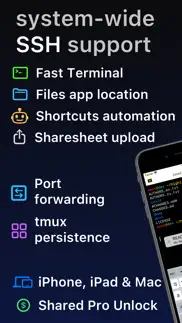
What is ssh client - secure shellfish app? Lightning fast SSH terminal with remote file access. No other app fuses your SSH servers and iOS devices as well as Secure ShellFish. Tap Get and see for yourself.
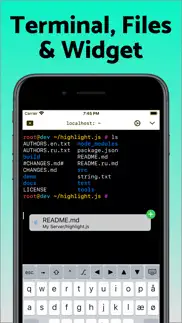
Terminal supports standard text editing gestures for selection, scrolling and copy/paste as well as custom gestures to send arrow keys and tabulator making shell entry and full screen editing with vim or emacs delightful. Bar above the keyboard makes it easy to type special keys and insert snippets.
Select and drag filenames out of the terminal as actual files and drag files from other apps into the terminal to upload. Use built-in tmux support to persist terminal sessions if you lose Internet access, pick existing sessions with thumbnails and Handoff sessions between devices.
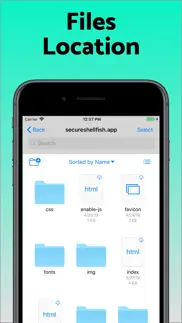
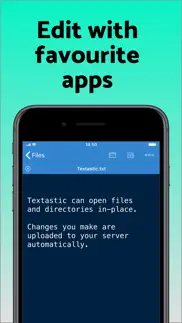
Server file system is available in the Files app and recently accessed files and directories are cached to make them available when offline. Use apps like Textastic and iA Writer for a native editing experience working on your remote server files.
Upload files or entire directories from the share sheet with minimal friction as the last destination directory for each kind of file is remembered or automate file transfers in the Shortcuts app.
Connect to your Mac, Synology NAS and any other SSH server or create new Digital Ocean droplets right from the app.
Secure ShellFish is useful as a free app and paying pro users can disable ads in the terminal, upload through the Files app and configure unlimited number of servers.
😍 Do you love SSH Client - Secure ShellFish app? Please share your friends!



Please wait! SSH Client - Secure ShellFish app comments loading...
SSH Client - Secure ShellFish 2026.22 Tips, Tricks, Cheats and Rules
What do you think of the SSH Client - Secure ShellFish app? Can you share your complaints, experiences, or thoughts about the application with Anders Borum and other users?
SSH Client - Secure ShellFish 2026.22 Apps Screenshots & Images
SSH Client - Secure ShellFish iphone, ipad, apple watch and apple tv screenshot images, pictures.
| Language | English |
| Price | Free |
| Adult Rating | 4+ years and older |
| Current Version | 2026.22 |
| Play Store | com.appliedphasor.secure-shellfish |
| Compatibility | iOS 17.4 or later |
SSH Client - Secure ShellFish (Versiyon 2026.22) Install & Download
The application SSH Client - Secure ShellFish was published in the category Developer Tools on 28 June 2019, Friday and was developed by Anders Borum [Developer ID: 343532883]. This program file size is 116.63 MB. This app has been rated by 1,412 users and has a rating of 4.8 out of 5. SSH Client - Secure ShellFish - Developer Tools app posted on 01 July 2026, Wednesday current version is 2026.22 and works well on iOS 17.4 and higher versions. Google Play ID: com.appliedphasor.secure-shellfish. Languages supported by the app:
DA EN Download & Install Now!| App Name | Score | Comments | Price |
| Git client - Working Copy Reviews | 4.8 | 3,680 | Free |
| ShellFish for Business Reviews | 1 | No comment | $39.99 |
Support for Tailscale SSH check mode. When a host enforces periodic re-authentication, ShellFish opens the Tailscale login in a browser and connects once you authenticate. The Hostkey fingerprints list gains a per-row Copy action. Improvements to LLM agent hooks to correctly show notifications. This requires reinstalling Shell Integration. The Manage screen's Discard changes and Remove cache actions now sit in a (...) button instead of being hidden behind a long-press menu.
| App Name | Released |
| XTerminal - SSH Terminal Shell | 17 December 2020 |
| TestFlight | 23 July 2014 |
| Store Redirect | 12 January 2022 |
| A-Shell | 25 October 2019 |
| Bugjaeger - Mobile ADB | 30 August 2023 |
Find on this site the customer service details of SSH Client - Secure ShellFish. Besides contact details, the page also offers a brief overview of the digital toy company.
| App Name | Released |
| SSL Checker | 20 February 2018 |
| CodingKB | 19 January 2025 |
| MongoLime - manage databases | 17 August 2017 |
| ICardVerify - Card Validator | 09 May 2024 |
| Store Redirect Switch | 03 April 2023 |
Discover how specific cryptocurrencies work — and get a bit of each crypto to try out for yourself. Coinbase is the easiest place to buy and sell cryptocurrency. Sign up and get started today.
| App Name | Released |
| PayPal - Send, Shop, Manage | 03 February 2019 |
| Gmail - Email by Google | 02 November 2011 |
| TikTok | 02 April 2014 |
| 09 October 2009 | |
| Netflix | 01 April 2010 |
Install the Giftmio extension for smart shopping. Get notified about cashback opportunities, activate cashback in one click, and save money on purchases.
| App Name | Released |
| Shadowrocket | 13 April 2015 |
| Bloons TD 6 | 14 June 2018 |
| Bloons TD 5 | 15 November 2012 |
| After Inc. | 26 November 2024 |
| Scritchy Scratchy | 18 March 2026 |
Each capsule is packed with pure, high-potency nootropic nutrients. No pointless additives. Just 100% natural brainpower. Third-party tested and validated by the Clean Label Project.
Adsterra is the most preferred ad network for those looking for an alternative to AdSense. Adsterra is the ideal choice for new sites with low daily traffic. In order to advertise on the site in Adsterra, like other ad networks, a certain traffic limit, domain age, etc. is required. There are no strict rules.
Keep personal info private, avoid scams, and protect yourself online with AI-powered technology.
SSH Client - Secure ShellFish Comments & Reviews 2026
Excellent SSH Client. I’ve used a couple of other SSH clients on my iPad, including some very highly regarded ones, and this one is easily the best I’ve used. It’s reliable, has some very nice-to-have more advanced features like scrolling and copy/paste, and doesn’t have annoying paper cuts like pop-ups that obstruct your view when using an external keyboard.
Excellent software!. Very nice! After login credentials are loaded into the app (I only needed to do it once) my files on my web host’s remote server are readily available 24/7 in the files app on my iPhone. Simple, convenient and powerful - and it worked right “out of the box” just as the App Store description says it does. If you’re looking for an SFTP client that runs on IOS, you have to check this out. I love it.
Found my SSH client at last. Recently switched to a Mac and I've been cycling though multiple SSH clients since I connect to many different servers. So far this has been the most intuitive one to use with a clean interface and it just works. Been really happy with it so far and don't think I will be try others out anymore.
SSH w/ sk- private key auth with NFC Yibikey on iPhone works great.. SSH w/ sk- private key auth with NFC Yubikey on iPhone works great. Finally an iOS SSH client that supports an external portable hardware key. Can use the same Yubikey across Mac, windows, Linux and now iOS. Now just need USB iPad support (because ipad doesn’t support NFC). Recent Yubikey authenticatior update now includes usb support on iPad, so hopefully this is something that can be added.
Simple Amazing. This is one of those apps that isn’t just useful, but it lets me do a host of things that simply wouldn’t be possible from an iOS device otherwise. I especially appreciate the extremely robust integration with the Shortcuts app. Absolutely indispensable supplement to the very limited built-in SSH actions.
Great tool. Amazingly built tool, high quality and configurable. Well maintained with both feature and bug fix releases, and great release notes explaining what’s changed for anyone interested. My only issue is I don’t have to enough reasons to use this app. Keep up the great work!
After more than a year of use. This is by far the best purchase I made. It just works. Slick ui, easy navigation, no lag. What more could you want. I am able to ssh into a dev machine. Vim my life away and commit my changes. In the car, no problem as long as I am not driving. By the pool no problem. In an airport no issues. For the record I use this with an iPad and magic keyboard. If I had to complain, it’s because the magic keyboard does not have an escape button, but boom the onscreen controls fix that! This app is awesome and I recommend it.
At the risk of sounding like a crazed fanboy for this app & its developer.... ...I wanted to take a few minutes to say thanks for, from my perspective, endlessly improving this app. It's replaced Transmit as my SFTP client of choice, which says a lot (for me, anyway). Being able to take my connections on the go from my tablet & phone is a huge advantage—I can't imagine going back from this. A lot of us users, well, use the heck out of apps like these—and from all of us to you, we appreciate you! Thank you and take care :)
A good cross-platform ssh client and more. I origanlly tried shellfish because I wanted a decent ssh client that worked on both Mac & iOS. I had been using iTerm which is also excellent, but wanted a little more structure especially when using a touch interface. The app is clearly designed as an iPad app first and foremost and ported to Mac. As a result of that, some of the behaviors don't work quite as expected on a mac. Most of them have to do with focus when closing windows. I really enjoy the file intergration and being able to access files on my remote linux systems through finder. In general, I use this app every day and it is a vital part of my system administration. I look forward to seeing the edges get polished as the application matures.
Sets the bar..... Anders has set the bar for implementation of remote file access using iOS with his two Apps: "Shellfish" and "Working Copy". Both provide excellent online/offline access to files - each purpose built for a specific protocol (SSH and Git respectively). These two Apps are now my go-to for full function file access at home and on the move. Brilliant!
Well designed. ShellFish is well designed for efficient ssh from iOS and even macOS. I especially like - the well thought through keyboard enhancements - the ability to call ssh with a command - the ability to connect via ssh/sftp to a file system I also appreciate the ability to do a lifetime pro unlock. I just hate these recurring payments and that is a reason for me not to buy other apps.
Amazing app. I was already a big fan of this app from using it on my iPad, but when it came to MacOS, that brought it to a new level. I have honestly started using this as my daily driver for terminal needs much of the time as the cloud sync and tmux integration make it really easy to know I can just pick up where I left off on whatever device I happen to have handy. The remote file support and Finder integration is just the icing on top.
SPYWARE!. This app spies on you and uploads your usage activity to the developer without your consent. EDIT: The developer has responded, saying it doesn’t upload personal information. That is a false statement, as it transmits the source IP address, which equates to an approximate location and uniquely identifies many users. This app lacks the functionality to report its nonconsensual spying results anonymously. The developer response is incorrect. The statement I made above is factually accurate. This app spies on you. This app uploads that spying data without your consent. This app includes PII (your IP and IP-based location) when doing that upload.
Pick this one. This is a good egg in the sea of ssh apps that kinda work sometimes. Especially with its ability to sync to things like digital droplet and cut out all the time of manual configuration, live sync sftp to your local device and offer a simple solution to editing external files with any editor you like.
Great SSH shell with file capabilities. ShellFish makes my iPad a much more useful tool. It lets me manage my various systems via SSH with ease. Including TMUX support. I recently had a feature request, and the author Anders wrote back in less than a day with a suggestion to try out an existing feature which should get close to what I was asking for. I haven’t made use of the Files integration yet, but I will figure out how to get it in to my workflow.
Added something that’s missing in the native Files app. I’ve tried many SFTP apps on the app store, but they just never had that one thing I needed. Full integration support with the native files app. Right when I opened the app, it was easy to use and getting my server setup. After that the magic happened when I saw it was available for use with the native files app. Such an awesome app. Props to the developer!
More than I expected. I originall needed a way to access files on my Mac server, from my iPhone, that is. The iPhone integration with the Files app makes this very straightforward. I am even able to stream films from my server to my iPhone, so no more lugging of a hard disk copy of my server files. The purchase of the iOS version also entitled me to the Mac version. I did not see a need for it because I use Cyberduck for my SSH file transfers. That is, until I discovered that, on the Mac, too, I can now mount the SSH target in the FInder, which makes SSH tranfers much easier.
Love it!. Love the app, it’s features, and most of all, the price! I don’t use the app much, but it’s nice to know I’m not paying monthly for something I only use once in awhile. I bought it RIGHT AWAY because the price is right! My only wish is that it had Telnet support. But that can be worked around for now.
just an excellent tool, continuously extended and cared for. I'd written a five-star more than a year ago, and find much appreciation often enough, for the thought forward and care of abilities this developer steadily provides. It does 'just work' -- and with many of those features making it very smooth, quick, and nice to use. I monitor and upgrade my droplets from it regularly, very nice to be able to do that on the iPad. And the multi-window full-screen support into Linux means complex matters can be handled as easily -- think more than one vi, a shell window, a monitoring one too... If I had anything to wish for, it would just be a password ing option, for the one-button signin that's so effective, handling my certificate etc. so that getting in is very rapid indeed -- which is why it could happily have some smooth protection, no? Thanks again, for a very thoughtfully provided and very enjoyable tool!
Handy. This isn’t a utility I use very often, but when I do use it, it just works and I’m able to accomplish what I need to. I also love the integration with the Files App and use it from Files to move stuff from one location to another without fuss. Overall it’s very well designed and very stable. Highly recommended.
SSH Access with Solid Performance, and Support. I’ve been using Secure ShellFish for a couple of months, and really enjoy having SSH access to the various systems I support using this app. Not only does the app work well, when I ran into a slight issue in interacting with one of my systems, and contacted the author, I received an informative, and most importantly, helpful response. In my view, this means a lot, and is a clear indication of a development team that cares about the app they provide. To be fair, there are other SSH clients out there, and I tried a couple. They worked, but I’m not a fan of dumping a fair amount on an subscription for something like this. I happily paid the one time premium for Secure ShellFish early on, even though the ads were somewhat amusing. Absolutely zero regrets on my decision to use, and support Secure ShellFish. The app lets me do what I need to get done, by providing secure access to my systems.
Replaced Prompt 2 for me!. I was looking for another SSH client since Prompt 2 was deprecated and Prompt 3 ended up being subscription. I've already been using this dev's iOS git client for years (and yes, I bought the lifetime license for that one, too). This dev just makes good software, well worth paying for. You can import SSH keys, which the app will then manage for you. You can group servers however you like. You can configure tmux within the server configuration in the app itself. You can even easily configure a jump server, right there in the app config. Direct connection with your Digital Ocean environments is provided as well, if you choose to use it. Lovely native interface, and it works on both iOS and Mac... I'm running on one of the last Intel Macs and this app is flawless. It's nice when devs don't immediately just cut Intel off to embrace Mx exclusively. Apple makes good hardware and Intel Macs will be in use for quite some time to come. Thanks!
One of the most important apps on my iPad. If you use an iPad or iPhone to interact with almost any type of server, this is a vital app. SSH and SFTP, integrated smoothly into the Files app and elsewhere on your device, with all sorts of useful integrations like Shortcuts actions. Consistently updated with new features and useful additions. Great app!
Excellent Terminal and Files Integration. This app has replaced Blink for me. It has excellent files integration that seamlessly moves files to and from servers over SSH. Further, it now has the best terminal emulator on iPadOS. It is an absolute dream for mobile productivity. If I could purchase a second time I would. Pairing it with Tailscale VPN has added a new level of productivity as well.
Best Option for SFTP File Access. This app is the best I’ve found by far for accessing files via sftp. It allows you to view these remote folders easily from the iOS file browser, as well as have specific remote subdirectories sync with your device locally so a constant network connection is not even needed. Also I had a problem using the offline folder access initially since it caused the app to crash, but I contacted the developer and they quickly redirected me to the TestFlight version of the app which fixed the bug. So very great support from the developer!
The main iOS app I use daily. Handily the most innovative and useful application for reaching remote folders in your Files app, including in automation, or just some good old-fashioned terminal access. Paired with the Working Copy app from the same developer (Hi Anders!) it’s a powerhouse of tools. Updated 2023: This is still the best app, I’ve started using it with Shortcuts and automations. MultipathTCP is great I often use it with Tailscale.
Best SSH and file transfer app for iOS. ShellFish continues to be far and away the best of all the SSH apps out there… I’ve tried them all, from Prompt to Blink and everything In between. ShellFish literally does EVERYTHING, and has so many cool features (like being able to show your terminal as a PIP window). There are so many “hidden” features to discover. The shell integration is super-slick, and the dedicated “paste” button makes this the ultimate tool for anybody who does stuff with remote servers AND files (since it can also act as an iOS file provider over SSH!)
Support is top notch as well. Excellent product - nothing new to add that hasn't already been said there. What I can relate is the superb support; I had an issue that turned out to be my NAS config and nothing to do with shellfish; Anders (the dev) still ran down the issue for me amazingly quickly. Huge thanks!
Magical, irreplaceable.. As developer Anders Borum originated professional-grade git integration on iOS with Working Copy, which remains unmatched, Secure Shellfish remains the reference standard for remote filesystem access across the board on this platform, despite how many competitors have arisen since its introduction. I must admit: I overlooked Secure Shellfish for years and I'm not entirely sure why. I'm glad that ended last year, though, as I've actually since acquired a fair amount of remote file management in my day-to-day working life. Shellfish's magic isn't necessarily obvious, but I promise you it is worth finding out, and what may at first glance look like a somewhat disjointed series of functions actually comes together to form an absolutely irreplaceable application.
Awesome app. UPDATE: Turning off “Recognise Files” solved my issue and all is well now - thank you!! Just started using this app. When it works, it’s great and it has nice features. Unfortunately it seems to break more than it works however. The UI constantly locks, whether when I’m about to type a new command in the terminal, trying to run a command within vi, or simply pressing the return key in any circumstance - the UI for the app completely locks up (on-screen keyboard included) for 5-10 seconds. At that point, it will either start working again, or the app will crash and I’m back at my iPad Home Screen. I’d love to see these kinks worked out! Just starting to look for a shell for SSHing into my home server from my iPad and this app seems to have much more potential over the competition in terms of features and usability (I’ve purchased the Pro unlock too).
Amazing. This is arguably my favorite iOS app. If I were famous enough to do a "Best of" list, it would be at the top, and I would persuade the world that *this* is the way to manage your data and servers from an iPhone or iPad. If you know and love ssh and sftp, try it, and compare it to other turnkey file management and cli solutions. Shellfish makes the mobile future I dreamed about a reality.
Great cross-platform ssh program!. ShellFish is a great program if you use SSH on multiple devices, such as Mac and iOS, since config (including keys!) is sync'ed between devices. Support for tmux and jump servers is really nice, and I like the ability to specify multiple possible hosts, so you can set up an optimized local access as well as access via a gateway server. Native support for tmux is great too, since it removes the need to support "persistent" ssh connections — instead, reconnecting rejoins a session. Making files available (via SFTP) is really nice too, since it removes the need for editors (like Sublime) to support SFTP directly. Instead, they can just open and edit files normally, with ShellFish handling the details. Overall, a really nice terminal program that I'm increasingly using in place of (free!) iTerm. It's that good.
Love it. Needs two things.. This is the app I want to use. There are two things that keep me away: 1) arrows as buttons with no options for gestures. I would love if I could decide what swiping up/down/left/right on the terminal screen does. I would make it map to arrow keys. I use tmux so swiping to scroll up has no use. 2) ability to pick which keys are on the extra row. I use the backtick as a prefix key in tmux. Not being able to have it on screen breaks that flow.
Simply the Best. There is no better terminal app out there than this. Easily connect via SSH to your home servers, use an SSH tunnel to run a static site generator and preview the results on your phone, use the Files app integration to share documents to your self-hosted install of paperless-ng and build your own document scanning workflow…the list of possibilities goes on and on and on. And the developer is simply a gem. Try it today, but the subscription tomorrow, and use it forever.
Indispensable, best ssh and remote files app for iPadOS. Secure ShellFish is truly amazing. I use it for hours per day. The ssh experience is second to none, with outstanding tmux support and a super well thought out user interface and user experience. To make things even better, Secure ShellFish also allows remote server access as folders in the Files app. This has a knock on effect of making other development tools like Working Copy and Textastic even more useful than they already were. The developer is *extremely* responsive to feedback and goes way out of his way to track down bugs and incorporate features based on user input. I’m sure he’s heard enough from me to last him a lifetime, but he’s always super friendly and very accommodating. Top notch customer support, to say the least. I love you, Secure ShellFish. Never leave me, because I’m never leaving you.
One of the few apps I don’t mind paying for.. Make’s transitioning on the fly from my computer to my phone while working on remote servers much easier. Tmux support works well and in conjunction with shortcuts this app becomes a very powerful tool that I can’t do without.
Great app!. I’ve tried several SSH apps over the years. In my opinion, this one beats out the others with its feature set and stability. In particular, it’s seamless integration with the Files app for SFTP transfers is spectacular. Good work! Glad to give this developer my money for a lifetime subscription (which is set at a very reasonable price compared to the competition).
Sure has come a long way. I purchased this app on day one because of the amazing Working Copy. What started out as a simple SFTP transfer app as grown to become an easy to use, full featured terminal program as well. The developer works hard to make them “iOS apps”, fix bugs, and add new, useful features with regular updates. Definitely worth downloading and worth buying if you have a need for transfers and terminals from your iOS devices. I’ve never once regretted my purchases.
Time saver. Like the traffic cop in the center of an intersection directing traffic, this app elegantly solves problems moving files between my wired ethernet macOS platform and WiFi connected iOS devices. This app is worth every penny for just the time and effort this eliminates when trying to mimic AirPlay's functionality moving files between devices. SSH Cloud server connectivity on iOS is just a plus. The user interface also does quite well taming SSH's many features. Well done!
SSH Sync with a Fun Twist!. Secure ShellFish has been a game-changer for me. At the top of the list for me is the seamless sync of SSH keys between my iOS and macOS devices; this makes server access effortless, no matter where I am. I love starting tasks at home and finishing them on my iPhone when I'm out and about. All of the premium features are worth it—more useful than I anticipated when I first downloaded the app for free. The terminal is smooth, supports all the essential gestures, and file transfers are a breeze with drag-and-drop functionality. An unexpected delight (for an old soul like me) was the CRT Emulator: a surprisingly fun setting to toggle when the mood strikes. Bottom line, I highly recommend Secure ShellFish for anyone working remotely with SSH servers. I have other apps that do similar things, but this is the one I default to 90% of the time.
It is just a great app, period.. This a just a really great app. I am a programmer, and I probably spend about 50% of my time on my iPad in this app. It is just that good. The developer is talented, not to mention both friendly and responsive if you reach out to them. I bought this app many years ago now, myself and I have never once regretted my purchase. I only wish all the software that I used on a daily basis was developed with the same level of attention to detail and quality. If you want to encourage quality software development, the kind which comes from an artisan and not some megacorp, you are going to want to show that is how you feel by purchasing this app. I really do not see how you could possibly go wrong by doing so. I'm just being honest; facts. 👍🏻🫡
Everything is here. I love it when software (or most anything) works. Spend a few minutes with Shellfish and you’ll find just that. It’s easy to tell that the developer cares and wants you to be able to transition without requiring you to jump through a hoop or do the mystery dance. Give yourself a moment, and check it out!
How did I live without this?. This app is indespensable, period. Even if your not interested in an SSH client, the files app integration is the most stable I have seen yet. As far as the SSH side of things goes the only real improvment I'd like to see is with "Snippits". I'd really like to have the ability to "Favorite" certain ones and have them directly in the right click menu. The files integration is second to none! Literally more reliable than iCloud Drive lol. I'm really hoping the developer might spend some time putting in some "quality of life" improvments into the files aspect. I'd love to see things such as: -Showing/generating thumbnails for all image/video formats even if they dont already have one in exif. -Show thumbnail/preview for any file types that support it. (Docx, PSD, PDF, etc...) -Set a default app for certain file types on iOS/iPadOS. Other than that I just wish there was a community page, something like a user forum, or a Subreddit. Somewhere users can share tips and get advice with some of the more advanced features.
Best Terminal App Period.. This is hands down the best Terminal App i've come across and easily top 3 apps I've ever purchased. I tried the free trial and knew within 5 minutes that I could uninstall all the all the others I'd collected. Just buy it, don't even bother with the free trial it's just delaying the inevitable. The developer is awesome as well and listens to the users. I've had personal requests become features. Thank you for this app.
Best SSH/SFTP App Ever! Terrible Icon Though. The current icon designs available are not modern enough. They are overcomplicated and overuse gradient color. They're just not pleasing to my eyes. The icon is only reason why I kept using several other shell apps for years and overlooked this one—I thought the app would be as crappy as the icon (which is completely wrong) and didn't even bother trying it. It would be great if you make a new default icon, and allow user uploaded custom icons.
The best SSH experience on iOS. This is such a great app. Before Shellfish I’d find myself reaching for my Mac if I wanted to shell into a server. Now I just grab my iPad because this makes it so easy. The developer is very responsive to feedback and bug reports and the updates keep coming. Sometimes in a niche app like this I’m afraid to get excited for it because so many other apps like it have been abandoned. That doesn’t seem to be the case here, the developer keeps cranking out these great little quality improvements that make the app better and better. For example: if you exited a shell with “logout”, the window would dim but stay there. I always wondered why but it wasn’t a big deal to hit cmd+w to close it. Now the latest update automatically closes the window on exit. Is that amazing? No it’s not, but it’s just another little touch that makes the app better today than it was yesterday. I haven’t even touched on the integration with Files app which is super handy too. If you need to shell into servers and/or copy files to them, you have to check out this app.
The only way to go if you want to use a shell on iPadOS. Other options tend to either be subscription based or lacking features, but this one is great with responsive interface. Some of the UI could use some prettying but that’s my only complaint.
Simply my favorite app ever. I have been using this for about 2 to 3 years now to sync files between my iPhone and Ubuntu web server (and then to my Linux laptop, via unison). It integrates nicely with the native iOS file manager. I like being able to hop into a terminal on my server on the go as well. Thanks!
This is my new favorite iPad terminal. I used to use terminus. It was my favorite for a long time. I usually don’t do monthly subscriptions but there was no other better option. This has completely replaced Terminus for me. I am very happy with the functionality, cost, and features.
Great!. an amazing app, easy enough for a self taught idiot to use, and powerful enough for a self-taught idiot to get her -- i mean -- 'one' --'s self in trouble:) But that'll teach me to pipe unknown scripts from interwebs directly to bash. Seriously though, this app is very powerful but also very beautiful, and CONSTANTLY being updated. I feel guilty for not paying more. THANK YOU:))
Did you know that you can earn 25 USD from our site just by registering? Get $25 for free by joining Payoneer!
excellent - and cross platform mac/ios. Very nice terminal app, i use it daily, however i have a couple of comments/feature requests (despite these the app is great and i love it!) 1. Sometimes i've had the terminal stop scrolling forward with input after i've either resized or scrolled back into the buffer - despite scrolling to the end. I'm not sure if this is a fixed bug in a prior release or not and not sure how to replicate so maybe this is no longer a thing - it hasn't happened for some time for me. 2. FEATURE REQUEST: for macOS at least (or even iOS?) could we have a configurable log file location to automatically log terminal sessions somewhere? I also use Serial (for serial connections) and the automatic logging has saved my bacon a lot when i have forgotten to take a copy of a switch/router config prior to deployment - i can get a copy out of the show running-config output from when i originally configured it. Hopefully not too tricky to implement (file name of something like hostname-datestamp.txt) - but a life saver. Cheers for the app! lifetime unlocked
Great productivity tool. I use this app daily to integrate my Synology NAS into files and also to SSH into remote computers. Great customer support too.
My goto remote terminal program. I use this app both on my ipad and mac. It works great but I do have a few feature enhancement requests 1) SSH auth server support 2) mosh support (especially on ios/ipados versions)
amazing. Integration with iOS is amazing but that’s gravy, for me this is the first app i’ve used that actually seems to handle ssh keys properly - i.e., generate on device, and install on remote machine rather than screwing around copying private keys about and somehow importing them. Keeps sessions open, runs in the background, share sheet support, in place editing support via textastic or similar.... great!
Don't waste your time or money on anything else. I tried a bunch of other apps and they all suck compared to this one (no offence to the other apps except that big popular one that costs >$100/yr). One click, tailscale/tmux just works, widgets and snippets, intuitive onscreen keyboard, deep Files app integration, and I'm sure I'm forgetting everything else that Just Works™ in the background or that I take for granted. Buy this so Anders Borum can continue to make the best use of iOS files APIs, I wish I'd bought it sooner.
Makes ssh easy. Great app for access, easy to configure and use.
Neat piece of software, essential for any sysadmin. Great SSH terminal, and the file access functionality is awesome. Highly recommended to get the pro upgrade —- 2023 updated review Utility further improved now that it runs on both Apple Silicon and Intel Macs, and manages ssh keys so effortlessly
Awesome app.. Love his app, well worth the money for the pro version. Makes accessing remote files and sshing into servers a breeze.
The only thing that actually worked!. Tried numerous solutions and basic features (like key auth) were paywalled or simply didn't work - shellfish had it on the first try and works exactly as I expected. Can't get better than that! edit: I got prompted to write another review so here it is: Still the GOAT. edit: they asked again and I shall deliver. shellfish good
Great app for file access over SSH. Works great, super handy for editing or accessing files on remote servers.
Essential Software. This software gives me excellent SSH and file access to all my connected devices. I use it to access my synology NAS, Rapberry Pis (local and remote) and Proxmox server with Home Assistant. The developer has responded immediately to all q\the questions I've had and goes out of his way to help find solutions. I use this on Mac iPad and iPhone.
The only Mac alternative to WinSCP. So far the only client I could find that elegantly handles both Terminal & file transfer. After a short trial had no hesitation paying for lifetime.
Really nice app. If you're going old school then this is sold, reliable SSH and SFTP across mac and iOS, highly recommended.
Best app purchase for a sysadmin - home or pro. Excellent value for money. Tmux integration alone saves me a lot of time and frustration. Lots of goodies and solid features. Clean UI. Efficient. Also the developer is quick to respond if you have questions or suggestions. Would recommend.
Really good. Tried it for quite some time now, very stable application. Supports SSH tunnels and also proxy sessions. UI is easy to navigate, SSHKey implementation is super simple. Best of all: one purchase unlocks it on all devices. Well done app, use it on a daily basis in a professional setting.
Seems great so far. It has been good to use so far, no issues with it. Just editing files located on my computer through ssh and vim on my ipad
“Do you like ShellFish?” Revised to 5 Star Rating.. Updated Review -> Developer response has completely resolved below issues with the app. I have changed rating to 5 stars to reflect this. This app is the best you will find on iOS and kicks the pants of the popular ‘Termius’ app! Please remove this Siri suggestion that always shows up. It always reappears regardless of what I do. I’ve already paid for your app. It’s great and I use it daily. Would be 5 stars except for this annoying and repetitive notification.
I love it!. The free version works so well that I decided to buy Pro to contribute for this fantastic development!
Great software. Use it everyday and am happy with it.
More useful the more I use it. I am a systems engineer and have found this app to be nearly indispensable in my line of work. I have blown some of my sector's finest minds by demonstrating remote SSH terminal sessions from my phone. I love it this much and I've still barely scratched the surface. Great work Anders.
Great for use in a homelab. Makes it easy to connect to the loves of your life - all the computers in your home lab.
Simple but effective. What you want in an app
Simply awesome. Great app, great functionality
Best one out there!. Tried a few and this one is the best! Works good with Royal TSi Lite too 😁
Love it. This is a terrific app that provides a lightning fast and easy to navigate interface for remotely accessing devices (in my case a Raspberry Pi). I am currently using the unpaid version but plan to buy outright. This developer also has a great handle on Git repos. If you need something to manage those see his Git management app, Working Copy.
Imagine you at your best. All the time. Picture yourself at your sharpest and most productive. Your most alert and focused. Your most lucid, creative and confident. At work. At play. In every area of your life. Add Mind Lab Pro® v4.0 to your daily routine and uncap your true potential. Buy Now!
Very useful. Very powerful tool leering me access my home server with ease.
The best utility on iOS. Secure Shellfish is my 100% most used utility on iOS. Great for not just accessing files, but the SSH Terminal is top tier, replacing all the other apps I used before. Get the upgrade, you won’t regret it.
Best SSH Client EVER!!. Shellfish has improved my workflow 1000% Having an app for my iPhone, iPad, Mac, just makes everything flow perfectly. Highly suggest this app!
Best Shell App of Any OS. I have yet to see any other shell app that comes close.
Became a big fan of Anders!. All apps from Anders are exactly what developers are looking for. They are feature rich, high performance, have an excellent price policy, have excellent privacy settings. Secure Shellfish easily replaced two most common apps I have been using. I have tried many ssh apps and nothing came closer to this one. Big kudos Anders! Thank you for all the hard work.
Got a notification asking for a review. This application popped a system notification asking for a review. I paid for this app and had hoped that would allow me to avoid this kind of interruption
great app. No complaints use it for home ssh usuage and works wonderfully
Worth It. I don’t normally write reviews, but ShellFish is soo good that I need to tell others about it. I’ve used other terminal/ssh apps, and nothing compares to the usability of this app. The built-in tmux handling is nice as if I am on a flaky internet connection then I can connect back to the same session and not have to worry about my commands terminating. The port forwarding is great as I’ve been able to use it to connect to services running on a server only available to localhost and use port forwarding to access it. The files app integration is wonderful because I can browse my server files through files app and transfer files that way. Anders is also an indie dev so I feel even better paying the full price for lifetime access (which is also waaay lower than some other apps).
Like the widget a lot. Still testing it and love it so far
Excellent. Can’t believe. It works faster and easier then a-shell
Where is the app Support?. Where is the app support? No how to’s or instructions that I can find. Snippets, sounds great, how do I use them? Where are the instructions?
Wonderful SSH iOS Application. Overall I’m pretty happy with this SSH client. I love SFTP integration and overall setup and use is very good. Most importantly - this app has seen regular, meaningful updates and has an incredibly kind, supportive engineer at the helm. Love the new grouping function for large/long lists of hosts. Love the native (and well designed) support for Bastion hosts. Lifetime unlock seems steep until you compare it to other apps on the iOS platform. Definitely happy with this purchase - it’s been worth every penny. If I had one wish it would be that SFTP could also download files from the remote, instead of just uploading, but hey, that’s a tiny complaint about a truly wonderful, useful app.
Best SSH App. Good bye Prompt, this is the new king of SSH on iOS/Mac I cannot say enough about this app, I share it with everyone. It just works, and works well. Great job devs!
It just works. Does everything I need reliably, fantastic syncing between iOS and macOS. Great for people who manage many remote servers
My preferred terminal app. Constantly improving, the developer is very responsive to support requests. I’ve tried a bunch of other terminal apps, but the files and tmux support make this my go to terminal app.
Best SSH Client. Has all the best features of the subscription apps, but most are available free and for the rest there’s a lifetime one time payment. The trial of PRO was generous and phenomenal - worth the money, I just wish could afford it or justify the expense.
Essential iPad utility. I purchased the pro version a few years ago and didn't use it that much as I had another ssh client that, at the time, did everything that I needed. Fast forward to 2025 and I'm blown away by how powerful and useful Secure ShellFish is. The ssh client is excellent (the tmux integration is wonderful) and the integration to the Files app is incredible. I keep finding new things that I can do with Secure ShellFish. I don't know how I would use my iPad without it. If you access remote machines via ssh, give this a try.
Awesome ssh / sftp terminal. It’s perfect, 1 stop option to manage files and access through terminal. I’m using my iPad pro more with this app. Really appreciate the efforts.
Im always late to the party. I bought a lifetime license and I have no regrets. I had a question once and the dev responded rrally fast. The app is fully of quality of life features. It's a pleasure to use for a quick checkup on remotes servers or send a file with integration of sshfs into files. The only thing bugging me when using this I the size of my screen, but the dev can't help me with that. It's by far the best terminal I know and well worth the money to acknowledge the hard work put into it.
Excellent SSH Client with Files integration. I’ve been suing Secure ShellFish for years and haven’t tried tons of SSH clients for iPad can say it’s been the most consistently good. The developer pushes regular great updates which add functionality and offers a lifetime unlock (thank you!). I don’t use the Files integration as frequently as the terminal but when I have needed it it’s always been quick and reliable.
A handyman’s ssh tool. Excellent. Does what it should. Just as the tin says.
It’s worth buying. Secure Shellfish has transformed my iPad into a powerhouse for remote access. Its intuitive interface, coupled with robust security features, ensures seamless SSH connections. The app’s stability and efficiency make managing servers a breeze. Its versatility has truly elevated my iPad’s productivity to new heights. A must-have for anyone needing secure remote access!
Outstanding, a must have tool and getting better.. Very well thought out tool that is absolutely necessary as part of any mobile dev workflow and just keeps being updated regularly. Constantly improved and refined; the developer is responsive and friendly.
The best there is. Tons of thoughtful features that make managing servers from a phone easier. It’s an SSH terminal app, it puts your servers into the Files app, it even integrates with Digital Ocean for creating/removing droplets. There are lots of apps that try to do this stuff, but Shellfish is the easy recommendation. It’s been my go-to for years.
It is OK. It is OK
The best SSH terminal for iPad. I’ve tried all of the SSH terminals on the iPad and they all lack some feature or other. ShellFish has a shell script you can run on your machine to open files immediately on your iPad. You just type “quicklook file.pdf” into your terminal and you can view the pdf in IOS pdf viewer, and even edit it in-place with apple pencil. This has helped me so much with writing research papers and slideshows in markup directly on my server. Amazing application.
Great Terminal Emulator!!. Love the convenience of being able to do my admin work from anywhere, including sitting in bed at 3:00 AM! 🛌😊
great app. Great for mounting sftp drives in the Finder
One app. I used multiple SSH apps for different but I think I can comfortable move all to this app.
Makes SSH a Breeze. I just set up Shellfish on my iPad and I hardly had to anything to get to the same place I was on my iPhone. I just input my home server account’s password, installed the iPad’s public key in two taps, and that was it. Shellfish already had my home server listed, and all my terminal sessions were as I left them on my phone. At first, the price of the lifetime pro unlock felt steep, but I’ve been feeling better and better about purchasing it as I’ve used Shellfish.
Works great at what its supposed to. Awesome
Wow. So useful and so clearly loved by its developer. Always getting enchantments. Well worth the money. Some apps would charge the Lifetime Unlock price per year. Highly recommend it
So useful. I use this to manage my home server all the time. The keyboard buttons make it very intuitive, and I have never had any regrets purchasing it.
Perfect alternative to terminal!. While I like using terminal on my MacBook to do heavier tasks, this is a perfect app for quick and lighter tasks on my iPad or iPhone. Easy to set up, easy to use, and just works!
Great to fill the gap on iPad. Never thought of iPad as a great tool for remotely accessing ssh servers. This makes it great with ssh key integration. Wish it supported 1Password ssh keys and it would be the hands down best app on my iPad
What’s you’re looking for and more. I can only say good things about this app. I use it all the time and between the Files app integration and the actions enabled in Siri Shortcuts, it really is quite empowering.
Most Excellent. Incredibly easy to use ssh terminal.
Elegant and powerful. I ssh into terminals a lot, and Secure Shellfish is the best ssh / terminal client for mobile period. It does such a great job or adapting a terminal experience for phones such that I hardly miss a beat when I need to ssh into a server to do some stuff. PLUS I can see my remote files in the iOS files app??? And move files into and out of it? I don’t even understand how that is even possible but it is and it’s fantastic. I wish I could give an app six stars because six is better than five and that’s what I’d give this.
Perfect with the new files app!. Using it daily to transfer files across multiple servers. So much value packed in there when creating documents across multiple apps!
The most powerful app on IOS. This and the Claude app are an intoxicating combo.
Amazing app. After years of using file browser apps that struggle to stay connected and are painfully slow to update, Secure ShellFish works so well that I forget it's even there. Once set up, the only reason I've had to go into the app was to add more connections. Files from my servers are just in the Files app, no questions asked. Thank you developers!
Great iPad and Mac app. Great app, and works great on iPad and Mac too. I use it to mount remote servers in Files/Finder.
SEPULCHRAVE. Very good companion app for the IOS
awesome ssh client! works sweet with digital ocean. love it
Lifetime restaure. Lifetime restore works perfectly thanks
Awesome. This is a great app with a ton of good features. I bought the lifetime unlock to have jump server, but every other feature I need is free
Adsterra is the most preferred ad network for those looking for an alternative to AdSense. Adsterra is the ideal choice for new sites with low daily traffic. In order to advertise on the site in Adsterra, like other ad networks, a certain traffic limit, domain age, etc. is required. There are no strict rules. Sign up!
Great stuff, just what I was looking for!. Great app, just the right features. Maybe consider supporting Mosh, but otherwise, just right.
So cleverly done. Evertime I dig deeper into this app I find something that I didn't know I needed. If youre in the apple echosystem and manage web services then I think that you need this tool. Well done.
Mac app is ok, ported from iPad. Performance on Mac is good, once you set it up. The settings, the way new servers are added, the way you connect to servers (using small keyboard icon), are all very awkward on the Mac. This is an app ported from the iPad (even the default SSH key is named "iPad"), so the awkwardness is not very surprising. Nice to have a new "kindof native" SSH client on the Mac. I'll keep using the default Apple shell for everything, but more options are good. I've also tried iTerm in the past, but I don't need the huge numbers of features is brings. Web-app ssh shells are garbage, so I would never use any of those.
Almost perfect—needs agent forwarding. The only thing keeping this from becoming my daily driver is the lack of SSH agent forwarding. I refuse to upload my private keys to intermediate servers, so I have to do without proxying through bastions and SSH git authentication. Ship this feature and this’ll be an indispensable five-star app. Thanks!
great product!. Fast, robust, easy to set up connections, at least to my linux server.
Essential utility. The command line comes alive when you can use it from anywhere. This app brings the promise of abject nerdery on the go. One of the most important apps pushing the boundary of what’s possible for professionals using Apple’s mobile platforms.
Excellent SSH client. I switched from Termius to ShellFish. Pricing is far more competitive for the same feature set. Works exactly as expected.
Love it so far!. This app has been my go to mobile terminal for many years and it has yet to let me down. Truly fantastic work.
Great Terminal App. This is my daily go to app for managing my servers. I’ve tried many other apps and they each have their charm but I always return to ShellFish. Excellent work on this quality app.
Love it!. Have been using this app on iPad and iPhone for years. Bought a Mac recently. Found this app in the App Store. Works like a charm as always. Love it!
Very easy to use. Not easy using the command line with a virtual keyboard, but this app nails it. SFTP integrated into Files is also exactly how it should be done.
An absolute Must Have for SSH. This app has been my daily driver for remote access to my servers. It’s clean and easy to use. The upload function works nicely and I’m able to quickly execute scripts and commands from anywhere.
Indispensable. I use this every now and again, and when I do, it works fantastically.
Works great!. Never used a ssh client on an ipad for the first time, easy to use. Literally sitting on my couch with my ipad cruising around kali terminal.
Large downloads break free version. Large downloads (3gb) will end up trying to be uploaded without fully downloading, and breaking the entire app as it is stuck on "unlock app for full access". If it can't complete a large file download why would I buy this app?
Gives you superpowers. You never through you were capable of, sans computer. Use this along with TailScale and you’ve got your home desktop whenever you want.
Excellent tool!. Excellent tool. Pro features are great and a very respectable price compared to others. Thank you very much!
iOS SFTP. If you need to move files from an iOS device to a server running SSH THIS IS YOUR APP. An absolute godsend of an app. Beautifully done. I down Plex server updates on my iPad and simply copy them over to the server
Zero-Friction SSH. This app makes using SSH so much quicker and easier. I can focus on the task at hand instead of having to think about all the steps needed to connect securely to my servers. Thank you so much!
I wanna pay for this, I really do.... but the lack of ftp support for at least the files app is kinda unfortunate. I know this app is meant to be a shell, but the files app integration is really what I need it for. So only supporting sftp is kinda shooting this app in the foot.
Without A doubt the best shell app. I mean.. it runs in the background.. nuff said… I know you hate being disconnected
Files integration is convenient. Access to an SFTP mount directly in the Files app is a great feature
Daily Driver. This works great. Especially love the integration with Files. Makes life so much easier and thesyncing between all my devices is awesome.
Solid. Solid software, updated regularly
Excellent!. Really like this app, works perfect. Every feature I need is there when I look for it
My go-to SSH and SFTP on iPad and iPhone. It has just about everything I need in an SSH-enabled terminal emulator and SFTP file provider (genius idea at combining those since iOS lacks system-wide SSH configuration). The tmux integration lets me resume sessions wherever and whenever, too. Essential.
Must. Absolutely must app if you are tech nerd. There’s no such app that has more advanced integration with the system in the whole store.
Must Have. I use this app constantly. I map my VPS to files with it and use it to move files too and from the remote machine. It works great.
Not only is this THE best…. It has a “JUST BUY ME” model! Which is so rare! Give this one your money, it somehow feels like it does so much more than advertised. I can’t put my finger on it but I have never felt slighted for throwing my money at it.
This has become my primary SSH app. I purchased this app upon its release and the amount of work the developer has put into this app has been astounding. It is now my primary app for SSH replacing all other apps. Love the built-in tmux support!
Awesome app. I’ve used many ssh clients and apps on iOS, and this is my favorite. The Files app integration is also an invaluable addition.
Best ssh client. Best ssh client with lots of value added. File sharing through Files app is fantastic. Check out Working Copy by same dev for the best git client.
My favorite SSH tool for the iPad!. I spend the vast majority of my workday with terminal sessions open on multiple devices, and this is my favorite program for the iPad. It’s very well done, and very functional. I highly recommend it.
Works great most of the time.. Occasionally there are problems with drive/storage integration via Files app, but in general it is a decent piece of software. Thanks!
Great networking client!!!. Does all the things! Rock solid. Allows me to ssh into linux machines and do some serious development work that I unfortunately cannot (yet?) do directly on my iPad.
I’ve tried a lot of SSH clients this is the best. I’ve tried some of the popular clients but this one has a ton of well working features. Love to use my remote host as my cloud.
Excellent!. Use it every day on iPhone and iPad for targets at my home, work, and church. Clearly loved by its developer, with frequent feature updates.
As good as it gets. This shell is as good as iOS gets at this moment. Just works beautifully. Also this is just pay once for your iPhone and iPad both!
Amazing app. Works better than any other Free SSH client I've found so far. A few bugs here and there but none completely app-breaking. Great support via email as well ^^
Great in a pinch. I’ll be honest, this is not something I use everyday, but it’s a godsend when I’m on the move and I need to SSH to get some work done (or fight a fire) I do feel bad, because this app is so thoughtfully designed that I wish I needed it more often!
Best Shell App By Far. Amazing app, frequently updated, fairly priced. Every time I need a new function, it’s already there. Beautifully laid out and works as you want it to. Truly tremendous work.
Can’t unlock Pro. My daughter and I tried to use this app to back up iPad files to Linux. The app has good fit & finish and works fine for download, but the “Pro Unlock” button does nothing when I try to press it. Giving only 2 stars because upload was the feature we really needed.
Best app for SSH and connecting to remote files. This is by far the best and easied app to connect to remote file systems. The SSH terminal is also great with tmux support, custom themes, etc. I use it often to connect from iPad to my Mac or Raspberry Pi.
Excellent SSH Client. I’ve used multiple ssh clients on iOS and this has been the most capable and feature rich one I’ve run to date. Thanks for an awesome app!
Crashes often on files transfer. It works fine when transferring one or two files at once, but crashes pretty much every time if you try to transfer 30+ files at once (pictures, for example).
The go to shell on iPhone. This app is very convenient and packed with features. It integrates well with my storage servers.
Truth!. I will recommend this app to anyone looking for only two reasons. It works well and is not subscription garbage. Thanks for making a great app!
Great integration to iOS. Really makes it possible for a linux admin to leverage their devices. I use the Files integration a lot for saving directly to my linux devices.
Useful, Powerful, and Great Developer. This is one of the apps that has allowed me to travel without a laptop. My favorite new app of 2019. Works great and integrates perfectly with iOS. Developer is super responsive to issues. If you have servers to manage, get this.
Quite good. But feel a bit expensive. Thanks for the tool.