Feet and Inches Calculator App Reviews
Feet and Inches Calculator App Description & Overview
What is feet and inches calculator app? Master your trade with a powerful construction calculator built for contractors, carpenters, builders, electricians, and tradespeople.
Tutorial: https://www.youtube.com/watch?v=PZugBX9o-8E&t=0s
Questions? Check the in-app Help (?) section or email [email protected].
New Layout:
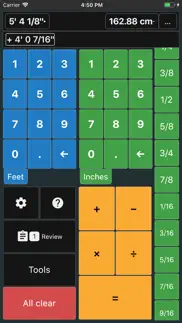
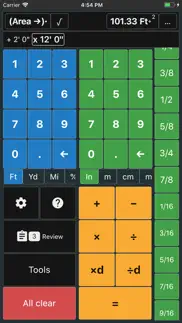
Blue = Feet input (or other imperial units)
Green = Inches input (or metric units)
Turn on Advanced Mode for metric input.
Master construction math, estimating, layout, framing, and jobsite calculations with professional tools designed to save time and improve accuracy.
Construction Calculator includes tools for:
Converter, Triangle, Scale, Circle, Chords/Arcs, Stair Stringers, Board Feet, Baluster/Fence, Pipe Fitting, Miter, Tile/Brick, Concrete Calculator, Grid Ceiling Calculator, Ruler/Scale, Ring Segment, Slope, Rafter Calculator, Equal Spacing, Linear Cut Optimizer, Rake Wall, Tile Layout, Electric tools, Punch Lists, Surveying/Traverse Adjustments, Load Weight/Pick Plans, and Utility Pole Spacing.
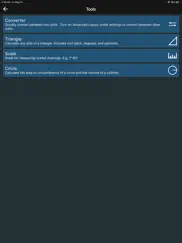
Converter: Quickly convert between construction, imperial, and metric units
Triangle Calculator: Calculate hypotenuse, square up buildings, solve slope and layout problems
Scale Calculator: Scale dimensions for architectural drawings and plans
Circle, Chords, and Arcs: Calculate circle area, cylinder volume, arc length, arc height, and more
Stair Stringer Calculator: Calculate stair layout and stringer cuts with diagrams
Board Feet Calculator: Build lumber cut lists and calculate board feet for your next project
Baluster / Fence Calculator: Calculate spacing for balusters, pickets, and fence posts
Pipe Fitting Calculator: Calculate pipe length for rolling offsets, parallel offsets, and other pipe fitting layouts
Miter Calculator: Calculate miter angles quickly and accurately
Tile / Brick Calculator: Calculate tile or brick quantities and row positions for your next layout
Concrete Calculator: Calculate concrete volume for slabs, pours, and other projects, with Excel output for team sharing
Grid Ceiling and Floorplan Tools: Calculate ceiling tile counts and T-bar material needs
Ruler / Scale Tool: Use your phone as a ruler on the jobsite
Ring Segment Tool: Build a ring using multiple wood segments
Slope Calculator: Calculate drop for plumbing, drainage, and other slope applications
Rafter Calculator: Calculate common rafters, jack rafters, and hip/valley rafters
Electric Tools: Ampacity, conduit bending, pipe bending, Ohm’s Law, and conduit fill
Tile Layout Tool: Plan tile layouts with Grid, Herringbone, and Versailles patterns
Also includes tools for Equal Spacing, Linear Cut Optimization, Rake Wall layout, Punch Lists, Surveying and Traverse Adjustments, Load Weight and Pick Plans, and Utility Pole Spacing.
Terms of Use: https://www.apple.com/legal/internet-services/itunes/dev/stdeula/
Privacy Policy: https://winogradapps.com/privacy.html
😍 Do you love Feet and Inches Calculator app? Please share your friends!



Please wait! Feet and Inches Calculator app comments loading...
Feet and Inches Calculator 8.9.1 Tips, Tricks, Cheats and Rules
What do you think of the Feet and Inches Calculator app? Can you share your complaints, experiences, or thoughts about the application with Evan Winograd and other users?


Feet and Inches Calculator 8.9.1 Apps Screenshots & Images
Feet and Inches Calculator iphone, ipad, apple watch and apple tv screenshot images, pictures.
| Language | English |
| Price | Free |
| Adult Rating | 12+ years and older |
| Current Version | 8.9.1 |
| Play Store | evanwinograd.Calc1 |
| Compatibility | iOS 16.0 or later |
Feet and Inches Calculator (Versiyon 8.9.1) Install & Download
The application Feet and Inches Calculator was published in the category Utilities on 18 January 2016, Monday and was developed by Evan Winograd [Developer ID: 1072241944]. This program file size is 91.33 MB. This app has been rated by 391 users and has a rating of 4.5 out of 5. Feet and Inches Calculator - Utilities app posted on 07 April 2026, Tuesday current version is 8.9.1 and works well on iOS 16.0 and higher versions. Google Play ID: evanwinograd.Calc1. Languages supported by the app:
EN Download & Install Now!| App Name | Score | Comments | Price |
| Grading Assistant Reviews | 5 | 3 | Free |
| Time Calculator Tools Reviews | 5 | 7 | Free |
| Sourdough Hydration Calc Reviews | 5 | 3 | Free |
| Fast Board Foot Calculator Reviews | 3.3 | 6 | Free |
| Buy vs. Rent Calculator Reviews | 4 | 3 | Free |
Invoices Tool Project Management Tool Group Fillet Weld Calculator DMS Calculator (add / subtract) Rafter update Baluster / Fence update Punch List update Updated Steel shapes PDF Exports for Equal Spacing, Baluster / Fence, T&G Deck Minor bug fixes Input line bug fix for multiplication
| App Name | Released |
| Second Phone Number - 2Number | 15 June 2017 |
| Facemoji AI Emoji Keyboard | 28 April 2016 |
| DuckDuckGo Private Browser | 27 June 2013 |
| PrivadoVPN Fast VPN and Proxy | 05 January 2021 |
| TP-Link Tether | 16 May 2013 |
Find on this site the customer service details of Feet and Inches Calculator. Besides contact details, the page also offers a brief overview of the digital toy company.
| App Name | Released |
| NetSpot WiFi Analyzer | 04 May 2020 |
| My Classic-Retro Console | 14 October 2022 |
| Audio Spectrum Analyzer | 10 June 2010 |
| Transcend Theory | 16 April 2024 |
| FORScan Lite - for Ford, Mazda | 02 November 2014 |
Discover how specific cryptocurrencies work — and get a bit of each crypto to try out for yourself. Coinbase is the easiest place to buy and sell cryptocurrency. Sign up and get started today.
| App Name | Released |
| CapCut - Video Editor | 14 April 2020 |
| Snapchat | 13 July 2011 |
| Spotify - Music and Podcasts | 14 July 2011 |
| Google Maps | 12 December 2012 |
| DoorDash - Food Delivery | 10 October 2013 |
Install the Giftmio extension for smart shopping. Get notified about cashback opportunities, activate cashback in one click, and save money on purchases.
| App Name | Released |
| Shotgun King | 24 February 2026 |
| Gambonanza | 01 May 2026 |
| PeakFinder | 12 March 2010 |
| Balatro | 26 September 2024 |
| After Inc. | 26 November 2024 |
Each capsule is packed with pure, high-potency nootropic nutrients. No pointless additives. Just 100% natural brainpower. Third-party tested and validated by the Clean Label Project.
Adsterra is the most preferred ad network for those looking for an alternative to AdSense. Adsterra is the ideal choice for new sites with low daily traffic. In order to advertise on the site in Adsterra, like other ad networks, a certain traffic limit, domain age, etc. is required. There are no strict rules.
Keep personal info private, avoid scams, and protect yourself online with AI-powered technology.
Feet and Inches Calculator Comments & Reviews 2026
Absolutely fantastic. So helpful when I’m doing DIY projects around the house. Helps me deal with the annoying units of measurement we have in the US. The app is missing one thing though, it only allows positive offsets for the series calculation. I really wish I could do negative offsets to account for center to center calculations.
The Best Calculator available, hands Down.. I absolutely love this app, I would hate to lose it. I wish I had discovered years ago.
Very Useful App. I am a farmer and an engineer, and this app comes in really handy when working with my feet/inches stadia rod while topo surveying. You can mix and match decimal feet and inches with fractional feet and inches. Thanks to the developer for a nice program.
Contractor must have. I build custom homes and use this every day. I recommend it to all of my subs all the time. Great work!
Amazing tool and great developer. This is an amazing calculator that’s very intuitive to use. Has everything I need for work. The developer is very responsive when I had a few questions. Definitely recommended.
Additional request. Works great. Would like to see a clear entry button so you can correct a keying error without clearing all data entered Like to see metric/English conversion. Enter one or the other and click convert button to see alternate corresponding value.
Works. So far the app works great. Just downloaded it wanna try it on the job site for a little while then will probably pay to get no ads if it keeps performing as it is right now.
Great calculator. I don’t write many reviews, but this app deserves one. This is the best foot/inch calculator I’ve ever used by far. The numbers input is a great idea and saves lots of time by making it that you don’t need to input every single number, unit, etc. Highly recommended.
Great and Easy to Use. I am a CAD drafter/ detailer and I originally downloaded the free version and found myself using it constantly so I decided to buy the Lifetime version because I think it’s worth it. As you use it you start quickly understanding how it works. If I had to improve one thing it would be to make the fraction scroll buttons, all in different colors so they can be easily identified. 32nds in one color, 16th another color, 8th another, 4th another and 1/2 another. Other than that. Perfect.
Makes everything easier. Puts all the basic calculating tools for construction in one place. It is very easy to use and eliminates possible adding errors. Wish I had this sooner.
Great app!. Has features I didn’t even know I needed, but man am I glad they’re there. Really appreciate this app. Board ft calculator has come in handy a few times now, and the stringer calculator is a gem.
Pipefitting tool. I just downloaded this app so I can utilize the pipefitting tool. It will not allow me to enter a fraction of an inch. I tried the calculator app out and it would give me an answer to the 32nd. In construction we work mostly to the nearest 1/8” sometimes to the 1/16”. It would be handy if you could specify what fraction you need the answer to such as to the nearest 1/8”. Please fix.
Great for adding up numbers on Blueprints.. Easy, fast use of feet, inches and fractions calculations. After adding up multiple dimensions on a set of drawings, the app allows you to review the calculations on a clipboard. Support for this app is expedient. Highly Recommned.
By far the best one I’ve tried. I use this app every single day. I’m a commercial designer and regularly have to multiply and divide dimensions for my work and this app makes my life so much easier. I like that you can change the color and theme of the app as well to make it a little more fun and customizable. If you’re not familiar with these types of apps you’ll wanna play around with it to get the hang of it, but that’s to be expected. I picked it up quick and I know you’ll be happy with this app if you use it. Edit: I’ve been using the app going on 3 years now I believe? I STILL use this app every single day for my job and absolutely love it. To the developers, please don’t ever get rid of this app. I feel like every time I (rarely) fall in love with an app, it somehow gets removed from the App Store. This app is fantastic and I don’t want to ever not have it.
Incredibly useful app made useless. This app is so incredibly useful. Unfortunately, it’s 100% useless unless you’re connected to the Internet. Why the hell is an Internet connection required for a calculator? I can understand that you need ads for revenue but completely crippling the program unless it’s connected to the Internet it’s a bit ridiculous. While the design of the app is second to none [at least compared to the dozen or so apps that I have tried], The Internet connection requirement is absolutely the biggest possible dealbreaker. What a shame
UA Pipefitter. I have worked in construction for 36 years. Most of my career has been running work and primarily doing layout work. This app has become an invaluable part of my tool bag. I encourage everyone who works with me to download and use it. It is an easy and very quick method calculating measurements.
Best calculator. I work as a carpenter and I can tell you that this is hands down the best calculator when doing layouts and finish/framing work. Easy, fast, and great user interface. A bit pricey if you wanna remove the ads but I’ve used it every day for the past 3 months that I decided to actually buy it and contribute. Thanks for the product.
Best for woodworking. I really like this app. My go to calculator. At first I thought I would have to learn to live with the wood looking theme, but it’s changeable to 8 or so other colors I really like how you can limit the fractions to something on your ruler. You can have it get very precise or say have it round to the nearest 1/32nd or 1/16th. At the same time it shows you the decimal equivalent and you can cycle the result to centimeters, millimeters and more, then back, or not go to metric at all. The data entry is different than all the others I’ve tried. You enter the feet in the top section, inches in the section below that, and select the fraction from a scrolling menu. The scrolling fraction menu is configurable and limits fractions to those found on a ruler. You can change the imperial entries to metric and have imperial results and metric at the same time, or just one or the other. It has proven very handy for me working with it in split view on my iPad along side a set of plans. Very nice app, A+
Most excellent construction calculator. I’m an Architect by trade and have used many feet-inch calculators and apps...this is my favorite. Please stick with it! I bought the paid version after using it for 10minutes...the adds are not intrusive, but I recommend supporting the dev.
Great trig functions. I used to have the programs in my HP40CX but after 20+ years it quit working. I was getting tired of my other options and found this app to make my life a little easier.
Worth Going Ad Free. This is a super handy app to have around the shop or in the field. It’s intuitive, and customizable (thanks to Evan for pointing me in the right direction). Having app developers like the Feet Inches team creating useful and reliable tools is the best part of the community. Enjoy!
Holy cow this is amazing!. Finally someone understood how real world construction works! This app is so spot on it’s actually takes a minute to switch your brain from trying to force a regular calculator and all the hassle you go through entering geometry equations to simply entering measurements and getting perfectly accurate results!!
Just buy it because it is simple to use. Versatile app with convenient feet/inches button layout. This is what differentiates this calculator from others.
Hands down best app I've used!. I am an industrial engineer by day and woodworker by night and this app is a game changer! I originally was just looking for a simple calculator that did fractions for my woodworking, but all of the extra tools it has is incredible. Also the ads for the free version aren't annoying, but I bought the upgrade anyways just to support the developer. They're always adding new features and are responsive to feedback.
Great app!!. I’m a retired draftsman. I don’t think there is another app that has these features for the price. I love that the creator is constantly improving and adding features. I would like to ask if there is a way to print out some of the info or can be added without being too difficult. I can live without it but there are times that it would be very useful. Right now I just take a screenshot of the info. Thanks
So many uses….. To call this a calculator is an understatement. It has so many useful functions that allow it to be used in lots of different applications. The developer does a great job of updating, and not being subscription based is a big plus.
Ads bothering. This calculator work perfect but it does ads bottom of the screen when you start open the app ads pops up right the way if you take care of this ads nothing complaint about this app other things work perfect
Check out the ruler tool!. This new feature to use your phone as a ruler for quick and dirty situations where you don’t have a tape measure handy is really cool. Thanks
Must Have App!. Quick and easy calculations for any trade in construction or even DIY projects around the house. I’m an electrician and this app makes work much more convenient for me. I especially love the “Triangle” section of the app for quick references for bending conduit. I had a slight problem with some settings resetting on me, but I emailed the support team and they had an update within 24 hours that fixed the bug. Can’t recommend enough!
Just keeps getting better!. This calculator is so much more straightforward than others I’ve seen. Having separate sections for entering feet, inches, and fractions saves so many button clicks. Additionally, the developer is continuously adding new features to make the app even more functional and easy to use.
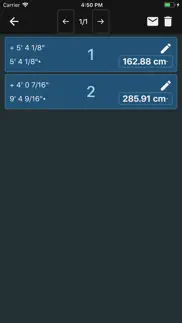
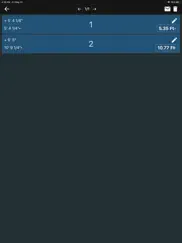
History tool. The history function allows me to go back and verify that all of my inputs were correct and check my work. For me this is very nice feature as I can make sure a typo does not mess up my project.
Fantastic app. If your in Fab and have to deal with the idiocy of inches, feet & fractions on a print… this will stem the print’s attempt to draw your intellect down to it’s archaic level. The tools feature is GOLD. Be sure to check that section out. Huge assist for fabricators.
Construction industry aid. I manage construction projects and use this app constantly. I find it very useful and versatile, and it’s always in my pocket. Also I was having a bit of difficulty at one point and sent a message through the app to tech support and someone got back to me immediately with the answer I needed. Not a common experience. A++
Very helpful free utility. I really appreciate the developer recognizing that some customers don’t want to have a subscription service associated with their calculator app. The advertisements in the free version are unobtrusive, and don’t hinder the use of the app. This is how a free app should be done. Thank you.
This calculator is amazing.. I am in commercial concrete form work, ex house framer. I have used the Construction Masters and blah blah blah, let me tel you that this app does everything you need it to and it does it for free. I would even pay money for this app, the tenths to fractions conversion is SO EASY compared to construction master, I can convert elevation hubs in the blink of an eye. Best calculator for construction hands down, I tell Construction Master people to make the switch all the time.
Its the perfect calculator for engineering technicians. I was doing innage and ulage calculations for tank soundings on Cal Maritime’s “Golden Bear” training ship, and found this app. Its made converting between the two exponentially easier, and i messed around and found other tools like pipe fitting, scale, and conduit bending that are just as easy to use while being super informative and helpful.
Great for Tradesmen. This calculator is immensely helpful in multiple ways. Makes scaling a breeze, and there’s tons of tools to help with almost everything trade related. You can even set your phone as a tape measure. There is a very thorough mode where you use a physical tape measure to adjust the “tape measure” on your phone in the app. It even has a setting to take your phone case into consideration when setting it up.
Woodworkers DREAM. This app will save you time and increase your accuracy and Wood Working. It is an absolute must once you use it you’ll never want to be without it.. All carpenters and BUILDERS will find this app to be very valuable to their work. Congratulations to the developer for coming up with such a brilliant program..
It is the best calculator for my woodworking projects & construction.. This is the best app so far for any kind of construction. It has pretty much everything that I need to use daily. I also love that they constantly update the app by adding new tools.
Everything I wanted and more but.... I’m in no way in the construction industry, but I am building a new house. Having just received the survey, I wanted to do some calculations on my current square footage, the overall length and width of my existing home etc... nothing major, purely low volume stuff. The app worked perfectly, doing everything I asked of it and allowing me to do more (the triangle calculator was handy for getting an idea of the size of my new homes roof)... tho (and maybe I missed it), I would have liked to be able to get a slope/pitch ratio from my input of the angle (I actually couldn’t get any of the pitch x/y buttons to work), minor detail as I’m setting my roof by the angle of my latitude for a solar PV array. One star is lost because I *wanted* to toss the few dollars your way for making just the right app available for me at just the right time. Problem is, every time I click on the “Remove ads” button the app crashes... this is a 6th gen iPad with the latest iOS installed so... no cookies for you. If there’s another way (a pay for, ad-free version on the AppStore say) do let me know as I really appreciate the effort that went into this !! While we’re at it, it’d be nice if we could change the font color as well as the bg color... I do love a black bg with green text for that old terminal feeling !!
Give me an inch, and I think I’m a ruler!. Great app even though I’m not the brightest tool in the kitty's litter box. As I needed the specific functions and did not figure out the obvious I went to the videos. (Please keep more coming) I’m particularly fond of the standard to metric conversions and viceversa. Only request is to allow us to make our own layouts. (If it’s not in there already).
Great tool, wonderful support. This calculator has made it almost a pleasure working with inches and feet on my renovation floor plan. And it has saved me from making many costly mistakes on “basic” calculations. And to top it off, Customer Support is just about immediate and exceptionally friendly and helpful.
Great app!!! Totally recommend!. This app is great and I use it for construction all the time I recently transferred phones and had lost the lifetime purchase so I contacted the creator and he imminently responded and helped me get if fixed, was very kind and professional defidently thumbs up for me 👍
This is the app you need. I am just a part timer and I use this app all the time. I love the latest updates and new features. Had a question on how to convert inches to millimeters and contacted support. Had a response right away with screen shots explaining step by step how to do it. Can’t say enough good things. I used the free version with small advertisements but after this I paid for the version without the ads. Thanks for such a great app and awesome support.
Awesome app!. I absolutely LOVE this app. My only complaint is that it rounds up decimals for example 3/8 = .375 but the calculator rounds up to .38 and I recognize fractions to the exact thousandths place. But other than that minor issue this is the best app u can get close to !
Great tool with a good pricing model. The app does what I need it to. Thanks so much for making an app that isn’t a subscription model. I will gladly just pay $5 instead of providing an endless tap into my bank account like all the other apps want. This is the right way to do it for a calculator app.
Customer Support. When it comes to a computer or phone product, be it hardware or software, customer service doesn’t make the product work better but it is, in my opinion, what marks the creator or company as to whether they truly care about ‘the customer’. Customer support for this app is top notch! The developer deems it important enough to quickly reply when a customer has an issue or problem with the app. That says a lot to me! I’m no math whiz so this app has come in very handy when I’m attempting to create my latest woodwork or metal project. Thank you for a great little app! 🤓
Beyond Great!. I’m an Electrician by trade and when I say I use this calculator a ton, I do. This app makes my life so much easier on the daily. Something that’ll take a few minutes or more to calculate can now be done in ten seconds or less! All it took me was to use this app my very first time and from there I bought it instantly. I thank the dev for creating an app so GRAND!
Great tool in the field. I have been using this app for a few years now. It’s a great tool in the field or office for working with construction plans.
Awesome. Awesome app. Use this while figuring wall layouts on Blu prints. Paid the one time fee to get rid of adds. Can change the layout of the calculator and colors and size. Highly recommend for you construction guys.
Did you know that you can earn 25 USD from our site just by registering? Get $25 for free by joining Payoneer!
Imagine you at your best. All the time. Picture yourself at your sharpest and most productive. Your most alert and focused. Your most lucid, creative and confident. At work. At play. In every area of your life. Add Mind Lab Pro® v4.0 to your daily routine and uncap your true potential. Buy Now!
Best construction calculator app. I’ve been using this app for years. My favourite construction calculator by far. Once you get used to the duel number pads you’ll never want to go back to any other gui. The extended features in the tools section are handy for so many things. I work at a carpenter in the film industry building all manner of strange and highly imaginative sets, this calculator lets me work way more efficiently. I’d recommend this app to any builder/trades/D.I.Y.er, it’s really leagues ahead of any other app I’ve used.
Amazing tool for every construction worker. Made my life way easier
Perfect. An Excellent simple to use tool in the field. Quick and reliable. Thanks
Amazing app. I was looking for a Calculator that does exactly what this one does I had one small problem so I emailed Evan and he answered me within two minutes amazing. It was me not the program, he explain how to do what I was looking for in seconds. Just amazing great job Evan thank you Thanks Glenn
Great tool. I was looking at a pricey contractor calculator but tried this instead. Good choice. I’m not very much of a math guy but this makes it easy to figure out things like roof pitch and length of an arc and so many other things. Really like the layout for feet, inches and fractions. Took me two minutes to decide to upgrade because I know I’ll get a lot of use out of this app.
Pay for play. Must pay to do anything
WOW!. Free and very useful. Don’t hesitate, download this app.
Huge Time Saver. Hate dealing with standard numbers but this app made it so easy!
Great and handy tool right on cell phone. Once you discover all the tricks what you can use on this app, then you don’t need a carry construction calculator anymore.👍👍👍👍👍
Easy and simple enough. I use this all the time. It’s an amazing app. Thanks!
Useful and very convenient. The app works very well and is quite easy to figure out. My only issue is the battery usage is quite high an app that shouldn’t need much power.
Fantastic Calculator. This app is an incredible time saver! It has made my work so much easier! Thank you Evan Winograd!
Very useful app. Great job developers!
Style cvvyyccycyycycy6x&)8.. Very bc f rfsft’y, jv
New app update keeps pausing background music. Anytime when i listen to a podcast and use this calculator, it stops the music/podcast. Please fix
Wow!!. Amazing app!! Really help and has so many functions. Buying it just to support the developers because this is such efficient app to have around
Bel outil!. Bel outil, mais il serait temps de compléter la traduction…
Extremely useful app! Great Developer communication.. I do a lot of work on drawings where I’m having to do a lot of math involving multiple values for dimensions. Switching between metric and SAE numbers is tedious, especially when fractional values are varied. This app makes that whole process quicker, while ensuring that has long as I enter the numbers properly, the results will be 100%. The layout of the app is the key to this, compared with other apps I tried prior to purchasing this one for a very fair one-time price. I stay away from subscription apps.
Best construction calc ever. This is amazing. It truly is. I’m so impressed. A must have
Very useful. If you’re a contractor you need this app to make your math. I really love this app
Great concept. Had problems entering second multiplication number wouldn’t allow to input inches kept adding feet. Found better alternative.
Very helpful. In school for plumbing and this has helped me tremendously.
Adsterra is the most preferred ad network for those looking for an alternative to AdSense. Adsterra is the ideal choice for new sites with low daily traffic. In order to advertise on the site in Adsterra, like other ad networks, a certain traffic limit, domain age, etc. is required. There are no strict rules. Sign up!
Great tool. I use to carry a calculator that did all this app can do - very helpful. Thank you!
Super helpful. I love how there’s so many different tools in the app. And the ads are slim to none. This app is a lifesaver.
Small adjustments. The vibration is a nice add but it needs to be about 1/2 as long. Other than that this is an excellent program. Exactly what I need.
Great App. This app makes working with feet and inches easy. Highly recommended!
Great calculator. Great calculator especially the right angle calculator part
Excellent tool. Enjoy this aid to help me get measurement's correct
Great app!. I work at an engineering firm and this app is invaluable! I use its all the time and is worth the add free purchase, plus I want to support the devs.
Workshop build. I think this app is going to work just fine
Great app. I use it all the time and it saves me a lot of time
Not worth the download. I’ve used several foot & inch calculators and this has the absolute worst layout I’ve yet encountered. There’s no reason for a calculator to be as confusing to use as this one. Don’t waste the broadband.
Still very dissatisfied. This is the 2nd review I sent. AGAIN I purchased the adds free option with this app. When attempting to contact app support via email the screen disappears from my phone. You need to fix this
Works as expected. I need to add and multiply fractions and this app does that.
Very helpful. Use this all of the time in my construction business.
Awesome. It is free even after download and works amazing love it
Great app!. An absolutely great and thought out app!! I’ve tried several others and this is still the best one.
Multi-calculator. Easy to use and many features
Feet & inch. It’s a wonderful easy to use app
Great Update!!!. Love the new layout a lot 🤩. Now they just need to update the icon to look a little nicer as well because the current one is the ugliest one on my phone 🤨👎🏼
Amazing calculator for working on a job site.. Really helps me interpret plans and quickly calculate dimensions. This app is awesome.
Helpful update. Needs more fractions in the table. Plywood often cons in odd fractions; 19/32, 23/32,15/32. Would be useful to have those included in the inches calculator
Works well. Nicely optimized interface. Works well!
Super simple!!!!. Great simple one page easy to understand and use👍👍👍
Super useful app. This app has lots of tools that make construction and drafting calculations very easy! Thanks for the good app!
Great app!. Highly recommend
Amazing App!!!. This fraction calculator is by far the best one for the iPhone!
Useful before last update. Before last update calculator would rotate in any direction now it rotates opposite of how I'm working and stays that way, making it difficult to use. Can't find anywhere to change rotation problems
Love this app!. This app is so useful that I use it everyday! The app is bug free with regular useful updates. Would recommend to all woodworkers.
Simple and simply the best. Great app! Couldn’t be more pleased.
Love it. Saving me a lot time ( not doing conversion) Just make My work so EASY no more headaches with Mathematics fractions
Split view stopped huh working?. So 🥹 b using this app in split view over my blueprints but after update it doesn’t work anymore?
Very useful. Use this all the time for doing construction calcs with fractions
Awesome. The developers have really created an amazing app for construction workers. I tell everyone I know in the construction industry they need to Download this app.
Fractions. When calculating in fractions the answer does not include fractions but decimals.
Chappy. I work in he oil field hauling a swd tanker and everything is calculated in / feet and this calculator also does barrells so it is very useful for me
I. 7: to ee oh seeseww I don’t have any plans for today r te tuveyy ur ur so
Some Advices. 1. Use a common numpad layout, “123” at the bottom and “789” at the top. 2. Add a layout to put one numpad on the left and the other one on the right, which is more intuitive.
Great calculator for work.. This is a great conversion calculator that is very easy to use and almost always with you.
Love it!. Construction Superintendent here and this thing makes my life ridiculously easy.
Reliable. Absolutely love this app. Reliable and versatile.
Very Handy. Love the way you input numbers and how easy the stringer and baluster tools are to use.
Great tool. I’m been use it for a year and is great help for my and my guys definitely like it
Awesome. Easy to use. I have all my subs using it.
Highly disappointed!. I paid the $5.99 to permanently remove the ads. After going through the process, I got the usual success notice. Well, the ads are still there and now are blocking to of the function buttons. I tried to contact the creator but I have yet to get a response!
Perfect. This app is perfect. Because of that I decided to pay for the lifetime subscription
Awesome app. I really like the app it’s the best one available. Please add a concrete calculator to the extra tools.
Thank you. Thank you
Dividing. My only issue with this app is that you can’t divide measurements. Like if i want to divide 6’3 1/2” divided by 3 i can’t. Other then that its a great app, and i hope the developers can add this feature.
Great For Fitters. This app is great to double check and verify that all your fittings angles and lengths are all correct. A definite go to app
Very Happy. Forgot my handy ft-in calculator and so downloaded this one. V pleased with the results, and the inventor is v accessible for questions. No complaints - great experience.
Great App!. Use it almost everyday great product, simple to use.