Netdata server monitoring App Reviews
Netdata server monitoring App Description & Overview
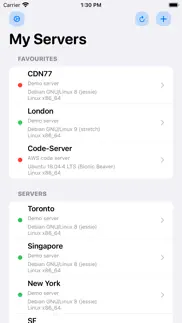
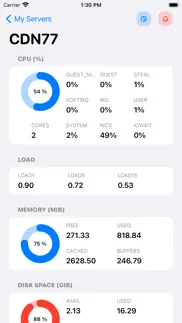
What is netdata server monitoring app? Netdata is distributed, real-time performance and health monitoring for systems and applications. It is a highly-optimized monitoring agent you install on all your systems and containers.
Note.
1. This app does NOT work with Netdata Cloud.
2. This app is an independent iOS/macOS client and is not officially affiliated with, authorized, maintained, sponsored, or endorsed by Netdata (Netdata Inc) or any of its affiliates or subsidiaries. This application is open-source, and it operates by utilising the APIs provided by Netdata.
Features
- Real-time monitoring on the go
Monitor everything in real time on your mobile device
- Seamless connection
Works out-of-the-box with any Netdata instance
- Authentication
Support for authenticating using HTTP/HTTPS Basic Auth
- Monitor Local servers
Support for accessing local and remote Netdata instances
- iCloud Sync
Your data is automatically synced across all your devices
- Open-source
Open-source iOS, iPadOS and macOS client
😍 Do you love Netdata server monitoring app? Please share your friends!



Please wait! Netdata server monitoring app comments loading...
Netdata server monitoring 2.4 Tips, Tricks, Cheats and Rules
What do you think of the Netdata server monitoring app? Can you share your complaints, experiences, or thoughts about the application with Arjun Komath and other users?


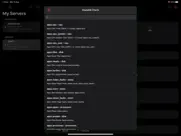
Netdata server monitoring 2.4 Apps Screenshots & Images
Netdata server monitoring iphone, ipad, apple watch and apple tv screenshot images, pictures.
| Language | English |
| Price | $2.99 |
| Adult Rating | 4+ years and older |
| Current Version | 2.4 |
| Play Store | com.techulus.netdata |
| Compatibility | iOS 16.4 or later |
Netdata server monitoring (Versiyon 2.4) Install & Download
The application Netdata server monitoring was published in the category Developer Tools on 16 September 2020, Wednesday and was developed by Arjun Komath [Developer ID: 1388042509]. This program file size is 15.09 MB. This app has been rated by 6 users and has a rating of 3.8 out of 5. Netdata server monitoring - Developer Tools app posted on 21 December 2025, Sunday current version is 2.4 and works well on iOS 16.4 and higher versions. Google Play ID: com.techulus.netdata. Languages supported by the app:
EN Download & Install Now!| App Name | Score | Comments | Price |
| Time - Minimalist Clock Widget Reviews | 1 | 1 | $0.99 |
Fixed a crash that occurred when accessing Windows servers.
| App Name | Released |
| Termius - Modern SSH Client | 07 August 2012 |
| Userscripts | 14 May 2019 |
| ProxMan | 26 May 2025 |
| Pyto IDE | 23 September 2018 |
| Web Inspector | 16 September 2021 |
Find on this site the customer service details of Netdata server monitoring. Besides contact details, the page also offers a brief overview of the digital toy company.
| App Name | Released |
| LadderTouch | 30 October 2010 |
| Pro Markdown Editor and Reader | 19 April 2022 |
| DraftCode for PHP IDE | 12 February 2013 |
| CodeTree | 12 March 2022 |
| IDepth NDI | 20 July 2024 |
Discover how specific cryptocurrencies work — and get a bit of each crypto to try out for yourself. Coinbase is the easiest place to buy and sell cryptocurrency. Sign up and get started today.
| App Name | Released |
| Netflix | 01 April 2010 |
| Telegram Messenger | 14 August 2013 |
| Google Chrome | 28 June 2012 |
| Amazon Shopping | 03 December 2008 |
| WhatsApp Messenger | 03 May 2009 |
Install the Giftmio extension for smart shopping. Get notified about cashback opportunities, activate cashback in one click, and save money on purchases.
| App Name | Released |
| Balatro | 26 September 2024 |
| Pou | 26 November 2012 |
| Bloons TD 6 | 14 June 2018 |
| MilGPS | 01 December 2010 |
| Bloons TD 5 | 15 November 2012 |
Each capsule is packed with pure, high-potency nootropic nutrients. No pointless additives. Just 100% natural brainpower. Third-party tested and validated by the Clean Label Project.
Adsterra is the most preferred ad network for those looking for an alternative to AdSense. Adsterra is the ideal choice for new sites with low daily traffic. In order to advertise on the site in Adsterra, like other ad networks, a certain traffic limit, domain age, etc. is required. There are no strict rules.
Keep personal info private, avoid scams, and protect yourself online with AI-powered technology.
Netdata server monitoring Comments & Reviews 2026
Confused. I just purchased the app, it requires a link and when I put the link (app.netdata.cloud…) it pops a message which says make sure you have netdata installed on the server, while I am monitoring the server on netdata panel in browser! What should I put or do?
Need for Local Network Access. I want to access Netdata via a local network address (ex. 192.168.1.x), but currently, this app seems not to allow any local connection (12/01/2020). Edit (12/02/2020): The developer said that local access would be available in the next release. New Issue (12/06/2020): Thank you for prompt update! Unfortunately, when I try to add my local Netdata server (ex. http://192.168.1.10:19999), it still shows an error message, “You’ve entered an invalid URL).” Would you please check whether it also supports URL with port numbers? Resolved (12/08/2020): After contacting the developer, I found the URL error issue occurred only on my iPhone Xs Max. The app works great on my iPad, and once synced via iCloud, also works on my iPhone! I’ll let you know if I find any possible cause for my case. Now I strongly recommend this awesome app!
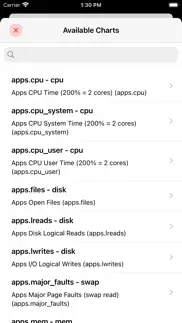
Great App - Small Flaws. The app works great, data is displayed nicely and the authentication works great. My only complaint is that the app crashes after adding custom metrics. The app will run fine after adding them, however, scrolling down causes the app to crash. Without this issue it would be worthy of 5 stars.
Slow refreshing. Very Slow since last update!
Force close. When viewing the data it force closes I’ve tried many times on different servers this needs fixed
Did you know that you can earn 25 USD from our site just by registering? Get $25 for free by joining Payoneer!
Imagine you at your best. All the time. Picture yourself at your sharpest and most productive. Your most alert and focused. Your most lucid, creative and confident. At work. At play. In every area of your life. Add Mind Lab Pro® v4.0 to your daily routine and uncap your true potential. Buy Now!
iCloud required. I don’t use iCloud and making it required is a no go. Allow the ability to add servers to local storage if required.
Do not buy in current state. I’m not going to write an essay here- the app as it was barely worked, and the app as it is doesn’t work at all. When it did work the only graphs that would load were basic CPU, RAM, NIC overview stats. All other graphs would fail to be added. The ones that did looked nice but that means the entire app was limited to 4 graphs. Now it just doesn’t work at all, adding a server simply puts you back to blank screen with nothing changed. Do not buy until this is addressed in change-log / otherwise. This is device agnostic, I’ve tested on three different devices.
Adsterra is the most preferred ad network for those looking for an alternative to AdSense. Adsterra is the ideal choice for new sites with low daily traffic. In order to advertise on the site in Adsterra, like other ad networks, a certain traffic limit, domain age, etc. is required. There are no strict rules. Sign up!