PDFGenius 4
PDFGenius 4 Uygulama İncelemesi
PDFGenius 4 uygulaması nedir, nasıl kullanılır? * * * PDFGenius for iOS ( iPad, iPhone and iPod ) is available on the iTunes App Store. * * *
PDFGenius: The ultimate PDF manipulation toolkit is intuitive and powerful PDF utility that you will ever need. It offers features like creating and combining PDFs, splitting PDFs into multiple files, PDF compression to reduce file size, Batch convert and extract PDFs into images and text documents. PDFGenius also allows you to copy/paste, insert, delete, duplicate, rotate and reorder PDF pages. You can drag and drop PDF files and PDF pages between PDF files to create new PDF or insert pages. In addition, you can crop PDF pages, remove links, modify metadata, add/remove password security, add page transitions, change initial view and other advance PDF document properties.
PDFGenius do perform all manipulations on PDF by preserving original contents (i.e. structure of the file, color profiles, fonts, links, bookmarks) without losing document’s integrity and does it very fast.
KEY FEATURES:
◆ COMPRESSION : Compress PDF documents using Quartz and Image compression methods. ompress large image and graphics heavy PDF using extensive set of options and presets.
- Controls to change JPEG quality, color model, image resolution and Optimise graphics level to decrease the file size dramatically. New Optimize graphics option removes superfluous information to reduce vector graphics heavy PDF.
- Inbuilt most useful default set of compression filter presets. Preserves your favorite compression options.
- Real time side-by-side quality comparison of compressed PDF to original PDF.
◆ MERGE : Combine multiple files into single PDF document. Can merge PDF bookmarks. Alternate page merge supported.
◆ CONVERT : Batch convert PDF into each page as images (JPG, JP2, PNG, PSD, TIFF, BMP).
◆ SPLIT : Split PDF into multiple PDF files. Five divide criteria along with file labelling options. Split by page count, file size, outline levels, page size and comma separated page range. Split bu Outline level has option to have outline titles as PDF filenames.
◆ CUT/COPY/PASTE PDF pages between PDF documents. Added option to duplicate selected pages within PDF.
◆ Intuitive feature to drag and drop PDF files and PDF pages between PDF list view and PDF page browser view. You can create new PDF file, insert pages from one file to another, insert entire PDF file(s) into another file just within the application.
◆ EXTRACT PAGES: Reuse selected pages from one PDF document to create new PDF document.
◆ INSERT: Insert new pages into existing PDF by inserting images and pages from another PDF file. Feature to add blank page.
◆ DELETE: Delete pages from PDF file. Feature to delete blank pages.
◆ PASSWORD SECURITY: Add or remove password security. Allow to set PDF open document password and permission password with file restriction controls. You can define encryption level with key size.
◆ REMOVE LINKS: Remove annotations, internal links, external hyperlinks.
◆ PAGE BOXES: Set CropBox, ArtBox, TrimBox & BleedBox margins of the PDF documents. Options to remove white margins.
◆ CREATE and EDIT PDF OUTLINE
- Auto Magic to generate a new TOC by analysing the range of fonts used in the PDF to tease out a hierarchy of headings.
- Auto Match to generate a new TOC from your selected text in PDF file.
- Add new outline. Drag and drop selected text to create outline.
- Shuffle and arrange outlines. Copy/Paste to reuse outline.
- Change outline destination.
- Rename outline title.
◆ CREATE AND EDIT LINKS
◆ PAGE SELECTION : Most helpful page selection variations to speed up page manipulations.
◆ ARRANGE, SHUFFLE, REORDER and ROTATE PAGES
◆ CREATE PDF document from images and capturing screen, window or screen area selection.
- Change METADATA, PDF INITIAL VIEW, page TRANSITION and Advanced PDF properties.
Much more…
Note: PDFGenius is standalone application running natively to manipulate PDF documents securely on your iOS device.
👋 PDFGenius 4 aplikasyonunu beğendiyseniz arkadaşlarınızla paylaşır mısınız?


| Uygulama Adı | PDFGenius 4 |
| Kategori | Üretkenlik |
| Geliştirici | RootRise Technologies Pvt. Ltd. |
| Yayın Tarihi | 3 Mayıs 2012 Perşembe |
| Güncelleme | 17 Ocak 2026 Cumartesi |
| Dosya Boyutu | 6.92 MB |
PDFGenius 4 Hakkındaki Yorumlar
Sadece kaydolarak sitemizden 25 Dolar kazanabileceğinizi biliyor muydunuz? Payoneer'a katılarak ücretsiz 25$ kazanın!

Lütfen bekleyin! PDFGenius 4 uygulama yorumları yükleniyor...
PDFGenius 4 Müşteri Hizmetleri
PDFGenius 4 aplikasyonu hakkında ne düşünüyorsunuz? Uygulama hakkındaki şikayet, deneyim veya düşüncelerinizi RootRise Technologies Pvt. Ltd. şirketi ve insanlarla paylaşır mısınız?
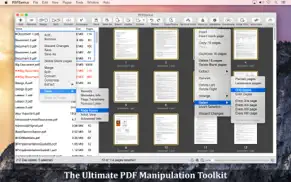


PDFGenius 4 Uygulaması Ekran Görüntüleri & Resimleri
PDFGenius 4 uygulaması iphone, ipad, apple watch ve apple tv aplikasyon görüntüleri.
| Dil | Türkçe |
| Fiyat | 499.99 TL |
| Yaş Sınırı | 4+ yaş ve üstü |
| Son Versiyon | 4.16 |
| Play Store | com.SuperAppsDeveloper.Super-PDF-Utility |
| Uyumluluk | IOS 11.5 ve üstü |
PDFGenius 4 (Versiyon 4.16) Aplikasyonu İndir & Yükle
PDFGenius 4 ios uygulaması RootRise Technologies Pvt. Ltd. [Geliştirici ID: 594431033] tarafından geliştirilip, 3 Mayıs 2012 Perşembe günü Üretkenlik kategorisinde yayınlanmıştır. Aplikasyonun dosya boyutu 6.92 MB'tır. Bu uygulama 17 kullanıcı tarafından oylanmış ve 5 üzerinden 1 puan almıştır. PDFGenius 4 programının 17 Ocak 2026 Cumartesi günü yayınlanan son sürümü 4.16 versiyonudur. Minumum IOS 11.5 ve üzeri cihazlarda sorunsuz olarak çalışmaktadır. Google Play Store ID numarası: com.SuperAppsDeveloper.Super-PDF-Utility. Uygulamanın desteklediği diller şunlardır:
EN FR DE IT ES Uygulamayı İndir & Yükle!
| Uygulama Adı | Puan | Yorumlar | Fiyat |
| XPSView | 5 | 1 | Ücretsiz |
| PUB Converter-for MS Publisher | 1 | Yorum yapılmamış | 1999.99 |
| WatermarkPDF Pro | 1 | Yorum yapılmamış | 499.99 |
| PDF to JPG Pro | 1 | Yorum yapılmamış | 249.99 |
| PDFtor | 1 | Yorum yapılmamış | 799.99 |
- Bug fixes and UI improvements to streamline with latest macOS. We are thankful to all users for their valuable feedback :)
| Uygulama Adı | Geliştirici |
| Gramly | STEPWELL APP LTD |
| Microsoft OneDrive | Microsoft Corporation |
| VPN - Proxy Unlimited Shield | Mobile Jump Pte Ltd |
| Google Sheets | |
| ChatGPT | OpenAI |
VPN programları, dünyanın her yerinden sınırsız ve güvenli internet erişimi sağlayarak internete erişmenin en güvenli yolunu sunar. Uzman ekibimizin objektif incelemeleri ve derinlemesine analizleri ile ihtiyacınıza uygun 2026 yılının en iyi VPN programını seçin!
| Uygulama Adı | Geliştirici |
| WebCamera | SHAPE GmbH |
| Vardiya Takip | OKAN KAYCI |
| Photo Measures | Cubent |
| Zoiper Premium voip soft phone | Securax Ltd. |
| I.Protect - The Security Bag | Jan-Niklas FREUNDT |
Farklı kripto para birimlerinin nasıl işlediğini keşfedin ve bizzat denemek üzere her kriptodan küçük bir tutar kazanın. Coinbase, kripto satın almak ve satmak için en kolay yerdir. Kaydolun, hemen başlayın.
| Uygulama Adı | Developer |
| Spotify - Music and Podcasts | Spotify |
| Netflix | Netflix, Inc. |
| Papara | Papara Elektronik Para A.S |
| Nays | Türkiye İş Bankası A.Ş. |
Jasper, size ve ekibinize 10 kat daha hızlı şaşırtıcı, orijinal içerik oluşturmak için yaratıcı engelleri aşmanıza yardımcı olan yapay zeka içerik üreticisidir.
| Uygulama Adı | Geliştirici |
| Beauty Influencer | Altplay Ltd |
| AddOne Counter | Janus Technology Co., Ltd. |
| BIXOLON Network Utility | BIXOLON CO.,LTD. |
| CashKeepers | Hunter Wright |
| AprovaPlay | The Members |
Mind Lab Pro ® odaklanma, stres altında çoklu görev yapma, yaratıcı problem çözme ve daha fazlası için nootropiklerle iş performansını ve üretkenliğini arttıran bilimsel bir ilaçtır. Beyninizi %100 performansa çıkarın!
Adsterra, AdSenseye alternatif arayanların en çok tercih ettiği reklam ağıdır. Adsterra, günlük site trafiği düşük olan yeni siteler için en ideal bir seçimdir. Adsterra’da siteye reklam vermek için diğer reklam ağları gibi belli bir trafik sınırı, domain yaşı vb. katı kurallar bulunmuyor.