Print Online for iPad
Print Online for iPad Uygulama İncelemesi
Print Online for iPad uygulaması nedir, nasıl kullanılır? Use Print Online to access your files on iDisk/MobileMe, Box.net, or Dropbox, and print to over 1,400 printers.
FEATURES
• View/print many document types, including PDF, Word, Excel, bitmap, TIFF, text, HTML, Open Office, GIF, and encapsulated PostScript.
• Create new text documents.
• Use a web browser to transfer files between your computer and this app.
• Print to networked or shared printers. No additional software is necessary. This app includes support for over 1,400 printers from HP, Epson, Canon, Samsung, Brother, Lexmark, Xerox, Ricoh, Oki, Kyocera, Infotec, NRG, Lanier, and many more!
• Send faxes to over 220 countries and territories worldwide - no subscription required![1]
• Get a professional USA-based toll-free number for your incoming faxes and voicemail.[2]
• Send postcards and letters via USPS (postal mail).
• Print remote files on MobileMe, Box.net, or Dropbox, or download them into this app.
• Print web-based files or download them into this app.
DOES THIS APP SUPPORT MY PRINTER?
See the list of printer models this app supports at http://www.ndilitechnologies.com/help.html.
HOW DO I USE THIS APP TO PRINT/FAX FROM MY OTHER APPS?
Import the files from your other iPhone/iPad apps into this app, and then use this app to print/fax them.
(The operating system of the iPad/iPhone/iPod, iOS, is designed such that each app you install is given its own storage space. There is no centralized (shared) storage space on your device. This means that this app's proprietary printing engine only works within this app. The iOS does not support/allow third party system-wide drivers. The iOS cannot use this app to print files within another app's storage space—for example, files stored in Pages, Numbers, Safari, Notes, Mail, etc. Therefore, files created in other apps must be imported into this app.)
HOW DO I IMPORT FILES INTO THIS APP?
• Use a web browser to transfer files between your computer and this app.
• Use iTunes to upload files into this app.
• Use a WebDAV server to transfer files.
• Email a file to yourself. Then, open the Mail app, press and hold down the attachment until the "Open In..." menu appears. Select this app from the list of apps displayed.
IS THERE HELP AVAILABLE?
Yes. In addition to the built-in user guide, you can also ask questions via our real-time chat Customer Support module.
Optional Toll Free Number Subscription Notes:
• Title: Toll-Free Number Subscription
• Length: 1,3, 6 or 12 month options
• Price: $14.99,$39.99,$79.99,$14.99/year.
• Payment will be charged to iTunes Account at purchase confirmation
• Subscription automatically renews unless auto-renew is turned off at least 24-hours before the end of the current period
• Account will be charged for renewal within 24-hours prior to the end of the current period
• No cancellation of the current subscription is allowed during active period
• Any unused portion of a free trial period, if offered, will be forfeited when the user purchases a subscription.
• Subscriptions may be managed by the user and auto-renewal may be turned off by going to the user’s Account Settings after purchase
[1] Each fax unit purchases a one-page fax that can be sent in 60 seconds or less to a destination in the United States or Canada. The number of fax units needed to transmit a one-page 60-second fax to a destination in another country is listed in the rate card within this app. Please note that a page that requires a longer transmission time (for example, a page containing high resolution graphics) consumes additional fax units.
[2] To receive voicemail or faxes, you must setup an incoming toll-free phone number. The toll-free phone number requires a monthly subscription. 60 minutes/month are included free with subscription. Toll-free numbers are USA-based numbers and are accessible in the United States only.
Terms of Use: https://n1.ndili.com/termsofuse.html
👋 Print Online for iPad aplikasyonunu beğendiyseniz arkadaşlarınızla paylaşır mısınız?


| Uygulama Adı | Print Online for iPad |
| Kategori | Üretkenlik |
| Geliştirici | Ndili Technologies, Inc. |
| Yayın Tarihi | 1 Nisan 2010 Perşembe |
| Güncelleme | 23 Nisan 2023 Pazar |
| Dosya Boyutu | 182.59 MB |
Print Online for iPad Hakkındaki Yorumlar
Sadece kaydolarak sitemizden 25 Dolar kazanabileceğinizi biliyor muydunuz? Payoneer'a katılarak ücretsiz 25$ kazanın!

Lütfen bekleyin! Print Online for iPad uygulama yorumları yükleniyor...
Print Online for iPad Müşteri Hizmetleri
Print Online for iPad aplikasyonu hakkında ne düşünüyorsunuz? Uygulama hakkındaki şikayet, deneyim veya düşüncelerinizi Ndili Technologies, Inc. şirketi ve insanlarla paylaşır mısınız?
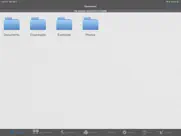
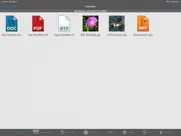
Print Online for iPad Uygulaması Ekran Görüntüleri & Resimleri
Print Online for iPad uygulaması iphone, ipad, apple watch ve apple tv aplikasyon görüntüleri.
| Dil | Türkçe |
| Fiyat | 249.99 TL |
| Yaş Sınırı | 17+ yaş ve üstü |
| Son Versiyon | 5.1 |
| Play Store | com.ndili.iphone.apps.printonline4ipad |
| Uyumluluk | IOS 12.0 ve üstü |
Print Online for iPad (Versiyon 5.1) Aplikasyonu İndir & Yükle
Print Online for iPad ios uygulaması Ndili Technologies, Inc. [Geliştirici ID: 331426521] tarafından geliştirilip, 1 Nisan 2010 Perşembe günü Üretkenlik kategorisinde yayınlanmıştır. Aplikasyonun dosya boyutu 182.59 MB'tır. Bu uygulama 17 kullanıcı tarafından oylanmış ve 5 üzerinden 1 puan almıştır. Print Online for iPad programının 23 Nisan 2023 Pazar günü yayınlanan son sürümü 5.1 versiyonudur. Minumum IOS 12.0 ve üzeri cihazlarda sorunsuz olarak çalışmaktadır. Google Play Store ID numarası: com.ndili.iphone.apps.printonline4ipad. Uygulamanın desteklediği diller şunlardır:
EN Uygulamayı İndir & Yükle!
| Uygulama Adı | Puan | Yorumlar | Fiyat |
| Document Manager for iPad | 1 | Yorum yapılmamış | 399.99 |
| Airports 4 Pilots Pro - Global | 5 | 1 | 399.99 |
| Sailboat GPS Track Data Logger | 1 | Yorum yapılmamış | 249.99 |
| Anchor Alarm for Boaters | 1 | 3 | 49.99 |
| Wireless Whiteboard for iPad | 1 | Yorum yapılmamış | 249.99 |
- system updates and enhancements
| Uygulama Adı | Geliştirici |
| HP Smart | HP Inc. |
| Gramly | STEPWELL APP LTD |
| Phone Clone - Phone Transfer | 璞 王 |
| Microsoft Copilot | Microsoft Corporation |
| Widgetsmith | Cross Forward Consulting, LLC |
VPN programları, dünyanın her yerinden sınırsız ve güvenli internet erişimi sağlayarak internete erişmenin en güvenli yolunu sunar. Uzman ekibimizin objektif incelemeleri ve derinlemesine analizleri ile ihtiyacınıza uygun 2026 yılının en iyi VPN programını seçin!
| Uygulama Adı | Geliştirici |
| Photo Measures | Cubent |
| My Contacts Backup Pro | GLOBILE BILISIM BILGISAYAR HIZMETLERI ILETISIM DANISMANLIK SANAYI TICARET LIMITED SIRKETI |
| EDrawings Pro | Dassault Systemes SolidWorks Corporation |
| I.Protect - The Security Bag | Jan-Niklas FREUNDT |
| KIT Scenarist | Dmitry Novikov |
Farklı kripto para birimlerinin nasıl işlediğini keşfedin ve bizzat denemek üzere her kriptodan küçük bir tutar kazanın. Coinbase, kripto satın almak ve satmak için en kolay yerdir. Kaydolun, hemen başlayın.
| Uygulama Adı | Developer |
| Gmail - Email by Google | |
| WhatsApp Messenger | WhatsApp Inc. |
| X | X Corp. |
| EBA | EBA |
| Telegram Messenger | Telegram FZ-LLC |
Jasper, size ve ekibinize 10 kat daha hızlı şaşırtıcı, orijinal içerik oluşturmak için yaratıcı engelleri aşmanıza yardımcı olan yapay zeka içerik üreticisidir.
| Uygulama Adı | Geliştirici |
| Build With Me Club | The Toolkit |
| Body AI - Health Summary | Jacob Safar |
| Agri Malaysia | One International Exhibition Sdn Bhd |
| ArchiTone | 克俊 张 |
| Animal Drop Merge Games | Andri Octavianto Eko Nugroho |
Mind Lab Pro ® odaklanma, stres altında çoklu görev yapma, yaratıcı problem çözme ve daha fazlası için nootropiklerle iş performansını ve üretkenliğini arttıran bilimsel bir ilaçtır. Beyninizi %100 performansa çıkarın!
Adsterra, AdSenseye alternatif arayanların en çok tercih ettiği reklam ağıdır. Adsterra, günlük site trafiği düşük olan yeni siteler için en ideal bir seçimdir. Adsterra’da siteye reklam vermek için diğer reklam ağları gibi belli bir trafik sınırı, domain yaşı vb. katı kurallar bulunmuyor.