SPL Graph
SPL Graph Uygulama İncelemesi
SPL Graph uygulaması nedir, nasıl kullanılır? SPL Graph is an audio Sound Pressure Level (SPL) environmental noise analyzer, real-time frequency analyzer, chart recorder and data logger. It includes:
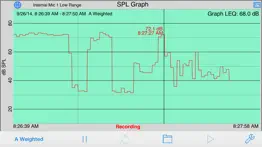
* Plot sound level over time
* Record audio while plot is running, playback to identify sounds that may have caused problems
* Capture video of events (optional in-app purchase)
* Do octave and 1/3 octave band analysis (optional in-app purchase)
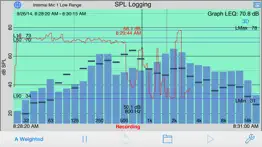
* Show a 3D Plot of octave or 1/3 octave results
* Calculate Ln SPL values, L01, L10, L50, L90, L95, LMax and LMin
* Email notifications when sound exceeds pre-set limits
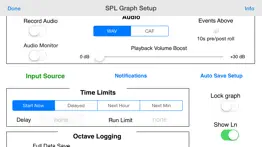
* Auto-save results after set intervals, and email the results to you
* Start another plot after auto-saving for continuous operation
SPL Graph works by averaging the SPL for a period of time that can vary from 0.1 second to 60 minutes, applying an optional weighting filter, and plotting the sound level, recording the raw audio signal, if recording is turned on.
For sound intervals of 1.0 second to 60 minutes, the optional octave and 1/3 octave logging modules allows storing the spectrum of the sound, for each interval.
The app works very well with the built-in iOS device microphone. To upgrade the app to true professional standards, add our iTestMic, iPrecisionMic, or iAudioInterface2 with an appropriate microphone, and get ANSI or ISO Type 1 or 2 results. With iPrecisionMic, you can send the system in to our calibration lab and get a calibration certificate for ISO 61672 and ANSI S1.4.
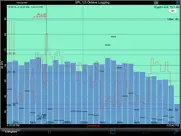
SPL Graph can record up to 24 hours of sound level data, with single second resolution. The graph starts with a one-minute plot window, and as a minute is recorded, the graph re-scales automatically and adds another minute to show the data collected so far. The overall SPL level, or LEQ, is displayed for whatever portion of the test is showing on the graph.
Tap the play button to play back the recorded audio, and you can use the cursor to scrub the audio location on the graph. Use this feature to listen to events that you can see on the graph.
With the optional octave logging module, you can also record the octave or 1/3 octave band levels. And, you can view the data on the 3D plot for a graphical view of frequency over time.
You can scroll and scale the graph vertically, in dB, by using standard swipe and pinch gestures. You can also scroll and expand and contract the time axis using gestures. Zoom out to a full 24 hours, or zoom in to a single minute, showing second resolution. Double-tap the screen to zoom out to show the entire graph on the screen.
The time scale grid changes dynamically, highlighting minutes, ten-minute, and hour lines as as it runs.
As the graph runs, the overall LEQ (average SPL) for the entire time period is computed and displayed on the screen. Swiping across the graph brings up a cursor that displays the exact dB level and time for any point on the graph.
You can turn on audio recording, so that you have a record of the sounds that were happening while the graph was being stored. You can use this to figure out exactly what the sound was that caused a peak on the graph, for example. Recordings can be compressed or uncompressed.
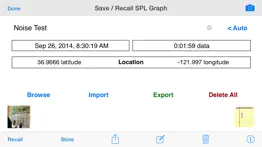
If you exit the app, or are interrupted with a phone call, the graph data will not be lost. SPL Graph will automatically save the graph, and reload it when you next open the program. You can also save a graph in one of ten files on the iPhone, so that you can recall the graph later.
SPL Graph supports saving graphs directly on your iOS device. You can recall these graphs and bring them up on the screen, and listen to the sounds that were made while the graph was recorded. You can also store an image of the screen to your photo roll. Use Dropbox or iTunes Files Sharing to export the results to your computer.
You can also export data in tab-delimited files for XLS import using iCloud.
The filters are all ANSI type 1 or better, and include A-weighting, C-weighting, and all octaves band filters from 32 to 16kHz.
👋 SPL Graph aplikasyonunu beğendiyseniz arkadaşlarınızla paylaşır mısınız?


| Uygulama Adı | SPL Graph |
| Kategori | Müzik |
| Geliştirici | Andrew Smith |
| Yayın Tarihi | 27 Mart 2009 Cuma |
| Güncelleme | 20 Aralık 2025 Cumartesi |
| Dosya Boyutu | 21.51 MB |
SPL Graph Hakkındaki Yorumlar
Sadece kaydolarak sitemizden 25 Dolar kazanabileceğinizi biliyor muydunuz? Payoneer'a katılarak ücretsiz 25$ kazanın!

Lütfen bekleyin! SPL Graph uygulama yorumları yükleniyor...
SPL Graph Müşteri Hizmetleri
SPL Graph aplikasyonu hakkında ne düşünüyorsunuz? Uygulama hakkındaki şikayet, deneyim veya düşüncelerinizi Andrew Smith şirketi ve insanlarla paylaşır mısınız?


SPL Graph Uygulaması Ekran Görüntüleri & Resimleri
SPL Graph uygulaması iphone, ipad, apple watch ve apple tv aplikasyon görüntüleri.
| Dil | Türkçe |
| Fiyat | 499.99 TL |
| Yaş Sınırı | 4+ yaş ve üstü |
| Son Versiyon | 9.0 |
| Play Store | com.studiosix.LEQ |
| Uyumluluk | IOS 13.0 ve üstü |
SPL Graph (Versiyon 9.0) Aplikasyonu İndir & Yükle
SPL Graph ios uygulaması Andrew Smith [Geliştirici ID: 291822462] tarafından geliştirilip, 27 Mart 2009 Cuma günü Müzik kategorisinde yayınlanmıştır. Aplikasyonun dosya boyutu 21.51 MB'tır. Bu uygulama 17 kullanıcı tarafından oylanmış ve 5 üzerinden 1 puan almıştır. SPL Graph programının 20 Aralık 2025 Cumartesi günü yayınlanan son sürümü 9.0 versiyonudur. Minumum IOS 13.0 ve üzeri cihazlarda sorunsuz olarak çalışmaktadır. Google Play Store ID numarası: com.studiosix.LEQ. Uygulamanın desteklediği diller şunlardır:
EN FR DE JA PL ZH ES SV Uygulamayı İndir & Yükle!
| Uygulama Adı | Puan | Yorumlar | Fiyat |
| LARSA Analyzer | 1 | Yorum yapılmamış | 1499.99 |
| SoundScope VR | 5 | 1 | 1299.99 |
| Transfer Function | 1 | Yorum yapılmamış | 2499.99 |
| Generator | 4 | 1 | 499.99 |
| RT60 | 1 | Yorum yapılmamış | 1999.99 |
-Bug fixes and stability improvements
| Uygulama Adı | Geliştirici |
| Audiomack - Play Music Offline | Audiomack, Inc. |
| FM Radio | Rocket Apps GmbH |
| GarageBand | Apple |
| MyTuner Radio Player - Live FM | Appgeneration Software |
| Garage Ringtones for iPhone | APPFLOW SOFTWARE - FZCO |
VPN programları, dünyanın her yerinden sınırsız ve güvenli internet erişimi sağlayarak internete erişmenin en güvenli yolunu sunar. Uzman ekibimizin objektif incelemeleri ve derinlemesine analizleri ile ihtiyacınıza uygun 2026 yılının en iyi VPN programını seçin!
| Uygulama Adı | Geliştirici |
| Ableton Note | Ableton AG |
| Cleartune | Bitcount ltd. |
| Multi Track Song Recorder Pro | Derrick Walker |
| Genius Jamtracks | Antonis Tsikandilakis |
| FL Studio Mobile | Image Line Software |
Farklı kripto para birimlerinin nasıl işlediğini keşfedin ve bizzat denemek üzere her kriptodan küçük bir tutar kazanın. Coinbase, kripto satın almak ve satmak için en kolay yerdir. Kaydolun, hemen başlayın.
| Uygulama Adı | Developer |
| E-Devlet | Turkiye Cumhuriyeti Cumhurbaskanlıgı Dijital Donusum Ofisi Baskanlıgı |
| X | X Corp. |
| Trendyolmilla | Trendyol.com |
| Turkcell | Turkcell Iletisim Hizmetleri A.S. |
| WhatsApp Messenger | WhatsApp Inc. |
Jasper, size ve ekibinize 10 kat daha hızlı şaşırtıcı, orijinal içerik oluşturmak için yaratıcı engelleri aşmanıza yardımcı olan yapay zeka içerik üreticisidir.
| Uygulama Adı | Geliştirici |
| BlueTutor | Brock Brunson |
| Big Apple Pizza App | UpMenu |
| Avia Toys | AVIATOR TOV |
| Ata Tenis Kompleksi | Seckin Payziner |
| Animal Drop Merge Games | Andri Octavianto Eko Nugroho |
Mind Lab Pro ® odaklanma, stres altında çoklu görev yapma, yaratıcı problem çözme ve daha fazlası için nootropiklerle iş performansını ve üretkenliğini arttıran bilimsel bir ilaçtır. Beyninizi %100 performansa çıkarın!
Adsterra, AdSenseye alternatif arayanların en çok tercih ettiği reklam ağıdır. Adsterra, günlük site trafiği düşük olan yeni siteler için en ideal bir seçimdir. Adsterra’da siteye reklam vermek için diğer reklam ağları gibi belli bir trafik sınırı, domain yaşı vb. katı kurallar bulunmuyor.