Pro-face Remote HMI
Pro-face Remote HMI App Análisis
¿Qué es la aplicación pro-face remote hmi? ====================================================
Pro-face Remote HMI Price Revision!
====================================================
Pro-face Remote HMI software allows operators to check status of HMI screens on multiple applications remotely,
and assist HMI operation as a sub-display of HMI unit connected with iPhone, iPad and iPod touch.
- Quick 3 steps to use Pro-face Remote HMI
1. Prepare Wireless Router and connect to HMI.
2. Adjust GP application in GP-Pro EX and transfer it to HMI.
3. Download and install Pro-face Remote HMI in iPhone, iPad and iPod touch.
Application:
- Monitoring Anywhere of Large/Long Equipment
Using the remote monitoring and operation functions,
actions that previously required multiple staff for a large-sized machine or long-distance application can be easily accomplished by fewer operators.
- Troubleshooting before running to troubled machine
You can confirm possible causes of errors to prepare for necessary actions and tools before running down to the point of the problem.
- Efficiently and effectively monitor machines on the factory floor
Pro-face Remote HMI allows you to check machines and equipment for alarms, operating status,
and other information using iPhone, iPad and iPod touch from anywhere on the factory floor.
Features:
- Synchronized or Asynchronized Monitoring
Pro-face Remote HMI lets you switch communication modes to monitor status.
- Touch Exclusive Control
Setting the monopolize touch function prevents unexpected operational misuses caused by redundant operation.
Operation is re-enabled a preset time after Pro-face Remote HMI or the GP unit on the equipment has been operated.
- Remote Status Icon
A local operator can check the status of remote connection and touch monopoly of HMI server or remote client on a HMI screen for safer operation.
- Screen Shortcut
Images or texts of machines to monitor can be registered as shortcuts to easily jump from one HMI to another among multiple applications,
for various working environments, such as in an office or manufacturing site.
- Limitation
- Supported HMI Editor for HMI Server: GP-Pro EX Ver. 3.1 or later
- Refer to the GP-Pro EX manual for models (servers) that support the Pro-face Remote HMI feature.
- Text and picture for which Blink is set in the server are not displayed in blinking in the client.
- Reverse Display in 16 Level Monochrome color mode is not supported.
- Touch operation in the Asynchronous Mode is available only for the functions that allow you to check display, such as "Screen Change", "Previous Screen", "Scroll" of [Switch/Lamp] and so on. When "Multifunction" mode is set, however, touch operation is disabled.
- In Asynchronous Mode, neither a user window nor a system keypad can be displayed.
- When the version is upgraded to iOS7 or later, the already saved password is reset.
Enter the correct password again for connection. At the same time, the entered password is saved.
👋 ¿Te encanta la aplicación Pro-face Remote HMI? ¡Por favor comparte tus amigos!


| Nombre de la Aplicación | Pro-face Remote HMI |
| Categoría | Productividad |
| Desarrollador | Schneider Electric SAS |
| Fecha de Lanzamiento | viernes, 15 de febrero de 2013 |
| Fecha de Actualización | jueves, 4 de septiembre de 2025 |
| Tamaño | 4.82 MB |
Pro-face Remote HMI Comentarios & Crítica
¿Sabías que puedes ganar $25 desde nuestro sitio con solo registrarte? ¡Obtenga $25 gratis uniéndose a Payoneer!

¡Por favor espera! Pro-face Remote HMI app cargando comentarios de Facebook...
Pro-face Remote HMI Servicio al Cliente
¿Qué opinas sobre la aplicación Pro-face Remote HMI? ¿Puede compartir sus quejas, experiencias o pensamientos sobre la aplicación con la empresa y la gente de Schneider Electric SAS?
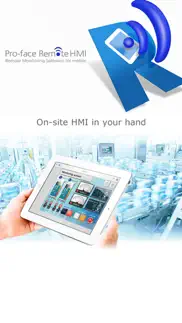


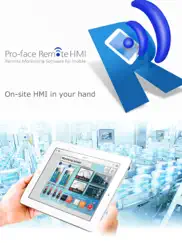


Pro-face Remote HMI Apps Capturas de Pantalla & e Imágenes
Pro-face Remote HMI aplicación iphone, ipad, apple watch ve apple tv solicitud imágenes.
| Idioma | Español |
| Precio | 34.99 EUR |
| Limite de edad | 4+ años y mayores |
| Versión Actual | 1.70.000 |
| Play Store | com.pro-face.RemoteHMI |
| Compatibilidad | IOS 15.0 o después |
Pro-face Remote HMI (Versión 1.70.000) Descargue e Instale la Aplicación
La aplicación Pro-face Remote HMI ios fue desarrollada por Schneider Electric SAS [ID del desarrollador: 646514366] y se lanzó en la categoría Productividad el viernes, 15 de febrero de 2013. El tamaño del archivo de la aplicación es 4.82 MB. Esta aplicación ha sido calificada por 17 usuarios y tiene una calificación de 1 sobre 5. Pro-face Remote HMI es la última versión 1.70.000 lanzada el jueves, 4 de septiembre de 2025. Funciona sin problemas en software IOS 15.0 mínimo y superior. Google Play ID: com.pro-face.RemoteHMI. Idiomas admitidos por la aplicación:
EN JA Descargar e Instalar!| Nombre de la Aplicación | Valoración | Reseñas | Precio |
[Ver. 1.70.000] - Supporting iOS 16, 17 and 18. - Application and communication security has been improved. (CVE-2024-12399)
| Nombre de la Aplicación | Desarrollador |
| Google Gemini | |
| VPN - Super Unlimited Proxy | Mobile Jump Pte Ltd |
| Fotocasa - Casas y pisos | ADEVINTA REAL ESTATE SLU |
| Microsoft 365 Copilot | Microsoft Corporation |
| Presentaciones de Google |
¿Comprueba los resultados de su trabajo de SEO? ¿O simplemente mira el ranking de palabras clave en Google? Si no puede leer los datos correctamente de su trabajo de SEO, ¡está perdiendo mucho!
| Nombre de la Aplicación | Desarrollador |
| Oblique Strategies SE | Nicolae Gherasim |
| UnTrap para YouTube | Yevhen Tretiakov |
| Dumbify | AB Apps Inc. |
| Sectograph - gestor de tiempo | Roman Blokhin |
| Private LLM - Local AI Chatbot | Numen Technologies Limited |
Descubra cómo funcionan las diferentes criptomonedas y gane una pequeña cantidad de cada cripto para probarlo usted mismo. Coinbase es el lugar más fácil para comprar y vender criptomonedas. Regístrese, comience ahora.
| Nombre de la Aplicación | Desarrollador |
| Booksy para clientes | Booksy |
| Google Chrome | |
| Google Meet | |
| Importass Seguridad Social | Secretaría de Estado de la Seguridad Social. Ministerio de Empleo y Seguridad Social |
| AliExpress Shopping App | Alibaba |
Jasper es el creador de inteligencia artificial que te ayuda a ti y a tu equipo a superar las barreras creativas para crear contenido sorprendente y original 10 veces más rápido.
| Nombre de la Aplicación | Desarrollador |
| Block Flow | Harry GOODWIN |
| Casa de Deus Church | Casa de Deus Church |
| Academy Rufina Karamova | ORG DIKIDI |
| Amaatra | Hemakumar Raminni |
| Acesso Church | Acesso Church |
Mind Lab Pro ® es un medicamento científico que mejora el rendimiento laboral y la productividad con nootrópicos para la concentración, el estrés, la multitarea, la resolución creativa de problemas y más. ¡Haz que tu cerebro funcione al 100%!
Adsterra es la red publicitaria preferida por aquellos que buscan una alternativa a AdSense. Adsterra es la opción ideal para sitios nuevos con poco tráfico diario. Para anunciarse en el sitio de Adsterra, al igual que otras redes publicitarias, se requiere cierto límite de tráfico, antigüedad del dominio, etc. No hay reglas estrictas.