REC - Pro Video Camera
REC - Pro Video Camera App Análisis
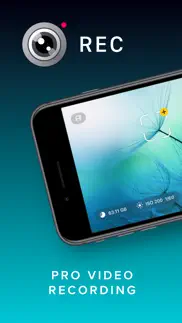
¿Qué es la aplicación rec - pro video camera? Elevate your video capturing with REC! Tailored for creators, it provides extensive video and audio options for professional-quality production effortlessly. Choose from a range of camera settings, stabilization options, resolutions, frame rates, and more to capture the perfect video every time. And with intuitive controls and an easy-to-read heads-up display, you can adjust focus, exposure, and more with just a tap.
Plus, with REC's timecode feature, you can easily synchronize footage from multiple devices for seamless, multi-angle videos. Choose from "Time of Day" timecode or use Bluetooth sync with Tentacle Sync devices for precise, one-frame resolution synchronization. And with seamless management options, including preview, watch, and send directly to your photo library or favorite editing app, you can create and share professional-quality videos with ease.
Here's a quick summary of REC's plethora of video options:
- Camera: Front, Telephoto, Wide, Ultra-Wide (As available on your device.)
- Camera Stabilization (As available by device and camera selection.)
- Resolution: Open Gate, 4K, 1080p, 720p (As available by device.)
- FPS: 240, 120, 60, 50, 48, 30, 29.97, 25, 24, 23.98 (As available by device and camera selection.)
- Bit Rate: Normal, High, Max
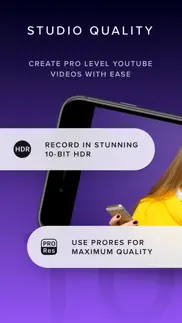
- Dynamic Range: 8 Bit, 10 Bit, 10 Bit HDR (As available by device and other selections.)
- Format: HEVC, H.264, ProRes 422 HQ, ProRes RAW HQ (As available by device and other selections.)
- Lock Exposure and White Balance when recording begins.
- Apple Log and Apple Log 2 support when recording in ProRes.
- External storage support for iPhone 15 to 17 Pro using USB-C,
Audio
Here's a quick summary of REC's extensive audio options:
- Microphone: Front, Back, Bottom, External (As available on your device.)
- Microphone Gain control
- Microphone Polar Pattern control: Choose omni, subcardioid, cardioid or stereo pickup depending on what best fits your usage. (As available by device and microphone.)
- Sample Rate: 24Khz, 44.1Khz, 48Khz
- Format: AAC, PCM
Lot of options! But REC gives you simplicity along with flexibility, you'll never be able to select a combination that doesn't work with your device.
Captivating Controls
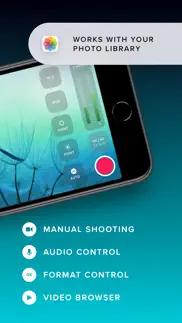
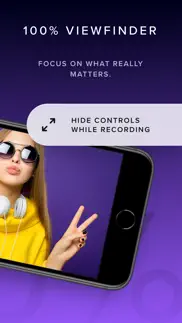
REC's floating buttons put pro level controls at your fingertips, and keeps them out of the way while you're focusing on what's important, shooting your video! A single tap brings up any of the control menus where you can adjust the white balance, shutter speed, ISO, EV, and focus manually. Or, use our intuitive touch controls to specify precisely where in your frame focus on and expose to. Quickly swap between the Wide, Ultra-Wide, Telephoto, or Front cameras and different formats with a flick of your finger, and your selection is always available at a glance. Optionally overlay a grid, and zoom in or out to help you frame the perfect shot every time.
Terrific Timecodes
REC provides two Timecode methods. The first one is "Time of Day", which simply records your device's clock information alongside the video. In order for it to work, just make sure all your devices are set to the same time. For really accurate and extremely simple synchronization, REC also provides Bluetooth sync using Tentacle Sync devices. Using Tentacle Timecode, REC is able to synchronize your iPhone footage with high accuracy. You can find more about the Tentacle Sync solutions at https://tentaclesync.com.
Marvelous Management
REC saves all of your videos seamlessly to the built-in manager that lets you quickly and easily preview your creations. Watch your shots at different speeds, and preview them without sound if you're trying to find the right shot to share in a sensitive environment. Sending a video to your photo library or favorite editor is just a tap away. Or if you'd prefer, send videos directly to the Photo Library and enjoy its seamless integration with any app that supports video.
Terms of use: https://www.apple.com/legal/internet-services/itunes/dev/stdeula/
👋 ¿Te encanta la aplicación REC - Pro Video Camera? ¡Por favor comparte tus amigos!


| Nombre de la Aplicación | REC - Pro Video Camera |
| Categoría | Foto y vídeo |
| Desarrollador | LateNiteSoft S.L. |
| Fecha de Lanzamiento | jueves, 16 de julio de 2020 |
| Fecha de Actualización | jueves, 12 de marzo de 2026 |
| Tamaño | 22.69 MB |
REC - Pro Video Camera Comentarios & Crítica
La mejor App para grabar video. Para mi es una de las Apps imprescindibles para grabar video y la de utilidades que ofrece
¿Sabías que puedes ganar $25 desde nuestro sitio con solo registrarte? ¡Obtenga $25 gratis uniéndose a Payoneer!
Mind Lab Pro ® es un medicamento científico que mejora el rendimiento laboral y la productividad con nootrópicos para la concentración, el estrés, la multitarea, la resolución creativa de problemas y más. ¡Haz que tu cerebro funcione al 100%! Comprar!
Adsterra es la red publicitaria preferida por aquellos que buscan una alternativa a AdSense. Adsterra es la opción ideal para sitios nuevos con poco tráfico diario. Para anunciarse en el sitio de Adsterra, al igual que otras redes publicitarias, se requiere cierto límite de tráfico, antigüedad del dominio, etc. No hay reglas estrictas. ¡Regístrate ahora!
Mind Lab Pro ® odaklanma, stres altında çoklu görev yapma, yaratıcı problem çözme ve daha fazlası için nootropiklerle iş performansını ve üretkenliğini arttıran bilimsel bir ilaçtır. Beyninizi %100 performansa çıkarın! Satın Al!

¡Por favor espera! REC - Pro Video Camera app cargando comentarios de Facebook...
REC - Pro Video Camera Servicio al Cliente
¿Qué opinas sobre la aplicación REC - Pro Video Camera? ¿Puede compartir sus quejas, experiencias o pensamientos sobre la aplicación con la empresa y la gente de LateNiteSoft S.L.?
REC - Pro Video Camera Apps Capturas de Pantalla & e Imágenes
REC - Pro Video Camera aplicación iphone, ipad, apple watch ve apple tv solicitud imágenes.
| Idioma | Español |
| Precio | Gratis |
| Limite de edad | 4+ años y mayores |
| Versión Actual | 8.0.1 |
| Play Store | com.latenitesoft.Rec |
| Compatibilidad | IOS 18.0 o después |
REC - Pro Video Camera (Versión 8.0.1) Descargue e Instale la Aplicación
La aplicación REC - Pro Video Camera ios fue desarrollada por LateNiteSoft S.L. [ID del desarrollador: 283292600] y se lanzó en la categoría Foto y vídeo el jueves, 16 de julio de 2020. El tamaño del archivo de la aplicación es 22.69 MB. Esta aplicación ha sido calificada por 7 usuarios y tiene una calificación de 4.7 sobre 5. REC - Pro Video Camera es la última versión 8.0.1 lanzada el jueves, 12 de marzo de 2026. Funciona sin problemas en software IOS 18.0 mínimo y superior. Google Play ID: com.latenitesoft.Rec. Idiomas admitidos por la aplicación:
EN Descargar e Instalar!| Nombre de la Aplicación | Valoración | Reseñas | Precio |
| Photon Studio | 4.5 | 2 | Gratis |
| Photon Enhance | 1 | Sin comentarios | Gratis |
| MorphAI - Prompt to Transform | 1 | Sin comentarios | Gratis |
| Photon Camera | 4.4 | 13 | Gratis |
| Pinpoint Position | 1 | Sin comentarios | 1.99 |
REC 8.0.1 makes the app smoother, faster, and more reliable, so you can focus on recording.
| Nombre de la Aplicación | Desarrollador |
| Photoroom Studio Photo Editor | ARTIZANS OF PHOTO VIDEO BACKGROUND EDITOR APP |
| PrettyUp - Video Body Editor | Pixl Concerto Technology Limited |
| Hik-Connect | Hangzhou Hikvision Digital Technology Co., Ltd. |
| Video Lite | Video Lite, Inc. |
| Remini - Mejorador de Fotos IA | Bending Spoons Apps ApS |
¿Comprueba los resultados de su trabajo de SEO? ¿O simplemente mira el ranking de palabras clave en Google? Si no puede leer los datos correctamente de su trabajo de SEO, ¡está perdiendo mucho!
| Nombre de la Aplicación | Desarrollador |
| Long Exposure Toolkit | Andrew Offield |
| GPSPlus Pro | 汝泉 张 |
| Video Slimmer App | Shenzhen Socusoft Co., Ltd |
| TV Cast Pro for Sony TV | Kraus und Karnath GbR 2Kit Consulting |
| DMD Panorama | Dermandar |
Descubra cómo funcionan las diferentes criptomonedas y gane una pequeña cantidad de cada cripto para probarlo usted mismo. Coinbase es el lugar más fácil para comprar y vender criptomonedas. Regístrese, comience ahora.
| Nombre de la Aplicación | Desarrollador |
| Documentos de Google | |
| YouTube | |
| Importass Seguridad Social | Secretaría de Estado de la Seguridad Social. Ministerio de Empleo y Seguridad Social |
| Netflix | Netflix, Inc. |
| AliExpress Shopping App | Alibaba |
Jasper es el creador de inteligencia artificial que te ayuda a ti y a tu equipo a superar las barreras creativas para crear contenido sorprendente y original 10 veces más rápido.
| Nombre de la Aplicación | Desarrollador |
| Basingstoke Golf Club | Clere |
| Bite Ai - Calorie Tracker | Omar Hammad |
| ABC 123 Train | Mikhail Magurean |
| Ai.Audio Controller | Narcyz Adamus |
| ATOD Exposure Calculator | Jeong eui Kim |
Mind Lab Pro ® es un medicamento científico que mejora el rendimiento laboral y la productividad con nootrópicos para la concentración, el estrés, la multitarea, la resolución creativa de problemas y más. ¡Haz que tu cerebro funcione al 100%!
Adsterra es la red publicitaria preferida por aquellos que buscan una alternativa a AdSense. Adsterra es la opción ideal para sitios nuevos con poco tráfico diario. Para anunciarse en el sitio de Adsterra, al igual que otras redes publicitarias, se requiere cierto límite de tráfico, antigüedad del dominio, etc. No hay reglas estrictas.