Ship2door App Reviews

SCORE
0
TOTAL RATINGS
16

Ship2door App Description & Overview

Our service

Delivery that meets the customer's expectations is fast, technological and high-quality. We at International Delivery have learned how to make delivery exactly like this.

Learn more about the functionality of the International Delivery App for Shopify.

International Delivery App benefits:
  • The shipping cost is displayed in the shopping cart
  • You can send orders to International delivery directly from Shopify - one or several at once
  • Additional delivery options for different purposes: a thermobag for restaurants; a driver courier
  • Tracking delivery statuses updates is also available in the module.
Installation and Setup
  1. To set up the International delivery module,, select App and open the App Settings window
  2. Select the language
  3. Enter the International Delivery token
  4. Enter the default product parameters.
  5. Choose how the delivery will be displayed to the customer in the shopping cart.
How to use the module?

The customer can see the shipping cost on the checkout page. The delivery method chosen by the customer will be visible in the list of orders in the Delivery Method field. Only prepaid and fulfilled orders can be sent to International Delivery.

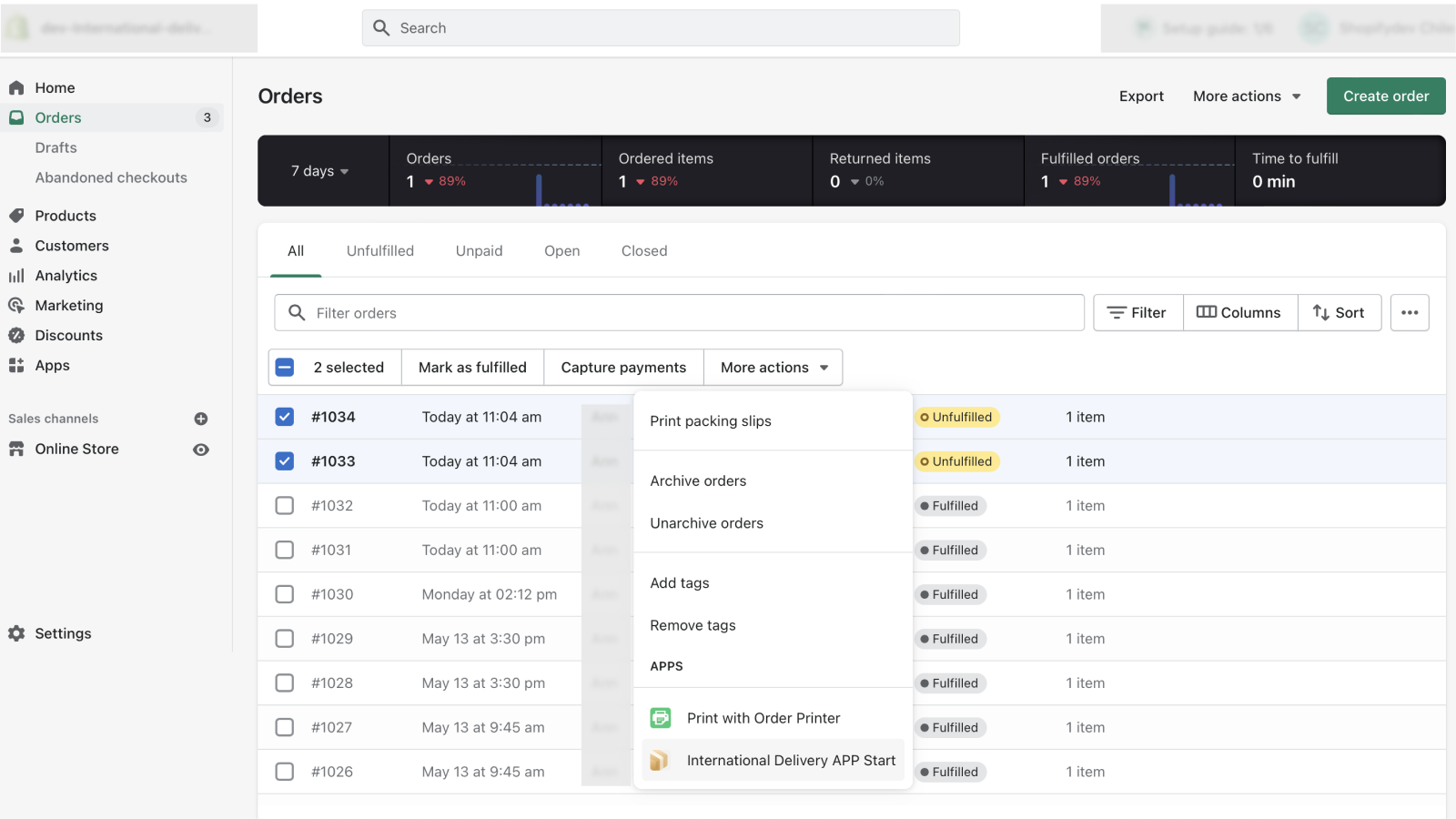
  1. Select 1 or more orders in Orders, and select International in the More Actions menu then. Other way is to go to the order, and select International Delivery in the More Actions menu.
  2. If the order hasn't been delivered yet, the delivery registration window will open.
  3. If the warehouses have not been set up or there are problems with the delivery address, an error message will be displayed in the upper right corner. An error with the shipping address may occur if Shopify cannot determine the geographical coordinates. The address may need to be clarified.
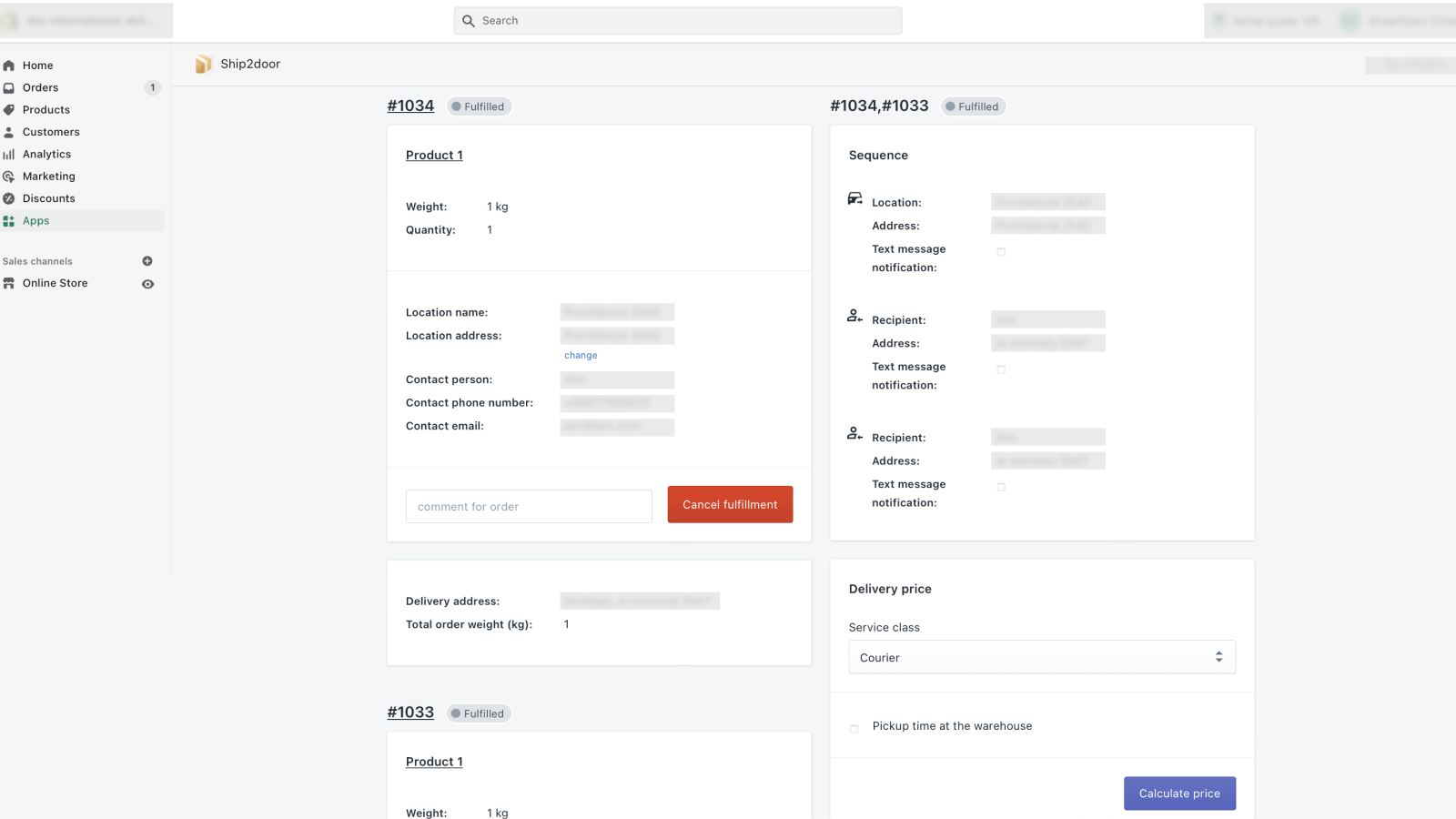
  4. If you want to send several orders for delivery, then you will be able to choose the order in which the orders will be sent.
  5. Before confirming the claim, select the service class and special delivery options.
  6. If you want to check the delivery status, open the order and select International delivery App in the More Actions menu.
  7. If you want to cancel delivery, open the order and select International delivery in the More Actions menu. Then click Cancel Order. In case of canceling the order before the courier arrives, the trip won’t be charged. To get a token, contact your manager. If you haven't signed a contract yet, fill out the form.

👏 Do you love international delivery shopify app? Please share your friends!

whatsapp telegram facebook twitter pinterest email share
App Name Ship2door
App Category Orders And Shipping
Published
App Price Price: Free
Support E-Mail [email protected]
App Website https://apps.shopify.com/international-delivery?ref=appsrankings.com

Ship2door Features

Urban logistics in one click.

Ship2door Comments & User Reviews 2026

💸 Want to send free money abroad?

Enjoy high maximum transfers into more than 20 currencies while saving up to 90% over local banks! The cheap, fast way to send money abroad. Free transfer up to 500 USD!

Please wait! Ship2door Facebook comments loading...

Ship2door App Tips, Tricks and Rules

What do you think international delivery shopify app? Can you share with chiledev company and people your complaints, experiences or thoughts about the app?
Ship2door Screenshots & Images

Ship2door shopify app screenshot images, pictures.