SatFinder
SatFinder Appanmeldelser
Hva er SatFinder-appen? With SatFinder you can adjust your satellite antenna in a few seconds and with 4 simple steps:
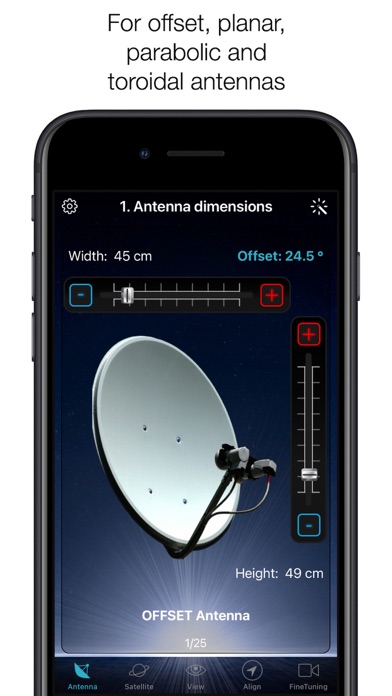
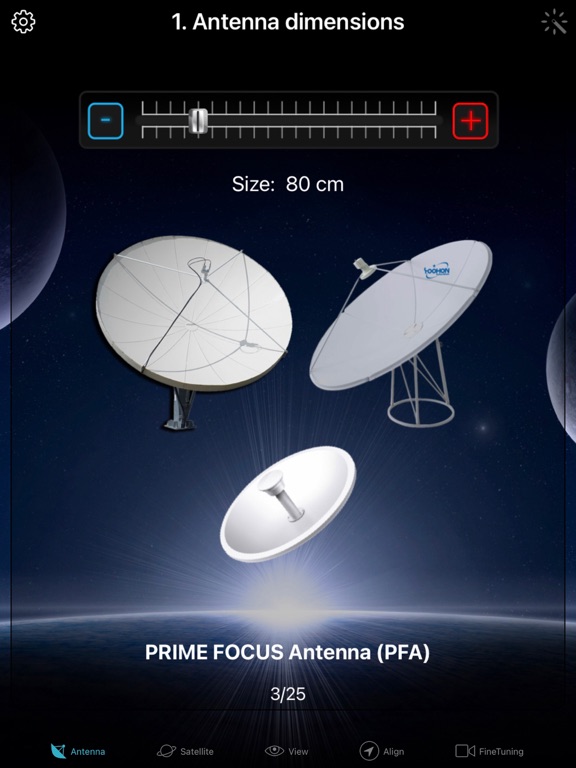
STEP 1 - CHOOSE YOUR ANTENNA
Choose one of the four different antenna designs:
- Offset antennas (the most common, is slightly oval, the LNB is not in the center).
- Special design (e.g. Oblong shaped Offset antenna, Multifeed antenna)
- Parabolic antenna (LNB is located in the center of the reflector, usually larger than 100cm)
- Flat or planar antenna (small, camping antennas)
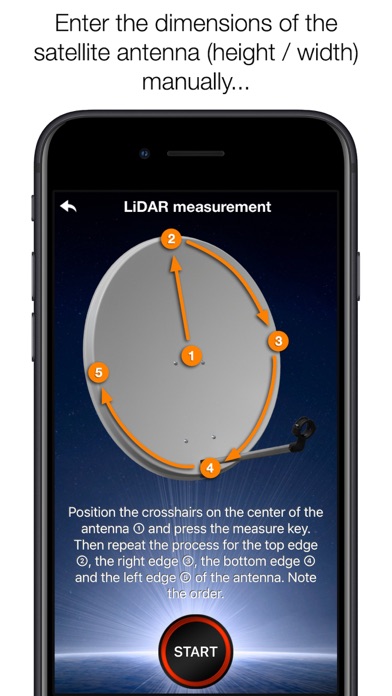
If you have an offset antenna, enter the height and width of the antenna. If your antenna has a special shape, enter the offset angle and the size of the satellite antenna. You can find the offset angle in the manual of your satellite antenna. For parabolic antennas it is sufficient to enter the antenna diameter. With a flat antenna you do not have to set anything. If you know the exact antenna name, check if your antenna is already in the database.
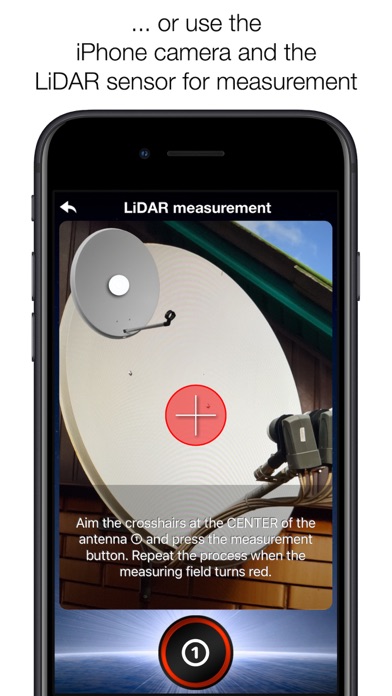
Tip: Press the wizard button to measure the size of the satellite antenna using the iPhone camera and LiDAR scanner.
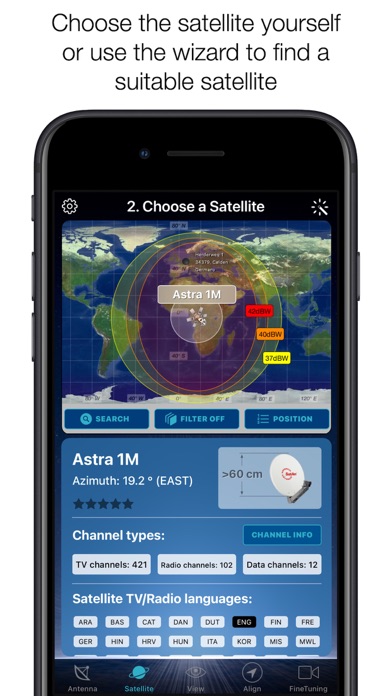
STEP 2 - CHOOSE YOUR SATELLITE
To quickly and easily select a suitable satellite, simply press the "AUTO" button. The SatFinder will now automatically search for satellites that are in your reception area and that offer TV or radio stations in your language (the language setting of your iPhone will be selected). The stars (1-10) shown in the table result from the number of radio and TV channels offered and the reception strength at your location.
If you want to receive a special satellite, switch off "AUTO": Now you can simply scroll through the table and select the satellite. Faster is the search function - just enter the name of the satellite, the channel or the orbit position. You can also reduce the number of table entries by hiding satellites that are not available at your location or do not broadcast in your language. With the button "Channel Info" you can check which channels the selected satellite is currently broadcasting - including all channel parameters for your satellite receiver.
STEP 3 - CHECK OBSTACLES
For a smooth satellite reception, there must not be any obstacles between the satellite and your satellite antenna. You can check this with the "View" function. Simply aim at the satellite and watch the signs (GREEN - no obstacle, RED - caution, free view may not be given).
Tip: Press the button for the assistant to activate the voice output.
STEP 4 - ADJUST ANTENNA
In the menu item "Align" different graphics appear depending on the selected antenna type. If you use an offset antenna, you have to adjust the azimuth and elevation separately. With planar or parabolic antennas the adjustment of the angles is done together. Before you press the "Start" button, a video clip shows how to position your iPhone at the antenna.
Tip: Press the button for the assistant to activate the voice output.
STEP 5 - FINE TUNING
If necessary, you can optimize the reception of your satellite system. The SatFinder provides you with the function "FineTuning". To use this function, you need a second iOS device. One device serves as a camera; the second device as a monitor. Simply place an iPhone in front of your reception screen and observe changes in picture quality while slightly rotating or tilting your satellite antenna. With the FineTuning feature, you'll have visual contact with your TV even when you're out of sight.
THAT'S IT. YOU SHOULD NOW BE ABLE TO ENJOY INTERFERENCE-FREE SATELLITE RECEPTION...
Note: Satellite antenna tuning is only available on iOS devices with LiDAR sensor (e.g. iPhone 12 Pro).

SatFinder Kommentarer 2026
| Appens Navn | SatFinder |
| Kategori | Verktøy |
| Utvikler | Ralf Andrae |
| Publisert | 21 October 2010, Thursday |
| Oppdatert | 06 June 2024, Thursday |
| Filstørrelse | 56.53 MB |
Awesome. Excellent App, but misses the setup for example Wave Frontier. It would have been AWESOME!!
Perfect. Works perfectly!
Sat finder. Fantastic:-)
SatFinder. Completely useless. Can not use it beside the antenna because of magnetisme from the metal, and iPhone spins wild
Fantastisk. Denne hjalp meg, da parabolen fikk snøen fra taket over seg, å datt ut av posisjon. Jeg flytta hele parabolen til et tryggere sted, kobla til parabolen (brukte denne appsen) 1min så fikk jeg 100% signal. Jippi, stor fornøyd, hilsen Torgeir fra Sollihøgda
På første forsøk..!. Ikkje noe å lure på. Kjøp.
Fem minutter. Det var tiden jeg brukte på min parabol innstilling👍✨🙏
Nei nei!. Dette var skuffende! Satellitten man skal finne forandrer plassering hele tiden. Den har ikke vært på rett sted en eneste gang, selv etter gjentatte forsøk. Stor forskjell på plasseringene er det også. Går ikke an å bruke hvis man er usikker på om man har fri sikt til satellitten.
Perfekt. Fungere som den ska på Thor og astra som eg brukte det på. bra kjøp
Fornøyd.. Brukte en satelittfinner koblet til tuneren. Brukte appen noe som gjorde innstillingen mye raskere. Anbefales.
SatFinder. Ubrukelig, satelitten holder seg ikke i ro, vandrer fra side til side hele tiden, dårlig kjøp, bruker den på Iphone 5! 👎😠
😍 Elsker du appen SatFinder? Del med vennene dine!


SatFinder 5.0.4 Tips, Triks, Jukser og Regler
Vennligst vent! SatFinder app kommentarer laster inn...
SatFinder 5.0.4 App Skjermbilder og Bilder



SatFinder (versjon 5.0.4) Installasjon og Nedlasting
| Språk | Norsk |
| Pris | 79 NOK |
| Voksenvurdering | 4+ år og eldre |
| Siste Versjon | 5.0.4 |
| Play Store | AYM8AR77H3.com.domainname.SatFinder |
| Kompatibilitet | IOS 14.0 eller nyere |


