Screenshot Editor
Screenshot Editor Appanmeldelser
Hva er Screenshot Editor-appen? Screenshot Editor helps you to easily take screenshot and annotate the screenshot with a set of useful markup tools.
• Quickly take a screenshot with useful capturing modes:
- Capture the entire screen
- Capture a window
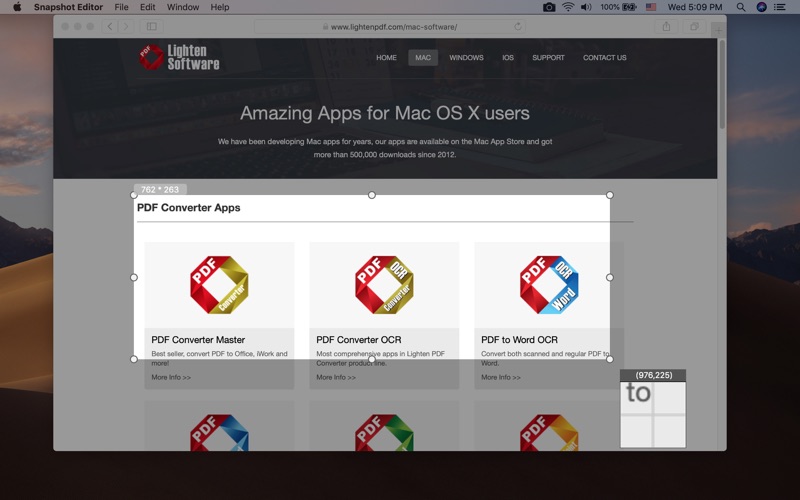
- Capture a selected portion of the screen
- Delay capturing
* Support screen capturing from multiple screens
• Annotate & edit screenshot flexibly
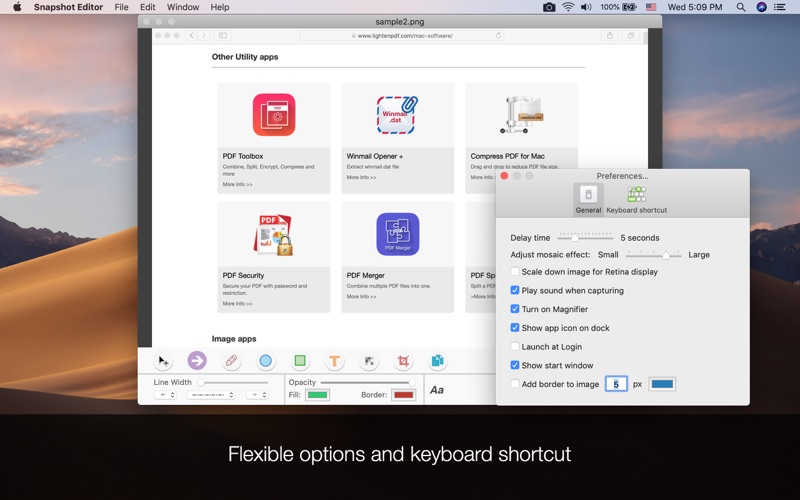
Edit the screenshot with a set of useful markup tools, such as lines, arrows, rectangle, circle shape or text.
All the annotation shapes are fully customizable, you can define the line style, line weight, opacity, color and more.
Making an eye-catching screenshot is extremely easy with Screenshot Editor.
• Mosaic overlay
Apply a mosaic to blur out a face, sensitive information, email address, phone number or anything you don't want to show with Mosaic overlay tool.
• Sharing and save screenshot efficiently
- Copy to clipboard so you can paste the edited screenshot in other applications directly.
- Share the screenshot to other applications directly by one click.
- Save the screenshot as PNG, JPG, TIFF, GIF, BMP or PDF.
• Work efficiently
- Define keyboard shortcuts for instant screen capturing;
- Flexible options are available in ‘Preference’.

Screenshot Editor Kommentarer 2026
| Appens Navn | Screenshot Editor |
| Kategori | Produktivitet |
| Utvikler | 科 姚 |
| Publisert | 15 June 2013, Saturday |
| Oppdatert | 13 April 2019, Saturday |
| Filstørrelse | 1.61 MB |
😍 Elsker du appen Screenshot Editor? Del med vennene dine!


Screenshot Editor 2.3 Tips, Triks, Jukser og Regler
Vennligst vent! Screenshot Editor app kommentarer laster inn...
Screenshot Editor 2.3 App Skjermbilder og Bilder


Screenshot Editor (versjon 2.3) Installasjon og Nedlasting
| Språk | Norsk |
| Pris | 59 NOK |
| Voksenvurdering | 4+ år og eldre |
| Siste Versjon | 2.3 |
| Play Store | com.lightenpdf.screencapture |
| Kompatibilitet | IOS 10.7 eller nyere |