Signature Maker
Signature Maker Appanmeldelser
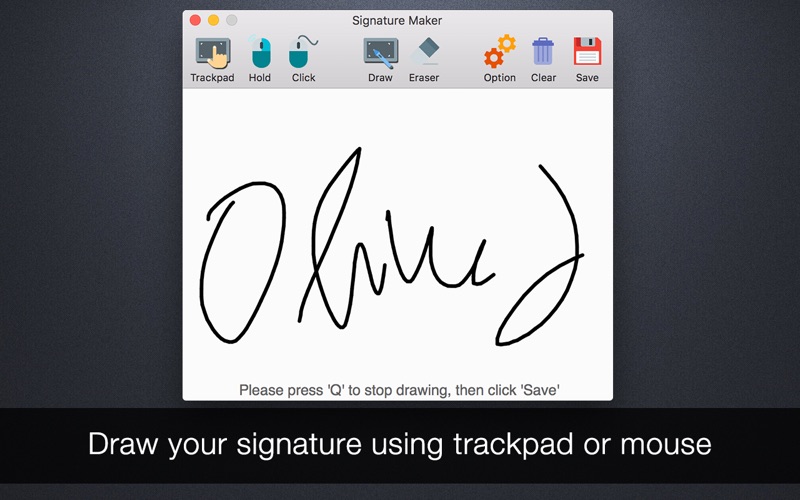
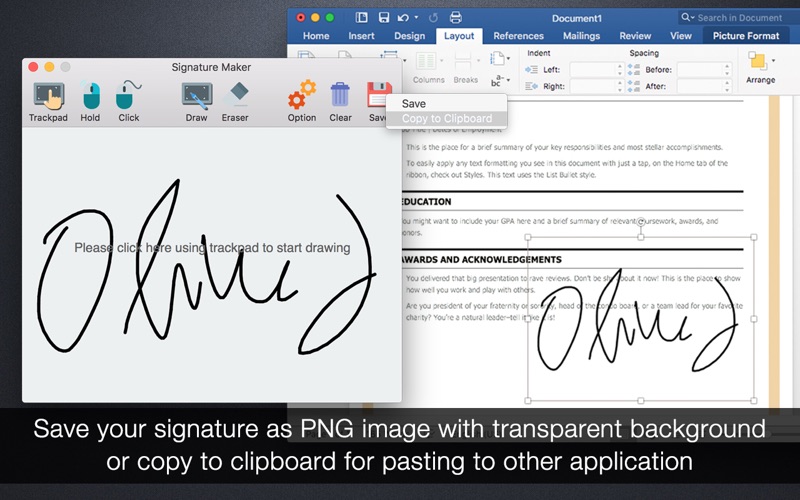
Hva er Signature Maker-appen? Create your own digital signature. Creating your signature images with Signature Maker is as simple as drawing and sketching on a piece of paper.
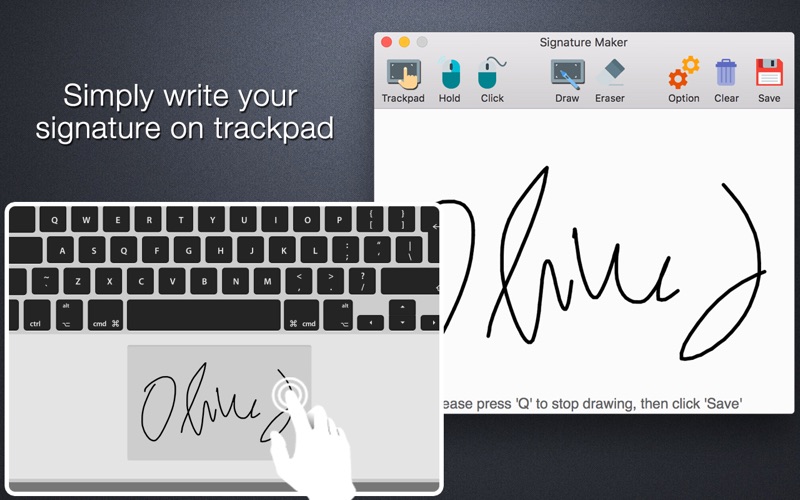
Just use your finger or a stylus, sign your name using the built-in multitouch trackpad, mouse, or Magic Trackpad. You can easily get your digital signature in PNG image file with transparent background.
Whenever you got a digital document that requires your signature, you don't bother printing, filling, scanning or faxing. Just insert your signature image, save you lots of hassles.
Simply draw your signature using trackpad or mouse, then save it as PNG file with transparent background, or copy to clipboard directly, so you can easily insert or paste your signature into other applications.
- If you want to use it in Word, click 'File' -> 'Insert' -> 'Picture' -> 'Picture from File' to select your signature image.
- If you want to insert signature in PDF, you'll need a PDF editor, or use our app 'Sign PDF', which is available on the Mac App Store.
SUPPORT
If you have any problems or questions with our app, please consider contacting us first. We will answer your questions within 24 hours and solve the problem ASAP. We take our customers seriously. You can reach us by email at [email protected] Thanks.

Signature Maker Kommentarer 2026
| Appens Navn | Signature Maker |
| Kategori | Grafikk og design |
| Utvikler | 科 姚 |
| Publisert | 13 February 2013, Wednesday |
| Oppdatert | 05 December 2015, Saturday |
| Filstørrelse | 1.5 MB |
😍 Elsker du appen Signature Maker? Del med vennene dine!


Signature Maker 2.0.1 Tips, Triks, Jukser og Regler
Vennligst vent! Signature Maker app kommentarer laster inn...
Signature Maker 2.0.1 App Skjermbilder og Bilder

Signature Maker (versjon 2.0.1) Installasjon og Nedlasting
| Språk | Norsk |
| Pris | 29 NOK |
| Voksenvurdering | 4+ år og eldre |
| Siste Versjon | 2.0.1 |
| Play Store | com.lightenpdf.signaturemaker |
| Kompatibilitet | IOS 10.6 eller nyere |