Elgato Capture
Elgato Capture Appanmeldelser
Hva er Elgato Capture-appen? Your Elgato capture card or camera now works with iPad!
Meeting up? Throw your iPad and capture card into your bag. Traveling? Leave your laptop at home. Now you have an ultra-compact yet powerful capture setup that can go anywhere whether you're an aspiring streamer, a content creator, or just want to relive your gaming moments. Connect one of these Elgato devices to your setup and unlock a world of possibilities:
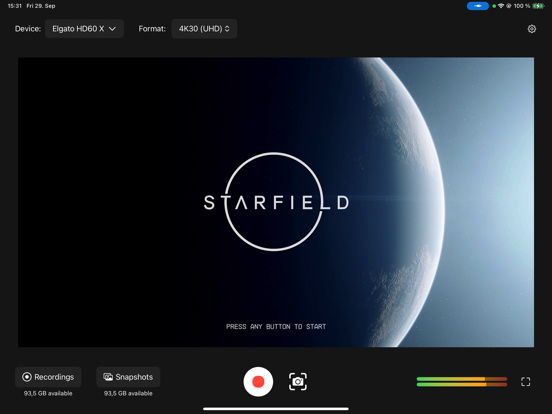
- HD60 X: Experience crisp, high-quality game capture with ease.
- HD60 S+: Elevate your streaming game with seamless, low-latency recording.
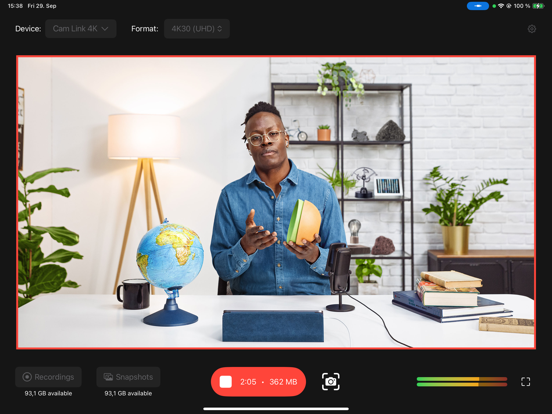
- Cam Link 4K: Unleash the potential of 4K video recording.
- Facecam and Facecam Pro: Perfect for vlogging – try recording with the integrated iPad microphone or connect an Elgato Wave:3.
With Capture, you have complete control over your recording experience:
- Custom Video Settings: Choose your preferred video input format, including resolution and frame rate, to ensure your content looks exactly the way you want it.
- Audio Management: Choose your preferred audio input from your capture device, or the iPad’s integrated front microphone. Toggle passing the audio to the speakers on and off as needed. An integrated audio meter ensures your audio setup is always on point.
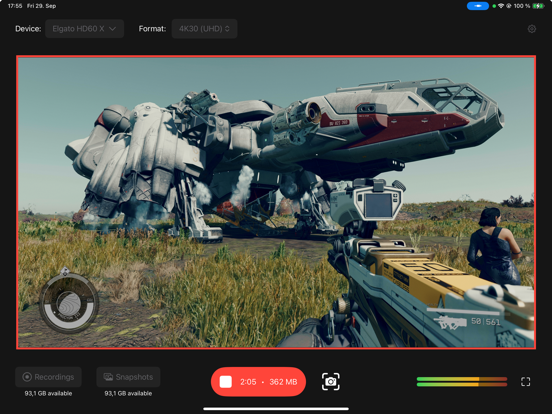
- Capture and Store: Record your gaming sessions, take screenshots, and effortlessly store them in your preferred location – Photo Library, Internal Storage, or even External Storage like a USB SSD or SD card.
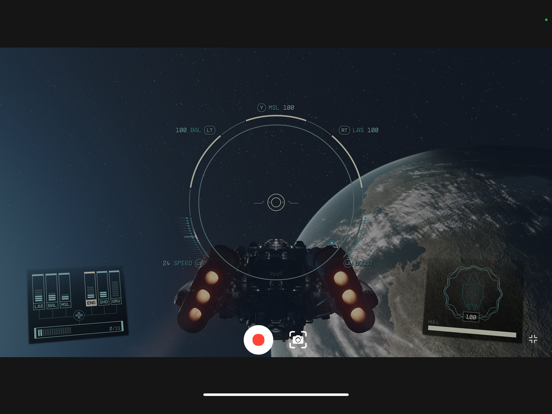
- iPad Monitoring: Utilize your iPad as a dedicated full-screen monitor, so you can game on-the-go.
Elevate your content and share your gaming journey with the world like never before. Download Capture today and start capturing your epic moments with your Elgato devices!
Compatibility:
Works on iPads with native USB-C connector, i.e. iPad Pro 12.9-inch (3rd generation and later), iPad Pro 11-inch, iPad (10th generation and later), iPad Air (4th generation and later), and iPad mini (6th generation and later). Does not work on iPads with Lightning connector.

Elgato Capture Kommentarer 2026
| Appens Navn | Elgato Capture |
| Kategori | Foto og video |
| Utvikler | Corsair Memory, Inc. |
| Publisert | 04 October 2023, Wednesday |
| Oppdatert | 08 January 2025, Wednesday |
| Filstørrelse | 25.57 MB |
Constant errors on iPad Pro M4. Recordings stop every time with an «OSStatus error -12743» error message. When recording, this error pops up after everything from a few seconds up to a few minutes into the recording, which also aborts the recording. Very frustrating, as it makes my Elgato HD60X unusable on the iPad. This is on an iPad Pro M4 1TB (2024). And yes, I have tried different cables, both direct USB-C to USB-C, and with USB-C to USB-A with an USB-C OTG adapter.
😍 Elsker du appen Elgato Capture? Del med vennene dine!


Elgato Capture 1.2.2 Tips, Triks, Jukser og Regler
Vennligst vent! Elgato Capture app kommentarer laster inn...
Elgato Capture 1.2.2 App Skjermbilder og Bilder
Warning: Undefined array key 0 in /var/www/vhosts/appsrankings.com/httpdocs/no_p/appnew_main.php on line 536
Deprecated: preg_match(): Passing null to parameter #2 ($subject) of type string is deprecated in /var/www/vhosts/appsrankings.com/httpdocs/no_p/appnew_main.php on line 536
Warning: Undefined array key 1 in /var/www/vhosts/appsrankings.com/httpdocs/no_p/appnew_main.php on line 537
Warning: Undefined array key 2 in /var/www/vhosts/appsrankings.com/httpdocs/no_p/appnew_main.php on line 538
Elgato Capture (versjon 1.2.2) Installasjon og Nedlasting
| Språk | Norsk |
| Pris | Gratis |
| Voksenvurdering | 4+ år og eldre |
| Siste Versjon | 1.2.2 |
| Play Store | com.elgato.captureapp |
| Kompatibilitet | IOS 17.0 eller nyere |


